CMS Website Design Portfolio: Showcase &
Examples
This document serves as a portfolio showcasing various website designs built using Content
Management Systems (CMS). It highlights the versatility and power of CMS platforms in
creating diverse and engaging online experiences. Through examples and descriptions, this
portfolio aims to demonstrate the capabilities of CMS-driven websites and inspire future
design endeavors.
Introduction to CMS Website Design
Content Management Systems (CMS) have revolutionized website development by providing
user-friendly interfaces for managing and updating website content without requiring
extensive coding knowledge. This has empowered businesses and individuals to create and
maintain dynamic and engaging websites with ease. A well-designed CMS website not only
looks visually appealing but also offers a seamless user experience and efficient content
management capabilities.
Portfolio Examples
The following examples showcase a range of CMS website designs, highlighting different
industries, design styles, and functionalities.
1. E-commerce Website for a Clothing Boutique (Shopify)
Description: This e-commerce website is built on Shopify, a popular CMS platform
specifically designed for online stores. The design is clean and modern, with high-quality
product photography and intuitive navigation.
Key Features:
• Responsive Design: The website is fully responsive, adapting seamlessly to different
screen sizes and devices.
• Product Catalog: A well-organized product catalog with detailed product
descriptions, multiple images, and customer reviews.
• Shopping Cart and Checkout: A secure and user-friendly shopping cart and checkout
process.
• Payment Gateway Integration: Integration with multiple payment gateways for secure
online transactions.
• Blog: A blog section for sharing fashion tips, style guides, and promotional content.
Design Highlights:
• Use of a minimalist color palette to highlight the products.
• Strategic use of white space to create a clean and uncluttered layout.
• Clear call-to-action buttons to encourage purchases.
2. Corporate Website for a Tech Startup (WordPress)
Description: This corporate website is built on WordPress, a versatile CMS platform suitable
for a wide range of websites. The design is professional and modern, reflecting the
innovative nature of the tech startup.
Key Features:
• About Us Section: A compelling "About Us" section that tells the story of the company
and its mission.
• Services Page: A detailed description of the services offered by the company.
• Case Studies: Case studies showcasing successful projects and client testimonials.
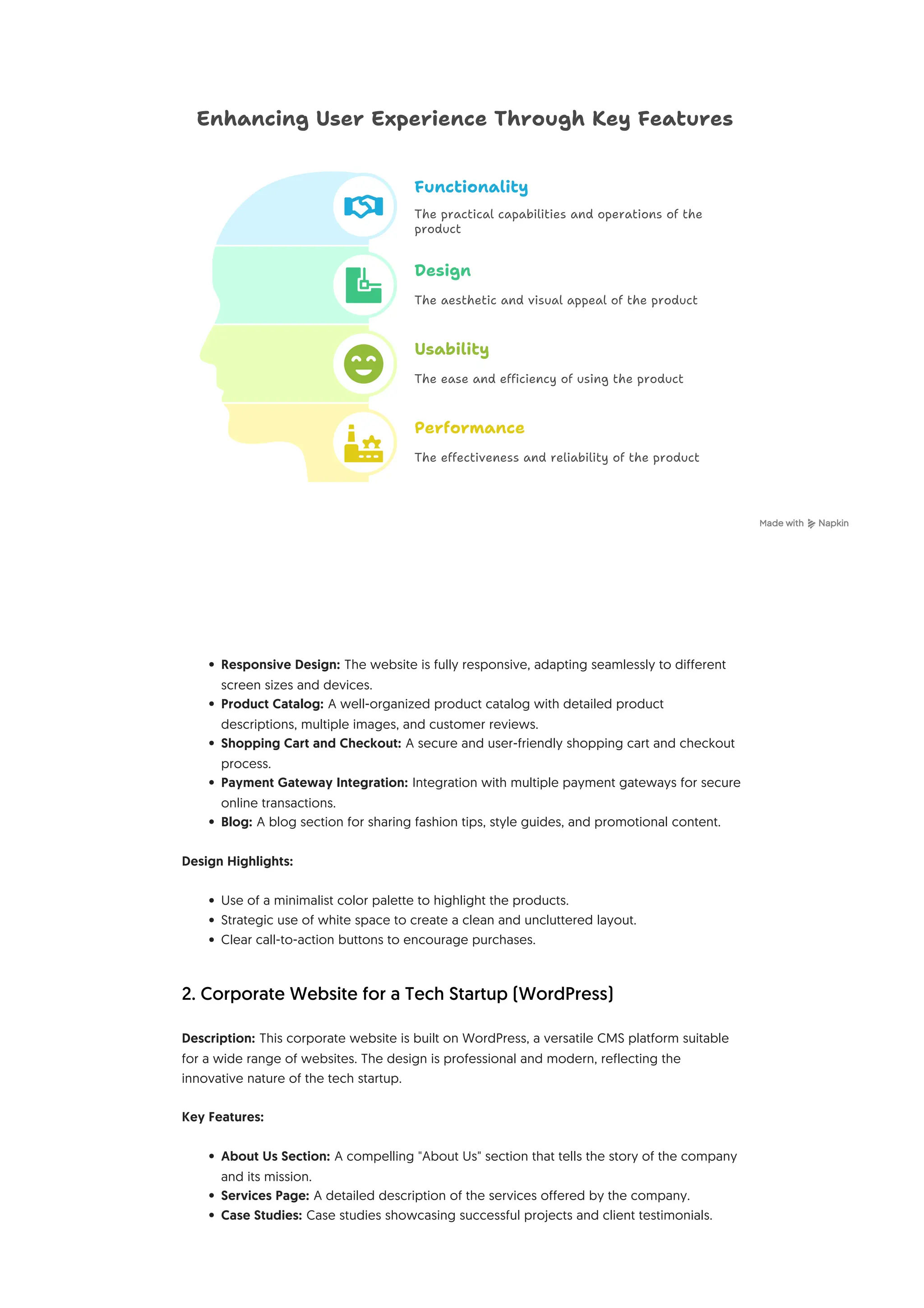
Design
Enhancing User Experience Through Key Features
Functionality
Performance
The aesthetic and visual appeal of the product
The ease and efficiency of using the product
The effectiveness and reliability of the product
The practical capabilities and operations of the
product
Usability
• Blog: A blog section for sharing industry insights, company news, and thought
leadership content.
• Contact Form: A contact form for easy communication with potential clients.
Design Highlights:
• Use of bold typography and vibrant colors to create a visually engaging experience.
• Incorporation of custom illustrations and animations to enhance the brand identity.
• Clear and concise messaging to communicate the company's value proposition.
3. Portfolio Website for a Freelance Photographer (WordPress)
Description: This portfolio website is built on WordPress and is designed to showcase the
photographer's best work. The design is simple and elegant, allowing the photographs to
take center stage.
Key Features:
• Image Galleries: High-quality image galleries organized by category.
• About Me Section: A brief biography and artist statement.
• Contact Form: A contact form for inquiries and bookings.
• Blog: A blog section for sharing behind-the-scenes stories and photography tips.
Design Highlights:
• Use of a dark background to make the photographs stand out.
• Minimalist navigation to avoid distracting from the images.
• Responsive design to ensure optimal viewing on all devices.
4. Non-profit Organization Website (Drupal)
Description: This website is built on Drupal, a CMS known for its robust security and
scalability, making it ideal for non-profit organizations. The design is compassionate and
informative, aiming to raise awareness and encourage donations.
Key Features:
• Donation Platform: A secure and easy-to-use donation platform.
• Volunteer Sign-Up: A volunteer sign-up form for attracting new volunteers.
• Events Calendar: An events calendar showcasing upcoming events and fundraising
activities.
• News and Updates: A news section for sharing updates on the organization's work
and impact.
• Success Stories: Stories of individuals and communities impacted by the organization's
efforts.
Design Highlights:
• Use of warm and inviting colors to create a sense of community.
• Clear and compelling calls to action to encourage donations and volunteerism.
• Emphasis on visual storytelling through photographs and videos.
5. Restaurant Website (Squarespace)
Description: This restaurant website is built on Squarespace, a CMS known for its ease of use
and beautiful templates. The design is appetizing and inviting, showcasing the restaurant's
ambiance and menu.
Key Features:
• Online Menu: An online menu with detailed descriptions and prices.
• Online Ordering: Integration with online ordering platforms for takeout and delivery.
• Reservation System: An online reservation system for booking tables.
• Gallery: A gallery showcasing the restaurant's interior and dishes.
• Location and Hours: Clear display of the restaurant's location and hours of operation.
Design Highlights:
• Use of high-quality food photography to entice visitors.
• Elegant typography and a sophisticated color palette.
• Easy-to-find contact information and directions.
Conclusion
These examples demonstrate the diverse possibilities of CMS website design. By leveraging
the power and flexibility of CMS platforms, businesses and individuals can create engaging
and effective online experiences that meet their specific needs and goals. The key to
successful CMS website design lies in understanding the target audience, defining clear
objectives, and choosing the right CMS platform and design elements to achieve those
objectives.

CMS Website Design Portfolio_ Showcase & Examples.pdf

  • 1.
    CMS Website DesignPortfolio: Showcase & Examples This document serves as a portfolio showcasing various website designs built using Content Management Systems (CMS). It highlights the versatility and power of CMS platforms in creating diverse and engaging online experiences. Through examples and descriptions, this portfolio aims to demonstrate the capabilities of CMS-driven websites and inspire future design endeavors. Introduction to CMS Website Design Content Management Systems (CMS) have revolutionized website development by providing user-friendly interfaces for managing and updating website content without requiring extensive coding knowledge. This has empowered businesses and individuals to create and maintain dynamic and engaging websites with ease. A well-designed CMS website not only looks visually appealing but also offers a seamless user experience and efficient content management capabilities. Portfolio Examples The following examples showcase a range of CMS website designs, highlighting different industries, design styles, and functionalities. 1. E-commerce Website for a Clothing Boutique (Shopify) Description: This e-commerce website is built on Shopify, a popular CMS platform specifically designed for online stores. The design is clean and modern, with high-quality product photography and intuitive navigation. Key Features:
  • 2.
    • Responsive Design:The website is fully responsive, adapting seamlessly to different screen sizes and devices. • Product Catalog: A well-organized product catalog with detailed product descriptions, multiple images, and customer reviews. • Shopping Cart and Checkout: A secure and user-friendly shopping cart and checkout process. • Payment Gateway Integration: Integration with multiple payment gateways for secure online transactions. • Blog: A blog section for sharing fashion tips, style guides, and promotional content. Design Highlights: • Use of a minimalist color palette to highlight the products. • Strategic use of white space to create a clean and uncluttered layout. • Clear call-to-action buttons to encourage purchases. 2. Corporate Website for a Tech Startup (WordPress) Description: This corporate website is built on WordPress, a versatile CMS platform suitable for a wide range of websites. The design is professional and modern, reflecting the innovative nature of the tech startup. Key Features: • About Us Section: A compelling "About Us" section that tells the story of the company and its mission. • Services Page: A detailed description of the services offered by the company. • Case Studies: Case studies showcasing successful projects and client testimonials. Design Enhancing User Experience Through Key Features Functionality Performance The aesthetic and visual appeal of the product The ease and efficiency of using the product The effectiveness and reliability of the product The practical capabilities and operations of the product Usability
  • 3.
    • Blog: Ablog section for sharing industry insights, company news, and thought leadership content. • Contact Form: A contact form for easy communication with potential clients. Design Highlights: • Use of bold typography and vibrant colors to create a visually engaging experience. • Incorporation of custom illustrations and animations to enhance the brand identity. • Clear and concise messaging to communicate the company's value proposition. 3. Portfolio Website for a Freelance Photographer (WordPress) Description: This portfolio website is built on WordPress and is designed to showcase the photographer's best work. The design is simple and elegant, allowing the photographs to take center stage. Key Features: • Image Galleries: High-quality image galleries organized by category. • About Me Section: A brief biography and artist statement. • Contact Form: A contact form for inquiries and bookings. • Blog: A blog section for sharing behind-the-scenes stories and photography tips. Design Highlights: • Use of a dark background to make the photographs stand out. • Minimalist navigation to avoid distracting from the images. • Responsive design to ensure optimal viewing on all devices. 4. Non-profit Organization Website (Drupal) Description: This website is built on Drupal, a CMS known for its robust security and scalability, making it ideal for non-profit organizations. The design is compassionate and informative, aiming to raise awareness and encourage donations. Key Features: • Donation Platform: A secure and easy-to-use donation platform. • Volunteer Sign-Up: A volunteer sign-up form for attracting new volunteers. • Events Calendar: An events calendar showcasing upcoming events and fundraising activities. • News and Updates: A news section for sharing updates on the organization's work and impact. • Success Stories: Stories of individuals and communities impacted by the organization's efforts. Design Highlights: • Use of warm and inviting colors to create a sense of community. • Clear and compelling calls to action to encourage donations and volunteerism. • Emphasis on visual storytelling through photographs and videos. 5. Restaurant Website (Squarespace) Description: This restaurant website is built on Squarespace, a CMS known for its ease of use and beautiful templates. The design is appetizing and inviting, showcasing the restaurant's ambiance and menu.
  • 4.
    Key Features: • OnlineMenu: An online menu with detailed descriptions and prices. • Online Ordering: Integration with online ordering platforms for takeout and delivery. • Reservation System: An online reservation system for booking tables. • Gallery: A gallery showcasing the restaurant's interior and dishes. • Location and Hours: Clear display of the restaurant's location and hours of operation. Design Highlights: • Use of high-quality food photography to entice visitors. • Elegant typography and a sophisticated color palette. • Easy-to-find contact information and directions. Conclusion These examples demonstrate the diverse possibilities of CMS website design. By leveraging the power and flexibility of CMS platforms, businesses and individuals can create engaging and effective online experiences that meet their specific needs and goals. The key to successful CMS website design lies in understanding the target audience, defining clear objectives, and choosing the right CMS platform and design elements to achieve those objectives.