CHAPTER 3
THE ROLE OF MULTIMEDIA
          IN EDUCATION


    TECHNOLOGY IN ELT
                         MURNI SALINA
       B.Sc. Ed (TESL) UTM, Skudai M’sia
DEFINITION OF MULTIMEDIA

From the words ‘multi’ and
 ‘media/medium’
Multi – refers to many or multiple
Media/medium – is a tool, vehicle or agent
 to present or convey something
Multimedia is all about communicating in
 several ways
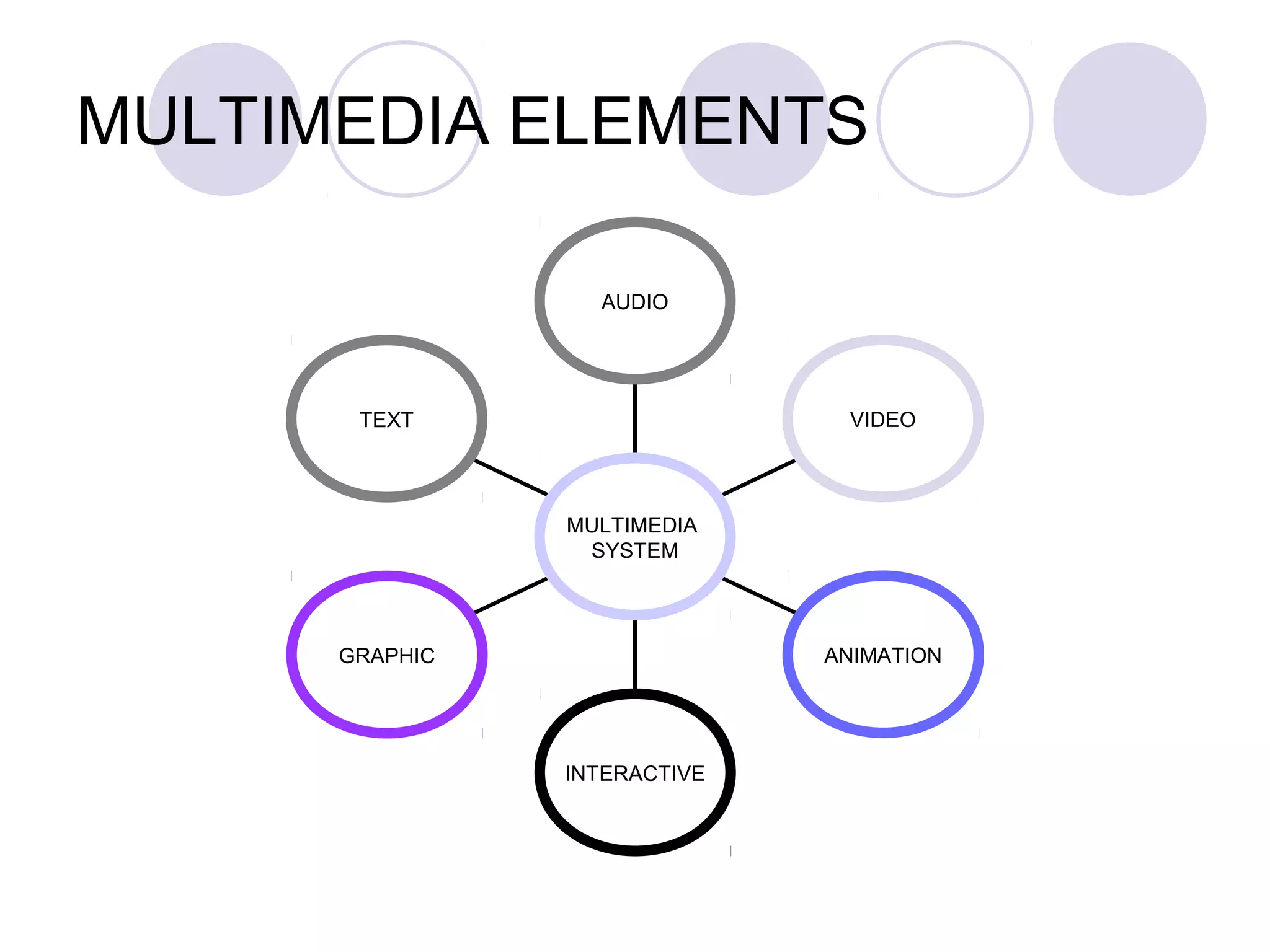
MULTIMEDIA ELEMENTS

                  AUDIO


       TEXT                    VIDEO


                MULTIMEDIA
                 SYSTEM


      GRAPHIC                 ANIMATION


                INTERACTIVE
THE ROLE OF MULTIMEDIA
PRESENTATION IN EDUCATION
Teachers to develop simple effective
 presentation for small group, a class or
 web-based presentation
Students to develop a presentation based
 on a task assigned or research
THE ROLE OF MULTIMEDIA
PRESENTATION IN EDUCATION
They can lecture better using slide
 presentations.
They can annotate existing files live while
 lecturing.
They are freed from physical proximity to
 the blackboard.
Technology enhances collaboration
 among teachers.
WHY USE MULTIMEDIA
TECHNOLOGY?
User friendly interface
Meaningful and ease of use
Interactivity
Self-paced interaction
Cost effectiveness with greater efficiency
MULTIMEDIA HARDWARE AND
SOFTWARE
HARDWARE           SOFTWARE
  Input devices      Text
  Output devices     Graphic
                      Audio
                      Video
                      Animation
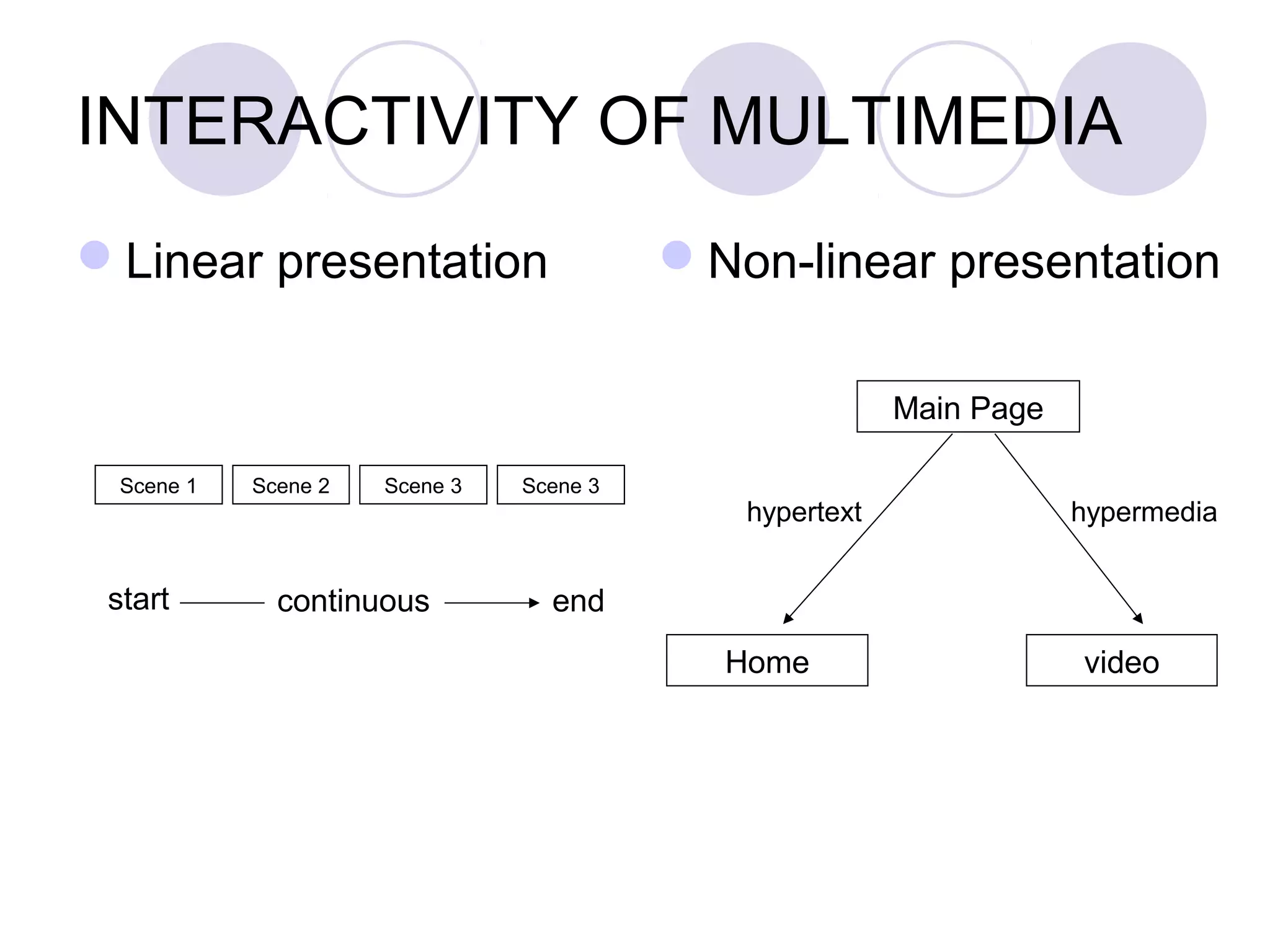
INTERACTIVITY OF
     MULTIMEDIA
INTERACTIVITY OF MULTIMEDIA
Linear presentation                     Non-linear presentation

                                                        Main Page

 Scene 1   Scene 2   Scene 3   Scene 3
                                            hypertext               hypermedia


 start       continuous          end
                                           Home                     video
Types of Multimedia Presentation

3 categories of multimedia presentation :-
linear
  Presents information in sequence from the
   beginning till the end
  Navigation controls allow users to move
   forward or to the previous page
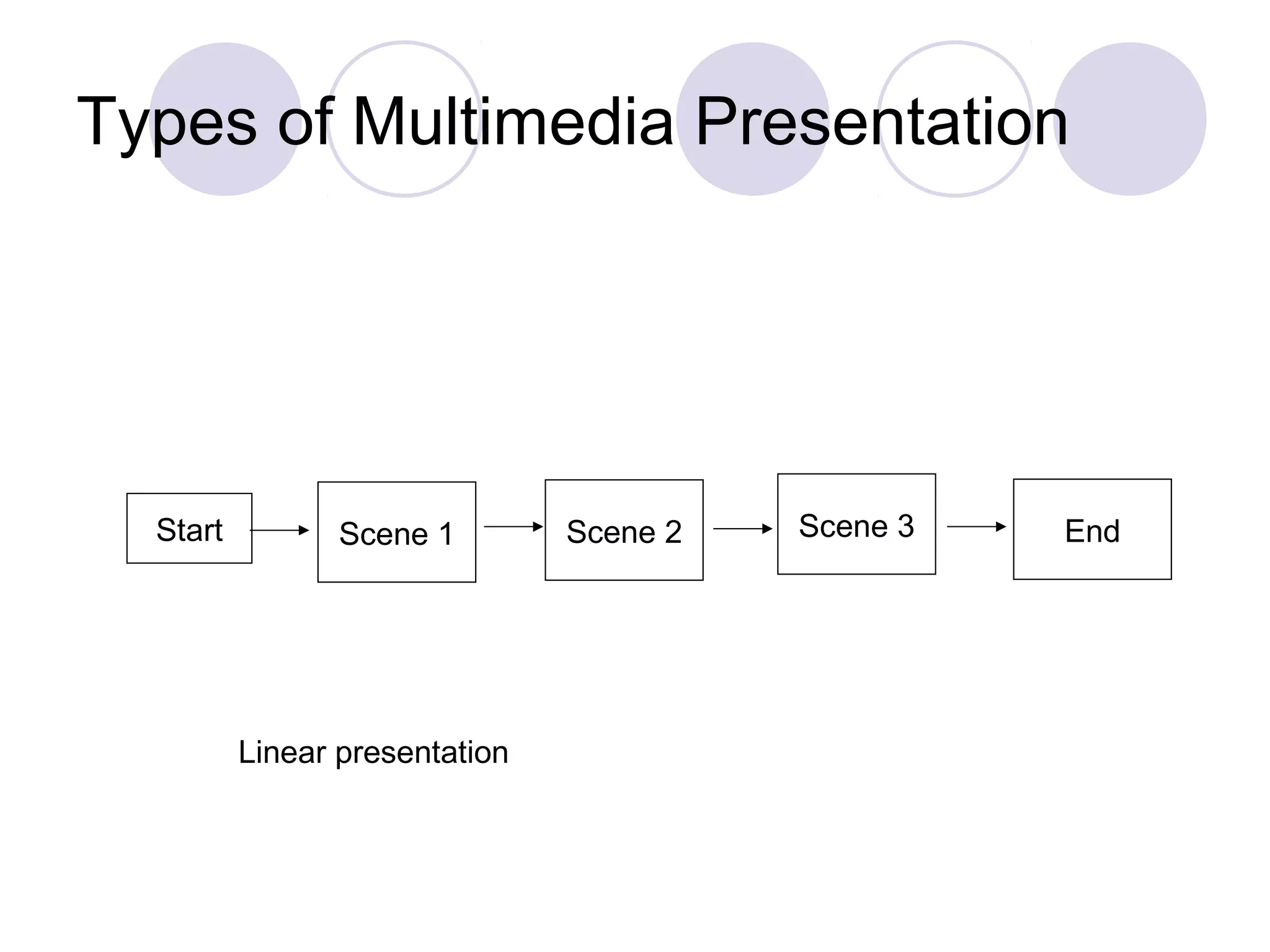
Types of Multimedia Presentation


  Start          Scene 1        Scene 2   Scene 3   End


          Linear presentation
Types of Multimedia Presentation

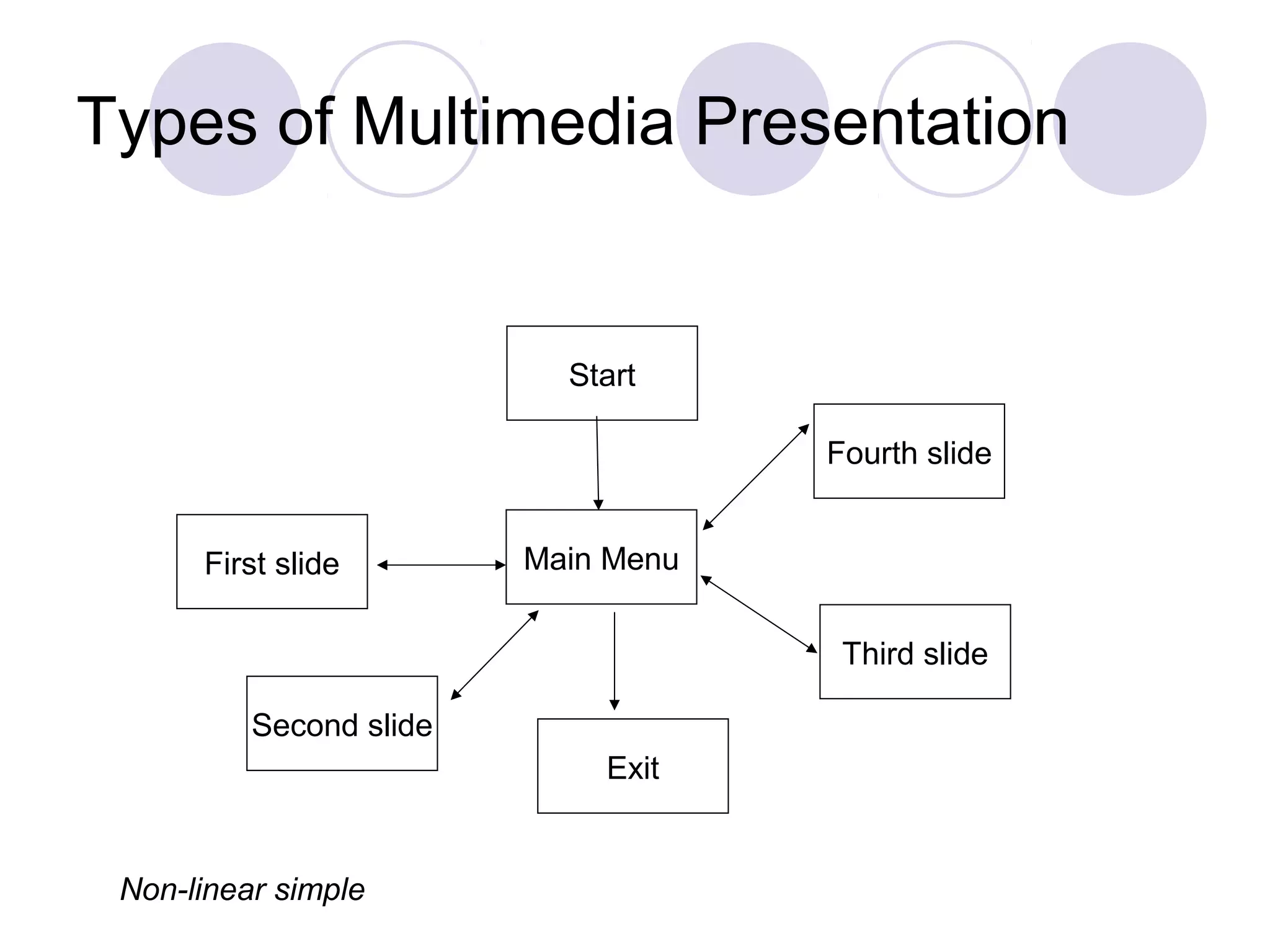
Non-linear simple
  Centralised information presentation
  Consists a menu which connects between
   information
  Navigation controls allow users to reach
   information in the first slide, second and so on.
Types of Multimedia Presentation


                           Start

                                     Fourth slide


      First slide        Main Menu

                                      Third slide

          Second slide
                             Exit


 Non-linear simple
Types of Multimedia Presentation

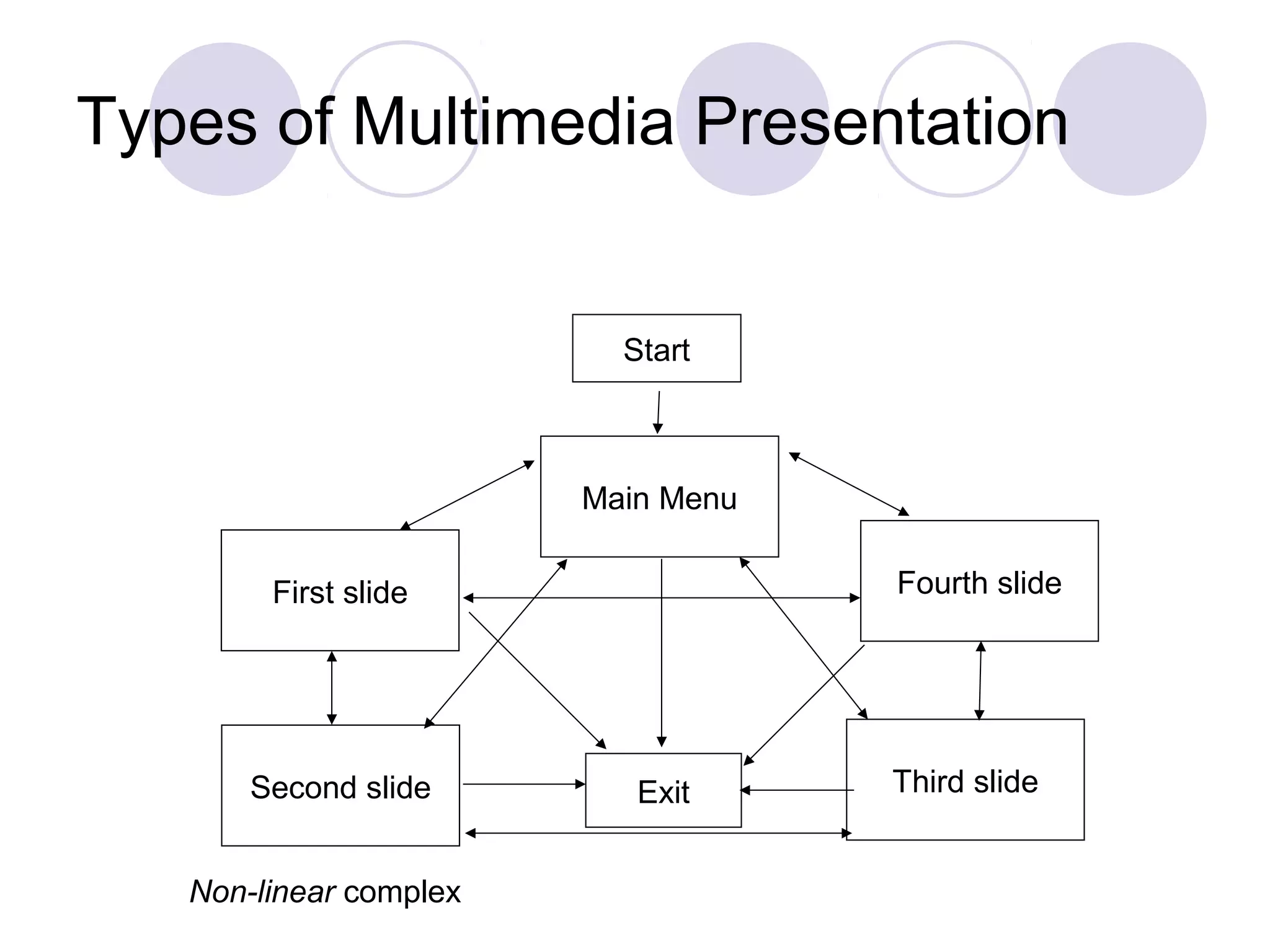
Non-linear complex
  All slides are connected directly.
  Users’ navigations in any slides can be moved
   freely.
  Each slides has connections directly and are
   allowed to return to any slides.
Types of Multimedia Presentation


                          Start


                        Main Menu

        First slide                 Fourth slide


       Second slide        Exit     Third slide


   Non-linear complex
Criteria of MS Powerpoint

Create & customize slide master- can edit
 slide master such inserting logo,pictures,
 etc.
Extract Narration
Create web presentation
"internal hyperlinks" that connect one
 slide to another, complete with "action"
 and "return" buttons.
Criteria of MS Powerpoint
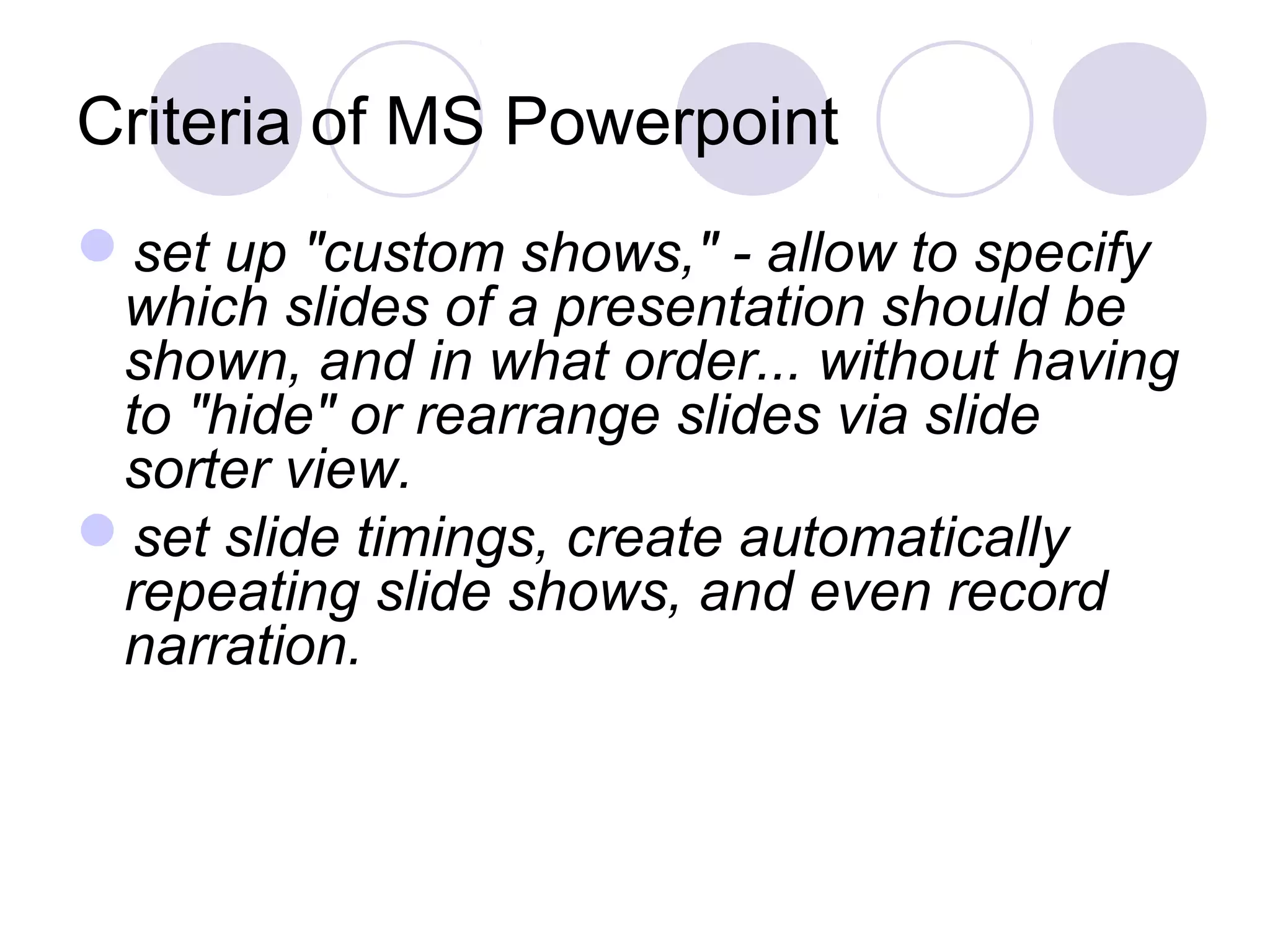
set up "custom shows," - allow to specify
 which slides of a presentation should be
 shown, and in what order... without having
 to "hide" or rearrange slides via slide
 sorter view.
set slide timings, create automatically
 repeating slide shows, and even record
 narration.
Criteria of MS Powerpoint
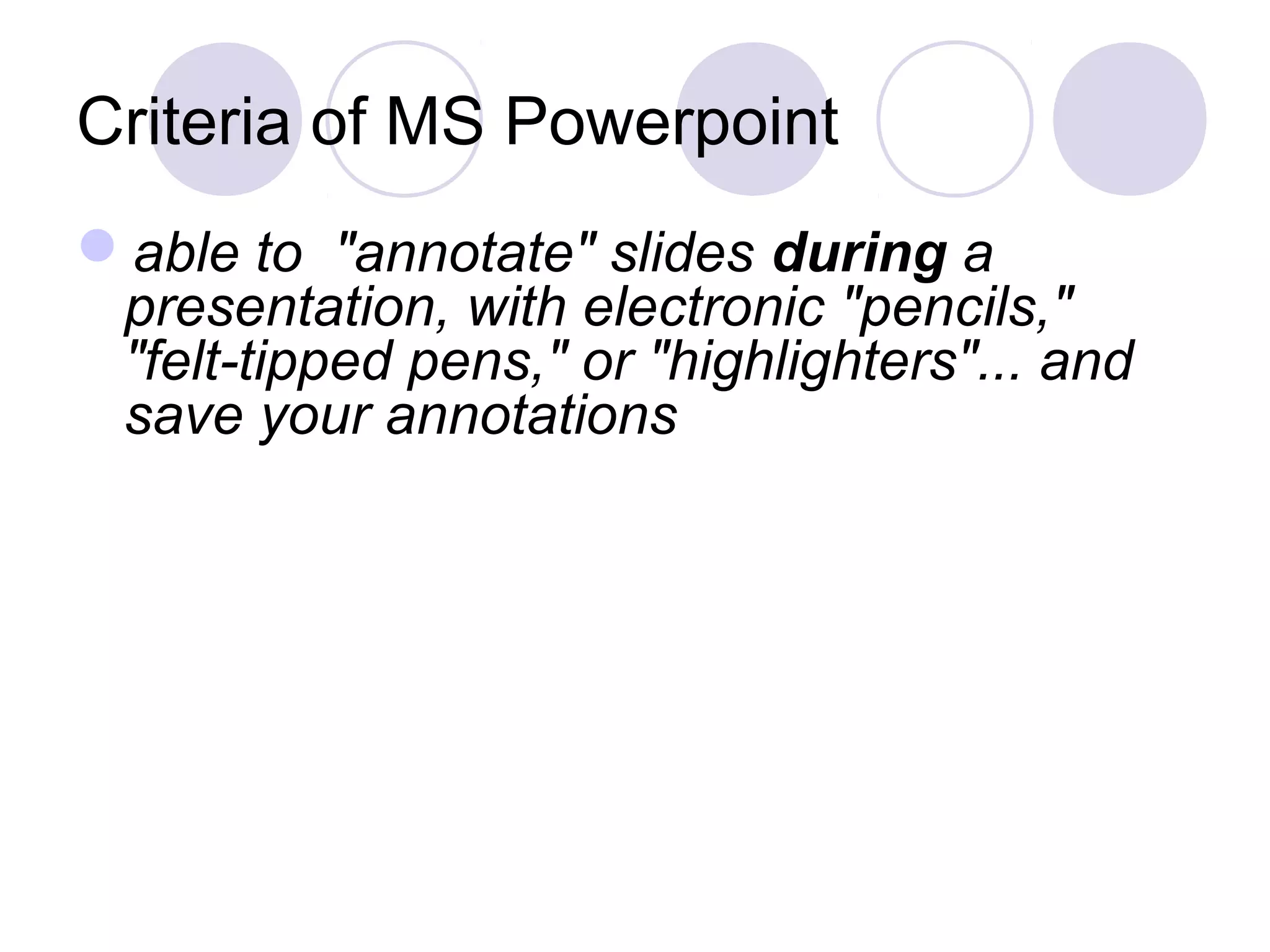
able to "annotate" slides during a
 presentation, with electronic "pencils,"
 "felt-tipped pens," or "highlighters"... and
 save your annotations
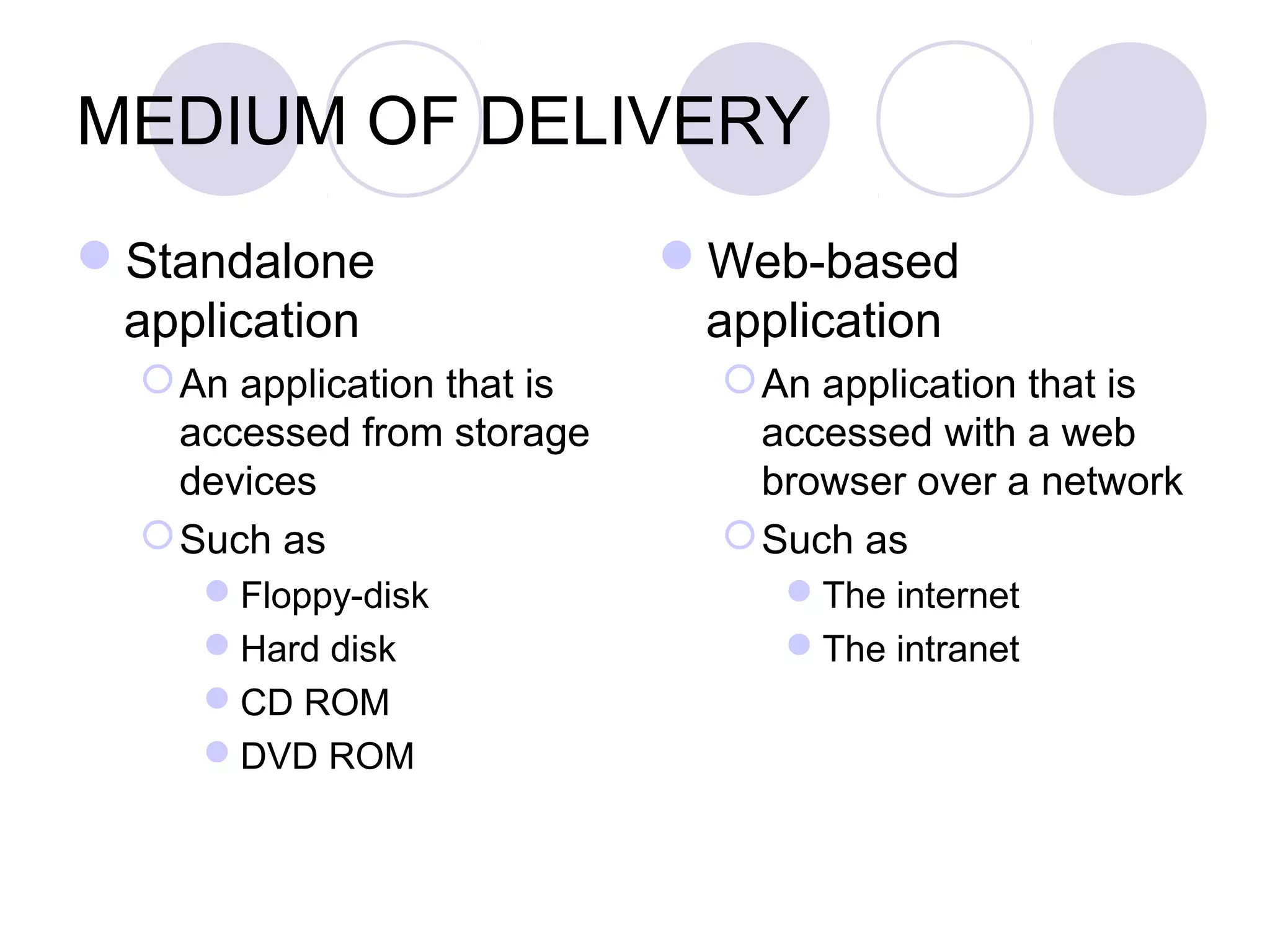
MEDIUM OF DELIVERY
Standalone                  Web-based
 application                  application
   An application that is      An application that is
    accessed from storage        accessed with a web
    devices                      browser over a network
   Such as                     Such as
     Floppy-disk                 The internet
     Hard disk                   The intranet
     CD ROM
     DVD ROM
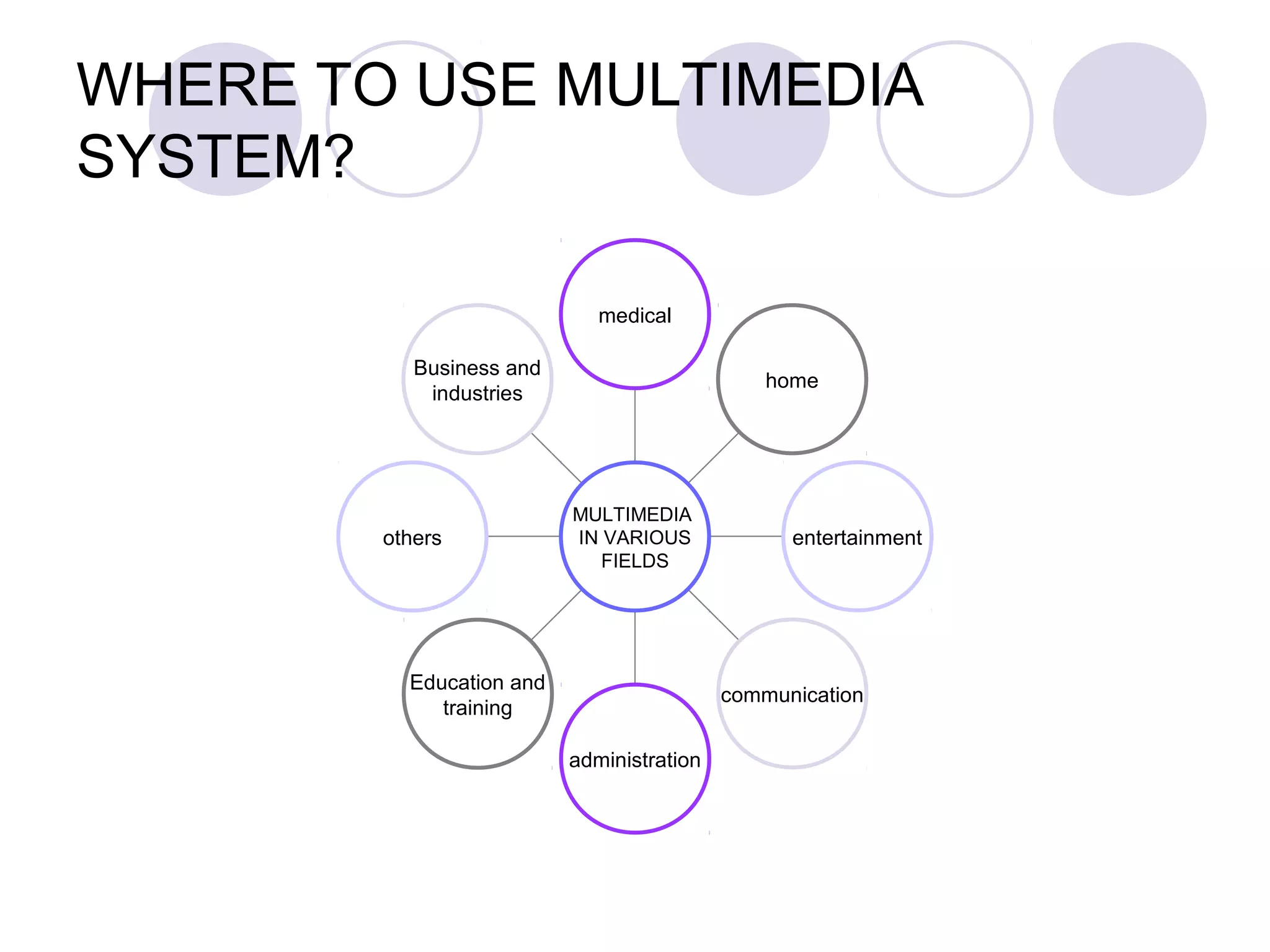
WHERE TO USE MULTIMEDIA
SYSTEM?

                             medical

           Business and
                                               home
            industries


                          MULTIMEDIA
        others            IN VARIOUS             entertainment
                             FIELDS


          Education and
                                           communication
             training

                          administration
THE USE OF INTERNET
            In education
FOUR BASIC FUNCTIONS OF THE
INTERNET
Grey (1999) has identified four ways in
 which the internet can function as an
 educational tool in the classroom and
 these four ways are also applicable in
 ESL/EFL classrooms.
FOUR BASIC FUNCTIONS OF THE
INTERNET
1.   Search for and receive
2.   Publish and provide
3.   Talk to and reply
4.   Collaborate and learn
FOUR BASIC FUNCTIONS OF THE
INTERNET
Search for and receive
 Comprises activities that are based on
  using the internet as a huge virtual
  library.
 In these activities students search for
  and retrieve information from this library.
FOUR BASIC FUNCTIONS OF THE
INTERNET
Publish and provide
 These activities involve not the retrieval,
  but the publication of information.
 This publishing is done on web pages,
  which are the basic places where
  information is stored on the internet.
FOUR BASIC FUNCTIONS OF THE
INTERNET
Talk to and reply
 These are conversational activities that
  take place via the internet through email
  correspondence and in ‘chat’ rooms.
 This category could also include
  internet phone conversations.
FOUR BASIC FUNCTIONS OF THE
INTERNET
Collaborate and learn
 This category includes joint projects
  that involve students in two or more
  classrooms that might be thousands of
  miles apart.
 This fourth way of integrating the
  internet usually involves one or more of
  the other three ways.
MULTIMEDIA DEVELOPMENT

User interface principles
  Provide an organize structure
  Provide a simple design
  Keep the user interface visible
  Provide informative feedback
  Keep the user interface flexible
  Minimize memory load
  Provide shortcuts for frequent users
MULTIMEDIA DEVELOPMENT

Development team
  Project manager
  Designer
  Content specialist
  Writer
  Video specialist
  Audio specialist
  Programmer
  Producer
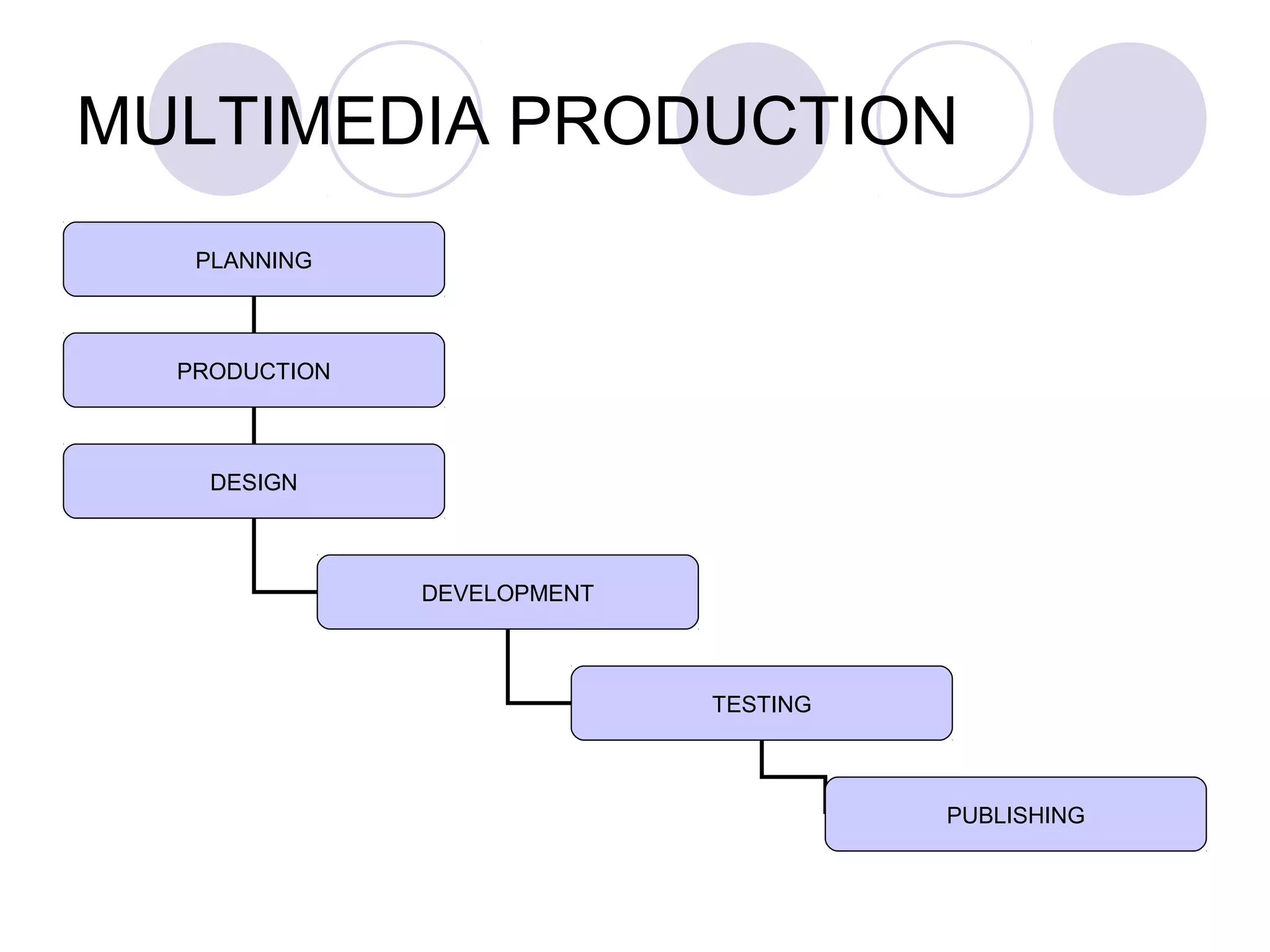
MULTIMEDIA PRODUCTION
   PLANNING


  PRODUCTION


    DESIGN


               DEVELOPMENT


                             TESTING


                                       PUBLISHING
1. PLANNING

The business model, schedule, media
 plan and focus group is determined
2. PRODUCTION

Material and assets for building the
 application is produced and managed
Involves with planning and scheduling the
 resources for the application
3. DESIGN

Effort responsible for creating a detailed
 blueprint for the multimedia application
Such as conceptual overview, storyboard,
 layout, interface design and information
 design
4. DEVELOPMENT

All the content is created and processed
All the content and media used in the
 application is integrated to become one
 complete application
5. TESTING

To ensure the application is free from bug
 and will be accepted by the user
Of there a bug, the application should be
 revised and be tested again until the
 application is free from bug
6. PUBLISHING

Once the application is tested and
 revised, it could be burned into a CD-ROM
 or published on the internet as a website

Chapter 3 The Role of Multimedia in Education

  • 1.
    CHAPTER 3 THE ROLEOF MULTIMEDIA IN EDUCATION TECHNOLOGY IN ELT MURNI SALINA B.Sc. Ed (TESL) UTM, Skudai M’sia
  • 2.
    DEFINITION OF MULTIMEDIA Fromthe words ‘multi’ and ‘media/medium’ Multi – refers to many or multiple Media/medium – is a tool, vehicle or agent to present or convey something Multimedia is all about communicating in several ways
  • 3.
    MULTIMEDIA ELEMENTS AUDIO TEXT VIDEO MULTIMEDIA SYSTEM GRAPHIC ANIMATION INTERACTIVE
  • 4.
    THE ROLE OFMULTIMEDIA PRESENTATION IN EDUCATION Teachers to develop simple effective presentation for small group, a class or web-based presentation Students to develop a presentation based on a task assigned or research
  • 5.
    THE ROLE OFMULTIMEDIA PRESENTATION IN EDUCATION They can lecture better using slide presentations. They can annotate existing files live while lecturing. They are freed from physical proximity to the blackboard. Technology enhances collaboration among teachers.
  • 6.
    WHY USE MULTIMEDIA TECHNOLOGY? Userfriendly interface Meaningful and ease of use Interactivity Self-paced interaction Cost effectiveness with greater efficiency
  • 7.
    MULTIMEDIA HARDWARE AND SOFTWARE HARDWARE SOFTWARE  Input devices  Text  Output devices  Graphic  Audio  Video  Animation
  • 8.
  • 9.
    INTERACTIVITY OF MULTIMEDIA Linearpresentation Non-linear presentation Main Page Scene 1 Scene 2 Scene 3 Scene 3 hypertext hypermedia start continuous end Home video
  • 10.
    Types of MultimediaPresentation 3 categories of multimedia presentation :- linear Presents information in sequence from the beginning till the end Navigation controls allow users to move forward or to the previous page
  • 11.
    Types of MultimediaPresentation Start Scene 1 Scene 2 Scene 3 End Linear presentation
  • 12.
    Types of MultimediaPresentation Non-linear simple Centralised information presentation Consists a menu which connects between information Navigation controls allow users to reach information in the first slide, second and so on.
  • 13.
    Types of MultimediaPresentation Start Fourth slide First slide Main Menu Third slide Second slide Exit Non-linear simple
  • 14.
    Types of MultimediaPresentation Non-linear complex All slides are connected directly. Users’ navigations in any slides can be moved freely. Each slides has connections directly and are allowed to return to any slides.
  • 15.
    Types of MultimediaPresentation Start Main Menu First slide Fourth slide Second slide Exit Third slide Non-linear complex
  • 16.
    Criteria of MSPowerpoint Create & customize slide master- can edit slide master such inserting logo,pictures, etc. Extract Narration Create web presentation "internal hyperlinks" that connect one slide to another, complete with "action" and "return" buttons.
  • 17.
    Criteria of MSPowerpoint set up "custom shows," - allow to specify which slides of a presentation should be shown, and in what order... without having to "hide" or rearrange slides via slide sorter view. set slide timings, create automatically repeating slide shows, and even record narration.
  • 18.
    Criteria of MSPowerpoint able to "annotate" slides during a presentation, with electronic "pencils," "felt-tipped pens," or "highlighters"... and save your annotations
  • 19.
    MEDIUM OF DELIVERY Standalone Web-based application application  An application that is  An application that is accessed from storage accessed with a web devices browser over a network  Such as  Such as Floppy-disk The internet Hard disk The intranet CD ROM DVD ROM
  • 20.
    WHERE TO USEMULTIMEDIA SYSTEM? medical Business and home industries MULTIMEDIA others IN VARIOUS entertainment FIELDS Education and communication training administration
  • 21.
    THE USE OFINTERNET In education
  • 22.
    FOUR BASIC FUNCTIONSOF THE INTERNET Grey (1999) has identified four ways in which the internet can function as an educational tool in the classroom and these four ways are also applicable in ESL/EFL classrooms.
  • 23.
    FOUR BASIC FUNCTIONSOF THE INTERNET 1. Search for and receive 2. Publish and provide 3. Talk to and reply 4. Collaborate and learn
  • 24.
    FOUR BASIC FUNCTIONSOF THE INTERNET Search for and receive Comprises activities that are based on using the internet as a huge virtual library. In these activities students search for and retrieve information from this library.
  • 25.
    FOUR BASIC FUNCTIONSOF THE INTERNET Publish and provide These activities involve not the retrieval, but the publication of information. This publishing is done on web pages, which are the basic places where information is stored on the internet.
  • 26.
    FOUR BASIC FUNCTIONSOF THE INTERNET Talk to and reply These are conversational activities that take place via the internet through email correspondence and in ‘chat’ rooms. This category could also include internet phone conversations.
  • 27.
    FOUR BASIC FUNCTIONSOF THE INTERNET Collaborate and learn This category includes joint projects that involve students in two or more classrooms that might be thousands of miles apart. This fourth way of integrating the internet usually involves one or more of the other three ways.
  • 28.
    MULTIMEDIA DEVELOPMENT User interfaceprinciples Provide an organize structure Provide a simple design Keep the user interface visible Provide informative feedback Keep the user interface flexible Minimize memory load Provide shortcuts for frequent users
  • 29.
    MULTIMEDIA DEVELOPMENT Development team Project manager Designer Content specialist Writer Video specialist Audio specialist Programmer Producer
  • 30.
    MULTIMEDIA PRODUCTION PLANNING PRODUCTION DESIGN DEVELOPMENT TESTING PUBLISHING
  • 31.
    1. PLANNING The businessmodel, schedule, media plan and focus group is determined
  • 32.
    2. PRODUCTION Material andassets for building the application is produced and managed Involves with planning and scheduling the resources for the application
  • 33.
    3. DESIGN Effort responsiblefor creating a detailed blueprint for the multimedia application Such as conceptual overview, storyboard, layout, interface design and information design
  • 34.
    4. DEVELOPMENT All thecontent is created and processed All the content and media used in the application is integrated to become one complete application
  • 35.
    5. TESTING To ensurethe application is free from bug and will be accepted by the user Of there a bug, the application should be revised and be tested again until the application is free from bug
  • 36.
    6. PUBLISHING Once theapplication is tested and revised, it could be burned into a CD-ROM or published on the internet as a website