Chapter 1: Introductionto DBMS
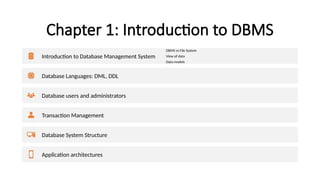
Introduction to Database Management System
DBMS vs File System
View of data
Data models
Database Languages: DML, DDL
Database users and administrators
Transaction Management
Database System Structure
Application architectures
3.
Concepts
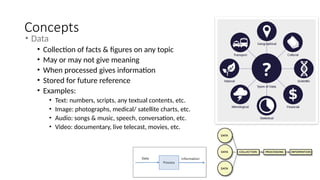
• Data
• Collectionof facts & figures on any topic
• May or may not give meaning
• When processed gives information
• Stored for future reference
• Examples:
• Text: numbers, scripts, any textual contents, etc.
• Image: photographs, medical/ satellite charts, etc.
• Audio: songs & music, speech, conversation, etc.
• Video: documentary, live telecast, movies, etc.
4.
Background
• Data:
• Raw,unprocessed facts and figures, which is a lowest level of abstraction in representation.
• Information:
• When data is processed, organized, structured or presented in a given context to make it useful.
• Database:
• Is an organized collection of data which may be classified according to their organizational approach
such as relational database, tabular database, distributed database, object-oriented programming
database.
• Database consists of
• Data item, relationships , constraints and schema
5.
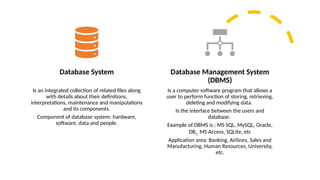
Database System
Is anintegrated collection of related files along
with details about their definitions,
interpretations, maintenance and manipulations
and its components.
Component of database system: hardware,
software, data and people.
Database Management System
(DBMS)
Is a computer software program that allows a
user to perform function of storing, retrieving,
deleting and modifying data.
Is the interface between the users and
database.
Example of DBMS is : MS SQL, MySQL, Oracle,
DB2 , MS Access, SQLite, etc
Application area: Banking, Airlines, Sales and
Manufacturing, Human Resources, University,
etc.
6.
Concepts
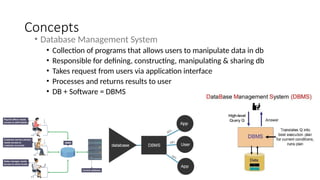
• Database ManagementSystem
• Collection of programs that allows users to manipulate data in db
• Responsible for defining, constructing, manipulating & sharing db
• Takes request from users via application interface
• Processes and returns results to user
• DB + Software = DBMS
7.
Pros | Need| Necessity | Objective
• Speed
• Compactness
• Less drudgery (mechanical work)
• Accuracy & up to date info
• Security
• Share ability
• Redundancy check
• Inconsistency check
• Backup and Recovery
• Persistence storage
• Multi user-interface
DBMS VS File
System
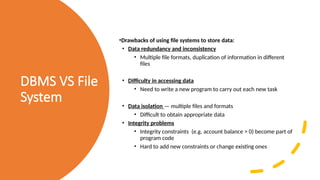
•Drawbacksof using file systems to store data:
• Data redundancy and inconsistency
• Multiple file formats, duplication of information in different
files
• Difficulty in accessing data
• Need to write a new program to carry out each new task
• Data isolation — multiple files and formats
• Difficult to obtain appropriate data
• Integrity problems
• Integrity constraints (e.g. account balance > 0) become part of
program code
• Hard to add new constraints or change existing ones
10.
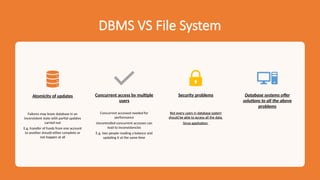
DBMS VS FileSystem
Atomicity of updates
Failures may leave database in an
inconsistent state with partial updates
carried out
E.g. transfer of funds from one account
to another should either complete or
not happen at all
Concurrent access by multiple
users
Concurrent accessed needed for
performance
Uncontrolled concurrent accesses can
lead to inconsistencies
E.g. two people reading a balance and
updating it at the same time
Security problems
Not every users in database system
should be able to access all the data.
Since application
Database systems offer
solutions to all the above
problems
11.
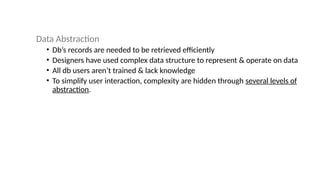
Data Abstraction
• Db’srecords are needed to be retrieved efficiently
• Designers have used complex data structure to represent & operate on data
• All db users aren’t trained & lack knowledge
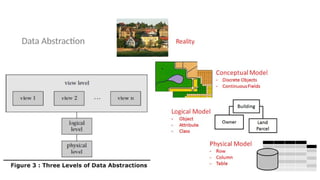
• To simplify user interaction, complexity are hidden through several levels of
abstraction.
12.
Levels of Abstraction
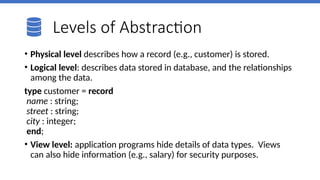
•Physical level describes how a record (e.g., customer) is stored.
• Logical level: describes data stored in database, and the relationships
among the data.
type customer = record
name : string;
street : string;
city : integer;
end;
• View level: application programs hide details of data types. Views
can also hide information (e.g., salary) for security purposes.
Database Schema :
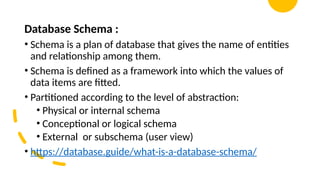
•Schema is a plan of database that gives the name of entities
and relationship among them.
• Schema is defined as a framework into which the values of
data items are fitted.
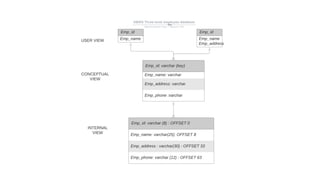
• Partitioned according to the level of abstraction:
• Physical or internal schema
• Conceptional or logical schema
• External or subschema (user view)
• https://database.guide/what-is-a-database-schema/
16.
Database Instance
• Datain the database at particular moment of time is called
as instance or database state.
• Empty state:
• New database is defined, only its schema is specified.
• Initial State:
• When database is loaded with data for the first time.
• Current State:
• When data in the database is updated frequently.
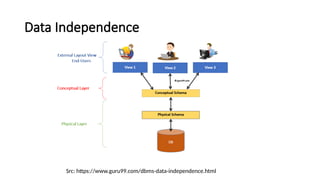
Data Independence
Src: https://www.guru99.com/dbms-data-independence.html
•Data Independence is defined as a property of DBMS that helps you
to change the Database schema at one level of a database system
without requiring to change the schema at the next higher level.
• Data independence helps you to keep data separated from all
programs that make use of it.
• Physical data independence
• Logical data independence.
19.
Physical Data Independence
•Physical data independence helps you to separate conceptual levels from the
internal/physical levels.
• It allows you to provide a logical description of the database without the need to
specify physical structures.
• Compared to Logical Independence, it is easy to achieve physical data independence.
Example:
• Using a new storage device like Hard Drive or Magnetic Tapes
• Modifying the file organization technique in the Database
• Switching to different data structures.
• Changing the access method.
• Modifying indexes.
20.
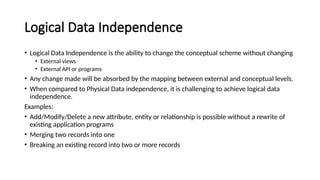
Logical Data Independence
•Logical Data Independence is the ability to change the conceptual scheme without changing
• External views
• External API or programs
• Any change made will be absorbed by the mapping between external and conceptual levels.
• When compared to Physical Data independence, it is challenging to achieve logical data
independence.
Examples:
• Add/Modify/Delete a new attribute, entity or relationship is possible without a rewrite of
existing application programs
• Merging two records into one
• Breaking an existing record into two or more records
21.
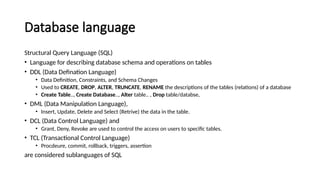
Database language
Structural QueryLanguage (SQL)
• Language for describing database schema and operations on tables
• DDL (Data Defination Language)
• Data Definition, Constraints, and Schema Changes
• Used to CREATE, DROP, ALTER, TRUNCATE, RENAME the descriptions of the tables (relations) of a database
• Create Table.., Create Database.., Alter table.. , Drop table/databse,
• DML (Data Manipulation Language),
• Insert, Update, Delete and Select (Retrive) the data in the table.
• DCL (Data Control Language) and
• Grant, Deny, Revoke are used to control the access on users to specific tables.
• TCL (Transactional Control Language)
• Procdeure, commit, rollback, triggers, assertion
are considered sublanguages of SQL
22.
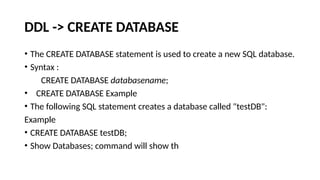
DDL -> CREATEDATABASE
• The CREATE DATABASE statement is used to create a new SQL database.
• Syntax :
CREATE DATABASE databasename;
• CREATE DATABASE Example
• The following SQL statement creates a database called "testDB":
Example
• CREATE DATABASE testDB;
• Show Databases; command will show th
23.
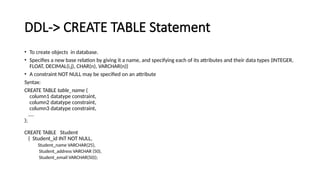
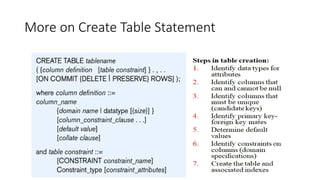
DDL-> CREATE TABLEStatement
• To create objects in database.
• Specifies a new base relation by giving it a name, and specifying each of its attributes and their data types (INTEGER,
FLOAT, DECIMAL(i,j), CHAR(n), VARCHAR(n))
• A constraint NOT NULL may be specified on an attribute
Syntax:
CREATE TABLE table_name (
column1 datatype constraint,
column2 datatype constraint,
column3 datatype constraint,
....
);
CREATE TABLE Student
( Student_id INT NOT NULL,
Student_name VARCHAR(25),
Student_address VARCHAR (50),
Student_email VARCHAR(50));
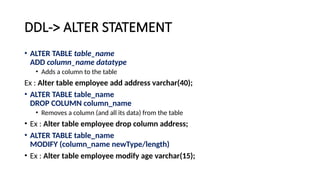
DDL-> ALTER STATEMENT
•ALTER TABLE table_name
ADD column_name datatype
• Adds a column to the table
Ex : Alter table employee add address varchar(40);
• ALTER TABLE table_name
DROP COLUMN column_name
• Removes a column (and all its data) from the table
• Ex : Alter table employee drop column address;
• ALTER TABLE table_name
MODIFY (column_name newType/length)
• Ex : Alter table employee modify age varchar(15);
26.
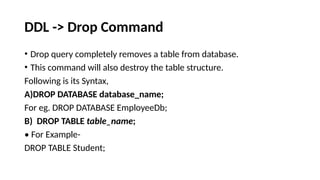
DDL -> DropCommand
• Drop query completely removes a table from database.
• This command will also destroy the table structure.
Following is its Syntax,
A)DROP DATABASE database_name;
For eg. DROP DATABASE EmployeeDb;
B) DROP TABLE table_name;
• For Example-
DROP TABLE Student;
27.
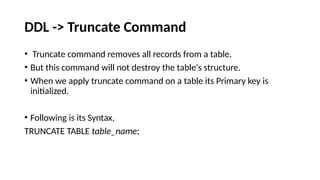
DDL -> TruncateCommand
• Truncate command removes all records from a table.
• But this command will not destroy the table's structure.
• When we apply truncate command on a table its Primary key is
initialized.
• Following is its Syntax,
TRUNCATE TABLE table_name;
28.
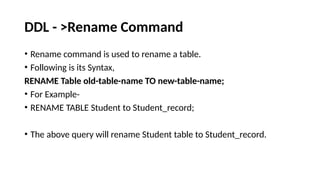
DDL - >RenameCommand
• Rename command is used to rename a table.
• Following is its Syntax,
RENAME Table old-table-name TO new-table-name;
• For Example-
• RENAME TABLE Student to Student_record;
• The above query will rename Student table to Student_record.
29.
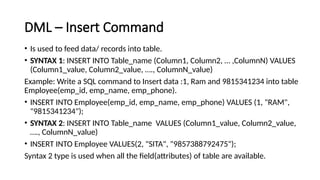
DML – InsertCommand
• Is used to feed data/ records into table.
• SYNTAX 1: INSERT INTO Table_name (Column1, Column2, … ,ColumnN) VALUES
(Column1_value, Column2_value, …., ColumnN_value)
Example: Write a SQL command to Insert data :1, Ram and 9815341234 into table
Employee(emp_id, emp_name, emp_phone).
• INSERT INTO Employee(emp_id, emp_name, emp_phone) VALUES (1, "RAM",
"9815341234");
• SYNTAX 2: INSERT INTO Table_name VALUES (Column1_value, Column2_value,
…., ColumnN_value)
• INSERT INTO Employee VALUES(2, "SITA", "9857388792475");
Syntax 2 type is used when all the field(attributes) of table are available.
30.
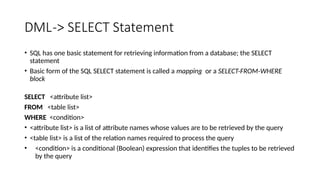
DML-> SELECT Statement
•SQL has one basic statement for retrieving information from a database; the SELECT
statement
• Basic form of the SQL SELECT statement is called a mapping or a SELECT-FROM-WHERE
block
SELECT <attribute list>
FROM <table list>
WHERE <condition>
• <attribute list> is a list of attribute names whose values are to be retrieved by the query
• <table list> is a list of the relation names required to process the query
• <condition> is a conditional (Boolean) expression that identifies the tuples to be retrieved
by the query
32.
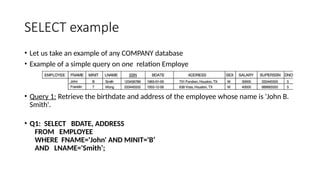
SELECT example
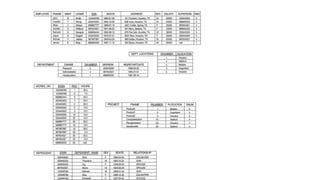
• Letus take an example of any COMPANY database
• Example of a simple query on one relation Employe
• Query 1: Retrieve the birthdate and address of the employee whose name is 'John B.
Smith'.
• Q1: SELECT BDATE, ADDRESS
FROM EMPLOYEE
WHERE FNAME='John' AND MINIT='B’
AND LNAME='Smith’;
33.
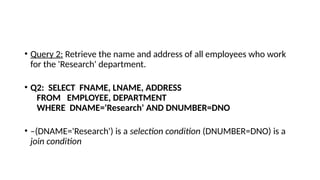
• Query 2:Retrieve the name and address of all employees who work
for the 'Research' department.
• Q2: SELECT FNAME, LNAME, ADDRESS
FROM EMPLOYEE, DEPARTMENT
WHERE DNAME='Research' AND DNUMBER=DNO
• –(DNAME='Research') is a selection condition (DNUMBER=DNO) is a
join condition
34.
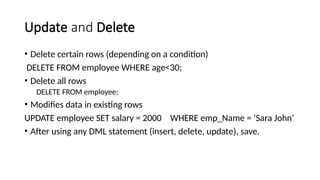
Update and Delete
•Delete certain rows (depending on a condition)
DELETE FROM employee WHERE age<30;
• Delete all rows
DELETE FROM employee;
• Modifies data in existing rows
UPDATE employee SET salary = 2000 WHERE emp_Name = ‘Sara John’
• After using any DML statement (insert, delete, update), save.
35.
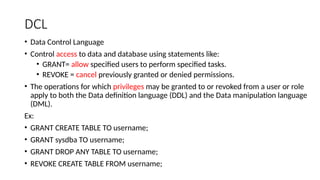
DCL
• Data ControlLanguage
• Control access to data and database using statements like:
• GRANT= allow specified users to perform specified tasks.
• REVOKE = cancel previously granted or denied permissions.
• The operations for which privileges may be granted to or revoked from a user or role
apply to both the Data definition language (DDL) and the Data manipulation language
(DML).
Ex:
• GRANT CREATE TABLE TO username;
• GRANT sysdba TO username;
• GRANT DROP ANY TABLE TO username;
• REVOKE CREATE TABLE FROM username;
36.
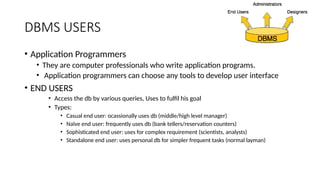
DBMS USERS
• ApplicationProgrammers
• They are computer professionals who write application programs.
• Application programmers can choose any tools to develop user interface
• END USERS
• Access the db by various queries, Uses to fulfil his goal
• Types:
• Casual end user: ocassionally uses db (middle/high level manager)
• Naïve end user: frequently uses db (bank tellers/reservation counters)
• Sophisticated end user: uses for complex requirement (scientists, analysts)
• Standalone end user: uses personal db for simpler frequent tasks (normal layman)
37.
Database Users ..contd
• Database Designer :
• They design the schema of the database.
• Database Administrator (DBA)
• The person who has such central control over the system is called the database administrator (DBA).
• The function of the DBA includes the following:
• Schema definition:
The DBA creates the original database schema by writing a set of definitions that is translated by the DDL
compiler to a set of tables that is stored permanently in the data dictionary.
• Schema and physical-organization modification: The DBA carries out changes to the schema and physical
organization to reflect the changing needs to the organization, or to alter the physical organization to
improve performance.
• Granting the authorization of data access: The granting of different types of privileges to the database
users so that all the users are not able to all data.
• Integrity-constraint specifications: The data values stored in the database must satisfy certain
consistency constraints. The database administrator must specify such a constraint explicitly.
38.
Function of DatabaseAdministrator(DBA) ..
contd
• Installing and upgrading the DBMS Servers: –
• DBA is responsible for installing a new DBMS server for the new projects.
• He is also responsible for upgrading these servers as there are new versions comes in the market or requirement.
• If there is any failure in upgradation of the existing servers, he should be able revert the new changes back to the older
version, thus maintaining the DBMS working.
• He is also responsible for updating the service packs/ hot fixes/ patches to the DBMS servers.
• Design and implementation: –
• Designing the database and implementing is also DBA’s responsibility.
• He should be able to decide proper memory management, file organizations, error handling, log maintenance etc for the
database.
• Performance tuning: –
• Since database is huge and it will have lots of tables, data, constraints and indices, there will be variations in the
performance from time to time.
• Also, because of some designing issues or data growth, the database will not work as expected.
• It is responsibility of the DBA to tune the database performance.
• He is responsible to make sure all the queries and programs works in fraction of seconds.
39.
Function of DatabaseAdministrator(DBA) ..
contd.
• Migrate database servers: –
• Sometimes, users using oracle would like to shift to SQL server or Netezza.
• It is the responsibility of DBA to make sure that migration happens without any failure, and there is no data loss.
• Backup and Recovery: –
• Proper backup and recovery programs needs to be developed by DBA and has to be maintained him.
• This is one of the main responsibilities of DBA.
• Data/objects should be backed up regularly so that if there is any crash, it should be recovered without much effort
and data loss.
• Security: – DBA is responsible for creating various database users and roles, and giving them different
levels of access rights.
• Documentation: – DBA should be properly documenting all his activities so that if he quits or any new
DBA comes in, he should be able to understand the database without any effort.
• He should basically maintain all his installation, backup, recovery, security methods. He should keep
various reports about database performance.
• Refer: https://www.tutorialcup.com/dbms/database-users-administrators.htm
40.
Transaction Management:
• Collectionsof operations that form a single logical unit of work are
called transactions.
• For example, a transfer of funds from a checking account to a savings
account is a single operation from the customer’s standpoint; within
the database system, however, it consists of several operations.
• A database system must ensure proper execution of transactions
despite failures—either the entire transaction executes, or none of it
does.