JAVA
PROGRAMMING
Chap 2 : Classes and Methods
 In object-oriented programming technique, we design a program using objects and classes.
 An object in Java is the physical as well as a logical entity, whereas, a class in Java is a logical
entity only.
 Method in Java is a collection of instructions that performs a specific task.
 It provides the reusability of code. We can also easily modify code using methods.
Methods in Java
 A method is a block of code or collection of statements or a set of code grouped together to
perform a certain task or operation.
 It is used to achieve the reusability of code.
 We write a method once and use it many times.
 We do not require to write code again and again.
 It also provides the easy modification and readability of code, just by adding or removing a
chunk of code.
 The method is executed only when we call or invoke it.
 The most important method in Java is the main() method.
 The method declaration provides information about method attributes, such as visibility, return-
type, name, and arguments.
Methods in Java
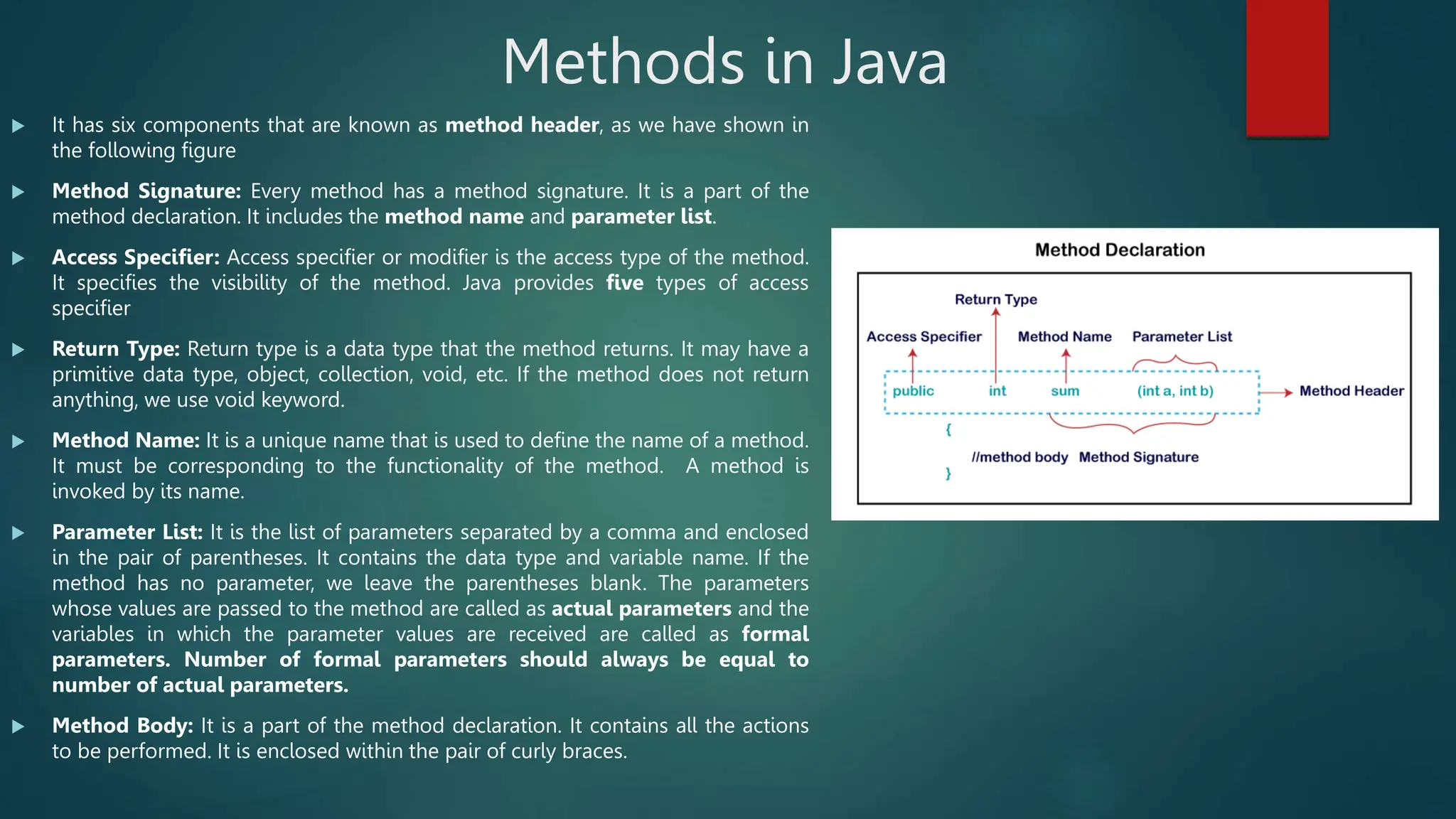
 It has six components that are known as method header, as we have shown in
the following figure
 Method Signature: Every method has a method signature. It is a part of the
method declaration. It includes the method name and parameter list.
 Access Specifier: Access specifier or modifier is the access type of the method.
It specifies the visibility of the method. Java provides five types of access
specifier
 Return Type: Return type is a data type that the method returns. It may have a
primitive data type, object, collection, void, etc. If the method does not return
anything, we use void keyword.
 Method Name: It is a unique name that is used to define the name of a method.
It must be corresponding to the functionality of the method. A method is
invoked by its name.
 Parameter List: It is the list of parameters separated by a comma and enclosed
in the pair of parentheses. It contains the data type and variable name. If the
method has no parameter, we leave the parentheses blank. The parameters
whose values are passed to the method are called as actual parameters and the
variables in which the parameter values are received are called as formal
parameters. Number of formal parameters should always be equal to
number of actual parameters.
 Method Body: It is a part of the method declaration. It contains all the actions
to be performed. It is enclosed within the pair of curly braces.
Methods in Java (Static Method Examples)
import java.util.*;
class Add{
public static void main(String args[])
{
int a,b,sum;
Scanner sc=new Scanner(System.in);
System.out.println("Enter two nos.");
a=sc.nextInt();
b=sc.nextInt();
sum=add(a,b);
System.out.println(“The Sum is : "+sum);
}
public static int add(int x, int y)
{
return(x+y);
}
}
import java.util.*;
class Add {
public static void main(String args[])
{
int a,b,sum;
Scanner sc=new Scanner(System.in);
System.out.println("Enter two nos.");
a=sc.nextInt();
b=sc.nextInt();
add(a,b);
}
public static void add(int x, int y)
{
System.out.println("The Sum is : "+(x+y));
}
}
Recursive Methods
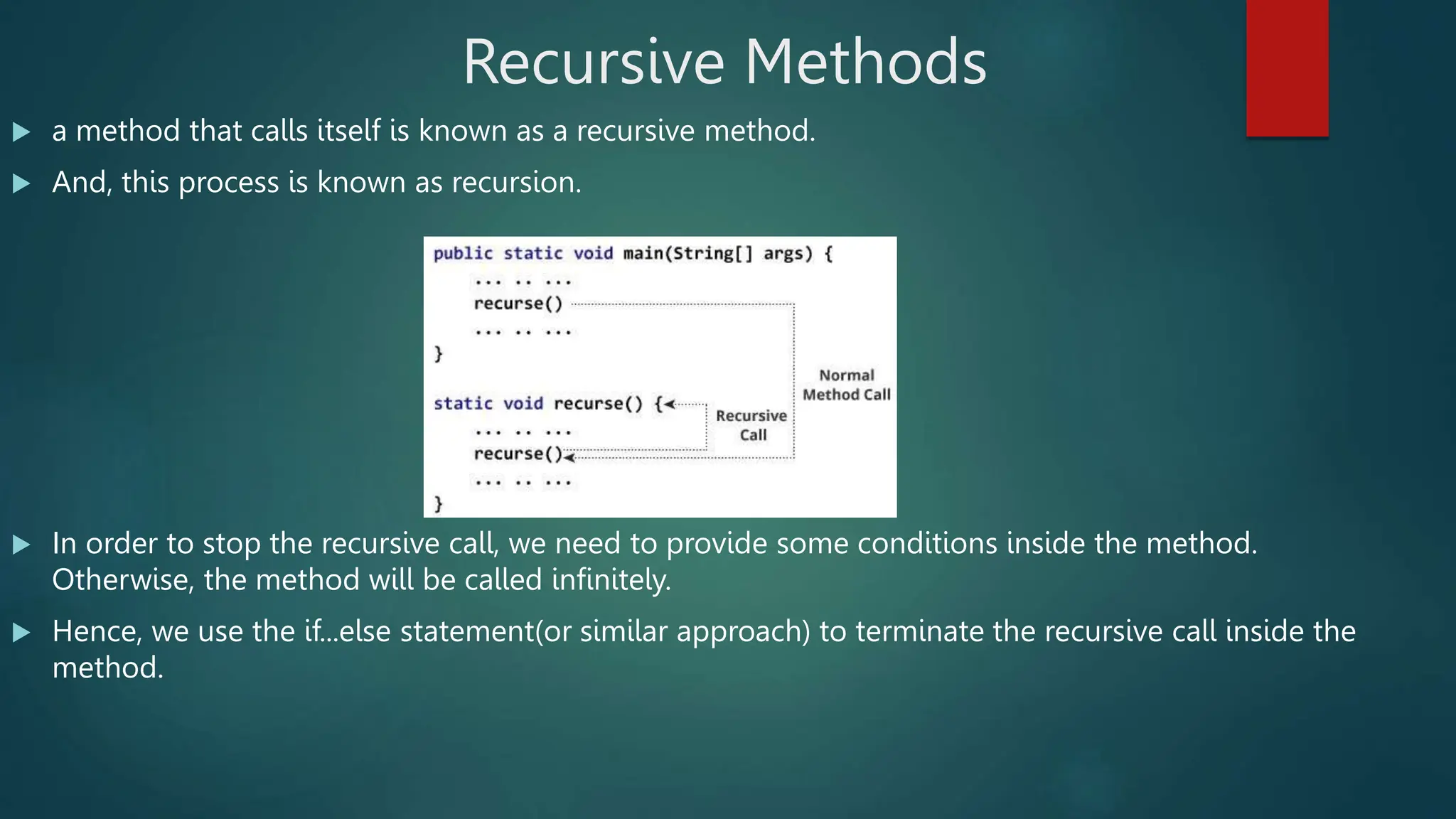
 a method that calls itself is known as a recursive method.
 And, this process is known as recursion.
 In order to stop the recursive call, we need to provide some conditions inside the method.
Otherwise, the method will be called infinitely.
 Hence, we use the if...else statement(or similar approach) to terminate the recursive call inside the
method.
Recursive Methods
import java.util.*;
class Factorial{
public static void main(String[] args){
int n, f;
Scanner sc=new Scanner(System.in);
System.out.println("Enter the number");
n=sc.nextInt();
f=fact(n);
System.out.println("factorial of "+n+" is :
"+f);
}
public static int fact(int x)
{
if(x==1)
return 1;
else
return(x*fact(x-1));
}
}
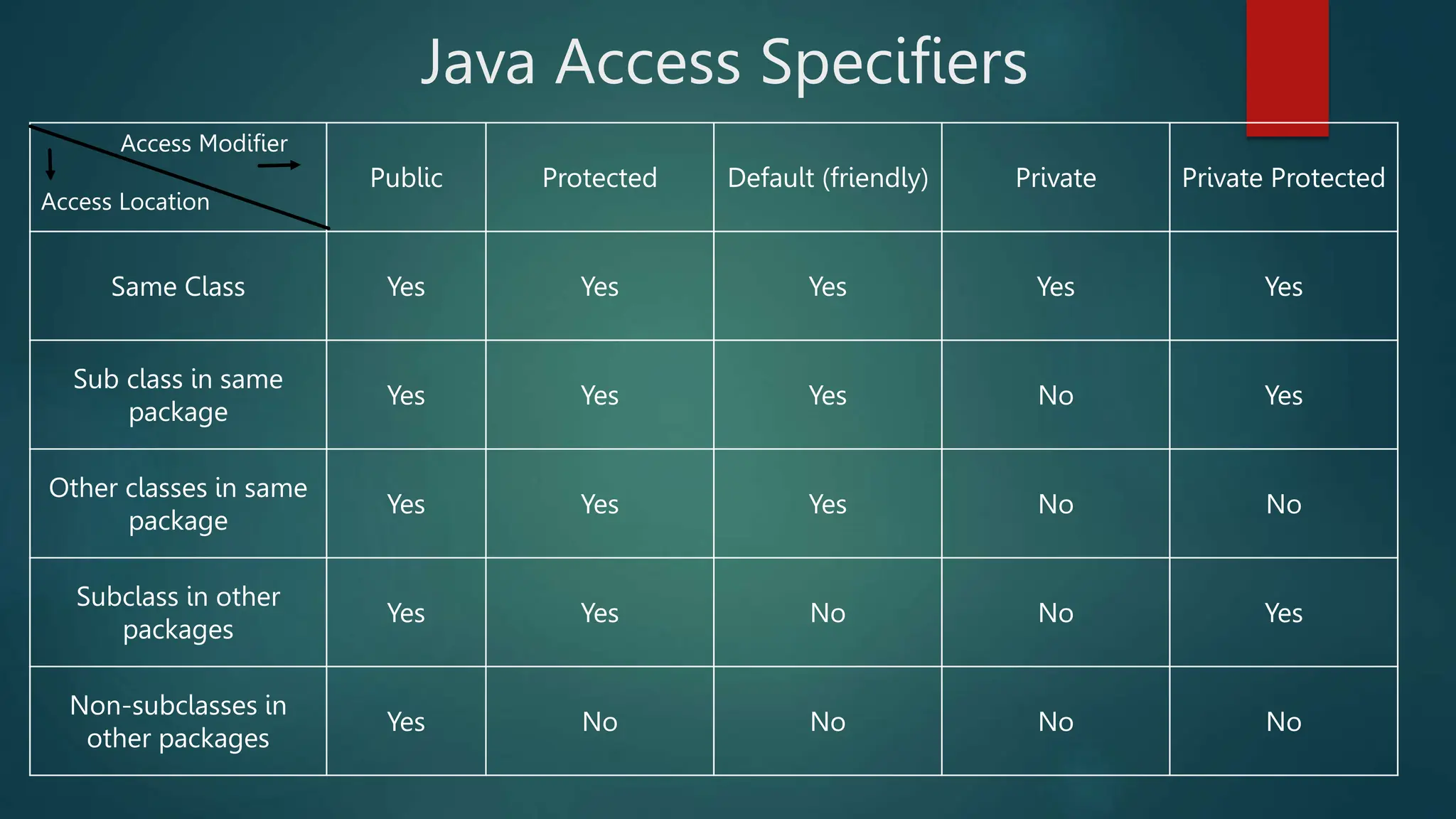
Java Access Specifiers
Access Modifier
Access Location
Public Protected Default (friendly) Private Private Protected
Same Class Yes Yes Yes Yes Yes
Sub class in same
package
Yes Yes Yes No Yes
Other classes in same
package
Yes Yes Yes No No
Subclass in other
packages
Yes Yes No No Yes
Non-subclasses in
other packages
Yes No No No No
Java Class
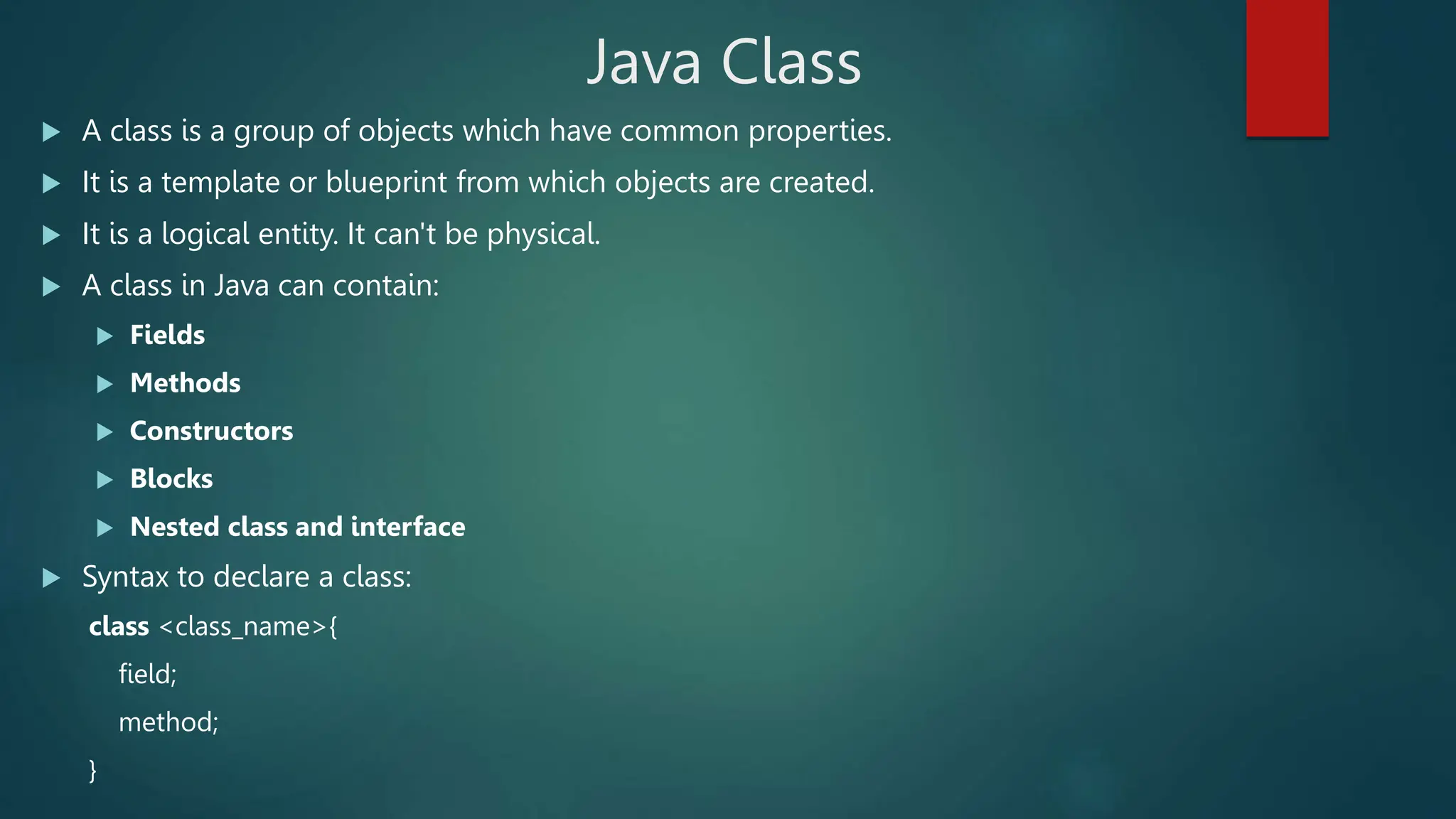
 A class is a group of objects which have common properties.
 It is a template or blueprint from which objects are created.
 It is a logical entity. It can't be physical.
 A class in Java can contain:
 Fields
 Methods
 Constructors
 Blocks
 Nested class and interface
 Syntax to declare a class:
class <class_name>{
field;
method;
}
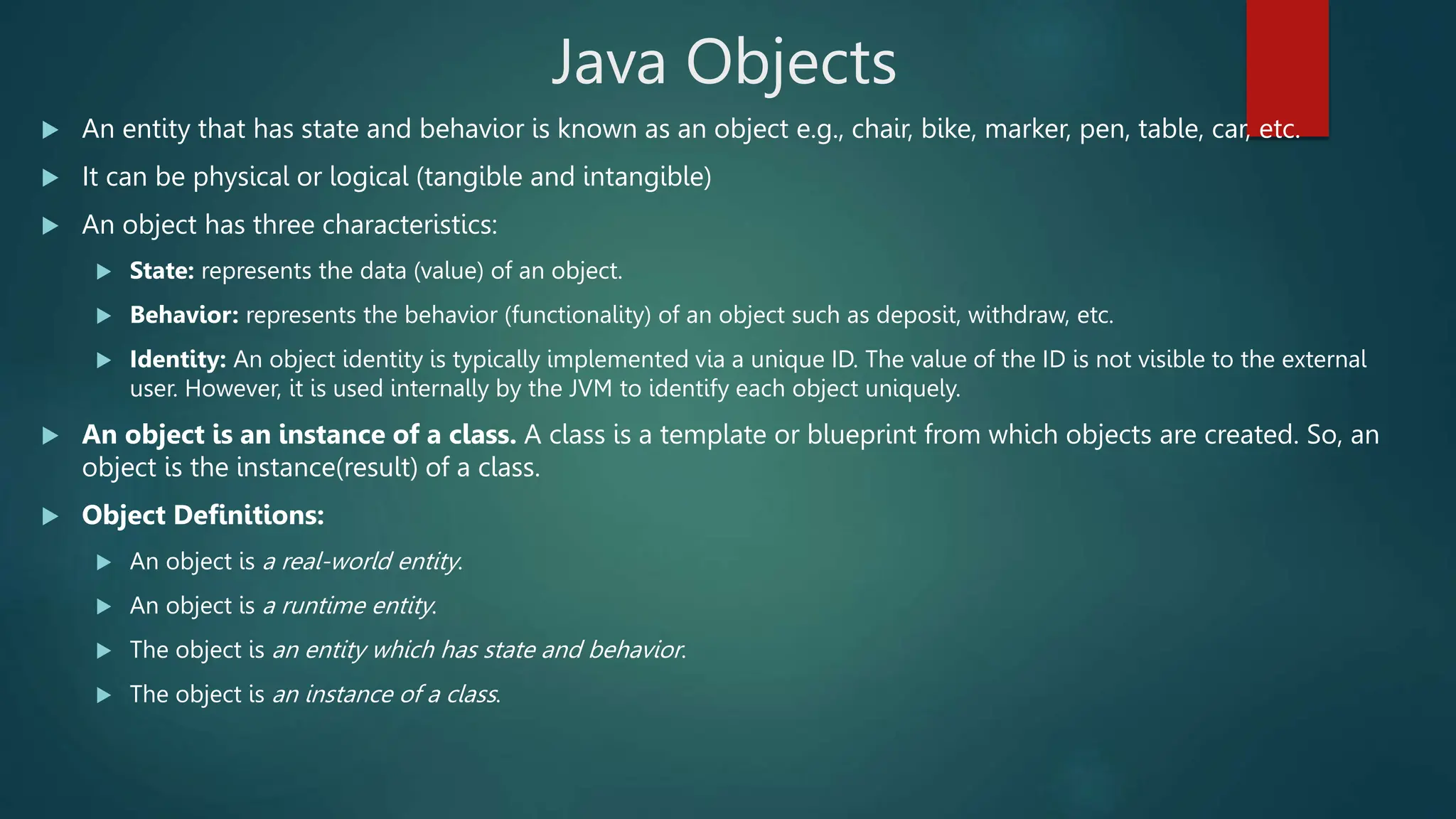
Java Objects
 An entity that has state and behavior is known as an object e.g., chair, bike, marker, pen, table, car, etc.
 It can be physical or logical (tangible and intangible)
 An object has three characteristics:
 State: represents the data (value) of an object.
 Behavior: represents the behavior (functionality) of an object such as deposit, withdraw, etc.
 Identity: An object identity is typically implemented via a unique ID. The value of the ID is not visible to the external
user. However, it is used internally by the JVM to identify each object uniquely.
 An object is an instance of a class. A class is a template or blueprint from which objects are created. So, an
object is the instance(result) of a class.
 Object Definitions:
 An object is a real-world entity.
 An object is a runtime entity.
 The object is an entity which has state and behavior.
 The object is an instance of a class.
Java Objects
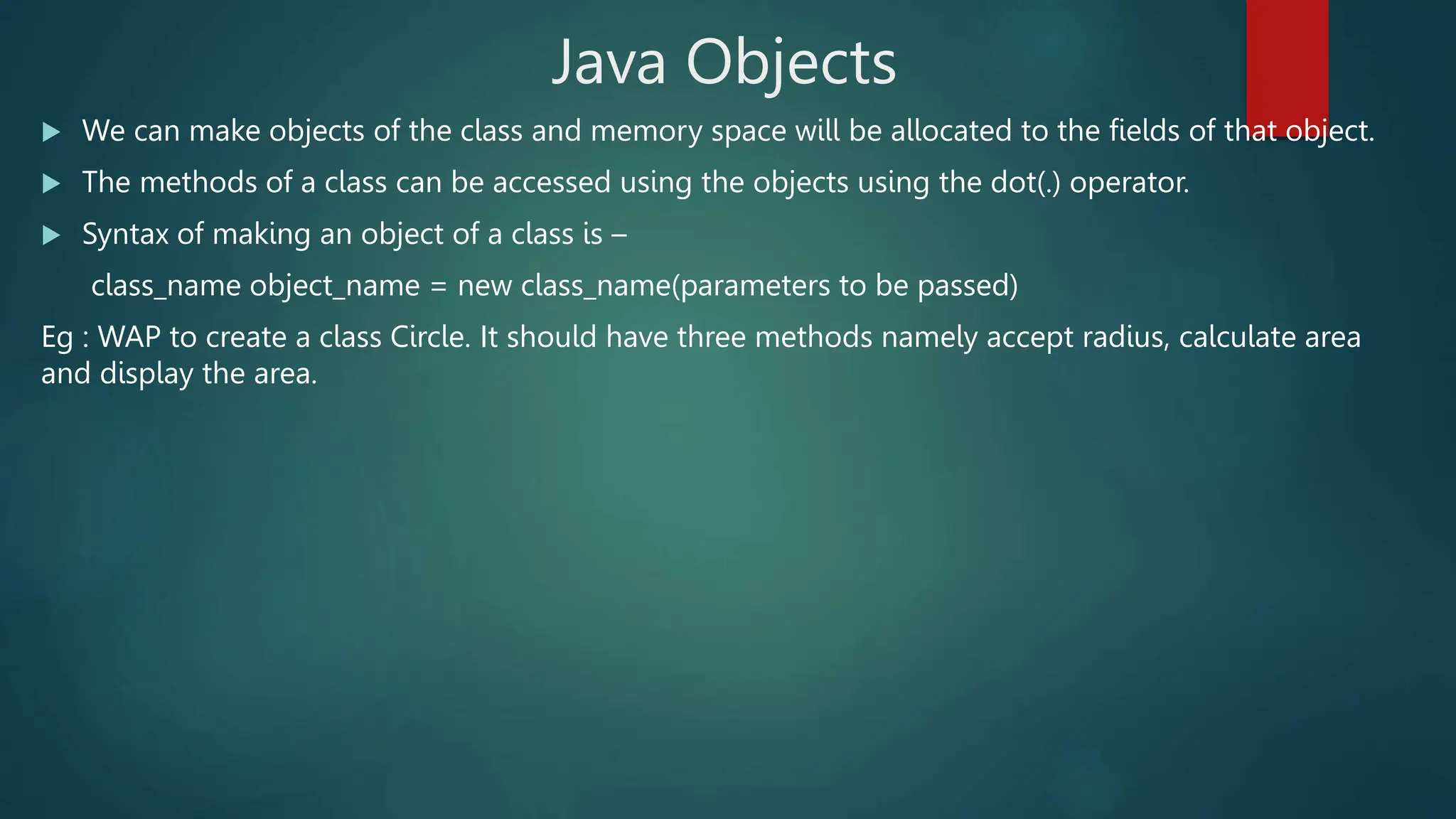
 We can make objects of the class and memory space will be allocated to the fields of that object.
 The methods of a class can be accessed using the objects using the dot(.) operator.
 Syntax of making an object of a class is –
class_name object_name = new class_name(parameters to be passed)
Eg : WAP to create a class Circle. It should have three methods namely accept radius, calculate area
and display the area.
import java.util.*;
class Circle{
private float r,area;
public void accept(float x)
{
r=x;
}
public void calculate()
{
area=3.14f*r*r;
}
public void display()
{
System.out.println("The area is :
"+area);
}
}
class Main{
public static void main(String args[])
{
float rad;
Scanner sc=new Scanner(System.in);
System.out.println("Enter radius");
rad=sc.nextFloat();
Circle c=new Circle();
c.accept(rad);
c.calculate();
c.display();
}
}
Constructor
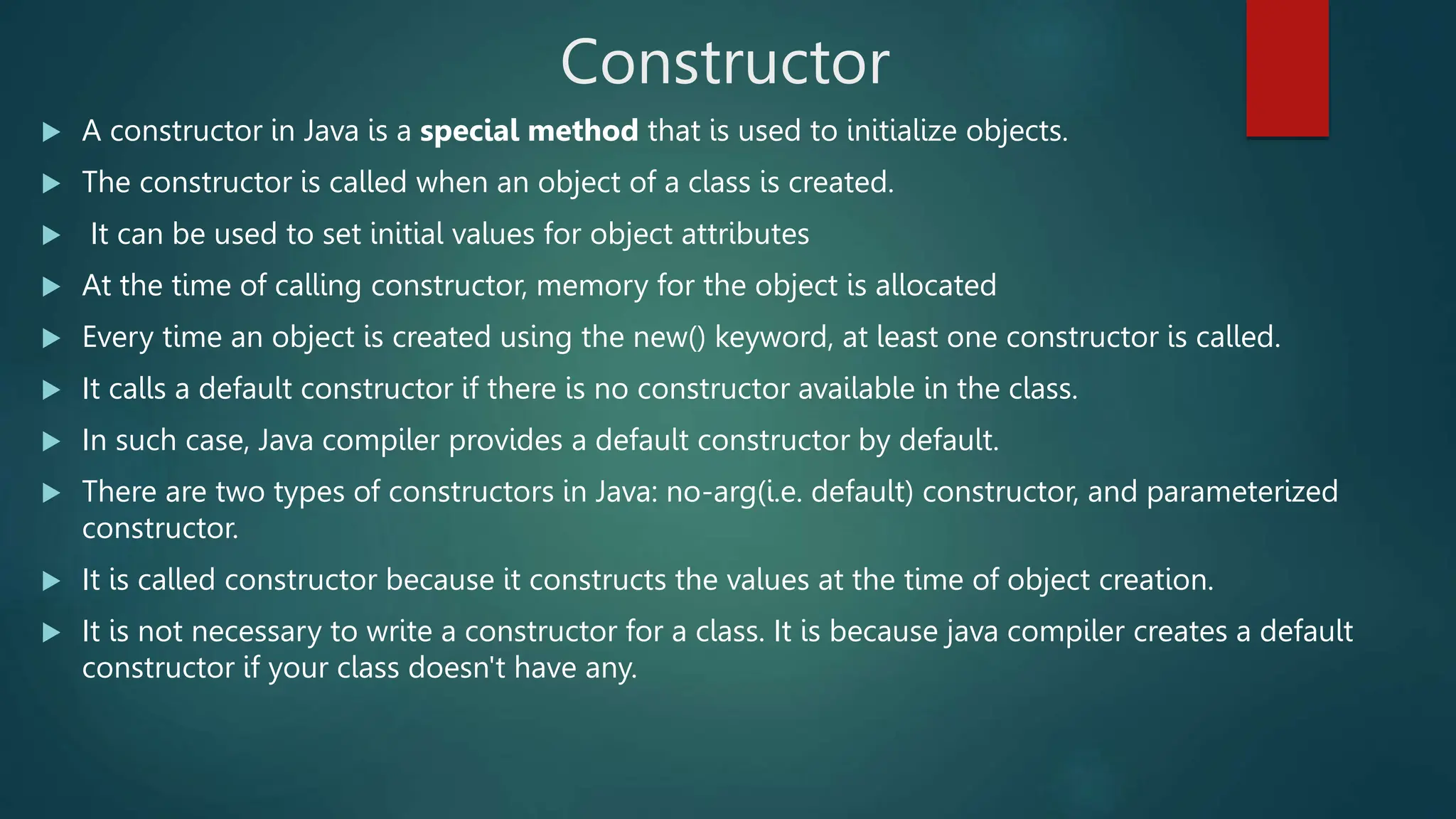
 A constructor in Java is a special method that is used to initialize objects.
 The constructor is called when an object of a class is created.
 It can be used to set initial values for object attributes
 At the time of calling constructor, memory for the object is allocated
 Every time an object is created using the new() keyword, at least one constructor is called.
 It calls a default constructor if there is no constructor available in the class.
 In such case, Java compiler provides a default constructor by default.
 There are two types of constructors in Java: no-arg(i.e. default) constructor, and parameterized
constructor.
 It is called constructor because it constructs the values at the time of object creation.
 It is not necessary to write a constructor for a class. It is because java compiler creates a default
constructor if your class doesn't have any.
Constructor
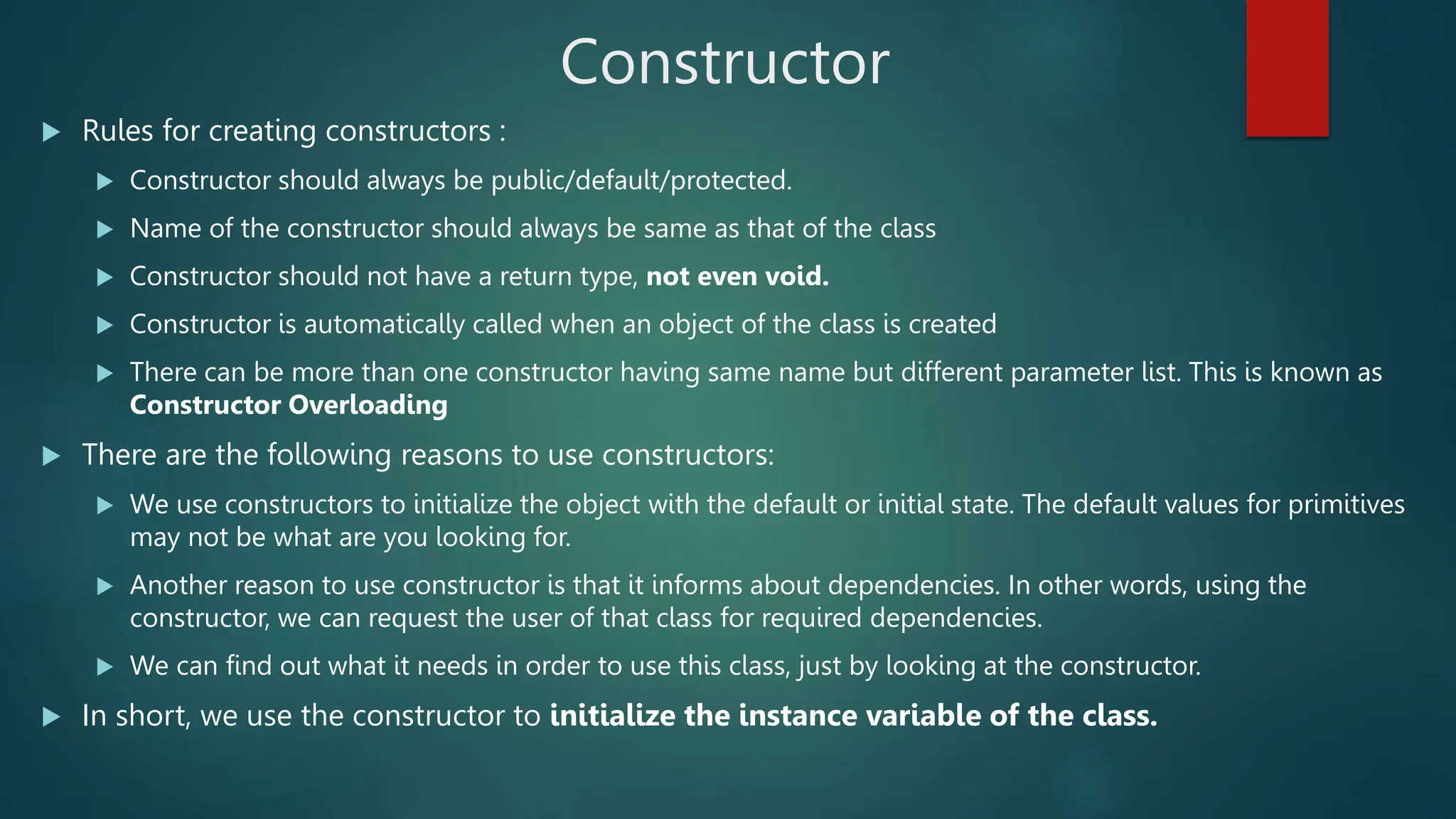
 Rules for creating constructors :
 Constructor should always be public/default/protected.
 Name of the constructor should always be same as that of the class
 Constructor should not have a return type, not even void.
 Constructor is automatically called when an object of the class is created
 There can be more than one constructor having same name but different parameter list. This is known as
Constructor Overloading
 There are the following reasons to use constructors:
 We use constructors to initialize the object with the default or initial state. The default values for primitives
may not be what are you looking for.
 Another reason to use constructor is that it informs about dependencies. In other words, using the
constructor, we can request the user of that class for required dependencies.
 We can find out what it needs in order to use this class, just by looking at the constructor.
 In short, we use the constructor to initialize the instance variable of the class.
import java.util.*;
class Circle{
private float r,area;
Circle(float x)
{
r=x;
}
void calculate()
{
area=3.14f*r*r;
}
void display()
{
System.out.println("The area is : "+area);
}
}
class Main{
public static void main(String args[])
{
float rad;
Scanner sc=new Scanner(System.in);
System.out.println("Enter radius");
rad=sc.nextFloat();
// parameterized constructor
Circle c=new Circle(rad);
c.calculate();
c.display();
}
}
Parameterized
Constructor
Example
import java.util.*;
class CircleDefConst{
private float r,area;
CircleDefConst()
{
Scanner sc=new Scanner(System.in);
System.out.println("Enter Radius");
r=sc.nextFloat();
}
public void calculate()
{
area=3.14f*r*r;
}
public void display()
{
System.out.println("The area is : "+area);
} }
class Main{
public static void main(String args[])
{
// Default Constructor
CircleDefConst c=new CircleDefConst();
c.calculate();
c.display();
}
}
Default
Constructor
Example
import java.util.Scanner;
class Student
{
private String name;
private int roll_no;
//parameterized constructor
Student(String n, int rn)
{
name=n;
roll_no=rn;
}
//Default constructor
Student()
{
name = "John";
roll_no = 1;
}
//method for printing the values
void show()
{
System.out.println("Name of the student:
"+name);
System.out.println("Roll No of the student:
"+roll_no);
}
}
class Main{
public static void main(String args[])
{
Scanner sc = new Scanner(System.in);
System.out.println("Enter the name of the
student: ");
String fname = sc.nextLine();
System.out.println("Enter the roll no of the
student: ");
int rno = sc.nextInt();
//Calling the parameterized constructor
System.out.println("calling Show() method for
the parameterized constructor: ");
Student s=new Student(fname, rno);
s.show();
//Calling the default constructor
System.out.println("Show() method for the
default constructor: ");
Student s1=new Student();
s1.show();
} }
Constructor Overloading
 Multiple constructors of same class with different parameters is called constructor overloading
 Eg : Program on previous slide (slide 17)
Method Overloading
 Multiple methods with same name in same class or in base class and derived class with different parameters is
called method overloading
 Eg1 : WAP to demonstrate Method Overloading by overloading the methods for calculating Area of circle,
rectangle and triangle
class MethodOverloading{
private float a;
public void area(float r)
{
a=3.14f*r*r;
System.out.println("Area of circle is :"+a);
}
public void area(float l, float b)
{
a=l*b;
System.out.println("Area of rectangle is :"+a);
}
public void area(float s1, float s2, float s3)
{
float s;
s=0.5f*(s1+s2+s3);
s=s*(s-s1)*(s-s2)*(s-s3);
a=(float)(Math.sqrt(s));
System.out.println("Area of triangle is :"+a);
}}
class Main {
public static void main(String args[]){
MethodOverloading obj=new MethodOverloading();
obj.area(10);
obj.area(10,10);
obj.area(10,10,10);
}}
Method Overloading
 Eg2 : WAP to demonstrate Method Overloading in a base and derived class by overloading the methods for
displaying the value of variable contained in the class.
class Parent{
public void display(int x)
{
System.out.println("Value of x is :"+x);
}
}
class Child extends Parent{
public void display(int x, int y)
{
System.out.println("Value of x is :"+x+"nValue of y is :"+y);
}
}
class Main {
public static void main(String args[]){
Child c=new Child();
c.display(10);
c.display(5,5);
}}
Array of Objects
 Array of objects is created to store information about multiple objects having similar functionality.
 Syntax : class_name object_name[] = new class_name[size of the array]
 Eg : Student s[]=new Student[10];
 Note: memory is not allocated to each object with the above declaration. We need to use “new”
keyword with every object of the array separately for allocating memory.
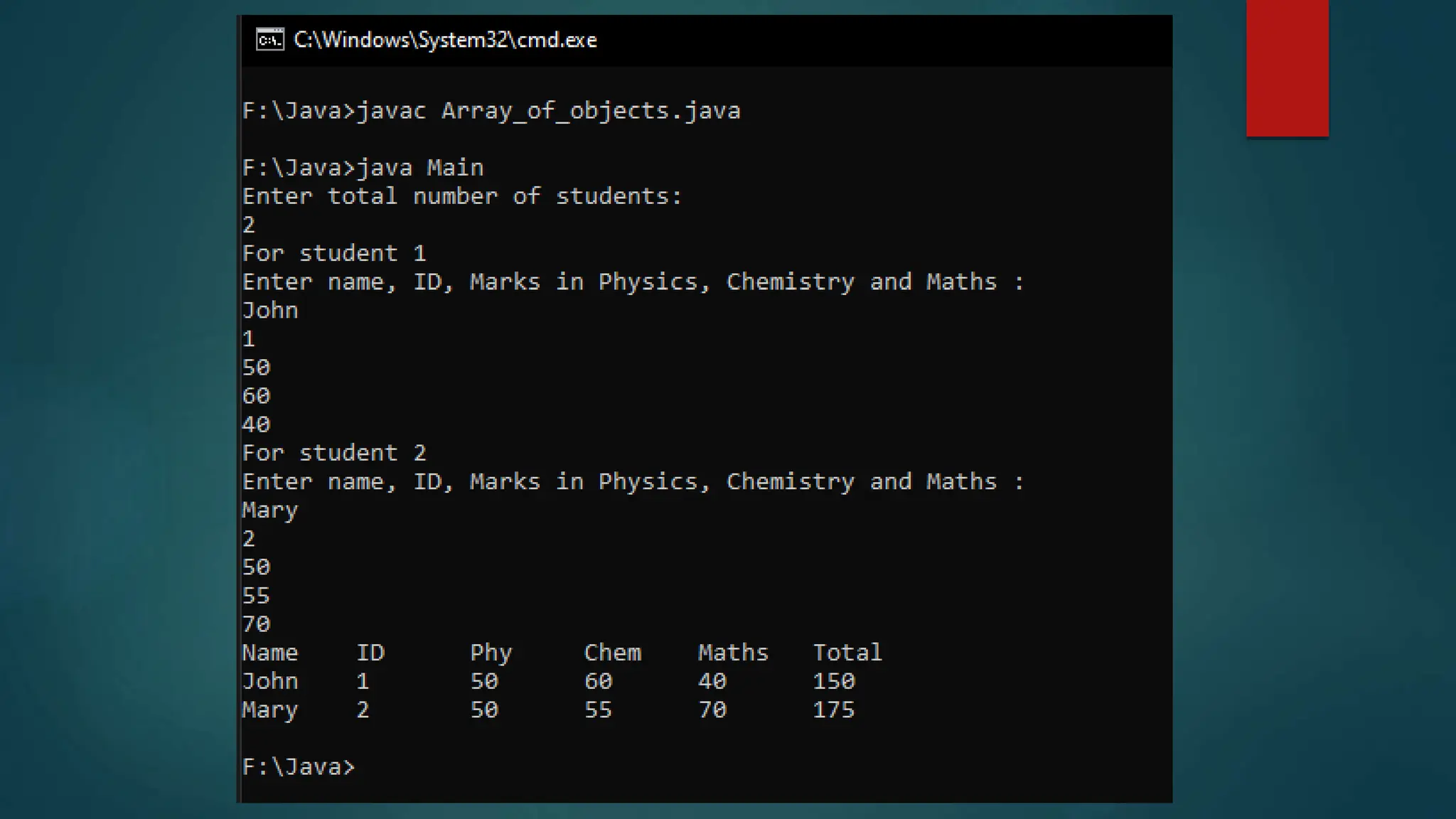
 Problem : WAP to create an array of objects of a class student. The class should have field
members name, id, total marks and marks in three subjects namely Physics, Chemistry and Maths.
Accept information of ‘n’ students and display them in tabular form.
import java.util.Scanner;
class Student
{
private String name;
private int id,p,c,m,t;
void accept()
{
Scanner sc=new Scanner(System.in);
System.out.println("Enter name, ID, Marks in Physics, Chemistry
and Maths : ");
name=sc.nextLine();
id=sc.nextInt();
p=sc.nextInt();
c=sc.nextInt();
m=sc.nextInt();
t=p+c+m;
}
void display()
{
System.out.println(name+"t"+id+"t"+p+"t"+c+"t"+m+"t"+t
);
}
}
class Main{
public static void main(String args[])
{
int i,n;
Scanner sc = new Scanner(System.in);
System.out.println("Enter total number of students: ");
n = sc.nextInt();
//creating array of objects of size n
Student s[]=new Student[n];
for(i=0;i<=n-1;i++)
{
System.out.println("For student "+(i+1));
s[i]=new Student();
s[i].accept();
}
System.out.println("NametIDtPhytChemtMathstTotal");
for(i=0;i<=n-1;i++)
{
s[i].display();
}
}
}
Static Class Members
 A method or a field can be static.
 static keyword is used to declare class members as static
 A static method is a method that works on a class and not on the object of the class.
 To call a static method we need not make object of that class
 A static method is called by syntax : class_name.method_name()
 A static field member or a static variable will be common for all the objects of that class.
 A common memory location is allocated for a static variable for all objects made of that class
 One of the major advantage of using static variable is that we can use it to count number of
objects made of the class. Since each object will access the same memory location for static
variable, we can increment its value in the constructor of class.
 Whenever the object is created, this constructor will be called and this static variable will be
incremented.
“this” keyword
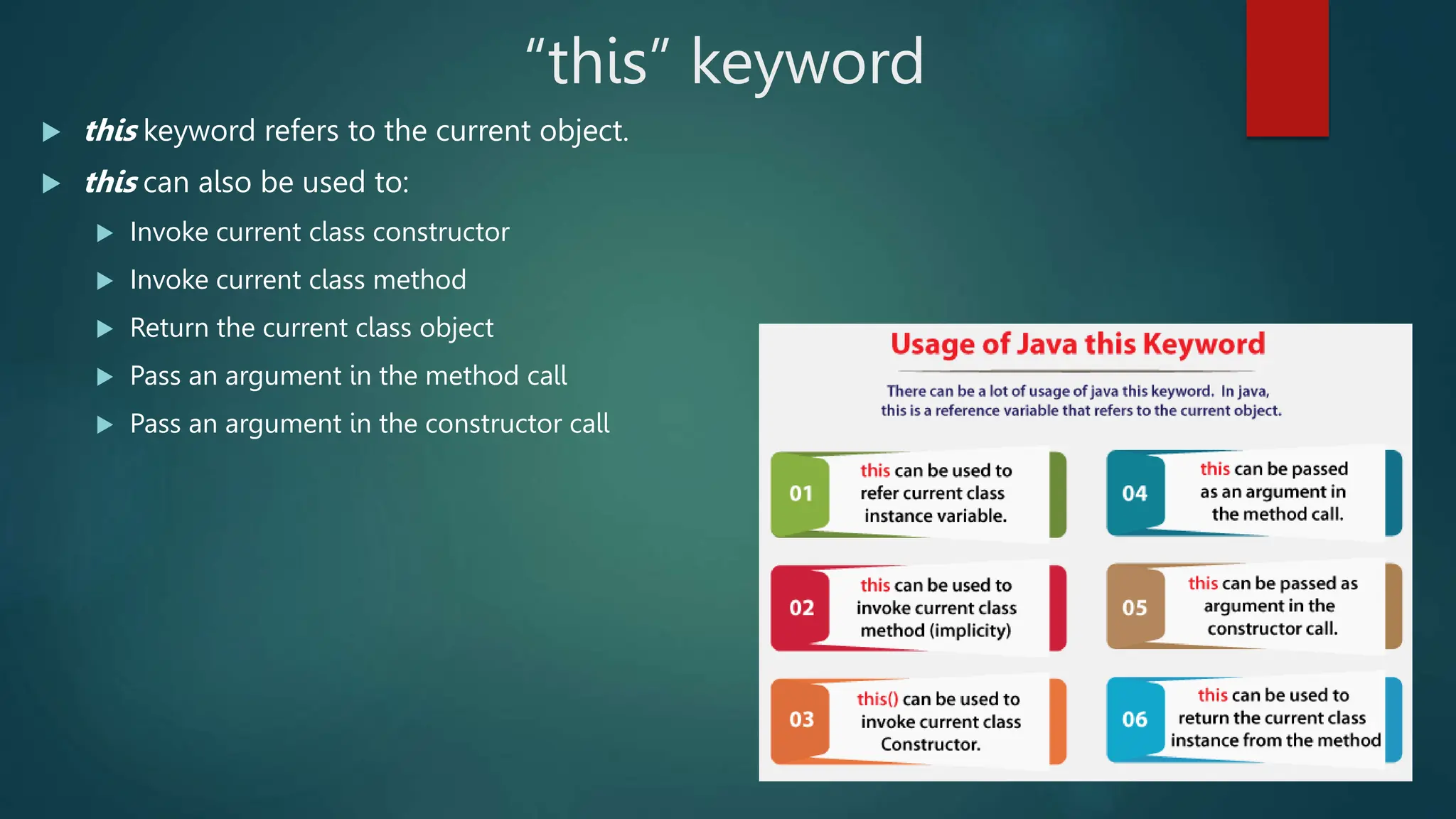
 this keyword refers to the current object.
 this can also be used to:
 Invoke current class constructor
 Invoke current class method
 Return the current class object
 Pass an argument in the method call
 Pass an argument in the constructor call
Eg1 : Without this keyword
class Student1{
int rollno;
String name;
float fee;
Student1(int rollno,String name,float fee){
rollno=rollno;
name=name;
fee=fee;
}
void display(){System.out.println(rollno+" "+name+" "+fee);} }
class Main{
public static void main(String args[]){
Student1 s1=new Student1(111,"ankit",5000f);
Student1 s2=new Student1(112,"sumit",6000f);
s1.display();
s2.display();
}}
Eg2 : With this keyword
class Student1{
int rollno;
String name;
float fee;
Student1(int rollno,String name,float fee){
this.rollno=rollno;
this.name=name;
this.fee=fee;
}
void display(){System.out.println(rollno+" "+name+" "+fee);}
}
class Main {
public static void main(String args[]){
Student1 s1=new Student1(111,"ankit",5000f);
Student1 s2=new Student1(112,"sumit",6000f);
s1.display();
s2.display();
}}
In the above eg1, parameters (formal arguments) and instance variables are same. So, we are using this keyword in eg2 to distinguish
local variable and instance variable.

Chap-2 Classes & Methods.pptx

  • 1.
    JAVA PROGRAMMING Chap 2 :Classes and Methods
  • 3.
     In object-orientedprogramming technique, we design a program using objects and classes.  An object in Java is the physical as well as a logical entity, whereas, a class in Java is a logical entity only.  Method in Java is a collection of instructions that performs a specific task.  It provides the reusability of code. We can also easily modify code using methods.
  • 4.
    Methods in Java A method is a block of code or collection of statements or a set of code grouped together to perform a certain task or operation.  It is used to achieve the reusability of code.  We write a method once and use it many times.  We do not require to write code again and again.  It also provides the easy modification and readability of code, just by adding or removing a chunk of code.  The method is executed only when we call or invoke it.  The most important method in Java is the main() method.  The method declaration provides information about method attributes, such as visibility, return- type, name, and arguments.
  • 5.
    Methods in Java It has six components that are known as method header, as we have shown in the following figure  Method Signature: Every method has a method signature. It is a part of the method declaration. It includes the method name and parameter list.  Access Specifier: Access specifier or modifier is the access type of the method. It specifies the visibility of the method. Java provides five types of access specifier  Return Type: Return type is a data type that the method returns. It may have a primitive data type, object, collection, void, etc. If the method does not return anything, we use void keyword.  Method Name: It is a unique name that is used to define the name of a method. It must be corresponding to the functionality of the method. A method is invoked by its name.  Parameter List: It is the list of parameters separated by a comma and enclosed in the pair of parentheses. It contains the data type and variable name. If the method has no parameter, we leave the parentheses blank. The parameters whose values are passed to the method are called as actual parameters and the variables in which the parameter values are received are called as formal parameters. Number of formal parameters should always be equal to number of actual parameters.  Method Body: It is a part of the method declaration. It contains all the actions to be performed. It is enclosed within the pair of curly braces.
  • 6.
    Methods in Java(Static Method Examples) import java.util.*; class Add{ public static void main(String args[]) { int a,b,sum; Scanner sc=new Scanner(System.in); System.out.println("Enter two nos."); a=sc.nextInt(); b=sc.nextInt(); sum=add(a,b); System.out.println(“The Sum is : "+sum); } public static int add(int x, int y) { return(x+y); } } import java.util.*; class Add { public static void main(String args[]) { int a,b,sum; Scanner sc=new Scanner(System.in); System.out.println("Enter two nos."); a=sc.nextInt(); b=sc.nextInt(); add(a,b); } public static void add(int x, int y) { System.out.println("The Sum is : "+(x+y)); } }
  • 7.
    Recursive Methods  amethod that calls itself is known as a recursive method.  And, this process is known as recursion.  In order to stop the recursive call, we need to provide some conditions inside the method. Otherwise, the method will be called infinitely.  Hence, we use the if...else statement(or similar approach) to terminate the recursive call inside the method.
  • 8.
    Recursive Methods import java.util.*; classFactorial{ public static void main(String[] args){ int n, f; Scanner sc=new Scanner(System.in); System.out.println("Enter the number"); n=sc.nextInt(); f=fact(n); System.out.println("factorial of "+n+" is : "+f); } public static int fact(int x) { if(x==1) return 1; else return(x*fact(x-1)); } }
  • 9.
    Java Access Specifiers AccessModifier Access Location Public Protected Default (friendly) Private Private Protected Same Class Yes Yes Yes Yes Yes Sub class in same package Yes Yes Yes No Yes Other classes in same package Yes Yes Yes No No Subclass in other packages Yes Yes No No Yes Non-subclasses in other packages Yes No No No No
  • 10.
    Java Class  Aclass is a group of objects which have common properties.  It is a template or blueprint from which objects are created.  It is a logical entity. It can't be physical.  A class in Java can contain:  Fields  Methods  Constructors  Blocks  Nested class and interface  Syntax to declare a class: class <class_name>{ field; method; }
  • 11.
    Java Objects  Anentity that has state and behavior is known as an object e.g., chair, bike, marker, pen, table, car, etc.  It can be physical or logical (tangible and intangible)  An object has three characteristics:  State: represents the data (value) of an object.  Behavior: represents the behavior (functionality) of an object such as deposit, withdraw, etc.  Identity: An object identity is typically implemented via a unique ID. The value of the ID is not visible to the external user. However, it is used internally by the JVM to identify each object uniquely.  An object is an instance of a class. A class is a template or blueprint from which objects are created. So, an object is the instance(result) of a class.  Object Definitions:  An object is a real-world entity.  An object is a runtime entity.  The object is an entity which has state and behavior.  The object is an instance of a class.
  • 12.
    Java Objects  Wecan make objects of the class and memory space will be allocated to the fields of that object.  The methods of a class can be accessed using the objects using the dot(.) operator.  Syntax of making an object of a class is – class_name object_name = new class_name(parameters to be passed) Eg : WAP to create a class Circle. It should have three methods namely accept radius, calculate area and display the area.
  • 13.
    import java.util.*; class Circle{ privatefloat r,area; public void accept(float x) { r=x; } public void calculate() { area=3.14f*r*r; } public void display() { System.out.println("The area is : "+area); } } class Main{ public static void main(String args[]) { float rad; Scanner sc=new Scanner(System.in); System.out.println("Enter radius"); rad=sc.nextFloat(); Circle c=new Circle(); c.accept(rad); c.calculate(); c.display(); } }
  • 14.
    Constructor  A constructorin Java is a special method that is used to initialize objects.  The constructor is called when an object of a class is created.  It can be used to set initial values for object attributes  At the time of calling constructor, memory for the object is allocated  Every time an object is created using the new() keyword, at least one constructor is called.  It calls a default constructor if there is no constructor available in the class.  In such case, Java compiler provides a default constructor by default.  There are two types of constructors in Java: no-arg(i.e. default) constructor, and parameterized constructor.  It is called constructor because it constructs the values at the time of object creation.  It is not necessary to write a constructor for a class. It is because java compiler creates a default constructor if your class doesn't have any.
  • 15.
    Constructor  Rules forcreating constructors :  Constructor should always be public/default/protected.  Name of the constructor should always be same as that of the class  Constructor should not have a return type, not even void.  Constructor is automatically called when an object of the class is created  There can be more than one constructor having same name but different parameter list. This is known as Constructor Overloading  There are the following reasons to use constructors:  We use constructors to initialize the object with the default or initial state. The default values for primitives may not be what are you looking for.  Another reason to use constructor is that it informs about dependencies. In other words, using the constructor, we can request the user of that class for required dependencies.  We can find out what it needs in order to use this class, just by looking at the constructor.  In short, we use the constructor to initialize the instance variable of the class.
  • 16.
    import java.util.*; class Circle{ privatefloat r,area; Circle(float x) { r=x; } void calculate() { area=3.14f*r*r; } void display() { System.out.println("The area is : "+area); } } class Main{ public static void main(String args[]) { float rad; Scanner sc=new Scanner(System.in); System.out.println("Enter radius"); rad=sc.nextFloat(); // parameterized constructor Circle c=new Circle(rad); c.calculate(); c.display(); } } Parameterized Constructor Example
  • 17.
    import java.util.*; class CircleDefConst{ privatefloat r,area; CircleDefConst() { Scanner sc=new Scanner(System.in); System.out.println("Enter Radius"); r=sc.nextFloat(); } public void calculate() { area=3.14f*r*r; } public void display() { System.out.println("The area is : "+area); } } class Main{ public static void main(String args[]) { // Default Constructor CircleDefConst c=new CircleDefConst(); c.calculate(); c.display(); } } Default Constructor Example
  • 18.
    import java.util.Scanner; class Student { privateString name; private int roll_no; //parameterized constructor Student(String n, int rn) { name=n; roll_no=rn; } //Default constructor Student() { name = "John"; roll_no = 1; } //method for printing the values void show() { System.out.println("Name of the student: "+name); System.out.println("Roll No of the student: "+roll_no); } } class Main{ public static void main(String args[]) { Scanner sc = new Scanner(System.in); System.out.println("Enter the name of the student: "); String fname = sc.nextLine(); System.out.println("Enter the roll no of the student: "); int rno = sc.nextInt(); //Calling the parameterized constructor System.out.println("calling Show() method for the parameterized constructor: "); Student s=new Student(fname, rno); s.show(); //Calling the default constructor System.out.println("Show() method for the default constructor: "); Student s1=new Student(); s1.show(); } }
  • 19.
    Constructor Overloading  Multipleconstructors of same class with different parameters is called constructor overloading  Eg : Program on previous slide (slide 17)
  • 20.
    Method Overloading  Multiplemethods with same name in same class or in base class and derived class with different parameters is called method overloading  Eg1 : WAP to demonstrate Method Overloading by overloading the methods for calculating Area of circle, rectangle and triangle class MethodOverloading{ private float a; public void area(float r) { a=3.14f*r*r; System.out.println("Area of circle is :"+a); } public void area(float l, float b) { a=l*b; System.out.println("Area of rectangle is :"+a); } public void area(float s1, float s2, float s3) { float s; s=0.5f*(s1+s2+s3); s=s*(s-s1)*(s-s2)*(s-s3); a=(float)(Math.sqrt(s)); System.out.println("Area of triangle is :"+a); }} class Main { public static void main(String args[]){ MethodOverloading obj=new MethodOverloading(); obj.area(10); obj.area(10,10); obj.area(10,10,10); }}
  • 21.
    Method Overloading  Eg2: WAP to demonstrate Method Overloading in a base and derived class by overloading the methods for displaying the value of variable contained in the class. class Parent{ public void display(int x) { System.out.println("Value of x is :"+x); } } class Child extends Parent{ public void display(int x, int y) { System.out.println("Value of x is :"+x+"nValue of y is :"+y); } } class Main { public static void main(String args[]){ Child c=new Child(); c.display(10); c.display(5,5); }}
  • 22.
    Array of Objects Array of objects is created to store information about multiple objects having similar functionality.  Syntax : class_name object_name[] = new class_name[size of the array]  Eg : Student s[]=new Student[10];  Note: memory is not allocated to each object with the above declaration. We need to use “new” keyword with every object of the array separately for allocating memory.  Problem : WAP to create an array of objects of a class student. The class should have field members name, id, total marks and marks in three subjects namely Physics, Chemistry and Maths. Accept information of ‘n’ students and display them in tabular form.
  • 23.
    import java.util.Scanner; class Student { privateString name; private int id,p,c,m,t; void accept() { Scanner sc=new Scanner(System.in); System.out.println("Enter name, ID, Marks in Physics, Chemistry and Maths : "); name=sc.nextLine(); id=sc.nextInt(); p=sc.nextInt(); c=sc.nextInt(); m=sc.nextInt(); t=p+c+m; } void display() { System.out.println(name+"t"+id+"t"+p+"t"+c+"t"+m+"t"+t ); } } class Main{ public static void main(String args[]) { int i,n; Scanner sc = new Scanner(System.in); System.out.println("Enter total number of students: "); n = sc.nextInt(); //creating array of objects of size n Student s[]=new Student[n]; for(i=0;i<=n-1;i++) { System.out.println("For student "+(i+1)); s[i]=new Student(); s[i].accept(); } System.out.println("NametIDtPhytChemtMathstTotal"); for(i=0;i<=n-1;i++) { s[i].display(); } } }
  • 25.
    Static Class Members A method or a field can be static.  static keyword is used to declare class members as static  A static method is a method that works on a class and not on the object of the class.  To call a static method we need not make object of that class  A static method is called by syntax : class_name.method_name()  A static field member or a static variable will be common for all the objects of that class.  A common memory location is allocated for a static variable for all objects made of that class  One of the major advantage of using static variable is that we can use it to count number of objects made of the class. Since each object will access the same memory location for static variable, we can increment its value in the constructor of class.  Whenever the object is created, this constructor will be called and this static variable will be incremented.
  • 26.
    “this” keyword  thiskeyword refers to the current object.  this can also be used to:  Invoke current class constructor  Invoke current class method  Return the current class object  Pass an argument in the method call  Pass an argument in the constructor call
  • 27.
    Eg1 : Withoutthis keyword class Student1{ int rollno; String name; float fee; Student1(int rollno,String name,float fee){ rollno=rollno; name=name; fee=fee; } void display(){System.out.println(rollno+" "+name+" "+fee);} } class Main{ public static void main(String args[]){ Student1 s1=new Student1(111,"ankit",5000f); Student1 s2=new Student1(112,"sumit",6000f); s1.display(); s2.display(); }} Eg2 : With this keyword class Student1{ int rollno; String name; float fee; Student1(int rollno,String name,float fee){ this.rollno=rollno; this.name=name; this.fee=fee; } void display(){System.out.println(rollno+" "+name+" "+fee);} } class Main { public static void main(String args[]){ Student1 s1=new Student1(111,"ankit",5000f); Student1 s2=new Student1(112,"sumit",6000f); s1.display(); s2.display(); }} In the above eg1, parameters (formal arguments) and instance variables are same. So, we are using this keyword in eg2 to distinguish local variable and instance variable.