优酷 CMS>HTML 碎片 产品团队 09-10-10
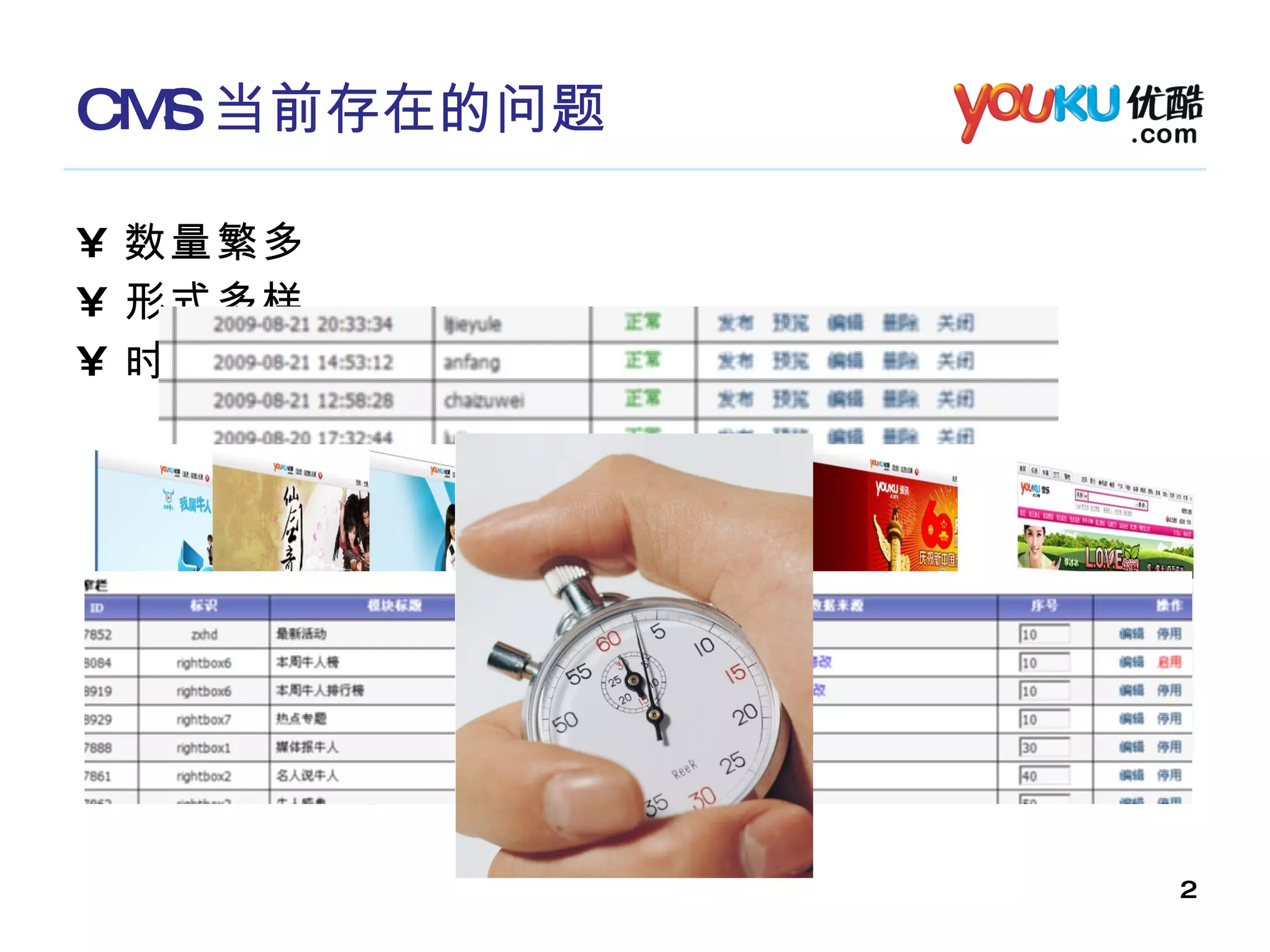
CMS 当前存在的问题 数量繁多 形式多样 时间紧迫
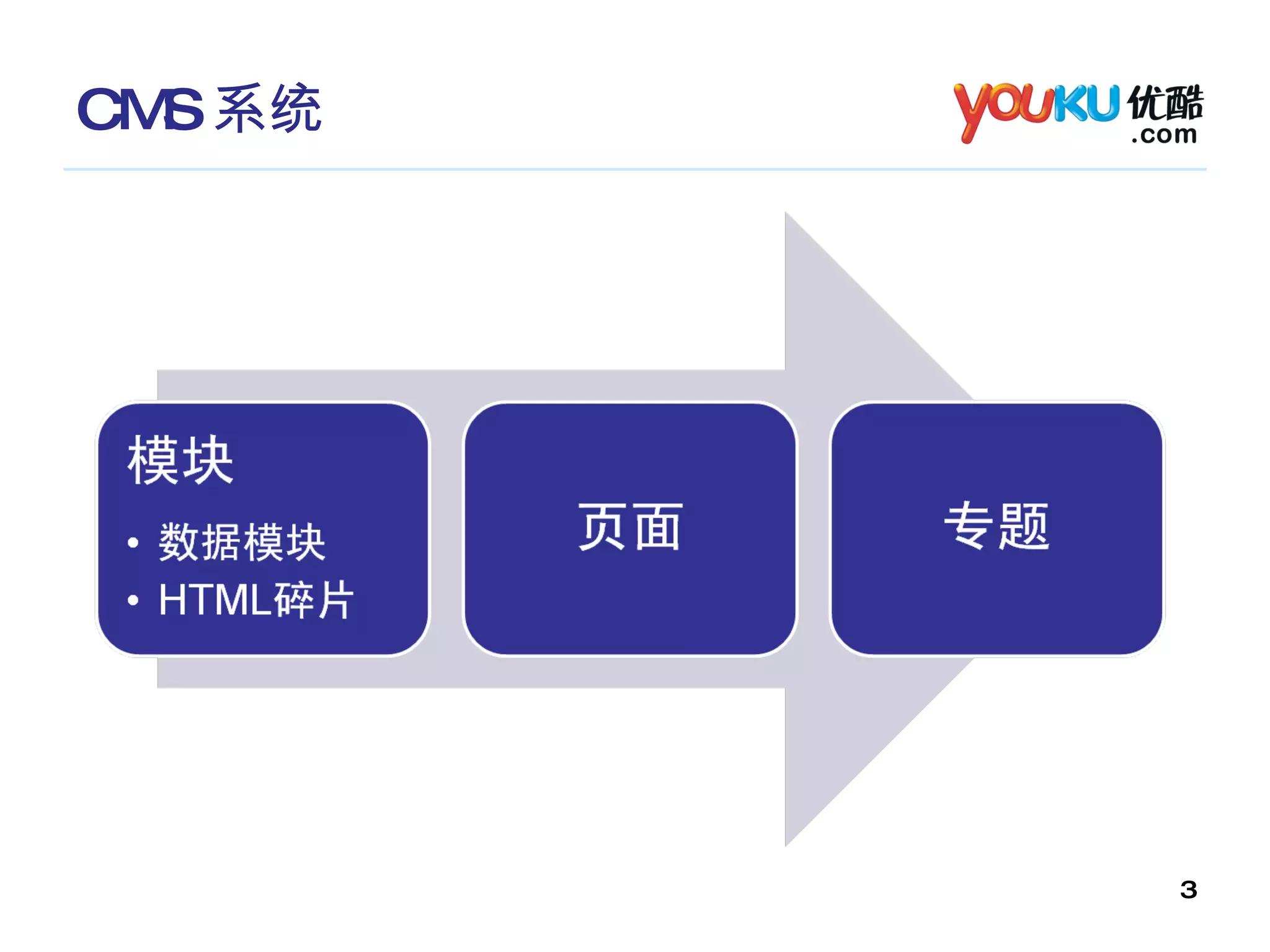
CMS 系统
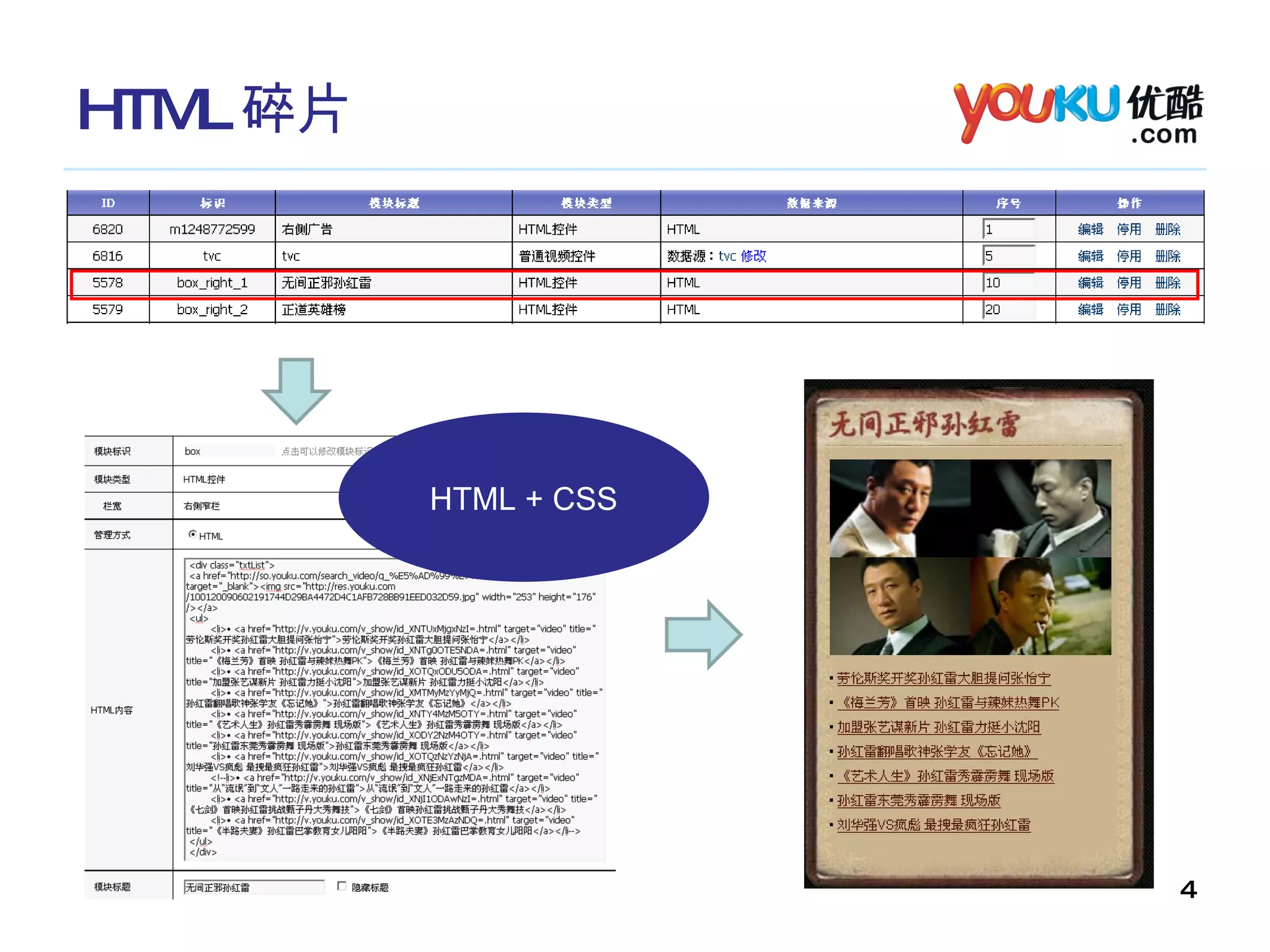
HTML 碎片 HTML + CSS
HTML HTML ( HyperText Mark-up Language )即超文本标记语言或超文本链接标示语言。 CSS ( Cascading Style Sheets)  层叠样式表 HTML CSS 由浏览器解析 在浏览器上呈现出所想要的页面!
HTML &  CSS HTML (页面文档的结构) <span>  一些文字 </span> <div>  <h1> 标题标题 </h1> <span> 文字文字 </span> </div>
HTML &  CSS HTML (页面文档的结构) <body> <div class=&quot;header&quot;> <h1> 网站标题 </h1> <span> 副标题 </span> </div> <div class=&quot;main&quot;> <h2> 文章标题 </h2> <div class=“article”> 文章内容 </div> </div> <div class=&quot;footer&quot;> </div> </div> </body>
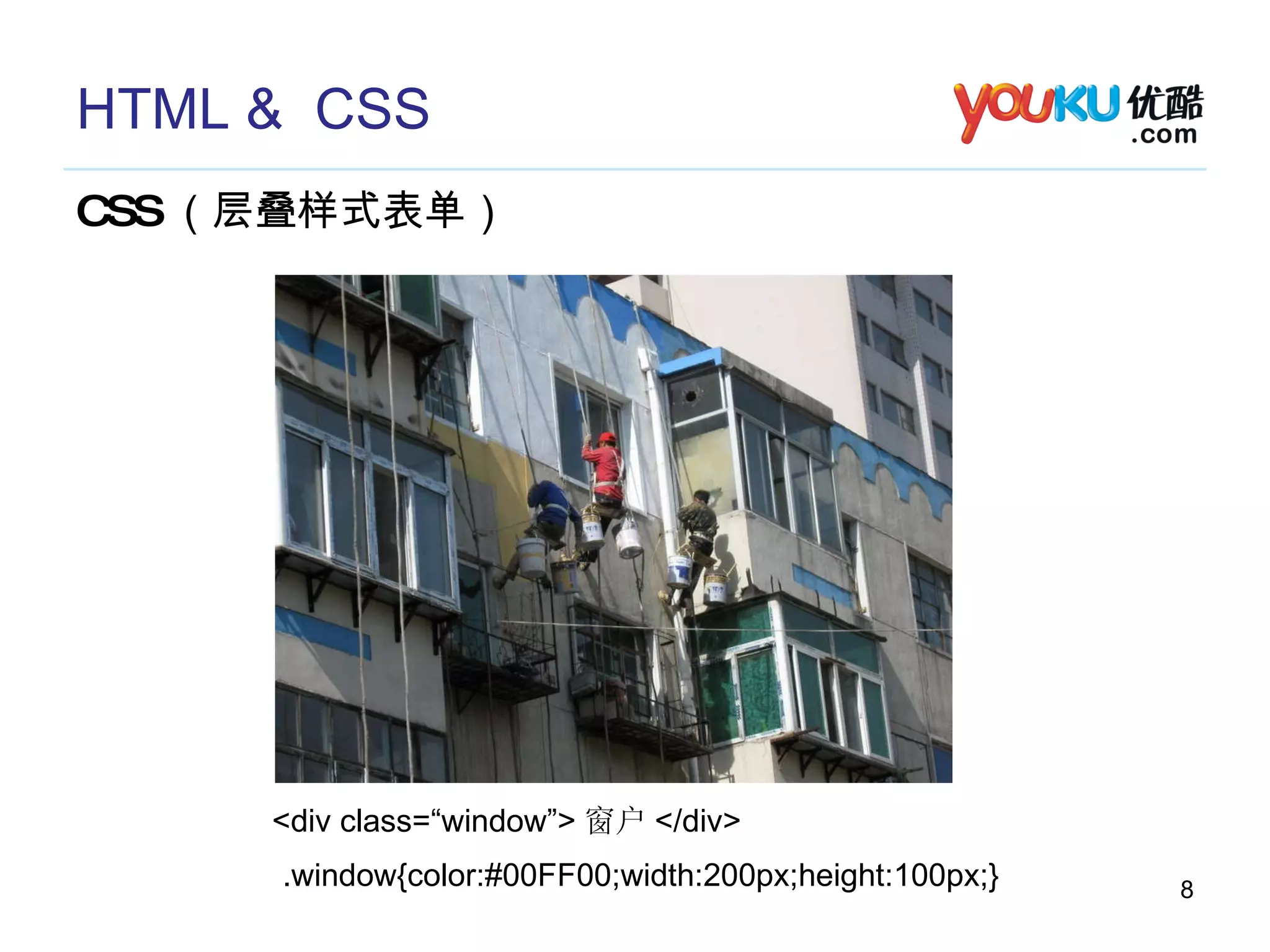
HTML &  CSS CSS (层叠样式表单) <div class=“window”> 窗户 </div> .window{color:#00FF00;width:200px;height:100px;}
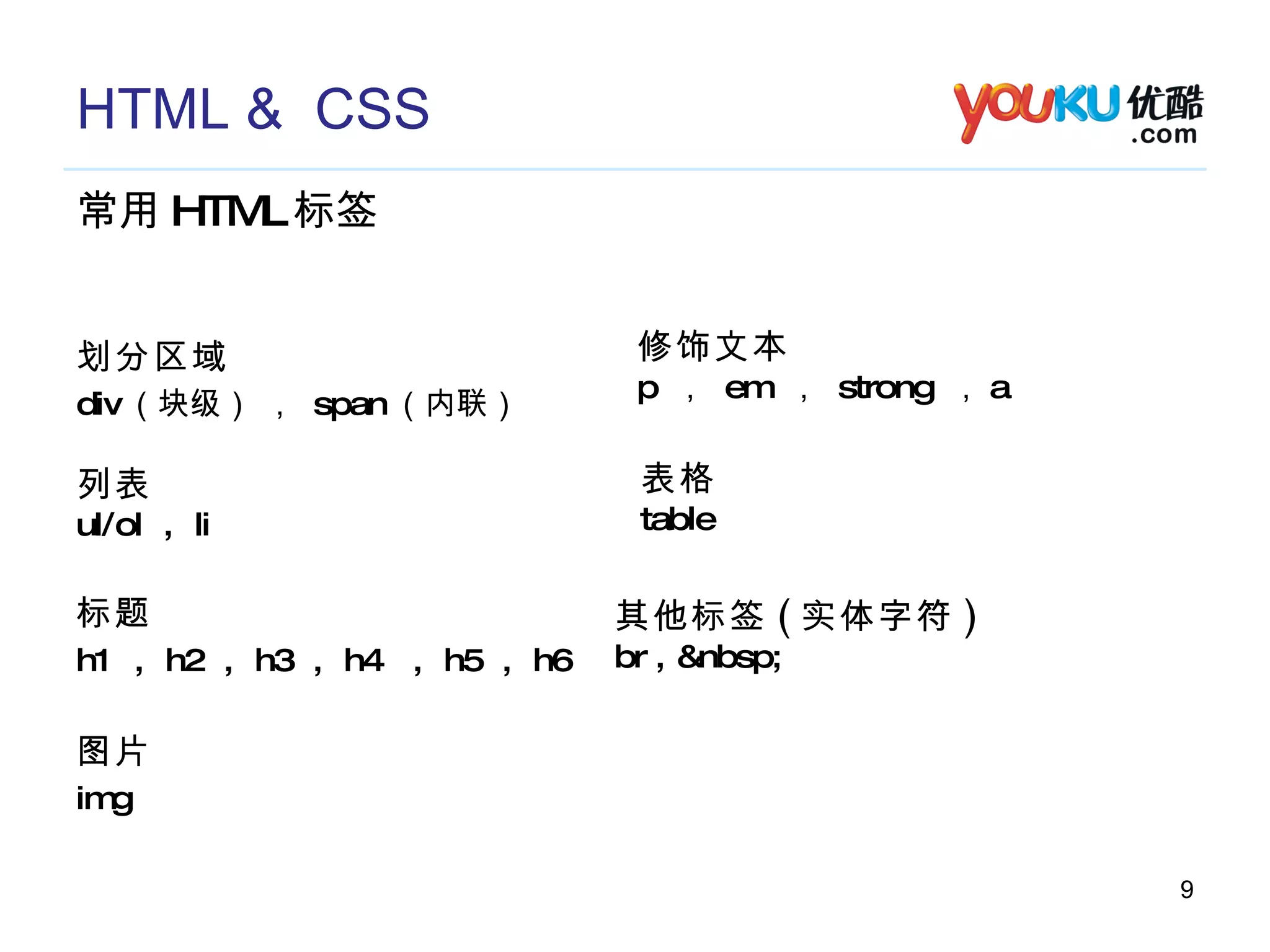
HTML &  CSS 常用 HTML 标签 划分区域 div (块级) ,  span (内联)  标题 h1  ,  h2  ,  h3  ,  h4  ,  h5  ,  h6 图片 img  列表 ul/ol  ,  li  修饰文本 p  ,  em  ,  strong  , a 其他标签 ( 实体字符 ) br , &nbsp; 表格 table
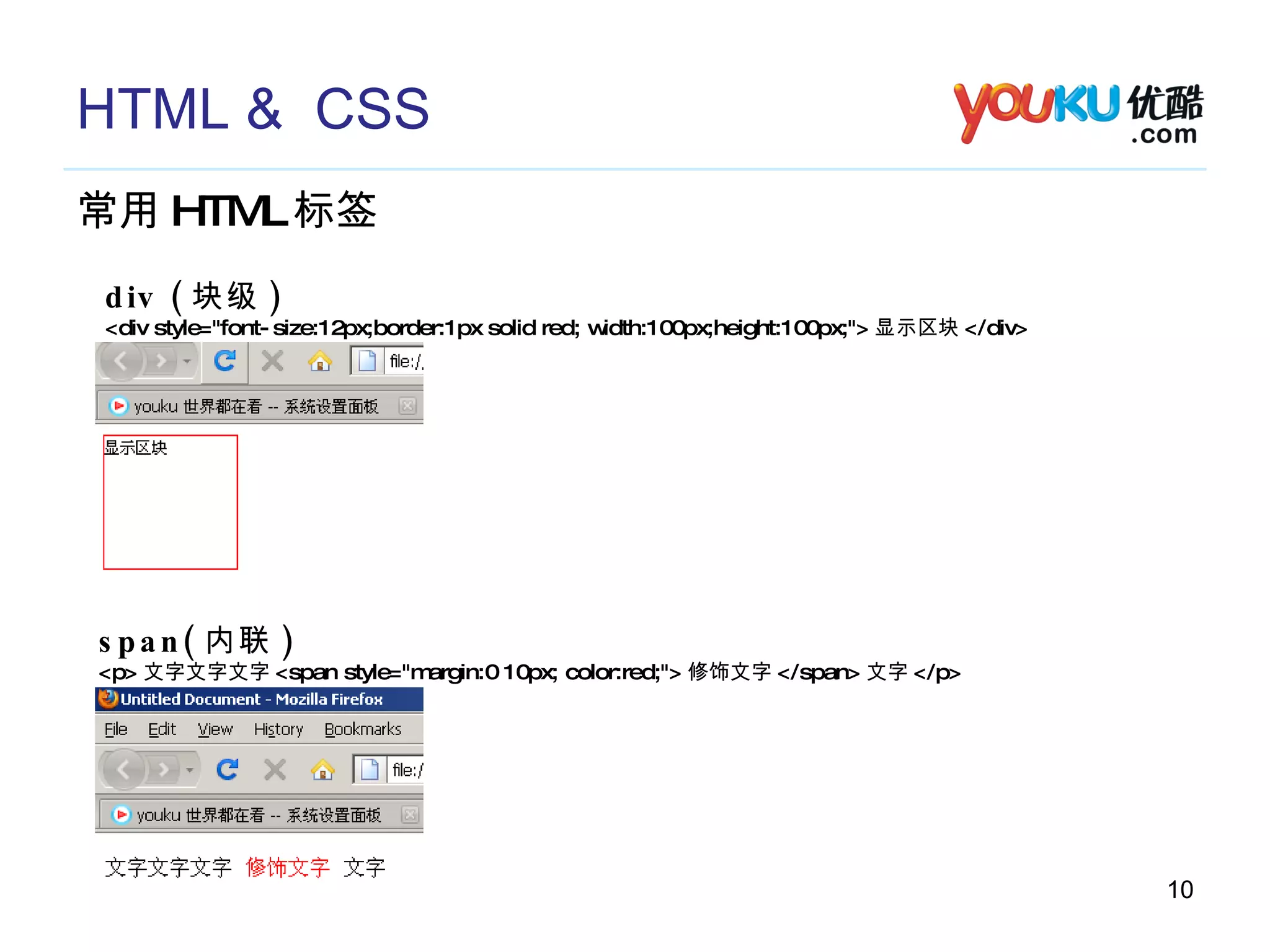
HTML &  CSS 常用 HTML 标签 div ( 块级 ) <div style=&quot;font-size:12px;border:1px solid red; width:100px;height:100px;&quot;> 显示区块 </div> span( 内联 ) <p> 文字文字文字 <span style=&quot;margin:0 10px; color:red;&quot;> 修饰文字 </span> 文字 </p>
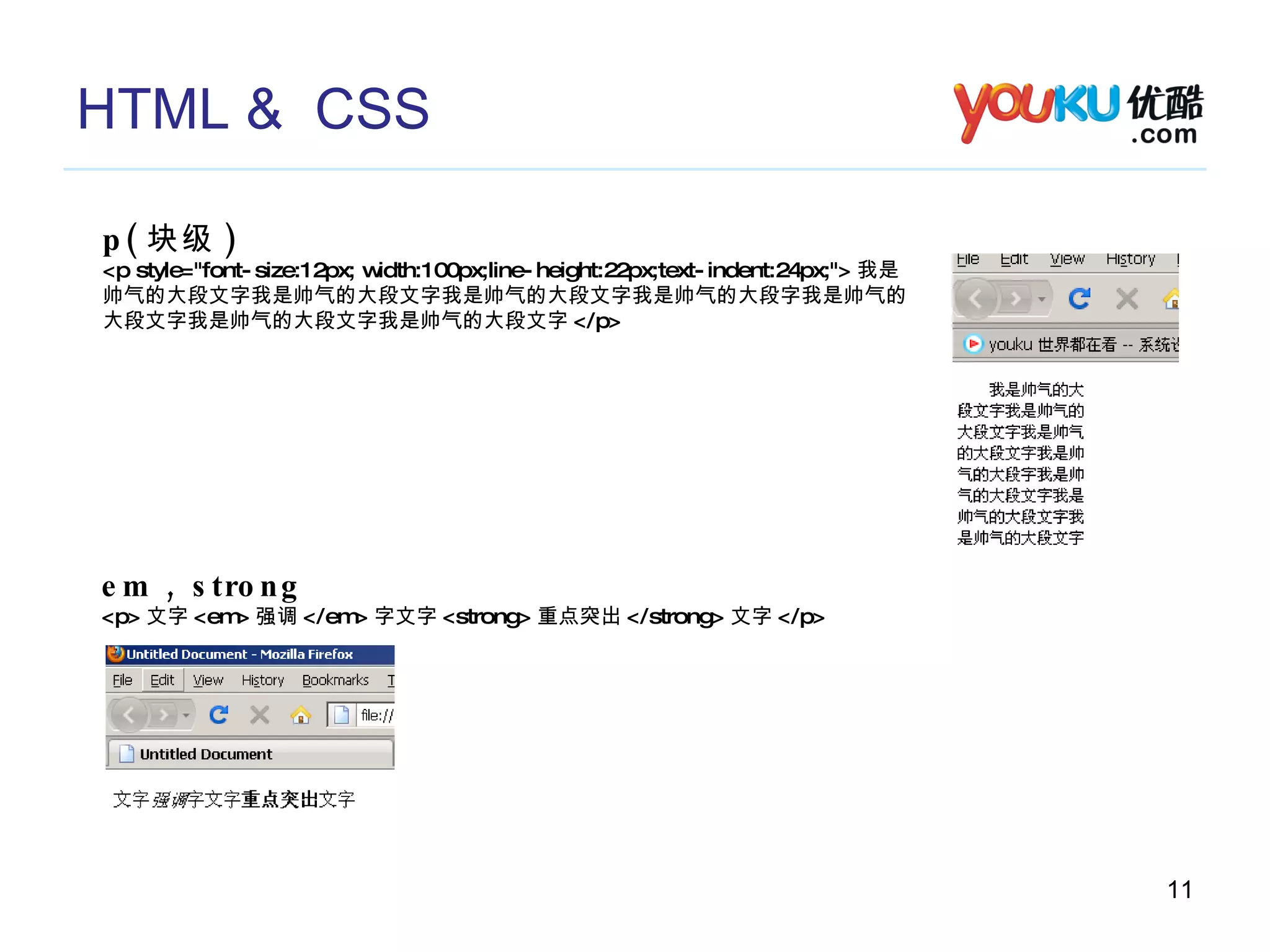
HTML &  CSS p( 块级 ) <p style=&quot;font-size:12px; width:100px;line-height:22px;text-indent:24px;&quot;> 我是 帅气的大段文字我是帅气的大段文字我是帅气的大段文字我是帅气的大段字我是帅气的 大段文字我是帅气的大段文字我是帅气的大段文字 </p> em , strong <p> 文字 <em> 强调 </em> 字文字 <strong> 重点突出 </strong> 文字 </p>
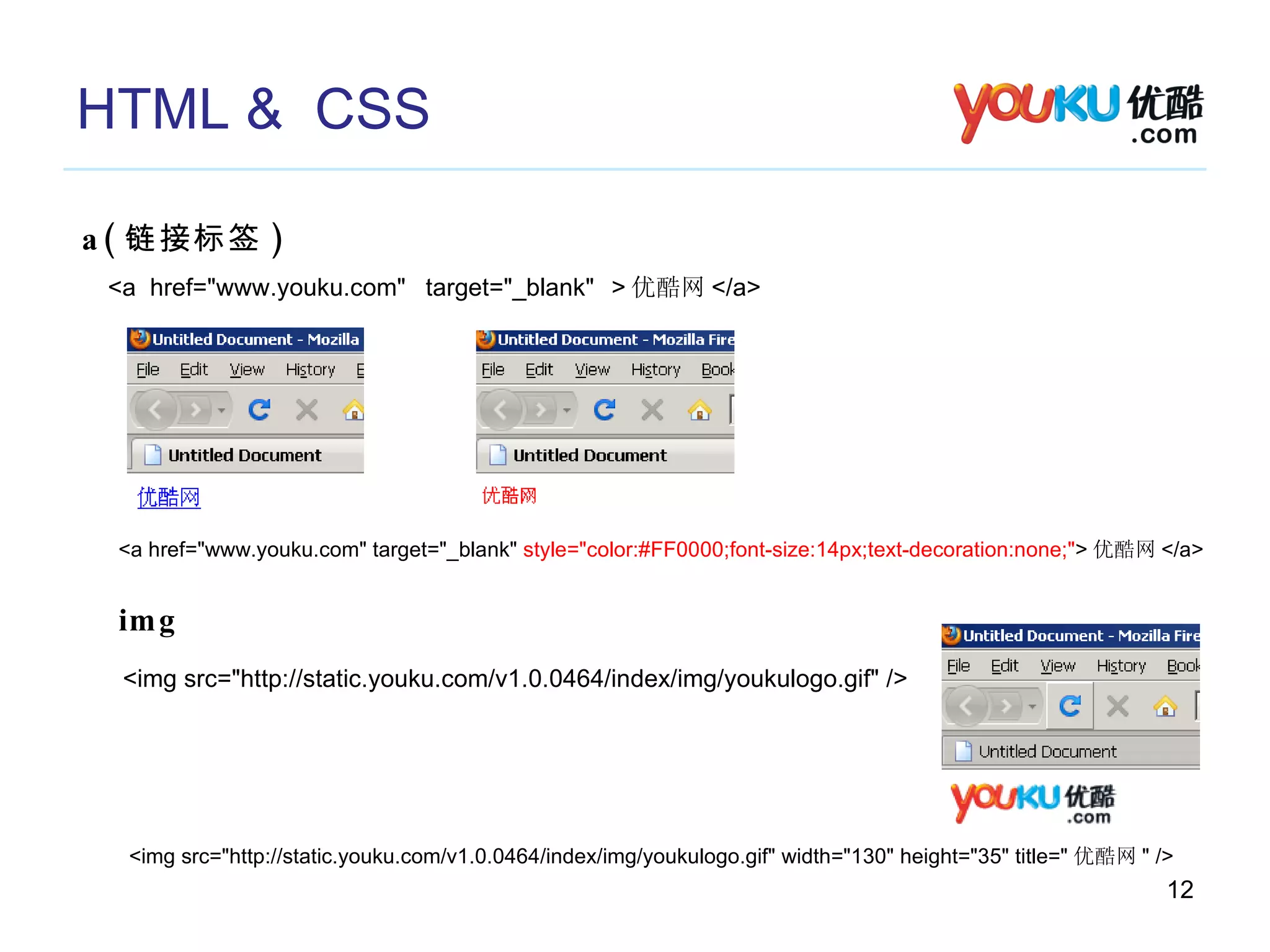
HTML &  CSS a( 链接标签 ) <a  > 优酷网 </a> href=&quot;www.youku.com&quot;  target=&quot;_blank&quot; img <a href=&quot;www.youku.com&quot; target=&quot;_blank&quot;  style=&quot;color:#FF0000;font-size:14px;text-decoration:none;&quot; > 优酷网 </a> <img src=&quot;http://static.youku.com/v1.0.0464/index/img/youkulogo.gif&quot; /> <img src=&quot;http://static.youku.com/v1.0.0464/index/img/youkulogo.gif&quot; width=&quot;130&quot; height=&quot;35&quot; title=&quot; 优酷网 &quot; />
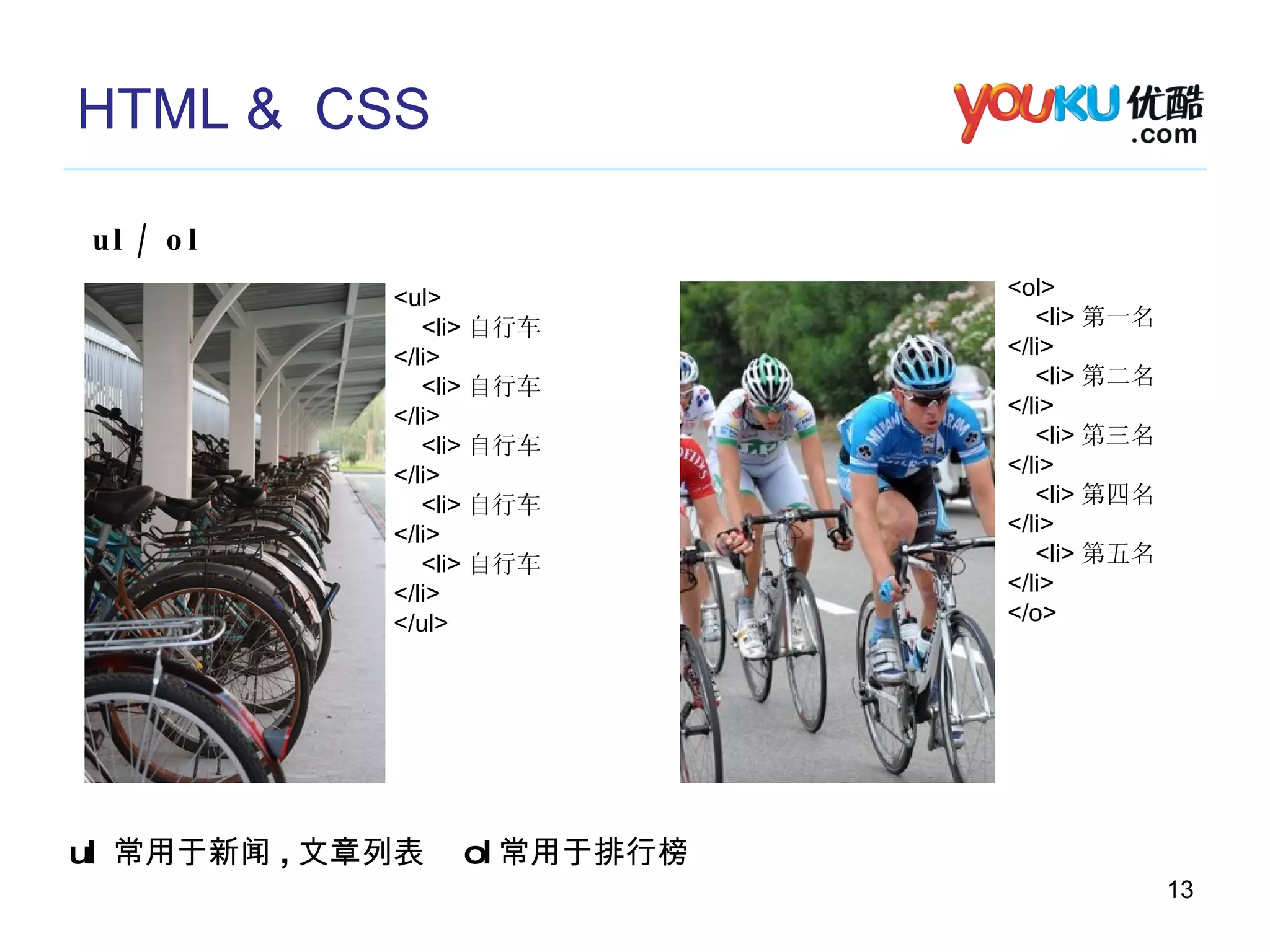
HTML &  CSS ul / ol <ul> <li> 自行车 </li> <li> 自行车 </li> <li> 自行车 </li> <li> 自行车 </li> <li> 自行车 </li> </ul> <ol> <li> 第一名 </li> <li> 第二名 </li> <li> 第三名 </li> <li> 第四名 </li> <li> 第五名 </li> </o> ul  常用于新闻 , 文章列表  ol 常用于排行榜
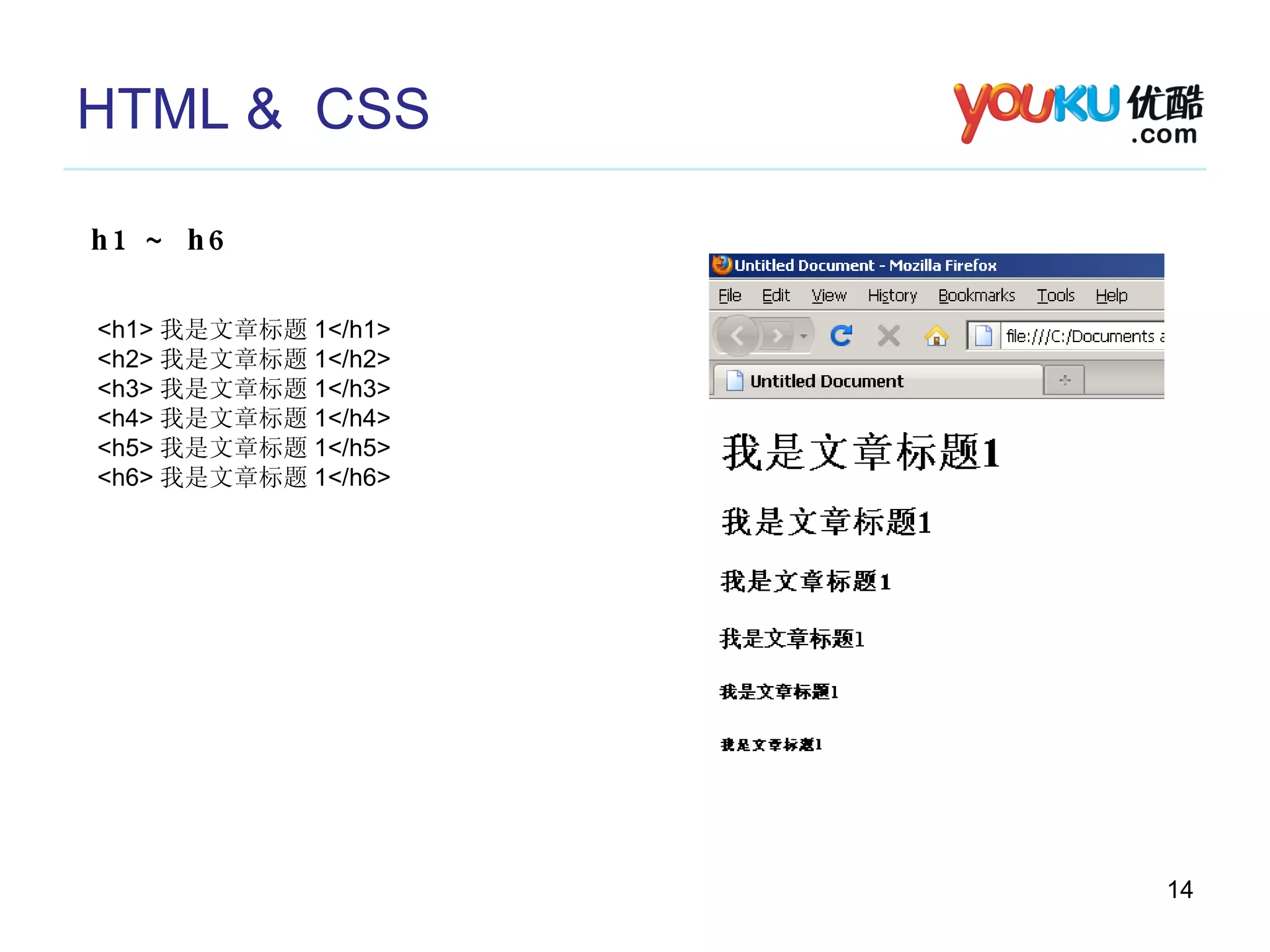
HTML &  CSS h1 ~ h6 <h1> 我是文章标题 1</h1> <h2> 我是文章标题 1</h2> <h3> 我是文章标题 1</h3> <h4> 我是文章标题 1</h4> <h5> 我是文章标题 1</h5> <h6> 我是文章标题 1</h6>
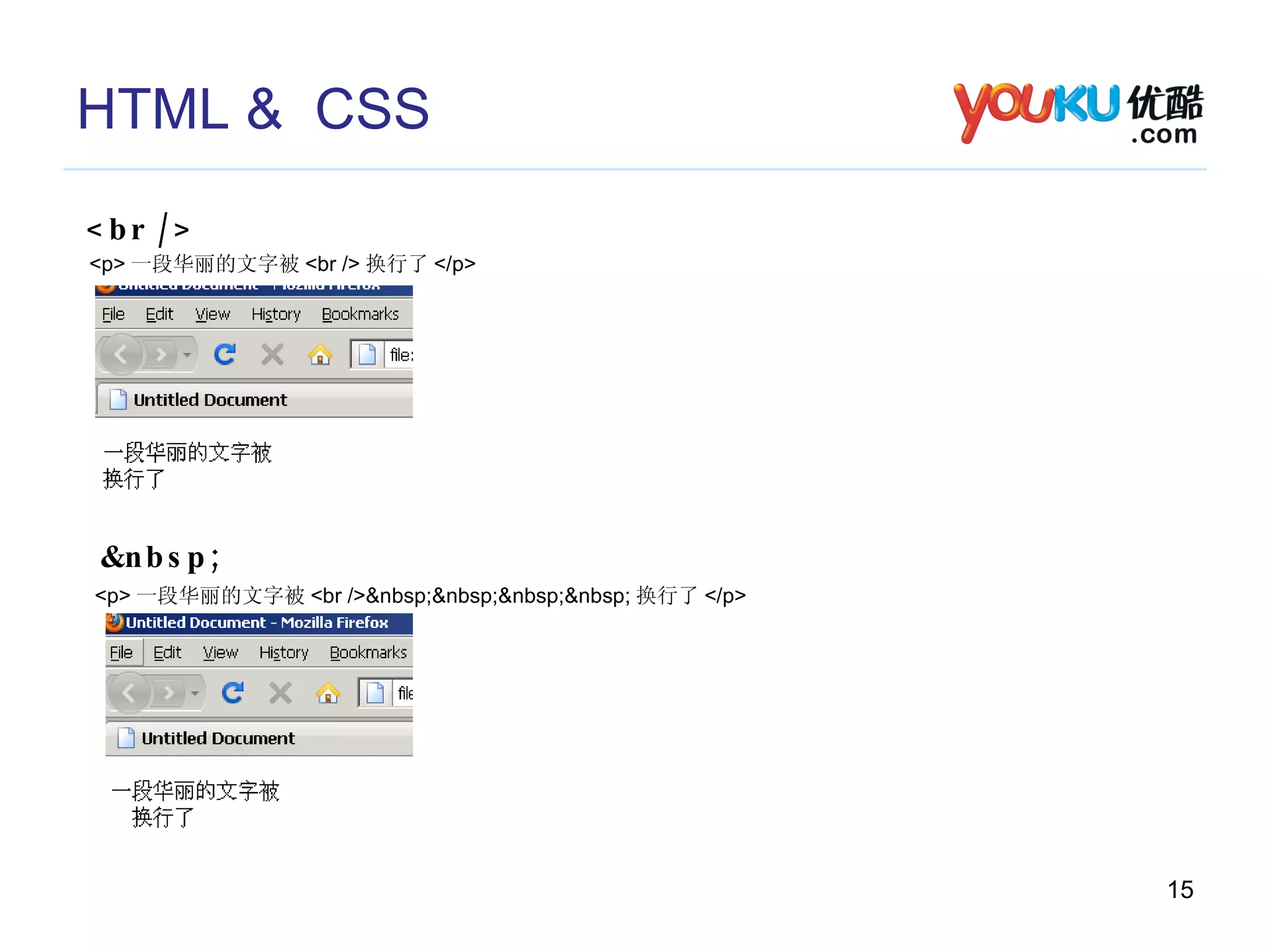
HTML &  CSS <br /> <p> 一段华丽的文字被 <br /> 换行了 </p> &nbsp; <p> 一段华丽的文字被 <br />&nbsp;&nbsp;&nbsp;&nbsp; 换行了 </p>
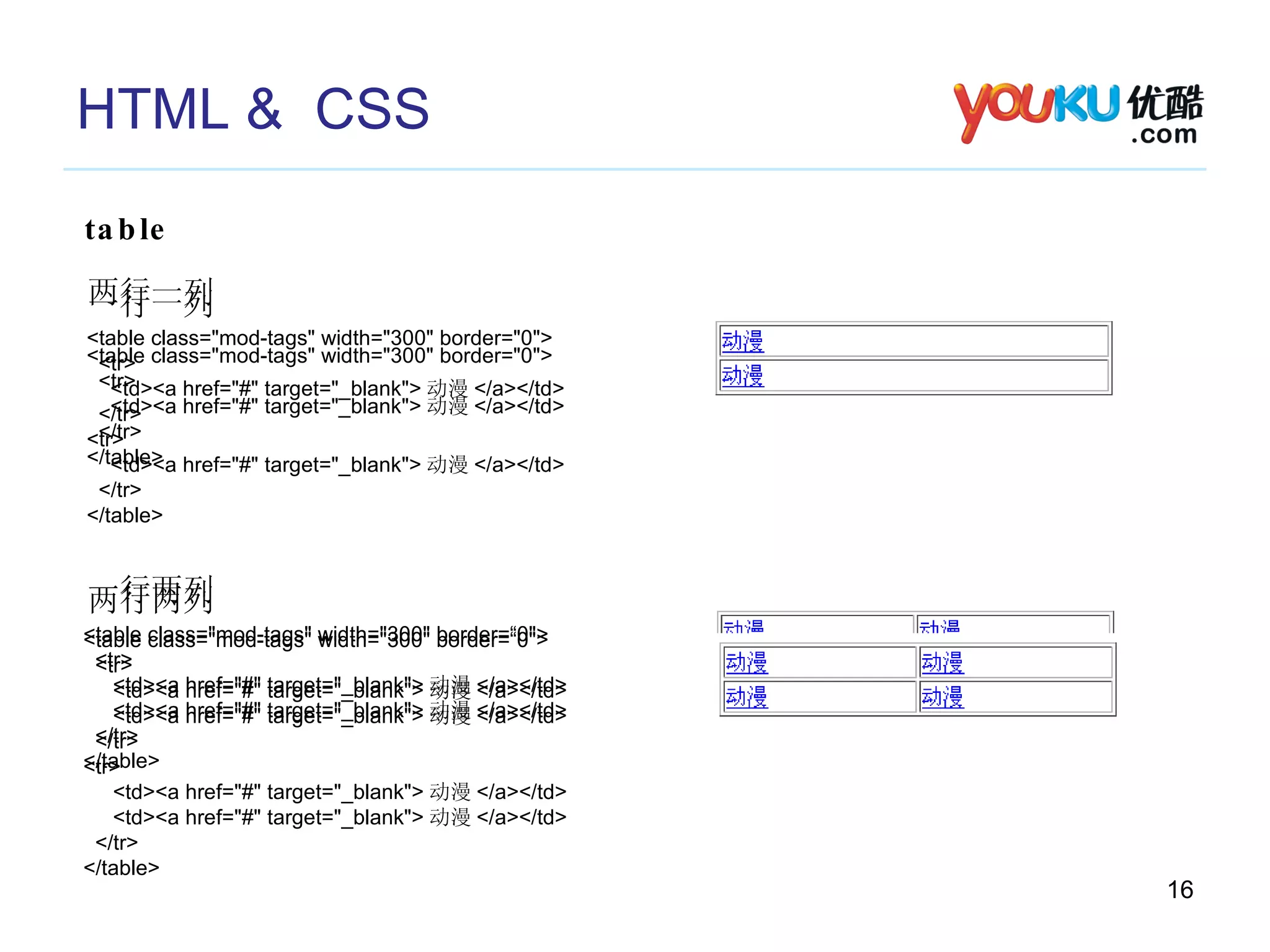
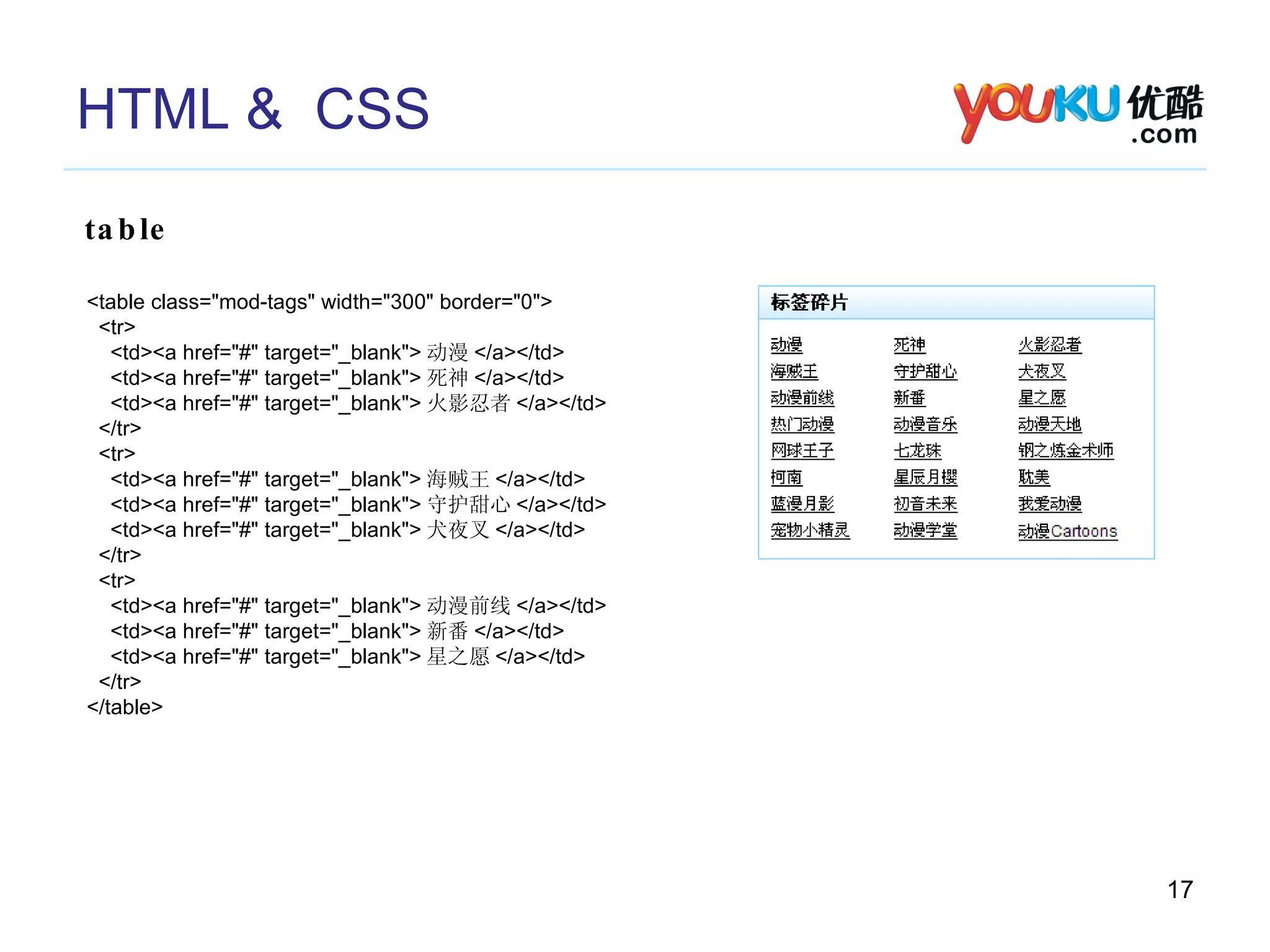
HTML &  CSS table <table class=&quot;mod-tags&quot; width=&quot;300&quot; border=&quot;0&quot;> <tr> <td><a href=&quot;#&quot; target=&quot;_blank&quot;> 动漫 </a></td> </tr> </table> 一行一列 一行两列 <table class=&quot;mod-tags&quot; width=&quot;300&quot; border=“0&quot;> <tr> <td><a href=&quot;#&quot; target=&quot;_blank&quot;> 动漫 </a></td> <td><a href=&quot;#&quot; target=&quot;_blank&quot;> 动漫 </a></td> </tr> </table> 两行一列 <table class=&quot;mod-tags&quot; width=&quot;300&quot; border=&quot;0&quot;> <tr> <td><a href=&quot;#&quot; target=&quot;_blank&quot;> 动漫 </a></td> </tr> <tr> <td><a href=&quot;#&quot; target=&quot;_blank&quot;> 动漫 </a></td> </tr> </table> 两行两列 <table class=&quot;mod-tags&quot; width=&quot;300&quot; border=“0&quot;> <tr> <td><a href=&quot;#&quot; target=&quot;_blank&quot;> 动漫 </a></td> <td><a href=&quot;#&quot; target=&quot;_blank&quot;> 动漫 </a></td> </tr> <tr> <td><a href=&quot;#&quot; target=&quot;_blank&quot;> 动漫 </a></td> <td><a href=&quot;#&quot; target=&quot;_blank&quot;> 动漫 </a></td> </tr> </table>
HTML &  CSS table <table class=&quot;mod-tags&quot; width=&quot;300&quot; border=&quot;0&quot;> <tr> <td><a href=&quot;#&quot; target=&quot;_blank&quot;> 动漫 </a></td> <td><a href=&quot;#&quot; target=&quot;_blank&quot;> 死神 </a></td> <td><a href=&quot;#&quot; target=&quot;_blank&quot;> 火影忍者 </a></td> </tr> <tr> <td><a href=&quot;#&quot; target=&quot;_blank&quot;> 海贼王 </a></td> <td><a href=&quot;#&quot; target=&quot;_blank&quot;> 守护甜心 </a></td> <td><a href=&quot;#&quot; target=&quot;_blank&quot;> 犬夜叉 </a></td> </tr> <tr> <td><a href=&quot;#&quot; target=&quot;_blank&quot;> 动漫前线 </a></td> <td><a href=&quot;#&quot; target=&quot;_blank&quot;> 新番 </a></td> <td><a href=&quot;#&quot; target=&quot;_blank&quot;> 星之愿 </a></td> </tr> </table>
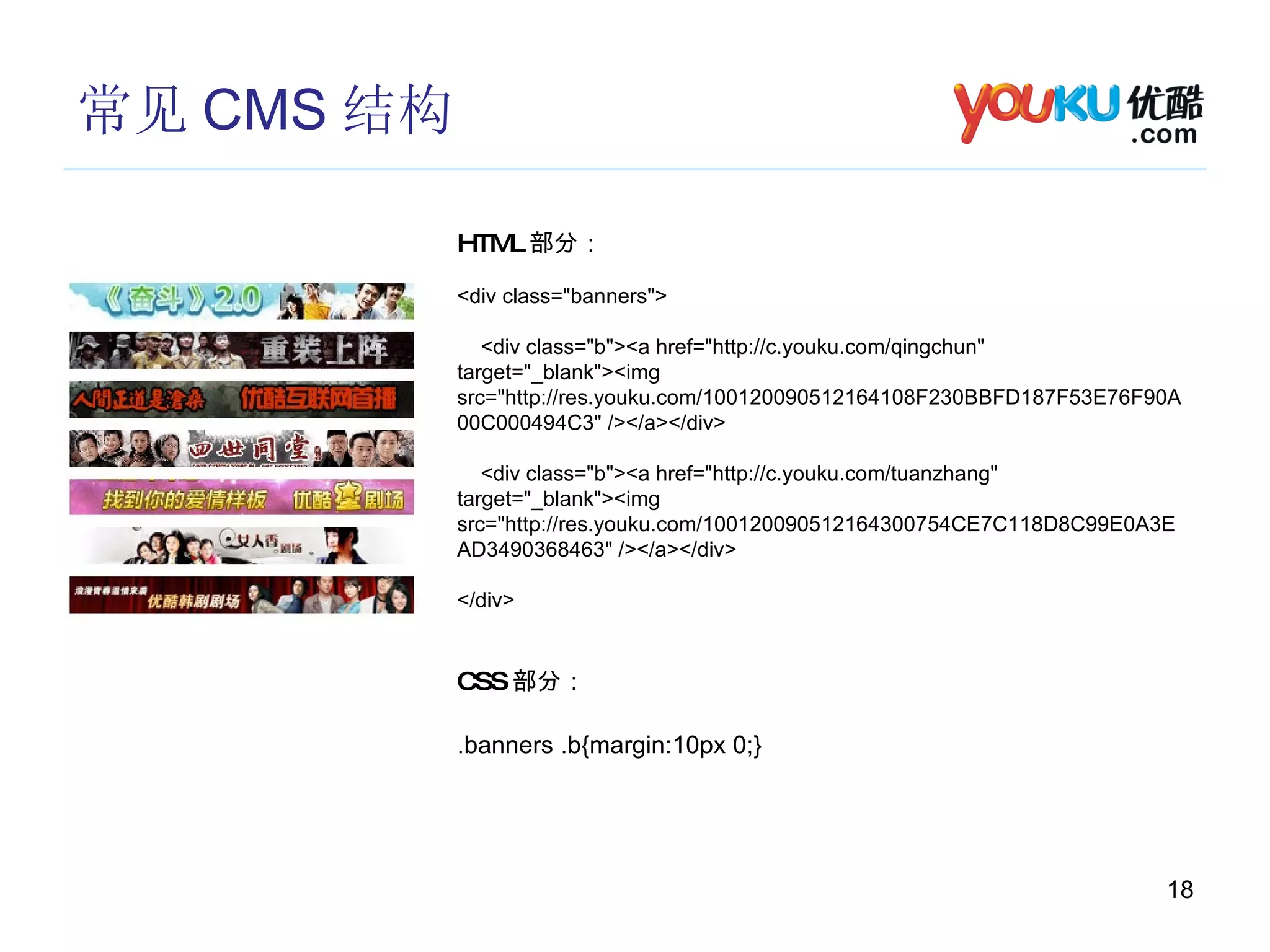
常见 CMS 结构 HTML 部分: <div class=&quot;banners&quot;> <div class=&quot;b&quot;><a href=&quot;http://c.youku.com/qingchun&quot; target=&quot;_blank&quot;><img src=&quot;http://res.youku.com/100120090512164108F230BBFD187F53E76F90A00C000494C3&quot; /></a></div> <div class=&quot;b&quot;><a href=&quot;http://c.youku.com/tuanzhang&quot; target=&quot;_blank&quot;><img src=&quot;http://res.youku.com/100120090512164300754CE7C118D8C99E0A3EAD3490368463&quot; /></a></div> </div> CSS 部分: .banners .b{margin:10px 0;}
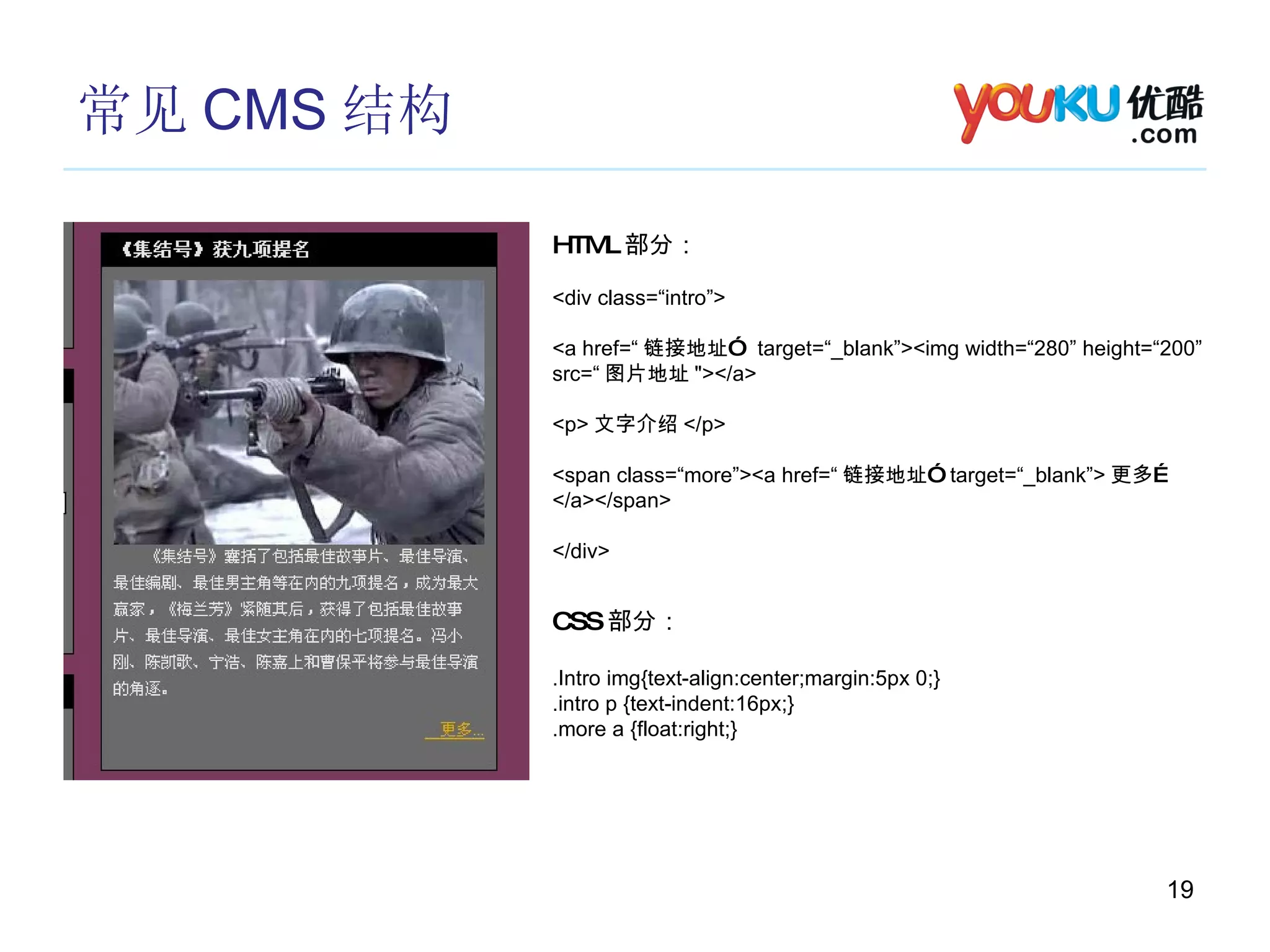
常见 CMS 结构 HTML 部分: <div class=“intro”>  <a href=“ 链接地址”  target=“_blank”><img width=“280” height=“200” src=“ 图片地址 &quot;></a> <p> 文字介绍 </p> <span class=“more”><a href=“ 链接地址”  target=“_blank”> 更多… </a></span> </div> CSS 部分: .Intro img{text-align:center;margin:5px 0;} .intro p {text-indent:16px;} .more a {float:right;}
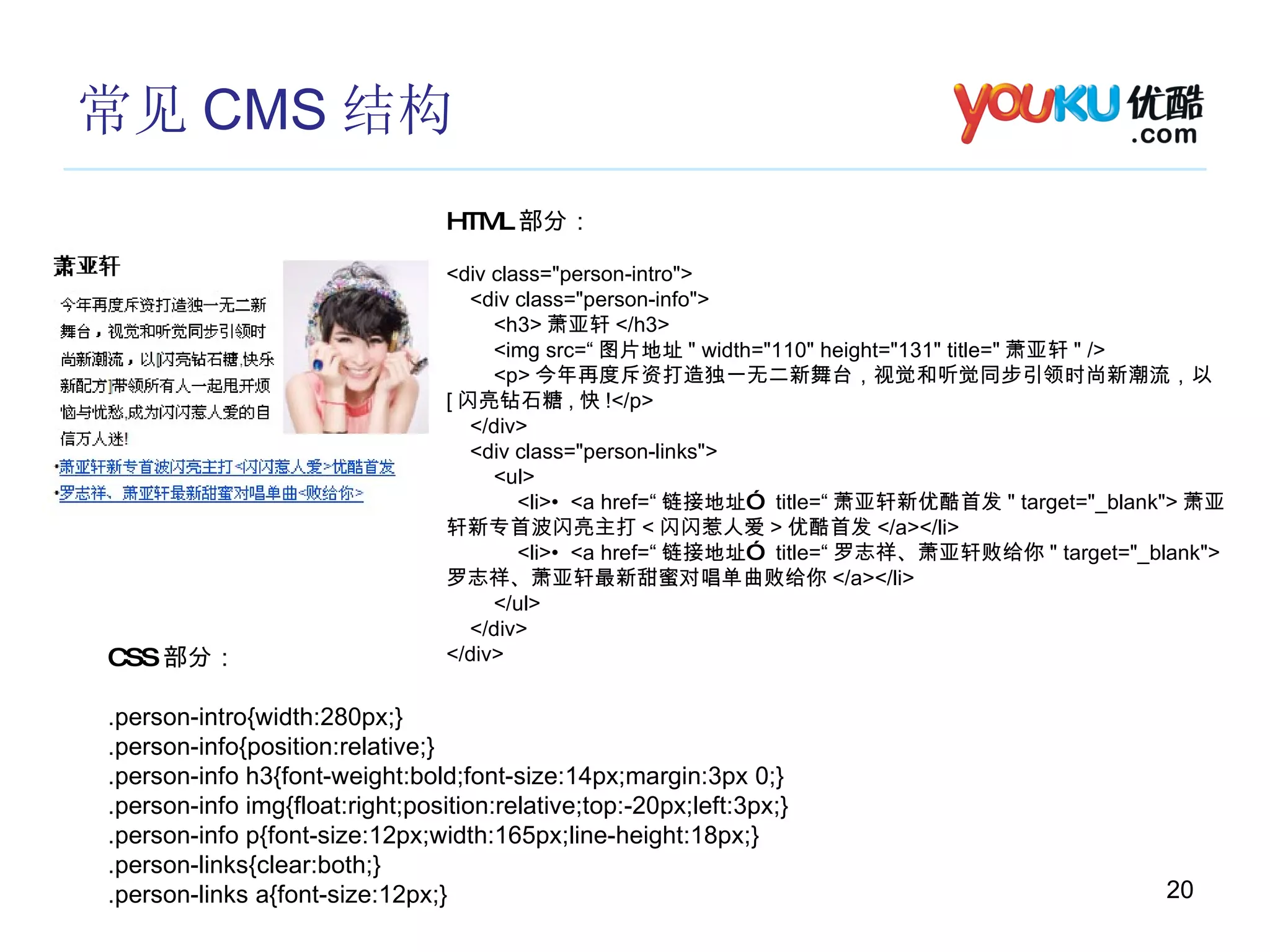
常见 CMS 结构 HTML 部分: <div class=&quot;person-intro&quot;> <div class=&quot;person-info&quot;> <h3> 萧亚轩 </h3> <img src=“ 图片地址 &quot; width=&quot;110&quot; height=&quot;131&quot; title=&quot; 萧亚轩 &quot; /> <p> 今年再度斥资打造独一无二新舞台,视觉和听觉同步引领时尚新潮流,以 [ 闪亮钻石糖 , 快 !</p> </div> <div class=&quot;person-links&quot;> <ul> <li>•  <a href=“ 链接地址”  title=“ 萧亚轩新优酷首发 &quot; target=&quot;_blank&quot;> 萧亚轩新专首波闪亮主打 < 闪闪惹人爱 > 优酷首发 </a></li> <li>•  <a href=“ 链接地址”  title=“ 罗志祥、萧亚轩败给你 &quot; target=&quot;_blank&quot;> 罗志祥、萧亚轩最新甜蜜对唱单曲败给你 </a></li> </ul> </div> </div> CSS 部分: .person-intro{width:280px;} .person-info{position:relative;} .person-info h3{font-weight:bold;font-size:14px;margin:3px 0;} .person-info img{float:right;position:relative;top:-20px;left:3px;} .person-info p{font-size:12px;width:165px;line-height:18px;} .person-links{clear:both;} .person-links a{font-size:12px;}
常见以及需要注意的问题 图片尺寸,字节过大 HTML 标签没有关闭 浏览器兼容性 碎片的示例大多都在 http://c.youku.com/cmspreview/html
常用编辑工具 Dreamweaver
常用学习手册 在线学习 HTML http://www.w3school.com.cn/html/index.asp http://www.w3pop.com/learn/index/f/1/c/7/ 在线学习 CSS http://www.w3school.com.cn/css/index.asp http://www.w3pop.com/learn/index/f/1/c/9/ 有用的帖子 http://bbs.blueidea.com/viewthread.php?tid=2524735 附件里的文件
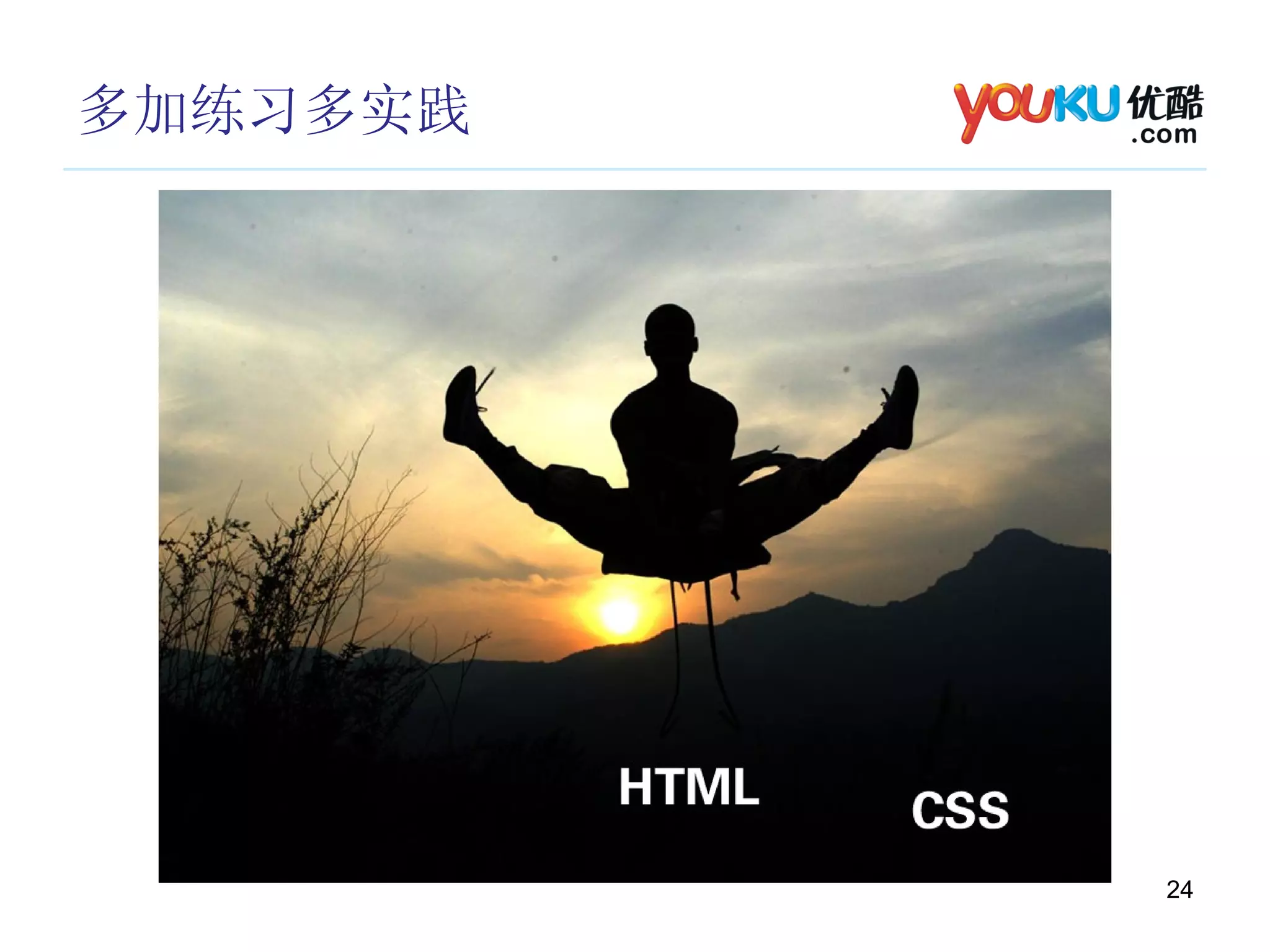
多加练习多实践
The End …
有问必答 Q & A

Cms and Html

  • 1.
    优酷 CMS>HTML 碎片产品团队 09-10-10
  • 2.
    CMS 当前存在的问题 数量繁多形式多样 时间紧迫
  • 3.
  • 4.
  • 5.
    HTML HTML (HyperText Mark-up Language )即超文本标记语言或超文本链接标示语言。 CSS ( Cascading Style Sheets) 层叠样式表 HTML CSS 由浏览器解析 在浏览器上呈现出所想要的页面!
  • 6.
    HTML & CSS HTML (页面文档的结构) <span> 一些文字 </span> <div> <h1> 标题标题 </h1> <span> 文字文字 </span> </div>
  • 7.
    HTML & CSS HTML (页面文档的结构) <body> <div class=&quot;header&quot;> <h1> 网站标题 </h1> <span> 副标题 </span> </div> <div class=&quot;main&quot;> <h2> 文章标题 </h2> <div class=“article”> 文章内容 </div> </div> <div class=&quot;footer&quot;> </div> </div> </body>
  • 8.
    HTML & CSS CSS (层叠样式表单) <div class=“window”> 窗户 </div> .window{color:#00FF00;width:200px;height:100px;}
  • 9.
    HTML & CSS 常用 HTML 标签 划分区域 div (块级) , span (内联) 标题 h1 , h2 , h3 , h4 , h5 , h6 图片 img 列表 ul/ol , li 修饰文本 p , em , strong , a 其他标签 ( 实体字符 ) br , &nbsp; 表格 table
  • 10.
    HTML & CSS 常用 HTML 标签 div ( 块级 ) <div style=&quot;font-size:12px;border:1px solid red; width:100px;height:100px;&quot;> 显示区块 </div> span( 内联 ) <p> 文字文字文字 <span style=&quot;margin:0 10px; color:red;&quot;> 修饰文字 </span> 文字 </p>
  • 11.
    HTML & CSS p( 块级 ) <p style=&quot;font-size:12px; width:100px;line-height:22px;text-indent:24px;&quot;> 我是 帅气的大段文字我是帅气的大段文字我是帅气的大段文字我是帅气的大段字我是帅气的 大段文字我是帅气的大段文字我是帅气的大段文字 </p> em , strong <p> 文字 <em> 强调 </em> 字文字 <strong> 重点突出 </strong> 文字 </p>
  • 12.
    HTML & CSS a( 链接标签 ) <a > 优酷网 </a> href=&quot;www.youku.com&quot; target=&quot;_blank&quot; img <a href=&quot;www.youku.com&quot; target=&quot;_blank&quot; style=&quot;color:#FF0000;font-size:14px;text-decoration:none;&quot; > 优酷网 </a> <img src=&quot;http://static.youku.com/v1.0.0464/index/img/youkulogo.gif&quot; /> <img src=&quot;http://static.youku.com/v1.0.0464/index/img/youkulogo.gif&quot; width=&quot;130&quot; height=&quot;35&quot; title=&quot; 优酷网 &quot; />
  • 13.
    HTML & CSS ul / ol <ul> <li> 自行车 </li> <li> 自行车 </li> <li> 自行车 </li> <li> 自行车 </li> <li> 自行车 </li> </ul> <ol> <li> 第一名 </li> <li> 第二名 </li> <li> 第三名 </li> <li> 第四名 </li> <li> 第五名 </li> </o> ul 常用于新闻 , 文章列表 ol 常用于排行榜
  • 14.
    HTML & CSS h1 ~ h6 <h1> 我是文章标题 1</h1> <h2> 我是文章标题 1</h2> <h3> 我是文章标题 1</h3> <h4> 我是文章标题 1</h4> <h5> 我是文章标题 1</h5> <h6> 我是文章标题 1</h6>
  • 15.
    HTML & CSS <br /> <p> 一段华丽的文字被 <br /> 换行了 </p> &nbsp; <p> 一段华丽的文字被 <br />&nbsp;&nbsp;&nbsp;&nbsp; 换行了 </p>
  • 16.
    HTML & CSS table <table class=&quot;mod-tags&quot; width=&quot;300&quot; border=&quot;0&quot;> <tr> <td><a href=&quot;#&quot; target=&quot;_blank&quot;> 动漫 </a></td> </tr> </table> 一行一列 一行两列 <table class=&quot;mod-tags&quot; width=&quot;300&quot; border=“0&quot;> <tr> <td><a href=&quot;#&quot; target=&quot;_blank&quot;> 动漫 </a></td> <td><a href=&quot;#&quot; target=&quot;_blank&quot;> 动漫 </a></td> </tr> </table> 两行一列 <table class=&quot;mod-tags&quot; width=&quot;300&quot; border=&quot;0&quot;> <tr> <td><a href=&quot;#&quot; target=&quot;_blank&quot;> 动漫 </a></td> </tr> <tr> <td><a href=&quot;#&quot; target=&quot;_blank&quot;> 动漫 </a></td> </tr> </table> 两行两列 <table class=&quot;mod-tags&quot; width=&quot;300&quot; border=“0&quot;> <tr> <td><a href=&quot;#&quot; target=&quot;_blank&quot;> 动漫 </a></td> <td><a href=&quot;#&quot; target=&quot;_blank&quot;> 动漫 </a></td> </tr> <tr> <td><a href=&quot;#&quot; target=&quot;_blank&quot;> 动漫 </a></td> <td><a href=&quot;#&quot; target=&quot;_blank&quot;> 动漫 </a></td> </tr> </table>
  • 17.
    HTML & CSS table <table class=&quot;mod-tags&quot; width=&quot;300&quot; border=&quot;0&quot;> <tr> <td><a href=&quot;#&quot; target=&quot;_blank&quot;> 动漫 </a></td> <td><a href=&quot;#&quot; target=&quot;_blank&quot;> 死神 </a></td> <td><a href=&quot;#&quot; target=&quot;_blank&quot;> 火影忍者 </a></td> </tr> <tr> <td><a href=&quot;#&quot; target=&quot;_blank&quot;> 海贼王 </a></td> <td><a href=&quot;#&quot; target=&quot;_blank&quot;> 守护甜心 </a></td> <td><a href=&quot;#&quot; target=&quot;_blank&quot;> 犬夜叉 </a></td> </tr> <tr> <td><a href=&quot;#&quot; target=&quot;_blank&quot;> 动漫前线 </a></td> <td><a href=&quot;#&quot; target=&quot;_blank&quot;> 新番 </a></td> <td><a href=&quot;#&quot; target=&quot;_blank&quot;> 星之愿 </a></td> </tr> </table>
  • 18.
    常见 CMS 结构HTML 部分: <div class=&quot;banners&quot;> <div class=&quot;b&quot;><a href=&quot;http://c.youku.com/qingchun&quot; target=&quot;_blank&quot;><img src=&quot;http://res.youku.com/100120090512164108F230BBFD187F53E76F90A00C000494C3&quot; /></a></div> <div class=&quot;b&quot;><a href=&quot;http://c.youku.com/tuanzhang&quot; target=&quot;_blank&quot;><img src=&quot;http://res.youku.com/100120090512164300754CE7C118D8C99E0A3EAD3490368463&quot; /></a></div> </div> CSS 部分: .banners .b{margin:10px 0;}
  • 19.
    常见 CMS 结构HTML 部分: <div class=“intro”> <a href=“ 链接地址” target=“_blank”><img width=“280” height=“200” src=“ 图片地址 &quot;></a> <p> 文字介绍 </p> <span class=“more”><a href=“ 链接地址” target=“_blank”> 更多… </a></span> </div> CSS 部分: .Intro img{text-align:center;margin:5px 0;} .intro p {text-indent:16px;} .more a {float:right;}
  • 20.
    常见 CMS 结构HTML 部分: <div class=&quot;person-intro&quot;> <div class=&quot;person-info&quot;> <h3> 萧亚轩 </h3> <img src=“ 图片地址 &quot; width=&quot;110&quot; height=&quot;131&quot; title=&quot; 萧亚轩 &quot; /> <p> 今年再度斥资打造独一无二新舞台,视觉和听觉同步引领时尚新潮流,以 [ 闪亮钻石糖 , 快 !</p> </div> <div class=&quot;person-links&quot;> <ul> <li>• <a href=“ 链接地址” title=“ 萧亚轩新优酷首发 &quot; target=&quot;_blank&quot;> 萧亚轩新专首波闪亮主打 < 闪闪惹人爱 > 优酷首发 </a></li> <li>• <a href=“ 链接地址” title=“ 罗志祥、萧亚轩败给你 &quot; target=&quot;_blank&quot;> 罗志祥、萧亚轩最新甜蜜对唱单曲败给你 </a></li> </ul> </div> </div> CSS 部分: .person-intro{width:280px;} .person-info{position:relative;} .person-info h3{font-weight:bold;font-size:14px;margin:3px 0;} .person-info img{float:right;position:relative;top:-20px;left:3px;} .person-info p{font-size:12px;width:165px;line-height:18px;} .person-links{clear:both;} .person-links a{font-size:12px;}
  • 21.
    常见以及需要注意的问题 图片尺寸,字节过大 HTML标签没有关闭 浏览器兼容性 碎片的示例大多都在 http://c.youku.com/cmspreview/html
  • 22.
  • 23.
    常用学习手册 在线学习 HTMLhttp://www.w3school.com.cn/html/index.asp http://www.w3pop.com/learn/index/f/1/c/7/ 在线学习 CSS http://www.w3school.com.cn/css/index.asp http://www.w3pop.com/learn/index/f/1/c/9/ 有用的帖子 http://bbs.blueidea.com/viewthread.php?tid=2524735 附件里的文件
  • 24.
  • 25.
  • 26.

Editor's Notes

  • #3 1 , CMS 频道专题数量繁多, HTML 碎片分布零散,维护修改比较频繁。 2 ,需求个性化,表现形式多样,很难提炼出公用的模块。并且某些模块不大符合 CMS 的要求。页面需要兼容市场上多种主流的浏览器。 3 ,专题内简单的 HTML 碎片
  • #16 可用 &lt;br /&gt; 和 &amp;nbsp; 来对文档内容进行排版
  • #22 1 ,图片尺寸超过 CMS 规定宽度,图片文件大小过大! 2 , html 标签的规则 &lt;div&gt;&lt;/div&gt; 自闭和标签 &lt;br /&gt; &lt;img /&gt; 3, 各个浏览器版本上线时需要测试! 4 ,使用时候直接复制控件里的代码!