Case study: Spawn your own
Junior DBA with SQL Monitor
Tjay Belt
Database Administrator at
Imagine Learning
#SQLintheCityUS
Get in touch
http://tjaybelt.blogspot.c
om
TJayBelt@yahoo.com
@tjaybelt
TJay Belt
#SQLintheCityUS
What to expect
 What it is
 Theory
 My ideas
 My experiences and stories
 Some code / some tools / examples
 What it is not
 Definitive
 The only way to solve the issue
#SQLintheCityUS
My Goal
 Best case scenario
 for you to be inspired
 come up with an idea
 help your own shop
 At a minimum
 learn something
 not be bored
#SQLintheCityUS
#SQLintheCityUS
3 Laws of Monitoring
1. A monitor may not injure a system or, through failure to alert,
allow a system to come to harm
2. A monitor must report on all activities in the system, even
where such activities would conflict with the First Law
3. A monitor must protect its own existence as long as such
protection does not conflict with the First or Second Laws
6
#SQLintheCityUS
The Ten Commandments
of SQL Server Monitoring
• http://alturl.com/rag3h
• Alerts must be actionable
• Alerts must contain sufficient information
• Alerts should not make excessive noise
• Alerts must make enough noise
• Monitor the monitoring server
• More… go check it out
7
Basics of Monitoring
• Collect
• Review
• Baseline
• Measure
• Report/alert
8
#SQLintheCityUS
Basics of Monitoring
 Collect
 What data is important to collect about your system?
 Review
 You need to look at the data collected, see its story
 Baseline
 From the story told, you can create a baseline
 Acceptable behavior, highs, lows
9
#SQLintheCityUS
Basics of Monitoring
 Measure
 History tables. Lots of history tables
 Periodic reporting and alerting
 Start seeing how often you need to see reports/alerts
 Report / Alert
 Based on acceptable periods, generate reports or alerts
 Learn the nuances of said reporting/alerting
 Act upon data received
10
#SQLintheCityUS
Collect
 Collect
 What data is important to collect about your system?
 Review
 You need to look at the data collected, see its story
 Baseline
 From the story told, you can create a baseline
 Acceptable behavior, highs, lows
11
Collect
 Data Collection
 Data File Sizes
 Failed Logins
 Powershell
12
#SQLintheCityUS
Collect
 SQL Server
 Job Notifications
 Alerts
 Severity 016-025 and Error Number 823-825
 Redgate SQL Monitor
13
#SQLintheCityUS
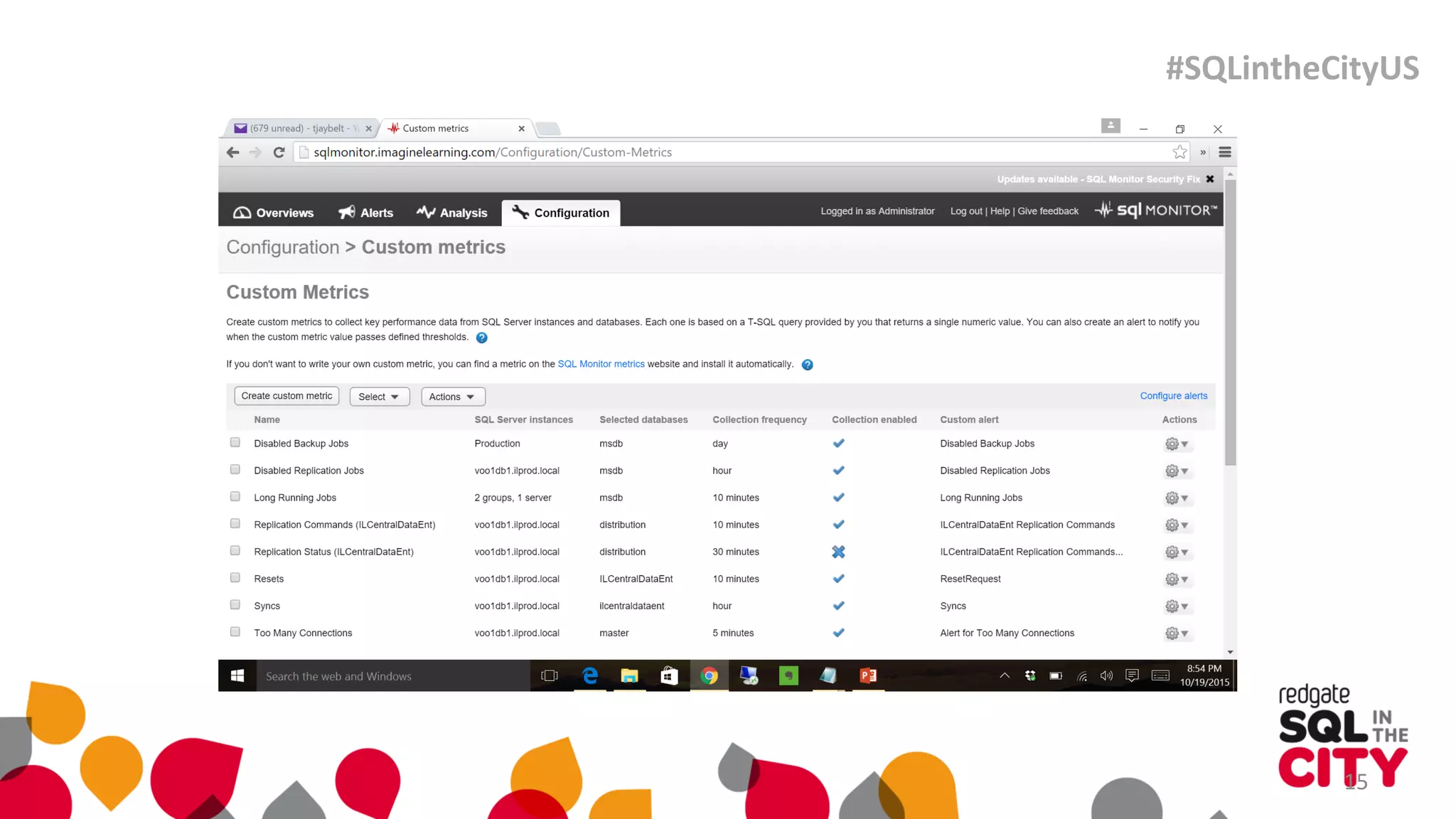
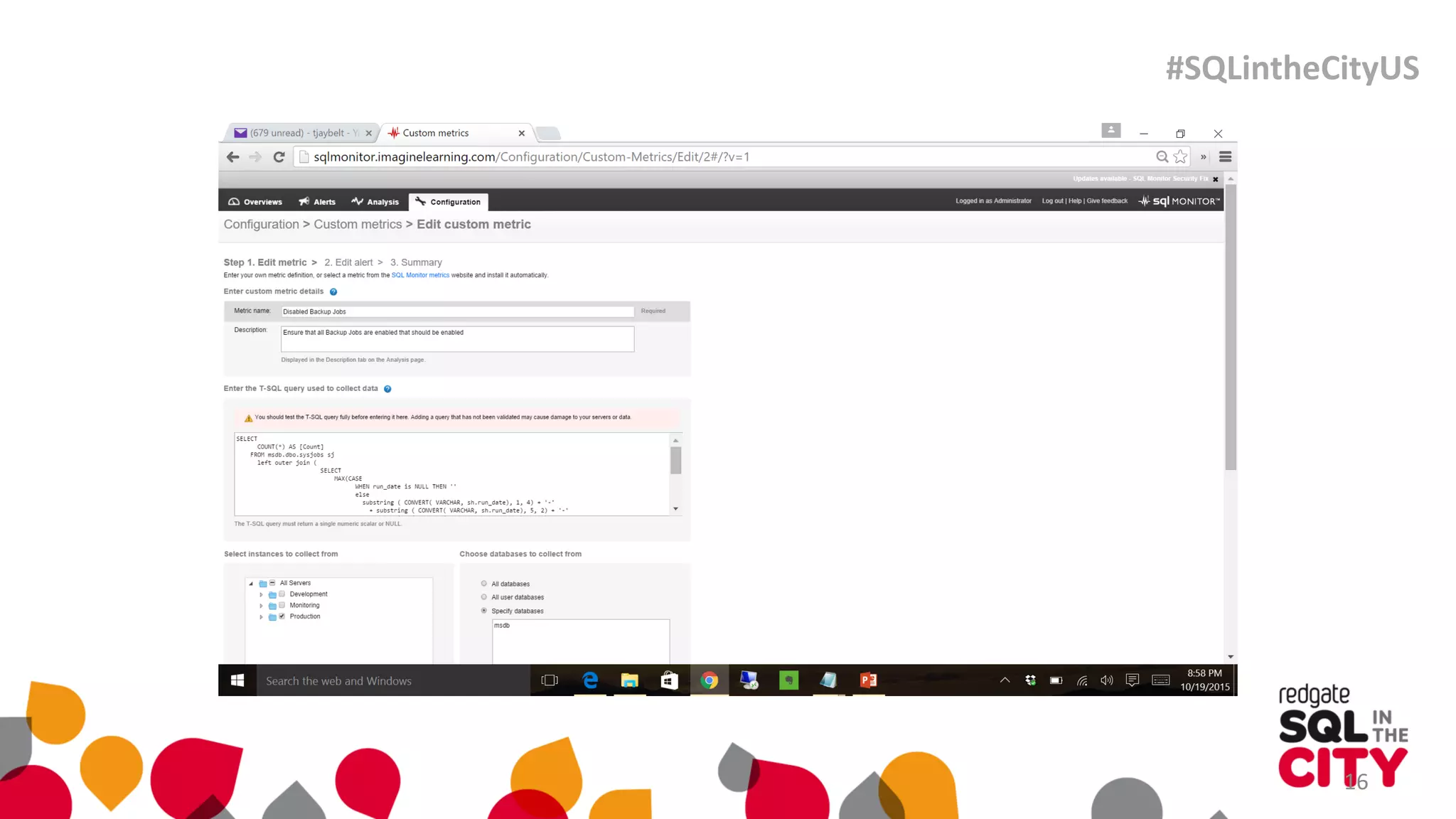
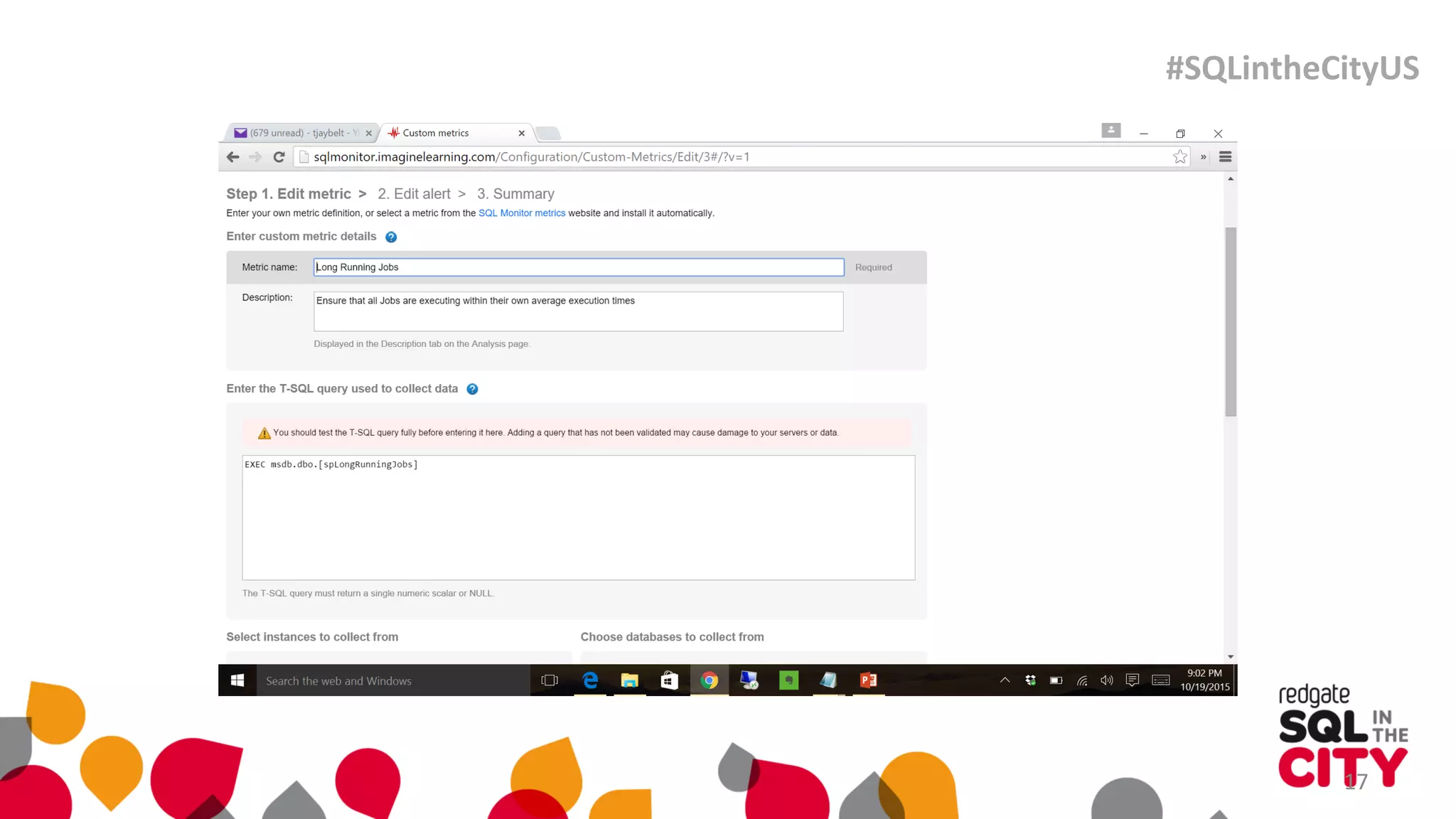
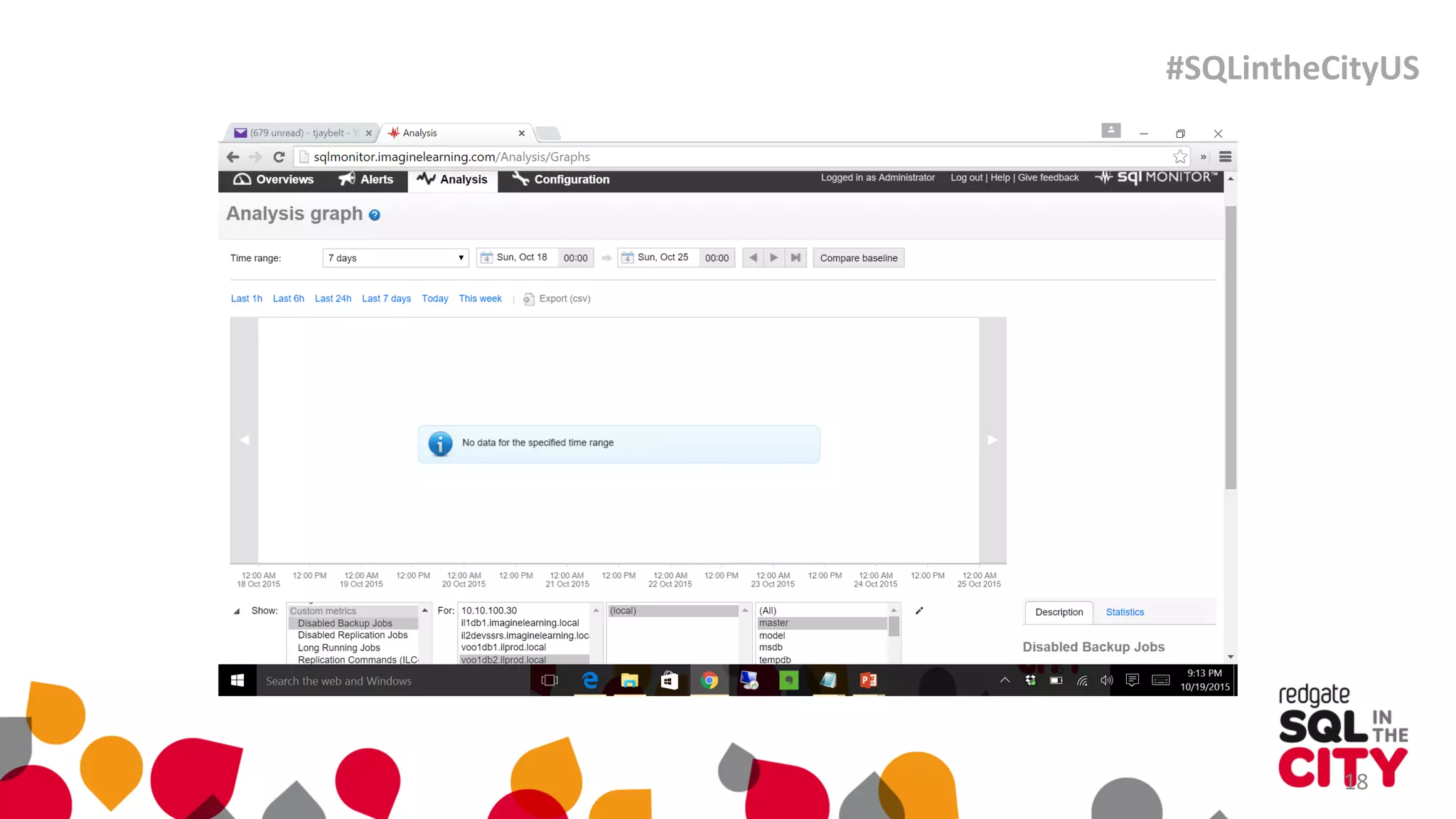
Demo
#SQLintheCityUS
15
#SQLintheCityUS
16
#SQLintheCityUS
17
#SQLintheCityUS
18
#SQLintheCityUS
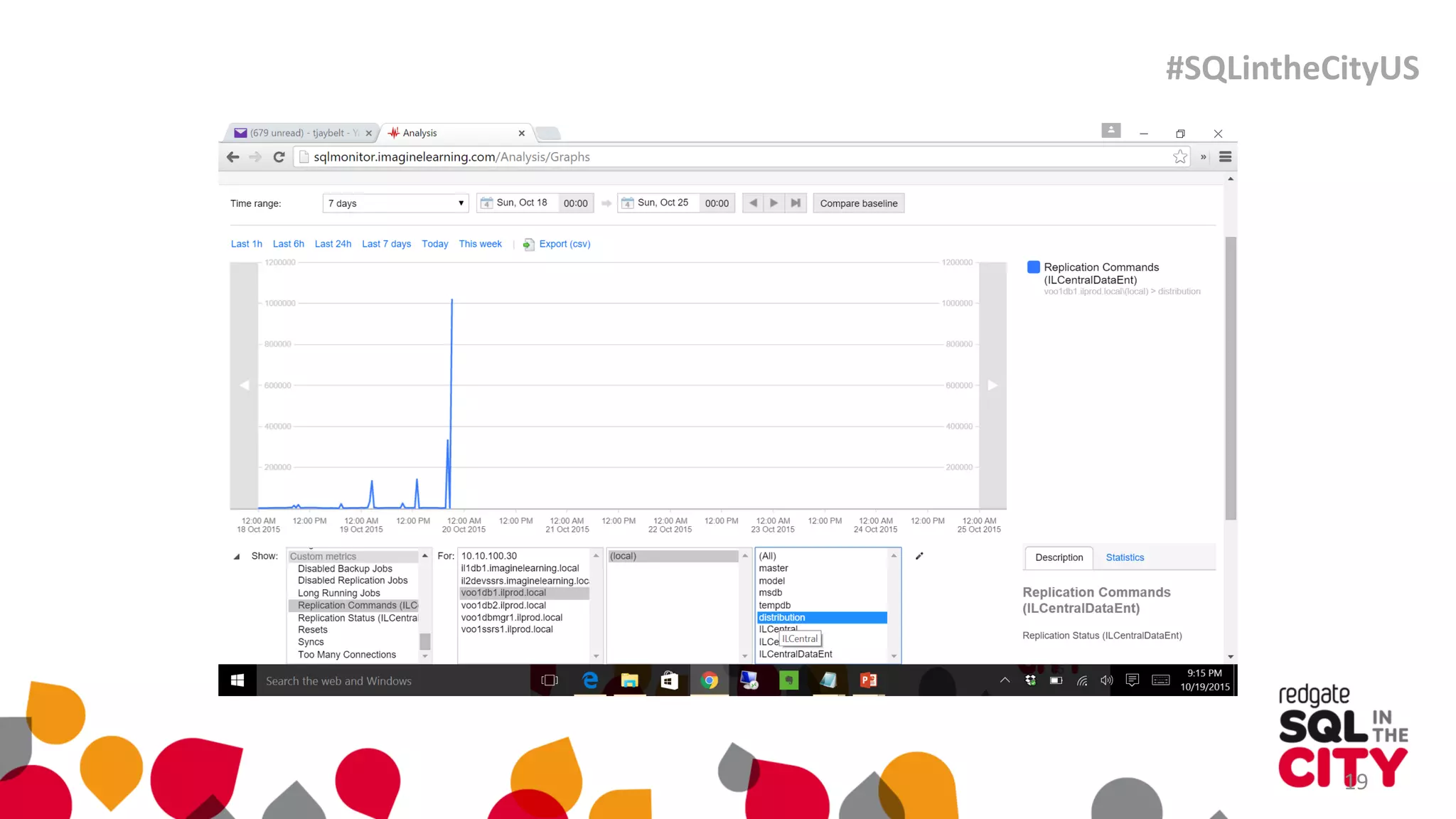
19
#SQLintheCityUS
 Collect
 What data is important to collect about your system?
 Review
 You need to look at the data collected, see its story
 Baseline
 From the story told, you can create a baseline
 Acceptable behavior, highs, lows
20
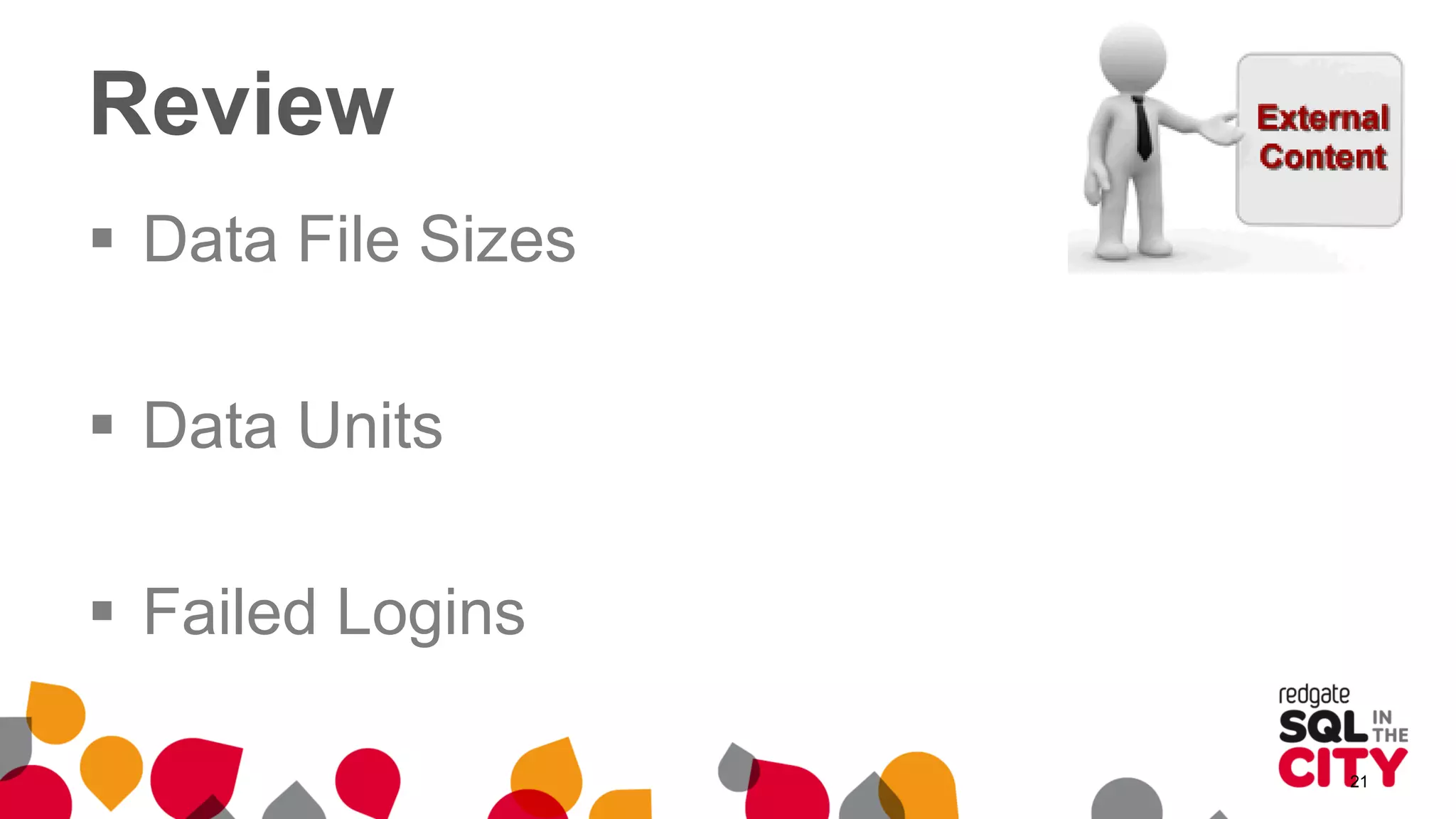
Review
 Data File Sizes
 Data Units
 Failed Logins
21
 Collect
 What data is important to collect about your system?
 Review
 You need to look at the data collected, see its story
 Baseline
 From the story told, you can create a baseline
 Acceptable behavior, highs, lows
22
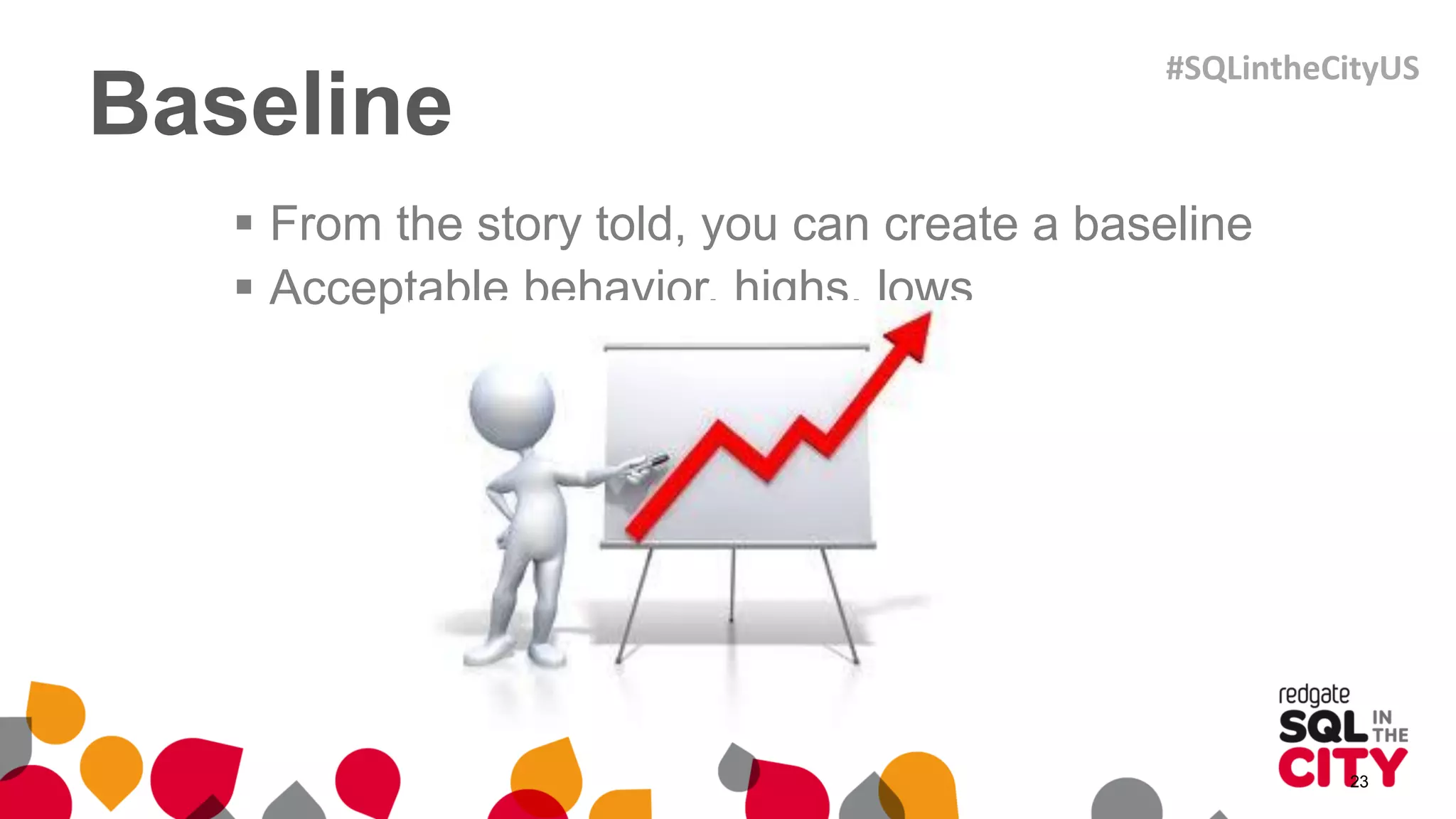
Baseline
 From the story told, you can create a baseline
 Acceptable behavior, highs, lows
23
#SQLintheCityUS
 Measure
 History tables. Lots of history tables
 Periodic reporting and alerting
 Start seeing how often you need to see reports/alerts
 Report / Alert
 Based on acceptable periods, generate reports or alerts
 Learn the nuances of said reporting/alerting
 Act upon data received
24
Measure
 History tables. Lots of history tables
 Collect data, store data, archive data, study data
 Periodic reporting and alerting
 Have initial raw reports for said data
 Share this with folks and tweek reports
25
#SQLintheCityUS
Measure
 Start seeing how often you need to see
reports/alerts
 Look for patterns, highs, lows, appropriate time to share
26
#SQLintheCityUS
 Measure
 History tables. Lots of history tables
 Periodic reporting and alerting
 Start seeing how often you need to see reports/alerts
 Report / Alert
 Based on acceptable periods, generate reports or alerts
 Learn the nuances of said reporting/alerting
 Act upon data received
27
Report / Alert
 Chula Vista reset 11:00pm – 3:00am
 Told a story with 5 email alerts. Not all night. Still going
 Data File Size at 75%
 Do nothing for a few days, watch, see
 Replication Jobs Disabled
28
#SQLintheCityUS
Report / Alert
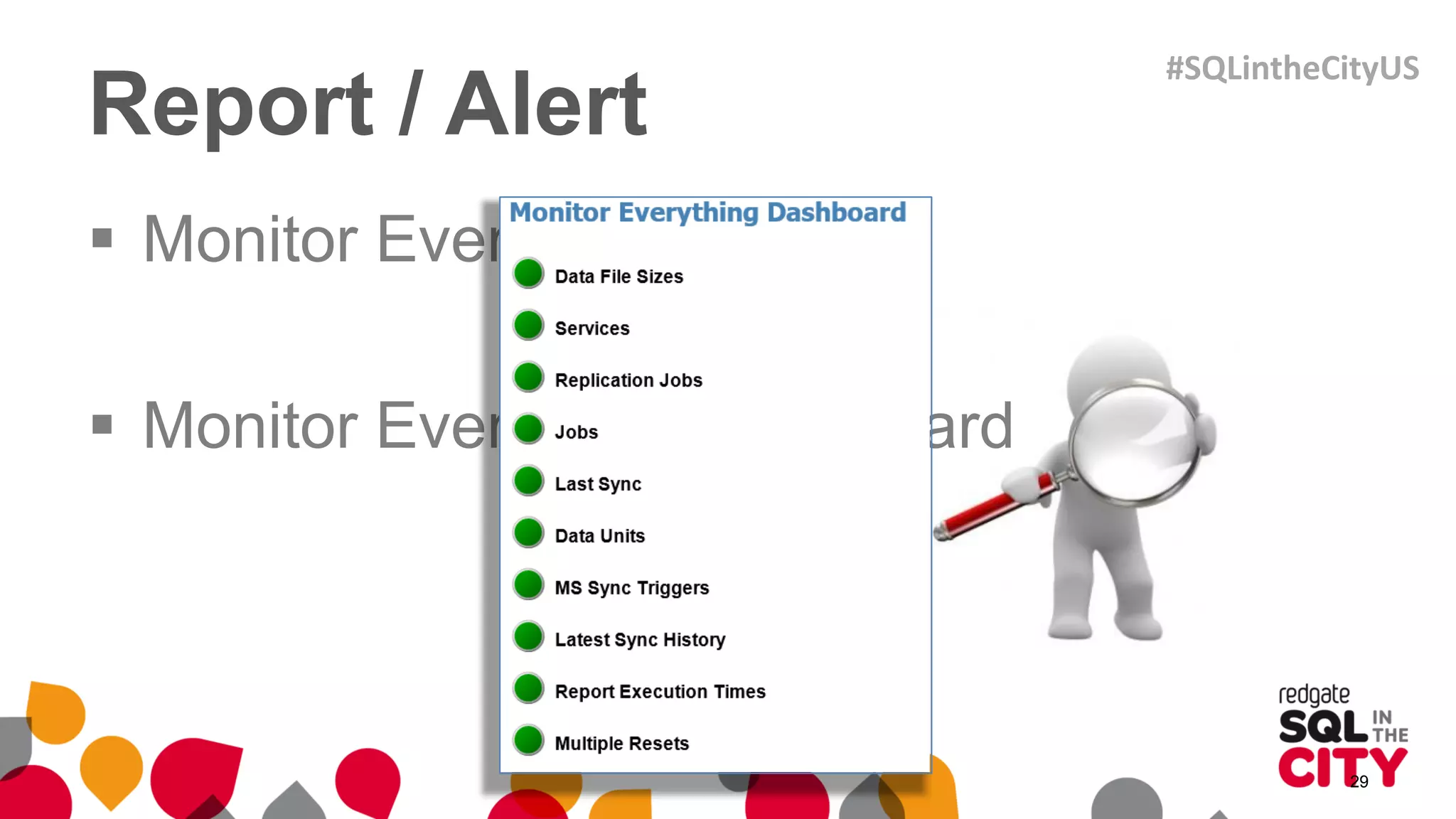
 Monitor Everything email
 Monitor Everything Dashboard
29
#SQLintheCityUS
What have we learned?
 Start monitoring today…
 Break away from the pack…
 Architect / Document / Automate
31
#SQLintheCityUS
Thank You!
TJay Belt
Cell (801) 735-9439
eMail TJayBelt@Yahoo.com
Blog http://tjaybelt.blogspot.com
Linked In www.linkedin.com/in/tjaybelt
Twitter @tjaybelt
Skype tjaybelt
Google+ link
#SQLintheCityUS

Case study: Spawn your own Junior DBA with SQL Monitor

  • 1.
    Case study: Spawnyour own Junior DBA with SQL Monitor Tjay Belt Database Administrator at Imagine Learning #SQLintheCityUS
  • 2.
  • 3.
    What to expect What it is  Theory  My ideas  My experiences and stories  Some code / some tools / examples  What it is not  Definitive  The only way to solve the issue #SQLintheCityUS
  • 4.
    My Goal  Bestcase scenario  for you to be inspired  come up with an idea  help your own shop  At a minimum  learn something  not be bored #SQLintheCityUS
  • 5.
  • 6.
    3 Laws ofMonitoring 1. A monitor may not injure a system or, through failure to alert, allow a system to come to harm 2. A monitor must report on all activities in the system, even where such activities would conflict with the First Law 3. A monitor must protect its own existence as long as such protection does not conflict with the First or Second Laws 6 #SQLintheCityUS
  • 7.
    The Ten Commandments ofSQL Server Monitoring • http://alturl.com/rag3h • Alerts must be actionable • Alerts must contain sufficient information • Alerts should not make excessive noise • Alerts must make enough noise • Monitor the monitoring server • More… go check it out 7
  • 8.
    Basics of Monitoring •Collect • Review • Baseline • Measure • Report/alert 8 #SQLintheCityUS
  • 9.
    Basics of Monitoring Collect  What data is important to collect about your system?  Review  You need to look at the data collected, see its story  Baseline  From the story told, you can create a baseline  Acceptable behavior, highs, lows 9 #SQLintheCityUS
  • 10.
    Basics of Monitoring Measure  History tables. Lots of history tables  Periodic reporting and alerting  Start seeing how often you need to see reports/alerts  Report / Alert  Based on acceptable periods, generate reports or alerts  Learn the nuances of said reporting/alerting  Act upon data received 10 #SQLintheCityUS
  • 11.
    Collect  Collect  Whatdata is important to collect about your system?  Review  You need to look at the data collected, see its story  Baseline  From the story told, you can create a baseline  Acceptable behavior, highs, lows 11
  • 12.
    Collect  Data Collection Data File Sizes  Failed Logins  Powershell 12 #SQLintheCityUS
  • 13.
    Collect  SQL Server Job Notifications  Alerts  Severity 016-025 and Error Number 823-825  Redgate SQL Monitor 13 #SQLintheCityUS
  • 14.
  • 15.
  • 16.
  • 17.
  • 18.
  • 19.
  • 20.
     Collect  Whatdata is important to collect about your system?  Review  You need to look at the data collected, see its story  Baseline  From the story told, you can create a baseline  Acceptable behavior, highs, lows 20
  • 21.
    Review  Data FileSizes  Data Units  Failed Logins 21
  • 22.
     Collect  Whatdata is important to collect about your system?  Review  You need to look at the data collected, see its story  Baseline  From the story told, you can create a baseline  Acceptable behavior, highs, lows 22
  • 23.
    Baseline  From thestory told, you can create a baseline  Acceptable behavior, highs, lows 23 #SQLintheCityUS
  • 24.
     Measure  Historytables. Lots of history tables  Periodic reporting and alerting  Start seeing how often you need to see reports/alerts  Report / Alert  Based on acceptable periods, generate reports or alerts  Learn the nuances of said reporting/alerting  Act upon data received 24
  • 25.
    Measure  History tables.Lots of history tables  Collect data, store data, archive data, study data  Periodic reporting and alerting  Have initial raw reports for said data  Share this with folks and tweek reports 25 #SQLintheCityUS
  • 26.
    Measure  Start seeinghow often you need to see reports/alerts  Look for patterns, highs, lows, appropriate time to share 26 #SQLintheCityUS
  • 27.
     Measure  Historytables. Lots of history tables  Periodic reporting and alerting  Start seeing how often you need to see reports/alerts  Report / Alert  Based on acceptable periods, generate reports or alerts  Learn the nuances of said reporting/alerting  Act upon data received 27
  • 28.
    Report / Alert Chula Vista reset 11:00pm – 3:00am  Told a story with 5 email alerts. Not all night. Still going  Data File Size at 75%  Do nothing for a few days, watch, see  Replication Jobs Disabled 28 #SQLintheCityUS
  • 29.
    Report / Alert Monitor Everything email  Monitor Everything Dashboard 29 #SQLintheCityUS
  • 30.
    What have welearned?  Start monitoring today…  Break away from the pack…  Architect / Document / Automate 31 #SQLintheCityUS
  • 31.
    Thank You! TJay Belt Cell(801) 735-9439 eMail TJayBelt@Yahoo.com Blog http://tjaybelt.blogspot.com Linked In www.linkedin.com/in/tjaybelt Twitter @tjaybelt Skype tjaybelt Google+ link #SQLintheCityUS