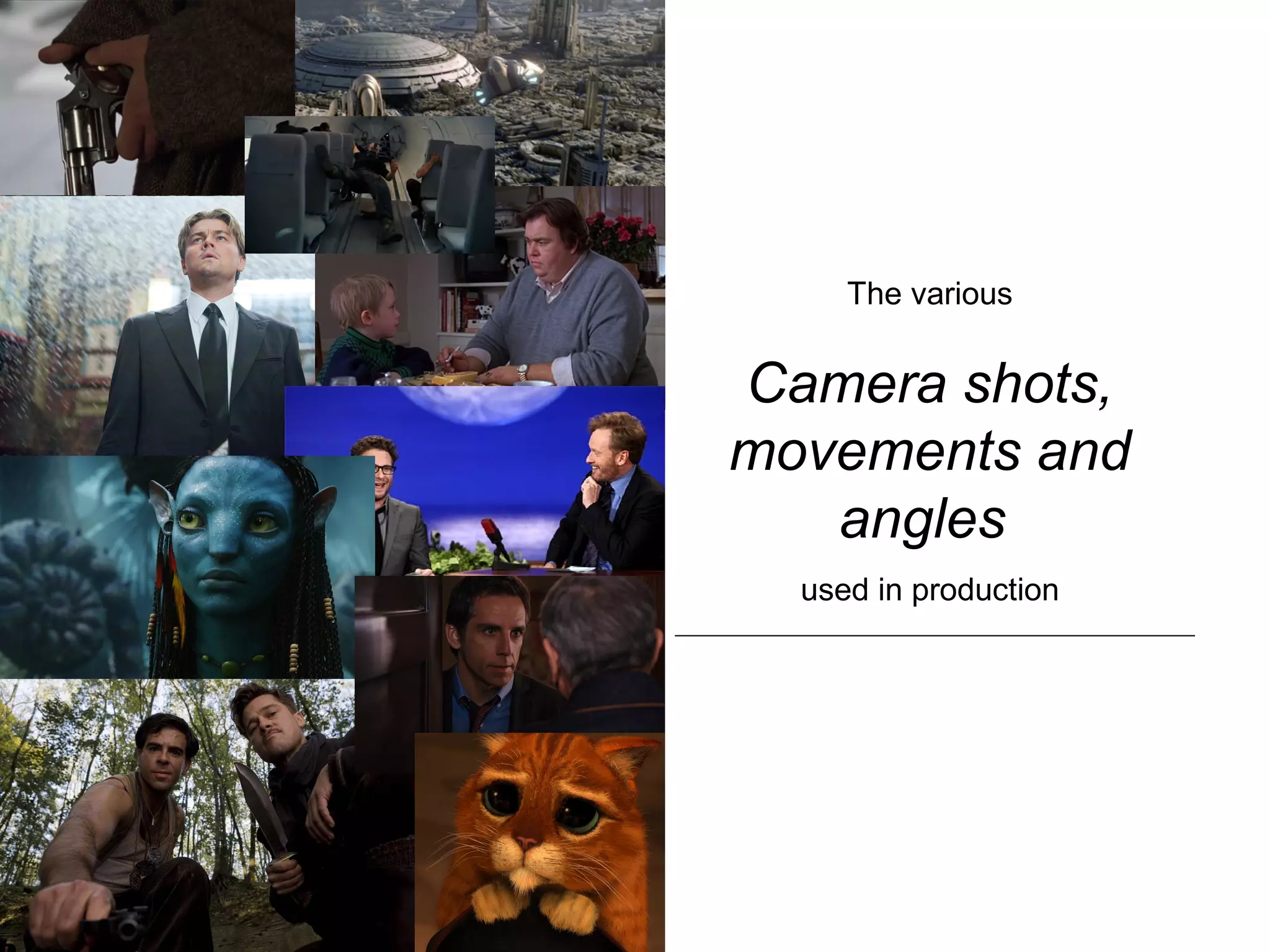
The various
Camera shots,
movements and
angles
used in production
Camera Shots
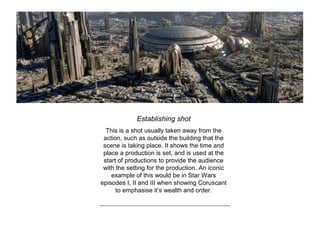
Establishing shot
This is a shot usually taken away from the
action, such as outside the building that the
scene is taking place. It shows the time and
place a production is set, and is used at the
start of productions to provide the audience
with the setting for the production. An iconic
example of this would be in Star Wars
episodes I, II and III when showing Coruscant
to emphasise it’s wealth and order.
Long Shot
Usually following the establishing shot, the
long shot is a head-to-toe shot of a character
that shows their relationship with their
surrounding.
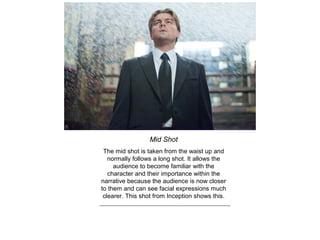
Mid Shot
The mid shot is taken from the waist up and
normally follows a long shot. It allows the
audience to become familiar with the
character and their importance within the
narrative because the audience is now closer
to them and can see facial expressions much
clearer. This shot from Inception shows this.
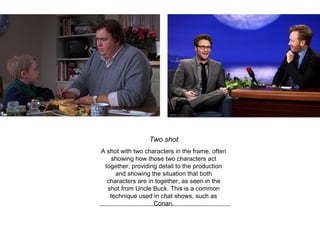
Two shot
A shot with two characters in the frame, often
showing how those two characters act
together, providing detail to the production
and showing the situation that both
characters are in together, as seen in the
shot from Uncle Buck. This is a common
technique used in chat shows, such as
Conan.
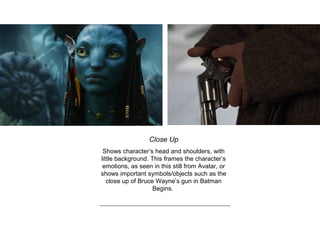
Close Up
Shows character’s head and shoulders, with
little background. This frames the character’s
emotions, as seen in this still from Avatar, or
shows important symbols/objects such as the
close up of Bruce Wayne’s gun in Batman
Begins.
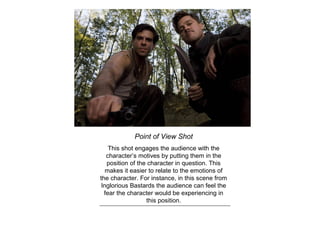
Point of View Shot
This shot engages the audience with the
character’s motives by putting them in the
position of the character in question. This
makes it easier to relate to the emotions of
the character. For instance, in this scene from
Inglorious Bastards the audience can feel the
fear the character would be experiencing in
this position.
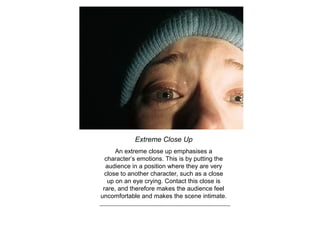
Extreme Close Up
An extreme close up emphasises a
character’s emotions. This is by putting the
audience in a position where they are very
close to another character, such as a close
up on an eye crying. Contact this close is
rare, and therefore makes the audience feel
uncomfortable and makes the scene intimate.
Camera Angles
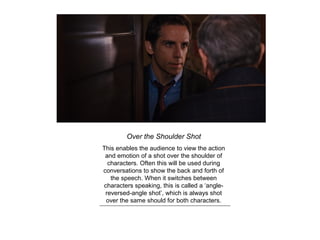
Over the Shoulder Shot
This enables the audience to view the action
and emotion of a shot over the shoulder of
characters. Often this will be used during
conversations to show the back and forth of
the speech. When it switches between
characters speaking, this is called a ‘angle-
reversed-angle shot’, which is always shot
over the same should for both characters.
High Angle Shot
The high angle shot is taken from a height, of
course, and used to show vulnerability of the
character show or when they are defeated.
Puss in Boots, from the Shrek movies, is
often shown using this angle when the
director wishes to show him as vulnerable,
gaining the audience’s sympathy.
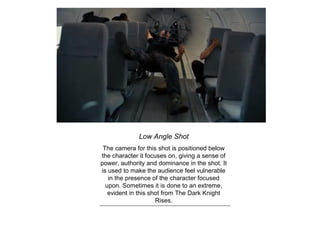
Low Angle Shot
The camera for this shot is positioned below
the character it focuses on, giving a sense of
power, authority and dominance in the shot. It
is used to make the audience feel vulnerable
in the presence of the character focused
upon. Sometimes it is done to an extreme,
evident in this shot from The Dark Knight
Rises.
Camera
Movements
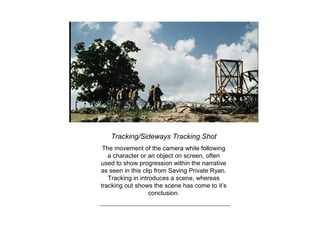
Tracking/Sideways Tracking Shot
The movement of the camera while following
a character or an object on screen, often
used to show progression within the narrative
as seen in this clip from Saving Private Ryan.
Tracking in introduces a scene, whereas
tracking out shows the scene has come to it’s
conclusion.
Tilt Shot
Movement of the camera up or down;
upwards movement is used to show height or
power, and can show a character look
upwards at another character when used in
conjunction with a point-of-view shot.
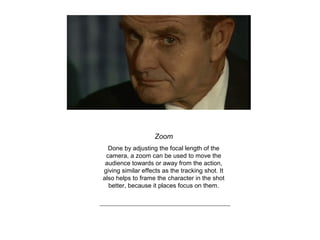
Zoom
Done by adjusting the focal length of the
camera, a zoom can be used to move the
audience towards or away from the action,
giving similar effects as the tracking shot. It
also helps to frame the character in the shot
better, because it places focus on them.
Arc Shot
In this shot, the camera moves round the
action/characters, enabling the audience to
see multiple reactions of characters in a
scene and allows them to be part of the
action as they are almost placed in the scene.
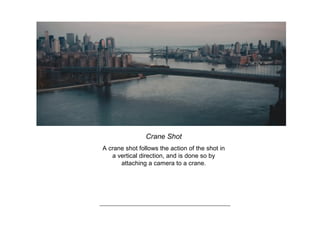
Crane Shot
A crane shot follows the action of the shot in
a vertical direction, and is done so by
attaching a camera to a crane.
Panning Shot
A movement where the camera moves from
left to right, or vice versa, by turning the
camera on a fixed tripod. It is often used to
show a character scanning a room in
conjunction with a point of view shot, or to
follow an object in the frame.

Camera shots, angles and movements

  • 1.
    The various Camera shots, movementsand angles used in production
  • 2.
  • 3.
    Establishing shot This isa shot usually taken away from the action, such as outside the building that the scene is taking place. It shows the time and place a production is set, and is used at the start of productions to provide the audience with the setting for the production. An iconic example of this would be in Star Wars episodes I, II and III when showing Coruscant to emphasise it’s wealth and order.
  • 4.
    Long Shot Usually followingthe establishing shot, the long shot is a head-to-toe shot of a character that shows their relationship with their surrounding.
  • 5.
    Mid Shot The midshot is taken from the waist up and normally follows a long shot. It allows the audience to become familiar with the character and their importance within the narrative because the audience is now closer to them and can see facial expressions much clearer. This shot from Inception shows this.
  • 6.
    Two shot A shotwith two characters in the frame, often showing how those two characters act together, providing detail to the production and showing the situation that both characters are in together, as seen in the shot from Uncle Buck. This is a common technique used in chat shows, such as Conan.
  • 7.
    Close Up Shows character’shead and shoulders, with little background. This frames the character’s emotions, as seen in this still from Avatar, or shows important symbols/objects such as the close up of Bruce Wayne’s gun in Batman Begins.
  • 8.
    Point of ViewShot This shot engages the audience with the character’s motives by putting them in the position of the character in question. This makes it easier to relate to the emotions of the character. For instance, in this scene from Inglorious Bastards the audience can feel the fear the character would be experiencing in this position.
  • 9.
    Extreme Close Up Anextreme close up emphasises a character’s emotions. This is by putting the audience in a position where they are very close to another character, such as a close up on an eye crying. Contact this close is rare, and therefore makes the audience feel uncomfortable and makes the scene intimate.
  • 10.
  • 11.
    Over the ShoulderShot This enables the audience to view the action and emotion of a shot over the shoulder of characters. Often this will be used during conversations to show the back and forth of the speech. When it switches between characters speaking, this is called a ‘angle- reversed-angle shot’, which is always shot over the same should for both characters.
  • 12.
    High Angle Shot Thehigh angle shot is taken from a height, of course, and used to show vulnerability of the character show or when they are defeated. Puss in Boots, from the Shrek movies, is often shown using this angle when the director wishes to show him as vulnerable, gaining the audience’s sympathy.
  • 13.
    Low Angle Shot Thecamera for this shot is positioned below the character it focuses on, giving a sense of power, authority and dominance in the shot. It is used to make the audience feel vulnerable in the presence of the character focused upon. Sometimes it is done to an extreme, evident in this shot from The Dark Knight Rises.
  • 14.
  • 15.
    Tracking/Sideways Tracking Shot Themovement of the camera while following a character or an object on screen, often used to show progression within the narrative as seen in this clip from Saving Private Ryan. Tracking in introduces a scene, whereas tracking out shows the scene has come to it’s conclusion.
  • 16.
    Tilt Shot Movement ofthe camera up or down; upwards movement is used to show height or power, and can show a character look upwards at another character when used in conjunction with a point-of-view shot.
  • 17.
    Zoom Done by adjustingthe focal length of the camera, a zoom can be used to move the audience towards or away from the action, giving similar effects as the tracking shot. It also helps to frame the character in the shot better, because it places focus on them.
  • 18.
    Arc Shot In thisshot, the camera moves round the action/characters, enabling the audience to see multiple reactions of characters in a scene and allows them to be part of the action as they are almost placed in the scene.
  • 19.
    Crane Shot A craneshot follows the action of the shot in a vertical direction, and is done so by attaching a camera to a crane.
  • 20.
    Panning Shot A movementwhere the camera moves from left to right, or vice versa, by turning the camera on a fixed tripod. It is often used to show a character scanning a room in conjunction with a point of view shot, or to follow an object in the frame.