UNTI-III 
ARRAYS AND POINTERS: 
ARRAYS & STRINGS 
Introduction: 
Arrays are homogeneous data type, and a group of homogeneous data items that shared a 
common name. The ability to use a single name to represent a collection of items and to refer to an item 
by specifying the item number enables us to develop concise and efficient programs. 
A particular value is indicated by writing a number called index number or subscript in brackets 
after the array name. 
Array properties: 
 The type of an array is the data type of its elements 
 The location of an array is location of its first element 
 The length of an array is the number of data elements in the array 
 The size of an array is the length of the array times the size of an element. 
Array whose element are specified by one subscript are called single subscripted or single 
dimensional array. Analogous array whose elements are specified by two and three subscripts are 
called two-dimensional or double subscripted and three-dimensional or triple-subscripted arrays 
respectively. 
One-dimensional array: 
A list of items can be given one variable name using only one subscript and such a variable is 
called a single-subscript and such a variable is called a single-subscripted variable or a one-dimensional 
array. 
If we want to represent a set of five numbers, say (45, 65, 10, 93, 50) an array variable marks. 
We may declare the variable marks as follows 
M V B REDDY GITAM UNIVERSITY BLR
int marks[5]; 
The value to array elements is assigned and stored as follows 
marks [0]=45 
marks [1]=65 
marks [2] = 10 
marks [3] =93 
marks [4] = 40 
Array declaration: 
In c an array variable is declared by specifying first the base type of the array , then the name of 
the array variable, and then the number of elements the array will have should be specified 
between a pair square brackets ([]). Note that these values cannot be a variable and has to be an 
integral constant. 
EX: 
int marks [100]; 
float salary [1000]; 
Array initialization: 
Elements of an array can be assigned initial values by following the array definition with a list of 
initializes enclosed in braces and separated by comma. 
EX: 
int marks [5] = {65, 98, 62, 48, 57}; 
Defines the array marks to contain five integer elements and initializes marks [0] to 65, marks [1] 
to 98, marks [2] to 62, marks [3] to 48 and marks [4] to 57. 
M V B REDDY GITAM UNIVERSITY BLR
If the number of initializes is less than the number of element in the array, the remaining 
elements are set zero. 
EX: 
int m [5] = {3, 4, 8}; 
int m [5]= {3, 4, 8, 0, 0}; is equivalent to 
If initializes have been provided for an array, it is not necessary to explicitly specify the array length, 
in which case the length is derived from the initializers. 
A character array may be initialized by a string constant, resulting in the first element of the array 
being set to the first character in the string, the second element to the second character, and so on. The 
array also receives the terminating ‘0’ in the string constant. 
Ex: 
char name [10] =”COMPUTERS”; 
char name[10] ={‘c’,’o’,’m’,’p’,’t’,’e’,’r’,’s’,’0’}; 
Two-Dimensional arrays: 
Till now we discussed the array of variables that can store a list of values. There will be a 
situation where we need to store values. In that situation we will go for two-dimensional arrays 
Array Declaration: 
The two-dimensional array can be declared by specifying first the base type of the array, then 
the name of the array variable, and then the number of rows and column elements the array will 
have should be specified between a pair square brackets ([] []). Note that this value cannot be a 
variable and has to be an integer constant. 
GENERAL FORMAT: 
M V B REDDY GITAM UNIVERSITY BLR
Array initialization: 
Elements of an array can be assigned initial values by following the array definition with a list 
of initializes enclosed in braces and separated by comma. 
EX: 
int marks [2] [3] = {65, 98, 62, 48, 57, 40}; 
Defines the array marks to contain six integer elements and initializes marks [0] [3] to 62, marks [1] 
[1] to 48, marks [1] [2] to 57 and marks [1] [3] to 40. 
Strings: 
A string as an array of characters. Any constant string defined between double quotation marks. 
Ex: “SHREETECH computers” 
Declaration And Initialization: 
A string variable is any valid C variable name and is always declared as an array. 
General Format: 
char variable_name[size] 
The size determines the number of characters in string name. 
Ex: 
char city [25]; 
char name [50]; 
When a compiler assigns a character string to a character array, it automatically supplies a 
NULL character ‘0’ at the end of the string. Therefore the size should be equal to maximum number 
of characters in the string plus one. 
Character array may be initializes when they are declared. 
M V B REDDY GITAM UNIVERSITY BLR
Static char name [10] = “SHEREETECH” 
Reading as String: 
The input function scanf() can be used with %s format specification to read a string. 
EX: 
char city[20]; 
scanf(“%s”,city); 
Printing a String: 
The print function printf () can be used with %s format specification to print a string. 
EX: 
char city[20]; 
scanf(“%s”,city); 
printf (“%s”,city); 
String Operations: 
1. Reading and writing of strings 
2. concatenating of strings 
3. copying one string into another 
4. Comparing Strings. 
5. Extracting a portion of a string. 
6. Converting the string from lowercase to uppercase. 
M V B REDDY GITAM UNIVERSITY BLR
String Handling Functions: 
‘C’ provides string handling functions to perform the above specified operations. The following are 
the string handling functions. 
i) strcpy (): It is used to copy one string into another string 
Syntax: strcpy (str1, str2) 
ii) strcmp (): It is used to compare two strings character by character and returns -1 
or 0 or 1. 
Syntax: strcmp (str1, str2) 
If the ASCII value of the character of the first string is less than the second string it returns – 
ve. If both strings are equal it returns 0. If the ASCII value of the character of the first string is greater 
than a second string then it returns +ve. 
iii) strcat (): It is used to concatenate two strings that is it appends one string to 
other string 
Syntax: strcat (str1, str2) 
Here string str2 is appended to the end of the string str1. 
iv)strlen (): It is used to count the number of characters in the string. 
Syntax: strlen (str1); 
v)strlwr (): It is used to convert any upper case letters into the its equivalent lower 
case letters. 
Syntax: strlwr (str1) 
vi) strupr (): It is used to convert any lower case letters into the equivalent upper case 
letters. 
Syntax: strupr (str1) 
M V B REDDY GITAM UNIVERSITY BLR
FUNCTIONS: 
‘C’ programs are compound of a set of functions. The functions are normally used to 
divide a large program into smaller programs which are easier to handle. Each functions normally 
performs a specific task. Every program must certain one function named as main where the 
program always begins execution. The main program may call other functions with in it may call still 
other functions .When a function is called program execution is transferred to the first statement on 
the called function. The function is completed when it executes the last statement in the function or 
it executes a written function statement after a function returns to the calling function. Execution 
continues with the evaluation of the expression in which the call was made. A value can be written 
when a function completes and that written value can be used as an operand on an expression. 
USER DEFINED FUNCTIONS: We have used functions on every program that we have discussed so 
far they are main,printf and scanf etc.. 
C functions can be classified into two categories namely library functions and user defined 
functions. Main is an example of user defined function ,printf, scanf,sqrtetc.. belongs to the category 
of library functions. The main difference between these categories is that library functions are not 
required to be written by us where as a user defined functions has to be developed by the user at 
the time of writing a program. However a userdefined can later becomes a part of the “c” program 
library. 
M V B REDDY GITAM UNIVERSITY BLR
ADVANTAGES: 
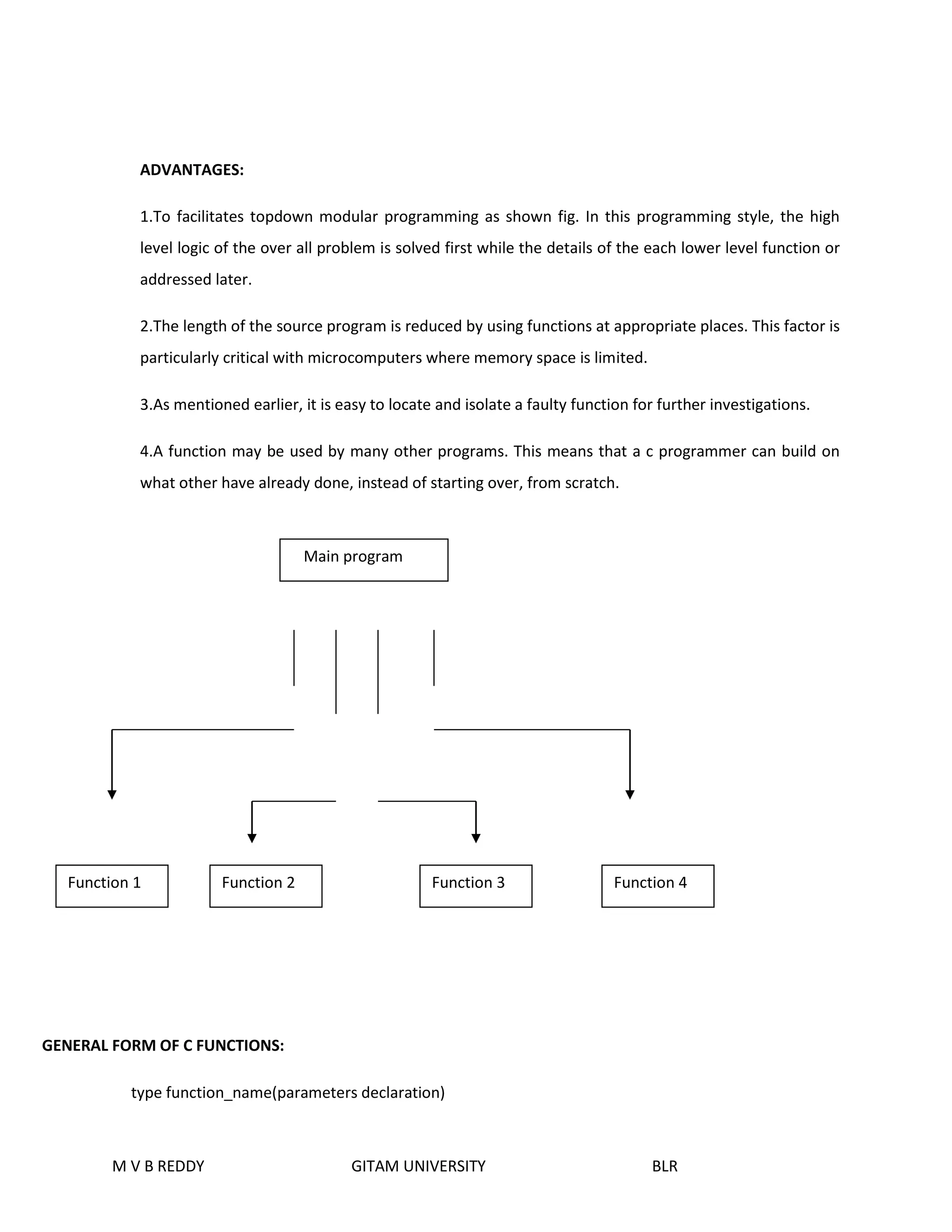
1.To facilitates topdown modular programming as shown fig. In this programming style, the high 
level logic of the over all problem is solved first while the details of the each lower level function or 
addressed later. 
2.The length of the source program is reduced by using functions at appropriate places. This factor is 
particularly critical with microcomputers where memory space is limited. 
3.As mentioned earlier, it is easy to locate and isolate a faulty function for further investigations. 
4.A function may be used by many other programs. This means that a c programmer can build on 
what other have already done, instead of starting over, from scratch. 
Function 1 Function 2 Function 3 Function 4 
GENERAL FORM OF C FUNCTIONS: 
Main program 
type function_name(parameters declaration) 
M V B REDDY GITAM UNIVERSITY BLR
{ 
local variable declaration; 
statement 1; 
statement 2; 
statement 3; 
. 
. 
statement n; 
return(expression); 
} 
PARAMETER PASSING: 
Parameters are nothing but input information given to a function. By passing parameters the caller can 
ask the function to process a set of values. Parameter passing allows you to run generalized and reusable 
functions. What ever the parameters the caller passes are called the actual parameters and what ever parameters 
the function is return to receive are called the formal parameters. The actual parameters are copied to the formal 
parameters. 
RETURN VALUES AND THEIR TYPES: 
A function may or may not send back any value to the calling function. If it does, it is done through the 
RETURN statement. While it is possible to pass to the called function any number of values, the called function can 
only return one value per call. The return statement can be any one of the following forms. 
M V B REDDY GITAM UNIVERSITY BLR 
return; 
(or) 
return(expression);
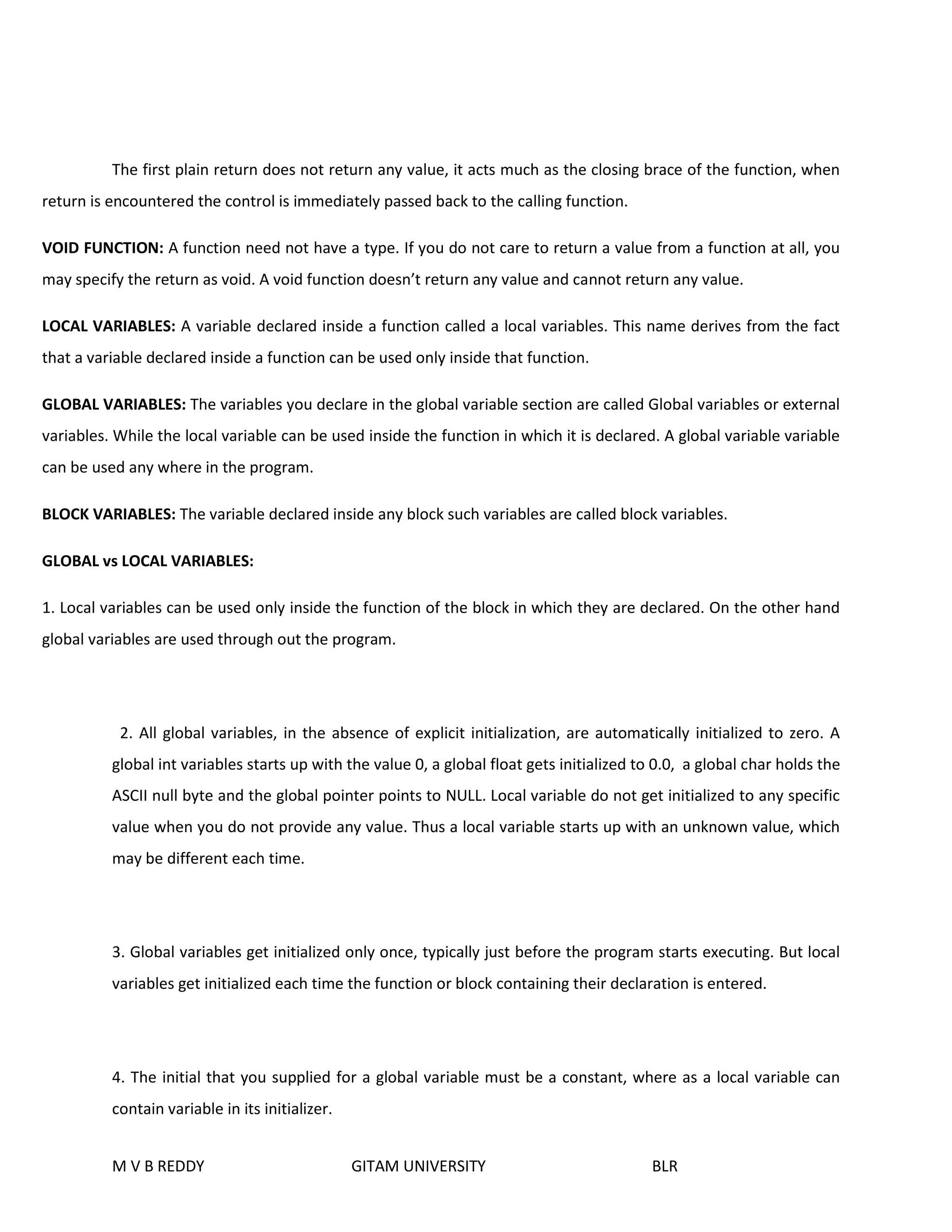
The first plain return does not return any value, it acts much as the closing brace of the function, when 
return is encountered the control is immediately passed back to the calling function. 
VOID FUNCTION: A function need not have a type. If you do not care to return a value from a function at all, you 
may specify the return as void. A void function doesn’t return any value and cannot return any value. 
LOCAL VARIABLES: A variable declared inside a function called a local variables. This name derives from the fact 
that a variable declared inside a function can be used only inside that function. 
GLOBAL VARIABLES: The variables you declare in the global variable section are called Global variables or external 
variables. While the local variable can be used inside the function in which it is declared. A global variable variable 
can be used any where in the program. 
BLOCK VARIABLES: The variable declared inside any block such variables are called block variables. 
GLOBAL vs LOCAL VARIABLES: 
1. Local variables can be used only inside the function of the block in which they are declared. On the other hand 
global variables are used through out the program. 
2. All global variables, in the absence of explicit initialization, are automatically initialized to zero. A 
global int variables starts up with the value 0, a global float gets initialized to 0.0, a global char holds the 
ASCII null byte and the global pointer points to NULL. Local variable do not get initialized to any specific 
value when you do not provide any value. Thus a local variable starts up with an unknown value, which 
may be different each time. 
3. Global variables get initialized only once, typically just before the program starts executing. But local 
variables get initialized each time the function or block containing their declaration is entered. 
4. The initial that you supplied for a global variable must be a constant, where as a local variable can 
contain variable in its initializer. 
M V B REDDY GITAM UNIVERSITY BLR
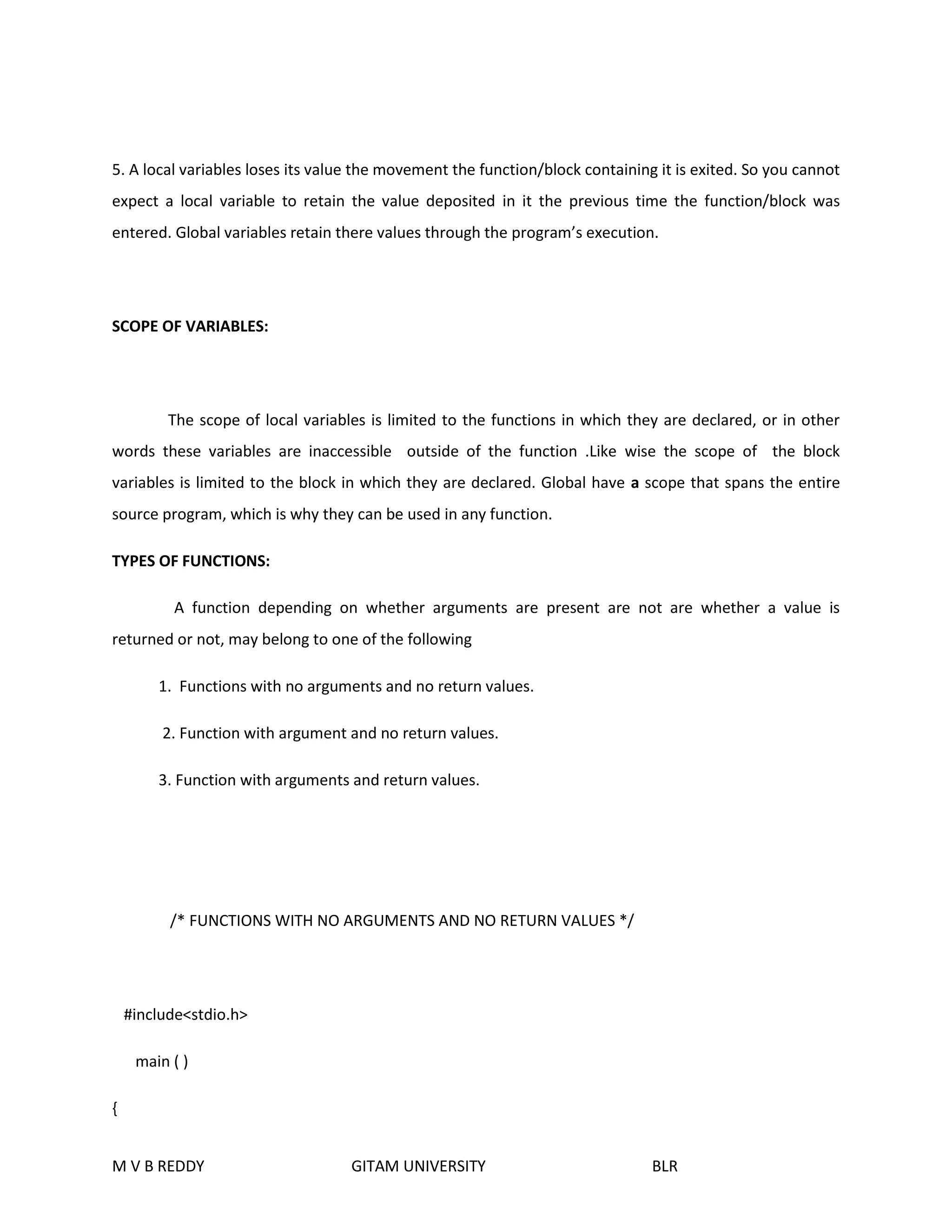
5. A local variables loses its value the movement the function/block containing it is exited. So you cannot 
expect a local variable to retain the value deposited in it the previous time the function/block was 
entered. Global variables retain there values through the program’s execution. 
SCOPE OF VARIABLES: 
The scope of local variables is limited to the functions in which they are declared, or in other 
words these variables are inaccessible outside of the function .Like wise the scope of the block 
variables is limited to the block in which they are declared. Global have a scope that spans the entire 
source program, which is why they can be used in any function. 
TYPES OF FUNCTIONS: 
A function depending on whether arguments are present are not are whether a value is 
returned or not, may belong to one of the following 
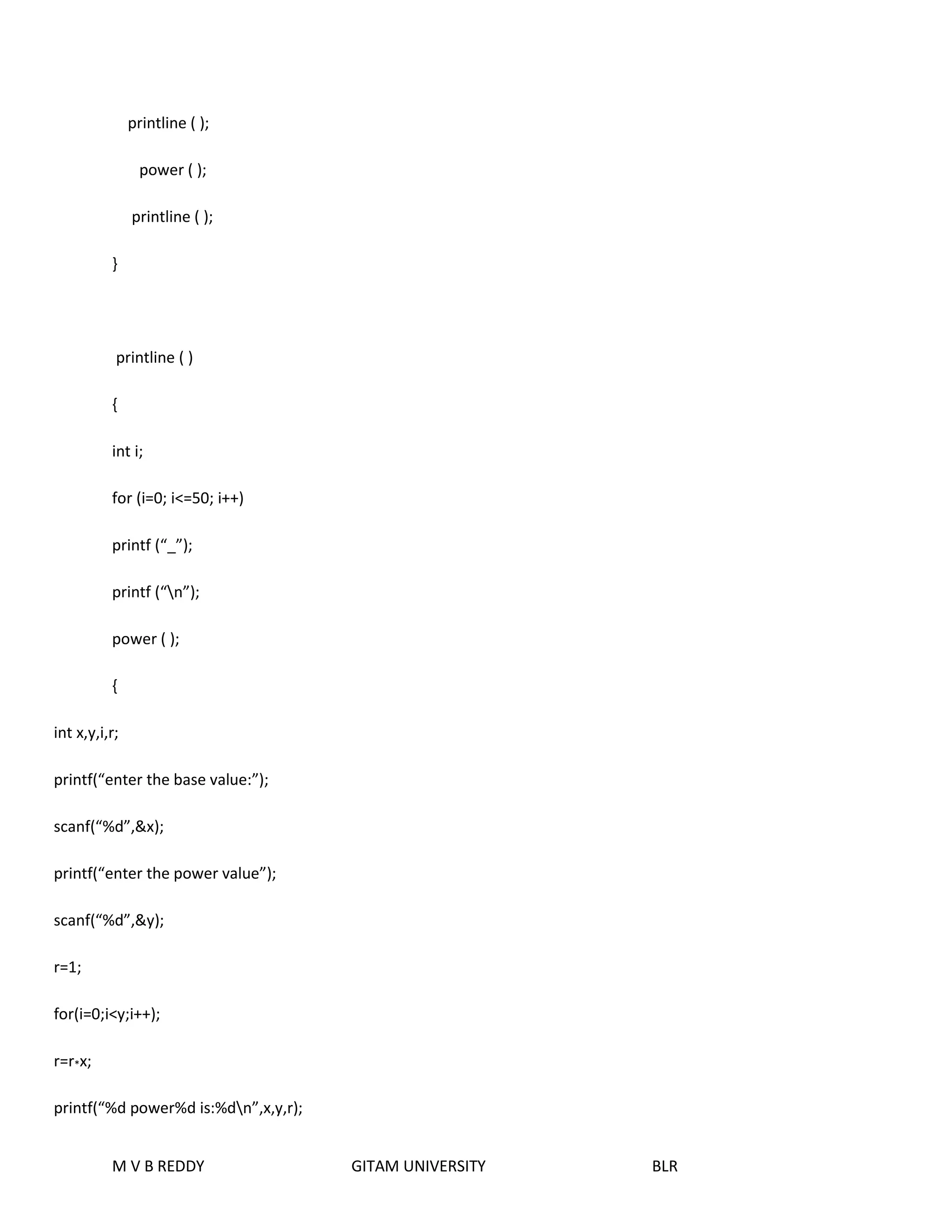
1. Functions with no arguments and no return values. 
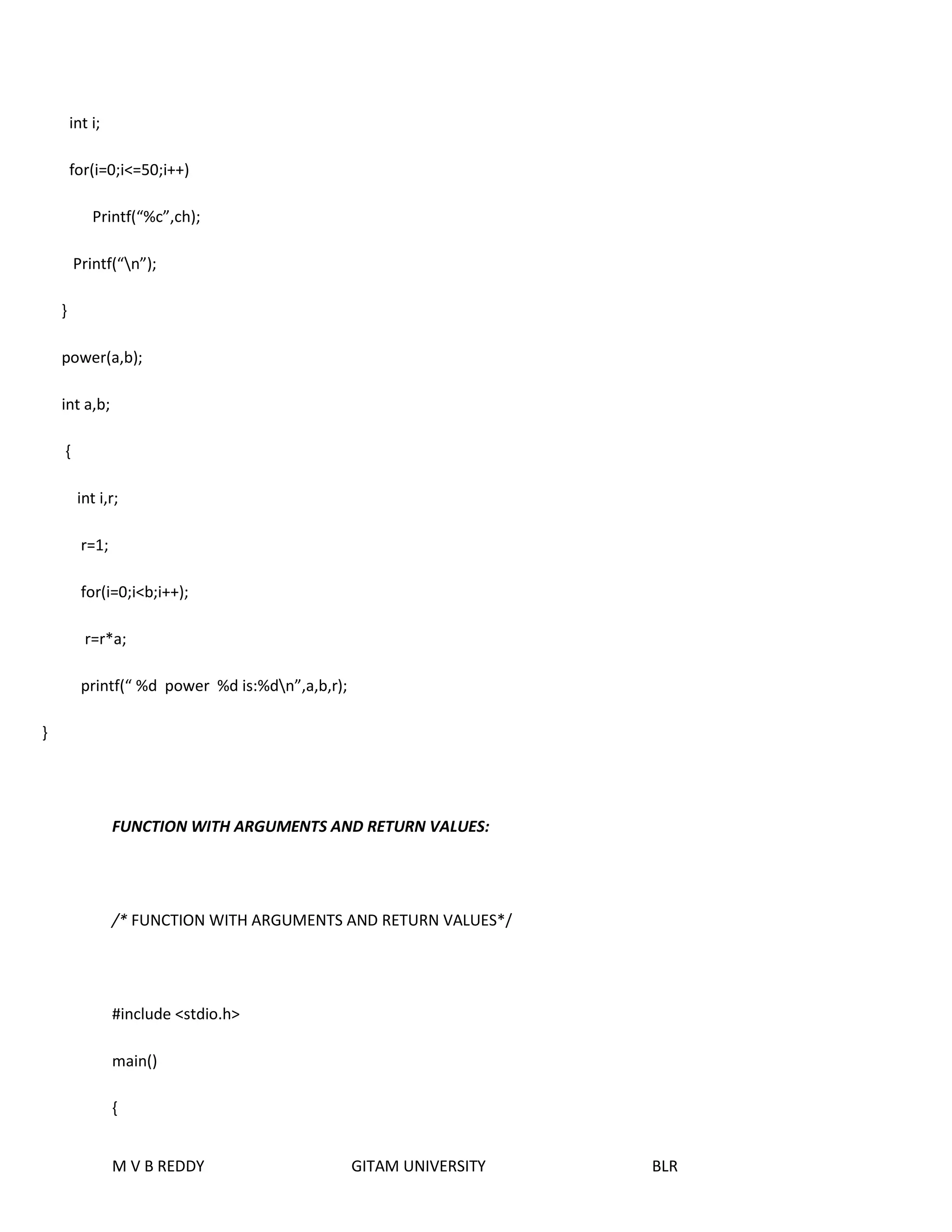
2. Function with argument and no return values. 
3. Function with arguments and return values. 
/* FUNCTIONS WITH NO ARGUMENTS AND NO RETURN VALUES */ 
#include<stdio.h> 
main ( ) 
{ 
M V B REDDY GITAM UNIVERSITY BLR
printline ( ); 
power ( ); 
printline ( ); 
} 
printline ( ) 
{ 
int i; 
for (i=0; i<=50; i++) 
printf (“_”); 
printf (“n”); 
power ( ); 
{ 
int x,y,i,r; 
printf(“enter the base value:”); 
scanf(“%d”,&x); 
printf(“enter the power value”); 
scanf(“%d”,&y); 
M V B REDDY GITAM UNIVERSITY BLR 
r=1; 
for(i=0;i<y;i++); 
r=r*x; 
printf(“%d power%d is:%dn”,x,y,r);
M V B REDDY GITAM UNIVERSITY BLR 
} 
/* Functions with arguments and no return values*/ 
#include<stdio.h> 
main( ) 
{ 
char c; 
int x,y; 
printf(“enter any character”); 
c=getchar( ); 
printline(c); 
printf(“the base value”); 
scanf(“%d”,&x); 
printf(“enter the power value:”); 
scanf(“%d”,&y); 
power(x,y); 
printline(c); 
} 
printline(ch); 
char ch; 
{
M V B REDDY GITAM UNIVERSITY BLR 
int i; 
for(i=0;i<=50;i++) 
Printf(“%c”,ch); 
Printf(“n”); 
} 
power(a,b); 
int a,b; 
{ 
int i,r; 
r=1; 
for(i=0;i<b;i++); 
r=r*a; 
printf(“ %d power %d is:%dn”,a,b,r); 
} 
FUNCTION WITH ARGUMENTS AND RETURN VALUES: 
/* FUNCTION WITH ARGUMENTS AND RETURN VALUES*/ 
#include <stdio.h> 
main() 
{
char c; 
int x,y; 
printf(“enter any character”); 
c=getchar(); 
println(c); 
printf(“enter the base value”); 
scanf(“%d”,&x); 
printf(“enter the power value”); 
scanf(“%d”,&y); 
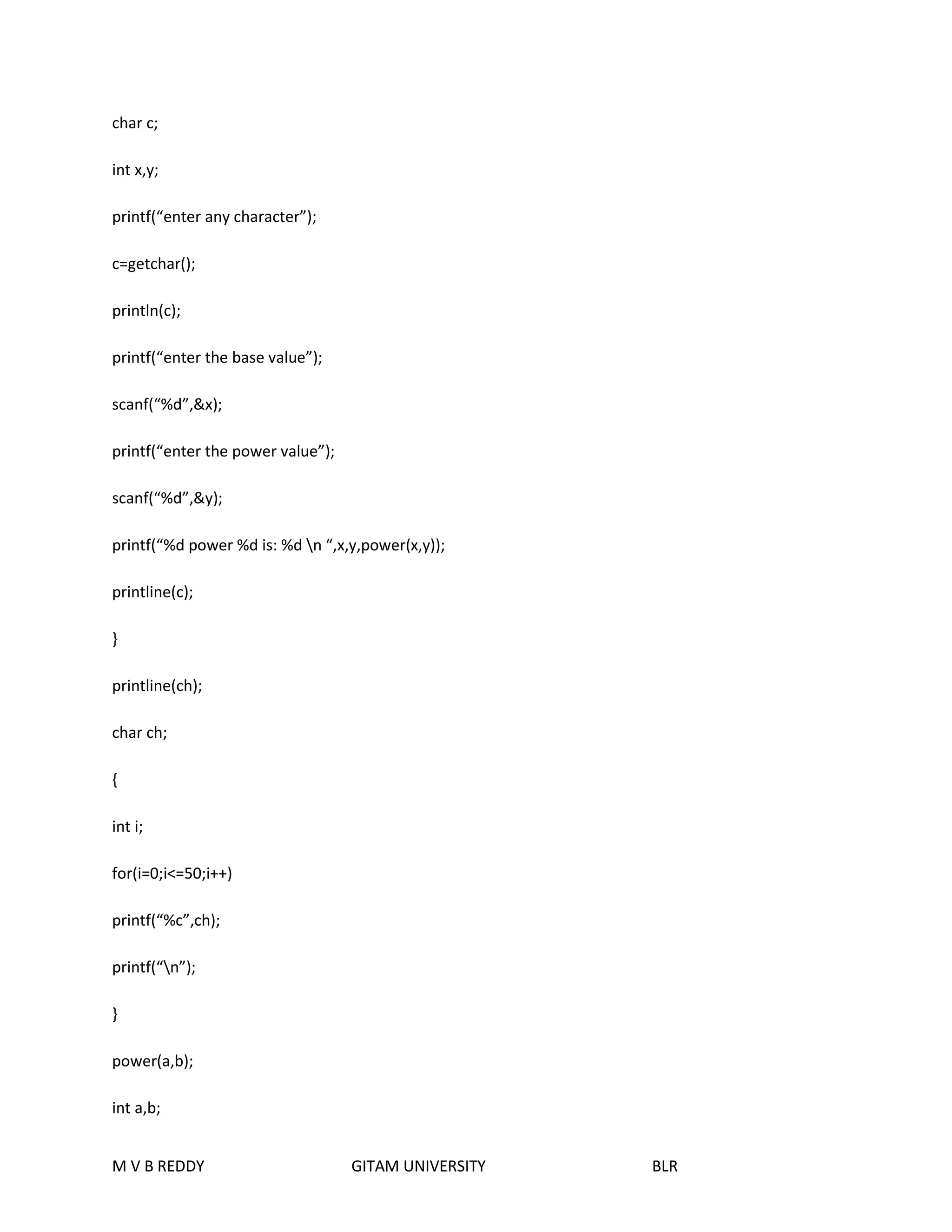
printf(“%d power %d is: %d n “,x,y,power(x,y)); 
printline(c); 
} 
printline(ch); 
char ch; 
{ 
int i; 
for(i=0;i<=50;i++) 
printf(“%c”,ch); 
printf(“n”); 
} 
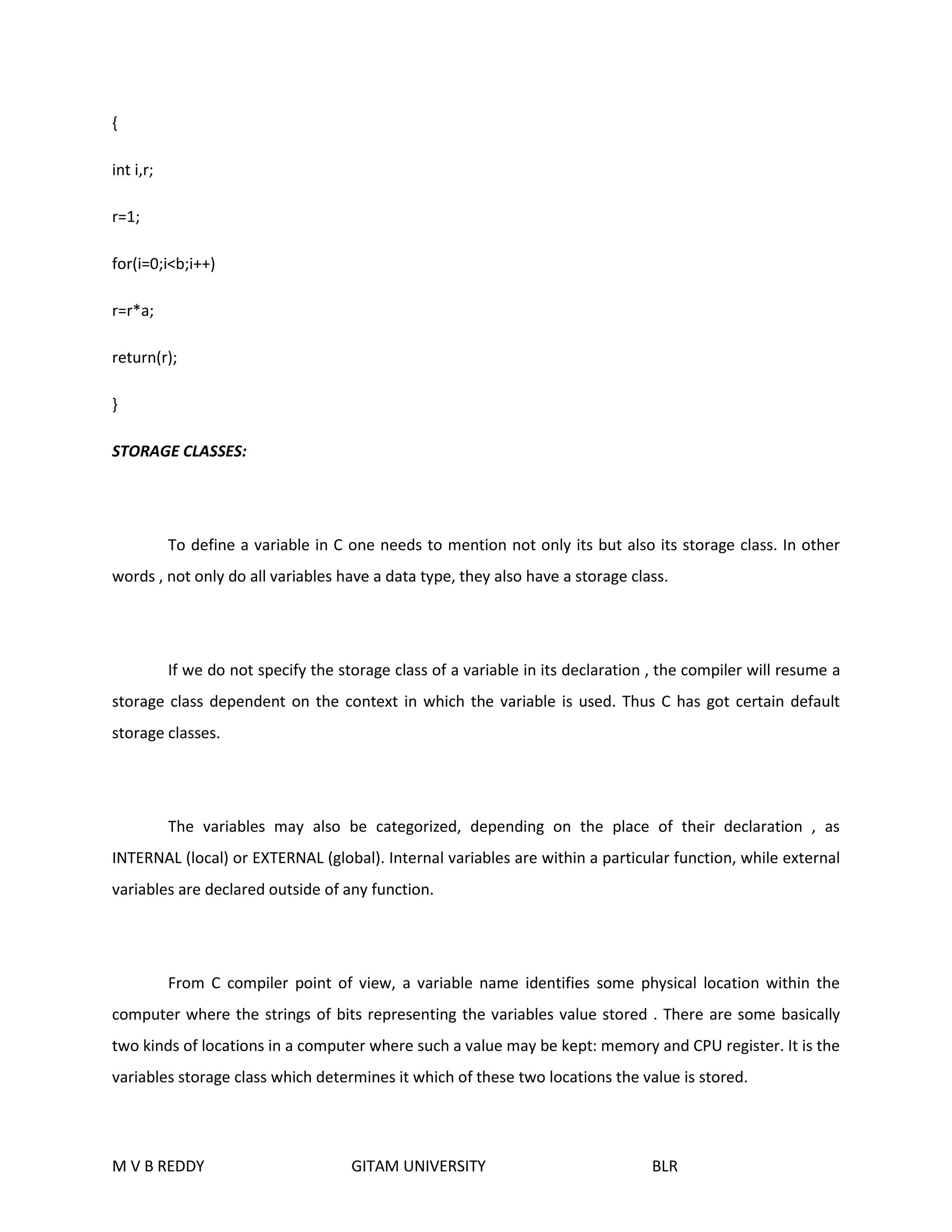
power(a,b); 
int a,b; 
M V B REDDY GITAM UNIVERSITY BLR
{ 
int i,r; 
r=1; 
for(i=0;i<b;i++) 
r=r*a; 
return(r); 
} 
STORAGE CLASSES: 
To define a variable in C one needs to mention not only its but also its storage class. In other 
words , not only do all variables have a data type, they also have a storage class. 
If we do not specify the storage class of a variable in its declaration , the compiler will resume a 
storage class dependent on the context in which the variable is used. Thus C has got certain default 
storage classes. 
The variables may also be categorized, depending on the place of their declaration , as 
INTERNAL (local) or EXTERNAL (global). Internal variables are within a particular function, while external 
variables are declared outside of any function. 
From C compiler point of view, a variable name identifies some physical location within the 
computer where the strings of bits representing the variables value stored . There are some basically 
two kinds of locations in a computer where such a value may be kept: memory and CPU register. It is the 
variables storage class which determines it which of these two locations the value is stored. 
M V B REDDY GITAM UNIVERSITY BLR
Moreover, a variables storage class tells us: 
 Where the variable would be stored. 
 What will be the initial value of the variable , if the initial value is not specifically assigned( i.e. 
the default initial value) 
 What is the scope of the variable i.e in which function the value of the variable would be 
available. 
 What is the life of the variable, i.e. how long would the variable exist. 
` 
TYPES OF STORAGE CLASSES: 
a) Automatic storage class. 
b) Register storage class. 
c) Static storage class. 
d) External storage class. 
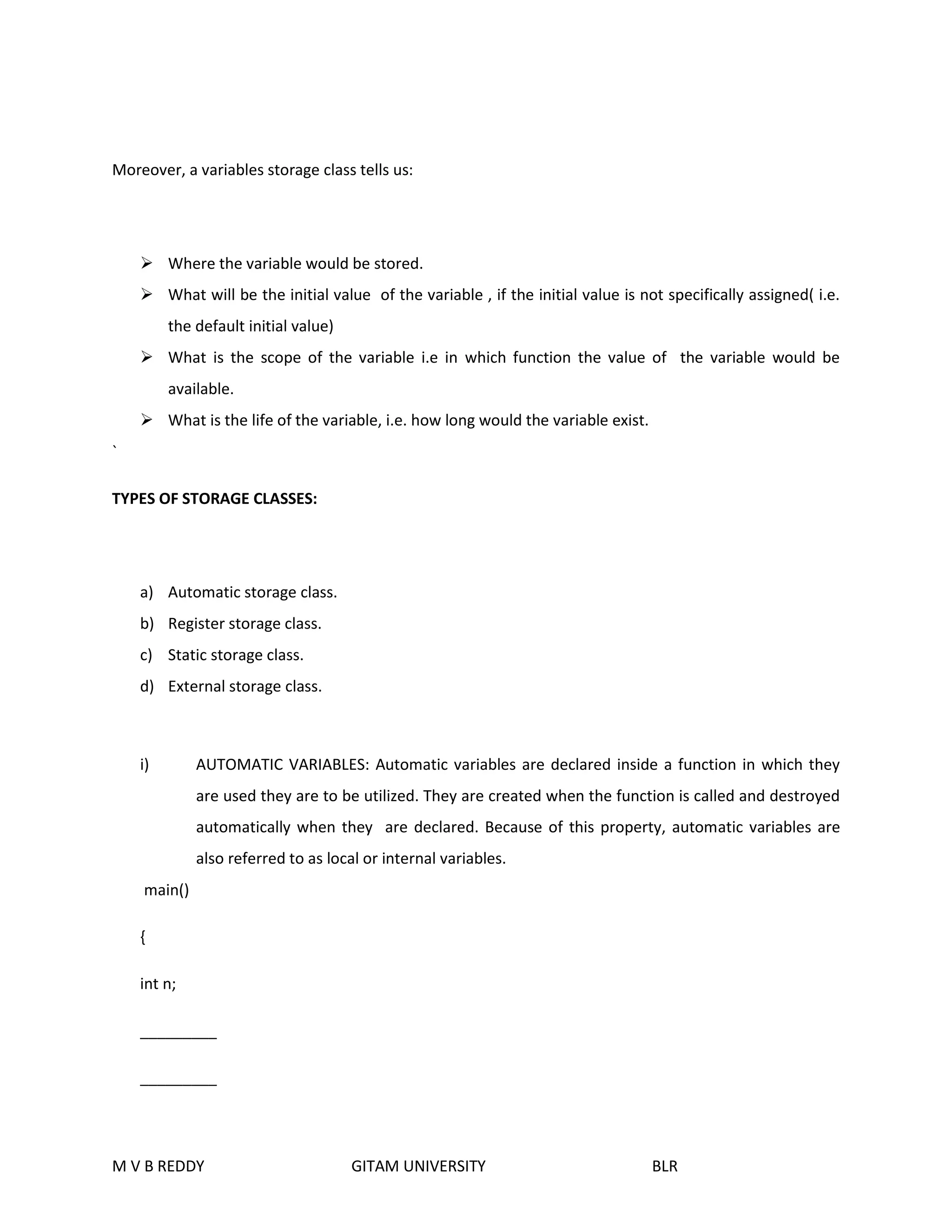
i) AUTOMATIC VARIABLES: Automatic variables are declared inside a function in which they 
are used they are to be utilized. They are created when the function is called and destroyed 
automatically when they are declared. Because of this property, automatic variables are 
also referred to as local or internal variables. 
main() 
{ 
int n; 
_________ 
_________ 
M V B REDDY GITAM UNIVERSITY BLR
} 
We may also use the key word auto to declare automatic variables explicitly. 
main() 
{ 
auto int n; 
_________ 
_________ 
} 
One important feature of automatic variables is that their value changed accidentally by what happens 
in some other functions in the program. This assures that we may declare and use the same name 
variable name in different functions in the same program without causing any confusion to the 
compiler. 
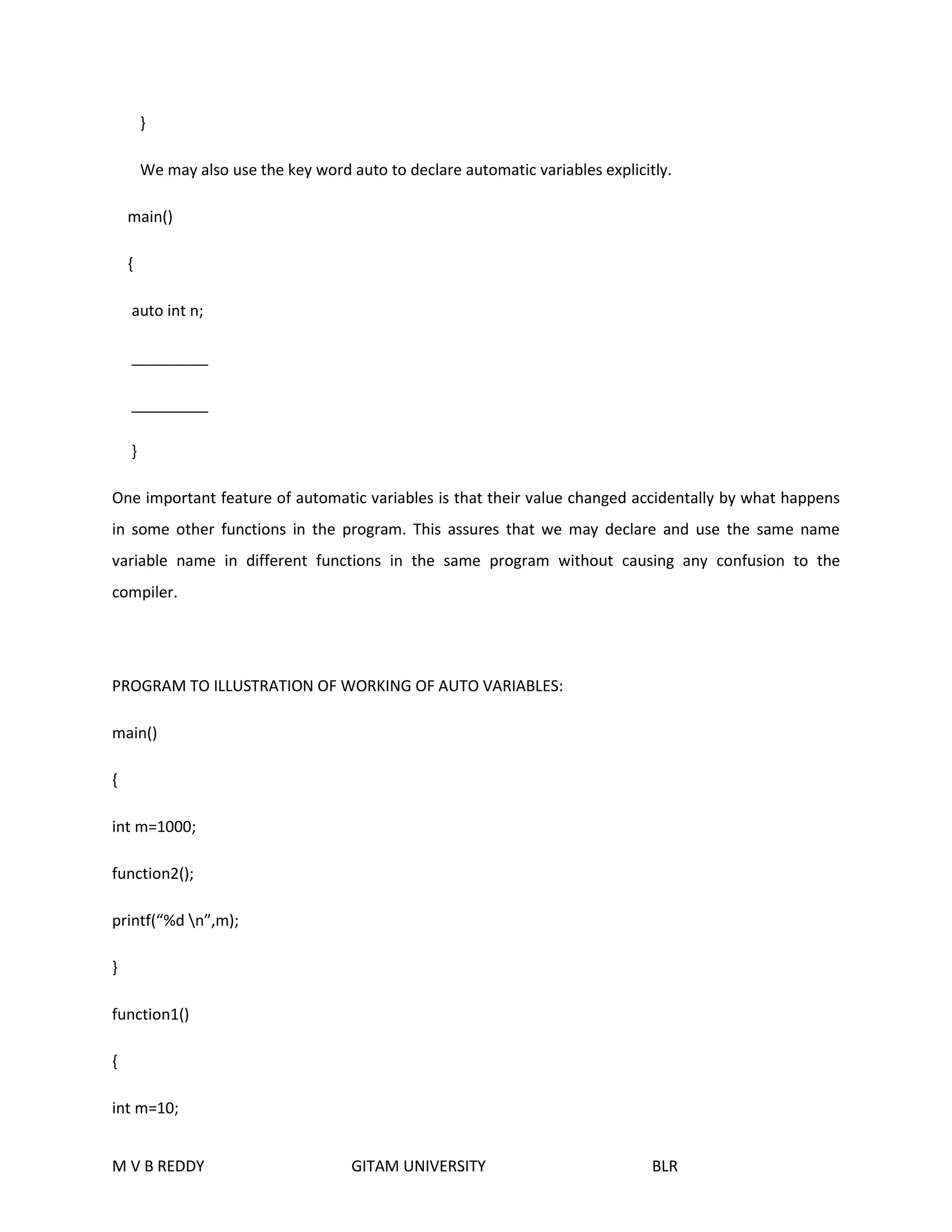
PROGRAM TO ILLUSTRATION OF WORKING OF AUTO VARIABLES: 
main() 
{ 
int m=1000; 
function2(); 
printf(“%d n”,m); 
} 
function1() 
{ 
int m=10; 
M V B REDDY GITAM UNIVERSITY BLR
printf(“ %dn”,m); 
} 
function2() 
{ 
int m=100; 
function1(); 
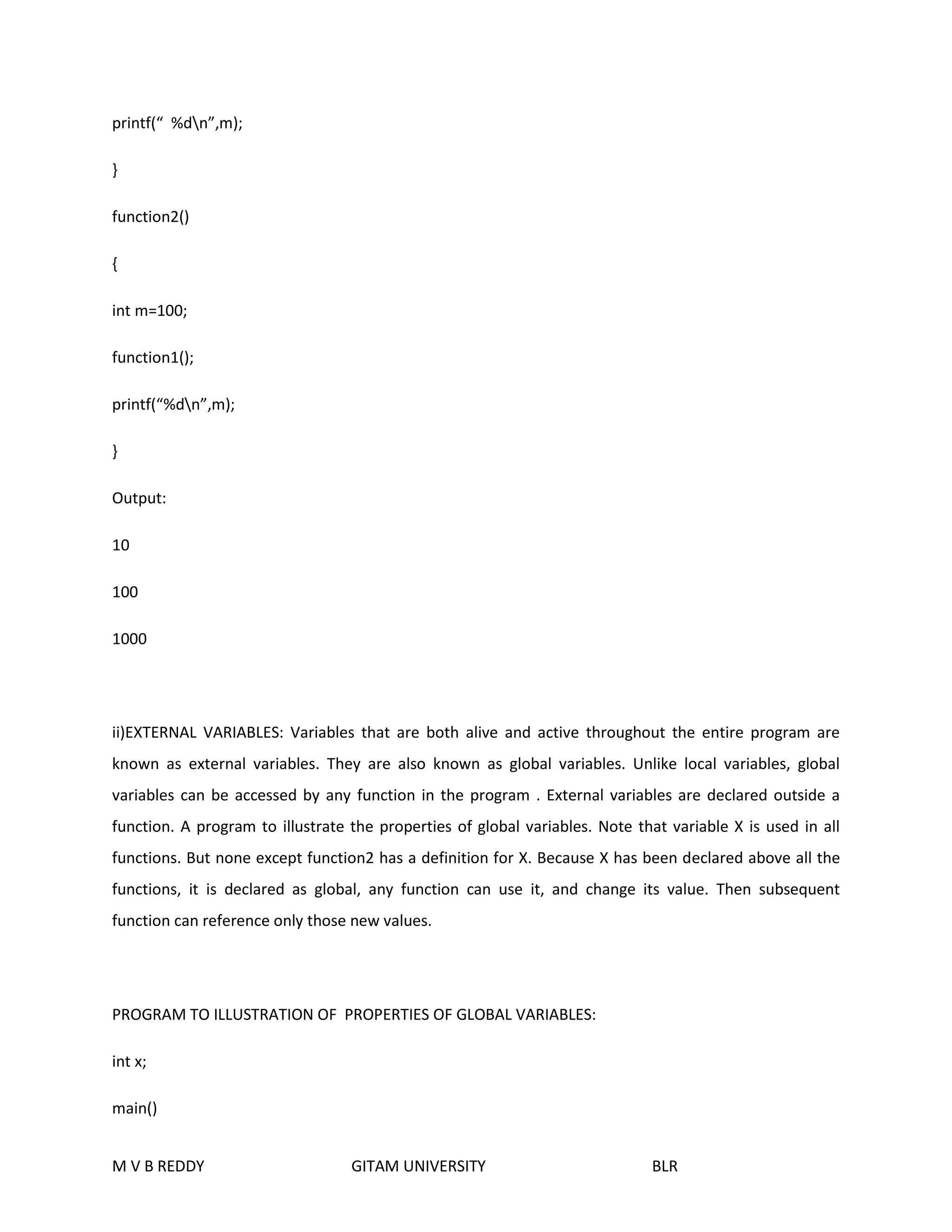
printf(“%dn”,m); 
} 
Output: 
10 
100 
1000 
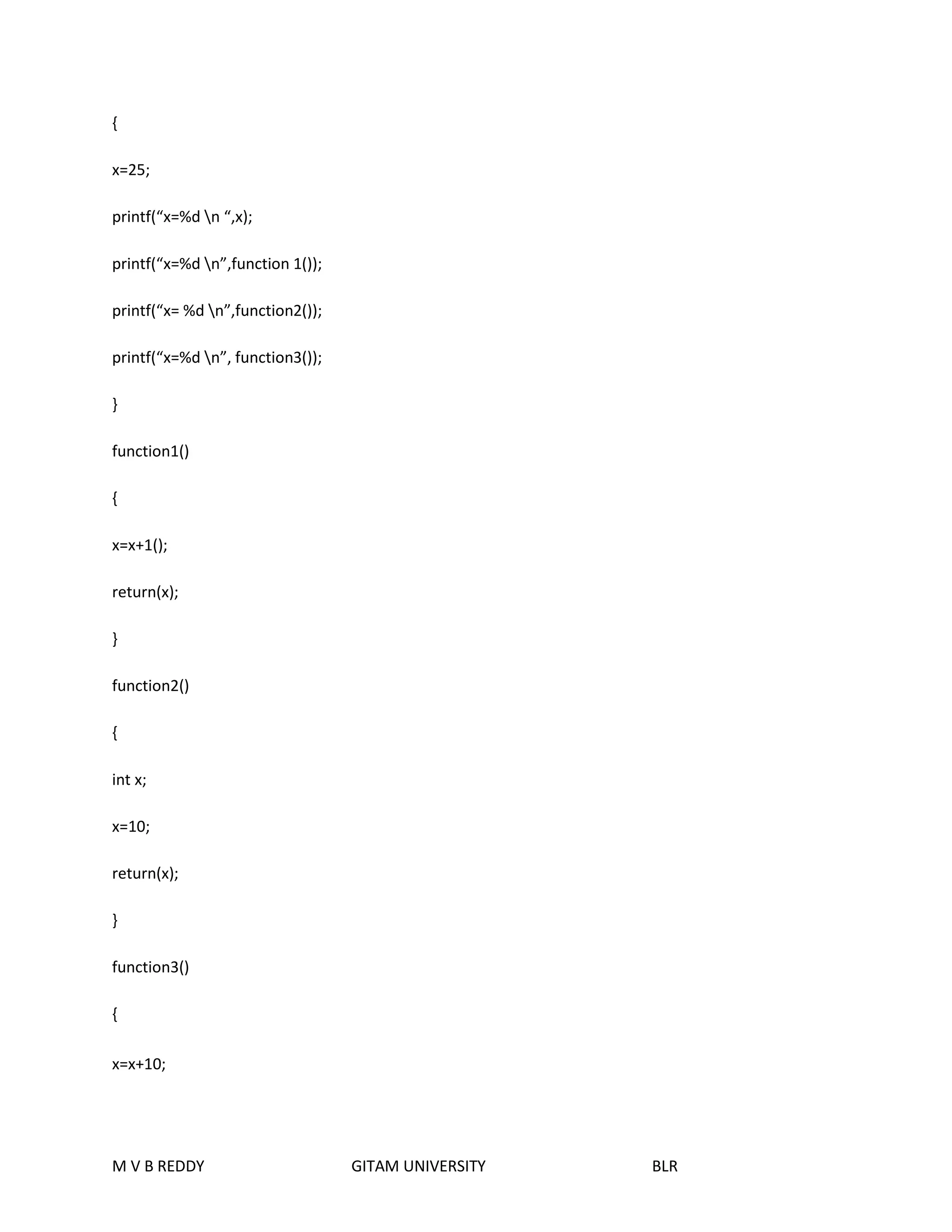
ii)EXTERNAL VARIABLES: Variables that are both alive and active throughout the entire program are 
known as external variables. They are also known as global variables. Unlike local variables, global 
variables can be accessed by any function in the program . External variables are declared outside a 
function. A program to illustrate the properties of global variables. Note that variable X is used in all 
functions. But none except function2 has a definition for X. Because X has been declared above all the 
functions, it is declared as global, any function can use it, and change its value. Then subsequent 
function can reference only those new values. 
PROGRAM TO ILLUSTRATION OF PROPERTIES OF GLOBAL VARIABLES: 
int x; 
main() 
M V B REDDY GITAM UNIVERSITY BLR
{ 
x=25; 
printf(“x=%d n “,x); 
printf(“x=%d n”,function 1()); 
printf(“x= %d n”,function2()); 
printf(“x=%d n”, function3()); 
} 
function1() 
{ 
x=x+1(); 
return(x); 
} 
function2() 
{ 
int x; 
x=10; 
return(x); 
} 
function3() 
{ 
x=x+10; 
M V B REDDY GITAM UNIVERSITY BLR
return(x); 
} 
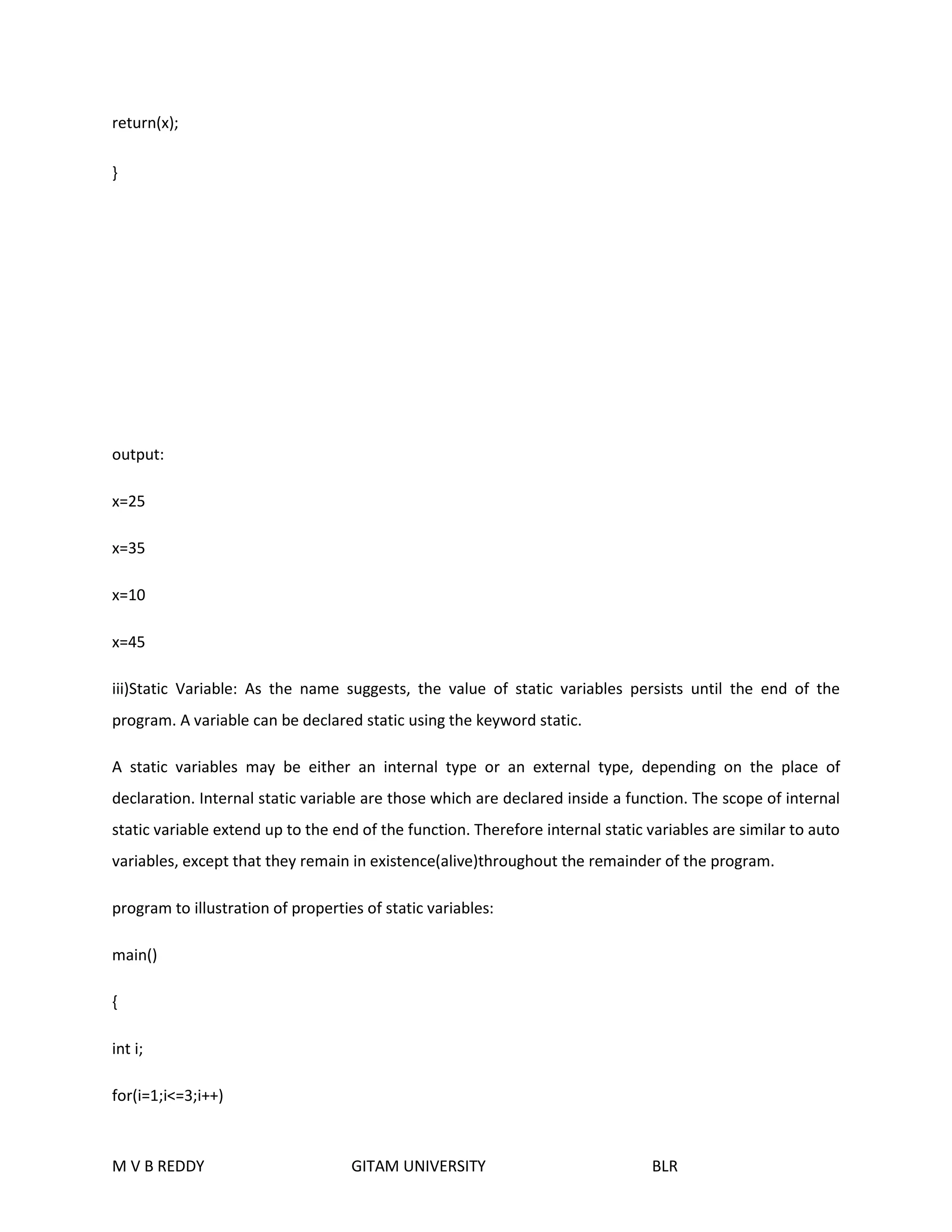
output: 
x=25 
x=35 
x=10 
x=45 
iii)Static Variable: As the name suggests, the value of static variables persists until the end of the 
program. A variable can be declared static using the keyword static. 
A static variables may be either an internal type or an external type, depending on the place of 
declaration. Internal static variable are those which are declared inside a function. The scope of internal 
static variable extend up to the end of the function. Therefore internal static variables are similar to auto 
variables, except that they remain in existence(alive)throughout the remainder of the program. 
program to illustration of properties of static variables: 
main() 
{ 
int i; 
for(i=1;i<=3;i++) 
M V B REDDY GITAM UNIVERSITY BLR
fun(); 
} 
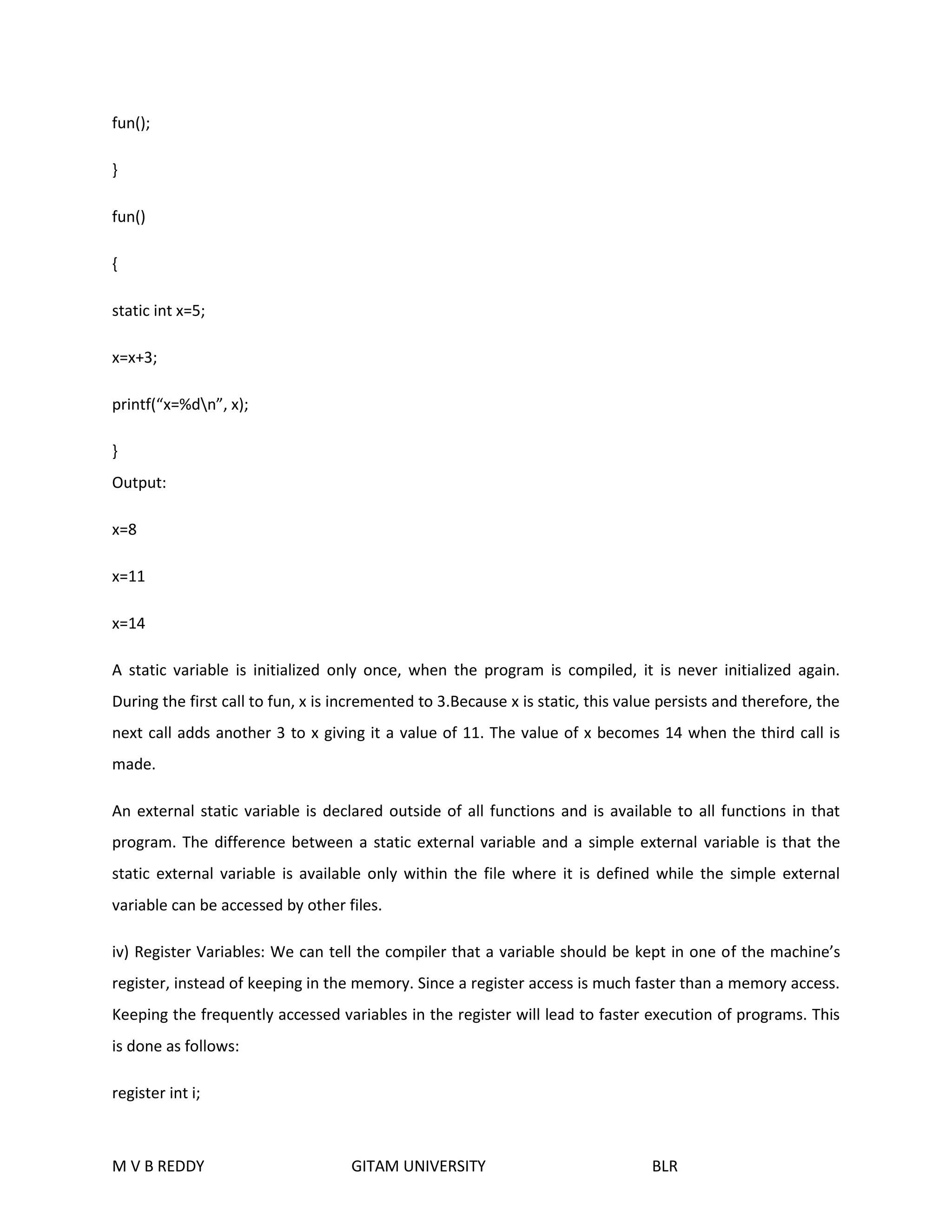
fun() 
{ 
static int x=5; 
x=x+3; 
printf(“x=%dn”, x); 
} 
Output: 
x=8 
x=11 
x=14 
A static variable is initialized only once, when the program is compiled, it is never initialized again. 
During the first call to fun, x is incremented to 3.Because x is static, this value persists and therefore, the 
next call adds another 3 to x giving it a value of 11. The value of x becomes 14 when the third call is 
made. 
An external static variable is declared outside of all functions and is available to all functions in that 
program. The difference between a static external variable and a simple external variable is that the 
static external variable is available only within the file where it is defined while the simple external 
variable can be accessed by other files. 
iv) Register Variables: We can tell the compiler that a variable should be kept in one of the machine’s 
register, instead of keeping in the memory. Since a register access is much faster than a memory access. 
Keeping the frequently accessed variables in the register will lead to faster execution of programs. This 
is done as follows: 
register int i; 
M V B REDDY GITAM UNIVERSITY BLR
Most compilers allow only int or char variables to be placed in the register. Since only a few variables 
can be placed in the register. However C will automatically convert register variables into non-register 
variables once the limit is reached. 
Introduction to Recursion: 
The function called by itself is called recursive function and this process often referred as recursion. 
Ex:-main() 
{ 
printf(“welcome to SHREETECHN”); 
main(); 
} 
Important conditions: There are two important conditions that must be satisfied by any recursive 
procedure. 
1.Each time a procedure calls itself, it must be nearer to a solution. 
2.There must be a decision criterion for stopping the computation. 
Types of recursion: 
There are two types of recursions. 
1.The first type concerns recursively defined functions. Example of this kind is the Factorial function. 
2.The second type of recursion is the recursive use of a procedure. 
Factorial of a Given Number: 
fact(n)= {1,if n=0 
{n * fact(n-1),otherwise 
Here fact(n) is defined in terms of fact(n-1), which in turn is defined in terms of fact(n-2).etc.,until fact(0) 
is reached, whose value is given as “one”. 
M V B REDDY GITAM UNIVERSITY BLR
Fibonacci Number: 
Fib(n)={1, if n=0 
1, if n=1 
fib(n-1)+fib(n-2), otherwise 
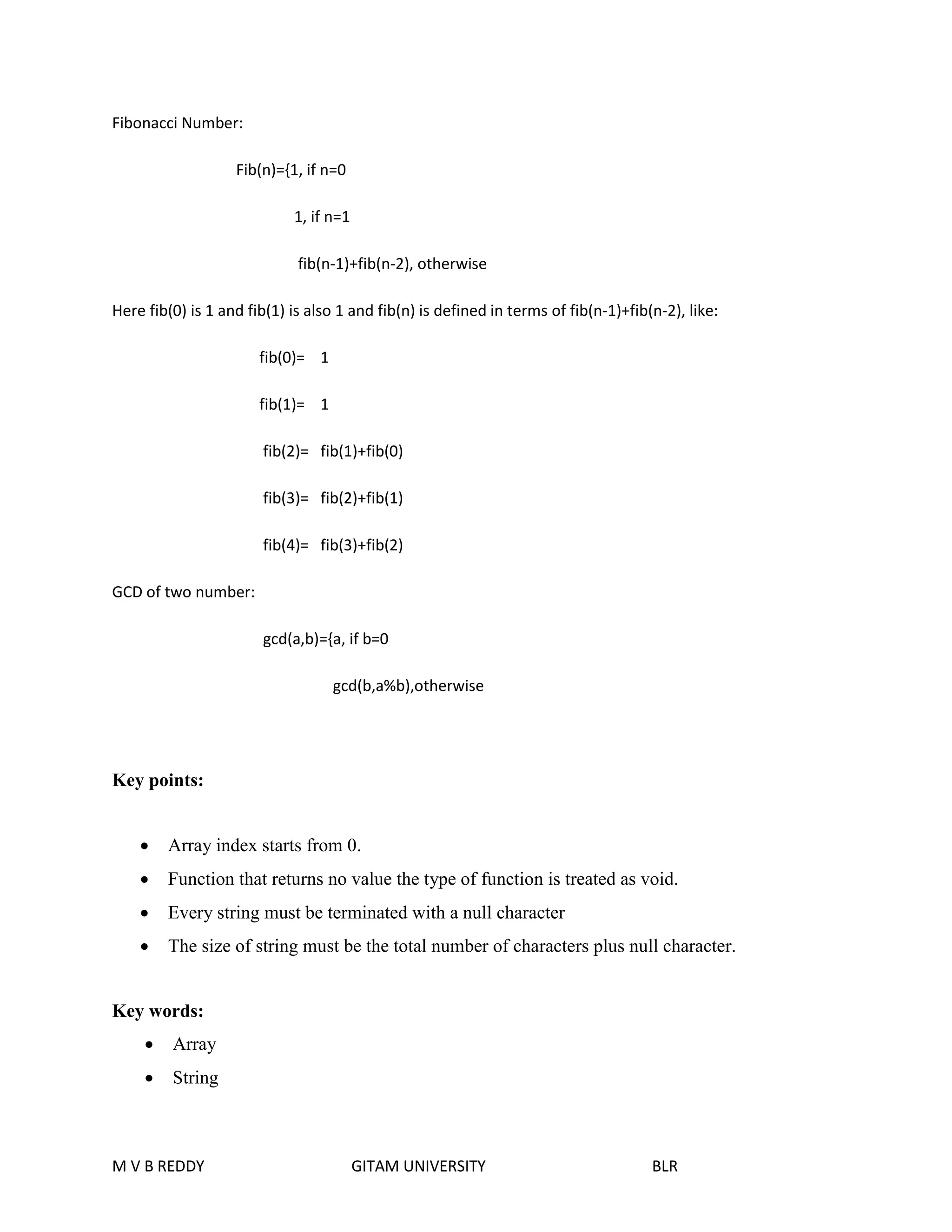
Here fib(0) is 1 and fib(1) is also 1 and fib(n) is defined in terms of fib(n-1)+fib(n-2), like: 
fib(0)= 1 
fib(1)= 1 
fib(2)= fib(1)+fib(0) 
fib(3)= fib(2)+fib(1) 
fib(4)= fib(3)+fib(2) 
GCD of two number: 
gcd(a,b)={a, if b=0 
gcd(b,a%b),otherwise 
Key points: 
 Array index starts from 0. 
 Function that returns no value the type of function is treated as void. 
 Every string must be terminated with a null character 
 The size of string must be the total number of characters plus null character. 
Key words: 
 Array 
 String 
M V B REDDY GITAM UNIVERSITY BLR
 Actual parameter 
 Formal parameter 
 Function 
 Recursive Function 
 Storage class 
Sample theory questions: 
1) Write about arrays? How arrays can be initialized and declared? Illustrate with examples? 
2) Explain the various operations performed on string and explain the various string 
handling functions? 
3) What is meant by function? Explain the types of functions? 
4) Explain recursive functions with an example? 
5) Explain the storage classes in C and also explain the scope rules in detail? 
Sample Objective questions: 
1) Array is used to represent a list of data items of same data type. 
2) One dimensional array is known as Vector 
3) Array subscripts in C always start with 0 
4) The value within the [] in an array declaration specifies the Size of an array 
5) Strcpy is used to copy a string into another. 
6) When two strings are equal then strcmp() return 0. 
7) The default return data type in function is int 
8) Register storage class may help in faster execution. 
9) External variables declaration uses the keyword Extern 
10) The typedef statement is used to create a new data type. 
M V B REDDY GITAM UNIVERSITY BLR
POINTERS IN ‘C’ 
Objective: 
One of the powerful features of C is its ability to access the memory variables by their 
memory addresses. A pointer data type is mainly used to hold memory address. Pointers are 
useful to work with memory addresses, to pass values as arguments to functions, to allocate 
memory dynamically and to effectively represent complex data structures. Since arrays store data 
sequentially in memory, pointers allow a convenient and powerful manipulation of array 
elements. This unit introduces pointers and covers the basic features to work with pointers. 
M V B REDDY GITAM UNIVERSITY BLR
Introduction: 
A pointer is a derived data type in C, it is built from one of the fundamental data types available 
in C. Pointers contain memory address as their values. Pointers are one of the most distinct and 
exciting features of C language. It has added power and flexibility to the language. Pointers are used 
frequently in C. 
Need of pointers: 
 Basically arrays are static. It means that the maximum possible size of the array has to be 
declared before it’s use (i.e., at compile time). It is not always possible to guess the maximum 
size of an array, because for some applications we need the size of an array to be changed 
during the program execution. This can be achieved by using the pointers. Pointers allows 
memory allocation and de-allocation dynamically. 
 Pointers are used for establishing links between data elements or objects for some complex 
data structures such as stacks, queues, linked lists, binary trees and graphs. 
Benefits to the programmers with pointers: 
 Pointers are more efficient in handling arrays and data tables. 
 Pointers can be used to written multiple values from a function via 
function arguments. 
 Pointers permit reference to functions and there by facilitating passing of functions as 
arguments to other functions. 
 The use of pointer arrays to character string results in saving of data storage space in memory. 
 Pointers allow C to support dynamic memory management. 
 Pointers provide an efficient tool for manipulating dynamic data structures such as structures, 
linked lists, queues, stacks and trees. 
 Pointers reduce length and complexity of programs. 
 They increase the execution speed and reduce the program execution time. 
 With the help of pointers, variables can be swapped without physically moving them. 
Pointers: 
M V B REDDY GITAM UNIVERSITY BLR
definition: 
A pointer is a variable which contains the address of another variable. 
Note: both pointer variable data types are same. 
Declaration: 
data-type *Pointer_ Name: 
Here the * tells that variable Pointer _Name is pointer type variable. i.e. it holds the address of another 
variable specified by the data-type. Pointer_ Name needs a memory location .Pointer_ Name points to a 
variable of type data_ Type. 
Consider the following declaration. 
int n =20; 
This declaration tells the C compiler to: 
1. Reserve space in memory to hold the integer value. 
2. Associate the name with this memory location. 
3. Store the value 20 at this location. 
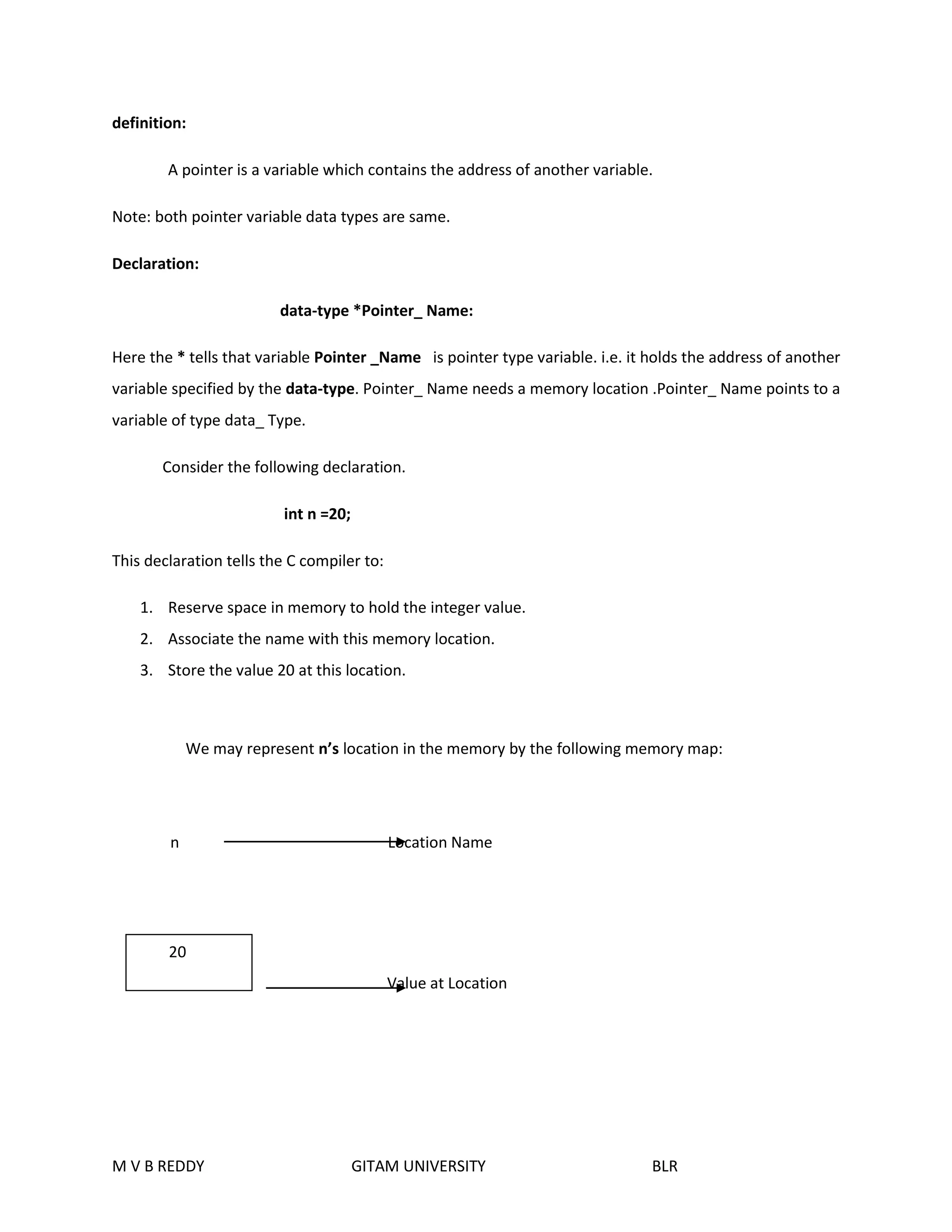
We may represent n’s location in the memory by the following memory map: 
n Location Name 
Value at Location 
20 
M V B REDDY GITAM UNIVERSITY BLR
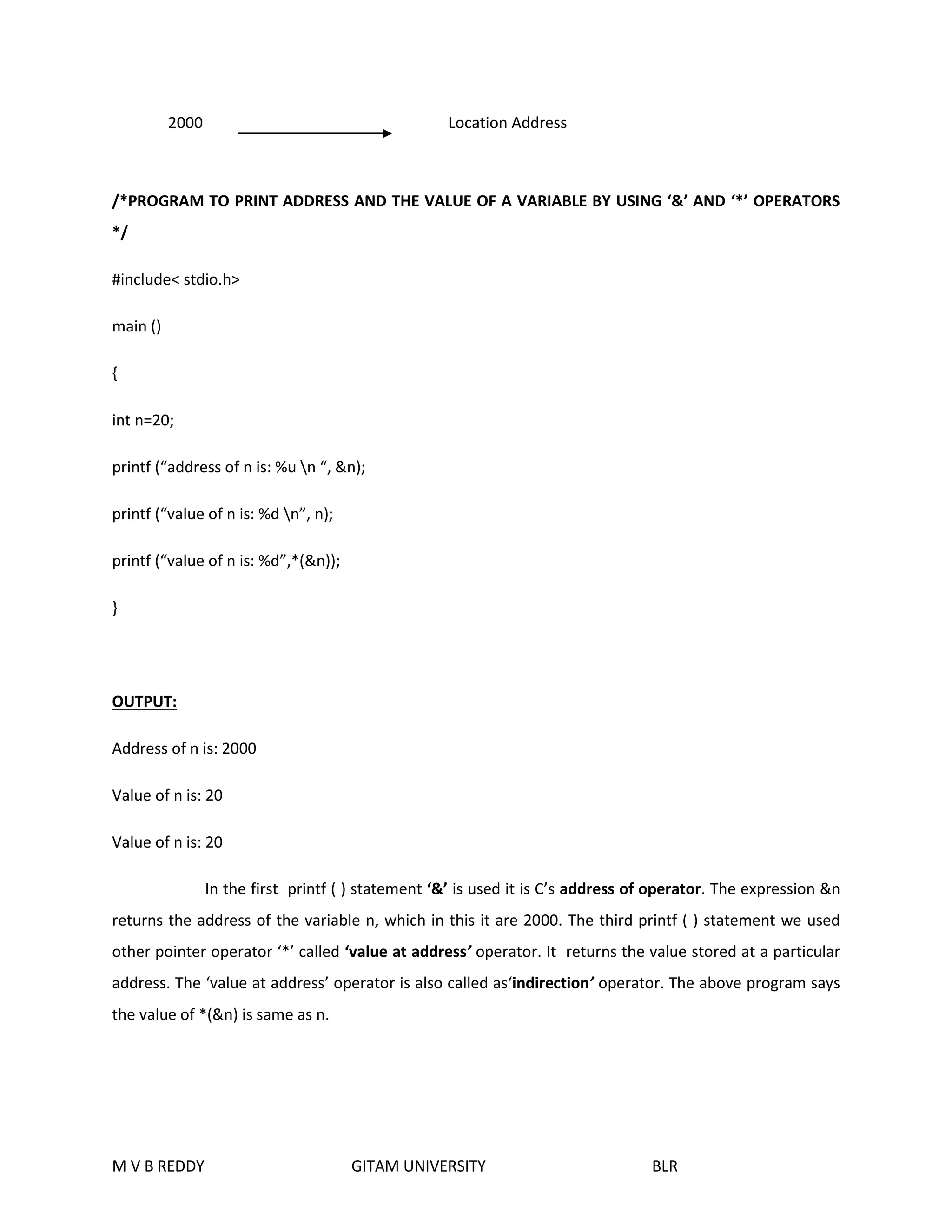
2000 Location Address 
/*PROGRAM TO PRINT ADDRESS AND THE VALUE OF A VARIABLE BY USING ‘&’ AND ‘*’ OPERATORS 
*/ 
#include< stdio.h> 
main () 
{ 
int n=20; 
printf (“address of n is: %u n “, &n); 
printf (“value of n is: %d n”, n); 
printf (“value of n is: %d”,*(&n)); 
} 
OUTPUT: 
Address of n is: 2000 
Value of n is: 20 
Value of n is: 20 
In the first printf ( ) statement ‘&’ is used it is C’s address of operator. The expression &n 
returns the address of the variable n, which in this it are 2000. The third printf ( ) statement we used 
other pointer operator ‘*’ called ‘value at address’ operator. It returns the value stored at a particular 
address. The ‘value at address’ operator is also called as‘indirection’ operator. The above program says 
the value of *(&n) is same as n. 
M V B REDDY GITAM UNIVERSITY BLR
POINTER EXPRESSIONS: 
In the above example &n returns the address of n, if we desire this address can be collected in a 
variable by saying 
m=&n; 
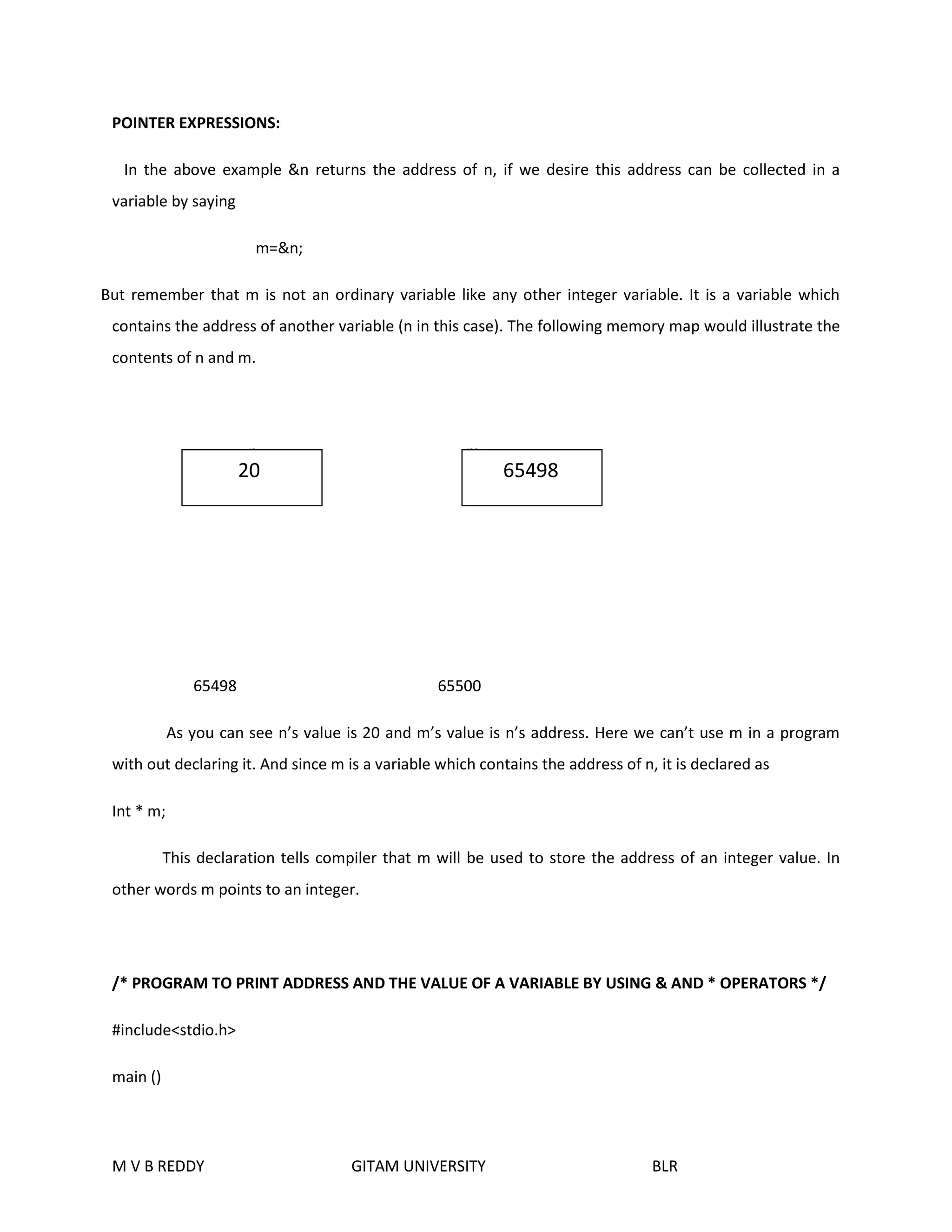
But remember that m is not an ordinary variable like any other integer variable. It is a variable which 
contains the address of another variable (n in this case). The following memory map would illustrate the 
contents of n and m. 
n m 
20 65498 
65498 65500 
As you can see n’s value is 20 and m’s value is n’s address. Here we can’t use m in a program 
with out declaring it. And since m is a variable which contains the address of n, it is declared as 
Int * m; 
This declaration tells compiler that m will be used to store the address of an integer value. In 
other words m points to an integer. 
/* PROGRAM TO PRINT ADDRESS AND THE VALUE OF A VARIABLE BY USING & AND * OPERATORS */ 
#include<stdio.h> 
main () 
M V B REDDY GITAM UNIVERSITY BLR
{ 
int n=20; 
int *m; 
m=&n; 
clrscr ( ); 
printf (“address of n is: %u n”, &n); 
printf (“address of n m is:” %un”, m); 
printf (“address of m is: %un”, &m); 
printf (“value of m is: %u n”, m); 
printf (“value of n is: %dn “, n); 
printf (“value of n is: %dn”,*(&n)); 
printf (“value of n is: %d”,*m); 
} 
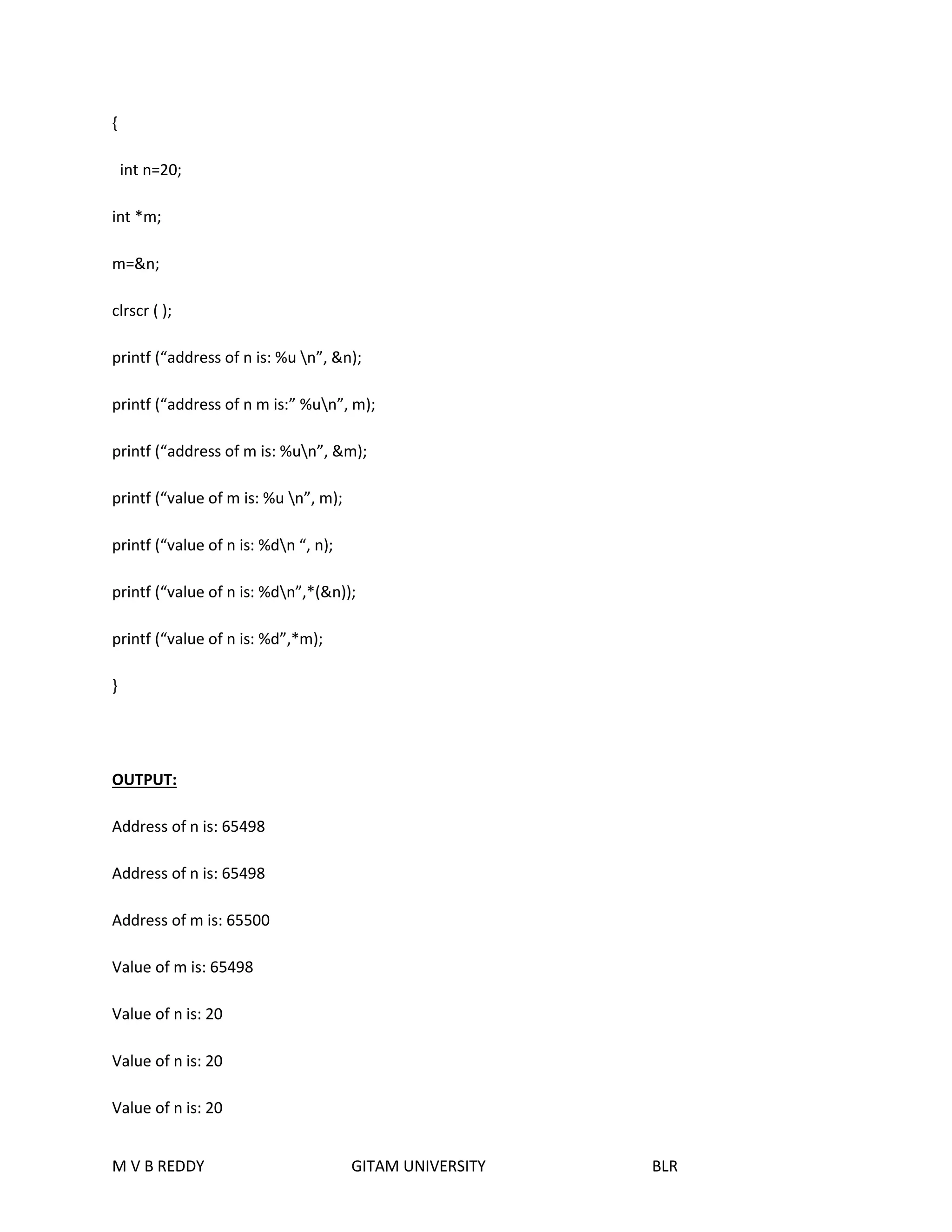
OUTPUT: 
Address of n is: 65498 
Address of m is: 65500 
Value of m is: 65498 
Value of n is: 20 
Value of n is: 20 
Value of n is: 20 
M V B REDDY GITAM UNIVERSITY BLR
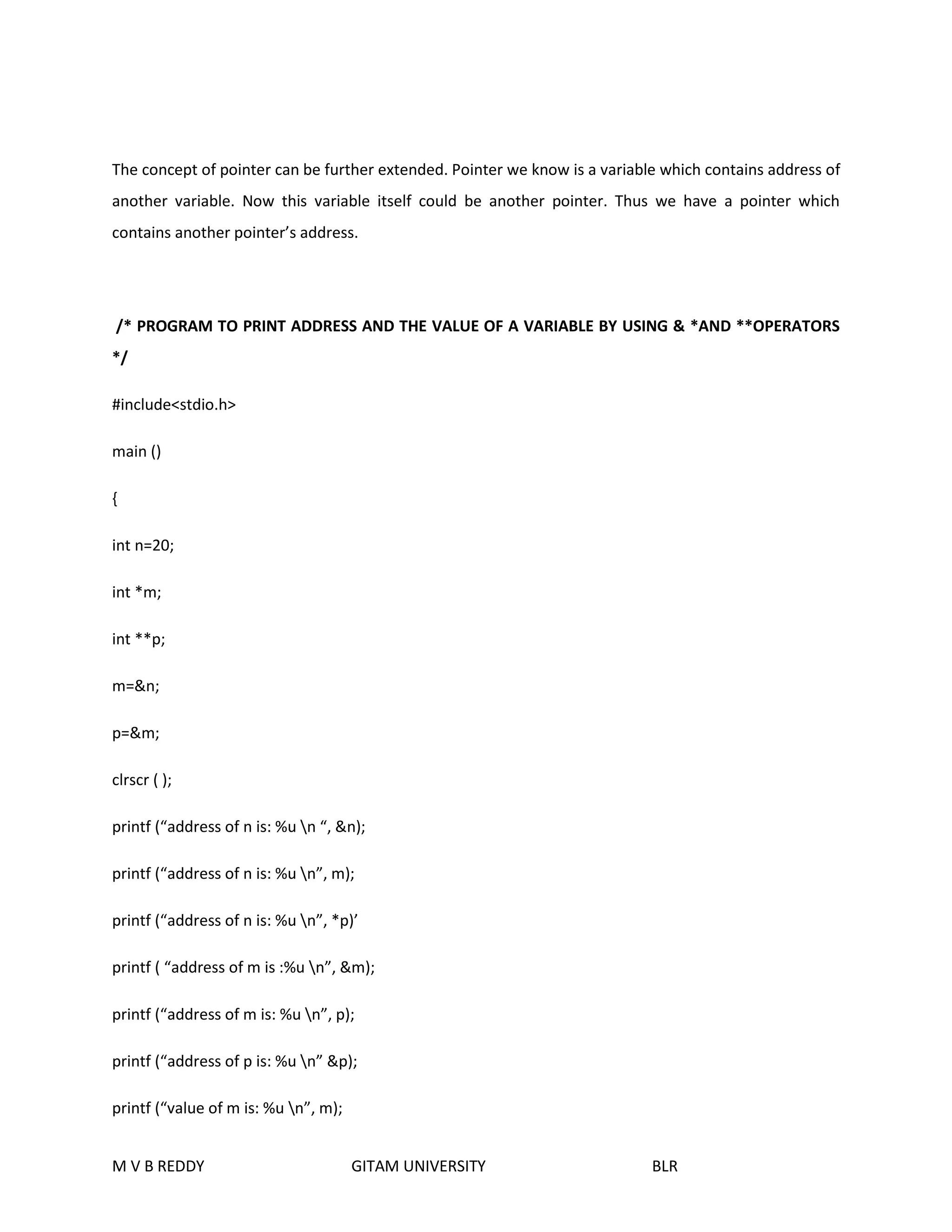
The concept of pointer can be further extended. Pointer we know is a variable which contains address of 
another variable. Now this variable itself could be another pointer. Thus we have a pointer which 
contains another pointer’s address. 
/* PROGRAM TO PRINT ADDRESS AND THE VALUE OF A VARIABLE BY USING & *AND **OPERATORS 
*/ 
#include<stdio.h> 
main () 
{ 
int n=20; 
int *m; 
int **p; 
m=&n; 
p=&m; 
clrscr ( ); 
printf (“address of n is: %u n “, &n); 
printf (“address of n is: %u n”, m); 
printf (“address of n is: %u n”, *p)’ 
printf ( “address of m is :%u n”, &m); 
printf (“address of m is: %u n”, p); 
printf (“address of p is: %u n” &p); 
printf (“value of m is: %u n”, m); 
M V B REDDY GITAM UNIVERSITY BLR
printf (“value of p is: %u n”, p); 
printf (“value of n is: %d n”, n); 
printf (“value of n is: %d n”,*(&n)); 
printf (“value of n is %dn “, *m); 
printf (“value of n is: %d n”, **p); 
} 
output: 
address of n is: 65496 
address of m is: 65496 
address of m is: 65498 
address of p is: 65500 
value of m is: 65496 
value of p is: 65498 
value of n is: 20 
value of n is: 20 
value of n is: 20 
value of n is: 20 
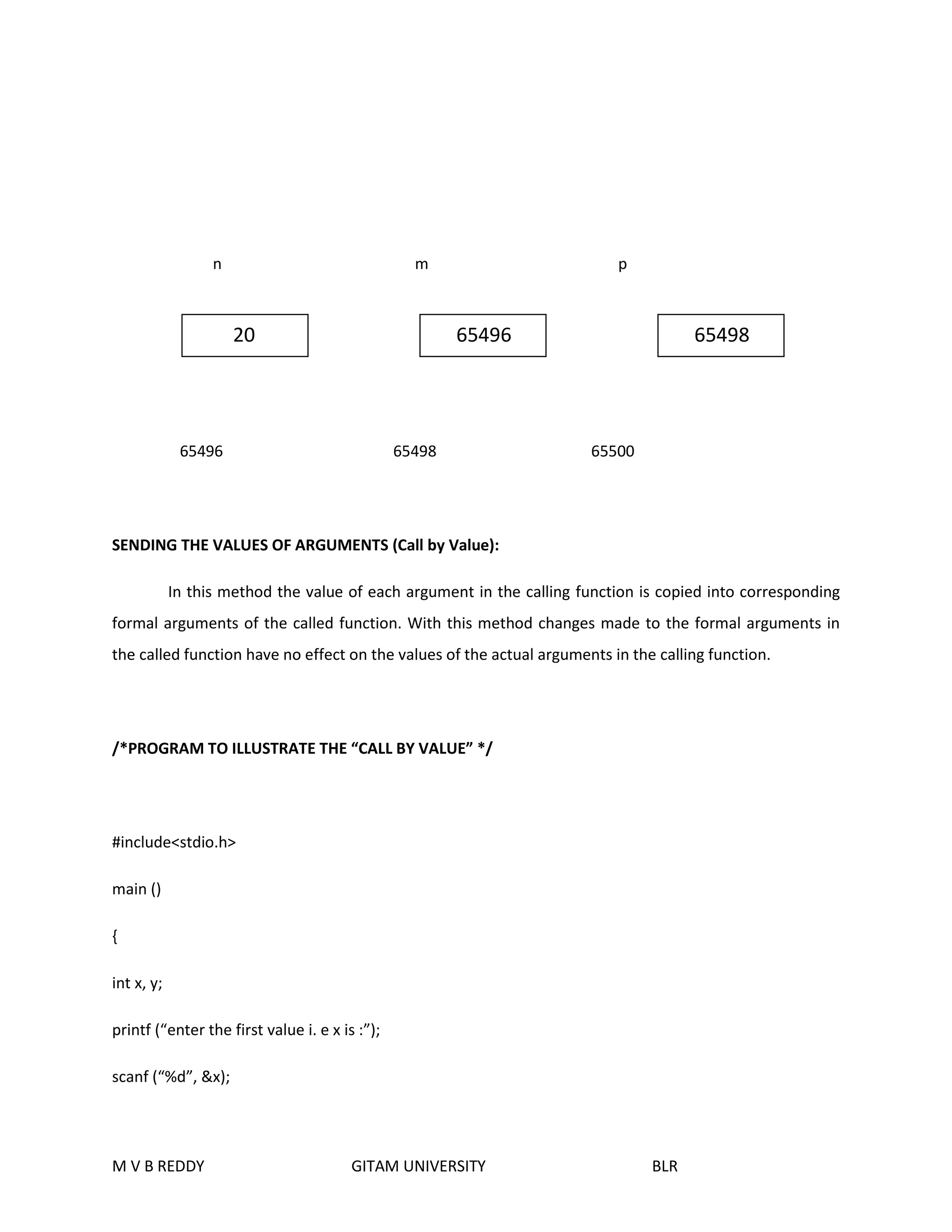
The Following memory map would help you in tracing out how the program prints the above 
output 
M V B REDDY GITAM UNIVERSITY BLR
n m p 
20 65496 65498 
65496 65498 65500 
SENDING THE VALUES OF ARGUMENTS (Call by Value): 
In this method the value of each argument in the calling function is copied into corresponding 
formal arguments of the called function. With this method changes made to the formal arguments in 
the called function have no effect on the values of the actual arguments in the calling function. 
/*PROGRAM TO ILLUSTRATE THE “CALL BY VALUE” */ 
#include<stdio.h> 
main () 
{ 
int x, y; 
printf (“enter the first value i. e x is :”); 
scanf (“%d”, &x); 
M V B REDDY GITAM UNIVERSITY BLR
printf (“enter the second value i.e. y is:”); 
scanf (“%d”, &y); 
swap(x, y); 
printf (“in the main program:n”); 
printf (“x =%dn”, x); 
printf (“y=%dn”, y); 
} 
swap (int a, int b) 
{ 
int t; 
printf (“in the swap function:n “); 
printf (“x=a=%dn “, a); 
printf (“y =b=%dn”, b); 
t=a; 
a=b; 
b=t; 
printf (“after interchanging:n”); 
printf (“x=a=%dn”, a); 
printf (“y=b=%dn”, b); 
} 
output: 
enter first value i.e. x: 43 
M V B REDDY GITAM UNIVERSITY BLR
enter second value i.e. y: 94 
x=a=43 
y=b=94 
after interchanging: 
x=a=94 
y=b=43 
in the main program: 
x=43 
y=94 
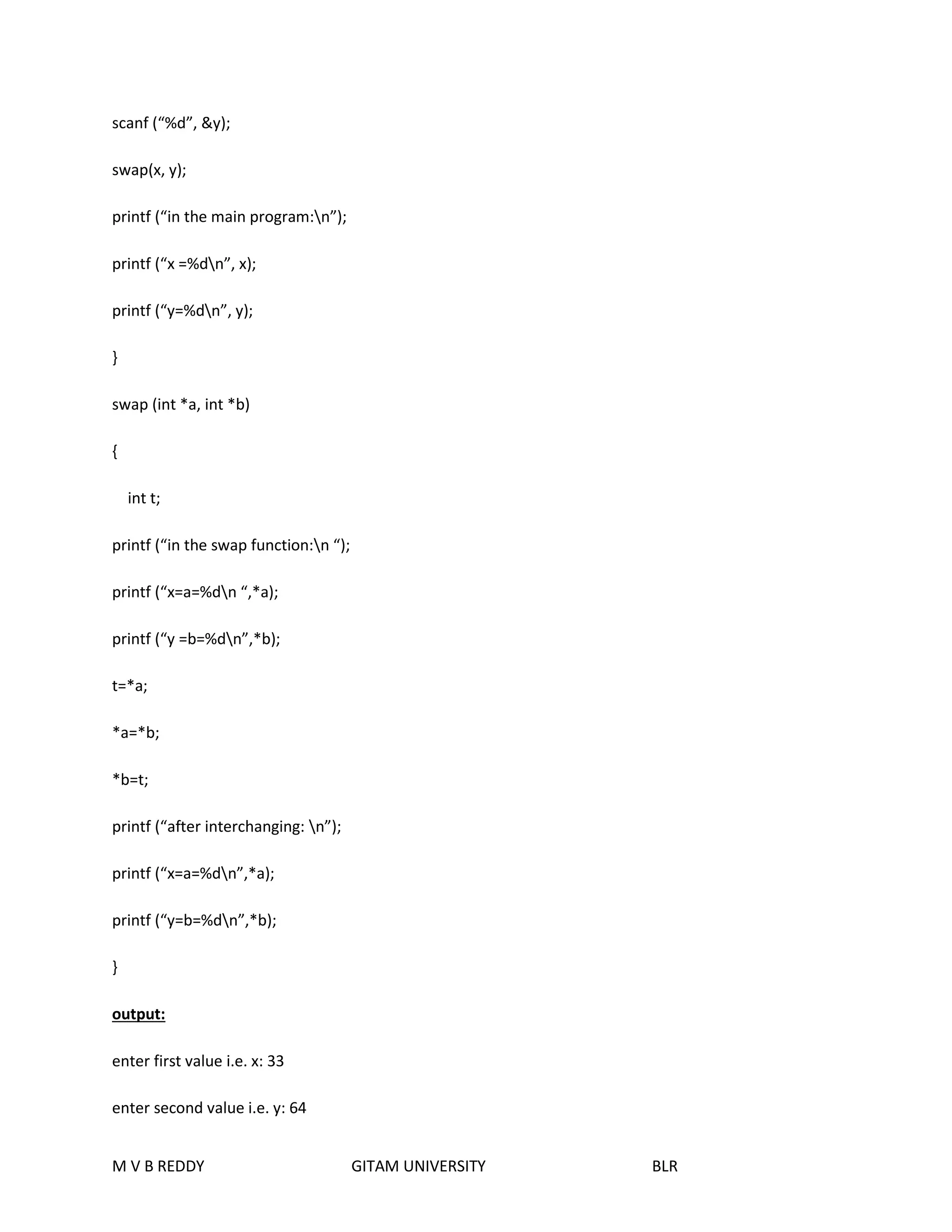
SENDING THE ADDRESS OF THE ARGUMENTS (Call by Reference): 
In this method the address of the actual arguments in the calling function are copied into formal 
arguments of the called function. This means that using the formal arguments in the called function we 
can make changes in the actual arguments of the calling function. 
/* PROGRAM ILLUSTRATE THE “CALL BY REFERENCE” */ 
#include<stdio.h> 
main () 
{ 
int x, y; 
printf (“enter the first value i.e. x is :”); 
scanf (“%d”, &x); 
printf (“enter the second value i.e. y is :”); 
M V B REDDY GITAM UNIVERSITY BLR
scanf (“%d”, &y); 
swap(x, y); 
printf (“in the main program:n”); 
printf (“x =%dn”, x); 
printf (“y=%dn”, y); 
} 
swap (int *a, int *b) 
{ 
int t; 
printf (“in the swap function:n “); 
printf (“x=a=%dn “,*a); 
printf (“y =b=%dn”,*b); 
t=*a; 
*a=*b; 
*b=t; 
printf (“after interchanging: n”); 
printf (“x=a=%dn”,*a); 
printf (“y=b=%dn”,*b); 
} 
output: 
enter first value i.e. x: 33 
enter second value i.e. y: 64 
M V B REDDY GITAM UNIVERSITY BLR
x=a=33 
y=b=64 
after interchanging: 
x=a=64 
y=b=33 
in the main program: 
x=64 
y=33 
PASSING ARRAY ELEMENTS TO A FUNCTION: Array elements can be passed to a function by calling the 
function: 
1. By value i.e. by passing values of array elements to the function. 
2. by reference i.e. passing addresses of array elements to the function 
/*PROGRAM TO THE ACCEPT A STATIC ARRAY AND PRINT IT BY CALL BY VALUE*/ 
#include<stdio.h> 
main () 
{ 
int i; 
int a [5] = {33, 44, 55, 66, 77} 
for (i=0; i<5; i++) 
write (a[i]) 
} 
M V B REDDY GITAM UNIVERSITY BLR
write (int n) 
{ 
printf (“%dn”, n); 
} 
/*PROGRAM TO ACCEPT A STATIC AND PRINT IT BY CALL BY REFERENCE */ 
#include<stdio.h> 
main ( ) 
{ 
int i; 
int a[5]={33, 44, 55, 66, 77} 
for (i=0; i<5; i++) 
write (&a[i]) 
} 
write (int *n) 
{ 
printf (“%dn”, n); 
} 
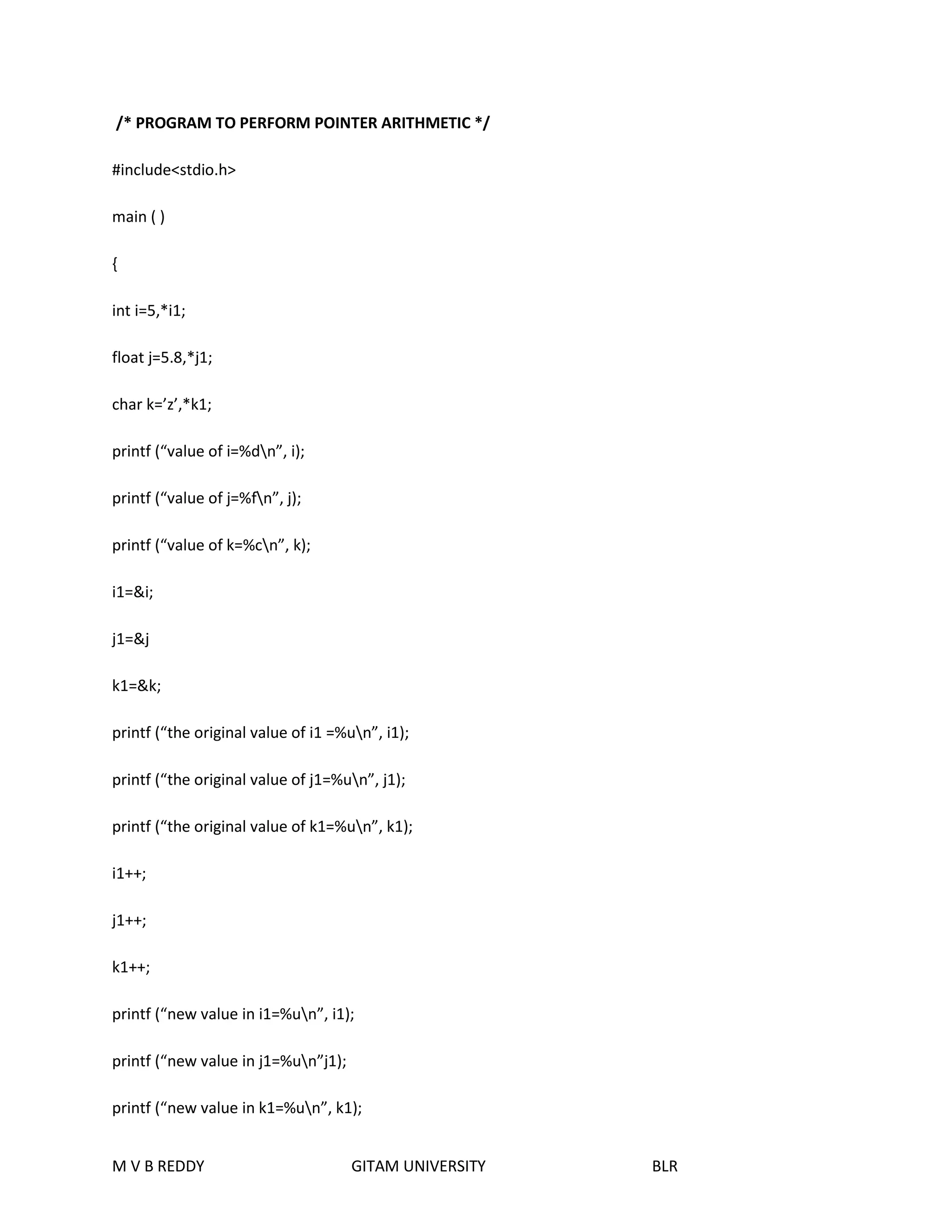
POINTER ARITHMETIC: 
M V B REDDY GITAM UNIVERSITY BLR
/* PROGRAM TO PERFORM POINTER ARITHMETIC */ 
#include<stdio.h> 
main ( ) 
{ 
int i=5,*i1; 
float j=5.8,*j1; 
char k=’z’,*k1; 
printf (“value of i=%dn”, i); 
printf (“value of j=%fn”, j); 
printf (“value of k=%cn”, k); 
i1=&i; 
j1=&j 
k1=&k; 
printf (“the original value of i1 =%un”, i1); 
printf (“the original value of j1=%un”, j1); 
printf (“the original value of k1=%un”, k1); 
i1++; 
j1++; 
k1++; 
printf (“new value in i1=%un”, i1); 
printf (“new value in j1=%un”j1); 
printf (“new value in k1=%un”, k1); 
M V B REDDY GITAM UNIVERSITY BLR
} 
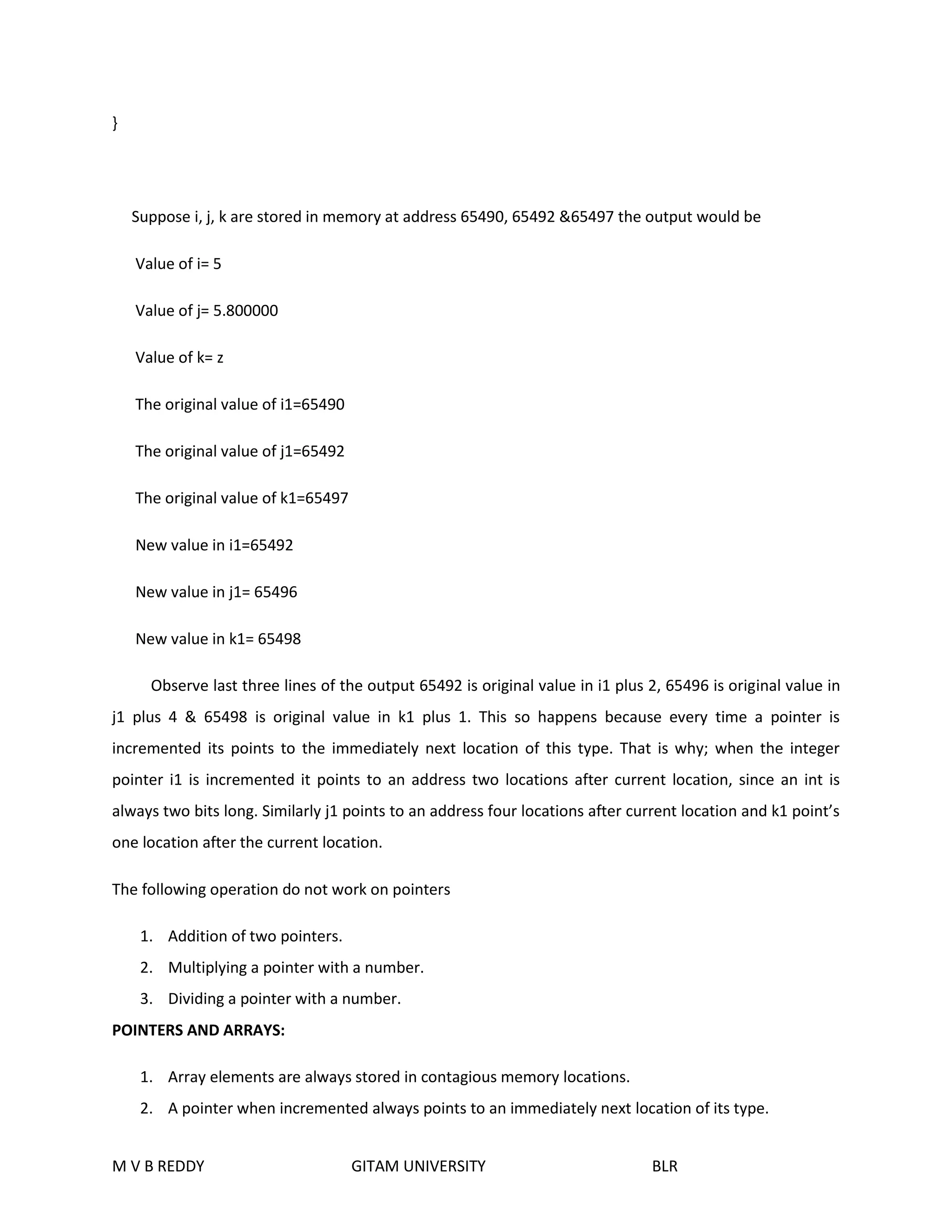
Suppose i, j, k are stored in memory at address 65490, 65492 &65497 the output would be 
Value of i= 5 
Value of j= 5.800000 
Value of k= z 
The original value of i1=65490 
The original value of j1=65492 
The original value of k1=65497 
New value in i1=65492 
New value in j1= 65496 
New value in k1= 65498 
Observe last three lines of the output 65492 is original value in i1 plus 2, 65496 is original value in 
j1 plus 4 & 65498 is original value in k1 plus 1. This so happens because every time a pointer is 
incremented its points to the immediately next location of this type. That is why; when the integer 
pointer i1 is incremented it points to an address two locations after current location, since an int is 
always two bits long. Similarly j1 points to an address four locations after current location and k1 point’s 
one location after the current location. 
The following operation do not work on pointers 
1. Addition of two pointers. 
2. Multiplying a pointer with a number. 
3. Dividing a pointer with a number. 
POINTERS AND ARRAYS: 
1. Array elements are always stored in contagious memory locations. 
2. A pointer when incremented always points to an immediately next location of its type. 
M V B REDDY GITAM UNIVERSITY BLR
EX1: 
#include<stdio.h> 
main () 
{ 
int a [] = {32, 43, 54, 65, 78},i; 
for (i=0; i<5; i++) 
{ 
printf (“address=%u”, &a[i]); 
printf (“element= %d n”, a[i]); 
} 
} 
ex2: 
#include<stdio.h> 
main () 
{ 
int a [] = {32, 43, 54, 65, 78}, i, *j; 
j=&a [0]; 
for (i=0;i<5;i++) 
{ 
printf (“address = %u”, j); 
printf (“element = %d n”,*j); 
j++; 
M V B REDDY GITAM UNIVERSITY BLR
} 
} 
In the second ex program instead printing address of any location we are stored base address i.e. a [0] 
stored in pointer j. 
PASSING AN ENTIRE ARRAY TO A FUNCTION: 
Let us now see how to pass the entire array to a function rather individual elements. 
Consider the following ex: 
#include<stdio.h> 
main (_) 
{ 
int a [] =p {32, 43, 54, 65, 78}; 
display (&a [0], 5); 
} 
display (int *i, int x) 
{ 
int j; 
for (j=0; j<5;j++) 
{ 
printf (“address=%u”, i); 
printf (“element=%dn”,*i); 
i++; 
M V B REDDY GITAM UNIVERSITY BLR
} 
} 
Here the display ( ) function is needed to print the array elements. Note that address of the 
zeroth element is being passed to the display ( ). 
ACCESSING ARRAY ELEMENTS IN DIFFERENT WAYS: 
Consider an array num contains {12, 23, 34, 45, 56} elements. 
Here we can access the ith element from the array by following notations: 
Num [i], * (num + i),*(i+ num), i[num] 
EX: 
/*ACCESSING ARRAY ELEMENTS IN DIFFERENT WAYS: */ 
#include<stdio.h> 
main ( ) 
{ 
int num [] = {12, 23, 34, 45, 56}; 
int i; 
for (i=0;i<5;i++) 
{ 
printf (“address=%u”, &num[i]); 
printf (“element=%d”, num[i]); 
printf (“%d”, *(num + i)); 
printf (“%d”,*(i+ num)); 
M V B REDDY GITAM UNIVERSITY BLR
printf (“%dn” i[num]); 
} 
} 
OUTPUT: 
Address=65490 Element=12 12 12 12 
Address= 65492 Element =23 23 23 23 
Address=65494 Element=34 34 34 34 
Address=65496 Element=45 45 45 45 
Address=65498 Element=56 56 56 56 
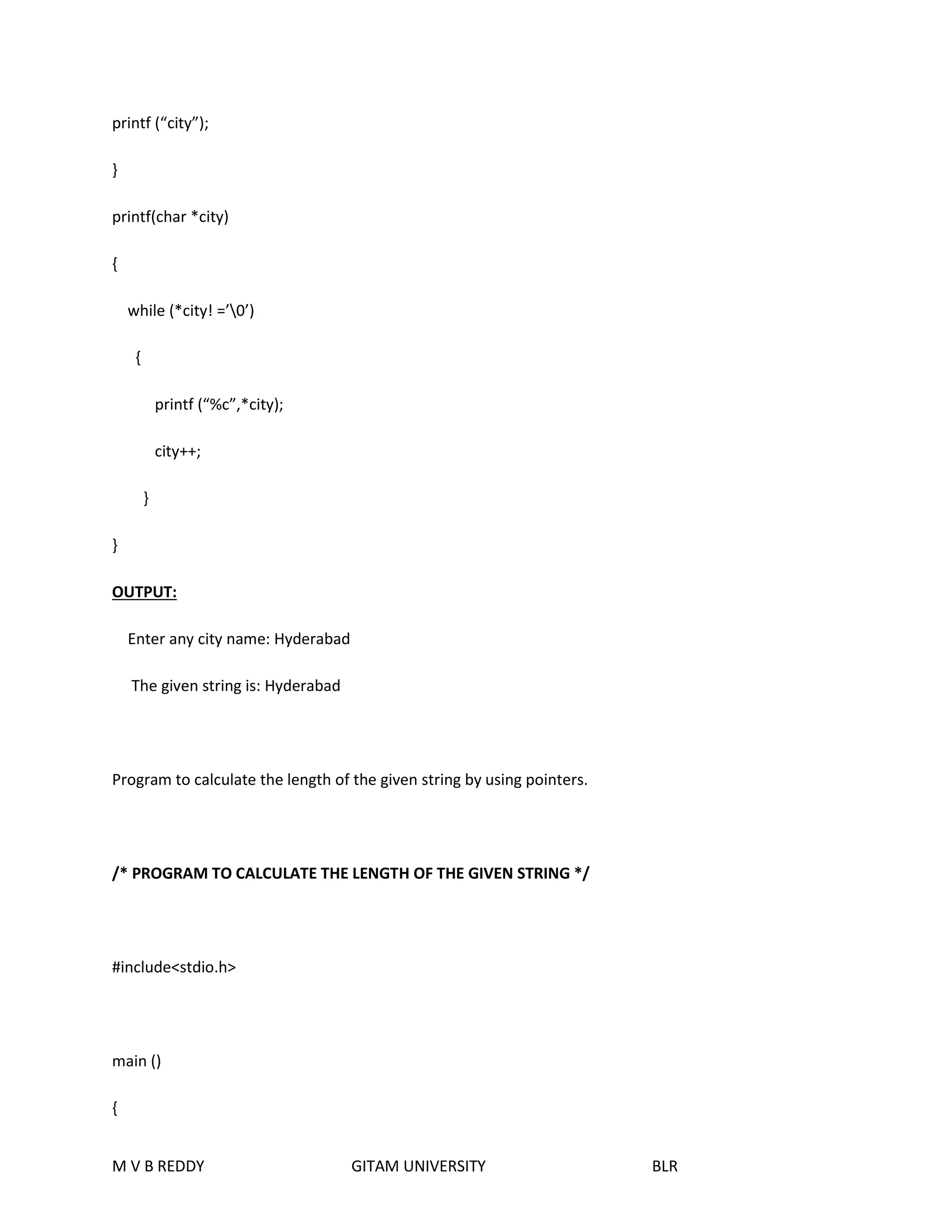
Program to accept a string and print it by using pointers. 
/* PROGRAM TO PRINT THE GIVEN STRING */ 
#include<stdio.h> 
main ( ) 
{ 
char city [100]; 
int i, l; 
printf (“enter any city name :”); 
scanf (“%s”, city); 
printf (the given string is :”); 
M V B REDDY GITAM UNIVERSITY BLR
printf (“city”); 
} 
printf(char *city) 
{ 
while (*city! =’0’) 
{ 
printf (“%c”,*city); 
city++; 
} 
} 
OUTPUT: 
Enter any city name: Hyderabad 
The given string is: Hyderabad 
Program to calculate the length of the given string by using pointers. 
/* PROGRAM TO CALCULATE THE LENGTH OF THE GIVEN STRING */ 
#include<stdio.h> 
main () 
{ 
M V B REDDY GITAM UNIVERSITY BLR
char city [100]; 
int i, l; 
printf (“enter any city name:” ); 
scanf (“%s”, city); 
l=len (city); 
printf (“the length of the given string is: %d n”, l); 
} 
len (char*city) 
{ 
int l1=0; 
while (*city! =’0’) 
{ 
l1++; 
city++; 
} 
return (l1); 
} 
OUTPUT: 
Enter any city name: Bangalore 
The length of the given string is: 9 
M V B REDDY GITAM UNIVERSITY BLR
Structure pointers:- 
The way we can have a pointer pointing to an int, or a pointer pointing to a char , similarly we 
can have a pointer pointing to the struct. Such pointers are known as ‘structure pointers’. 
/*EXAMPLE PROGRAM ON STRUCTURE POINTERS*/ 
#include <stdio.h> 
main() 
{ 
Struct book 
{ 
char title[25]; 
char author[25]; 
int no; 
}; 
struct book b={“SHREETECH C Notes”,”srinivas”,102}; 
struct book *ptr; 
ptr=&b; 
printf(“%s %s %dn”,b.tittle,b.author,b.no); 
printf(“%s %s %dn”, ptr->tittle,ptr->author,ptr->no); 
M V B REDDY GITAM UNIVERSITY BLR
} 
Run1: 
SHREETECH C Notes Srinivas 102 
The first printf() is as usual.The second printf() however is peculiar.We cannot use ptr.tittle,ptr.author 
and ptr.no because ptr is not a structure variable but a pointer to a structure, and the dot operator 
requires a structure variable on its left.In such cases C provides an operator -> called an arrow operator 
to refers the structure elements. 
Example program to passing address of a structure variable 
/*EXAMPLE PROGRAM ON PASSING ADDRESS OF A STRUCTURE VARIABLE */ 
#include<stdio.h> 
main() 
{ char title[25]; 
char author[25]; 
int no; 
}; 
struct book b={“SHREETECH C Notes”,”srinivas”,102}; 
clrscr(); 
display(&b); 
} 
display(b) 
M V B REDDY GITAM UNIVERSITY BLR
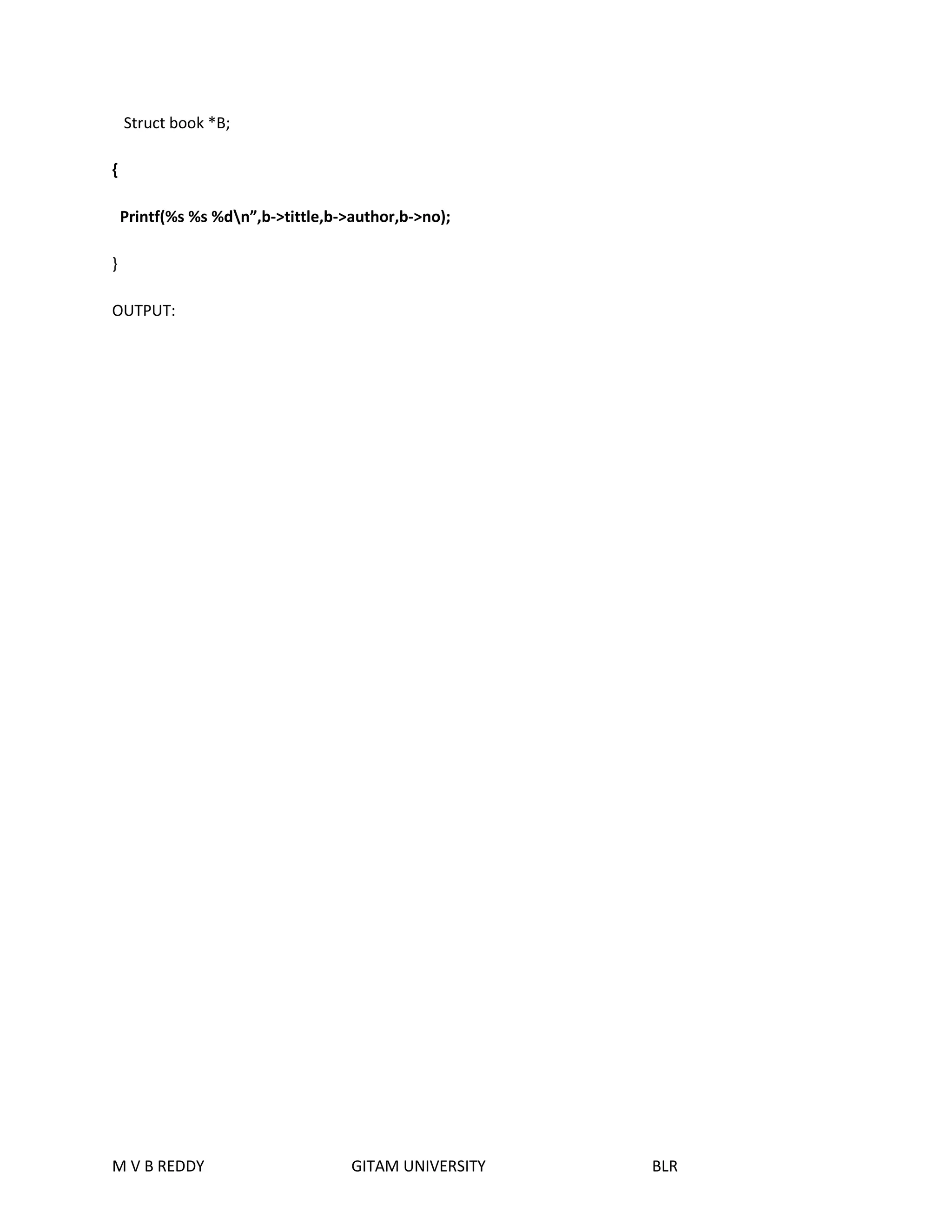
Struct book *B; 
{ 
Printf(%s %s %dn”,b->tittle,b->author,b->no); 
} 
OUTPUT: 
M V B REDDY GITAM UNIVERSITY BLR
SHREETECH C notes srinivas 102 
DYNAMIC MEMORY ALLOCATION: 
Consider an array int m [100]; 
Such a declaration would typically be used 100 student’s marks are to be stored in 
memory. The moment we make declaration 200 bytes are reserved in memory for storing 100 
integers in it. How ever it may so happens that when we actually run the program we might be 
interested in string only 30 students’ marks, which would result in wastage of memory. 
Other way round there always exists a possibility that when you run the program 
you need to store more than 100 students’ marks, in this case the array would fall short in size. 
Moreover there is no way to increase or decrease the array size during execution, this is done by 
malloc () and calloc (). 
/* PROGRAM TO EXPLAIN THE DYNAMIC MEMORY ALLOCATION */ 
# include <stdio.h> 
main () 
{ 
int n, i, sum=0, avg,*marks; 
clrscr (); 
printf (“enter how many students are there: “); 
scanf (“%d”, &n); 
marks= (int *) malloc (n*2); 
if (marks==null) 
{ 
M V B REDDY GITAM UNIVERSITY BLR
printf (“memory allocation unsuccessfuln”); 
exit (); 
} 
for (i=0; i<n;i++) 
{ 
printf (“enter marks [%d]=”,i); 
scanf (“%d”,(marks +i)); 
sum+=*(marks+i); 
} 
printf (“the students marks are: n”); 
for (i=0;i<n;i++) 
printf (“marks [%d]=%dn”,i,*(marks+i)); 
avg=sum/n; 
printf (“sum of all student marks is: %dn”, sum); 
printf (“average marks is: %d n”, avg); 
} 
Here we first ask for the no of students whose marks are to be entered and then allocate 
only as much memory as is really required to these marks not byte more , not a byte a less.The 
allocation job is done by malloc() function.if it returns NULL the memory allocation is not at 
done. If it is successful it returns the address of memory. 
M V B REDDY GITAM UNIVERSITY BLR
This address we collected is an integer pointer marks. The expression (int*) is used to typecast being 
returned as the address is an integer. This typecasting is necessary for malloc(),by default it returns a 
pointer to a void. 
The calloc() function works exactly similar to the malloc(). 
EX: 
int *marks; 
marks=(int*)calloc(10,2); 
Here 2 indicates that we wish to allocate memory for sorting integers,since an integer is a 2 byte entry. 
And 10 indicates that we want to reserve space for storing 10 integers. 
Another minor difference between malloc() and calloc() is that by default the memory is allocated by 
malloc() contains garbage values, where as that allocates by calloc() contains all zeros.while using these 
function to include the file’alloc.h’ at the beginning of the program. 
Points to remember: 
 Pointers contains garbage until it is initialized. 
 Abundance of C operators is another cause of confusion leads to errors. 
 If we define an array in function, with auto class, we cannot pass the address of that array 
back to the main for subsequent work. 
 A very common error is to use the address operator(&)d the indirection operator(*) 
certain places. The compiler may not warn you of such mistakes. 
Key words: 
M V B REDDY GITAM UNIVERSITY BLR
 Address operator 
 Indirection operator 
 Call by reference 
M V B REDDY GITAM UNIVERSITY BLR

C UNIT-3 PREPARED BY M V B REDDY

  • 1.
    UNTI-III ARRAYS ANDPOINTERS: ARRAYS & STRINGS Introduction: Arrays are homogeneous data type, and a group of homogeneous data items that shared a common name. The ability to use a single name to represent a collection of items and to refer to an item by specifying the item number enables us to develop concise and efficient programs. A particular value is indicated by writing a number called index number or subscript in brackets after the array name. Array properties:  The type of an array is the data type of its elements  The location of an array is location of its first element  The length of an array is the number of data elements in the array  The size of an array is the length of the array times the size of an element. Array whose element are specified by one subscript are called single subscripted or single dimensional array. Analogous array whose elements are specified by two and three subscripts are called two-dimensional or double subscripted and three-dimensional or triple-subscripted arrays respectively. One-dimensional array: A list of items can be given one variable name using only one subscript and such a variable is called a single-subscript and such a variable is called a single-subscripted variable or a one-dimensional array. If we want to represent a set of five numbers, say (45, 65, 10, 93, 50) an array variable marks. We may declare the variable marks as follows M V B REDDY GITAM UNIVERSITY BLR
  • 2.
    int marks[5]; Thevalue to array elements is assigned and stored as follows marks [0]=45 marks [1]=65 marks [2] = 10 marks [3] =93 marks [4] = 40 Array declaration: In c an array variable is declared by specifying first the base type of the array , then the name of the array variable, and then the number of elements the array will have should be specified between a pair square brackets ([]). Note that these values cannot be a variable and has to be an integral constant. EX: int marks [100]; float salary [1000]; Array initialization: Elements of an array can be assigned initial values by following the array definition with a list of initializes enclosed in braces and separated by comma. EX: int marks [5] = {65, 98, 62, 48, 57}; Defines the array marks to contain five integer elements and initializes marks [0] to 65, marks [1] to 98, marks [2] to 62, marks [3] to 48 and marks [4] to 57. M V B REDDY GITAM UNIVERSITY BLR
  • 3.
    If the numberof initializes is less than the number of element in the array, the remaining elements are set zero. EX: int m [5] = {3, 4, 8}; int m [5]= {3, 4, 8, 0, 0}; is equivalent to If initializes have been provided for an array, it is not necessary to explicitly specify the array length, in which case the length is derived from the initializers. A character array may be initialized by a string constant, resulting in the first element of the array being set to the first character in the string, the second element to the second character, and so on. The array also receives the terminating ‘0’ in the string constant. Ex: char name [10] =”COMPUTERS”; char name[10] ={‘c’,’o’,’m’,’p’,’t’,’e’,’r’,’s’,’0’}; Two-Dimensional arrays: Till now we discussed the array of variables that can store a list of values. There will be a situation where we need to store values. In that situation we will go for two-dimensional arrays Array Declaration: The two-dimensional array can be declared by specifying first the base type of the array, then the name of the array variable, and then the number of rows and column elements the array will have should be specified between a pair square brackets ([] []). Note that this value cannot be a variable and has to be an integer constant. GENERAL FORMAT: M V B REDDY GITAM UNIVERSITY BLR
  • 4.
    Array initialization: Elementsof an array can be assigned initial values by following the array definition with a list of initializes enclosed in braces and separated by comma. EX: int marks [2] [3] = {65, 98, 62, 48, 57, 40}; Defines the array marks to contain six integer elements and initializes marks [0] [3] to 62, marks [1] [1] to 48, marks [1] [2] to 57 and marks [1] [3] to 40. Strings: A string as an array of characters. Any constant string defined between double quotation marks. Ex: “SHREETECH computers” Declaration And Initialization: A string variable is any valid C variable name and is always declared as an array. General Format: char variable_name[size] The size determines the number of characters in string name. Ex: char city [25]; char name [50]; When a compiler assigns a character string to a character array, it automatically supplies a NULL character ‘0’ at the end of the string. Therefore the size should be equal to maximum number of characters in the string plus one. Character array may be initializes when they are declared. M V B REDDY GITAM UNIVERSITY BLR
  • 5.
    Static char name[10] = “SHEREETECH” Reading as String: The input function scanf() can be used with %s format specification to read a string. EX: char city[20]; scanf(“%s”,city); Printing a String: The print function printf () can be used with %s format specification to print a string. EX: char city[20]; scanf(“%s”,city); printf (“%s”,city); String Operations: 1. Reading and writing of strings 2. concatenating of strings 3. copying one string into another 4. Comparing Strings. 5. Extracting a portion of a string. 6. Converting the string from lowercase to uppercase. M V B REDDY GITAM UNIVERSITY BLR
  • 6.
    String Handling Functions: ‘C’ provides string handling functions to perform the above specified operations. The following are the string handling functions. i) strcpy (): It is used to copy one string into another string Syntax: strcpy (str1, str2) ii) strcmp (): It is used to compare two strings character by character and returns -1 or 0 or 1. Syntax: strcmp (str1, str2) If the ASCII value of the character of the first string is less than the second string it returns – ve. If both strings are equal it returns 0. If the ASCII value of the character of the first string is greater than a second string then it returns +ve. iii) strcat (): It is used to concatenate two strings that is it appends one string to other string Syntax: strcat (str1, str2) Here string str2 is appended to the end of the string str1. iv)strlen (): It is used to count the number of characters in the string. Syntax: strlen (str1); v)strlwr (): It is used to convert any upper case letters into the its equivalent lower case letters. Syntax: strlwr (str1) vi) strupr (): It is used to convert any lower case letters into the equivalent upper case letters. Syntax: strupr (str1) M V B REDDY GITAM UNIVERSITY BLR
  • 7.
    FUNCTIONS: ‘C’ programsare compound of a set of functions. The functions are normally used to divide a large program into smaller programs which are easier to handle. Each functions normally performs a specific task. Every program must certain one function named as main where the program always begins execution. The main program may call other functions with in it may call still other functions .When a function is called program execution is transferred to the first statement on the called function. The function is completed when it executes the last statement in the function or it executes a written function statement after a function returns to the calling function. Execution continues with the evaluation of the expression in which the call was made. A value can be written when a function completes and that written value can be used as an operand on an expression. USER DEFINED FUNCTIONS: We have used functions on every program that we have discussed so far they are main,printf and scanf etc.. C functions can be classified into two categories namely library functions and user defined functions. Main is an example of user defined function ,printf, scanf,sqrtetc.. belongs to the category of library functions. The main difference between these categories is that library functions are not required to be written by us where as a user defined functions has to be developed by the user at the time of writing a program. However a userdefined can later becomes a part of the “c” program library. M V B REDDY GITAM UNIVERSITY BLR
  • 8.
    ADVANTAGES: 1.To facilitatestopdown modular programming as shown fig. In this programming style, the high level logic of the over all problem is solved first while the details of the each lower level function or addressed later. 2.The length of the source program is reduced by using functions at appropriate places. This factor is particularly critical with microcomputers where memory space is limited. 3.As mentioned earlier, it is easy to locate and isolate a faulty function for further investigations. 4.A function may be used by many other programs. This means that a c programmer can build on what other have already done, instead of starting over, from scratch. Function 1 Function 2 Function 3 Function 4 GENERAL FORM OF C FUNCTIONS: Main program type function_name(parameters declaration) M V B REDDY GITAM UNIVERSITY BLR
  • 9.
    { local variabledeclaration; statement 1; statement 2; statement 3; . . statement n; return(expression); } PARAMETER PASSING: Parameters are nothing but input information given to a function. By passing parameters the caller can ask the function to process a set of values. Parameter passing allows you to run generalized and reusable functions. What ever the parameters the caller passes are called the actual parameters and what ever parameters the function is return to receive are called the formal parameters. The actual parameters are copied to the formal parameters. RETURN VALUES AND THEIR TYPES: A function may or may not send back any value to the calling function. If it does, it is done through the RETURN statement. While it is possible to pass to the called function any number of values, the called function can only return one value per call. The return statement can be any one of the following forms. M V B REDDY GITAM UNIVERSITY BLR return; (or) return(expression);
  • 10.
    The first plainreturn does not return any value, it acts much as the closing brace of the function, when return is encountered the control is immediately passed back to the calling function. VOID FUNCTION: A function need not have a type. If you do not care to return a value from a function at all, you may specify the return as void. A void function doesn’t return any value and cannot return any value. LOCAL VARIABLES: A variable declared inside a function called a local variables. This name derives from the fact that a variable declared inside a function can be used only inside that function. GLOBAL VARIABLES: The variables you declare in the global variable section are called Global variables or external variables. While the local variable can be used inside the function in which it is declared. A global variable variable can be used any where in the program. BLOCK VARIABLES: The variable declared inside any block such variables are called block variables. GLOBAL vs LOCAL VARIABLES: 1. Local variables can be used only inside the function of the block in which they are declared. On the other hand global variables are used through out the program. 2. All global variables, in the absence of explicit initialization, are automatically initialized to zero. A global int variables starts up with the value 0, a global float gets initialized to 0.0, a global char holds the ASCII null byte and the global pointer points to NULL. Local variable do not get initialized to any specific value when you do not provide any value. Thus a local variable starts up with an unknown value, which may be different each time. 3. Global variables get initialized only once, typically just before the program starts executing. But local variables get initialized each time the function or block containing their declaration is entered. 4. The initial that you supplied for a global variable must be a constant, where as a local variable can contain variable in its initializer. M V B REDDY GITAM UNIVERSITY BLR
  • 11.
    5. A localvariables loses its value the movement the function/block containing it is exited. So you cannot expect a local variable to retain the value deposited in it the previous time the function/block was entered. Global variables retain there values through the program’s execution. SCOPE OF VARIABLES: The scope of local variables is limited to the functions in which they are declared, or in other words these variables are inaccessible outside of the function .Like wise the scope of the block variables is limited to the block in which they are declared. Global have a scope that spans the entire source program, which is why they can be used in any function. TYPES OF FUNCTIONS: A function depending on whether arguments are present are not are whether a value is returned or not, may belong to one of the following 1. Functions with no arguments and no return values. 2. Function with argument and no return values. 3. Function with arguments and return values. /* FUNCTIONS WITH NO ARGUMENTS AND NO RETURN VALUES */ #include<stdio.h> main ( ) { M V B REDDY GITAM UNIVERSITY BLR
  • 12.
    printline ( ); power ( ); printline ( ); } printline ( ) { int i; for (i=0; i<=50; i++) printf (“_”); printf (“n”); power ( ); { int x,y,i,r; printf(“enter the base value:”); scanf(“%d”,&x); printf(“enter the power value”); scanf(“%d”,&y); M V B REDDY GITAM UNIVERSITY BLR r=1; for(i=0;i<y;i++); r=r*x; printf(“%d power%d is:%dn”,x,y,r);
  • 13.
    M V BREDDY GITAM UNIVERSITY BLR } /* Functions with arguments and no return values*/ #include<stdio.h> main( ) { char c; int x,y; printf(“enter any character”); c=getchar( ); printline(c); printf(“the base value”); scanf(“%d”,&x); printf(“enter the power value:”); scanf(“%d”,&y); power(x,y); printline(c); } printline(ch); char ch; {
  • 14.
    M V BREDDY GITAM UNIVERSITY BLR int i; for(i=0;i<=50;i++) Printf(“%c”,ch); Printf(“n”); } power(a,b); int a,b; { int i,r; r=1; for(i=0;i<b;i++); r=r*a; printf(“ %d power %d is:%dn”,a,b,r); } FUNCTION WITH ARGUMENTS AND RETURN VALUES: /* FUNCTION WITH ARGUMENTS AND RETURN VALUES*/ #include <stdio.h> main() {
  • 15.
    char c; intx,y; printf(“enter any character”); c=getchar(); println(c); printf(“enter the base value”); scanf(“%d”,&x); printf(“enter the power value”); scanf(“%d”,&y); printf(“%d power %d is: %d n “,x,y,power(x,y)); printline(c); } printline(ch); char ch; { int i; for(i=0;i<=50;i++) printf(“%c”,ch); printf(“n”); } power(a,b); int a,b; M V B REDDY GITAM UNIVERSITY BLR
  • 16.
    { int i,r; r=1; for(i=0;i<b;i++) r=r*a; return(r); } STORAGE CLASSES: To define a variable in C one needs to mention not only its but also its storage class. In other words , not only do all variables have a data type, they also have a storage class. If we do not specify the storage class of a variable in its declaration , the compiler will resume a storage class dependent on the context in which the variable is used. Thus C has got certain default storage classes. The variables may also be categorized, depending on the place of their declaration , as INTERNAL (local) or EXTERNAL (global). Internal variables are within a particular function, while external variables are declared outside of any function. From C compiler point of view, a variable name identifies some physical location within the computer where the strings of bits representing the variables value stored . There are some basically two kinds of locations in a computer where such a value may be kept: memory and CPU register. It is the variables storage class which determines it which of these two locations the value is stored. M V B REDDY GITAM UNIVERSITY BLR
  • 17.
    Moreover, a variablesstorage class tells us:  Where the variable would be stored.  What will be the initial value of the variable , if the initial value is not specifically assigned( i.e. the default initial value)  What is the scope of the variable i.e in which function the value of the variable would be available.  What is the life of the variable, i.e. how long would the variable exist. ` TYPES OF STORAGE CLASSES: a) Automatic storage class. b) Register storage class. c) Static storage class. d) External storage class. i) AUTOMATIC VARIABLES: Automatic variables are declared inside a function in which they are used they are to be utilized. They are created when the function is called and destroyed automatically when they are declared. Because of this property, automatic variables are also referred to as local or internal variables. main() { int n; _________ _________ M V B REDDY GITAM UNIVERSITY BLR
  • 18.
    } We mayalso use the key word auto to declare automatic variables explicitly. main() { auto int n; _________ _________ } One important feature of automatic variables is that their value changed accidentally by what happens in some other functions in the program. This assures that we may declare and use the same name variable name in different functions in the same program without causing any confusion to the compiler. PROGRAM TO ILLUSTRATION OF WORKING OF AUTO VARIABLES: main() { int m=1000; function2(); printf(“%d n”,m); } function1() { int m=10; M V B REDDY GITAM UNIVERSITY BLR
  • 19.
    printf(“ %dn”,m); } function2() { int m=100; function1(); printf(“%dn”,m); } Output: 10 100 1000 ii)EXTERNAL VARIABLES: Variables that are both alive and active throughout the entire program are known as external variables. They are also known as global variables. Unlike local variables, global variables can be accessed by any function in the program . External variables are declared outside a function. A program to illustrate the properties of global variables. Note that variable X is used in all functions. But none except function2 has a definition for X. Because X has been declared above all the functions, it is declared as global, any function can use it, and change its value. Then subsequent function can reference only those new values. PROGRAM TO ILLUSTRATION OF PROPERTIES OF GLOBAL VARIABLES: int x; main() M V B REDDY GITAM UNIVERSITY BLR
  • 20.
    { x=25; printf(“x=%dn “,x); printf(“x=%d n”,function 1()); printf(“x= %d n”,function2()); printf(“x=%d n”, function3()); } function1() { x=x+1(); return(x); } function2() { int x; x=10; return(x); } function3() { x=x+10; M V B REDDY GITAM UNIVERSITY BLR
  • 21.
    return(x); } output: x=25 x=35 x=10 x=45 iii)Static Variable: As the name suggests, the value of static variables persists until the end of the program. A variable can be declared static using the keyword static. A static variables may be either an internal type or an external type, depending on the place of declaration. Internal static variable are those which are declared inside a function. The scope of internal static variable extend up to the end of the function. Therefore internal static variables are similar to auto variables, except that they remain in existence(alive)throughout the remainder of the program. program to illustration of properties of static variables: main() { int i; for(i=1;i<=3;i++) M V B REDDY GITAM UNIVERSITY BLR
  • 22.
    fun(); } fun() { static int x=5; x=x+3; printf(“x=%dn”, x); } Output: x=8 x=11 x=14 A static variable is initialized only once, when the program is compiled, it is never initialized again. During the first call to fun, x is incremented to 3.Because x is static, this value persists and therefore, the next call adds another 3 to x giving it a value of 11. The value of x becomes 14 when the third call is made. An external static variable is declared outside of all functions and is available to all functions in that program. The difference between a static external variable and a simple external variable is that the static external variable is available only within the file where it is defined while the simple external variable can be accessed by other files. iv) Register Variables: We can tell the compiler that a variable should be kept in one of the machine’s register, instead of keeping in the memory. Since a register access is much faster than a memory access. Keeping the frequently accessed variables in the register will lead to faster execution of programs. This is done as follows: register int i; M V B REDDY GITAM UNIVERSITY BLR
  • 23.
    Most compilers allowonly int or char variables to be placed in the register. Since only a few variables can be placed in the register. However C will automatically convert register variables into non-register variables once the limit is reached. Introduction to Recursion: The function called by itself is called recursive function and this process often referred as recursion. Ex:-main() { printf(“welcome to SHREETECHN”); main(); } Important conditions: There are two important conditions that must be satisfied by any recursive procedure. 1.Each time a procedure calls itself, it must be nearer to a solution. 2.There must be a decision criterion for stopping the computation. Types of recursion: There are two types of recursions. 1.The first type concerns recursively defined functions. Example of this kind is the Factorial function. 2.The second type of recursion is the recursive use of a procedure. Factorial of a Given Number: fact(n)= {1,if n=0 {n * fact(n-1),otherwise Here fact(n) is defined in terms of fact(n-1), which in turn is defined in terms of fact(n-2).etc.,until fact(0) is reached, whose value is given as “one”. M V B REDDY GITAM UNIVERSITY BLR
  • 24.
    Fibonacci Number: Fib(n)={1,if n=0 1, if n=1 fib(n-1)+fib(n-2), otherwise Here fib(0) is 1 and fib(1) is also 1 and fib(n) is defined in terms of fib(n-1)+fib(n-2), like: fib(0)= 1 fib(1)= 1 fib(2)= fib(1)+fib(0) fib(3)= fib(2)+fib(1) fib(4)= fib(3)+fib(2) GCD of two number: gcd(a,b)={a, if b=0 gcd(b,a%b),otherwise Key points:  Array index starts from 0.  Function that returns no value the type of function is treated as void.  Every string must be terminated with a null character  The size of string must be the total number of characters plus null character. Key words:  Array  String M V B REDDY GITAM UNIVERSITY BLR
  • 25.
     Actual parameter  Formal parameter  Function  Recursive Function  Storage class Sample theory questions: 1) Write about arrays? How arrays can be initialized and declared? Illustrate with examples? 2) Explain the various operations performed on string and explain the various string handling functions? 3) What is meant by function? Explain the types of functions? 4) Explain recursive functions with an example? 5) Explain the storage classes in C and also explain the scope rules in detail? Sample Objective questions: 1) Array is used to represent a list of data items of same data type. 2) One dimensional array is known as Vector 3) Array subscripts in C always start with 0 4) The value within the [] in an array declaration specifies the Size of an array 5) Strcpy is used to copy a string into another. 6) When two strings are equal then strcmp() return 0. 7) The default return data type in function is int 8) Register storage class may help in faster execution. 9) External variables declaration uses the keyword Extern 10) The typedef statement is used to create a new data type. M V B REDDY GITAM UNIVERSITY BLR
  • 26.
    POINTERS IN ‘C’ Objective: One of the powerful features of C is its ability to access the memory variables by their memory addresses. A pointer data type is mainly used to hold memory address. Pointers are useful to work with memory addresses, to pass values as arguments to functions, to allocate memory dynamically and to effectively represent complex data structures. Since arrays store data sequentially in memory, pointers allow a convenient and powerful manipulation of array elements. This unit introduces pointers and covers the basic features to work with pointers. M V B REDDY GITAM UNIVERSITY BLR
  • 27.
    Introduction: A pointeris a derived data type in C, it is built from one of the fundamental data types available in C. Pointers contain memory address as their values. Pointers are one of the most distinct and exciting features of C language. It has added power and flexibility to the language. Pointers are used frequently in C. Need of pointers:  Basically arrays are static. It means that the maximum possible size of the array has to be declared before it’s use (i.e., at compile time). It is not always possible to guess the maximum size of an array, because for some applications we need the size of an array to be changed during the program execution. This can be achieved by using the pointers. Pointers allows memory allocation and de-allocation dynamically.  Pointers are used for establishing links between data elements or objects for some complex data structures such as stacks, queues, linked lists, binary trees and graphs. Benefits to the programmers with pointers:  Pointers are more efficient in handling arrays and data tables.  Pointers can be used to written multiple values from a function via function arguments.  Pointers permit reference to functions and there by facilitating passing of functions as arguments to other functions.  The use of pointer arrays to character string results in saving of data storage space in memory.  Pointers allow C to support dynamic memory management.  Pointers provide an efficient tool for manipulating dynamic data structures such as structures, linked lists, queues, stacks and trees.  Pointers reduce length and complexity of programs.  They increase the execution speed and reduce the program execution time.  With the help of pointers, variables can be swapped without physically moving them. Pointers: M V B REDDY GITAM UNIVERSITY BLR
  • 28.
    definition: A pointeris a variable which contains the address of another variable. Note: both pointer variable data types are same. Declaration: data-type *Pointer_ Name: Here the * tells that variable Pointer _Name is pointer type variable. i.e. it holds the address of another variable specified by the data-type. Pointer_ Name needs a memory location .Pointer_ Name points to a variable of type data_ Type. Consider the following declaration. int n =20; This declaration tells the C compiler to: 1. Reserve space in memory to hold the integer value. 2. Associate the name with this memory location. 3. Store the value 20 at this location. We may represent n’s location in the memory by the following memory map: n Location Name Value at Location 20 M V B REDDY GITAM UNIVERSITY BLR
  • 29.
    2000 Location Address /*PROGRAM TO PRINT ADDRESS AND THE VALUE OF A VARIABLE BY USING ‘&’ AND ‘*’ OPERATORS */ #include< stdio.h> main () { int n=20; printf (“address of n is: %u n “, &n); printf (“value of n is: %d n”, n); printf (“value of n is: %d”,*(&n)); } OUTPUT: Address of n is: 2000 Value of n is: 20 Value of n is: 20 In the first printf ( ) statement ‘&’ is used it is C’s address of operator. The expression &n returns the address of the variable n, which in this it are 2000. The third printf ( ) statement we used other pointer operator ‘*’ called ‘value at address’ operator. It returns the value stored at a particular address. The ‘value at address’ operator is also called as‘indirection’ operator. The above program says the value of *(&n) is same as n. M V B REDDY GITAM UNIVERSITY BLR
  • 30.
    POINTER EXPRESSIONS: Inthe above example &n returns the address of n, if we desire this address can be collected in a variable by saying m=&n; But remember that m is not an ordinary variable like any other integer variable. It is a variable which contains the address of another variable (n in this case). The following memory map would illustrate the contents of n and m. n m 20 65498 65498 65500 As you can see n’s value is 20 and m’s value is n’s address. Here we can’t use m in a program with out declaring it. And since m is a variable which contains the address of n, it is declared as Int * m; This declaration tells compiler that m will be used to store the address of an integer value. In other words m points to an integer. /* PROGRAM TO PRINT ADDRESS AND THE VALUE OF A VARIABLE BY USING & AND * OPERATORS */ #include<stdio.h> main () M V B REDDY GITAM UNIVERSITY BLR
  • 31.
    { int n=20; int *m; m=&n; clrscr ( ); printf (“address of n is: %u n”, &n); printf (“address of n m is:” %un”, m); printf (“address of m is: %un”, &m); printf (“value of m is: %u n”, m); printf (“value of n is: %dn “, n); printf (“value of n is: %dn”,*(&n)); printf (“value of n is: %d”,*m); } OUTPUT: Address of n is: 65498 Address of n is: 65498 Address of m is: 65500 Value of m is: 65498 Value of n is: 20 Value of n is: 20 Value of n is: 20 M V B REDDY GITAM UNIVERSITY BLR
  • 32.
    The concept ofpointer can be further extended. Pointer we know is a variable which contains address of another variable. Now this variable itself could be another pointer. Thus we have a pointer which contains another pointer’s address. /* PROGRAM TO PRINT ADDRESS AND THE VALUE OF A VARIABLE BY USING & *AND **OPERATORS */ #include<stdio.h> main () { int n=20; int *m; int **p; m=&n; p=&m; clrscr ( ); printf (“address of n is: %u n “, &n); printf (“address of n is: %u n”, m); printf (“address of n is: %u n”, *p)’ printf ( “address of m is :%u n”, &m); printf (“address of m is: %u n”, p); printf (“address of p is: %u n” &p); printf (“value of m is: %u n”, m); M V B REDDY GITAM UNIVERSITY BLR
  • 33.
    printf (“value ofp is: %u n”, p); printf (“value of n is: %d n”, n); printf (“value of n is: %d n”,*(&n)); printf (“value of n is %dn “, *m); printf (“value of n is: %d n”, **p); } output: address of n is: 65496 address of n is: 65496 address of n is: 65496 address of m is: 65496 address of m is: 65498 address of p is: 65500 value of m is: 65496 value of p is: 65498 value of n is: 20 value of n is: 20 value of n is: 20 value of n is: 20 The Following memory map would help you in tracing out how the program prints the above output M V B REDDY GITAM UNIVERSITY BLR
  • 34.
    n m p 20 65496 65498 65496 65498 65500 SENDING THE VALUES OF ARGUMENTS (Call by Value): In this method the value of each argument in the calling function is copied into corresponding formal arguments of the called function. With this method changes made to the formal arguments in the called function have no effect on the values of the actual arguments in the calling function. /*PROGRAM TO ILLUSTRATE THE “CALL BY VALUE” */ #include<stdio.h> main () { int x, y; printf (“enter the first value i. e x is :”); scanf (“%d”, &x); M V B REDDY GITAM UNIVERSITY BLR
  • 35.
    printf (“enter thesecond value i.e. y is:”); scanf (“%d”, &y); swap(x, y); printf (“in the main program:n”); printf (“x =%dn”, x); printf (“y=%dn”, y); } swap (int a, int b) { int t; printf (“in the swap function:n “); printf (“x=a=%dn “, a); printf (“y =b=%dn”, b); t=a; a=b; b=t; printf (“after interchanging:n”); printf (“x=a=%dn”, a); printf (“y=b=%dn”, b); } output: enter first value i.e. x: 43 M V B REDDY GITAM UNIVERSITY BLR
  • 36.
    enter second valuei.e. y: 94 x=a=43 y=b=94 after interchanging: x=a=94 y=b=43 in the main program: x=43 y=94 SENDING THE ADDRESS OF THE ARGUMENTS (Call by Reference): In this method the address of the actual arguments in the calling function are copied into formal arguments of the called function. This means that using the formal arguments in the called function we can make changes in the actual arguments of the calling function. /* PROGRAM ILLUSTRATE THE “CALL BY REFERENCE” */ #include<stdio.h> main () { int x, y; printf (“enter the first value i.e. x is :”); scanf (“%d”, &x); printf (“enter the second value i.e. y is :”); M V B REDDY GITAM UNIVERSITY BLR
  • 37.
    scanf (“%d”, &y); swap(x, y); printf (“in the main program:n”); printf (“x =%dn”, x); printf (“y=%dn”, y); } swap (int *a, int *b) { int t; printf (“in the swap function:n “); printf (“x=a=%dn “,*a); printf (“y =b=%dn”,*b); t=*a; *a=*b; *b=t; printf (“after interchanging: n”); printf (“x=a=%dn”,*a); printf (“y=b=%dn”,*b); } output: enter first value i.e. x: 33 enter second value i.e. y: 64 M V B REDDY GITAM UNIVERSITY BLR
  • 38.
    x=a=33 y=b=64 afterinterchanging: x=a=64 y=b=33 in the main program: x=64 y=33 PASSING ARRAY ELEMENTS TO A FUNCTION: Array elements can be passed to a function by calling the function: 1. By value i.e. by passing values of array elements to the function. 2. by reference i.e. passing addresses of array elements to the function /*PROGRAM TO THE ACCEPT A STATIC ARRAY AND PRINT IT BY CALL BY VALUE*/ #include<stdio.h> main () { int i; int a [5] = {33, 44, 55, 66, 77} for (i=0; i<5; i++) write (a[i]) } M V B REDDY GITAM UNIVERSITY BLR
  • 39.
    write (int n) { printf (“%dn”, n); } /*PROGRAM TO ACCEPT A STATIC AND PRINT IT BY CALL BY REFERENCE */ #include<stdio.h> main ( ) { int i; int a[5]={33, 44, 55, 66, 77} for (i=0; i<5; i++) write (&a[i]) } write (int *n) { printf (“%dn”, n); } POINTER ARITHMETIC: M V B REDDY GITAM UNIVERSITY BLR
  • 40.
    /* PROGRAM TOPERFORM POINTER ARITHMETIC */ #include<stdio.h> main ( ) { int i=5,*i1; float j=5.8,*j1; char k=’z’,*k1; printf (“value of i=%dn”, i); printf (“value of j=%fn”, j); printf (“value of k=%cn”, k); i1=&i; j1=&j k1=&k; printf (“the original value of i1 =%un”, i1); printf (“the original value of j1=%un”, j1); printf (“the original value of k1=%un”, k1); i1++; j1++; k1++; printf (“new value in i1=%un”, i1); printf (“new value in j1=%un”j1); printf (“new value in k1=%un”, k1); M V B REDDY GITAM UNIVERSITY BLR
  • 41.
    } Suppose i,j, k are stored in memory at address 65490, 65492 &65497 the output would be Value of i= 5 Value of j= 5.800000 Value of k= z The original value of i1=65490 The original value of j1=65492 The original value of k1=65497 New value in i1=65492 New value in j1= 65496 New value in k1= 65498 Observe last three lines of the output 65492 is original value in i1 plus 2, 65496 is original value in j1 plus 4 & 65498 is original value in k1 plus 1. This so happens because every time a pointer is incremented its points to the immediately next location of this type. That is why; when the integer pointer i1 is incremented it points to an address two locations after current location, since an int is always two bits long. Similarly j1 points to an address four locations after current location and k1 point’s one location after the current location. The following operation do not work on pointers 1. Addition of two pointers. 2. Multiplying a pointer with a number. 3. Dividing a pointer with a number. POINTERS AND ARRAYS: 1. Array elements are always stored in contagious memory locations. 2. A pointer when incremented always points to an immediately next location of its type. M V B REDDY GITAM UNIVERSITY BLR
  • 42.
    EX1: #include<stdio.h> main() { int a [] = {32, 43, 54, 65, 78},i; for (i=0; i<5; i++) { printf (“address=%u”, &a[i]); printf (“element= %d n”, a[i]); } } ex2: #include<stdio.h> main () { int a [] = {32, 43, 54, 65, 78}, i, *j; j=&a [0]; for (i=0;i<5;i++) { printf (“address = %u”, j); printf (“element = %d n”,*j); j++; M V B REDDY GITAM UNIVERSITY BLR
  • 43.
    } } Inthe second ex program instead printing address of any location we are stored base address i.e. a [0] stored in pointer j. PASSING AN ENTIRE ARRAY TO A FUNCTION: Let us now see how to pass the entire array to a function rather individual elements. Consider the following ex: #include<stdio.h> main (_) { int a [] =p {32, 43, 54, 65, 78}; display (&a [0], 5); } display (int *i, int x) { int j; for (j=0; j<5;j++) { printf (“address=%u”, i); printf (“element=%dn”,*i); i++; M V B REDDY GITAM UNIVERSITY BLR
  • 44.
    } } Herethe display ( ) function is needed to print the array elements. Note that address of the zeroth element is being passed to the display ( ). ACCESSING ARRAY ELEMENTS IN DIFFERENT WAYS: Consider an array num contains {12, 23, 34, 45, 56} elements. Here we can access the ith element from the array by following notations: Num [i], * (num + i),*(i+ num), i[num] EX: /*ACCESSING ARRAY ELEMENTS IN DIFFERENT WAYS: */ #include<stdio.h> main ( ) { int num [] = {12, 23, 34, 45, 56}; int i; for (i=0;i<5;i++) { printf (“address=%u”, &num[i]); printf (“element=%d”, num[i]); printf (“%d”, *(num + i)); printf (“%d”,*(i+ num)); M V B REDDY GITAM UNIVERSITY BLR
  • 45.
    printf (“%dn” i[num]); } } OUTPUT: Address=65490 Element=12 12 12 12 Address= 65492 Element =23 23 23 23 Address=65494 Element=34 34 34 34 Address=65496 Element=45 45 45 45 Address=65498 Element=56 56 56 56 Program to accept a string and print it by using pointers. /* PROGRAM TO PRINT THE GIVEN STRING */ #include<stdio.h> main ( ) { char city [100]; int i, l; printf (“enter any city name :”); scanf (“%s”, city); printf (the given string is :”); M V B REDDY GITAM UNIVERSITY BLR
  • 46.
    printf (“city”); } printf(char *city) { while (*city! =’0’) { printf (“%c”,*city); city++; } } OUTPUT: Enter any city name: Hyderabad The given string is: Hyderabad Program to calculate the length of the given string by using pointers. /* PROGRAM TO CALCULATE THE LENGTH OF THE GIVEN STRING */ #include<stdio.h> main () { M V B REDDY GITAM UNIVERSITY BLR
  • 47.
    char city [100]; int i, l; printf (“enter any city name:” ); scanf (“%s”, city); l=len (city); printf (“the length of the given string is: %d n”, l); } len (char*city) { int l1=0; while (*city! =’0’) { l1++; city++; } return (l1); } OUTPUT: Enter any city name: Bangalore The length of the given string is: 9 M V B REDDY GITAM UNIVERSITY BLR
  • 48.
    Structure pointers:- Theway we can have a pointer pointing to an int, or a pointer pointing to a char , similarly we can have a pointer pointing to the struct. Such pointers are known as ‘structure pointers’. /*EXAMPLE PROGRAM ON STRUCTURE POINTERS*/ #include <stdio.h> main() { Struct book { char title[25]; char author[25]; int no; }; struct book b={“SHREETECH C Notes”,”srinivas”,102}; struct book *ptr; ptr=&b; printf(“%s %s %dn”,b.tittle,b.author,b.no); printf(“%s %s %dn”, ptr->tittle,ptr->author,ptr->no); M V B REDDY GITAM UNIVERSITY BLR
  • 49.
    } Run1: SHREETECHC Notes Srinivas 102 SHREETECH C Notes Srinivas 102 The first printf() is as usual.The second printf() however is peculiar.We cannot use ptr.tittle,ptr.author and ptr.no because ptr is not a structure variable but a pointer to a structure, and the dot operator requires a structure variable on its left.In such cases C provides an operator -> called an arrow operator to refers the structure elements. Example program to passing address of a structure variable /*EXAMPLE PROGRAM ON PASSING ADDRESS OF A STRUCTURE VARIABLE */ #include<stdio.h> main() { char title[25]; char author[25]; int no; }; struct book b={“SHREETECH C Notes”,”srinivas”,102}; clrscr(); display(&b); } display(b) M V B REDDY GITAM UNIVERSITY BLR
  • 50.
    Struct book *B; { Printf(%s %s %dn”,b->tittle,b->author,b->no); } OUTPUT: M V B REDDY GITAM UNIVERSITY BLR
  • 51.
    SHREETECH C notessrinivas 102 DYNAMIC MEMORY ALLOCATION: Consider an array int m [100]; Such a declaration would typically be used 100 student’s marks are to be stored in memory. The moment we make declaration 200 bytes are reserved in memory for storing 100 integers in it. How ever it may so happens that when we actually run the program we might be interested in string only 30 students’ marks, which would result in wastage of memory. Other way round there always exists a possibility that when you run the program you need to store more than 100 students’ marks, in this case the array would fall short in size. Moreover there is no way to increase or decrease the array size during execution, this is done by malloc () and calloc (). /* PROGRAM TO EXPLAIN THE DYNAMIC MEMORY ALLOCATION */ # include <stdio.h> main () { int n, i, sum=0, avg,*marks; clrscr (); printf (“enter how many students are there: “); scanf (“%d”, &n); marks= (int *) malloc (n*2); if (marks==null) { M V B REDDY GITAM UNIVERSITY BLR
  • 52.
    printf (“memory allocationunsuccessfuln”); exit (); } for (i=0; i<n;i++) { printf (“enter marks [%d]=”,i); scanf (“%d”,(marks +i)); sum+=*(marks+i); } printf (“the students marks are: n”); for (i=0;i<n;i++) printf (“marks [%d]=%dn”,i,*(marks+i)); avg=sum/n; printf (“sum of all student marks is: %dn”, sum); printf (“average marks is: %d n”, avg); } Here we first ask for the no of students whose marks are to be entered and then allocate only as much memory as is really required to these marks not byte more , not a byte a less.The allocation job is done by malloc() function.if it returns NULL the memory allocation is not at done. If it is successful it returns the address of memory. M V B REDDY GITAM UNIVERSITY BLR
  • 53.
    This address wecollected is an integer pointer marks. The expression (int*) is used to typecast being returned as the address is an integer. This typecasting is necessary for malloc(),by default it returns a pointer to a void. The calloc() function works exactly similar to the malloc(). EX: int *marks; marks=(int*)calloc(10,2); Here 2 indicates that we wish to allocate memory for sorting integers,since an integer is a 2 byte entry. And 10 indicates that we want to reserve space for storing 10 integers. Another minor difference between malloc() and calloc() is that by default the memory is allocated by malloc() contains garbage values, where as that allocates by calloc() contains all zeros.while using these function to include the file’alloc.h’ at the beginning of the program. Points to remember:  Pointers contains garbage until it is initialized.  Abundance of C operators is another cause of confusion leads to errors.  If we define an array in function, with auto class, we cannot pass the address of that array back to the main for subsequent work.  A very common error is to use the address operator(&)d the indirection operator(*) certain places. The compiler may not warn you of such mistakes. Key words: M V B REDDY GITAM UNIVERSITY BLR
  • 54.
     Address operator  Indirection operator  Call by reference M V B REDDY GITAM UNIVERSITY BLR