Play them off, Keyboard
App:
Building a piano in Javascript
sophie.omg.lol
Hi, I’m Sophie!
� Web Lead @ Monzo Bank, UK
� Hobbyist musician & choir
conductor
� localghost.dev
� @sophie@social.lol
sophie.omg.lol
sophie.omg.lol
sophie.omg.lol
First: some theory
sophie.omg.lol
sophie.omg.lol
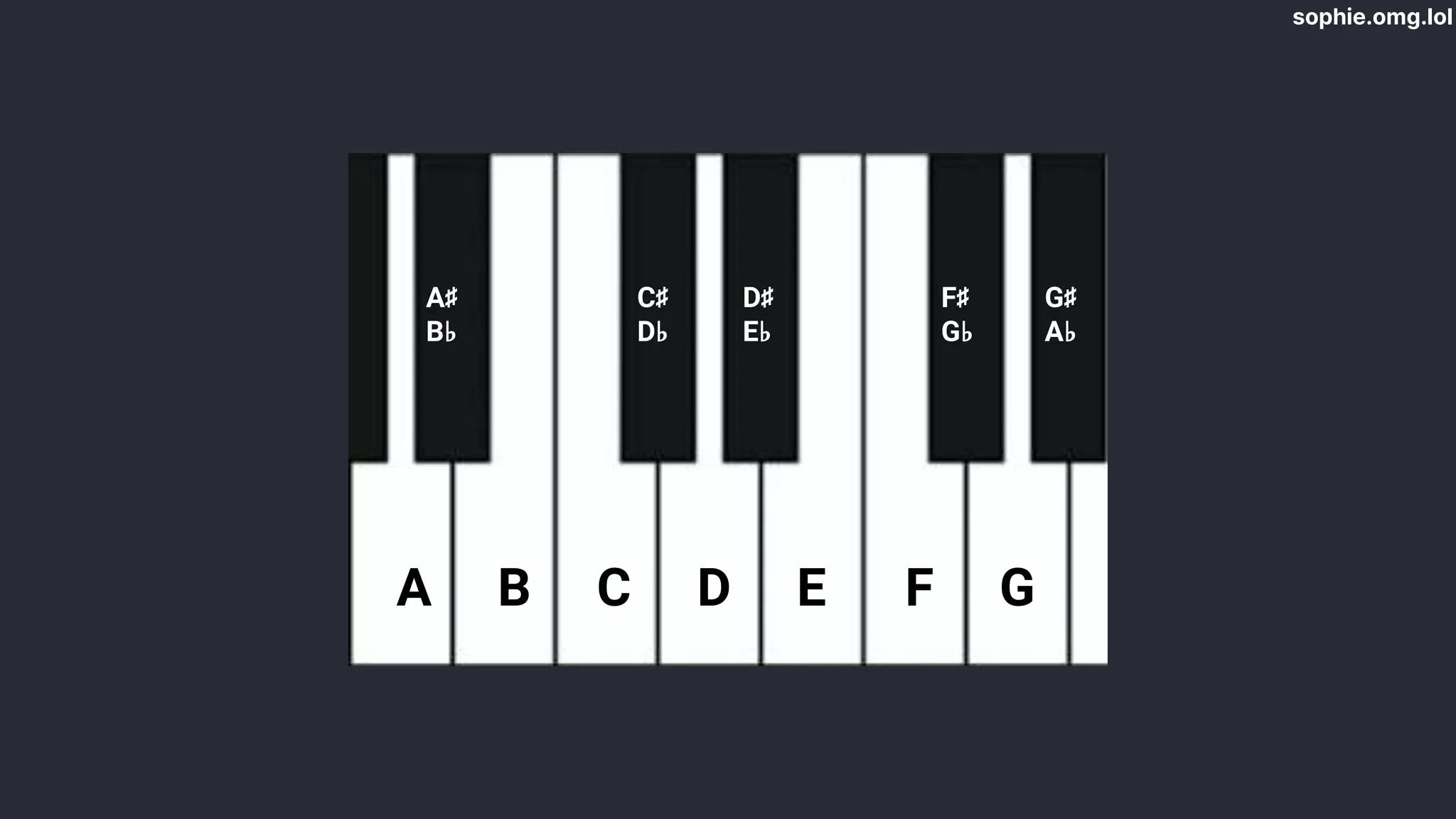
A B C D E F G
C♯
D♭
D♯
E♭
F♯
G♭
G♯
A♭
A♯
B♭
sophie.omg.lol
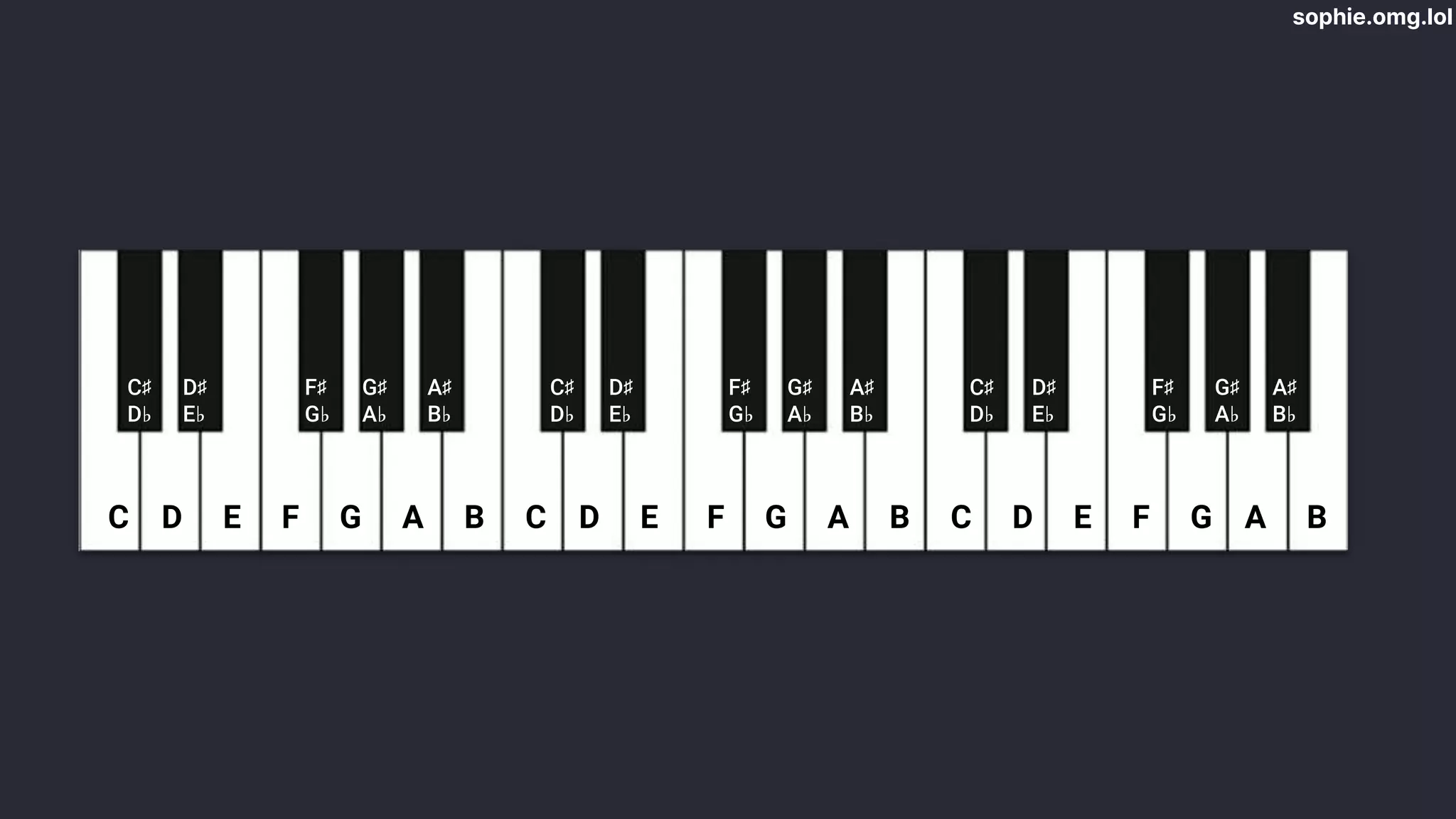
C D E F G A B C D E F G A B C D E F G A B
C♯
D♭
D♯
E♭
F♯
G♭
G♯
A♭
A♯
B♭
C♯
D♭
D♯
E♭
F♯
G♭
G♯
A♭
A♯
B♭
C♯
D♭
D♯
E♭
F♯
G♭
G♯
A♭
A♯
B♭
sophie.omg.lol
sophie.omg.lol
sophie.omg.lol
sophie.omg.lol
sophie.omg.lol
G A B C D E F G
C♯
D♭
D♯
E♭
F♯
G♭
G♯
A♭
A♯
B♭
G♯
A♭
sophie.omg.lol
The Web Audio API
sophie.omg.lol
sophie.omg.lol
An oscillator
(thing that makes sound)
sophie.omg.lol
A waveform
(what sound to make)
sophie.omg.lol
Frequencies
(what notes to play)
sophie.omg.lol
A piano interface
(to play with)
sophie.omg.lol
sophie.omg.lol
sophie.omg.lol
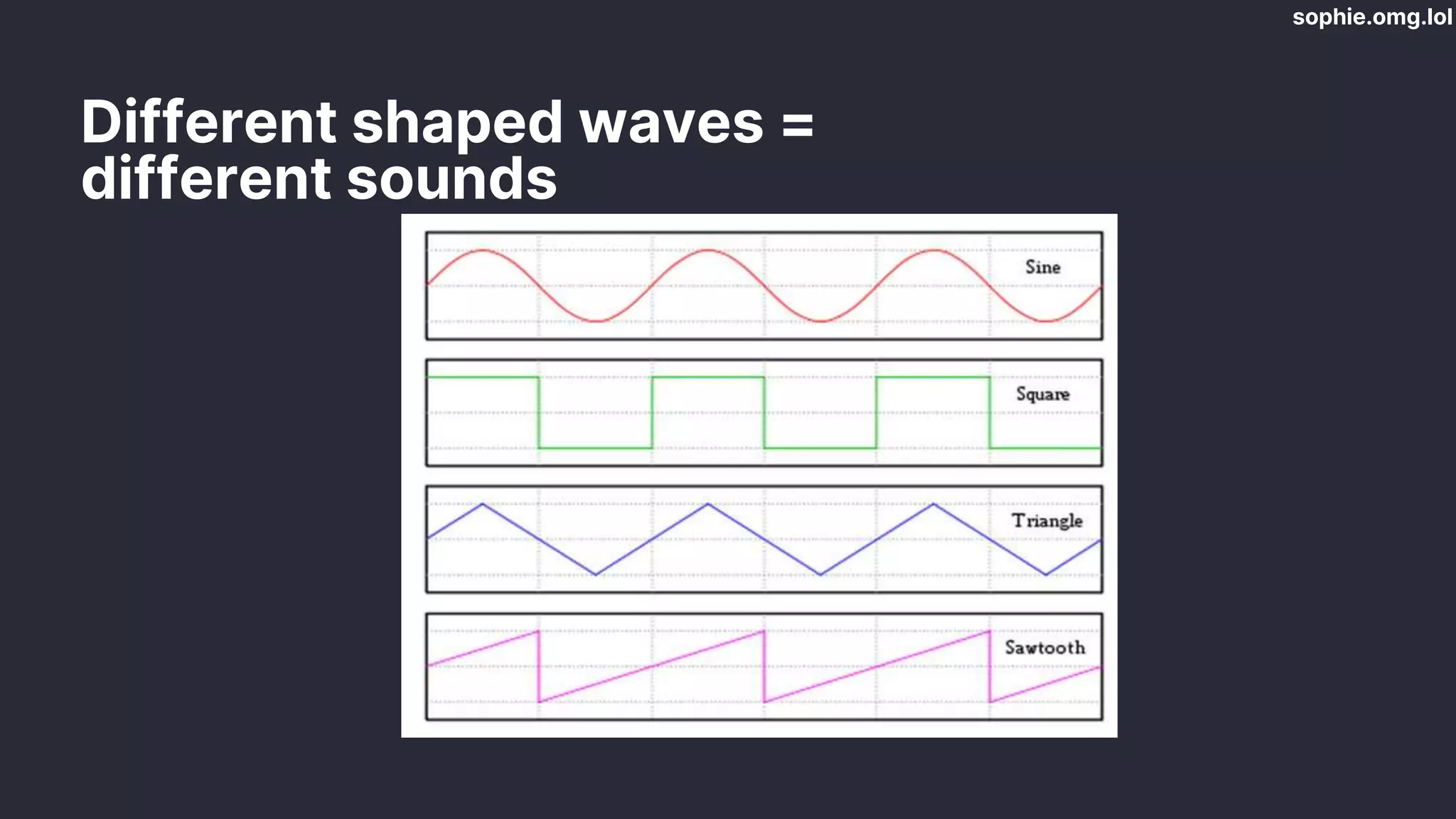
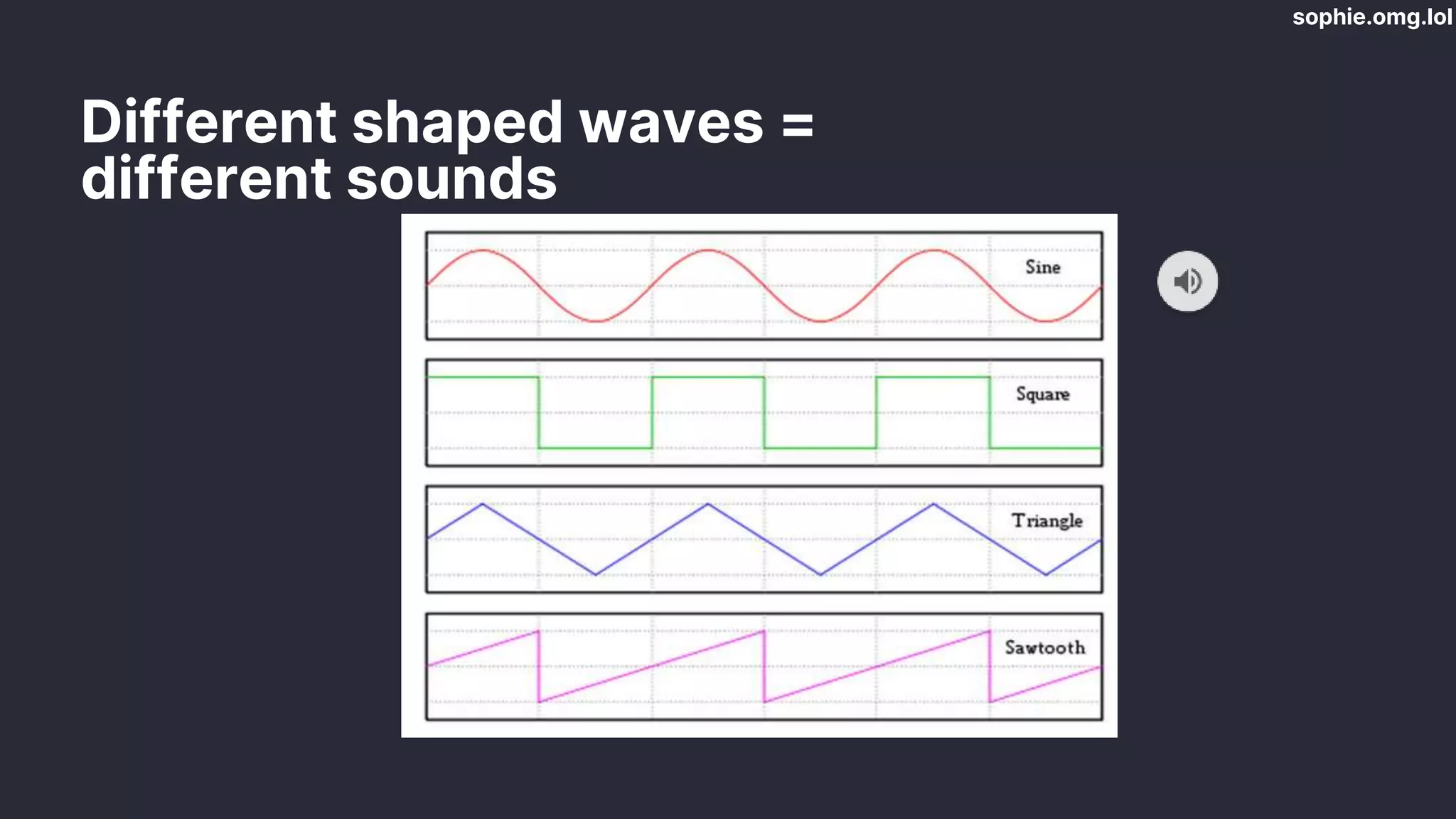
Different shaped waves =
different sounds
sophie.omg.lol
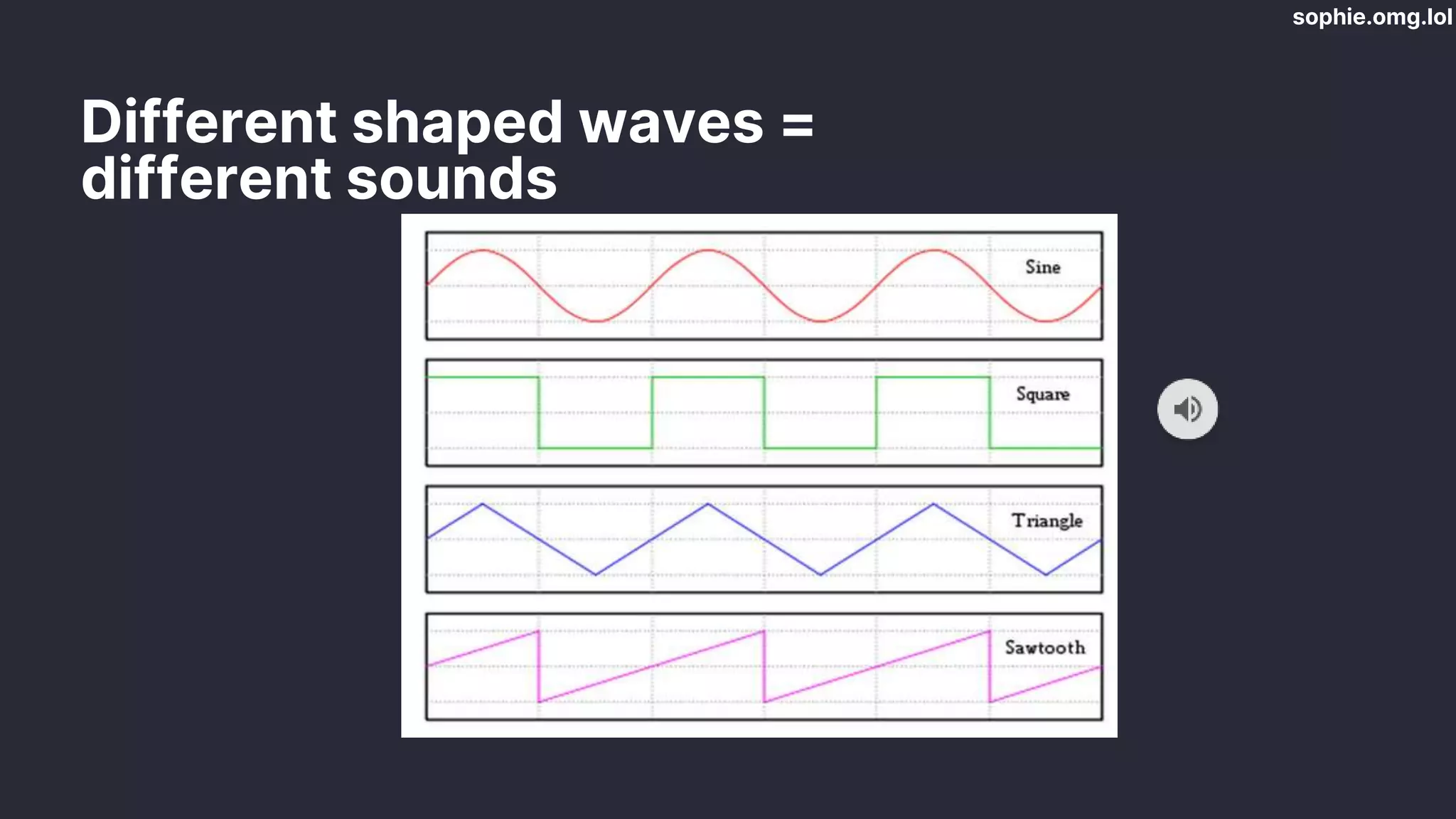
Different shaped waves =
different sounds
sophie.omg.lol
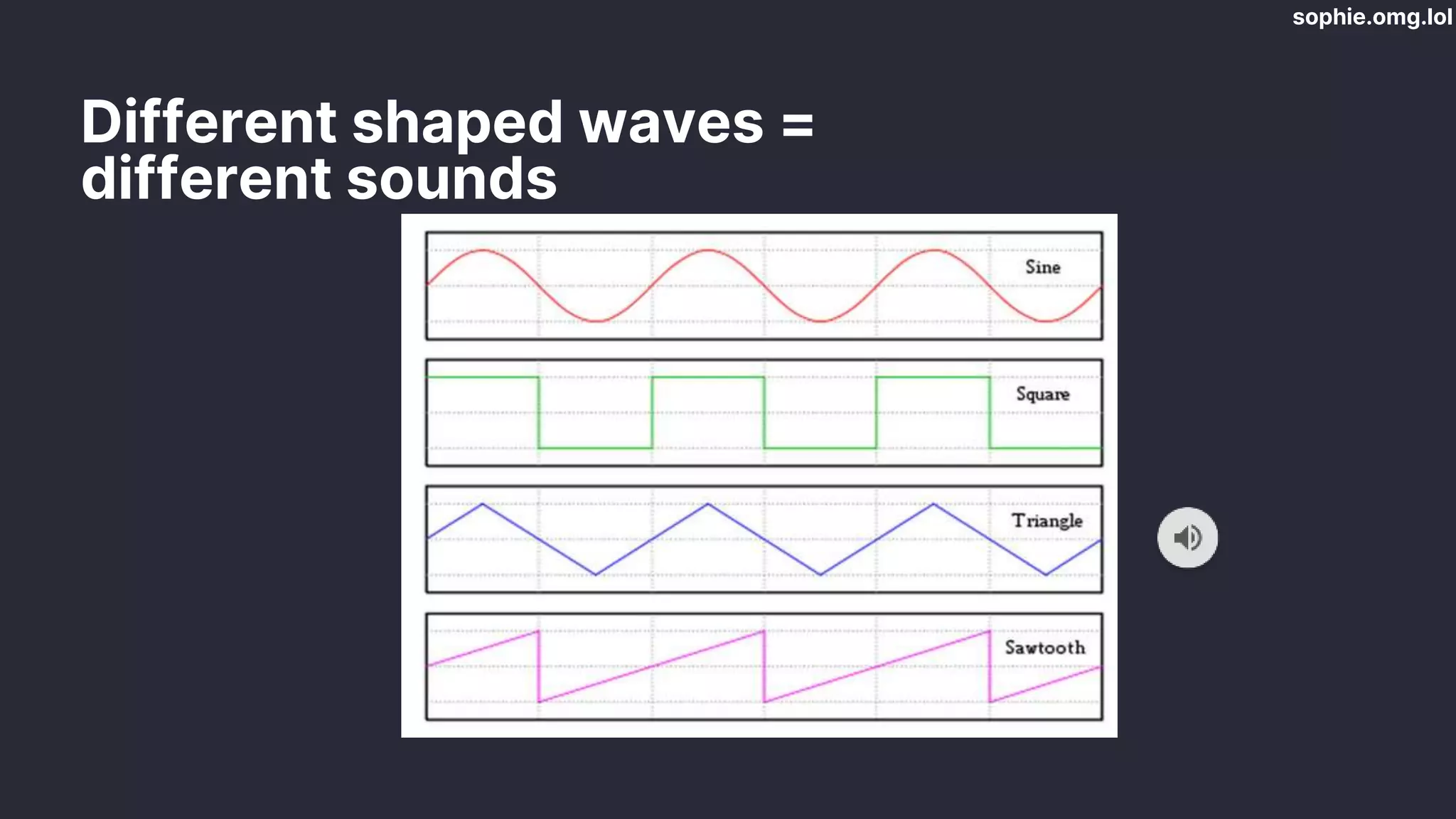
Different shaped waves =
different sounds
sophie.omg.lol
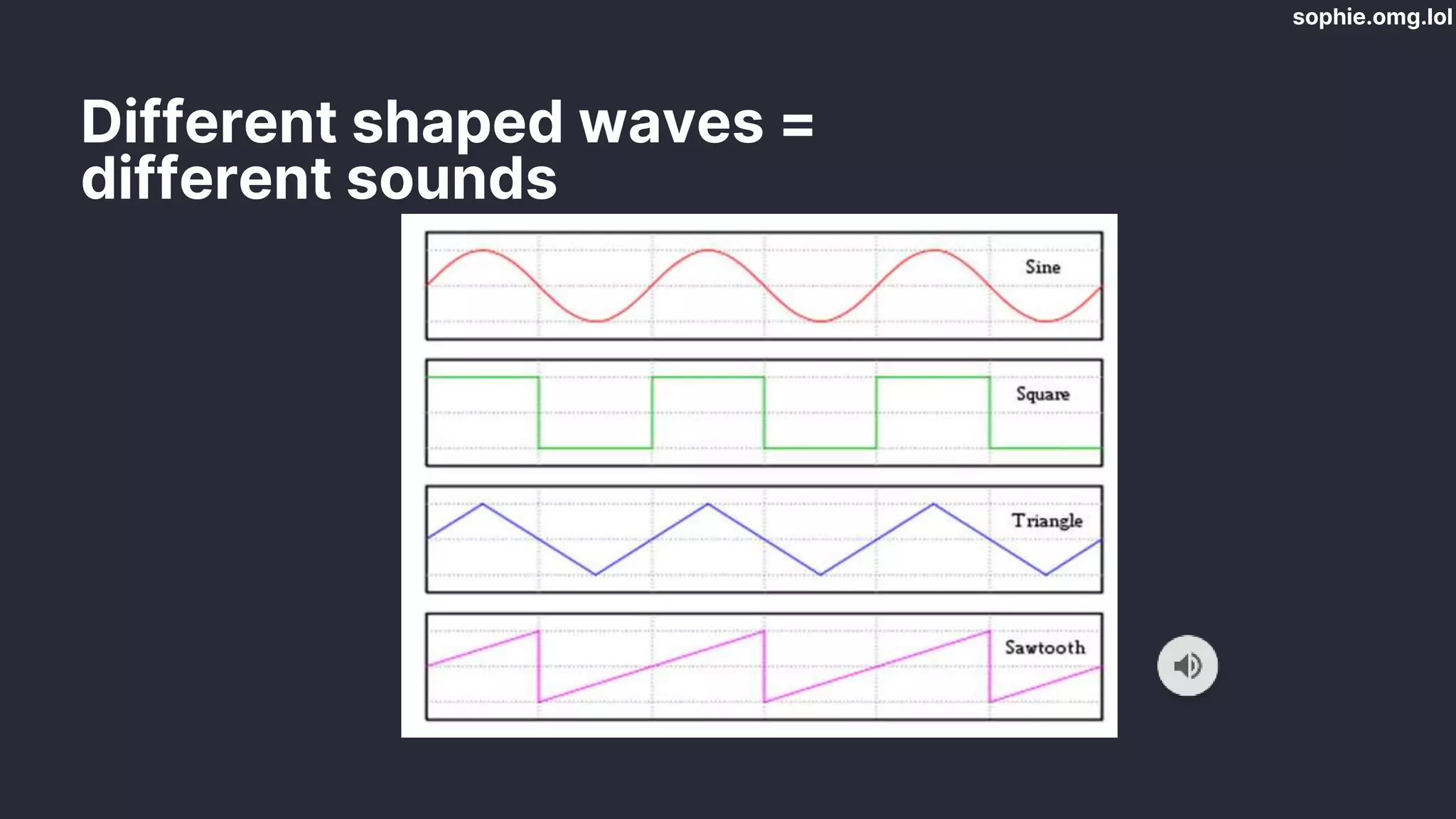
Different shaped waves =
different sounds
sophie.omg.lol
Different shaped waves =
different sounds
sophie.omg.lol
sophie.omg.lol
We need to calculate
note frequencies
sophie.omg.lol
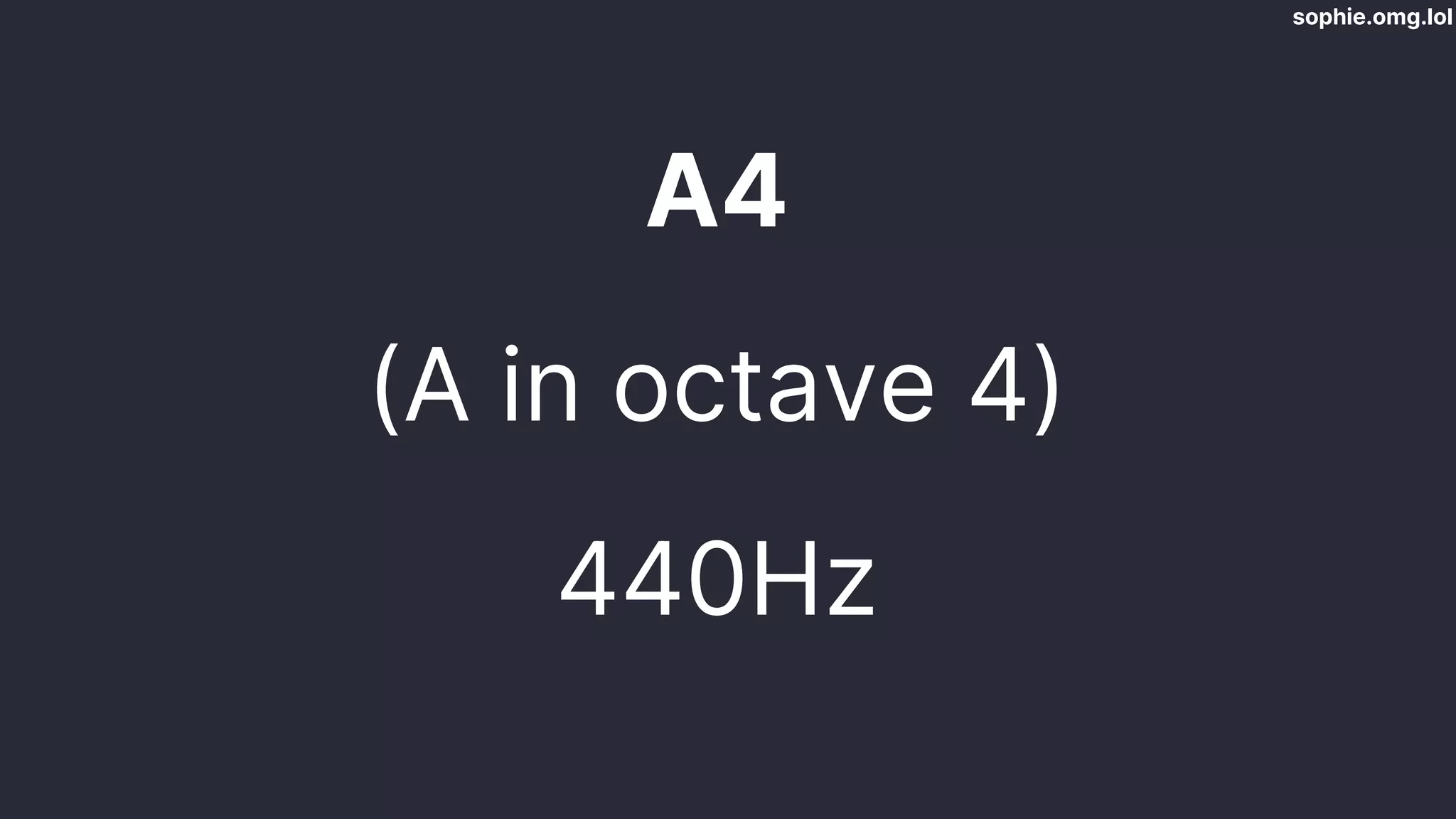
A4
(A in octave 4)
440Hz
sophie.omg.lol
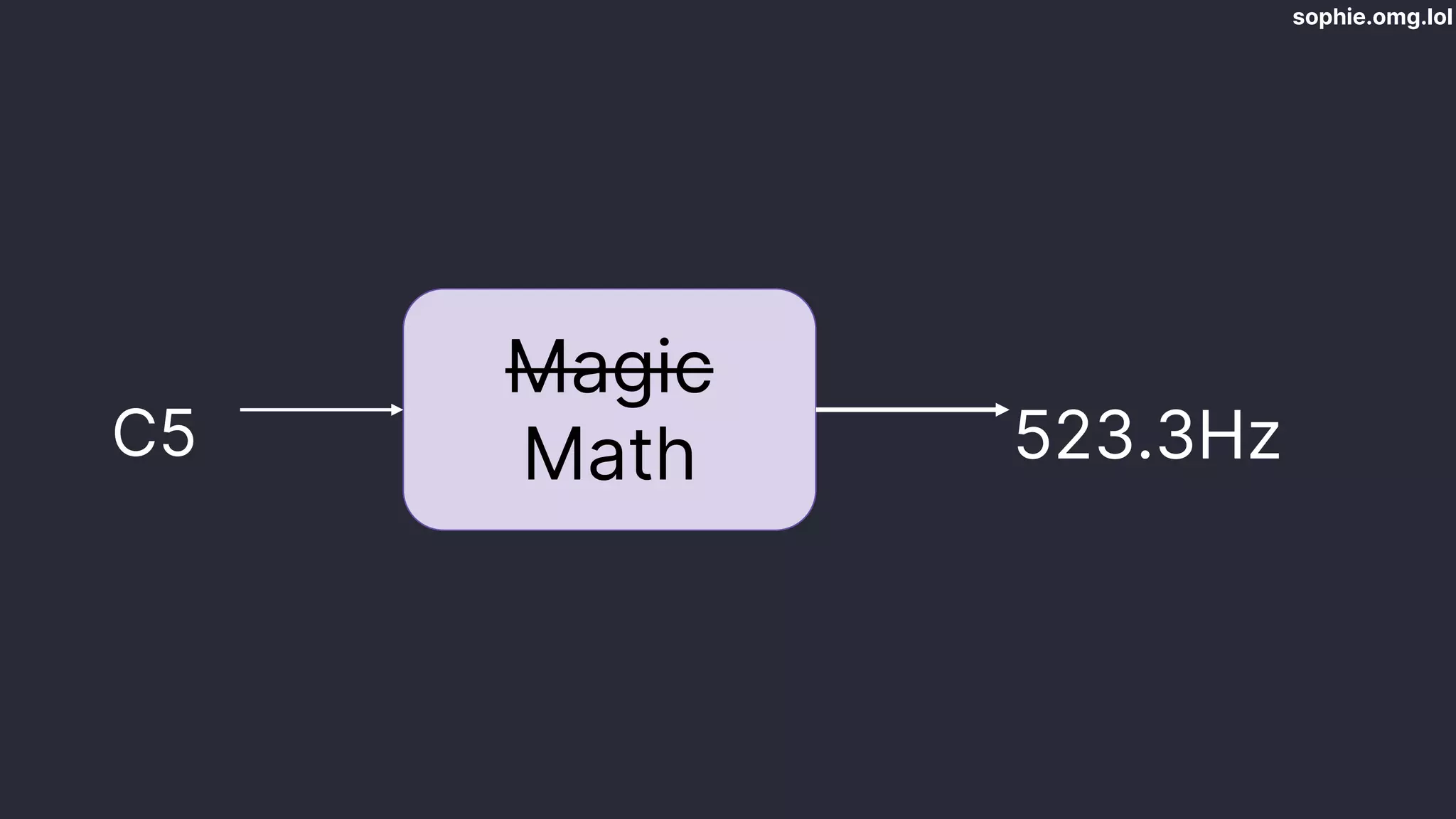
Magic
Math
C5 523.3Hz
sophie.omg.lol
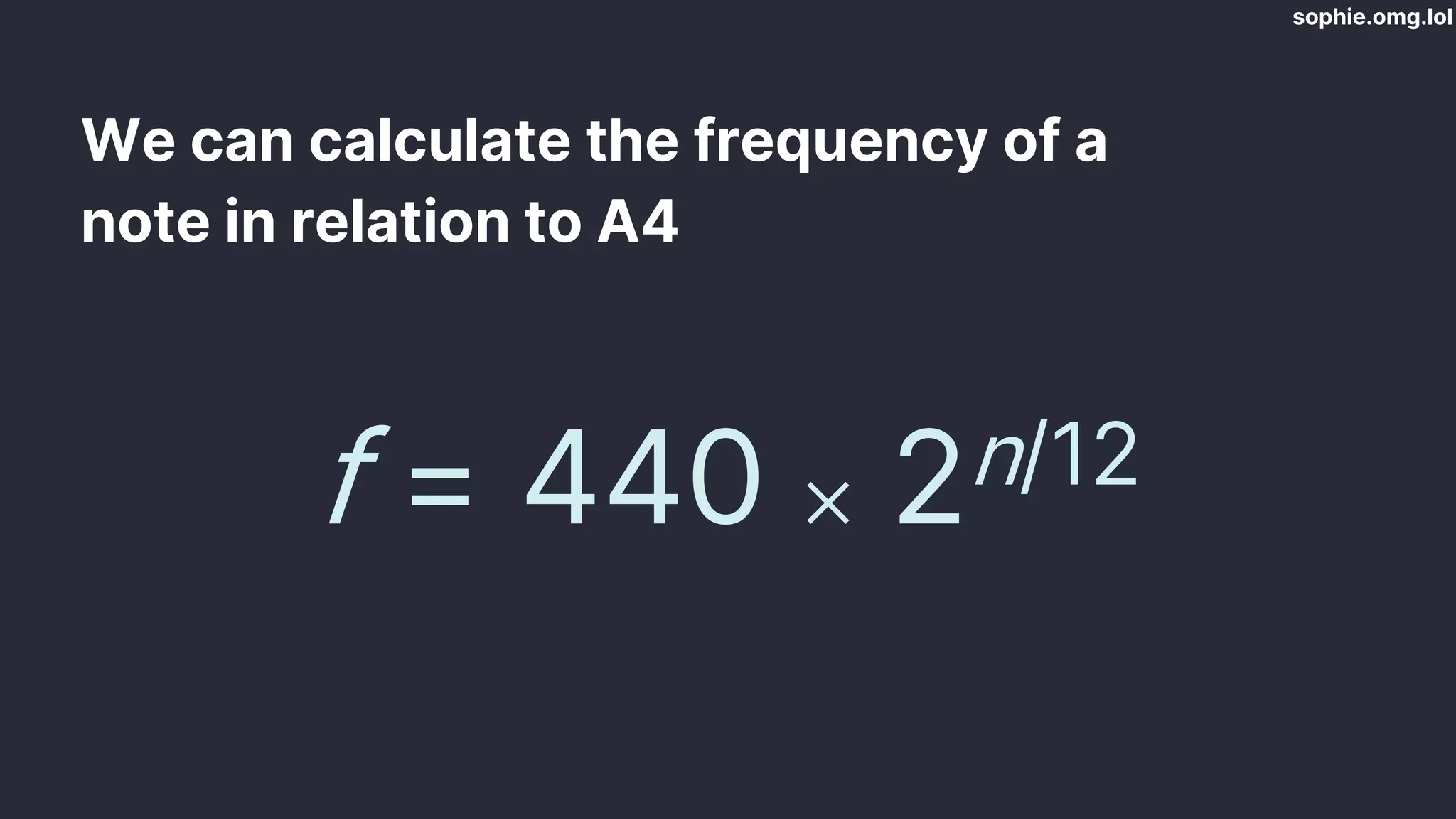
We can calculate the frequency of a
note in relation to A4
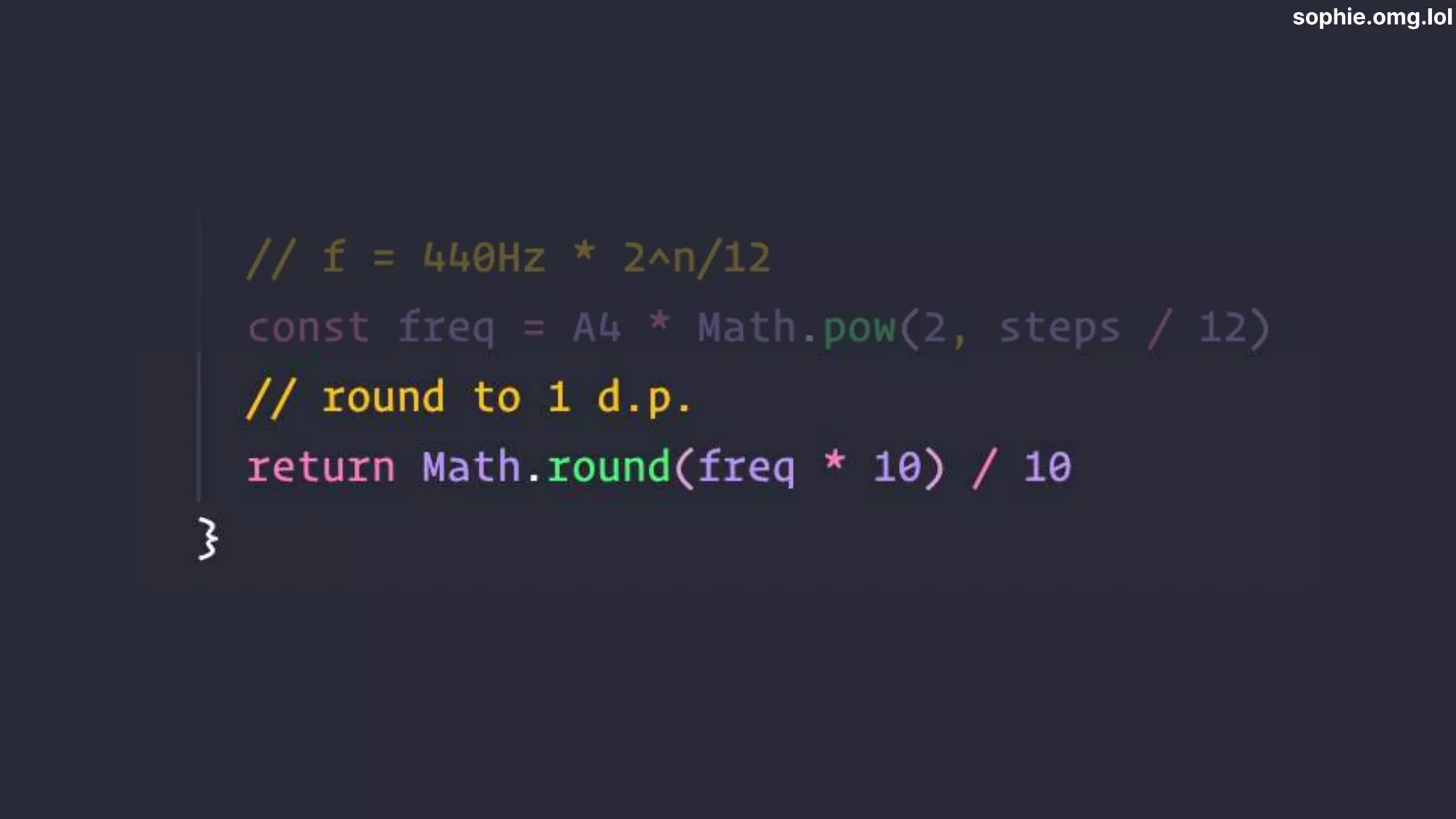
f = 440 ⨉ 2n/12
sophie.omg.lol
sophie.omg.lol
sophie.omg.lol
sophie.omg.lol
sophie.omg.lol
sophie.omg.lol
sophie.omg.lol
sophie.omg.lol
sophie.omg.lol
sophie.omg.lol
sophie.omg.lol
sophie.omg.lol
sophie.omg.lol
sophie.omg.lol
sophie.omg.lol
G A B C D E F G
C♯
D♭
D♯
E♭
F♯
G♭
G♯
A♭
A♯
B♭
G♯
A♭
sophie.omg.lol
sophie.omg.lol
sophie.omg.lol
sophie.omg.lol
✅Play notes with your mouse
✅Play scales
✅Play chords
sophie.omg.lol
But wait! There’s more!
sophie.omg.lol
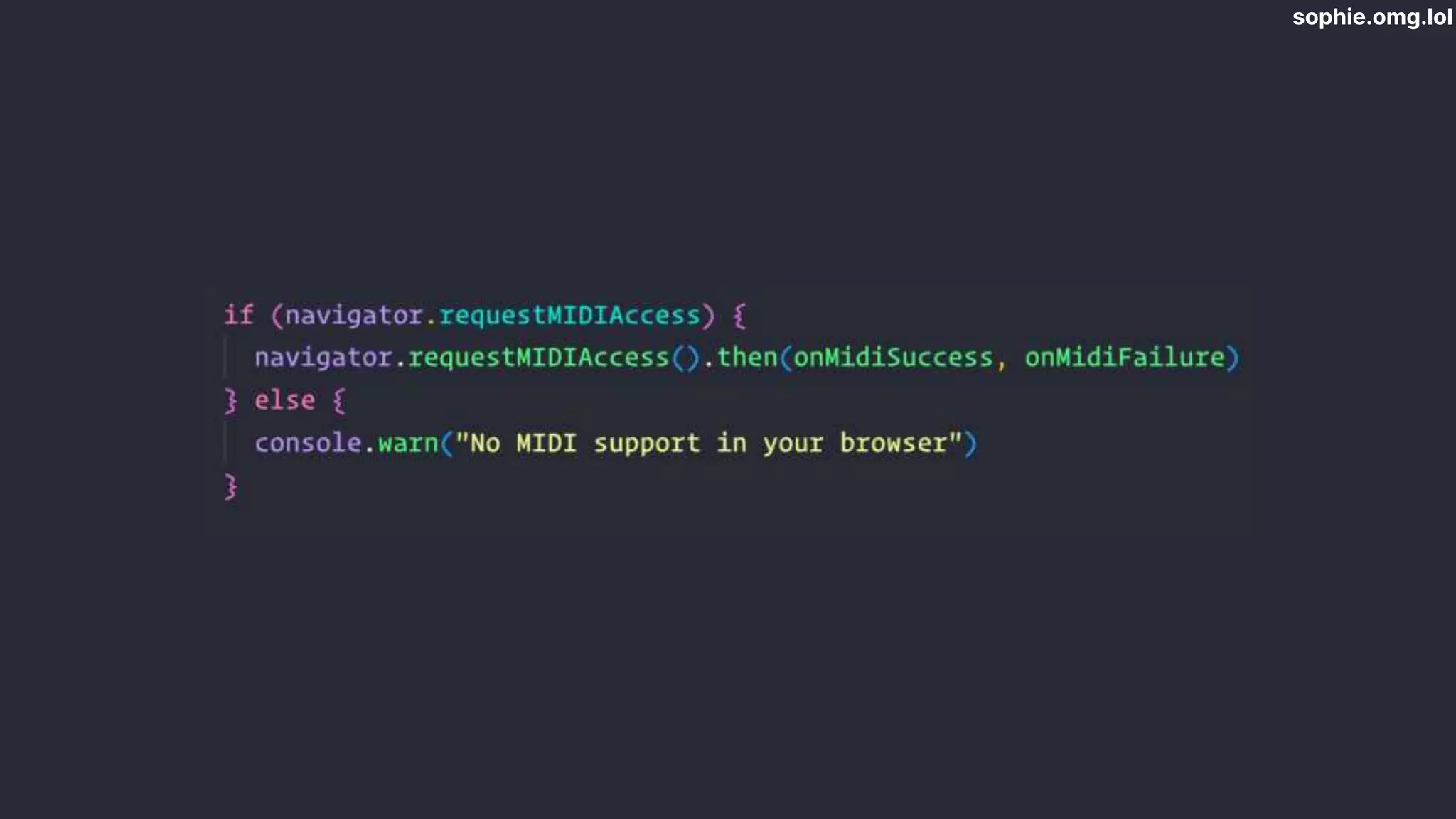
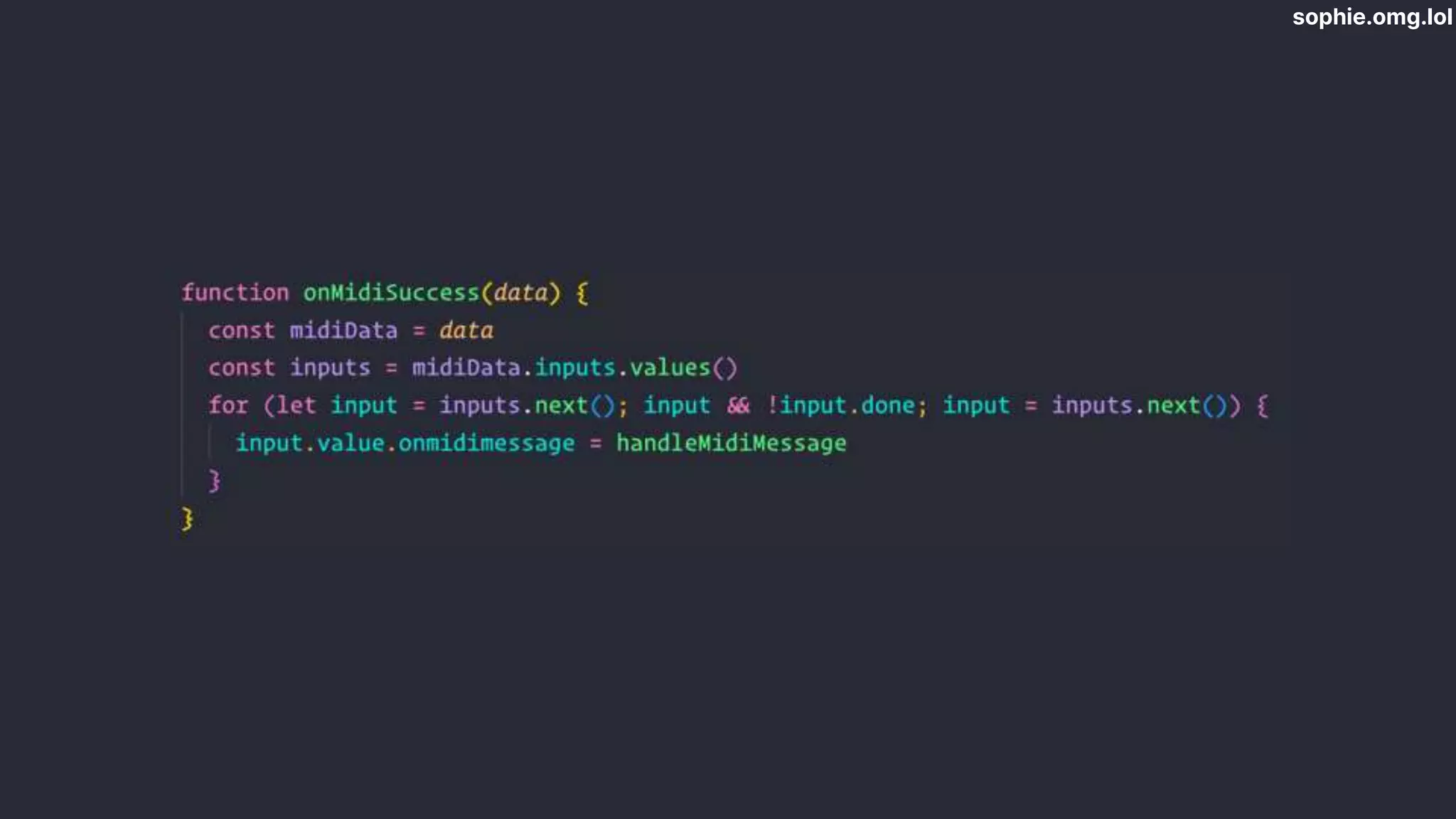
Web MIDI API
sophie.omg.lol
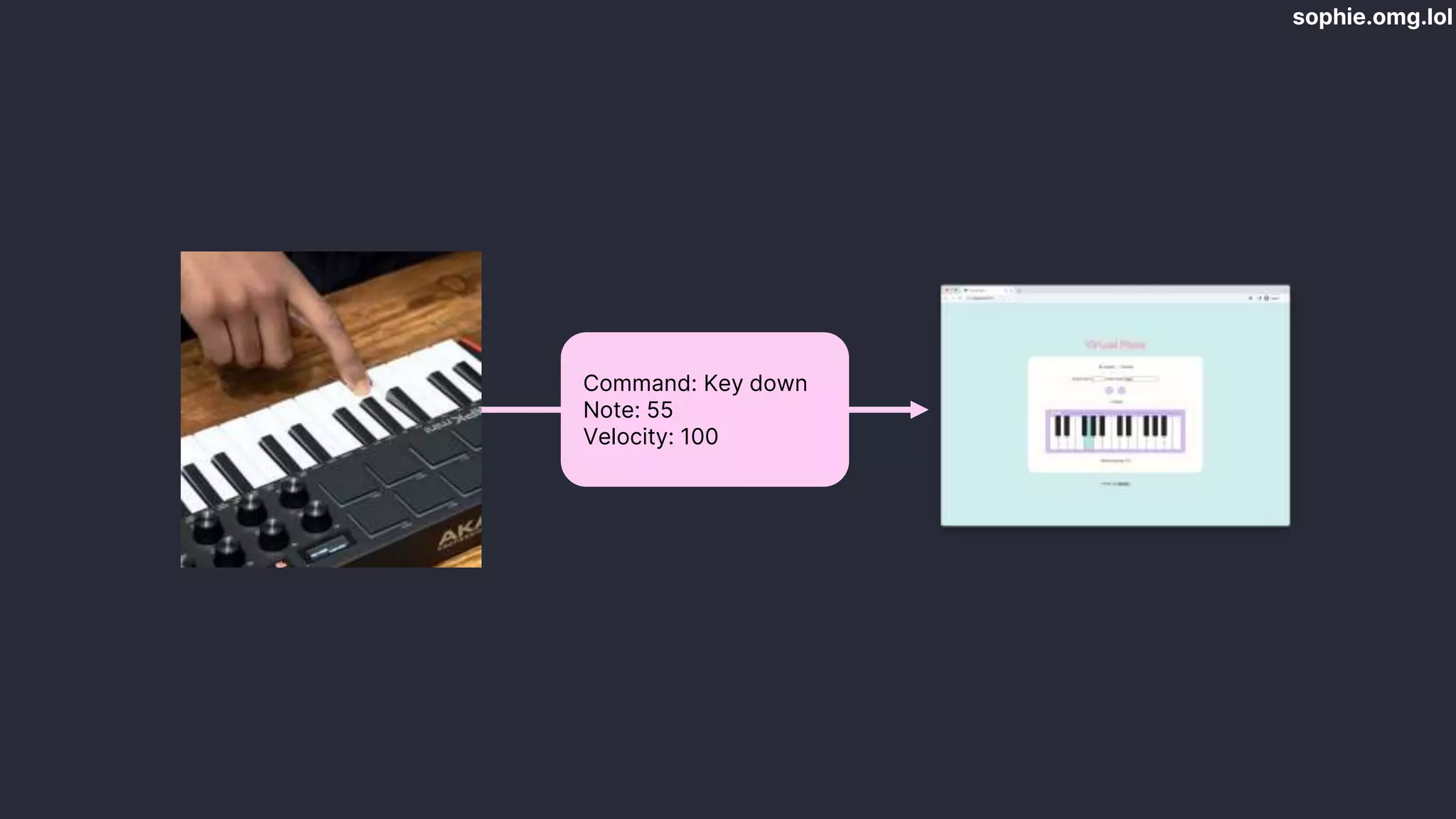
Command: Key down
Note: 55
Velocity: 100
sophie.omg.lol
sophie.omg.lol
sophie.omg.lol
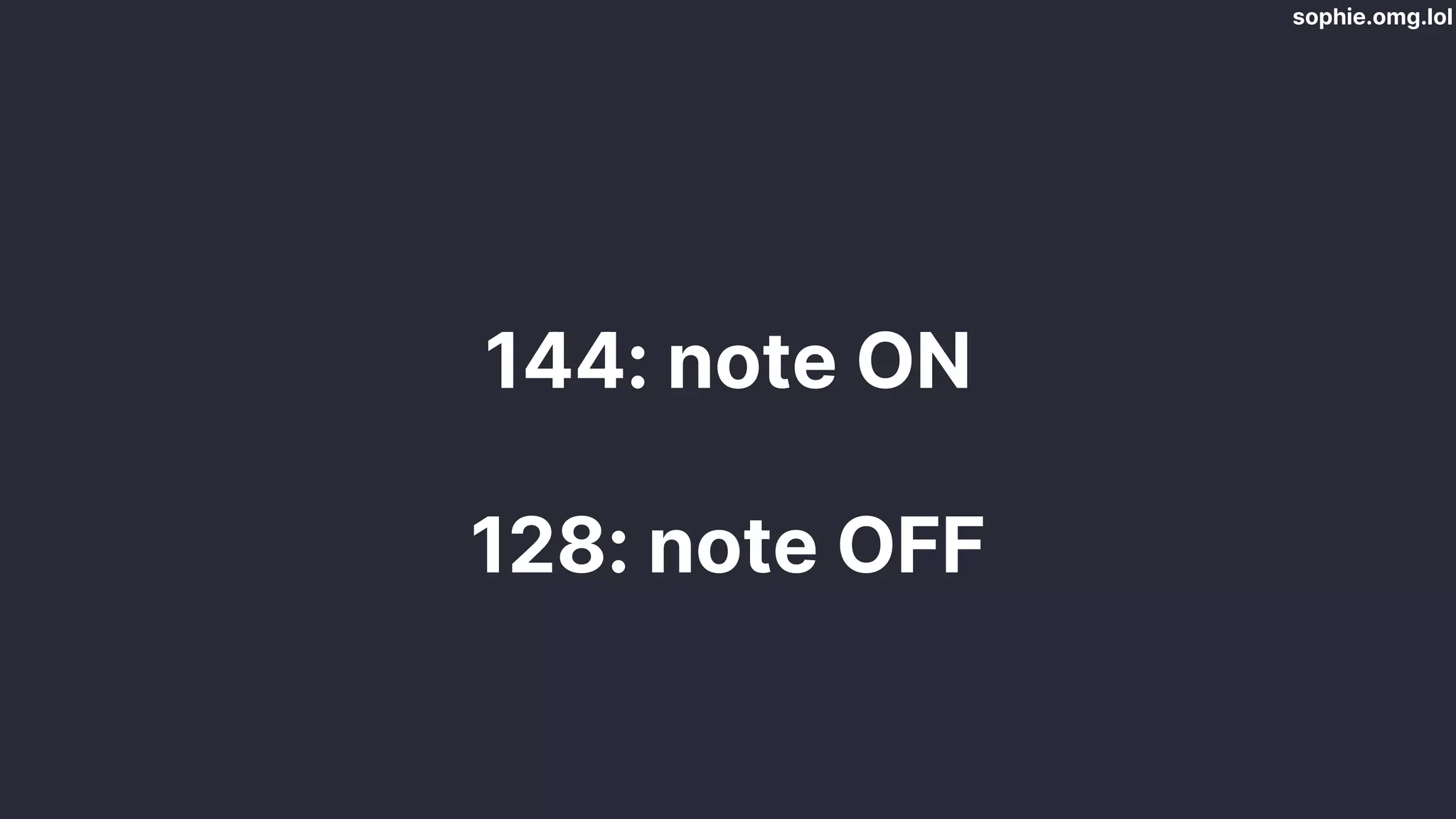
[144, 55, 100]
sophie.omg.lol
144: note ON
128: note OFF
sophie.omg.lol
sophie.omg.lol
sophie.omg.lol
https://github.com/sophiekoonin/virtualpiano
virtualpiano.vercel.app
Thank you!
🔗 sophie.omg.lol

Building a piano with the Web Audio API - Sophie

Editor's Notes

  • #2 USE CHROME!!! This is a talk to show you the potential of the web
  • #3  The link in the corner?
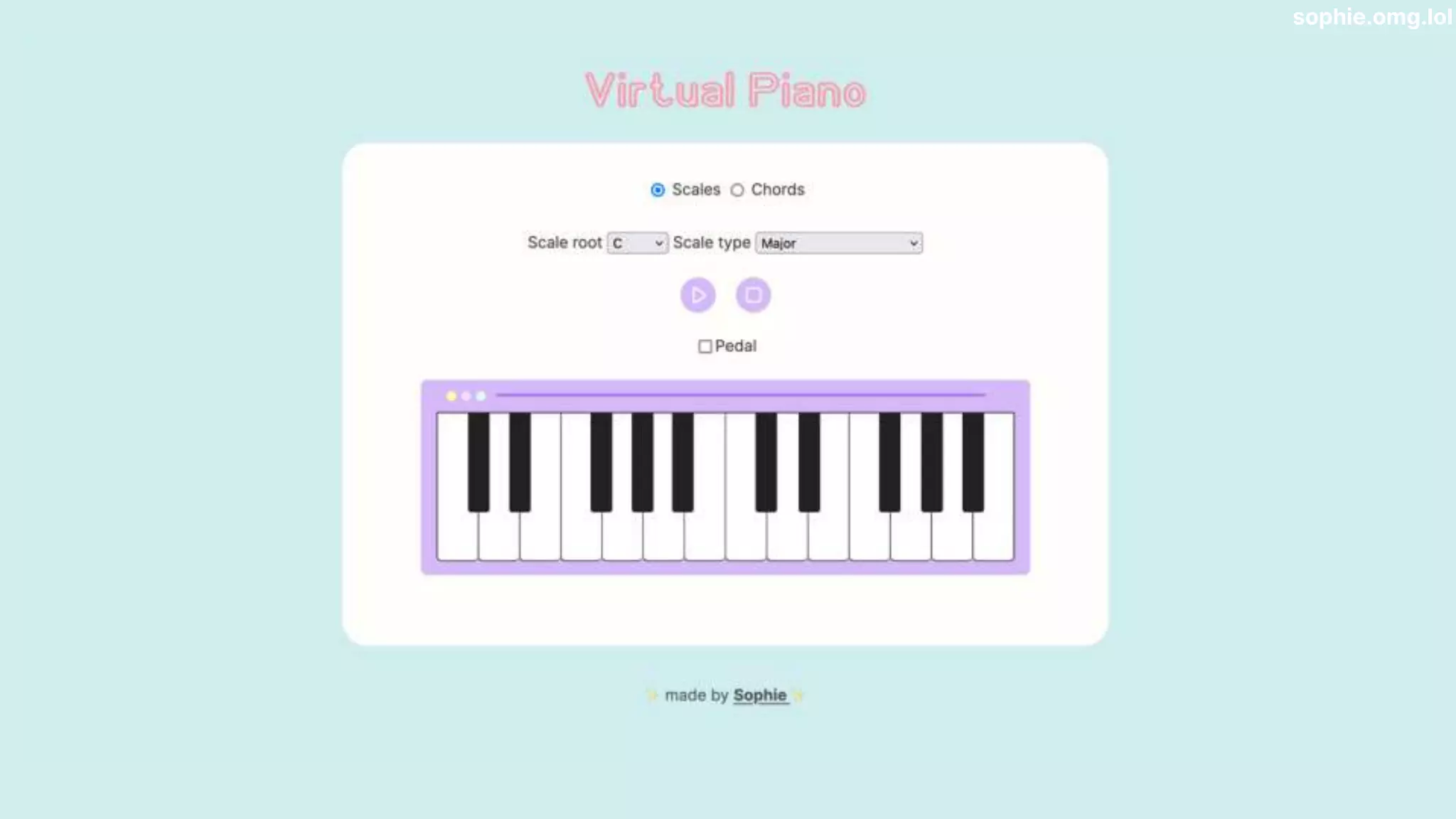
  • #4 tell you how I built it the musical theory behind it, show you a bit of the APIs that power it - the Web Audio API and Web MIDI API First, let’s see what it does
  • #6 Start with musical theory, science This theory actually went into building the app
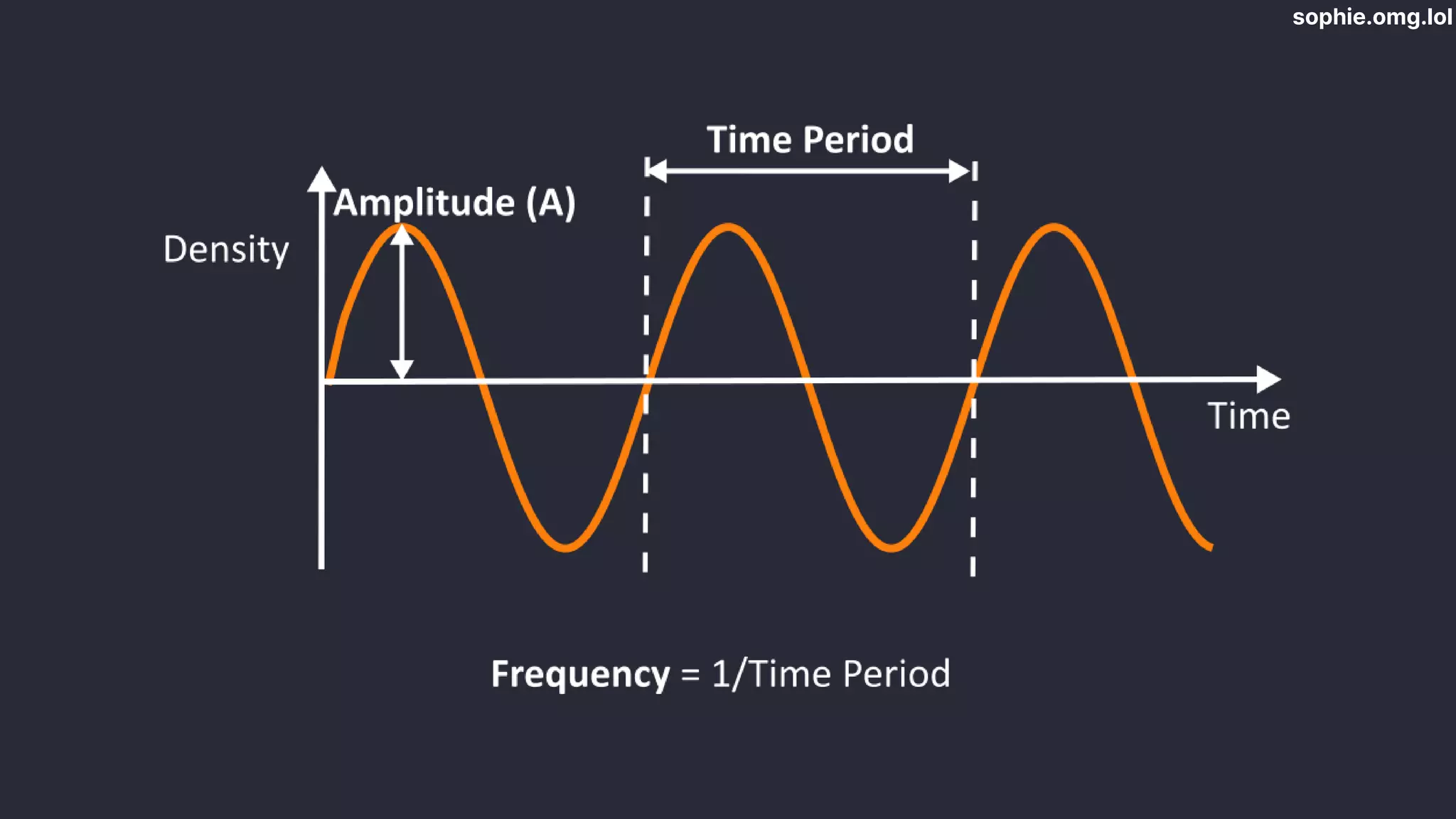
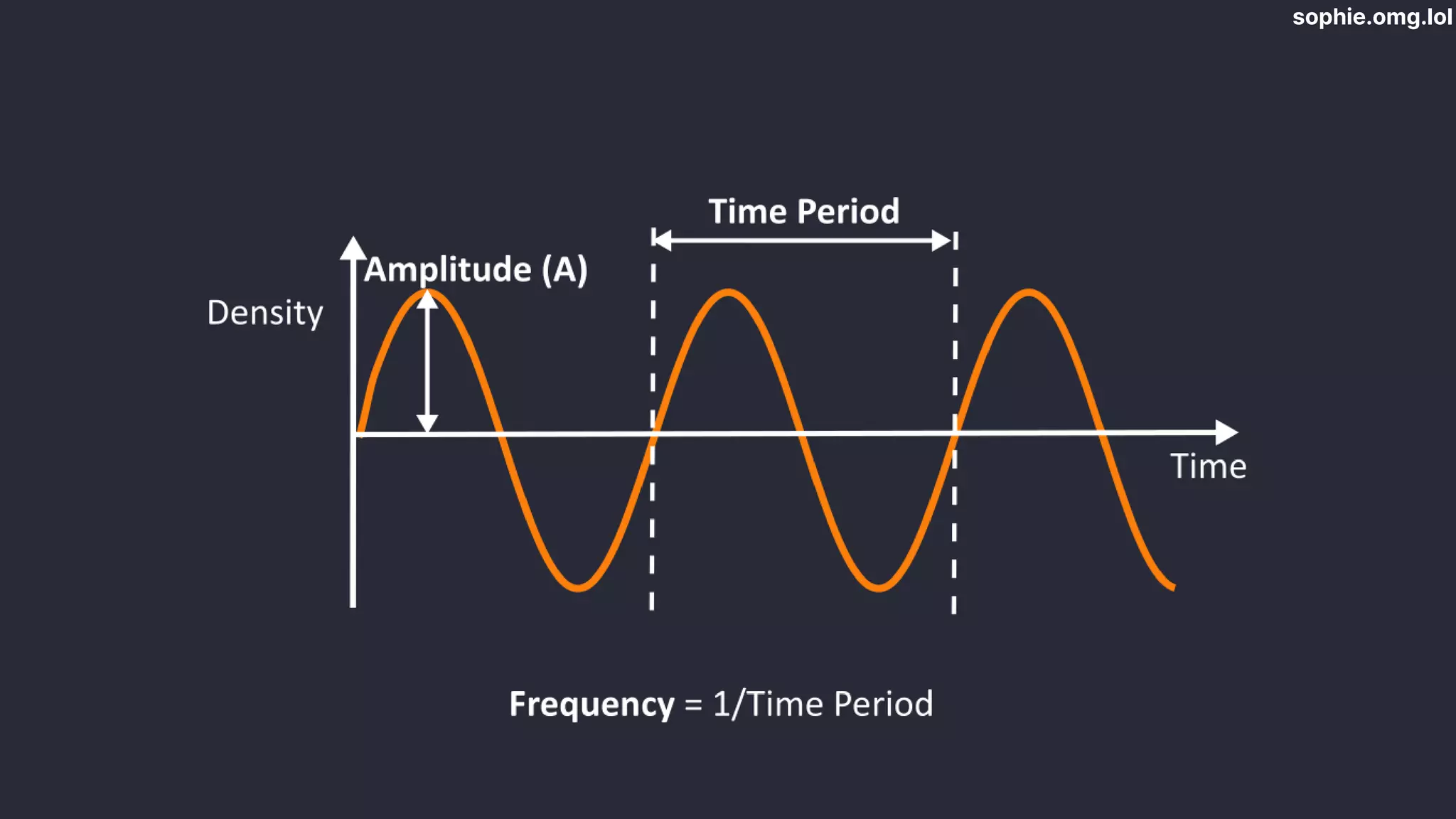
  • #7 I know you’re thinking “this is a web conf!”- it will all become clear Sound = vibrations that travel as waves. The number of vibrations in a set time period = frequency of the sound frequency is measured in Hertz which is one cycle per second. Keys on a piano - hammers on strings - vibrate at frequencies
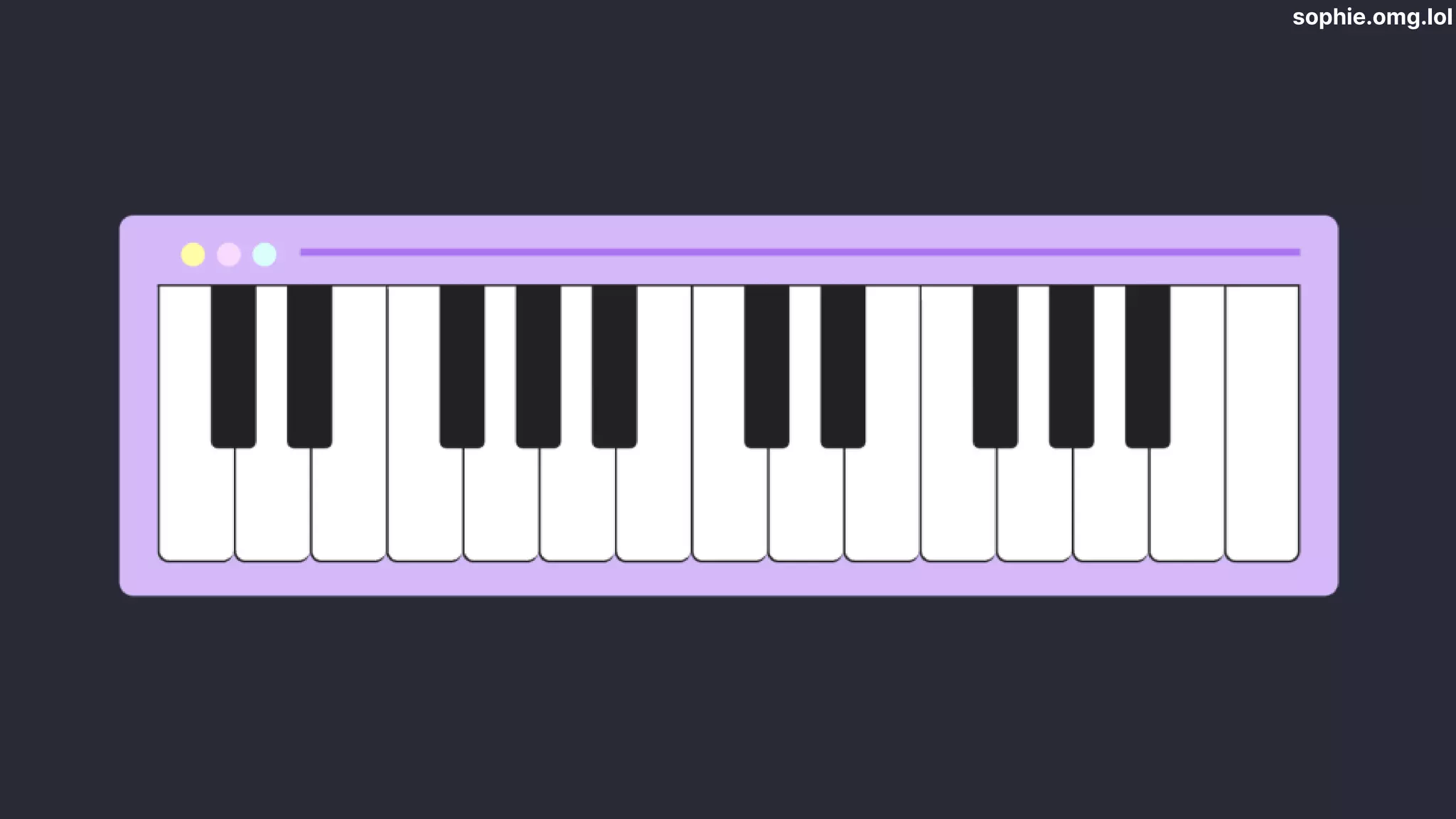
  • #8 Western music - set of tones with specific frequencies UK and US has 12 notes - each with a letter, A to G. Division based on frequency Only 7? 5 accidentals. similar to the ones either side, so they don’t get their own letter. Instead we give them a symbol and call them sharp or flat
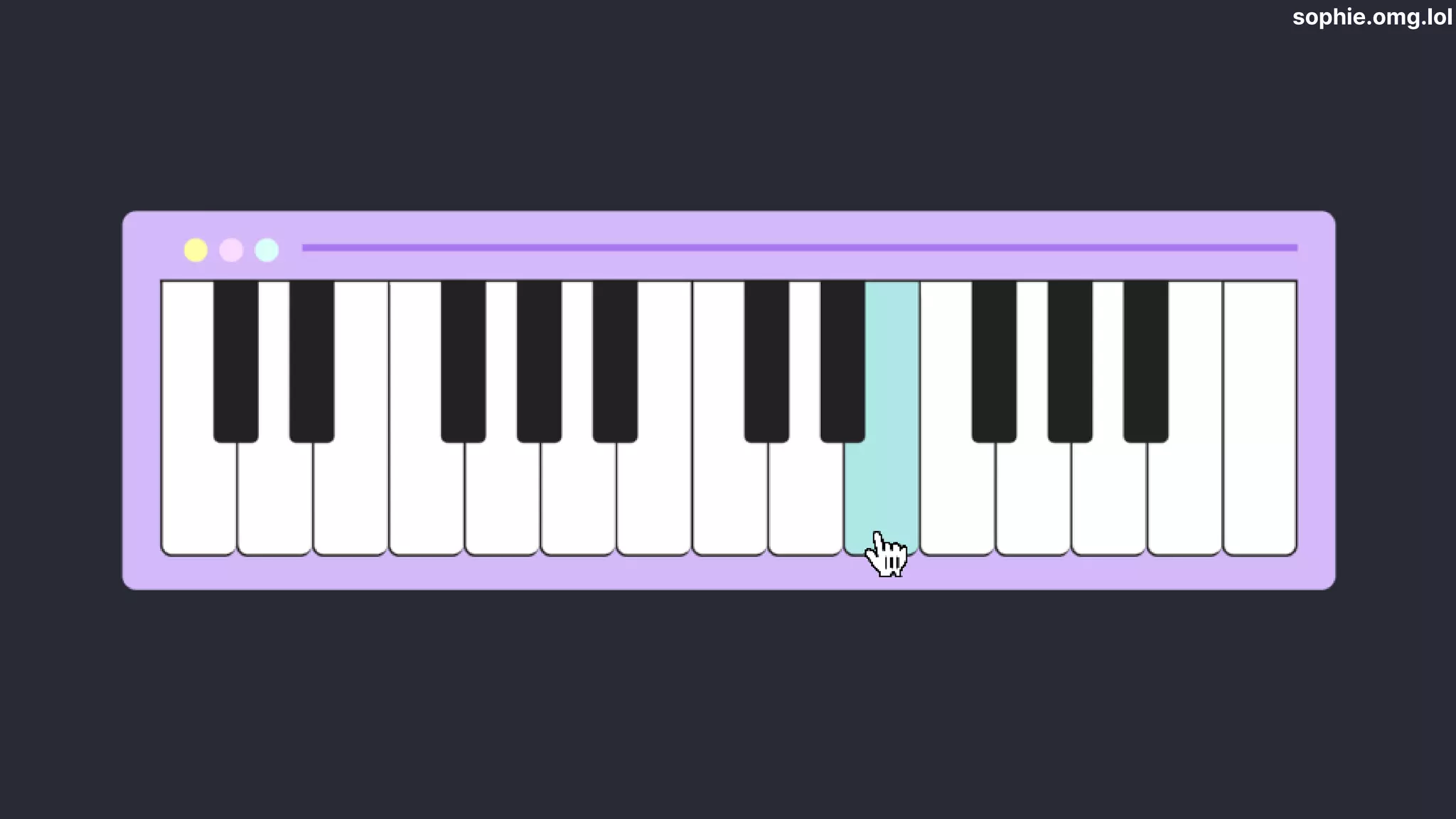
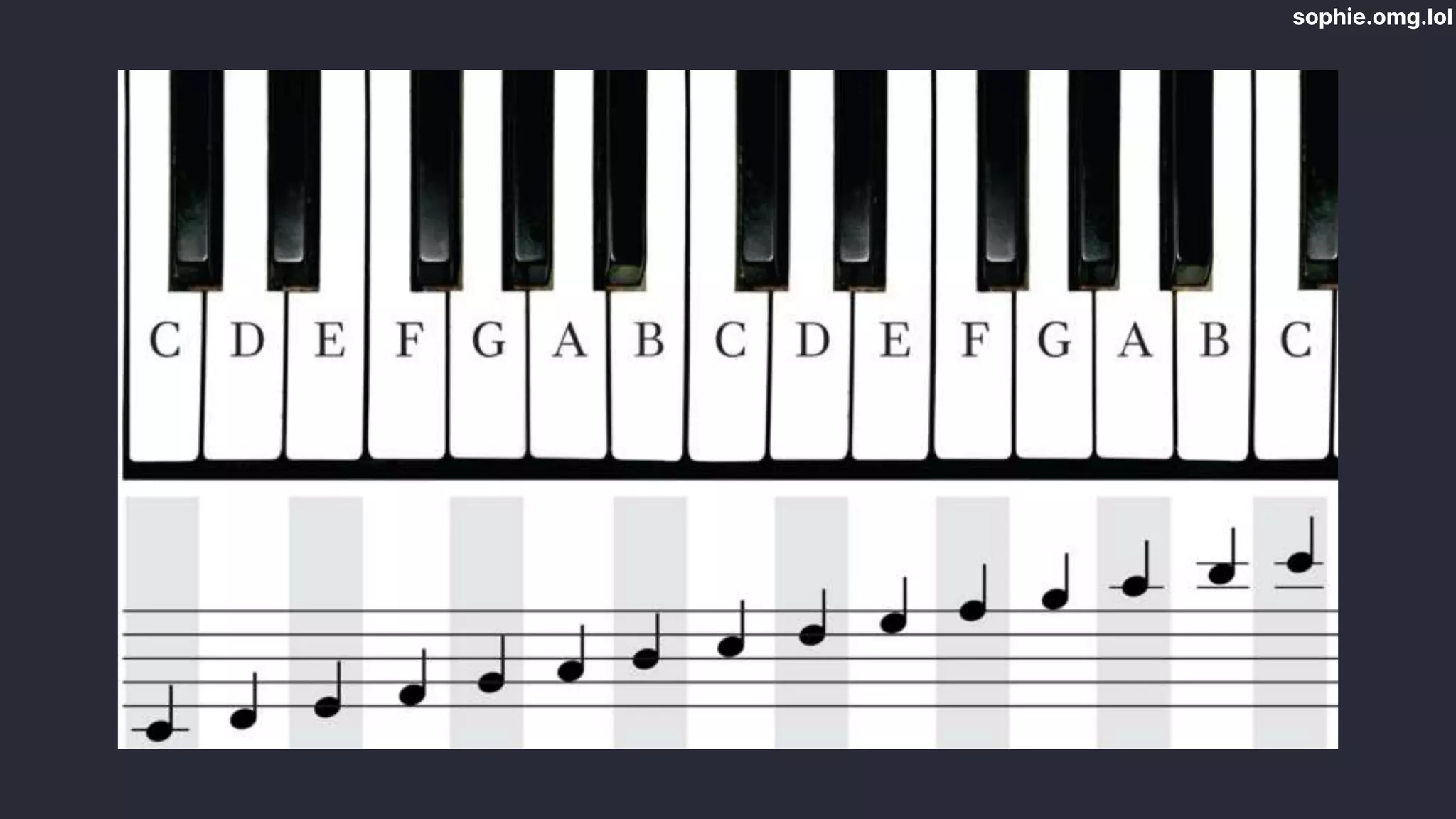
  • #9 Talk about notes as on keyboard, starting from C keyboard has 61 and starts from C, piano has 88 notes and starts from A Repeat in groups from lowest to highest
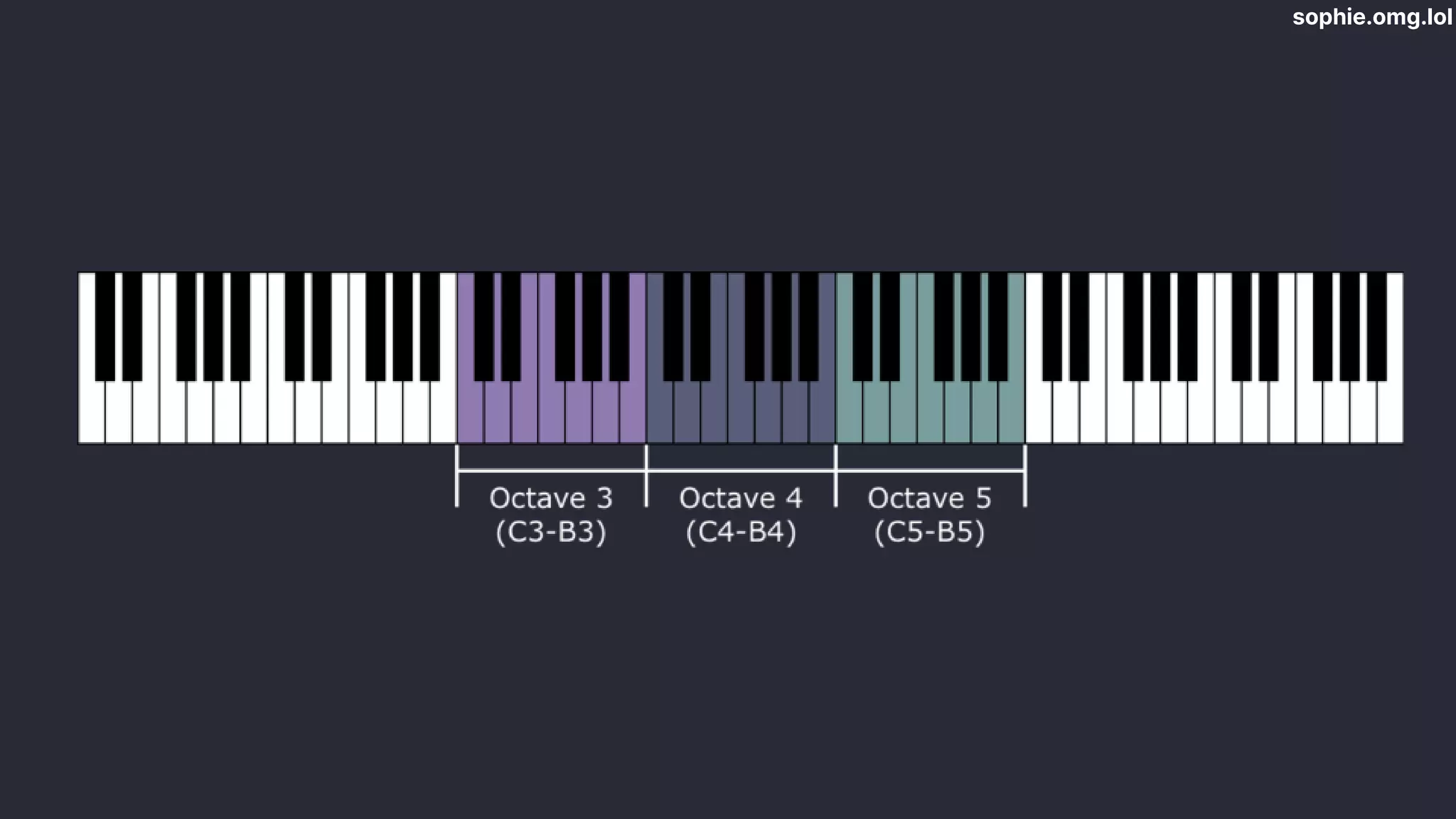
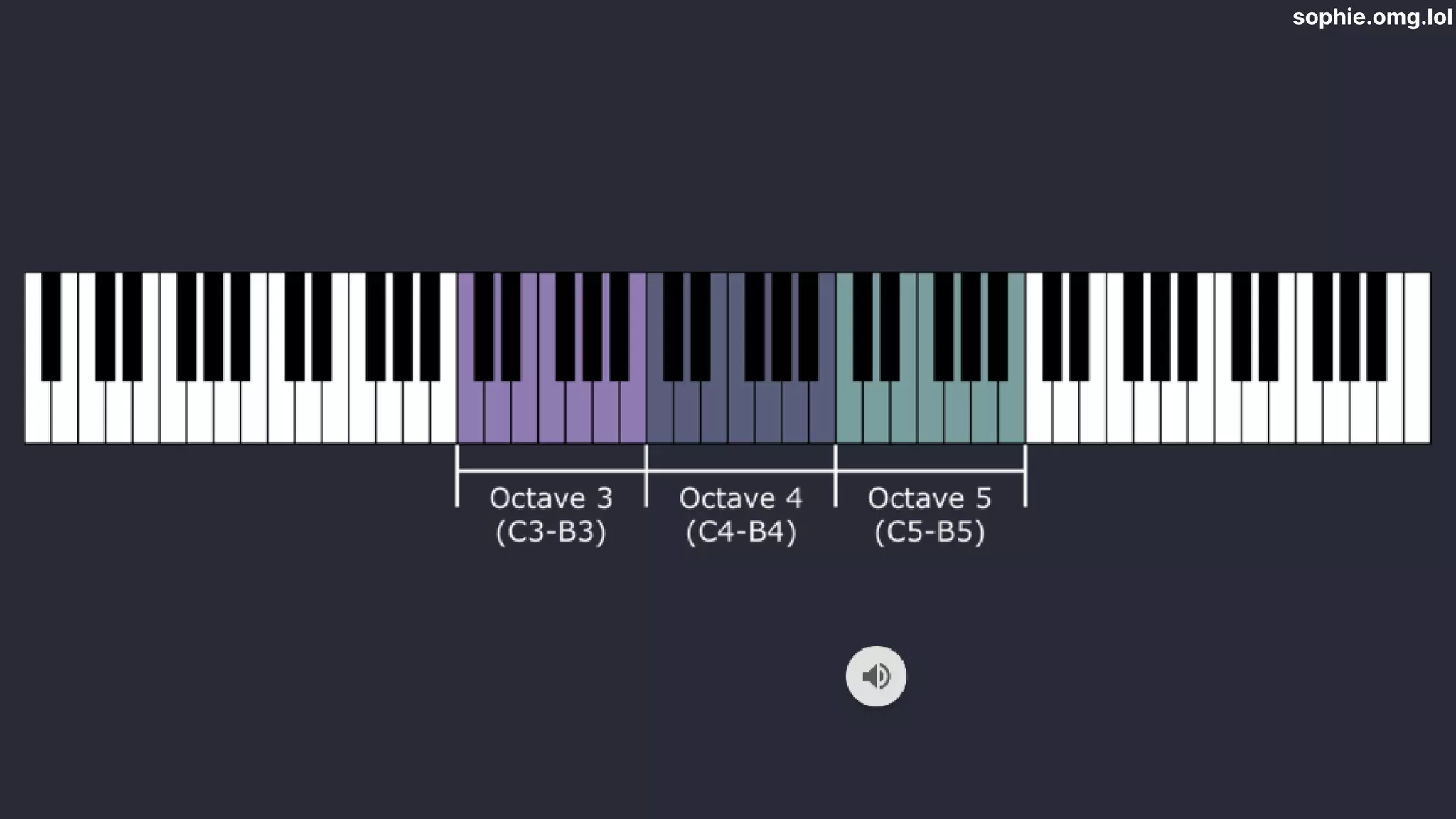
  • #10 These groups of repeating letters are called octaves 61 keys - 5 octaves 88 keys - 7 ¼ octaves. A4 and A5 demo (next)
  • #11 Weird ability of brain - same note in diff octaves sounds same - same note but different pitch (high/low) NEXT
  • #12 Each octave jump - double freq 440Hz -> 880Hz
  • #13 - Music tends to use only some notes, not all of them. - scales are ordered sequence of notes - a set of tones you can use to build music - like a colour palette - emotions - music uses notes of particular scale - key This picture shows two octaves of the C major scale written in musical notation. Scales follow strict patterns
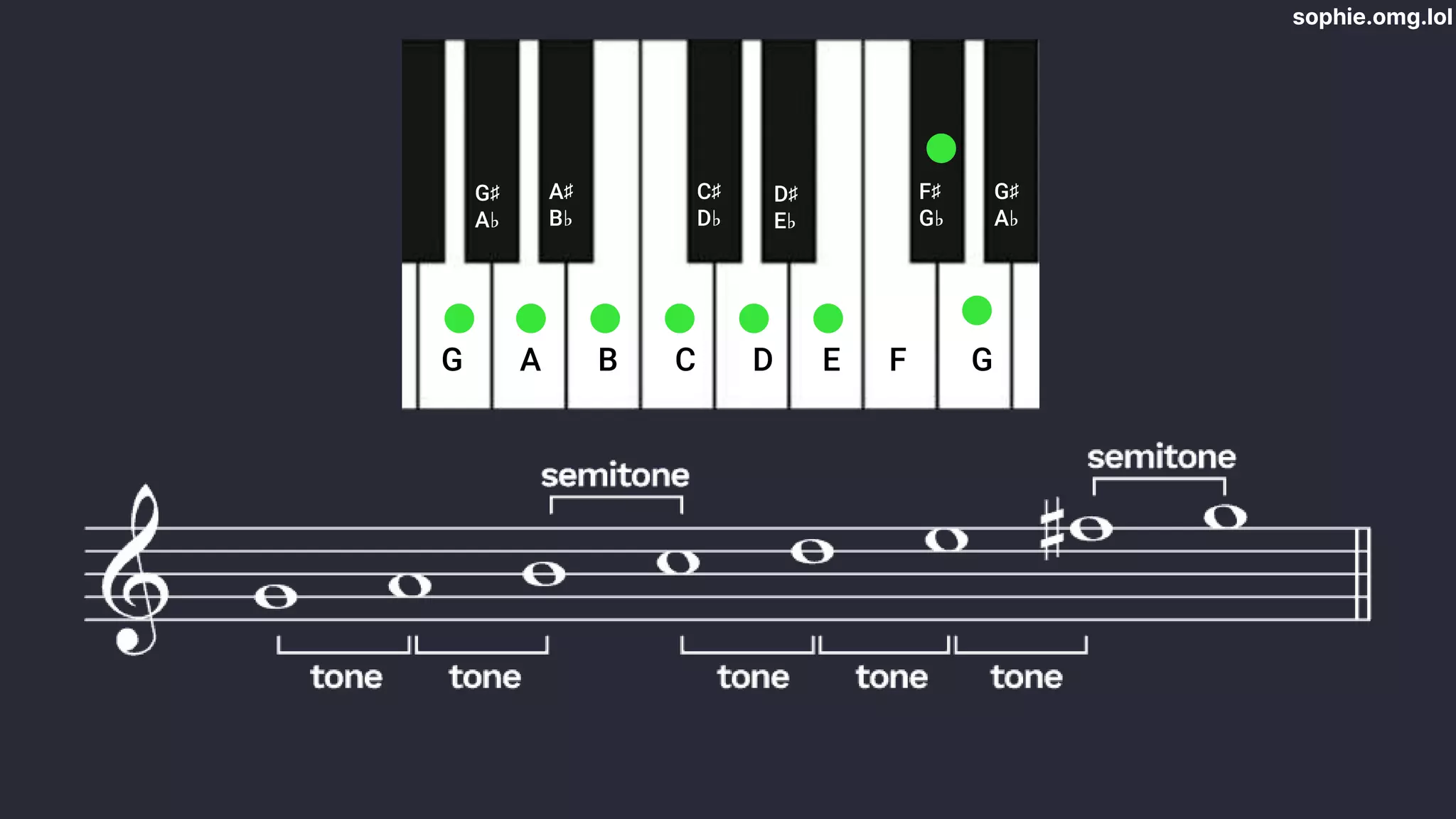
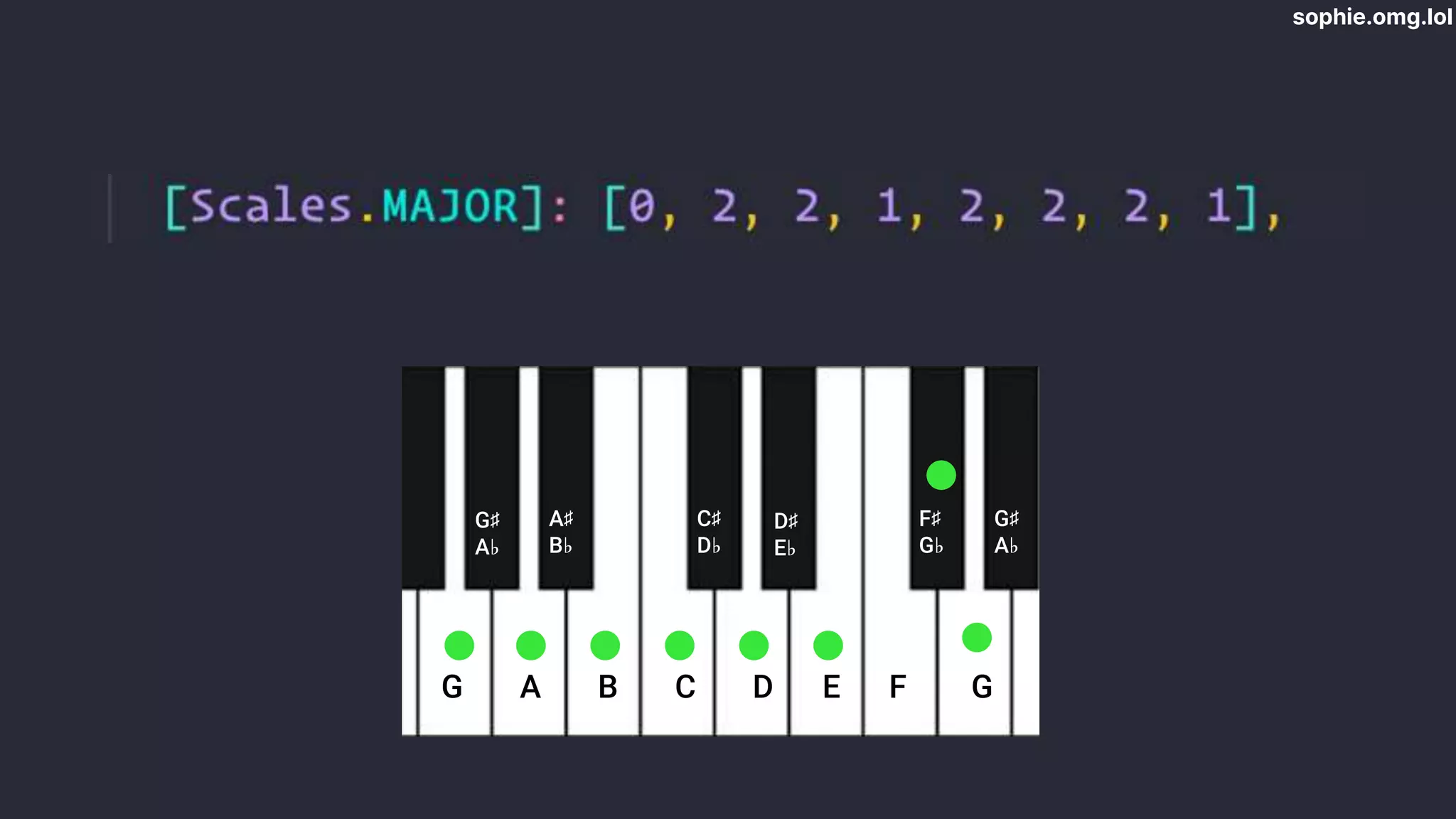
  • #14 G major - pattern for major scale. Different notes but same pattern as the one I just showed you One semitone or half tone = distance between one note and its neighbour Tone/whole tone = two semitones Tone, tone, semitone, tone, tone, tone, semitone. Every major scale Other scales have different patterns but are fundamentally the same
  • #15 Okay! Time for some JavaScript. Enough musical theory. Let’s talk about the Web Audio API. Play audio Mix Analyse Visualise Synthesize
  • #16 Recap: sound waves + frequencies Synthesizers generate these waves electronically to make sound. We’re basically going to build a little synthesizer. Here’s what we need…
  • #17  Circuit that produces alternating waveform -> constant tone
  • #18  Define the waveform Makes a particular sound
  • #19  frequencies of all the notes on the piano to tell the synthesizer what note to play
  • #20  And then we need to actually build those piano keys.
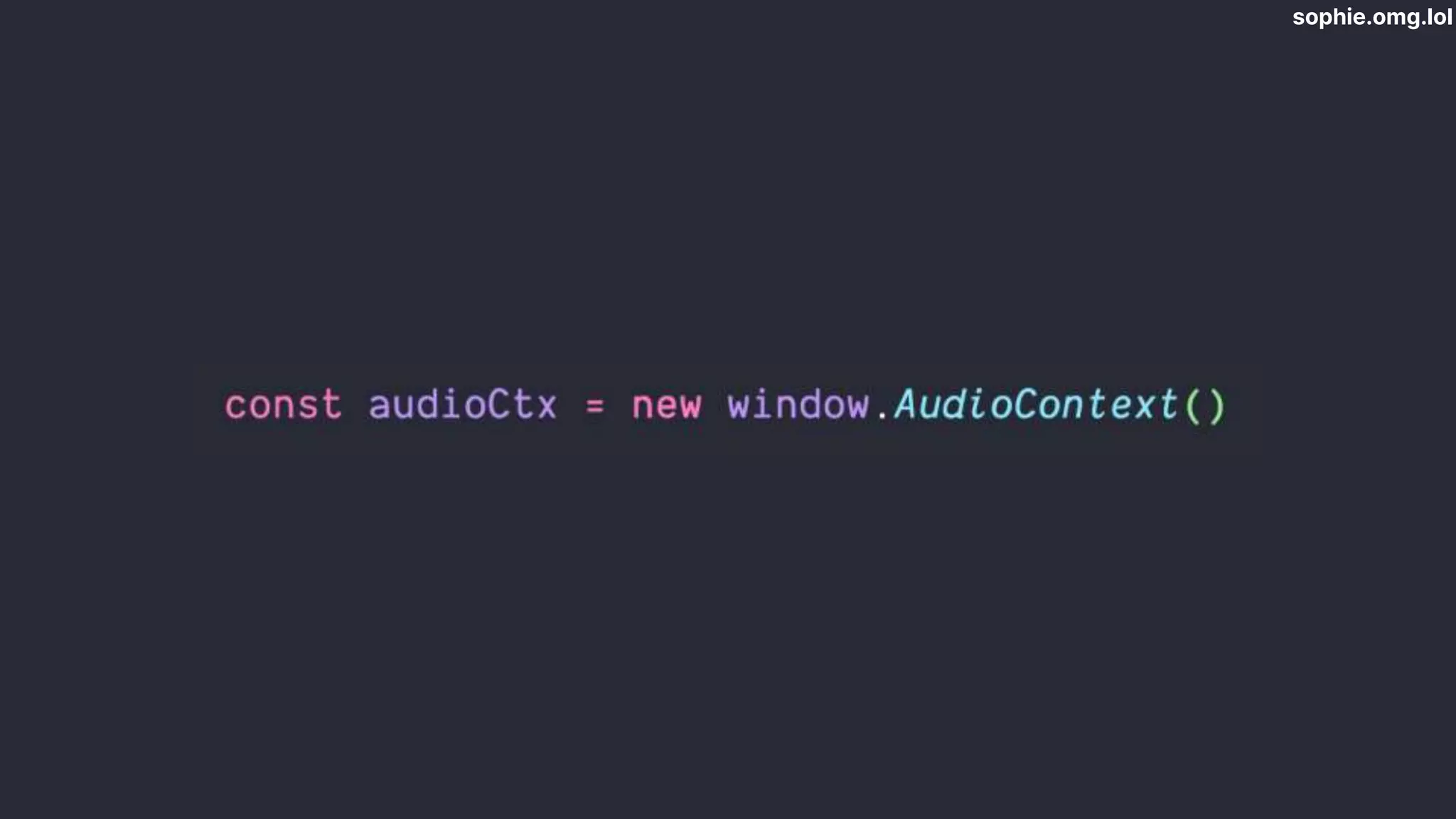
  • #21 initialise an AudioContext. This is like a big graph that contains lots of audio modules linked together exists on the window object in the big 4 browsers. only want one of these in the app: multiple -> lots of sounds at once
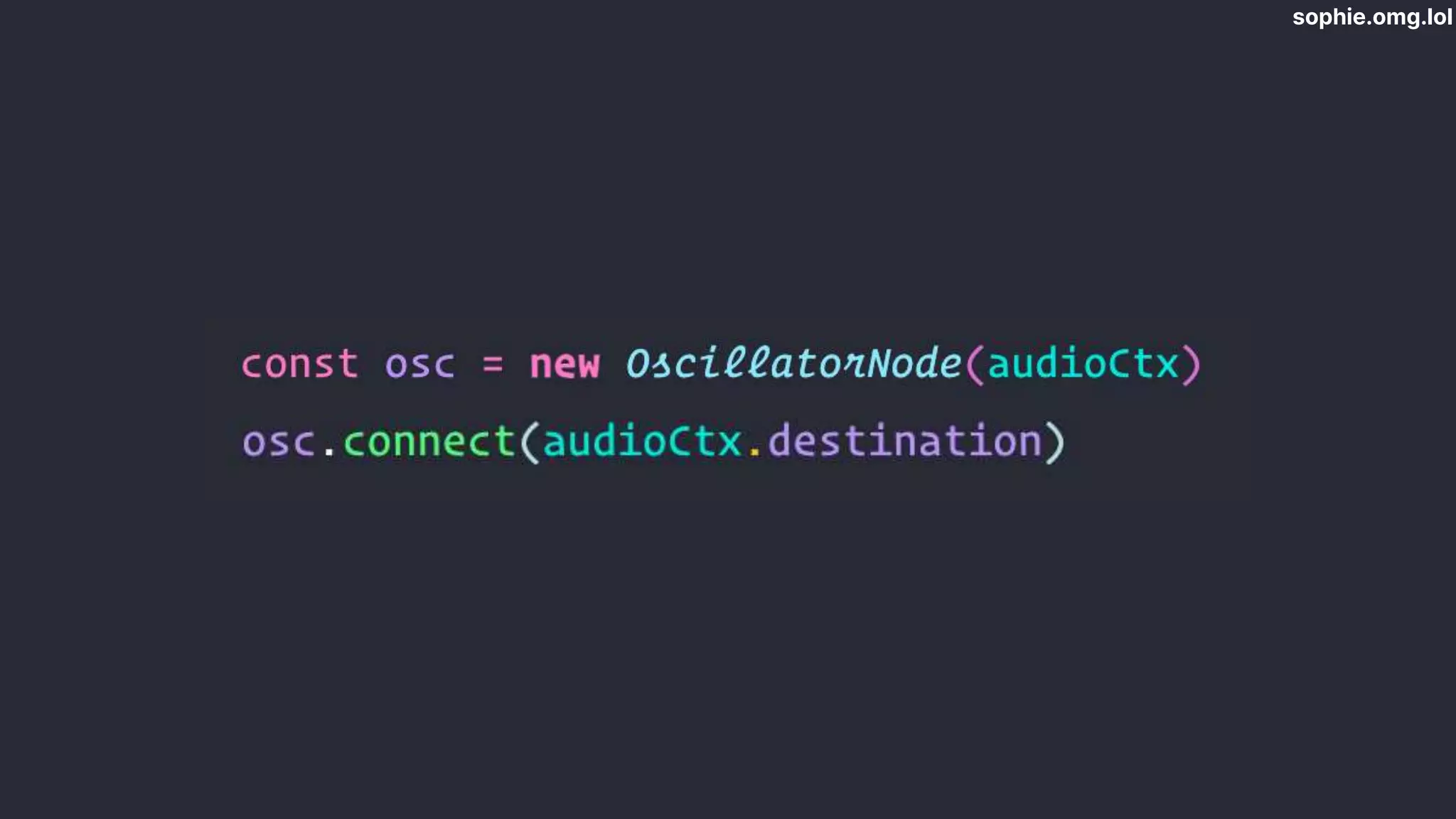
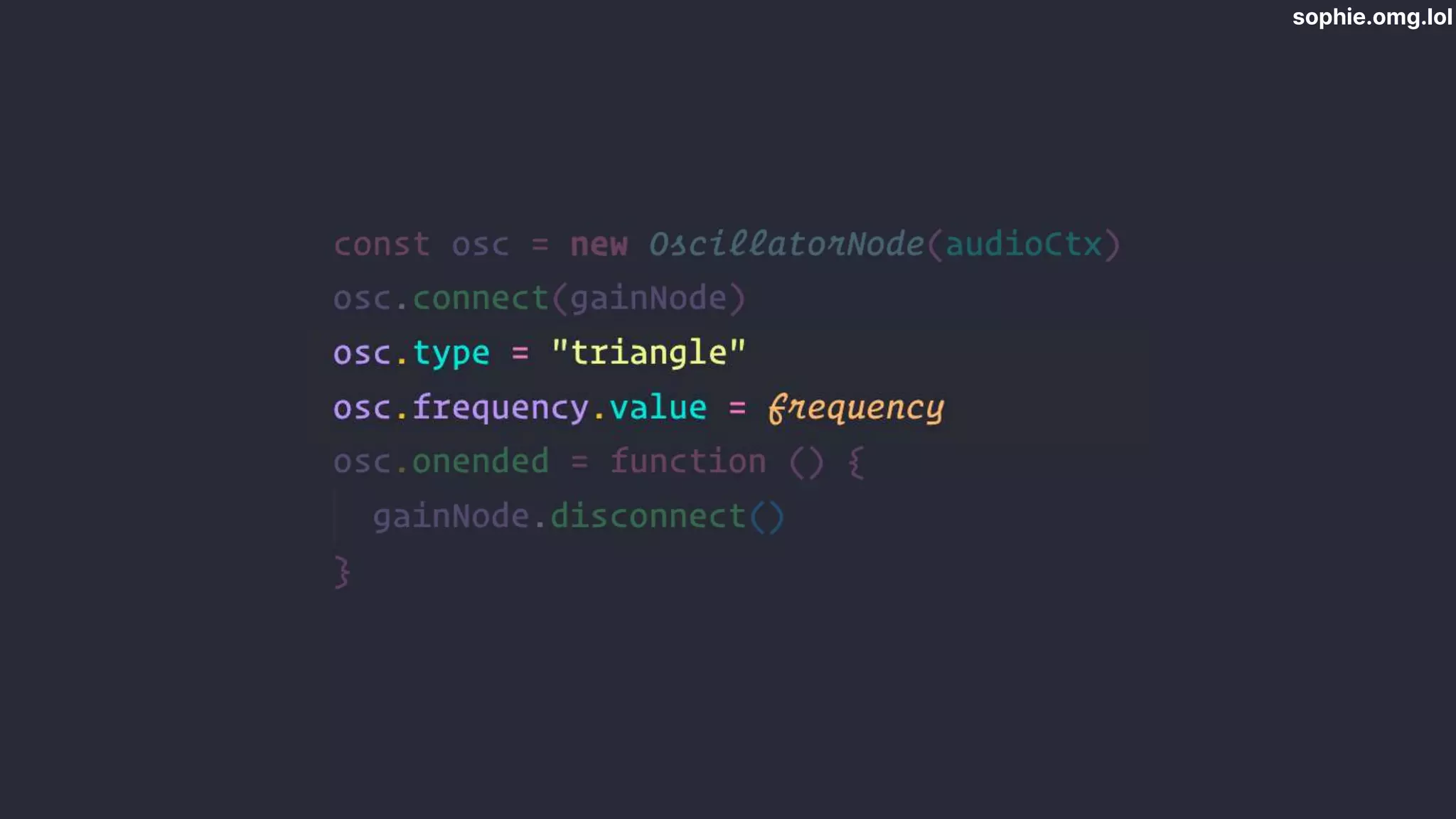
  • #22  createOscillator Connect to audio context destination (default system output) Not doing anything yet
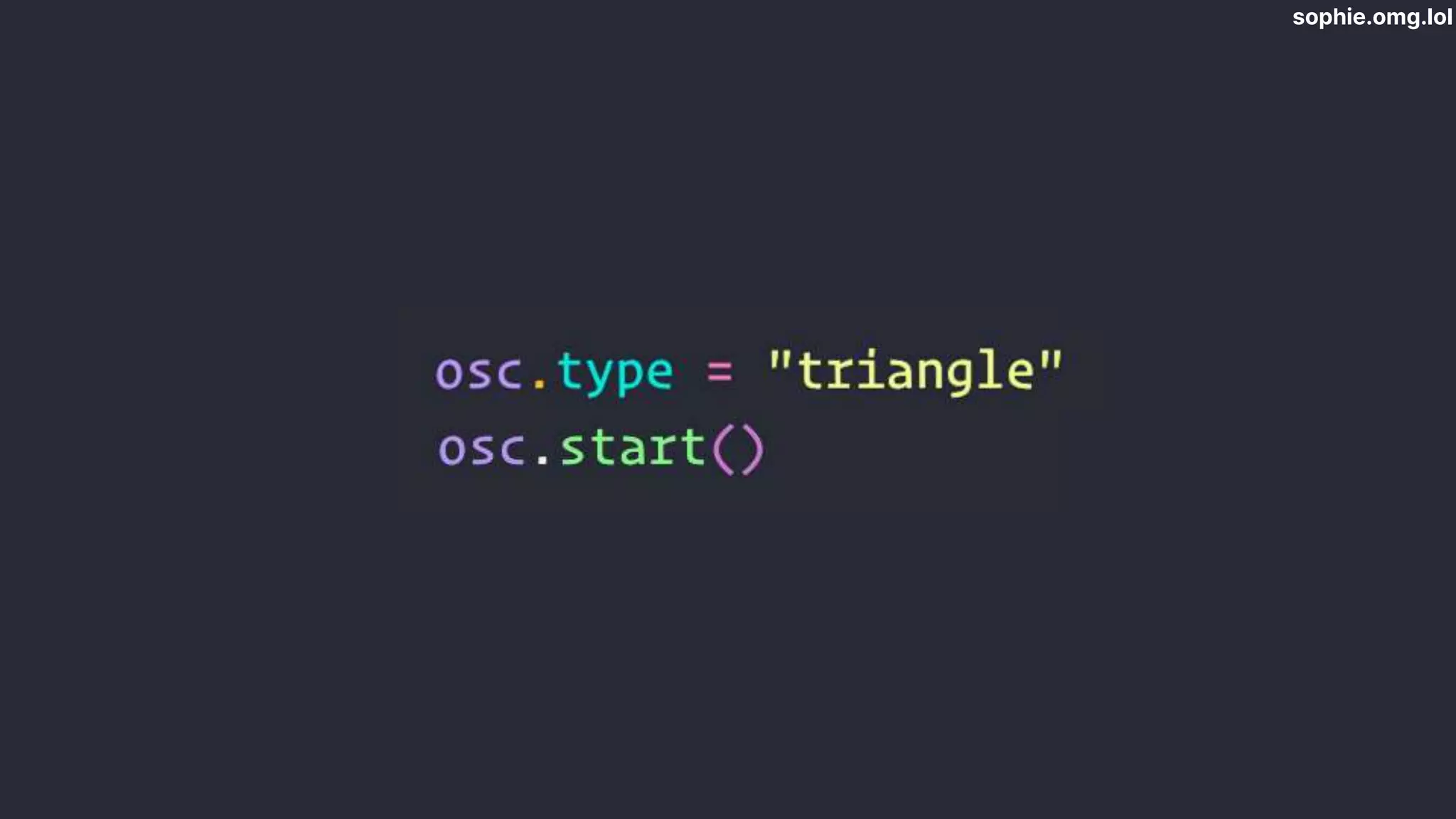
  • #23 Create waveform The shape of this waveform determines the sound that’s produced. 4 really common waveforms - sine, square, triangle, sawtooth. a sine wave will make a very different sound to a square wave, for example (play audio).
  • #24 Sine wave
  • #25 Square
  • #26 Triangle
  • #27 Sawtooth
  • #28 I chose triangle Start oscillator App playing fixed tone @ 440Hz. How do we do different tone?
  • #29 We can calculate them using a formula§
  • #30 A4 is an important note A above middle C on the piano - 4th octave Standardised as ISO-16 - standard orchestral tuning frequency Nice round number
  • #31 Formula to calculate a note’s frequency based on its position relative to another note, which we know the frequency of Makes sense to use 440Hz as a constant
  • #32 where 𝑛 is the number of semitones between A4 and the note we’re looking for. For example, the note C5 is the next C above A4 on the piano. If you count it out, that’s a difference of 3 semitones.
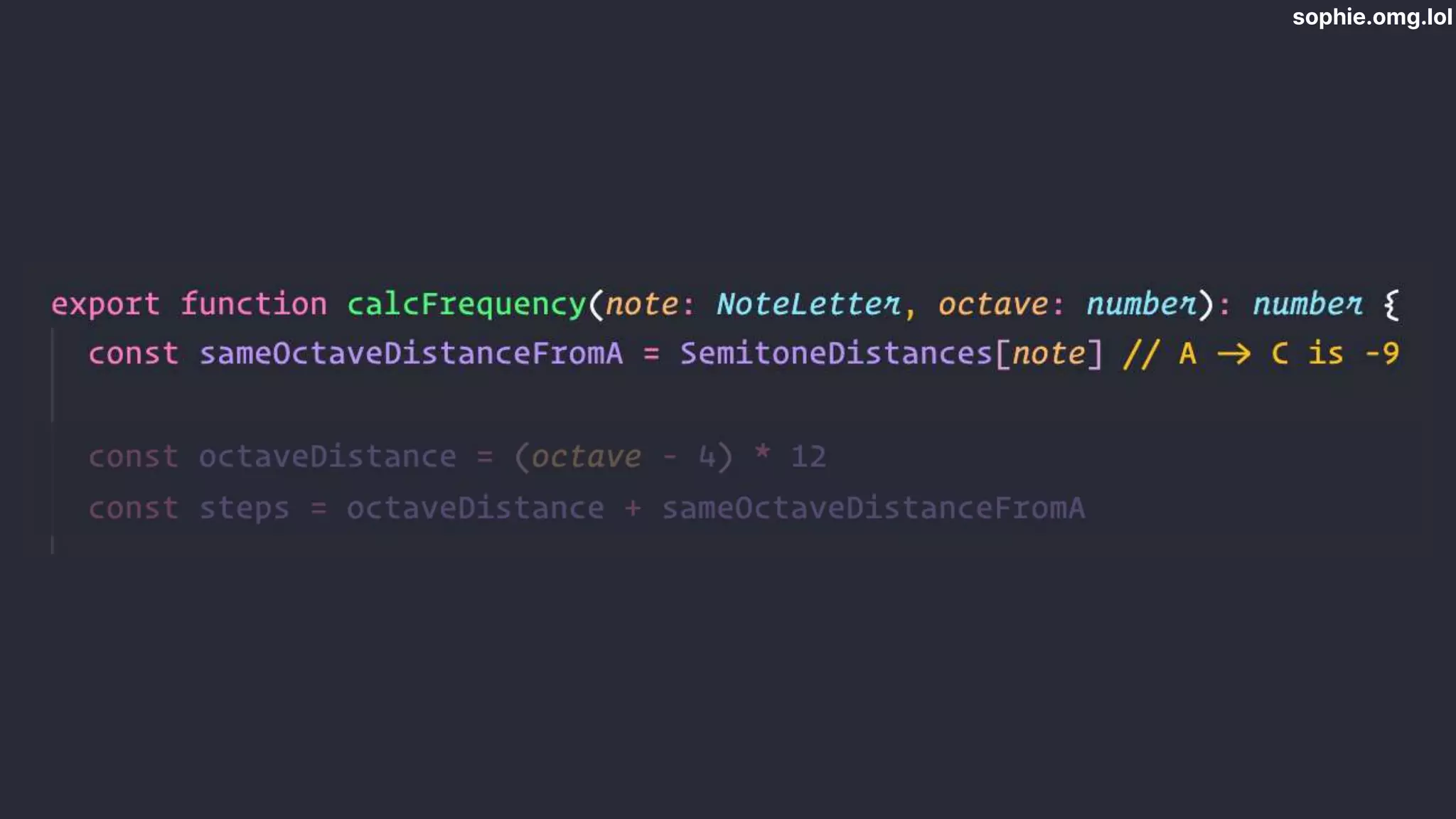
  • #33 Translated equation to code. This function takes a letter and number combination -> freq Get interval between A and our note within the same octave Get octave interval - octave difference multiplied by semitones Add together
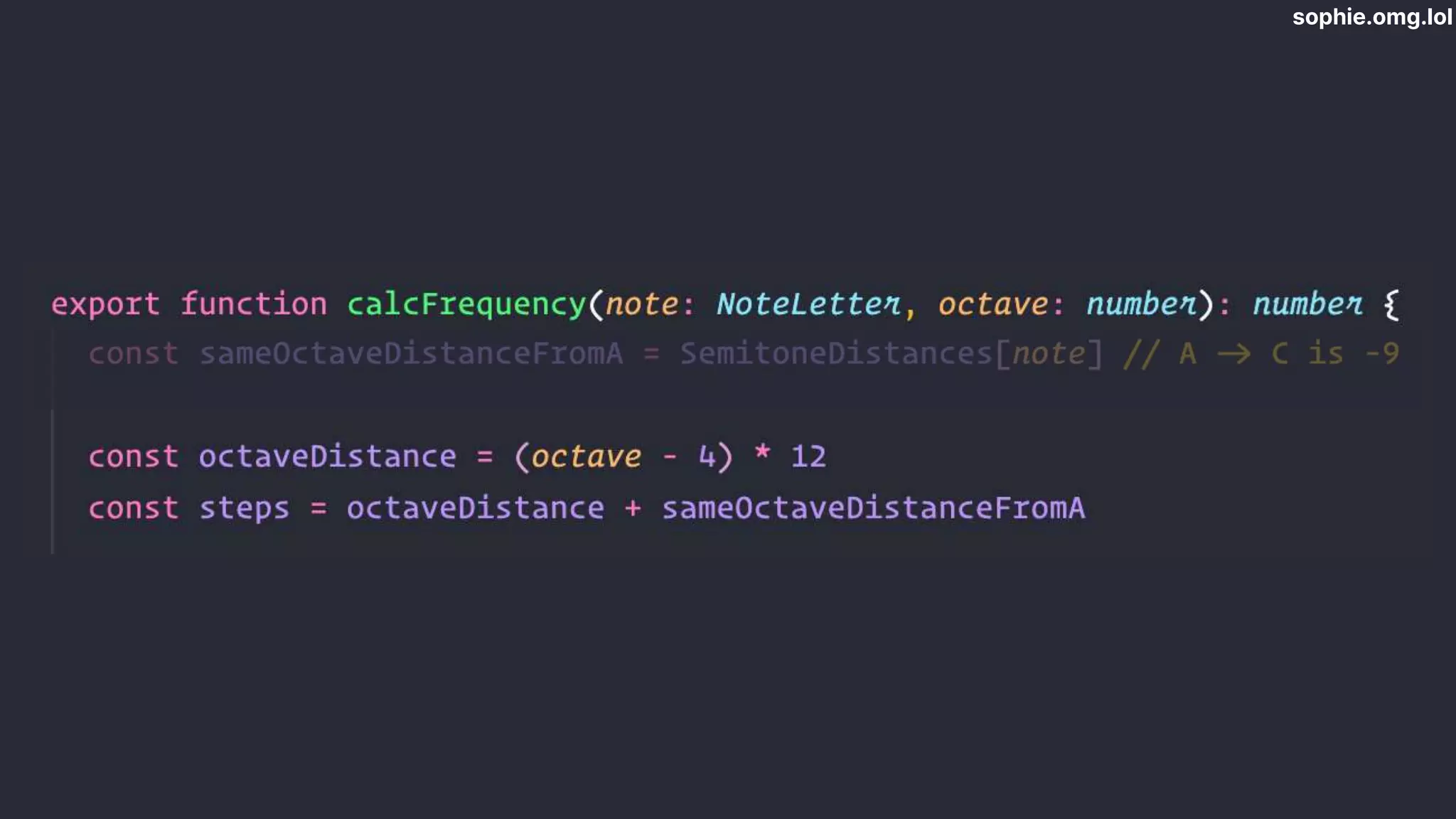
  • #34 Translated equation to code. This function takes a letter and number combination -> freq Get interval between A and our note within the same octave Get octave interval - octave difference multiplied by semitones Add together
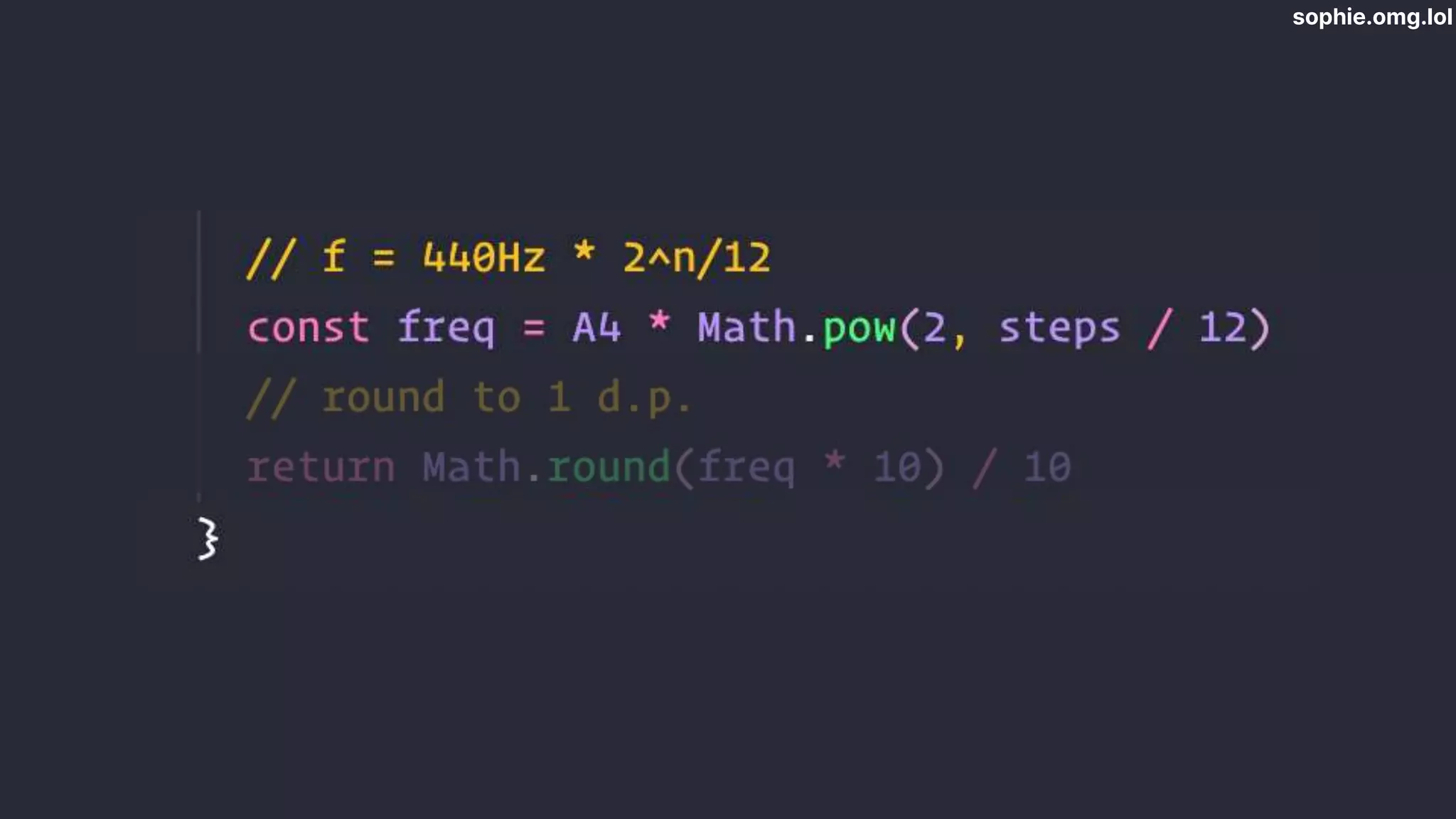
  • #35 Run equation to calculate frequency
  • #36  For convenience we round it to 1 decimal place.
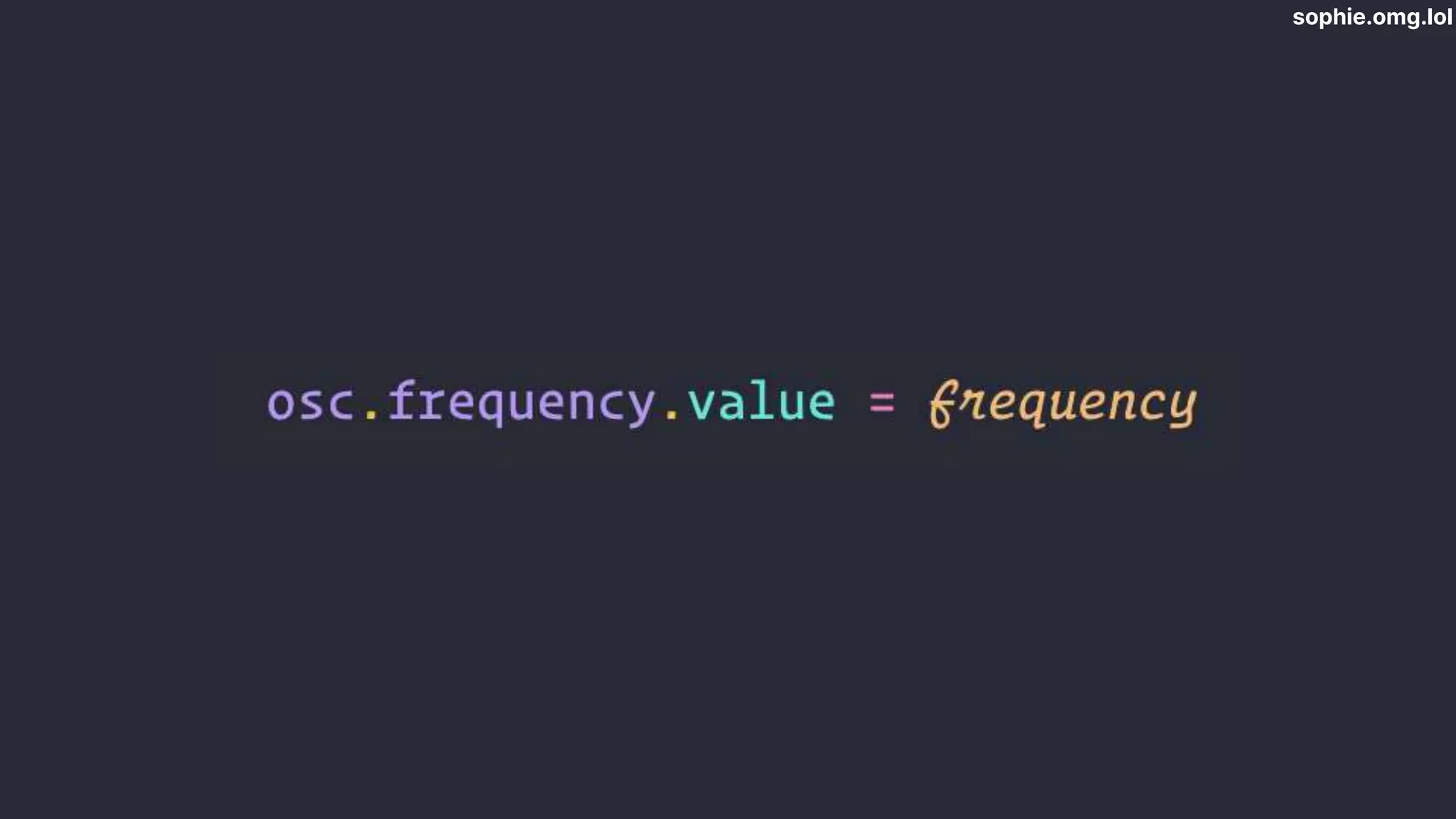
  • #37 Once we have the frequency, it’s simple to set the oscillator frequency. So now we can make an oscillator play whatever note we want.
  • #38 Now can build piano Did the OG one in React but had problems with things getting out of sync Vanilla JS has been much easier Each key is a button, positioned with CSS grid Each note has ID - index of array of notes Title attribute
  • #39 Each key has event listeners for mouse down and mouse up We either play or stop the note Pedal - don’t stop on mouse up
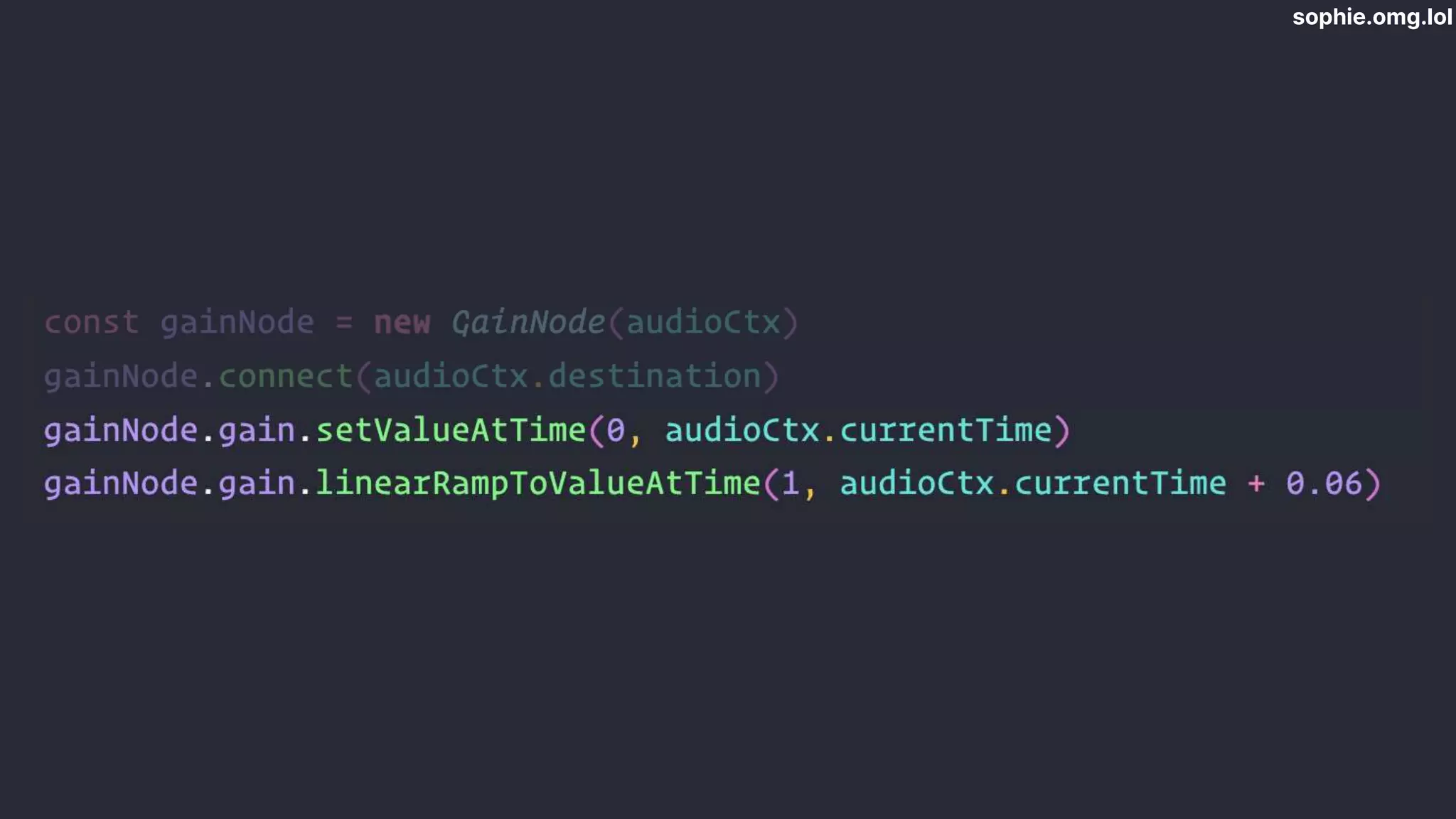
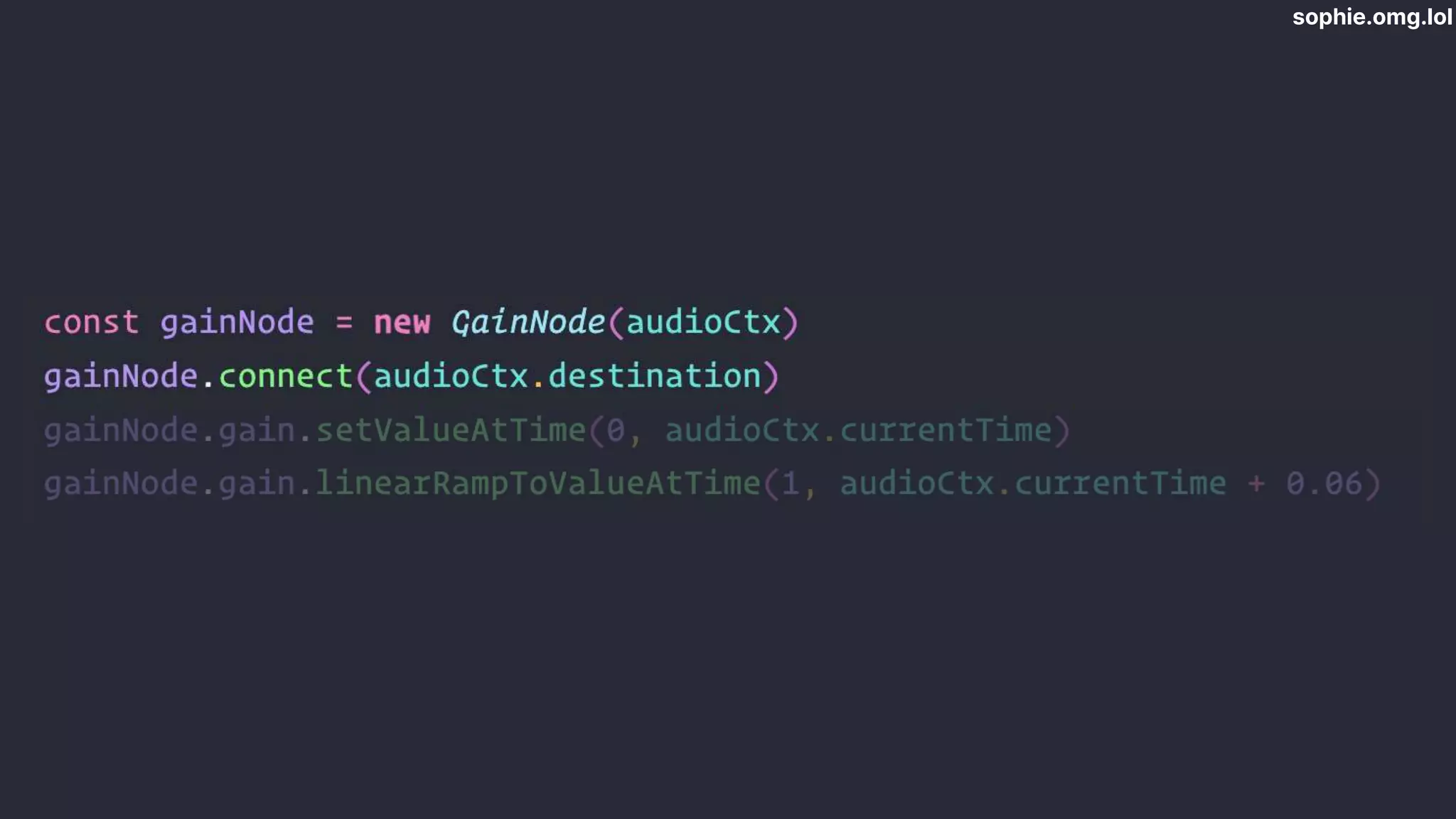
  • #40 Playing a note - new audio channel for each note press Create a gain node to ramp the sound up and down to make it sound a bit smoother CLICK
  • #41 We set the gain to zero to start with and ramp it up over 0.06s - if you’re familiar with music terms this is controlling the attack of the note, the onset
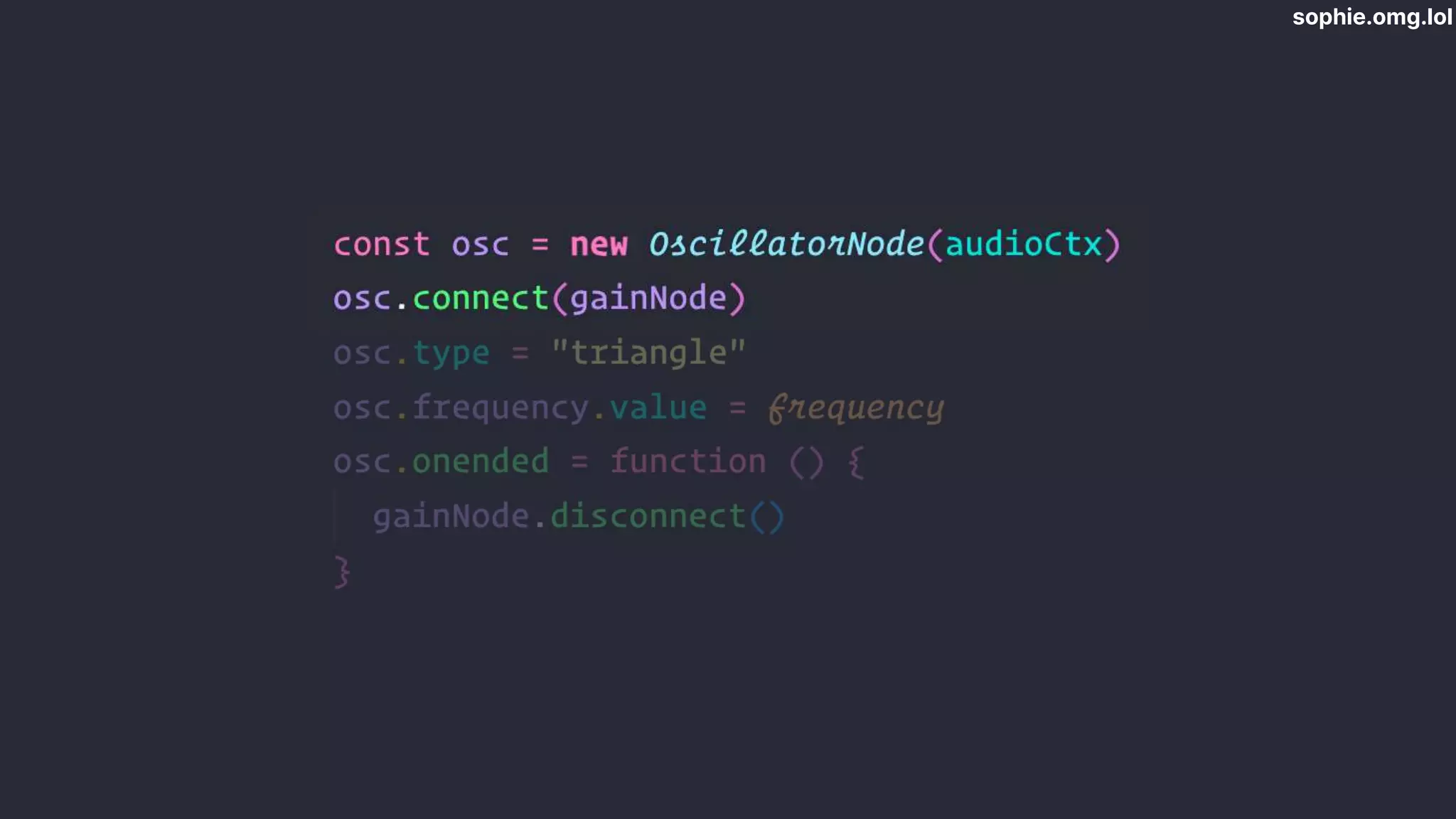
  • #42 We init our oscillator, and connect it to the gain node Think of these like a chain of modules, each one has to be connected to the last
  • #43 Then we set the wave type and the frequency,
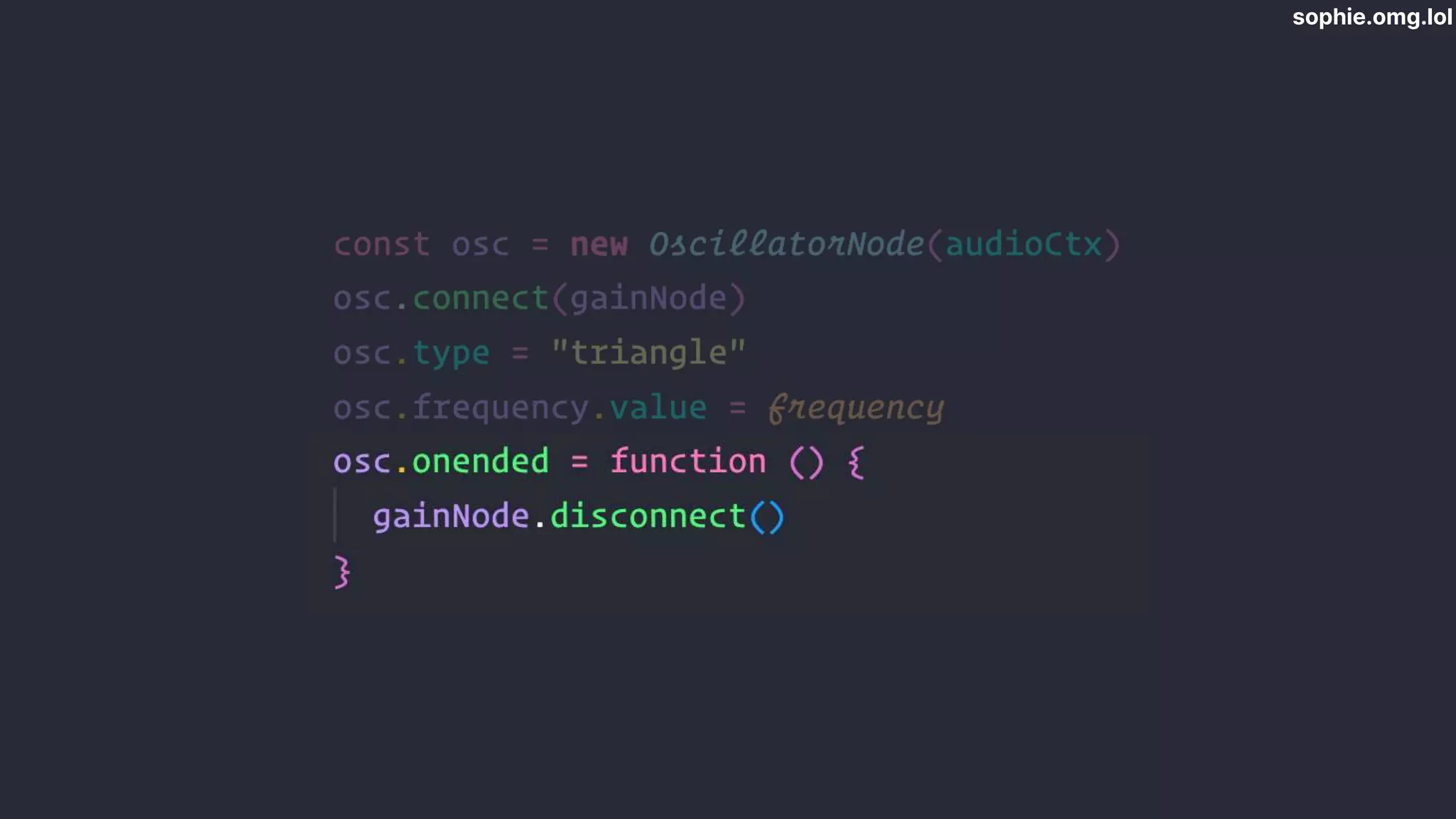
  • #44 When osc stops, disconnect gain node Garbage collection
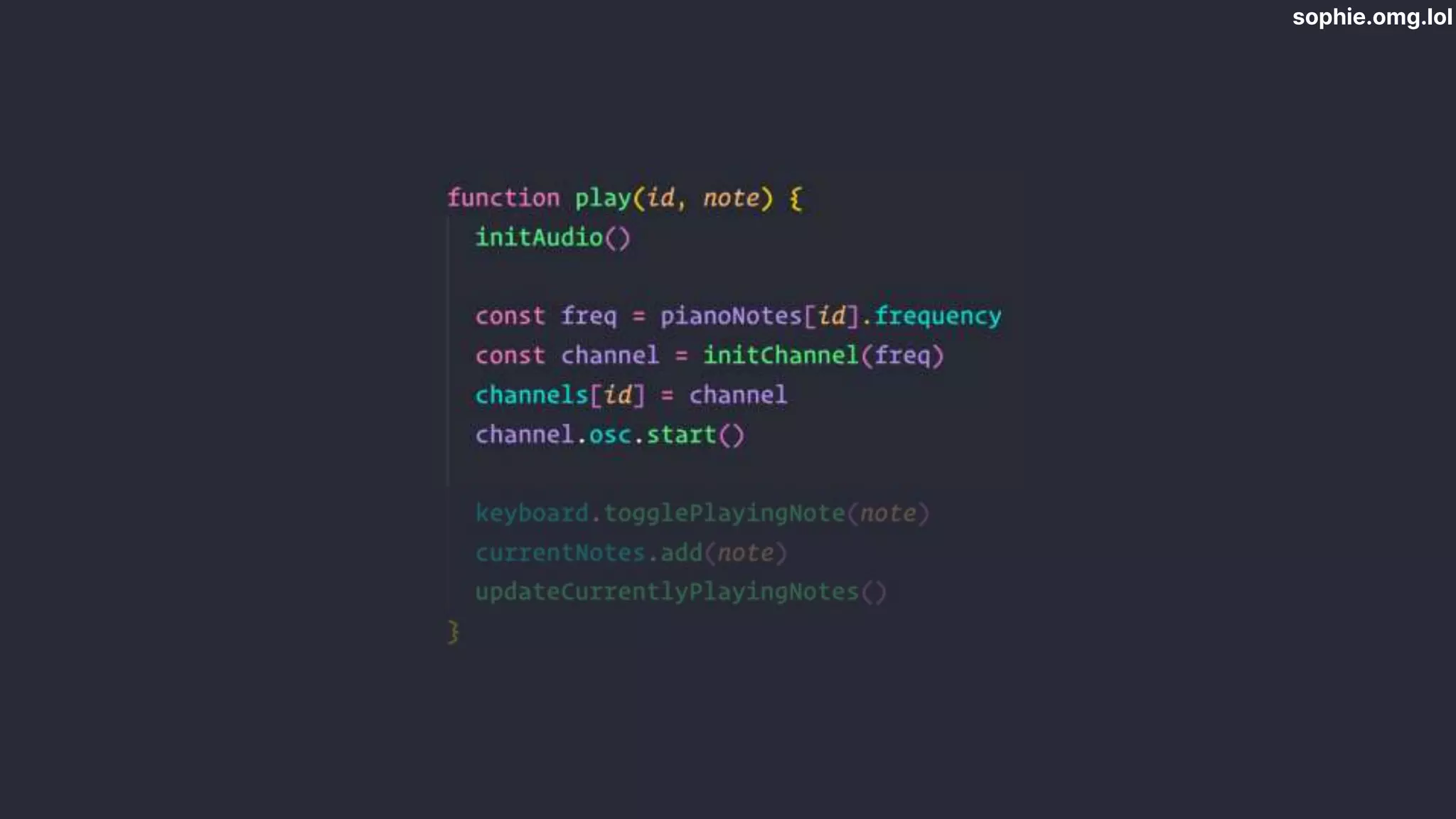
  • #45 When we click a note, init audio - need to respond to user gesture - then find note and init channel, then start osc Storing all the channels in global var
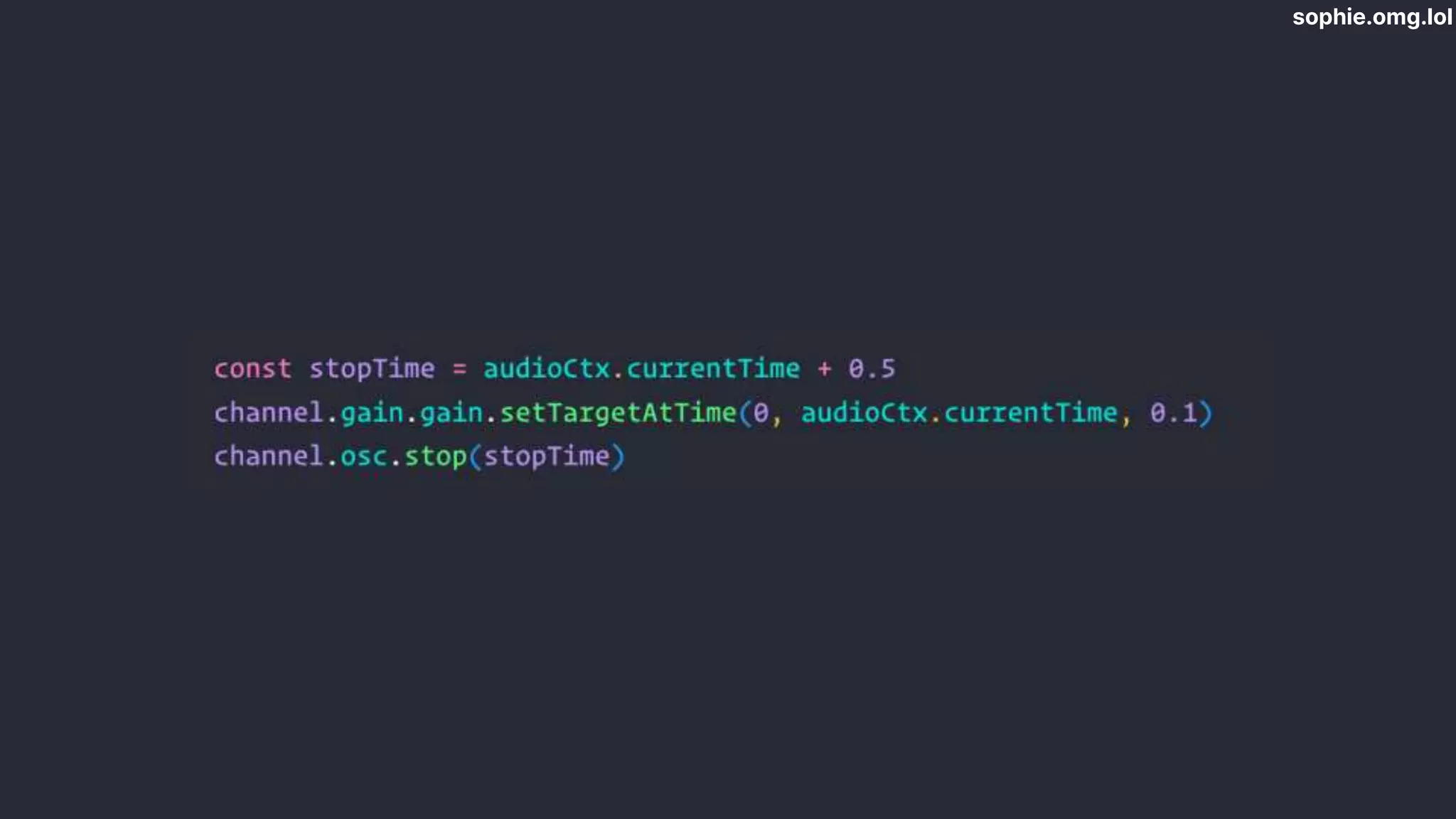
  • #46 Stopping a note - on mouse up, ramp down to 0 very quickly then stop oscillator Can’t repeatedly stop and start oscillators - need a new one for each one Oscillator disconnects itself when turned off. Every time I play a note I overwrite the channel for that note so the old one will get GC’d
  • #47 Automatically play notes of scale Patterns of scale -> generate notes Table of intervals for scales Each number represents a semitone interval from the previous note Start at 0 - root note Recap major scale pattern as numbers
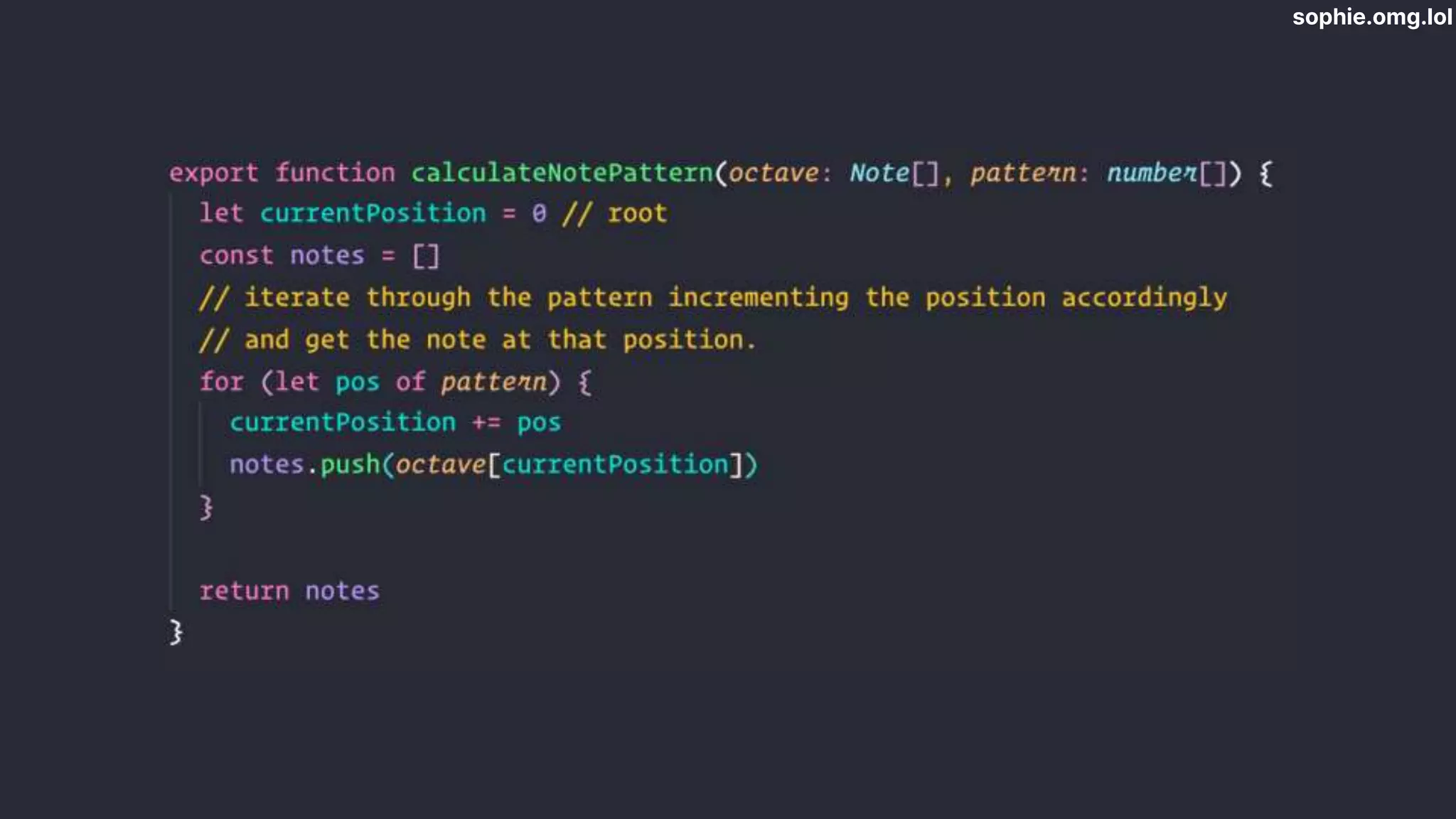
  • #48  Generating scales Generate octave Iterate through scale pattern Cursor currentPosition that keeps track of which note we’re on based on index Add each interval to currentPosition to find next note
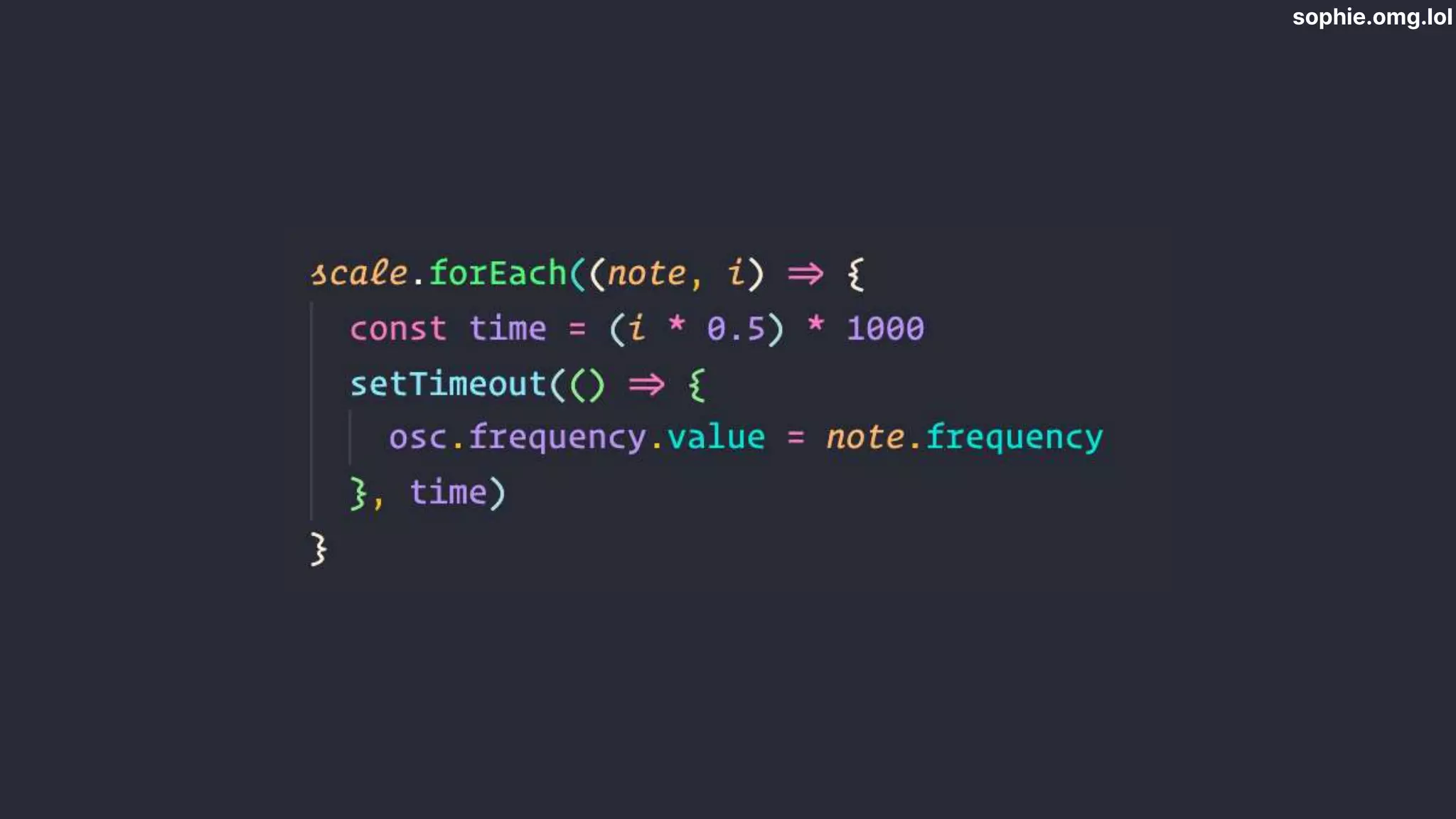
  • #49 Playing scale: change oscillator frequency at regular intervals Only want one oscillator Set timeouts per note - 0.5 sec - multiply by index of note in array so staggered Timeout elapses- osc frequency changes Store timeouts in a global variable if we want to stop
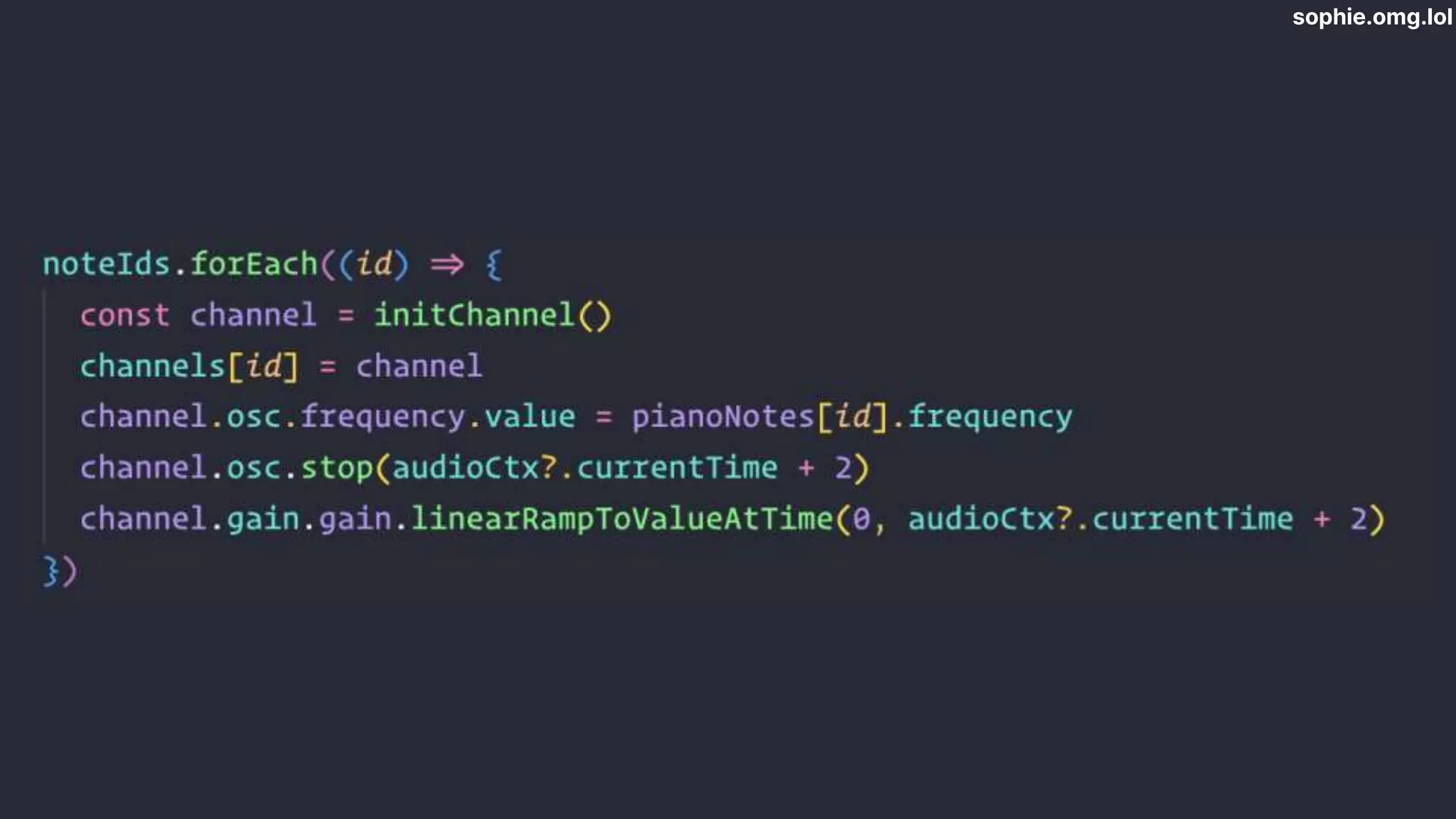
  • #50 For chords: different patterns, fewer notes, same principle. Get the oscillator to stop playing 2 seconds in Find the frequencies new oscillator for each note.
  • #51 We’ve got it to…
  • #52 This is a midi controller... Open browser and demo midi controller
  • #53 Connects to Musical Instrument Digital Interface devices Chrome, Edge and Opera - not Firefox
  • #54 When you press a note on the controller it sends a message to the computer with info about what was pressed The browser is listening for those messages
  • #57 The data we get from the midi message looks like this Command, note, velocity Ignoring velocity
  • #58 The two commands we care about
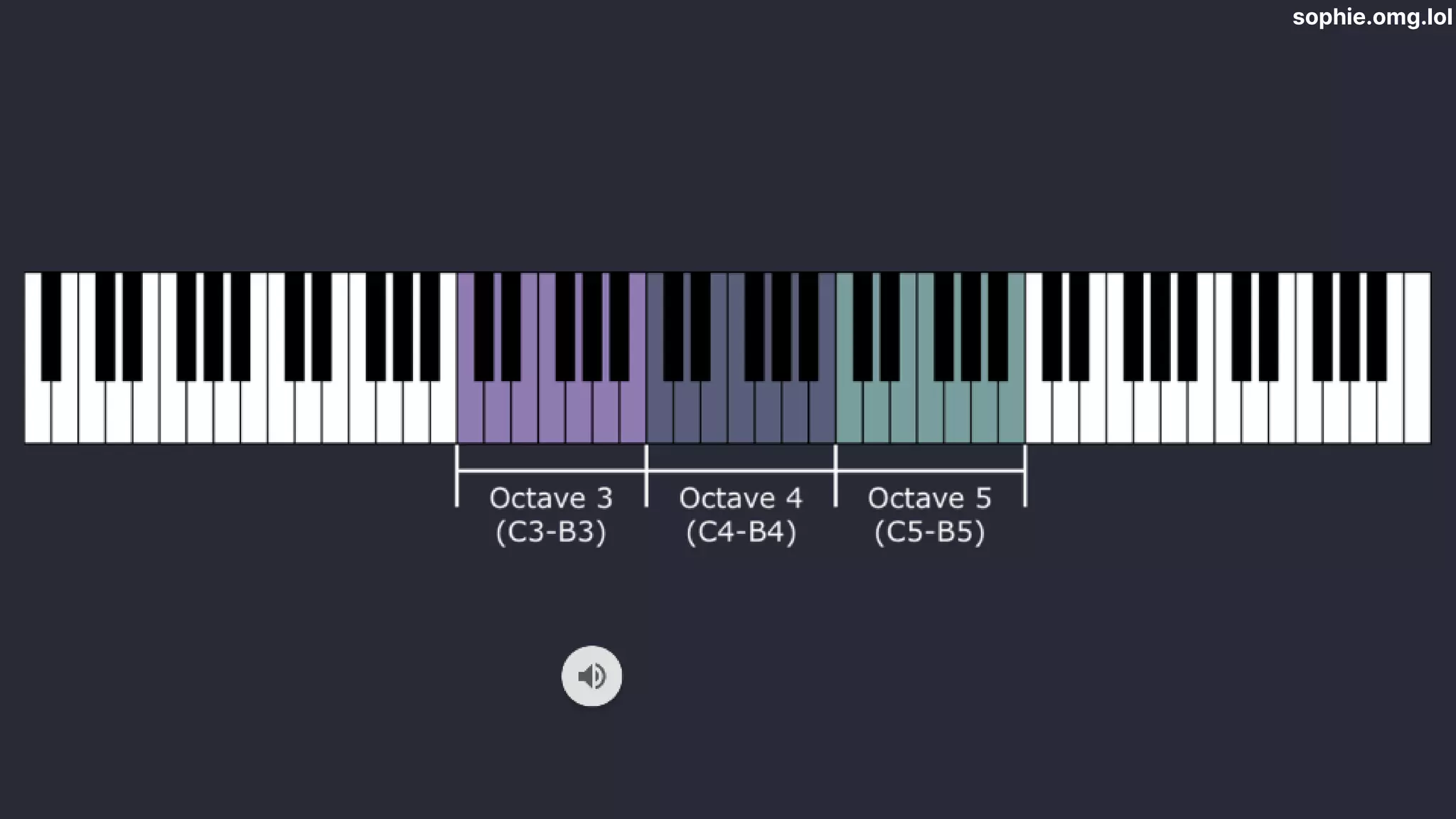
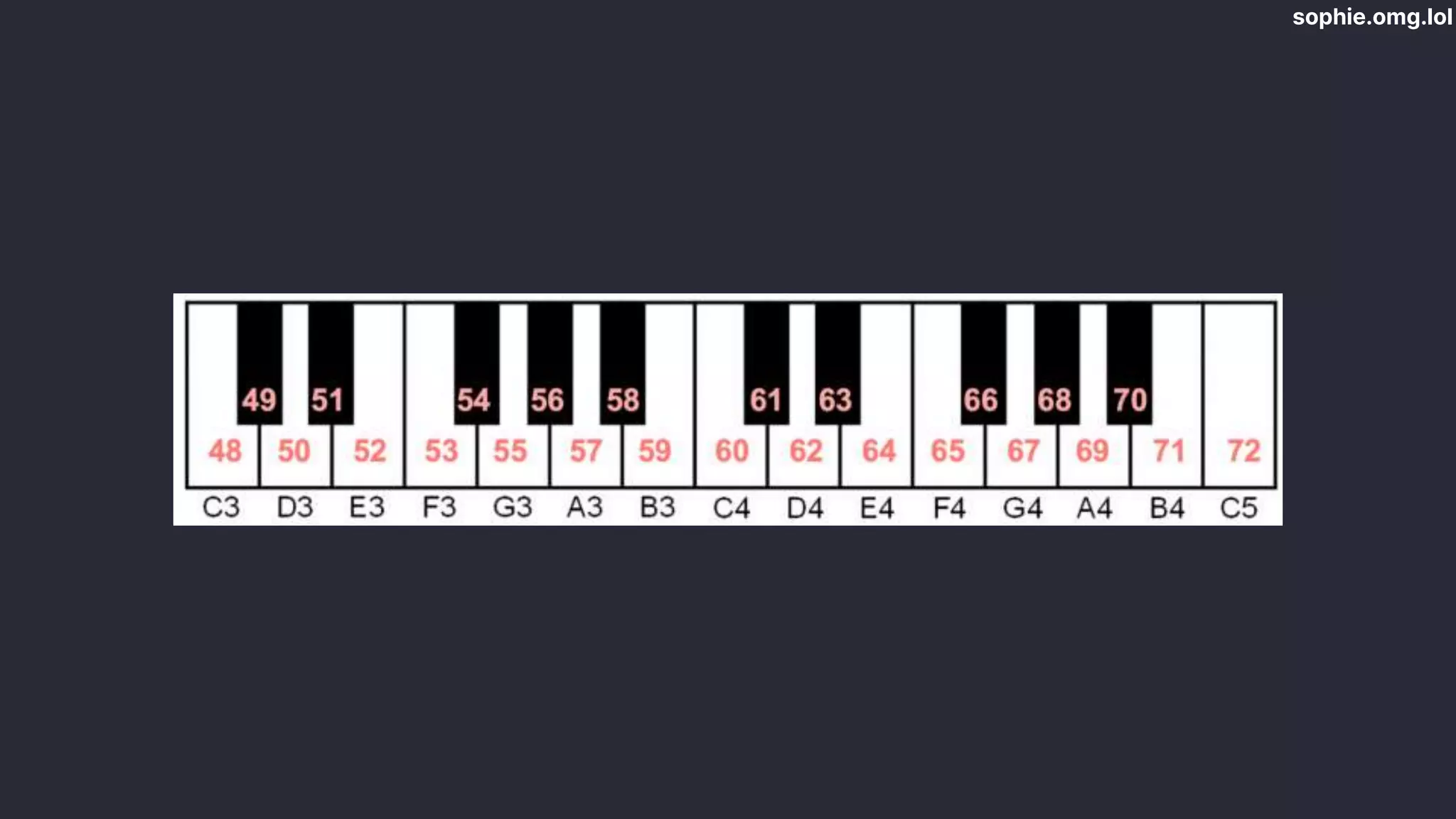
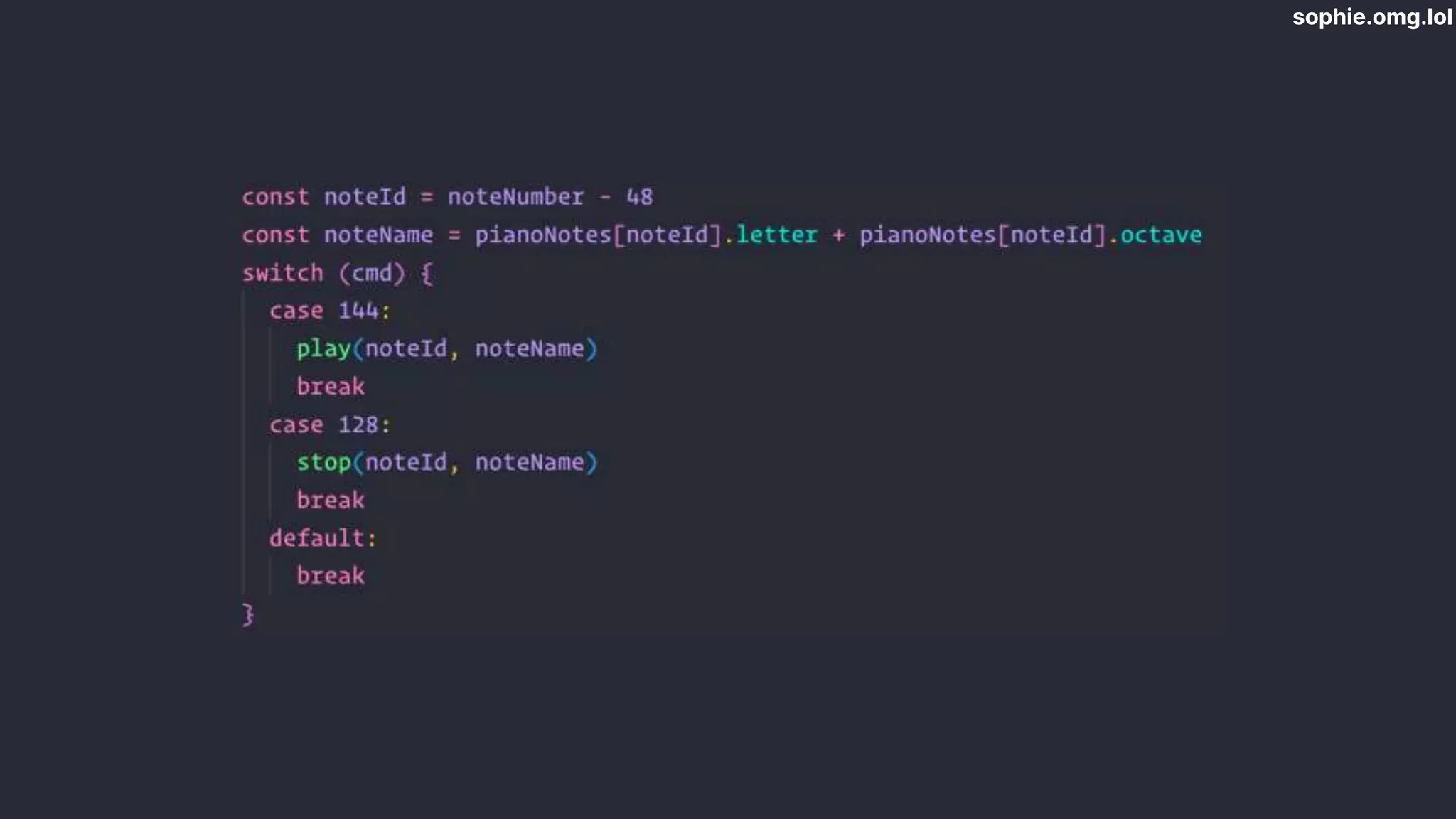
  • #59 Midi standard assigns numbers to each key Default for my midi controller is octaves 3+4, starting at 48 My keyboard has 0-24 When I get a number, have to subtract 48 to get index
  • #60 Midi standard assigns numbers to each key Default for my midi controller is octaves 3+4, starting at 48 My keyboard has 0-24 When I get a number, have to subtract 48 to get index One more demo for good measure
  • #62 I’m happy to answer any questions you might have.