Vazi Okhandiar, MCT, PMP, MSCS, BSEE
www.nrclc.com. (714) 505-3475
Build a Dashboard in an Hour
Using Microsoft PowerPivot & Power BI
Welcome to SQL Saturday in San Diego
Vazi Okhandiar, MCT, PMP, MSCS
Consultant & Trainer
25+ years - Software development
15+ years – Teaching
Worked for General Motors, Toyota, EDS/HP, Computer Science Corp
as Application Developer, Database designer, project manager, Web Analytics
Specialize in Application Migration
Education:
Microsoft Certified Training
PMP, Project Management Institute
Masters in Computer Science, IIT, Chicago
MBA, University of California, Irvine(UCI)
BS Electrical Engineering, UCI
Agenda
Introduction to dashboard
Building a Dashboard
- with PowerPivot & PowerBI
Demo
Q & A
3
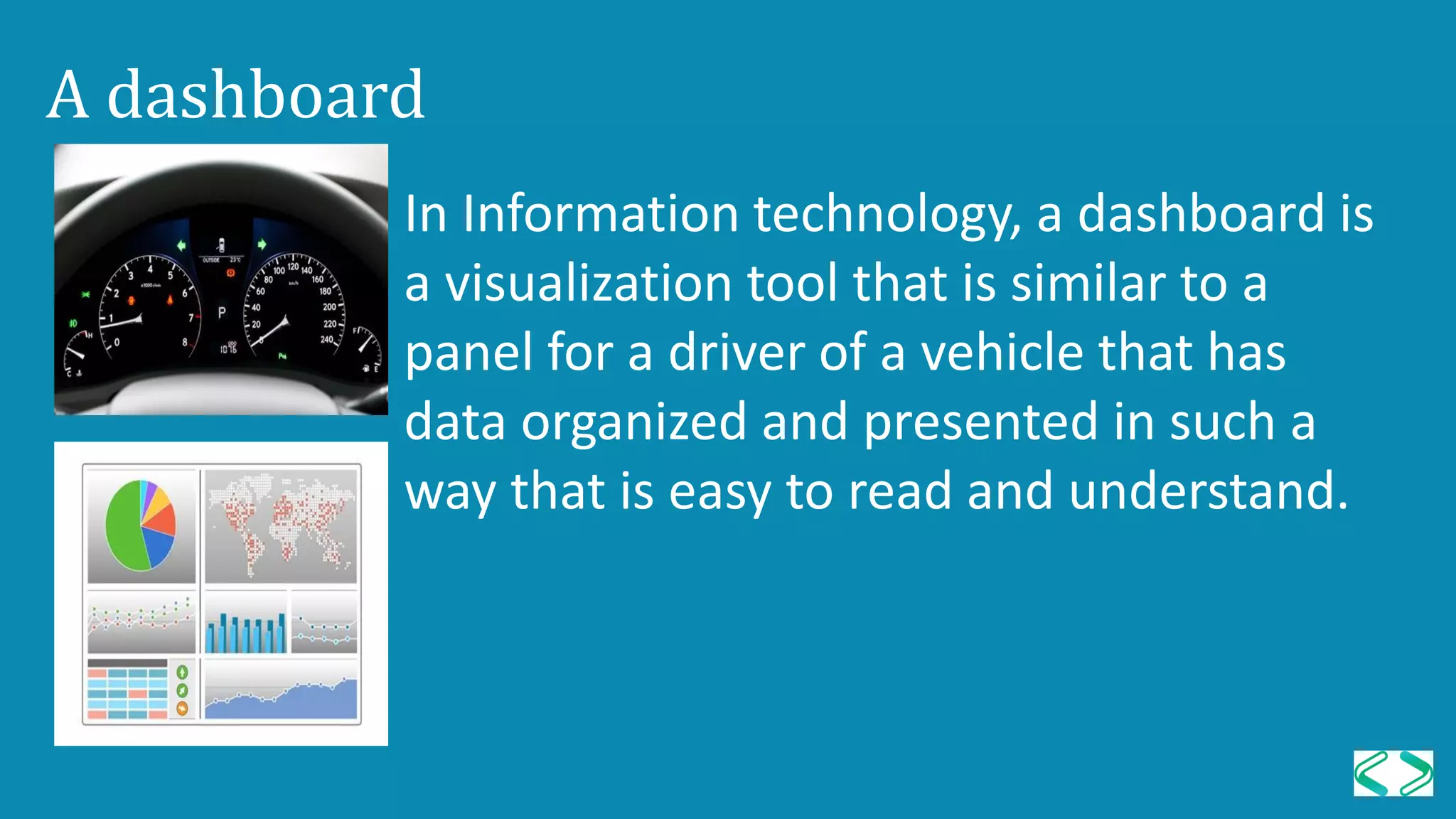
A dashboard
In Information technology, a dashboard is
a visualization tool that is similar to a
panel for a driver of a vehicle that has
data organized and presented in such a
way that is easy to read and understand.
Benefit of Digital Dashboards
• Visual presentation of performance measures
• Ability to identify efficiencies/inefficiencies
• Ability to identify and correct negative trends
• Ability to identify new trends.
• Ability to make more informed decision
• Align strategies and organizational goals
• Increase overall revenue
PowerPivot is a Free add-on for Microsoft Excel that enables a
user to:
• Import millions of row of data sources into a single Excel
workbook
• Create relationships between heterogeneous data
• Create calculated columns and measures using formulas
• Supports Visualize Tool – PivotTable, PivotChart, Slicers,
Sparkline
PowerPivot
7
PowerPivot Minimum Requirement
• Excel 2010 Professional (32 bit or 64 bit) or higher
• Windows 7 (32-bit) or higher
8
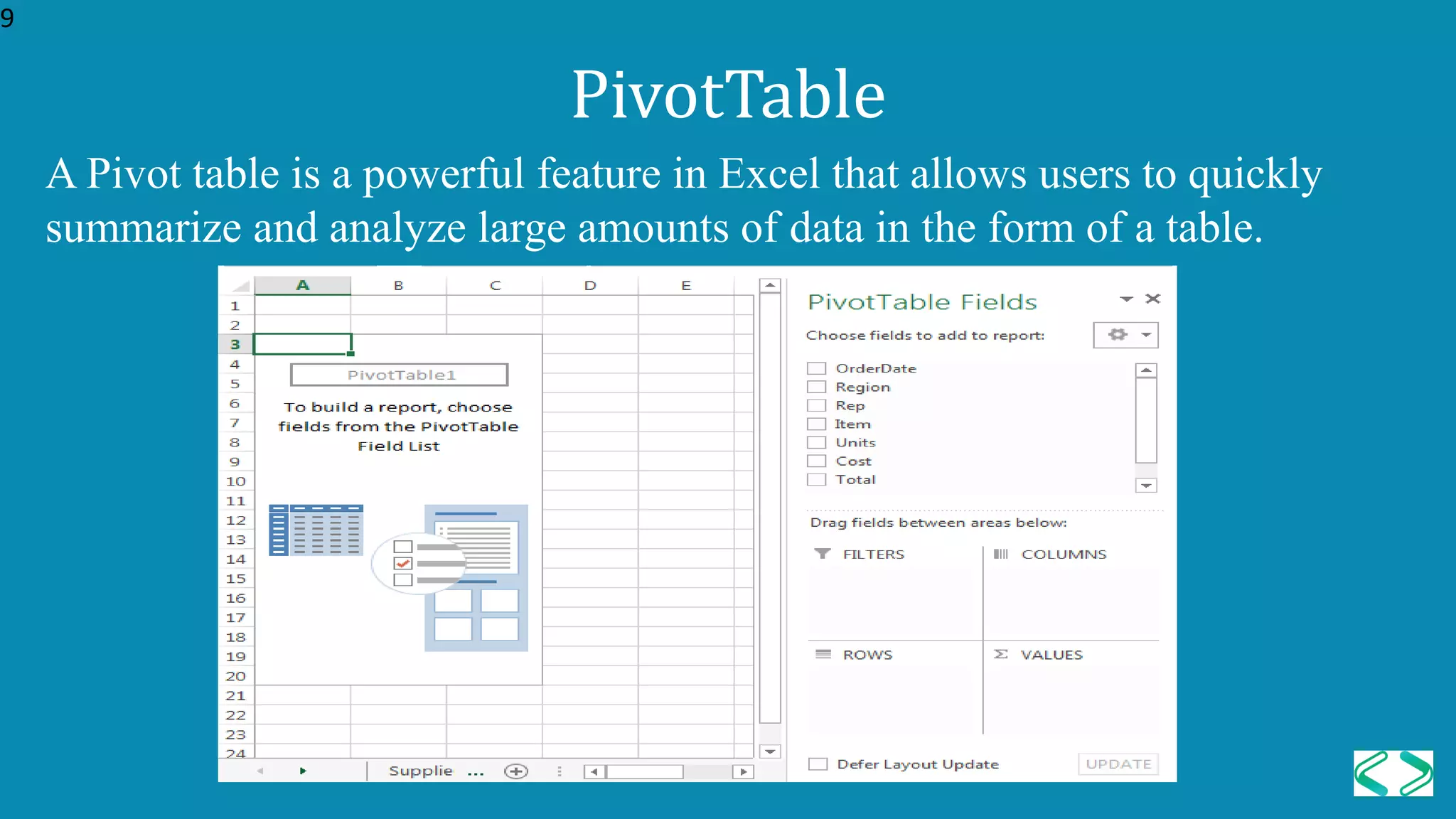
A Pivot table is a powerful feature in Excel that allows users to quickly
summarize and analyze large amounts of data in the form of a table.
PivotTable
9
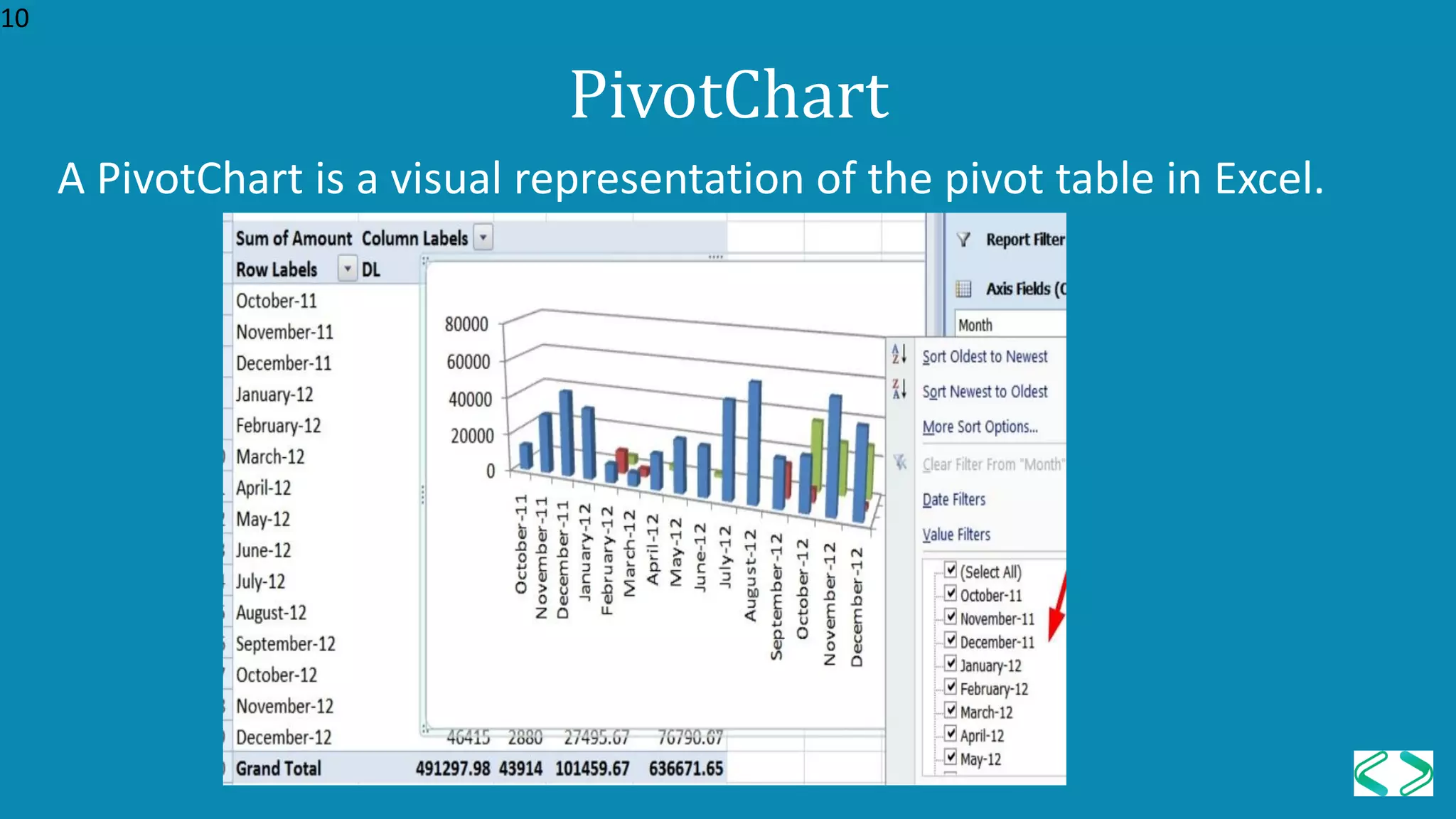
A PivotChart is a visual representation of the pivot table in Excel.
PivotChart
10
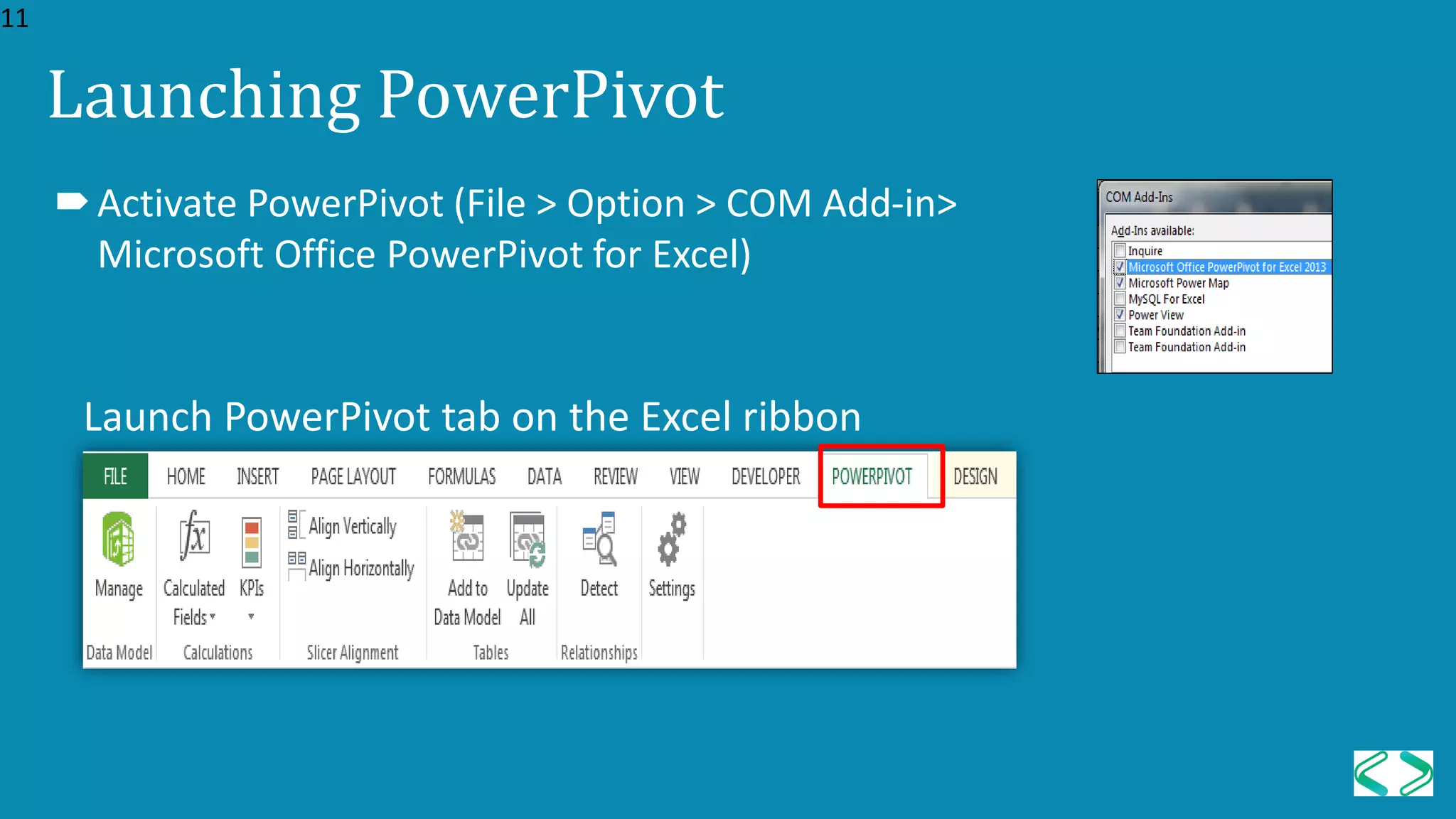
Launching PowerPivot
Launch PowerPivot tab on the Excel ribbon
Activate PowerPivot (File > Option > COM Add-in>
Microsoft Office PowerPivot for Excel)
11
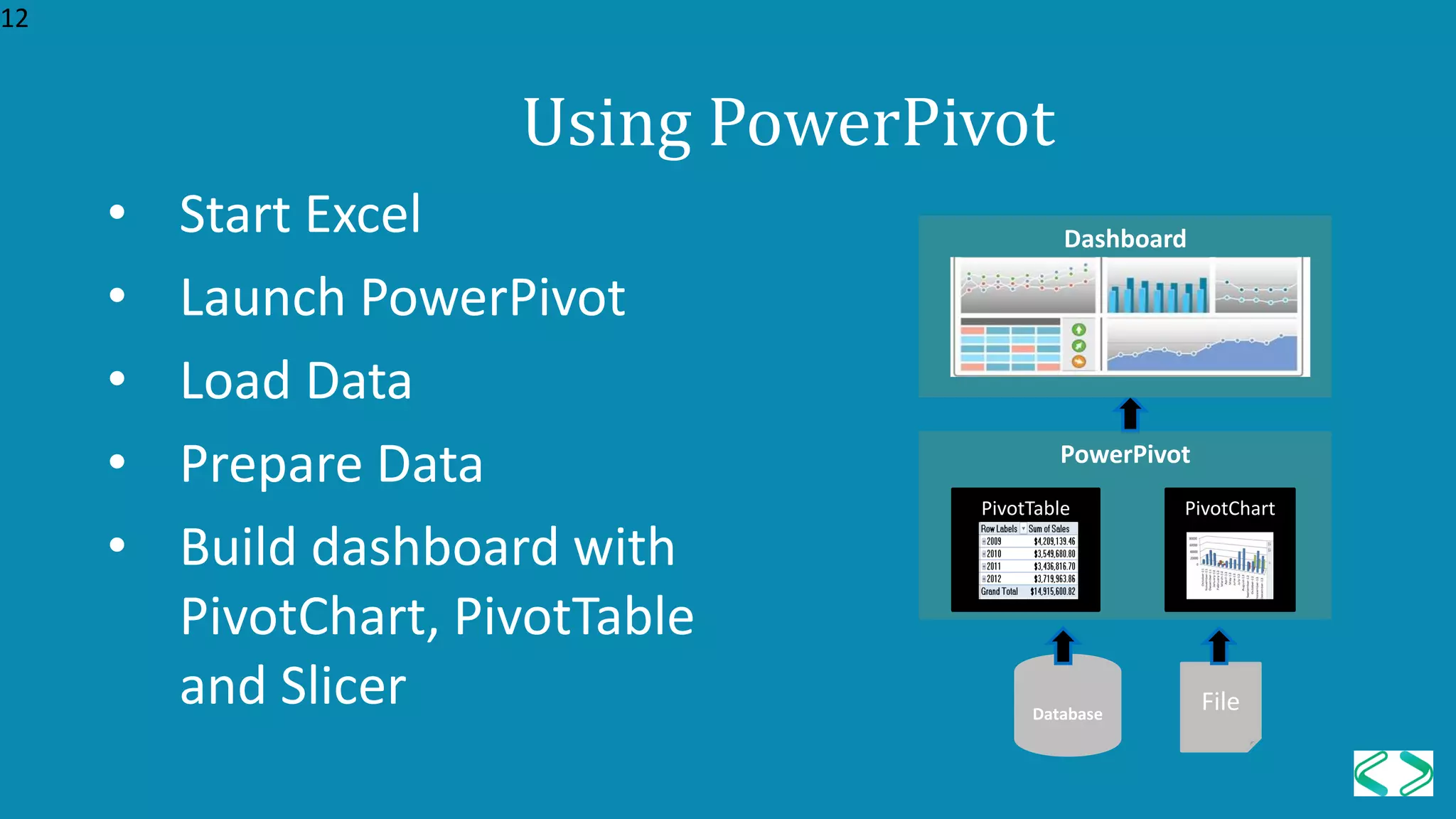
Using PowerPivot
• Start Excel
• Launch PowerPivot
• Load Data
• Prepare Data
• Build dashboard with
PivotChart, PivotTable
and Slicer Database
File
PowerPivot
PivotTable
12
PivotChart
Dashboard
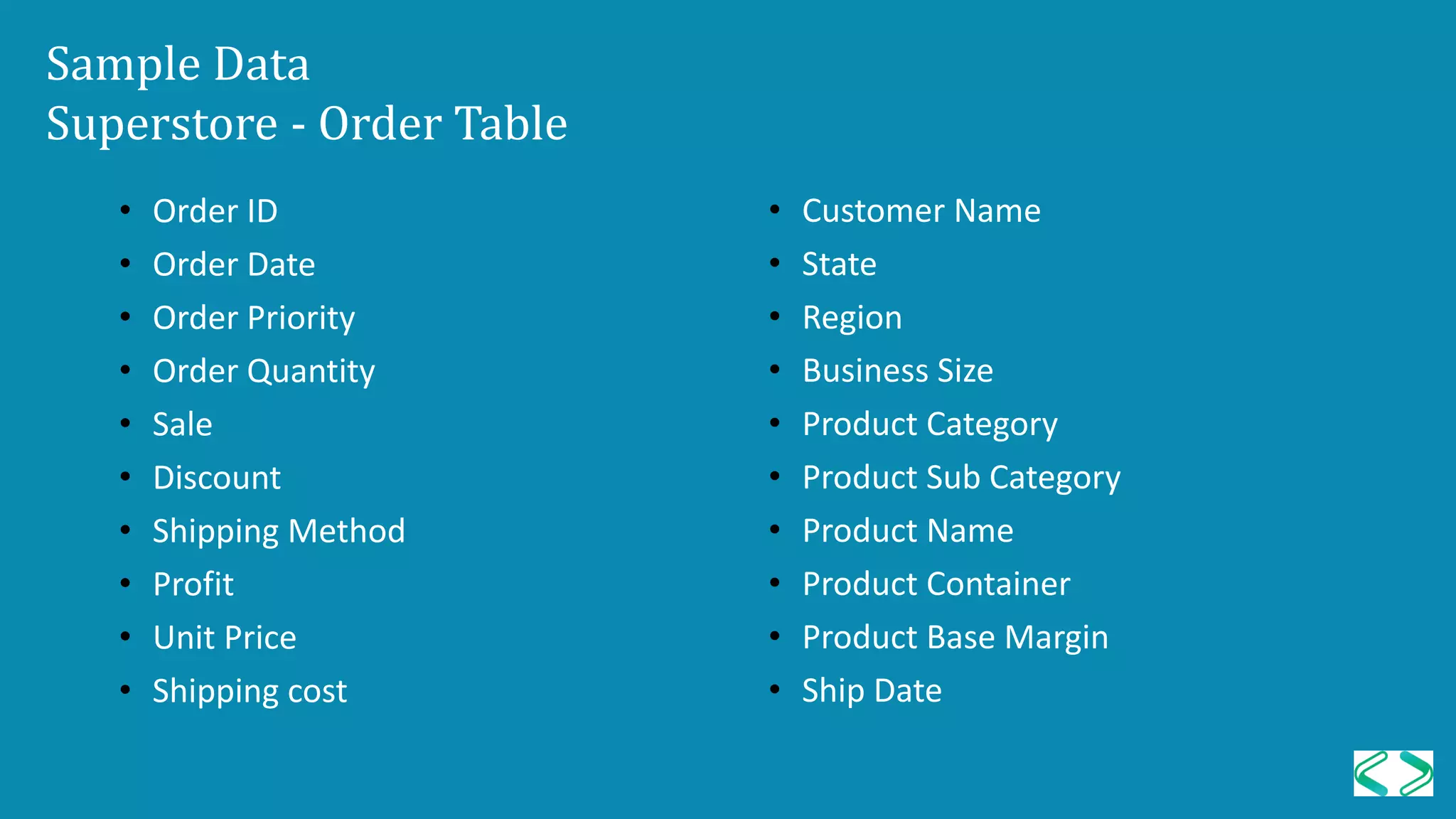
Sample Data
Superstore - Order Table
• Order ID
• Order Date
• Order Priority
• Order Quantity
• Sale
• Discount
• Shipping Method
• Profit
• Unit Price
• Shipping cost
• Customer Name
• State
• Region
• Business Size
• Product Category
• Product Sub Category
• Product Name
• Product Container
• Product Base Margin
• Ship Date
Question?
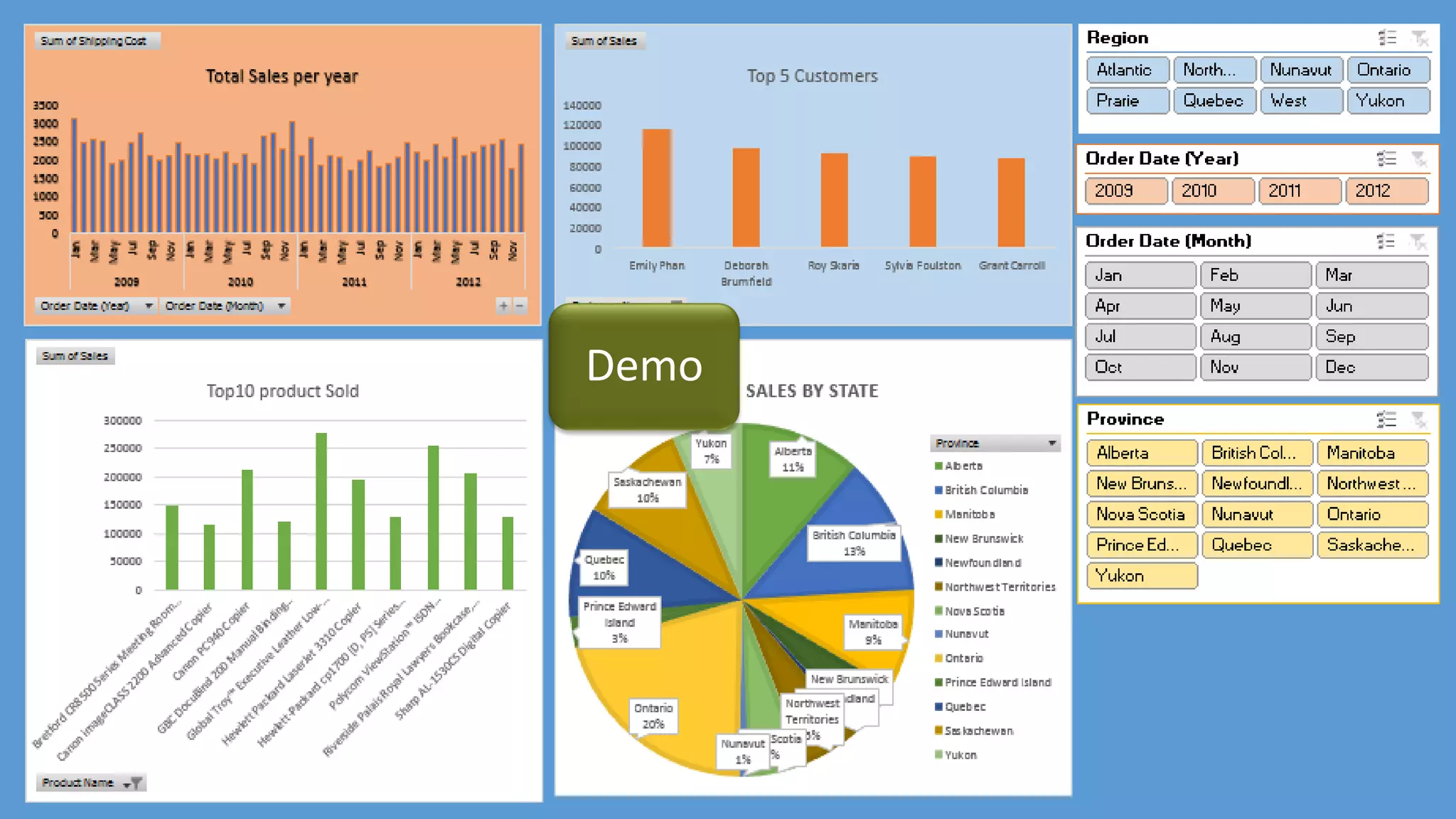
Who are the top 5 customers?
What are the top 5 products?
Which states are these top 5 product sold at?
What were the sales during the month of
March in the year 2010 and 2011?
Introduction to Power BI
• First released to the general public on July 24, 2015
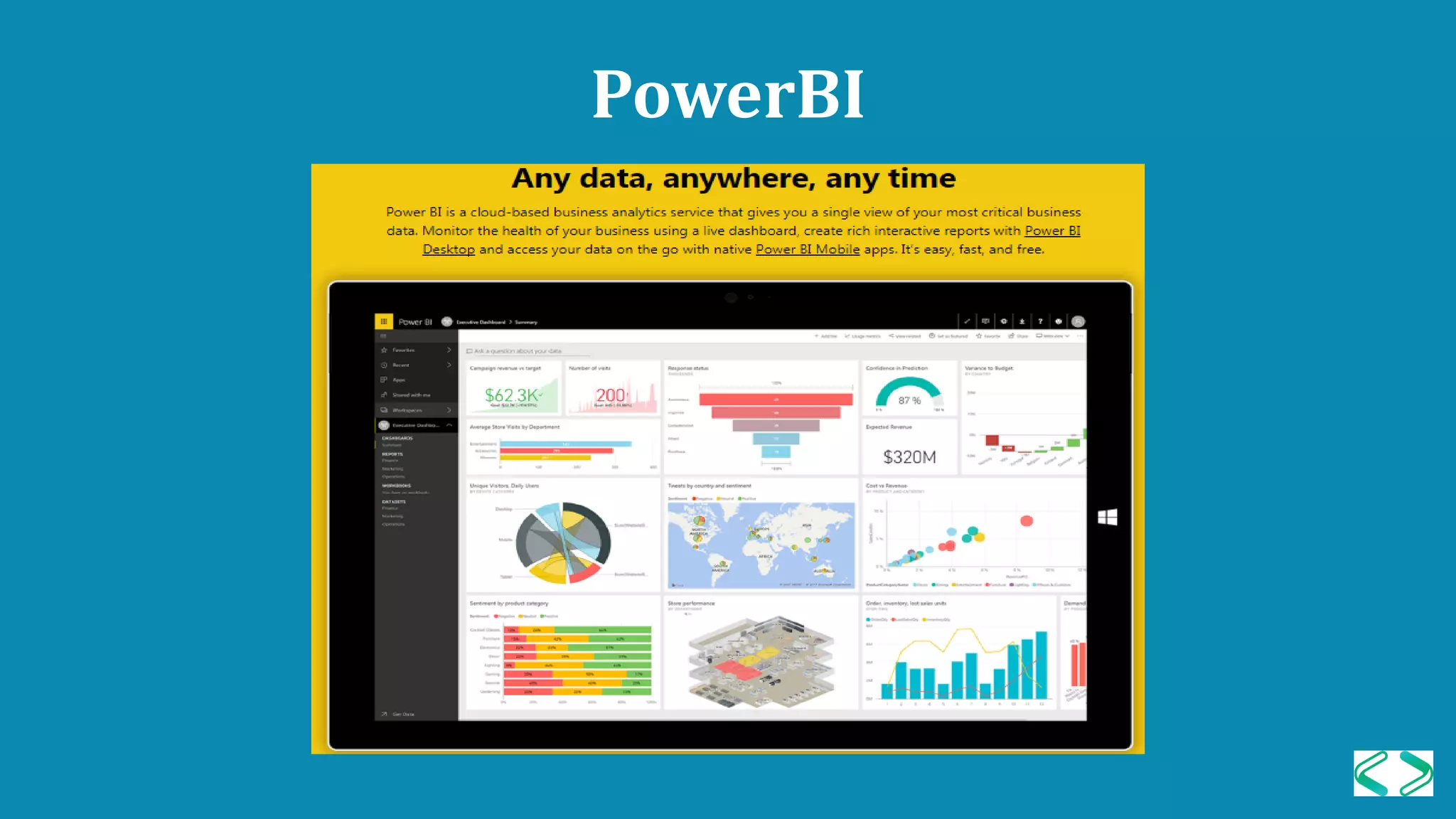
• It is a cloud-based business analytics service that
enables anyone to visualize and analyze critical business
data with greater speed, efficiency, and understanding.
• You can download desktop version of PowerBI for free.
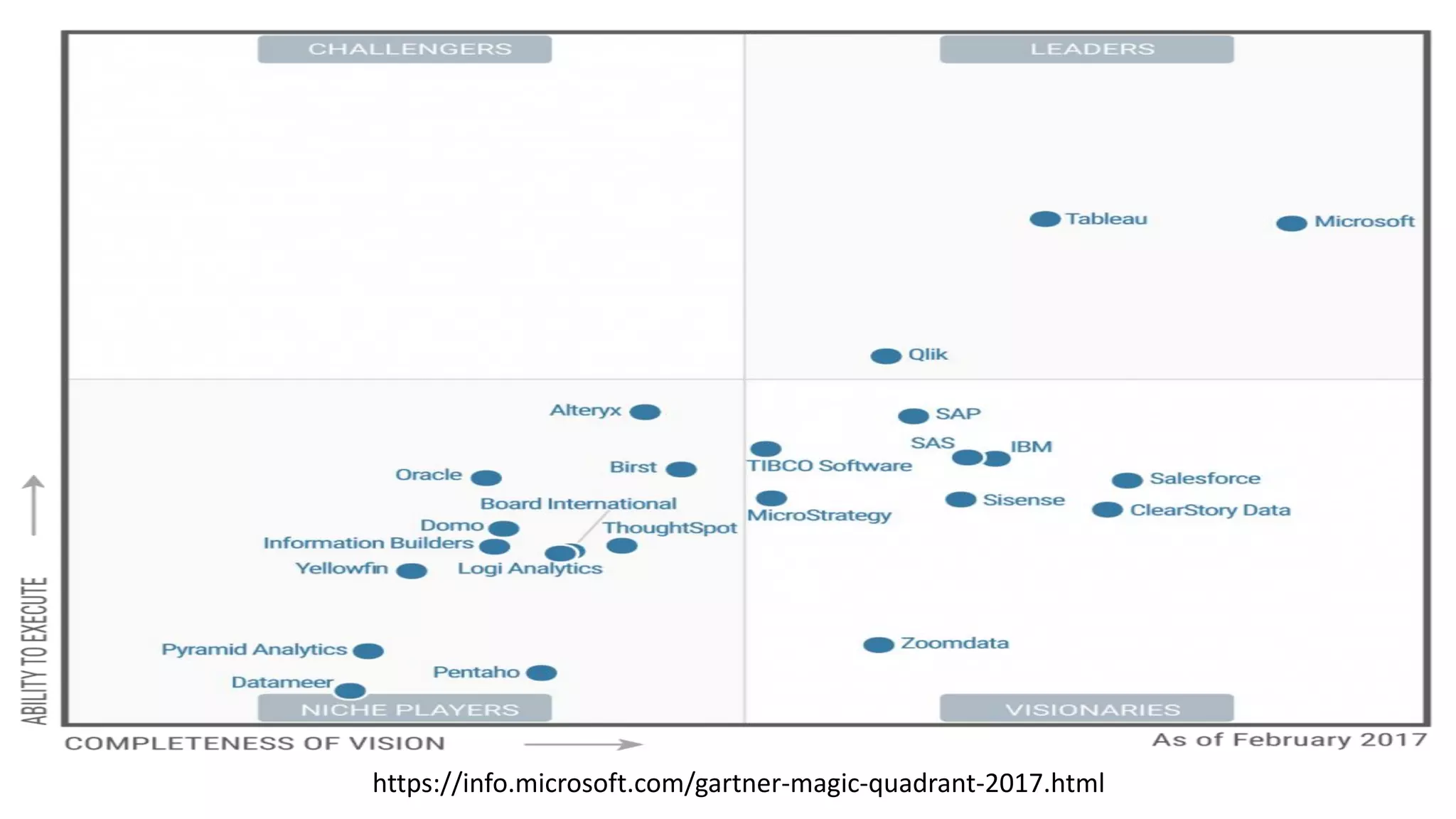
https://info.microsoft.com/gartner-magic-quadrant-2017.html
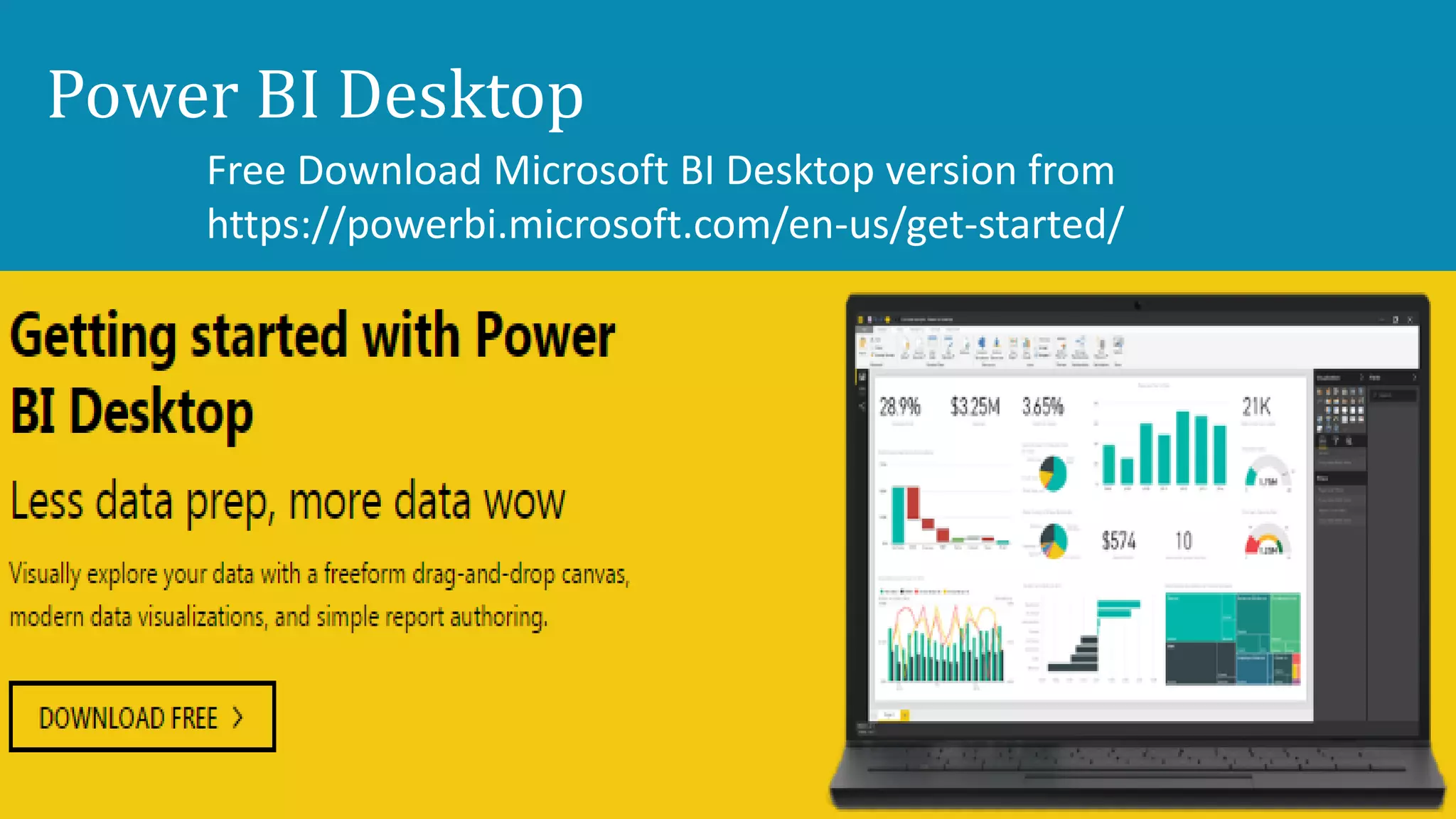
Power BI Desktop
Free Download Microsoft BI Desktop version from
https://powerbi.microsoft.com/en-us/get-started/
Power BI Desktop
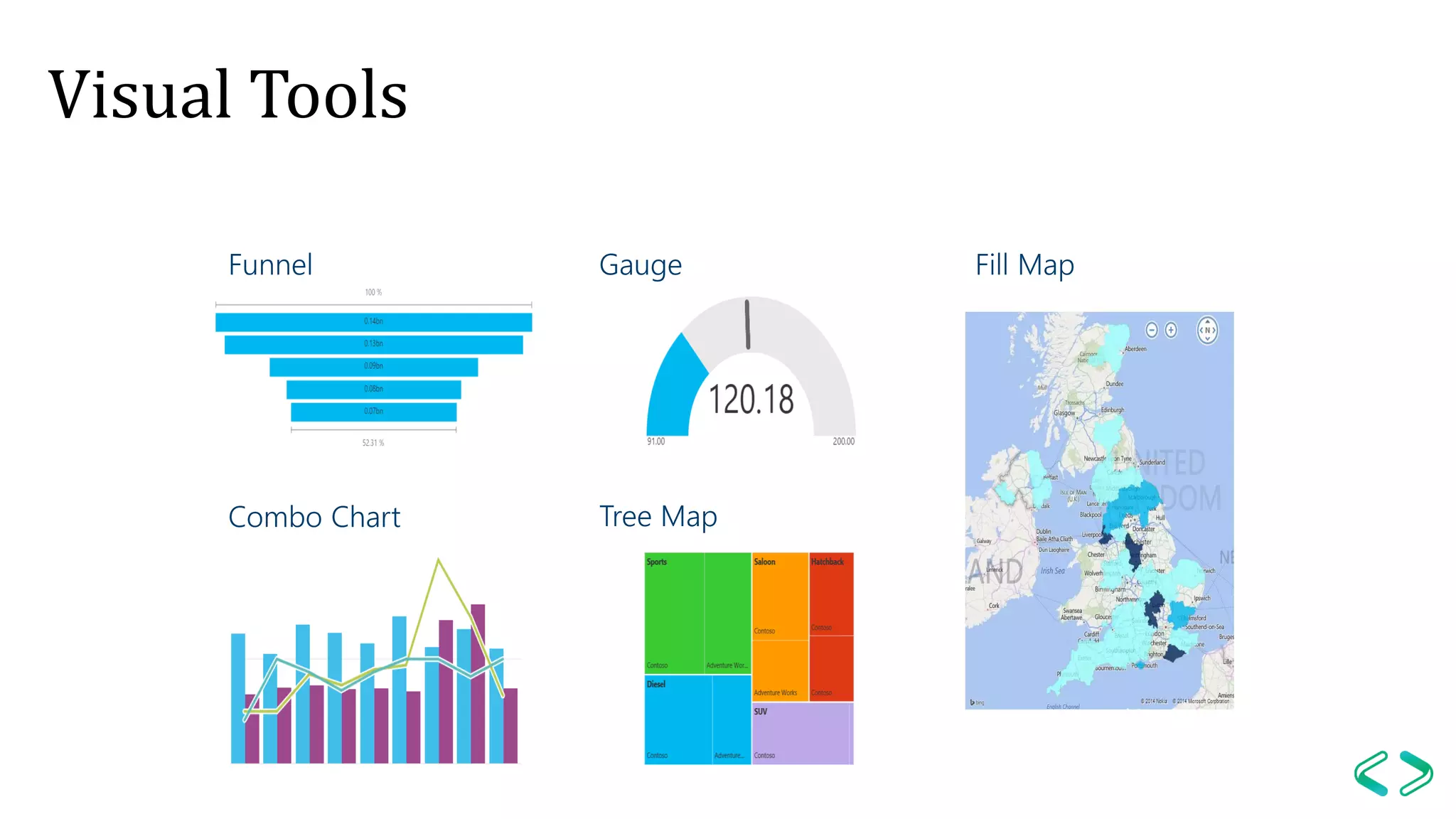
Visual Tools
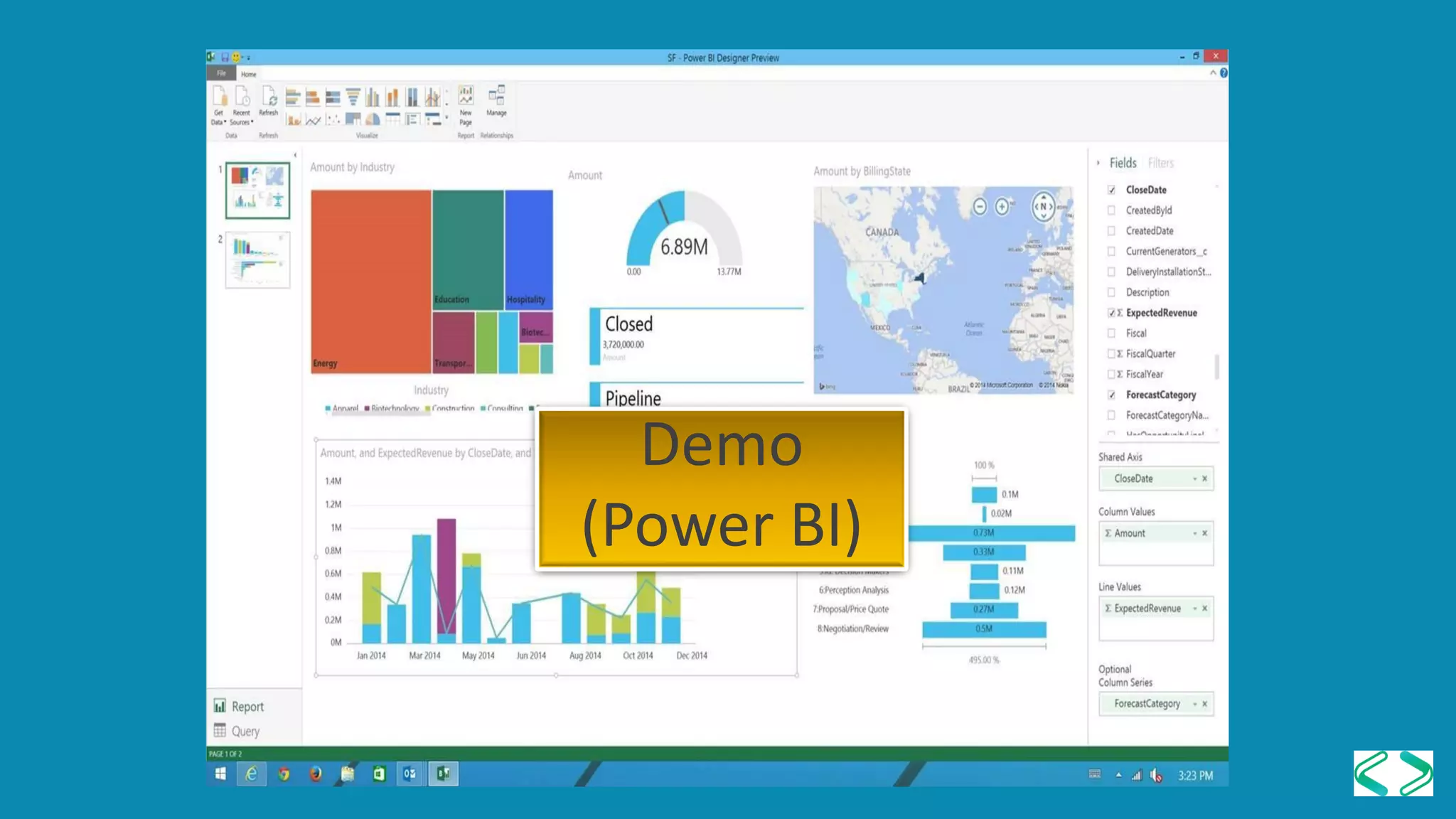
Demo
(Power BI)
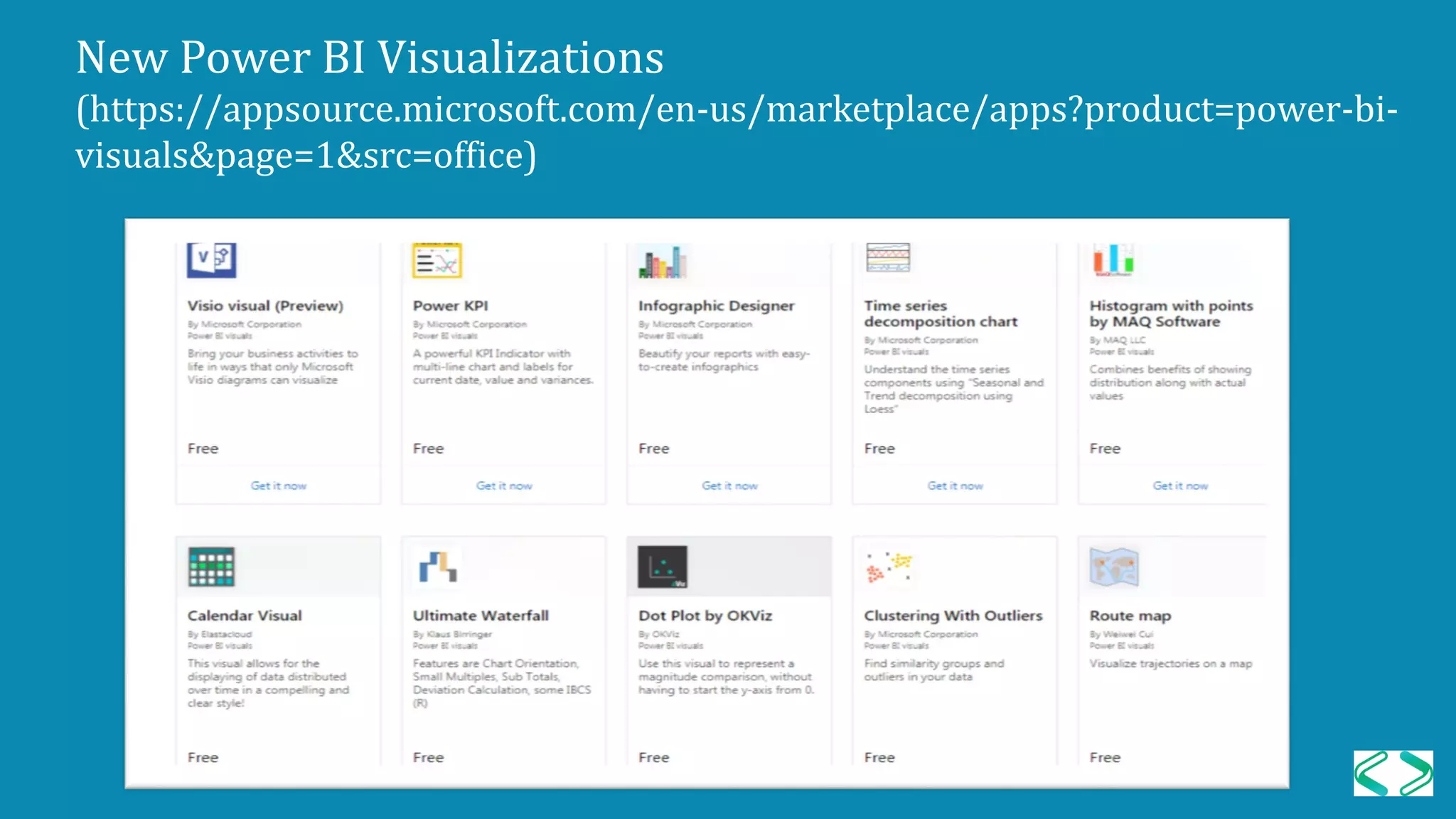
New Power BI Visualizations
(https://appsource.microsoft.com/en-us/marketplace/apps?product=power-bi-
visuals&page=1&src=office)
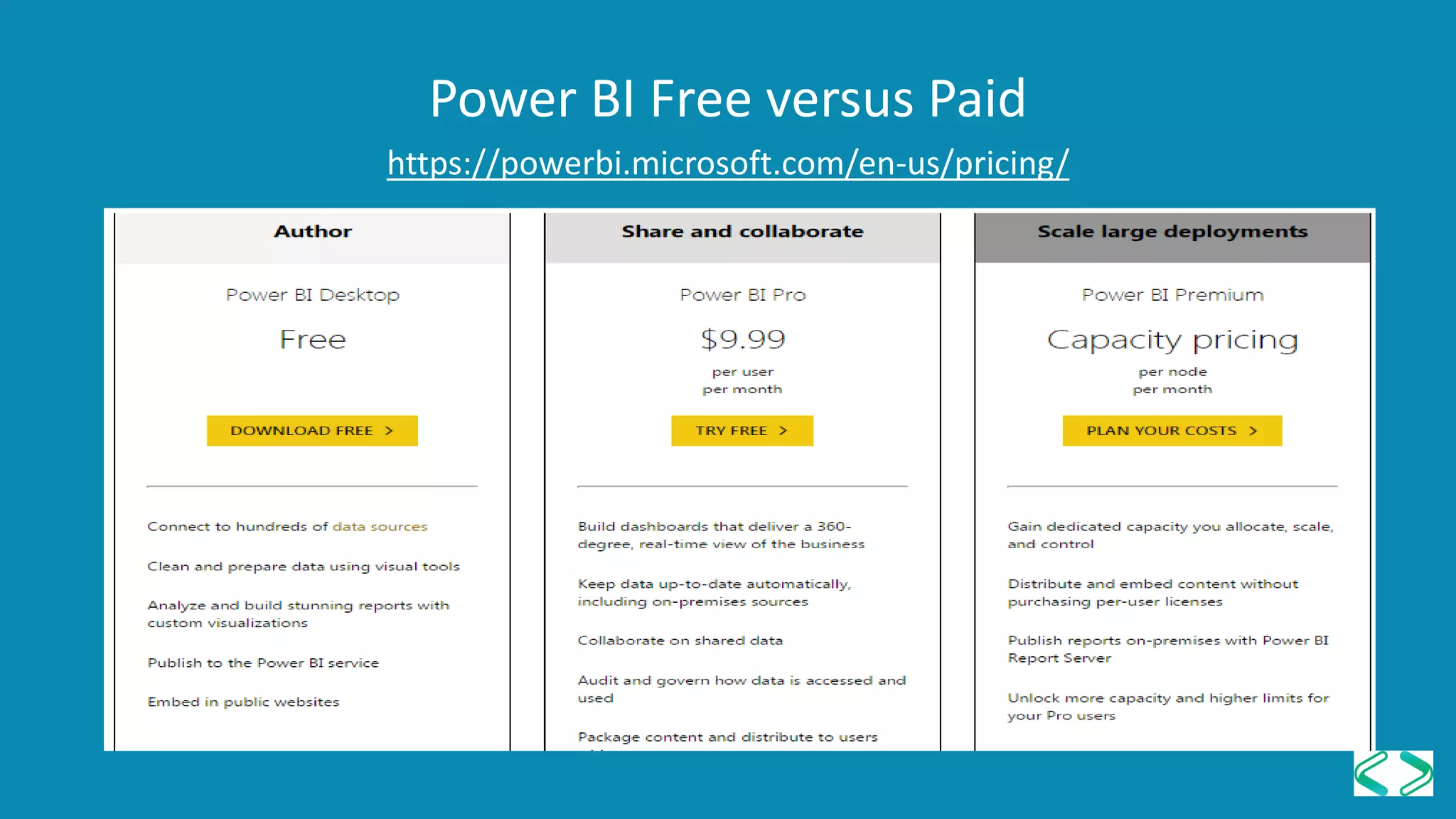
Power BI Free versus Paid
https://powerbi.microsoft.com/en-us/pricing/
PowerBI
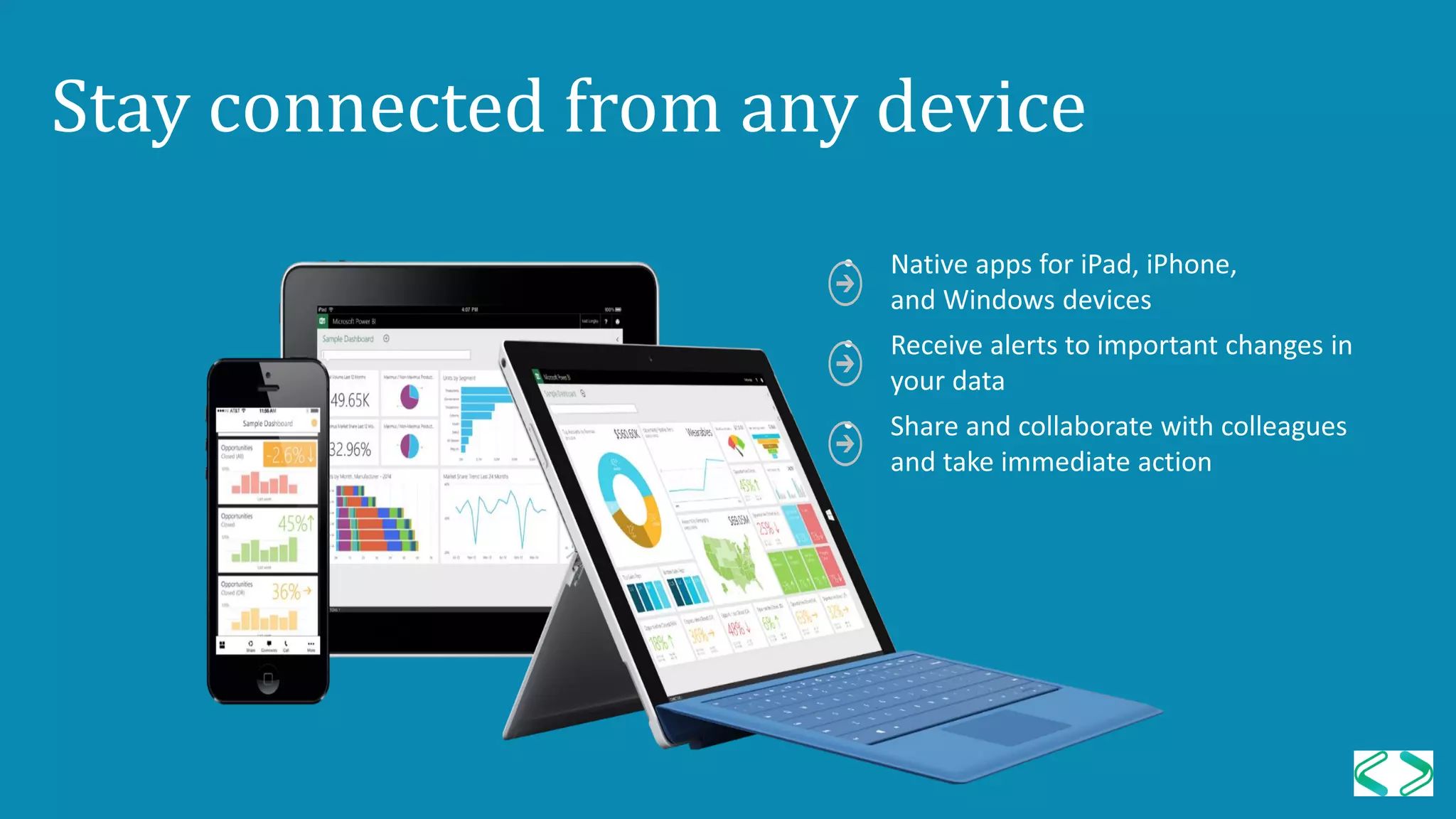
Stay connected from any device
Summary
Topic covered:
• Importing data
• Developing Dashboard with PowerPivot
• Adding PivotTable/PivotChart
• Using Slicer to link PivotTable and PivotChart
• Developing Dashboard with PowerBI
: https://powerbi.microsoft.com/en-us/pricing/
Vazi Okhandiar
www.nrclc.com
714-505-3475
Facebook.com/nrclc
Twitter.com/nrclc
Local PASS User Groups
Los Angeles User Group
3rd Thursday of each odd month
sql.la
Malibu User Group
3rd Wednesday of each month
sqlmalibu.pass.org
Orange County User Group
2rd Thursday of each month
bigpass.pass.org
Los Angeles - Korean
Every Other Tuesday
sqlangeles.pass.org
San Diego User Group
1st & 3rd Thursday of each month
meetup.com/sdsqlug
meetup.com/sdsqlbig
Please support our sponsors
Building a Dashboard in an Hour using Microsoft PowerPivot & Power BI

Building a Dashboard in an Hour using Microsoft PowerPivot & Power BI

  • 1.
    Vazi Okhandiar, MCT,PMP, MSCS, BSEE www.nrclc.com. (714) 505-3475 Build a Dashboard in an Hour Using Microsoft PowerPivot & Power BI Welcome to SQL Saturday in San Diego
  • 2.
    Vazi Okhandiar, MCT,PMP, MSCS Consultant & Trainer 25+ years - Software development 15+ years – Teaching Worked for General Motors, Toyota, EDS/HP, Computer Science Corp as Application Developer, Database designer, project manager, Web Analytics Specialize in Application Migration Education: Microsoft Certified Training PMP, Project Management Institute Masters in Computer Science, IIT, Chicago MBA, University of California, Irvine(UCI) BS Electrical Engineering, UCI
  • 3.
    Agenda Introduction to dashboard Buildinga Dashboard - with PowerPivot & PowerBI Demo Q & A 3
  • 4.
    A dashboard In Informationtechnology, a dashboard is a visualization tool that is similar to a panel for a driver of a vehicle that has data organized and presented in such a way that is easy to read and understand.
  • 5.
    Benefit of DigitalDashboards • Visual presentation of performance measures • Ability to identify efficiencies/inefficiencies • Ability to identify and correct negative trends • Ability to identify new trends. • Ability to make more informed decision • Align strategies and organizational goals • Increase overall revenue
  • 6.
    PowerPivot is aFree add-on for Microsoft Excel that enables a user to: • Import millions of row of data sources into a single Excel workbook • Create relationships between heterogeneous data • Create calculated columns and measures using formulas • Supports Visualize Tool – PivotTable, PivotChart, Slicers, Sparkline PowerPivot 7
  • 7.
    PowerPivot Minimum Requirement •Excel 2010 Professional (32 bit or 64 bit) or higher • Windows 7 (32-bit) or higher 8
  • 8.
    A Pivot tableis a powerful feature in Excel that allows users to quickly summarize and analyze large amounts of data in the form of a table. PivotTable 9
  • 9.
    A PivotChart isa visual representation of the pivot table in Excel. PivotChart 10
  • 10.
    Launching PowerPivot Launch PowerPivottab on the Excel ribbon Activate PowerPivot (File > Option > COM Add-in> Microsoft Office PowerPivot for Excel) 11
  • 11.
    Using PowerPivot • StartExcel • Launch PowerPivot • Load Data • Prepare Data • Build dashboard with PivotChart, PivotTable and Slicer Database File PowerPivot PivotTable 12 PivotChart Dashboard
  • 12.
    Sample Data Superstore -Order Table • Order ID • Order Date • Order Priority • Order Quantity • Sale • Discount • Shipping Method • Profit • Unit Price • Shipping cost • Customer Name • State • Region • Business Size • Product Category • Product Sub Category • Product Name • Product Container • Product Base Margin • Ship Date
  • 13.
    Question? Who are thetop 5 customers? What are the top 5 products? Which states are these top 5 product sold at? What were the sales during the month of March in the year 2010 and 2011?
  • 15.
    Introduction to PowerBI • First released to the general public on July 24, 2015 • It is a cloud-based business analytics service that enables anyone to visualize and analyze critical business data with greater speed, efficiency, and understanding. • You can download desktop version of PowerBI for free.
  • 16.
  • 17.
    Power BI Desktop FreeDownload Microsoft BI Desktop version from https://powerbi.microsoft.com/en-us/get-started/
  • 18.
  • 19.
  • 20.
  • 21.
    New Power BIVisualizations (https://appsource.microsoft.com/en-us/marketplace/apps?product=power-bi- visuals&page=1&src=office)
  • 22.
    Power BI Freeversus Paid https://powerbi.microsoft.com/en-us/pricing/
  • 23.
  • 24.
  • 25.
    Summary Topic covered: • Importingdata • Developing Dashboard with PowerPivot • Adding PivotTable/PivotChart • Using Slicer to link PivotTable and PivotChart • Developing Dashboard with PowerBI
  • 26.
  • 27.
    Local PASS UserGroups Los Angeles User Group 3rd Thursday of each odd month sql.la Malibu User Group 3rd Wednesday of each month sqlmalibu.pass.org Orange County User Group 2rd Thursday of each month bigpass.pass.org Los Angeles - Korean Every Other Tuesday sqlangeles.pass.org San Diego User Group 1st & 3rd Thursday of each month meetup.com/sdsqlug meetup.com/sdsqlbig
  • 28.