Downloaded 14 times

![To sort numbers in ascending order using bubble sort
technique
import java.util.*;
public class bubbleSort{
public static void main(String a[]) throws Exception
{
int i,j,n;
int a[] = {50,10,30,20,40};
System.out.println("Values Before the sort:n");
for(i = 0; i < a.length; i++)
System.out.print( a[i]+" ");
System.out.println();
n=a.length;](https://image.slidesharecdn.com/sorting-231222022153-b9b5affd/75/Bubble-sort-Selection-sort-SORTING-pptx-11-2048.jpg)
![for(i = 1; i < n; i++)
{
for(j = 0; j < (n-i); j++)
{
if(a[j] > a[j+1]){
t = a[j];
a[j]=a[j+1];
a[j+1]=t;
}
}
}
System.out.print("Values after the sort:n");
for(i = 0; i <a.length; i++)
System.out.print(a[i]+" ");
} }](https://image.slidesharecdn.com/sorting-231222022153-b9b5affd/75/Bubble-sort-Selection-sort-SORTING-pptx-12-2048.jpg)

![To sort numbers in ascending order using selection
sort technique
import java.util.*;
public class selectionSort{
public static void main(String a[]) throws Exception
{
int i,j;
int a[] = {23,15,29,11,1};
System.out.println("Values Before the sort:n");
for(i = 0; i < a.length; i++)
System.out.print( a[i]+" ");
System.out.println();
n=a.length;](https://image.slidesharecdn.com/sorting-231222022153-b9b5affd/75/Bubble-sort-Selection-sort-SORTING-pptx-19-2048.jpg)
![for(i = 0; i < n; i++)
{
for(j = i+1; j < n; j++)
{
if(a[i] > a[j]){
t = a[j];
a[j]=a[i];
a[i]=t;
}
}
}
System.out.print("Values after the sort:n");
for(i = 0; i <a.length; i++)
System.out.print(a[i]+" ");
}}](https://image.slidesharecdn.com/sorting-231222022153-b9b5affd/75/Bubble-sort-Selection-sort-SORTING-pptx-20-2048.jpg)


![public insertionSort( int[] a r r )
{
f or ( i n t i = 1; i < arr. Length; ++i)
{
i n t temp = a r r [ i ] ;
i n t pos = i ;
}
arr[ pos] = temp;
}
}
Select
while (arr[pos-1].CompareTo(temp) > 0 &&pos > 0)
{
Comparing
arr[ pos] = arr[pos-1];
pos--;
Shift
Insert](https://image.slidesharecdn.com/sorting-231222022153-b9b5affd/75/Bubble-sort-Selection-sort-SORTING-pptx-24-2048.jpg)

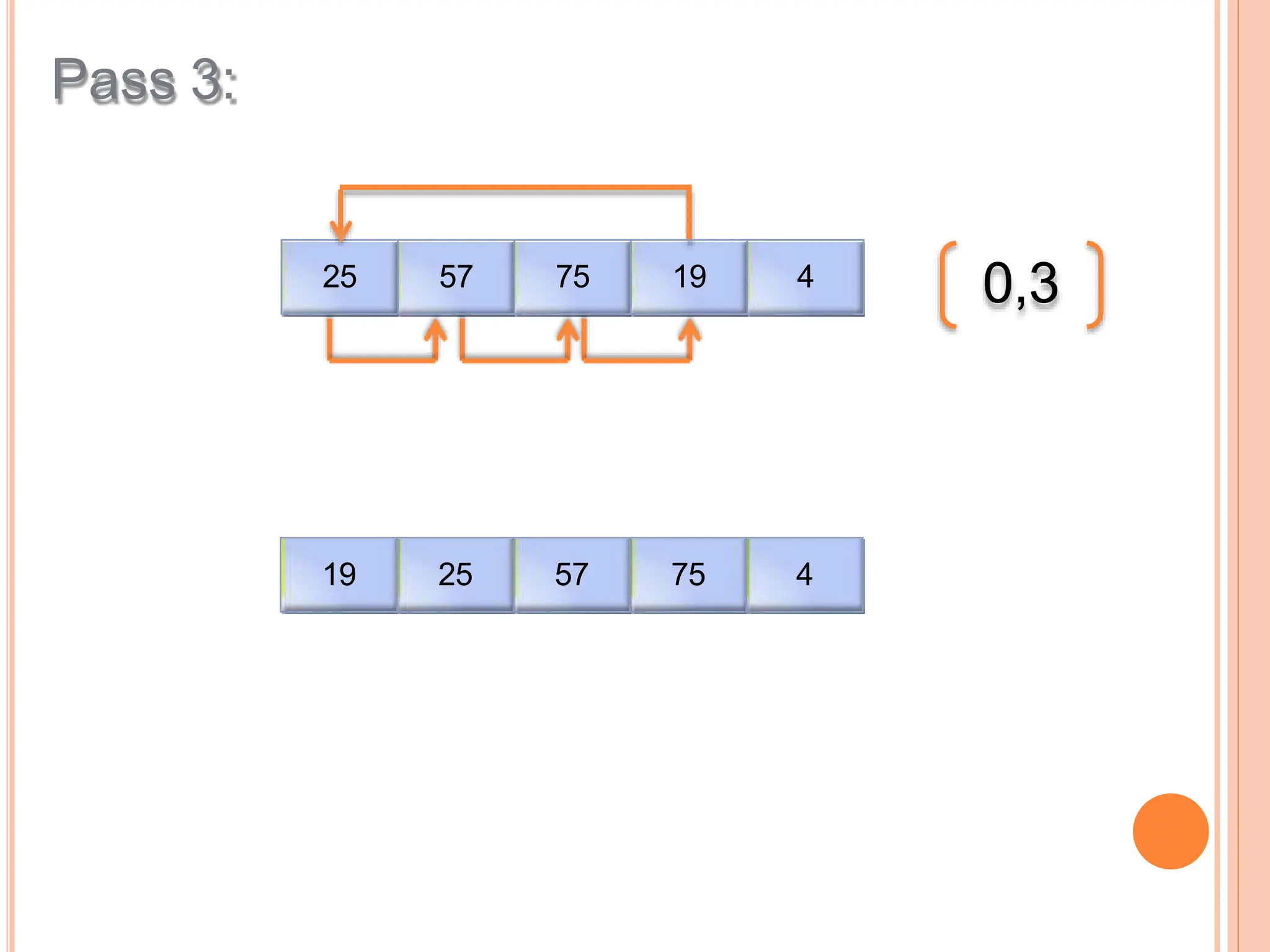
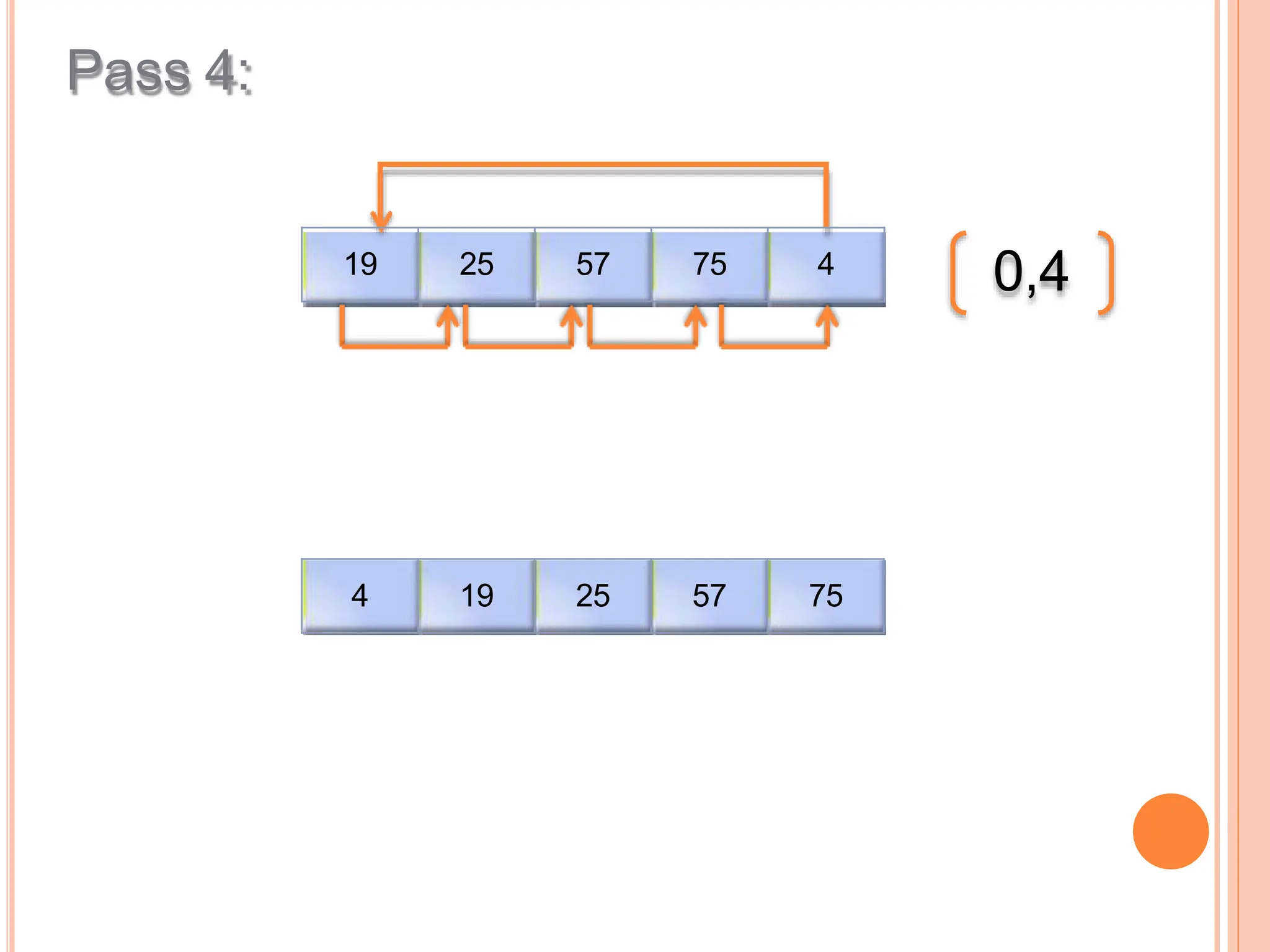


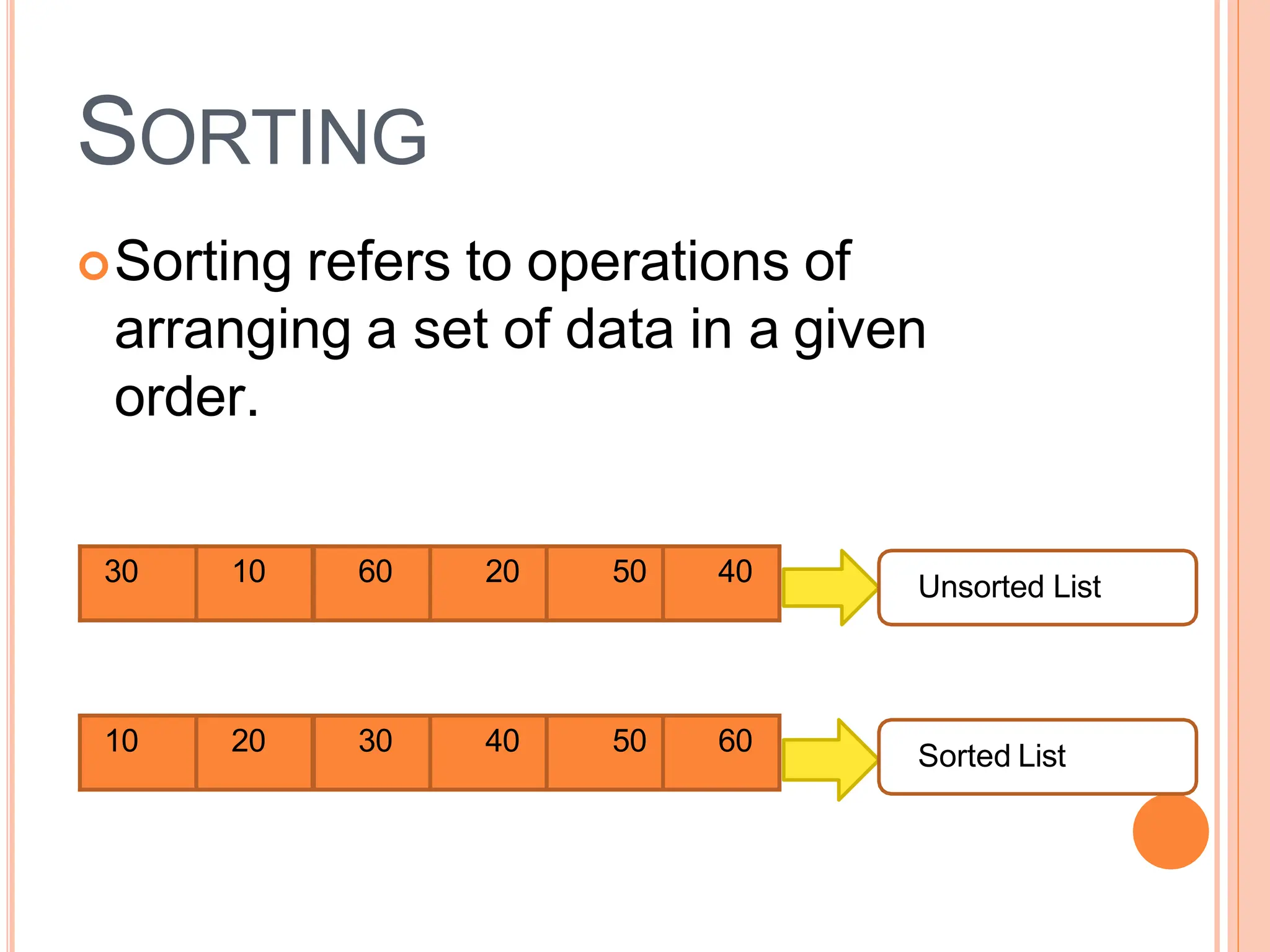
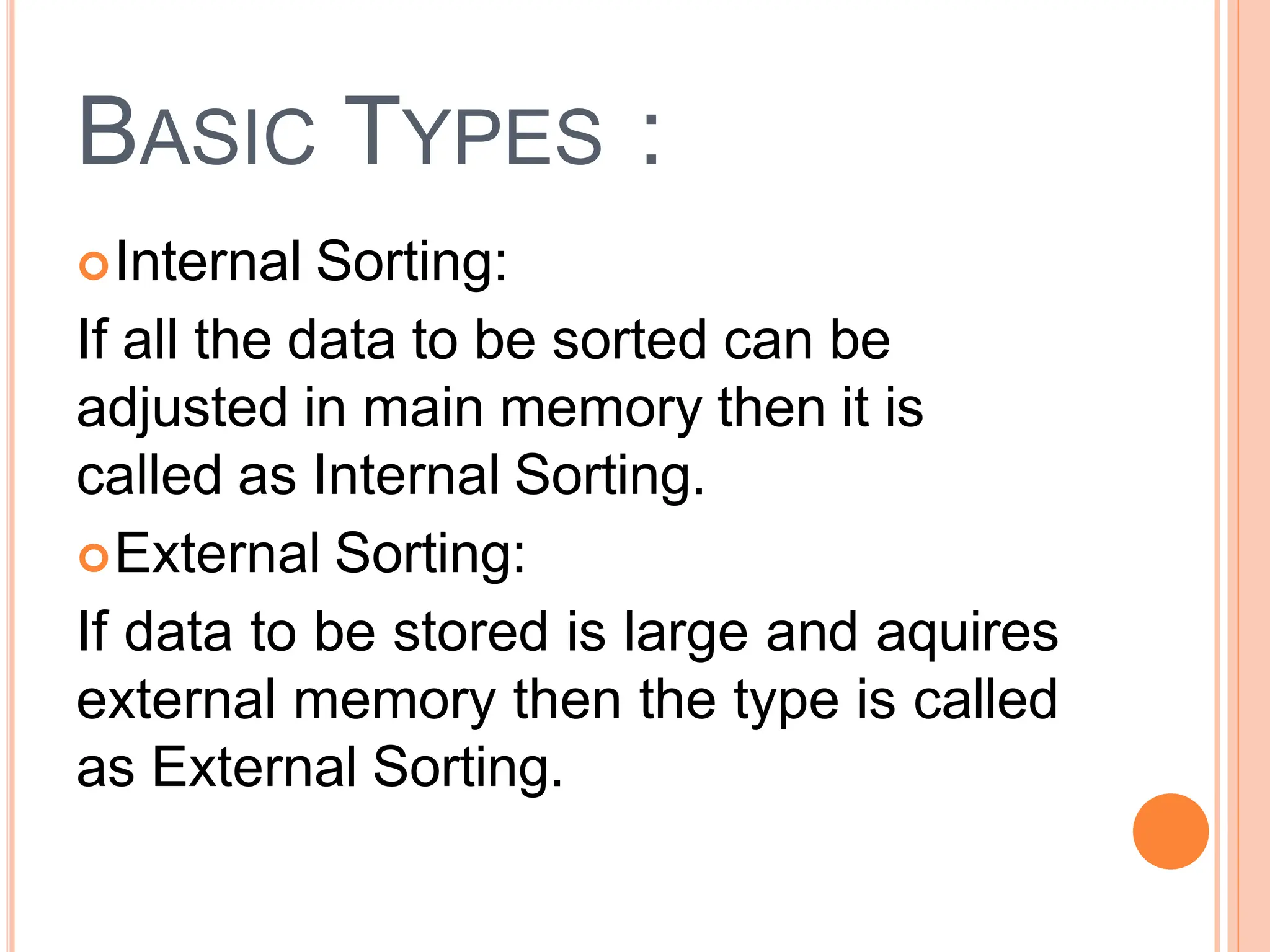
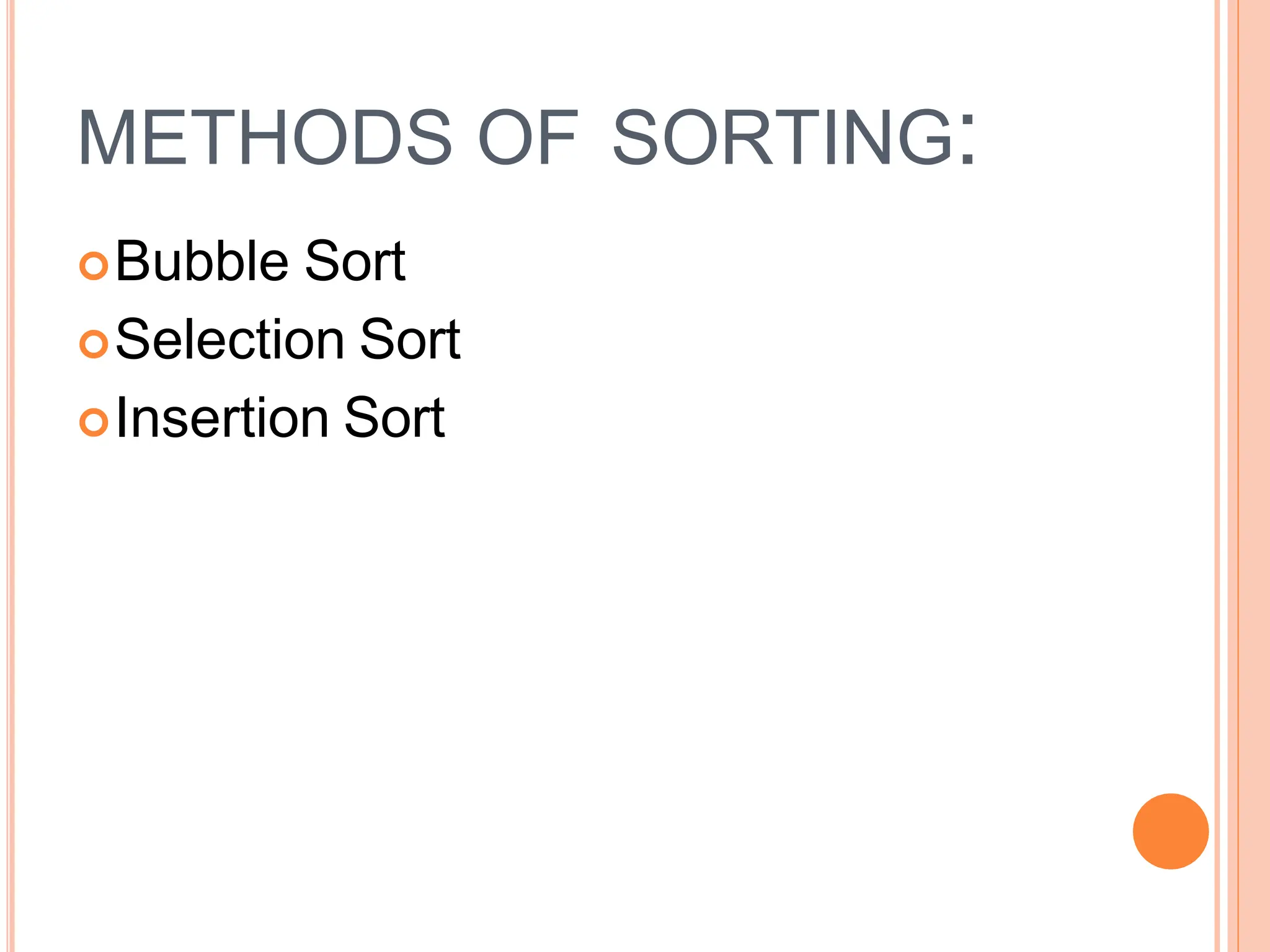
This document discusses different types of sorting algorithms. It describes internal sorting, which sorts data within main memory, and external sorting, which sorts data that exceeds main memory size. It then explains three sorting algorithms - bubble sort, selection sort, and insertion sort. For each algorithm, it provides the basic steps/approach and includes Java code examples.
Sorting is the process of organizing data. Types include Internal Sorting (data in main memory) and External Sorting (large data requiring external memory).
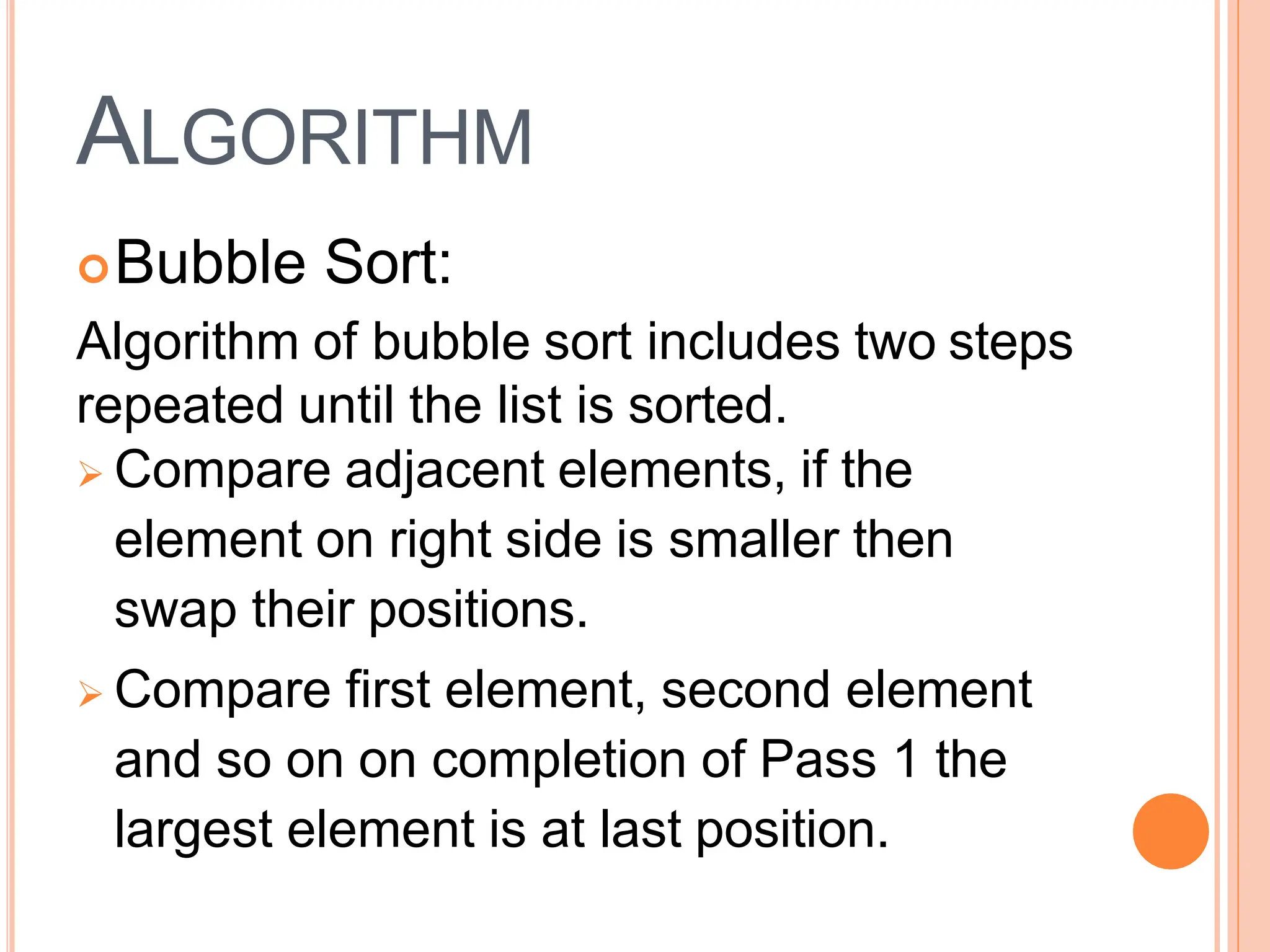
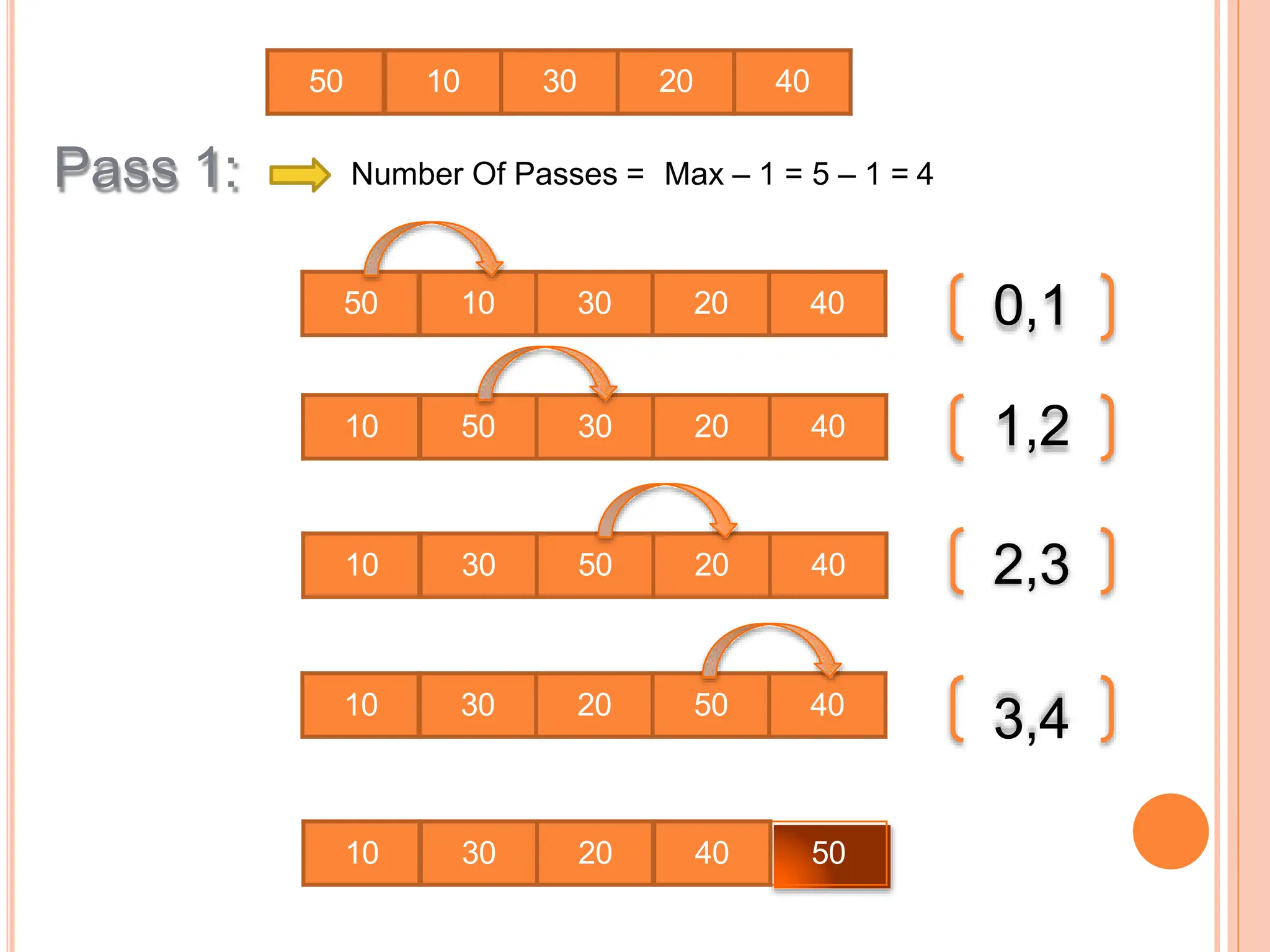
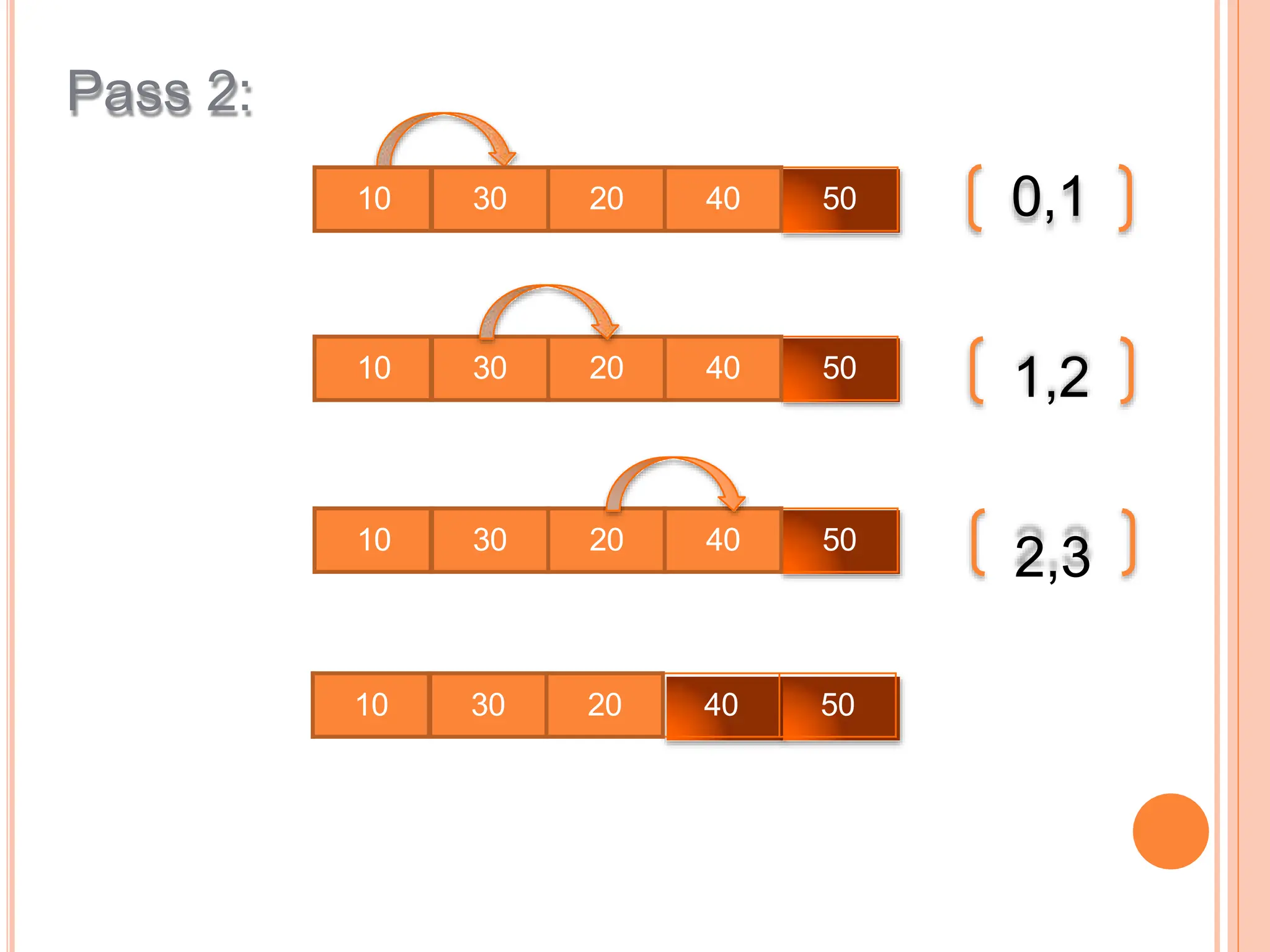
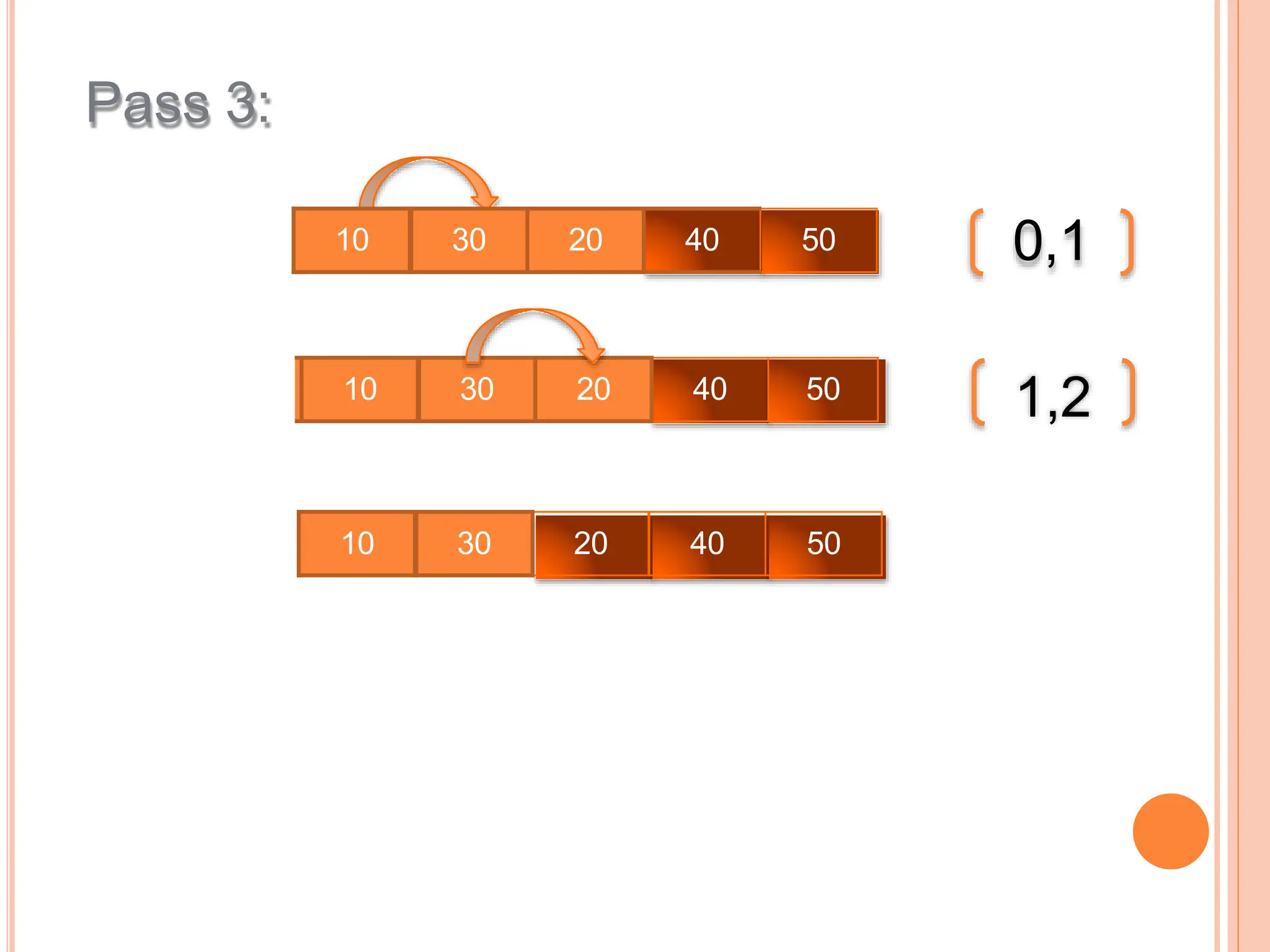
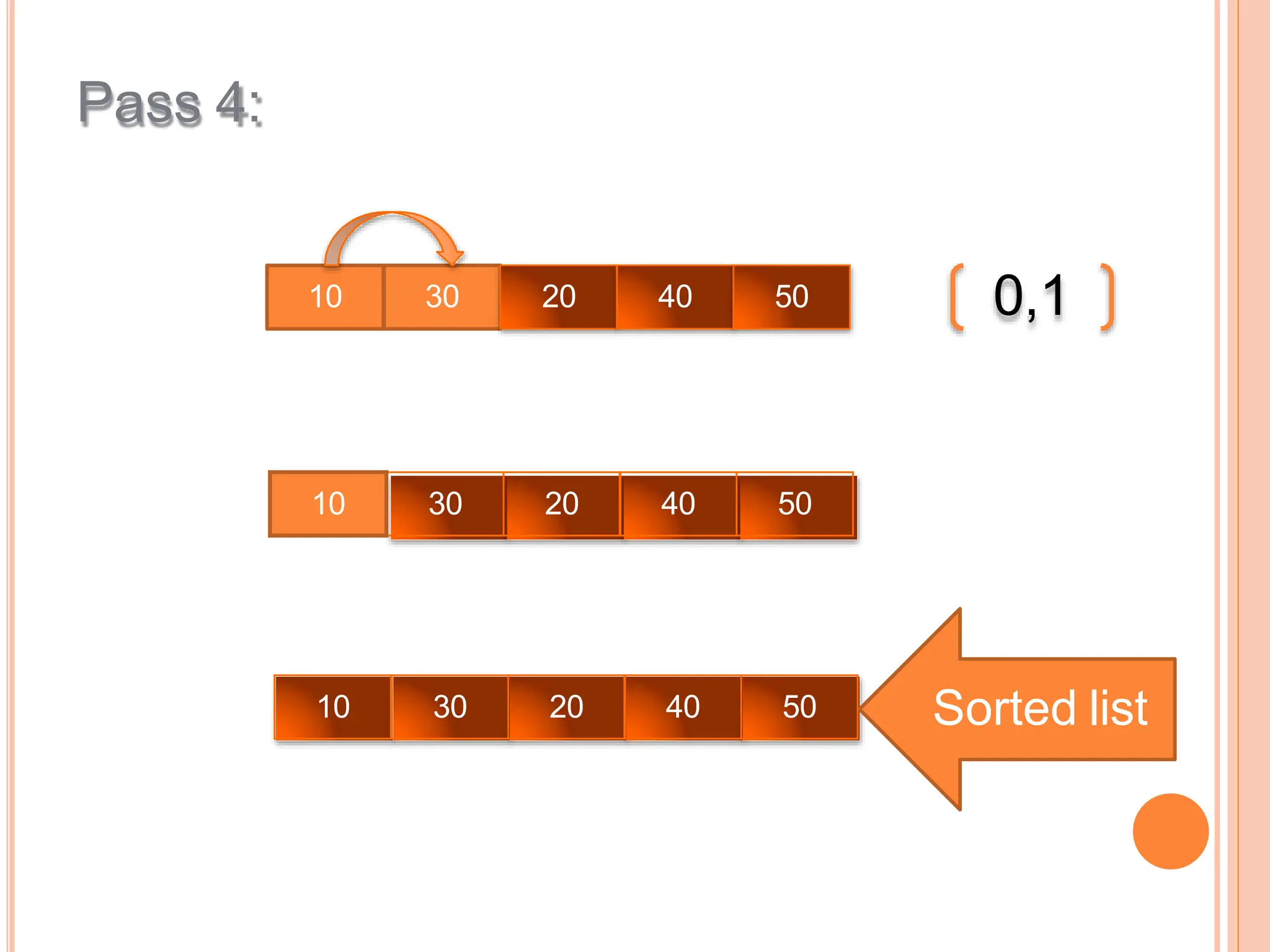
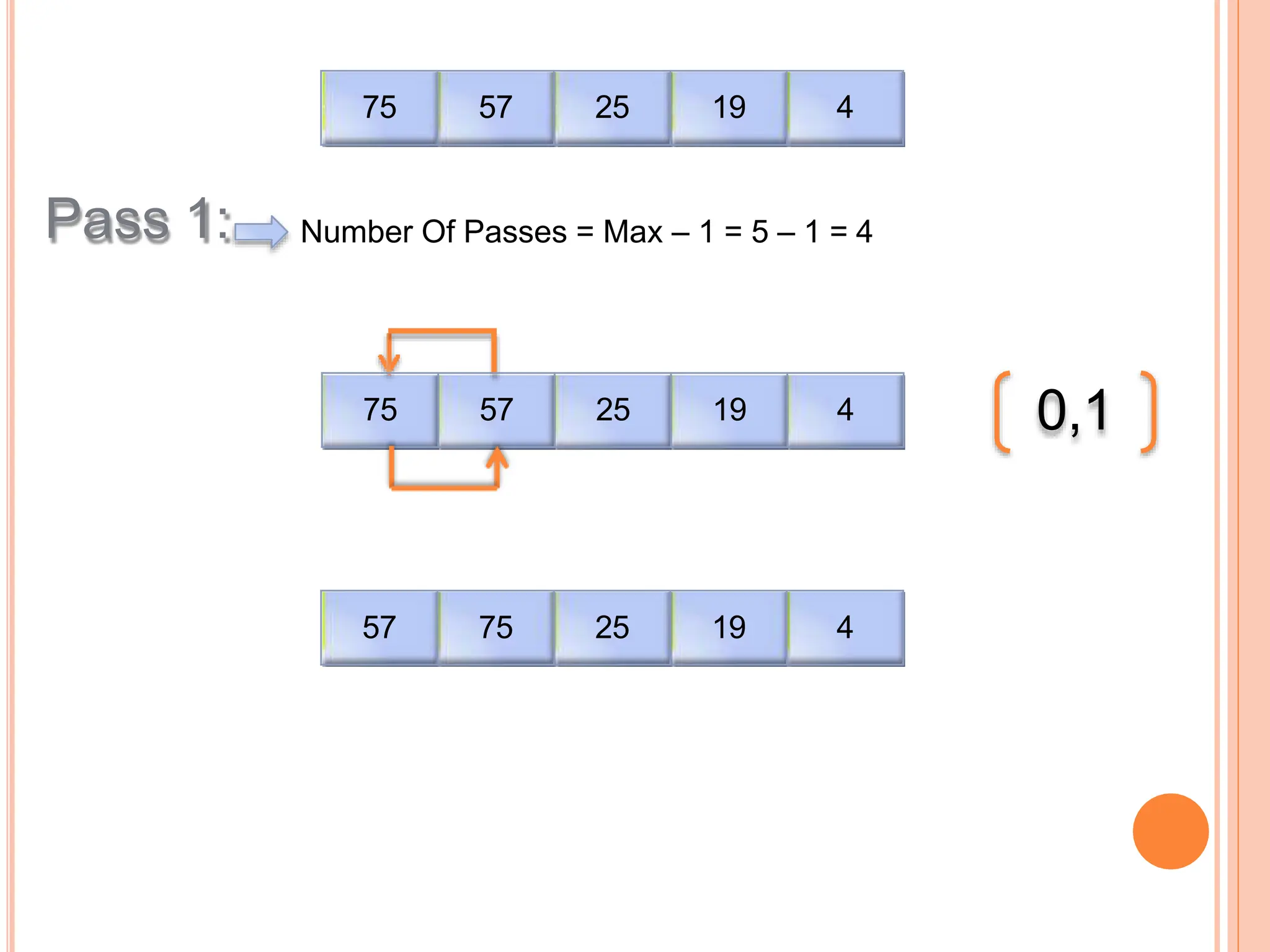
Introduction to sorting methods including Bubble Sort, which sorts data by comparing adjacent elements through multiple passes until sorted.
A Java implementation of Bubble Sort is provided, demonstrating the sorting of an unsorted array via a stepwise approach.
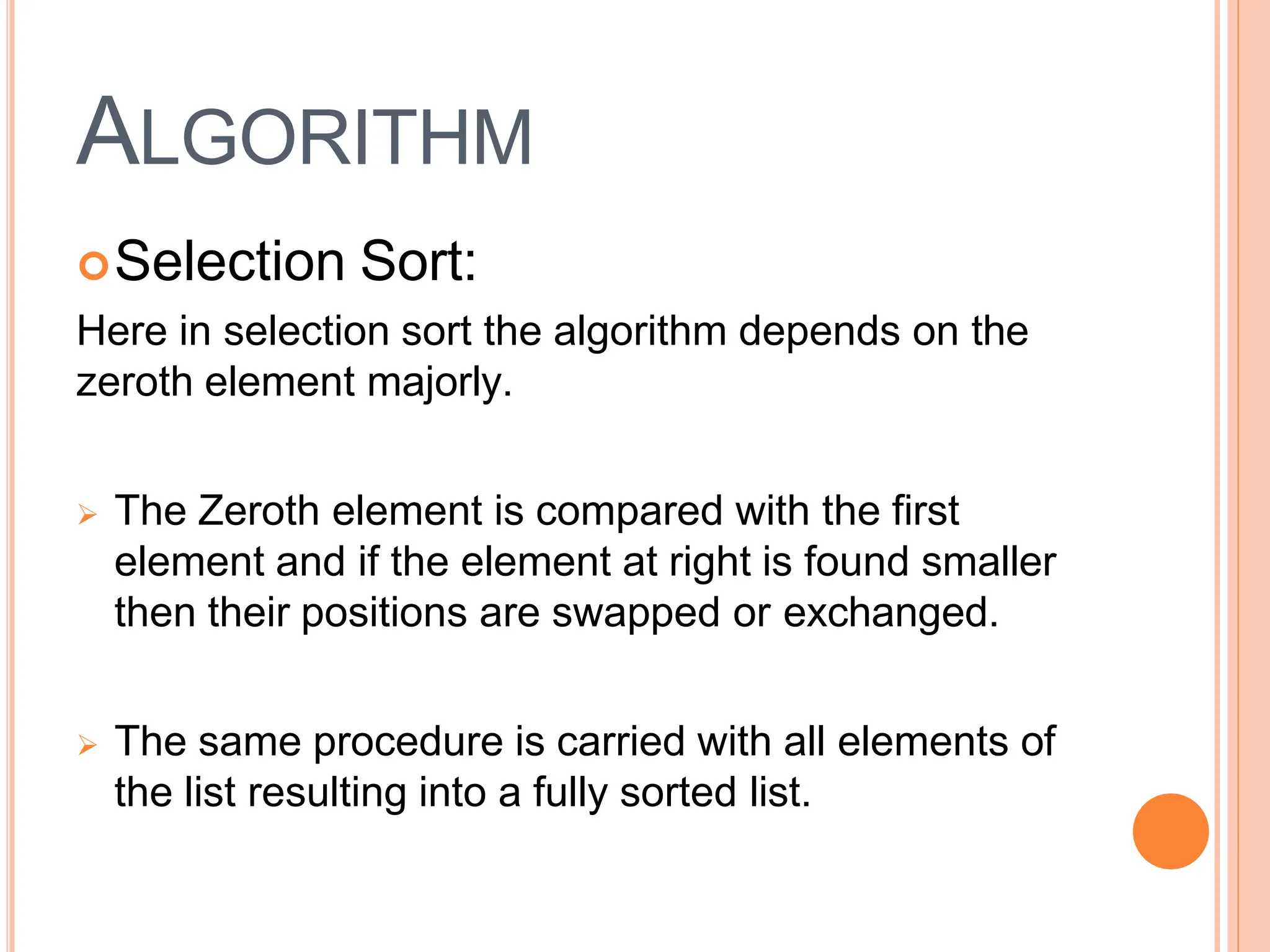
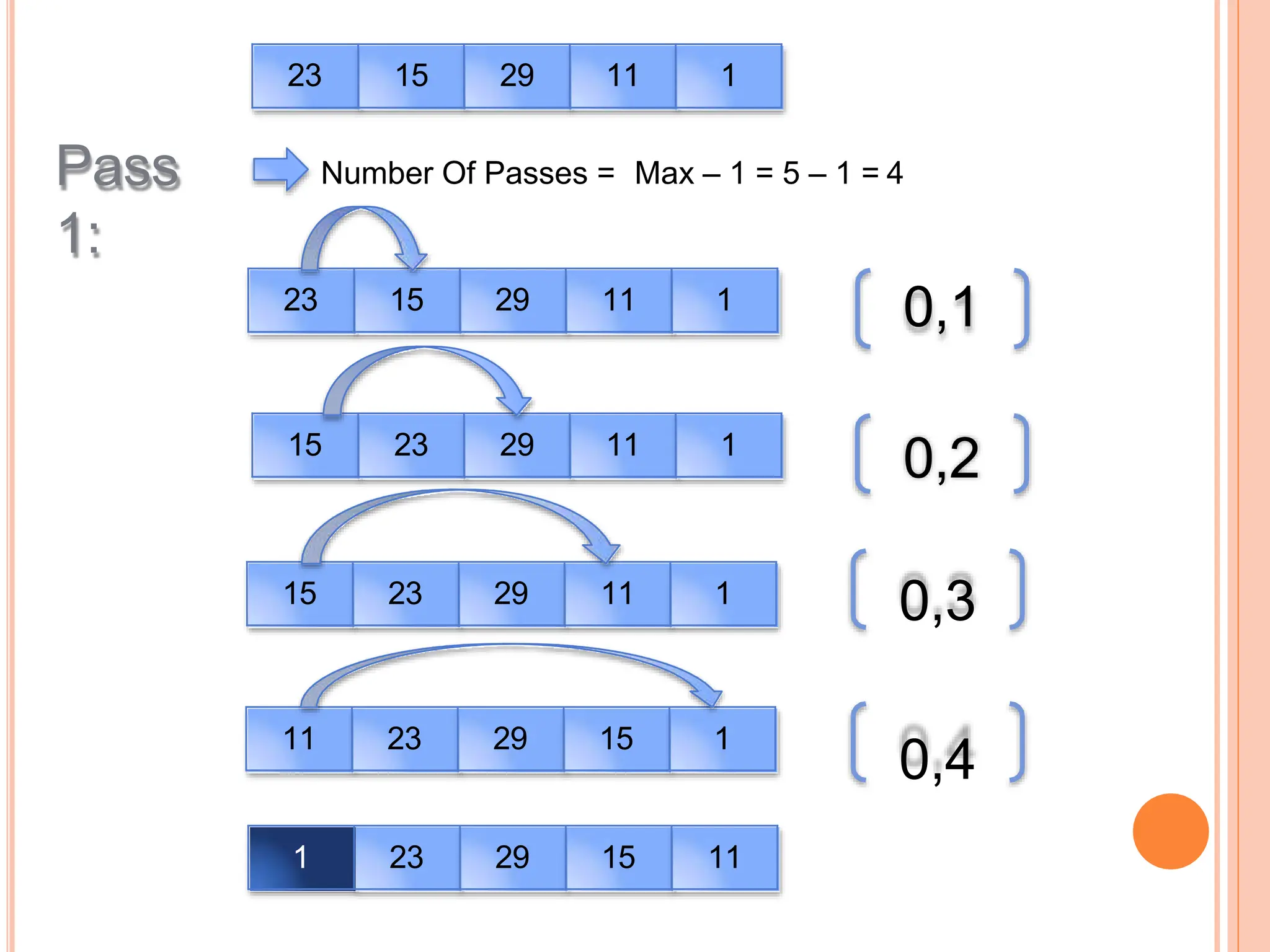
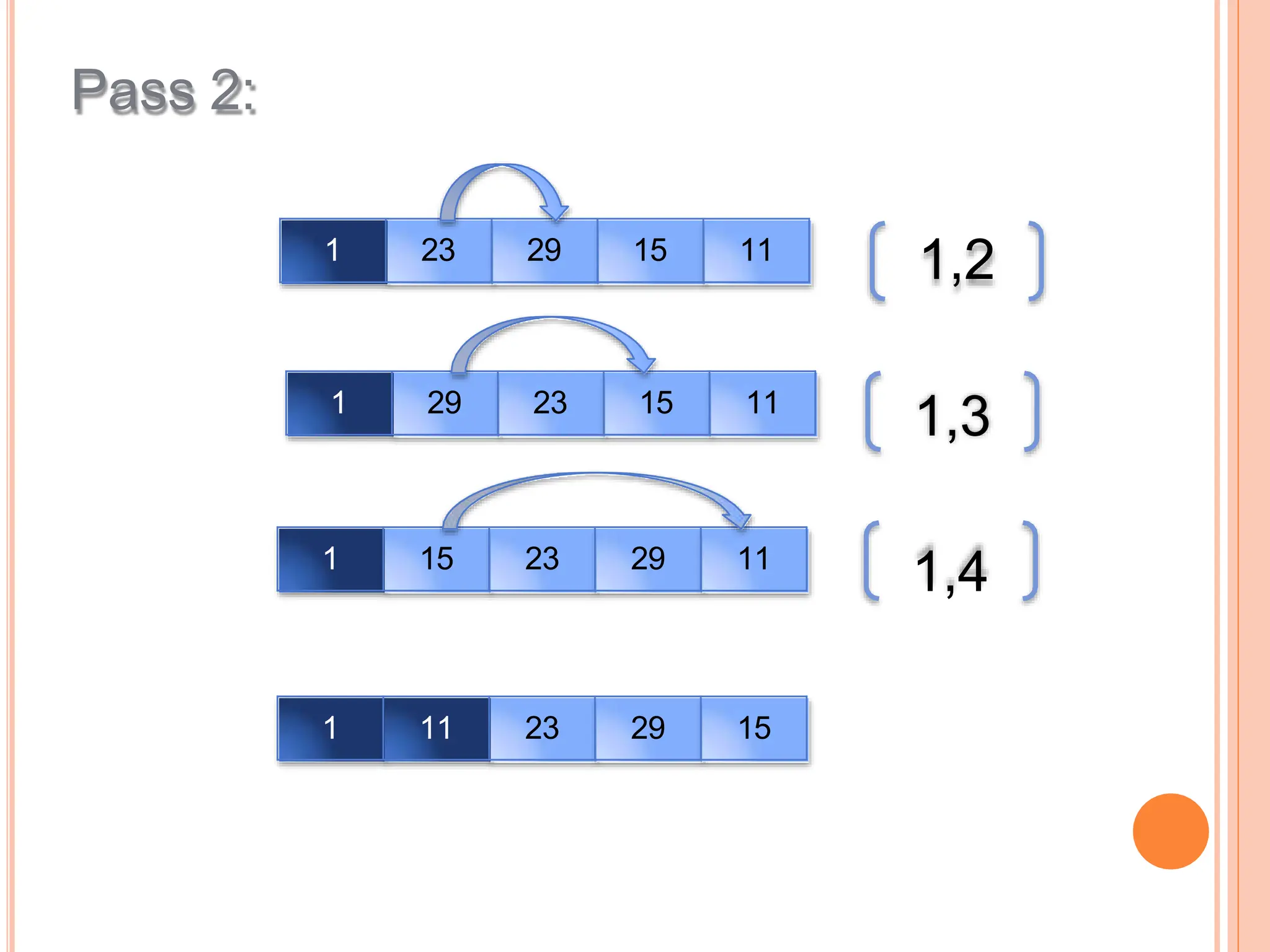
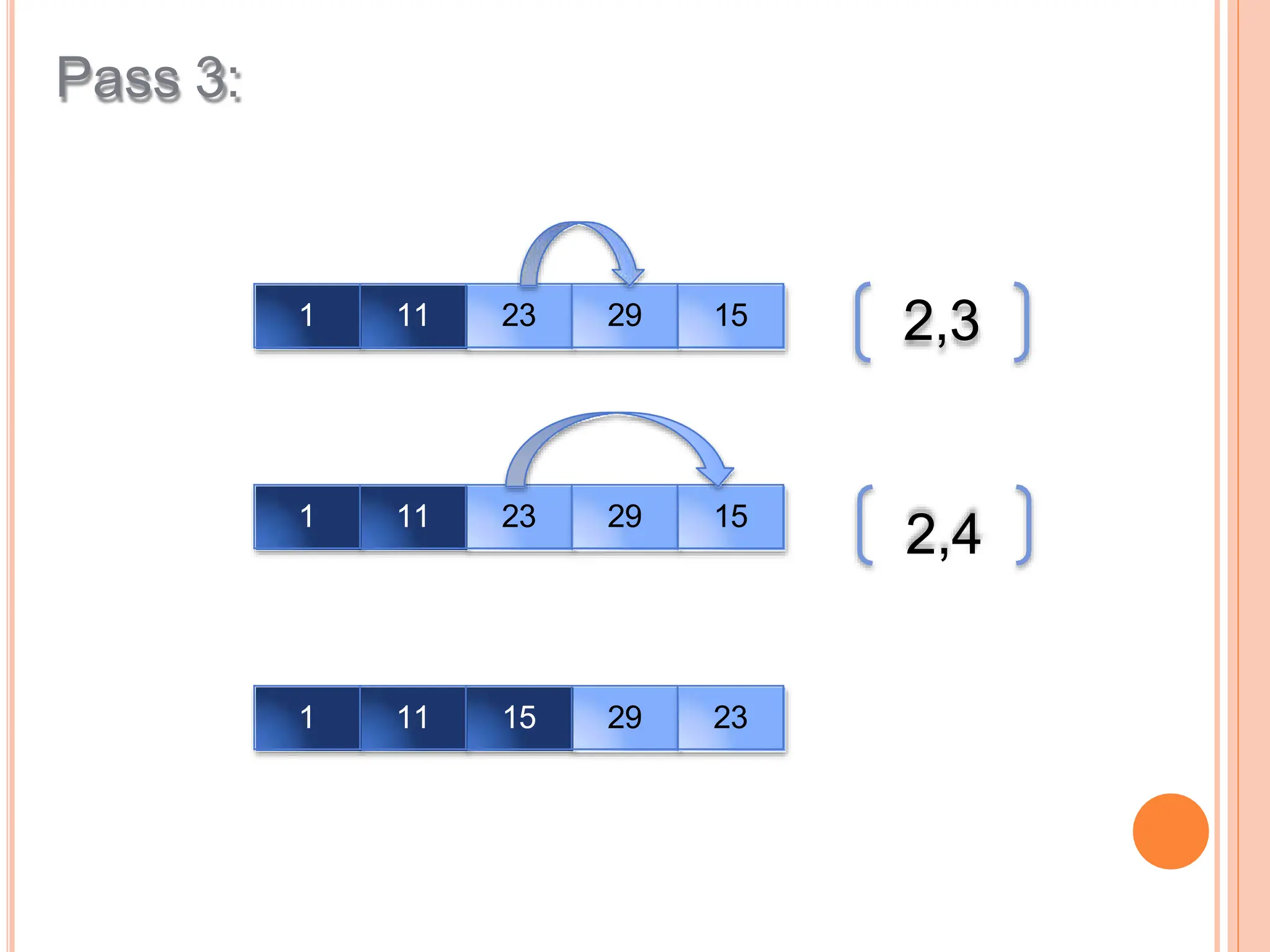
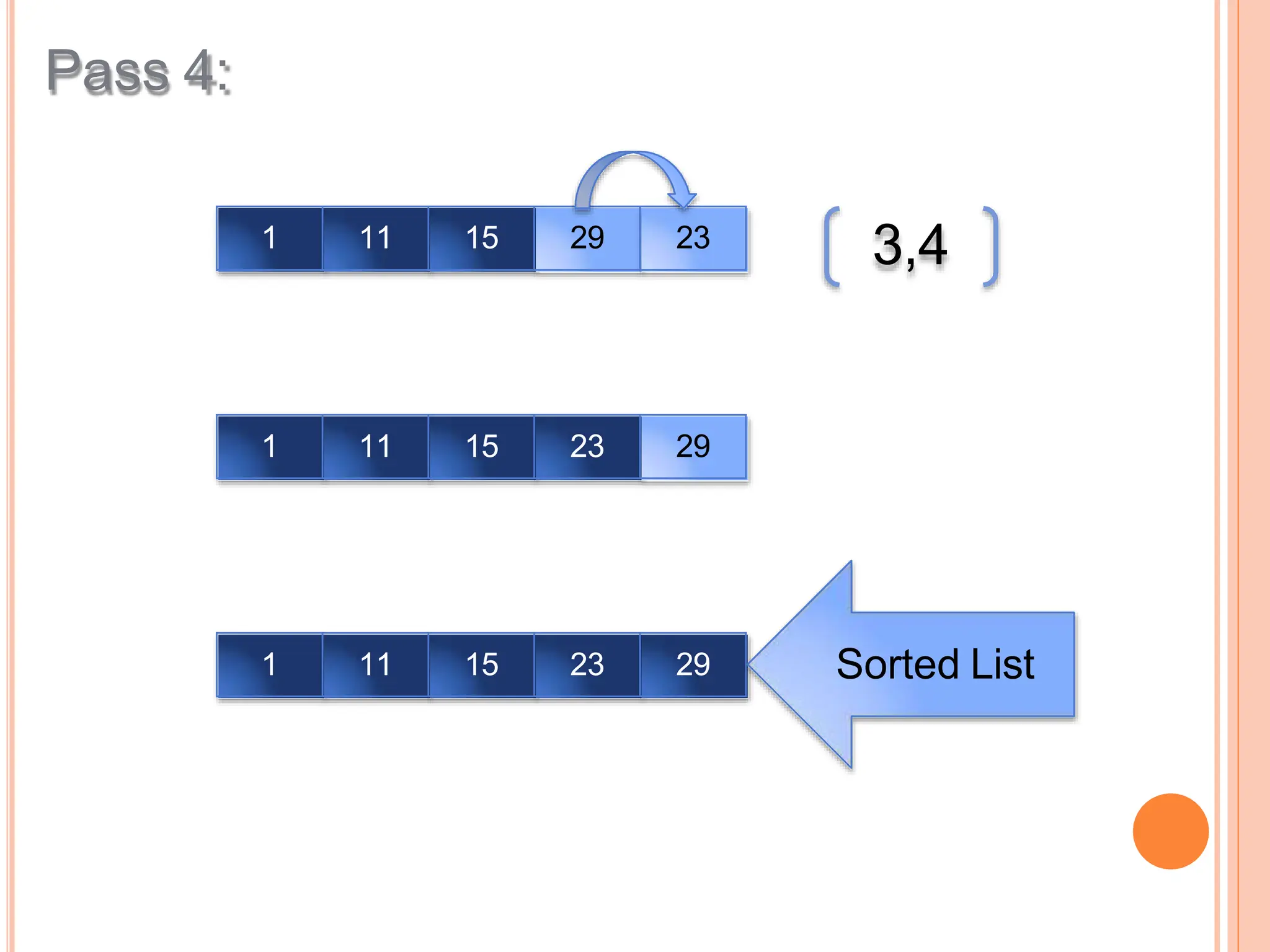
Selection Sort is explained, focusing on repeatedly selecting the smallest element and swapping it to the correct position in the list.
Java code is provided for the Selection Sort algorithm, showcasing how to sort an array of numbers in ascending order.
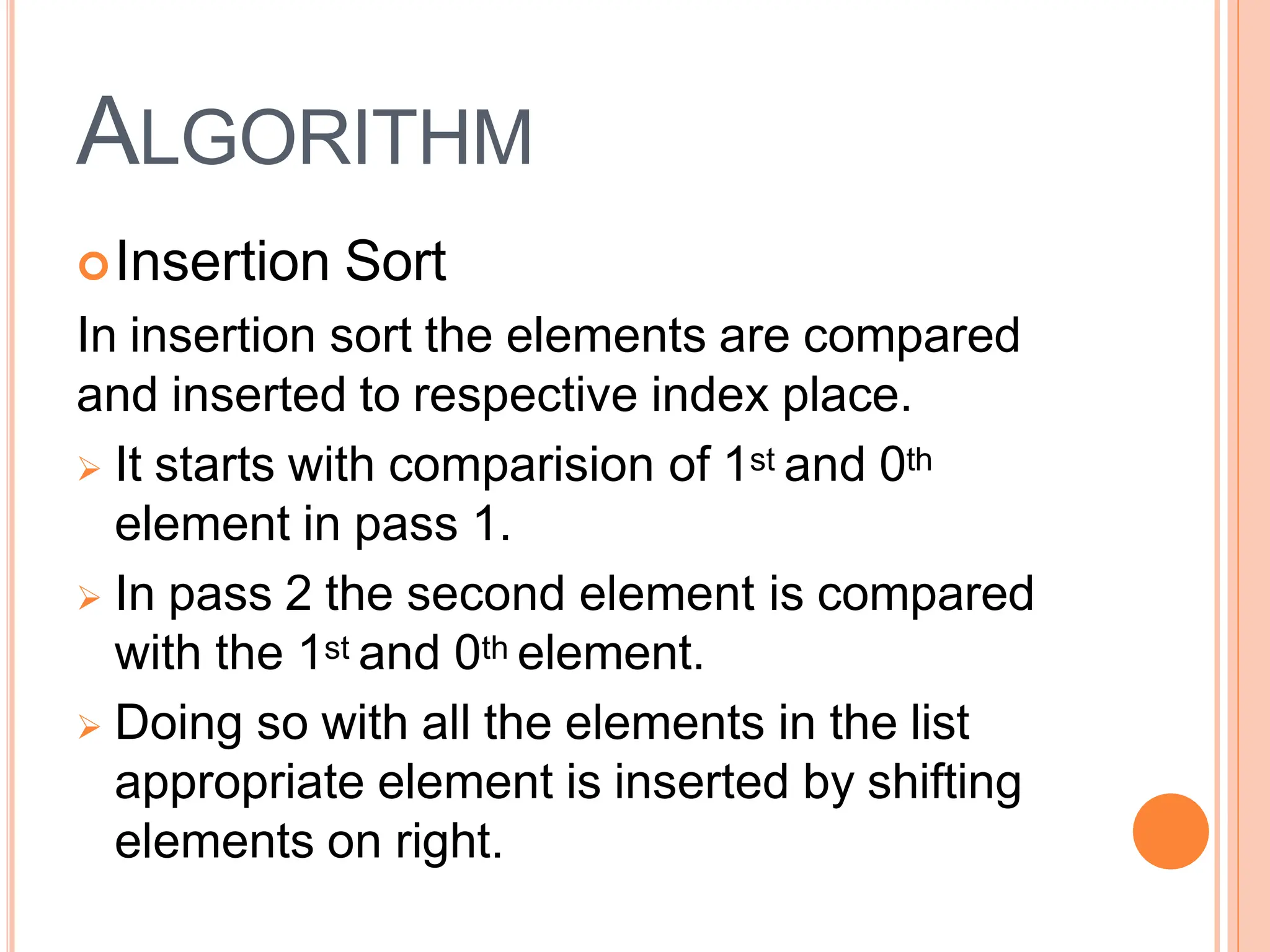
Insertion Sort is effective for small numbers, organizing elements by comparing and inserting them into their correct index in multiple passes.
Conclusion and appreciation for the audience from the presenter.


![UNIT V Searching Sorting Hashing Techniques [Autosaved].pptx](https://cdn.slidesharecdn.com/ss_thumbnails/unitvsearchingsortinghashingtechniquesautosaved-241126054304-95a69c51-thumbnail.jpg?width=640&height=640&fit=bounds)
![UNIT V Searching Sorting Hashing Techniques [Autosaved].pptx](https://cdn.slidesharecdn.com/ss_thumbnails/unitvsearchingsortinghashingtechniquesautosaved-241014040608-74caa0f6-thumbnail.jpg?width=640&height=640&fit=bounds)


