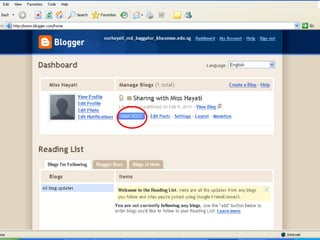
#3 This is your dashboard. Click on new post to create your post.
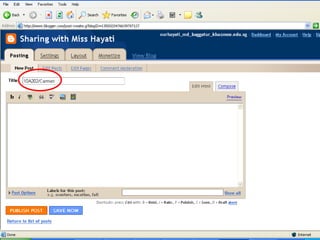
#4 Your title should always be in this format: CLASS/NAME
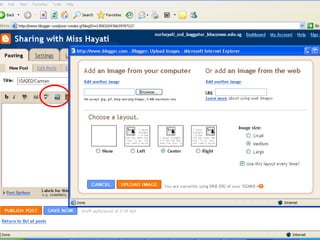
#5 Click on the picture icon to add images to your post. I recommend ‘center’ as the default image layout.
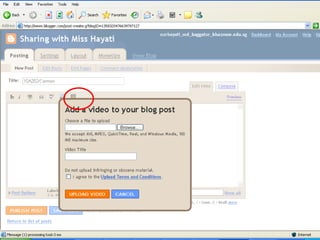
#6 Click on the video icon to upload videos. Please remember that you must own the video. Should you be using video from Youtube or Google Video, use hyperlinks instead.
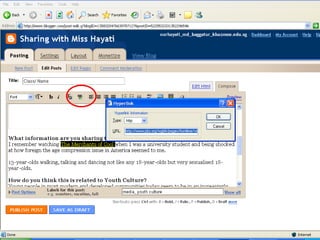
#7 Add a text or image hyperlink by selecting the relevant text/image and clicking on the hyperlink icon.
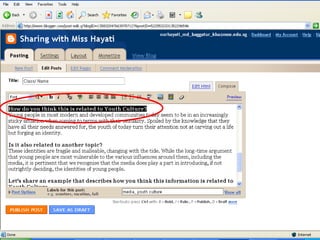
#8 You must insert the questions tagged to your article before you answer them. This is to allow your friends to follow your flow of ideas.
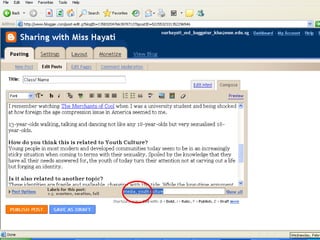
#9 Before publishing your post, label it with the relevant taglines. The theme of discussion MUST be indicated ie. Youth Culture for Term 1 or Family, Marriage and Gender for Term 2. If you are posting materials that you have chanced upon outside curriculum time, label it with one or more fitting labels.
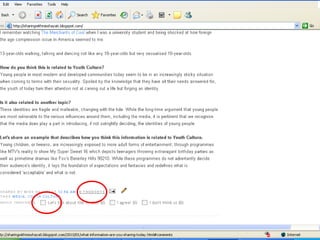
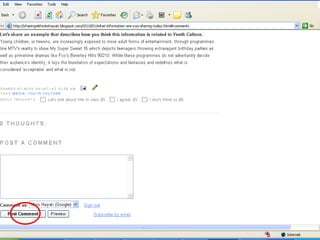
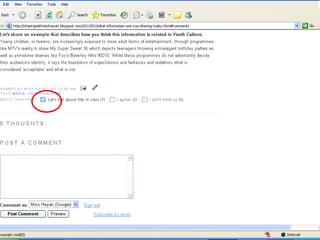
#10 You can choose to comment on your friends’ posts by clicking the THOUGHTS hyperlink to type in your comments or quickly comment by checking the appropriate box provided.
#11 If you click on the THOUGHTS hyperlink, a comment box will appear under the post you are commenting on. Click on the Post Comment button to submit your comment.
#12 If you are submitting a quick thought, a tick will appear in your selected box and the system will indicate the number of students who have submitted the same thoughts as yourself.


![Las 34 + 3 Mejores ImáGenes Del Viaje[1]](https://cdn.slidesharecdn.com/ss_thumbnails/las-34-3-mejores-imgenes-del-viaje1-1221687758183645-9-thumbnail.jpg?width=640&height=640&fit=bounds)


