Big Data Hadoop – Hands On Workshop
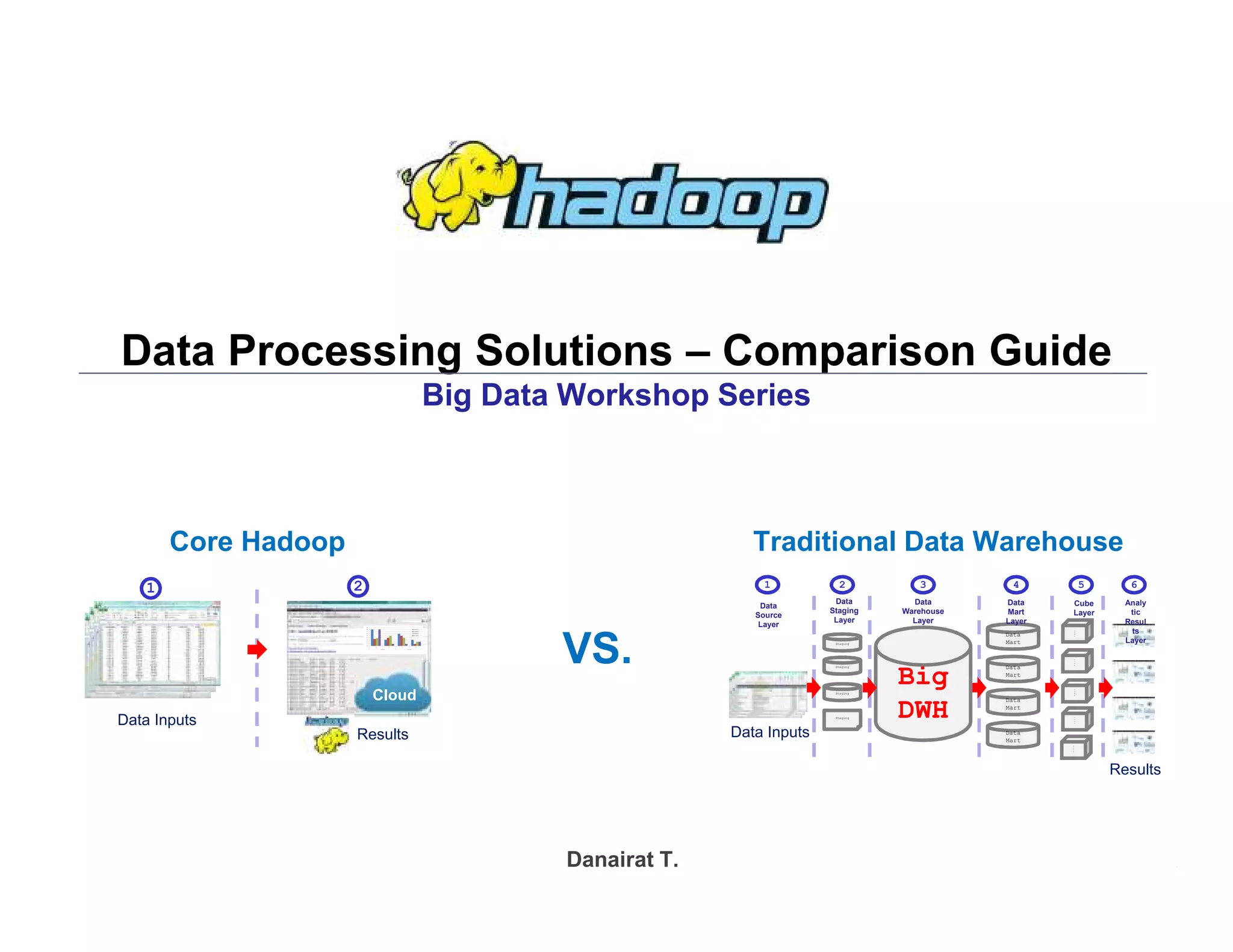
Data Processing Solutions – Comparison Guide
Big Data Workshop Series
Danairat T.
Results
Data Inputs
Cloud
1 2
Data Inputs
Results
Staging
Staging
Staging
Big
DWH
Data
Mart
Data
Mart
Data
Mart
Data
Mart
C
u
b
e
C
u
b
e
C
u
b
e
C
u
b
e
C
u
b
e
Staging
Analy
tic
Resul
ts
Layer
Cube
Layer
Data
Mart
Layer
Data
Warehouse
Layer
Data
Staging
Layer
Data
Source
Layer
1 2 3 4 5 6
Core Hadoop Traditional Data Warehouse
VS.
Big Data Hadoop
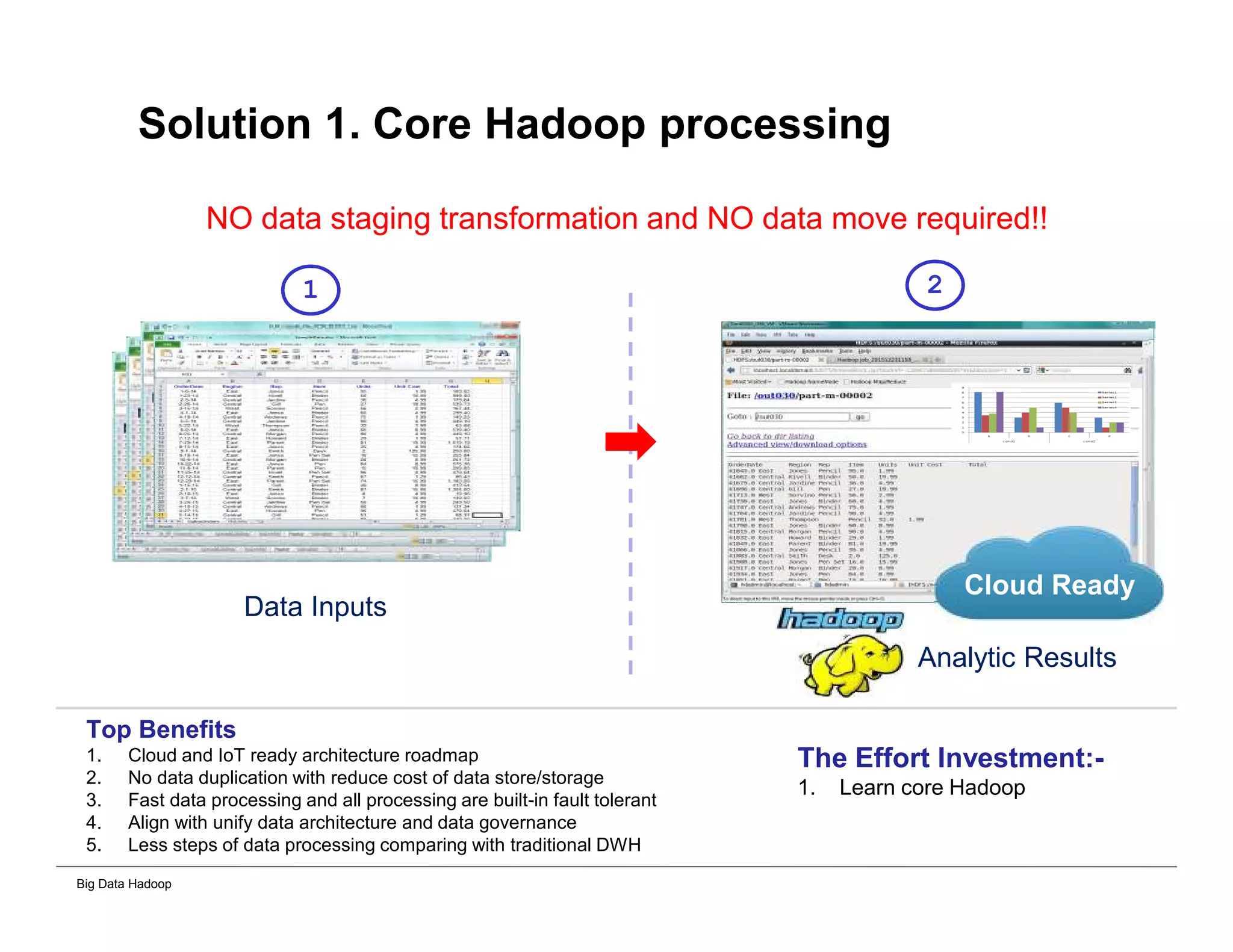
Solution 1. Core Hadoop processing
NO data staging transformation and NO data move required!!
Analytic Results
Data Inputs
Top Benefits
1. Cloud and IoT ready architecture roadmap
2. No data duplication with reduce cost of data store/storage
3. Fast data processing and all processing are built-in fault tolerant
4. Align with unify data architecture and data governance
5. Less steps of data processing comparing with traditional DWH
The Effort Investment:-
1. Learn core Hadoop
Cloud Ready
1 2
Big Data Hadoop
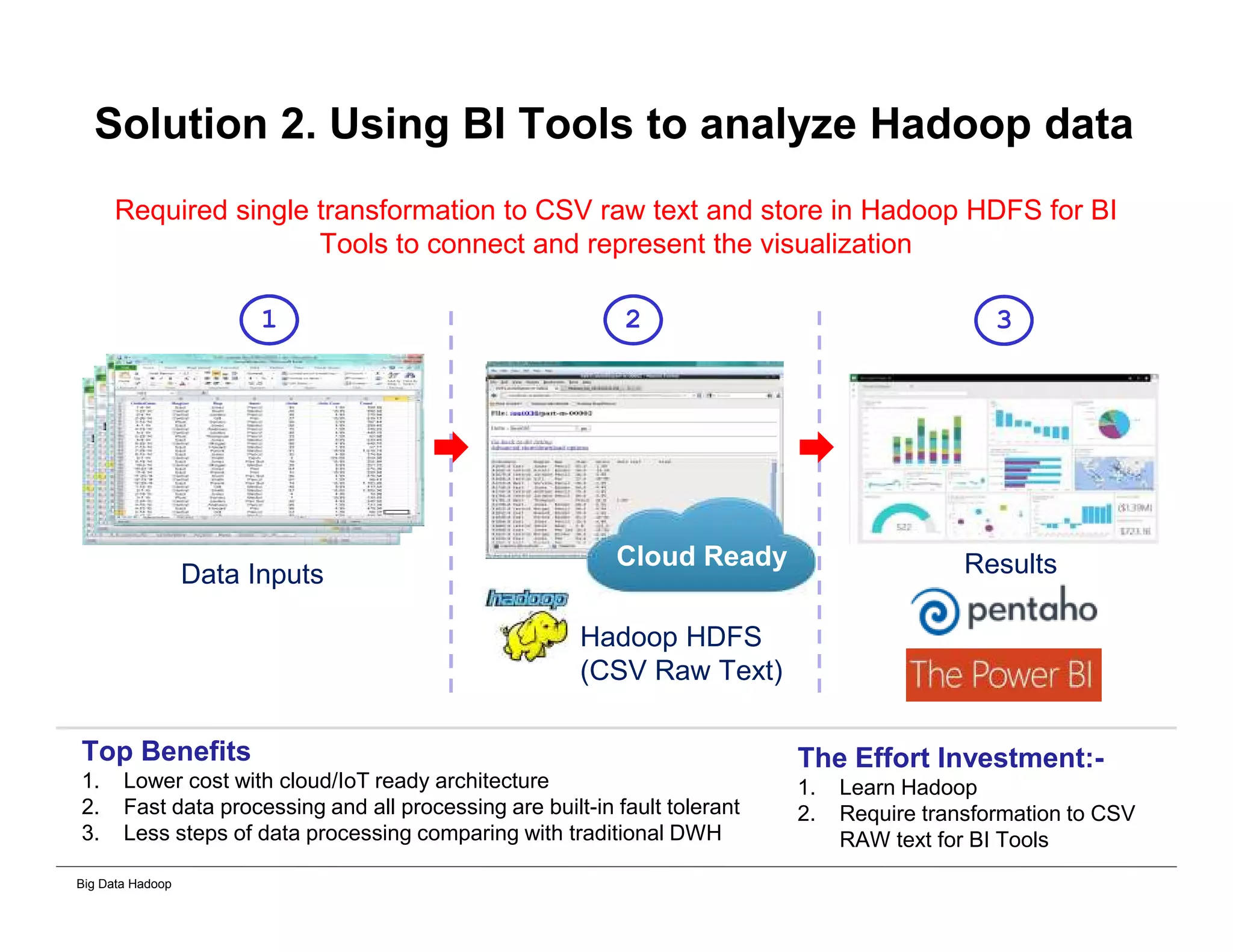
Solution 2. Using BI Tools to analyze Hadoop data
Required single transformation to CSV raw text and store in Hadoop HDFS for BI
Tools to connect and represent the visualization
Hadoop HDFS
(CSV Raw Text)
Data Inputs
Top Benefits
1. Lower cost with cloud/IoT ready architecture
2. Fast data processing and all processing are built-in fault tolerant
3. Less steps of data processing comparing with traditional DWH
The Effort Investment:-
1. Learn Hadoop
2. Require transformation to CSV
RAW text for BI Tools
Cloud Ready
1 2 3
Results
Big Data Hadoop
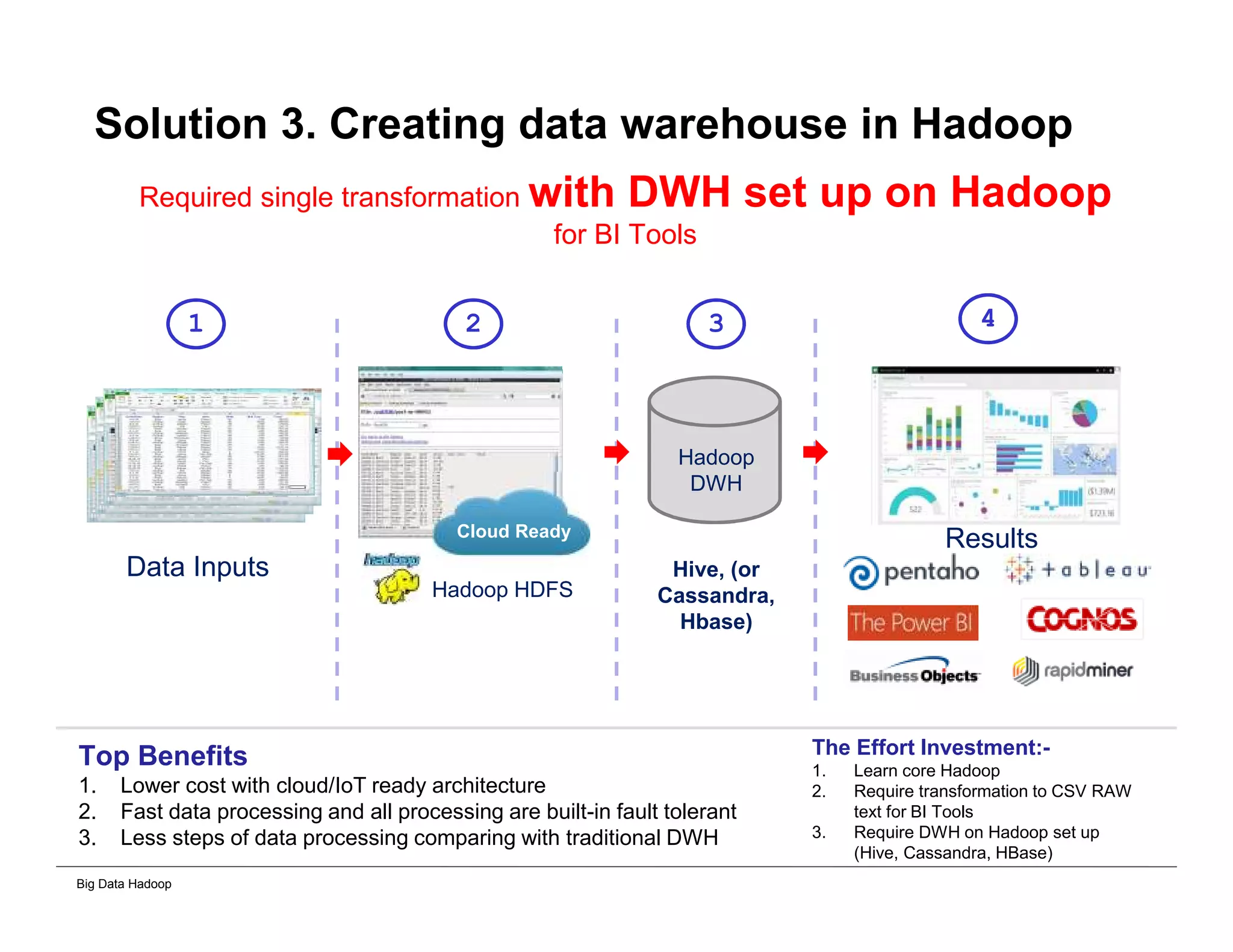
Solution 3. Creating data warehouse in Hadoop
Required single transformation with DWH set up on Hadoop
for BI Tools
Top Benefits
1. Lower cost with cloud/IoT ready architecture
2. Fast data processing and all processing are built-in fault tolerant
3. Less steps of data processing comparing with traditional DWH
The Effort Investment:-
1. Learn core Hadoop
2. Require transformation to CSV RAW
text for BI Tools
3. Require DWH on Hadoop set up
(Hive, Cassandra, HBase)
Hadoop HDFS
Data Inputs
Cloud Ready
Hadoop
DWH
Hive, (or
Cassandra,
Hbase)
1 2 3 4
Results
Big Data Hadoop
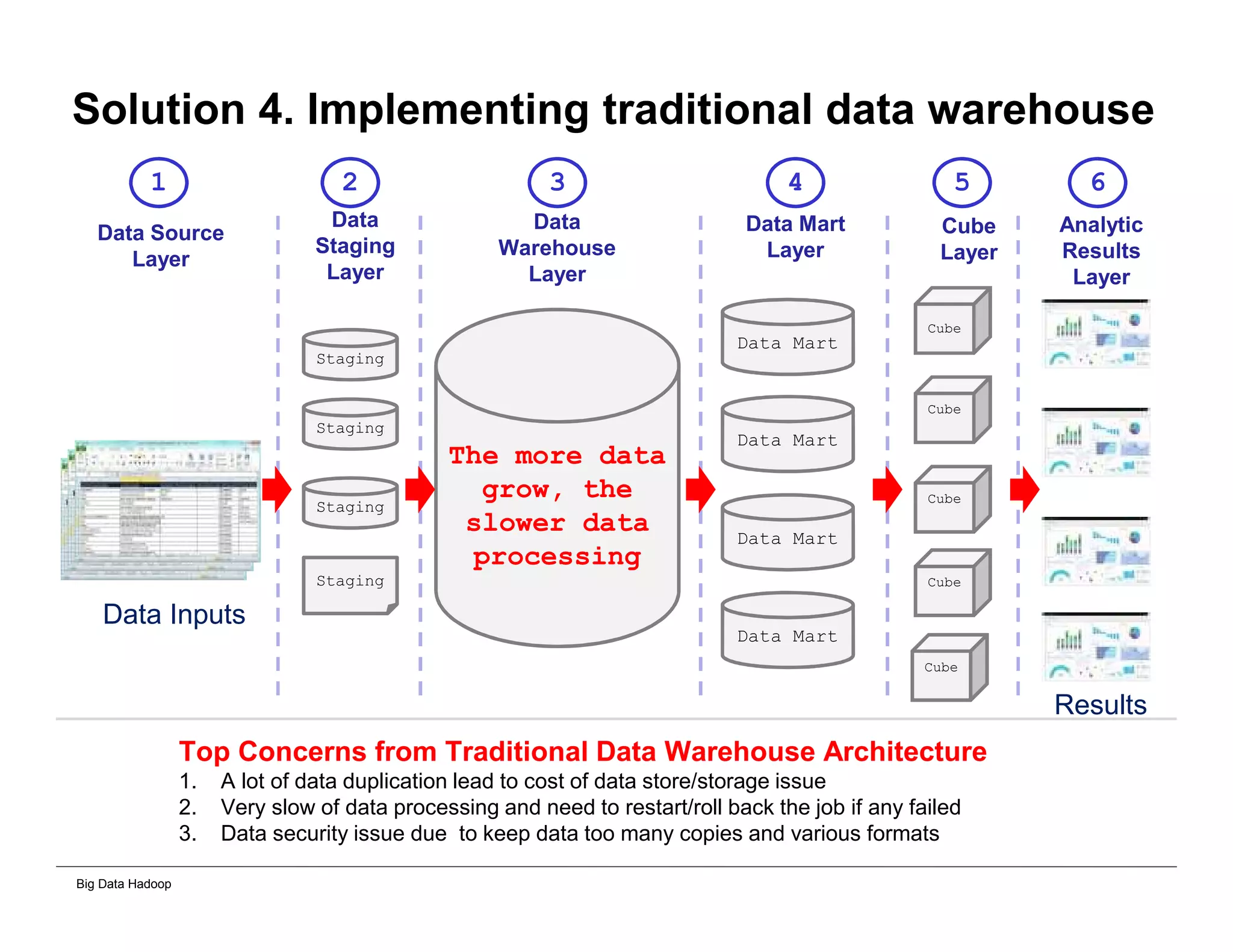
Solution 4. Implementing traditional data warehouse
Staging
Staging
Staging
The more data
grow, the
slower data
processing
Data Mart
Data Mart
Data Mart
Data Mart
Top Concerns from Traditional Data Warehouse Architecture
1. A lot of data duplication lead to cost of data store/storage issue
2. Very slow of data processing and need to restart/roll back the job if any failed
3. Data security issue due to keep data too many copies and various formats
Cube
Cube
Cube
Cube
Cube
Staging
Analytic
Results
Layer
Cube
Layer
Data Mart
Layer
Data
Warehouse
Layer
Data
Staging
Layer
Data Source
Layer
1 2 3 4 5 6
Data Inputs
Results
Big Data Hadoop
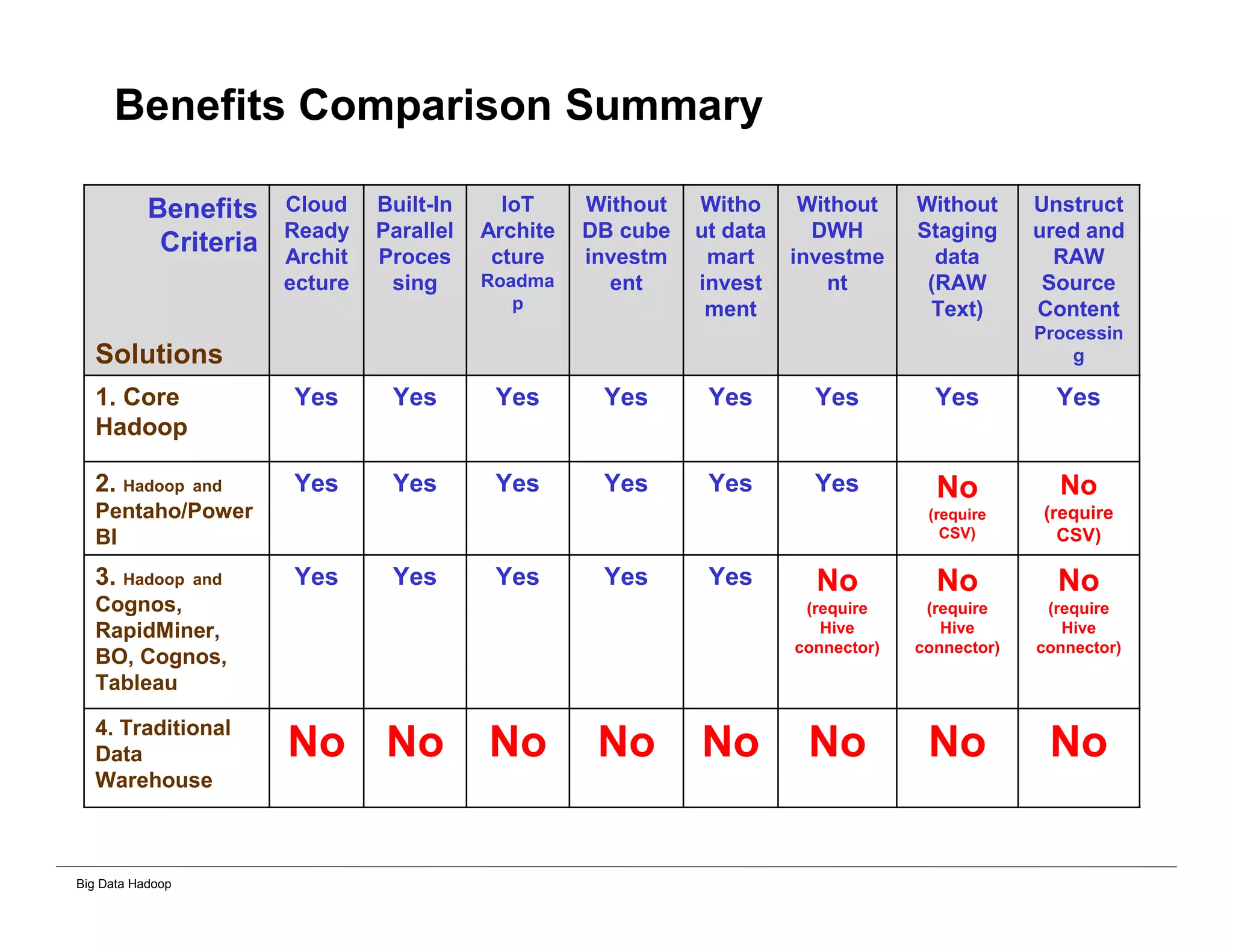
Benefits Comparison Summary
Benefits
Criteria
Solutions
Cloud
Ready
Archit
ecture
Built-In
Parallel
Proces
sing
IoT
Archite
cture
Roadma
p
Without
DB cube
investm
ent
Witho
ut data
mart
invest
ment
Without
DWH
investme
nt
Without
Staging
data
(RAW
Text)
Unstruct
ured and
RAW
Source
Content
Processin
g
1. Core
Hadoop
Yes Yes Yes Yes Yes Yes Yes Yes
2. Hadoop and
Pentaho/Power
BI
Yes Yes Yes Yes Yes Yes No
(require
CSV)
No
(require
CSV)
3. Hadoop and
Cognos,
RapidMiner,
BO, Cognos,
Tableau
Yes Yes Yes Yes Yes No
(require
Hive
connector)
No
(require
Hive
connector)
No
(require
Hive
connector)
4. Traditional
Data
Warehouse
No No No No No No No No
Big Data Hadoop
Appendix
Big Data Hadoop
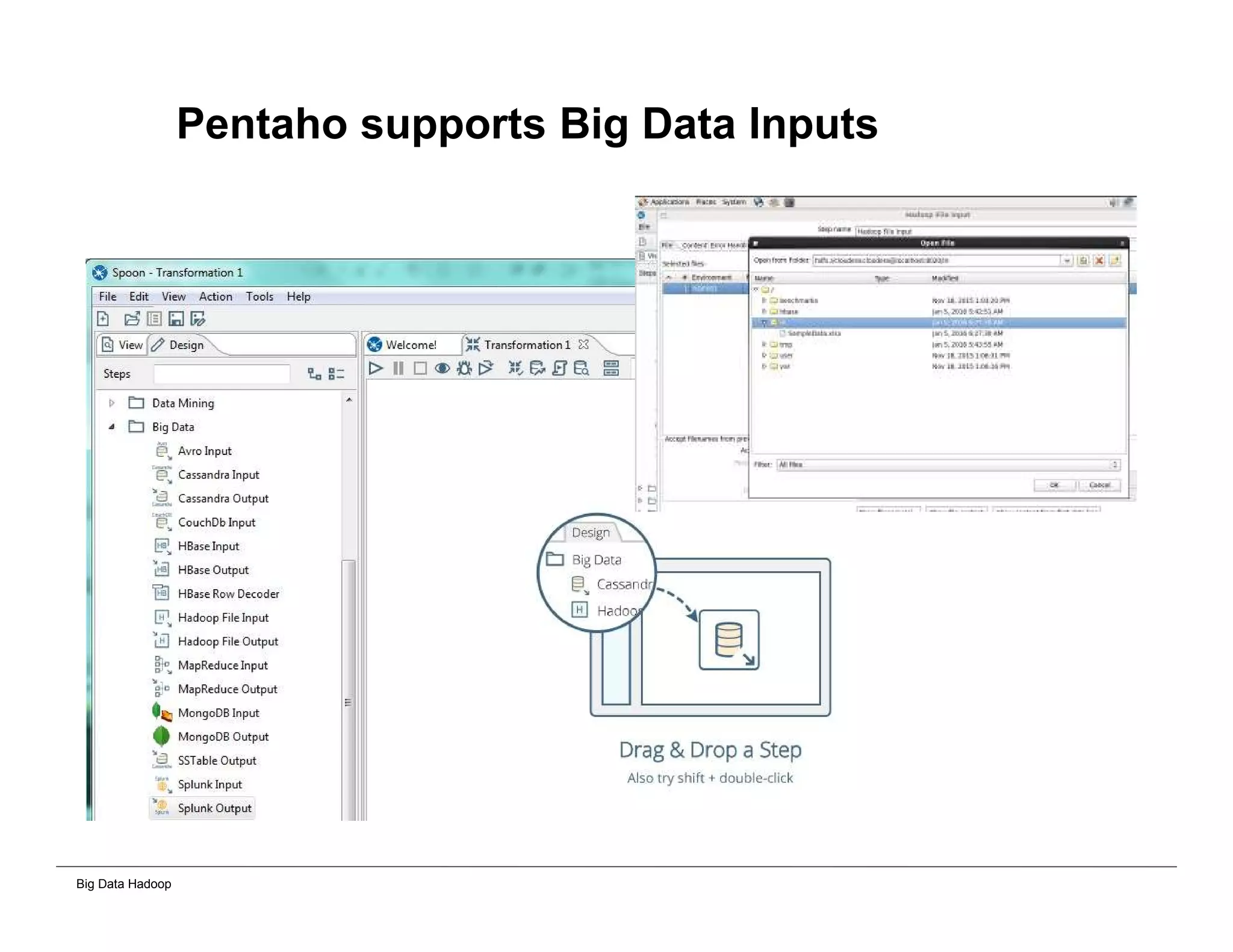
Pentaho supports Big Data Inputs
Big Data Hadoop
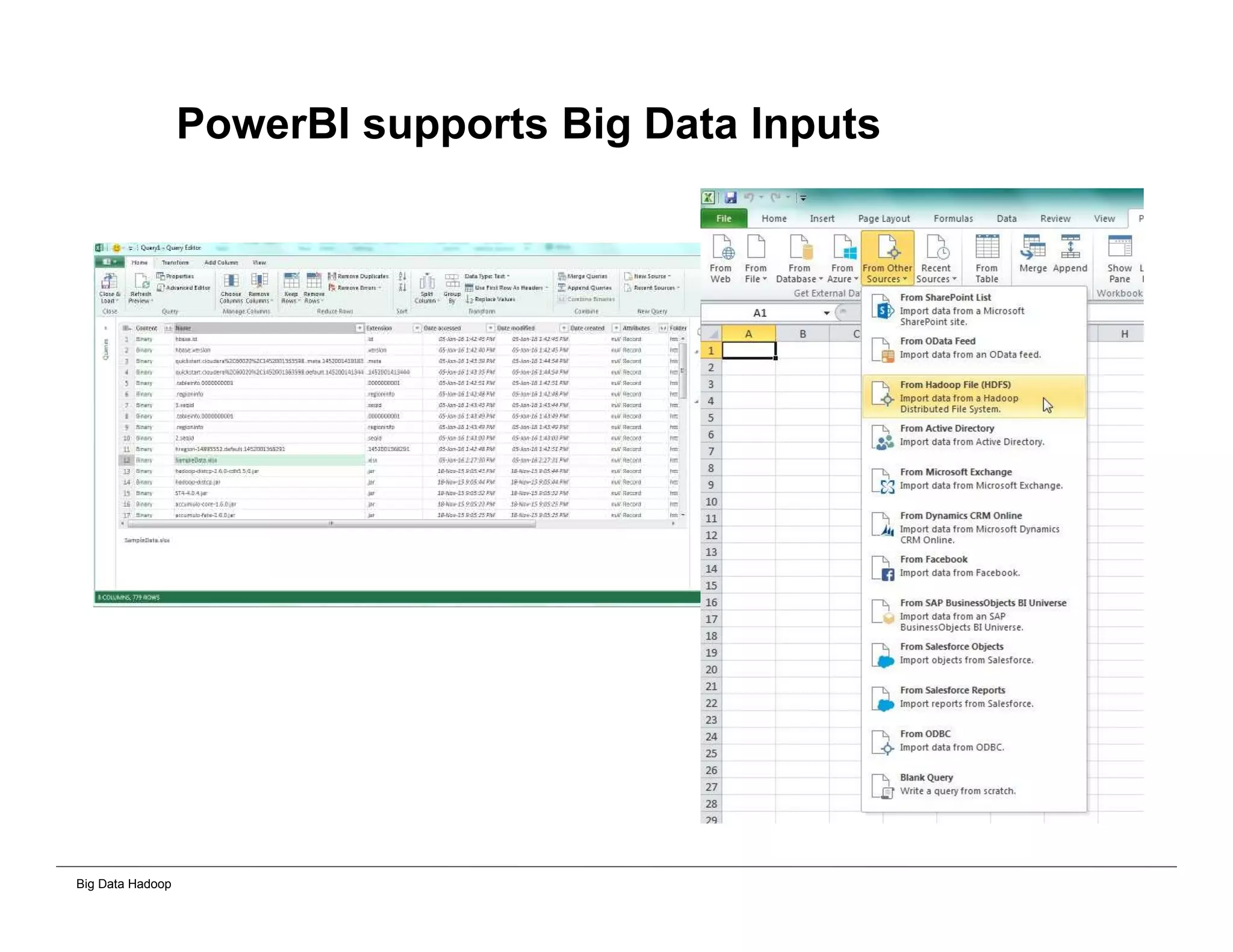
PowerBI supports Big Data Inputs
Big Data Hadoop
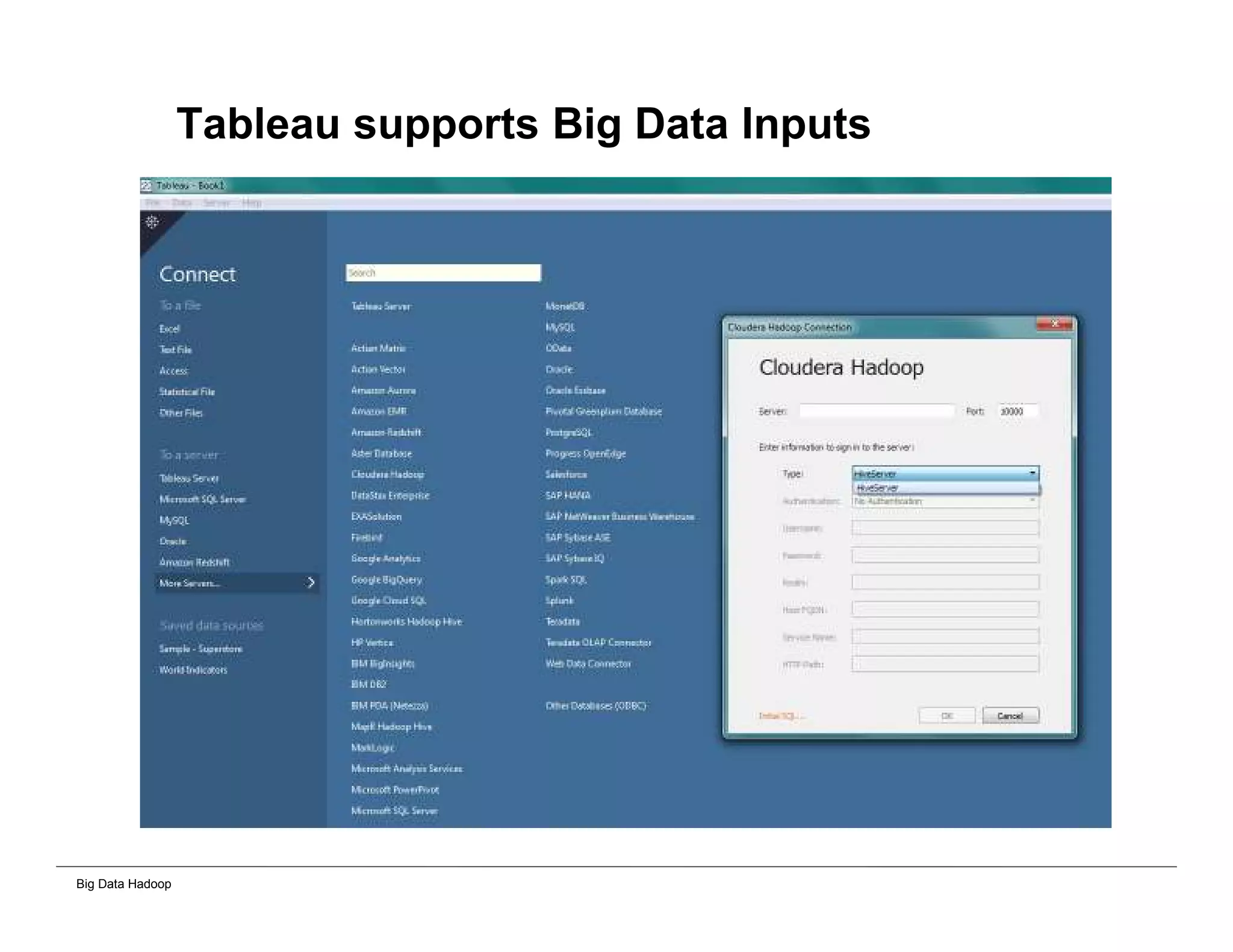
Tableau supports Big Data Inputs
Big Data Hadoop
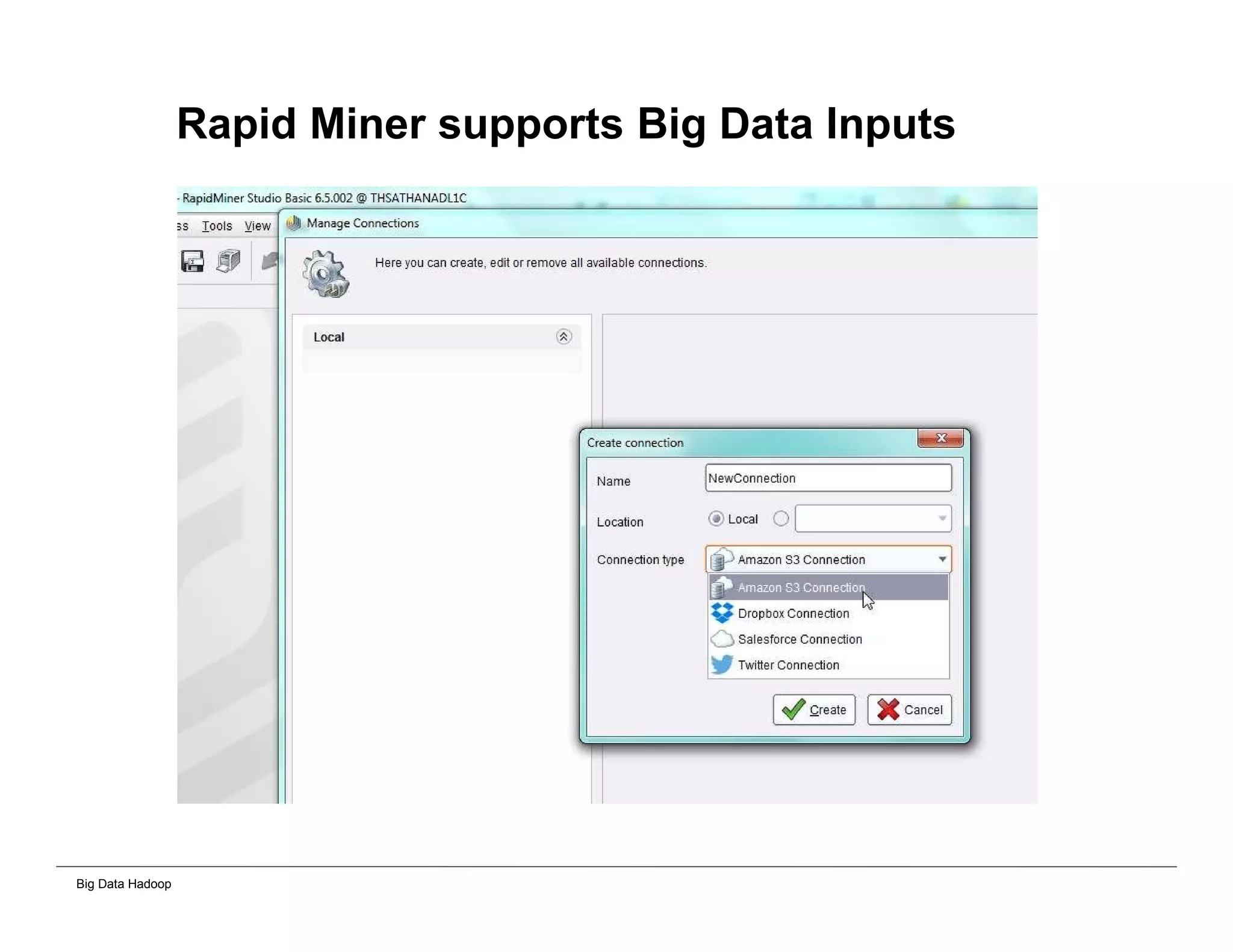
Rapid Miner supports Big Data Inputs
Big Data Hadoop
Hadoop Cluster Installation and Excel
Parser Processing
Big Data Hadoop
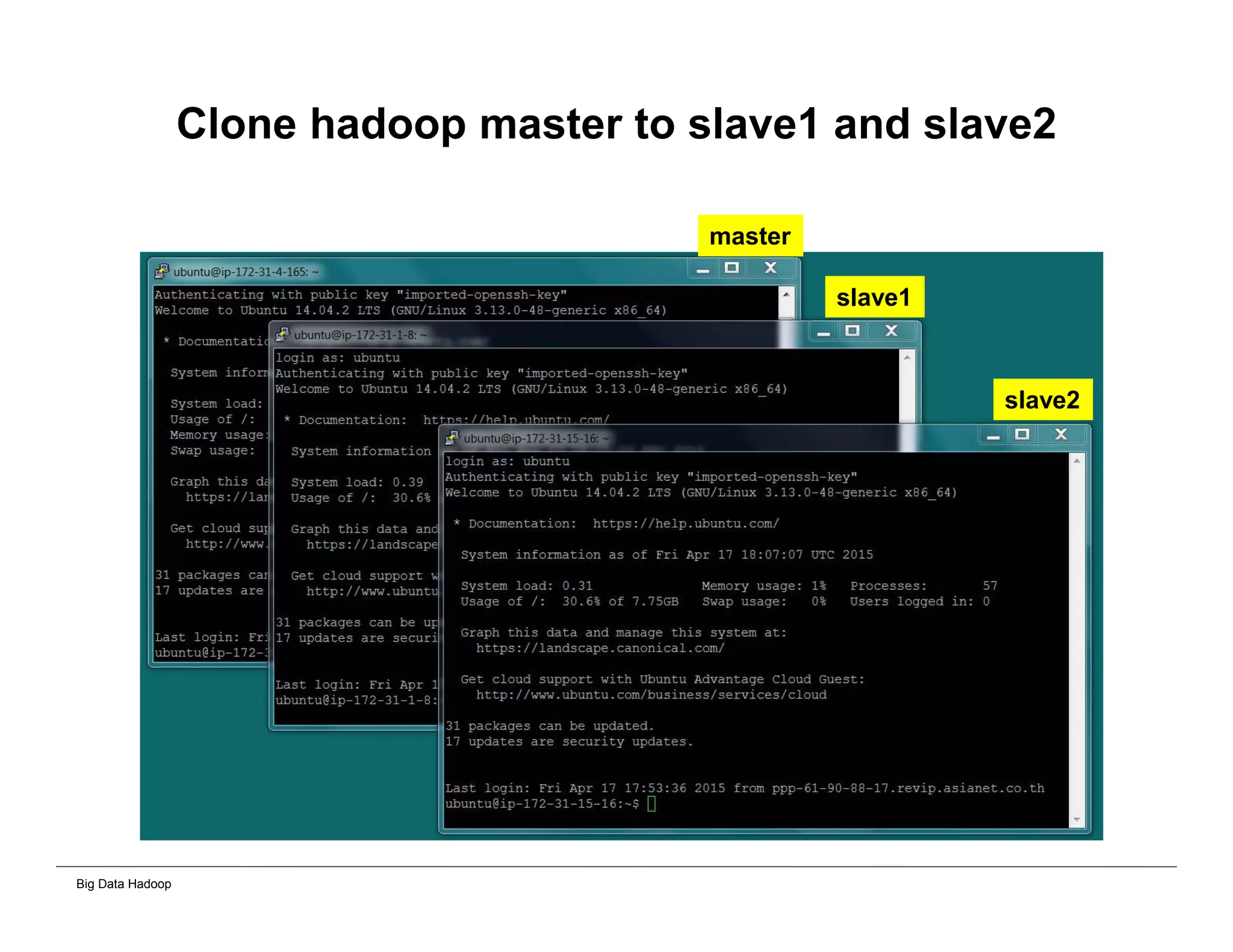
Clone hadoop master to slave1 and slave2
master
slave1
slave2
Big Data Hadoop
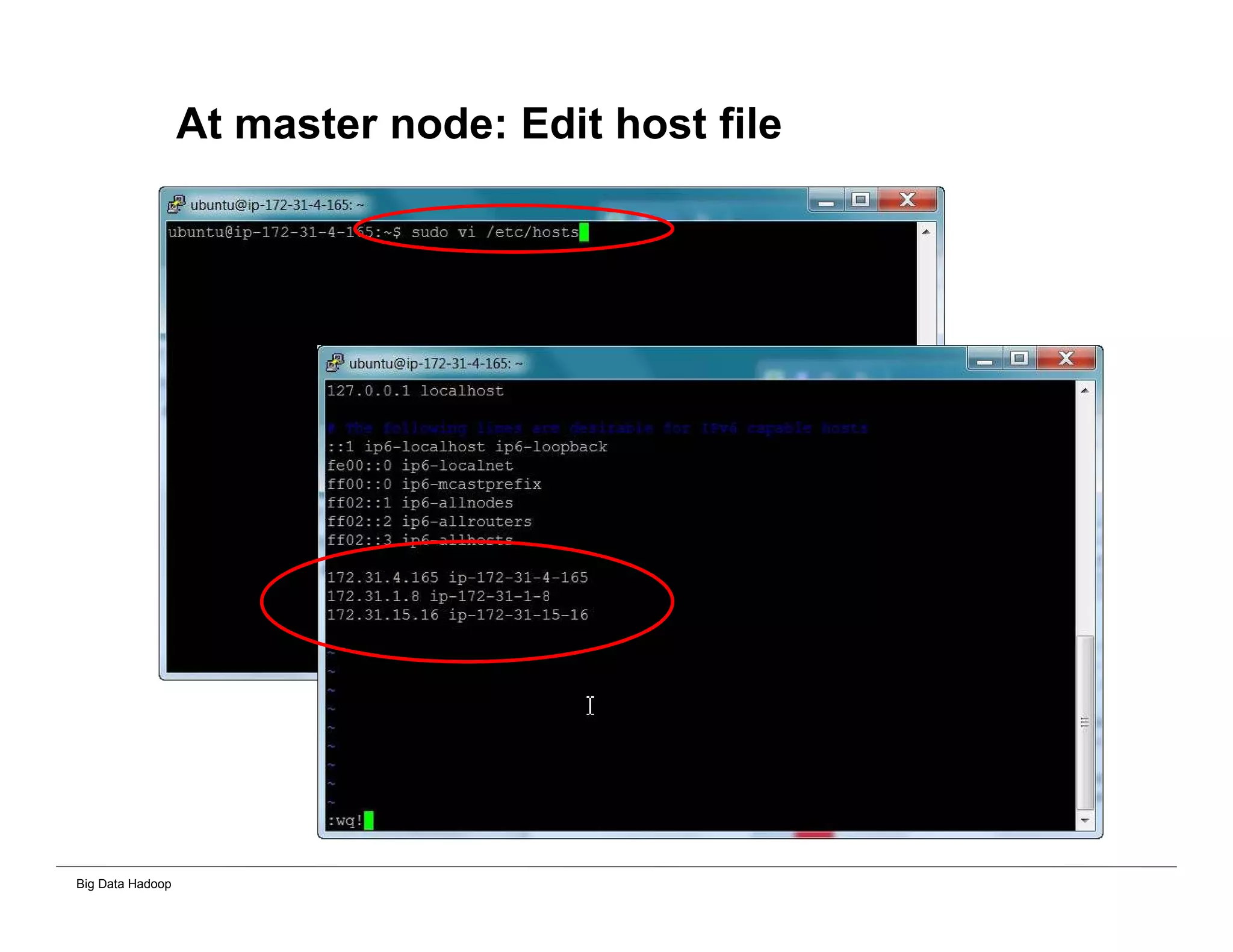
At master node: Edit host file
Big Data Hadoop
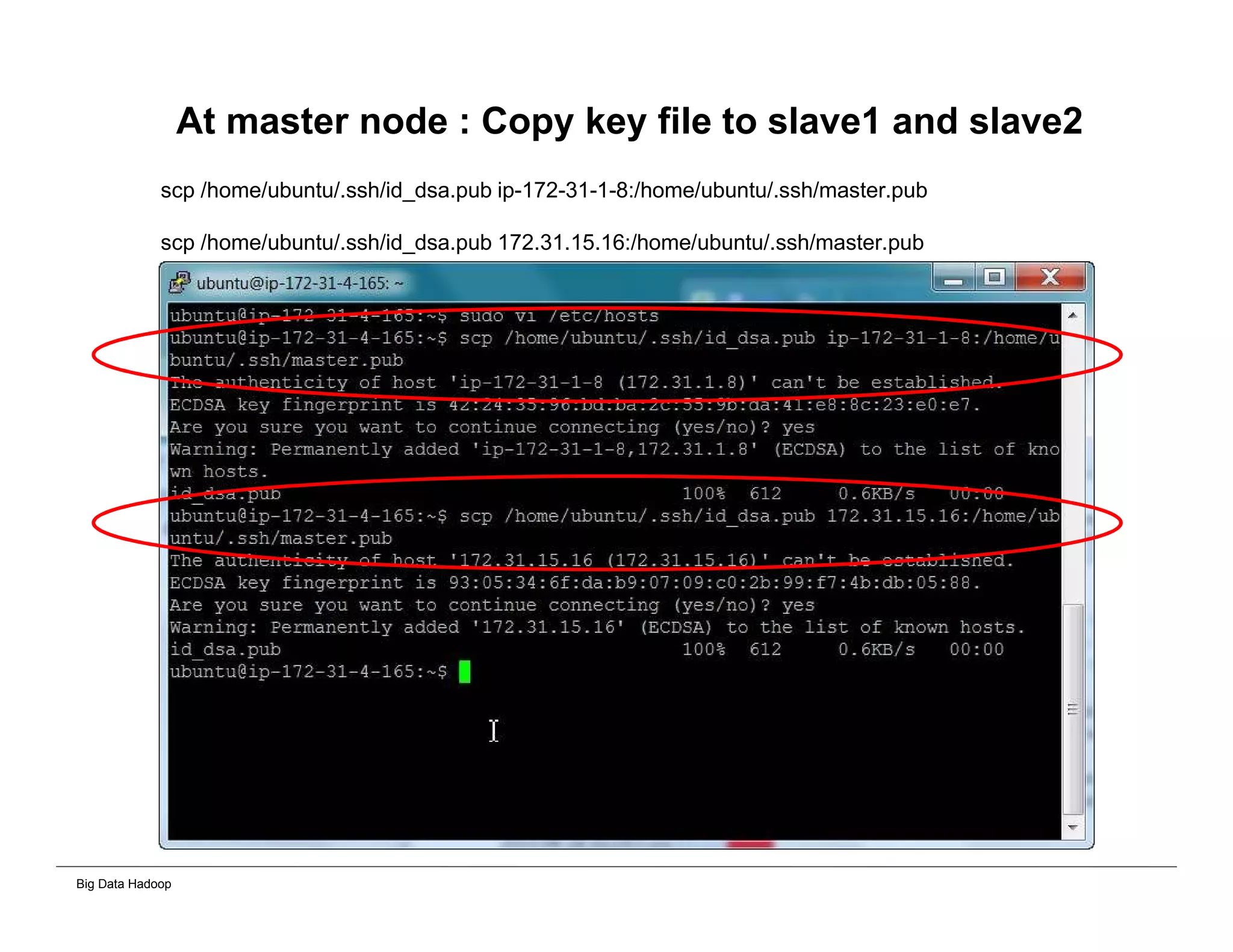
At master node : Copy key file to slave1 and slave2
scp /home/ubuntu/.ssh/id_dsa.pub ip-172-31-1-8:/home/ubuntu/.ssh/master.pub
scp /home/ubuntu/.ssh/id_dsa.pub 172.31.15.16:/home/ubuntu/.ssh/master.pub
Big Data Hadoop
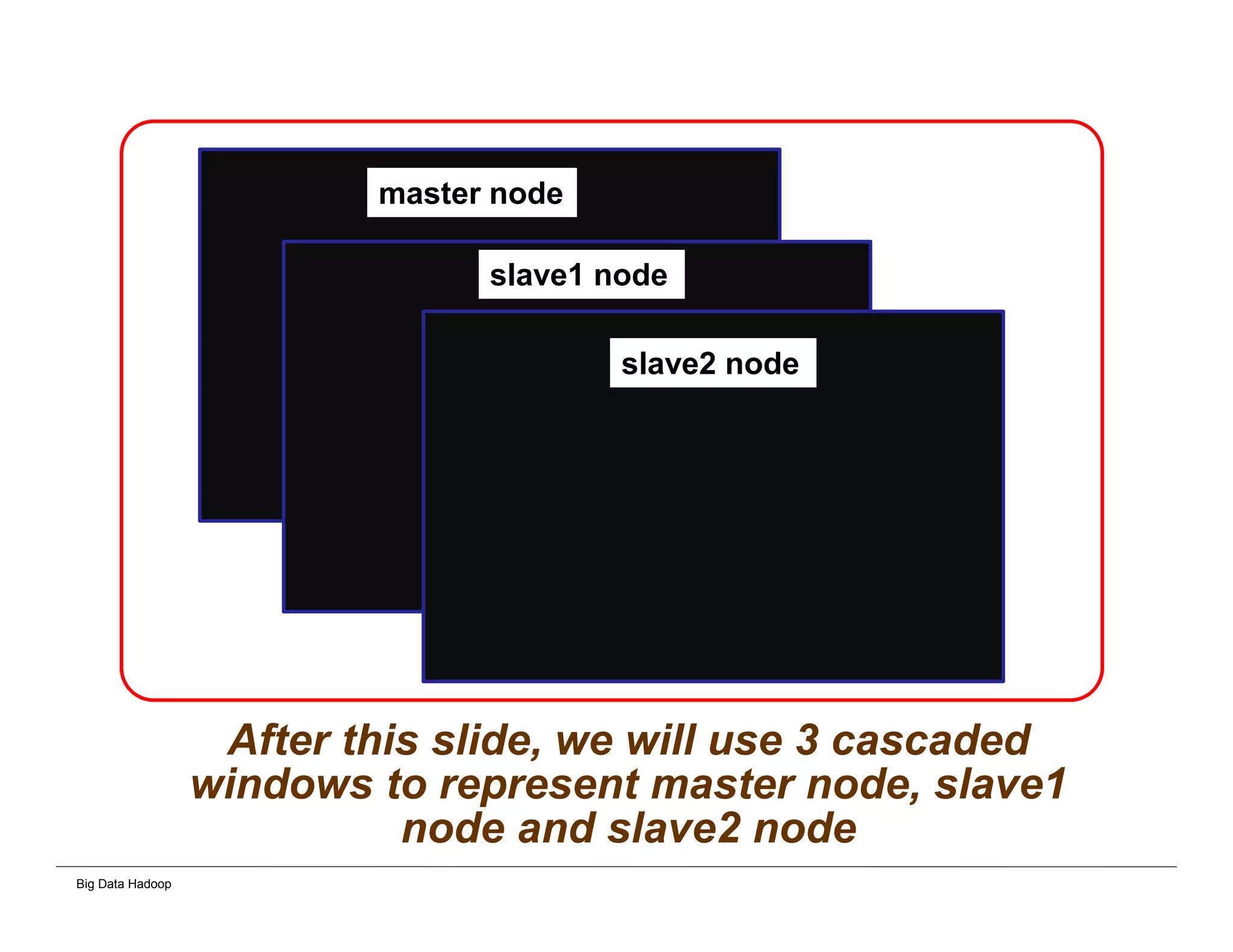
After this slide, we will use 3 cascaded
windows to represent master node, slave1
node and slave2 node
master node
slave1 node
slave2 node
Big Data Hadoop
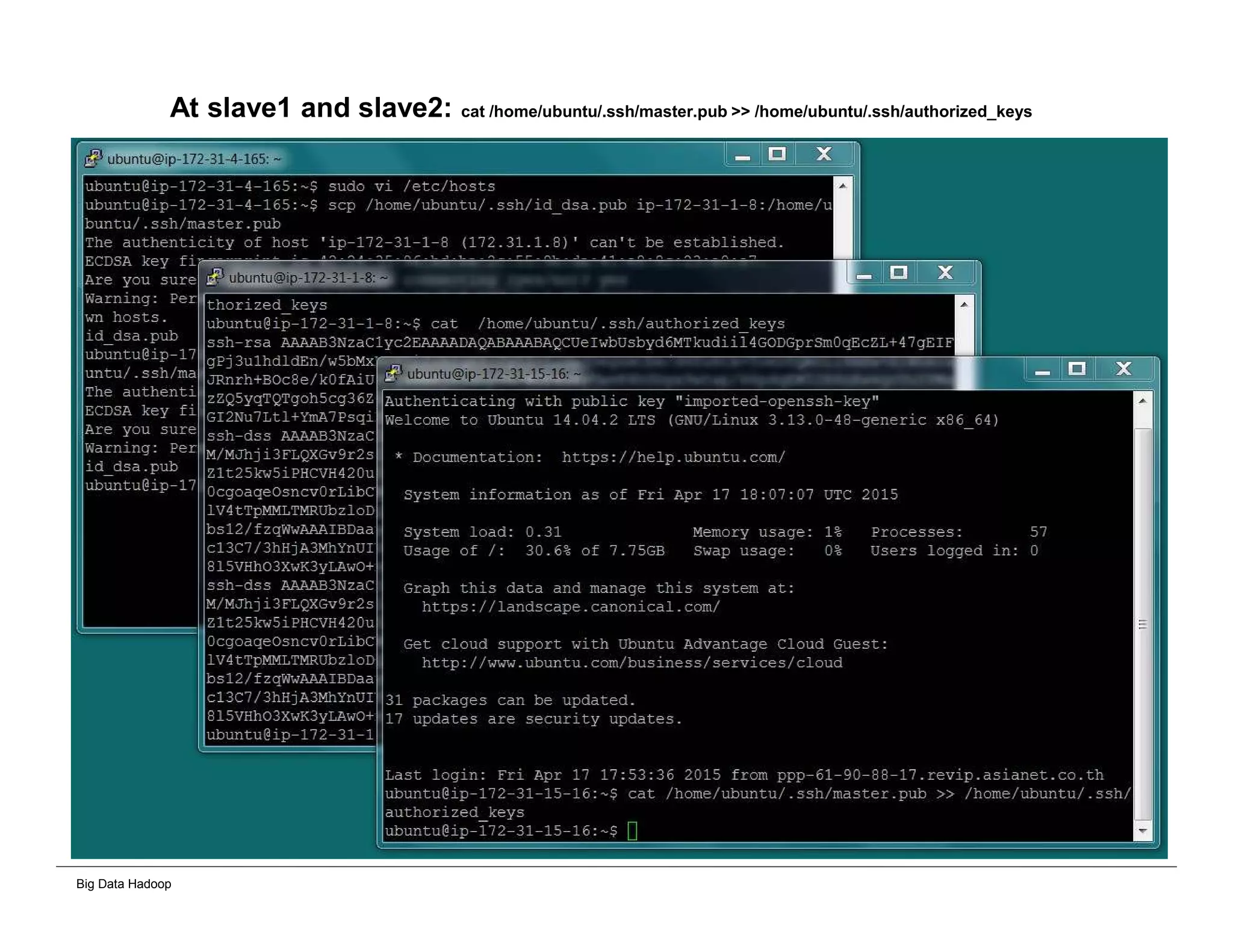
At slave1 and slave2: cat /home/ubuntu/.ssh/master.pub >> /home/ubuntu/.ssh/authorized_keys
Big Data Hadoop
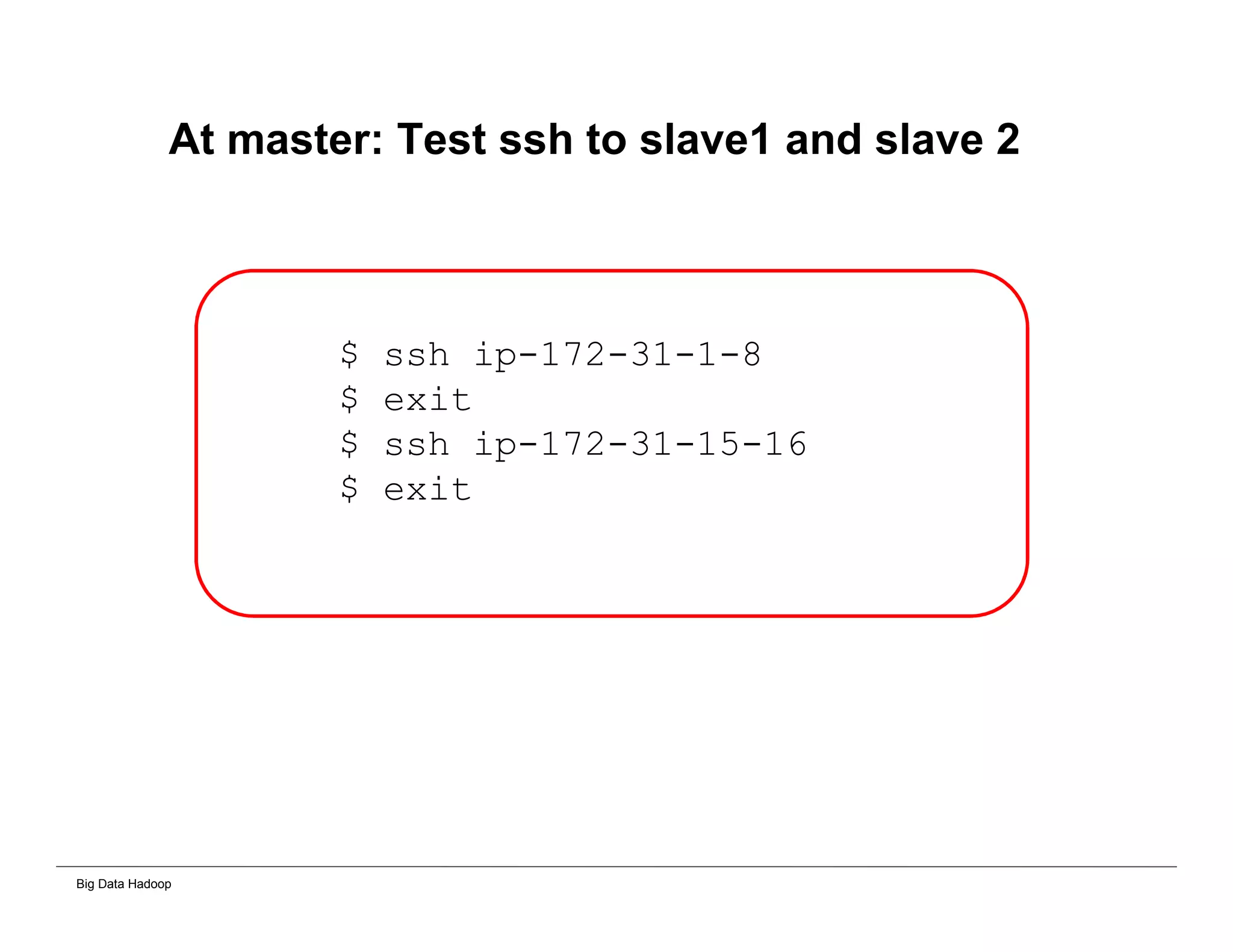
At master: Test ssh to slave1 and slave 2
$ ssh ip-172-31-1-8
$ exit
$ ssh ip-172-31-15-16
$ exit
Big Data Hadoop
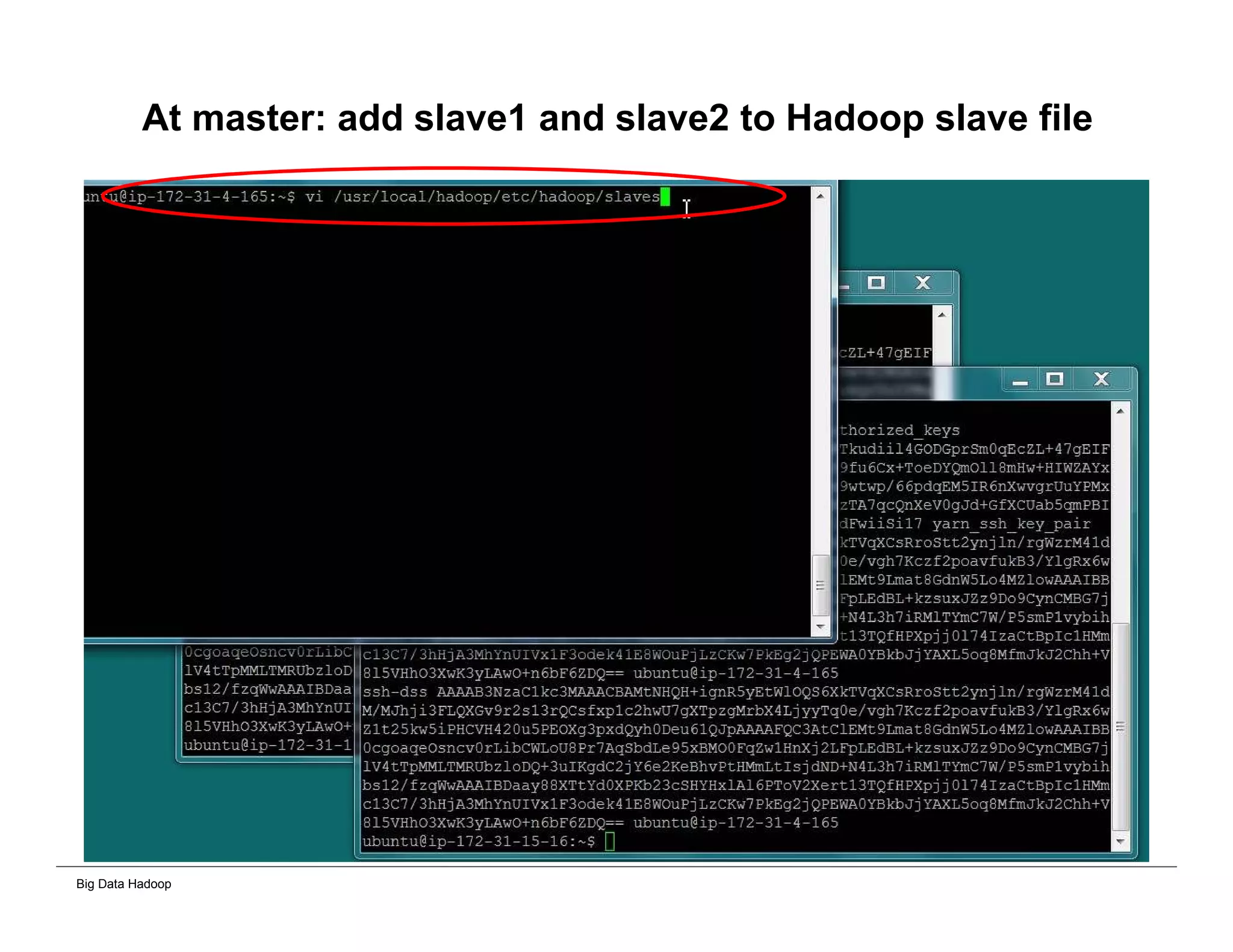
At master: add slave1 and slave2 to Hadoop slave file
Big Data Hadoop
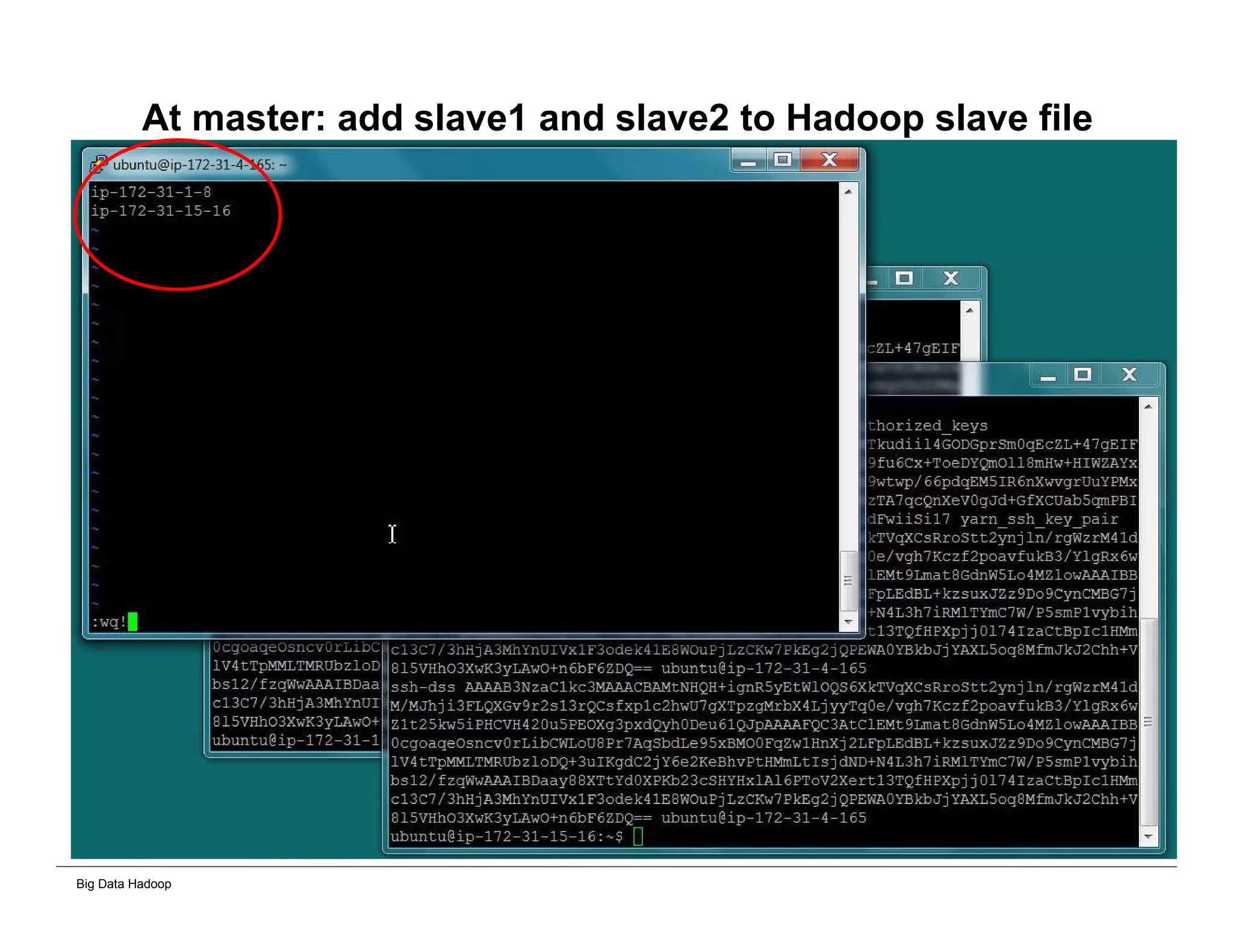
At master: add slave1 and slave2 to Hadoop slave file
Big Data Hadoop
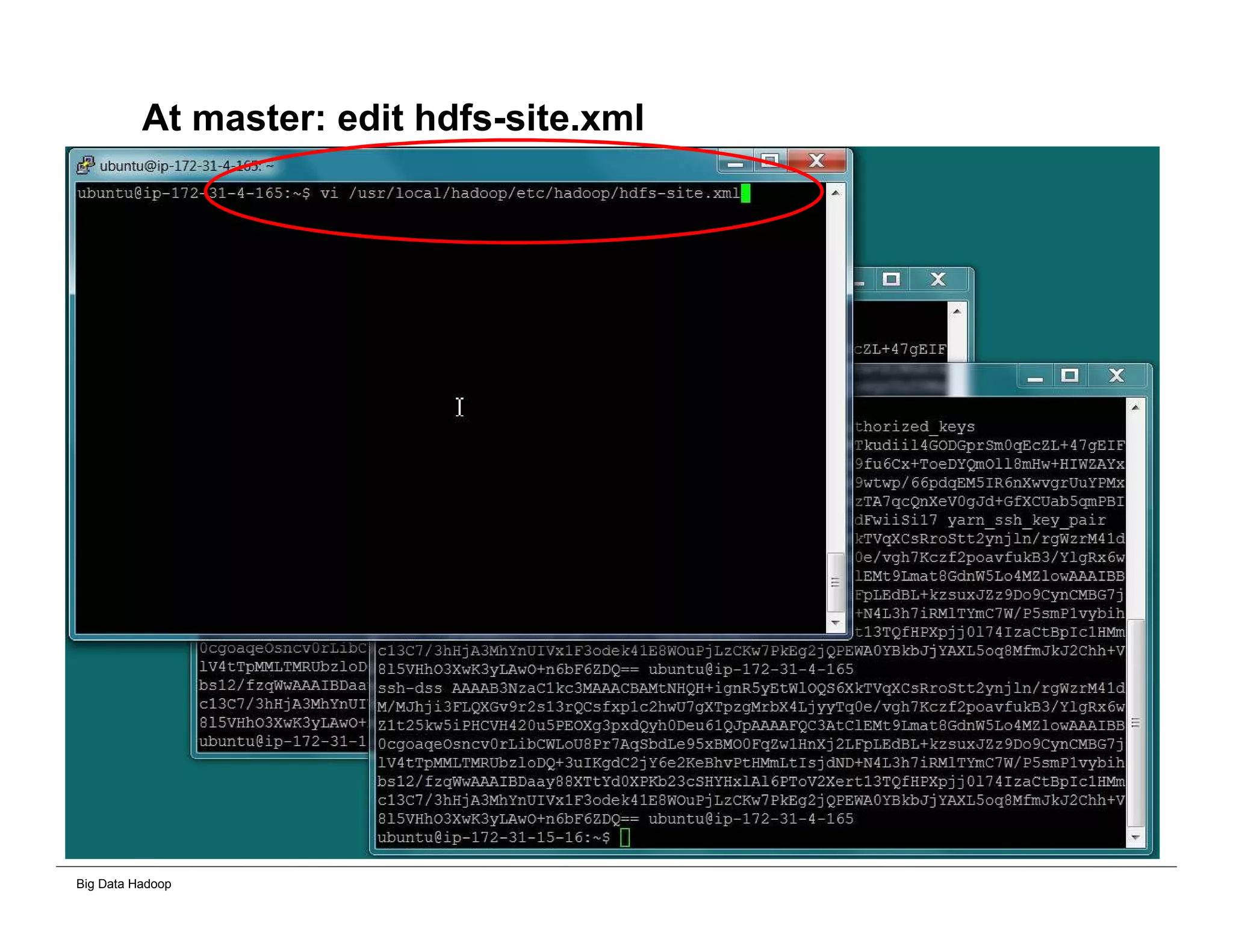
At master: edit hdfs-site.xml
Big Data Hadoop
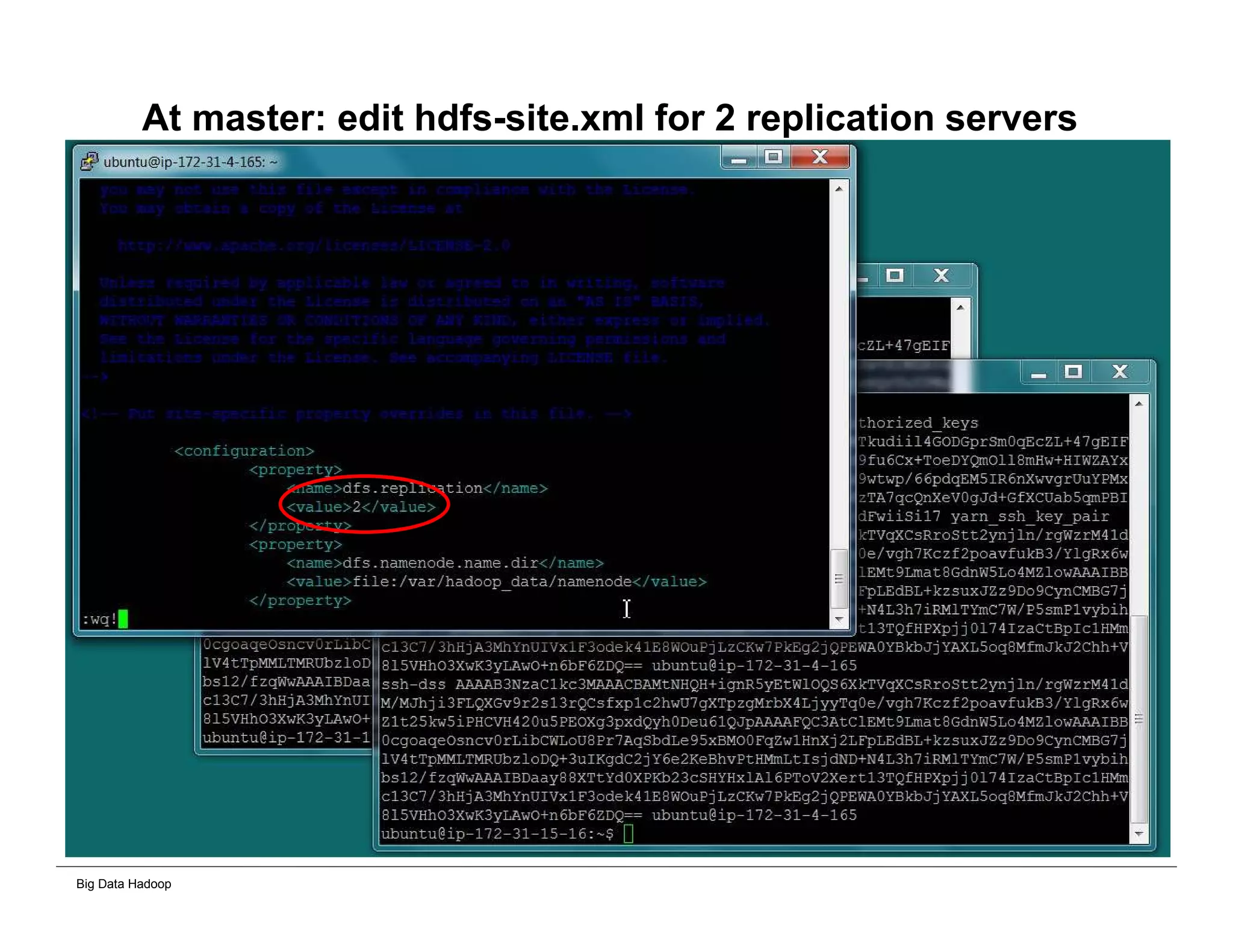
At master: edit hdfs-site.xml for 2 replication servers
Big Data Hadoop
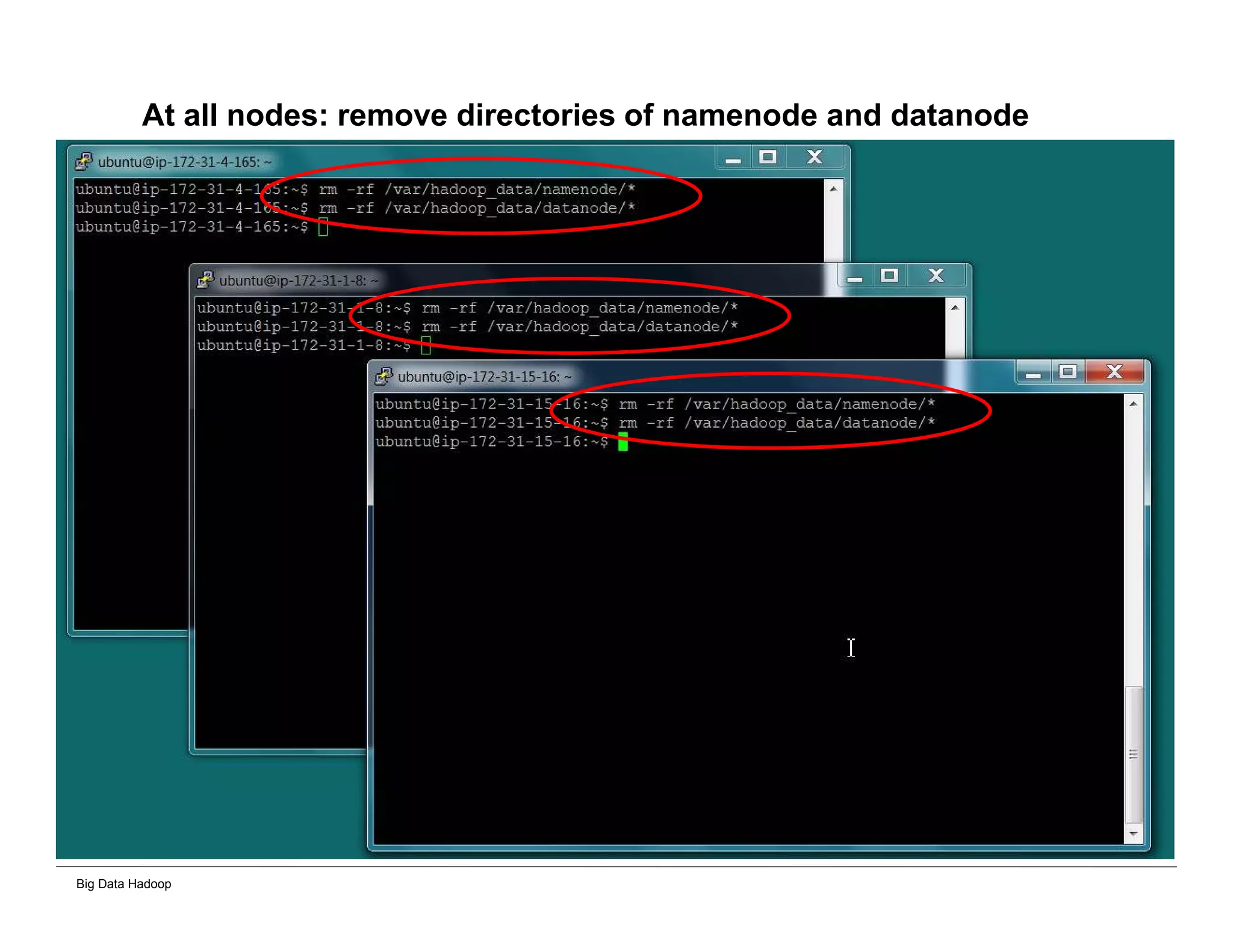
At all nodes: remove directories of namenode and datanode
Big Data Hadoop
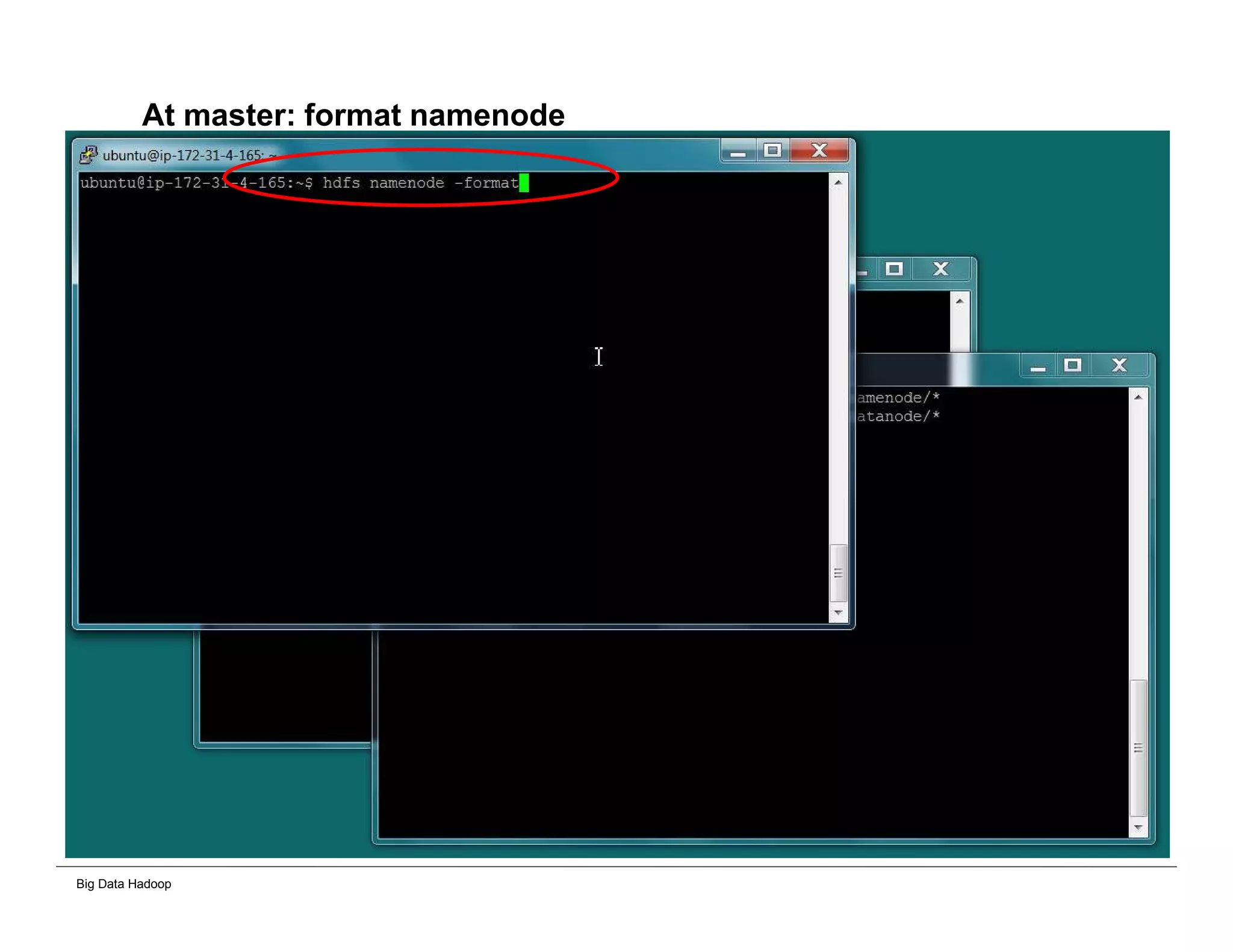
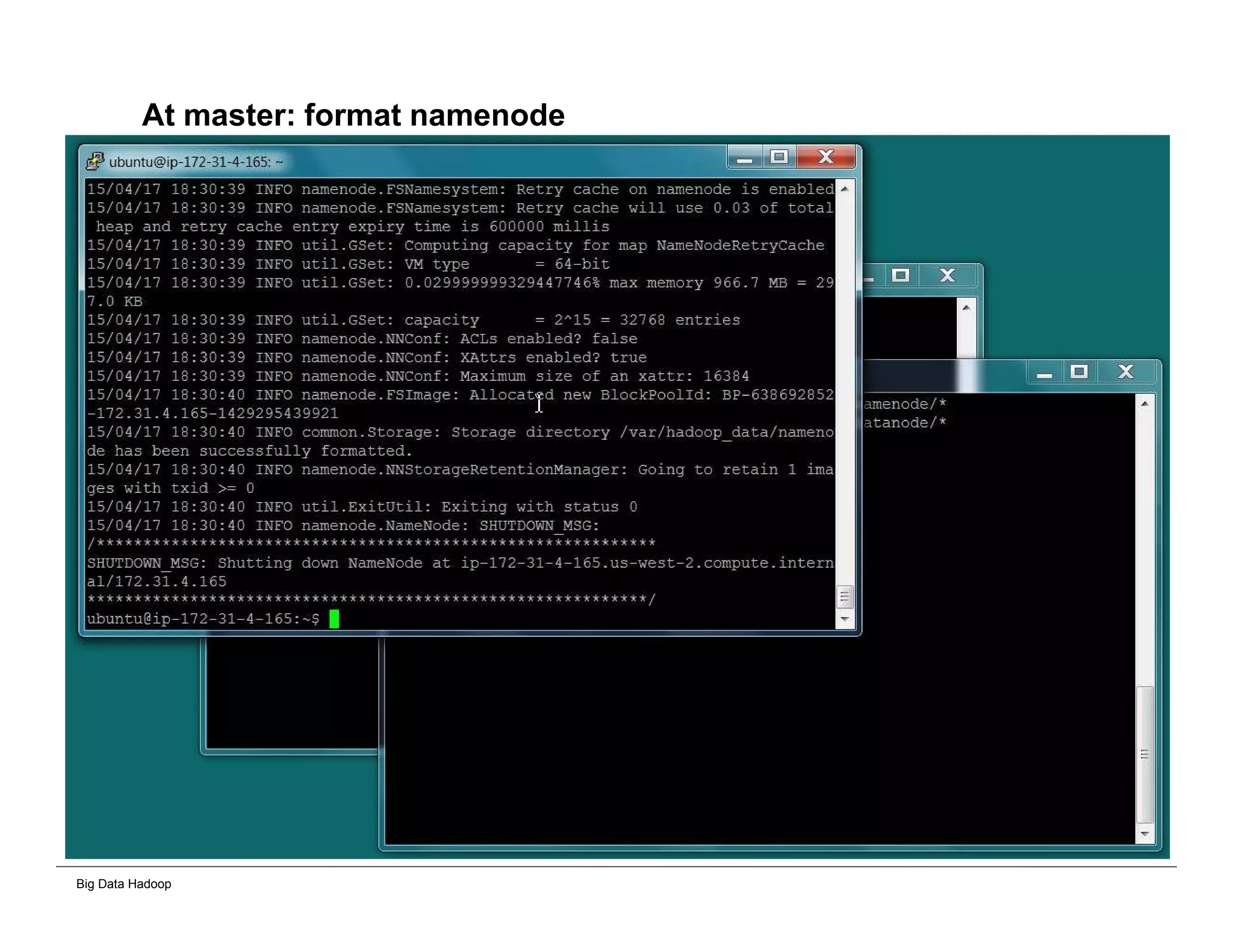
At master: format namenode
Big Data Hadoop
At master: format namenode
Big Data Hadoop
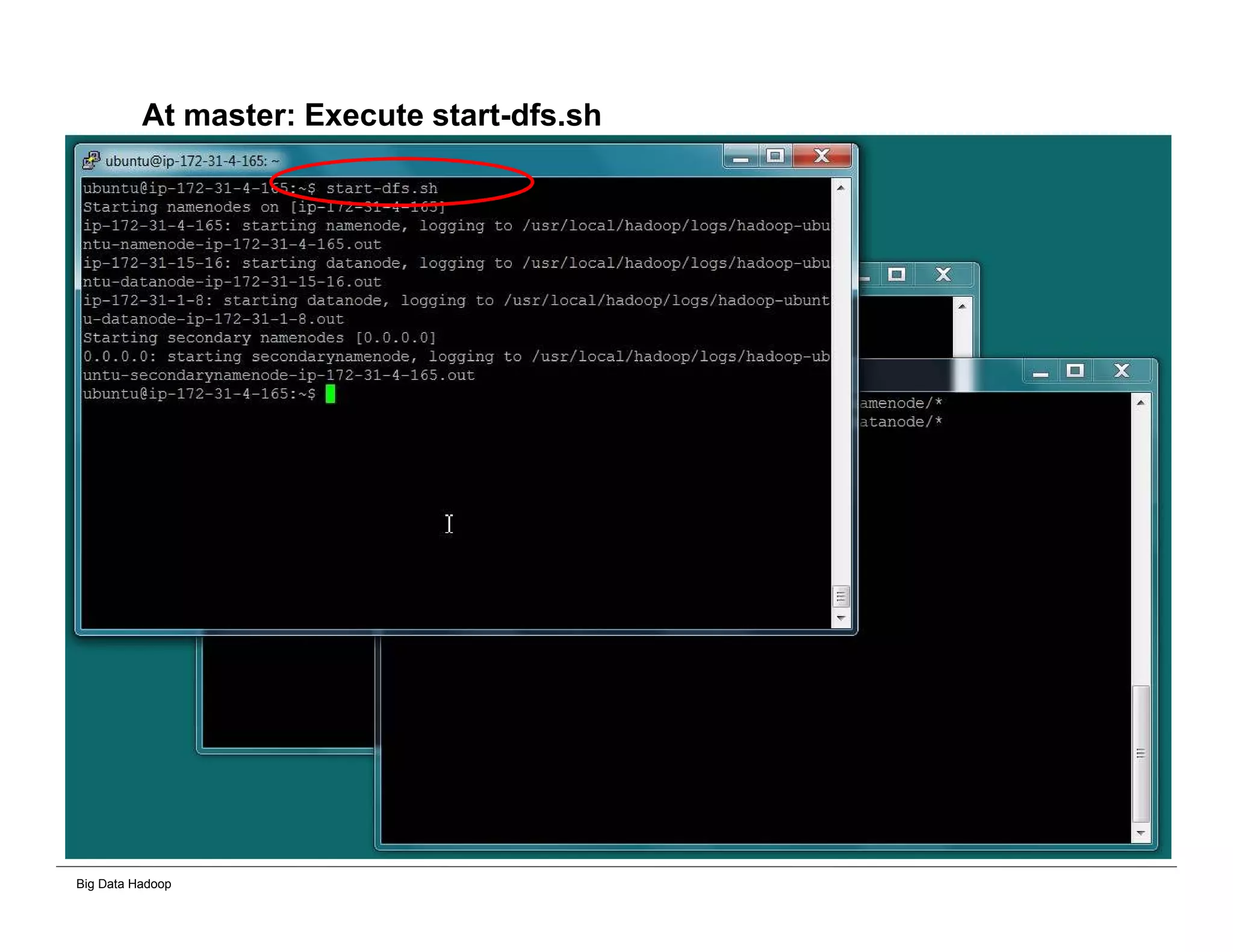
At master: Execute start-dfs.sh
Big Data Hadoop
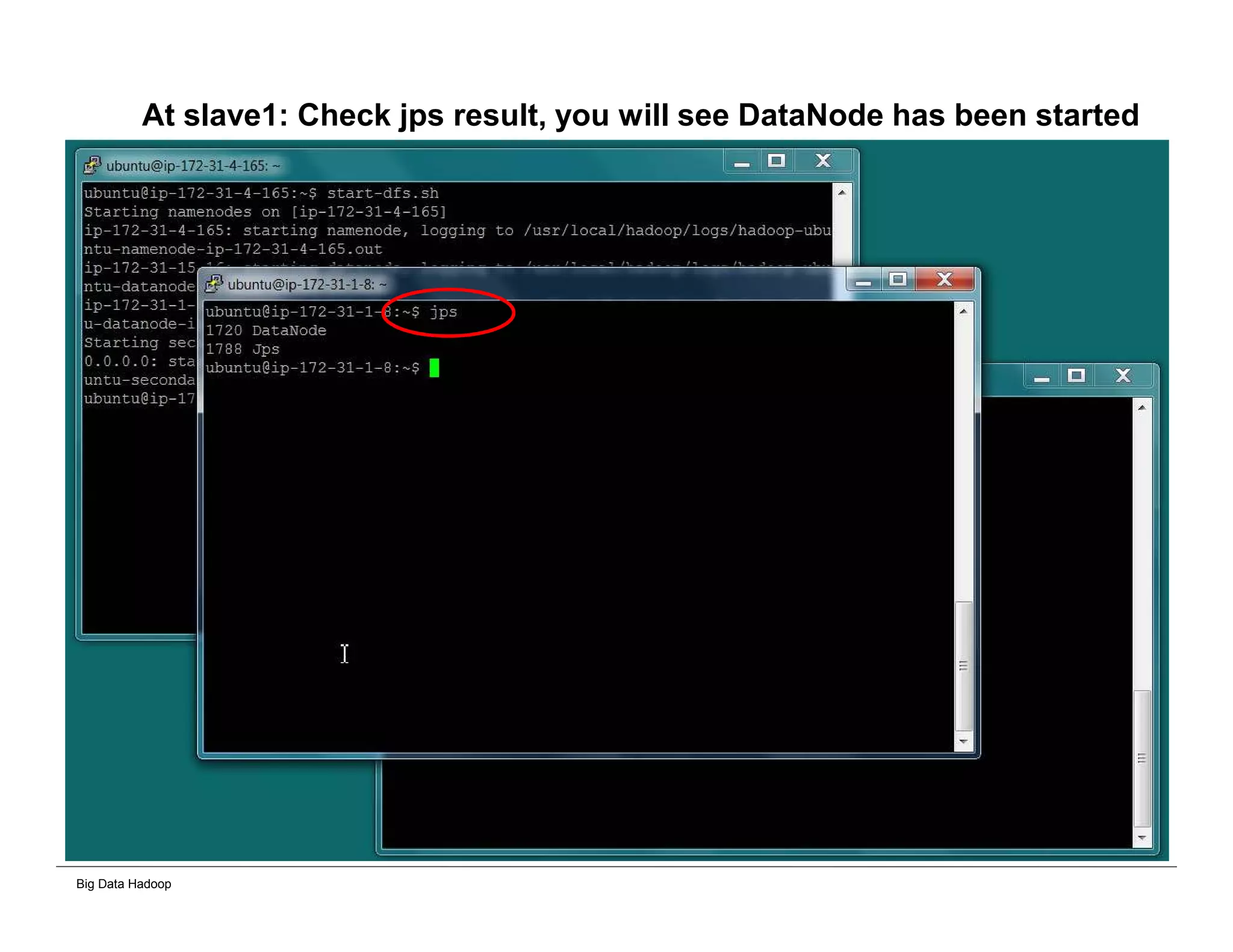
At slave1: Check jps result, you will see DataNode has been started
Big Data Hadoop
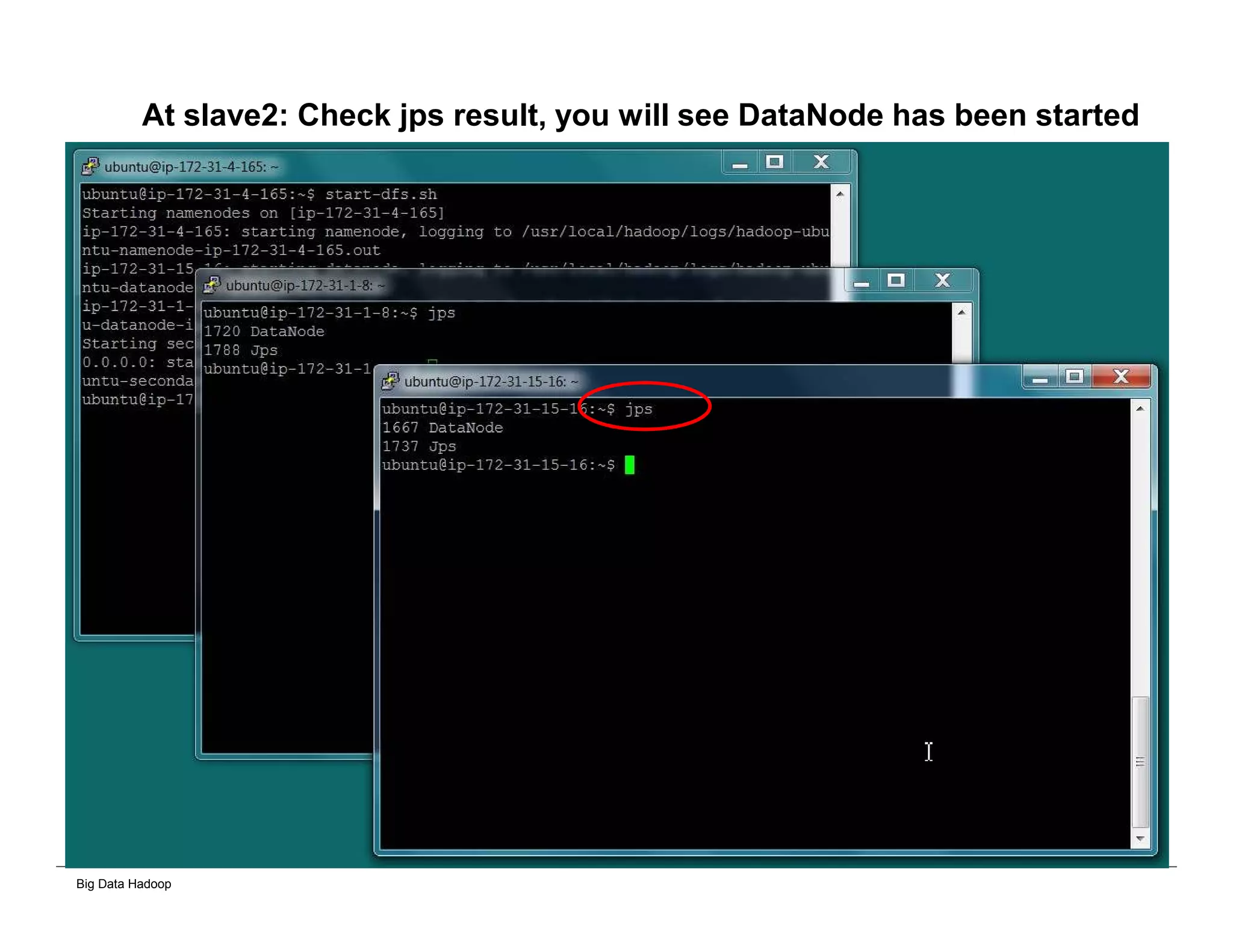
At slave2: Check jps result, you will see DataNode has been started
Big Data Hadoop
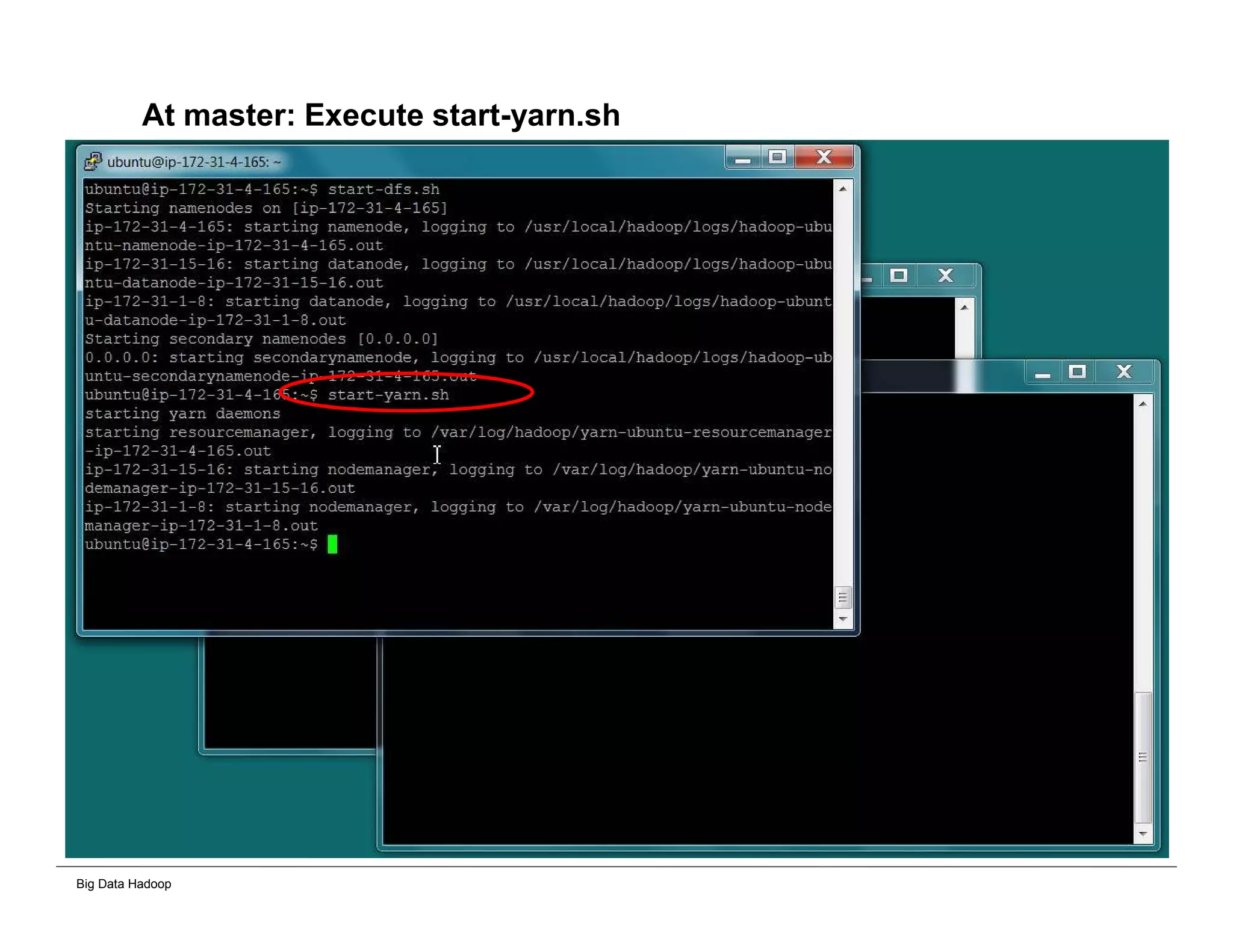
At master: Execute start-yarn.sh
Big Data Hadoop
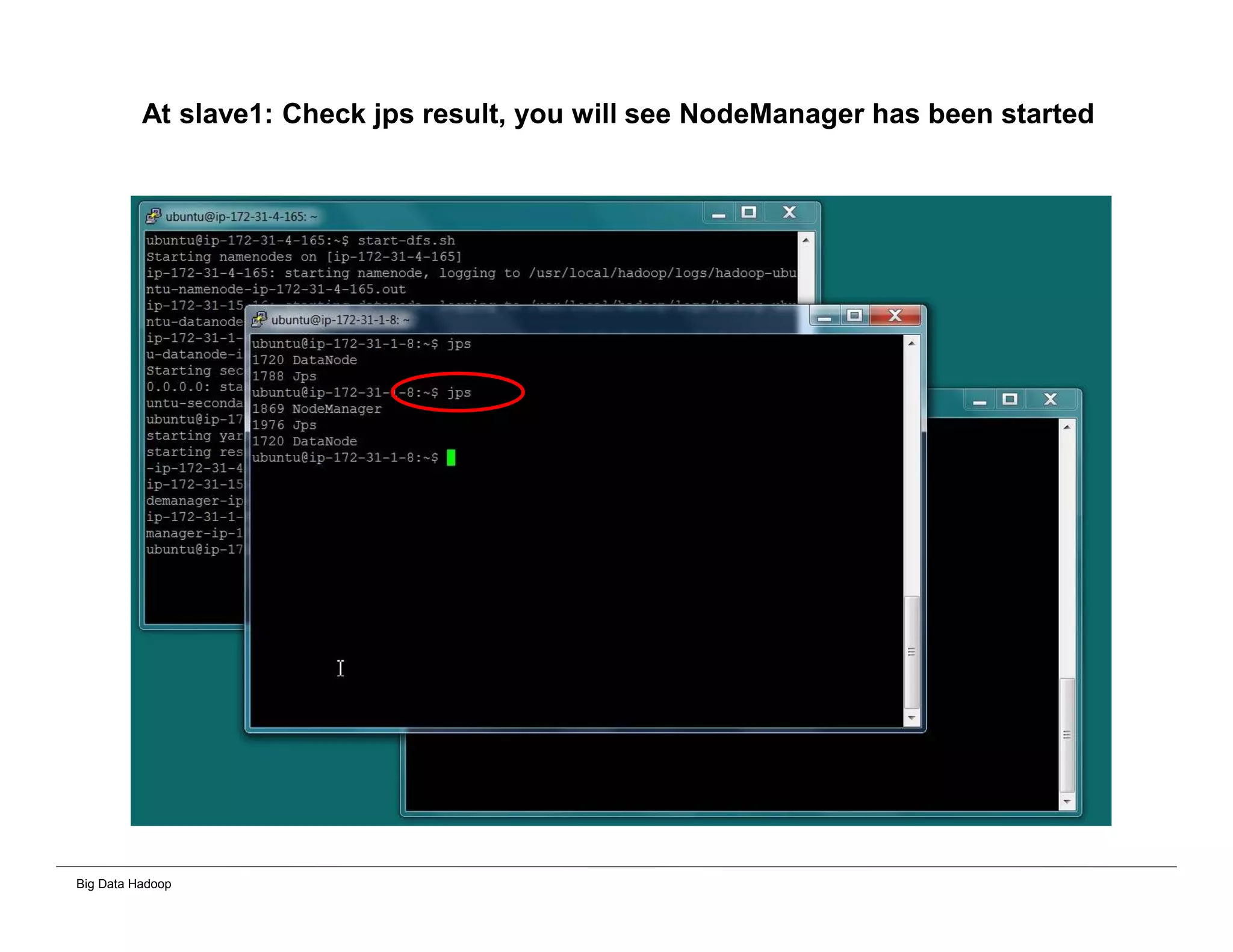
At slave1: Check jps result, you will see NodeManager has been started
Big Data Hadoop
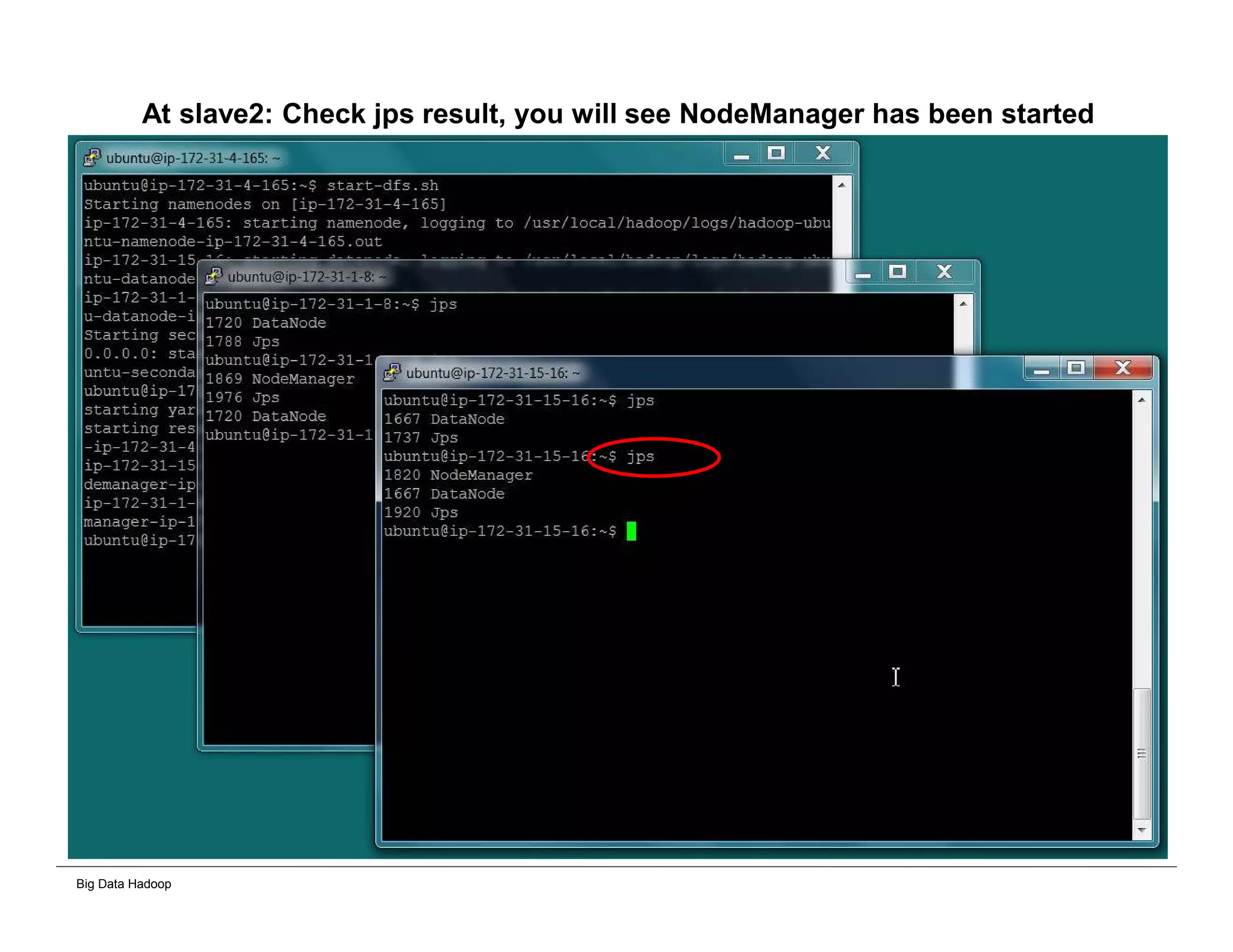
At slave2: Check jps result, you will see NodeManager has been started
Big Data Hadoop
Importing data into HDFS Cluster
Big Data Hadoop
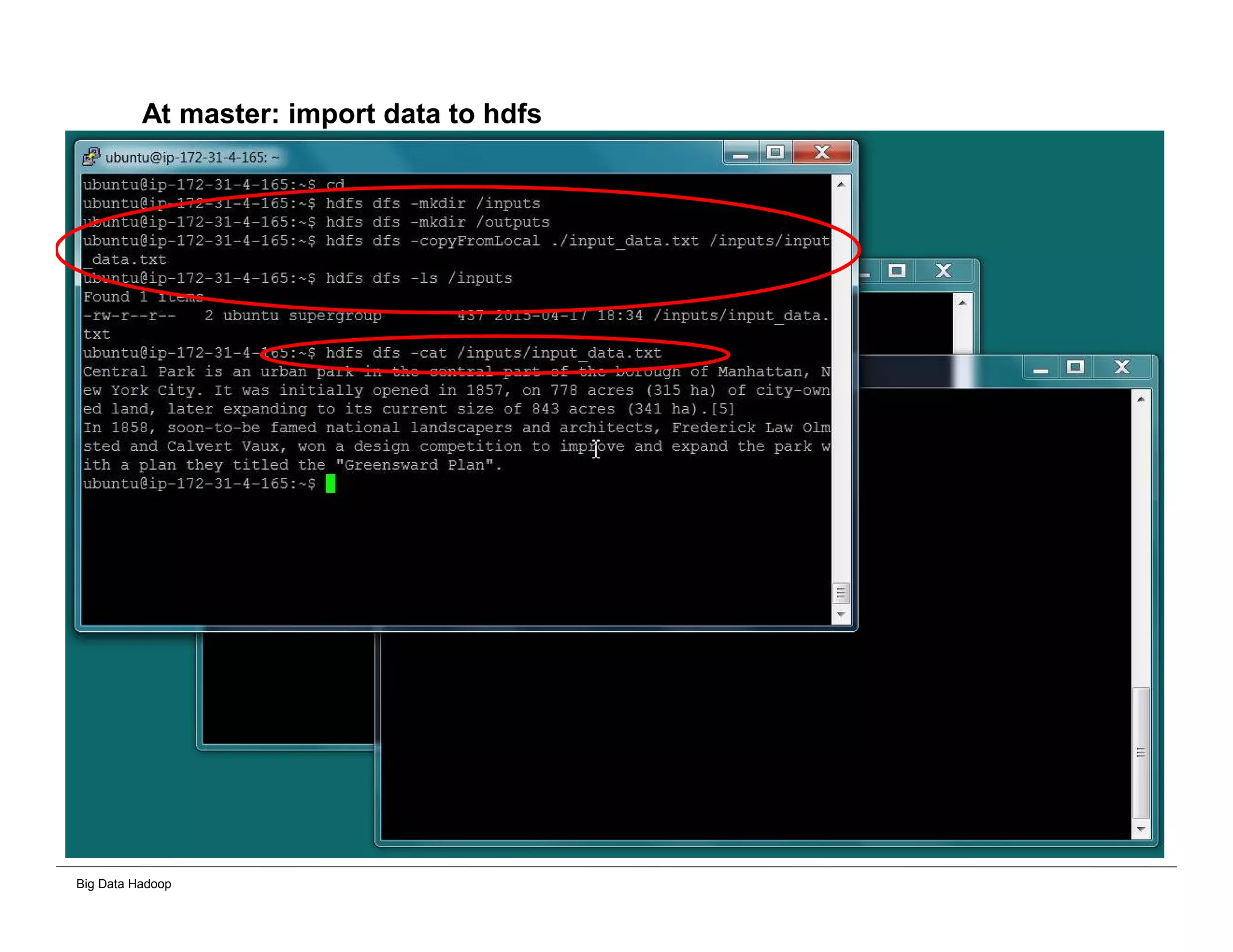
At master: import data to hdfs
Big Data Hadoop
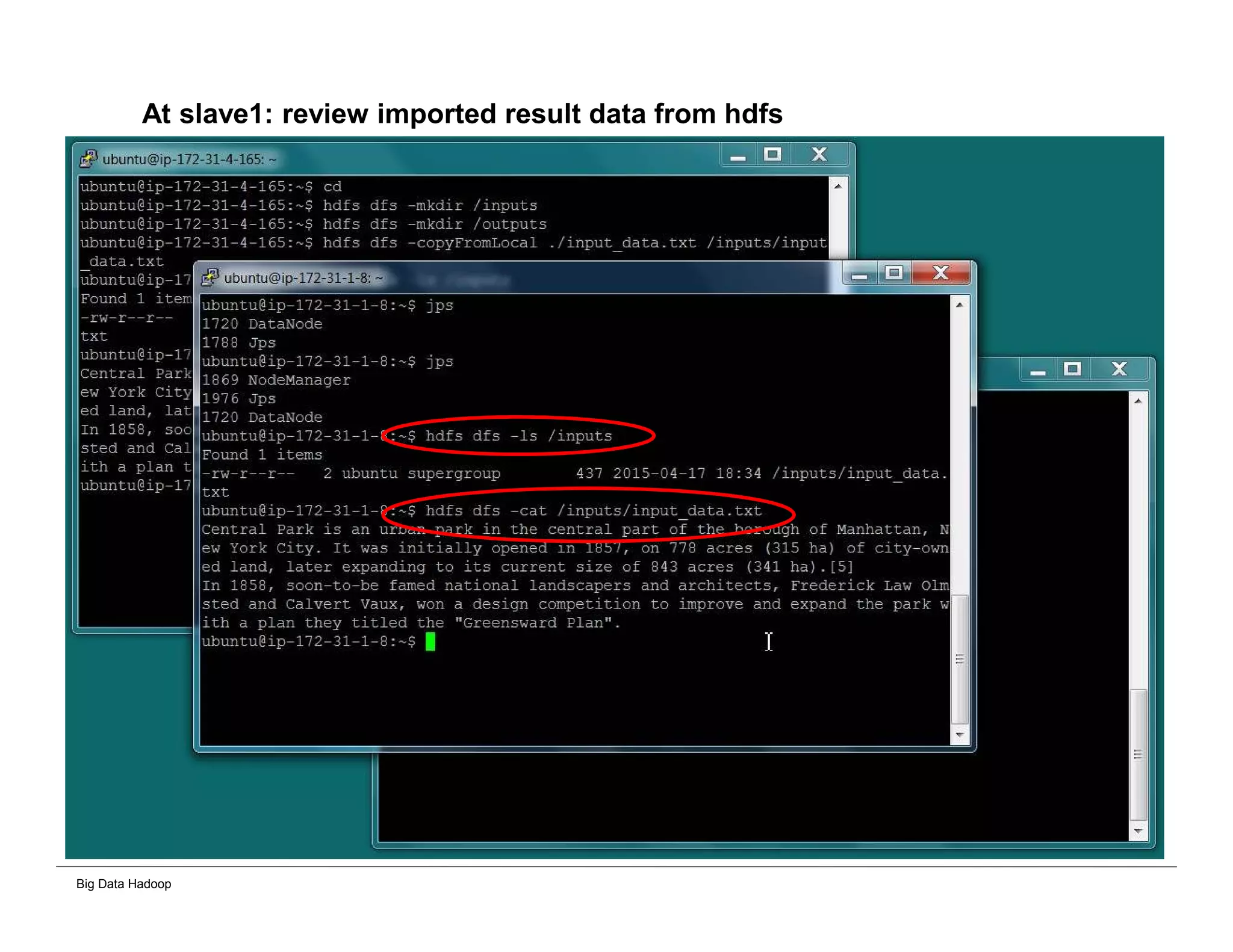
At slave1: review imported result data from hdfs
Big Data Hadoop
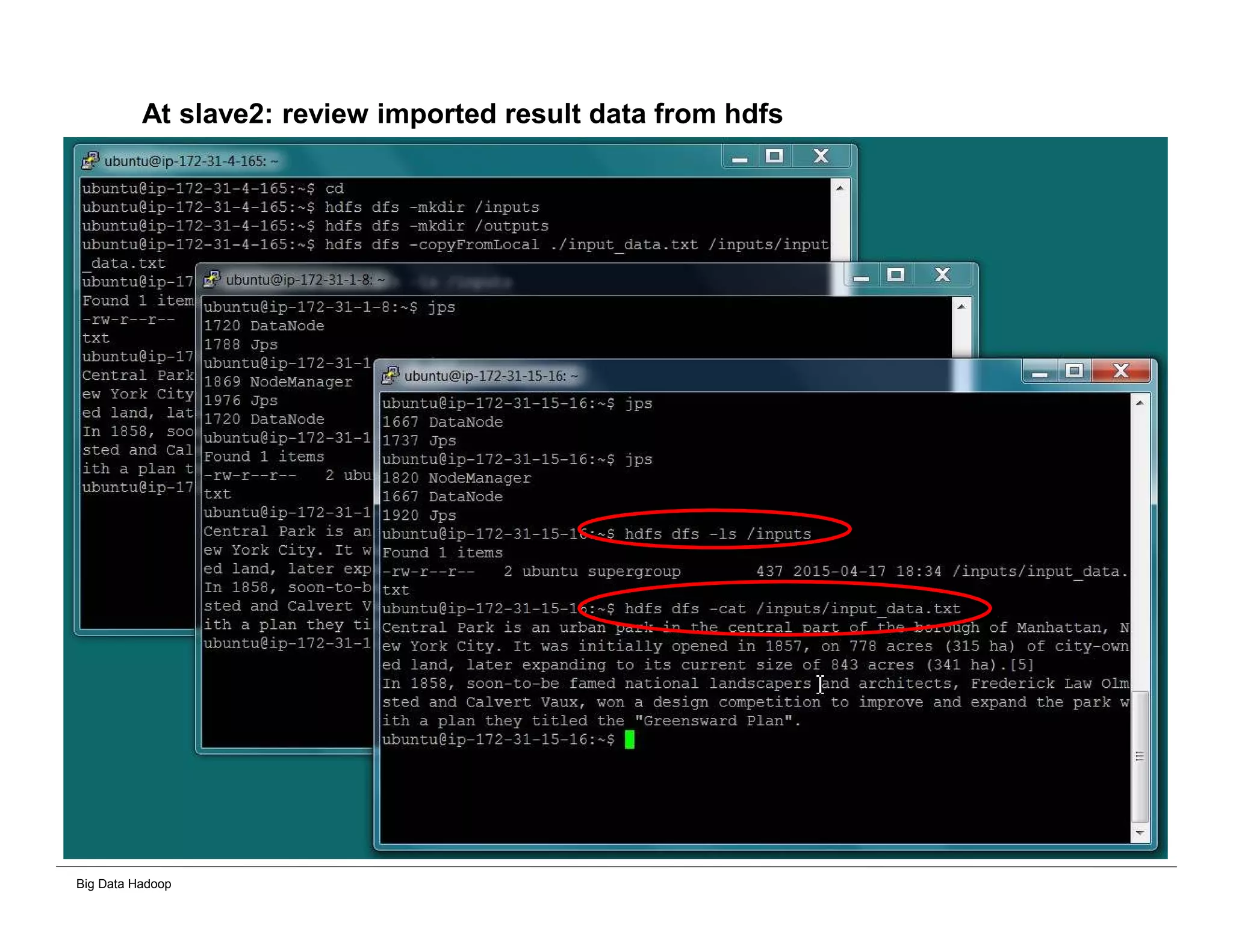
At slave2: review imported result data from hdfs
Big Data Hadoop
Running MapReduce in Cluster Mode
Big Data Hadoop
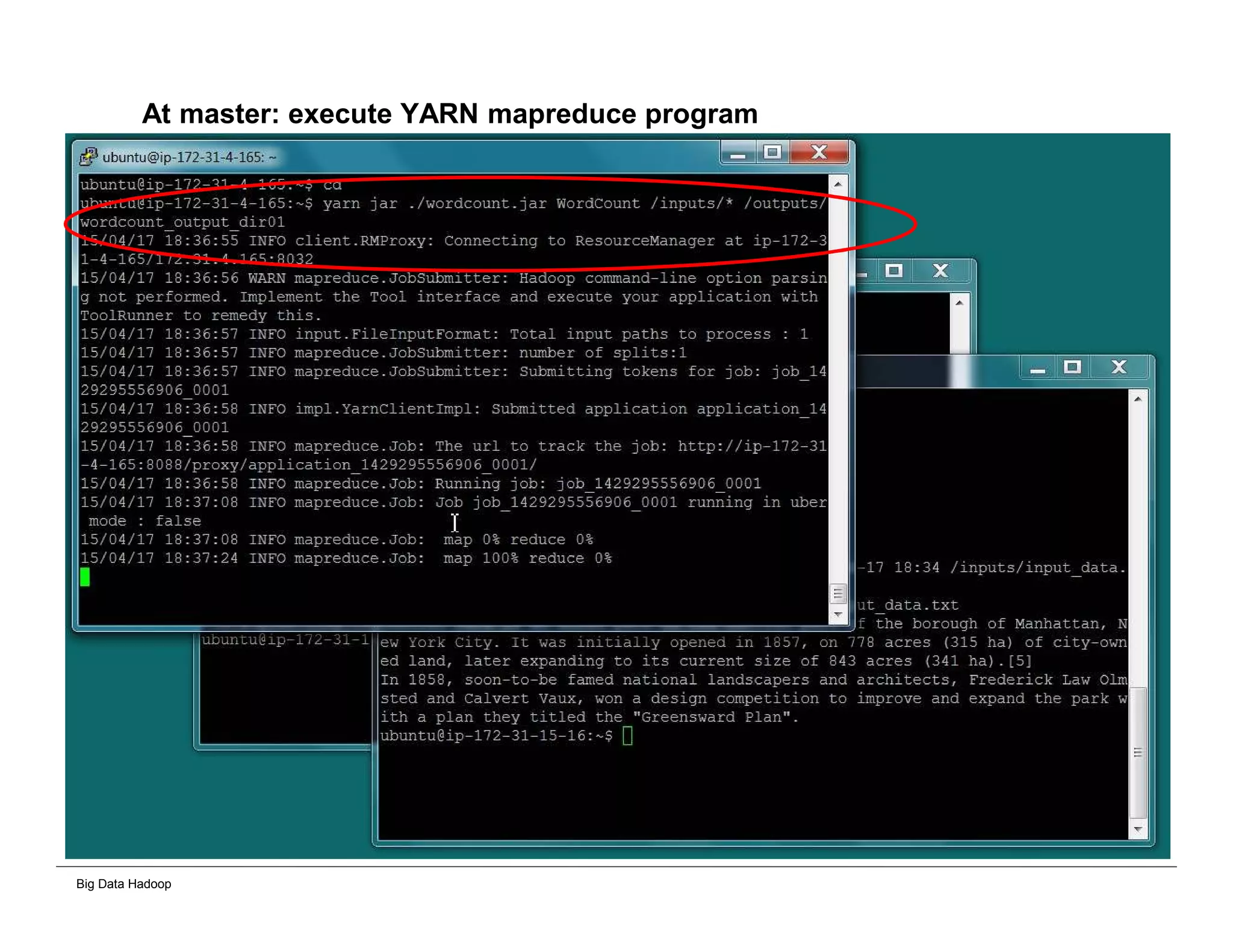
At master: execute YARN mapreduce program
Big Data Hadoop
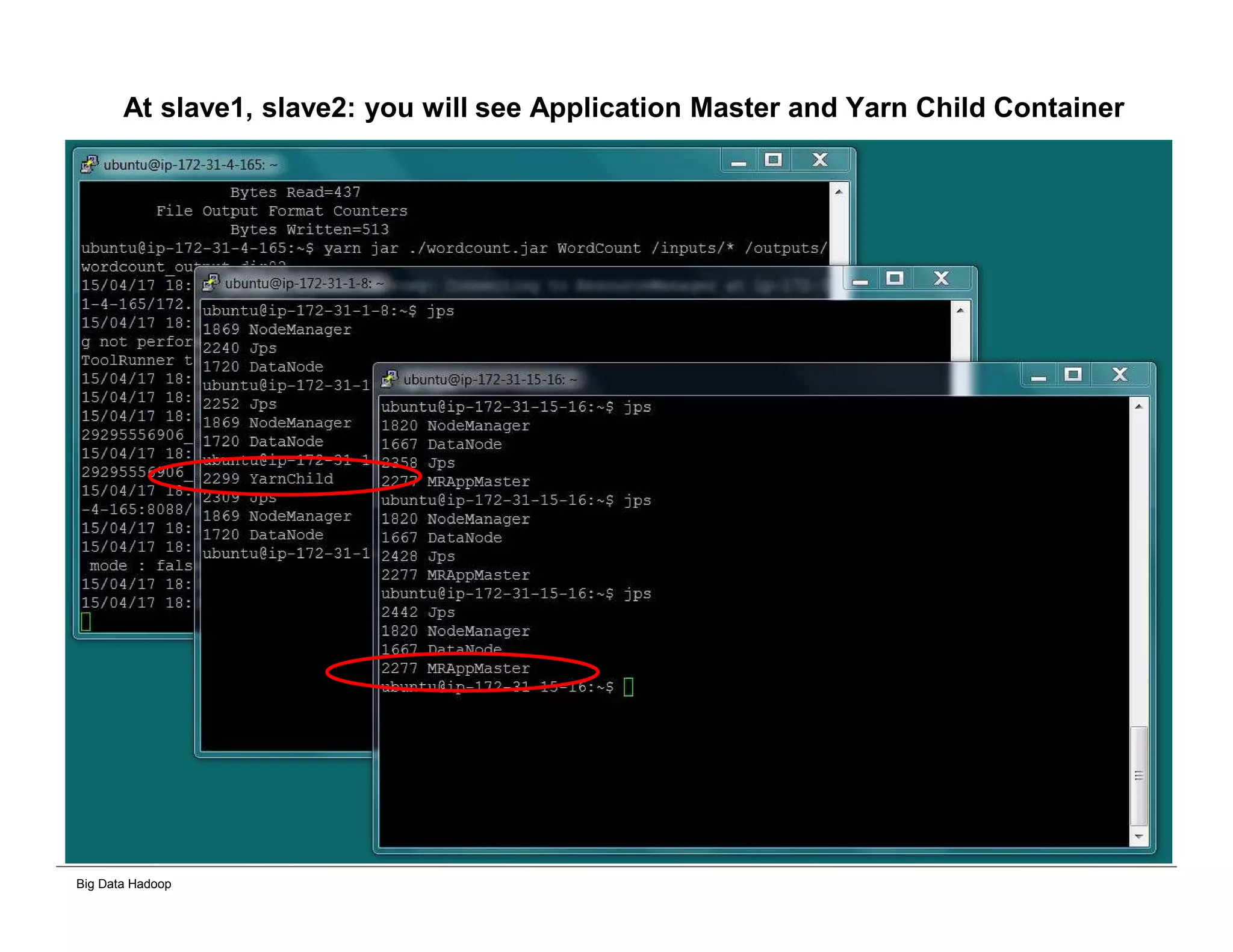
At slave1, slave2: you will see Application Master and Yarn Child Container
Big Data Hadoop
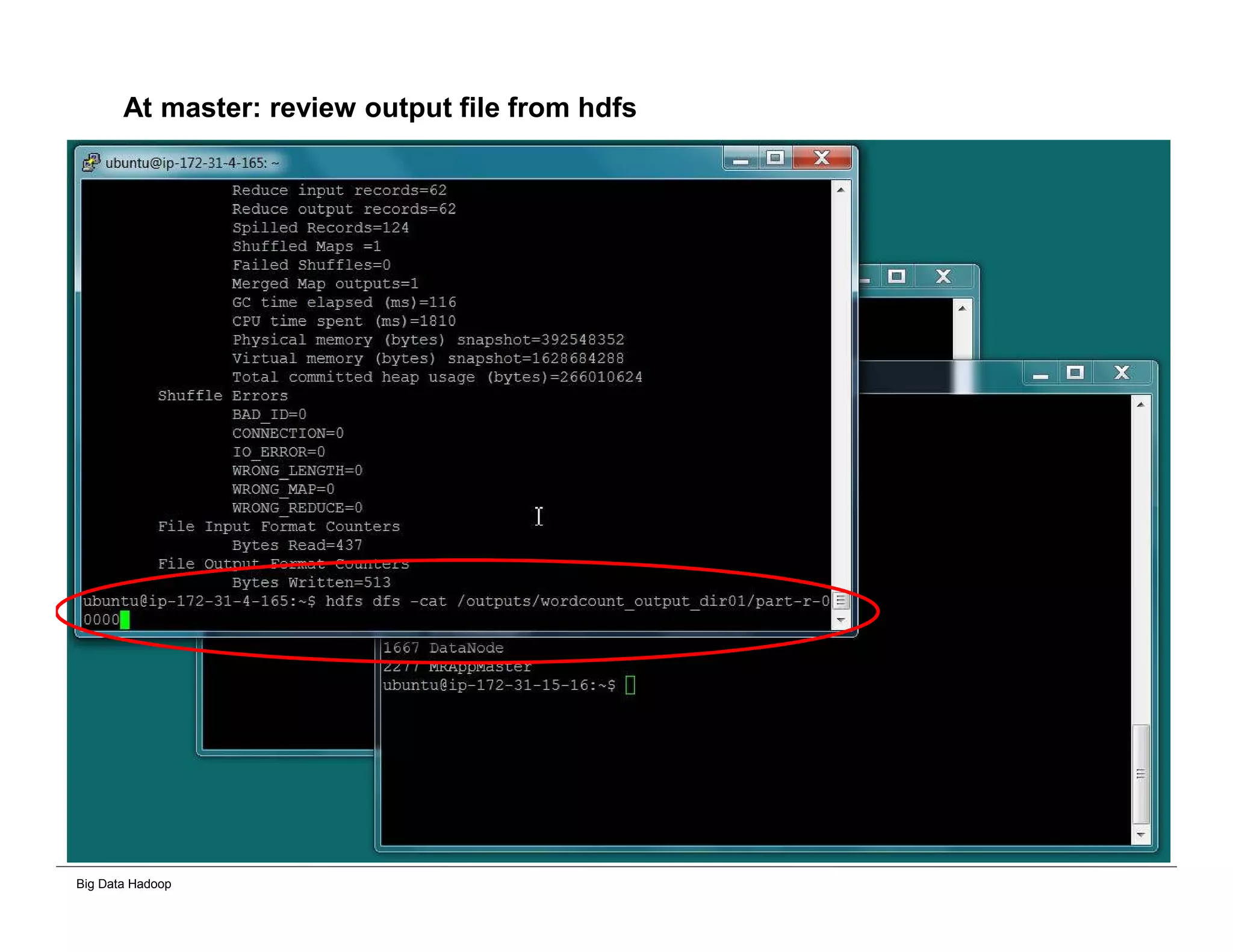
At master: review output file from hdfs
Big Data Hadoop
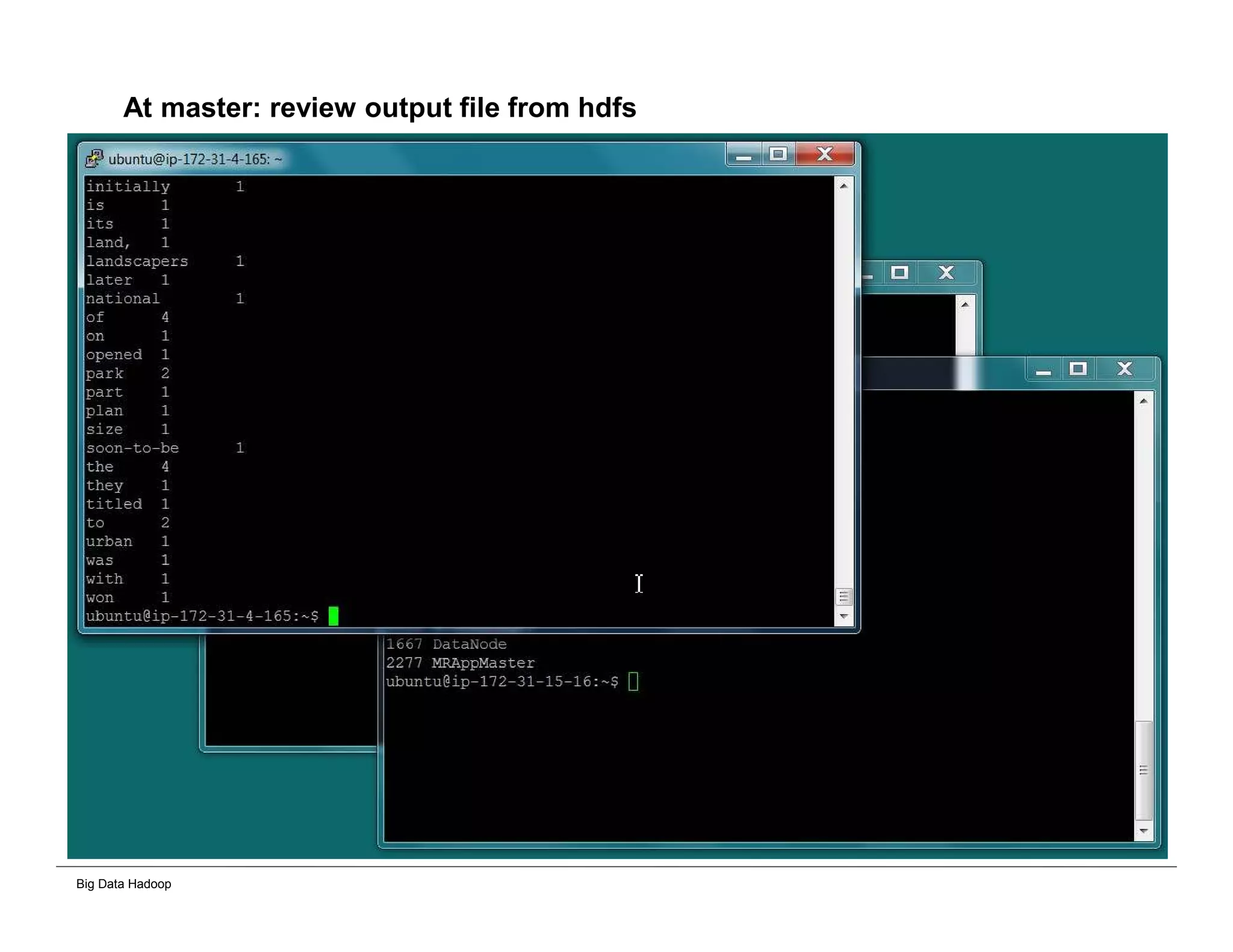
At master: review output file from hdfs
Big Data Hadoop
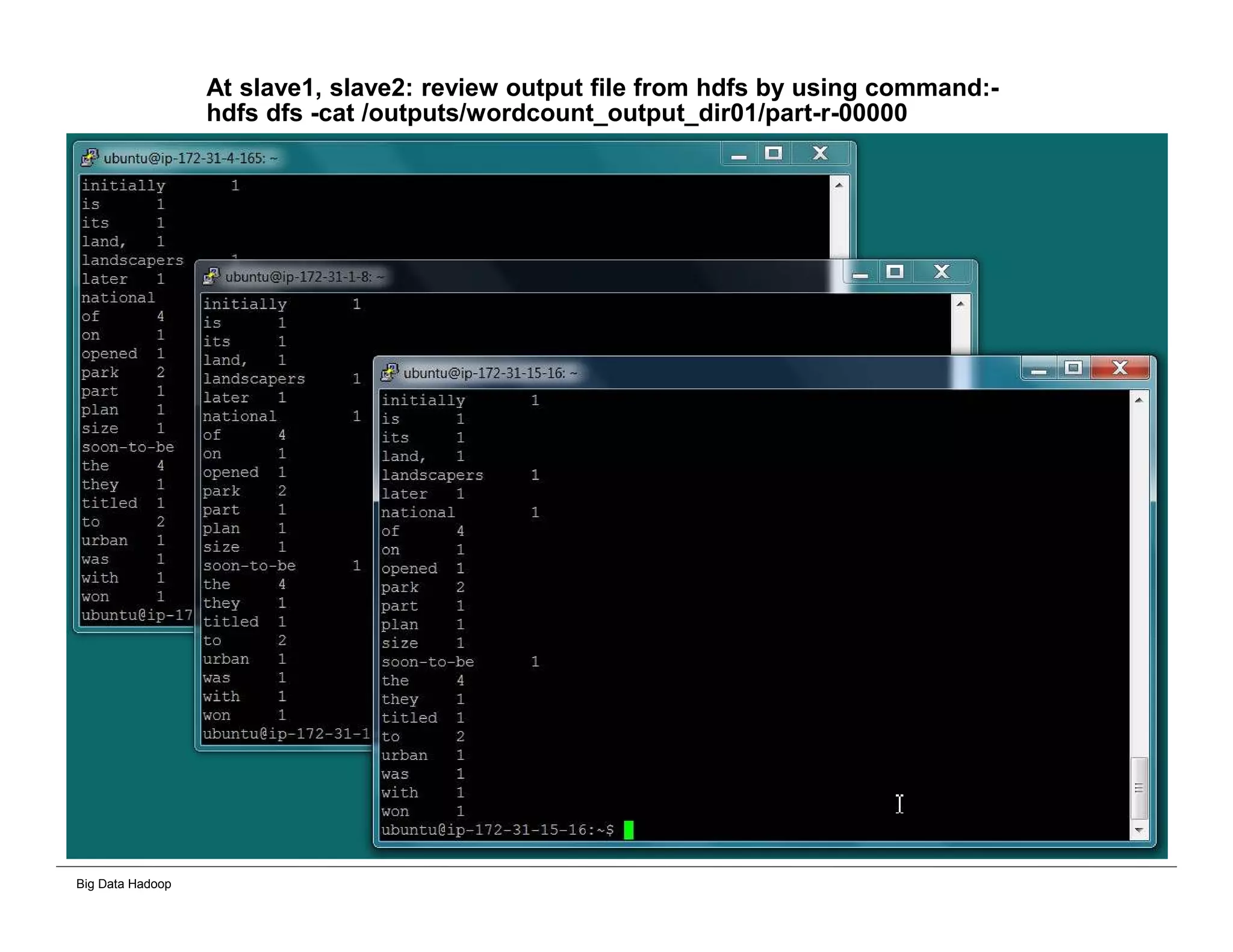
At slave1, slave2: review output file from hdfs by using command:-
hdfs dfs -cat /outputs/wordcount_output_dir01/part-r-00000
Big Data Hadoop
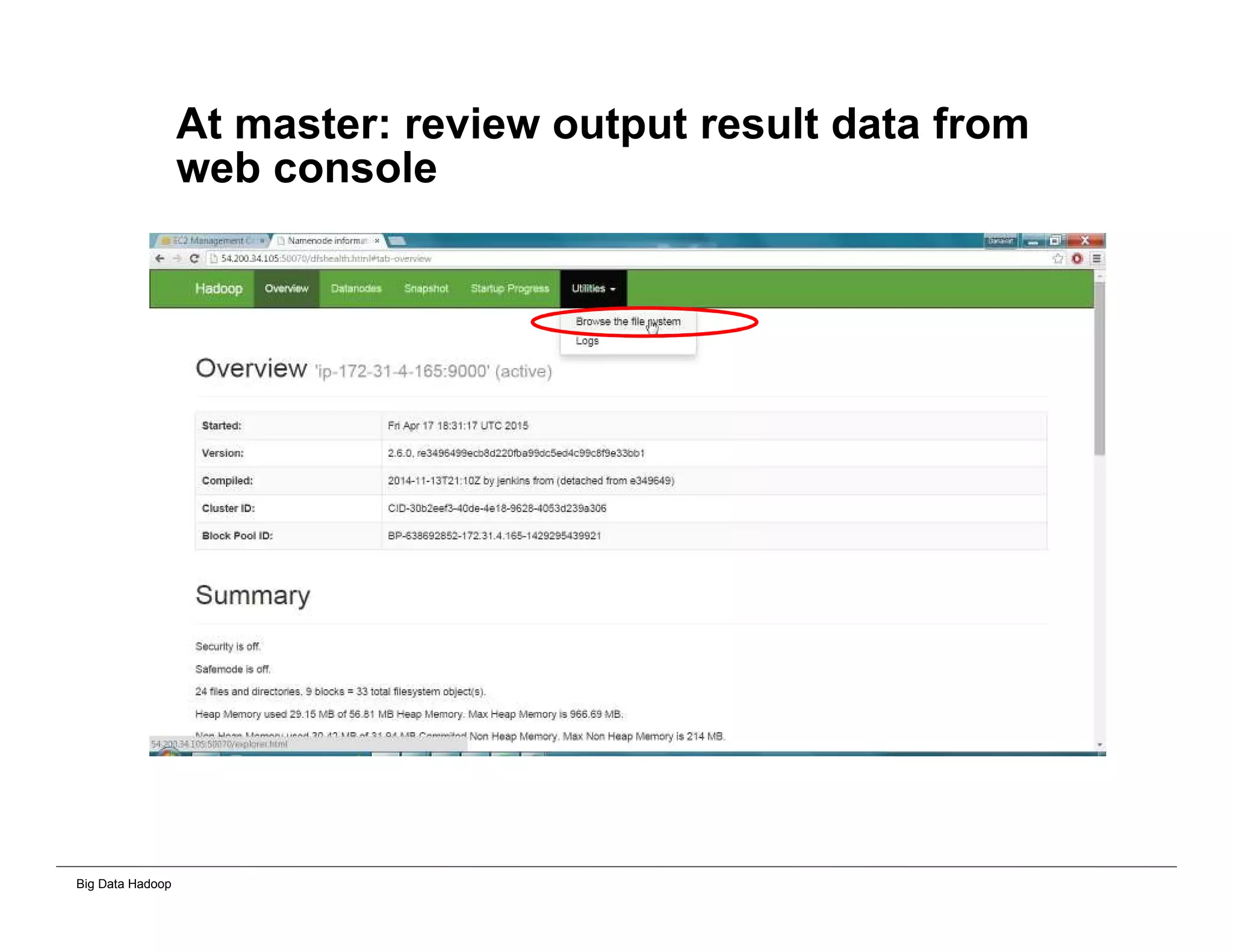
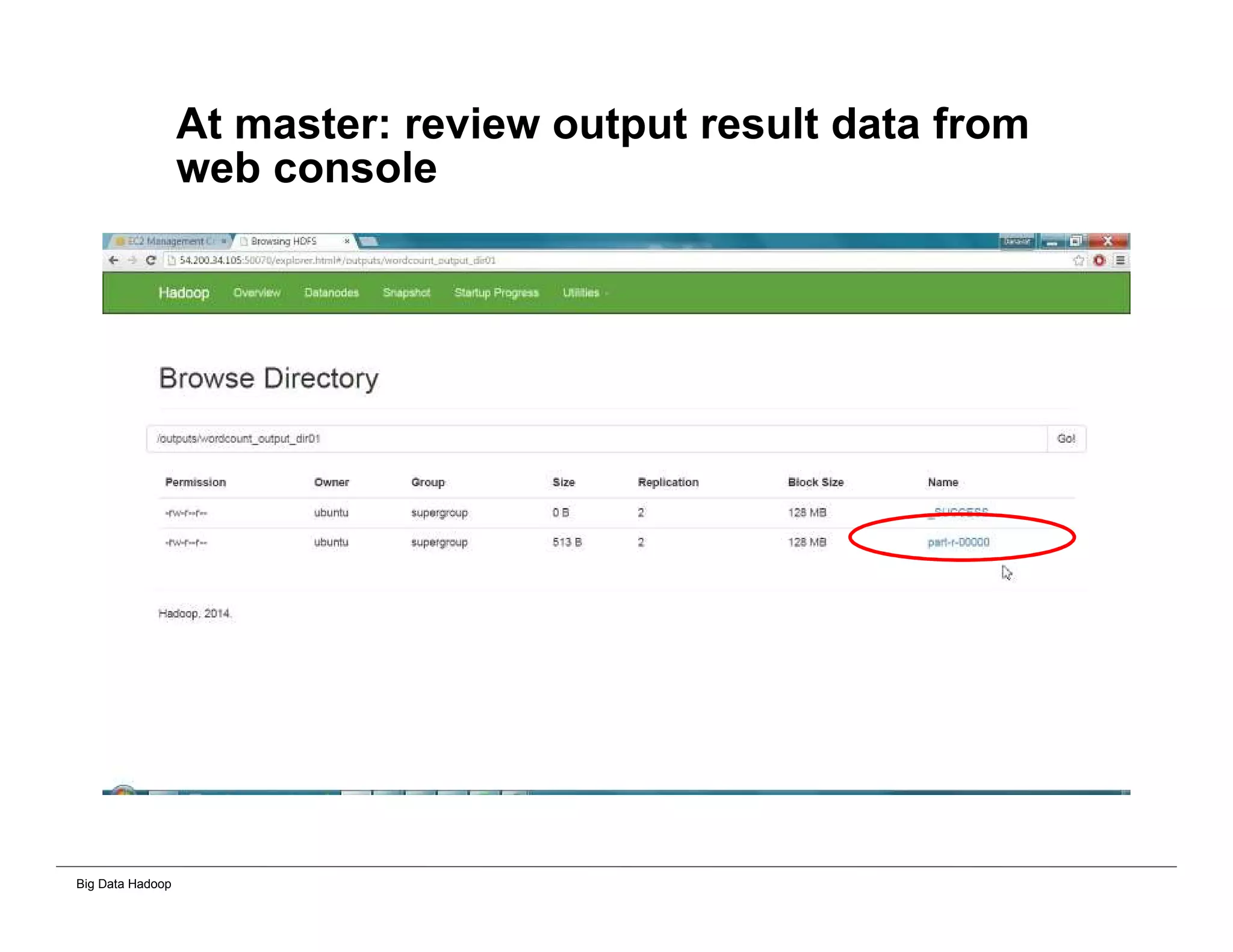
At master: review output result data from
web console
Big Data Hadoop
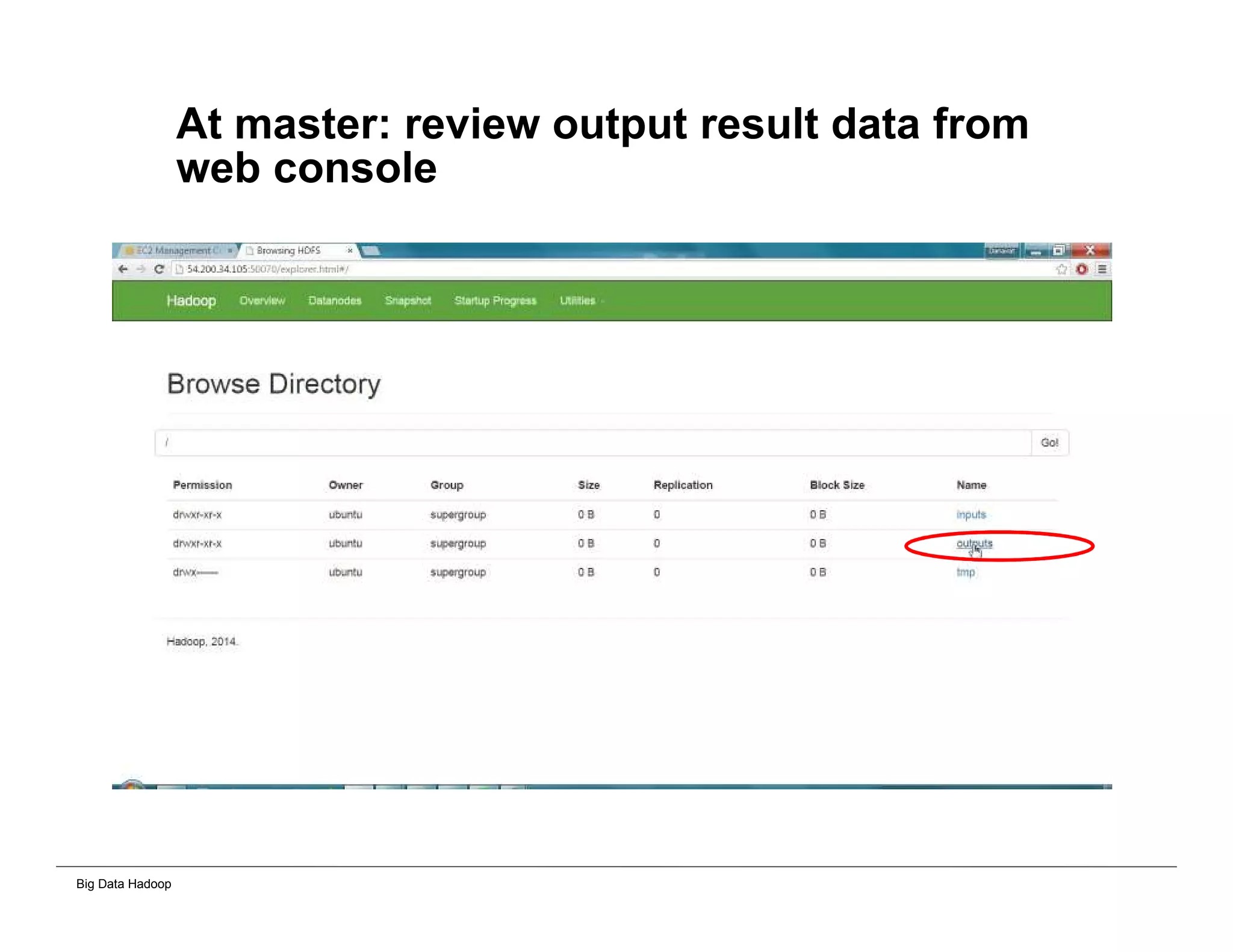
At master: review output result data from
web console
Big Data Hadoop
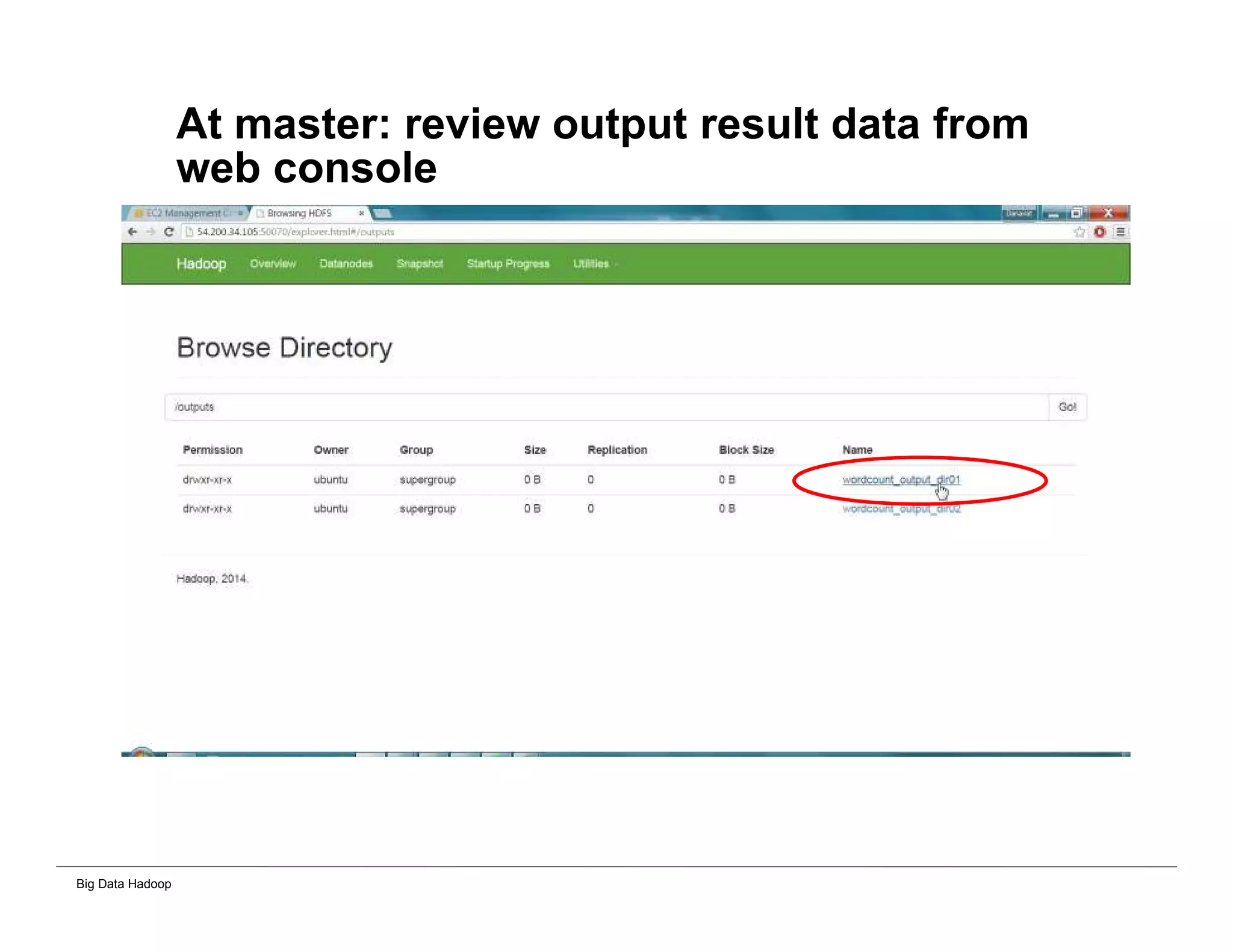
At master: review output result data from
web console
Big Data Hadoop
At master: review output result data from
web console
Big Data Hadoop
Process Excel Worksheet
Big Data Hadoop
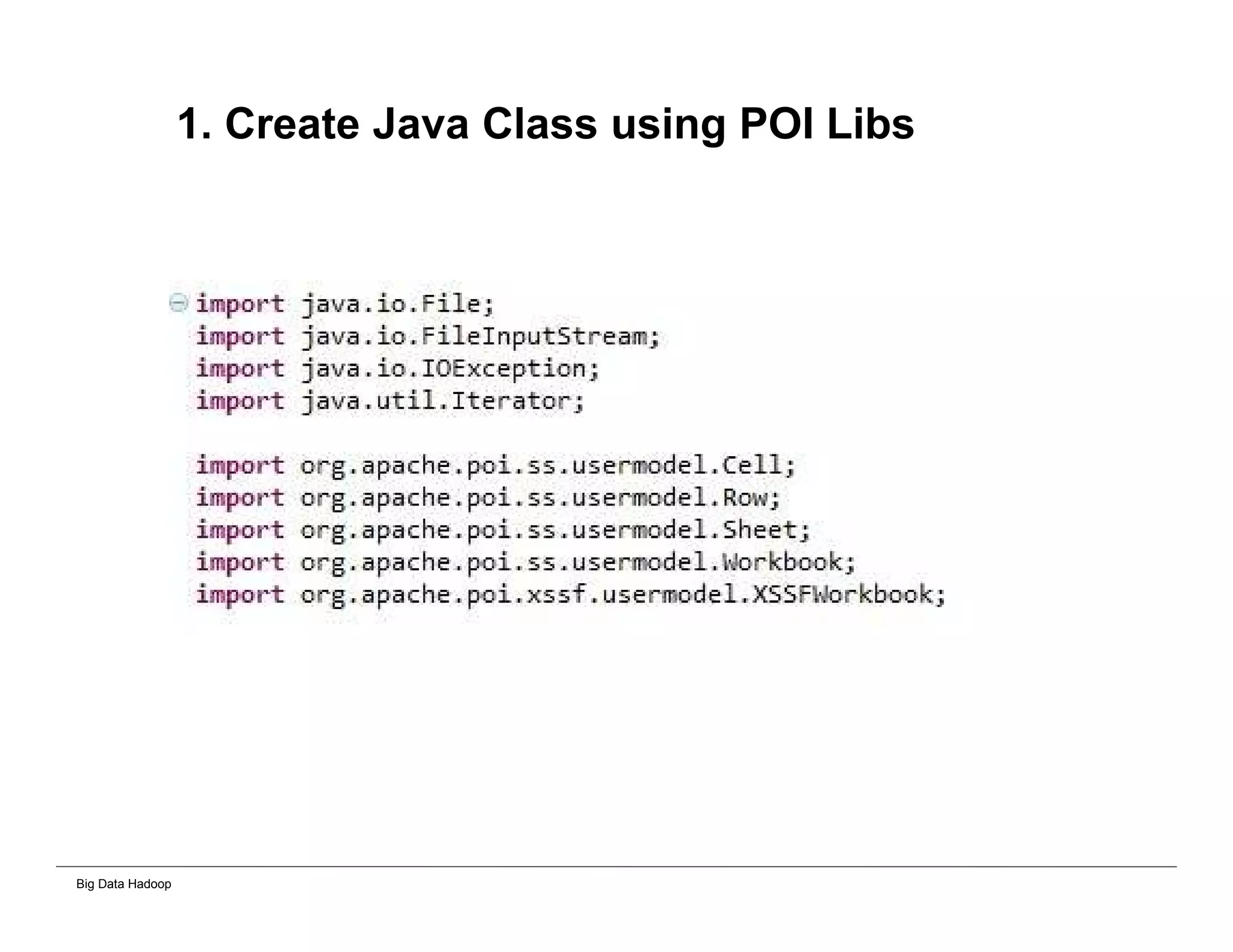
1. Create Java Class using POI Libs
Big Data Hadoop
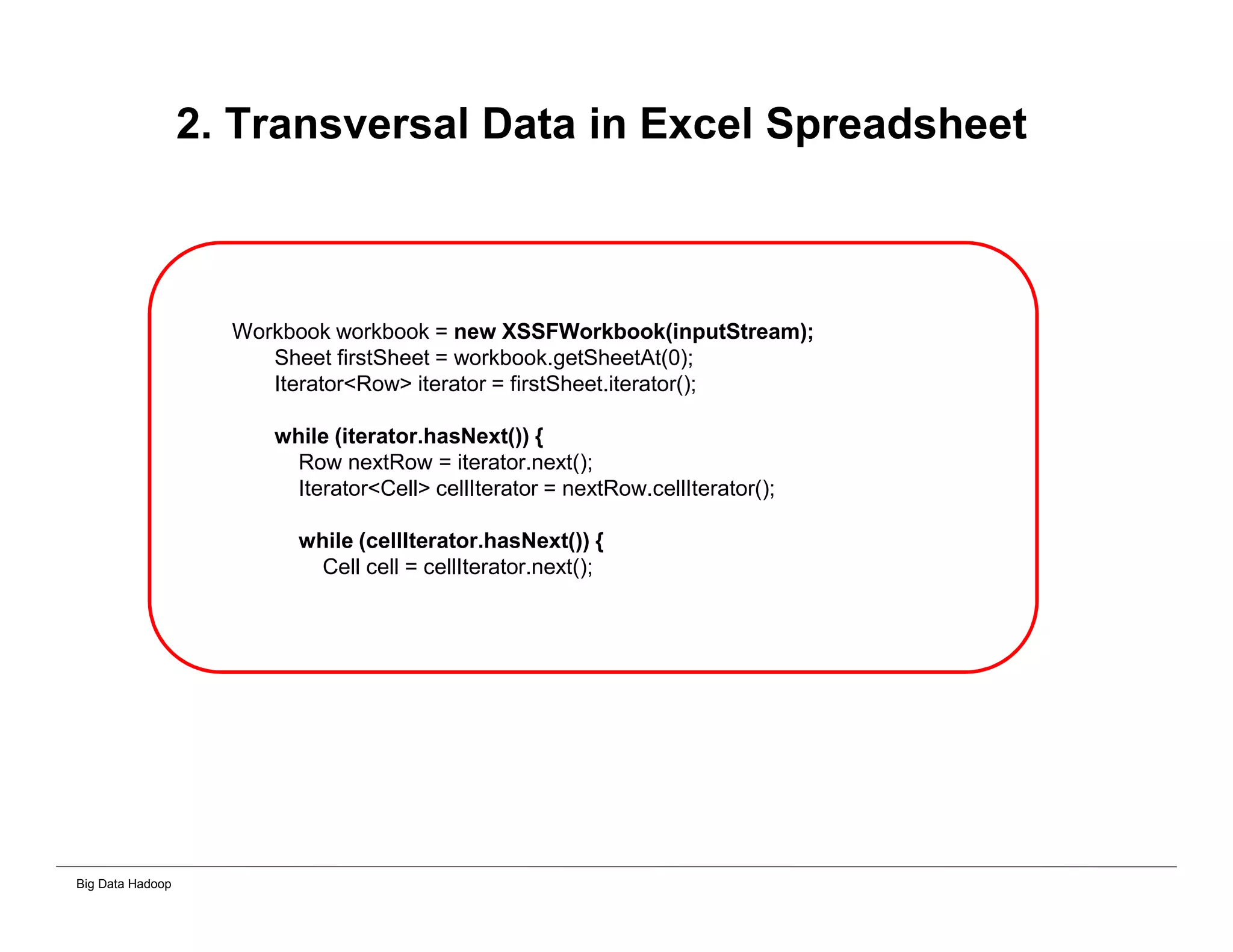
2. Transversal Data in Excel Spreadsheet
Workbook workbook = new XSSFWorkbook(inputStream);
Sheet firstSheet = workbook.getSheetAt(0);
Iterator<Row> iterator = firstSheet.iterator();
while (iterator.hasNext()) {
Row nextRow = iterator.next();
Iterator<Cell> cellIterator = nextRow.cellIterator();
while (cellIterator.hasNext()) {
Cell cell = cellIterator.next();
Big Data Hadoop
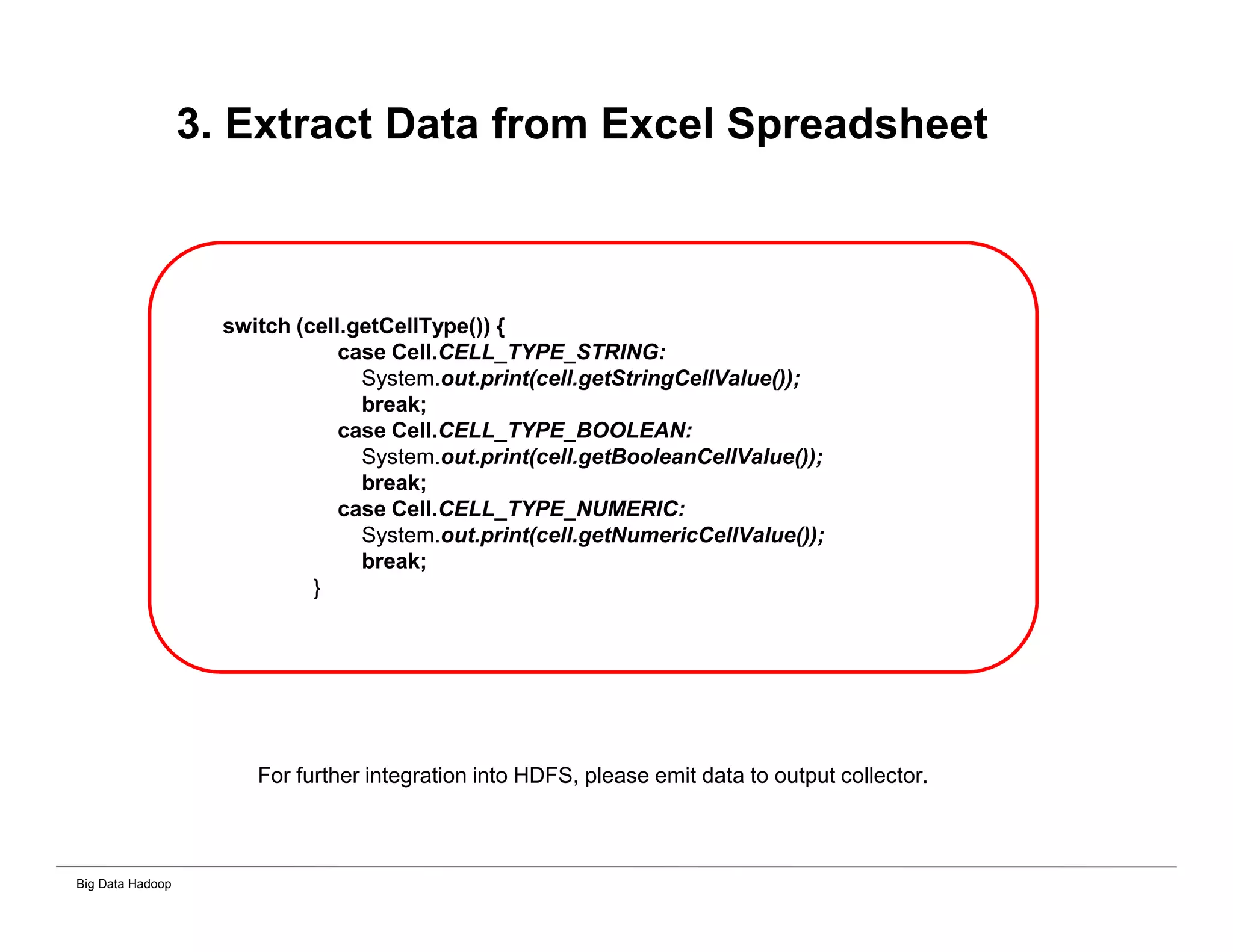
3. Extract Data from Excel Spreadsheet
switch (cell.getCellType()) {
case Cell.CELL_TYPE_STRING:
System.out.print(cell.getStringCellValue());
break;
case Cell.CELL_TYPE_BOOLEAN:
System.out.print(cell.getBooleanCellValue());
break;
case Cell.CELL_TYPE_NUMERIC:
System.out.print(cell.getNumericCellValue());
break;
}
For further integration into HDFS, please emit data to output collector.
Big Data Hadoop
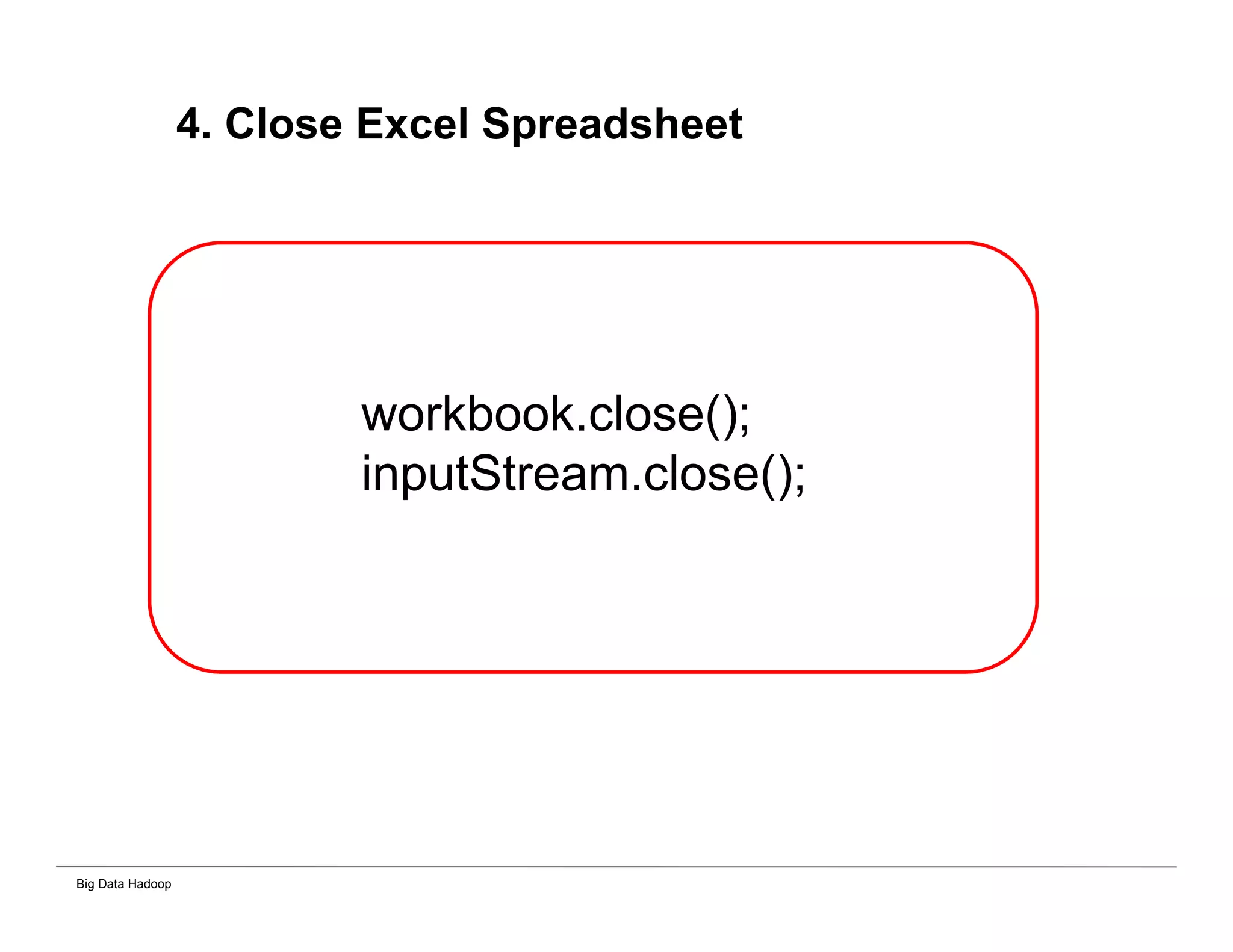
4. Close Excel Spreadsheet
workbook.close();
inputStream.close();
Big Data Hadoop
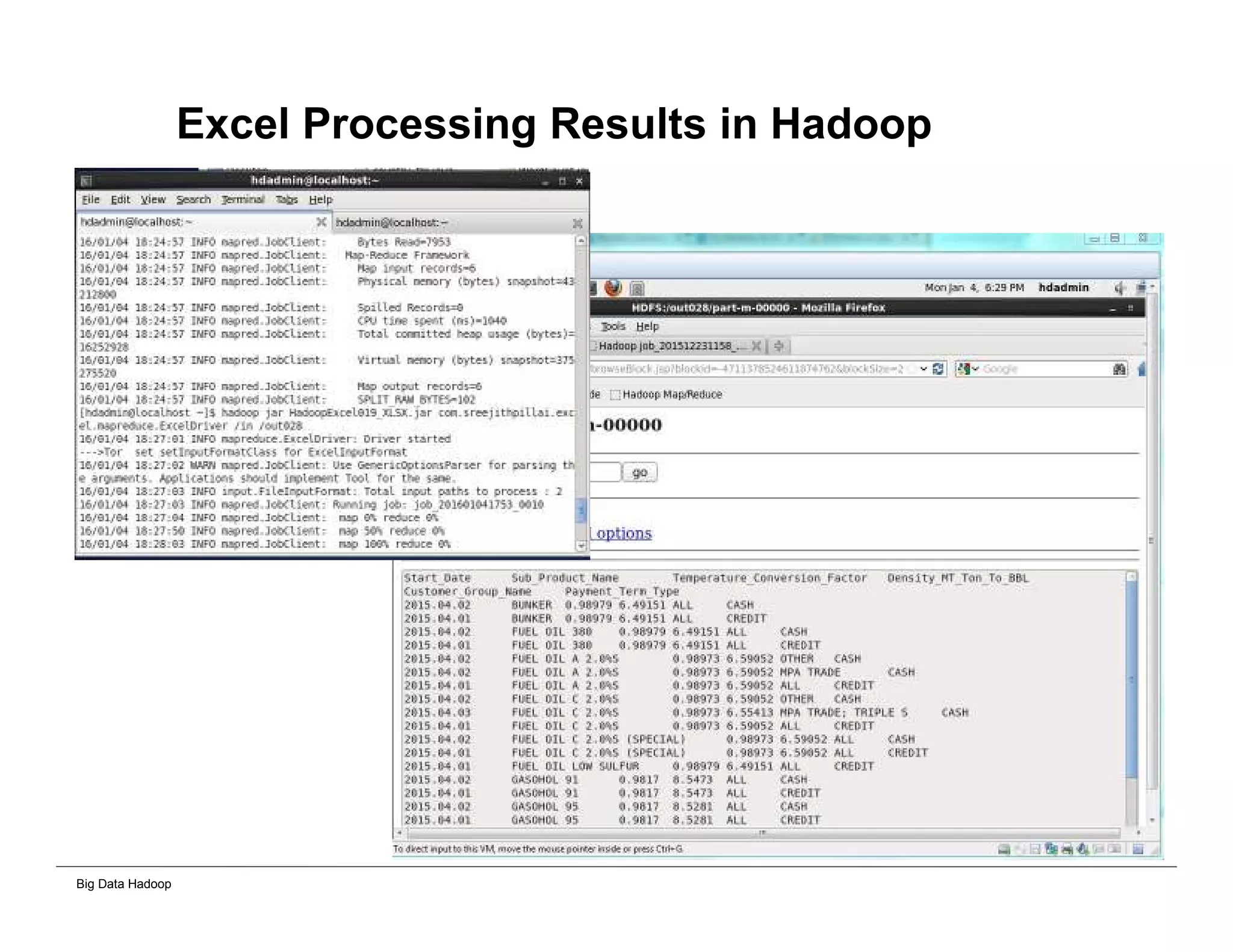
Excel Processing Results in Hadoop
Big Data Hadoop
Stopping Hadoop Cluster
Big Data Hadoop
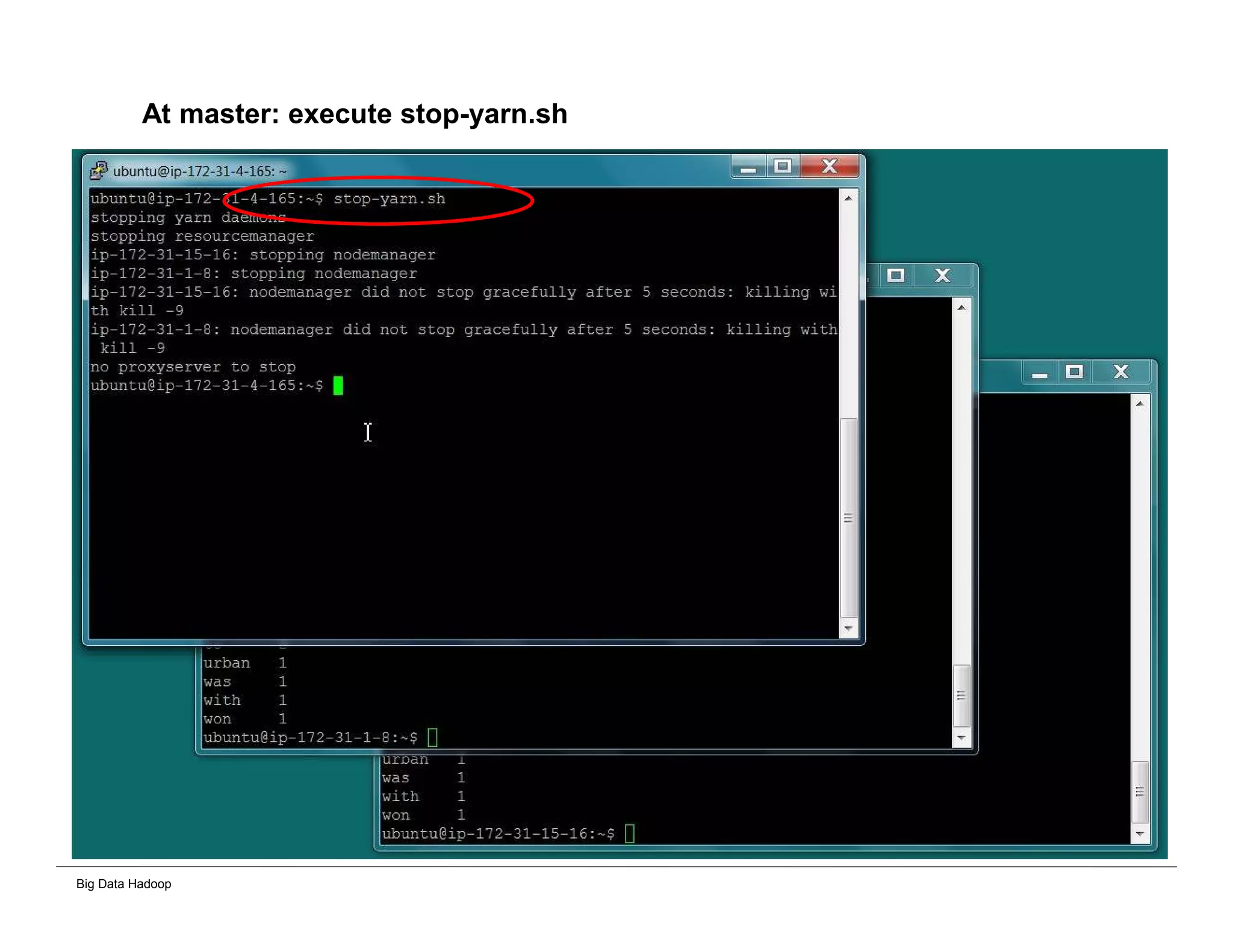
At master: execute stop-yarn.sh
Big Data Hadoop
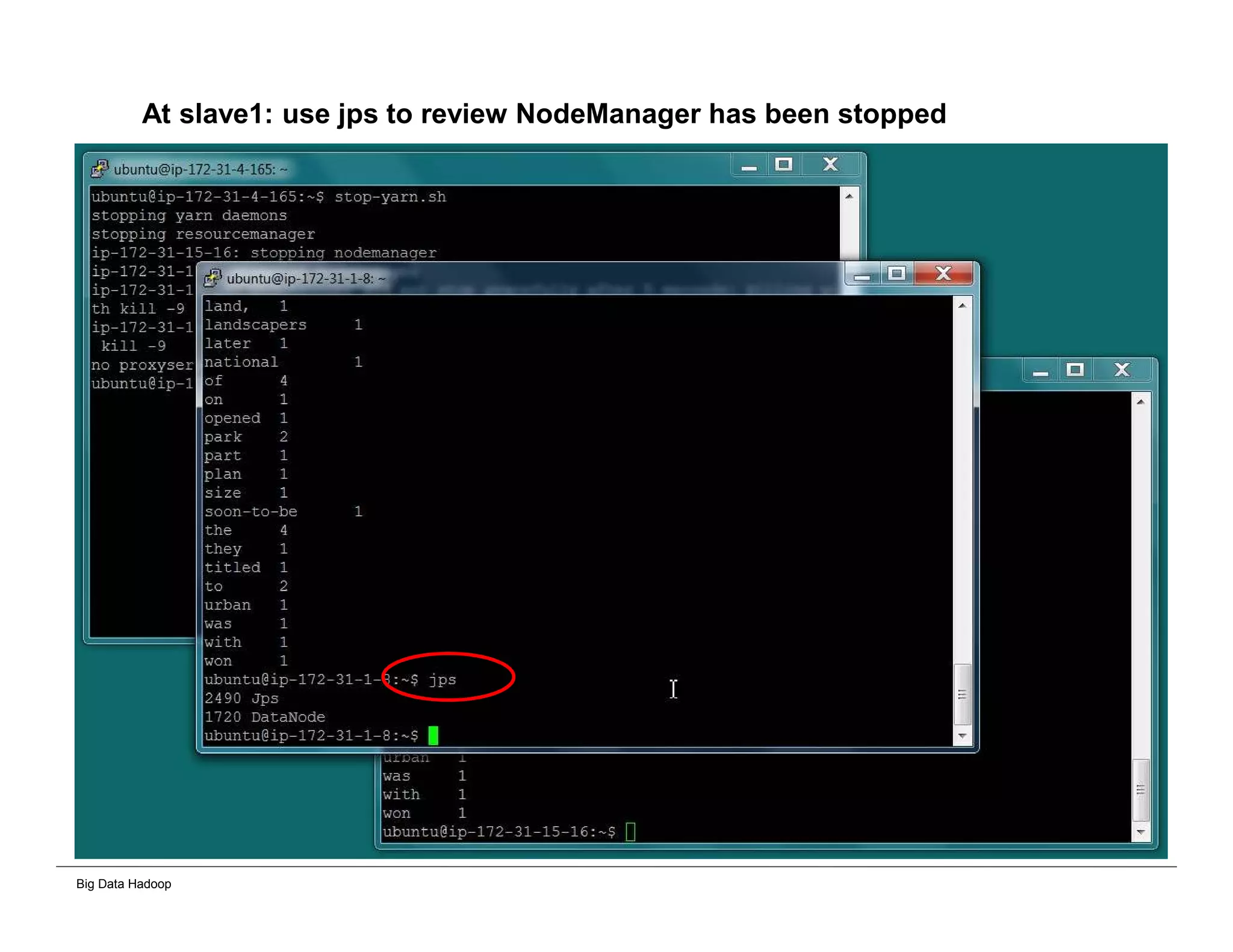
At slave1: use jps to review NodeManager has been stopped
Big Data Hadoop
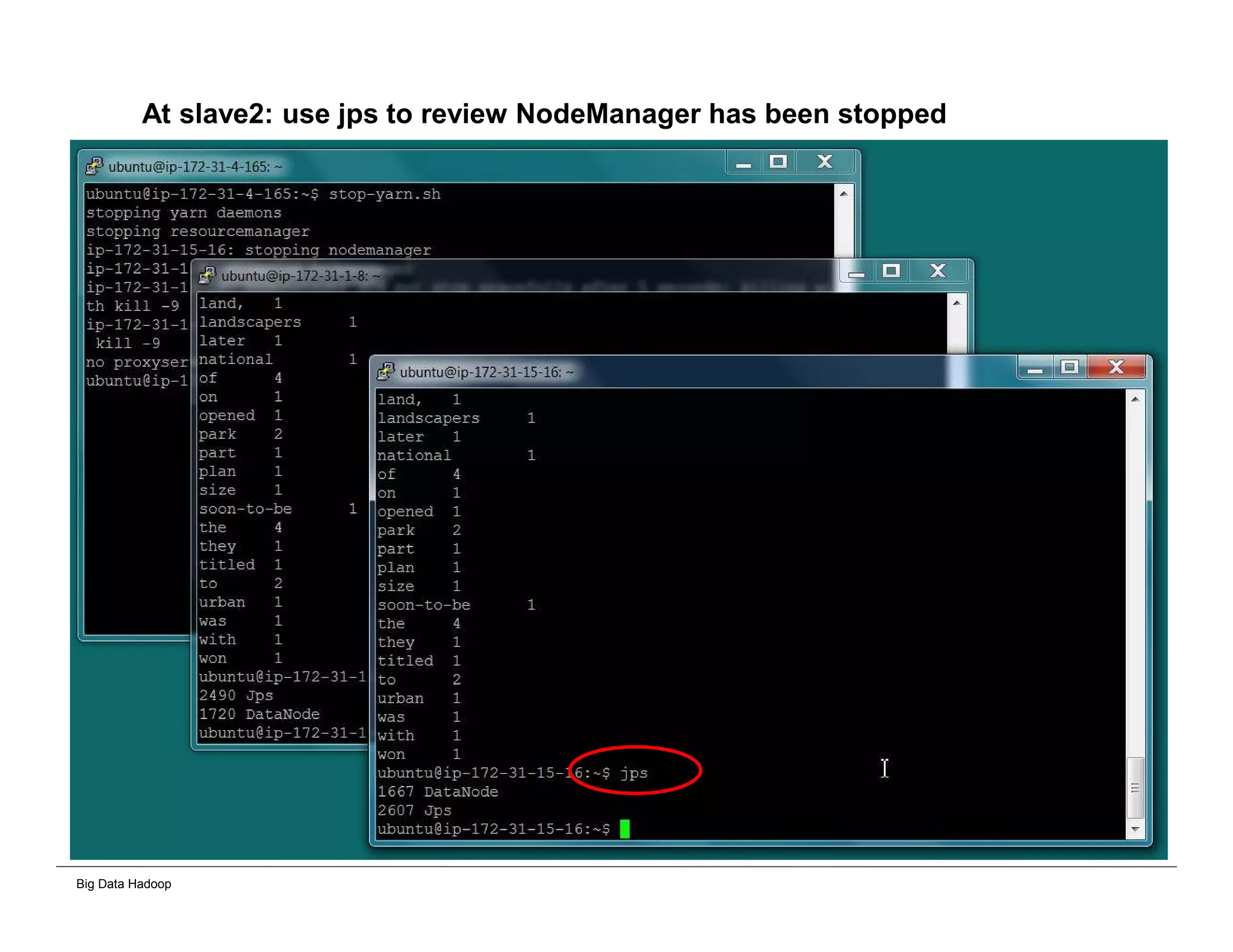
At slave2: use jps to review NodeManager has been stopped
Big Data Hadoop
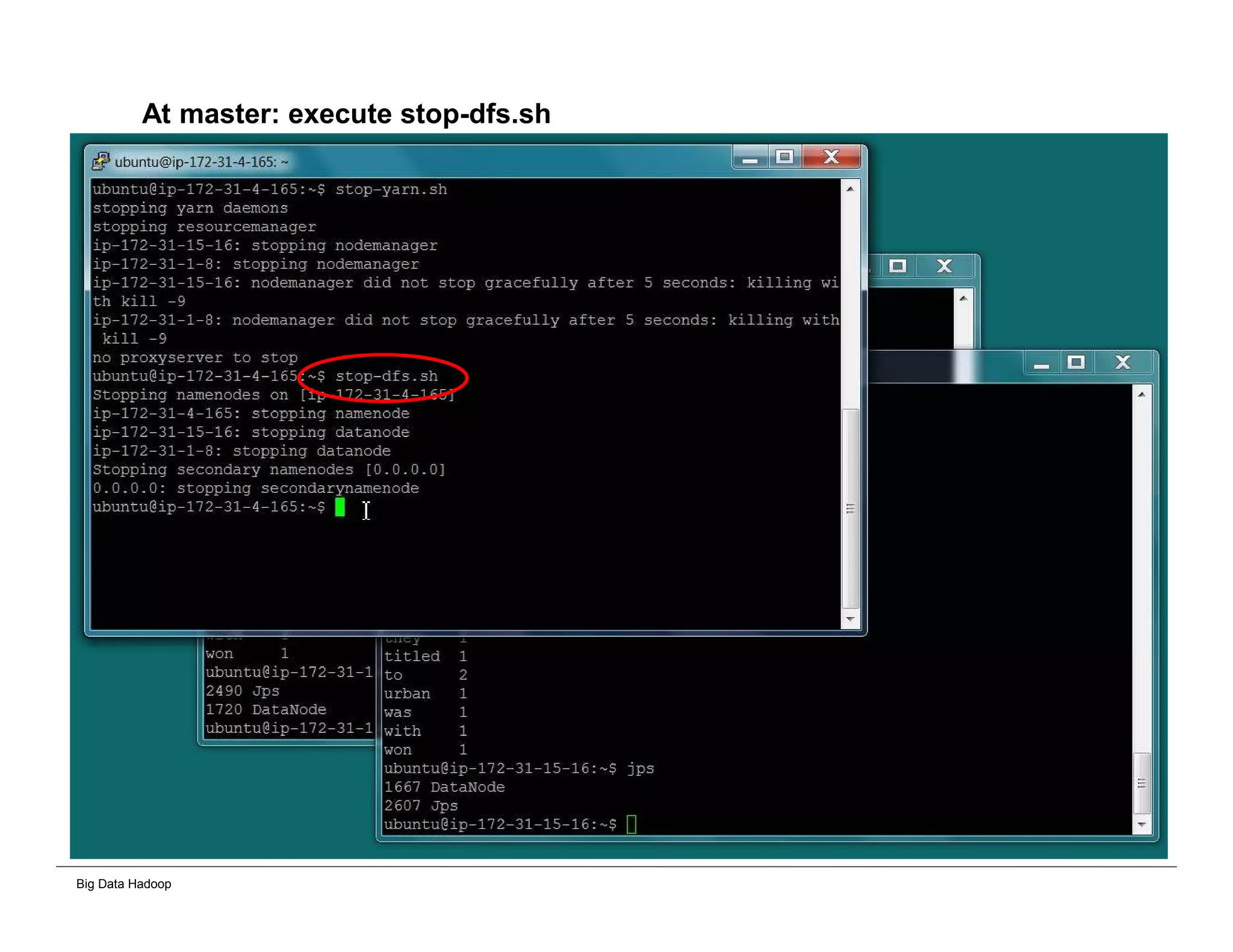
At master: execute stop-dfs.sh
Big Data Hadoop
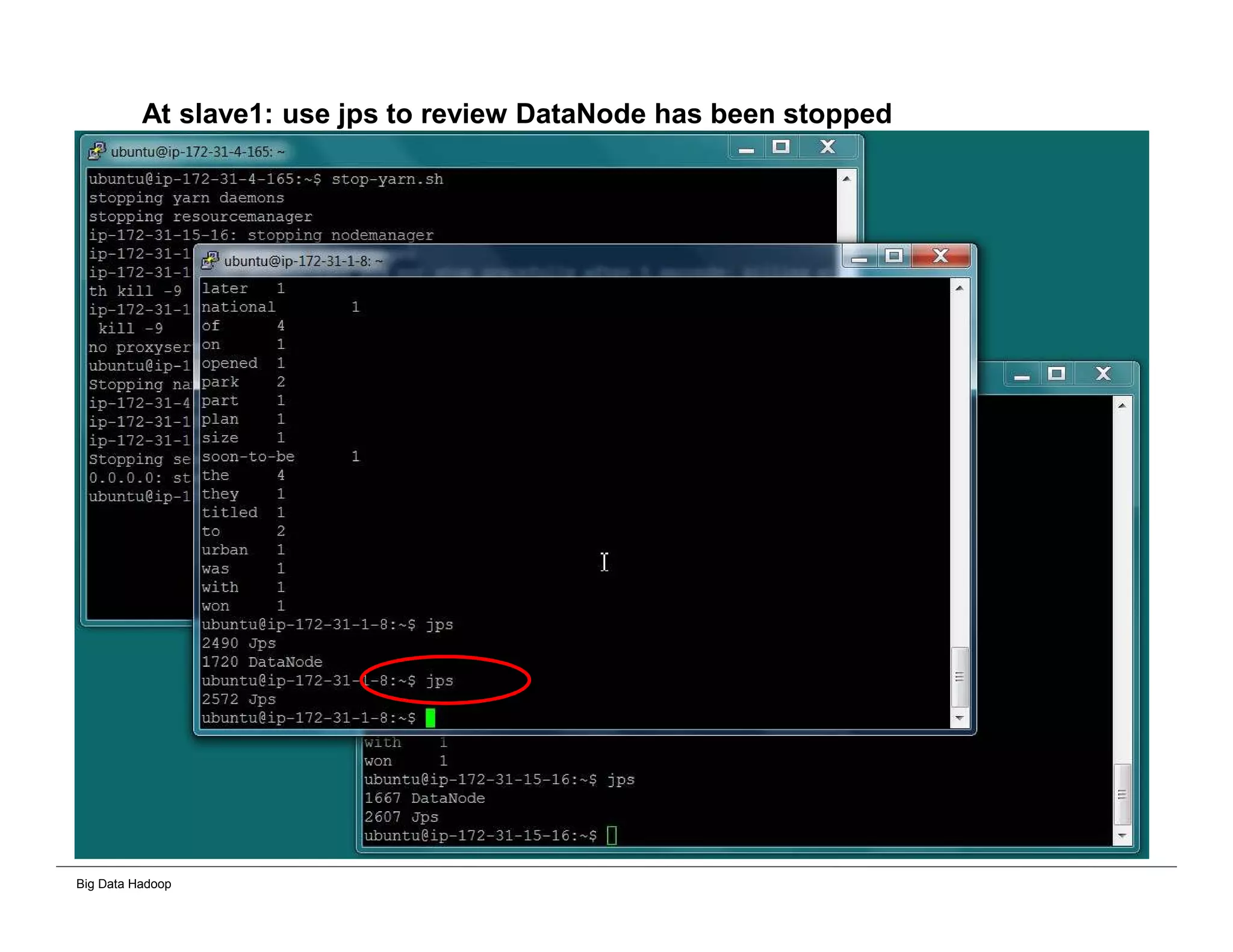
At slave1: use jps to review DataNode has been stopped
Big Data Hadoop
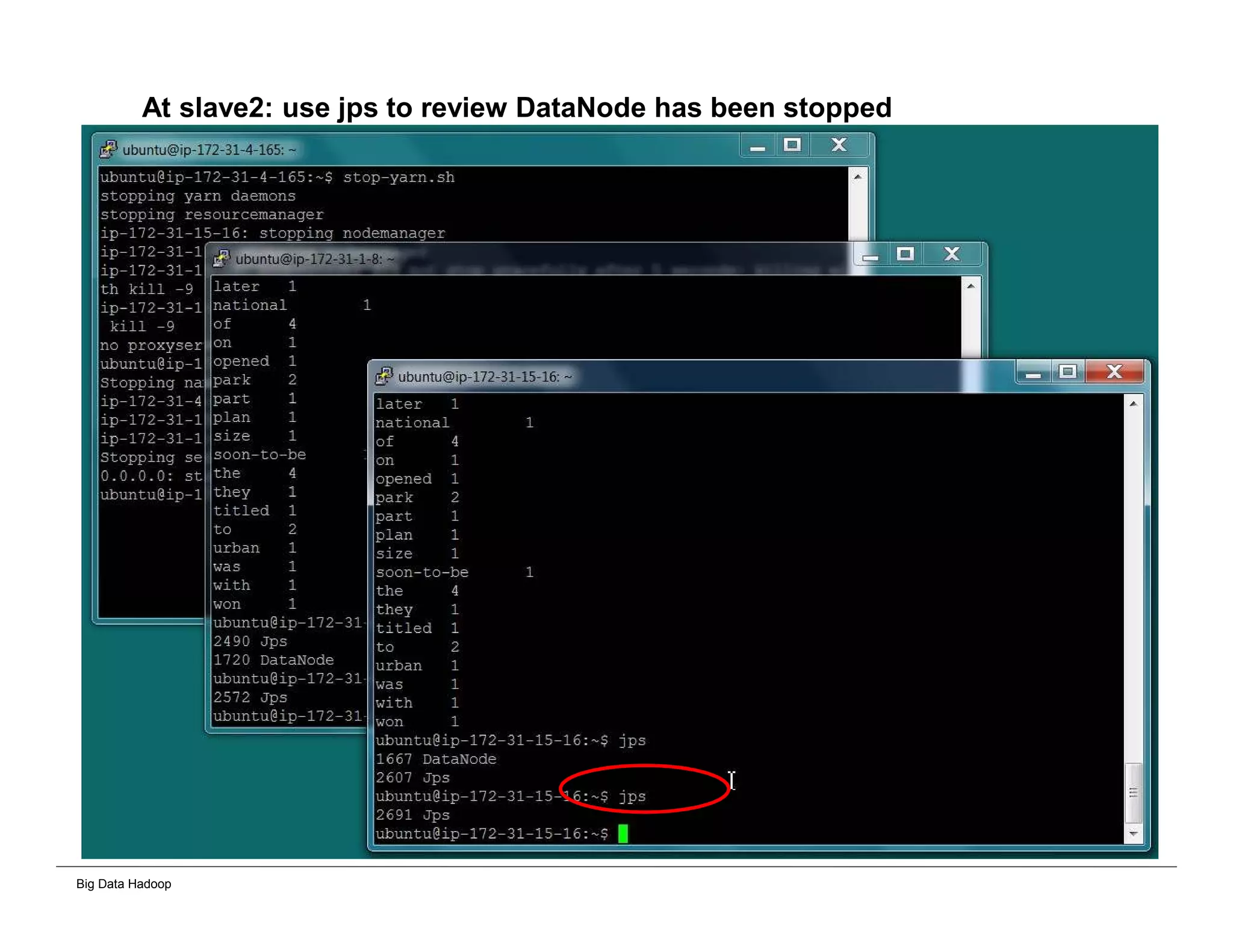
At slave2: use jps to review DataNode has been stopped
Big Data Hadoop
Thank you very much

Big data Hadoop Analytic and Data warehouse comparison guide

  • 1.
    Big Data Hadoop– Hands On Workshop Data Processing Solutions – Comparison Guide Big Data Workshop Series Danairat T. Results Data Inputs Cloud 1 2 Data Inputs Results Staging Staging Staging Big DWH Data Mart Data Mart Data Mart Data Mart C u b e C u b e C u b e C u b e C u b e Staging Analy tic Resul ts Layer Cube Layer Data Mart Layer Data Warehouse Layer Data Staging Layer Data Source Layer 1 2 3 4 5 6 Core Hadoop Traditional Data Warehouse VS.
  • 2.
    Big Data Hadoop Solution1. Core Hadoop processing NO data staging transformation and NO data move required!! Analytic Results Data Inputs Top Benefits 1. Cloud and IoT ready architecture roadmap 2. No data duplication with reduce cost of data store/storage 3. Fast data processing and all processing are built-in fault tolerant 4. Align with unify data architecture and data governance 5. Less steps of data processing comparing with traditional DWH The Effort Investment:- 1. Learn core Hadoop Cloud Ready 1 2
  • 3.
    Big Data Hadoop Solution2. Using BI Tools to analyze Hadoop data Required single transformation to CSV raw text and store in Hadoop HDFS for BI Tools to connect and represent the visualization Hadoop HDFS (CSV Raw Text) Data Inputs Top Benefits 1. Lower cost with cloud/IoT ready architecture 2. Fast data processing and all processing are built-in fault tolerant 3. Less steps of data processing comparing with traditional DWH The Effort Investment:- 1. Learn Hadoop 2. Require transformation to CSV RAW text for BI Tools Cloud Ready 1 2 3 Results
  • 4.
    Big Data Hadoop Solution3. Creating data warehouse in Hadoop Required single transformation with DWH set up on Hadoop for BI Tools Top Benefits 1. Lower cost with cloud/IoT ready architecture 2. Fast data processing and all processing are built-in fault tolerant 3. Less steps of data processing comparing with traditional DWH The Effort Investment:- 1. Learn core Hadoop 2. Require transformation to CSV RAW text for BI Tools 3. Require DWH on Hadoop set up (Hive, Cassandra, HBase) Hadoop HDFS Data Inputs Cloud Ready Hadoop DWH Hive, (or Cassandra, Hbase) 1 2 3 4 Results
  • 5.
    Big Data Hadoop Solution4. Implementing traditional data warehouse Staging Staging Staging The more data grow, the slower data processing Data Mart Data Mart Data Mart Data Mart Top Concerns from Traditional Data Warehouse Architecture 1. A lot of data duplication lead to cost of data store/storage issue 2. Very slow of data processing and need to restart/roll back the job if any failed 3. Data security issue due to keep data too many copies and various formats Cube Cube Cube Cube Cube Staging Analytic Results Layer Cube Layer Data Mart Layer Data Warehouse Layer Data Staging Layer Data Source Layer 1 2 3 4 5 6 Data Inputs Results
  • 6.
    Big Data Hadoop BenefitsComparison Summary Benefits Criteria Solutions Cloud Ready Archit ecture Built-In Parallel Proces sing IoT Archite cture Roadma p Without DB cube investm ent Witho ut data mart invest ment Without DWH investme nt Without Staging data (RAW Text) Unstruct ured and RAW Source Content Processin g 1. Core Hadoop Yes Yes Yes Yes Yes Yes Yes Yes 2. Hadoop and Pentaho/Power BI Yes Yes Yes Yes Yes Yes No (require CSV) No (require CSV) 3. Hadoop and Cognos, RapidMiner, BO, Cognos, Tableau Yes Yes Yes Yes Yes No (require Hive connector) No (require Hive connector) No (require Hive connector) 4. Traditional Data Warehouse No No No No No No No No
  • 7.
  • 8.
    Big Data Hadoop Pentahosupports Big Data Inputs
  • 9.
    Big Data Hadoop PowerBIsupports Big Data Inputs
  • 10.
    Big Data Hadoop Tableausupports Big Data Inputs
  • 11.
    Big Data Hadoop RapidMiner supports Big Data Inputs
  • 12.
    Big Data Hadoop HadoopCluster Installation and Excel Parser Processing
  • 13.
    Big Data Hadoop Clonehadoop master to slave1 and slave2 master slave1 slave2
  • 14.
    Big Data Hadoop Atmaster node: Edit host file
  • 15.
    Big Data Hadoop Atmaster node : Copy key file to slave1 and slave2 scp /home/ubuntu/.ssh/id_dsa.pub ip-172-31-1-8:/home/ubuntu/.ssh/master.pub scp /home/ubuntu/.ssh/id_dsa.pub 172.31.15.16:/home/ubuntu/.ssh/master.pub
  • 16.
    Big Data Hadoop Afterthis slide, we will use 3 cascaded windows to represent master node, slave1 node and slave2 node master node slave1 node slave2 node
  • 17.
    Big Data Hadoop Atslave1 and slave2: cat /home/ubuntu/.ssh/master.pub >> /home/ubuntu/.ssh/authorized_keys
  • 18.
    Big Data Hadoop Atmaster: Test ssh to slave1 and slave 2 $ ssh ip-172-31-1-8 $ exit $ ssh ip-172-31-15-16 $ exit
  • 19.
    Big Data Hadoop Atmaster: add slave1 and slave2 to Hadoop slave file
  • 20.
    Big Data Hadoop Atmaster: add slave1 and slave2 to Hadoop slave file
  • 21.
    Big Data Hadoop Atmaster: edit hdfs-site.xml
  • 22.
    Big Data Hadoop Atmaster: edit hdfs-site.xml for 2 replication servers
  • 23.
    Big Data Hadoop Atall nodes: remove directories of namenode and datanode
  • 24.
    Big Data Hadoop Atmaster: format namenode
  • 25.
    Big Data Hadoop Atmaster: format namenode
  • 26.
    Big Data Hadoop Atmaster: Execute start-dfs.sh
  • 27.
    Big Data Hadoop Atslave1: Check jps result, you will see DataNode has been started
  • 28.
    Big Data Hadoop Atslave2: Check jps result, you will see DataNode has been started
  • 29.
    Big Data Hadoop Atmaster: Execute start-yarn.sh
  • 30.
    Big Data Hadoop Atslave1: Check jps result, you will see NodeManager has been started
  • 31.
    Big Data Hadoop Atslave2: Check jps result, you will see NodeManager has been started
  • 32.
    Big Data Hadoop Importingdata into HDFS Cluster
  • 33.
    Big Data Hadoop Atmaster: import data to hdfs
  • 34.
    Big Data Hadoop Atslave1: review imported result data from hdfs
  • 35.
    Big Data Hadoop Atslave2: review imported result data from hdfs
  • 36.
    Big Data Hadoop RunningMapReduce in Cluster Mode
  • 37.
    Big Data Hadoop Atmaster: execute YARN mapreduce program
  • 38.
    Big Data Hadoop Atslave1, slave2: you will see Application Master and Yarn Child Container
  • 39.
    Big Data Hadoop Atmaster: review output file from hdfs
  • 40.
    Big Data Hadoop Atmaster: review output file from hdfs
  • 41.
    Big Data Hadoop Atslave1, slave2: review output file from hdfs by using command:- hdfs dfs -cat /outputs/wordcount_output_dir01/part-r-00000
  • 42.
    Big Data Hadoop Atmaster: review output result data from web console
  • 43.
    Big Data Hadoop Atmaster: review output result data from web console
  • 44.
    Big Data Hadoop Atmaster: review output result data from web console
  • 45.
    Big Data Hadoop Atmaster: review output result data from web console
  • 46.
    Big Data Hadoop ProcessExcel Worksheet
  • 47.
    Big Data Hadoop 1.Create Java Class using POI Libs
  • 48.
    Big Data Hadoop 2.Transversal Data in Excel Spreadsheet Workbook workbook = new XSSFWorkbook(inputStream); Sheet firstSheet = workbook.getSheetAt(0); Iterator<Row> iterator = firstSheet.iterator(); while (iterator.hasNext()) { Row nextRow = iterator.next(); Iterator<Cell> cellIterator = nextRow.cellIterator(); while (cellIterator.hasNext()) { Cell cell = cellIterator.next();
  • 49.
    Big Data Hadoop 3.Extract Data from Excel Spreadsheet switch (cell.getCellType()) { case Cell.CELL_TYPE_STRING: System.out.print(cell.getStringCellValue()); break; case Cell.CELL_TYPE_BOOLEAN: System.out.print(cell.getBooleanCellValue()); break; case Cell.CELL_TYPE_NUMERIC: System.out.print(cell.getNumericCellValue()); break; } For further integration into HDFS, please emit data to output collector.
  • 50.
    Big Data Hadoop 4.Close Excel Spreadsheet workbook.close(); inputStream.close();
  • 51.
    Big Data Hadoop ExcelProcessing Results in Hadoop
  • 52.
  • 53.
    Big Data Hadoop Atmaster: execute stop-yarn.sh
  • 54.
    Big Data Hadoop Atslave1: use jps to review NodeManager has been stopped
  • 55.
    Big Data Hadoop Atslave2: use jps to review NodeManager has been stopped
  • 56.
    Big Data Hadoop Atmaster: execute stop-dfs.sh
  • 57.
    Big Data Hadoop Atslave1: use jps to review DataNode has been stopped
  • 58.
    Big Data Hadoop Atslave2: use jps to review DataNode has been stopped
  • 59.
    Big Data Hadoop Thankyou very much