Pre-Con Education: Best Practice
for Supercharging CA Workload
Automation dSeries (DE) for
Optimal Throughput
John Rooney
DevOps: Continuous Delivery
CA Technologies
Product Manager
DO4X113E
2 © 2015 CA. ALL RIGHTS RESERVED.@CAWORLD #CAWORLD
For Informational Purposes Only
Terms of this Presentation
© 2015 CA. All rights reserved. All trademarks referenced herein belong to their respective companies. The presentation provided at CA
World 2015 is intended for information purposes only and does not form any type of warranty. Some of the specific slides with customer
references relate to customer's specific use and experience of CA products and solutions so actual results may vary.
Certain information in this presentation may outline CA’s general product direction. This presentation shall not serve to (i) affect the rights
and/or obligations of CA or its licensees under any existing or future license agreement or services agreement relating to any CA software
product; or (ii) amend any product documentation or specifications for any CA software product. This presentation is based on current
information and resource allocations as of November 18, 2015, and is subject to change or withdrawal by CA at any time without notice. The
development, release and timing of any features or functionality described in this presentation remain at CA’s sole discretion.
Notwithstanding anything in this presentation to the contrary, upon the general availability of any future CA product release referenced in
this presentation, CA may make such release available to new licensees in the form of a regularly scheduled major product release. Such
release may be made available to licensees of the product who are active subscribers to CA maintenance and support, on a when and if-
available basis. The information in this presentation is not deemed to be incorporated into any contract.
3 © 2015 CA. ALL RIGHTS RESERVED.@CAWORLD #CAWORLD
Abstract
This session will discuss utilizing CA Workload
Automation dSeries (DE) 11.3 and the new r12
features and enhancements to provide that you
can maximize the throughput of your
applications. Best practice scheduling
techniques will be discussed and shown.
Nitin Pande
CA Technologies
Product Manager
4 © 2015 CA. ALL RIGHTS RESERVED.@CAWORLD #CAWORLD
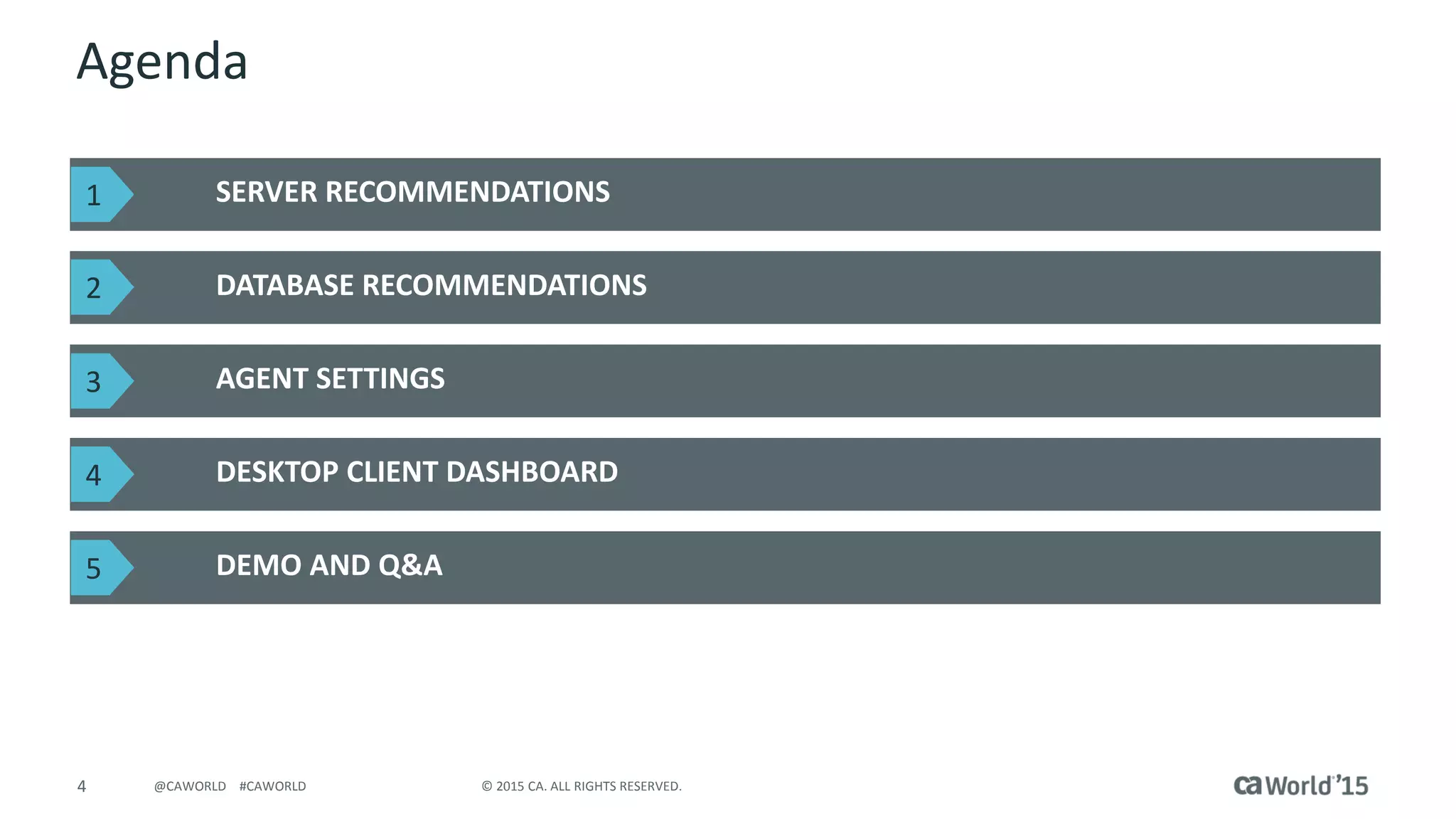
Agenda
SERVER RECOMMENDATIONS
DATABASE RECOMMENDATIONS
AGENT SETTINGS
DESKTOP CLIENT DASHBOARD
DEMO AND Q&A
1
2
3
4
5
5 © 2015 CA. ALL RIGHTS RESERVED.@CAWORLD #CAWORLD
Server Recommendations
6 © 2015 CA. ALL RIGHTS RESERVED.@CAWORLD #CAWORLD
Server Recommendations
7 © 2015 CA. ALL RIGHTS RESERVED.@CAWORLD #CAWORLD
Server Recommendations
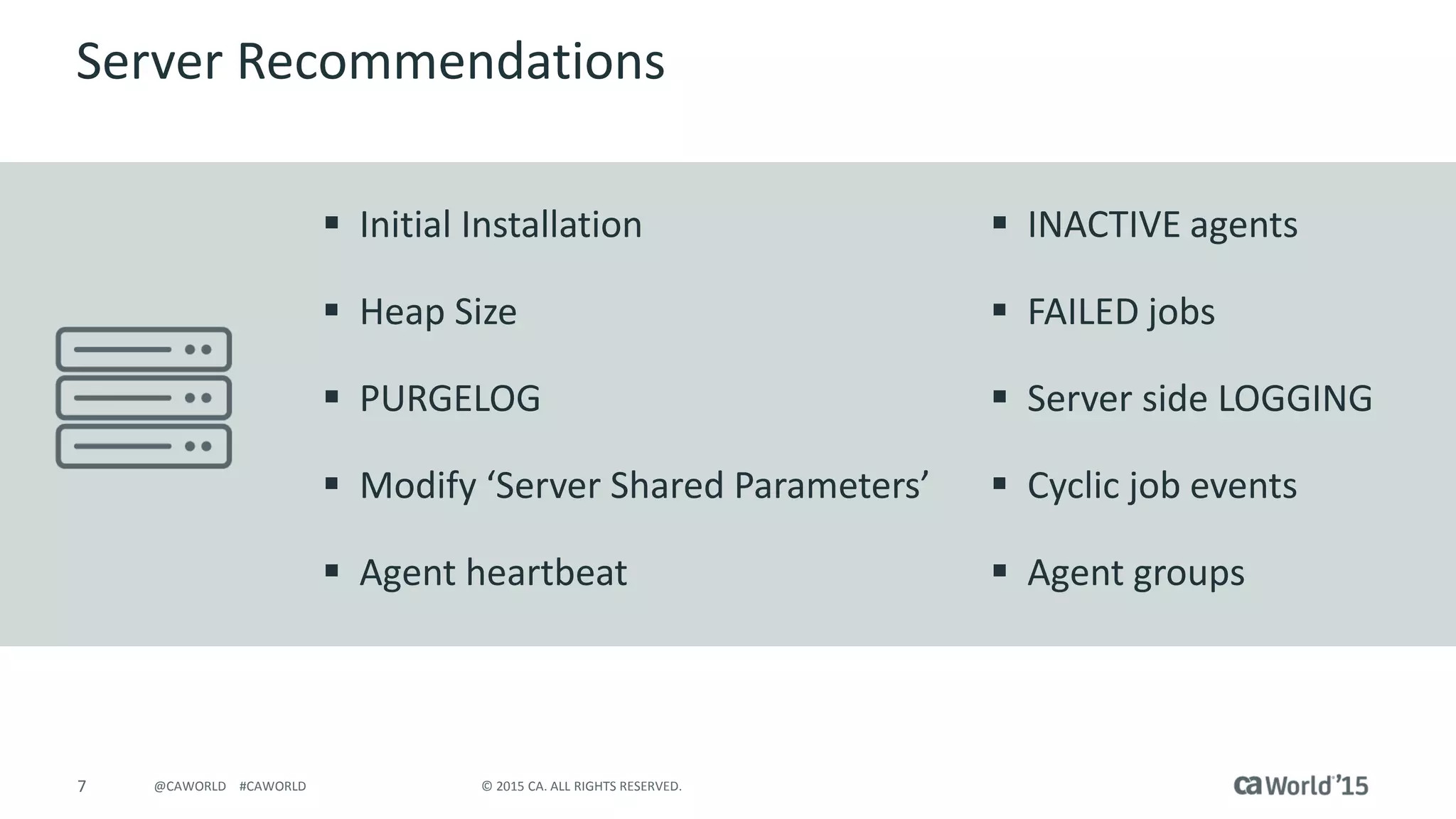
 Initial Installation
 Heap Size
 PURGELOG
 Modify ‘Server Shared Parameters’
 Agent heartbeat
 INACTIVE agents
 FAILED jobs
 Server side LOGGING
 Cyclic job events
 Agent groups
8 © 2015 CA. ALL RIGHTS RESERVED.@CAWORLD #CAWORLD
Initial Installation
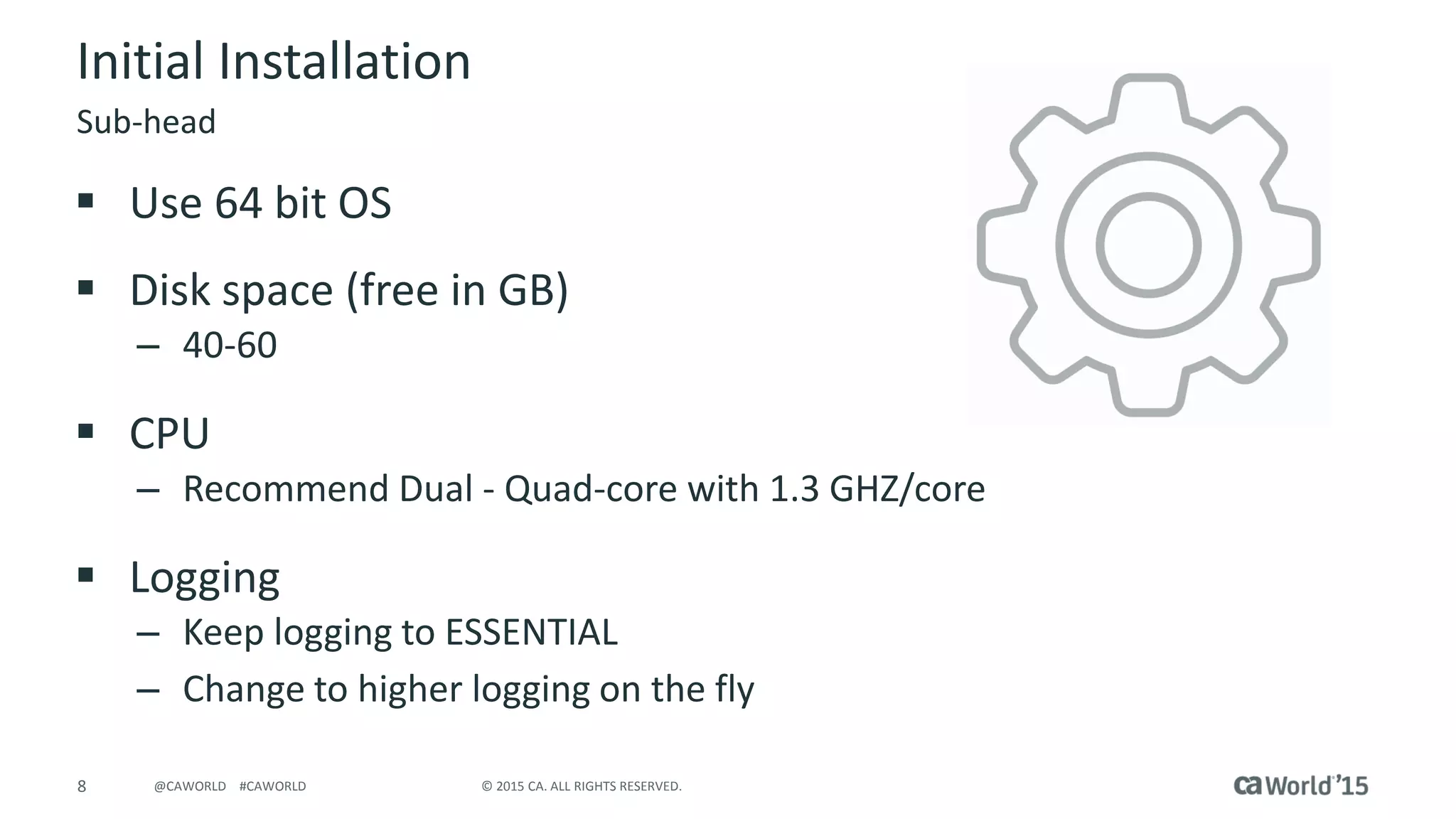
 Use 64 bit OS
 Disk space (free in GB)
– 40-60
 CPU
– Recommend Dual - Quad-core with 1.3 GHZ/core
 Logging
– Keep logging to ESSENTIAL
– Change to higher logging on the fly
Sub-head
9 © 2015 CA. ALL RIGHTS RESERVED.@CAWORLD #CAWORLD
Memory settings
 Heap Size
– Increase to 4-6 GB from default 1024 MB (in 64 bit setup)
– Change in <install directory>/bin/startServer script (UNIX/Linux)
– Use windows.service in conf directory for Windows
 Increase free memory before 911 executes an alarm:
Minimum free memory before 911 executes an alarm action
(bytes): 26214400 (256M)
Minimum free memory before 911 executes a critical action
(bytes) : 13107200 (128M)
Heap and Server Shared Parameters
10 © 2015 CA. ALL RIGHTS RESERVED.@CAWORLD #CAWORLD
Application and Jobs
 Clear FAILED jobs
– FAILED jobs hold on to resources
– Clean them often
 Cyclic job events
– Consolidate cyclic events
– Consolidate Application with one or few jobs and similar schedules
 Bunch 10 events for EVERY FRIDAY 10 AM
Sub-head
11 © 2015 CA. ALL RIGHTS RESERVED.@CAWORLD #CAWORLD
JavaScript
 Take advantage of the server's advanced scheduling features:
– Create and manipulate symbolic variables
– Use server built-in functions
– Perform comparison, arithmetic, and logical operations
– Prepare program input and parameters
– Build decisions into schedules
 Perform an operation within the Alert definition
 Store scripts in repository rather than at APPL level
Applications
12 © 2015 CA. ALL RIGHTS RESERVED.@CAWORLD #CAWORLD
Resources
 Resource dependencies affect a job's ability to run
successfully.
 Server submits only jobs that have met all their resource
requirements
 Limit number of resources usage on busy environments
 Keep total resources to 3000 or less
Applications
13 © 2015 CA. ALL RIGHTS RESERVED.@CAWORLD #CAWORLD
Global Variables
 Variables allow reuse of information across Applications
– Avoid entering same information, such as job names or argument
values
 Reduce coding errors
– Variables can be created, modified, and deleted from the Services
perspective in CA WA Desktop Client
– LISTVAR [NAME("name")] [CONTEXT("context")]
[VERBOSE(verbose)]
 listvar name(”SALESVAR1") context(”SALES")
Applications
14 © 2015 CA. ALL RIGHTS RESERVED.@CAWORLD #CAWORLD
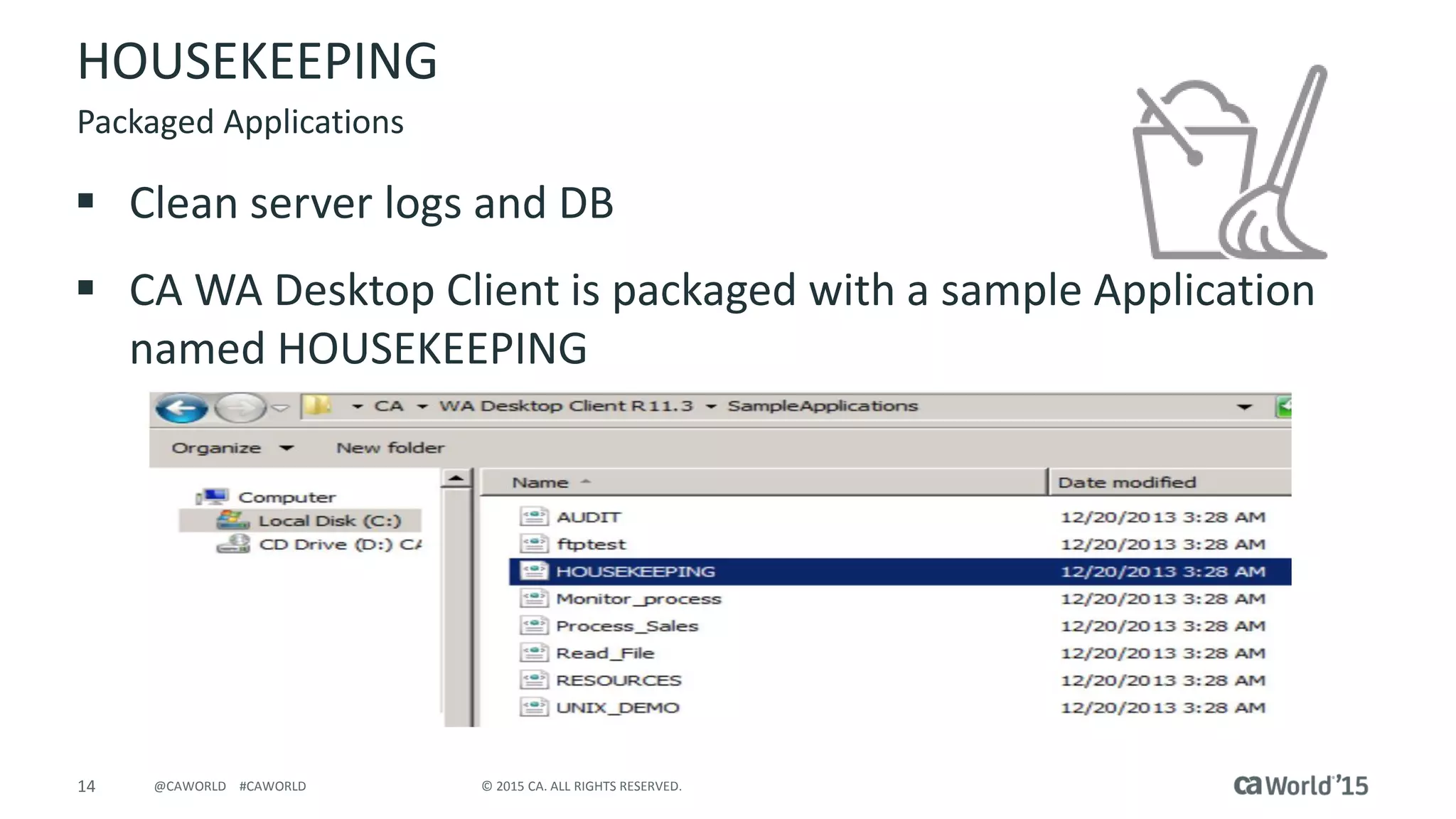
HOUSEKEEPING
 Clean server logs and DB
 CA WA Desktop Client is packaged with a sample Application
named HOUSEKEEPING
Packaged Applications
15 © 2015 CA. ALL RIGHTS RESERVED.@CAWORLD #CAWORLD
HOUSEKEEPING
 Purgelog
– Clear server log files
– Examples:
purgelog age(3) purgelog
 Package scripts: cleanup.sh/bat
– UNIX/Linux
cleanup.sh localhost 7500 admin admin 5
– Windows
cleanup.bat localhost 7500 admin admin 5
CLI commands
16 © 2015 CA. ALL RIGHTS RESERVED.@CAWORLD #CAWORLD
Database Recommendations
17 © 2015 CA. ALL RIGHTS RESERVED.@CAWORLD #CAWORLD
DB settings
 Setdbparm (setdbparm.bat/sh)
– Allows you to change DB related properties
– Updates db.properties in conf directory
 DB Connection flush
– Clear idle connections
– Set idle connection between 1200 – 600 secs
– Default: 1800 seconds
setdbparm database.connection.idle.flush.threshold
Sub-head
18 © 2015 CA. ALL RIGHTS RESERVED.@CAWORLD #CAWORLD
DB settings
 DB pool
– Increase to 400-500
 Default is 50
 Example:
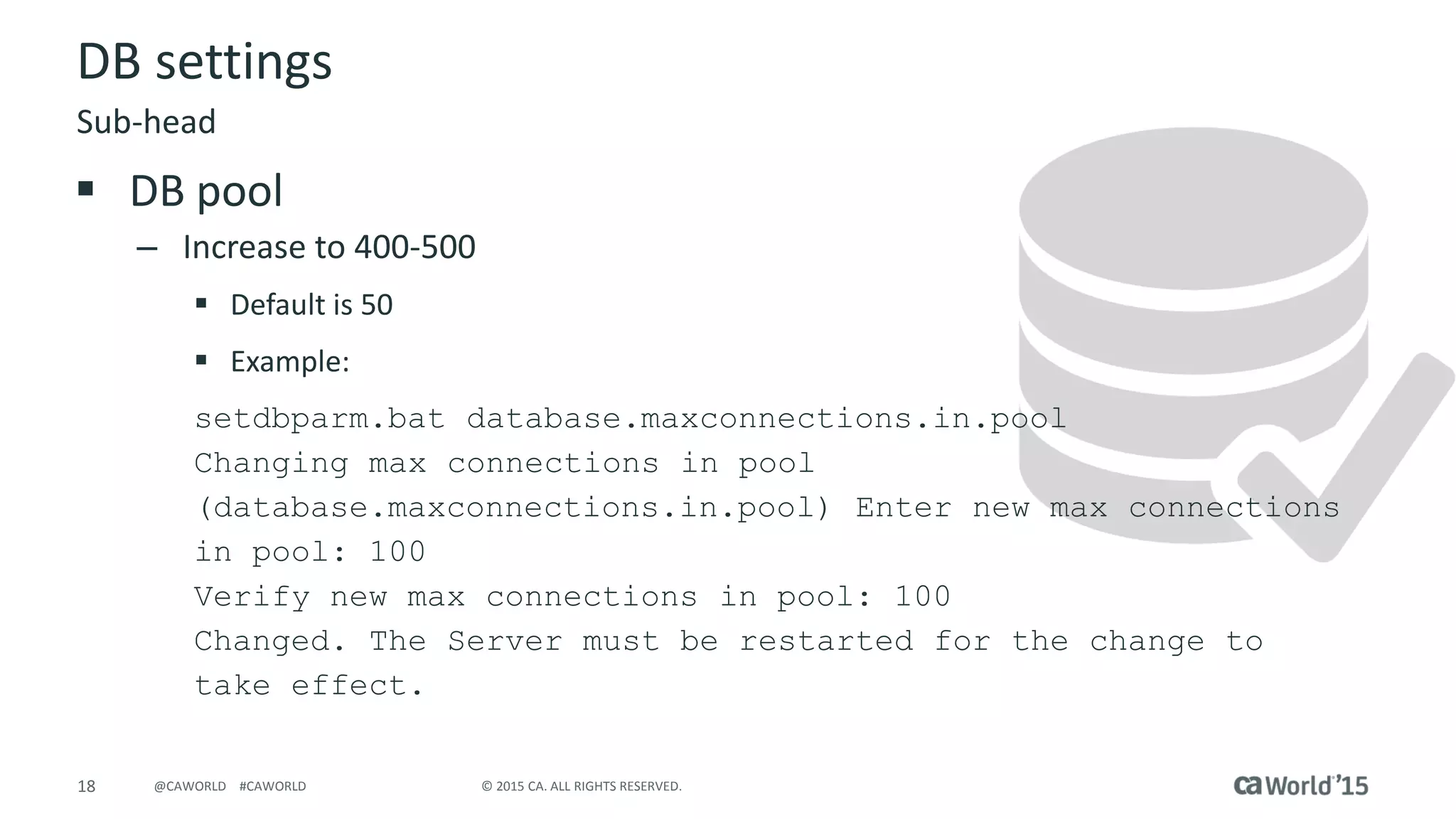
setdbparm.bat database.maxconnections.in.pool
Changing max connections in pool
(database.maxconnections.in.pool) Enter new max connections
in pool: 100
Verify new max connections in pool: 100
Changed. The Server must be restarted for the change to
take effect.
Sub-head
19 © 2015 CA. ALL RIGHTS RESERVED.@CAWORLD #CAWORLD
DB Maintenance
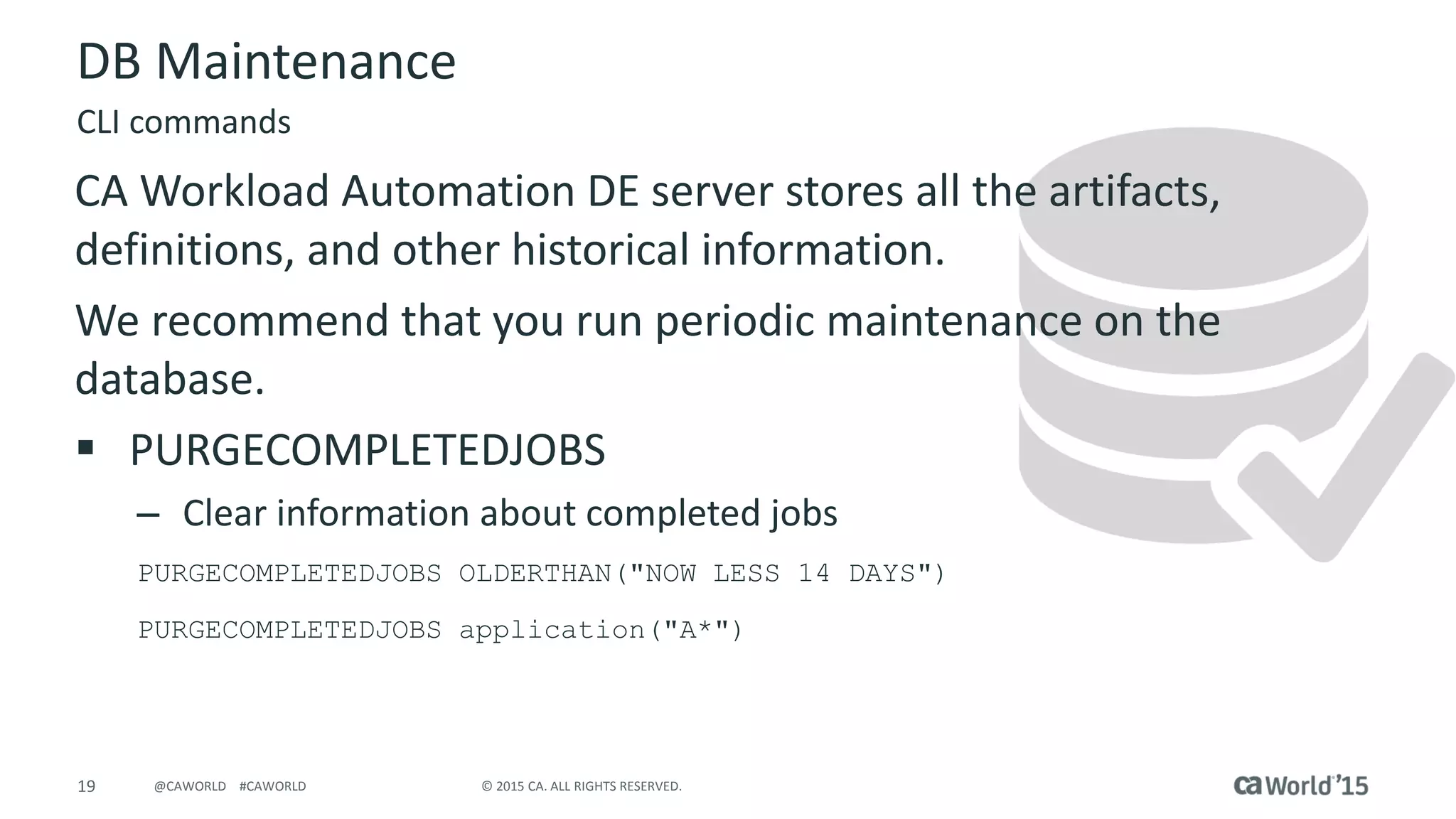
CA Workload Automation DE server stores all the artifacts,
definitions, and other historical information.
We recommend that you run periodic maintenance on the
database.
 PURGECOMPLETEDJOBS
– Clear information about completed jobs
PURGECOMPLETEDJOBS OLDERTHAN("NOW LESS 14 DAYS")
PURGECOMPLETEDJOBS application("A*")
CLI commands
20 © 2015 CA. ALL RIGHTS RESERVED.@CAWORLD #CAWORLD
DB Maintenance
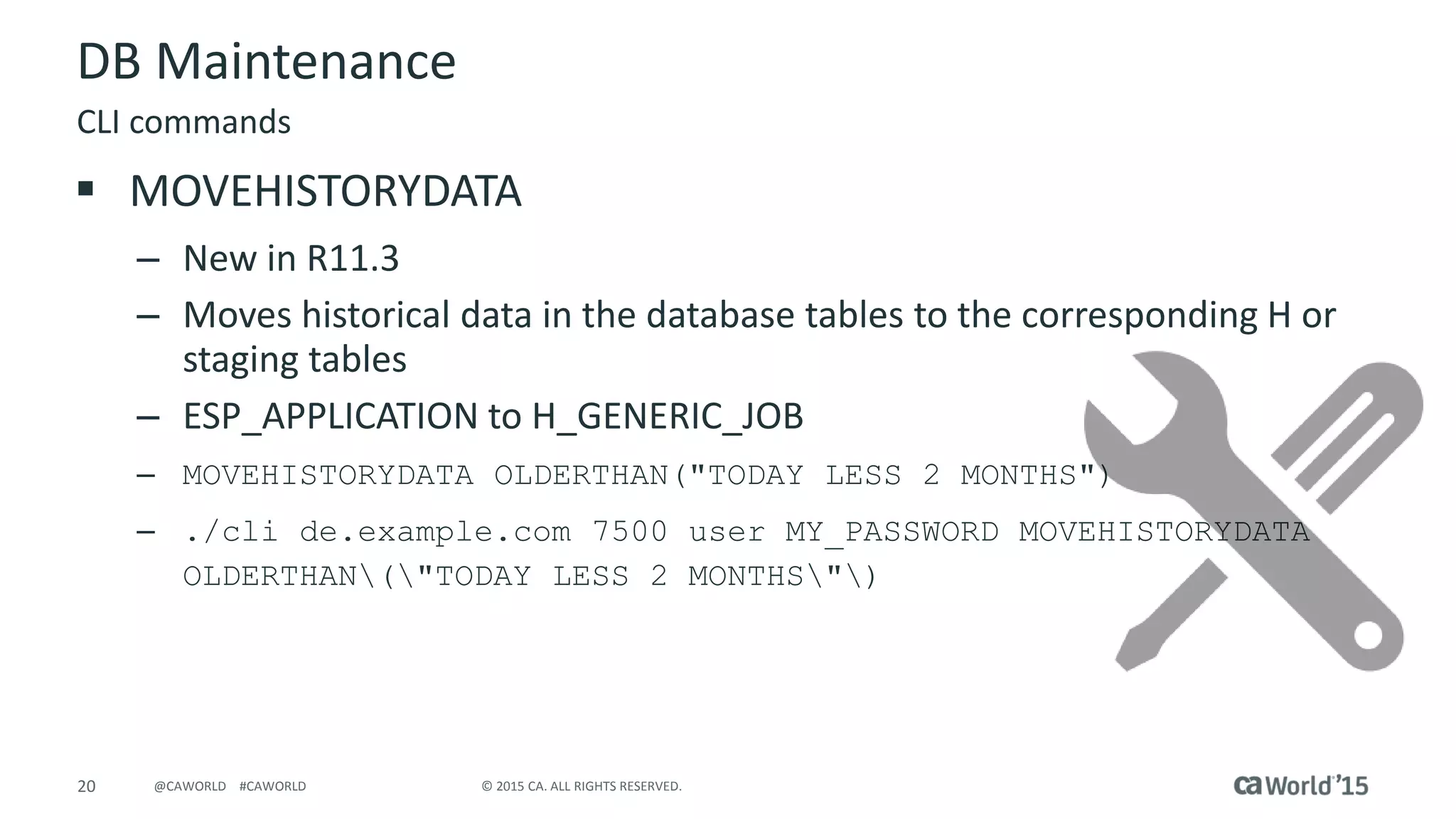
 MOVEHISTORYDATA
– New in R11.3
– Moves historical data in the database tables to the corresponding H or
staging tables
– ESP_APPLICATION to H_GENERIC_JOB
– MOVEHISTORYDATA OLDERTHAN("TODAY LESS 2 MONTHS")
– ./cli de.example.com 7500 user MY_PASSWORD MOVEHISTORYDATA
OLDERTHAN("TODAY LESS 2 MONTHS")
CLI commands
21 © 2015 CA. ALL RIGHTS RESERVED.@CAWORLD #CAWORLD
DB Maintenance
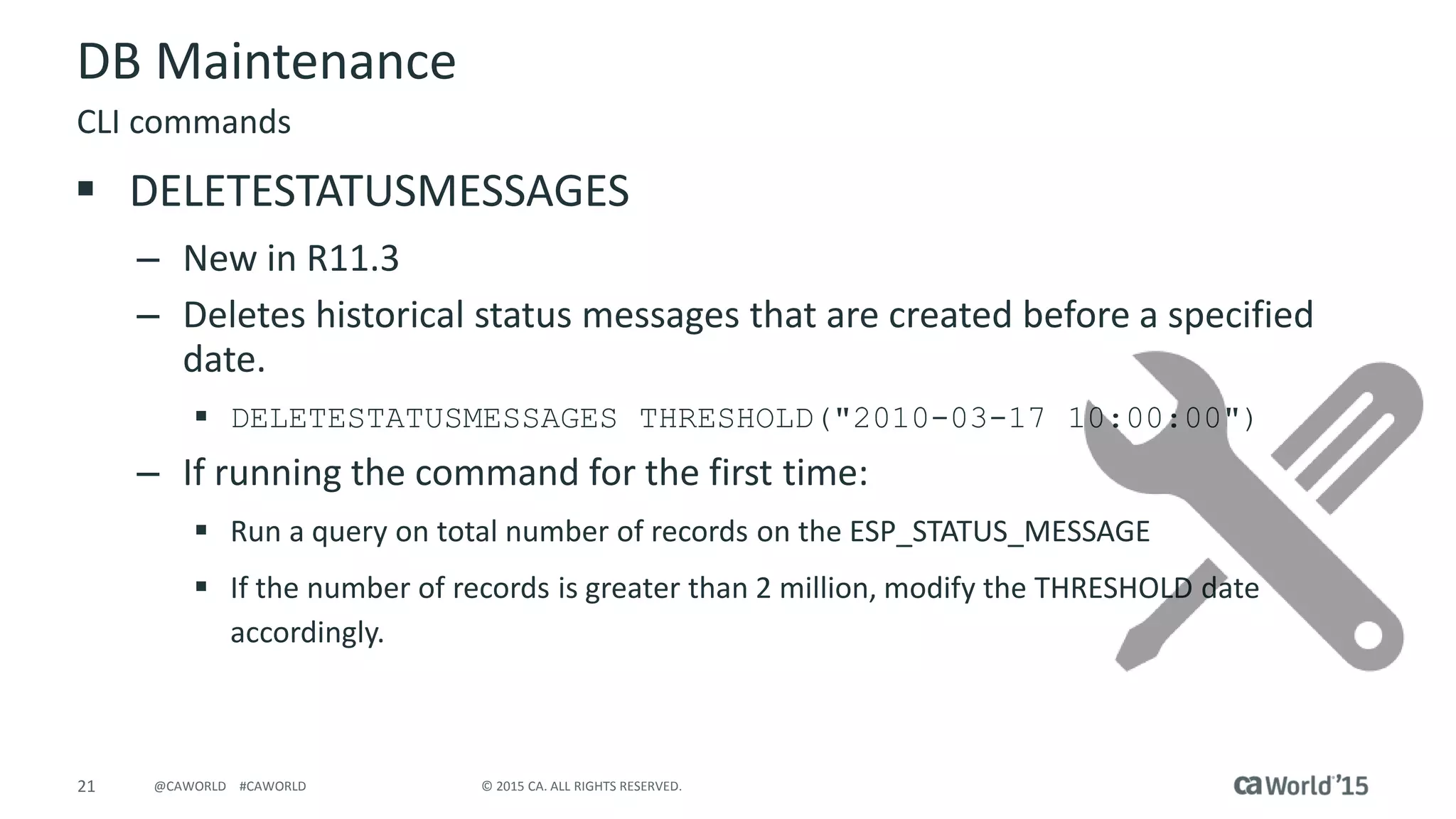
 DELETESTATUSMESSAGES
– New in R11.3
– Deletes historical status messages that are created before a specified
date.
 DELETESTATUSMESSAGES THRESHOLD("2010-03-17 10:00:00")
– If running the command for the first time:
 Run a query on total number of records on the ESP_STATUS_MESSAGE
 If the number of records is greater than 2 million, modify the THRESHOLD date
accordingly.
CLI commands
22 © 2015 CA. ALL RIGHTS RESERVED.@CAWORLD #CAWORLD
DB Considerations
 Oracle
– Set Table partitioning for large tables
– Change Initrans to 20
– Increase CLOB size to 16 (KB)
 MS-SQL
– Pre-grow database tables
– Provide separate devices for heavily used tables
– Relocate logs and TEMPDB on a separate device
Oracle and MS-SQL
23 © 2015 CA. ALL RIGHTS RESERVED.@CAWORLD #CAWORLD
Agent Settings
24 © 2015 CA. ALL RIGHTS RESERVED.@CAWORLD #CAWORLD
Agent related
 Inactive agents
– Delete agents that are not active or not used in Topology
 Agent groups
– Use Round-robin or Random
– Limit 10 agents for CPU Selection Criteria
 Agent heartbeat in Configure Instance parameters
– Increase heartbeat to 10-15 minutes
 Default is 5 minutes
Admin Perspective
25 © 2015 CA. ALL RIGHTS RESERVED.@CAWORLD #CAWORLD
Agent related
 Agent logs
– Set log level to 5
log.level=5
log.archive=1
log.maxsize=1M
 Clear Spool files
runnerplugin.spool.clean.enable=true
runnerplugin.spool.expire=7D
runnerplugin.spool.sleep=1D
Settings on the agentparm.txt
26 © 2015 CA. ALL RIGHTS RESERVED.@CAWORLD #CAWORLD
Agent related
 Enable Disk space monitoring
– Set these parameters
agent.resourcemon.enable=true
agent.resourcemon.threshold.disk.critical=50M
agent.resourcemon.threshold.disk.warning.notice=200M
agent.resourcemon.threshold.disk.warning.severe=100M
 Keep agent in its own file-system whenever possible
 Changes to agentparm.txt requires restart
Settings on the agentparm.txt
27 © 2015 CA. ALL RIGHTS RESERVED.@CAWORLD #CAWORLD
Desktop Client and Dashboard
28 © 2015 CA. ALL RIGHTS RESERVED.@CAWORLD #CAWORLD
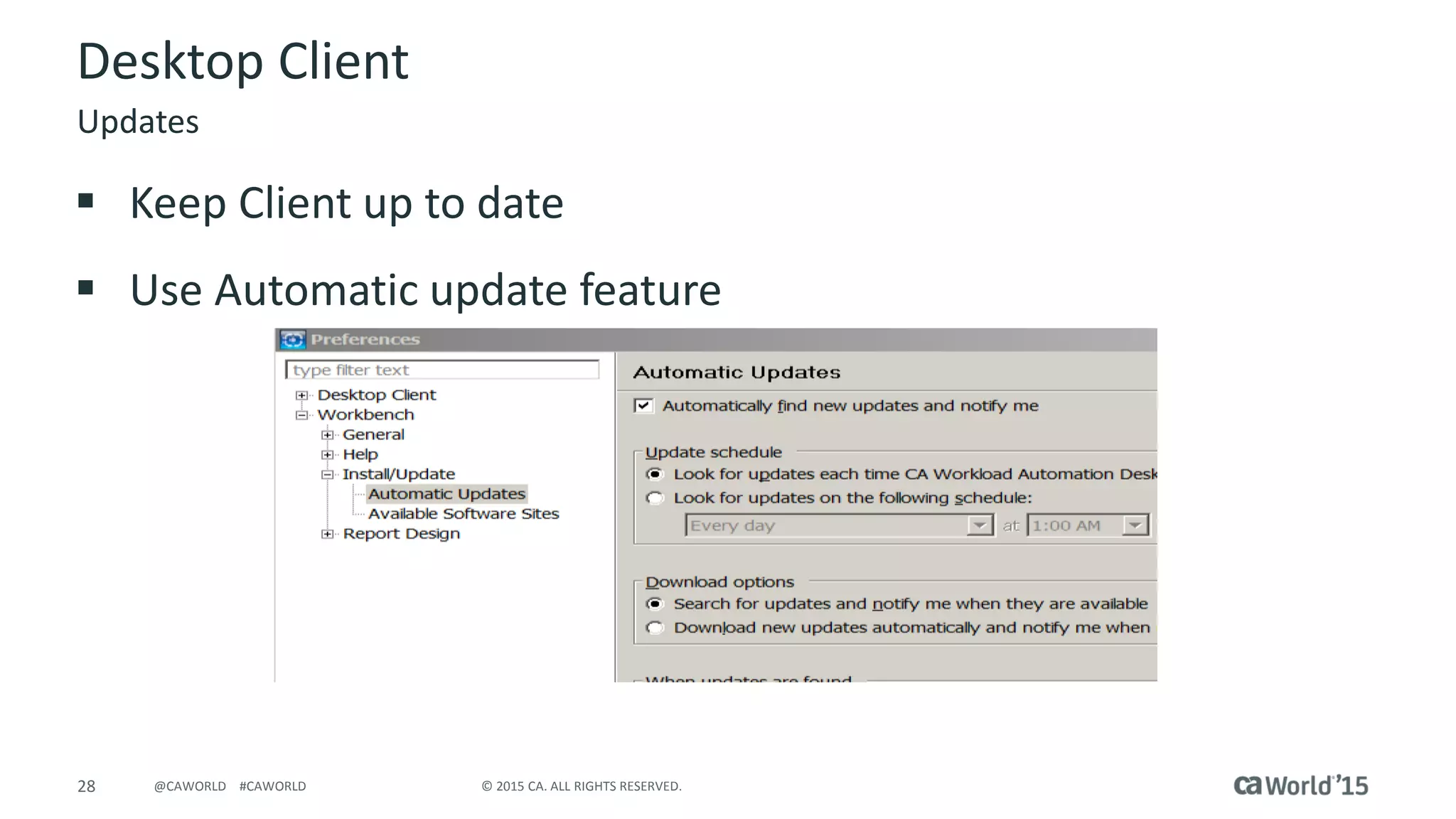
Desktop Client
 Keep Client up to date
 Use Automatic update feature
Updates
29 © 2015 CA. ALL RIGHTS RESERVED.@CAWORLD #CAWORLD
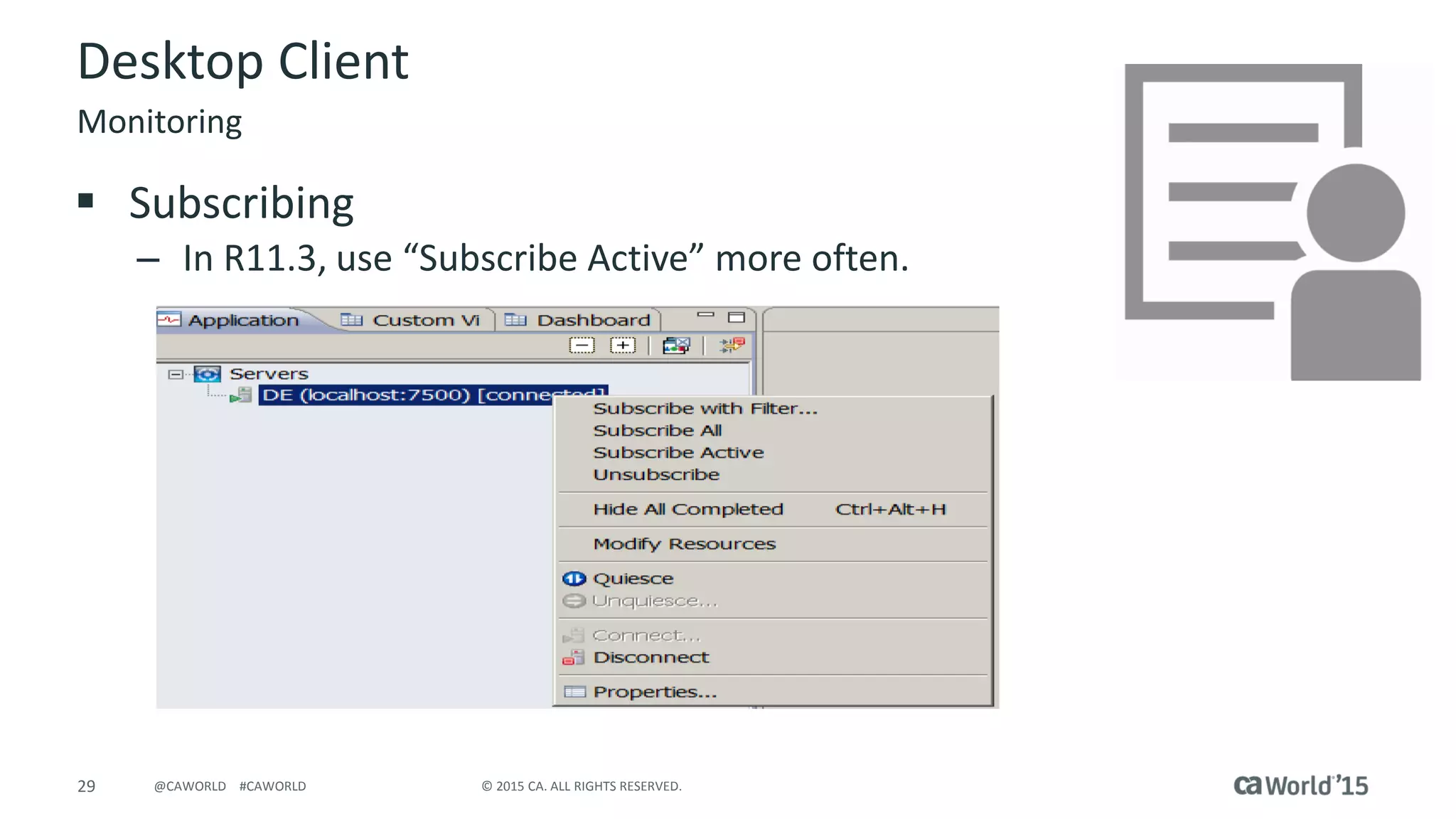
Desktop Client
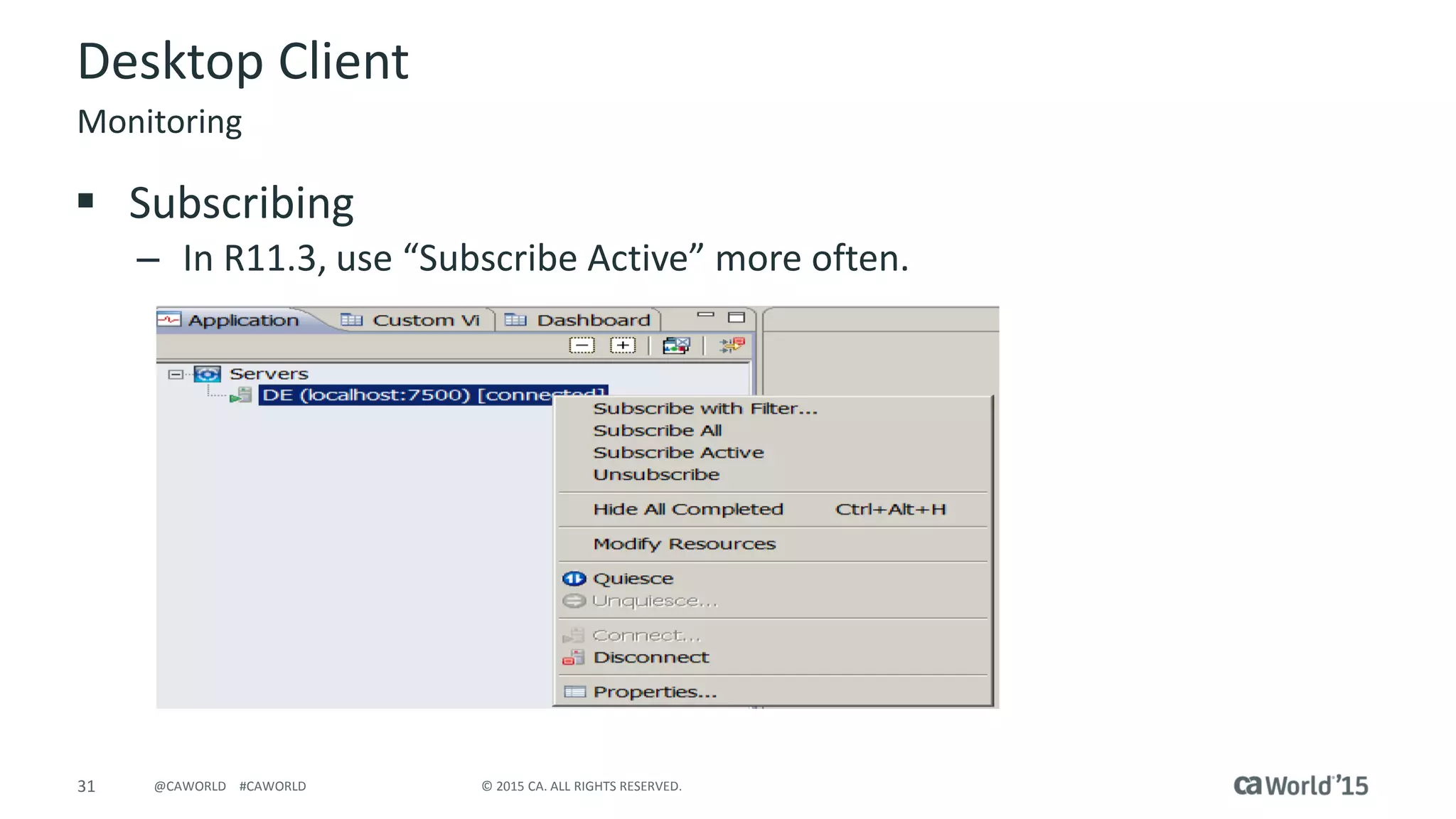
 Subscribing
– In R11.3, use “Subscribe Active” more often.
Monitoring
30 © 2015 CA. ALL RIGHTS RESERVED.@CAWORLD #CAWORLD
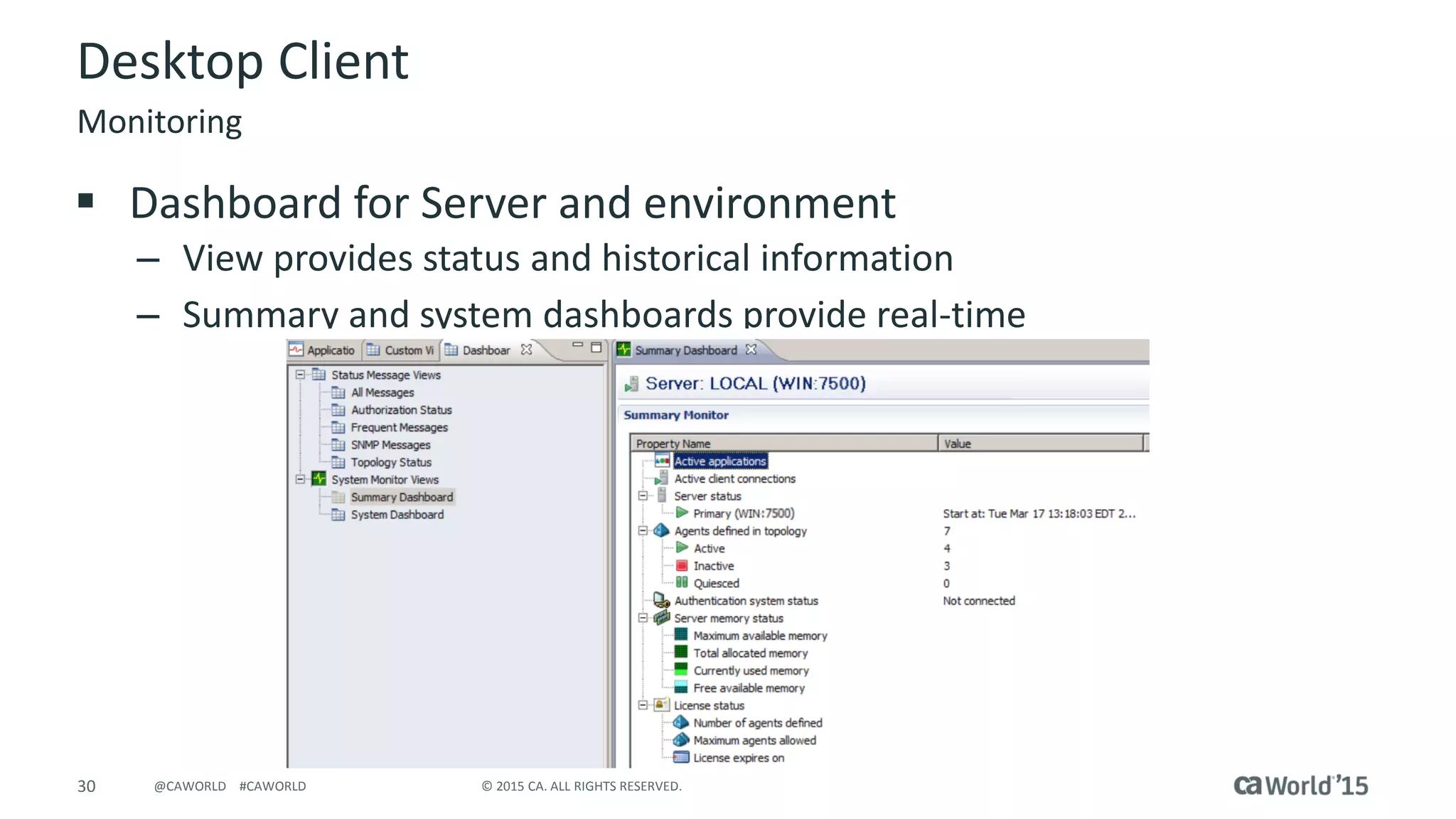
Desktop Client
 Dashboard for Server and environment
– View provides status and historical information
– Summary and system dashboards provide real-time
Monitoring
31 © 2015 CA. ALL RIGHTS RESERVED.@CAWORLD #CAWORLD
Desktop Client
 Subscribing
– In R11.3, use “Subscribe Active” more often.
Monitoring
32 © 2015 CA. ALL RIGHTS RESERVED.@CAWORLD #CAWORLD
Demo
33 © 2015 CA. ALL RIGHTS RESERVED.@CAWORLD #CAWORLD
Follow Conversations At…
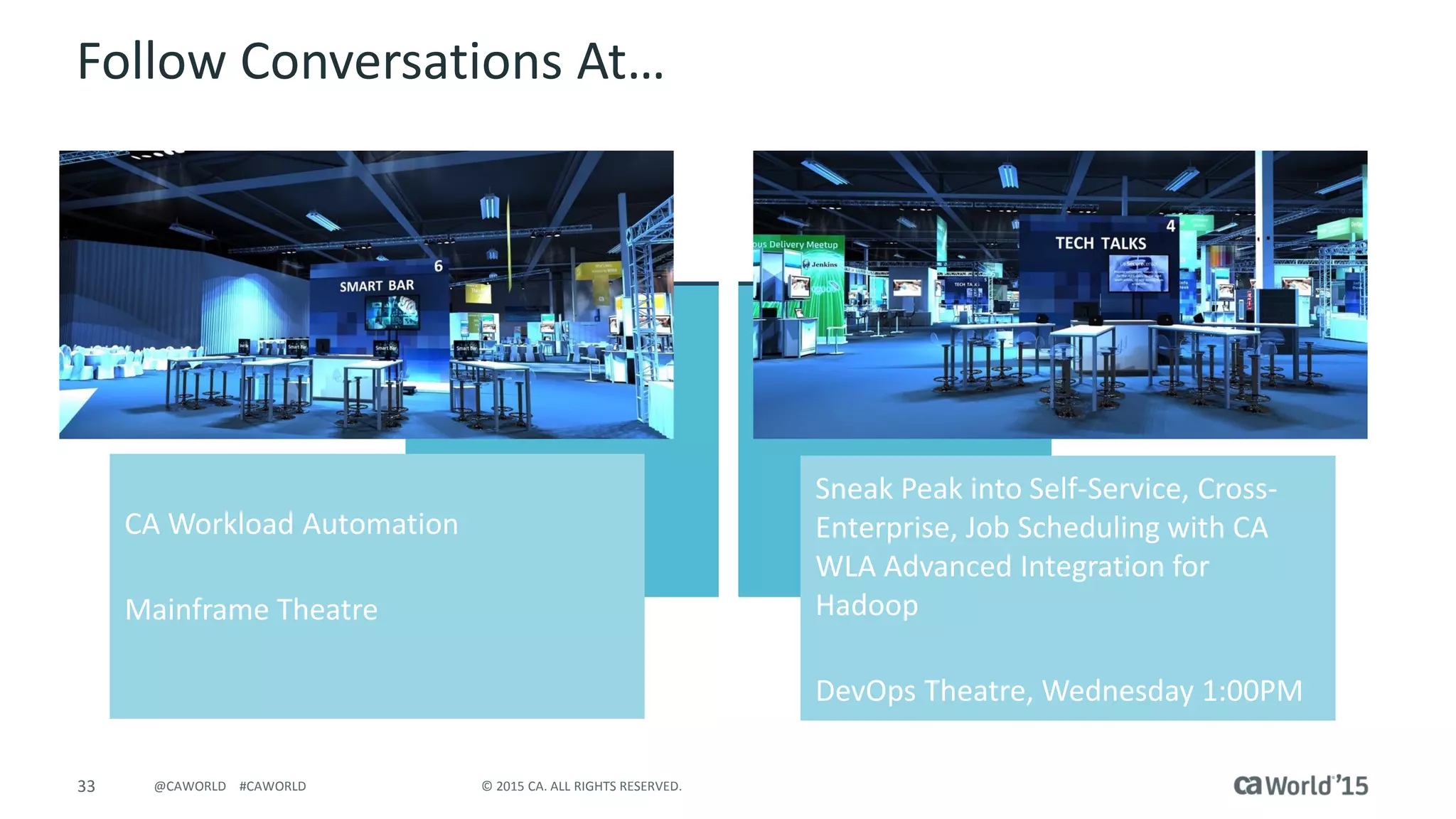
CA Workload Automation
Mainframe Theatre
Sneak Peak into Self-Service, Cross-
Enterprise, Job Scheduling with CA
WLA Advanced Integration for
Hadoop
DevOps Theatre, Wednesday 1:00PM
34 © 2015 CA. ALL RIGHTS RESERVED.@CAWORLD #CAWORLD
Q & A
35 © 2015 CA. ALL RIGHTS RESERVED.@CAWORLD #CAWORLD
For More Information
To learn more, please visit:
http://cainc.to/Nv2VOe
CA World ’15

Best Practice for Supercharging CA Workload Automation dSeries (DE) for Optimal Throughput

  • 1.
    Pre-Con Education: BestPractice for Supercharging CA Workload Automation dSeries (DE) for Optimal Throughput John Rooney DevOps: Continuous Delivery CA Technologies Product Manager DO4X113E
  • 2.
    2 © 2015CA. ALL RIGHTS RESERVED.@CAWORLD #CAWORLD For Informational Purposes Only Terms of this Presentation © 2015 CA. All rights reserved. All trademarks referenced herein belong to their respective companies. The presentation provided at CA World 2015 is intended for information purposes only and does not form any type of warranty. Some of the specific slides with customer references relate to customer's specific use and experience of CA products and solutions so actual results may vary. Certain information in this presentation may outline CA’s general product direction. This presentation shall not serve to (i) affect the rights and/or obligations of CA or its licensees under any existing or future license agreement or services agreement relating to any CA software product; or (ii) amend any product documentation or specifications for any CA software product. This presentation is based on current information and resource allocations as of November 18, 2015, and is subject to change or withdrawal by CA at any time without notice. The development, release and timing of any features or functionality described in this presentation remain at CA’s sole discretion. Notwithstanding anything in this presentation to the contrary, upon the general availability of any future CA product release referenced in this presentation, CA may make such release available to new licensees in the form of a regularly scheduled major product release. Such release may be made available to licensees of the product who are active subscribers to CA maintenance and support, on a when and if- available basis. The information in this presentation is not deemed to be incorporated into any contract.
  • 3.
    3 © 2015CA. ALL RIGHTS RESERVED.@CAWORLD #CAWORLD Abstract This session will discuss utilizing CA Workload Automation dSeries (DE) 11.3 and the new r12 features and enhancements to provide that you can maximize the throughput of your applications. Best practice scheduling techniques will be discussed and shown. Nitin Pande CA Technologies Product Manager
  • 4.
    4 © 2015CA. ALL RIGHTS RESERVED.@CAWORLD #CAWORLD Agenda SERVER RECOMMENDATIONS DATABASE RECOMMENDATIONS AGENT SETTINGS DESKTOP CLIENT DASHBOARD DEMO AND Q&A 1 2 3 4 5
  • 5.
    5 © 2015CA. ALL RIGHTS RESERVED.@CAWORLD #CAWORLD Server Recommendations
  • 6.
    6 © 2015CA. ALL RIGHTS RESERVED.@CAWORLD #CAWORLD Server Recommendations
  • 7.
    7 © 2015CA. ALL RIGHTS RESERVED.@CAWORLD #CAWORLD Server Recommendations  Initial Installation  Heap Size  PURGELOG  Modify ‘Server Shared Parameters’  Agent heartbeat  INACTIVE agents  FAILED jobs  Server side LOGGING  Cyclic job events  Agent groups
  • 8.
    8 © 2015CA. ALL RIGHTS RESERVED.@CAWORLD #CAWORLD Initial Installation  Use 64 bit OS  Disk space (free in GB) – 40-60  CPU – Recommend Dual - Quad-core with 1.3 GHZ/core  Logging – Keep logging to ESSENTIAL – Change to higher logging on the fly Sub-head
  • 9.
    9 © 2015CA. ALL RIGHTS RESERVED.@CAWORLD #CAWORLD Memory settings  Heap Size – Increase to 4-6 GB from default 1024 MB (in 64 bit setup) – Change in <install directory>/bin/startServer script (UNIX/Linux) – Use windows.service in conf directory for Windows  Increase free memory before 911 executes an alarm: Minimum free memory before 911 executes an alarm action (bytes): 26214400 (256M) Minimum free memory before 911 executes a critical action (bytes) : 13107200 (128M) Heap and Server Shared Parameters
  • 10.
    10 © 2015CA. ALL RIGHTS RESERVED.@CAWORLD #CAWORLD Application and Jobs  Clear FAILED jobs – FAILED jobs hold on to resources – Clean them often  Cyclic job events – Consolidate cyclic events – Consolidate Application with one or few jobs and similar schedules  Bunch 10 events for EVERY FRIDAY 10 AM Sub-head
  • 11.
    11 © 2015CA. ALL RIGHTS RESERVED.@CAWORLD #CAWORLD JavaScript  Take advantage of the server's advanced scheduling features: – Create and manipulate symbolic variables – Use server built-in functions – Perform comparison, arithmetic, and logical operations – Prepare program input and parameters – Build decisions into schedules  Perform an operation within the Alert definition  Store scripts in repository rather than at APPL level Applications
  • 12.
    12 © 2015CA. ALL RIGHTS RESERVED.@CAWORLD #CAWORLD Resources  Resource dependencies affect a job's ability to run successfully.  Server submits only jobs that have met all their resource requirements  Limit number of resources usage on busy environments  Keep total resources to 3000 or less Applications
  • 13.
    13 © 2015CA. ALL RIGHTS RESERVED.@CAWORLD #CAWORLD Global Variables  Variables allow reuse of information across Applications – Avoid entering same information, such as job names or argument values  Reduce coding errors – Variables can be created, modified, and deleted from the Services perspective in CA WA Desktop Client – LISTVAR [NAME("name")] [CONTEXT("context")] [VERBOSE(verbose)]  listvar name(”SALESVAR1") context(”SALES") Applications
  • 14.
    14 © 2015CA. ALL RIGHTS RESERVED.@CAWORLD #CAWORLD HOUSEKEEPING  Clean server logs and DB  CA WA Desktop Client is packaged with a sample Application named HOUSEKEEPING Packaged Applications
  • 15.
    15 © 2015CA. ALL RIGHTS RESERVED.@CAWORLD #CAWORLD HOUSEKEEPING  Purgelog – Clear server log files – Examples: purgelog age(3) purgelog  Package scripts: cleanup.sh/bat – UNIX/Linux cleanup.sh localhost 7500 admin admin 5 – Windows cleanup.bat localhost 7500 admin admin 5 CLI commands
  • 16.
    16 © 2015CA. ALL RIGHTS RESERVED.@CAWORLD #CAWORLD Database Recommendations
  • 17.
    17 © 2015CA. ALL RIGHTS RESERVED.@CAWORLD #CAWORLD DB settings  Setdbparm (setdbparm.bat/sh) – Allows you to change DB related properties – Updates db.properties in conf directory  DB Connection flush – Clear idle connections – Set idle connection between 1200 – 600 secs – Default: 1800 seconds setdbparm database.connection.idle.flush.threshold Sub-head
  • 18.
    18 © 2015CA. ALL RIGHTS RESERVED.@CAWORLD #CAWORLD DB settings  DB pool – Increase to 400-500  Default is 50  Example: setdbparm.bat database.maxconnections.in.pool Changing max connections in pool (database.maxconnections.in.pool) Enter new max connections in pool: 100 Verify new max connections in pool: 100 Changed. The Server must be restarted for the change to take effect. Sub-head
  • 19.
    19 © 2015CA. ALL RIGHTS RESERVED.@CAWORLD #CAWORLD DB Maintenance CA Workload Automation DE server stores all the artifacts, definitions, and other historical information. We recommend that you run periodic maintenance on the database.  PURGECOMPLETEDJOBS – Clear information about completed jobs PURGECOMPLETEDJOBS OLDERTHAN("NOW LESS 14 DAYS") PURGECOMPLETEDJOBS application("A*") CLI commands
  • 20.
    20 © 2015CA. ALL RIGHTS RESERVED.@CAWORLD #CAWORLD DB Maintenance  MOVEHISTORYDATA – New in R11.3 – Moves historical data in the database tables to the corresponding H or staging tables – ESP_APPLICATION to H_GENERIC_JOB – MOVEHISTORYDATA OLDERTHAN("TODAY LESS 2 MONTHS") – ./cli de.example.com 7500 user MY_PASSWORD MOVEHISTORYDATA OLDERTHAN("TODAY LESS 2 MONTHS") CLI commands
  • 21.
    21 © 2015CA. ALL RIGHTS RESERVED.@CAWORLD #CAWORLD DB Maintenance  DELETESTATUSMESSAGES – New in R11.3 – Deletes historical status messages that are created before a specified date.  DELETESTATUSMESSAGES THRESHOLD("2010-03-17 10:00:00") – If running the command for the first time:  Run a query on total number of records on the ESP_STATUS_MESSAGE  If the number of records is greater than 2 million, modify the THRESHOLD date accordingly. CLI commands
  • 22.
    22 © 2015CA. ALL RIGHTS RESERVED.@CAWORLD #CAWORLD DB Considerations  Oracle – Set Table partitioning for large tables – Change Initrans to 20 – Increase CLOB size to 16 (KB)  MS-SQL – Pre-grow database tables – Provide separate devices for heavily used tables – Relocate logs and TEMPDB on a separate device Oracle and MS-SQL
  • 23.
    23 © 2015CA. ALL RIGHTS RESERVED.@CAWORLD #CAWORLD Agent Settings
  • 24.
    24 © 2015CA. ALL RIGHTS RESERVED.@CAWORLD #CAWORLD Agent related  Inactive agents – Delete agents that are not active or not used in Topology  Agent groups – Use Round-robin or Random – Limit 10 agents for CPU Selection Criteria  Agent heartbeat in Configure Instance parameters – Increase heartbeat to 10-15 minutes  Default is 5 minutes Admin Perspective
  • 25.
    25 © 2015CA. ALL RIGHTS RESERVED.@CAWORLD #CAWORLD Agent related  Agent logs – Set log level to 5 log.level=5 log.archive=1 log.maxsize=1M  Clear Spool files runnerplugin.spool.clean.enable=true runnerplugin.spool.expire=7D runnerplugin.spool.sleep=1D Settings on the agentparm.txt
  • 26.
    26 © 2015CA. ALL RIGHTS RESERVED.@CAWORLD #CAWORLD Agent related  Enable Disk space monitoring – Set these parameters agent.resourcemon.enable=true agent.resourcemon.threshold.disk.critical=50M agent.resourcemon.threshold.disk.warning.notice=200M agent.resourcemon.threshold.disk.warning.severe=100M  Keep agent in its own file-system whenever possible  Changes to agentparm.txt requires restart Settings on the agentparm.txt
  • 27.
    27 © 2015CA. ALL RIGHTS RESERVED.@CAWORLD #CAWORLD Desktop Client and Dashboard
  • 28.
    28 © 2015CA. ALL RIGHTS RESERVED.@CAWORLD #CAWORLD Desktop Client  Keep Client up to date  Use Automatic update feature Updates
  • 29.
    29 © 2015CA. ALL RIGHTS RESERVED.@CAWORLD #CAWORLD Desktop Client  Subscribing – In R11.3, use “Subscribe Active” more often. Monitoring
  • 30.
    30 © 2015CA. ALL RIGHTS RESERVED.@CAWORLD #CAWORLD Desktop Client  Dashboard for Server and environment – View provides status and historical information – Summary and system dashboards provide real-time Monitoring
  • 31.
    31 © 2015CA. ALL RIGHTS RESERVED.@CAWORLD #CAWORLD Desktop Client  Subscribing – In R11.3, use “Subscribe Active” more often. Monitoring
  • 32.
    32 © 2015CA. ALL RIGHTS RESERVED.@CAWORLD #CAWORLD Demo
  • 33.
    33 © 2015CA. ALL RIGHTS RESERVED.@CAWORLD #CAWORLD Follow Conversations At… CA Workload Automation Mainframe Theatre Sneak Peak into Self-Service, Cross- Enterprise, Job Scheduling with CA WLA Advanced Integration for Hadoop DevOps Theatre, Wednesday 1:00PM
  • 34.
    34 © 2015CA. ALL RIGHTS RESERVED.@CAWORLD #CAWORLD Q & A
  • 35.
    35 © 2015CA. ALL RIGHTS RESERVED.@CAWORLD #CAWORLD For More Information To learn more, please visit: http://cainc.to/Nv2VOe CA World ’15