2
Introduction
• Node.js isa server-side platform built on Google Chrome's JavaScript Engine.
“Node.js is an open-source, cross-platform JavaScript runtime
environment that allows developers to execute JavaScript code
outside of a web browser. It is built on Google Chrome's V8
JavaScript engine, which compiles JavaScript into native machine
code, enabling high performance”.
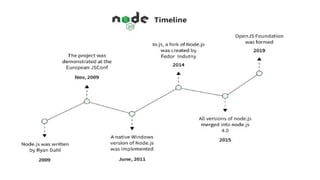
Node.js was created in 2009 by Ryan Dahl and has since gained
widespread popularity and adoption in the development
community.
3.
3
Introduction (Continue)
• Node.jsis an open source, cross-platform runtime environment for
developing server-side and networking applications.
• Node.js applications are written in JavaScript, and can be run within
the Node.js runtime on OS X, Microsoft Windows, and Linux.
• Node.js also provides a rich library of various JavaScript modules
which simplifies the development of web applications using Node.js
to a great extent.
• Node.js is also used for serverless computing and deploying
microservices, as it can be easily containerized and run on cloud
platforms such as AWS Lambda, Azure Functions, and Google Cloud
Functions.
6
Features of Node.js
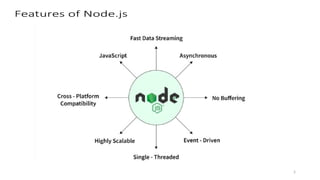
•Asynchronous and Event Driven: All APIs of Node.js library are
asynchronous, that is, non-blocking.
• Very Fast: Being built on Google Chrome's V8 JavaScript Engine,
Node.js library is very fast in code execution.
• Single Threaded but Highly Scalable : Node.js uses a single
threaded model with event looping.
• No Buffering: Node.js applications never buffer any data.
7.
7
Why to useNode Js
• Free from deadlock processing
• Event-driven Programming
• Non-blocking I/O
• Same Language (JS) for both front-end and back-end.
• Easy to build a scalable application.
• Large open source Package system(NPM).
• Easy to build Real-time Application.
• Hosting.
8.
8
Who Uses Node.js?
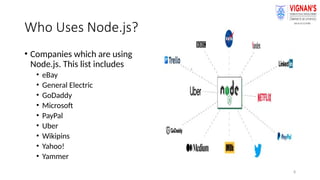
•Companies which are using
Node.js. This list includes
• eBay
• General Electric
• GoDaddy
• Microsoft
• PayPal
• Uber
• Wikipins
• Yahoo!
• Yammer
9.
9
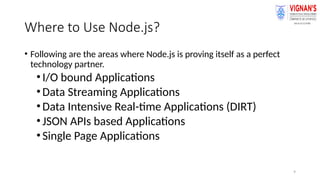
Where to UseNode.js?
• Following are the areas where Node.js is proving itself as a perfect
technology partner.
•I/O bound Applications
•Data Streaming Applications
•Data Intensive Real-time Applications (DIRT)
•JSON APIs based Applications
•Single Page Applications
10.
10
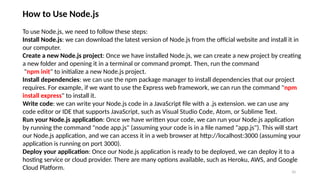
How to UseNode.js
To use Node.js, we need to follow these steps:
Install Node.js: we can download the latest version of Node.js from the official website and install it in
our computer.
Create a new Node.js project: Once we have installed Node.js, we can create a new project by creating
a new folder and opening it in a terminal or command prompt. Then, run the command
"npm init" to initialize a new Node.js project.
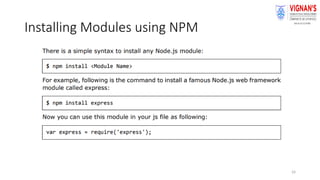
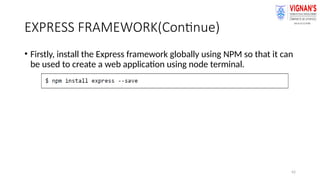
Install dependencies: we can use the npm package manager to install dependencies that our project
requires. For example, if we want to use the Express web framework, we can run the command "npm
install express" to install it.
Write code: we can write your Node.js code in a JavaScript file with a .js extension. we can use any
code editor or IDE that supports JavaScript, such as Visual Studio Code, Atom, or Sublime Text.
Run your Node.js application: Once we have written your code, we can run your Node.js application
by running the command "node app.js" (assuming your code is in a file named "app.js"). This will start
our Node.js application, and we can access it in a web browser at http://localhost:3000 (assuming your
application is running on port 3000).
Deploy your application: Once our Node.js application is ready to be deployed, we can deploy it to a
hosting service or cloud provider. There are many options available, such as Heroku, AWS, and Google
Cloud Platform.
11.
11
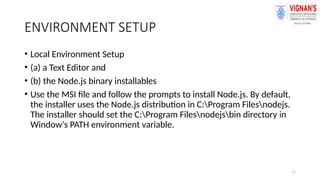
ENVIRONMENT SETUP
• LocalEnvironment Setup
• (a) a Text Editor and
• (b) the Node.js binary installables
• Use the MSI file and follow the prompts to install Node.js. By default,
the installer uses the Node.js distribution in C:Program Filesnodejs.
The installer should set the C:Program Filesnodejsbin directory in
Window's PATH environment variable.
12.
12
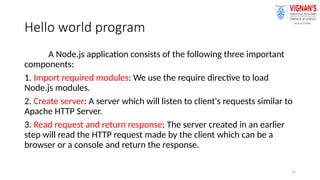
Hello world program
ANode.js application consists of the following three important
components:
1. Import required modules: We use the require directive to load
Node.js modules.
2. Create server: A server which will listen to client's requests similar to
Apache HTTP Server.
3. Read request and return response: The server created in an earlier
step will read the HTTP request made by the client which can be a
browser or a console and return the response.
13.
13
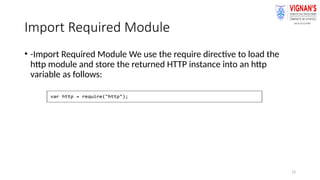
Import Required Module
•-Import Required Module We use the require directive to load the
http module and store the returned HTTP instance into an http
variable as follows:
14.
14
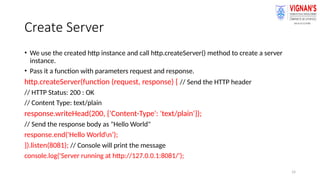
Create Server
• Weuse the created http instance and call http.createServer() method to create a server
instance.
• Pass it a function with parameters request and response.
http.createServer(function (request, response) { // Send the HTTP header
// HTTP Status: 200 : OK
// Content Type: text/plain
response.writeHead(200, {'Content-Type': 'text/plain'});
// Send the response body as "Hello World"
response.end('Hello Worldn’);
}).listen(8081); // Console will print the message
console.log('Server running at http://127.0.0.1:8081/');
15.
15
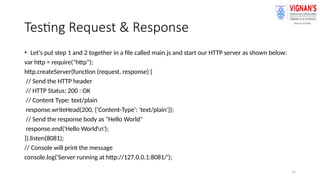
Testing Request &Response
• Let's put step 1 and 2 together in a file called main.js and start our HTTP server as shown below:
var http = require("http");
http.createServer(function (request, response) {
// Send the HTTP header
// HTTP Status: 200 : OK
// Content Type: text/plain
response.writeHead(200, {'Content-Type': 'text/plain'});
// Send the response body as "Hello World"
response.end('Hello Worldn');
}).listen(8081);
// Console will print the message
console.log('Server running at http://127.0.0.1:8081/');
16.
22
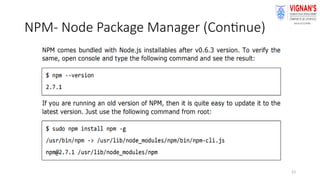
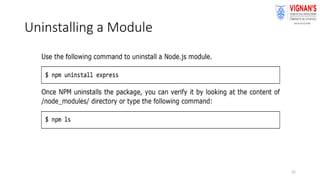
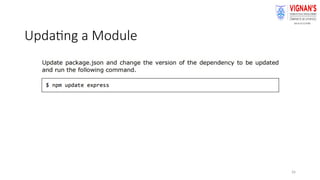
NPM- Node PackageManager
• Node Package Manager (NPM) provides two main functionalities:
• Online repositories for node.js packages/modules which are
searchable on search.nodejs.org
• Command line utility to install Node.js packages, do version
management and dependency management of Node.js packages.
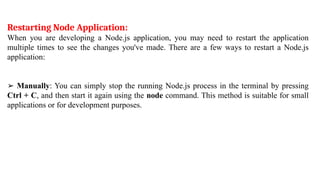
Restarting Node Application:
Whenyou are developing a Node.js application, you may need to restart the application
multiple times to see the changes you've made. There are a few ways to restart a Node.js
application:
➢ Manually: You can simply stop the running Node.js process in the terminal by pressing
Ctrl + C, and then start it again using the node command. This method is suitable for small
applications or for development purposes.
23.
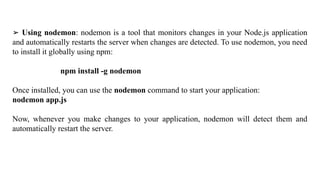
➢ Using nodemon:nodemon is a tool that monitors changes in your Node.js application
and automatically restarts the server when changes are detected. To use nodemon, you need
to install it globally using npm:
npm install -g nodemon
Once installed, you can use the nodemon command to start your application:
nodemon app.js
Now, whenever you make changes to your application, nodemon will detect them and
automatically restart the server.
24.
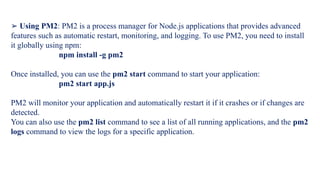
➢ Using PM2:PM2 is a process manager for Node.js applications that provides advanced
features such as automatic restart, monitoring, and logging. To use PM2, you need to install
it globally using npm:
npm install -g pm2
Once installed, you can use the pm2 start command to start your application:
pm2 start app.js
PM2 will monitor your application and automatically restart it if it crashes or if changes are
detected.
You can also use the pm2 list command to see a list of all running applications, and the pm2
logs command to view the logs for a specific application.
25.
31
FILE SYSTEM
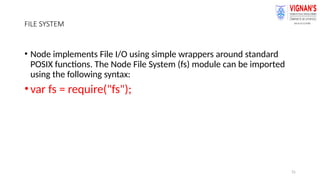
• Nodeimplements File I/O using simple wrappers around standard
POSIX functions. The Node File System (fs) module can be imported
using the following syntax:
•var fs = require("fs");
26.
32
Synchronous vs Asynchronous
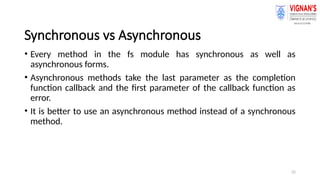
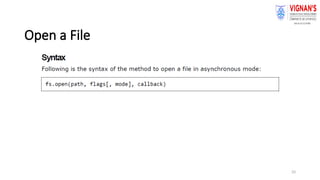
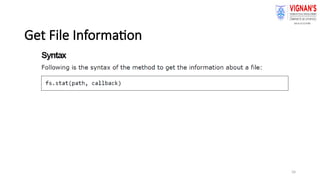
•Every method in the fs module has synchronous as well as
asynchronous forms.
• Asynchronous methods take the last parameter as the completion
function callback and the first parameter of the callback function as
error.
• It is better to use an asynchronous method instead of a synchronous
method.
40
EXPRESS FRAMEWORK
• Expressis a minimal and flexible Node.js web application framework
that provides a robust set of features to develop web and mobile
applications.
• It facilitates t.e rapid development of Node-based Web applications.
35.
41
core features ofExpress framework
• Allows to set up middlewares to respond to HTTP Requests.
• Defines a routing table which is used to perform different actions
based on HTTP Method and URL.
• Allows to dynamically render HTML Pages based on passing
arguments to templates.