DR.R.SUGANYA
HEAD & ASST.PROFESSOR
bon Secours College for Women
thanjavur
Content
Introduction To The Internet
The World Wide Web
Web Browser
Web Servers
Introduction To HTML
HTML Document
Paragraph
Tabs
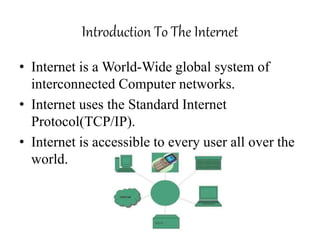
Introduction To The Internet
• Internet is a World-Wide global system of
interconnected Computer networks.
• Internet uses the Standard Internet
Protocol(TCP/IP).
• Internet is accessible to every user all over the
world.
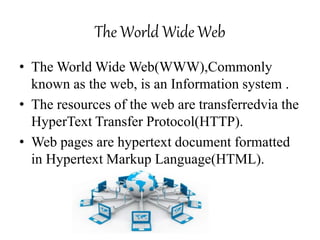
The World Wide Web
• The World Wide Web(WWW),Commonly
known as the web, is an Information system .
• The resources of the web are transferredvia the
HyperText Transfer Protocol(HTTP).
• Web pages are hypertext document formatted
in Hypertext Markup Language(HTML).
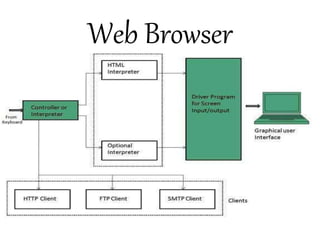
Web Browser
Web Servers
• Web Server is a Computer That
runs websites.
• The Basic Objective of the Web
Server is to store, process and deliver
Web Pages to the users.
• The intercommunication is done
using Hypertext Transfer
Protocol(HTTP).
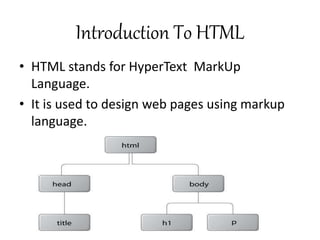
Introduction To HTML
• HTML stands for HyperText MarkUp
Language.
• It is used to design web pages using markup
language.
HTML Document
• It’s a Text Document saved with the extension
.html or .htm that contains texts and some tags
written between”<>” which give the
instructions needed to configure the web page.
Two Parts of HTML Document
 One part that is visible to the browser and
can’t be changed directly and that shows the
entire content of the page.
 Another part that contains the source code of
the page with which we can modify the HTML
document. This part is the one we’ll work
with.
Paragraph
• The HTML <p> element represents a
Paragraph.
• Paragraphs are usually represented in visual
media as blocks of Text separated from
adjacent blocks by blank lines in HTML
Paragraphs.
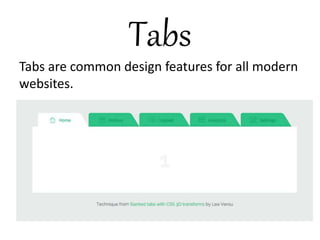
Tabs
Tabs are common design features for all modern
websites.
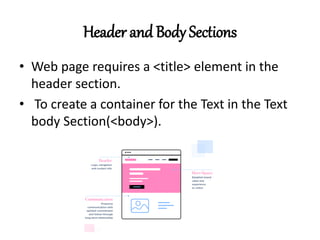
Header and Body Sections
• Web page requires a <title> element in the
header section.
• To create a container for the Text in the Text
body Section(<body>).
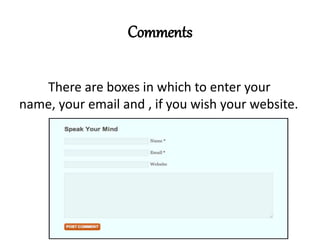
Comments
There are boxes in which to enter your
name, your email and , if you wish your website.
Images and Pictures
 In visual storytelling, you'll usually
apply three different types of
images,iconic images, symbolic images, and
indexical images.
 There is no one type of image that is
'best' suited to web design, each one can
be used, often simultaneously on the same
project, to achieve the desired results.
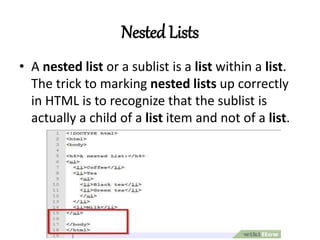
Nested Lists
• A nested list or a sublist is a list within a list.
The trick to marking nested lists up correctly
in HTML is to recognize that the sublist is
actually a child of a list item and not of a list.
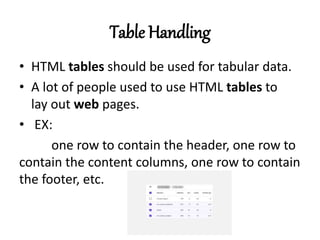
Table Handling
• HTML tables should be used for tabular data.
• A lot of people used to use HTML tables to
lay out web pages.
• EX:
one row to contain the header, one row to
contain the content columns, one row to contain
the footer, etc.
Prologue
• Prolog is extremely well suited for
developing web applications.
• Web pages are naturally represented
as Prolog terms and can be easily created,
inspected and processed recursively. We
distinguish between client and server
applications.
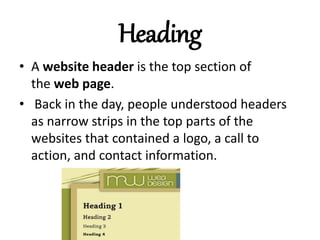
Heading
• A website header is the top section of
the web page.
• Back in the day, people understood headers
as narrow strips in the top parts of the
websites that contained a logo, a call to
action, and contact information.
THANK YOU

BASIC OF WEB DESIGN.pptx

  • 1.
    DR.R.SUGANYA HEAD & ASST.PROFESSOR bonSecours College for Women thanjavur
  • 2.
    Content Introduction To TheInternet The World Wide Web Web Browser Web Servers Introduction To HTML HTML Document Paragraph Tabs
  • 3.
    Introduction To TheInternet • Internet is a World-Wide global system of interconnected Computer networks. • Internet uses the Standard Internet Protocol(TCP/IP). • Internet is accessible to every user all over the world.
  • 4.
    The World WideWeb • The World Wide Web(WWW),Commonly known as the web, is an Information system . • The resources of the web are transferredvia the HyperText Transfer Protocol(HTTP). • Web pages are hypertext document formatted in Hypertext Markup Language(HTML).
  • 5.
  • 6.
    Web Servers • WebServer is a Computer That runs websites. • The Basic Objective of the Web Server is to store, process and deliver Web Pages to the users. • The intercommunication is done using Hypertext Transfer Protocol(HTTP).
  • 7.
    Introduction To HTML •HTML stands for HyperText MarkUp Language. • It is used to design web pages using markup language.
  • 8.
    HTML Document • It’sa Text Document saved with the extension .html or .htm that contains texts and some tags written between”<>” which give the instructions needed to configure the web page.
  • 9.
    Two Parts ofHTML Document  One part that is visible to the browser and can’t be changed directly and that shows the entire content of the page.  Another part that contains the source code of the page with which we can modify the HTML document. This part is the one we’ll work with.
  • 10.
    Paragraph • The HTML<p> element represents a Paragraph. • Paragraphs are usually represented in visual media as blocks of Text separated from adjacent blocks by blank lines in HTML Paragraphs.
  • 11.
    Tabs Tabs are commondesign features for all modern websites.
  • 12.
    Header and BodySections • Web page requires a <title> element in the header section. • To create a container for the Text in the Text body Section(<body>).
  • 13.
    Comments There are boxesin which to enter your name, your email and , if you wish your website.
  • 14.
    Images and Pictures In visual storytelling, you'll usually apply three different types of images,iconic images, symbolic images, and indexical images.  There is no one type of image that is 'best' suited to web design, each one can be used, often simultaneously on the same project, to achieve the desired results.
  • 15.
    Nested Lists • Anested list or a sublist is a list within a list. The trick to marking nested lists up correctly in HTML is to recognize that the sublist is actually a child of a list item and not of a list.
  • 16.
    Table Handling • HTMLtables should be used for tabular data. • A lot of people used to use HTML tables to lay out web pages. • EX: one row to contain the header, one row to contain the content columns, one row to contain the footer, etc.
  • 17.
    Prologue • Prolog isextremely well suited for developing web applications. • Web pages are naturally represented as Prolog terms and can be easily created, inspected and processed recursively. We distinguish between client and server applications.
  • 18.
    Heading • A websiteheader is the top section of the web page. • Back in the day, people understood headers as narrow strips in the top parts of the websites that contained a logo, a call to action, and contact information.
  • 19.