
#ATAGTR2017
16th 17th March
Static and Dynamic code analysis for mobile
applications - Act early to find hidden test issues
Sumit Mundhada
Agile Testing Alliance Global Testing Retreat 2017
Abstract
Static and Dynamic analysis are the powerful techniques to find many
issues before actual testing begins, If skilled testers uses this
techniques during testing phase many issues can be saved in time.
In this paper we are looking effective ways to use static and dynamic
analysis for Android applications, Benefits on using static analysis tools.
We will also see standard tools like Lint and a demo code to see how
we can include this in our testing phase.
Agile Testing Alliance Global Testing Retreat 2017
Introduction
Today, Android is one of the most used OS for mobile phones.
Performance and Security are the major challenges for most of the
android applications. Manual testing alone can not help in finding all of
the issues and that is where static and dynamic analysis comes in
picture.
Without executing code we can find bugs using static analysis, Dynamic
Analysis helps in profiling and debugging live issues. We will cover
what is exactly static and dynamic analysis means and how to use it in
mobile application testing.
Agile Testing Alliance Global Testing Retreat 2017
Static Vs Dynamic Analysis
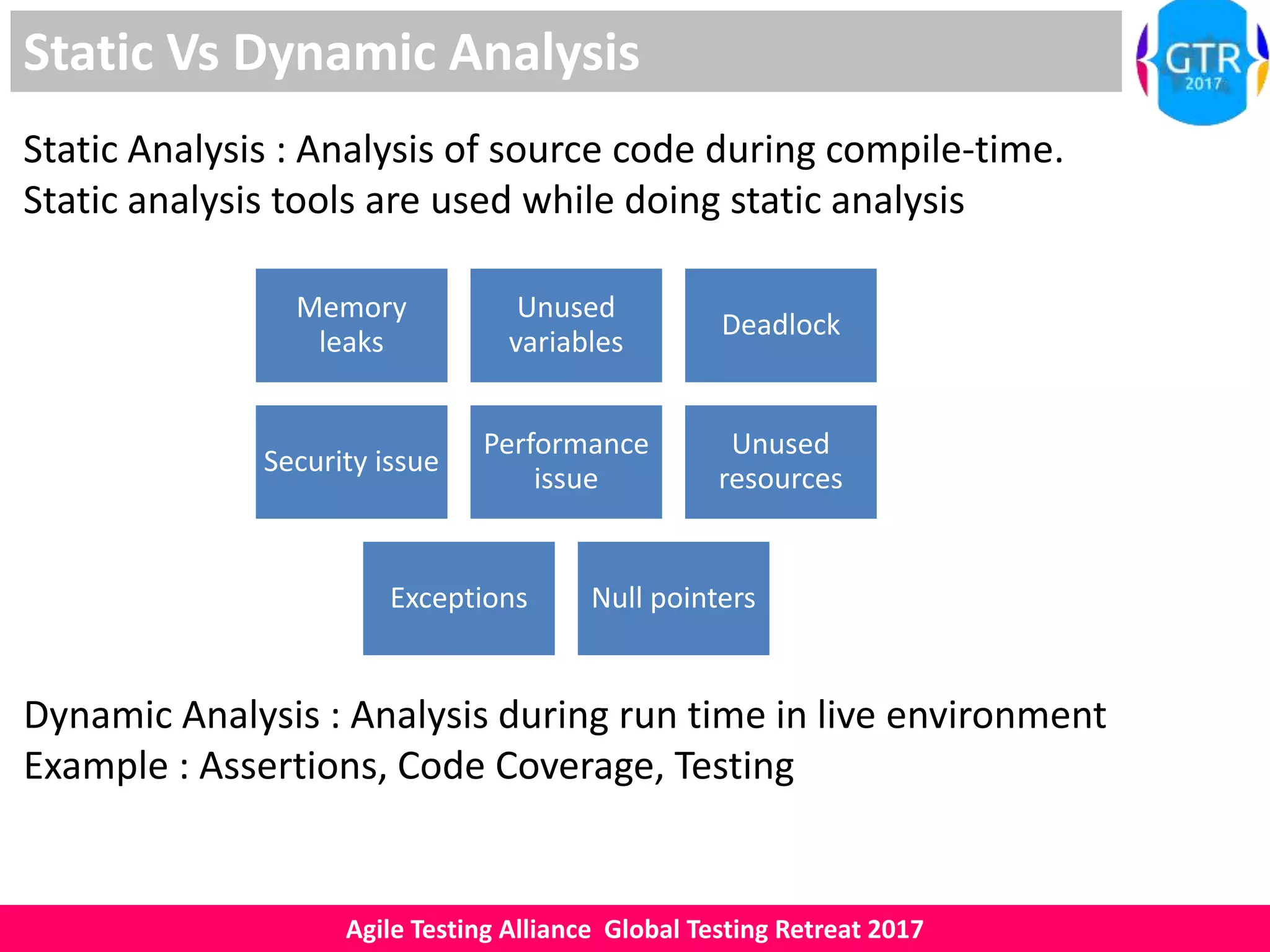
Static Analysis : Analysis of source code during compile-time.
Static analysis tools are used while doing static analysis
Memory
leaks
Unused
variables
Deadlock
Security issue
Performance
issue
Unused
resources
Exceptions Null pointers
Dynamic Analysis : Analysis during run time in live environment
Example : Assertions, Code Coverage, Testing
Agile Testing Alliance Global Testing Retreat 2017
Why Static and Dynamic Analysis
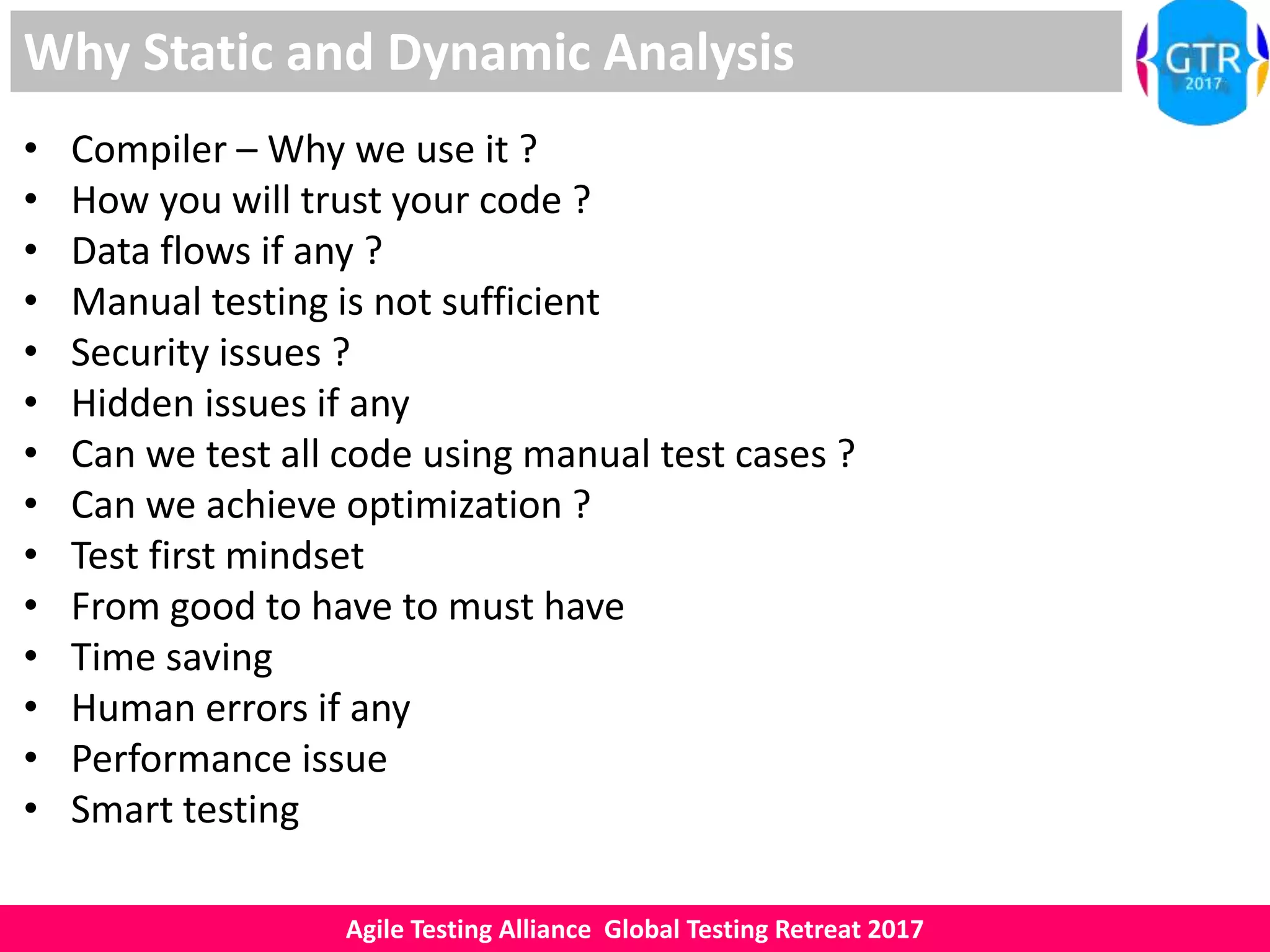
• Compiler – Why we use it ?
• How you will trust your code ?
• Data flows if any ?
• Manual testing is not sufficient
• Security issues ?
• Hidden issues if any
• Can we test all code using manual test cases ?
• Can we achieve optimization ?
• Test first mindset
• From good to have to must have
• Time saving
• Human errors if any
• Performance issue
• Smart testing
Agile Testing Alliance Global Testing Retreat 2017
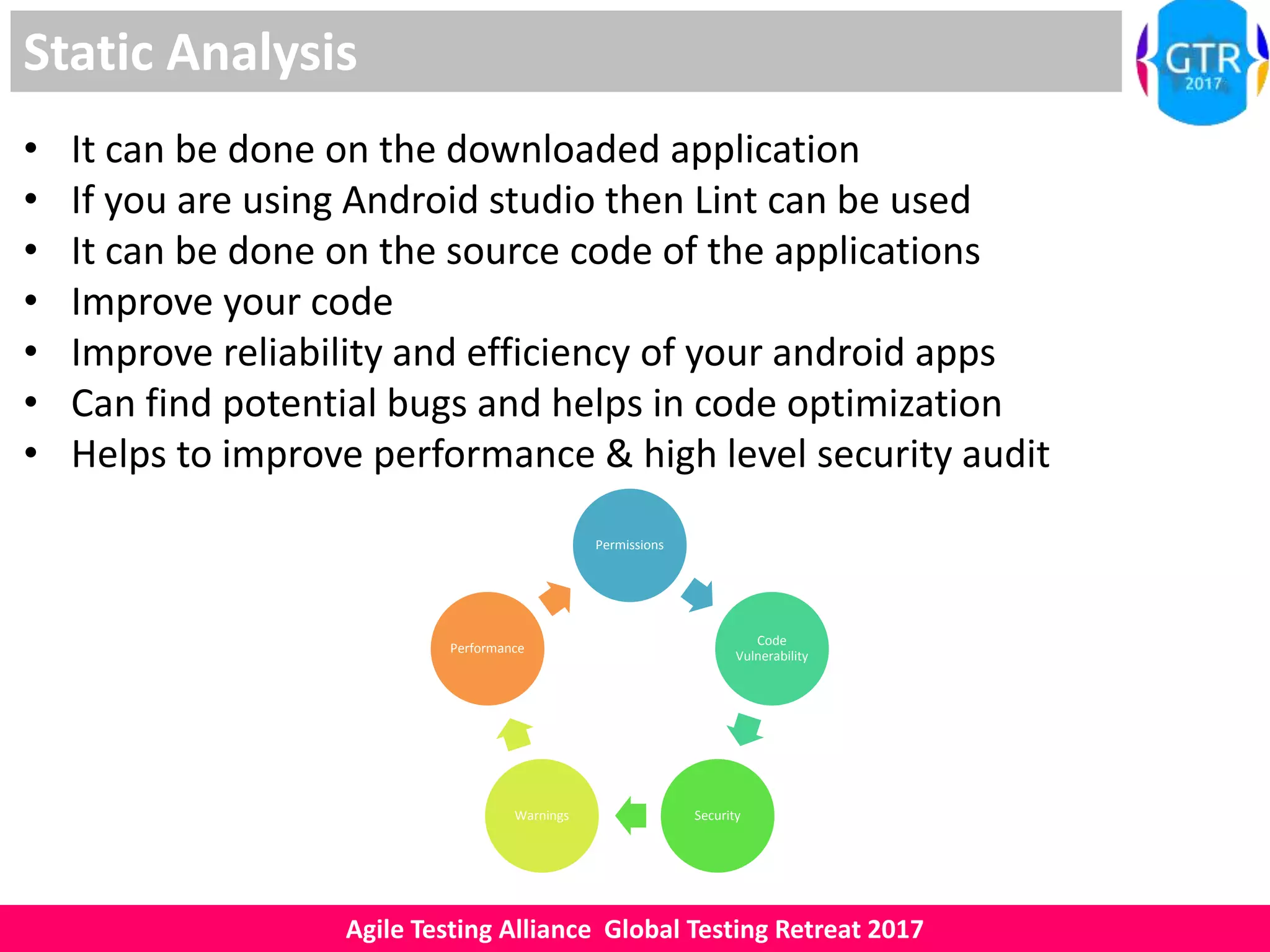
Static Analysis
• It can be done on the downloaded application
• If you are using Android studio then Lint can be used
• It can be done on the source code of the applications
• Improve your code
• Improve reliability and efficiency of your android apps
• Can find potential bugs and helps in code optimization
• Helps to improve performance & high level security audit
Permissions
Code
Vulnerability
SecurityWarnings
Performance
Agile Testing Alliance Global Testing Retreat 2017
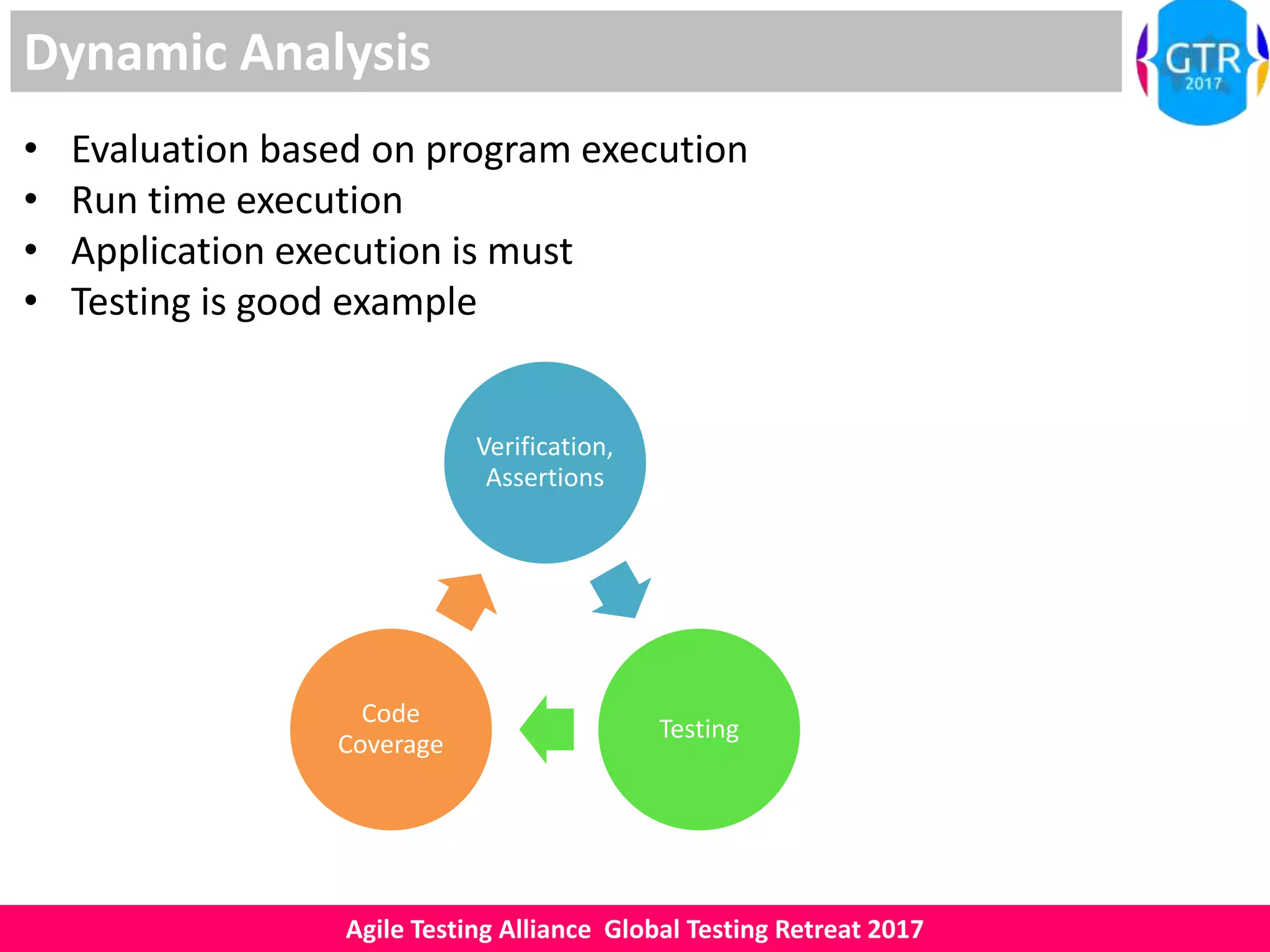
Dynamic Analysis
• Evaluation based on program execution
• Run time execution
• Application execution is must
• Testing is good example
Verification,
Assertions
Testing
Code
Coverage
Agile Testing Alliance Global Testing Retreat 2017
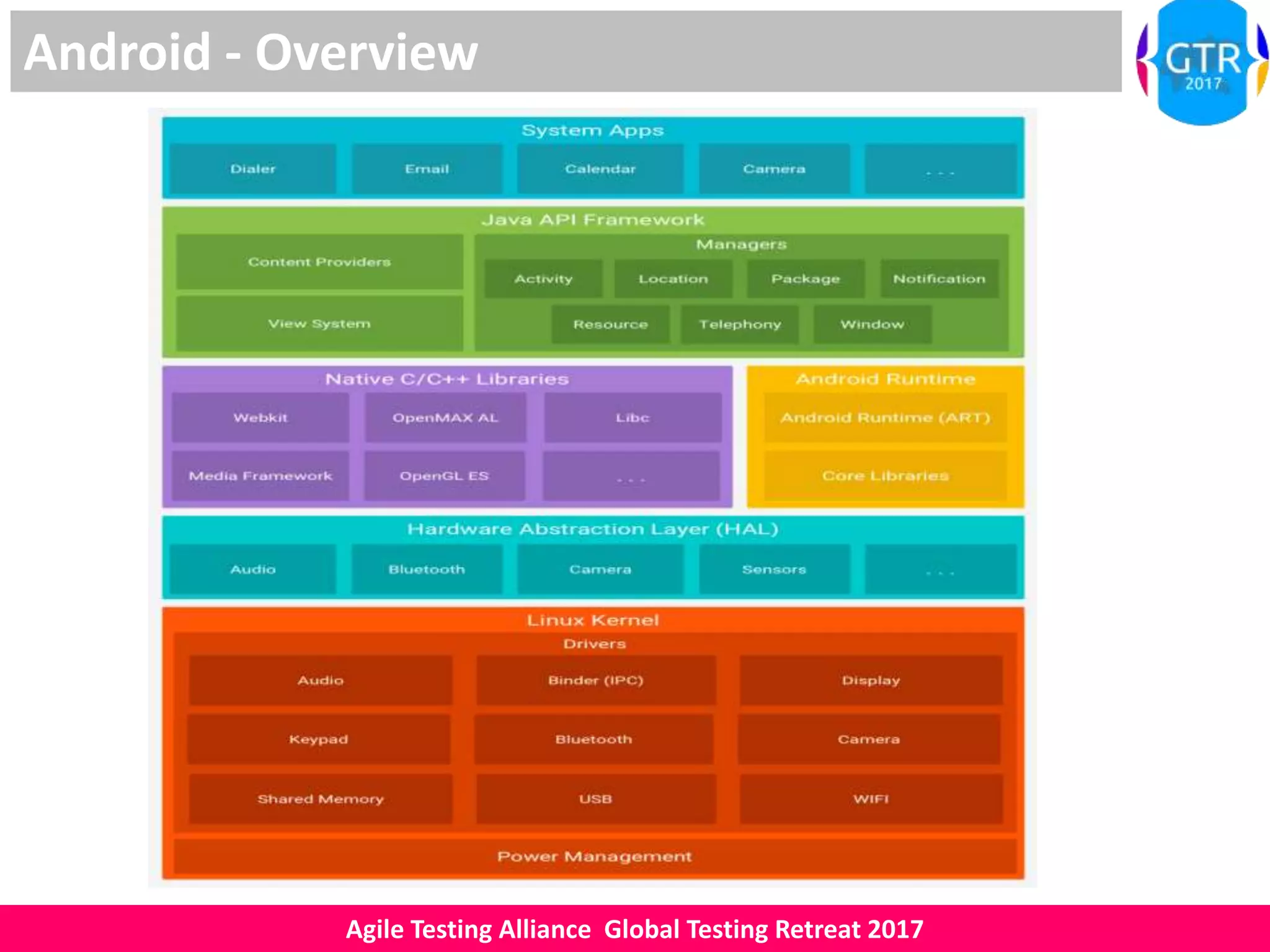
Android - Overview
Agile Testing Alliance Global Testing Retreat 2017
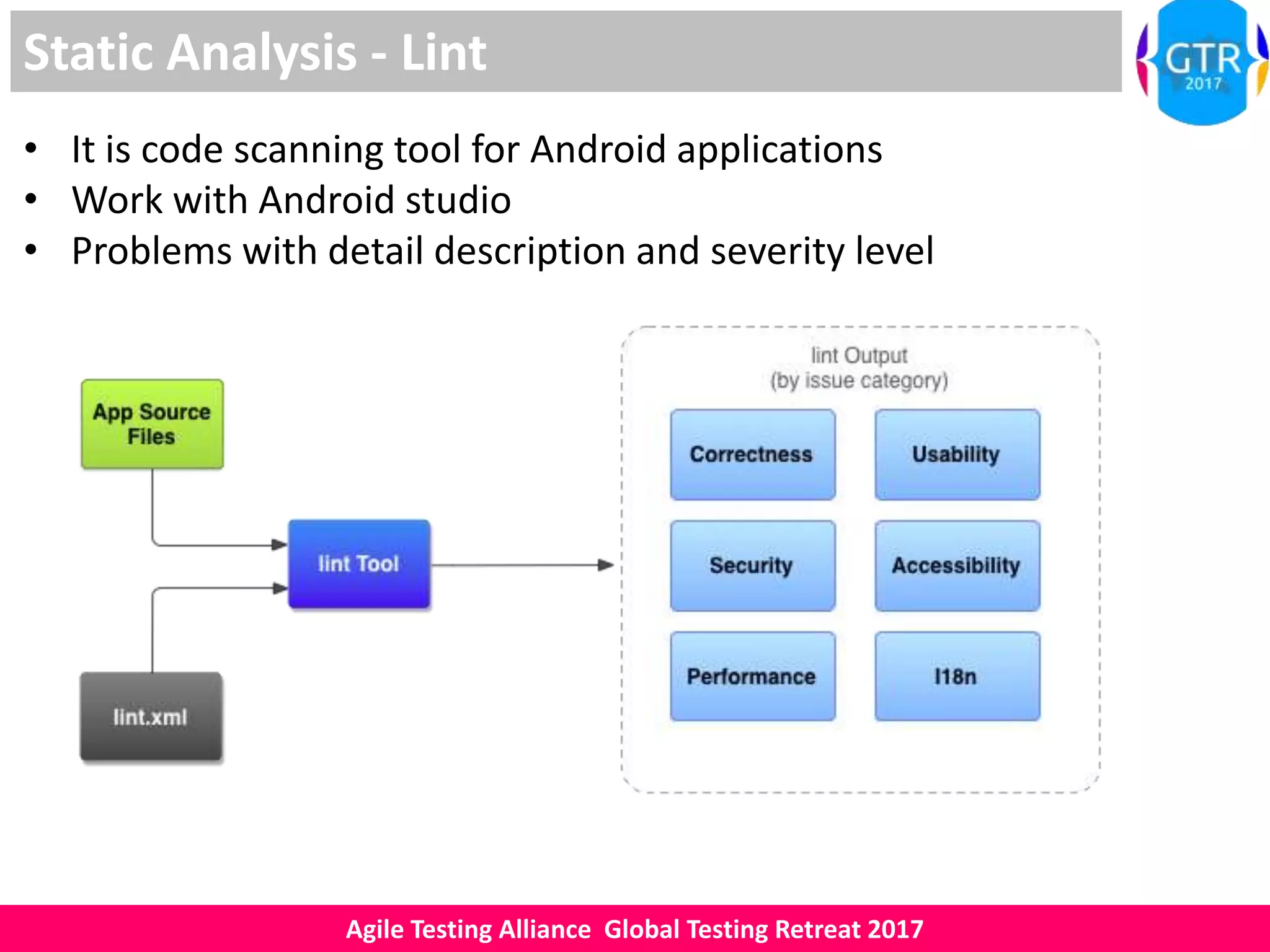
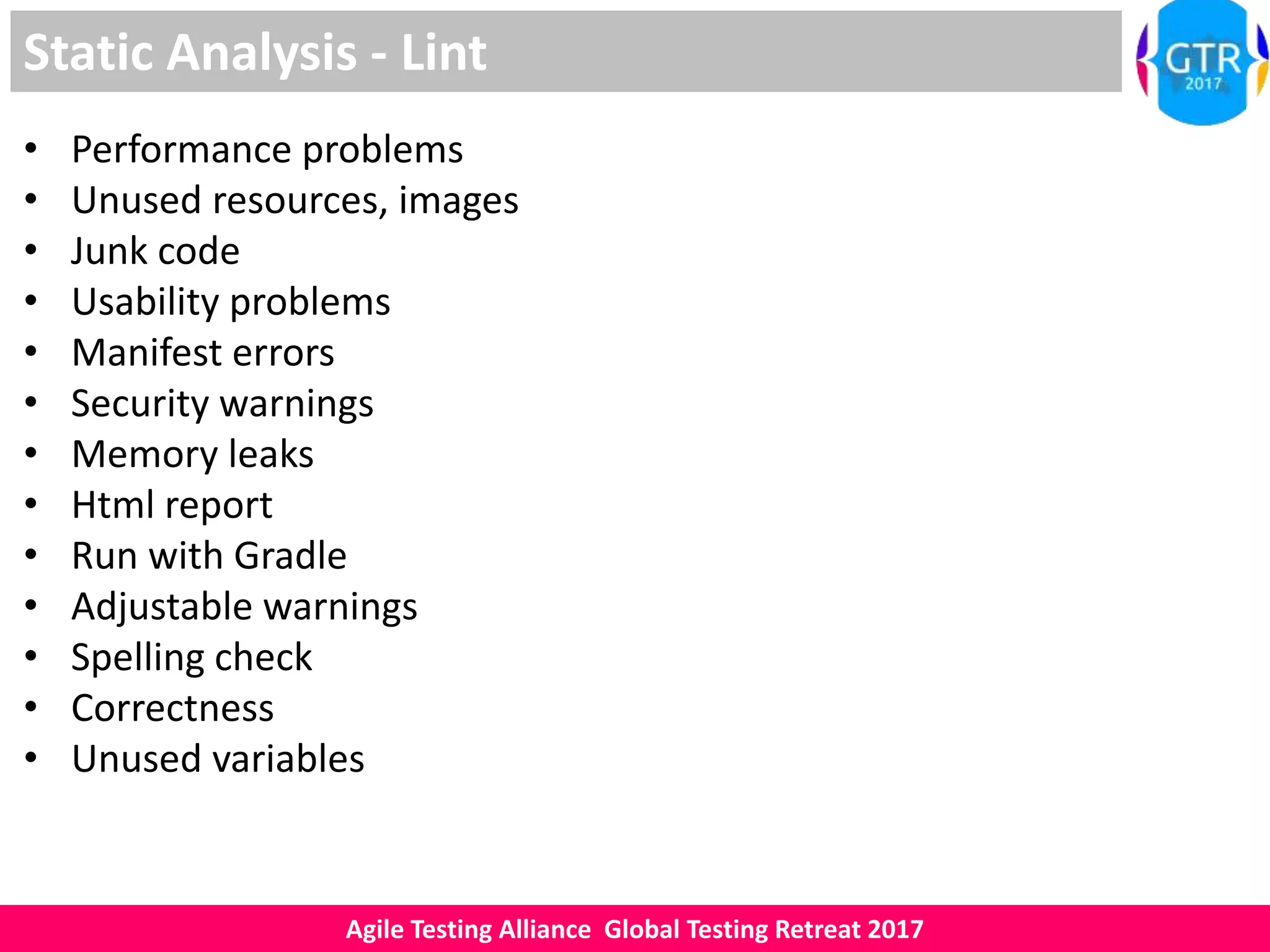
Static Analysis - Lint
• It is code scanning tool for Android applications
• Work with Android studio
• Problems with detail description and severity level
Agile Testing Alliance Global Testing Retreat 2017
Static Analysis - Lint
• Performance problems
• Unused resources, images
• Junk code
• Usability problems
• Manifest errors
• Security warnings
• Memory leaks
• Html report
• Run with Gradle
• Adjustable warnings
• Spelling check
• Correctness
• Unused variables
Agile Testing Alliance Global Testing Retreat 2017
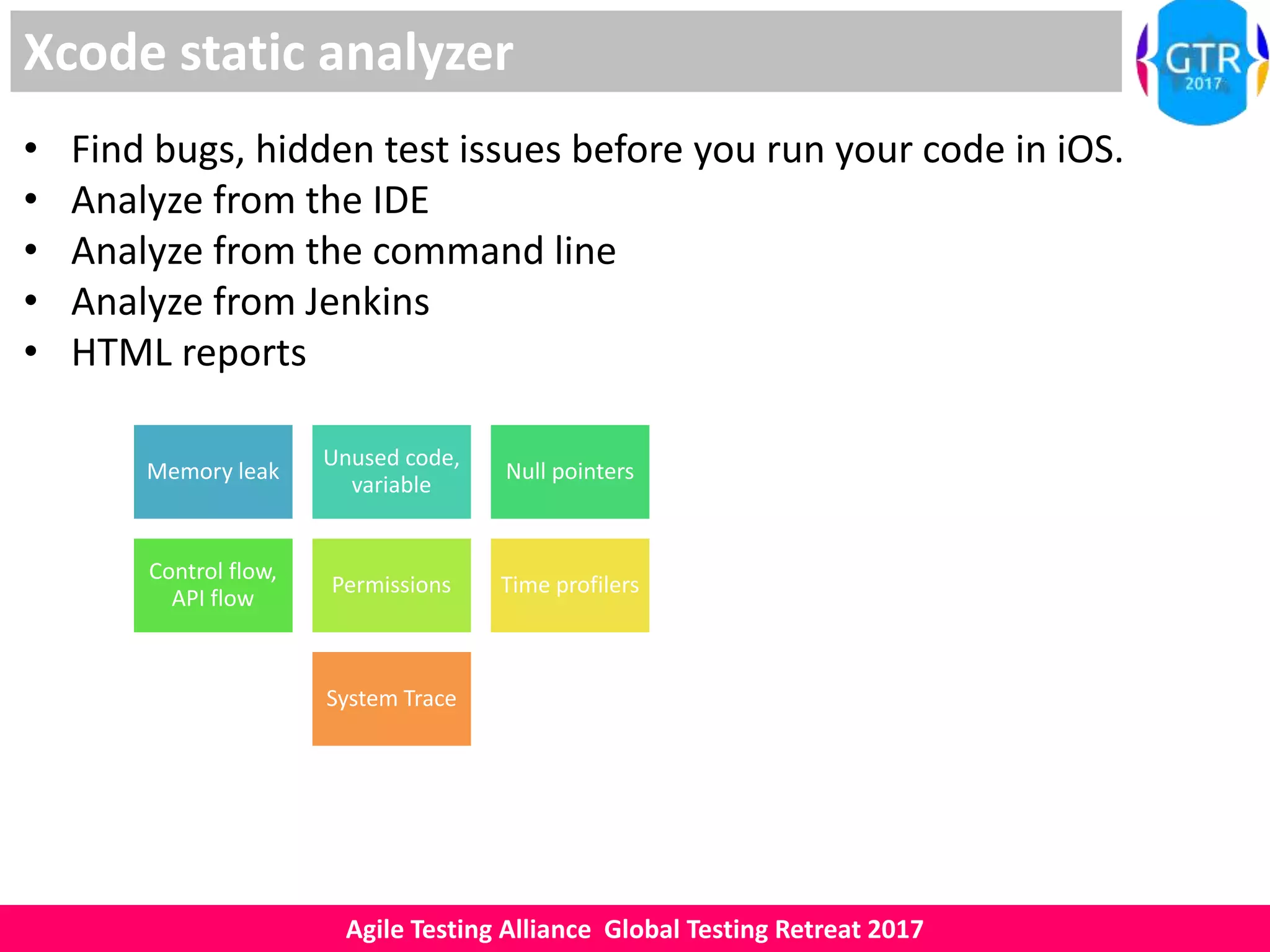
Xcode static analyzer
• Find bugs, hidden test issues before you run your code in iOS.
• Analyze from the IDE
• Analyze from the command line
• Analyze from Jenkins
• HTML reports
Memory leak
Unused code,
variable
Null pointers
Control flow,
API flow
Permissions Time profilers
System Trace
Agile Testing Alliance Global Testing Retreat 2017
Dynamic Analysis : DroidBox
• Hashes for the analyzed package
• Network data check
• File operations
• Information leaks via the network, file and SMS
• Check permissions
• Android API check
• Listing broadcast receivers
• Sent SMS and phone calls
• Intent & Activity check
• Instrumentation
• Testing
Agile Testing Alliance Global Testing Retreat 2017
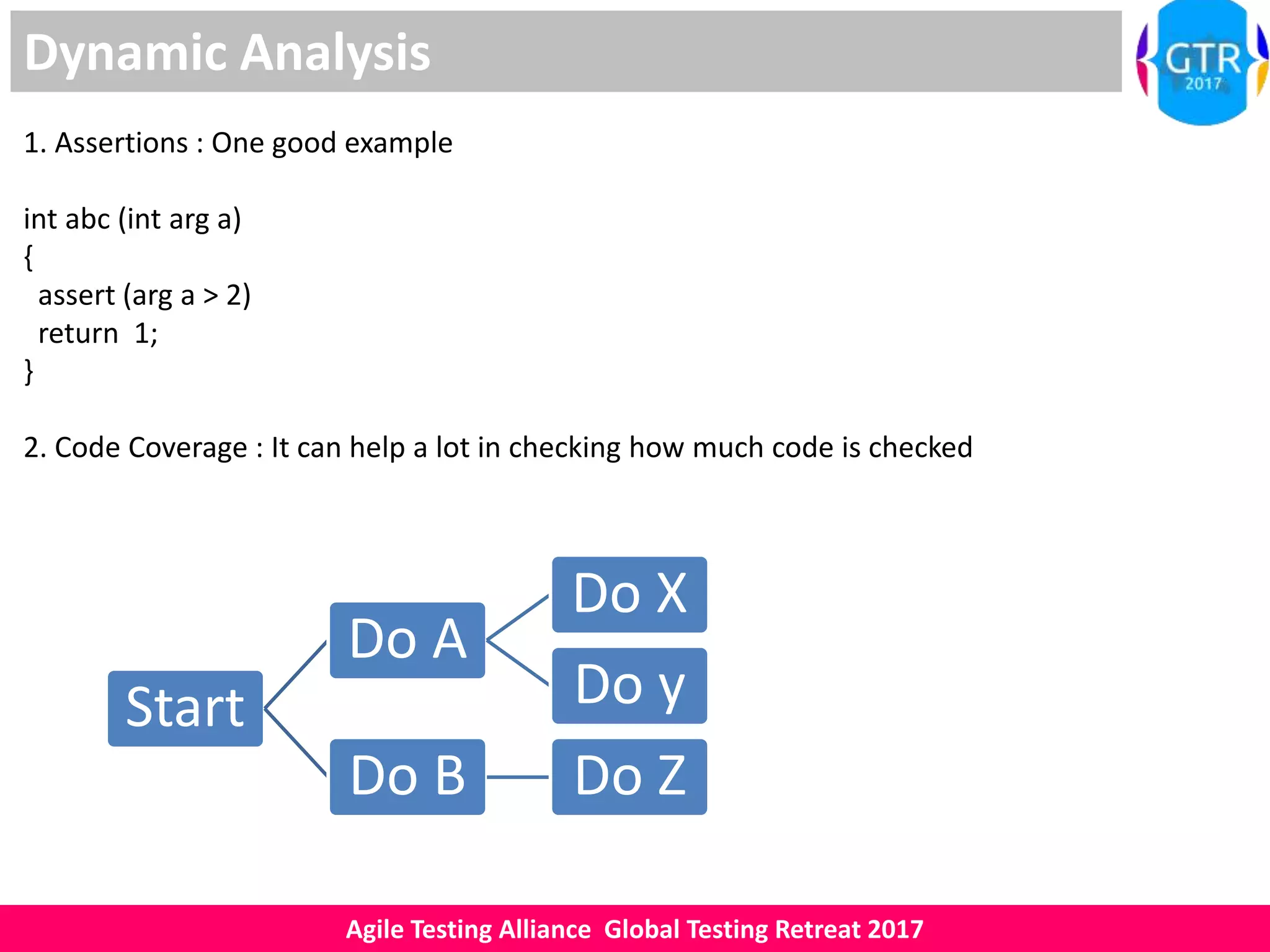
Dynamic Analysis
1. Assertions : One good example
int abc (int arg a)
{
assert (arg a > 2)
return 1;
}
2. Code Coverage : It can help a lot in checking how much code is checked
Start
Do A
Do X
Do y
Do B Do Z
Agile Testing Alliance Global Testing Retreat 2017
Demo
• Practical Demo
• Discussions
• Q&A
Agile Testing Alliance Global Testing Retreat 2017
References
• https://en.wikipedia.org/wiki/Static_program_analysis
• https://en.wikipedia.org/wiki/Dynamic_program_analysis
• https://developer.android.com/studio/write/lint.html
• https://developer.android.com/guide/platform/index.html
• https://github.com/pjlantz/droidbox
• http://tools.android.com/tips/lint
• https://developer.apple.com/library/content/documentation/Devel
operTools/Conceptual/debugging_with_xcode/chapters/static_anal
yzer.html
• https://developer.apple.com/xcode/features/

ATAGTR2017 Static and dynamic code analysis for mobile applications - Act early to find hidden test issues

  • 1.
    #ATAGTR2017 16th 17th March Staticand Dynamic code analysis for mobile applications - Act early to find hidden test issues Sumit Mundhada
  • 2.
    Agile Testing AllianceGlobal Testing Retreat 2017 Abstract Static and Dynamic analysis are the powerful techniques to find many issues before actual testing begins, If skilled testers uses this techniques during testing phase many issues can be saved in time. In this paper we are looking effective ways to use static and dynamic analysis for Android applications, Benefits on using static analysis tools. We will also see standard tools like Lint and a demo code to see how we can include this in our testing phase.
  • 3.
    Agile Testing AllianceGlobal Testing Retreat 2017 Introduction Today, Android is one of the most used OS for mobile phones. Performance and Security are the major challenges for most of the android applications. Manual testing alone can not help in finding all of the issues and that is where static and dynamic analysis comes in picture. Without executing code we can find bugs using static analysis, Dynamic Analysis helps in profiling and debugging live issues. We will cover what is exactly static and dynamic analysis means and how to use it in mobile application testing.
  • 4.
    Agile Testing AllianceGlobal Testing Retreat 2017 Static Vs Dynamic Analysis Static Analysis : Analysis of source code during compile-time. Static analysis tools are used while doing static analysis Memory leaks Unused variables Deadlock Security issue Performance issue Unused resources Exceptions Null pointers Dynamic Analysis : Analysis during run time in live environment Example : Assertions, Code Coverage, Testing
  • 5.
    Agile Testing AllianceGlobal Testing Retreat 2017 Why Static and Dynamic Analysis • Compiler – Why we use it ? • How you will trust your code ? • Data flows if any ? • Manual testing is not sufficient • Security issues ? • Hidden issues if any • Can we test all code using manual test cases ? • Can we achieve optimization ? • Test first mindset • From good to have to must have • Time saving • Human errors if any • Performance issue • Smart testing
  • 6.
    Agile Testing AllianceGlobal Testing Retreat 2017 Static Analysis • It can be done on the downloaded application • If you are using Android studio then Lint can be used • It can be done on the source code of the applications • Improve your code • Improve reliability and efficiency of your android apps • Can find potential bugs and helps in code optimization • Helps to improve performance & high level security audit Permissions Code Vulnerability SecurityWarnings Performance
  • 7.
    Agile Testing AllianceGlobal Testing Retreat 2017 Dynamic Analysis • Evaluation based on program execution • Run time execution • Application execution is must • Testing is good example Verification, Assertions Testing Code Coverage
  • 8.
    Agile Testing AllianceGlobal Testing Retreat 2017 Android - Overview
  • 9.
    Agile Testing AllianceGlobal Testing Retreat 2017 Static Analysis - Lint • It is code scanning tool for Android applications • Work with Android studio • Problems with detail description and severity level
  • 10.
    Agile Testing AllianceGlobal Testing Retreat 2017 Static Analysis - Lint • Performance problems • Unused resources, images • Junk code • Usability problems • Manifest errors • Security warnings • Memory leaks • Html report • Run with Gradle • Adjustable warnings • Spelling check • Correctness • Unused variables
  • 11.
    Agile Testing AllianceGlobal Testing Retreat 2017 Xcode static analyzer • Find bugs, hidden test issues before you run your code in iOS. • Analyze from the IDE • Analyze from the command line • Analyze from Jenkins • HTML reports Memory leak Unused code, variable Null pointers Control flow, API flow Permissions Time profilers System Trace
  • 12.
    Agile Testing AllianceGlobal Testing Retreat 2017 Dynamic Analysis : DroidBox • Hashes for the analyzed package • Network data check • File operations • Information leaks via the network, file and SMS • Check permissions • Android API check • Listing broadcast receivers • Sent SMS and phone calls • Intent & Activity check • Instrumentation • Testing
  • 13.
    Agile Testing AllianceGlobal Testing Retreat 2017 Dynamic Analysis 1. Assertions : One good example int abc (int arg a) { assert (arg a > 2) return 1; } 2. Code Coverage : It can help a lot in checking how much code is checked Start Do A Do X Do y Do B Do Z
  • 14.
    Agile Testing AllianceGlobal Testing Retreat 2017 Demo • Practical Demo • Discussions • Q&A
  • 15.
    Agile Testing AllianceGlobal Testing Retreat 2017 References • https://en.wikipedia.org/wiki/Static_program_analysis • https://en.wikipedia.org/wiki/Dynamic_program_analysis • https://developer.android.com/studio/write/lint.html • https://developer.android.com/guide/platform/index.html • https://github.com/pjlantz/droidbox • http://tools.android.com/tips/lint • https://developer.apple.com/library/content/documentation/Devel operTools/Conceptual/debugging_with_xcode/chapters/static_anal yzer.html • https://developer.apple.com/xcode/features/