WELCOME
Manager of Web Services and Social Media
Teach GEN 102, Foundations of Learning Part-time
Graphic Designer

Blogger: www.edugeekgirlblog.blogspot.com
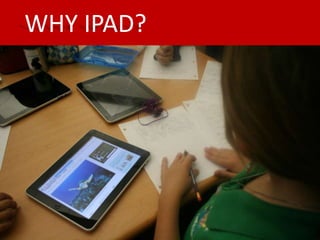
WHY IPAD?
Why the iPad?

21st century skills:

Project based learning
WHY IPAD?
Key Trends:

Technology is increasingly a means for empowering students, a
method for communication and socializing, and a
ubiquitous, transparent part of their lives.

Technology continues to profoundly affect the way we
work, collaborate, communicate, and succeed.
The perceived value of innovation and creativity is increasing.
The way we think of learning environments is changing.
WHY IPAD?
Technologies to Watch:

Collaborative environment
Game-based learning
Mobile
Clouds
WHY IPAD?
Students’ Vision for 21st Century Learning includes Three
Essential Elements:

Social-based learning
Un-tethered learning
Digitally-rich learning
WHY IPAD?
Key Opportunities in Mobile Learning:

Encourage “anywhere, anytime” learning
Reach underserved children
Improve 21st Century social interactions
Fit with learning environments
Enable a personalized learning experience
WHY IPAD?


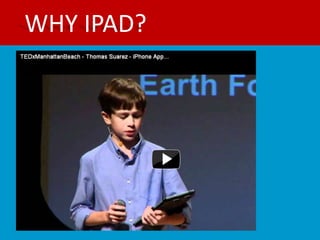
http://www.youtube.com/watch?v=ehDAP1OQ9Zw
WHY IPAD?


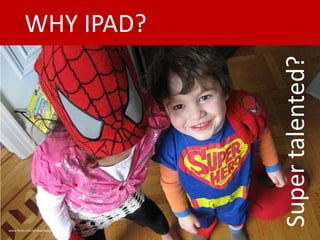
                                  Super talented?
www.flickr.com/photos/valentina
WHY IPAD?
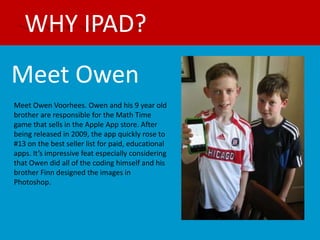
Meet Owen
Meet Owen Voorhees. Owen and his 9 year old
brother are responsible for the Math Time
game that sells in the Apple App store. After
being released in 2009, the app quickly rose to
#13 on the best seller list for paid, educational
apps. It’s impressive feat especially considering
that Owen did all of the coding himself and his
brother Finn designed the images in
Photoshop.
WHY IPAD?
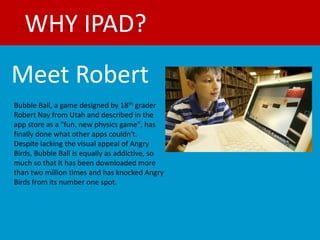
Meet Robert
Bubble Ball, a game designed by 18th grader
Robert Nay from Utah and described in the
app store as a "fun, new physics game", has
finally done what other apps couldn't.
Despite lacking the visual appeal of Angry
Birds, Bubble Ball is equally as addictive, so
much so that it has been downloaded more
than two million times and has knocked Angry
Birds from its number one spot.
WHY IPAD?
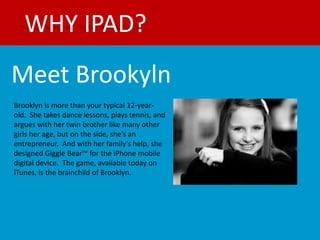
Meet Brookyln
Brooklyn is more than your typical 12-year-
old. She takes dance lessons, plays tennis, and
argues with her twin brother like many other
girls her age, but on the side, she’s an
entrepreneur. And with her family’s help, she
designed Giggle Bear™ for the iPhone mobile
digital device. The game, available today on
iTunes, is the brainchild of Brooklyn.
WHY IPAD?
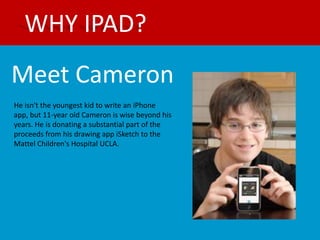
Meet Cameron
He isn't the youngest kid to write an iPhone
app, but 11-year old Cameron is wise beyond his
years. He is donating a substantial part of the
proceeds from his drawing app iSketch to the
Mattel Children's Hospital UCLA.
WHAT IS AN APP?
Short for “application”

It’s a special type of software program

App typically refers to software used on a
smartphone or mobile device such as the
Android, iPhone, BlackBerry or iPad, as in “mobile
app” or “iphone app”
DEVICES:
iPad
iPod
iPhone
Andriod Phone
Andriod Tablet
Tablets
WHAT DOES IT DO?
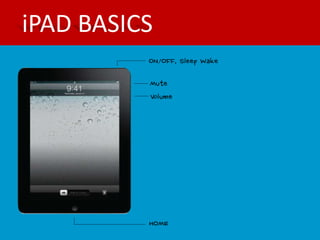
iPAD BASICS
iPAD BASICS
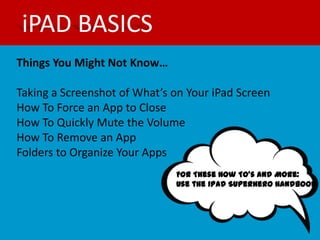
Things You Might Not Know…

Taking a Screenshot of What’s on Your iPad Screen
How To Force an App to Close
How To Quickly Mute the Volume
How To Remove an App
Folders to Organize Your Apps
                              For These How To’s and More:
                              Use the iPad Superhero Handbook
APPS FOR PRODUCTIVITY
EDMODO

What: Edmodo is a private social
networking site where teachers, students
can connect, engage and learn; taking
learning beyond the classroom walls.

Cost: Free

Available on Android: Yes
APPS FOR PRODUCTIVITY
DROPBOX

What: Dropbox allows you to manage files
in fully synced folders from desktop and
mobile devices.

Cost: Free

Available on Android: Yes
APPS FOR PRODUCTIVITY
EVERNOTE

What: Evernote lets you take
notes, capture photos, create to-do
lists, record voice reminders--and makes
these notes completely
searchable, whether you are at home, at
work, or on the go.

Cost: Free

Available on Android: Yes
APPS FOR PRODUCTIVITY
INCLASS

What: Organize your schedule. Share your
notes. Ace your classes.

Cost: Free

Available on Android: No.
(Alternative: Catch, Note Everything)
APPS FOR PRODUCTIVITY
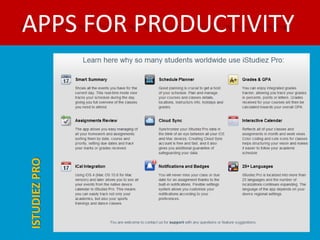
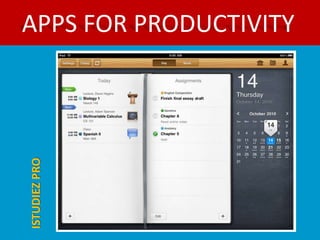
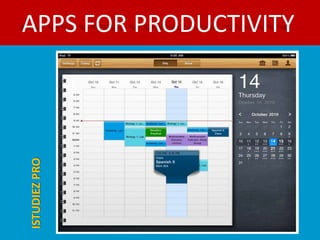
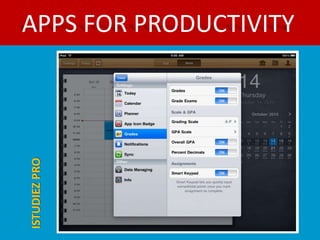
ISTUDIEZ PRO

What: Take advantage of iStudiez Pro easy
navigation and never miss another
course, lecture and lab, track tasks and
deadlines, plan homework, arrange
assignments and much more!

Cost: $3.99

Available on Android: No.
(Everstudent)
APPS FOR PRODUCTIVITY
ISTUDIEZ PRO
APPS FOR PRODUCTIVITY
ISTUDIEZ PRO
APPS FOR PRODUCTIVITY
ISTUDIEZ PRO
APPS FOR PRODUCTIVITY
ISTUDIEZ PRO
APPS FOR PRODUCTIVITY
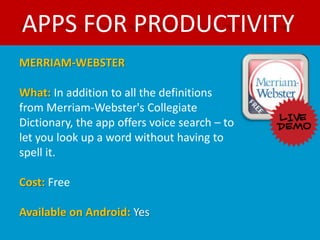
MERRIAM-WEBSTER

What: In addition to all the definitions
from Merriam-Webster's Collegiate
Dictionary, the app offers voice search – to
let you look up a word without having to
spell it.

Cost: Free

Available on Android: Yes
APPS THAT WOW!
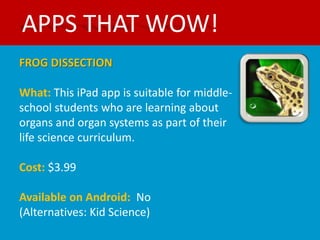
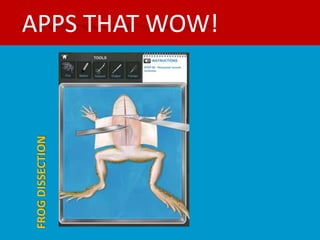
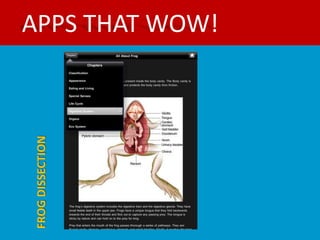
FROG DISSECTION

What: This iPad app is suitable for middle-
school students who are learning about
organs and organ systems as part of their
life science curriculum.

Cost: $3.99

Available on Android: No
(Alternatives: Kid Science)
FROG DISSECTION
                  APPS THAT WOW!
FROG DISSECTION
                  APPS THAT WOW!
FROG DISSECTION
                  APPS THAT WOW!
APPS THAT WOW!
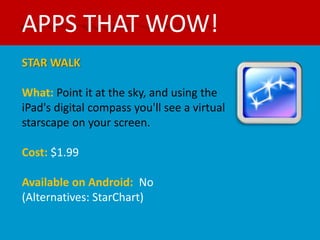
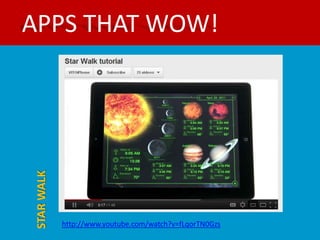
STAR WALK

What: Point it at the sky, and using the
iPad's digital compass you'll see a virtual
starscape on your screen.

Cost: $1.99

Available on Android: No
(Alternatives: StarChart)
APPS THAT WOW!
STAR WALK


            http://www.youtube.com/watch?v=fLqorTN0Gzs
APPS THAT WOW!
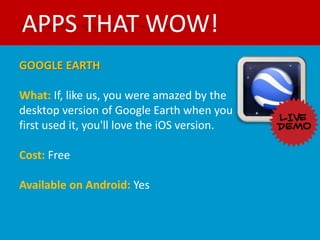
GOOGLE EARTH

What: If, like us, you were amazed by the
desktop version of Google Earth when you
first used it, you'll love the iOS version.

Cost: Free

Available on Android: Yes
APPS THAT WOW!
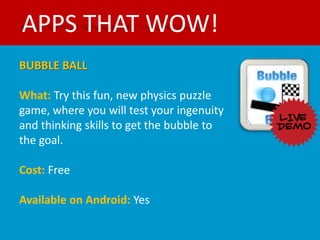
BUBBLE BALL

What: Try this fun, new physics puzzle
game, where you will test your ingenuity
and thinking skills to get the bubble to
the goal.

Cost: Free

Available on Android: Yes
APPS THAT WOW!
GIGGLE BEAR

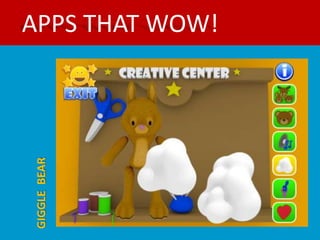
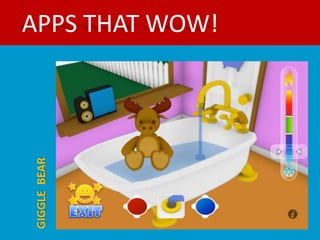
What: With Giggle Bear, children can
create bears, rabbits and moose as their
personal animal friends.

Cost: $1.99

Available on Android: No
APPS THAT WOW!
GIGGLE BEAR
APPS THAT WOW!
GIGGLE BEAR
APPS THAT WOW!
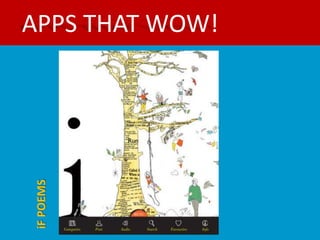
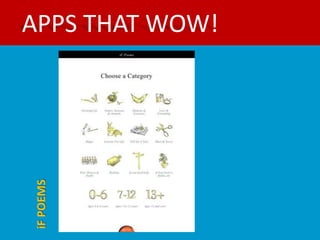
iF POEMS

What: iF Poems is a poetry app for school-
age children and for adults of any age.
This is the app for the iPad only. We have
iF Poems For The iPhone too.

Cost: $4.99

Available on Android: No
(Alternative: Poetry Foundation)
APPS THAT WOW!
iF POEMS
APPS THAT WOW!
iF POEMS
APPS THAT WOW!
JIB JAB JR.

What: With JibJab Jr. Books, you can
make your child the STAR of the show. In
just a few simple swipes, you can create
personalized storybooks that feature your
child's face and name.

Cost: 1 Book Free, $3.99

Available on Android: No
APPS THAT WOW!
MATH TIME

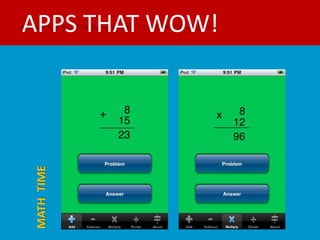
What: MathTime is an easy-to-use flash
card app that will help you practice
addition, subtraction, multiplication and
division.

Cost: .99

Available on Android: No (Alternative:
Math Practice)
APPS THAT WOW!
MATH TIME
APPS THAT WOW!
VIRTUOSO PIANO

What: Be the maestro with Virtuoso
Piano Free, a new iPod touch, iPhone
and iPad instrument. Learn and play
the piano anytime and anywhere.

Cost: Free

Available on Android: Yes
APPS THAT WOW!
Video Time Machine

What: Pick a year and watch specific
categories including
TV, Music, Advertisements, Trailers, Video
Games, Sports, and more!

Cost: 1.99

Available on Android: No
APPS THAT WOW!
BAND OF THE DAY

What: A new band in your
pocket, everyday.
Listen, Discover, Share.

Cost: Free

Available on Android: Yes
APPS THAT WOW!
HHMI

What: Free science magazine app offers
scientist-vetted content presented in an
in-depth, narrative form.

Cost: Free

Available on Android:
APPS THAT ARE SOCIAL
YELP


What: Use us to search for places to
eat, shop, drink, relax and play then
read reviews from an active community
of locals in the know.

Cost: Free

Available on Android: Yes
APPS THAT ARE SOCIAL
STUMBLEUPON


What: StumbleUpon is the easiest way
to discover new and interesting things
from across the Web.

Cost: Free

Available on Android: Yes
APPS THAT ARE SOCIAL
FLIPBOARD

What: Named Apple's iPad App of the
year and one of TIME's Top 50
Innovations, Flipboard creates a
personalized magazine out of
everything being shared with you.

Cost: Free

Available on Android: No (Alternative:
Google Currents.)
APPS THAT WOW!
FACEBOOK

What: It may sound like stating the
obvious, but this is clearly designed for
the iPad from the ground up.

Cost: Free

Available on Android: Yes
APP RESOURCES
EDU BLOG
http://www.freetech4teachers.com/
http://coolcatteacher.blogspot.com/2011/01/ipad-apps-for-teachers.html
http://ipadteacher.blogspot.com/
http://palmbeachschooltalk.com/groups/ipadpilot/blog/


USING IPADS IN THE CLASSROOM
http://interactioneducation.com/ipadsineducation.html
http://educationtechnology-theoryandpractice.blogspot.com/2011/07/ipad-resources-for-
teachers.html
http://ipadeducators.ning.com/
http://www.thelearningmag.com/
http://palmbeachschooltalk.com/groups/ipadpilot/wiki/a7b31/iPad_Pilot_Project_Information.html


TUTORIALS
http://www.apple.com/ipad/videos/
http://www.howtogeek.com/howto/14529/the-complete-list-of-ipad-tips-tricks-and-tutorials/
THANK YOU


Contact :
www.edugeekgirlblog.blogspot.com
Tess.burns@kctcs.edu

Apps for superheros

  • 2.
    WELCOME Manager of WebServices and Social Media Teach GEN 102, Foundations of Learning Part-time Graphic Designer Blogger: www.edugeekgirlblog.blogspot.com
  • 3.
    WHY IPAD? Why theiPad? 21st century skills: Project based learning
  • 4.
    WHY IPAD? Key Trends: Technologyis increasingly a means for empowering students, a method for communication and socializing, and a ubiquitous, transparent part of their lives. Technology continues to profoundly affect the way we work, collaborate, communicate, and succeed. The perceived value of innovation and creativity is increasing. The way we think of learning environments is changing.
  • 5.
    WHY IPAD? Technologies toWatch: Collaborative environment Game-based learning Mobile Clouds
  • 6.
    WHY IPAD? Students’ Visionfor 21st Century Learning includes Three Essential Elements: Social-based learning Un-tethered learning Digitally-rich learning
  • 7.
    WHY IPAD? Key Opportunitiesin Mobile Learning: Encourage “anywhere, anytime” learning Reach underserved children Improve 21st Century social interactions Fit with learning environments Enable a personalized learning experience
  • 8.
  • 9.
    WHY IPAD? Super talented? www.flickr.com/photos/valentina
  • 10.
    WHY IPAD? Meet Owen MeetOwen Voorhees. Owen and his 9 year old brother are responsible for the Math Time game that sells in the Apple App store. After being released in 2009, the app quickly rose to #13 on the best seller list for paid, educational apps. It’s impressive feat especially considering that Owen did all of the coding himself and his brother Finn designed the images in Photoshop.
  • 11.
    WHY IPAD? Meet Robert BubbleBall, a game designed by 18th grader Robert Nay from Utah and described in the app store as a "fun, new physics game", has finally done what other apps couldn't. Despite lacking the visual appeal of Angry Birds, Bubble Ball is equally as addictive, so much so that it has been downloaded more than two million times and has knocked Angry Birds from its number one spot.
  • 12.
    WHY IPAD? Meet Brookyln Brooklynis more than your typical 12-year- old. She takes dance lessons, plays tennis, and argues with her twin brother like many other girls her age, but on the side, she’s an entrepreneur. And with her family’s help, she designed Giggle Bear™ for the iPhone mobile digital device. The game, available today on iTunes, is the brainchild of Brooklyn.
  • 13.
    WHY IPAD? Meet Cameron Heisn't the youngest kid to write an iPhone app, but 11-year old Cameron is wise beyond his years. He is donating a substantial part of the proceeds from his drawing app iSketch to the Mattel Children's Hospital UCLA.
  • 15.
    WHAT IS ANAPP? Short for “application” It’s a special type of software program App typically refers to software used on a smartphone or mobile device such as the Android, iPhone, BlackBerry or iPad, as in “mobile app” or “iphone app”
  • 16.
  • 17.
  • 19.
  • 20.
    iPAD BASICS Things YouMight Not Know… Taking a Screenshot of What’s on Your iPad Screen How To Force an App to Close How To Quickly Mute the Volume How To Remove an App Folders to Organize Your Apps For These How To’s and More: Use the iPad Superhero Handbook
  • 22.
    APPS FOR PRODUCTIVITY EDMODO What:Edmodo is a private social networking site where teachers, students can connect, engage and learn; taking learning beyond the classroom walls. Cost: Free Available on Android: Yes
  • 23.
    APPS FOR PRODUCTIVITY DROPBOX What:Dropbox allows you to manage files in fully synced folders from desktop and mobile devices. Cost: Free Available on Android: Yes
  • 24.
    APPS FOR PRODUCTIVITY EVERNOTE What:Evernote lets you take notes, capture photos, create to-do lists, record voice reminders--and makes these notes completely searchable, whether you are at home, at work, or on the go. Cost: Free Available on Android: Yes
  • 25.
    APPS FOR PRODUCTIVITY INCLASS What:Organize your schedule. Share your notes. Ace your classes. Cost: Free Available on Android: No. (Alternative: Catch, Note Everything)
  • 26.
    APPS FOR PRODUCTIVITY ISTUDIEZPRO What: Take advantage of iStudiez Pro easy navigation and never miss another course, lecture and lab, track tasks and deadlines, plan homework, arrange assignments and much more! Cost: $3.99 Available on Android: No. (Everstudent)
  • 27.
  • 28.
  • 29.
  • 30.
  • 31.
    APPS FOR PRODUCTIVITY MERRIAM-WEBSTER What:In addition to all the definitions from Merriam-Webster's Collegiate Dictionary, the app offers voice search – to let you look up a word without having to spell it. Cost: Free Available on Android: Yes
  • 33.
    APPS THAT WOW! FROGDISSECTION What: This iPad app is suitable for middle- school students who are learning about organs and organ systems as part of their life science curriculum. Cost: $3.99 Available on Android: No (Alternatives: Kid Science)
  • 34.
    FROG DISSECTION APPS THAT WOW!
  • 35.
    FROG DISSECTION APPS THAT WOW!
  • 36.
    FROG DISSECTION APPS THAT WOW!
  • 37.
    APPS THAT WOW! STARWALK What: Point it at the sky, and using the iPad's digital compass you'll see a virtual starscape on your screen. Cost: $1.99 Available on Android: No (Alternatives: StarChart)
  • 38.
    APPS THAT WOW! STARWALK http://www.youtube.com/watch?v=fLqorTN0Gzs
  • 39.
    APPS THAT WOW! GOOGLEEARTH What: If, like us, you were amazed by the desktop version of Google Earth when you first used it, you'll love the iOS version. Cost: Free Available on Android: Yes
  • 40.
    APPS THAT WOW! BUBBLEBALL What: Try this fun, new physics puzzle game, where you will test your ingenuity and thinking skills to get the bubble to the goal. Cost: Free Available on Android: Yes
  • 41.
    APPS THAT WOW! GIGGLEBEAR What: With Giggle Bear, children can create bears, rabbits and moose as their personal animal friends. Cost: $1.99 Available on Android: No
  • 42.
  • 43.
  • 44.
    APPS THAT WOW! iFPOEMS What: iF Poems is a poetry app for school- age children and for adults of any age. This is the app for the iPad only. We have iF Poems For The iPhone too. Cost: $4.99 Available on Android: No (Alternative: Poetry Foundation)
  • 45.
  • 46.
  • 47.
    APPS THAT WOW! JIBJAB JR. What: With JibJab Jr. Books, you can make your child the STAR of the show. In just a few simple swipes, you can create personalized storybooks that feature your child's face and name. Cost: 1 Book Free, $3.99 Available on Android: No
  • 48.
    APPS THAT WOW! MATHTIME What: MathTime is an easy-to-use flash card app that will help you practice addition, subtraction, multiplication and division. Cost: .99 Available on Android: No (Alternative: Math Practice)
  • 49.
  • 50.
    APPS THAT WOW! VIRTUOSOPIANO What: Be the maestro with Virtuoso Piano Free, a new iPod touch, iPhone and iPad instrument. Learn and play the piano anytime and anywhere. Cost: Free Available on Android: Yes
  • 51.
    APPS THAT WOW! VideoTime Machine What: Pick a year and watch specific categories including TV, Music, Advertisements, Trailers, Video Games, Sports, and more! Cost: 1.99 Available on Android: No
  • 52.
    APPS THAT WOW! BANDOF THE DAY What: A new band in your pocket, everyday. Listen, Discover, Share. Cost: Free Available on Android: Yes
  • 53.
    APPS THAT WOW! HHMI What:Free science magazine app offers scientist-vetted content presented in an in-depth, narrative form. Cost: Free Available on Android:
  • 55.
    APPS THAT ARESOCIAL YELP What: Use us to search for places to eat, shop, drink, relax and play then read reviews from an active community of locals in the know. Cost: Free Available on Android: Yes
  • 56.
    APPS THAT ARESOCIAL STUMBLEUPON What: StumbleUpon is the easiest way to discover new and interesting things from across the Web. Cost: Free Available on Android: Yes
  • 57.
    APPS THAT ARESOCIAL FLIPBOARD What: Named Apple's iPad App of the year and one of TIME's Top 50 Innovations, Flipboard creates a personalized magazine out of everything being shared with you. Cost: Free Available on Android: No (Alternative: Google Currents.)
  • 58.
    APPS THAT WOW! FACEBOOK What:It may sound like stating the obvious, but this is clearly designed for the iPad from the ground up. Cost: Free Available on Android: Yes
  • 60.
    APP RESOURCES EDU BLOG http://www.freetech4teachers.com/ http://coolcatteacher.blogspot.com/2011/01/ipad-apps-for-teachers.html http://ipadteacher.blogspot.com/ http://palmbeachschooltalk.com/groups/ipadpilot/blog/ USINGIPADS IN THE CLASSROOM http://interactioneducation.com/ipadsineducation.html http://educationtechnology-theoryandpractice.blogspot.com/2011/07/ipad-resources-for- teachers.html http://ipadeducators.ning.com/ http://www.thelearningmag.com/ http://palmbeachschooltalk.com/groups/ipadpilot/wiki/a7b31/iPad_Pilot_Project_Information.html TUTORIALS http://www.apple.com/ipad/videos/ http://www.howtogeek.com/howto/14529/the-complete-list-of-ipad-tips-tricks-and-tutorials/
  • 61.