A. Kibkalo







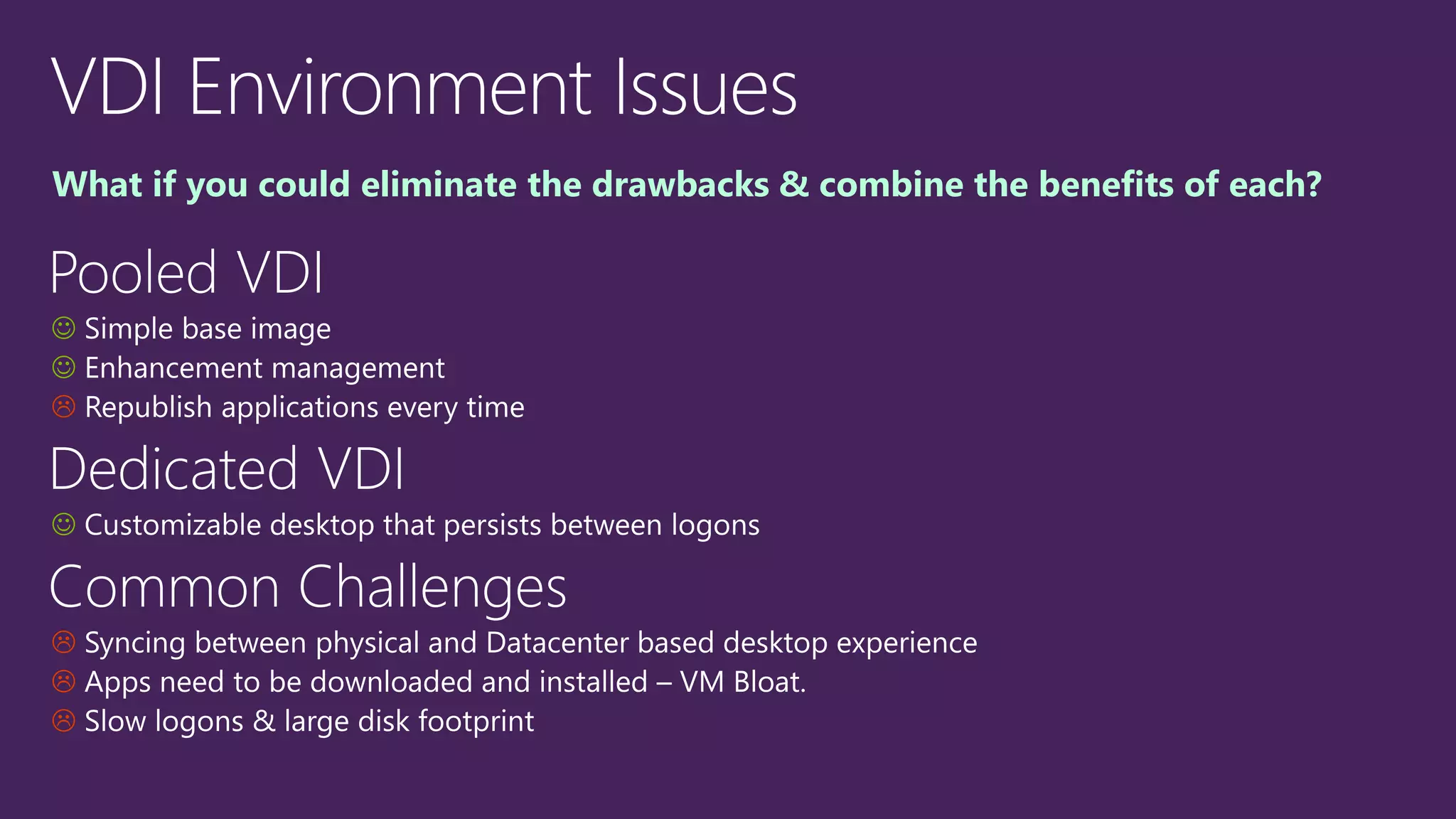
What if you could eliminate the drawbacks & combine the benefits of each?
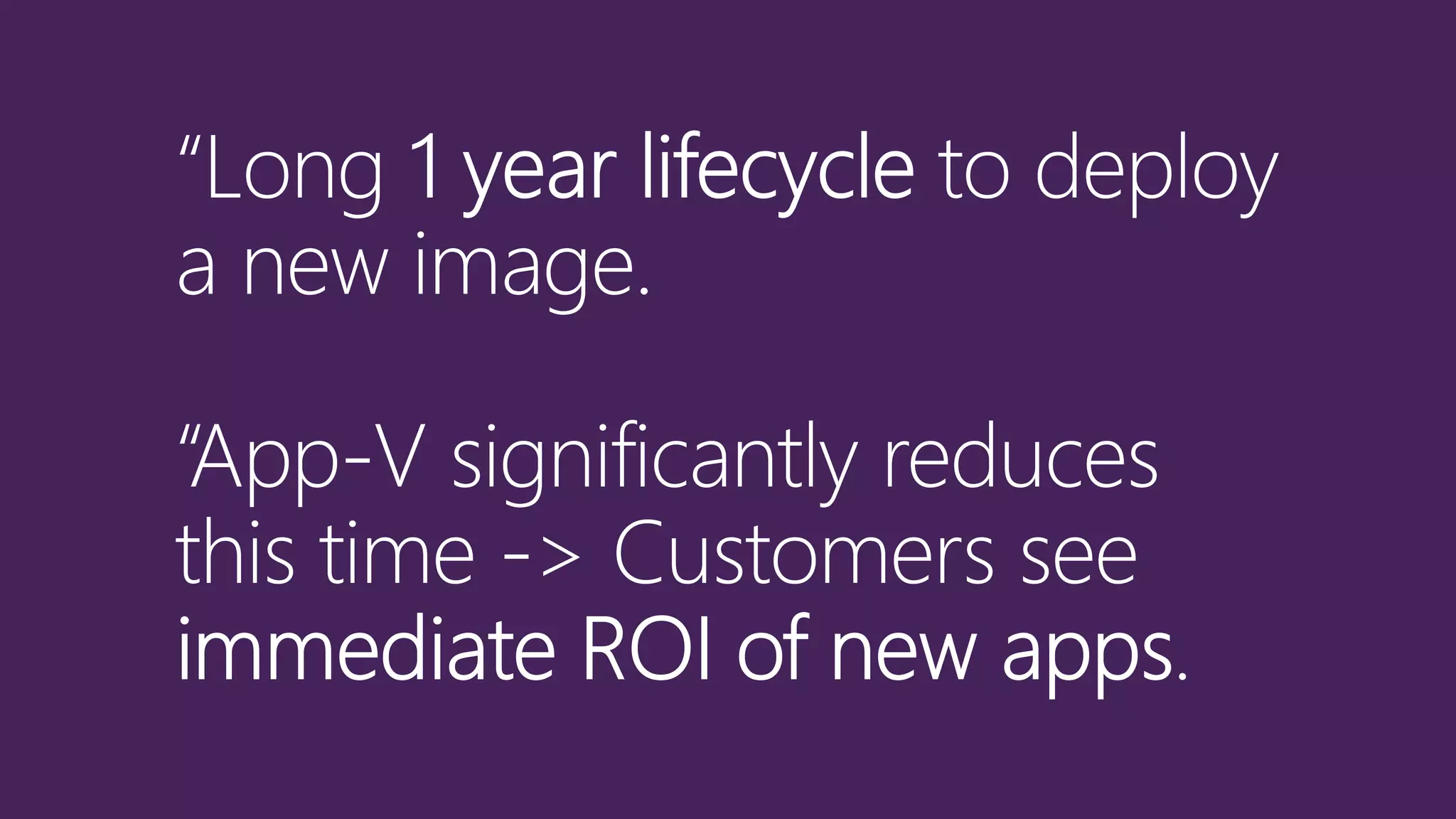
App-V 5.0 SP3 Value
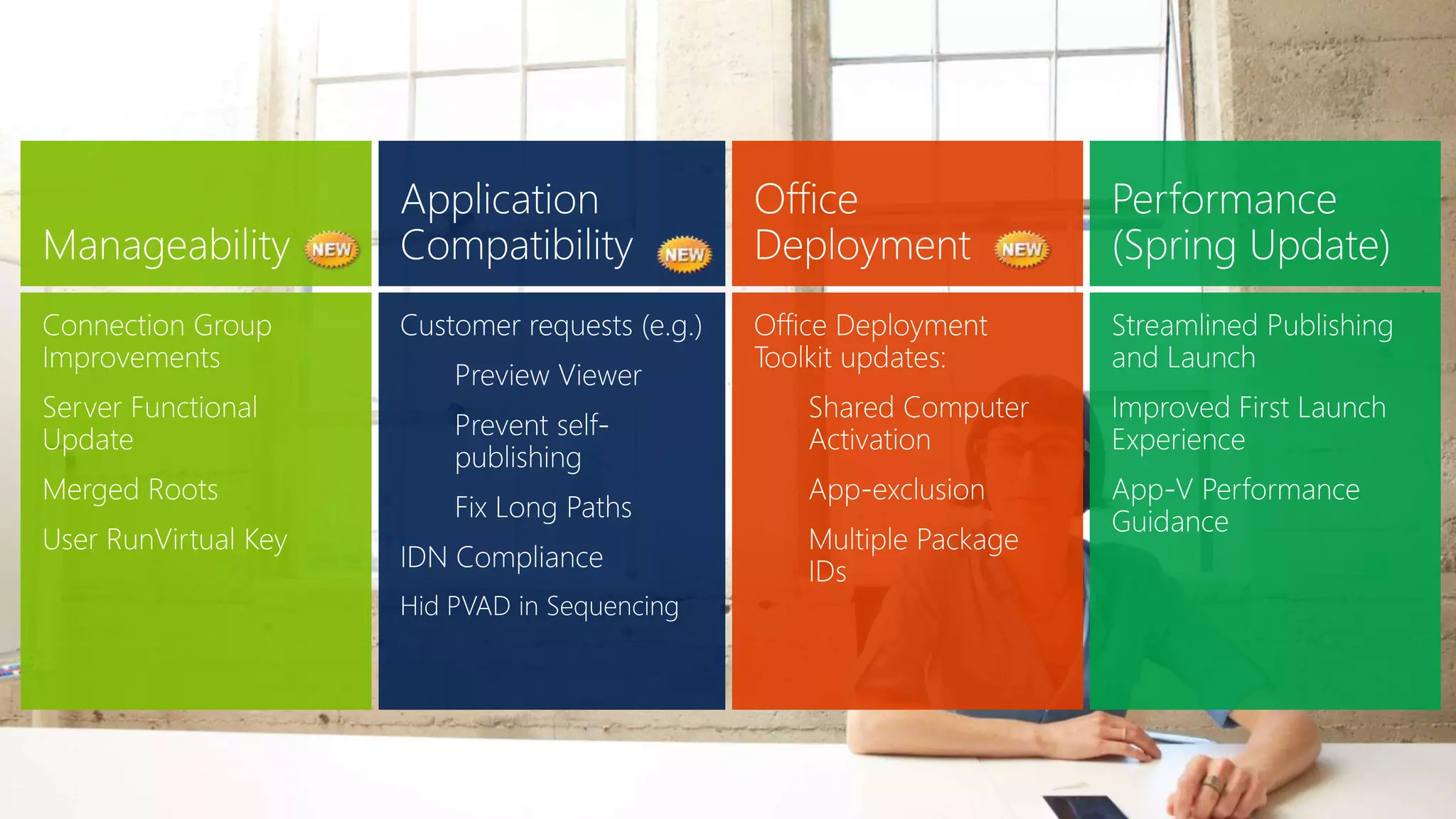
Release Pillar Detail
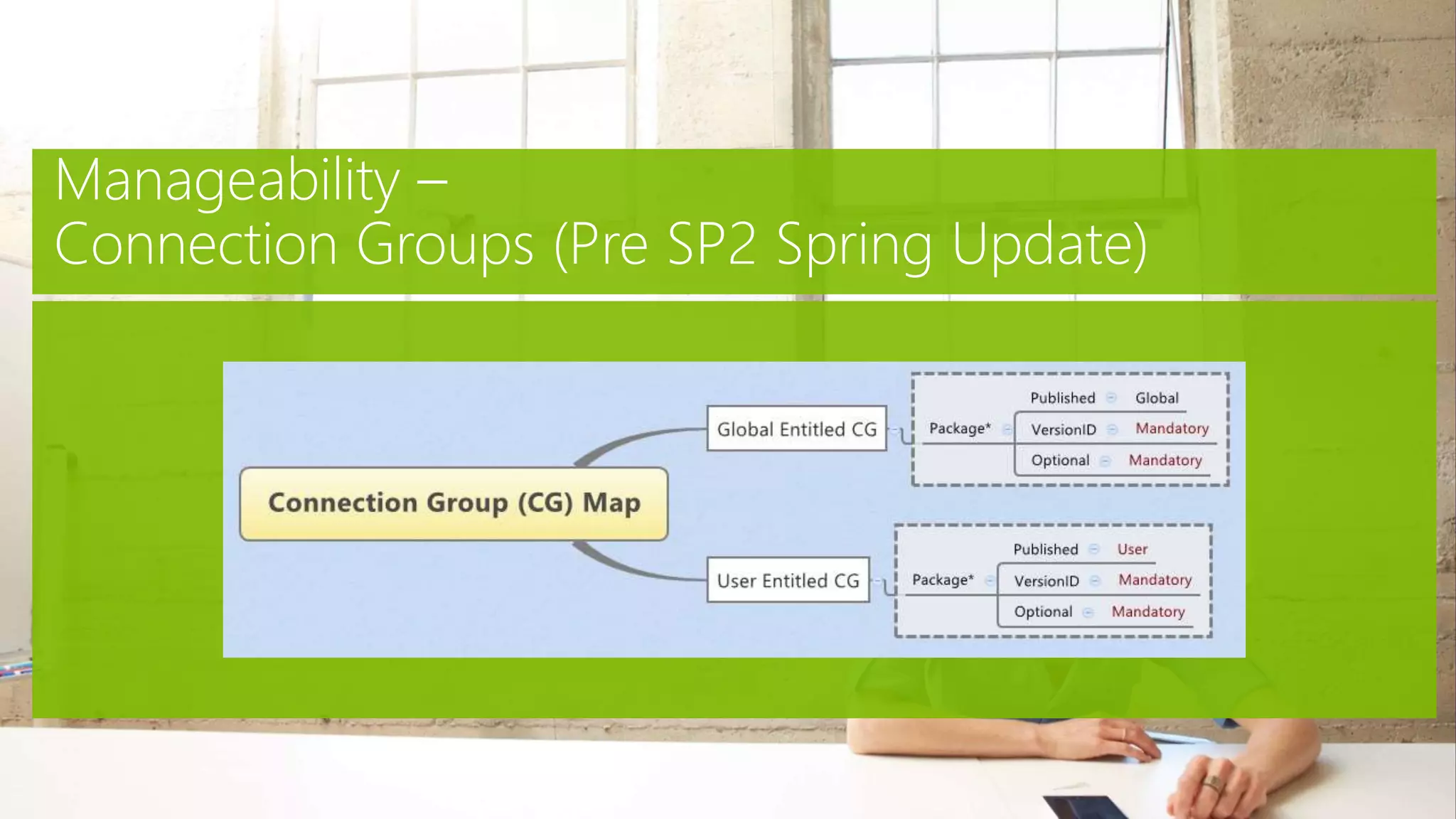
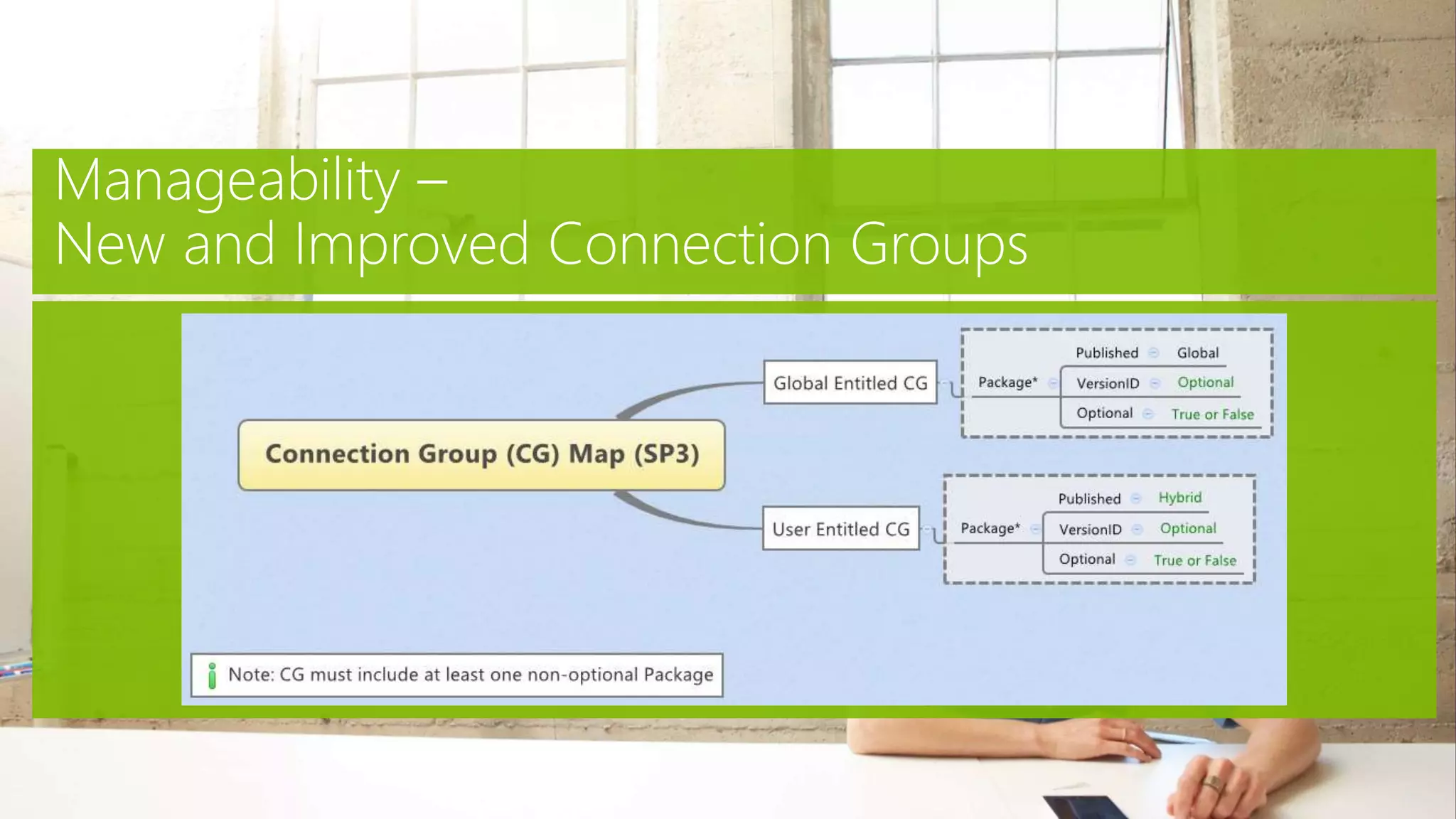
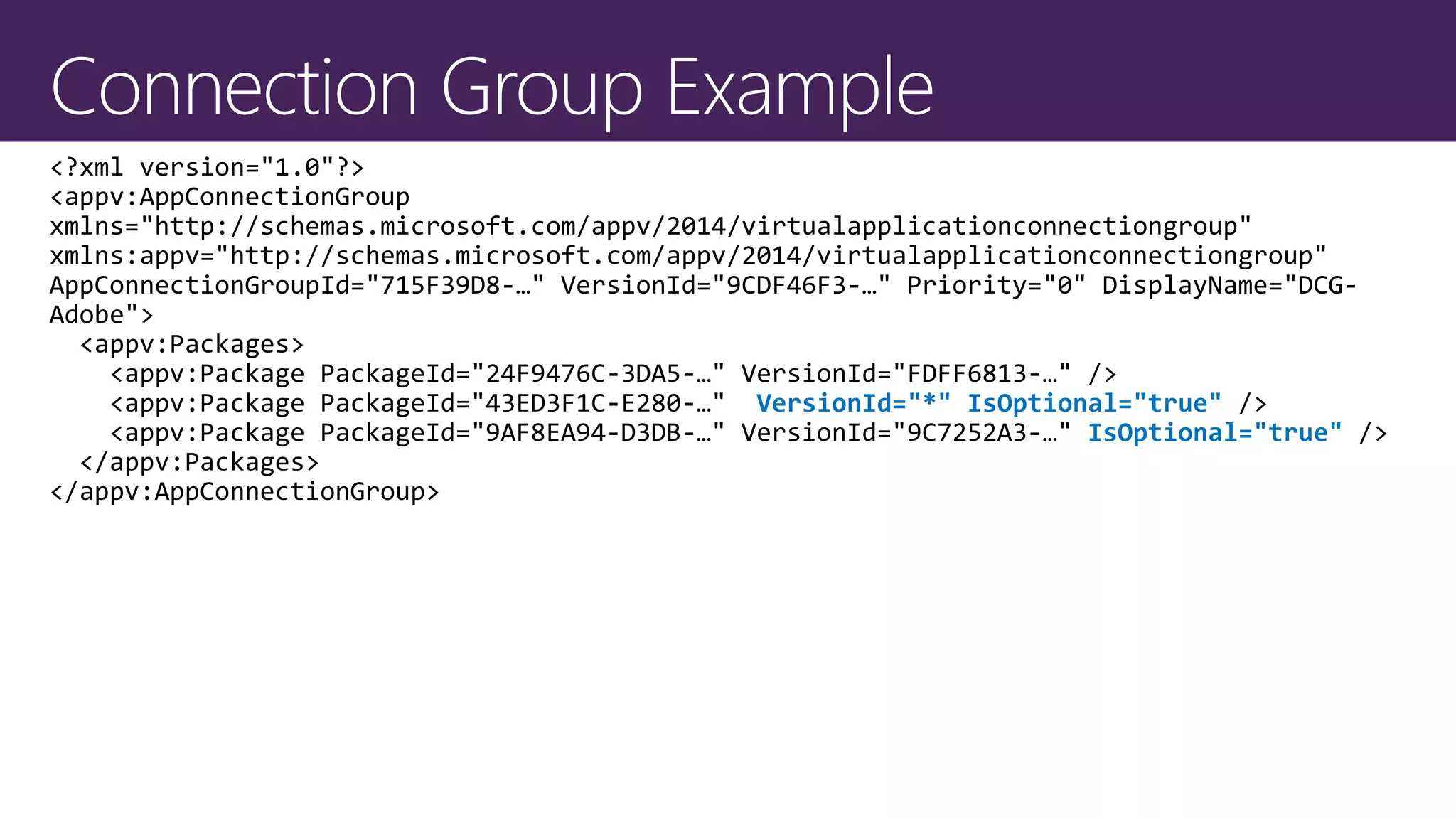
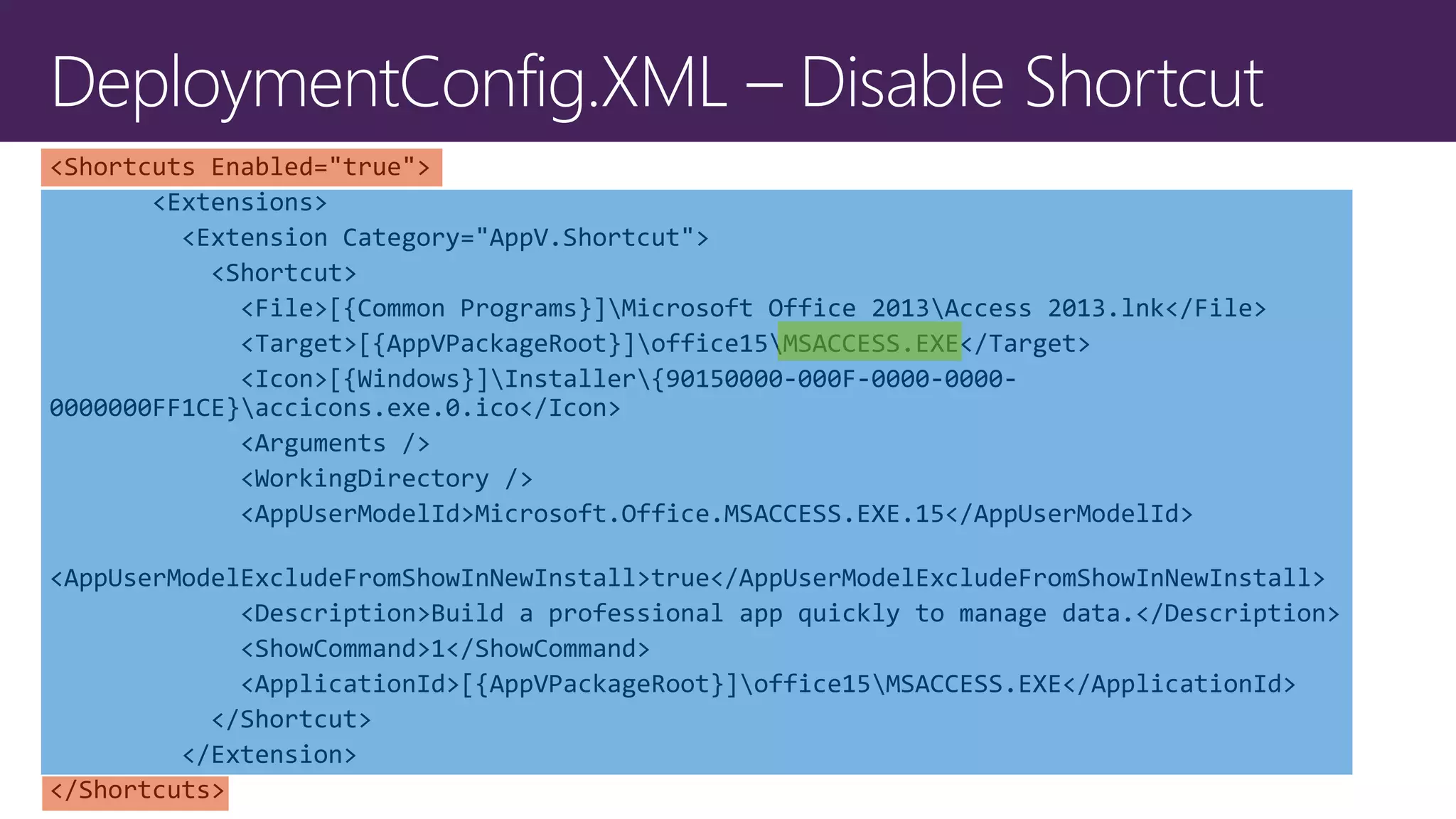
VersionId="*" IsOptional="true"
IsOptional="true"
Demo – App-V 5.0 SP3
Connection Groups
Release Pillar Detail
Manageability – Server Functional Update
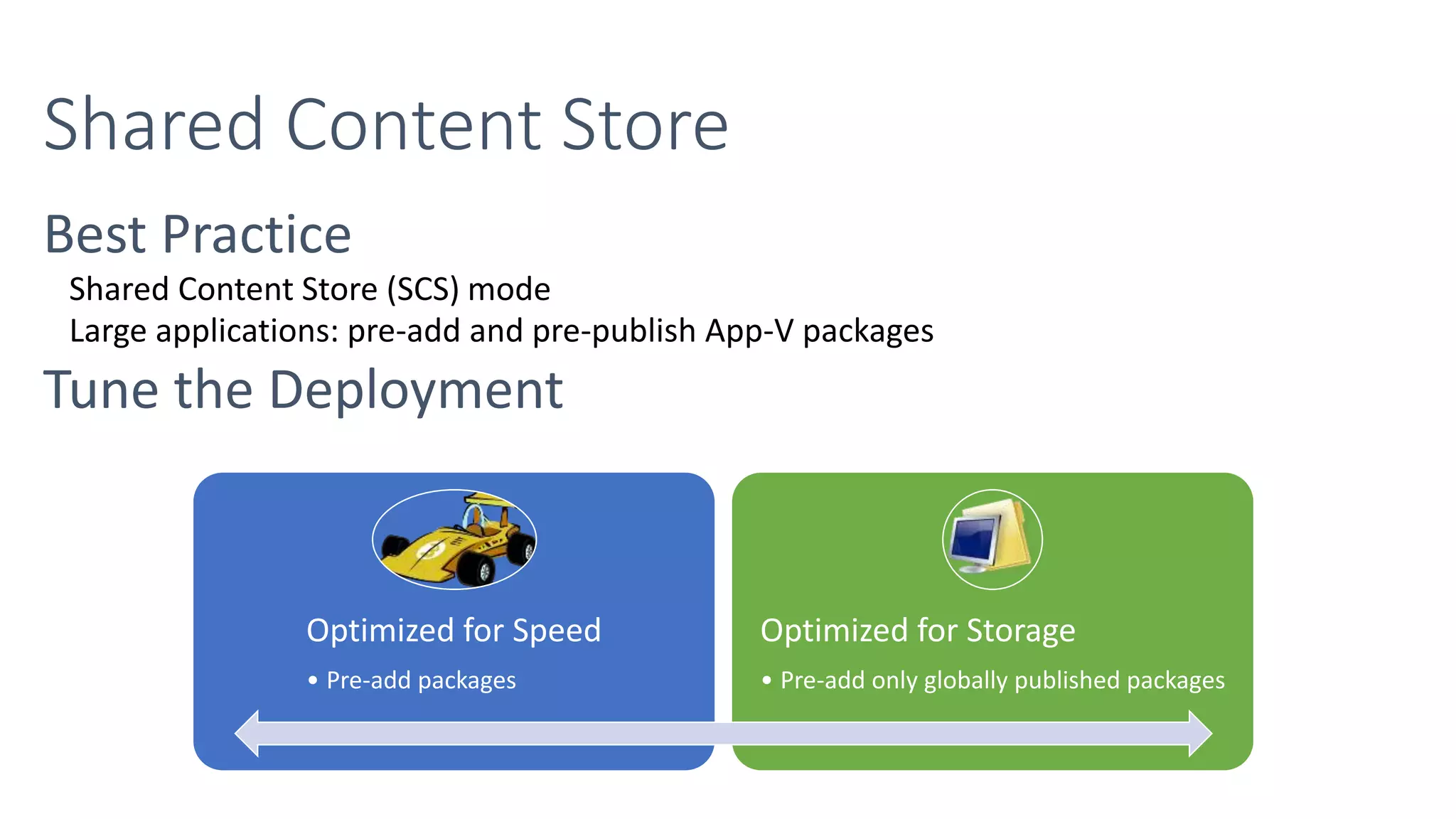
Shared Content Store (SCS) mode
Large applications: pre-add and pre-publish App-V packages
Optimized for Speed
• Pre-add packages
Optimized for Storage
• Pre-add only globally published packages
•
•
•
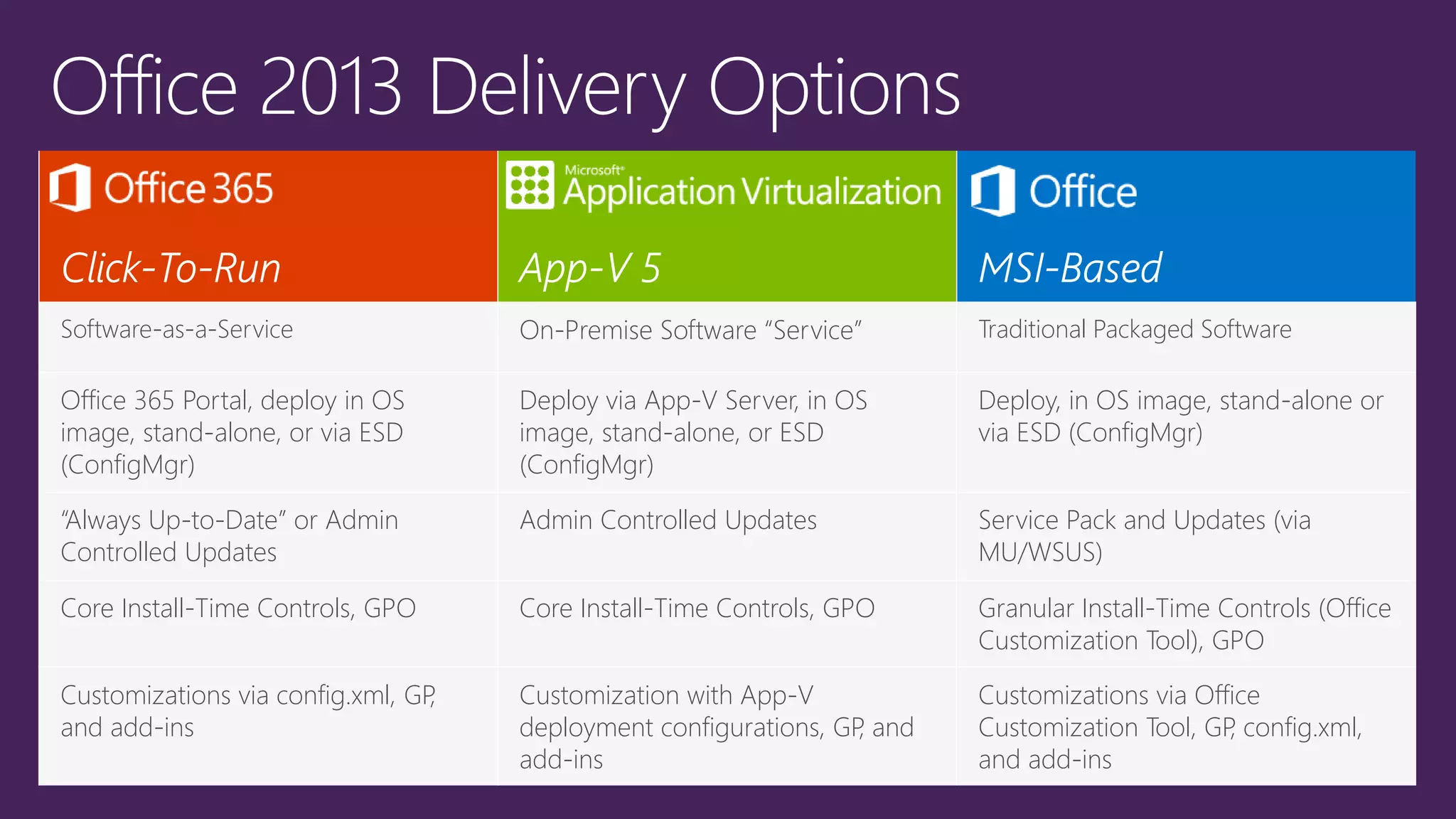
Software-as-a-Service On-Premise Software “Service” Traditional Packaged Software
Office 365 Portal, deploy in OS
image, stand-alone, or via ESD
(ConfigMgr)
Deploy via App-V Server, in OS
image, stand-alone, or ESD
(ConfigMgr)
Deploy, in OS image, stand-alone or
via ESD (ConfigMgr)
“Always Up-to-Date” or Admin
Controlled Updates
Admin Controlled Updates Service Pack and Updates (via
MU/WSUS)
Core Install-Time Controls, GPO Core Install-Time Controls, GPO Granular Install-Time Controls (Office
Customization Tool), GPO
Customizations via config.xml, GP,
and add-ins
Customization with App-V
deployment configurations, GP, and
add-ins
Customizations via Office
Customization Tool, GP, config.xml,
and add-ins
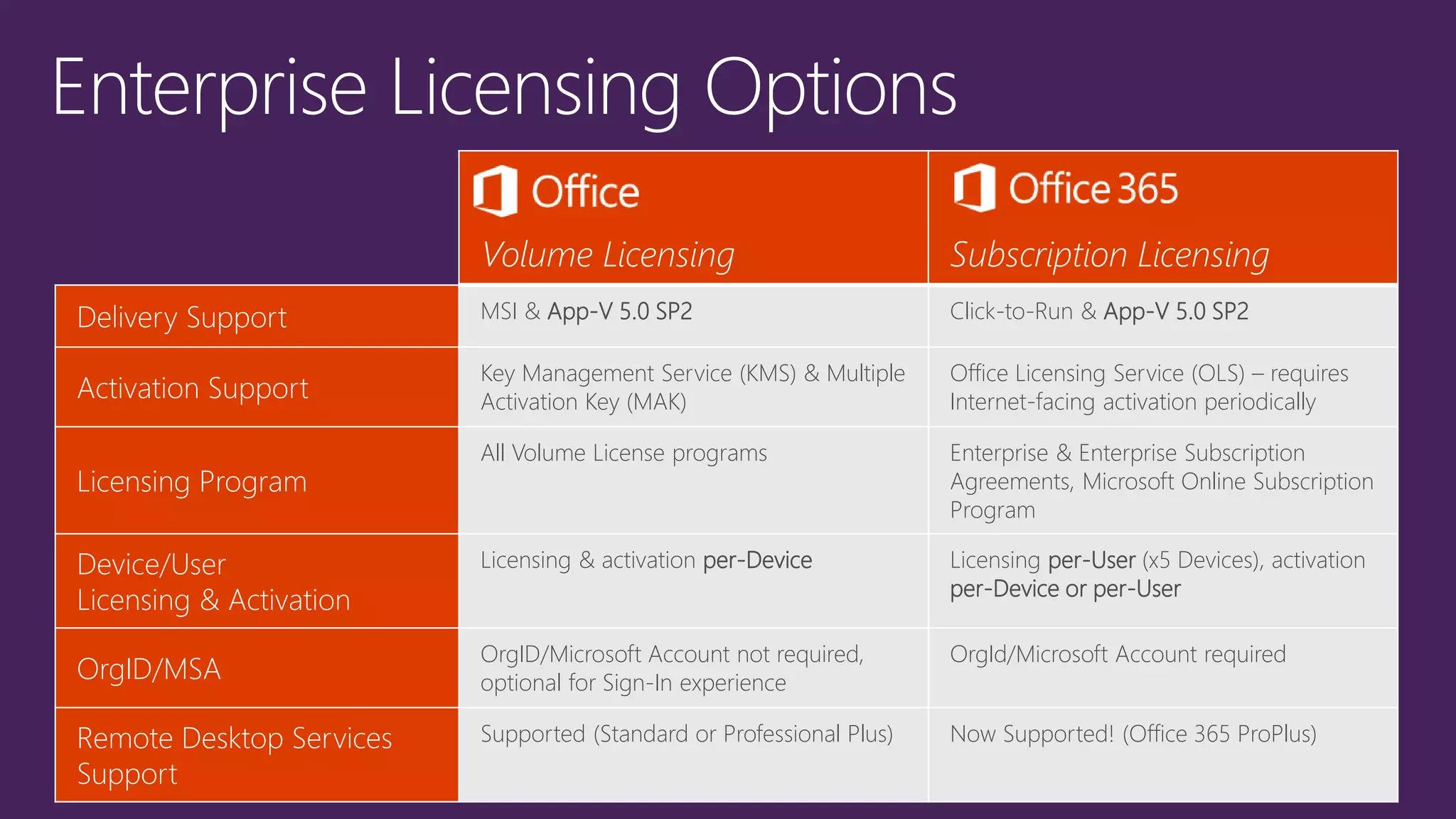
Volume Licensing Subscription Licensing
Delivery Support MSI & App-V 5.0 SP2 Click-to-Run & App-V 5.0 SP2
Activation Support
Key Management Service (KMS) & Multiple
Activation Key (MAK)
Office Licensing Service (OLS) – requires
Internet-facing activation periodically
Licensing Program
All Volume License programs Enterprise & Enterprise Subscription
Agreements, Microsoft Online Subscription
Program
Device/User
Licensing & Activation
Licensing & activation per-Device Licensing per-User (x5 Devices), activation
per-Device or per-User
OrgID/MSA
OrgID/Microsoft Account not required,
optional for Sign-In experience
OrgId/Microsoft Account required
Remote Desktop Services
Support
Supported (Standard or Professional Plus) Now Supported! (Office 365 ProPlus)
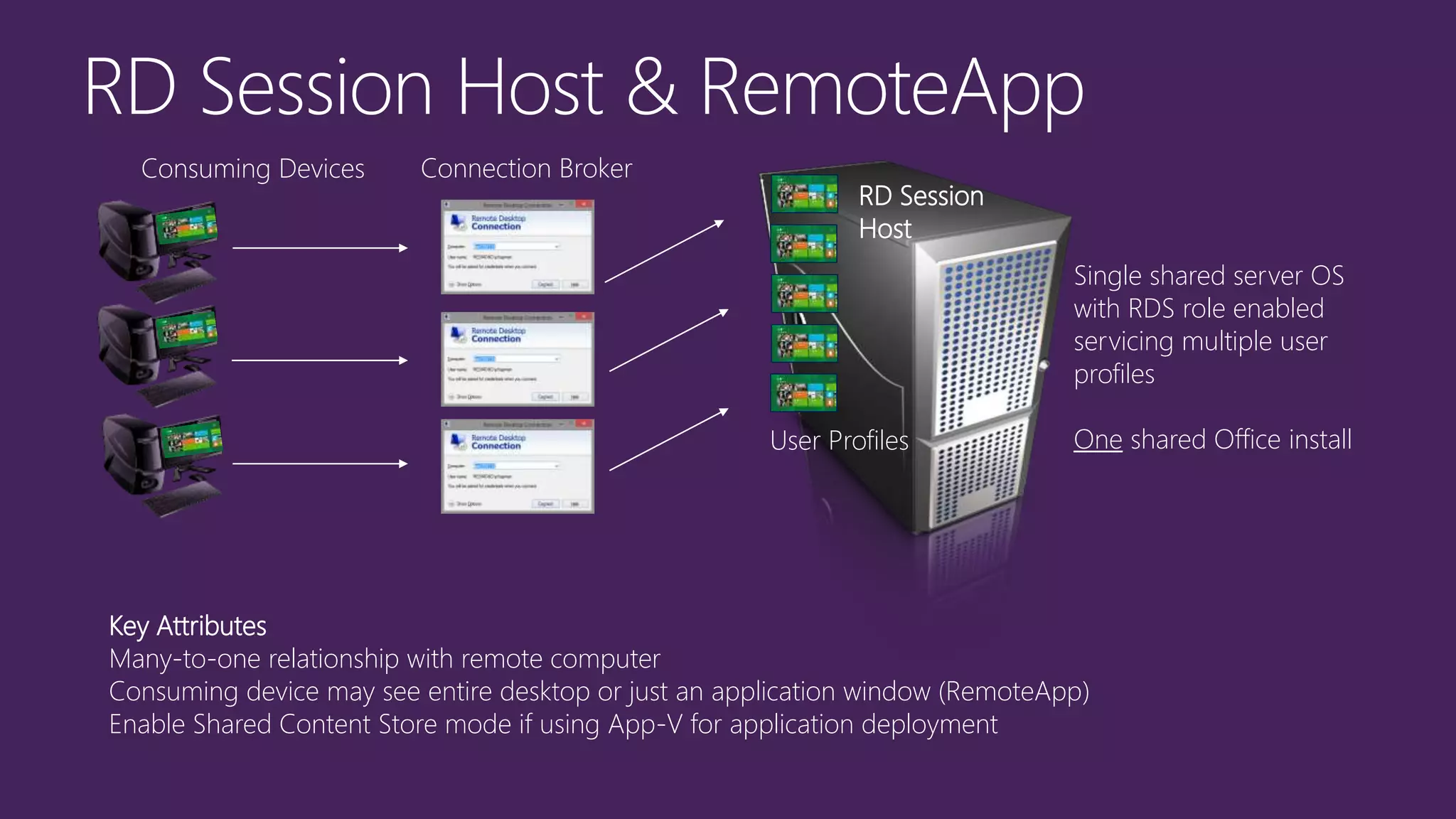
Single shared server OS
with RDS role enabled
servicing multiple user
profiles
One shared Office install
Key Attributes
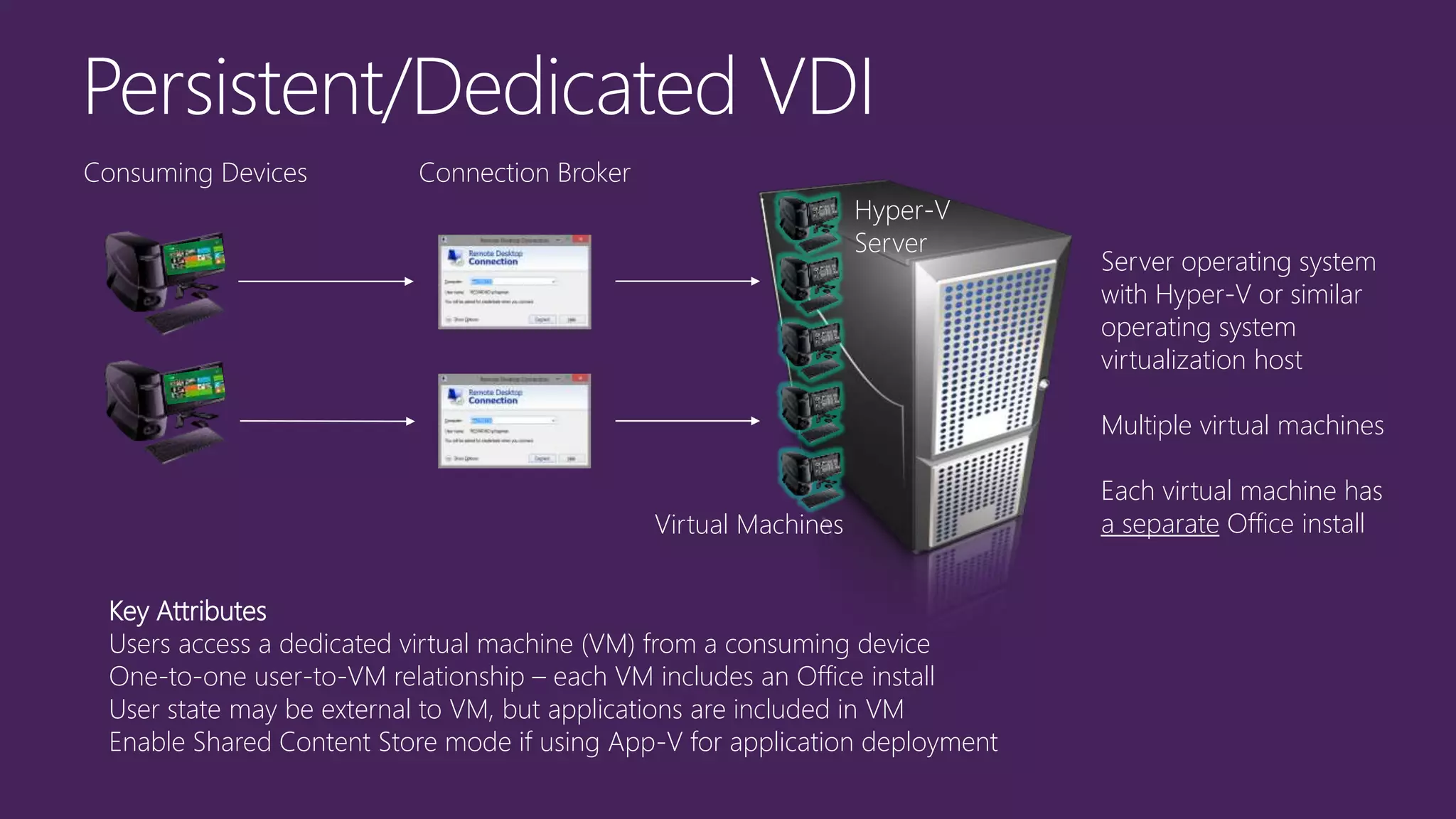
Many-to-one relationship with remote computer
Consuming device may see entire desktop or just an application window (RemoteApp)
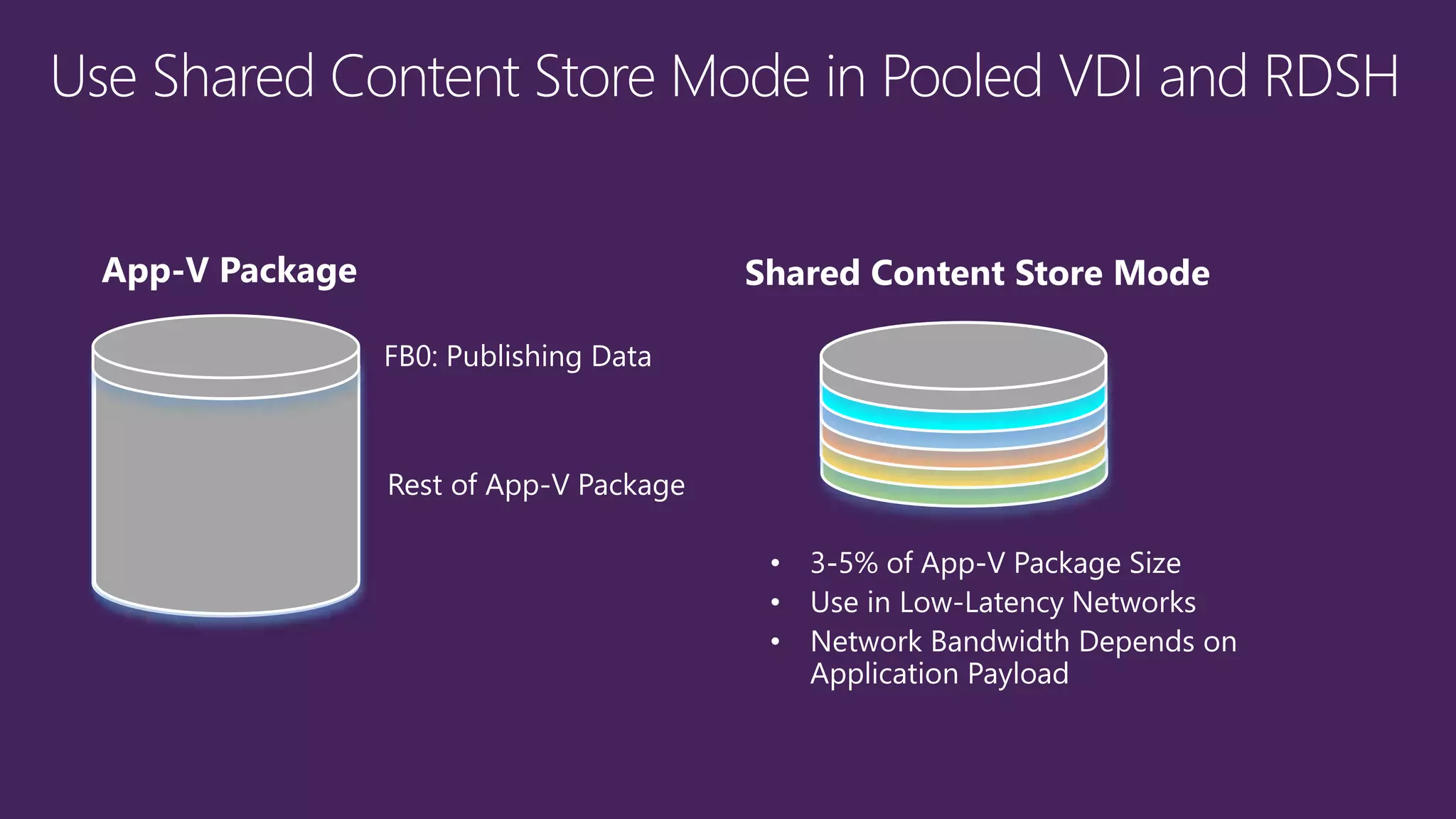
Enable Shared Content Store mode if using App-V for application deployment
RD Session
Host
Connection BrokerConsuming Devices
User Profiles
Server operating system
with Hyper-V or similar
operating system
virtualization host
Multiple virtual machines
Each virtual machine has
a separate Office install
Key Attributes
Users access a dedicated virtual machine (VM) from a consuming device
One-to-one user-to-VM relationship – each VM includes an Office install
User state may be external to VM, but applications are included in VM
Enable Shared Content Store mode if using App-V for application deployment
Hyper-V
Server
Connection BrokerConsuming Devices
Virtual Machines
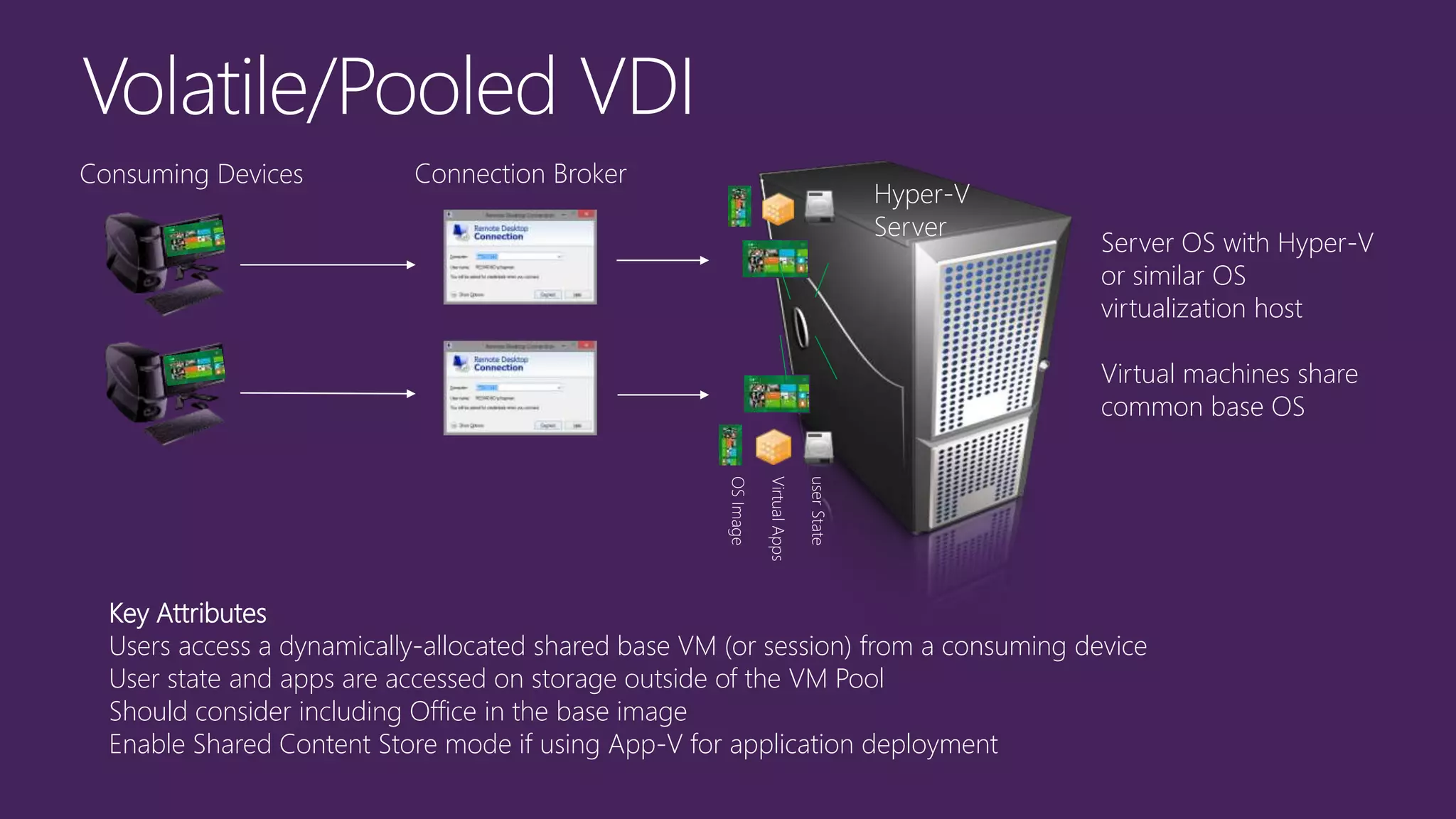
Server OS with Hyper-V
or similar OS
virtualization host
Virtual machines share
common base OS
Key Attributes
Users access a dynamically-allocated shared base VM (or session) from a consuming device
User state and apps are accessed on storage outside of the VM Pool
Should consider including Office in the base image
Enable Shared Content Store mode if using App-V for application deployment
Hyper-V
Server
userState
VirtualApps
OSImage
Connection BrokerConsuming Devices
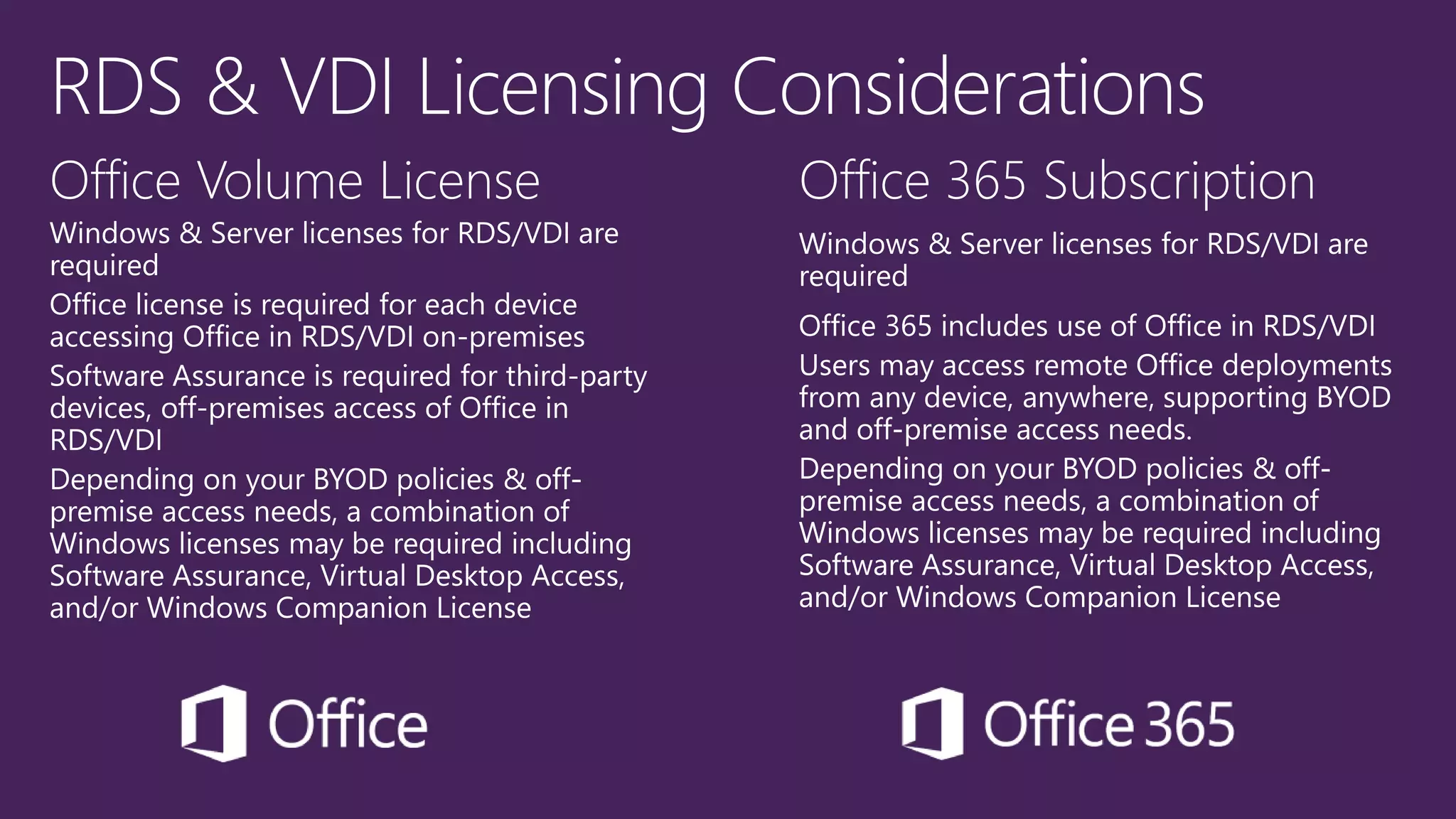
Office Volume License Office 365 Subscription
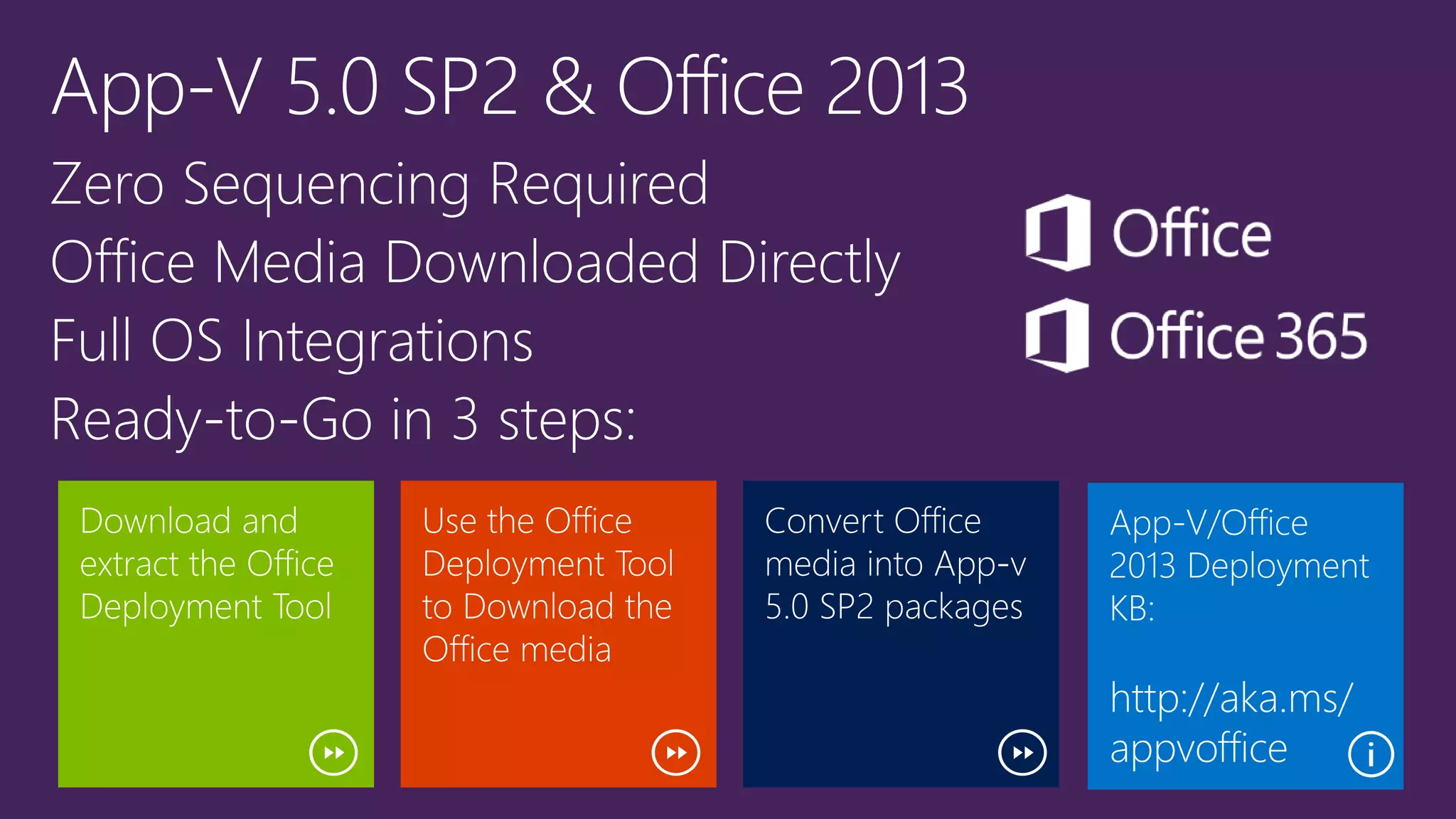
http://aka.ms/
appvoffice
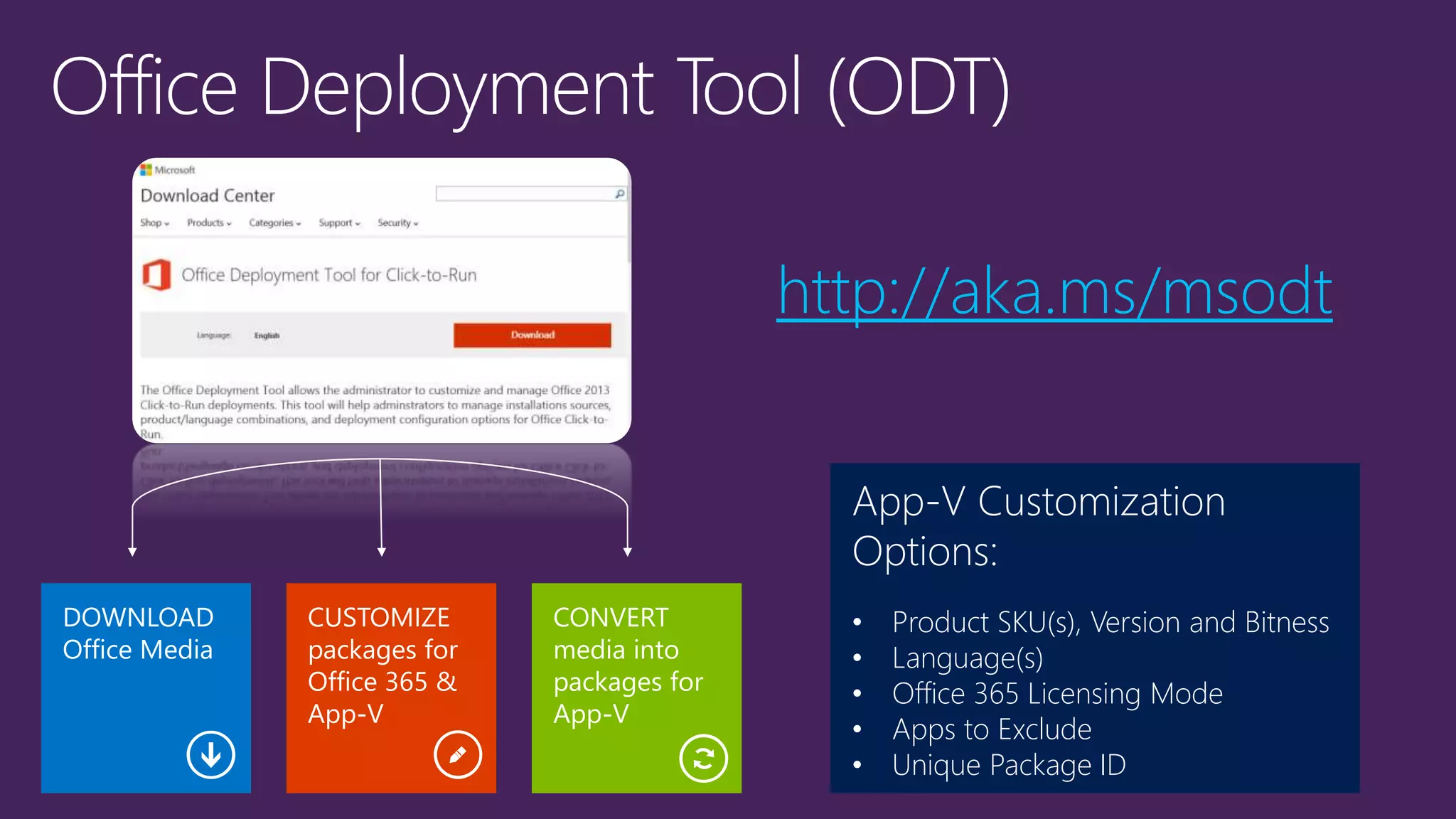
App-V Customization
Options:
• Product SKU(s), Version and Bitness
• Language(s)
• Office 365 Licensing Mode
• Apps to Exclude
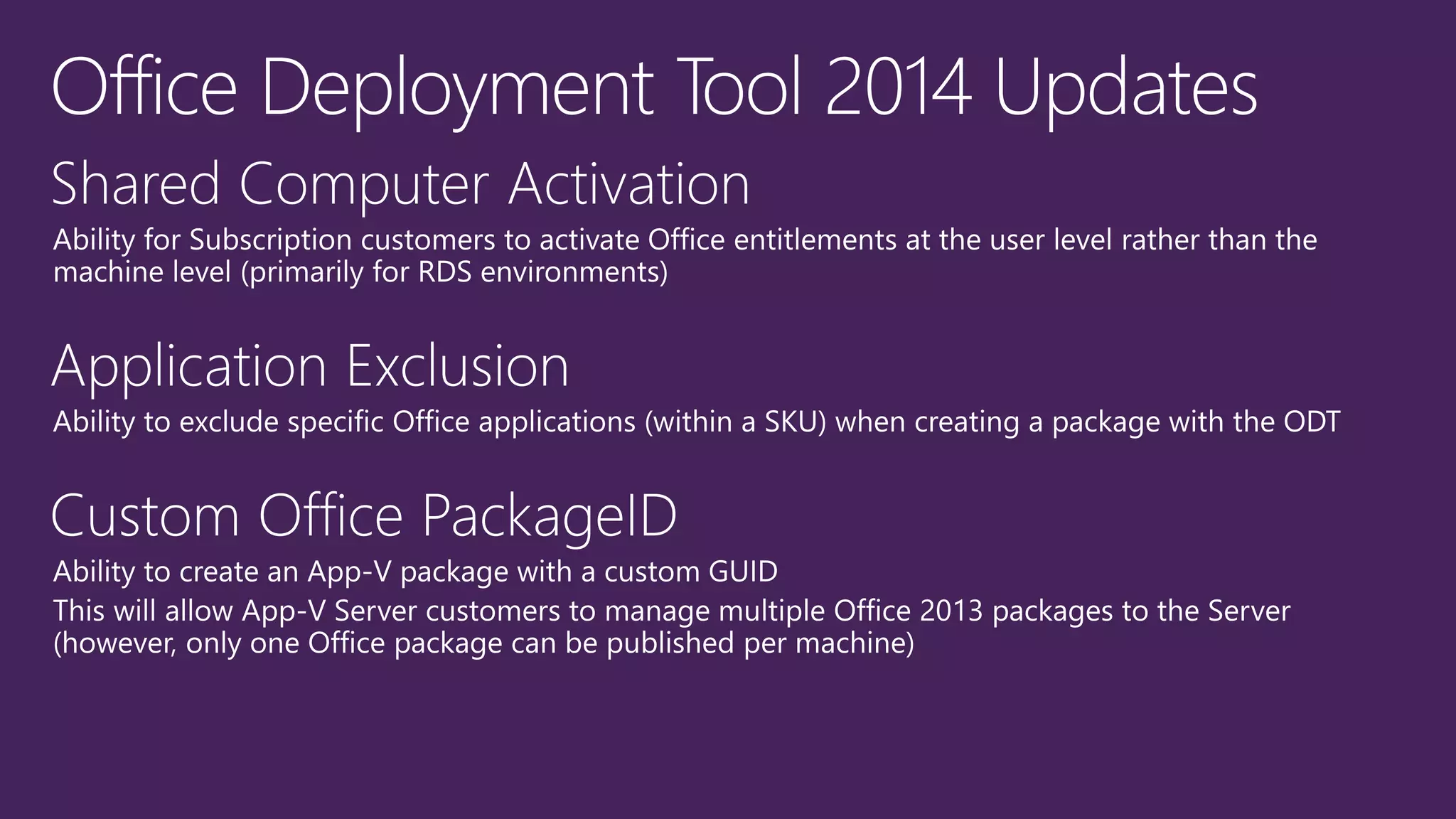
• Unique Package ID
http://aka.ms/msodt
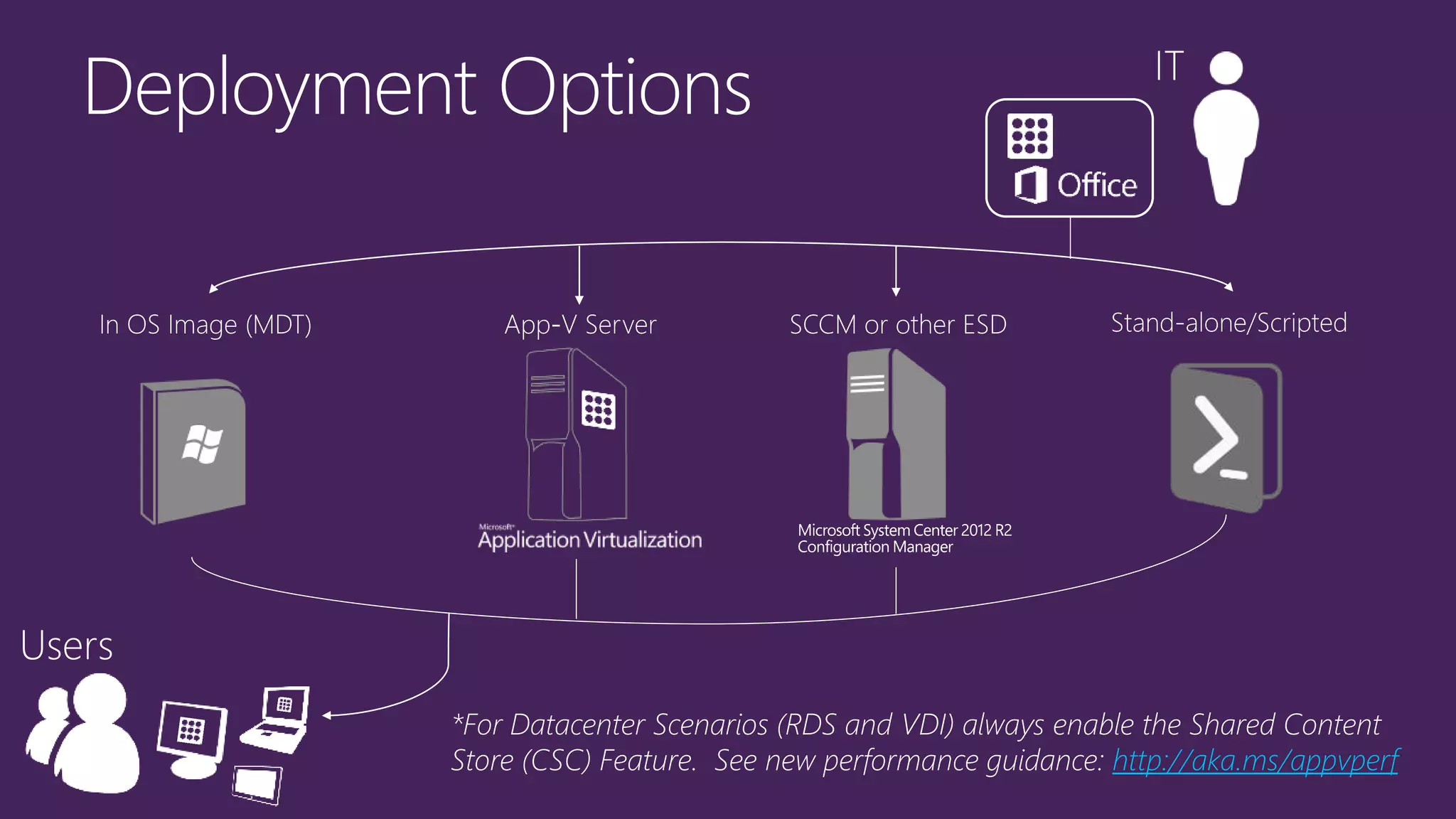
*For Datacenter Scenarios (RDS and VDI) always enable the Shared Content
Store (CSC) Feature. See new performance guidance: http://aka.ms/appvperf
1.
2.
3.
4.
5.
http://aka.ms/appvoffice
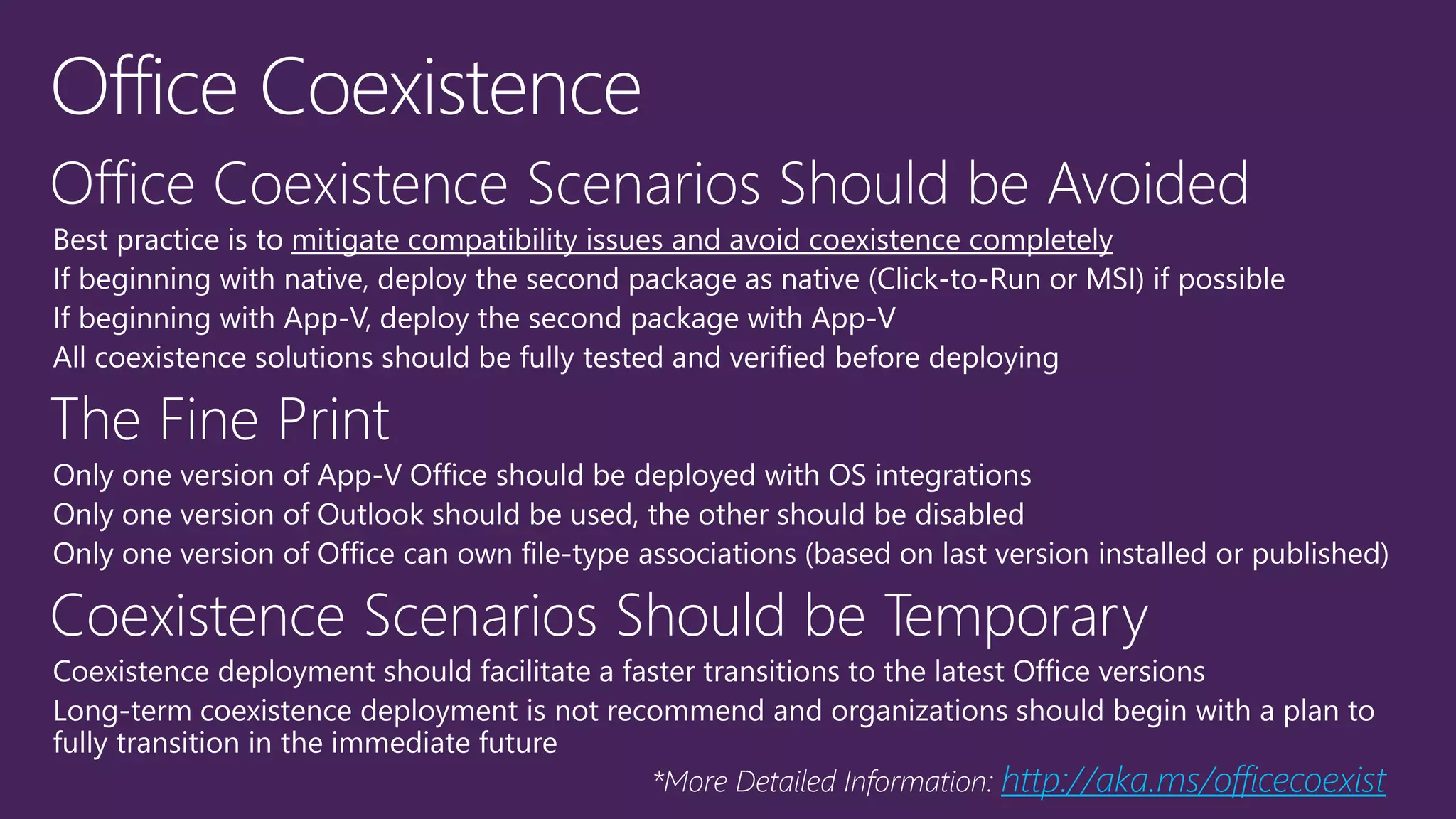
http://aka.ms/officecoexist
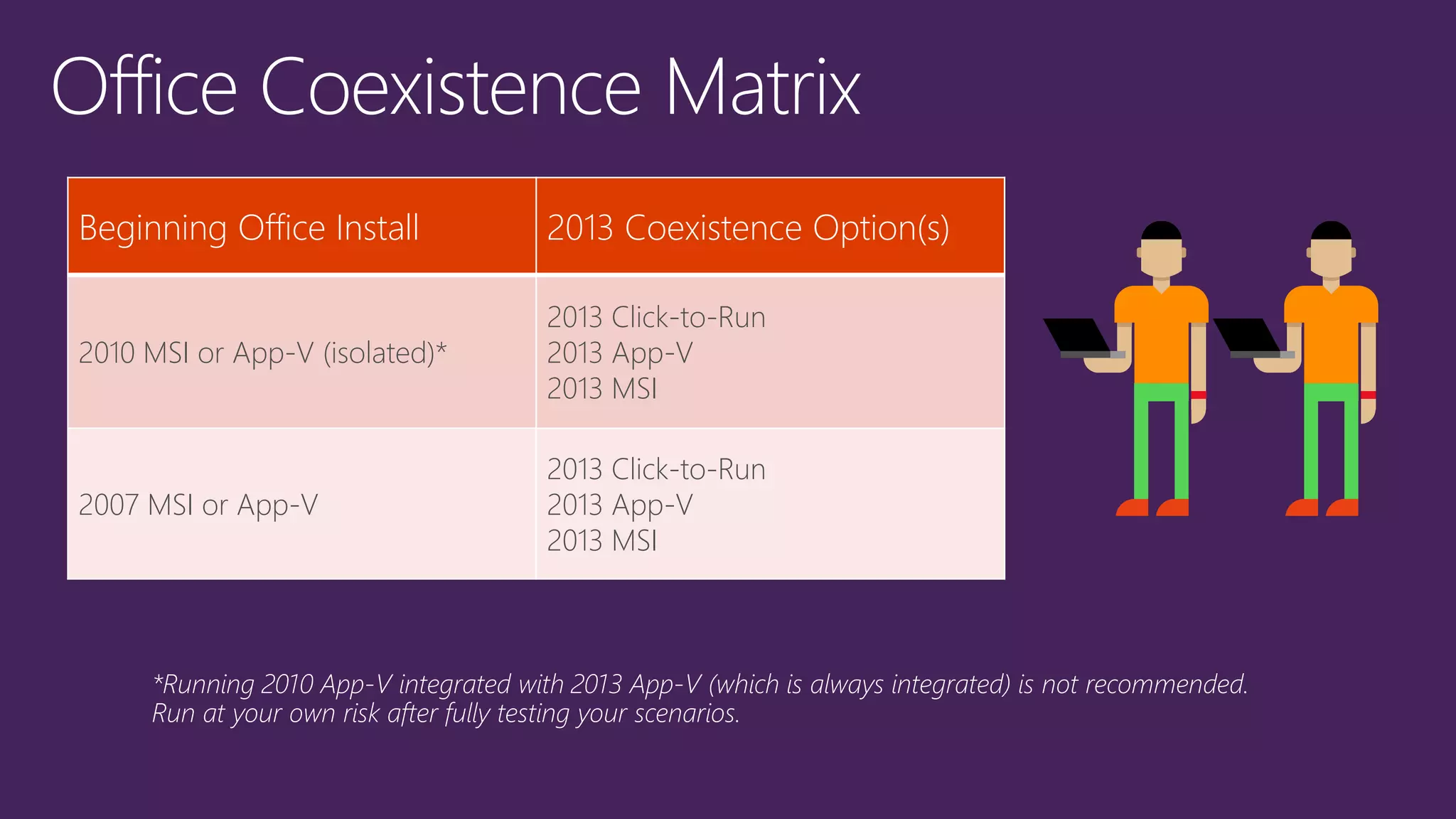
Beginning Office Install 2013 Coexistence Option(s)
2010 MSI or App-V (isolated)*
2013 Click-to-Run
2013 App-V
2013 MSI
2007 MSI or App-V
2013 Click-to-Run
2013 App-V
2013 MSI
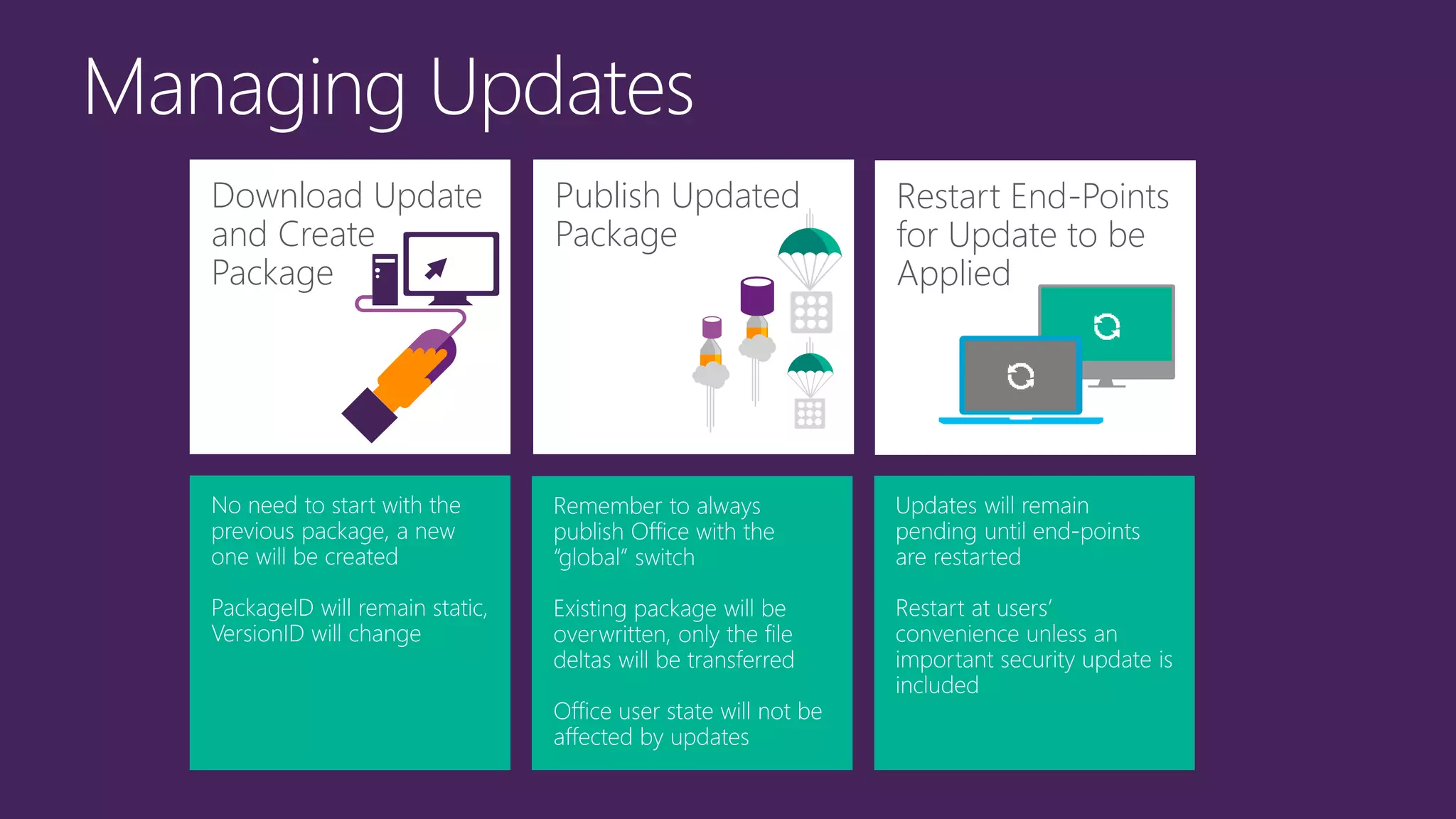
Download Update
and Create
Package
Publish Updated
Package
Restart End-Points
for Update to be
Applied
1.
2.
1.
2.
3.
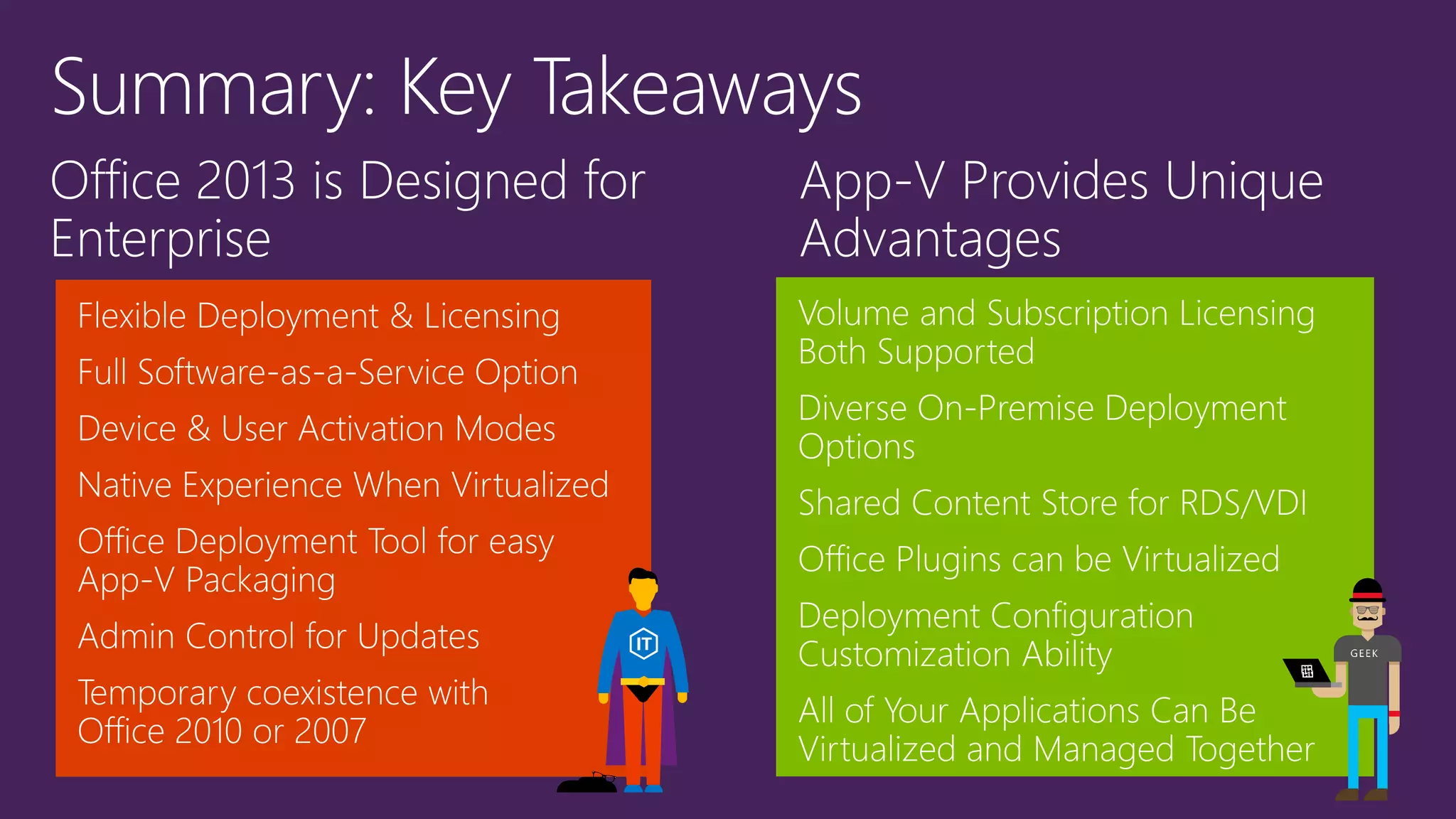
Office 2013 is Designed for
Enterprise
App-V Provides Unique
Advantages

APP-V 5.0 Service Pack 3, виртуализация Microsoft Office

  • 1.
  • 2.
           What if youcould eliminate the drawbacks & combine the benefits of each?
  • 4.
  • 5.
  • 6.
  • 7.
  • 8.
    Demo – App-V5.0 SP3 Connection Groups
  • 9.
    Release Pillar Detail Manageability– Server Functional Update
  • 10.
    Shared Content Store(SCS) mode Large applications: pre-add and pre-publish App-V packages Optimized for Speed • Pre-add packages Optimized for Storage • Pre-add only globally published packages
  • 11.
  • 13.
    Software-as-a-Service On-Premise Software“Service” Traditional Packaged Software Office 365 Portal, deploy in OS image, stand-alone, or via ESD (ConfigMgr) Deploy via App-V Server, in OS image, stand-alone, or ESD (ConfigMgr) Deploy, in OS image, stand-alone or via ESD (ConfigMgr) “Always Up-to-Date” or Admin Controlled Updates Admin Controlled Updates Service Pack and Updates (via MU/WSUS) Core Install-Time Controls, GPO Core Install-Time Controls, GPO Granular Install-Time Controls (Office Customization Tool), GPO Customizations via config.xml, GP, and add-ins Customization with App-V deployment configurations, GP, and add-ins Customizations via Office Customization Tool, GP, config.xml, and add-ins
  • 14.
    Volume Licensing SubscriptionLicensing Delivery Support MSI & App-V 5.0 SP2 Click-to-Run & App-V 5.0 SP2 Activation Support Key Management Service (KMS) & Multiple Activation Key (MAK) Office Licensing Service (OLS) – requires Internet-facing activation periodically Licensing Program All Volume License programs Enterprise & Enterprise Subscription Agreements, Microsoft Online Subscription Program Device/User Licensing & Activation Licensing & activation per-Device Licensing per-User (x5 Devices), activation per-Device or per-User OrgID/MSA OrgID/Microsoft Account not required, optional for Sign-In experience OrgId/Microsoft Account required Remote Desktop Services Support Supported (Standard or Professional Plus) Now Supported! (Office 365 ProPlus)
  • 16.
    Single shared serverOS with RDS role enabled servicing multiple user profiles One shared Office install Key Attributes Many-to-one relationship with remote computer Consuming device may see entire desktop or just an application window (RemoteApp) Enable Shared Content Store mode if using App-V for application deployment RD Session Host Connection BrokerConsuming Devices User Profiles
  • 17.
    Server operating system withHyper-V or similar operating system virtualization host Multiple virtual machines Each virtual machine has a separate Office install Key Attributes Users access a dedicated virtual machine (VM) from a consuming device One-to-one user-to-VM relationship – each VM includes an Office install User state may be external to VM, but applications are included in VM Enable Shared Content Store mode if using App-V for application deployment Hyper-V Server Connection BrokerConsuming Devices Virtual Machines
  • 18.
    Server OS withHyper-V or similar OS virtualization host Virtual machines share common base OS Key Attributes Users access a dynamically-allocated shared base VM (or session) from a consuming device User state and apps are accessed on storage outside of the VM Pool Should consider including Office in the base image Enable Shared Content Store mode if using App-V for application deployment Hyper-V Server userState VirtualApps OSImage Connection BrokerConsuming Devices
  • 19.
    Office Volume LicenseOffice 365 Subscription
  • 21.
  • 22.
    App-V Customization Options: • ProductSKU(s), Version and Bitness • Language(s) • Office 365 Licensing Mode • Apps to Exclude • Unique Package ID http://aka.ms/msodt
  • 27.
    *For Datacenter Scenarios(RDS and VDI) always enable the Shared Content Store (CSC) Feature. See new performance guidance: http://aka.ms/appvperf
  • 28.
  • 29.
  • 30.
    Beginning Office Install2013 Coexistence Option(s) 2010 MSI or App-V (isolated)* 2013 Click-to-Run 2013 App-V 2013 MSI 2007 MSI or App-V 2013 Click-to-Run 2013 App-V 2013 MSI
  • 33.
    Download Update and Create Package PublishUpdated Package Restart End-Points for Update to be Applied
  • 34.
  • 35.
  • 39.
    Office 2013 isDesigned for Enterprise App-V Provides Unique Advantages