Closing ceremonies
Anya Shaw
IH Buenos Aires
Closing ceremonies
Closing ceremonies
First
classes
Closing ceremonies
First
classes
Closing ceremonies
First
classes
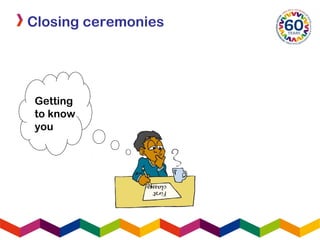
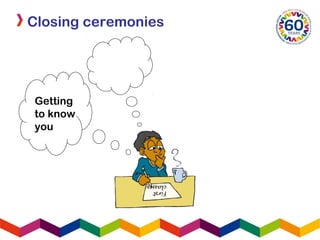
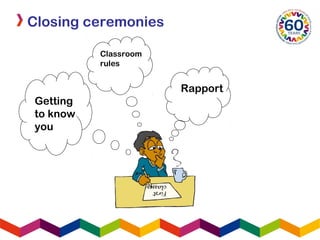
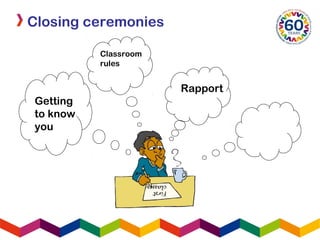
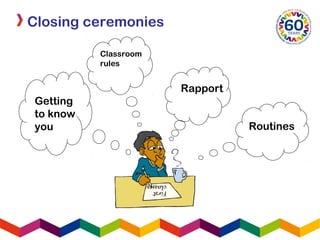
Getting
to know
you
Closing ceremonies
Closing ceremonies
First
classes
Getting
to know
you
First
classes
Getting
to know
you
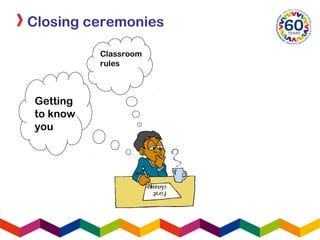
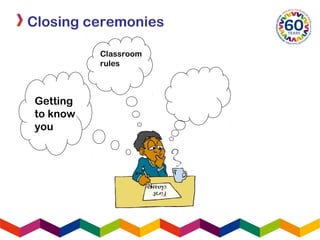
Classroom
rules
Closing ceremonies
First
classes
Getting
to know
you
Classroom
rules
Closing ceremonies
First
classes
Getting
to know
you
Classroom
rules
Rapport
Closing ceremonies
First
classes
Getting
to know
you
Classroom
rules
Rapport
Closing ceremonies
First
classes
Getting
to know
you
Classroom
rules
Rapport
Closing ceremonies
Routines
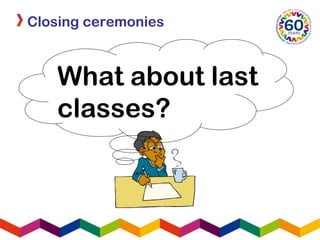
What about last
classes?
Closing ceremonies
Closing ceremonies
Closing ceremonies
MAKE THE
LAST
CLASS…
Closing ceremonies
MAKE THE
LAST
CLASS…?
Closing ceremonies
MAKE THE
LAST
CLASS…
COUNT!
Closing ceremonies
Closing ceremonies
Closing ceremonies
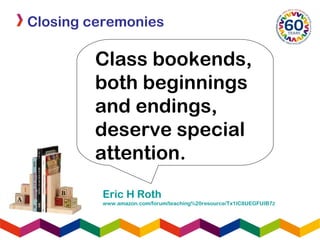
Eric H Roth
www.amazon.com/forum/teaching%20resource/Tx1IC8UEGFUIB7Z
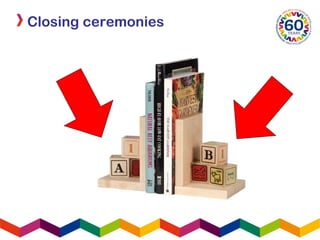
Class bookends,
both beginnings
and endings,
deserve special
attention.
Closing ceremonies
Closing ceremonies
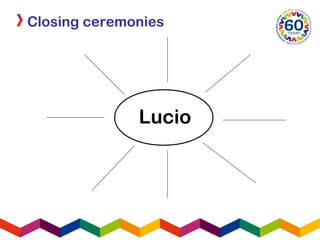
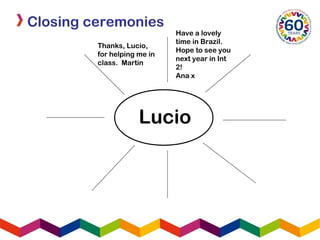
Lucio
Closing ceremonies
Lucio
Closing ceremonies
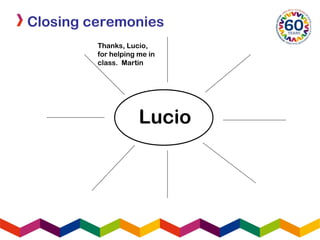
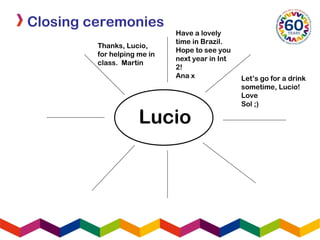
Thanks, Lucio,
for helping me in
class. Martin
Lucio
Closing ceremonies
Thanks, Lucio,
for helping me in
class. Martin
Lucio
Have a lovely
time in Brazil.
Hope to see you
next year in Int
2!
Ana x
Closing ceremonies
Thanks, Lucio,
for helping me in
class. Martin
Lucio
Have a lovely
time in Brazil.
Hope to see you
next year in Int
2!
Ana x Let’s go for a drink
sometime, Lucio!
Love
Sol ;)
Closing ceremonies
Closing ceremonies
Closing ceremonies
Closing ceremonies
Closing ceremonies
Closing ceremonies
Closing ceremonies
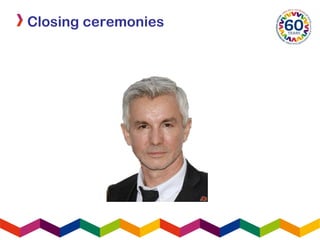
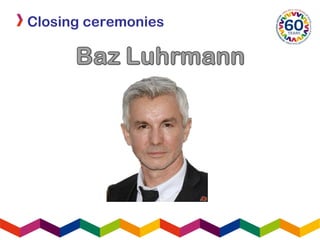
Baz Luhrmann – Everybody’s free to wear sunscreen
www.lyricscrawler.com/song/3953.html
Ladies and Gentlemen of the class of ’99…
Wear sunscreen.
If I could offer you only one tip for the future,
sunscreen would be it. The long term benefits of
sunscreen have been proved by scientists whereas
the rest of my advice has no basis more reliable than
my own meandering experience. I will dispense this
advice now.
Enjoy the power and beauty of your youth. Oh never
mind - you will not understand the power and beauty of
your youth until they have faded. 
But trust me, in 20 years you’ll look back at photos of
yourself and recall in a way you can’t grasp now how
much possibility lay before you and how fabulous you
really looked.
Closing ceremonies
You’re not as fat as you imagine.
Don’t worry about the future. Or worry, but know that
worrying is as effective as trying to solve an algebra
equation by chewing bubblegum. The real troubles in
your life are apt to be things that never crossed your
worried mind - the kind that blindside you at 4pm on
some idle Tuesday. 
Do one thing everyday that scares you.
Sing.
Don’t be reckless with other people’s hearts. Don’t put
up with people who are reckless with yours.
Floss.
Don’t waste your time on jealousy. Sometimes you’re
ahead, sometimes you’re behind. The race is long,
and in the end, it’s only with yourself.
Baz Luhrmann – Everybody’s free to wear sunscreen
www.lyricscrawler.com/song/3953.html
Closing ceremonies
Remember compliments you receive, forget the insults.
If you succeed in doing this, tell me how.
Keep your old love letters, throw away your old bank
statements.
Stretch.
Don’t feel guilty if you don’t know what you want to do
with your life…The most interesting people I know
didn’t know at 22 what they  wanted to do with their
lives, some of the most interesting 40 year olds I know
still don’t.
Get plenty of calcium.
Be kind to your knees - you’ll miss them when they’re
gone.
Baz Luhrmann – Everybody’s free to wear sunscreen
www.lyricscrawler.com/song/3953.html
Closing ceremonies
Maybe you’ll marry, maybe you won’t. Maybe you’ll
have children, maybe you won’t. Maybe you’ll divorce
at 40. Maybe you’ll dance the funky chicken on your
75th wedding anniversary.
What ever you do, don’t congratulate yourself too
much or berate yourself either – your choices are half
chance, so are everybody else’s.
Enjoy your body. Use it every way you can. Don’t be
afraid of it, or what other people think of it. It’s the
greatest instrument you’ll ever own.
Dance… Even if you have nowhere to do it but in your
own living room.
Read the directions, even if you don’t follow them.
Baz Luhrmann – Everybody’s free to wear sunscreen
www.lyricscrawler.com/song/3953.html
Closing ceremonies
Do NOT read beauty magazines - they will only make
you feel ugly.
Get to know your parents - you never know when
they’ll be gone for good.
Be nice to your siblings - they are the best link to your
past and the people most likely to stick with you in the
future.
Understand that friends come and go, but for the
precious few you should hold on.
Work hard to bridge the gaps in geography
and lifestyle because the older you get, the more you
need the people you knew when you were young.
Live in New York City once, but leave before it makes
you hard. Live in Northern California once, but leave
before it makes you soft.
Baz Luhrmann – Everybody’s free to wear sunscreen
www.lyricscrawler.com/song/3953.html
Closing ceremonies
Travel. 
Accept certain inalienable truths: prices will rise,
politicians will philander, you too will get old, and
when you do you’ll fantasise that when you were
young prices were reasonable, politicians were noble
and children respected their elders.
Respect your elders.
Don’t expect anyone else to support you.
Maybe you have a trust fund, maybe you have a
wealthy spouse… but you never know when either
one might run out.
Baz Luhrmann – Everybody’s free to wear sunscreen
www.lyricscrawler.com/song/3953.html
Closing ceremonies
Don’t mess too much with your hair, or by the time
you're 40, it will look 85.
Be careful whose advice you buy but be patient with
those who supply it.
Advice is a form of nostalgia, dispensing it is a way of 
fishing the past from the disposal, wiping it off,
painting over the ugly parts and recycling it for more
than it’s worth.
But trust me on the sunscreen.
Baz Luhrmann – Everybody’s free to wear sunscreen
www.lyricscrawler.com/song/3953.html
Closing ceremonies
Closing ceremonies
Imperatives e.g.
Closing ceremonies
Imperatives e.g. Floss, Dance, Don’t mess
too much with your hair
Closing ceremonies
Imperatives e.g. Floss, Dance, Don’t mess
too much with your hair
Conitionals e.g.
Closing ceremonies
Imperatives e.g. Floss, Dance, Don’t mess
too much with your hair
Conitionals e.g. If I could offer you only one
tip for the future, sunscreen would be it
Closing ceremonies
Imperatives e.g. Floss, Dance, Don’t mess
too much with your hair
Conitionals e.g. If I could offer you only one
tip for the future, sunscreen would be it
Maybe you’ll marry, maybe you won’t.
Maybe you’ll have children, maybe you
won’t.
Closing ceremonies
Closing ceremonies
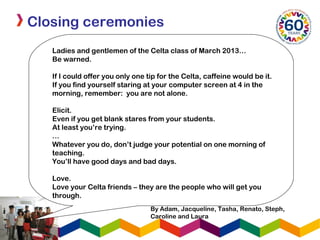
Ladies and gentlemen of the Celta class of March 2013…
Be warned.
If I could offer you only one tip for the Celta, caffeine would be it.
If you find yourself staring at your computer screen at 4 in the
morning, remember: you are not alone.
Elicit.
Even if you get blank stares from your students.
At least you’re trying.
…
Whatever you do, don’t judge your potential on one morning of
teaching.
You’ll have good days and bad days.
Love.
Love your Celta friends – they are the people who will get you
through.
By Adam, Jacqueline, Tasha, Renato, Steph,
Caroline and Laura
Closing ceremonies
Ladies and gentlemen of the FCE classes of 2013…
Work hard.
If I could give you one tip for this year at IH, hard work
would be it.
Don’t leave it all until November.
Read the question.
In the writing test, read the question carefully.
Include all the points or you might fail.
Watch the timing. Timing is especially important in the
exam.
Maybe you’ll pass with an A, maybe you won’t. But the
important thing is that you learn!
By Julian, Martin, Luli, Vale and Cecilia.
Closing ceremonies
Over to
you…
Closing ceremonies
Closing ceremonies
Closing ceremonies
Closing ceremonies
Closing ceremonies
Anya Shaw
IH Buenos Aires
belgrano@ihbuenosaires-city.com.ar

Anya shaw.closingceremonies

Editor's Notes

  • #2 Please replace the IHWO logo in the bottom left corner with your school’s if you can  .
  • #3 Put session or section title in top left and then content in text box. Remember animation doesn;t work in Blackboard, so you need a new slide for anything you want to appear on top of a slide.
  • #4 Put session or section title in top left and then content in text box. Remember animation doesn;t work in Blackboard, so you need a new slide for anything you want to appear on top of a slide.
  • #5 Put session or section title in top left and then content in text box. Remember animation doesn;t work in Blackboard, so you need a new slide for anything you want to appear on top of a slide.
  • #6 Put session or section title in top left and then content in text box. Remember animation doesn;t work in Blackboard, so you need a new slide for anything you want to appear on top of a slide.
  • #7 Put session or section title in top left and then content in text box. Remember animation doesn;t work in Blackboard, so you need a new slide for anything you want to appear on top of a slide.
  • #8 Put session or section title in top left and then content in text box. Remember animation doesn;t work in Blackboard, so you need a new slide for anything you want to appear on top of a slide.
  • #9 Put session or section title in top left and then content in text box. Remember animation doesn;t work in Blackboard, so you need a new slide for anything you want to appear on top of a slide.
  • #10 Put session or section title in top left and then content in text box. Remember animation doesn;t work in Blackboard, so you need a new slide for anything you want to appear on top of a slide.
  • #11 Put session or section title in top left and then content in text box. Remember animation doesn;t work in Blackboard, so you need a new slide for anything you want to appear on top of a slide.
  • #12 Put session or section title in top left and then content in text box. Remember animation doesn;t work in Blackboard, so you need a new slide for anything you want to appear on top of a slide.
  • #13 Put session or section title in top left and then content in text box. Remember animation doesn;t work in Blackboard, so you need a new slide for anything you want to appear on top of a slide.
  • #14 Put session or section title in top left and then content in text box. Remember animation doesn;t work in Blackboard, so you need a new slide for anything you want to appear on top of a slide.
  • #15 Put session or section title in top left and then content in text box. Remember animation doesn;t work in Blackboard, so you need a new slide for anything you want to appear on top of a slide.
  • #16 Put session or section title in top left and then content in text box. Remember animation doesn;t work in Blackboard, so you need a new slide for anything you want to appear on top of a slide.
  • #17 Put session or section title in top left and then content in text box. Remember animation doesn;t work in Blackboard, so you need a new slide for anything you want to appear on top of a slide.
  • #18 Put session or section title in top left and then content in text box. Remember animation doesn;t work in Blackboard, so you need a new slide for anything you want to appear on top of a slide.
  • #19 Put session or section title in top left and then content in text box. Remember animation doesn;t work in Blackboard, so you need a new slide for anything you want to appear on top of a slide.
  • #20 Put session or section title in top left and then content in text box. Remember animation doesn;t work in Blackboard, so you need a new slide for anything you want to appear on top of a slide.
  • #21 Put session or section title in top left and then content in text box. Remember animation doesn;t work in Blackboard, so you need a new slide for anything you want to appear on top of a slide.
  • #22 Put session or section title in top left and then content in text box. Remember animation doesn;t work in Blackboard, so you need a new slide for anything you want to appear on top of a slide.
  • #23 Put session or section title in top left and then content in text box. Remember animation doesn;t work in Blackboard, so you need a new slide for anything you want to appear on top of a slide.
  • #24 Put session or section title in top left and then content in text box. Remember animation doesn;t work in Blackboard, so you need a new slide for anything you want to appear on top of a slide.
  • #25 Put session or section title in top left and then content in text box. Remember animation doesn;t work in Blackboard, so you need a new slide for anything you want to appear on top of a slide.
  • #26 Put session or section title in top left and then content in text box. Remember animation doesn;t work in Blackboard, so you need a new slide for anything you want to appear on top of a slide.
  • #27 Put session or section title in top left and then content in text box. Remember animation doesn;t work in Blackboard, so you need a new slide for anything you want to appear on top of a slide.
  • #28 Put session or section title in top left and then content in text box. Remember animation doesn;t work in Blackboard, so you need a new slide for anything you want to appear on top of a slide.
  • #29 Put session or section title in top left and then content in text box. Remember animation doesn;t work in Blackboard, so you need a new slide for anything you want to appear on top of a slide.
  • #30 Put session or section title in top left and then content in text box. Remember animation doesn;t work in Blackboard, so you need a new slide for anything you want to appear on top of a slide.
  • #31 Put session or section title in top left and then content in text box. Remember animation doesn;t work in Blackboard, so you need a new slide for anything you want to appear on top of a slide.
  • #32 Put session or section title in top left and then content in text box. Remember animation doesn;t work in Blackboard, so you need a new slide for anything you want to appear on top of a slide.
  • #33 Put session or section title in top left and then content in text box. Remember animation doesn;t work in Blackboard, so you need a new slide for anything you want to appear on top of a slide.
  • #34 Put session or section title in top left and then content in text box. Remember animation doesn;t work in Blackboard, so you need a new slide for anything you want to appear on top of a slide.
  • #35 Put session or section title in top left and then content in text box. Remember animation doesn;t work in Blackboard, so you need a new slide for anything you want to appear on top of a slide.
  • #36 Put session or section title in top left and then content in text box. Remember animation doesn;t work in Blackboard, so you need a new slide for anything you want to appear on top of a slide.
  • #37 Put session or section title in top left and then content in text box. Remember animation doesn;t work in Blackboard, so you need a new slide for anything you want to appear on top of a slide.
  • #38 Put session or section title in top left and then content in text box. Remember animation doesn;t work in Blackboard, so you need a new slide for anything you want to appear on top of a slide.
  • #39 Put session or section title in top left and then content in text box. Remember animation doesn;t work in Blackboard, so you need a new slide for anything you want to appear on top of a slide.
  • #40 Put session or section title in top left and then content in text box. Remember animation doesn;t work in Blackboard, so you need a new slide for anything you want to appear on top of a slide.
  • #41 Put session or section title in top left and then content in text box. Remember animation doesn;t work in Blackboard, so you need a new slide for anything you want to appear on top of a slide.
  • #42 Put session or section title in top left and then content in text box. Remember animation doesn;t work in Blackboard, so you need a new slide for anything you want to appear on top of a slide.
  • #43 Put session or section title in top left and then content in text box. Remember animation doesn;t work in Blackboard, so you need a new slide for anything you want to appear on top of a slide.
  • #44 Put session or section title in top left and then content in text box. Remember animation doesn;t work in Blackboard, so you need a new slide for anything you want to appear on top of a slide.
  • #45 Put session or section title in top left and then content in text box. Remember animation doesn;t work in Blackboard, so you need a new slide for anything you want to appear on top of a slide.
  • #46 Put session or section title in top left and then content in text box. Remember animation doesn;t work in Blackboard, so you need a new slide for anything you want to appear on top of a slide.
  • #47 Put session or section title in top left and then content in text box. Remember animation doesn;t work in Blackboard, so you need a new slide for anything you want to appear on top of a slide.
  • #48 Put session or section title in top left and then content in text box. Remember animation doesn;t work in Blackboard, so you need a new slide for anything you want to appear on top of a slide.
  • #49 Put session or section title in top left and then content in text box. Remember animation doesn;t work in Blackboard, so you need a new slide for anything you want to appear on top of a slide.
  • #50 Put session or section title in top left and then content in text box. Remember animation doesn;t work in Blackboard, so you need a new slide for anything you want to appear on top of a slide.
  • #51 Put session or section title in top left and then content in text box. Remember animation doesn;t work in Blackboard, so you need a new slide for anything you want to appear on top of a slide.
  • #52 Put session or section title in top left and then content in text box. Remember animation doesn;t work in Blackboard, so you need a new slide for anything you want to appear on top of a slide.
  • #53 Put session or section title in top left and then content in text box. Remember animation doesn;t work in Blackboard, so you need a new slide for anything you want to appear on top of a slide.
  • #54 Put session or section title in top left and then content in text box. Remember animation doesn;t work in Blackboard, so you need a new slide for anything you want to appear on top of a slide.
  • #55 Please replace the IHWO logo in the bottom left corner with your school’s if you can  .