MySQL is an open-source relational database management system that can be installed on Linux and Windows. The document provides step-by-step instructions for installing and configuring MySQL and describes common SQL commands for creating and managing databases, tables, and data. Key MySQL features and administration tasks such as backup, restoration, user and privilege management are also overviewed.
MySQL is a multithreaded, multi-user SQL database management system available for Linux and Windows, widely used in over 6 million installations.
An overview of the MySQL installation and configuration process presented by H. Ankush Jain.
Step-by-step instructions on downloading, installation wizard initiation, configuration, setting server types, and user options during MySQL setup.
Commands to operate MySQL, including login, database creation, listing (SHOW), switching databases, and deleting databases or tables.
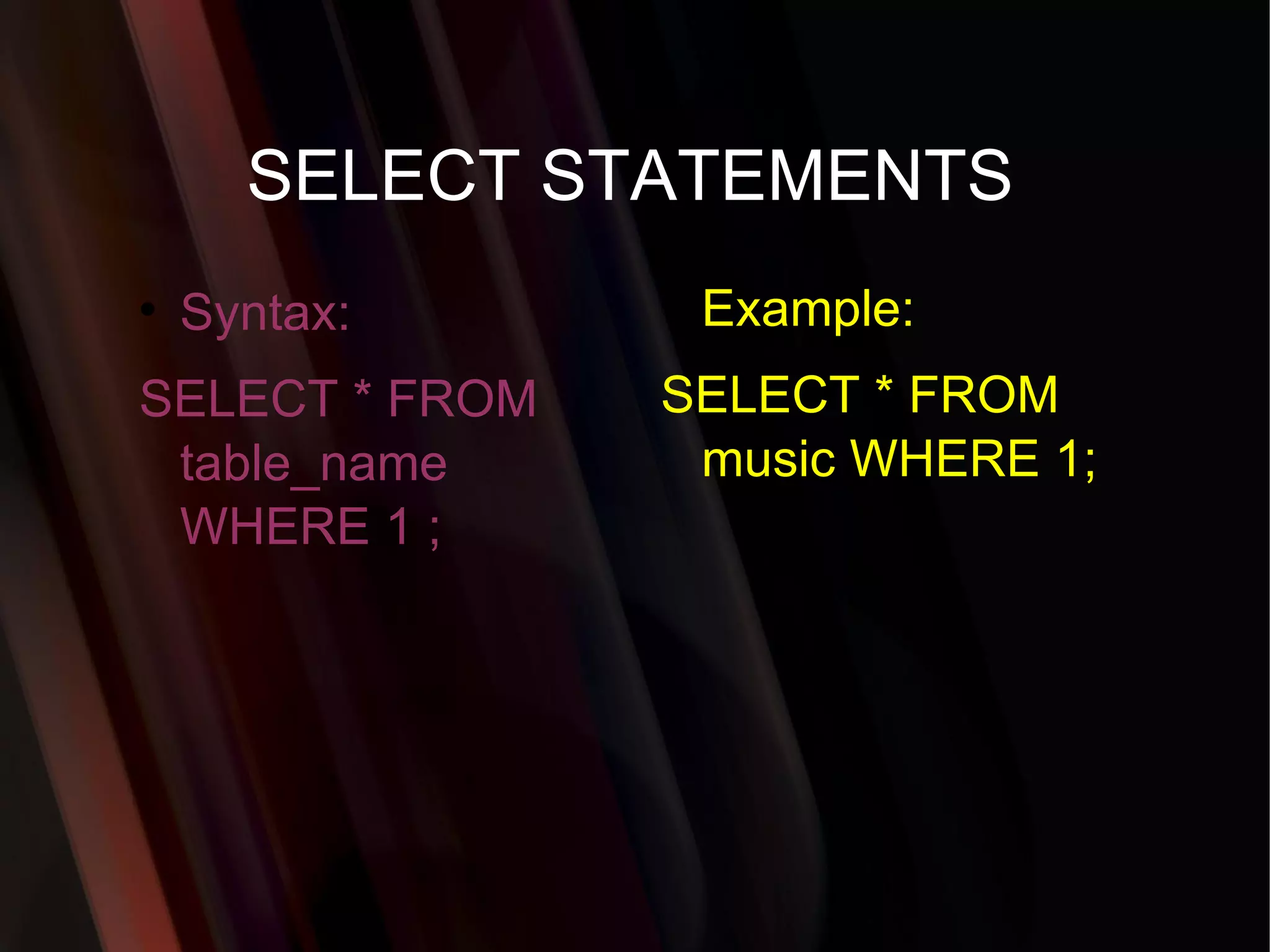
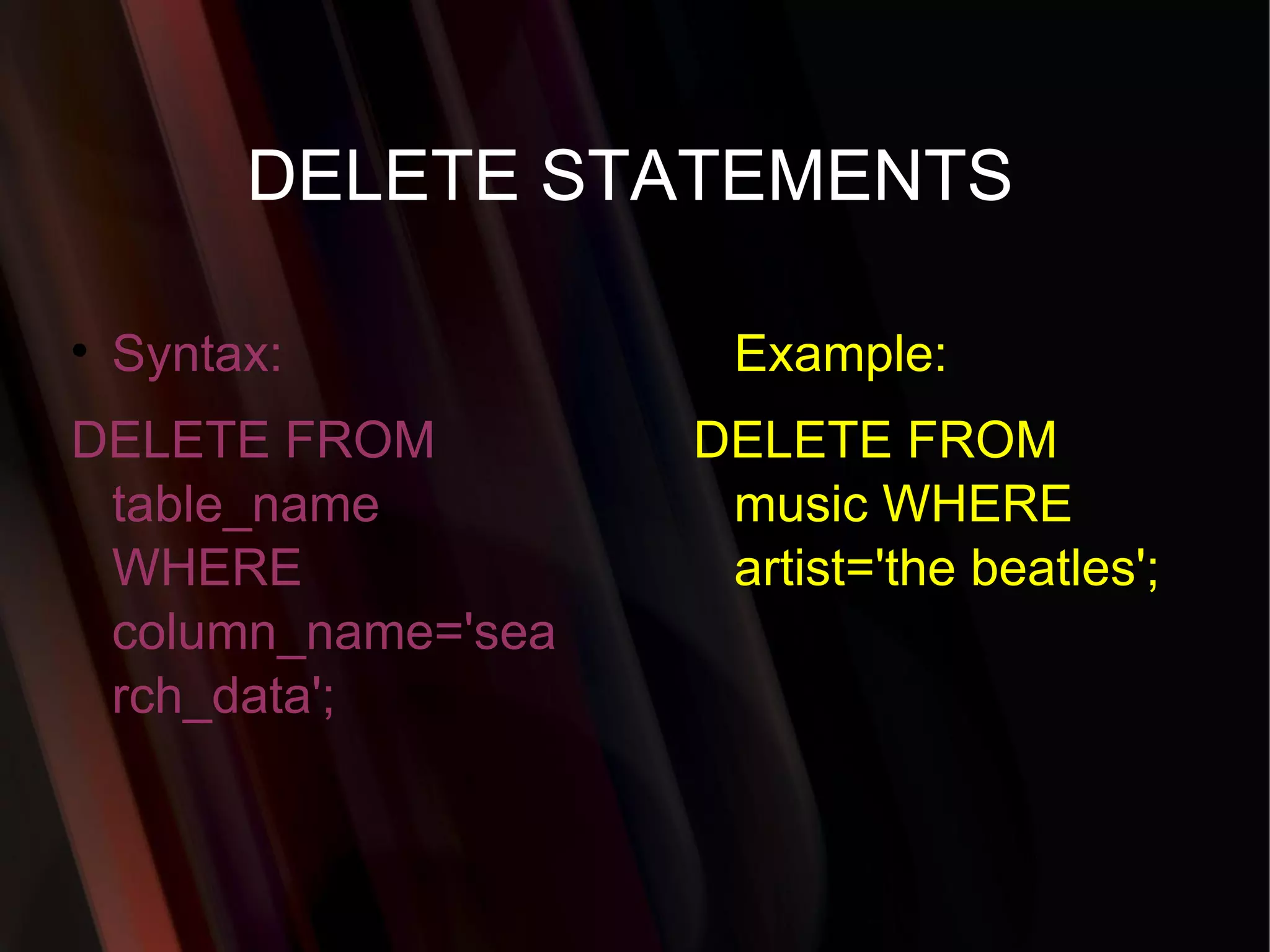
Commands for data retrieval (SELECT), updates (UPDATE), deletions (DELETE), and user privileges management, along with backup and restore operations involving MySQL.
a multithreaded, multi-userSQL database management system. A Database Management System which is available for both Linux and Windows. Popular Open Source Database. a relational database management system (RDBMS) that has more than 6 million installations. What is MYSQL?
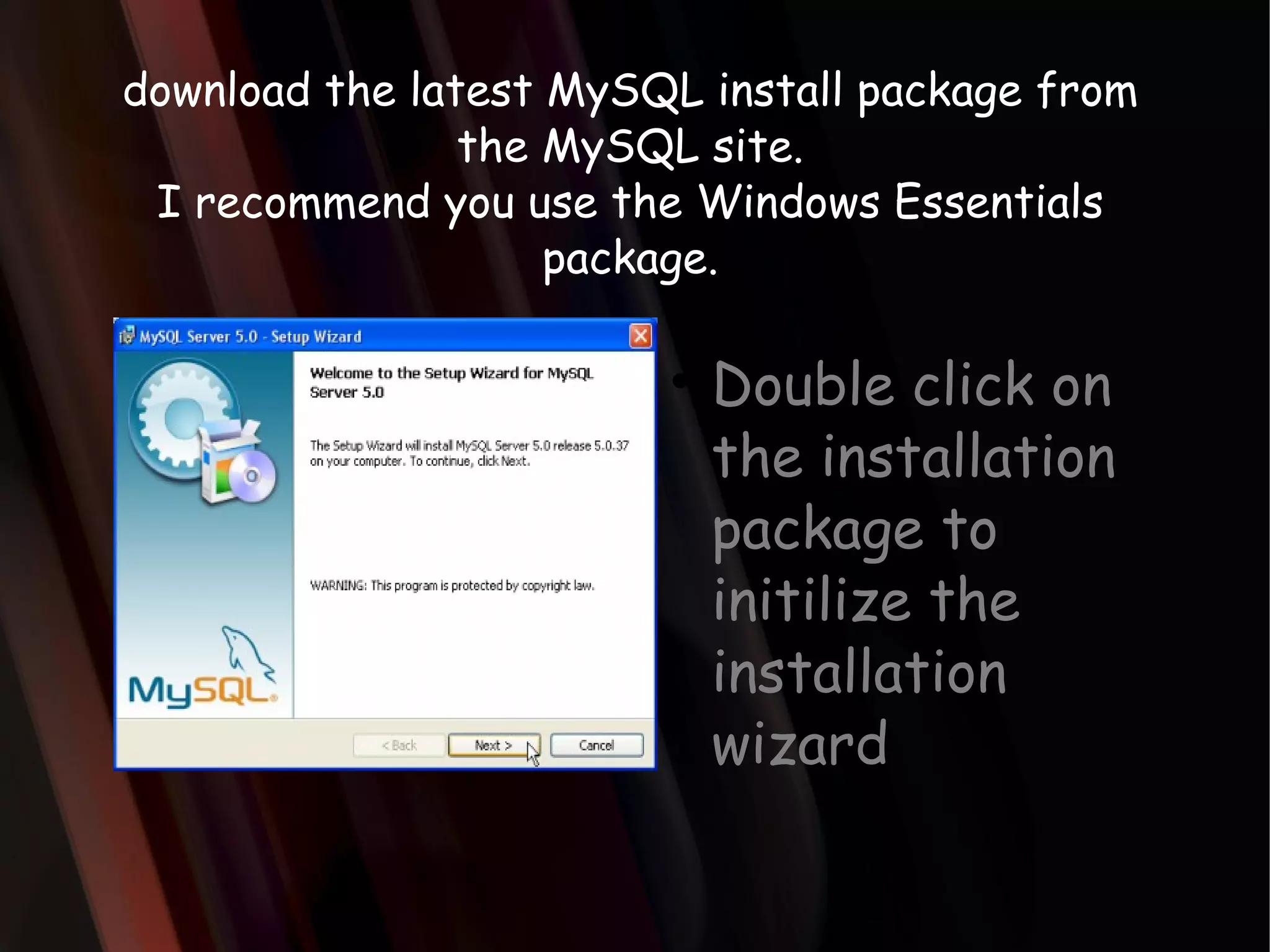
download the latestMySQL install package from the MySQL site. I recommend you use the Windows Essentials package. Double click on the installation package to initilize the installation wizard
6.
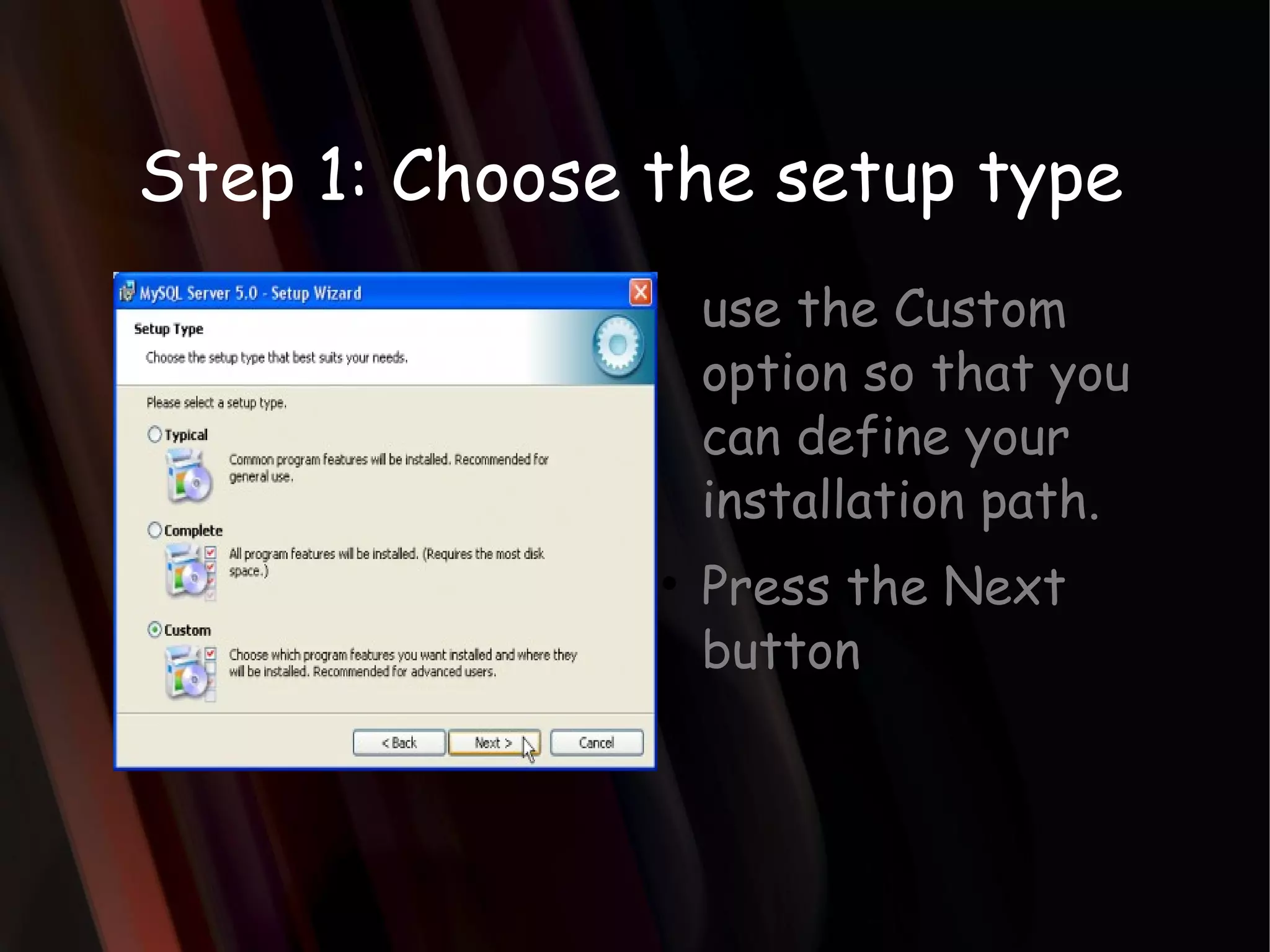
Step 1: Choosethe setup type use the Custom option so that you can define your installation path. Press the Next button
7.
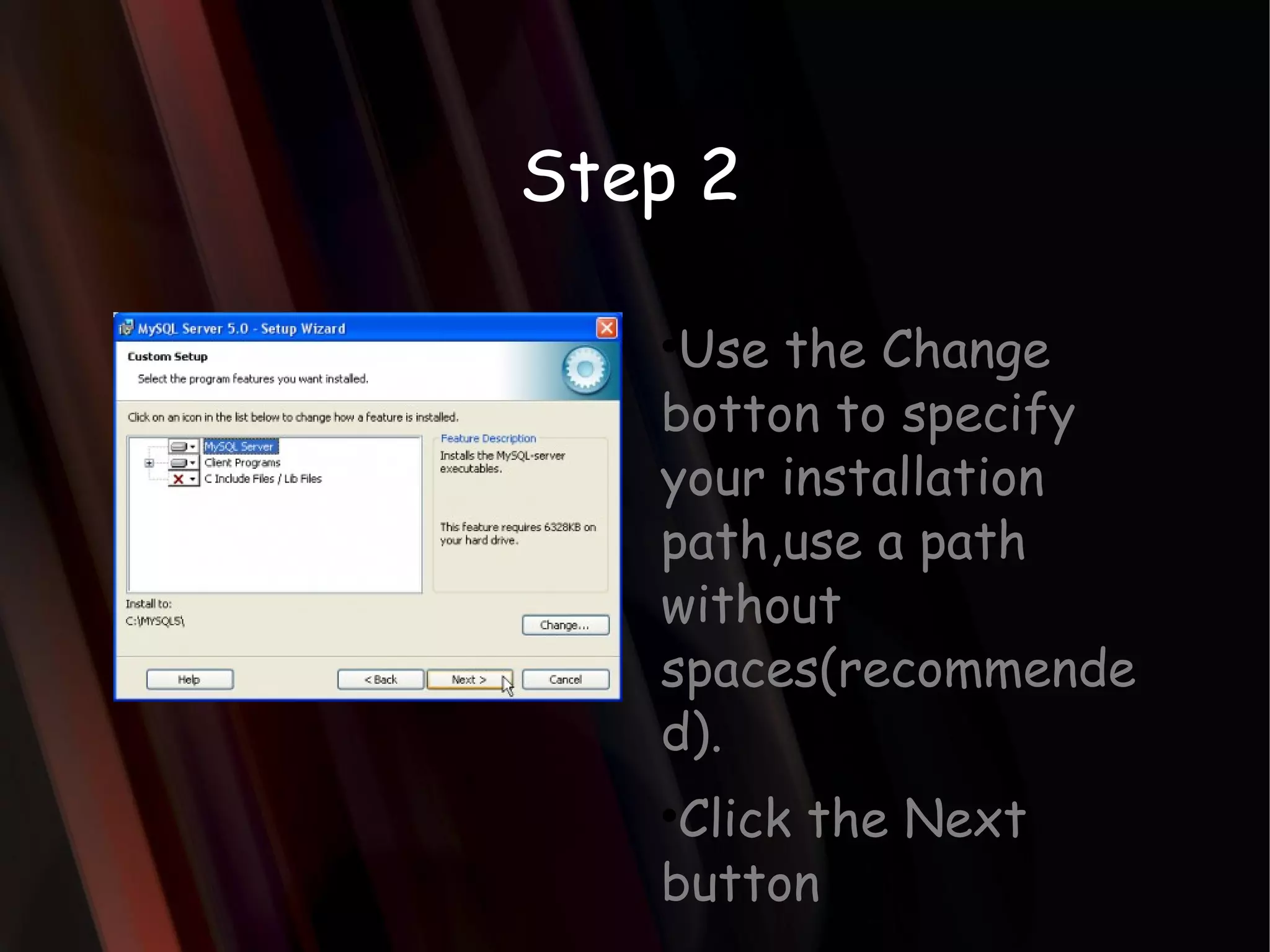
Step 2 Usethe Change botton to specify your installation path,use a path without spaces(recommended). Click the Next button
8.
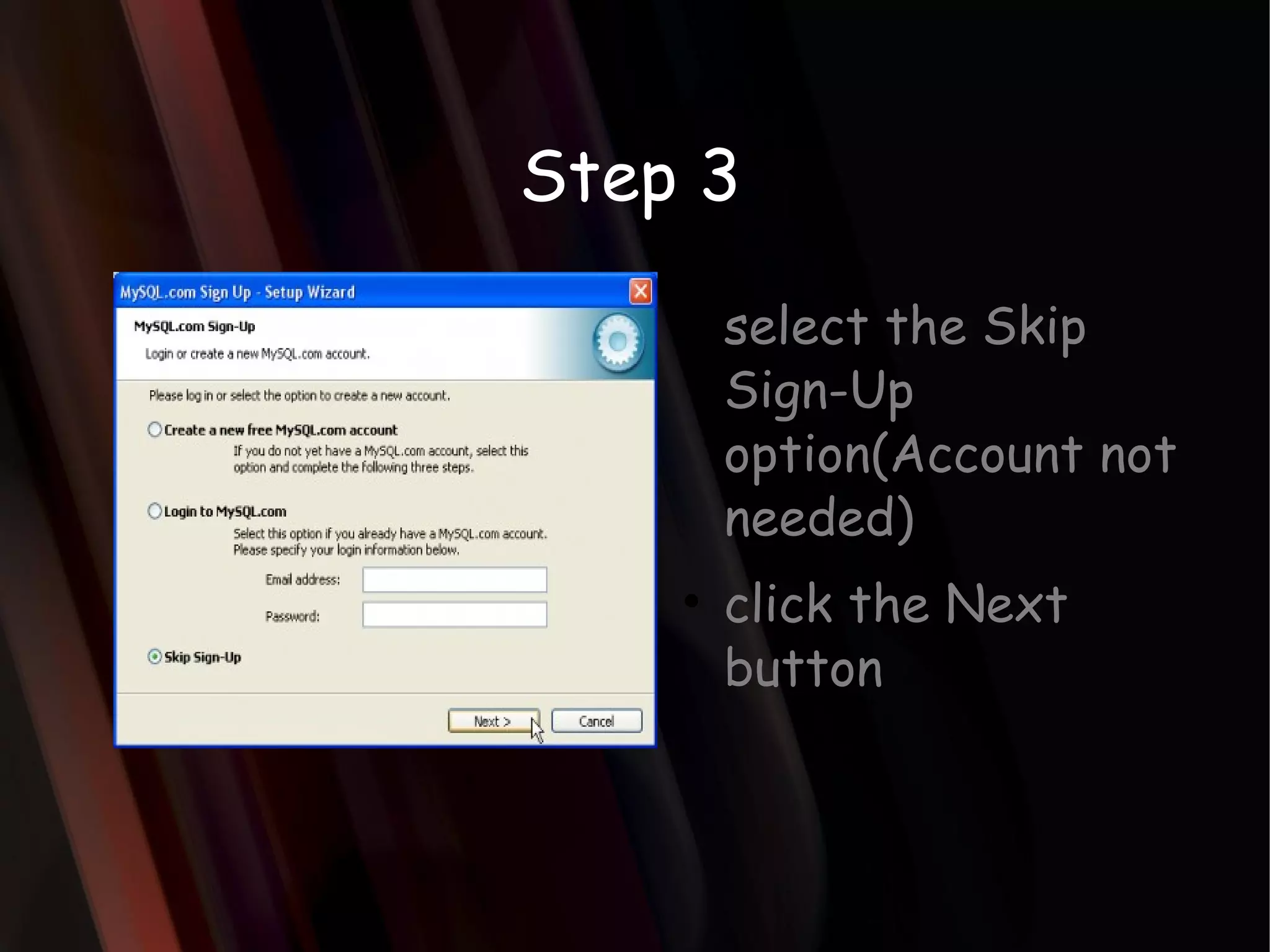
Step 3 selectthe Skip Sign-Up option(Account not needed) click the Next button
9.
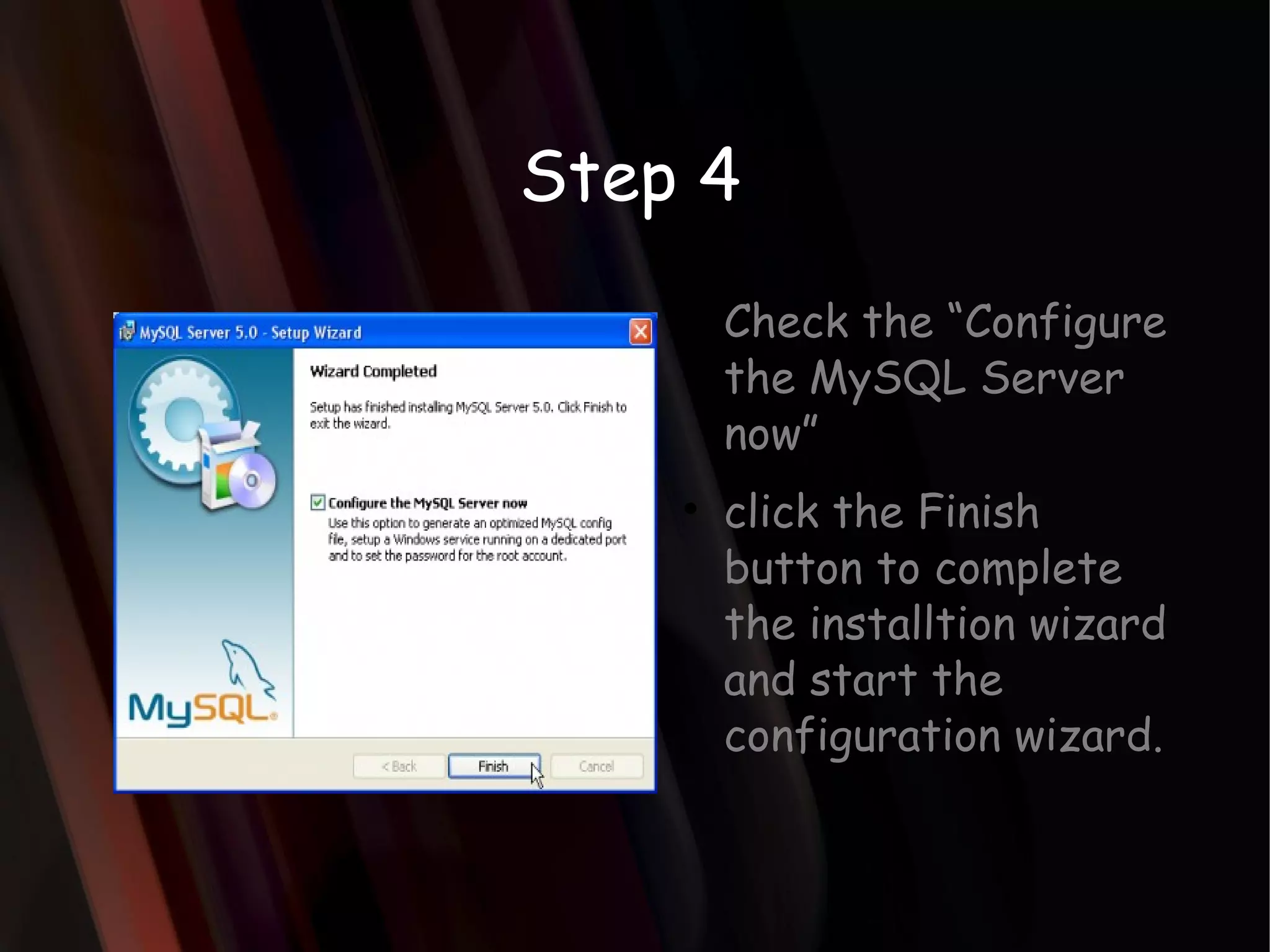
Step 4 Checkthe “Configure the MySQL Server now” click the Finish button to complete the installtion wizard and start the configuration wizard.
10.
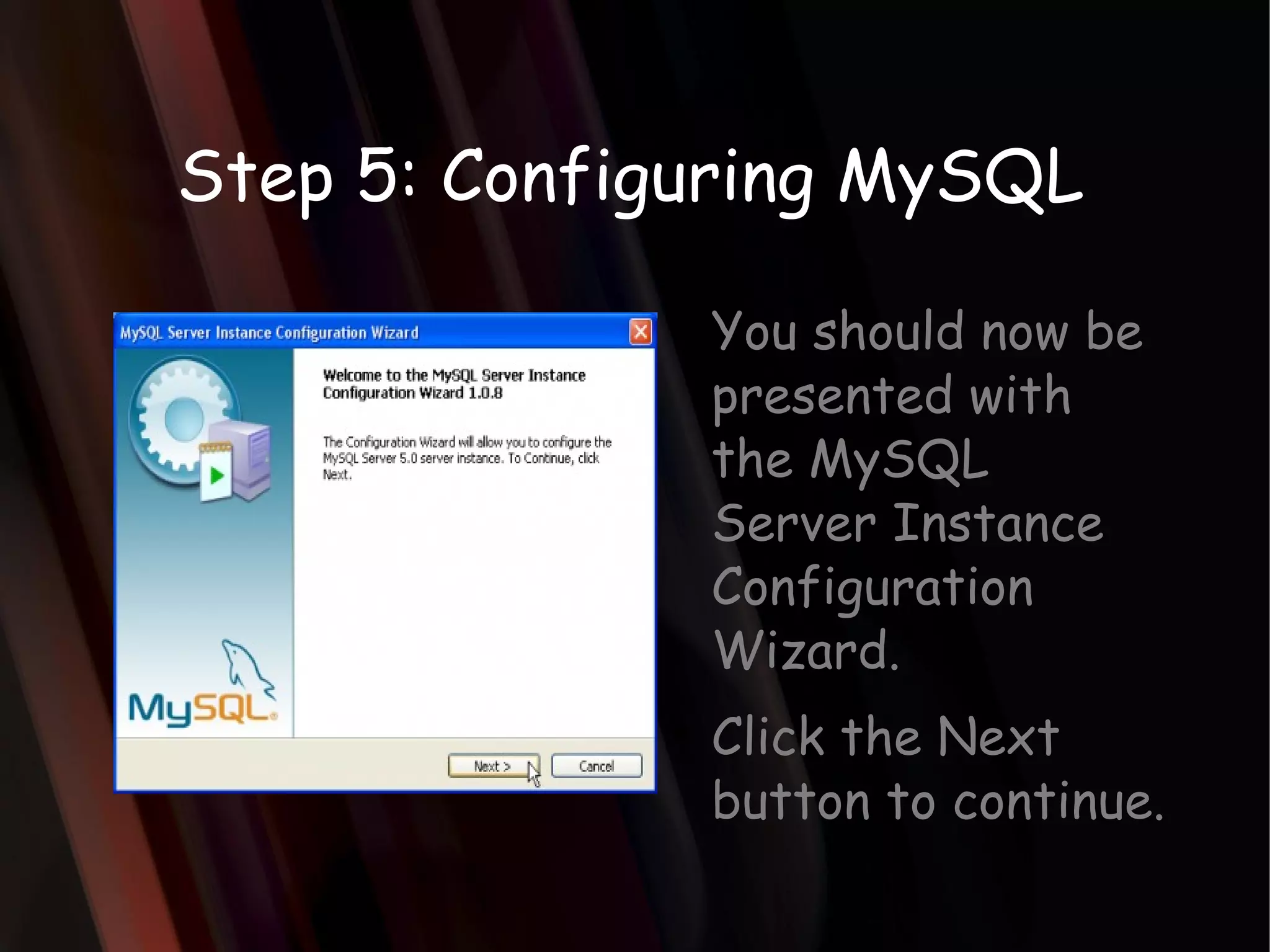
Step 5: ConfiguringMySQL You should now be presented with the MySQL Server Instance Configuration Wizard. Click the Next button to continue.
11.
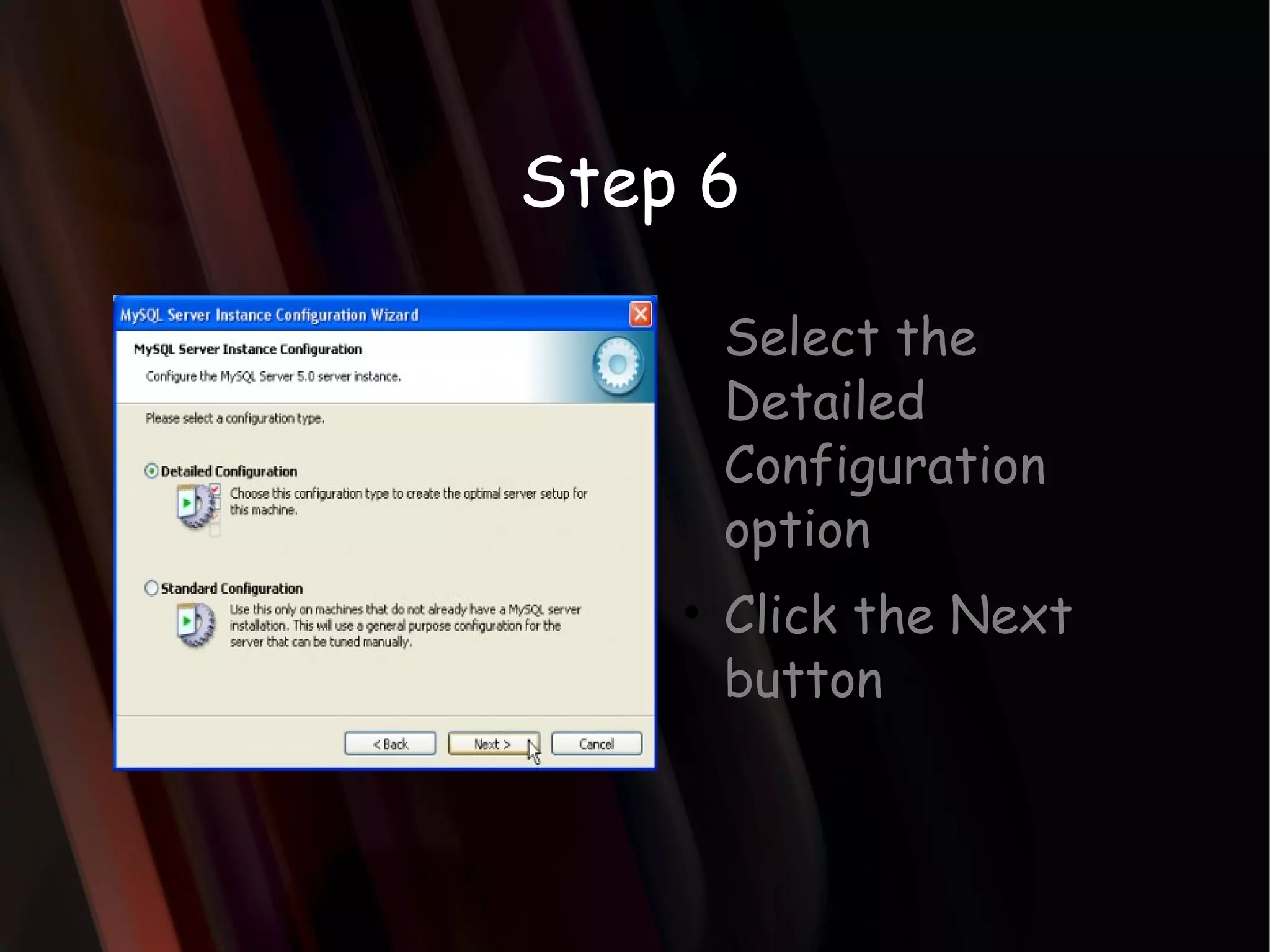
Step 6 Selectthe Detailed Configuration option Click the Next button
12.
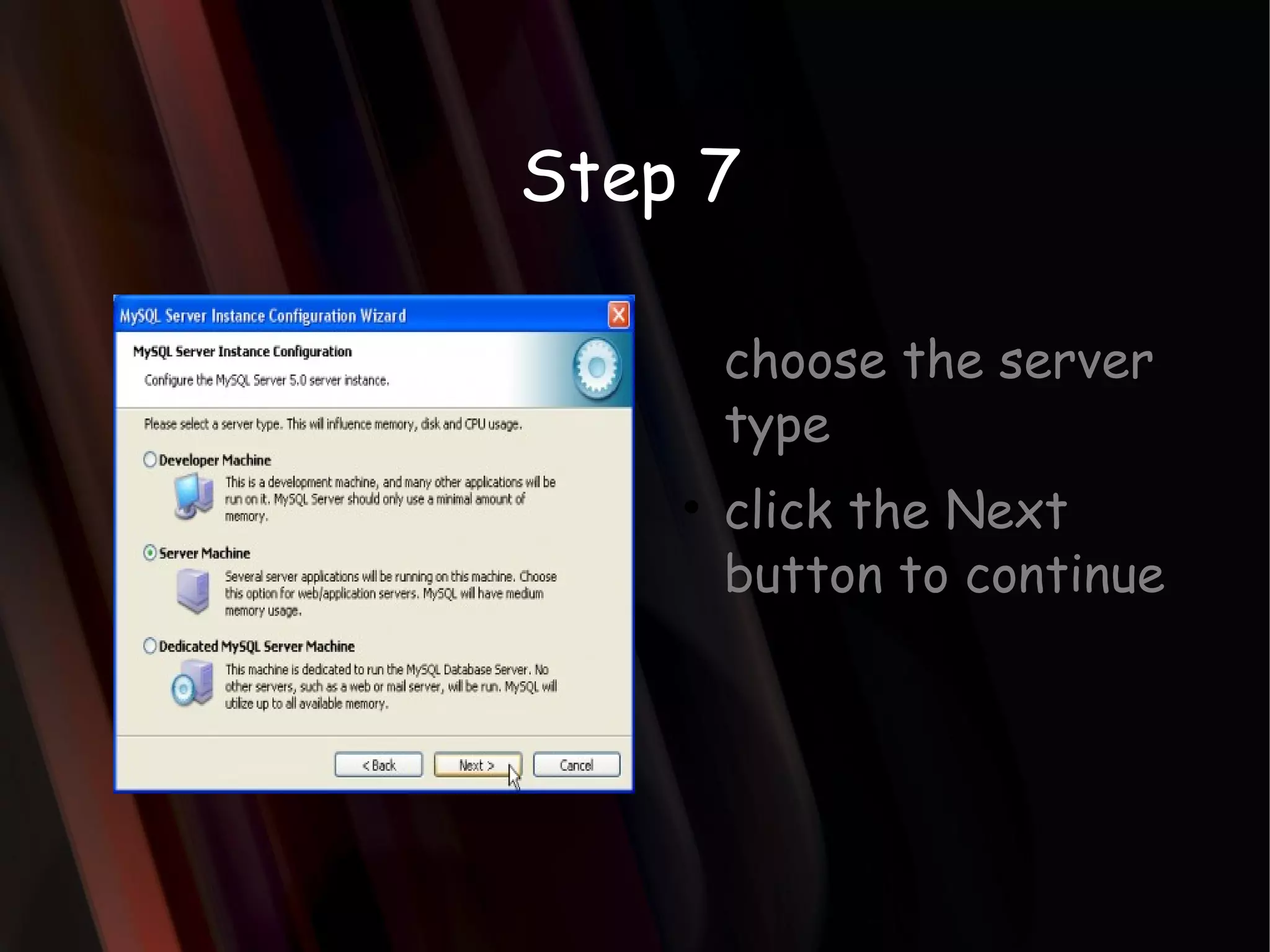
Step 7 choosethe server type click the Next button to continue
13.
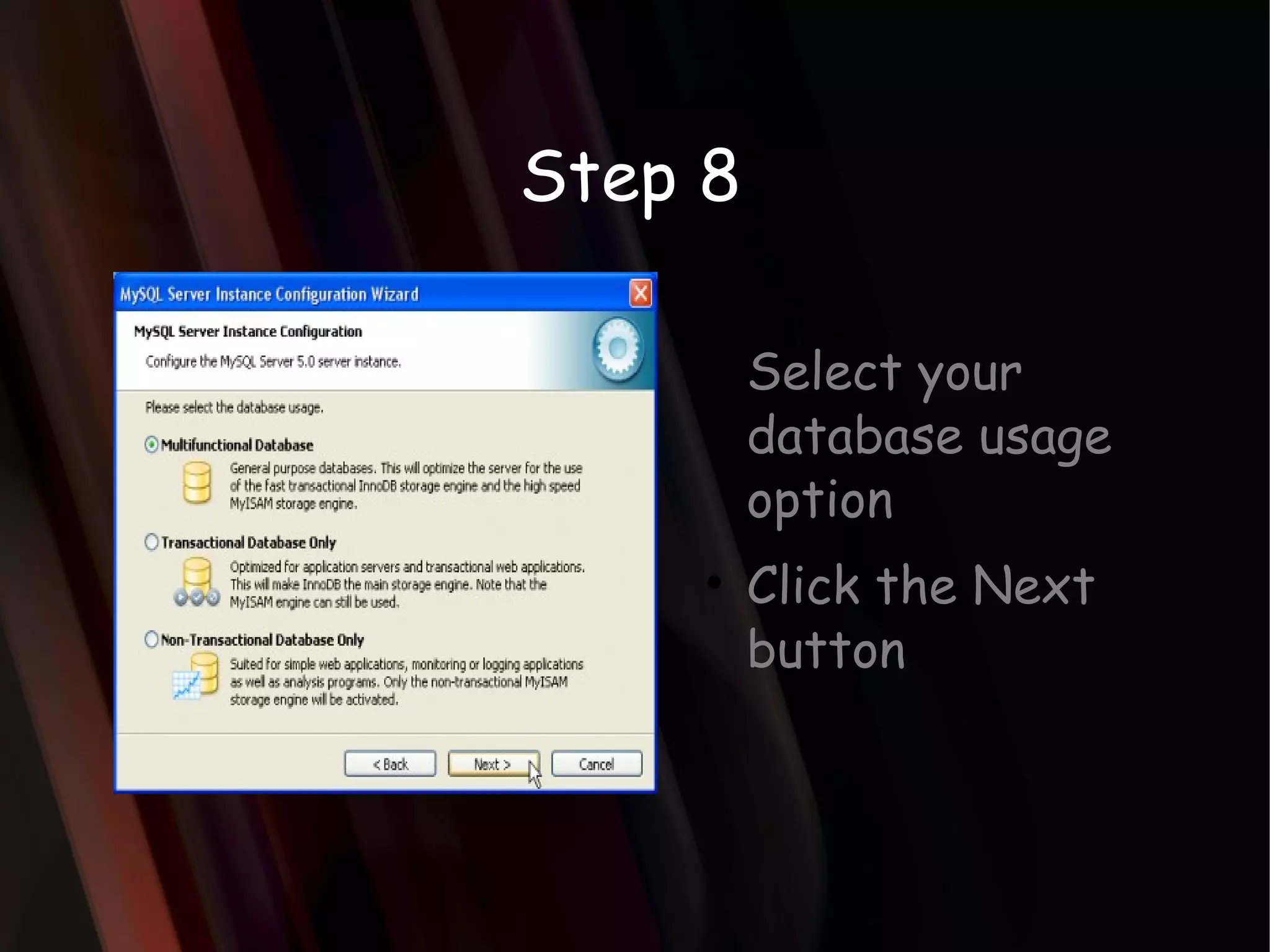
Step 8 Selectyour database usage option Click the Next button
14.
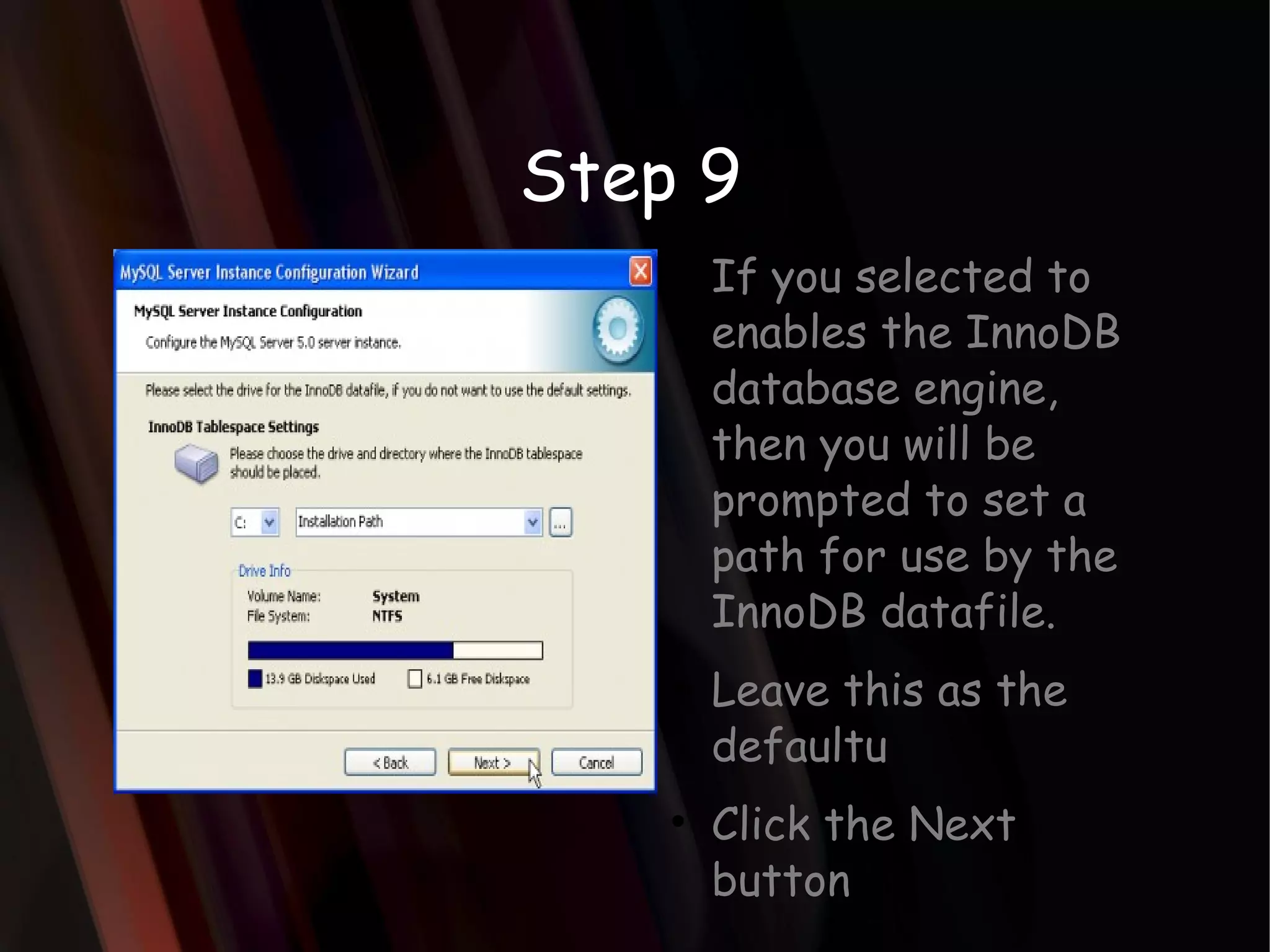
Step 9 Ifyou selected to enables the InnoDB database engine, then you will be prompted to set a path for use by the InnoDB datafile. Leave this as the defaultu Click the Next button
15.
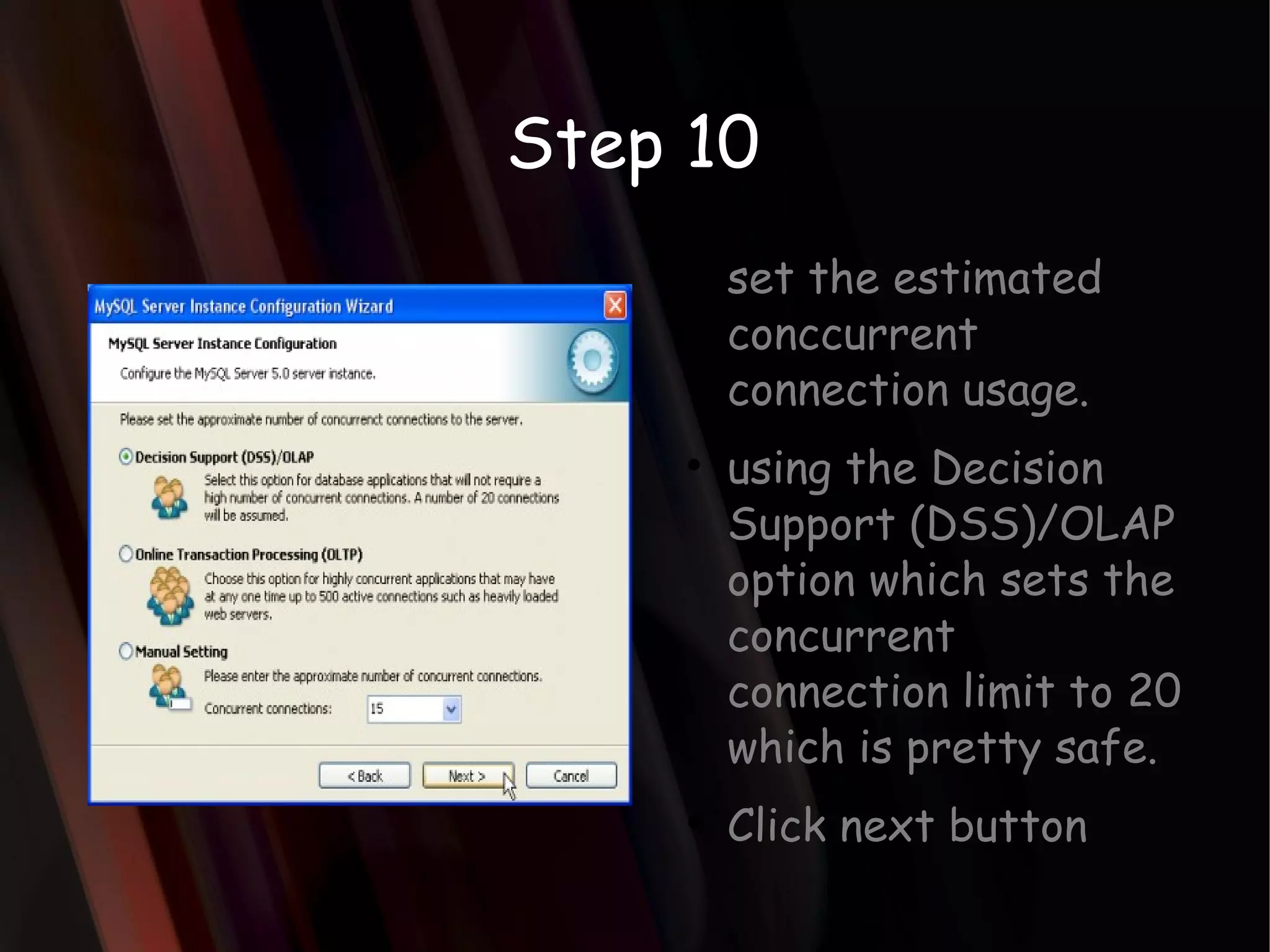
Step 10 setthe estimated conccurrent connection usage. using the Decision Support (DSS)/OLAP option which sets the concurrent connection limit to 20 which is pretty safe. Click next button
16.
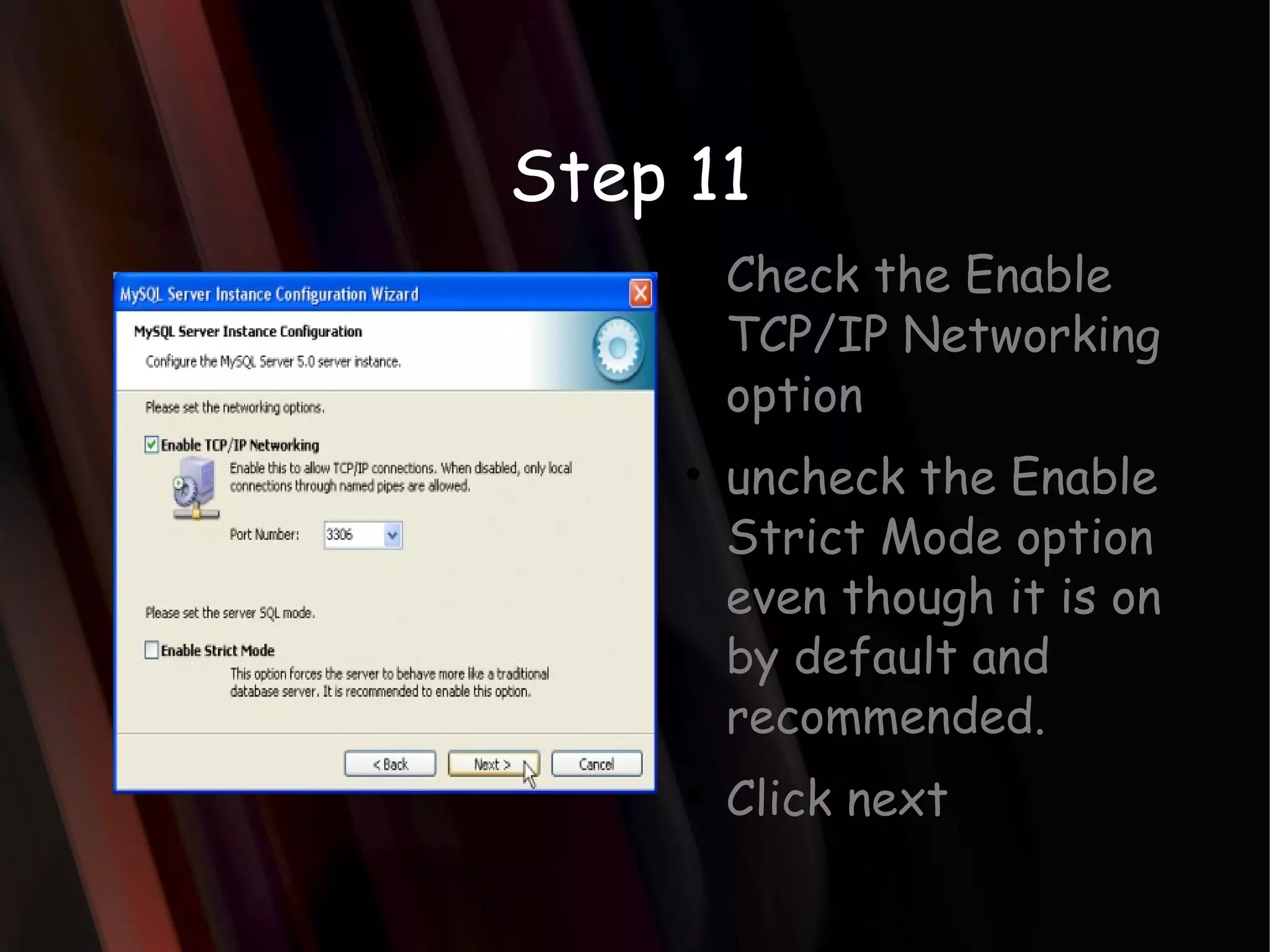
Step 11 Checkthe Enable TCP/IP Networking option uncheck the Enable Strict Mode option even though it is on by default and recommended. Click next
17.
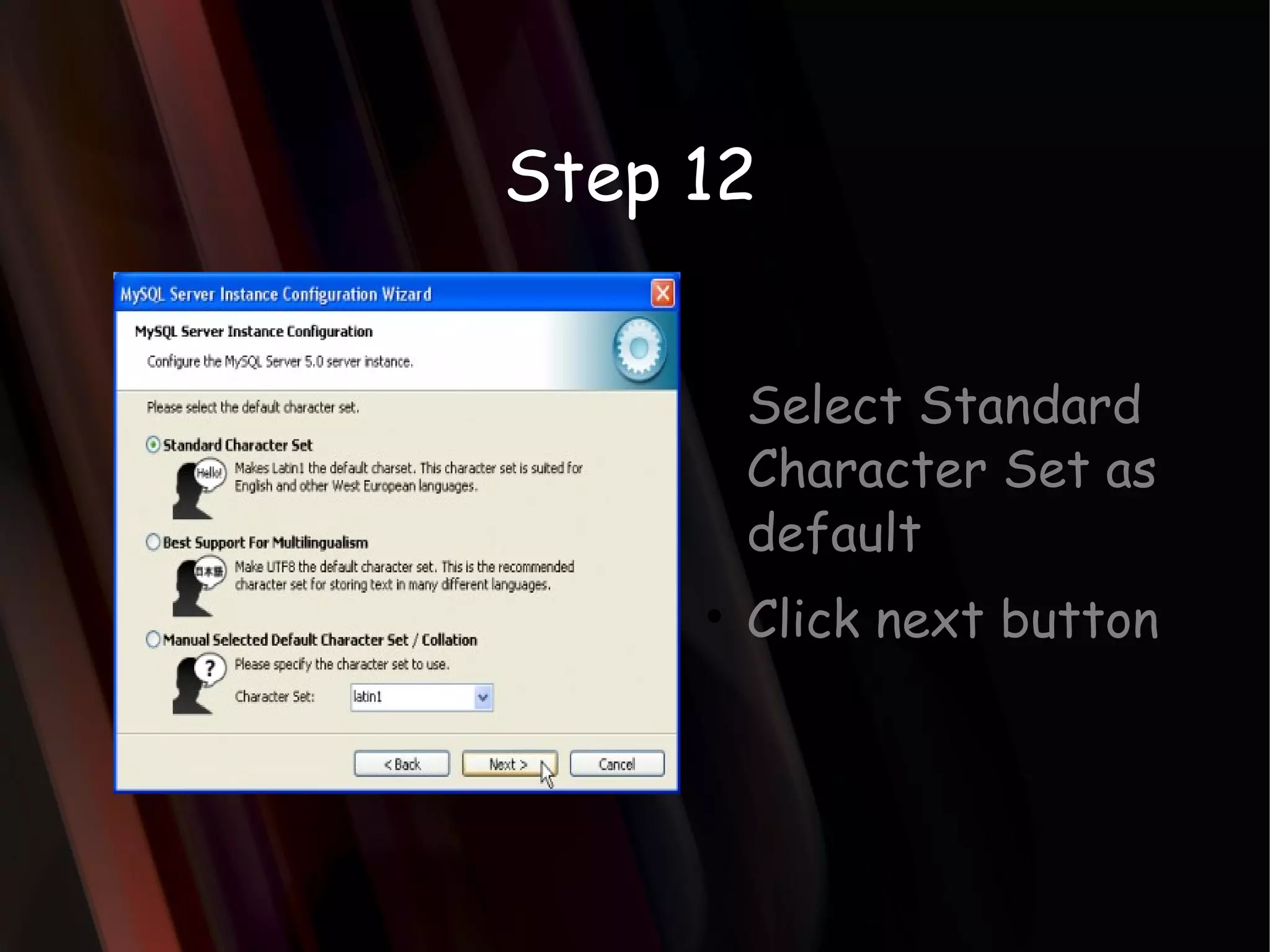
Step 12 SelectStandard Character Set as default Click next button
18.
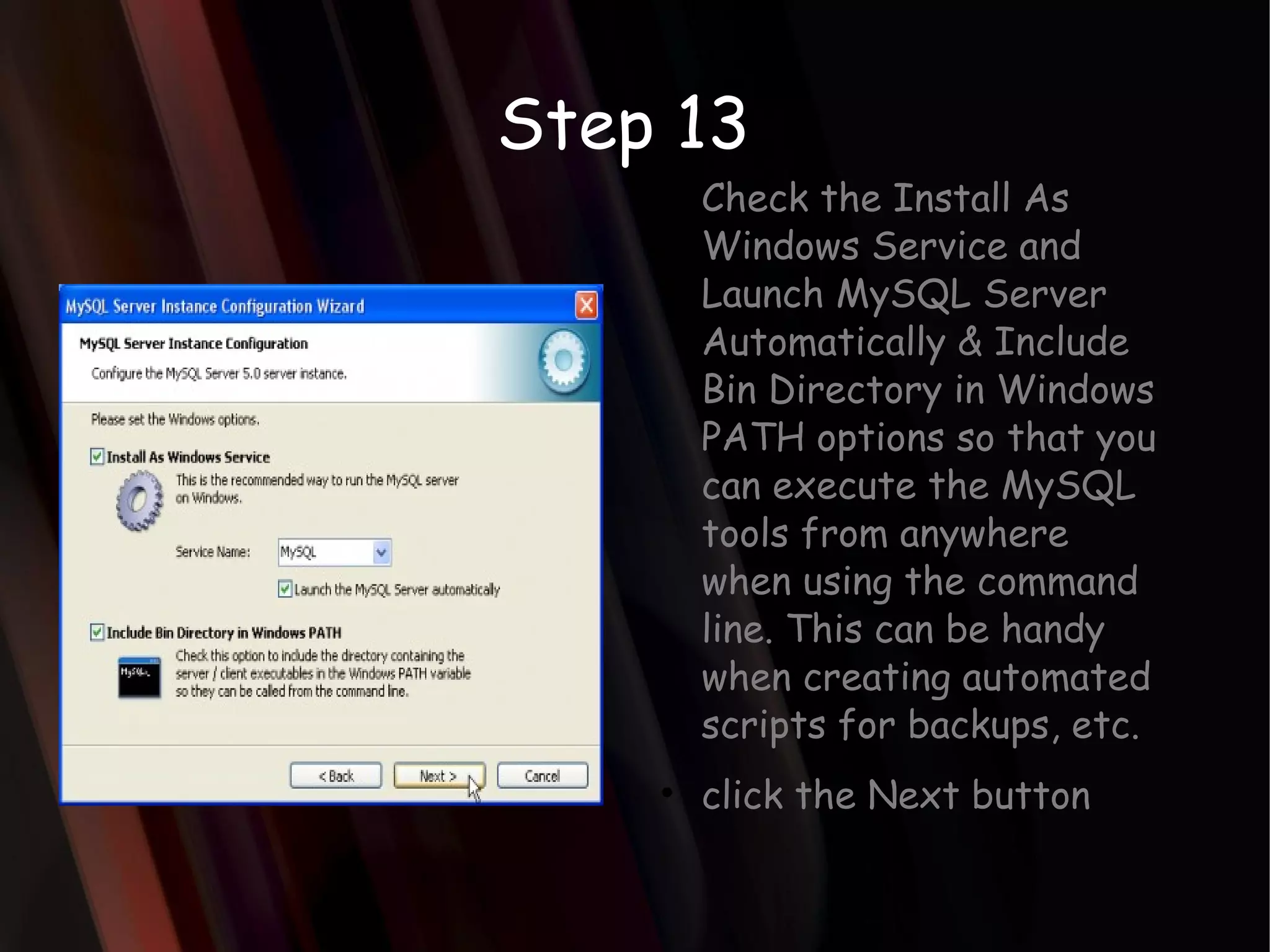
Step 13 Checkthe Install As Windows Service and Launch MySQL Server Automatically & Include Bin Directory in Windows PATH options so that you can execute the MySQL tools from anywhere when using the command line. This can be handy when creating automated scripts for backups, etc. click the Next button
19.
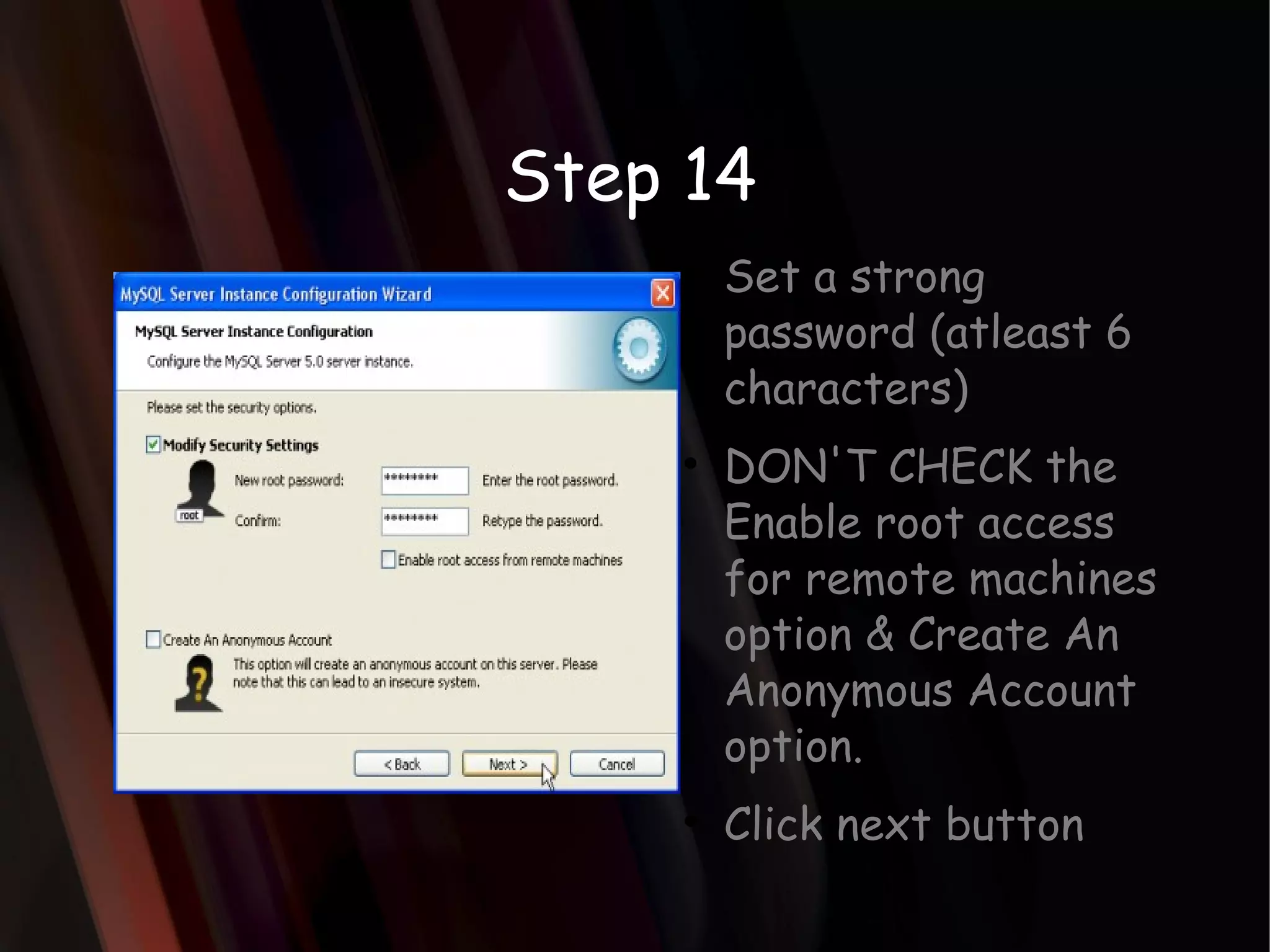
Step 14 Seta strong password (atleast 6 characters) DON'T CHECK the Enable root access for remote machines option & Create An Anonymous Account option. Click next button
20.
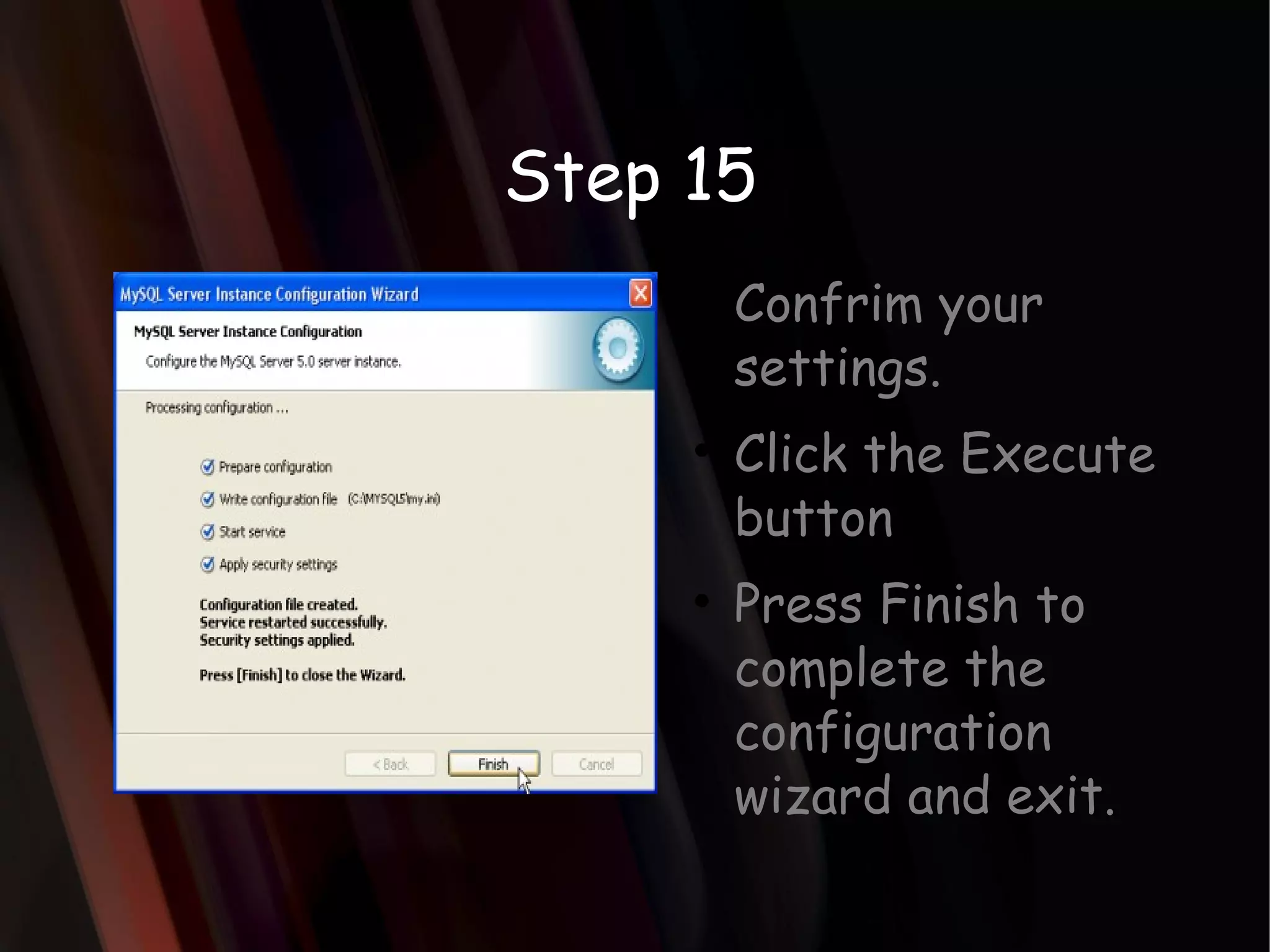
Step 15 Confrimyour settings. Click the Execute button Press Finish to complete the configuration wizard and exit.
Login to MySQLmonitor ..\mysql\bin\mysql -u[username] -p[password] Example: ..\mysql\bin\mysql -uroot -pmysecret
23.
Create a databaseon the sql server. SYNTAX: CREATE {DATABASE | SCHEMA} [IF NOT EXISTS] db_name [create_specification] ... create_specification: [DEFAULT] CHARACTER SET [=] charset_name | [DEFAULT] COLLATE [=] collation_name u-1@srv-1 mysqlart $ mysql -u root Welcome to the MySQL monitor. Commands end with ; or \g. Your MySQL connection id is 5 to server version: 4.0.14-log Type 'help;' or '\h' for help. Type '\c' to clear the buffer. mysql> create database sysops; Query OK, 1 row affected (0.00 sec) mysql> quit Bye u-1@srv-1 mysqlart $ Example:
24.
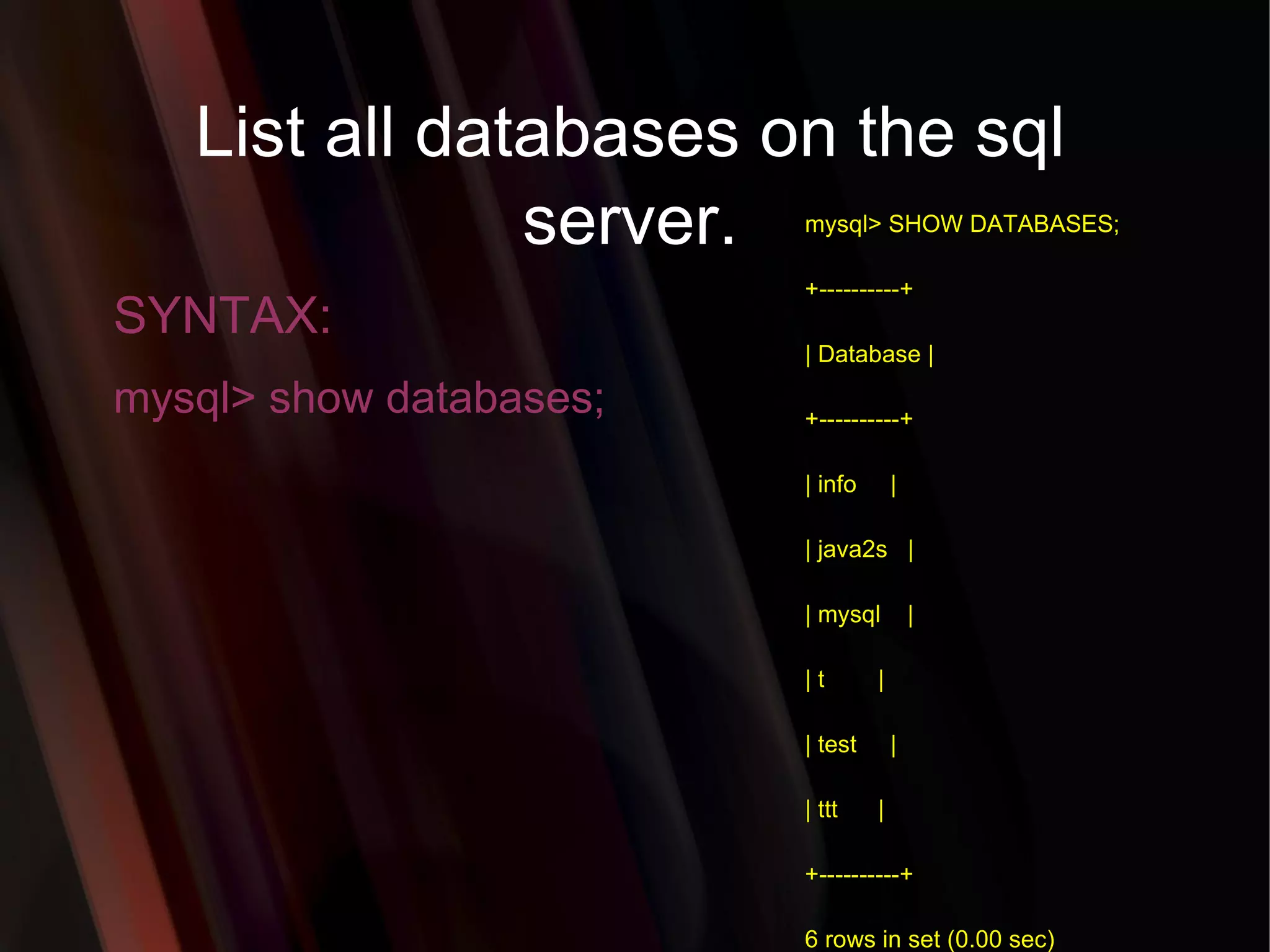
List all databaseson the sql server. SYNTAX: mysql> show databases; mysql> SHOW DATABASES; +----------+ | Database | +----------+ | info | | java2s | | mysql | | t | | test | | ttt | +----------+ 6 rows in set (0.00 sec)
To see allthe tables in the db. mysql> show tables;
27.
CREATE TABLE SYNTAX:CREATE TABLE [table_name] ( [column_name1] INT AUTO_INCREMENT, [column_name2] VARCHAR(30) NOT NULL, [column_name3] ENUM('guest', 'customer', 'admin')NULL, [column_name4] DATE NULL, [column_name5] VARCHAR(30) NOT NULL, [column_name6] DATETIME NOT NULL, [column_name7] CHAR(1) NULL, [column_name8] BLOB NULL, [column_name9] TEXT NOT NULL, UNIQUE(username), PRIMARY KEY (column_name1) ); Example: CREATE TABLE user ( userid INT AUTO_INCREMENT, username VARCHAR(30) NOT NULL, group_type ENUM('guest', 'customer', 'admin') NULL, date_of_birth DATE NULL, password VARCHAR(30) NOT NULL, registration_date DATETIME NOT NULL, account_disable CHAR(1) NULL, image BLOB NULL, comment TEXT NOT NULL, UNIQUE(username), PRIMARY KEY (userid) );
28.
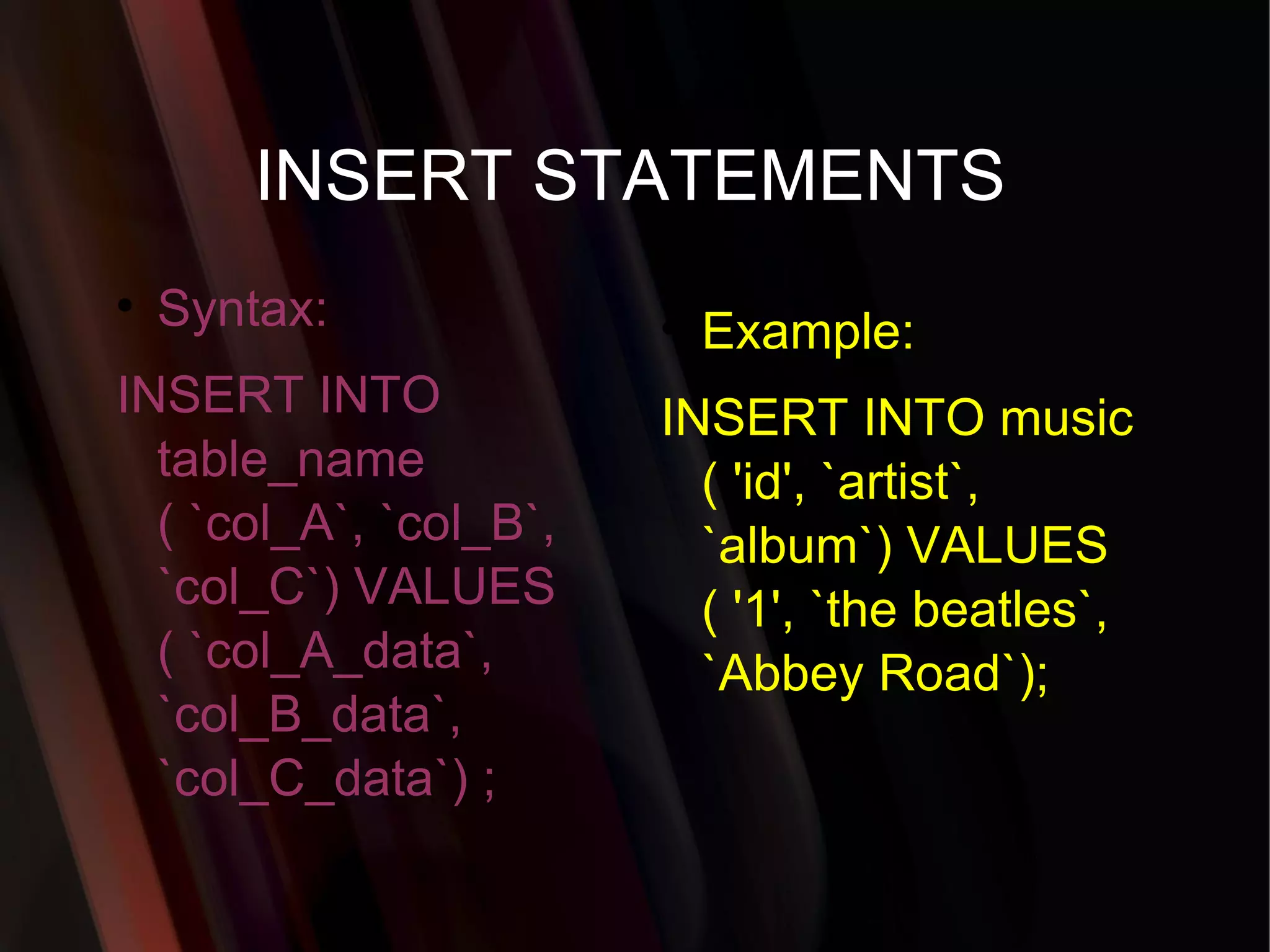
INSERT STATEMENTS Syntax:INSERT INTO table_name ( `col_A`, `col_B`, `col_C`) VALUES ( `col_A_data`, `col_B_data`, `col_C_data`) ; Example: INSERT INTO music ( 'id', `artist`, `album`) VALUES ( '1', `the beatles`, `Abbey Road`);
29.
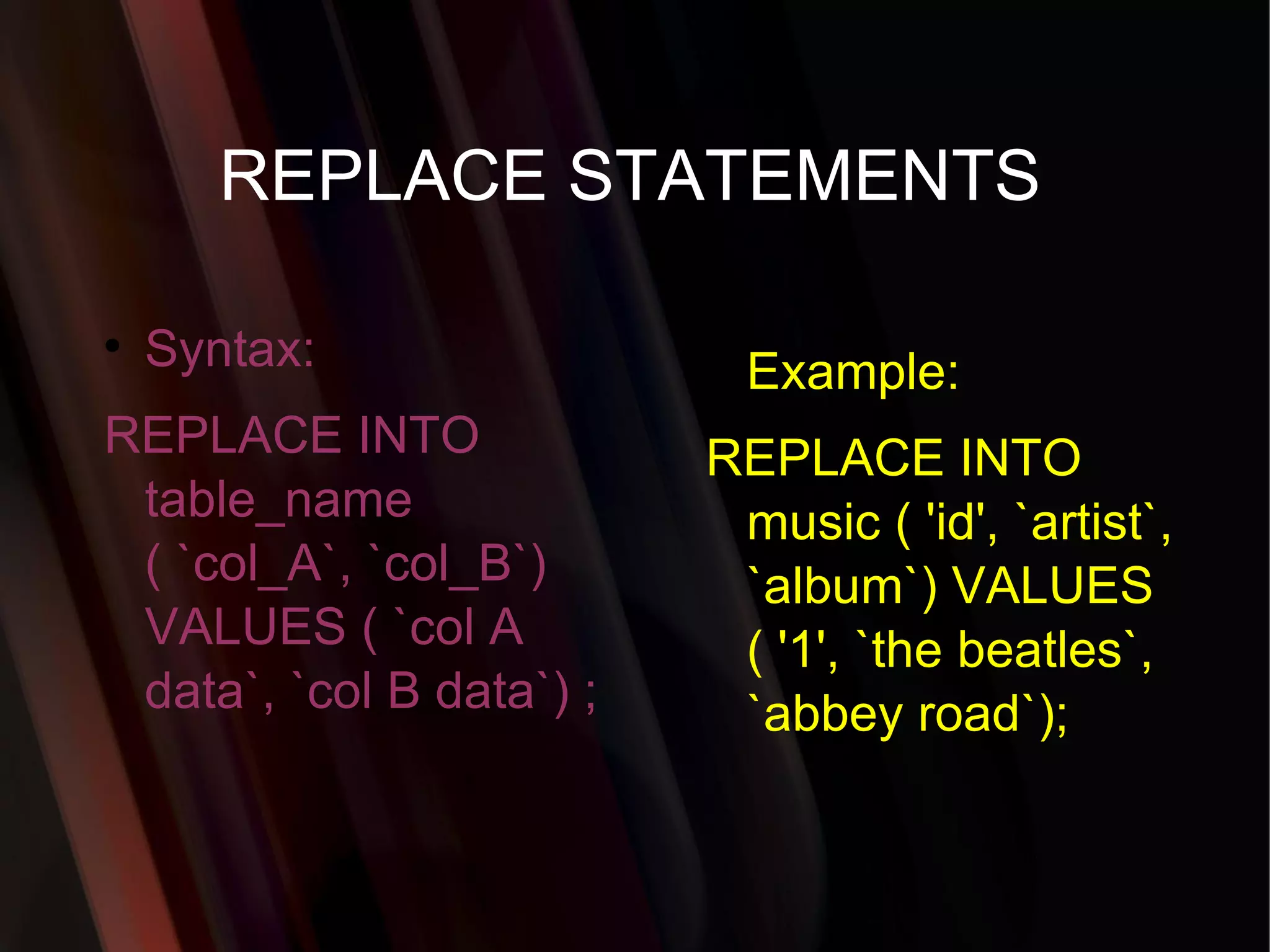
REPLACE STATEMENTS Syntax:REPLACE INTO table_name ( `col_A`, `col_B`) VALUES ( `col A data`, `col B data`) ; Example: REPLACE INTO music ( 'id', `artist`, `album`) VALUES ( '1', `the beatles`, `abbey road`);
30.
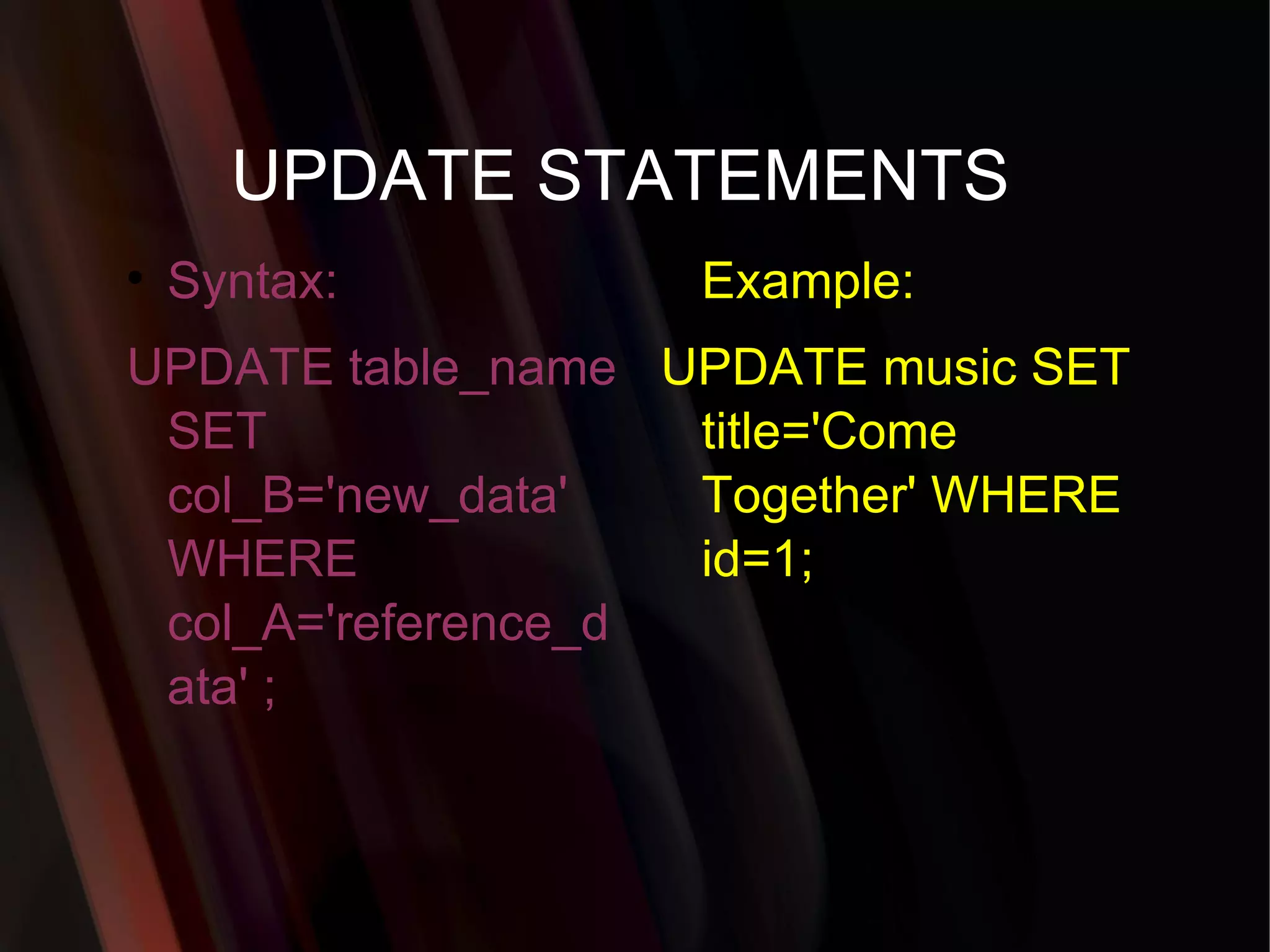
UPDATE STATEMENTS Syntax: UPDATE table_name SET col_B='new_data' WHERE col_A='reference_data' ; Example: UPDATE music SET title='Come Together' WHERE id=1;
31.
Add a newcolumn "male" in table user. Syntax: ALTER TABLE [table_name] ADD COLUMN [column_name] CHAR(1) NOT NULL; Example: ALTER TABLE user ADD COLUMN male CHAR(1) NOT NULL;
32.
Change column name"male" into "gender" in table user and change the type to VARCHAR(3) and allow NULL values. Syntax: ALTER TABLE [table_name] CHANGE [old_column] [new_column] VARCHAR(3) NULL; Example: ALTER TABLE user CHANGE male gender VARCHAR (3) NULL;
33.
Change the sizeof column "gender" from 3 to 6 in table user. Syntax: ALTER TABLE [table_name] MODIFY [column_name] VARCHAR(6); Example: ALTER TABLE user MODIFY gender VARCHAR(6);
To delete adb. mysql> drop database [database name]; Example: DROP DATABASE demodb;
39.
To delete atable. mysql> drop table [table name]; Example: DROP TABLE user;
40.
Show all datain a table. mysql> SELECT * FROM [table name]; Example: SELECT * FROM mos_menu;
41.
Show all recordsfrom mos_menu table containing name "Home". SELECT * FROM [table_name] WHERE [field_name]=[value]; Example: SELECT * FROM mos_menu WHERE name = "Home";
42.
Returns the columnsand column information pertaining to the designated table. mysql> show columns from [table name];
43.
Show certain selectedrows with the value "whatever". mysql> SELECT * FROM [table name] WHERE [field name] = "whatever";
44.
Show all recordscontaining the name "Bob" AND the phone number '3444444'. mysql> SELECT * FROM [table name] WHERE name = "Bob" AND phone_number = '3444444';
45.
Show all recordsnot containing the name "Bob" AND the phone number '3444444' order by the phone_number field. mysql> SELECT * FROM [table name] WHERE name != "Bob" AND phone_number = '3444444' order by phone_number;
46.
Show all recordsstarting with the letters 'bob' AND the phone number '3444444'. mysql> SELECT * FROM [table name] WHERE name like "Bob%" AND phone_number = '3444444';
47.
Show all recordsstarting with the letters 'bob' AND the phone number '3444444' limit to records 1 through 5. mysql> SELECT * FROM [table name] WHERE name like "Bob%" AND phone_number = '3444444' limit 1,5;
48.
Use a regularexpression to find records. Use "REGEXP BINARY" to force case-sensitivity. This finds any record beginning with a. mysql> SELECT * FROM [table name] WHERE rec RLIKE "^a";
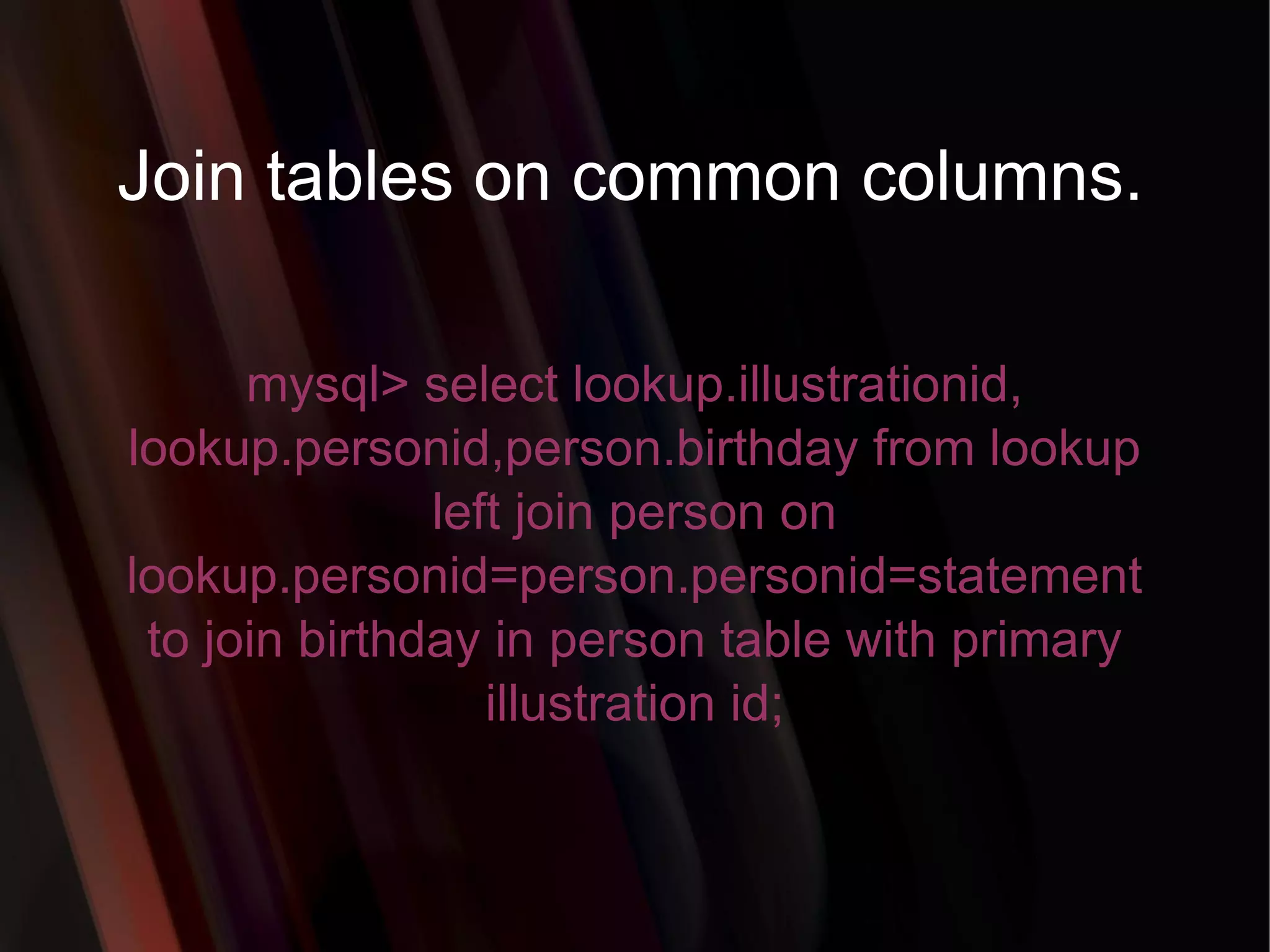
Join tables oncommon columns. mysql> select lookup.illustrationid, lookup.personid,person.birthday from lookup left join person on lookup.personid=person.personid=statement to join birthday in person table with primary illustration id;
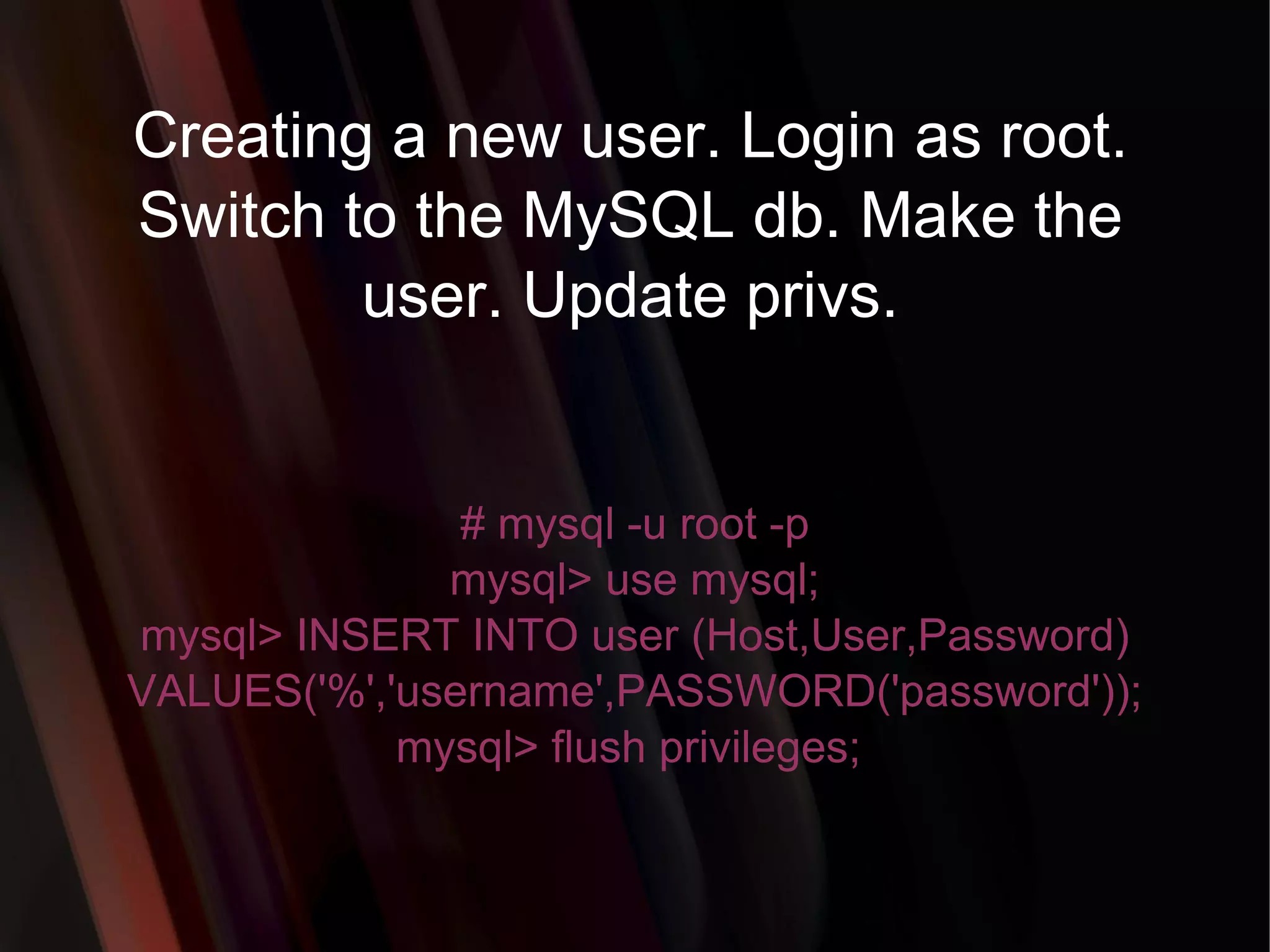
54.
Creating a newuser. Login as root. Switch to the MySQL db. Make the user. Update privs. # mysql -u root -p mysql> use mysql; mysql> INSERT INTO user (Host,User,Password) VALUES('%','username',PASSWORD('password')); mysql> flush privileges;
55.
Change a userspassword from unix shell. # [mysql dir]/bin/mysqladmin -u username -h hostname.blah.org -p password 'new-password'
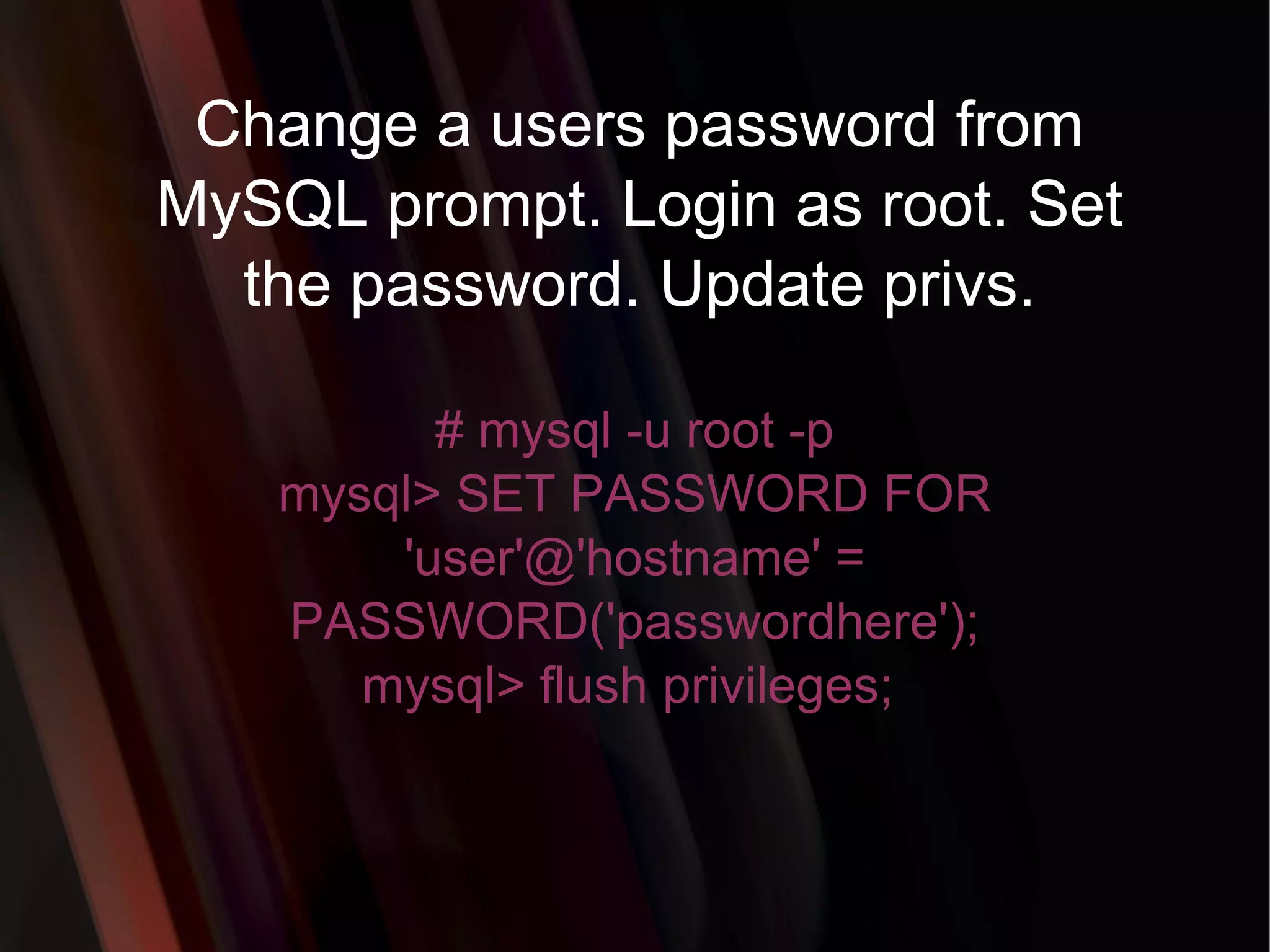
56.
Change a userspassword from MySQL prompt. Login as root. Set the password. Update privs. # mysql -u root -p mysql> SET PASSWORD FOR 'user'@'hostname' = PASSWORD('passwordhere'); mysql> flush privileges;
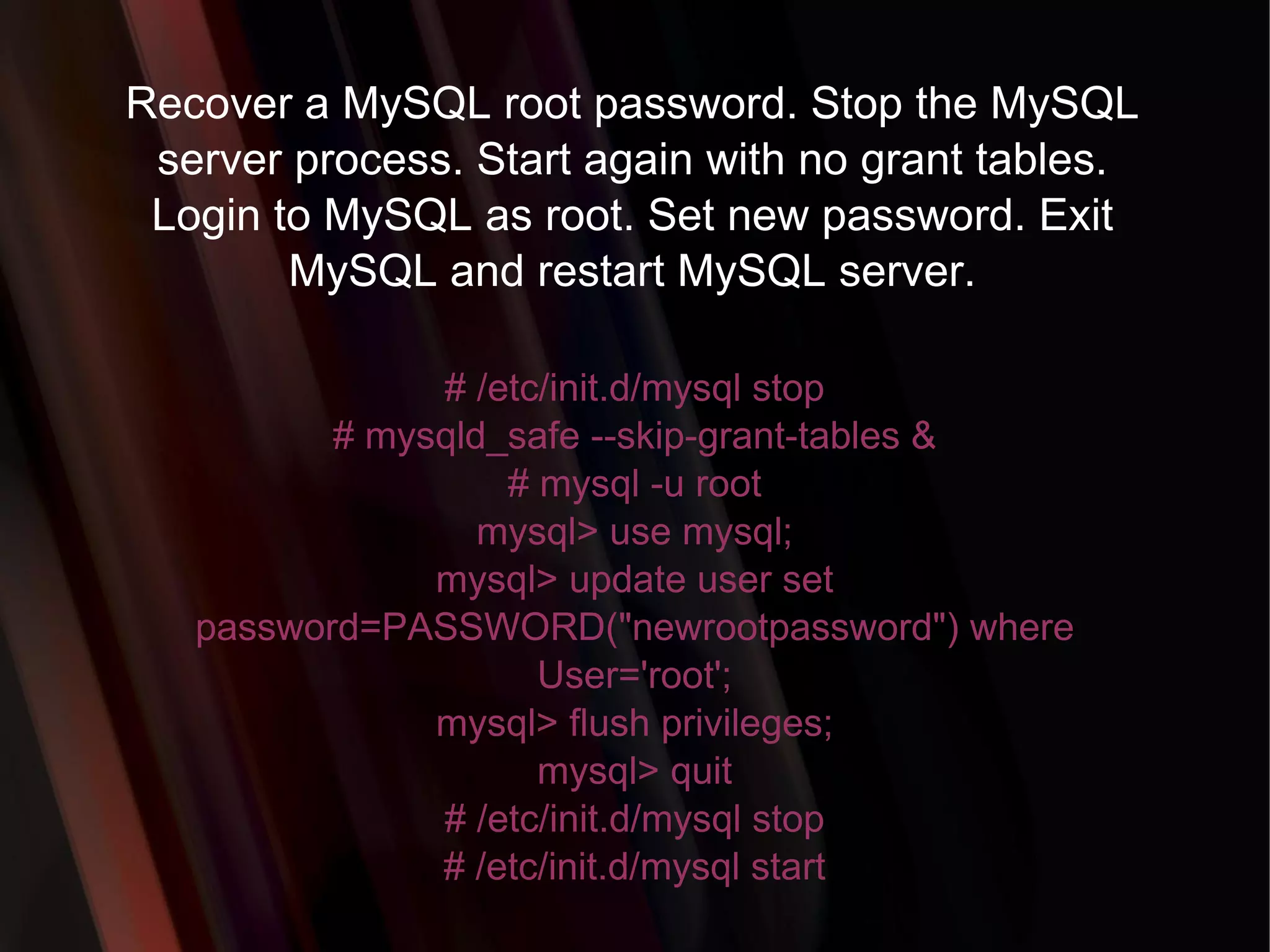
57.
Recover a MySQLroot password. Stop the MySQL server process. Start again with no grant tables. Login to MySQL as root. Set new password. Exit MySQL and restart MySQL server. # /etc/init.d/mysql stop # mysqld_safe --skip-grant-tables & # mysql -u root mysql> use mysql; mysql> update user set password=PASSWORD("newrootpassword") where User='root'; mysql> flush privileges; mysql> quit # /etc/init.d/mysql stop # /etc/init.d/mysql start
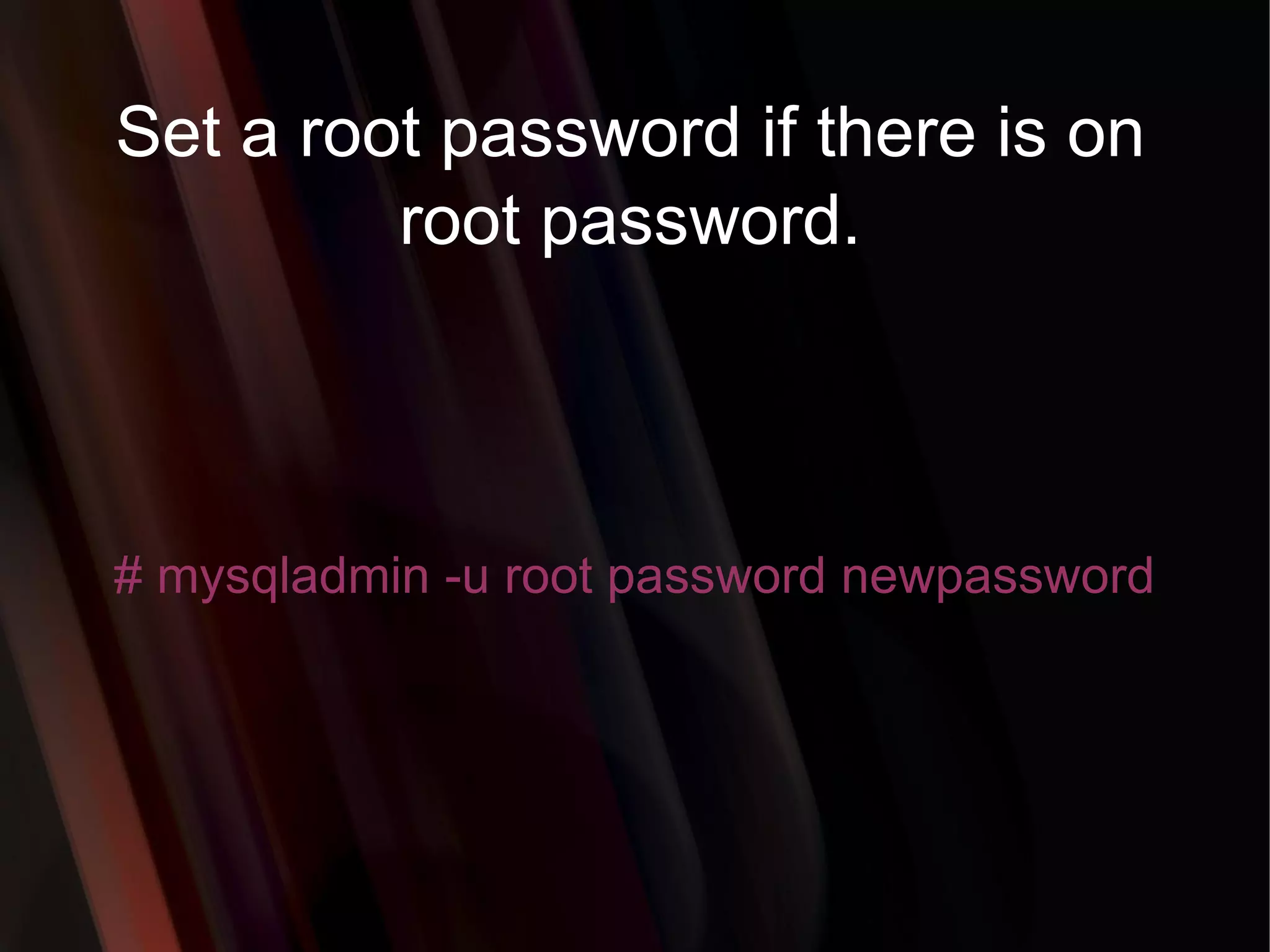
58.
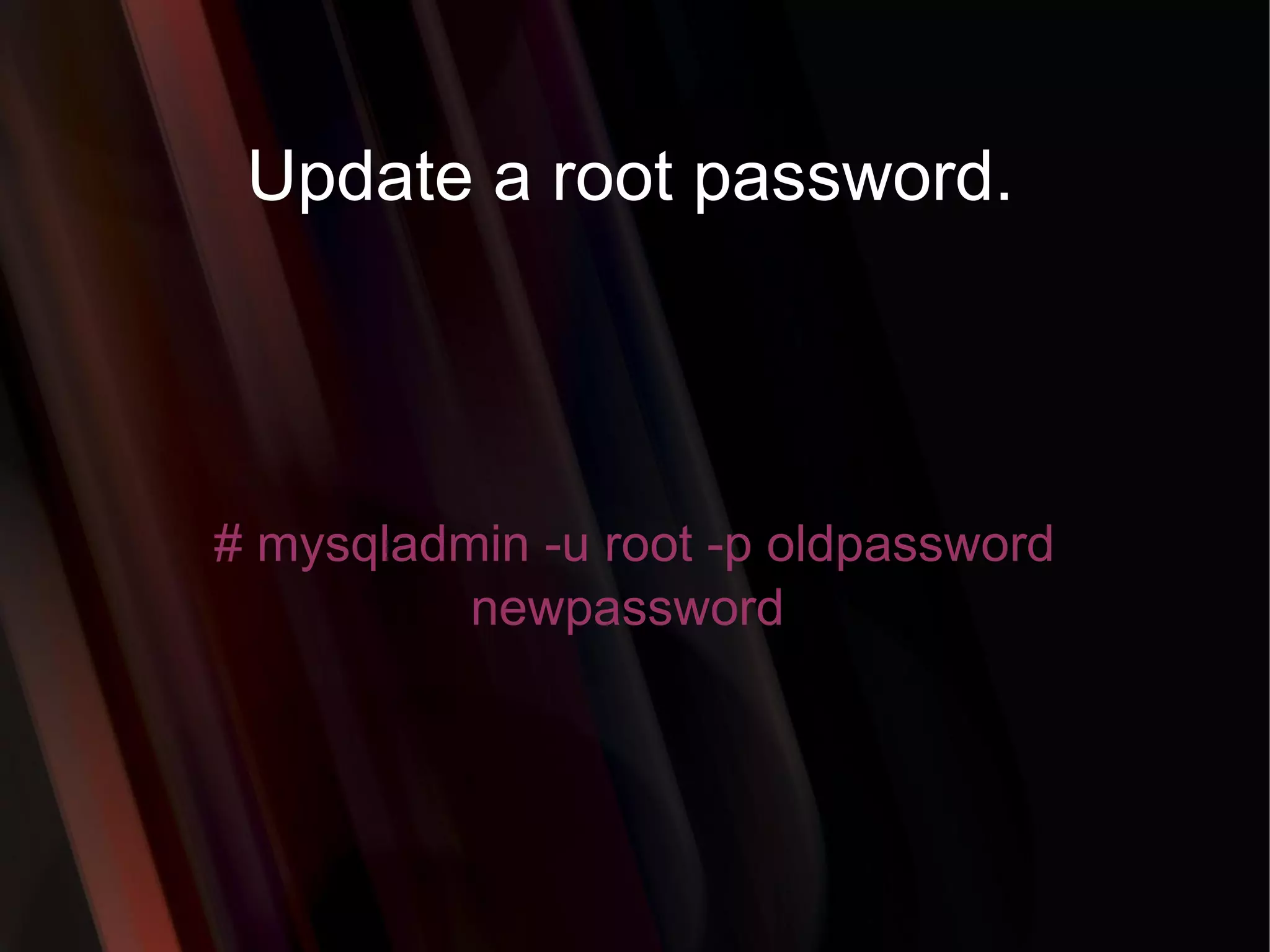
Set a rootpassword if there is on root password. # mysqladmin -u root password newpassword
59.
Update a rootpassword. # mysqladmin -u root -p oldpassword newpassword
60.
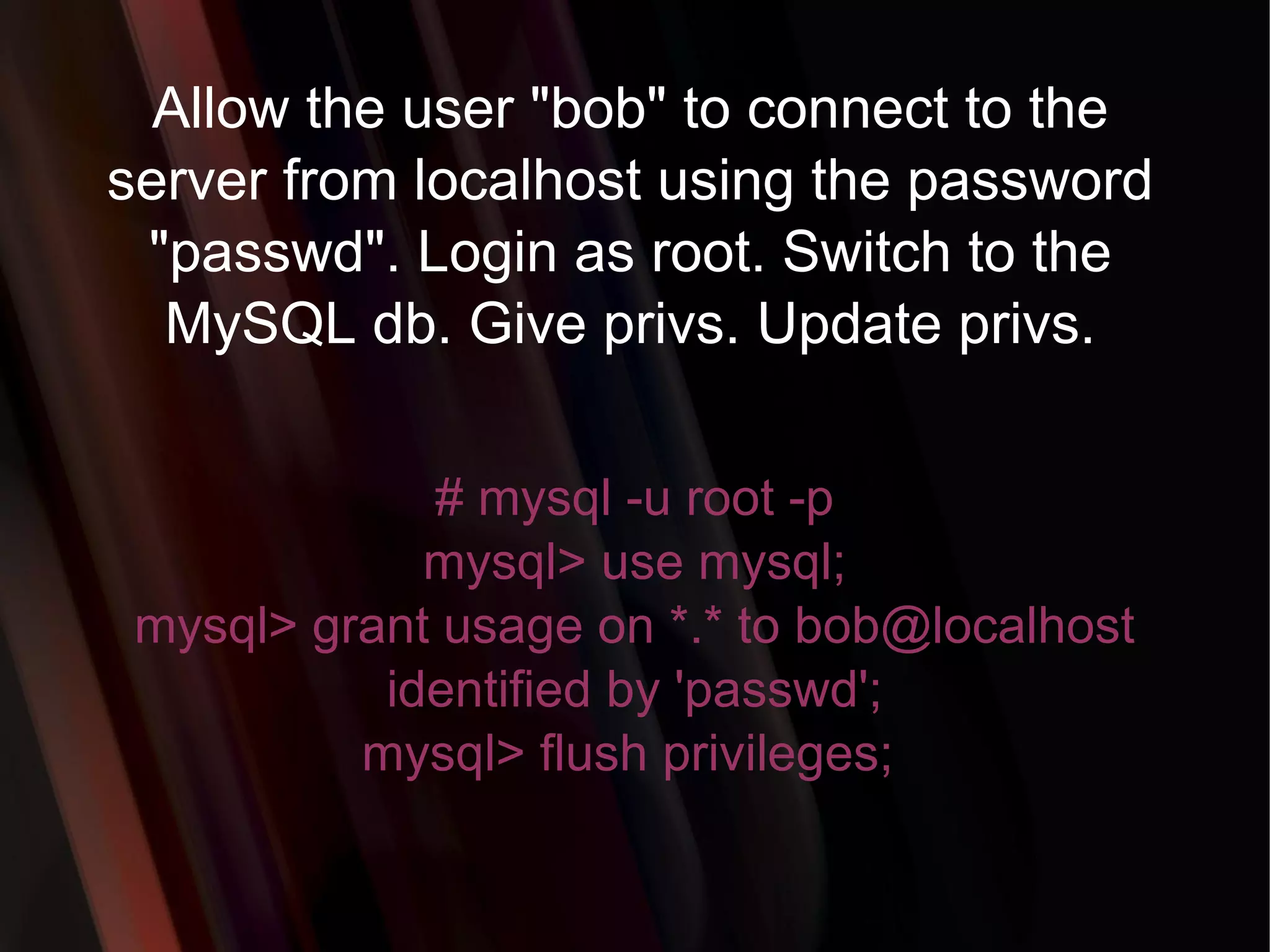
Allow the user"bob" to connect to the server from localhost using the password "passwd". Login as root. Switch to the MySQL db. Give privs. Update privs. # mysql -u root -p mysql> use mysql; mysql> grant usage on *.* to bob@localhost identified by 'passwd'; mysql> flush privileges;
61.
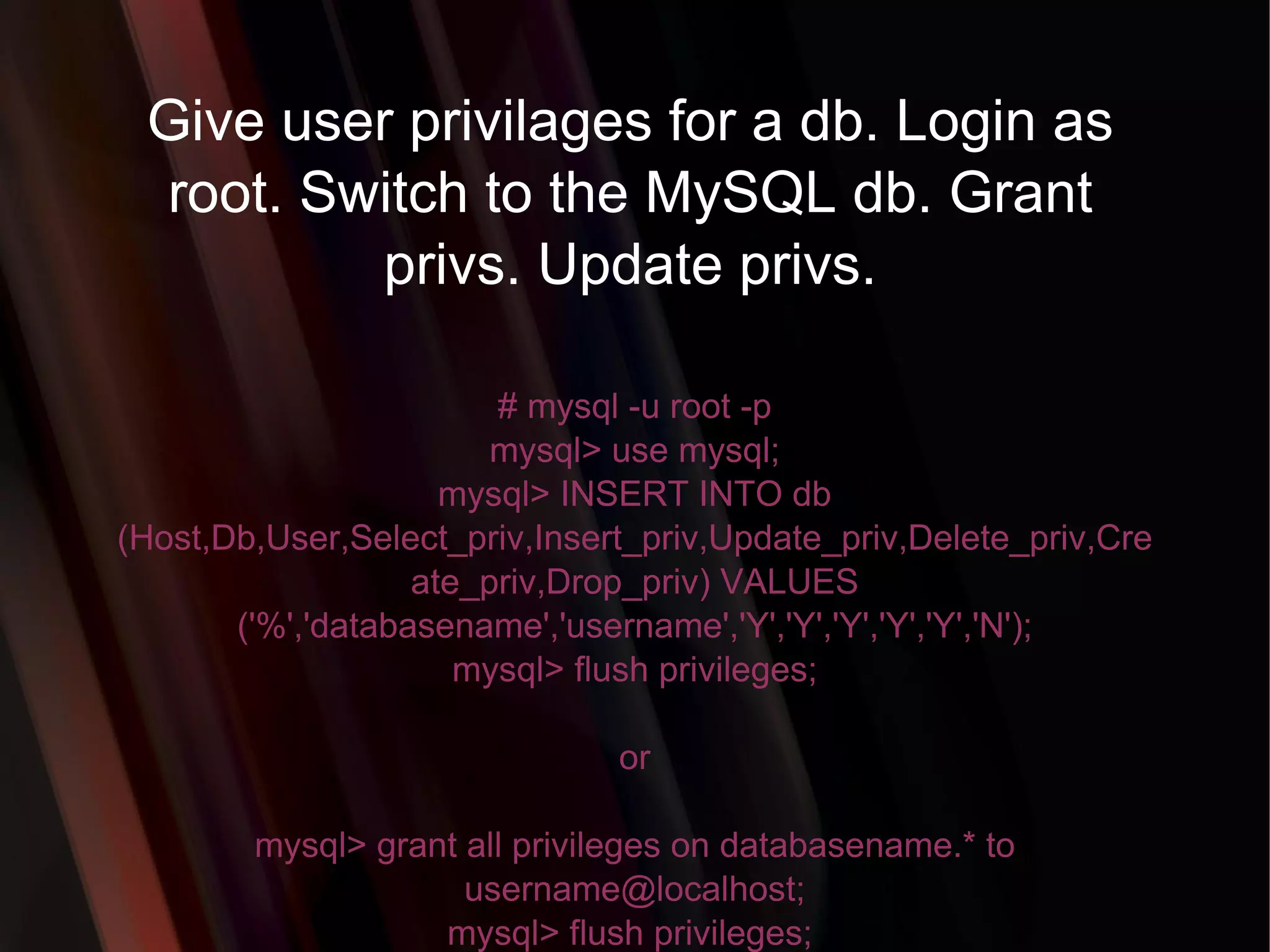
Give user privilagesfor a db. Login as root. Switch to the MySQL db. Grant privs. Update privs. # mysql -u root -p mysql> use mysql; mysql> INSERT INTO db (Host,Db,User,Select_priv,Insert_priv,Update_priv,Delete_priv,Create_priv,Drop_priv) VALUES ('%','databasename','username','Y','Y','Y','Y','Y','N'); mysql> flush privileges; or mysql> grant all privileges on databasename.* to username@localhost; mysql> flush privileges;
62.
To update infoalready in a table. mysql> UPDATE [table name] SET Select_priv = 'Y',Insert_priv = 'Y',Update_priv = 'Y' where [field name] = 'user';
63.
Delete a row(s)from a table. mysql> DELETE from [table name] where [field name] = 'whatever';
Make a uniquecolumn so you get no dupes. mysql> alter table [table name] add unique ([column name]);
69.
Make a columnbigger. mysql> alter table [table name] modify [column name] VARCHAR(3);
70.
Delete unique fromtable. mysql> alter table [table name] drop index [colmn name];
71.
Load a CSVfile into a table. mysql> LOAD DATA INFILE '/tmp/filename.csv' replace INTO TABLE [table name] FIELDS TERMINATED BY ',' LINES TERMINATED BY '\n' (field1,field2,field3);
72.
Dump all databasesfor backup. Backup file is sql commands to recreate all db's. # [mysql dir]/bin/mysqldump -u root -ppassword --opt >/tmp/alldatabases.sql




![Login to MySQL monitor ..\mysql\bin\mysql -u[username] -p[password] Example: ..\mysql\bin\mysql -uroot -pmysecret](https://image.slidesharecdn.com/ankmysql1-100531235409-phpapp02/75/MYSQL-22-2048.jpg)
![Create a database on the sql server. SYNTAX: CREATE {DATABASE | SCHEMA} [IF NOT EXISTS] db_name [create_specification] ... create_specification: [DEFAULT] CHARACTER SET [=] charset_name | [DEFAULT] COLLATE [=] collation_name u-1@srv-1 mysqlart $ mysql -u root Welcome to the MySQL monitor. Commands end with ; or \g. Your MySQL connection id is 5 to server version: 4.0.14-log Type 'help;' or '\h' for help. Type '\c' to clear the buffer. mysql> create database sysops; Query OK, 1 row affected (0.00 sec) mysql> quit Bye u-1@srv-1 mysqlart $ Example:](https://image.slidesharecdn.com/ankmysql1-100531235409-phpapp02/75/MYSQL-23-2048.jpg)
![Switch to a database. mysql> use [db name];](https://image.slidesharecdn.com/ankmysql1-100531235409-phpapp02/75/MYSQL-25-2048.jpg)

![CREATE TABLE SYNTAX: CREATE TABLE [table_name] ( [column_name1] INT AUTO_INCREMENT, [column_name2] VARCHAR(30) NOT NULL, [column_name3] ENUM('guest', 'customer', 'admin')NULL, [column_name4] DATE NULL, [column_name5] VARCHAR(30) NOT NULL, [column_name6] DATETIME NOT NULL, [column_name7] CHAR(1) NULL, [column_name8] BLOB NULL, [column_name9] TEXT NOT NULL, UNIQUE(username), PRIMARY KEY (column_name1) ); Example: CREATE TABLE user ( userid INT AUTO_INCREMENT, username VARCHAR(30) NOT NULL, group_type ENUM('guest', 'customer', 'admin') NULL, date_of_birth DATE NULL, password VARCHAR(30) NOT NULL, registration_date DATETIME NOT NULL, account_disable CHAR(1) NULL, image BLOB NULL, comment TEXT NOT NULL, UNIQUE(username), PRIMARY KEY (userid) );](https://image.slidesharecdn.com/ankmysql1-100531235409-phpapp02/75/MYSQL-27-2048.jpg)
![Add a new column "male" in table user. Syntax: ALTER TABLE [table_name] ADD COLUMN [column_name] CHAR(1) NOT NULL; Example: ALTER TABLE user ADD COLUMN male CHAR(1) NOT NULL;](https://image.slidesharecdn.com/ankmysql1-100531235409-phpapp02/75/MYSQL-31-2048.jpg)
![Change column name "male" into "gender" in table user and change the type to VARCHAR(3) and allow NULL values. Syntax: ALTER TABLE [table_name] CHANGE [old_column] [new_column] VARCHAR(3) NULL; Example: ALTER TABLE user CHANGE male gender VARCHAR (3) NULL;](https://image.slidesharecdn.com/ankmysql1-100531235409-phpapp02/75/MYSQL-32-2048.jpg)
![Change the size of column "gender" from 3 to 6 in table user. Syntax: ALTER TABLE [table_name] MODIFY [column_name] VARCHAR(6); Example: ALTER TABLE user MODIFY gender VARCHAR(6);](https://image.slidesharecdn.com/ankmysql1-100531235409-phpapp02/75/MYSQL-33-2048.jpg)
![Show field formats of the selected table. Syntax: DESCRIBE [table_name]; Example: DESCRIBE mos_menu;](https://image.slidesharecdn.com/ankmysql1-100531235409-phpapp02/75/MYSQL-36-2048.jpg)
![To see database's field formats. mysql> describe [table name];](https://image.slidesharecdn.com/ankmysql1-100531235409-phpapp02/75/MYSQL-37-2048.jpg)
![To delete a db. mysql> drop database [database name]; Example: DROP DATABASE demodb;](https://image.slidesharecdn.com/ankmysql1-100531235409-phpapp02/75/MYSQL-38-2048.jpg)
![To delete a table. mysql> drop table [table name]; Example: DROP TABLE user;](https://image.slidesharecdn.com/ankmysql1-100531235409-phpapp02/75/MYSQL-39-2048.jpg)
![Show all data in a table. mysql> SELECT * FROM [table name]; Example: SELECT * FROM mos_menu;](https://image.slidesharecdn.com/ankmysql1-100531235409-phpapp02/75/MYSQL-40-2048.jpg)
![Show all records from mos_menu table containing name "Home". SELECT * FROM [table_name] WHERE [field_name]=[value]; Example: SELECT * FROM mos_menu WHERE name = "Home";](https://image.slidesharecdn.com/ankmysql1-100531235409-phpapp02/75/MYSQL-41-2048.jpg)
![Returns the columns and column information pertaining to the designated table. mysql> show columns from [table name];](https://image.slidesharecdn.com/ankmysql1-100531235409-phpapp02/75/MYSQL-42-2048.jpg)
![Show certain selected rows with the value "whatever". mysql> SELECT * FROM [table name] WHERE [field name] = "whatever";](https://image.slidesharecdn.com/ankmysql1-100531235409-phpapp02/75/MYSQL-43-2048.jpg)
![Show all records containing the name "Bob" AND the phone number '3444444'. mysql> SELECT * FROM [table name] WHERE name = "Bob" AND phone_number = '3444444';](https://image.slidesharecdn.com/ankmysql1-100531235409-phpapp02/75/MYSQL-44-2048.jpg)
![Show all records not containing the name "Bob" AND the phone number '3444444' order by the phone_number field. mysql> SELECT * FROM [table name] WHERE name != "Bob" AND phone_number = '3444444' order by phone_number;](https://image.slidesharecdn.com/ankmysql1-100531235409-phpapp02/75/MYSQL-45-2048.jpg)
![Show all records starting with the letters 'bob' AND the phone number '3444444'. mysql> SELECT * FROM [table name] WHERE name like "Bob%" AND phone_number = '3444444';](https://image.slidesharecdn.com/ankmysql1-100531235409-phpapp02/75/MYSQL-46-2048.jpg)
![Show all records starting with the letters 'bob' AND the phone number '3444444' limit to records 1 through 5. mysql> SELECT * FROM [table name] WHERE name like "Bob%" AND phone_number = '3444444' limit 1,5;](https://image.slidesharecdn.com/ankmysql1-100531235409-phpapp02/75/MYSQL-47-2048.jpg)
![Use a regular expression to find records. Use "REGEXP BINARY" to force case-sensitivity. This finds any record beginning with a. mysql> SELECT * FROM [table name] WHERE rec RLIKE "^a";](https://image.slidesharecdn.com/ankmysql1-100531235409-phpapp02/75/MYSQL-48-2048.jpg)
![Show unique records. mysql> SELECT DISTINCT [column name] FROM [table name];](https://image.slidesharecdn.com/ankmysql1-100531235409-phpapp02/75/MYSQL-49-2048.jpg)
![Show selected records sorted in an ascending (asc) or descending (desc). mysql> SELECT [col1],[col2] FROM [table name] ORDER BY [col2] DESC;](https://image.slidesharecdn.com/ankmysql1-100531235409-phpapp02/75/MYSQL-50-2048.jpg)
![Return number of rows. mysql> SELECT COUNT(*) FROM [table name];](https://image.slidesharecdn.com/ankmysql1-100531235409-phpapp02/75/MYSQL-51-2048.jpg)
![Sum column. mysql> SELECT SUM(*) FROM [table name];](https://image.slidesharecdn.com/ankmysql1-100531235409-phpapp02/75/MYSQL-52-2048.jpg)
![Change a users password from unix shell. # [mysql dir]/bin/mysqladmin -u username -h hostname.blah.org -p password 'new-password'](https://image.slidesharecdn.com/ankmysql1-100531235409-phpapp02/75/MYSQL-55-2048.jpg)
![To update info already in a table. mysql> UPDATE [table name] SET Select_priv = 'Y',Insert_priv = 'Y',Update_priv = 'Y' where [field name] = 'user';](https://image.slidesharecdn.com/ankmysql1-100531235409-phpapp02/75/MYSQL-62-2048.jpg)
![Delete a row(s) from a table. mysql> DELETE from [table name] where [field name] = 'whatever';](https://image.slidesharecdn.com/ankmysql1-100531235409-phpapp02/75/MYSQL-63-2048.jpg)
![Delete a column. mysql> alter table [table name] drop column [column name];](https://image.slidesharecdn.com/ankmysql1-100531235409-phpapp02/75/MYSQL-65-2048.jpg)
![Add a new column to db. mysql> alter table [table name] add column [new column name] varchar (20);](https://image.slidesharecdn.com/ankmysql1-100531235409-phpapp02/75/MYSQL-66-2048.jpg)
![Change column name. mysql> alter table [table name] change [old column name] [new column name] varchar (50);](https://image.slidesharecdn.com/ankmysql1-100531235409-phpapp02/75/MYSQL-67-2048.jpg)
![Make a unique column so you get no dupes. mysql> alter table [table name] add unique ([column name]);](https://image.slidesharecdn.com/ankmysql1-100531235409-phpapp02/75/MYSQL-68-2048.jpg)
![Make a column bigger. mysql> alter table [table name] modify [column name] VARCHAR(3);](https://image.slidesharecdn.com/ankmysql1-100531235409-phpapp02/75/MYSQL-69-2048.jpg)
![Delete unique from table. mysql> alter table [table name] drop index [colmn name];](https://image.slidesharecdn.com/ankmysql1-100531235409-phpapp02/75/MYSQL-70-2048.jpg)
![Load a CSV file into a table. mysql> LOAD DATA INFILE '/tmp/filename.csv' replace INTO TABLE [table name] FIELDS TERMINATED BY ',' LINES TERMINATED BY '\n' (field1,field2,field3);](https://image.slidesharecdn.com/ankmysql1-100531235409-phpapp02/75/MYSQL-71-2048.jpg)
![Dump all databases for backup. Backup file is sql commands to recreate all db's. # [mysql dir]/bin/mysqldump -u root -ppassword --opt >/tmp/alldatabases.sql](https://image.slidesharecdn.com/ankmysql1-100531235409-phpapp02/75/MYSQL-72-2048.jpg)
![Dump one database for backup. # [mysql dir]/bin/mysqldump -u username -ppassword --databases databasename >/tmp/databasename.sql](https://image.slidesharecdn.com/ankmysql1-100531235409-phpapp02/75/MYSQL-73-2048.jpg)
![Dump a table from a database. # [mysql dir]/bin/mysqldump -c -u username -ppassword databasename tablename > /tmp/databasename.tablename.sql](https://image.slidesharecdn.com/ankmysql1-100531235409-phpapp02/75/MYSQL-74-2048.jpg)
![Restore database (or database table) from backup. # [mysql dir]/bin/mysql -u username -ppassword databasename < /tmp/databasename.sql](https://image.slidesharecdn.com/ankmysql1-100531235409-phpapp02/75/MYSQL-75-2048.jpg)