Angular JS
Brians Section
Part 1 and 2
Slide Show can be found at:
http://www.slideshare.net/BrianAtkins1/intro-to-angular-js
Or
https://docs.google.com/presentation/d/1iCi6rKpyIDw8y0aEtMs
z2ftr4rRIEs0kb19RWFephVw/edit?usp=sharing
Overview of concepts
overview of concepts covered:
ng-app
{{}}
ng-init
ng-model
ng-controller
ng-repeat
ng-click
ng-bind
Working with angularjs
• In order to use Angular I used Visual Studio Nuget Installer to
install AngularJS
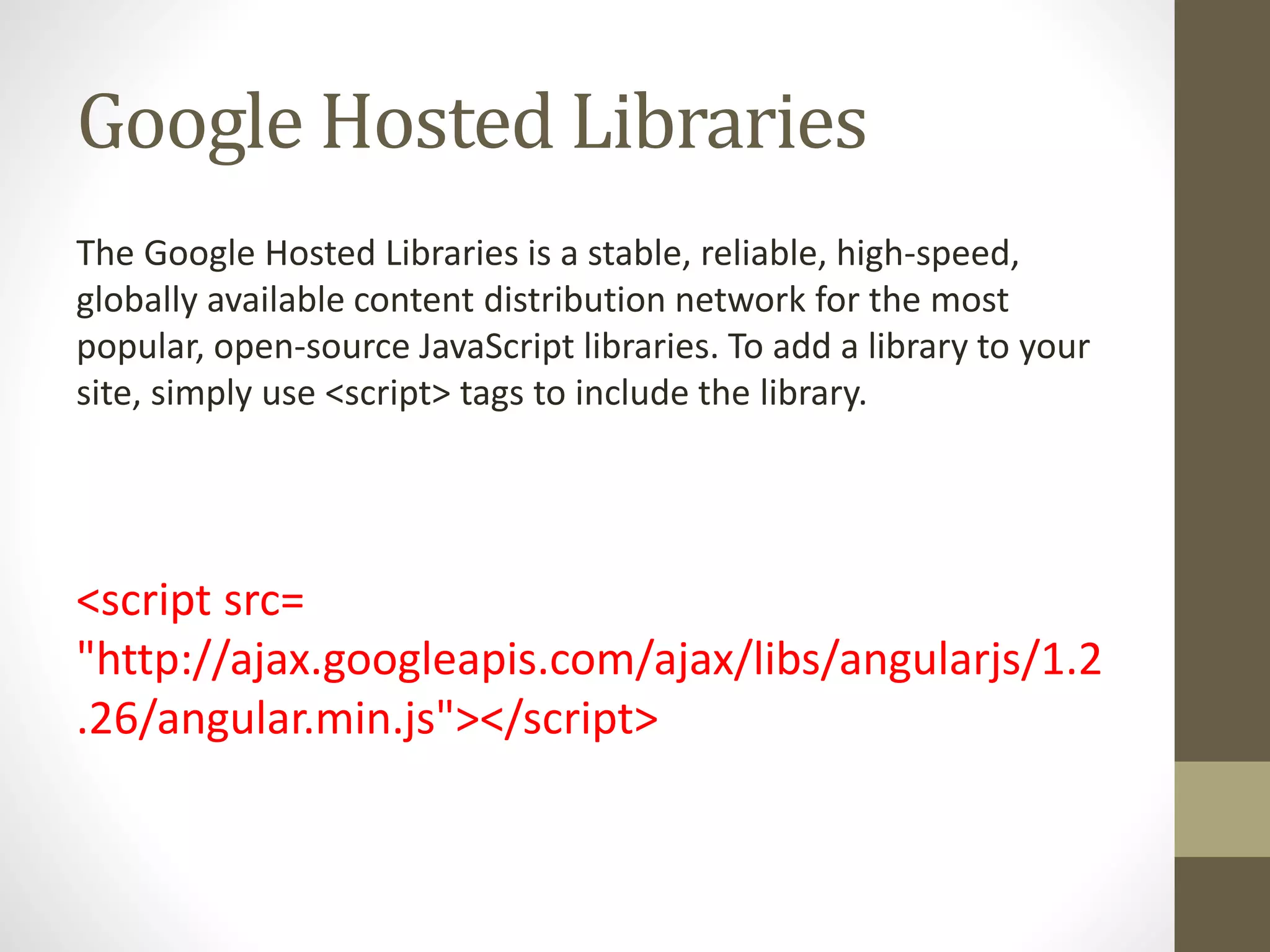
Google Hosted Libraries
The Google Hosted Libraries is a stable, reliable, high-speed,
globally available content distribution network for the most
popular, open-source JavaScript libraries. To add a library to your
site, simply use <script> tags to include the library.
<script src=
"http://ajax.googleapis.com/ajax/libs/angularjs/1.2
.26/angular.min.js"></script>
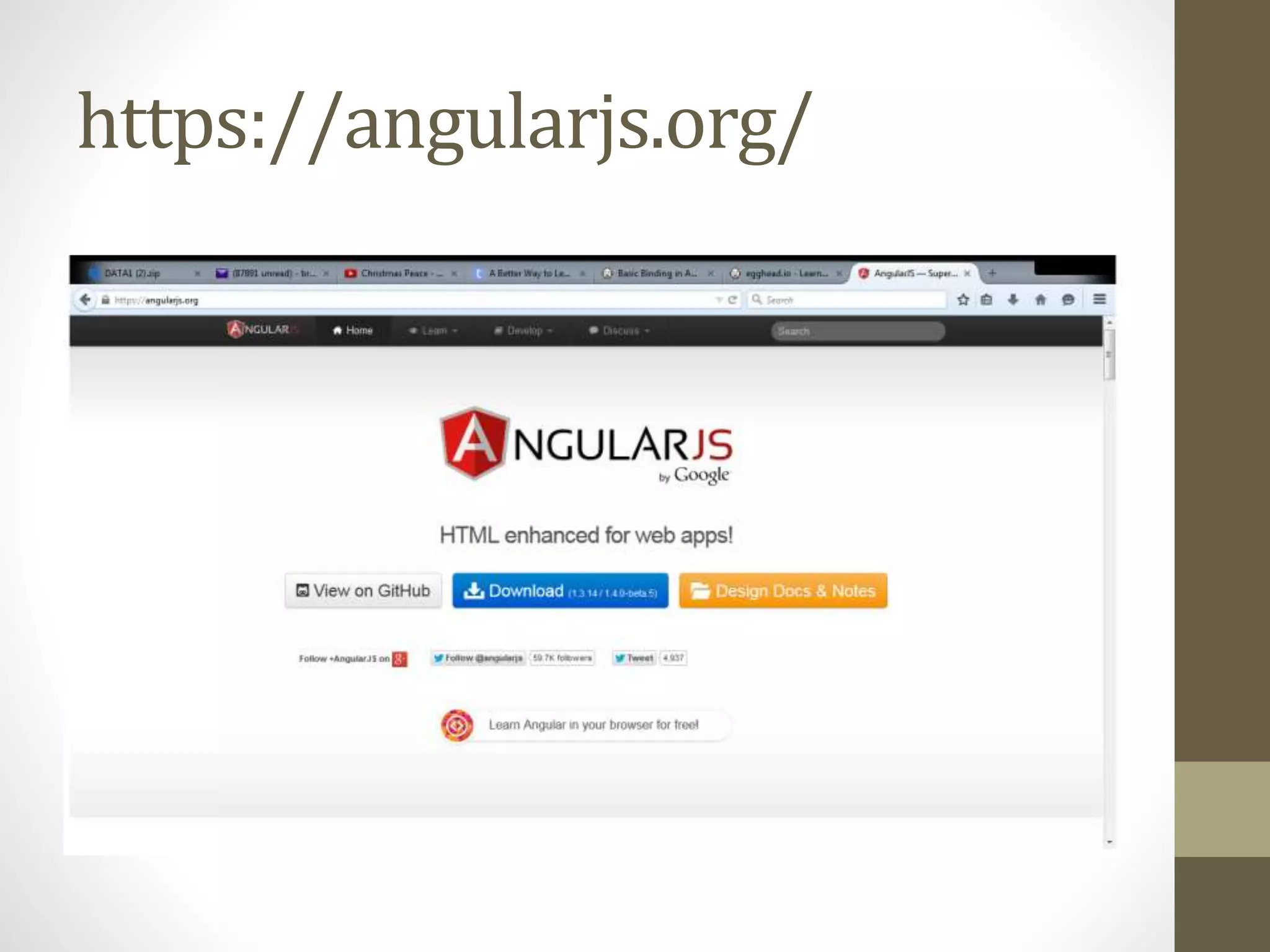
https://angularjs.org/
You need to place this tag in the top
of your document
<script src="Scripts/angular.min.js"></script>
AngularJS extends HTML attributes
with Directives, and binds data to
HTML with Expressions.
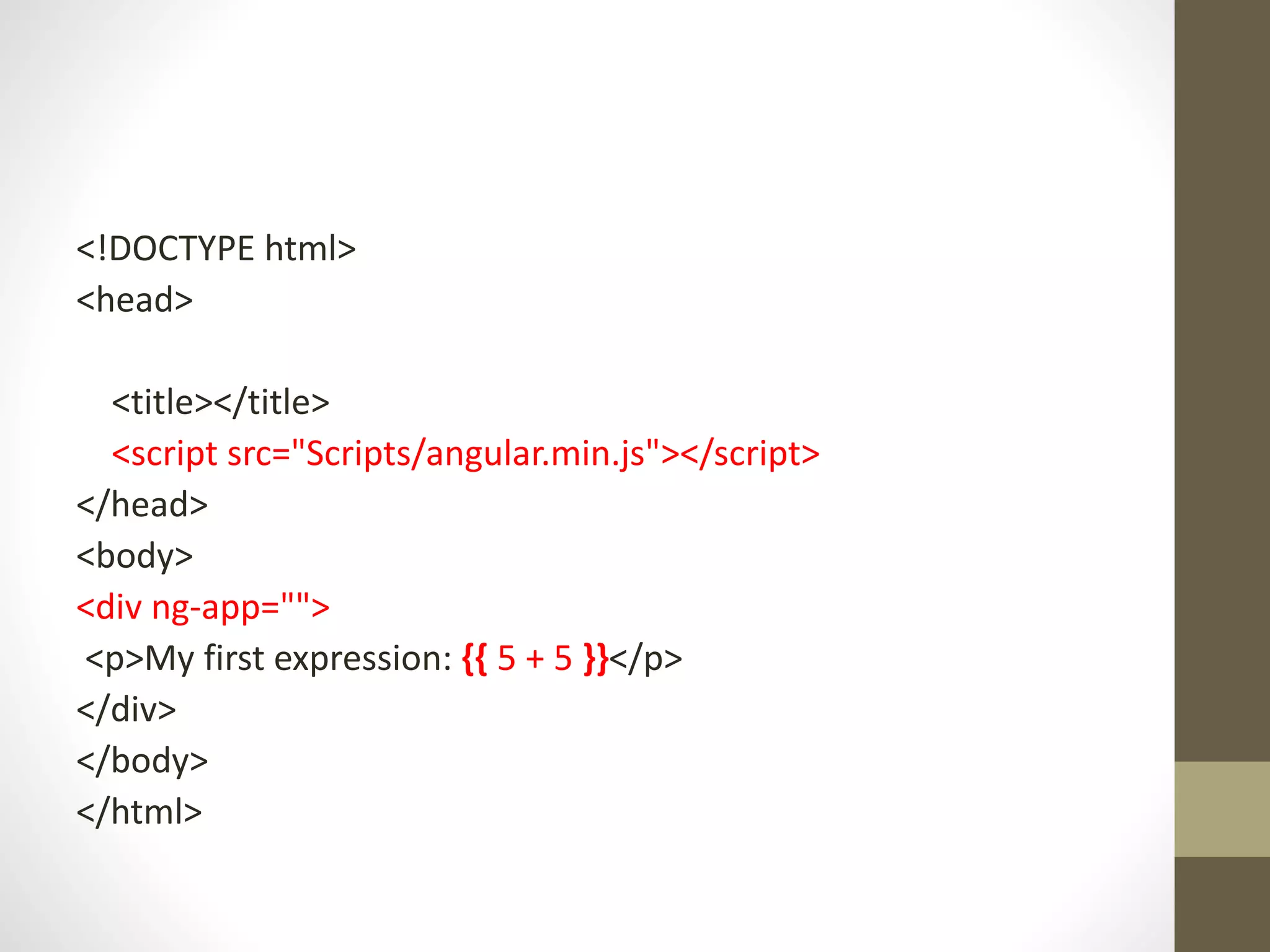
The ng-app directive:
defines an AngularJS application.
To create an expression use {{ }}
<!DOCTYPE html>
<head>
<title></title>
<script src="Scripts/angular.min.js"></script>
</head>
<body>
<div ng-app="">
<p>My first expression: {{ 5 + 5 }}</p>
</div>
</body>
</html>
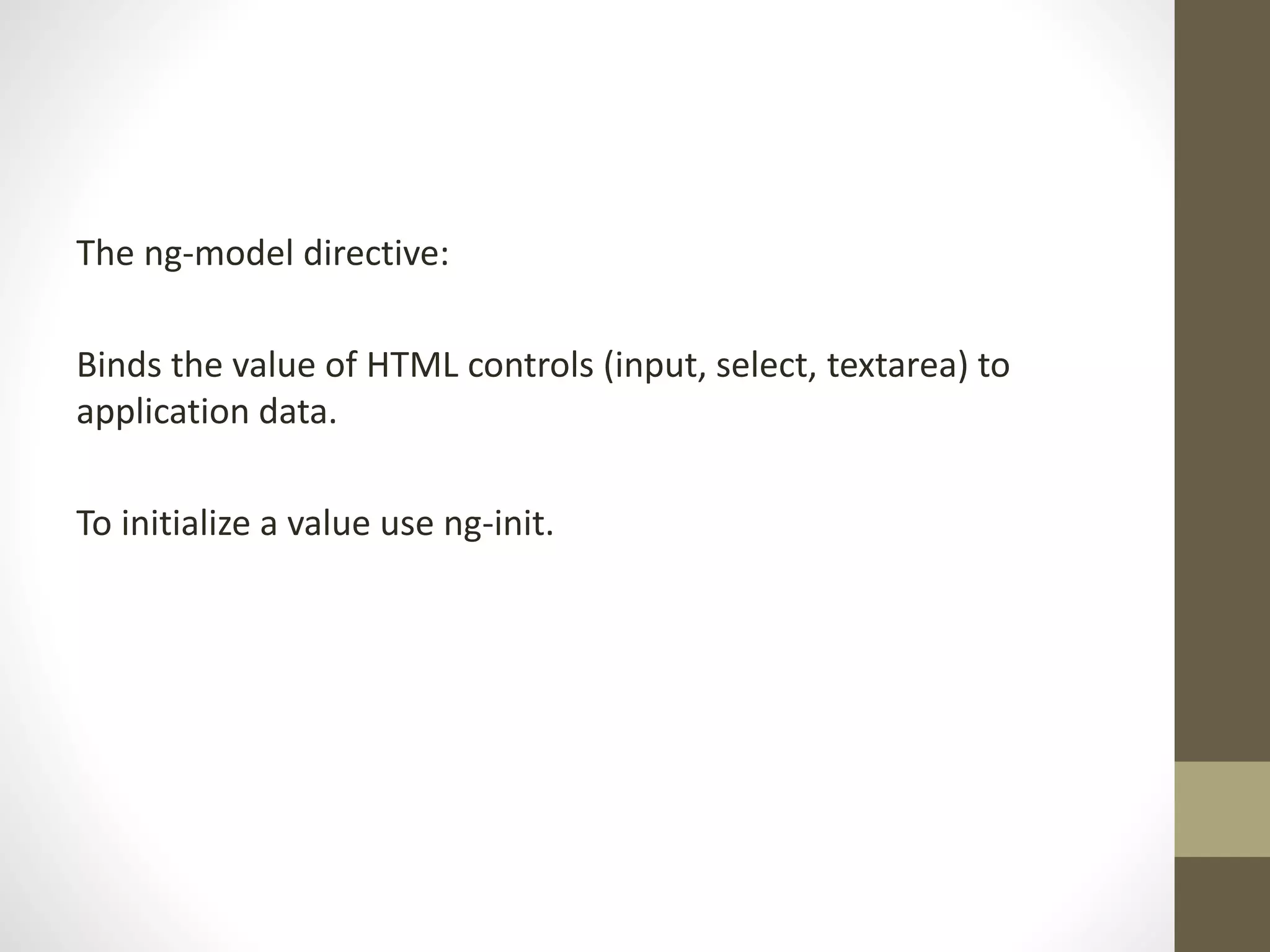
The ng-model directive:
Binds the value of HTML controls (input, select, textarea) to
application data.
To initialize a value use ng-init.
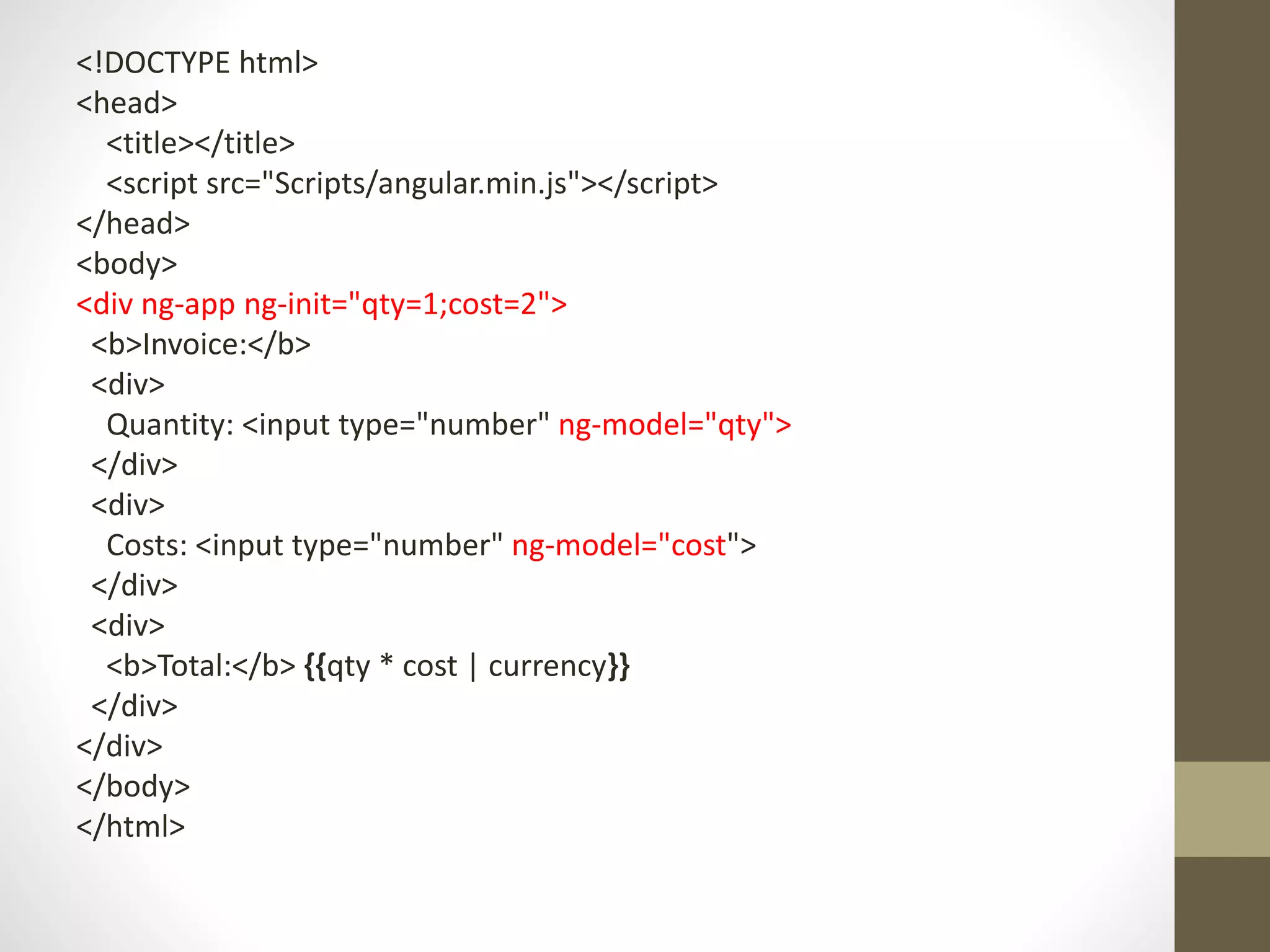
<!DOCTYPE html>
<head>
<title></title>
<script src="Scripts/angular.min.js"></script>
</head>
<body>
<div ng-app ng-init="qty=1;cost=2">
<b>Invoice:</b>
<div>
Quantity: <input type="number" ng-model="qty">
</div>
<div>
Costs: <input type="number" ng-model="cost">
</div>
<div>
<b>Total:</b> {{qty * cost | currency}}
</div>
</div>
</body>
</html>
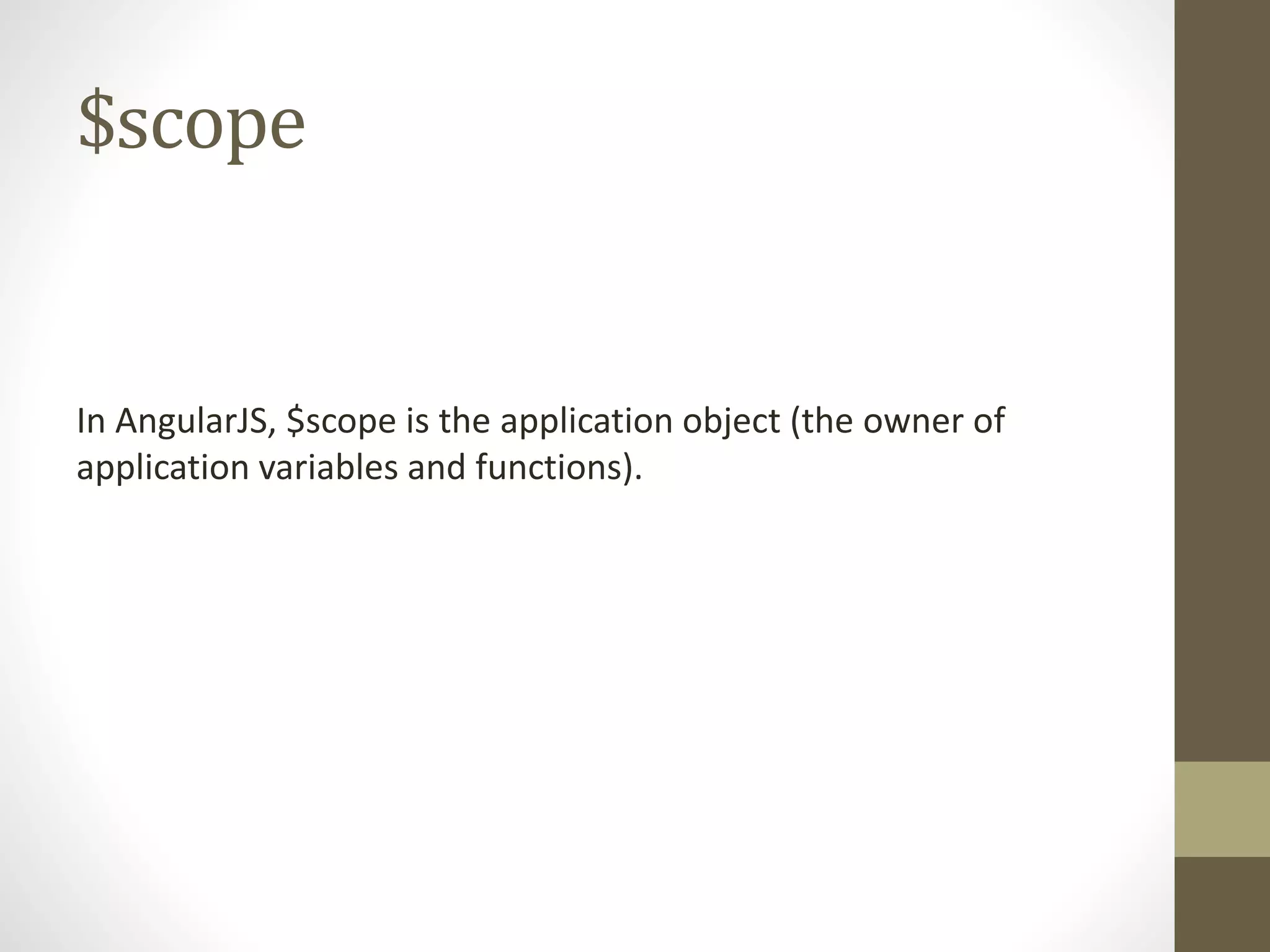
$scope
In AngularJS, $scope is the application object (the owner of
application variables and functions).
AngularJS controllers
control the data of AngularJS applications.
are regular JavaScript Objects.
ng-controller
The ng-controller directive defines the application controller.
A controller is a JavaScript Object, created by a standard
JavaScript object constructor.
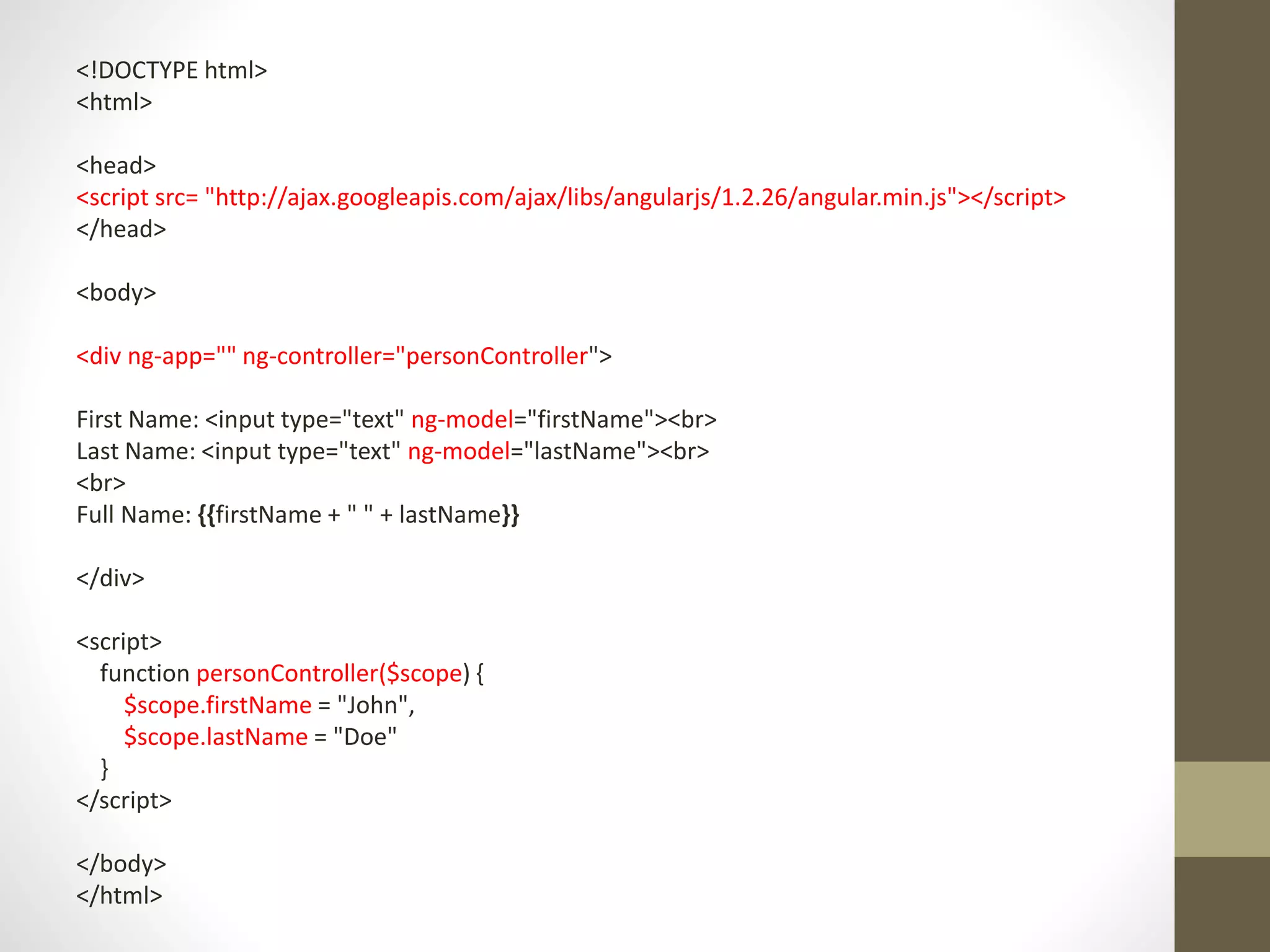
<!DOCTYPE html>
<html>
<head>
<script src= "http://ajax.googleapis.com/ajax/libs/angularjs/1.2.26/angular.min.js"></script>
</head>
<body>
<div ng-app="" ng-controller="personController">
First Name: <input type="text" ng-model="firstName"><br>
Last Name: <input type="text" ng-model="lastName"><br>
<br>
Full Name: {{firstName + " " + lastName}}
</div>
<script>
function personController($scope) {
$scope.firstName = "John",
$scope.lastName = "Doe"
}
</script>
</body>
</html>
ng-click
The ng-click directive allows you to specify custom behavior
when an element is clicked
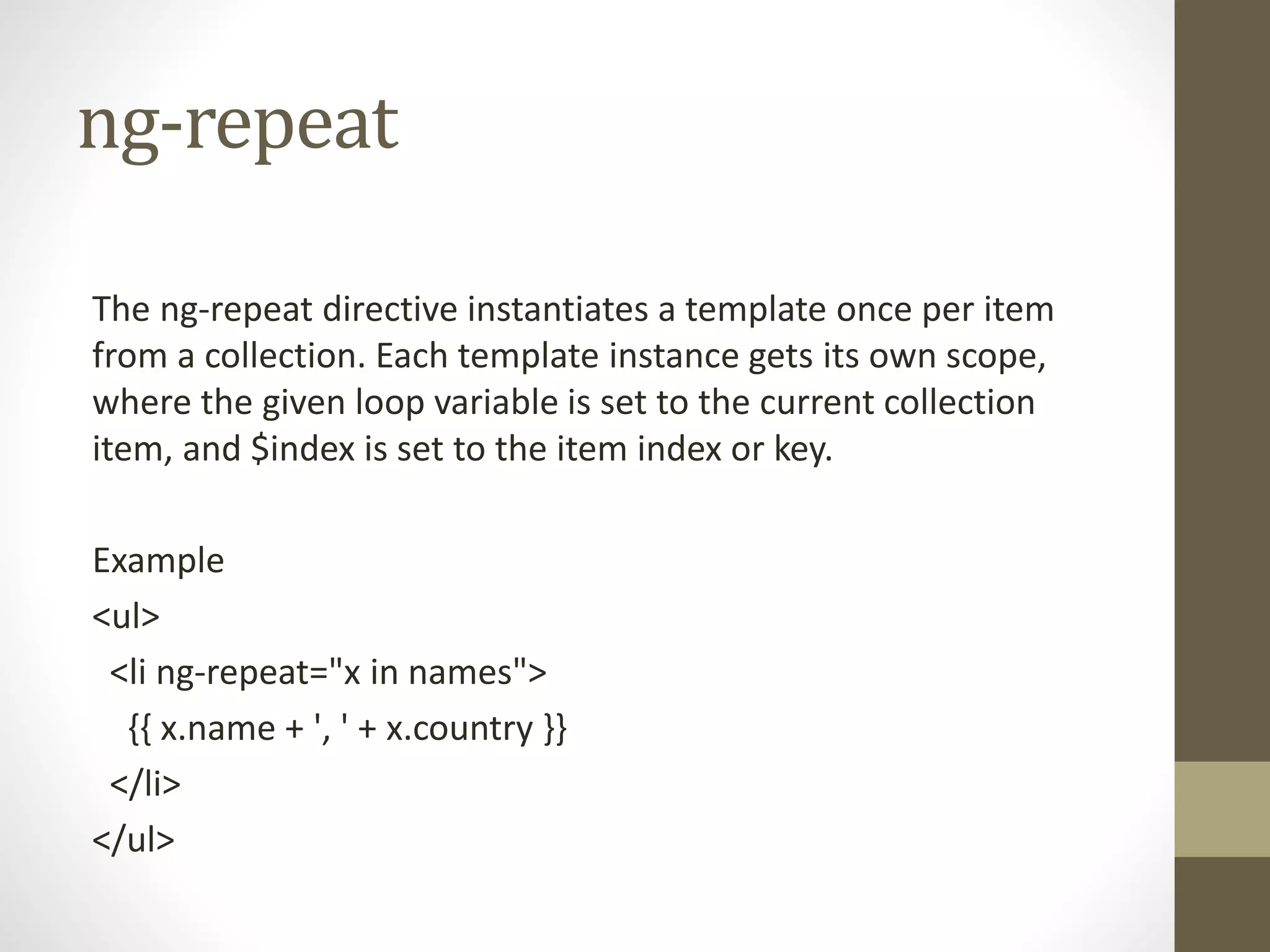
ng-repeat
The ng-repeat directive instantiates a template once per item
from a collection. Each template instance gets its own scope,
where the given loop variable is set to the current collection
item, and $index is set to the item index or key.
Example
<ul>
<li ng-repeat="x in names">
{{ x.name + ', ' + x.country }}
</li>
</ul>
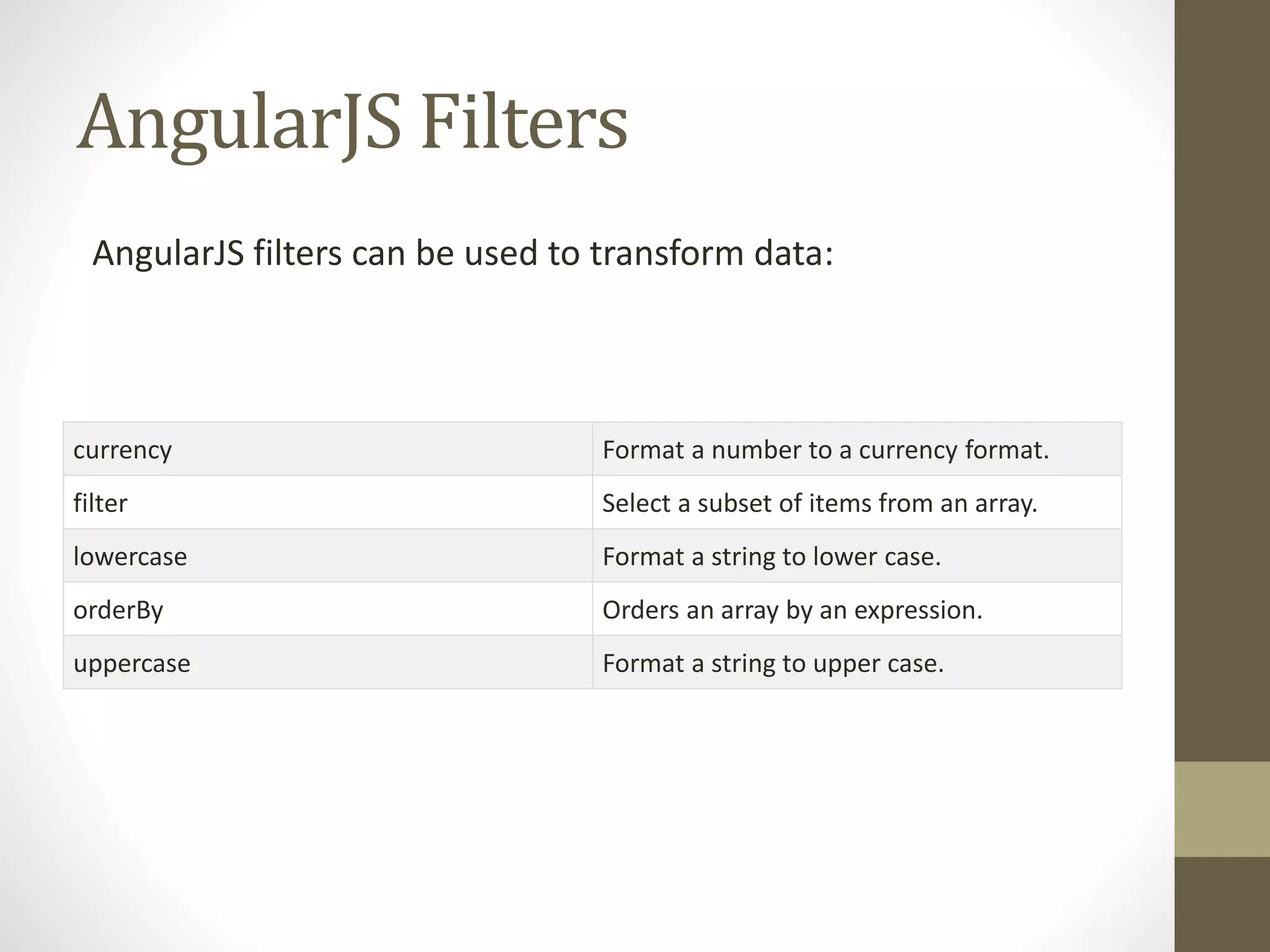
AngularJS Filters
AngularJS filters can be used to transform data:
currency Format a number to a currency format.
filter Select a subset of items from an array.
lowercase Format a string to lower case.
orderBy Orders an array by an expression.
uppercase Format a string to upper case.
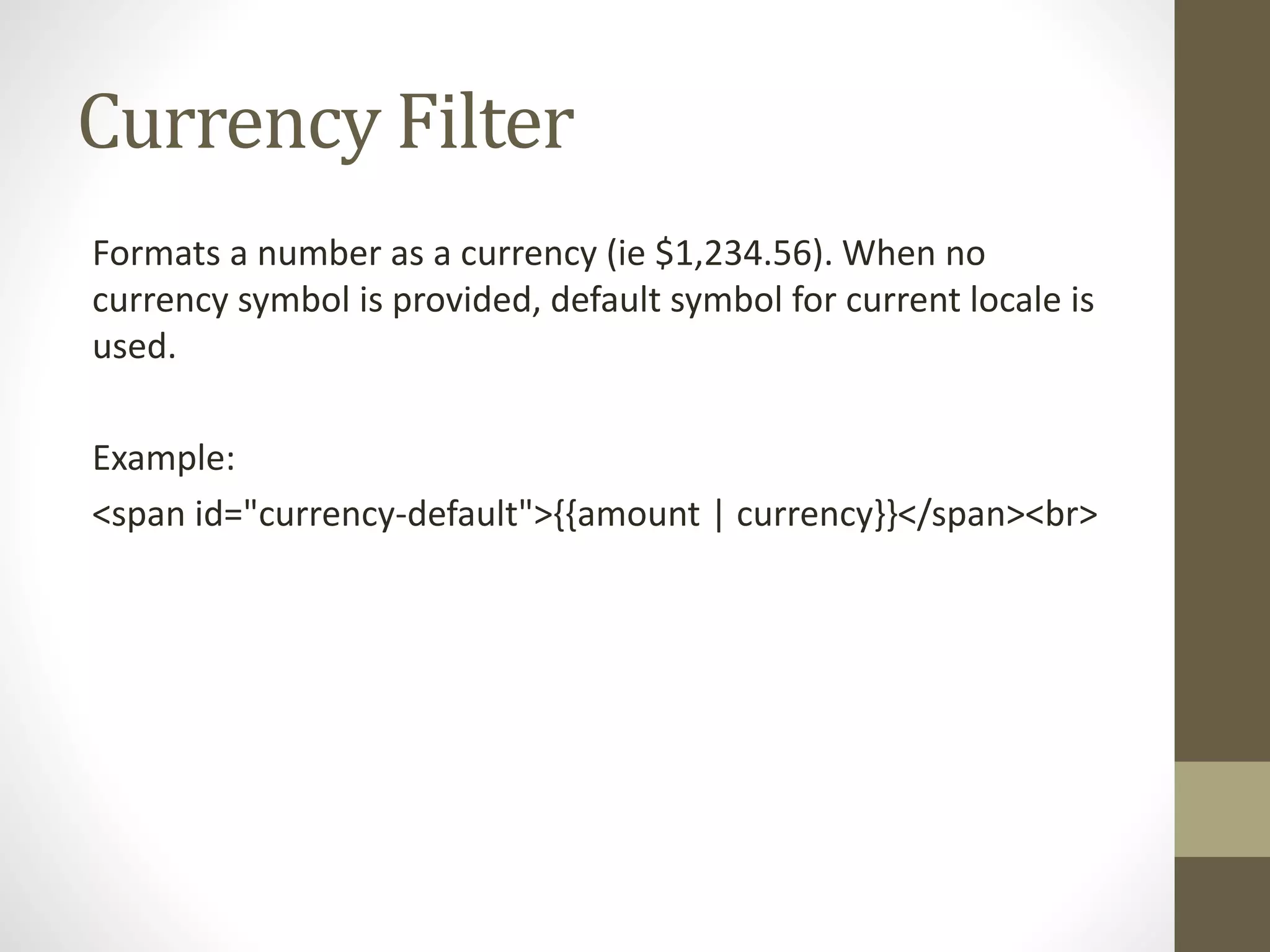
Currency Filter
Formats a number as a currency (ie $1,234.56). When no
currency symbol is provided, default symbol for current locale is
used.
Example:
<span id="currency-default">{{amount | currency}}</span><br>
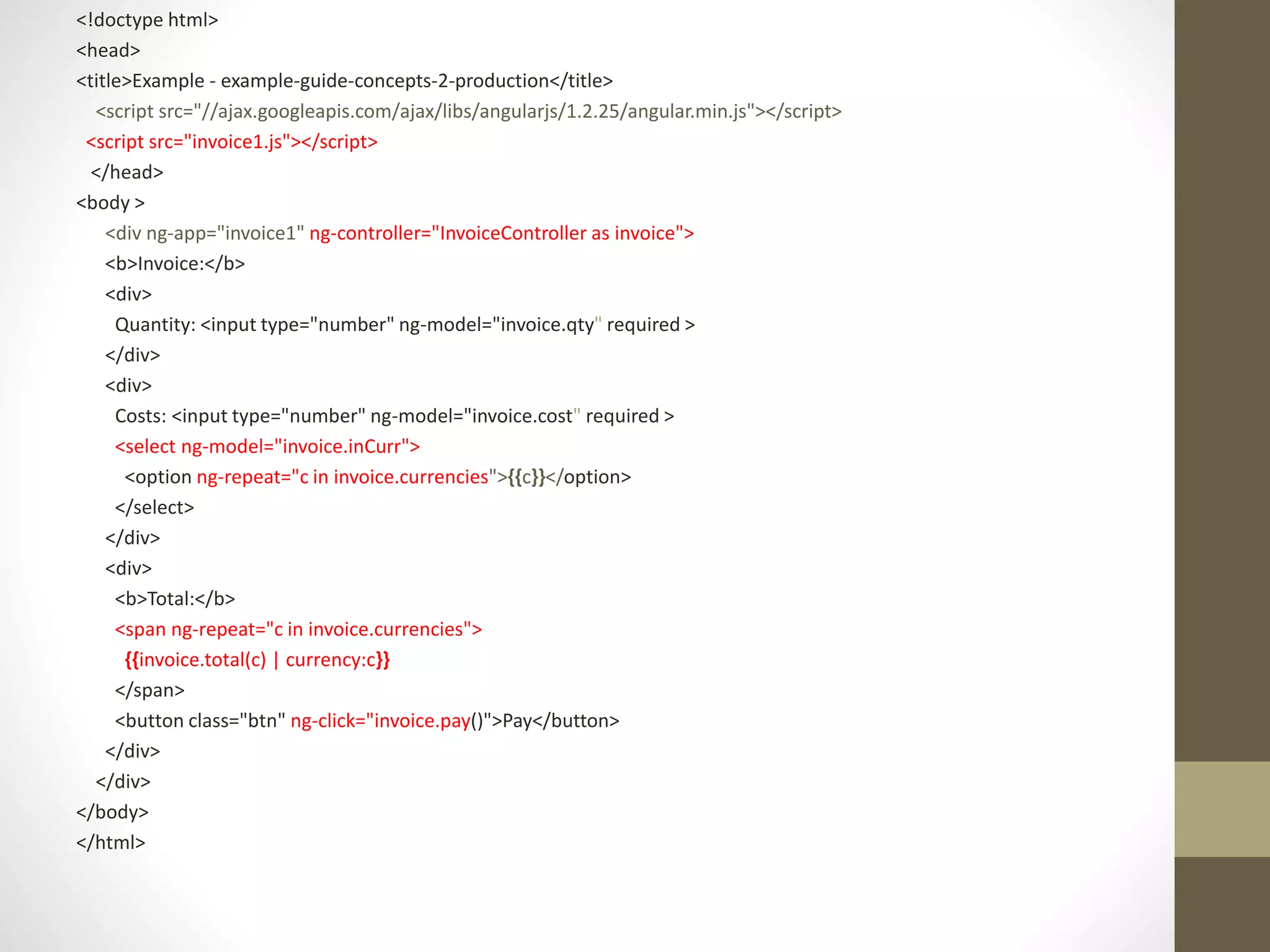
<!doctype html>
<head>
<title>Example - example-guide-concepts-2-production</title>
<script src="//ajax.googleapis.com/ajax/libs/angularjs/1.2.25/angular.min.js"></script>
<script src="invoice1.js"></script>
</head>
<body >
<div ng-app="invoice1" ng-controller="InvoiceController as invoice">
<b>Invoice:</b>
<div>
Quantity: <input type="number" ng-model="invoice.qty" required >
</div>
<div>
Costs: <input type="number" ng-model="invoice.cost" required >
<select ng-model="invoice.inCurr">
<option ng-repeat="c in invoice.currencies">{{c}}</option>
</select>
</div>
<div>
<b>Total:</b>
<span ng-repeat="c in invoice.currencies">
{{invoice.total(c) | currency:c}}
</span>
<button class="btn" ng-click="invoice.pay()">Pay</button>
</div>
</div>
</body>
</html>
Invoice.js
angular.module('invoice1', [])
.controller('InvoiceController', function () {
this.qty = 1;
this.cost = 2;
this.inCurr = 'EUR';
this.currencies = ['USD', 'EUR', 'CNY'];
this.usdToForeignRates = {
USD: 1,
EUR: 0.74,
CNY: 6.09
};
this.total = function total(outCurr) {
return this.convertCurrency(this.qty * this.cost, this.inCurr, outCurr);
};
this.convertCurrency = function convertCurrency(amount, inCurr, outCurr) {
return amount * this.usdToForeignRates[outCurr] / this.usdToForeignRates[inCurr];
};
this.pay = function pay() {
window.alert("Thanks!");
};
});
The ng-bind directive:
binds application data to the HTML view.
Example
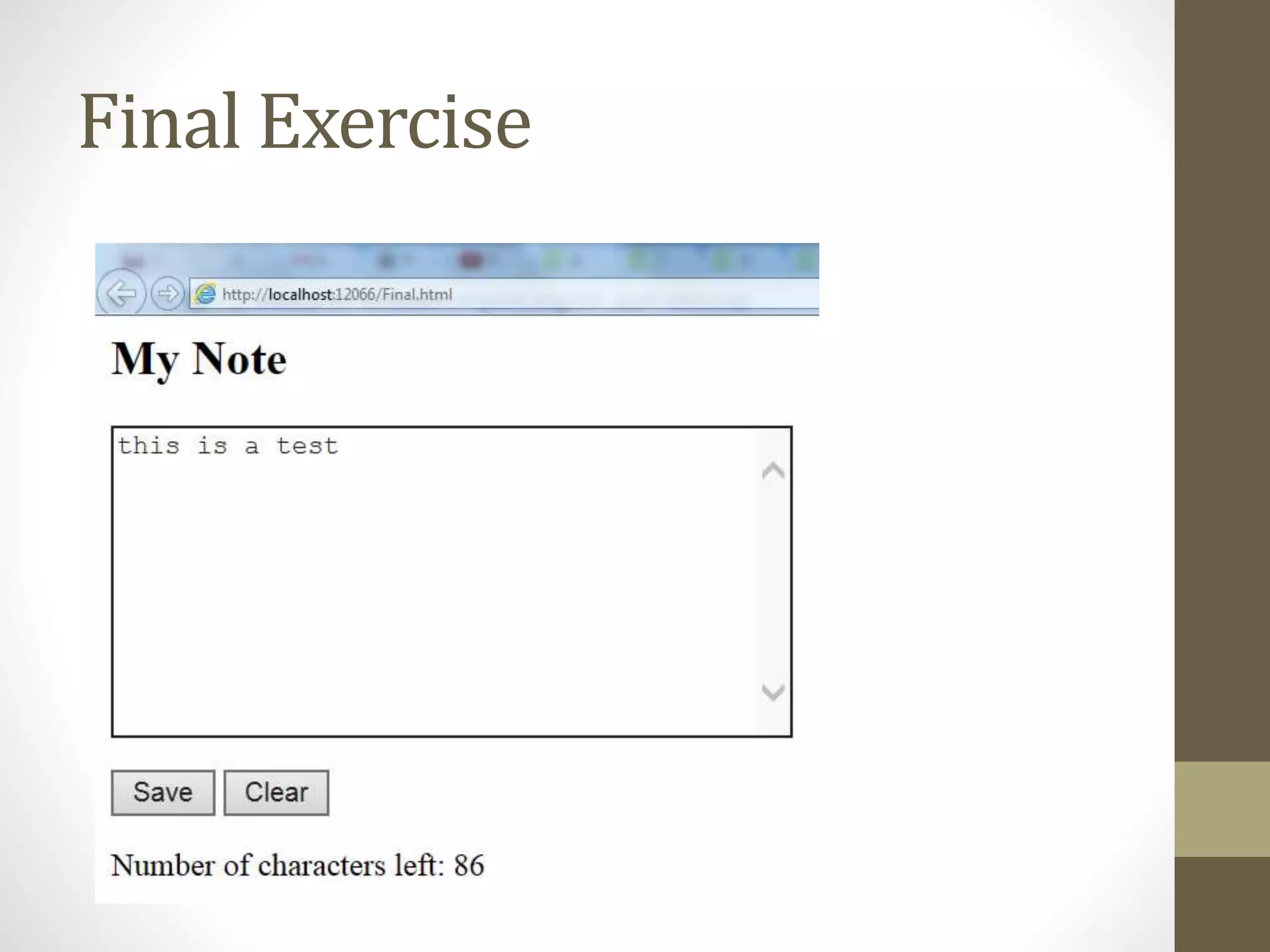
<p>Number of characters left: <span ng-
bind="left()"></span></p>
Binds this to it.
$scope.left = function () { return 100 - $scope.message.length; };
Final Exercise

Angular js

  • 1.
  • 2.
    Slide Show canbe found at: http://www.slideshare.net/BrianAtkins1/intro-to-angular-js Or https://docs.google.com/presentation/d/1iCi6rKpyIDw8y0aEtMs z2ftr4rRIEs0kb19RWFephVw/edit?usp=sharing
  • 3.
    Overview of concepts overviewof concepts covered: ng-app {{}} ng-init ng-model ng-controller ng-repeat ng-click ng-bind
  • 4.
    Working with angularjs •In order to use Angular I used Visual Studio Nuget Installer to install AngularJS
  • 5.
    Google Hosted Libraries TheGoogle Hosted Libraries is a stable, reliable, high-speed, globally available content distribution network for the most popular, open-source JavaScript libraries. To add a library to your site, simply use <script> tags to include the library. <script src= "http://ajax.googleapis.com/ajax/libs/angularjs/1.2 .26/angular.min.js"></script>
  • 6.
  • 7.
    You need toplace this tag in the top of your document <script src="Scripts/angular.min.js"></script>
  • 8.
    AngularJS extends HTMLattributes with Directives, and binds data to HTML with Expressions. The ng-app directive: defines an AngularJS application. To create an expression use {{ }}
  • 9.
    <!DOCTYPE html> <head> <title></title> <script src="Scripts/angular.min.js"></script> </head> <body> <divng-app=""> <p>My first expression: {{ 5 + 5 }}</p> </div> </body> </html>
  • 10.
    The ng-model directive: Bindsthe value of HTML controls (input, select, textarea) to application data. To initialize a value use ng-init.
  • 11.
    <!DOCTYPE html> <head> <title></title> <script src="Scripts/angular.min.js"></script> </head> <body> <divng-app ng-init="qty=1;cost=2"> <b>Invoice:</b> <div> Quantity: <input type="number" ng-model="qty"> </div> <div> Costs: <input type="number" ng-model="cost"> </div> <div> <b>Total:</b> {{qty * cost | currency}} </div> </div> </body> </html>
  • 12.
    $scope In AngularJS, $scopeis the application object (the owner of application variables and functions).
  • 13.
    AngularJS controllers control thedata of AngularJS applications. are regular JavaScript Objects.
  • 14.
    ng-controller The ng-controller directivedefines the application controller. A controller is a JavaScript Object, created by a standard JavaScript object constructor.
  • 15.
    <!DOCTYPE html> <html> <head> <script src="http://ajax.googleapis.com/ajax/libs/angularjs/1.2.26/angular.min.js"></script> </head> <body> <div ng-app="" ng-controller="personController"> First Name: <input type="text" ng-model="firstName"><br> Last Name: <input type="text" ng-model="lastName"><br> <br> Full Name: {{firstName + " " + lastName}} </div> <script> function personController($scope) { $scope.firstName = "John", $scope.lastName = "Doe" } </script> </body> </html>
  • 16.
    ng-click The ng-click directiveallows you to specify custom behavior when an element is clicked
  • 17.
    ng-repeat The ng-repeat directiveinstantiates a template once per item from a collection. Each template instance gets its own scope, where the given loop variable is set to the current collection item, and $index is set to the item index or key. Example <ul> <li ng-repeat="x in names"> {{ x.name + ', ' + x.country }} </li> </ul>
  • 18.
    AngularJS Filters AngularJS filterscan be used to transform data: currency Format a number to a currency format. filter Select a subset of items from an array. lowercase Format a string to lower case. orderBy Orders an array by an expression. uppercase Format a string to upper case.
  • 19.
    Currency Filter Formats anumber as a currency (ie $1,234.56). When no currency symbol is provided, default symbol for current locale is used. Example: <span id="currency-default">{{amount | currency}}</span><br>
  • 20.
    <!doctype html> <head> <title>Example -example-guide-concepts-2-production</title> <script src="//ajax.googleapis.com/ajax/libs/angularjs/1.2.25/angular.min.js"></script> <script src="invoice1.js"></script> </head> <body > <div ng-app="invoice1" ng-controller="InvoiceController as invoice"> <b>Invoice:</b> <div> Quantity: <input type="number" ng-model="invoice.qty" required > </div> <div> Costs: <input type="number" ng-model="invoice.cost" required > <select ng-model="invoice.inCurr"> <option ng-repeat="c in invoice.currencies">{{c}}</option> </select> </div> <div> <b>Total:</b> <span ng-repeat="c in invoice.currencies"> {{invoice.total(c) | currency:c}} </span> <button class="btn" ng-click="invoice.pay()">Pay</button> </div> </div> </body> </html>
  • 21.
    Invoice.js angular.module('invoice1', []) .controller('InvoiceController', function() { this.qty = 1; this.cost = 2; this.inCurr = 'EUR'; this.currencies = ['USD', 'EUR', 'CNY']; this.usdToForeignRates = { USD: 1, EUR: 0.74, CNY: 6.09 }; this.total = function total(outCurr) { return this.convertCurrency(this.qty * this.cost, this.inCurr, outCurr); }; this.convertCurrency = function convertCurrency(amount, inCurr, outCurr) { return amount * this.usdToForeignRates[outCurr] / this.usdToForeignRates[inCurr]; }; this.pay = function pay() { window.alert("Thanks!"); }; });
  • 22.
    The ng-bind directive: bindsapplication data to the HTML view. Example <p>Number of characters left: <span ng- bind="left()"></span></p> Binds this to it. $scope.left = function () { return 100 - $scope.message.length; };
  • 23.