ANGULAR CLI
NIKUNJ PATEL
@PATELNIK7
INTRODUCTION TO ANGULAR
• Angular started as a side project and was released back in June, 2012
• client side MVC and MVVM framework
• Mongo, Express, Angular, Node (MEAN) Stack.
• Journey from 1.0 —> 2.0 —> 4.0
WHY ANGULAR?
• Two way data binding
• loosely coupled and easily testable.
• TypeScript
• Components
• Develop Once, Run everywhere
• Size and Speed.
• Added IDE Support
BASIC DEFINITIONS
• Bootstrapping
• It is used to explicitly specify a root component that Angular should use to start
the application.
• Components
• Allows to add metadata to determine how to process, instantiate and use
component (Class with templates) at runtime.
• Modules
• Helps put components as a cohesive blocks of functionality.
DEVELOP “HELLO WORLD” FROM SCRATCH
• “With great power, comes great responsibility.”
• Setting up Angular environment is tougher than it used to be.
• In Angular1, we could easily create Hello World application in matter of minutes.
However, With Angular2 Things have changed.
• Let’s see what it takes now to create Angular2 application.
PREREQUISITES FOR “HELLO WORLD”.
• Install TypeScript (if not installed)
• tsconfig.json
• package.json
• App (module, component, main.ts)
• systemjs.config.js
• lite-server , Concurrently
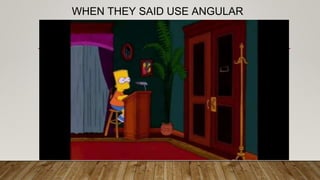
WHEN THEY SAID USE ANGULAR
INTRODUCING ANGULAR CLI
• Angular Command Line Interface (CLI) is a powerful solution to allow code generation
with simple commands.
• It also helps us with following
• Setting up Angular Project
• Following best practices in Js world.
• Testable Code
• Modular Code.
• Let’s Create “Hello World” application using Angular CLI.
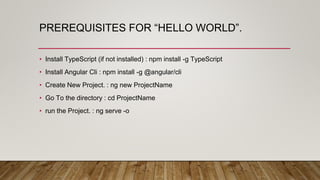
PREREQUISITES FOR “HELLO WORLD”.
• Install TypeScript (if not installed) : npm install -g TypeScript
• Install Angular Cli : npm install -g @angular/cli
• Create New Project. : ng new ProjectName
• Go To the directory : cd ProjectName
• run the Project. : ng serve -o
“HELLO WORLD” WITH ANGULAR CLI
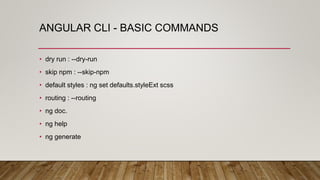
ANGULAR CLI - BASIC COMMANDS
• dry run : --dry-run
• skip npm : --skip-npm
• default styles : ng set defaults.styleExt scss
• routing : --routing
• ng doc.
• ng help
• ng generate
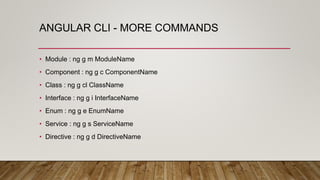
ANGULAR CLI - MORE COMMANDS
• Module : ng g m ModuleName
• Component : ng g c ComponentName
• Class : ng g cl ClassName
• Interface : ng g i InterfaceName
• Enum : ng g e EnumName
• Service : ng g s ServiceName
• Directive : ng g d DirectiveName
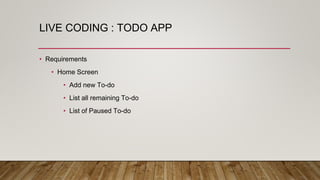
LIVE CODING : TODO APP
• Requirements
• Home Screen
• Add new To-do
• List all remaining To-do
• List of Paused To-do
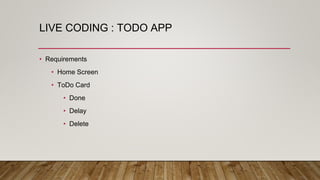
LIVE CODING : TODO APP
• Requirements
• Home Screen
• ToDo Card
• Done
• Delay
• Delete
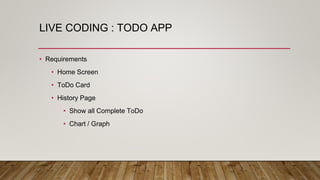
LIVE CODING : TODO APP
• Requirements
• Home Screen
• ToDo Card
• History Page
• Show all Complete ToDo
• Chart / Graph
LIVE CODING : TODO APP
• Requirements
• Home Screen
• ToDo Card
• History Page
• Create Api
• Node.Js as a backEnd
LIVE DEMO
IT’S EASY WITH CLI
• ng build
• ng build -p PortNumber
• ng test
• ng e2e
• ng build --prod
Survey link : http://bit.ly/NgCliSdc
REFERENCES
• Angular CLI (https://github.com/angular/angular-cli/)
• PluralSight Course : Angular CLI by John Papa
(https://app.pluralsight.com/library/courses/angular-cli/)
• Angular CLI cheatsheet

Angular CLI : HelloWorld

  • 1.
  • 2.
    INTRODUCTION TO ANGULAR •Angular started as a side project and was released back in June, 2012 • client side MVC and MVVM framework • Mongo, Express, Angular, Node (MEAN) Stack. • Journey from 1.0 —> 2.0 —> 4.0
  • 3.
    WHY ANGULAR? • Twoway data binding • loosely coupled and easily testable. • TypeScript • Components • Develop Once, Run everywhere • Size and Speed. • Added IDE Support
  • 4.
    BASIC DEFINITIONS • Bootstrapping •It is used to explicitly specify a root component that Angular should use to start the application. • Components • Allows to add metadata to determine how to process, instantiate and use component (Class with templates) at runtime. • Modules • Helps put components as a cohesive blocks of functionality.
  • 5.
    DEVELOP “HELLO WORLD”FROM SCRATCH • “With great power, comes great responsibility.” • Setting up Angular environment is tougher than it used to be. • In Angular1, we could easily create Hello World application in matter of minutes. However, With Angular2 Things have changed. • Let’s see what it takes now to create Angular2 application.
  • 6.
    PREREQUISITES FOR “HELLOWORLD”. • Install TypeScript (if not installed) • tsconfig.json • package.json • App (module, component, main.ts) • systemjs.config.js • lite-server , Concurrently
  • 7.
    WHEN THEY SAIDUSE ANGULAR
  • 8.
    INTRODUCING ANGULAR CLI •Angular Command Line Interface (CLI) is a powerful solution to allow code generation with simple commands. • It also helps us with following • Setting up Angular Project • Following best practices in Js world. • Testable Code • Modular Code. • Let’s Create “Hello World” application using Angular CLI.
  • 9.
    PREREQUISITES FOR “HELLOWORLD”. • Install TypeScript (if not installed) : npm install -g TypeScript • Install Angular Cli : npm install -g @angular/cli • Create New Project. : ng new ProjectName • Go To the directory : cd ProjectName • run the Project. : ng serve -o
  • 10.
  • 11.
    ANGULAR CLI -BASIC COMMANDS • dry run : --dry-run • skip npm : --skip-npm • default styles : ng set defaults.styleExt scss • routing : --routing • ng doc. • ng help • ng generate
  • 12.
    ANGULAR CLI -MORE COMMANDS • Module : ng g m ModuleName • Component : ng g c ComponentName • Class : ng g cl ClassName • Interface : ng g i InterfaceName • Enum : ng g e EnumName • Service : ng g s ServiceName • Directive : ng g d DirectiveName
  • 13.
    LIVE CODING :TODO APP • Requirements • Home Screen • Add new To-do • List all remaining To-do • List of Paused To-do
  • 14.
    LIVE CODING :TODO APP • Requirements • Home Screen • ToDo Card • Done • Delay • Delete
  • 15.
    LIVE CODING :TODO APP • Requirements • Home Screen • ToDo Card • History Page • Show all Complete ToDo • Chart / Graph
  • 16.
    LIVE CODING :TODO APP • Requirements • Home Screen • ToDo Card • History Page • Create Api • Node.Js as a backEnd
  • 17.
  • 18.
    IT’S EASY WITHCLI • ng build • ng build -p PortNumber • ng test • ng e2e • ng build --prod
  • 20.
    Survey link :http://bit.ly/NgCliSdc
  • 21.
    REFERENCES • Angular CLI(https://github.com/angular/angular-cli/) • PluralSight Course : Angular CLI by John Papa (https://app.pluralsight.com/library/courses/angular-cli/) • Angular CLI cheatsheet