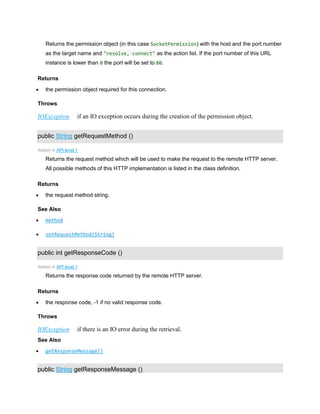
How to automate login a website –
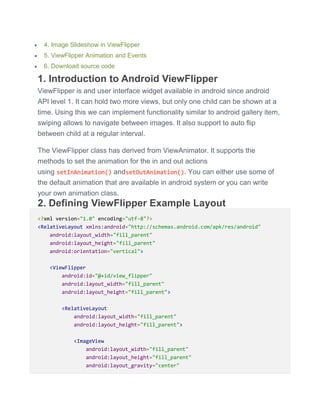
Java example
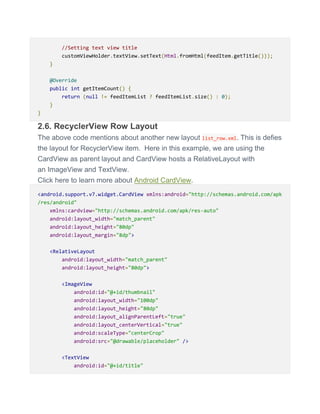
By mkyong | May 22, 2013 | Updated : May 23, 2013
In this example, we will show you how to login a website via standard
Java HttpsURLConnection. This technique should be working in most of the login form.
Tools & Java Library used in this example
1. Google Chrome Browser – Network tab to analyze HTTP request and response header
fields.
2. jsoup library – Extracts HTML form values.
3. JDK 6.
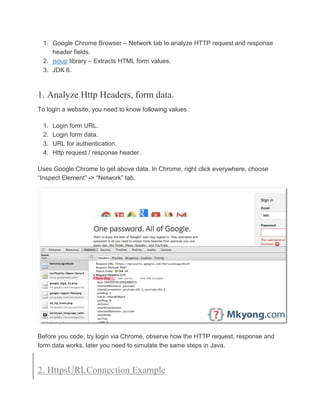
1. Analyze Http Headers, form data.
To login a website, you need to know following values :
1. Login form URL.
2. Login form data.
3. URL for authentication.
4. Http request / response header.
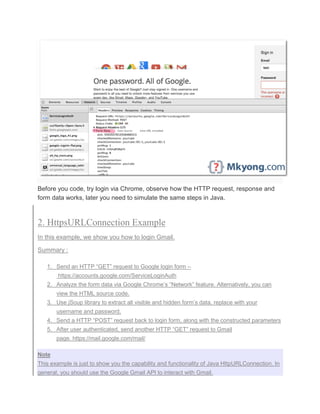
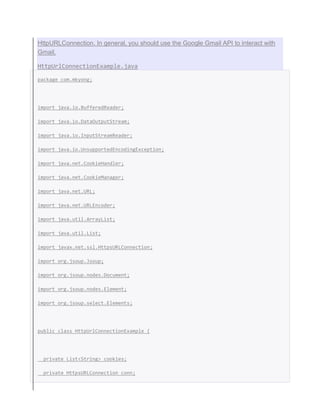
Uses Google Chrome to get above data. In Chrome, right click everywhere, choose
“Inspect Element” -> “Network” tab.
Before you code, try login via Chrome, observe how the HTTP request, response and
form data works, later you need to simulate the same steps in Java.
2. HttpsURLConnection Example
In this example, we show you how to login Gmail.
Summary :
1. Send an HTTP “GET” request to Google login form –
https://accounts.google.com/ServiceLoginAuth
2. Analyze the form data via Google Chrome’s “Network” feature. Alternatively, you can
view the HTML source code.
3. Use jSoup library to extract all visible and hidden form’s data, replace with your
username and password.
4. Send a HTTP “POST” request back to login form, along with the constructed parameters
5. After user authenticated, send another HTTP “GET” request to Gmail
page. https://mail.google.com/mail/
Note
This example is just to show you the capability and functionality of Java HttpURLConnection. In
general, you should use the Google Gmail API to interact with Gmail.
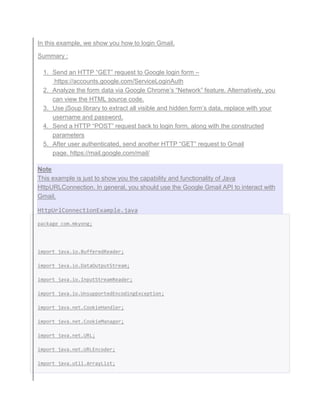
HttpUrlConnectionExample.java
package com.mkyong;
import java.io.BufferedReader;
import java.io.DataOutputStream;
import java.io.InputStreamReader;
import java.io.UnsupportedEncodingException;
import java.net.CookieHandler;
import java.net.CookieManager;
import java.net.URL;
import java.net.URLEncoder;
import java.util.ArrayList;
import java.util.List;
import javax.net.ssl.HttpsURLConnection;
import org.jsoup.Jsoup;
import org.jsoup.nodes.Document;
import org.jsoup.nodes.Element;
import org.jsoup.select.Elements;
public class HttpUrlConnectionExample {
private List<String> cookies;
private HttpsURLConnection conn;
private final String USER_AGENT = "Mozilla/5.0";
public static void main(String[] args) throws Exception {
String url = "https://accounts.google.com/ServiceLoginAuth";
String gmail = "https://mail.google.com/mail/";
HttpUrlConnectionExample http = new HttpUrlConnectionExample();
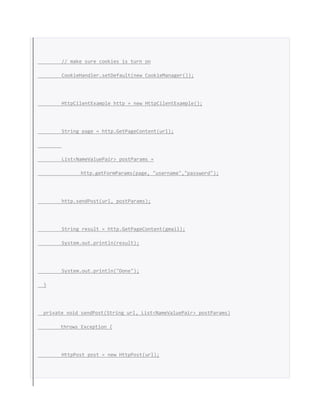
// make sure cookies is turn on
CookieHandler.setDefault(new CookieManager());
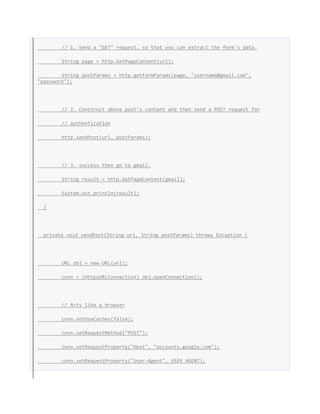
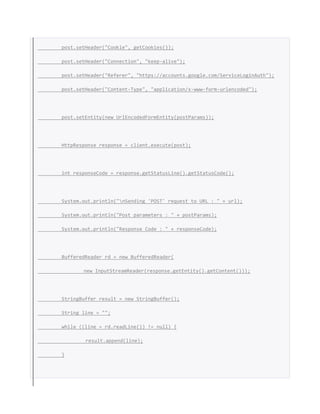
// 1. Send a "GET" request, so that you can extract the form's data.
String page = http.GetPageContent(url);
String postParams = http.getFormParams(page, "username@gmail.com",
"password");
// 2. Construct above post's content and then send a POST request for
// authentication
http.sendPost(url, postParams);
// 3. success then go to gmail.
String result = http.GetPageContent(gmail);
System.out.println(result);
}
private void sendPost(String url, String postParams) throws Exception {
URL obj = new URL(url);
conn = (HttpsURLConnection) obj.openConnection();
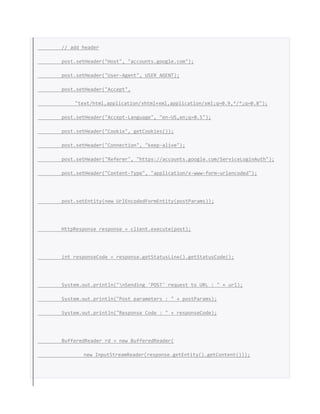
// Acts like a browser
conn.setUseCaches(false);
conn.setRequestMethod("POST");
conn.setRequestProperty("Host", "accounts.google.com");
conn.setRequestProperty("User-Agent", USER_AGENT);
conn.setRequestProperty("Accept",
"text/html,application/xhtml+xml,application/xml;q=0.9,*/*;q=0.8");
conn.setRequestProperty("Accept-Language", "en-US,en;q=0.5");
for (String cookie : this.cookies) {
conn.addRequestProperty("Cookie", cookie.split(";", 1)[0]);
}
conn.setRequestProperty("Connection", "keep-alive");
conn.setRequestProperty("Referer",
"https://accounts.google.com/ServiceLoginAuth");
conn.setRequestProperty("Content-Type", "application/x-www-form-
urlencoded");
conn.setRequestProperty("Content-Length",
Integer.toString(postParams.length()));
conn.setDoOutput(true);
conn.setDoInput(true);
// Send post request
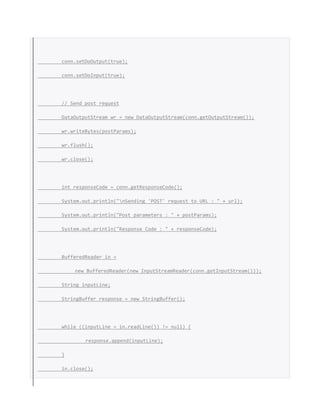
DataOutputStream wr = new DataOutputStream(conn.getOutputStream());
wr.writeBytes(postParams);
wr.flush();
wr.close();
int responseCode = conn.getResponseCode();
System.out.println("nSending 'POST' request to URL : " + url);
System.out.println("Post parameters : " + postParams);
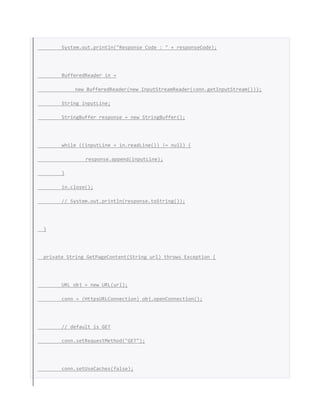
System.out.println("Response Code : " + responseCode);
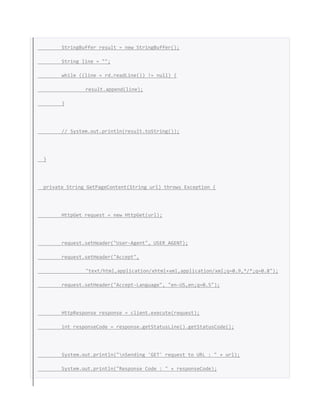
BufferedReader in =
new BufferedReader(new InputStreamReader(conn.getInputStream()));
String inputLine;
StringBuffer response = new StringBuffer();
while ((inputLine = in.readLine()) != null) {
response.append(inputLine);
}
in.close();
// System.out.println(response.toString());
}
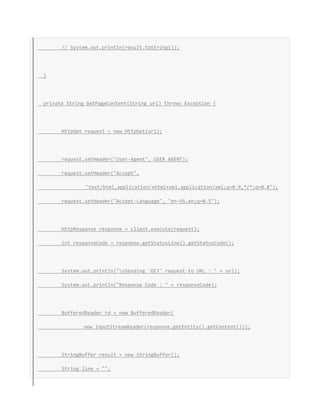
private String GetPageContent(String url) throws Exception {
URL obj = new URL(url);
conn = (HttpsURLConnection) obj.openConnection();
// default is GET
conn.setRequestMethod("GET");
conn.setUseCaches(false);
// act like a browser
conn.setRequestProperty("User-Agent", USER_AGENT);
conn.setRequestProperty("Accept",
"text/html,application/xhtml+xml,application/xml;q=0.9,*/*;q=0.8");
conn.setRequestProperty("Accept-Language", "en-US,en;q=0.5");
if (cookies != null) {
for (String cookie : this.cookies) {
conn.addRequestProperty("Cookie", cookie.split(";", 1)[0]);
}
}
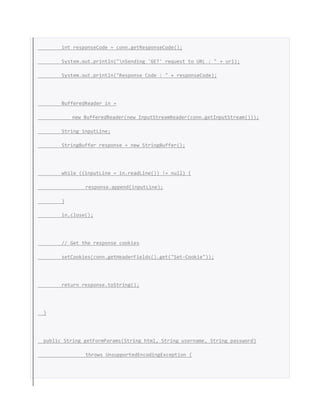
int responseCode = conn.getResponseCode();
System.out.println("nSending 'GET' request to URL : " + url);
System.out.println("Response Code : " + responseCode);
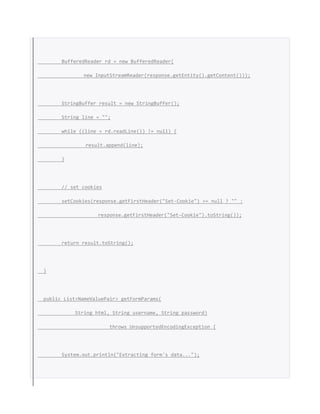
BufferedReader in =
new BufferedReader(new InputStreamReader(conn.getInputStream()));
String inputLine;
StringBuffer response = new StringBuffer();
while ((inputLine = in.readLine()) != null) {
response.append(inputLine);
}
in.close();
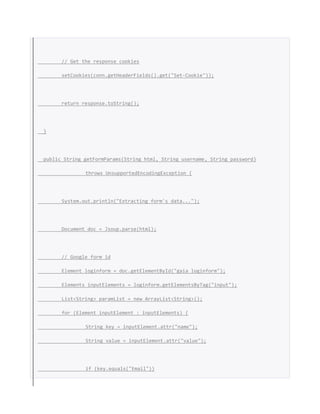
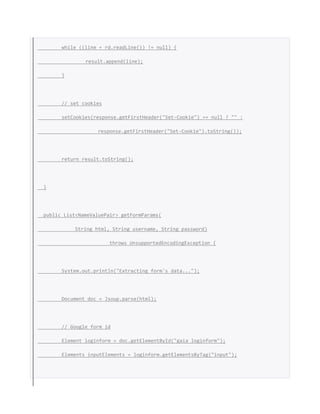
// Get the response cookies
setCookies(conn.getHeaderFields().get("Set-Cookie"));
return response.toString();
}
public String getFormParams(String html, String username, String password)
throws UnsupportedEncodingException {
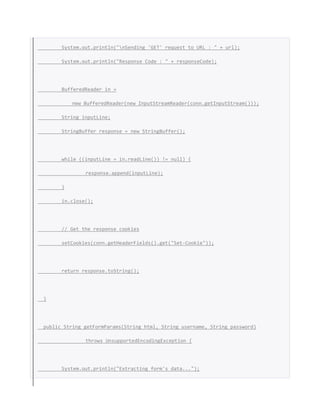
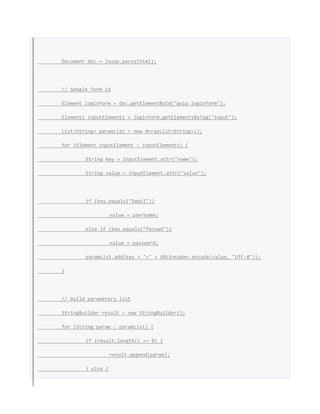
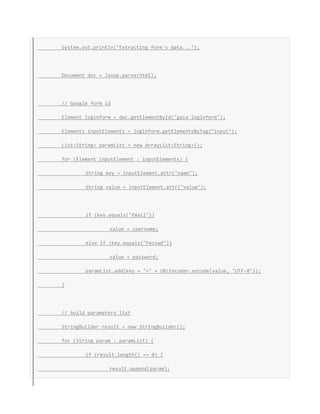
System.out.println("Extracting form's data...");
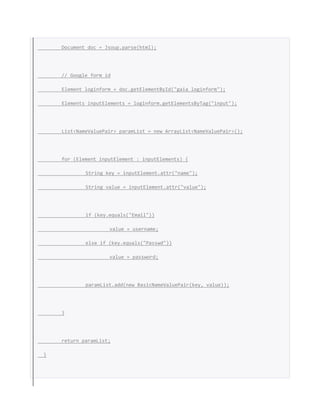
Document doc = Jsoup.parse(html);
// Google form id
Element loginform = doc.getElementById("gaia_loginform");
Elements inputElements = loginform.getElementsByTag("input");
List<String> paramList = new ArrayList<String>();
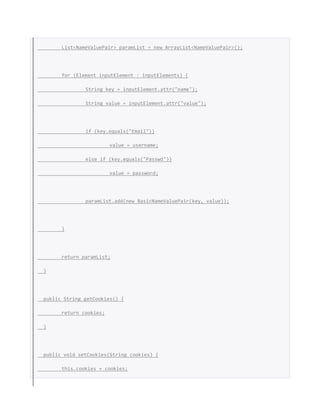
for (Element inputElement : inputElements) {
String key = inputElement.attr("name");
String value = inputElement.attr("value");
if (key.equals("Email"))
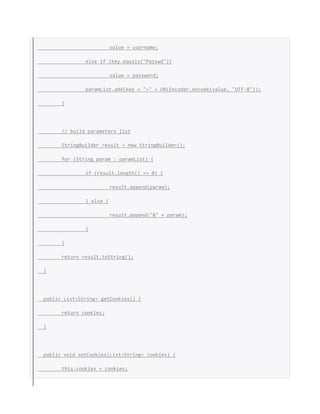
value = username;
else if (key.equals("Passwd"))
value = password;
paramList.add(key + "=" + URLEncoder.encode(value, "UTF-8"));
}
// build parameters list
StringBuilder result = new StringBuilder();
for (String param : paramList) {
if (result.length() == 0) {
result.append(param);
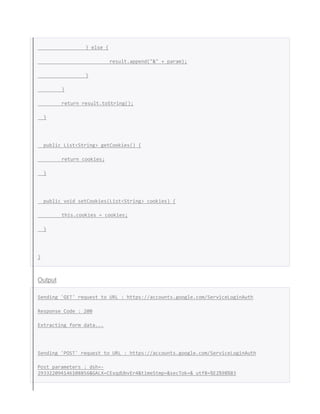
} else {
result.append("&" + param);
}
}
return result.toString();
}
public List<String> getCookies() {
return cookies;
}
public void setCookies(List<String> cookies) {
this.cookies = cookies;
}
}
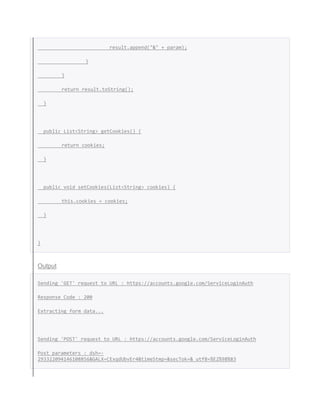
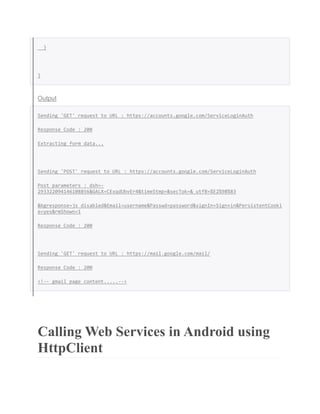
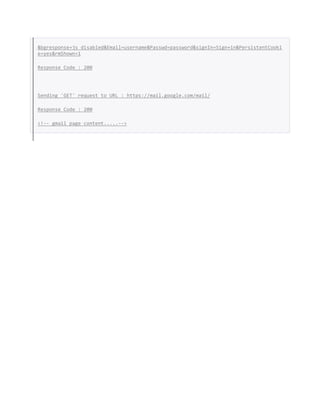
Output
Sending 'GET' request to URL : https://accounts.google.com/ServiceLoginAuth
Response Code : 200
Extracting form data...
Sending 'POST' request to URL : https://accounts.google.com/ServiceLoginAuth
Post parameters : dsh=-
293322094146108856&GALX=CExqdUbvEr4&timeStmp=&secTok=&_utf8=%E2%98%83
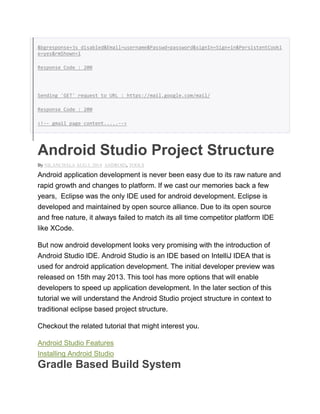
&bgresponse=js_disabled&Email=username&Passwd=password&signIn=Sign+in&PersistentCooki
e=yes&rmShown=1
Response Code : 200
Sending 'GET' request to URL : https://mail.google.com/mail/
Response Code : 200
<!-- gmail page content.....-->
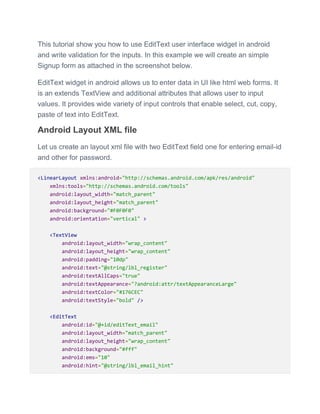
Android Studio Project Structure
By NILANCHALA AUG 5, 2014 ANDROID, TOOLS
Android application development is never been easy due to its raw nature and
rapid growth and changes to platform. If we cast our memories back a few
years, Eclipse was the only IDE used for android development. Eclipse is
developed and maintained by open source alliance. Due to its open source
and free nature, it always failed to match its all time competitor platform IDE
like XCode.
But now android development looks very promising with the introduction of
Android Studio IDE. Android Studio is an IDE based on IntelliJ IDEA that is
used for android application development. The initial developer preview was
released on 15th may 2013. This tool has more options that will enable
developers to speed up application development. In the later section of this
tutorial we will understand the Android Studio project structure in context to
traditional eclipse based project structure.
Checkout the related tutorial that might interest you.
Android Studio Features
Installing Android Studio
Gradle Based Build System
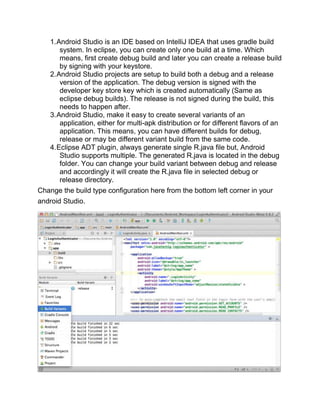
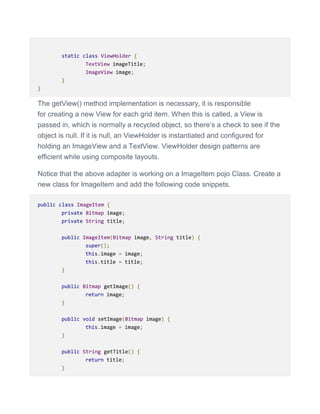
1.Android Studio is an IDE based on IntelliJ IDEA that uses gradle build
system. In eclipse, you can create only one build at a time. Which
means, first create debug build and later you can create a release build
by signing with your keystore.
2.Android Studio projects are setup to build both a debug and a release
version of the application. The debug version is signed with the
developer key store key which is created automatically (Same as
eclipse debug builds). The release is not signed during the build, this
needs to happen after.
3.Android Studio, make it easy to create several variants of an
application, either for multi-apk distribution or for different flavors of an
application. This means, you can have different builds for debug,
release or may be different variant build from the same code.
4.Eclipse ADT plugin, always generate single R.java file but, Android
Studio supports multiple. The generated R.java is located in the debug
folder. You can change your build variant between debug and release
and accordingly it will create the R.java file in selected debug or
release directory.
Change the build type configuration here from the bottom left corner in your
android Studio.
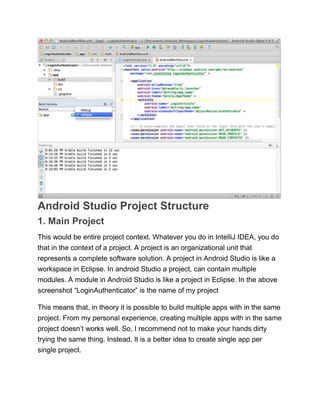
Android Studio Project Structure
1. Main Project
This would be entire project context. Whatever you do in IntelliJ IDEA, you do
that in the context of a project. A project is an organizational unit that
represents a complete software solution. A project in Android Studio is like a
workspace in Eclipse. In android Studio a project, can contain multiple
modules. A module in Android Studio is like a project in Eclipse. In the above
screenshot ―LoginAuthenticator‖ is the name of my project
This means that, in theory it is possible to build multiple apps with in the same
project. From my personal experience, creating multiple apps with in the same
project doesn’t works well. So, I recommend not to make your hands dirty
trying the same thing. Instead, It is a better idea to create single app per
single project.
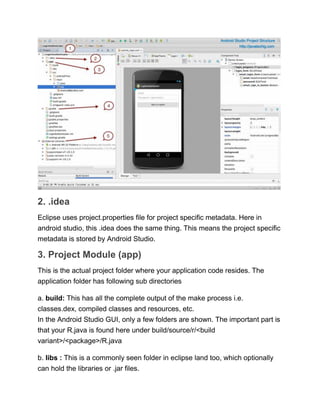
2. .idea
Eclipse uses project.properties file for project specific metadata. Here in
android studio, this .idea does the same thing. This means the project specific
metadata is stored by Android Studio.
3. Project Module (app)
This is the actual project folder where your application code resides. The
application folder has following sub directories
a. build: This has all the complete output of the make process i.e.
classes.dex, compiled classes and resources, etc.
In the Android Studio GUI, only a few folders are shown. The important part is
that your R.java is found here under build/source/r/<build
variant>/<package>/R.java
b. libs : This is a commonly seen folder in eclipse land too, which optionally
can hold the libraries or .jar files.
c. src: The src folder can have both application code and android unit test
script. You will find two folders named ―androidTest‖ and ―main‖ correspond to
src folder. The main folder contains two subfolders java and res. The java
folder contains all the java codes and res contains drawables, layouts, etc.
4. gradle
This is where the gradle build system’s jar wrapper i.e. this jar is how AS
communicates with gradle installed in Windows (the OS in my case).
5. External Libraries
This is not actually a folder but a place where Referenced Libraries and
information on targeted platform SDK is shown.
 ANDROID STUDIO
Android Studio Features
By NILANCHALA MAY 19, 2013 ANDROID 1 COMMENT
Tweet
This tutorial explains Android Studio Features and Installation steps. Android
Studio is an IDE based on IntelliJ IDEA used for android application
development. It is released on 15th may 2013. This tool has more options for
Android Development, making the process faster and more productive. A ―live
layout‖ was shown that renders your app as you’re editing in real-time.
Prior to Android Studio, developers were relying only on the open source
eclipse as IDE with ADT plugin for android development. Due to this android
was always falling back compared Apples xCode IDE for iOS based
development. After android studio release Google can equally bet with iOS
platform in terms of development assets. Now let’s see more of the IDE
capabilities.
Android Studio Features
Android studio is based on IntelliJ IDEA, which does all the functionality that
Eclipse with ADT plug-in do, with lot more additional features. The initial
version of android studio offers
1.Gradle-based build support.
2.Android-specific refactoring and quick fixes
3.Lint tools to catch performance, usability, version compatibility and other
problems
4.ProGuard and app-signing capabilities
5.Template-based wizards to create common Android designs and
components.
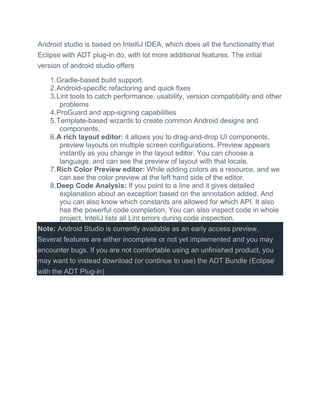
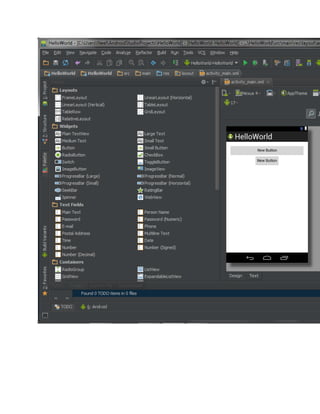
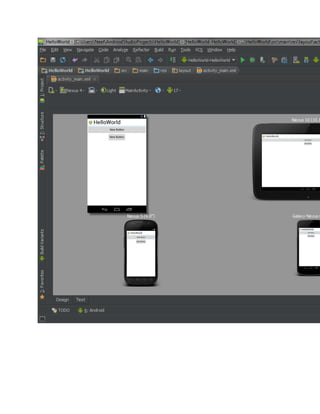
6.A rich layout editor: it allows you to drag-and-drop UI components,
preview layouts on multiple screen configurations. Preview appears
instantly as you change in the layout editor. You can choose a
language, and can see the preview of layout with that locale.
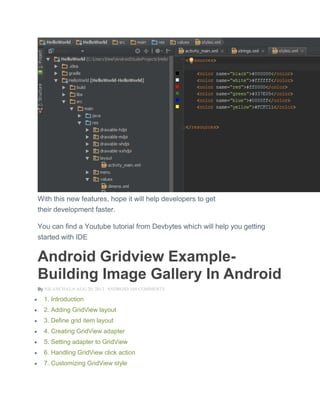
7.Rich Color Preview editor: While adding colors as a resource, and we
can see the color preview at the left hand side of the editor.
8.Deep Code Analysis: If you point to a line and it gives detailed
explanation about an exception based on the annotation added. And
you can also know which constants are allowed for which API. It also
has the powerful code completion. You can also inspect code in whole
project, InteliJ lists all Lint errors during code inspection.
Note: Android Studio is currently available as an early access preview.
Several features are either incomplete or not yet implemented and you may
encounter bugs. If you are not comfortable using an unfinished product, you
may want to instead download (or continue to use) the ADT Bundle (Eclipse
with the ADT Plug-in)
With this new features, hope it will help developers to get
their development faster.
You can find a Youtube tutorial from Devbytes which will help you getting
started with IDE
Android Gridview Example-
Building Image Gallery In Android
By NILANCHALA AUG 20, 2013 ANDROID 104 COMMENTS
 1. Introduction
 2. Adding GridView layout
 3. Define grid item layout
 4. Creating GridView adapter
 5. Setting adapter to GridView
 6. Handling GridView click action
 7. Customizing GridView style
 8. Creating details activity
 9. Download Complete Example
Checkout the advance version of this tutorial, that downloads the data from
server and displays it on GridView.
Download and Display Image in Android GridView
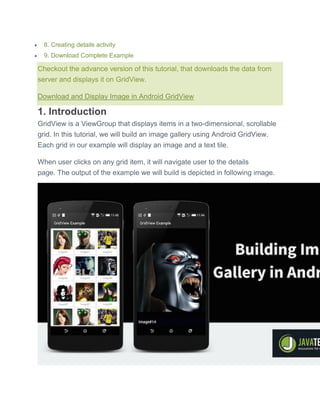
1. Introduction
GridView is a ViewGroup that displays items in a two-dimensional, scrollable
grid. In this tutorial, we will build an image gallery using Android GridView.
Each grid in our example will display an image and a text tile.
When user clicks on any grid item, it will navigate user to the details
page. The output of the example we will build is depicted in following image.
2. Adding GridView layout
To begin with, let us create a layout for activity that contains a GridView. Let
us create a new file named activity_main.xml in your application layout folder.
<RelativeLayout xmlns:android="http://schemas.android.com/apk/res/android"
android:layout_width="match_parent"
android:layout_height="match_parent"
android:background="#f0f0f0">
<GridView
android:id="@+id/gridView"
android:layout_width="fill_parent"
android:layout_height="wrap_content"
android:layout_margin="5dp"
android:columnWidth="100dp"
android:drawSelectorOnTop="true"
android:gravity="center"
android:numColumns="auto_fit"
android:stretchMode="columnWidth"
android:verticalSpacing="5dp"
android:focusable="true"
android:clickable="true"/>
</RelativeLayout>
Notice that in the above code, we have added a GridView with id gridView,
and used some of the attributes such as numColumns, stretchMode,
verticalSpacing, etc. Most of the android attributes are self explanatory.
3. Define grid item layout
As you can notice from the above screenshot, each of the grid item
contains anImageView and an TextView. The following listing will show you the
layout for each grid cell item. This layout will be used by the GridView adapter
to render the items. Create a new layout inside your project layout
directory and name it as grid_item_layout.xml.
<LinearLayout xmlns:android="http://schemas.android.com/apk/res/android"
android:layout_width="wrap_content"
android:layout_height="wrap_content"
android:layout_marginTop="5dp"
android:background="@drawable/grid_color_selector"
android:orientation="vertical"
android:padding="5dp">
<ImageView
android:id="@+id/image"
android:layout_width="100dp"
android:layout_height="100dp" />
<TextView
android:id="@+id/text"
android:layout_width="fill_parent"
android:layout_height="wrap_content"
android:layout_marginTop="5dp"
android:gravity="center"
android:textSize="12sp" />
</LinearLayout>
4. Creating GridView adapter
Adapter is acts as a bridge between data source and adapter views such as
ListView, GridView. Adapter iterates through the data set from beginning till
the end and generate Views for each item in the list.
Android SDK provides three different Adapter implementation, that
includesArrayAdapter, CursorAdapterand SimpleAdapter. An ArrayAdapter
expects an Array or an List as input, while CursorAdapter accepts the
instance of Cursor and SimpleAdapter maps the static data defined in the
resources. The type of adapter that suits your app need is purely based on the
input data type.
The BaseAdapter is the generic implementation for all of the three adapter
types and can be used for ListView, GridView or for Spinners. You may
directly use ArrayAdapter by passing array as input or create your own
customized class by extending BaseAdapter.
Let us not proceed with creating a custom adapter for grid view by extending
ArrayAdapter. Create a new class GridViewAdapter.java in in your application
src directory.
public class GridViewAdapter extends ArrayAdapter {
private Context context;
private int layoutResourceId;
private ArrayList data = new ArrayList();
public GridViewAdapter(Context context, int layoutResourceId, ArrayList d
ata) {
super(context, layoutResourceId, data);
this.layoutResourceId = layoutResourceId;
this.context = context;
this.data = data;
}
@Override
public View getView(int position, View convertView, ViewGroup parent) {
View row = convertView;
ViewHolder holder = null;
if (row == null) {
LayoutInflater inflater = ((Activity) context).getLayoutI
nflater();
row = inflater.inflate(layoutResourceId, parent, false);
holder = new ViewHolder();
holder.imageTitle = (TextView) row.findViewById(R.id.text
);
holder.image = (ImageView) row.findViewById(R.id.image);
row.setTag(holder);
} else {
holder = (ViewHolder) row.getTag();
}
ImageItem item = data.get(position);
holder.imageTitle.setText(item.getTitle());
holder.image.setImageBitmap(item.getImage());
return row;
}
static class ViewHolder {
TextView imageTitle;
ImageView image;
}
}
The getView() method implementation is necessary, it is responsible
for creating a new View for each grid item. When this is called, a View is
passed in, which is normally a recycled object, so there’s a check to see if the
object is null. If it is null, an ViewHolder is instantiated and configured for
holding an ImageView and a TextView. ViewHolder design patterns are
efficient while using composite layouts.
Notice that the above adapter is working on a ImageItem pojo Class. Create a
new class for ImageItem and add the following code snippets.
public class ImageItem {
private Bitmap image;
private String title;
public ImageItem(Bitmap image, String title) {
super();
this.image = image;
this.title = title;
}
public Bitmap getImage() {
return image;
}
public void setImage(Bitmap image) {
this.image = image;
}
public String getTitle() {
return title;
}
public void setTitle(String title) {
this.title = title;
}
}
5. Setting adapter to GridView
Now we are almost ready to hook up grid view on activity. In our activity we
will initialize the GridView by calling findViewById(int) method. This method
takes the same id as provided in the layout xml file. The setAdapter() method
then sets a custom adapter (GridViewAdapter) as the source for all items to
be displayed in the grid.
public class MainActivity extends ActionBarActivity {
private GridView gridView;
private GridViewAdapter gridAdapter;
@Override
protected void onCreate(Bundle savedInstanceState) {
super.onCreate(savedInstanceState);
setContentView(R.layout.activity_main);
gridView = (GridView) findViewById(R.id.gridView);
gridAdapter = new GridViewAdapter(this, R.layout.grid_item_layout, getDat
a());
gridView.setAdapter(gridAdapter);
}
// Prepare some dummy data for gridview
private ArrayList<ImageItem> getData() {
final ArrayList<ImageItem> imageItems = new ArrayList<>();
TypedArray imgs = getResources().obtainTypedArray(R.array.image_ids);
for (int i = 0; i < imgs.length(); i++) {
Bitmap bitmap = BitmapFactory.decodeResource(getResources(), imgs.get
ResourceId(i, -1));
imageItems.add(new ImageItem(bitmap, "Image#" + i));
}
return imageItems;
}
}
Note that in this example, we are using the static data and image defined in
strings.xml file. All the images used in this example is available for download.
Visit download section to get the complete project source code.
At this point we can run the application and and can see the grid view in
action.
6. Handling GridView click action
When user click on any grid item, we have to take user to details activity by
passing the image and title of the grid item clicked. To do this we can
call setOnItemClickListener() method by passing the instance of
OnItemClickListener.
gridView.setOnItemClickListener(new OnItemClickListener() {
public void onItemClick(AdapterView<?> parent, View v, int position, long id) {
ImageItem item = (ImageItem) parent.getItemAtPosition(position);
//Create intent
Intent intent = new Intent(MainActivity.this, DetailsActivity.class);
intent.putExtra("title", item.getTitle());
intent.putExtra("image", item.getImage());
//Start details activity
startActivity(intent);
}
Learn more about passing data from one activity to another here.
7. Customizing GridView style
We are pretty much good with the GridView gallery, let us do some
customization such as changing the background color of a grid item while user
is clicks.
For this, let us define a color selector grid_color_selector.xml and place it
inside drawable folder. We can use a selector with grid_row.xml layout file by
using android:background attribute.
<?xml version="1.0" encoding="utf-8"?>
<selector xmlns:android="http://schemas.android.com/apk/res/android">
<item android:drawable="@color/blue" android:state_pressed="true"/>
<item android:drawable="@color/blue" android:state_selected="true"/>
<item android:drawable="@color/white"/>
</selector>
8. Creating details activity
Create a new layout file named details_activity.xml. This will be used for
the layout for my DetailsActivity.
<?xml version="1.0" encoding="utf-8"?>
<FrameLayout xmlns:android="http://schemas.android.com/apk/res/android"
android:layout_width="match_parent"
android:layout_height="match_parent"
android:orientation="vertical"
android:background="#000">
<ImageView
android:id="@+id/image"
android:layout_width="match_parent"
android:layout_height="match_parent"
android:layout_gravity="center"
android:scaleType="fitCenter" />
<TextView
android:id="@+id/title"
android:layout_width="match_parent"
android:layout_height="wrap_content"
android:layout_gravity="bottom"
android:background="#00000c"
android:padding="10dp"
android:textColor="#fff"
android:textSize="20dp" />
</FrameLayout>
The above layout is quite simple with an ImageView for displaying full sized
image and TextView for displaying the title. Now let us crete DetailsActivity
and use the above layout to display the selected image.
public class DetailsActivity extends ActionBarActivity {
@Override
protected void onCreate(Bundle savedInstanceState) {
super.onCreate(savedInstanceState);
setContentView(R.layout.details_activity);
String title = getIntent().getStringExtra("title");
Bitmap bitmap = getIntent().getParcelableExtra("image");
TextView titleTextView = (TextView) findViewById(R.id.title);
titleTextView.setText(title);
ImageView imageView = (ImageView) findViewById(R.id.image);
imageView.setImageBitmap(bitmap);
}
}
Well, we have now completed the whole exercise to build image gallery using
Android GridView. If you find any problem, or something is missing, you can
download code and compare your code with mine.
Android Include Tag Layout
Example
By NILANCHALA SEP 1, 2013 ANDROID 4 COMMENTS
When you’re creating complex layouts, you may find yourself adding a lot of
ViewGroup’s and Views. But, making your view hierarchy tree taller will also
result in slowness in your application and increases complexity. Creating
optimized layouts is fundamental to building an application that runs fast and
is responsive to the user.
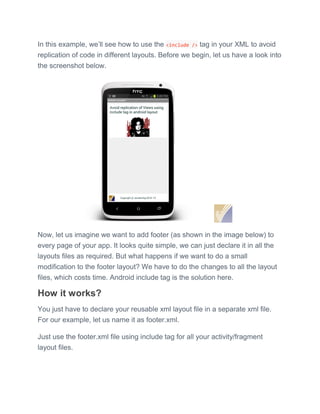
In this example, we’ll see how to use the <include /> tag in your XML to avoid
replication of code in different layouts. Before we begin, let us have a look into
the screenshot below.
Now, let us imagine we want to add footer (as shown in the image below) to
every page of your app. It looks quite simple, we can just declare it in all the
layouts files as required. But what happens if we want to do a small
modification to the footer layout? We have to do the changes to all the layout
files, which costs time. Android include tag is the solution here.
How it works?
You just have to declare your reusable xml layout file in a separate xml file.
For our example, let us name it as footer.xml.
Just use the footer.xml file using include tag for all your activity/fragment
layout files.
footer.xml
Here is our footer.xml file which we can reuse using include tag
<?xml version="1.0" encoding="utf-8"?>
<RelativeLayout xmlns:android="http://schemas.android.com/apk/res/android"
android:layout_width="fill_parent"
android:layout_height="fill_parent"
android:background="#ffffff"
android:padding="5dp" >
<ImageView
android:id="@+id/imageView"
android:layout_width="wrap_content"
android:layout_height="wrap_content"
android:layout_alignParentLeft="true"
android:layout_alignParentTop="true"
android:layout_margin="5dp"
android:src="@drawable/javatechig_logo" />
<TextView
android:layout_width="wrap_content"
android:layout_height="wrap_content"
android:layout_centerHorizontal="true"
android:layout_centerVertical="true"
android:gravity="center"
android:text="@string/footer_text"
android:textColor="#13352E" />
</RelativeLayout>
We have just declared the layout for footer.xml, which will be reused in all
activity. Let us create an layout file for our MainActivity class. Let’s look at how
it can help us out. We use the <include /> tag in XML to add another layout
from another XML file.
activity_main.xml
<RelativeLayout xmlns:android="http://schemas.android.com/apk/res/android"
android:layout_width="fill_parent"
android:layout_height="fill_parent"
android:background="#f0f0f0" >
<LinearLayout
android:id="@+id/linearLayout1"
android:layout_width="fill_parent"
android:layout_height="wrap_content"
android:layout_margin="10dp"
android:background="#ffffff"
android:orientation="vertical"
android:padding="5dp" >
<TextView
android:layout_width="wrap_content"
android:layout_height="wrap_content"
android:text="@string/hint"
android:textAppearance="?android:attr/textAppearanceLarge"
android:textColor="#13352E" />
<ImageView
android:id="@+id/imageView1"
android:layout_width="wrap_content"
android:layout_height="wrap_content"
android:layout_gravity="center_horizontal"
android:src="@drawable/image_7" />
</LinearLayout>
<include
android:id="@+id/footerView"
android:layout_width="fill_parent"
android:layout_height="wrap_content"
android:layout_alignParentBottom="true"
layout="@layout/footer" />
</RelativeLayout>
From your MainActivity.java file, you can access the views by using following
code snippets
// Fetching footer layout
View footerLayout = findViewById(R.id.footerView);
// Fetching the textview declared in footer.xml
TextView footerText = (TextView) footerLayout.findViewById(R.id.footer_text);
footerText.setText("Some Text Here");
Creating A Background Service In
Android Using IntentService
By NILANCHALA SEP 15, 2014 ANDROID 16 COMMENTS
 1. What is IntentService?
 2. IntentService Limitations
 3. Why do we need IntentService?
 4. Create an IntentService
 5. Declaring Service in the Manifest
 6. Sending Work Requests to the IntentService
 7. Report Status From IntentService to Activity
 8. Receive Status Broadcasts from an IntentService
 9. Output
 11. Download Source Code
In this tutorial we will take a look into one of most important and
commonly used Android concept called IntentService. This post
explains steps involved in creating a background service in Android
using IntentService. Before you start with this post, we recommend
you to have a glance at below posts
* Checkout Android Service Tutorial
* Android Networking Tutorial
1. What is IntentService?
IntentService is a subclass of android.app.Service class. A stated intent service
allows to handle long running tasks without effecting the application UI thread.
This is not bound to any activity so, it is not getting effected for any change in
activity lifecycle. Once IntentService is started, it handles each Intent using a
worker thread and stops itself when it runs out of work.
IntentService would be an best solution, If you have an work queue to
process. For example, if your application using analytics you will likely to send
event name and related parameter to your tracking server for each user
generated event. Although each event means a tiny piece of data, creating
networking request on each click will result an overhead to your application.
Instead, you can use work queue processor design pattern and process the
events in a batch.
2. IntentService Limitations
1. No easy or direct way to interact with user interface directly from
IntentService. Later in this example, we will explain to pass result back
from IntentService to
2. With IntentService, there can only be one request processed at any
single point of time. If you request for another task, then the new job will
wait until the previous one is completed. This means that IntentService
process the request
3. An tasks stated using IntentService cannot be interrupted
3. Why do we need IntentService?
Android design guidelines strongly suggests to perform all the long running
tasks off the UI thread. For example, if you have to periodically download the
largest chunk of data from server, you must use IntentService to avoid ANR.
ANR (Application not responding) message often occurs, if your main thread
is doing too much of work. In this course of this tutorial, we will learn the below
concepts
1. How to create and use IntentService
2. How to pass data from activity to service as parameter
3. How to pass result back to activity
4. Update activity based on the result
Case Study
To make this tutorial easy to understand we will extend our previous tutorial
(Android Networking Tutorial) to use Intent Service for downloading the data
from server. We suggest you to checkout Android Networking Example to
get familiar with downloading data from server using different http clients
available in Android.
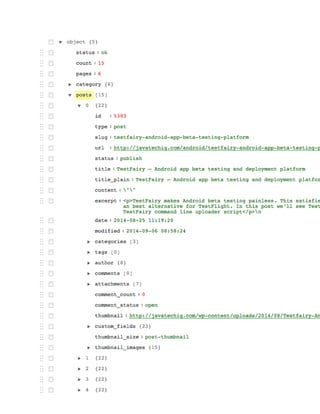
Feed Url
: http://javatechig.com/api/get_category_posts/?dev=1&slug=android
Expected Result Start service to download the data when application is
started. Once download is complete, update ListView present in your activity.
Feed Response Object
4. Create an IntentService
In the context of our example, we will create an IntentService to download the
data from server. Once download is completed, the response will be sent back
to activity. Lets create a new class DownloadService.java and extend it
fromandroid.app.IntentService. Now let us override onHandleIntent() method.
When service is started the onHandleIntent() method is called on the worker
thread.Unlike Service, IntentService stops itself once it completes its task, so
you don’t need to call stopSelf() for stoping the IntentService.
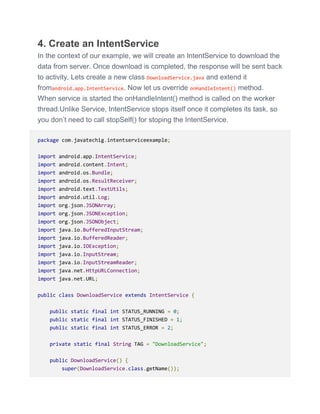
package com.javatechig.intentserviceexample;
import android.app.IntentService;
import android.content.Intent;
import android.os.Bundle;
import android.os.ResultReceiver;
import android.text.TextUtils;
import android.util.Log;
import org.json.JSONArray;
import org.json.JSONException;
import org.json.JSONObject;
import java.io.BufferedInputStream;
import java.io.BufferedReader;
import java.io.IOException;
import java.io.InputStream;
import java.io.InputStreamReader;
import java.net.HttpURLConnection;
import java.net.URL;
public class DownloadService extends IntentService {
public static final int STATUS_RUNNING = 0;
public static final int STATUS_FINISHED = 1;
public static final int STATUS_ERROR = 2;
private static final String TAG = "DownloadService";
public DownloadService() {
super(DownloadService.class.getName());
}
@Override
protected void onHandleIntent(Intent intent) {
Log.d(TAG, "Service Started!");
final ResultReceiver receiver = intent.getParcelableExtra("receiver");
String url = intent.getStringExtra("url");
Bundle bundle = new Bundle();
if (!TextUtils.isEmpty(url)) {
/* Update UI: Download Service is Running */
receiver.send(STATUS_RUNNING, Bundle.EMPTY);
try {
String[] results = downloadData(url);
/* Sending result back to activity */
if (null != results && results.length > 0) {
bundle.putStringArray("result", results);
receiver.send(STATUS_FINISHED, bundle);
}
} catch (Exception e) {
/* Sending error message back to activity */
bundle.putString(Intent.EXTRA_TEXT, e.toString());
receiver.send(STATUS_ERROR, bundle);
}
}
Log.d(TAG, "Service Stopping!");
this.stopSelf();
}
private String[] downloadData(String requestUrl) throws IOException, Download
Exception {
InputStream inputStream = null;
HttpURLConnection urlConnection = null;
/* forming th java.net.URL object */
URL url = new URL(requestUrl);
urlConnection = (HttpURLConnection) url.openConnection();
/* optional request header */
urlConnection.setRequestProperty("Content-Type", "application/json");
/* optional request header */
urlConnection.setRequestProperty("Accept", "application/json");
/* for Get request */
urlConnection.setRequestMethod("GET");
int statusCode = urlConnection.getResponseCode();
/* 200 represents HTTP OK */
if (statusCode == 200) {
inputStream = new BufferedInputStream(urlConnection.getInputStream())
;
String response = convertInputStreamToString(inputStream);
String[] results = parseResult(response);
return results;
} else {
throw new DownloadException("Failed to fetch data!!");
}
}
private String convertInputStreamToString(InputStream inputStream) throws IOE
xception {
BufferedReader bufferedReader = new BufferedReader(new InputStreamReader(
inputStream));
String line = "";
String result = "";
while ((line = bufferedReader.readLine()) != null) {
result += line;
}
/* Close Stream */
if (null != inputStream) {
inputStream.close();
}
return result;
}
private String[] parseResult(String result) {
String[] blogTitles = null;
try {
JSONObject response = new JSONObject(result);
JSONArray posts = response.optJSONArray("posts");
blogTitles = new String[posts.length()];
for (int i = 0; i < posts.length(); i++) {
JSONObject post = posts.optJSONObject(i);
String title = post.optString("title");
blogTitles[i] = title;
}
} catch (JSONException e) {
e.printStackTrace();
}
return blogTitles;
}
public class DownloadException extends Exception {
public DownloadException(String message) {
super(message);
}
public DownloadException(String message, Throwable cause) {
super(message, cause);
}
}
}
How it works
1. DownloadService class extending IntentService and
overridingonHandleIntent() method. In onHandleIntent() method we will
perform our network request to download data from server
2. Before it downloads the data from server, the request is being fetched
from bundle. Our Activity will send this data as extras while starting the
3. Once Download is successful we will send the response back to activity
viaResultReceiver
4. For any exceptions or error, we will pass the error response back to
activity via ResultReceiver.
5. We have declared custom exception class DownloadException for
handling all our custom error messages. You may do this
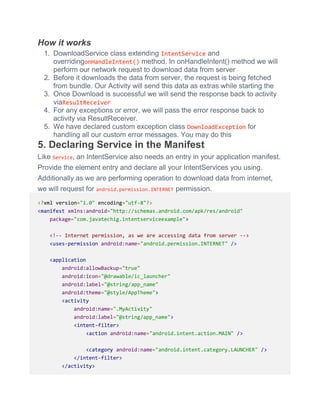
5. Declaring Service in the Manifest
Like Service, an IntentService also needs an entry in your application manifest.
Provide the element entry and declare all your IntentServices you using.
Additionally as we are performing operation to download data from internet,
we will request for android.permission.INTERNET permission.
<?xml version="1.0" encoding="utf-8"?>
<manifest xmlns:android="http://schemas.android.com/apk/res/android"
package="com.javatechig.intentserviceexample">
<!-- Internet permission, as we are accessing data from server -->
<uses-permission android:name="android.permission.INTERNET" />
<application
android:allowBackup="true"
android:icon="@drawable/ic_launcher"
android:label="@string/app_name"
android:theme="@style/AppTheme">
<activity
android:name=".MyActivity"
android:label="@string/app_name">
<intent-filter>
<action android:name="android.intent.action.MAIN" />
<category android:name="android.intent.category.LAUNCHER" />
</intent-filter>
</activity>
<!-- Declaring Service in Manifest -->
<service
android:name=".DownloadService"
android:exported="false" />
</application>
</manifest>
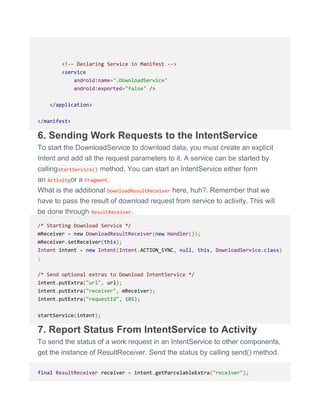
6. Sending Work Requests to the IntentService
To start the DownloadService to download data, you must create an explicit
Intent and add all the request parameters to it. A service can be started by
callingstartService() method. You can start an IntentService either form
an Activityor a Fragment.
What is the additional DownloadResultReceiver here, huh?. Remember that we
have to pass the result of download request from service to activity. This will
be done through ResultReceiver.
/* Starting Download Service */
mReceiver = new DownloadResultReceiver(new Handler());
mReceiver.setReceiver(this);
Intent intent = new Intent(Intent.ACTION_SYNC, null, this, DownloadService.class)
;
/* Send optional extras to Download IntentService */
intent.putExtra("url", url);
intent.putExtra("receiver", mReceiver);
intent.putExtra("requestId", 101);
startService(intent);
7. Report Status From IntentService to Activity
To send the status of a work request in an IntentService to other components,
get the instance of ResultReceiver. Send the status by calling send() method.
final ResultReceiver receiver = intent.getParcelableExtra("receiver");
Bundle bundle = new Bundle();
/* Service Started */
receiver.send(STATUS_RUNNING, Bundle.EMPTY);
/* Status Finished */
bundle.putStringArray("result", results);
receiver.send(STATUS_FINISHED, bundle);
/* Sending error message back to activity */
bundle.putString(Intent.EXTRA_TEXT, "Error message here..");
receiver.send(STATUS_ERROR, bundle);
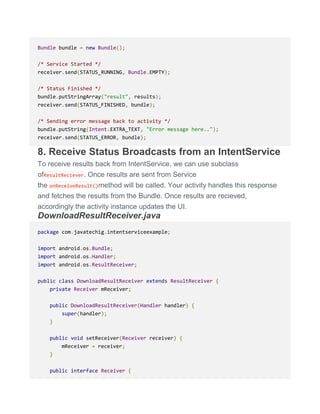
8. Receive Status Broadcasts from an IntentService
To receive results back from IntentService, we can use subclass
ofResultReciever. Once results are sent from Service
the onReceiveResult()method will be called. Your activity handles this response
and fetches the results from the Bundle. Once results are recieved,
accordingly the activity instance updates the UI.
DownloadResultReceiver.java
package com.javatechig.intentserviceexample;
import android.os.Bundle;
import android.os.Handler;
import android.os.ResultReceiver;
public class DownloadResultReceiver extends ResultReceiver {
private Receiver mReceiver;
public DownloadResultReceiver(Handler handler) {
super(handler);
}
public void setReceiver(Receiver receiver) {
mReceiver = receiver;
}
public interface Receiver {
public void onReceiveResult(int resultCode, Bundle resultData);
}
@Override
protected void onReceiveResult(int resultCode, Bundle resultData) {
if (mReceiver != null) {
mReceiver.onReceiveResult(resultCode, resultData);
}
}
}
MainActivity.java
@Override
public void onReceiveResult(int resultCode, Bundle resultData) {
switch (resultCode) {
case DownloadService.STATUS_RUNNING:
setProgressBarIndeterminateVisibility(true);
break;
case DownloadService.STATUS_FINISHED:
/* Hide progress & extract result from bundle */
setProgressBarIndeterminateVisibility(false);
String[] results = resultData.getStringArray("result");
/* Update ListView with result */
arrayAdapter = new ArrayAdapter(MyActivity.this, android.R.layout
.simple_list_item_2, results);
listView.setAdapter(arrayAdapter);
break;
case DownloadService.STATUS_ERROR:
/* Handle the error */
String error = resultData.getString(Intent.EXTRA_TEXT);
Toast.makeText(this, error, Toast.LENGTH_LONG).show();
break;
}
}
9. Output
Universal Image Loader Library In
Android
By NILANCHALA MAY 14, 2014 ANDROID 24 COMMENTS
In this example we’ll show you how to use Universal Image Loader library in
your android project.
What is Universal Image Loader?
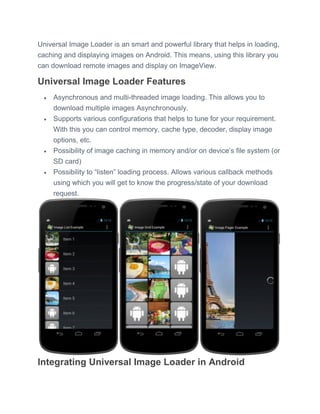
Universal Image Loader is an smart and powerful library that helps in loading,
caching and displaying images on Android. This means, using this library you
can download remote images and display on ImageView.
Universal Image Loader Features
 Asynchronous and multi-threaded image loading. This allows you to
download multiple images Asynchronously.
 Supports various configurations that helps to tune for your requirement.
With this you can control memory, cache type, decoder, display image
options, etc.
 Possibility of image caching in memory and/or on device’s file system (or
SD card)
 Possibility to ―listen‖ loading process. Allows various callback methods
using which you will get to know the progress/state of your download
request.
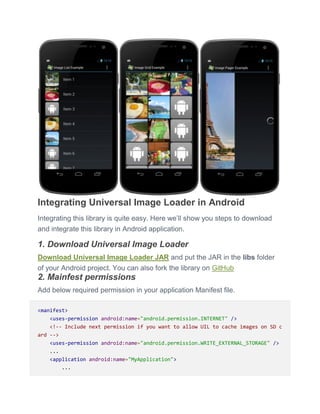
Integrating Universal Image Loader in Android
Integrating this library is quite easy. Here we’ll show you steps to download
and integrate this library in Android application.
1. Download Universal Image Loader
Download Universal Image Loader JAR and put the JAR in the libs folder
of your Android project. You can also fork the library on GitHub
2. Mainfest permissions
Add below required permission in your application Manifest file.
<manifest>
<uses-permission android:name="android.permission.INTERNET" />
<!-- Include next permission if you want to allow UIL to cache images on SD c
ard -->
<uses-permission android:name="android.permission.WRITE_EXTERNAL_STORAGE" />
...
<application android:name="MyApplication">
...
</application>
</manifest>
3. Library setup in your Application class
import android.app.Application;
import com.nostra13.universalimageloader.cache.memory.impl.WeakMemoryCache;
import com.nostra13.universalimageloader.core.DisplayImageOptions;
import com.nostra13.universalimageloader.core.ImageLoader;
import com.nostra13.universalimageloader.core.ImageLoaderConfiguration;
import com.nostra13.universalimageloader.core.assist.ImageScaleType;
import com.nostra13.universalimageloader.core.display.FadeInBitmapDisplayer;
public class MyApplication extends Application {
@Override
public void onCreate() {
super.onCreate();
// UNIVERSAL IMAGE LOADER SETUP
DisplayImageOptions defaultOptions = new DisplayImageOptions.Buil
der()
.cacheOnDisc(true).cacheInMemory(true)
.imageScaleType(ImageScaleType.EXACTLY)
.displayer(new FadeInBitmapDisplayer(300)).build(
);
ImageLoaderConfiguration config = new ImageLoaderConfiguration.Bu
ilder(
getApplicationContext())
.defaultDisplayImageOptions(defaultOptions)
.memoryCache(new WeakMemoryCache())
.discCacheSize(100 * 1024 * 1024).build();
ImageLoader.getInstance().init(config);
// END - UNIVERSAL IMAGE LOADER SETUP
}
}
4. Download and display bitmap on ImageView
//your image url
String url = "http://javatechig.com/wp-content/uploads/2014/05/UniversalImageLoad
er-620x405.png";
ImageLoader imageLoader = ImageLoader.getInstance();
DisplayImageOptions options = new DisplayImageOptions.Builder().cacheInMemory(tru
e)
.cacheOnDisc(true).resetViewBeforeLoading(true)
.showImageForEmptyUri(fallback)
.showImageOnFail(fallback)
.showImageOnLoading(fallback).build();
//initialize image view
ImageView imageView = (ImageView) findViewById(R.id.imageView1)
//download and display image from url
imageLoader.displayImage(url, imageView, options);
Loading Image Asynchronously
In Android ListView
By NILANCHALA JUN 1, 2013 ANDROID 50 COMMENTS
 1. Introduction
 2. What is Android AsyncTask
 3. Downloading image using AsyncTask
 4. Downloading image from web
 5. Creating custom ListView
o 5.1. Adding ListView to activity layout
o 5.2. Create list view activity
o 5.3. Create list row layout
o 5.4. Creating custom list adapter
o 5.5. Using list view adapter
 5. Download Complete Example
* Last reviewed on: Apr 29, 2015
1. Introduction
As mobile devices are limited with memory, we must follow certain best
practices to provide best performance and smooth user experience.
Among set of best practices, the one holds priority is to take the long running
heavy operations off the main thread.
Any long running tasks or heavy operations are usually performed in a
different thread, to make sure your main thread does the minimum amount of
work. Example of a typical long running tasks could be network operations,
reading files form memory, animations, etc.
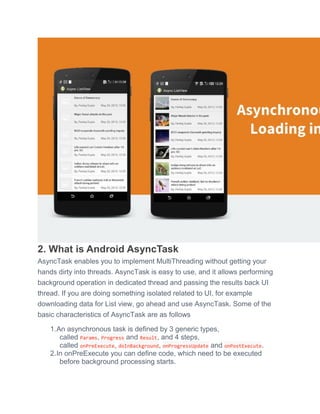
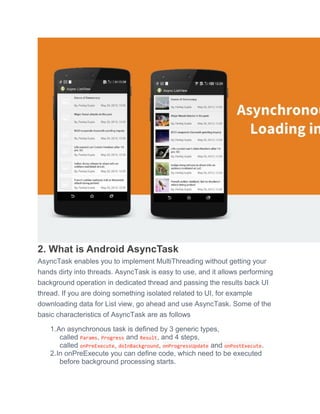
In this tutorial, we will create a simple ListView in Android that downloads
data asynchronously from the internet using a AsyncTask. As you can see in
the screenshot below, the ListView contains a image thumbnails on each row,
we will download the images asynchronously form server.
If you’re looking for downloading data from asynchronously from server, we
recommend you to read through Android networking tutorial.
2. What is Android AsyncTask
AsyncTask enables you to implement MultiThreading without getting your
hands dirty into threads. AsyncTask is easy to use, and it allows performing
background operation in dedicated thread and passing the results back UI
thread. If you are doing something isolated related to UI, for example
downloading data for List view, go ahead and use AsyncTask. Some of the
basic characteristics of AsyncTask are as follows
1.An asynchronous task is defined by 3 generic types,
called Params, Progress and Result, and 4 steps,
called onPreExecute, doInBackground, onProgressUpdate and onPostExecute.
2.In onPreExecute you can define code, which need to be executed
before background processing starts.
3.The doInBackground() method contains the code which needs to be
executed in background, here in doInBackground we can send results
to multiple times to event thread by publishProgress() method, to notify
background processing has been completed we can return results
simply.
4.The onProgressUpdate() method receives progress updates from
doInBackground method, which is published via publishProgress
method, and this method can use this progress update to update event
thread
5.The onPostExecute() method handles results returned by doInBackground
method.
6.If an async task not using any types, then it can be marked as Void type.
7.An running async task can be cancelled by calling cancel() method.
The generic types used by AsyncTask are
 Params, the type of the parameters sent to the task upon execution
 Progress, the type of the progress units published during the
background computation.
 Result, the type of the result of the background computation.
3. Downloading image using AsyncTask
We had learnt the basics of AsyncTask. Let us take a glance at how to use it
practically for downloading image asynchronously from web. To achieve this,
let us create a new class and name it as ImageDownloaderTask.
The following code snippet expects the url of image as an parameter
and initiate download image download request. Once download is over, it
displays the bitmap on the image view.
class ImageDownloaderTask extends AsyncTask<String, Void, Bitmap> {
private final WeakReference<ImageView> imageViewReference;
public ImageDownloaderTask(ImageView imageView) {
imageViewReference = new WeakReference<ImageView>(imageView);
}
@Override
protected Bitmap doInBackground(String... params) {
return downloadBitmap(params[0]);
}
@Override
protected void onPostExecute(Bitmap bitmap) {
if (isCancelled()) {
bitmap = null;
}
if (imageViewReference != null) {
ImageView imageView = imageViewReference.get();
if (imageView != null) {
if (bitmap != null) {
imageView.setImageBitmap(bitmap);
} else {
Drawable placeholder = imageView.getContext().getResources().
getDrawable(R.drawable.placeholder);
imageView.setImageDrawable(placeholder);
}
}
}
}
}
4. Downloading image from web
Notice that, in the above step we are calling downloadBitmap() method but
haven’t declared it yet. Let us create declare the downloadBitmap method
which takes care of loading image and returning the bitmap. Here we are
using HttpURLConnection to download the stream from given url. Learn more
about HttpURLConnection from our android networking tutorial.
private Bitmap downloadBitmap(String url) {
HttpURLConnection urlConnection = null;
try {
URL uri = new URL(url);
urlConnection = (HttpURLConnection) uri.openConnection();
int statusCode = urlConnection.getResponseCode();
if (statusCode != HttpStatus.SC_OK) {
return null;
}
InputStream inputStream = urlConnection.getInputStream();
if (inputStream != null) {
Bitmap bitmap = BitmapFactory.decodeStream(inputStream);
return bitmap;
}
} catch (Exception e) {
urlConnection.disconnect();
Log.w("ImageDownloader", "Error downloading image from " + url);
} finally {
if (urlConnection != null) {
urlConnection.disconnect();
}
}
return null;
}
5. Creating custom ListView
Now that we understand the basics of AsyncTask, let us proceed with creating
the custom list view in android. The focus of this tutorial is tried to image
download. If you not familiar with creating custom list view in android, you can
read our Android ListView tutorial.
5.1. Adding ListView to activity layout
For sake of simplicity our activity layout contains a simple ListView that covers
the total available width and height of the device. Create a new
file activity_main.xml in layout directory.
<?xml version="1.0" encoding="utf-8"?>
<ListView xmlns:android="http://schemas.android.com/apk/res/android"
android:id="@+id/custom_list"
android:layout_width="fill_parent"
android:layout_height="fill_parent">
</ListView>
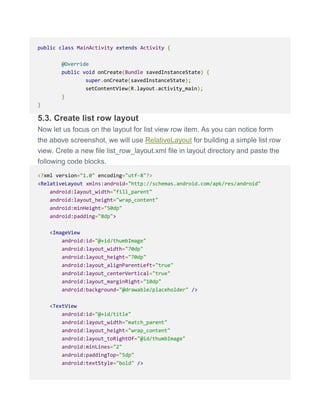
5.2. Create list view activity
Let us now create a new activity class MainActivity.java in your project src
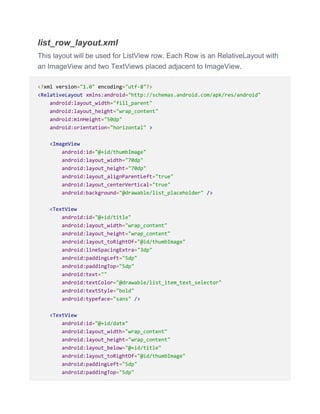
directory and paste the following code. We will complete this activity in
Section 3.5
public class MainActivity extends Activity {
@Override
public void onCreate(Bundle savedInstanceState) {
super.onCreate(savedInstanceState);
setContentView(R.layout.activity_main);
}
}
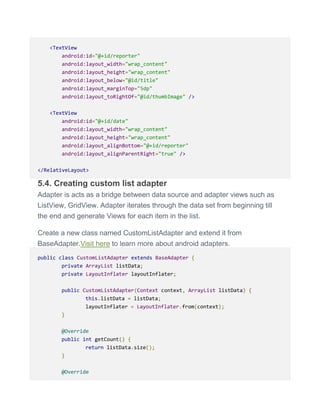
5.3. Create list row layout
Now let us focus on the layout for list view row item. As you can notice form
the above screenshot, we will use RelativeLayout for building a simple list row
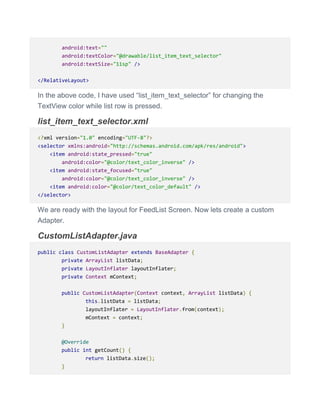
view. Crete a new file list_row_layout.xml file in layout directory and paste the
following code blocks.
<?xml version="1.0" encoding="utf-8"?>
<RelativeLayout xmlns:android="http://schemas.android.com/apk/res/android"
android:layout_width="fill_parent"
android:layout_height="wrap_content"
android:minHeight="50dp"
android:padding="8dp">
<ImageView
android:id="@+id/thumbImage"
android:layout_width="70dp"
android:layout_height="70dp"
android:layout_alignParentLeft="true"
android:layout_centerVertical="true"
android:layout_marginRight="10dp"
android:background="@drawable/placeholder" />
<TextView
android:id="@+id/title"
android:layout_width="match_parent"
android:layout_height="wrap_content"
android:layout_toRightOf="@id/thumbImage"
android:minLines="2"
android:paddingTop="5dp"
android:textStyle="bold" />
<TextView
android:id="@+id/reporter"
android:layout_width="wrap_content"
android:layout_height="wrap_content"
android:layout_below="@id/title"
android:layout_marginTop="5dp"
android:layout_toRightOf="@id/thumbImage" />
<TextView
android:id="@+id/date"
android:layout_width="wrap_content"
android:layout_height="wrap_content"
android:layout_alignBottom="@+id/reporter"
android:layout_alignParentRight="true" />
</RelativeLayout>
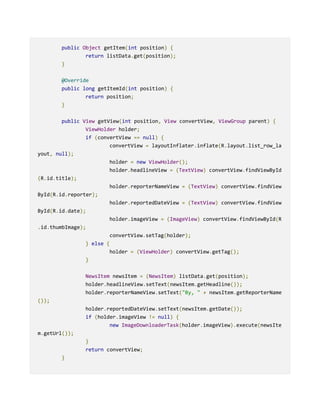
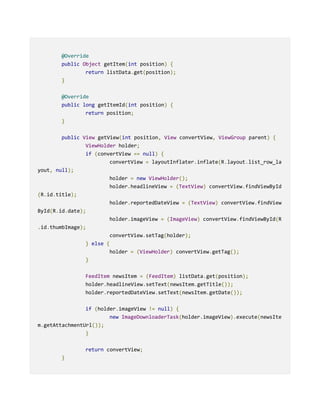
5.4. Creating custom list adapter
Adapter is acts as a bridge between data source and adapter views such as
ListView, GridView. Adapter iterates through the data set from beginning till
the end and generate Views for each item in the list.
Create a new class named CustomListAdapter and extend it from
BaseAdapter.Visit here to learn more about android adapters.
public class CustomListAdapter extends BaseAdapter {
private ArrayList listData;
private LayoutInflater layoutInflater;
public CustomListAdapter(Context context, ArrayList listData) {
this.listData = listData;
layoutInflater = LayoutInflater.from(context);
}
@Override
public int getCount() {
return listData.size();
}
@Override
public Object getItem(int position) {
return listData.get(position);
}
@Override
public long getItemId(int position) {
return position;
}
public View getView(int position, View convertView, ViewGroup parent) {
ViewHolder holder;
if (convertView == null) {
convertView = layoutInflater.inflate(R.layout.list_row_la
yout, null);
holder = new ViewHolder();
holder.headlineView = (TextView) convertView.findViewById
(R.id.title);
holder.reporterNameView = (TextView) convertView.findView
ById(R.id.reporter);
holder.reportedDateView = (TextView) convertView.findView
ById(R.id.date);
holder.imageView = (ImageView) convertView.findViewById(R
.id.thumbImage);
convertView.setTag(holder);
} else {
holder = (ViewHolder) convertView.getTag();
}
NewsItem newsItem = (NewsItem) listData.get(position);
holder.headlineView.setText(newsItem.getHeadline());
holder.reporterNameView.setText("By, " + newsItem.getReporterName
());
holder.reportedDateView.setText(newsItem.getDate());
if (holder.imageView != null) {
new ImageDownloaderTask(holder.imageView).execute(newsIte
m.getUrl());
}
return convertView;
}
static class ViewHolder {
TextView headlineView;
TextView reporterNameView;
TextView reportedDateView;
ImageView imageView;
}
}
5.5. Using list view adapter
Now that we have the list view and adapter class ready. Let us proceed to
complete the MainActivity class. The following code snippet is used to
initialize the list view and assign the custom adapter to it.
public class MainActivity extends Activity {
@Override
public void onCreate(Bundle savedInstanceState) {
super.onCreate(savedInstanceState);
setContentView(R.layout.activity_main);
ArrayList<ListItem> listData = getListData();
final ListView listView = (ListView) findViewById(R.id.custom_list);
listView.setAdapter(new CustomListAdapter(this, listData));
listView.setOnItemClickListener(new OnItemClickListener() {
@Override
public void onItemClick(AdapterView<?> a, View v, int position, long
id) {
ListItem newsData = (ListItem) listView.getItemAtPosition(positio
n);
Toast.makeText(MainActivity.this, "Selected :" + " " + newsData,
Toast.LENGTH_LONG).show();
}
});
}
private ArrayList<ListItem> getListData() {
ArrayList<ListItem> listMockData = new ArrayList<ListItem>();
String[] images = getResources().getStringArray(R.array.images_array);
String[] headlines = getResources().getStringArray(R.array.headline_array
);
for (int i = 0; i < images.length; i++) {
ListItem newsData = new ListItem();
newsData.setUrl(images[i]);
newsData.setHeadline(headlines[i]);
newsData.setReporterName("Pankaj Gupta");
newsData.setDate("May 26, 2013, 13:35");
listMockData.add(newsData);
}
return listMockData;
}
}
Notice that, getListData() method in the activity is used to create some dummy
list data for the list view. To make this example simple, we are using the string
arrays defined in the strings.xml resource file. But in realtime you might
download the data from server or get it from any other sources.
Add the following string array declarations to string.xml file.
<?xml version="1.0" encoding="utf-8"?>
<resources>
<string name="app_name">Async ListView</string>
<array name="images_array">
<item>http://lh5.ggpht.com/_hepKlJWopDg/TB-_WXikaYI/AAAAAAAAElI/715k4NvBM
4w/s144-c/IMG_0075.JPG</item>
<item>http://lh4.ggpht.com/_4f1e_yo-zMQ/TCe5h9yN-TI/AAAAAAAAXqs/8X2fIjtKj
mw/s144-c/IMG_1786.JPG</item>
<item>http://lh3.ggpht.com/_GEnSvSHk4iE/TDSfmyCfn0I/AAAAAAAAF8Y/cqmhEoxbw
ys/s144-c/_MG_3675.jpg</item>
<item>http://lh6.ggpht.com/_ZN5zQnkI67I/TCFFZaJHDnI/AAAAAAAABVk/YoUbDQHJR
do/s144-c/P9250508.JPG</item>
<item>http://lh4.ggpht.com/_XjNwVI0kmW8/TCOwNtzGheI/AAAAAAAAC84/SxFJhG7Sc
go/s144-c/0014.jpg</item>
<item>http://lh6.ggpht.com/_Nsxc889y6hY/TBp7jfx-cgI/AAAAAAAAHAg/Rr7jX44r2
Gc/s144-c/IMGP9775a.jpg</item>
<item>http://lh6.ggpht.com/_ZN5zQnkI67I/TCFFZaJHDnI/AAAAAAAABVk/YoUbDQHJR
do/s144-c/P9250508.JPG</item>
</array>
<array name="headline_array">
<item>Dance of Democracy</item>
<item>Major Naxal attacks in the past</item>
<item>BCCI suspends Gurunath pending inquiry </item>
<item>Life convict can`t claim freedom after 14 yrs: SC</item>
<item>Indian Army refuses to share info on soldiers mutilated at LoC</ite
m>
<item>French soldier stabbed; link to Woolwich attack being probed</item>
<item>Life convict can`t claim freedom after 14 yrs: SC</item>
</array>
</resources>
TextSwitcher And ImageSwitcher
Example In Android
By MADHUMITA SEP 2, 2013 ANDROID 2 COMMENTS
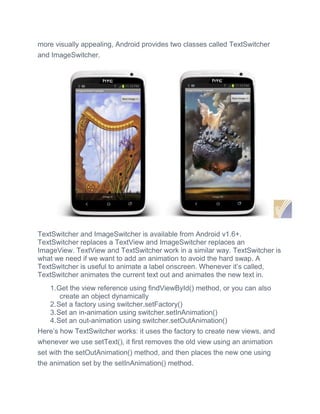
The TextSwitcher and ImageSwitcher methods give you a simple way to add
animated transitions. TextSwitcher and ImageSwitcher are used to have an
smooth transition animation in android view. Imagine you need to cycle
through information in a TextView or in an ImageView. Some examples of
this would be
 Navigating through a list of dates with Left and Right buttons
 Changing numbers in a date picker
 Countdown timer clock
 Smooth transition for a news headlines slider
For such requirements we can also do it using simple TextView. However, it
will be boring to have it that way. It would be nice to have a way to apply
different animations to content being swapped. So to make our transitions
more visually appealing, Android provides two classes called TextSwitcher
and ImageSwitcher.
TextSwitcher and ImageSwitcher is available from Android v1.6+.
TextSwitcher replaces a TextView and ImageSwitcher replaces an
ImageView. TextView and TextSwitcher work in a similar way. TextSwitcher is
what we need if we want to add an animation to avoid the hard swap. A
TextSwitcher is useful to animate a label onscreen. Whenever it’s called,
TextSwitcher animates the current text out and animates the new text in.
1.Get the view reference using findViewById() method, or you can also
create an object dynamically
2.Set a factory using switcher.setFactory()
3.Set an in-animation using switcher.setInAnimation()
4.Set an out-animation using switcher.setOutAnimation()
Here’s how TextSwitcher works: it uses the factory to create new views, and
whenever we use setText(), it first removes the old view using an animation
set with the setOutAnimation() method, and then places the new one using
the animation set by the setInAnimation() method.
The new transition fades out the original text while the new text fades in to
replace it. Because we used android.R.anim.fade_in in our example, the effect
was a fade-in. This technique works equally well with other effects. Providing
your own animation or using one from android.R.anim.
Defining TextSwitcher and ImageSwitcher in layout
<?xml version="1.0" encoding="utf-8"?>
<RelativeLayout xmlns:android="http://schemas.android.com/apk/res/android"
android:layout_width="fill_parent"
android:layout_height="fill_parent" >
<ImageSwitcher
android:id="@+id/imageSwitcher"
android:layout_width="fill_parent"
android:layout_height="fill_parent"
android:layout_alignParentLeft="true" >
</ImageSwitcher>
<TextSwitcher
android:id="@+id/textSwitcher"
android:layout_width="fill_parent"
android:layout_height="wrap_content"
android:layout_alignParentBottom="true"
android:layout_centerHorizontal="true"
android:background="#99000000"
android:padding="10dp" />
<Button
android:layout_width="wrap_content"
android:layout_height="wrap_content"
android:layout_alignParentRight="true"
android:layout_alignParentTop="true"
android:layout_marginTop="10dp"
android:onClick="onSwitch"
android:text="Next Image >>" />
</RelativeLayout>
Using TextSwitcher and ImageSwitcher from code
package com.javatechig.ui;
import android.app.Activity;
import android.os.Bundle;
import android.view.Gravity;
import android.view.View;
import android.widget.ImageSwitcher;
import android.widget.ImageView;
import android.widget.TextSwitcher;
import android.widget.TextView;
import android.widget.ViewSwitcher.ViewFactory;
public class MainActivity extends Activity {
private static final String[] TEXTS = { "Image #1", "Image #2", "Image #3
" };
private static final int[] IMAGES = { R.drawable.mf1, R.drawable.mf2,
R.drawable.mf3 };
private int mPosition = 0;
private TextSwitcher mTextSwitcher;
private ImageSwitcher mImageSwitcher;
@Override
public void onCreate(Bundle savedInstanceState) {
super.onCreate(savedInstanceState);
setContentView(R.layout.main);
mTextSwitcher = (TextSwitcher) findViewById(R.id.textSwitcher);
mTextSwitcher.setFactory(new ViewFactory() {
@Override
public View makeView() {
TextView textView = new TextView(MainActivity.thi
s);
textView.setGravity(Gravity.CENTER);
return textView;
}
});
mTextSwitcher.setInAnimation(this, android.R.anim.fade_in);
mTextSwitcher.setOutAnimation(this, android.R.anim.fade_out);
mImageSwitcher = (ImageSwitcher) findViewById(R.id.imageSwitcher)
;
mImageSwitcher.setFactory(new ViewFactory() {
@Override
public View makeView() {
ImageView imageView = new ImageView(MainActivity.
this);
return imageView;
}
});
mImageSwitcher.setInAnimation(this, android.R.anim.slide_in_left)
;
mImageSwitcher.setOutAnimation(this, android.R.anim.slide_out_rig
ht);
onSwitch(null);
}
public void onSwitch(View view) {
mTextSwitcher.setText(TEXTS[mPosition]);
mImageSwitcher.setBackgroundResource(IMAGES[mPosition]);
mPosition = (mPosition + 1) % TEXTS.length;
}
}
Custom Calendar View Library In
Android
By NILANCHALA SEP 15, 2015 ANDROID
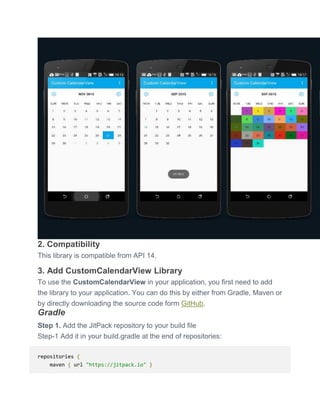
The CustomCalendarView provides an easy and customizable option to
create a Calendar. It displays the days of a month in a grid layout and allows
navigating between months.
 1. Features
 2. Compatibility
 3. Add CustomCalendarView Library
 4. Using CustomCalendarView Library
 5. Using Custom TypeFace
 6. Using Day Decorators
1. Features
Currently it allows the following features:
 Next and previous month navigation
 Allow various customization including background color for day, week
and title
 Set custom typeface using setCustomTypeFace() method.
 Show hide next previous month overflow days
 Set custom day options for start day of week. By default it is set
toCalendar.SUNDAY
 Unlimited customizations for day of the month using custom Decorators.
 Allow you to handle event when user changes month and day selection.
2. Compatibility
This library is compatible from API 14.
3. Add CustomCalendarView Library
To use the CustomCalendarView in your application, you first need to add
the library to your application. You can do this by either from Gradle, Maven or
by directly downloading the source code form GitHub.
Gradle
Step 1. Add the JitPack repository to your build file
Step-1 Add it in your build.gradle at the end of repositories:
repositories {
maven { url "https://jitpack.io" }
}
Step-2 Add the dependency in the form
dependencies {
compile 'com.github.npanigrahy:Custom-Calendar-View:v1.0'
}
Maven
<repository>
<id>jitpack.io</id>
<url>https://jitpack.io</url>
</repository>
Step 2. Add the dependency in the form
<dependency>
<groupId>com.github.npanigrahy</groupId>
<artifactId>Custom-Calendar-View</artifactId>
<version>v1.0</version>
</dependency>
Sbt
Step-1 Add it in your build.sbt at the end of resolvers:
resolvers += "jitpack" at "https://jitpack.io"
Step-2 Add the dependency in the form
libraryDependencies += "com.github.npanigrahy" % "Custom-Calendar-View" % "v1.0"
4. Using CustomCalendarView Library
The GitHub project source includes a sample application, that is used for
demonstrating the various features currently supported by this library. Once
the library is added to your project, you can include the CustomCalendarView
into your activity/fragment layout using the following code snippets.
<com.imanoweb.calendarview.CustomCalendarView
android:id="@+id/calendar_view"
android:layout_width="match_parent"
android:layout_height="wrap_content"
android:background="#ffffff">
</com.imanoweb.calendarview.CustomCalendarView>
The above code snippet will show the simple Calendar View with default
design. Now, you can use the following attributes, to customize the
appearance of calendar.
<com.imanoweb.calendarview.CustomCalendarView
android:id="@+id/calendar_view"
android:layout_width="match_parent"
android:layout_height="wrap_content"
android:background="@color/off_white"
app:calendarBackgroundColor="@color/off_white"
app:calendarTitleTextColor="@color/black"
app:currentDayOfMonthColor="@color/blue"
app:dayOfMonthTextColor="@color/black"
app:dayOfWeekTextColor="@color/black"
app:disabledDayBackgroundColor="@color/off_white"
app:disabledDayTextColor="@color/grey"
app:selectedDayBackgroundColor="@color/blue"
app:titleLayoutBackgroundColor="@color/white"
app:weekLayoutBackgroundColor="@color/white">
</com.imanoweb.calendarview.CustomCalendarView>
Let us now, initialize the calendar view to control the various other
appearance and behavior of calendar using the following methods.
//Initialize CustomCalendarView from layout
calendarView = (CustomCalendarView) findViewById(R.id.calendar_view);
//Initialize calendar with date
Calendar currentCalendar = Calendar.getInstance(Locale.getDefault());
//Show Monday as first date of week
calendarView.setFirstDayOfWeek(Calendar.MONDAY);
//Show/hide overflow days of a month
calendarView.setShowOverflowDate(false);
//call refreshCalendar to update calendar the view
calendarView.refreshCalendar(currentCalendar);
//Handling custom calendar events
calendarView.setCalendarListener(new CalendarListener() {
@Override
public void onDateSelected(Date date) {
SimpleDateFormat df = new SimpleDateFormat("dd-MM-yyyy");
Toast.makeText(MainActivity.this, df.format(date), Toast.LENGTH_SHORT).sh
ow();
}
@Override
public void onMonthChanged(Date date) {
SimpleDateFormat df = new SimpleDateFormat("MM-yyyy");
Toast.makeText(MainActivity.this, df.format(date), Toast.LENGTH_SHORT).sh
ow();
}
});
5. Using Custom TypeFace
//Setting custom font
final Typeface typeface = Typeface.createFromAsset(getAssets(), "fonts/Arch_Rival
_Bold.ttf");
if (null != typeface) {
calendarView.setCustomTypeface(typeface);
calendarView.refreshCalendar(currentCalendar);
}
6. Using Day Decorators
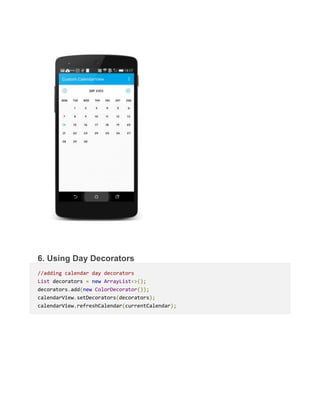
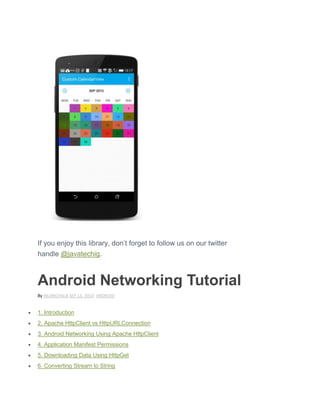
//adding calendar day decorators
List decorators = new ArrayList<>();
decorators.add(new ColorDecorator());
calendarView.setDecorators(decorators);
calendarView.refreshCalendar(currentCalendar);
If you enjoy this library, don’t forget to follow us on our twitter
handle @javatechig.
Android Networking Tutorial
By NILANCHALA SEP 13, 2014 ANDROID
 1. Introduction
 2. Apache HttpClient vs HttpURLConnection
 3. Android Networking Using Apache HttpClient
 4. Application Manifest Permissions
 5. Downloading Data Using HttpGet
 6. Converting Stream to String
 7. JSON Response Parsing
 8. Using AsyncHttpTask From Activity
 9. Android Networking Using HttpURLConnection
 10. Android Networking Best Practices
 11. Download Complete Source Code
 12. Screenshot
1. Introduction
In this android networking tutorial we will create a sample application that
illustrates how to perform network operations in android. By going through this
lesson, you will learn the following topics
1. How to create network connection? What are the different available Http
clients in android
2. How download, parse and consume JSON data?
3. What are the best approaches and design practices?
Networking in android means the ability to send and receive data from remote
server. This data can be either a plain text, xml, json, image or a video
stream. Android primarily supports two HTTP clients for networking, one by
using Apache HttpClient and other using HttpURLConnection.
2. Apache HttpClient vs HttpURLConnection
Older version of android was supporting only Apache HttpClient for all network
operations. But since Gingerbread (Android 2.3) , android recommend to use
HttpURLConnection. HttpURLConnection is simple and thin API’s supporting
transparent compression and response caching. Response cache is used to
improve speed and loading time.
3. Android Networking Using Apache HttpClient
In this tutorial we will create a sample application that illustrates how to
perform network operations in android. To make this post simplified, we will
download the data from the following url and will show the article titles on a
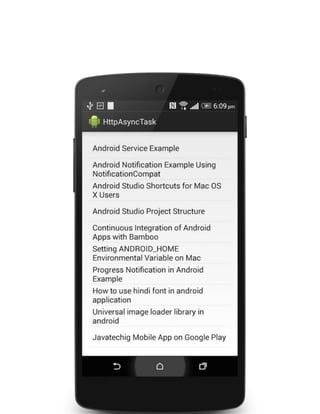
ListView. Refer the screenshot for an overview of how application looks
Feed request
Url: http://javatechig.com/api/get_category_posts/?dev=1&slug=android
Below is the format of response we are expecting from server. We will get the
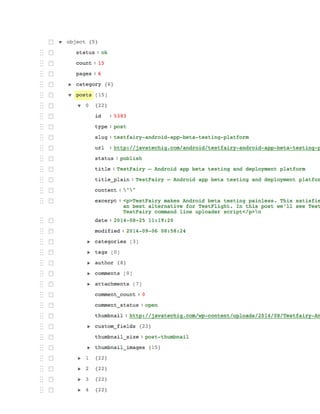
list of posts and each post contains details like title, content, excerpt, etc. We
will take all the list of titles and will display on the ListView.
4. Application Manifest Permissions
As our application is connecting to remote server, we have to provide internet
permission. Just add the below line of code in your application manifest. This
should be a direct child of <manifest> element.
<uses-permission android:name="android.permission.INTERNET"/>
5. Downloading Data Using HttpGet
Downloading data is an long running task and it is recommended that all the
long running task should be performed off the UI thread. And in this example
we will create a simple downloader asynchronous task that performs the feed
download action.
What is AsyncTask?
Async task enables you to implement multi threading without get hands dirty
into threads. AsyncTask enables proper and easy use methods that allows
performing background operations and passing the results back to the UI
thread. Learn more about android AsyncTask from below links
* Handler and AsyncTask in Android
AsyncHttpTask.java
public class AsyncHttpTask extends AsyncTask<String, Void, Integer> {
@Override
protected Integer doInBackground(String... params) {
InputStream inputStream = null;
Integer result = 0;
try {
/* create Apache HttpClient */
HttpClient httpclient = new DefaultHttpClient();
/* HttpGet Method */
HttpGet httpGet = new HttpGet(params[0]);
/* optional request header */
httpGet.setHeader("Content-Type", "application/json");
/* optional request header */
httpGet.setHeader("Accept", "application/json");
/* Make http request call */
HttpResponse httpResponse = httpclient.execute(httpGet);
int statusCode = httpResponse.getStatusLine().getStatusCode();
/* 200 represents HTTP OK */
if (statusCode == 200) {
/* receive response as inputStream */
inputStream = httpResponse.getEntity().getContent();
String response = convertInputStreamToString(inputStream);
parseResult(response);
result = 1; // Successful
} else{
result = 0; //"Failed to fetch data!";
}
} catch (Exception e) {
Log.d(TAG, e.getLocalizedMessage());
}
return result; //"Failed to fetch data!";
}
@Override
protected void onPostExecute(Integer result) {
/* Download complete. Lets update UI */
if(result == 1){
arrayAdapter = new ArrayAdapter(MyActivity.this, android.R.layout
.simple_list_item_1, blogTitles);
listView.setAdapter(arrayAdapter);
}else{
Log.e(TAG, "Failed to fetch data!");
}
}
}
Code Explanation
 AsyncHttpTask is used to perform http connection and download data
from server.
 doInBackground() method is executed on a new thread. This method
takes feed request url as input parameter.
 This is using apache HttpClient method to download the data from
server
 Once the response is received it checks for the response status code.
HTTP status 200 means, the request is successful. You may validate for
other http error code types and do the required validations. Once request
is successful, it fetches the content stream.
 Now we have to convert the stream to string and then process your
parser. The stream to string conversation and the JSON parser is done
in two different method. Later on this tutorial we will see them.
 Once the data is parsed, the doInBackground() method completes its
tasks and then onPostExecute() method invokes.
 onPostExecute() method we will update the adapter value and the list
content.
6. Converting Stream to String
private String convertInputStreamToString(InputStream inputStream) throws IOExcep
tion {
BufferedReader bufferedReader = new BufferedReader( new InputStreamReader
(inputStream));
String line = "";
String result = "";
while((line = bufferedReader.readLine()) != null){
result += line;
}
/* Close Stream */
if(null!=inputStream){
inputStream.close();
}
return result;
}
7. JSON Response Parsing
Note: The focus of this tutorial is more on explaining network connections in
android and not focused towards explaining the json parser. If you are looking
for some help on JSON parsing, you may read the below post
* JSON Feed Reader in Android
private void parseResult(String result) {
try{
JSONObject response = new JSONObject(result);
JSONArray posts = response.optJSONArray("posts");
blogTitles = new String[posts.length()];
for(int i=0; i< posts.length();i++ ){
JSONObject post = posts.optJSONObject(i);
String title = post.optString("title");
blogTitles[i] = title;
}
}catch (JSONException e){
e.printStackTrace();
}
}
8. Using AsyncHttpTask From Activity
As discussed earlier, our ui contains a simple ListView and uses
basicArrayAdapter. You may customise your ListView of the kind you want.
Need guide on building custom list? Checkout our below tutorial.
* Android ListView Tutorial
* ListView with Section Header in Android
Activity layout (activity_my.xml)
<RelativeLayout xmlns:android="http://schemas.android.com/apk/res/android"
xmlns:tools="http://schemas.android.com/tools"
android:layout_width="match_parent"
android:layout_height="match_parent"
android:paddingLeft="@dimen/activity_horizontal_margin"
android:paddingRight="@dimen/activity_horizontal_margin"
android:paddingTop="@dimen/activity_vertical_margin"
android:paddingBottom="@dimen/activity_vertical_margin"
tools:context=".MyActivity">
<ListView
android:layout_width="wrap_content"
android:layout_height="wrap_content"
android:id="@+id/listView"
android:layout_alignParentLeft="true"
android:layout_alignParentStart="true"
android:choiceMode="singleChoice" />
</RelativeLayout>
Activity Java class
Let us have a look into Activity onCreate() method
@Override
protected void onCreate(Bundle savedInstanceState) {
super.onCreate(savedInstanceState);
setContentView(R.layout.activity_my);
listView = (ListView) findViewById(R.id.listView);
final String url = "http://javatechig.com/api/get_category_posts/?dev=1&s
lug=android";
new AsyncHttpTask().execute(url);
}
9. Android Networking Using HttpURLConnection
In the above example, we have used Apache HttpClient to connect to server
and download data. Now let us use HttpURLConnection in the same example. The
only place we need to change is inside doInBackgrond() method of
AsyncHttpTask class.
@Override
protected Integer doInBackground(String... params) {
InputStream inputStream = null;
HttpURLConnection urlConnection = null;
Integer result = 0;
try {
/* forming th java.net.URL object */
URL url = new URL(params[0]);
urlConnection = (HttpURLConnection) url.openConnection();
/* optional request header */
urlConnection.setRequestProperty("Content-Type", "application/jso
n");
/* optional request header */
urlConnection.setRequestProperty("Accept", "application/json");
/* for Get request */
urlConnection.setRequestMethod("GET");
int statusCode = urlConnection.getResponseCode();
/* 200 represents HTTP OK */
if (statusCode == 200) {
inputStream = new BufferedInputStream(urlConnection.getInputS
tream());
String response = convertInputStreamToString(inputStream);
parseResult(response);
result = 1; // Successful
}else{
result = 0; //"Failed to fetch data!";
}
} catch (Exception e) {
Log.d(TAG, e.getLocalizedMessage());
}
return result; //"Failed to fetch data!";
}
10. Android Networking Best Practices
 Do not ever download data in main thread. That will cause Application
Not Responding (ANR)
 Use HttpURLConnection instead of apache HttpClient if your application
is targeted from Android 2.3 onwards
 If you have a very long running task like uploading a video, use
IntentService
 Let user know what is going on. This means there should be some visual
representation of download progress. In this example we have not used
any (which will show an empty screen while data is being downloaded).
Without a progress representation, your application will mislead user.
11. Download Complete Source Code
Download the Android Networking Example using Apache HttpClient
from fromGitHub.
Download the Android Networking Example using HttpURLConnection
fromGitHub.
12. Screenshot
Android Handler Example
By NILANCHALA NOV 5, 2013 ANDROID 3 COMMENTS
In this example we will see how to use Handler in android. This example
downloads image from server and using Handler it is communicating back
with UI thread.
A Handler allows you communicate back with the UI thread from other
background thread. This is useful in android as android doesn’t allow other
threads to communicate directly with UI thread. Handler can send and
process Message and Runnable objects associated with a thread’s
MessageQueue. Each Handler instance is associated with a single thread and
that thread’s message queue. When a new Handler is created, it is bound to
the thread/message queue of the thread that is creating it.
The example explained in this tutorial is using below configurations
 JDK 1.6
 Eclipse 4.2 Juno
 Android SKD 4.0
 And tested over HTC OneX (Android 4.2)
Android Activity Layout (activity_main.xml)
<LinearLayout xmlns:android="http://schemas.android.com/apk/res/android"
xmlns:tools="http://schemas.android.com/tools"
android:layout_width="match_parent"
android:layout_height="match_parent"
android:orientation="vertical"
tools:context=".MainActivity" >
<Button
android:id="@+id/button1"
android:layout_width="fill_parent"
android:layout_height="wrap_content"
android:layout_margin="15dp"
android:text="Download Image" />
<ImageView
android:id="@+id/imageView"
android:layout_width="fill_parent"
android:layout_height="fill_parent"
android:scaleType="centerInside"
android:src="@drawable/ic_launcher" />
</LinearLayout>
Android Activity (MainActivity.java)
package com.javatechig.handlerexample;
import java.io.InputStream;
import org.apache.http.HttpEntity;
import org.apache.http.HttpResponse;
import org.apache.http.HttpStatus;
import org.apache.http.client.methods.HttpGet;
import org.apache.http.impl.client.DefaultHttpClient;
import com.javatechige.handlerexample.R;
import android.app.Activity;
import android.app.ProgressDialog;
import android.graphics.Bitmap;
import android.graphics.BitmapFactory;
import android.os.Bundle;
import android.os.Handler;
import android.os.Message;
import android.util.Log;
import android.view.View;
import android.view.View.OnClickListener;
import android.widget.Button;
import android.widget.ImageView;
public class MainActivity extends Activity {
private ProgressDialog progressDialog;
private ImageView imageView;
private String url = "http://www.9ori.com/store/media/images/8ab579a656.jpg";
private Bitmap bitmap = null;
public void onCreate(Bundle savedInstanceState) {
super.onCreate(savedInstanceState);
setContentView(R.layout.activity_main);
imageView = (ImageView) findViewById(R.id.imageView);
Button start = (Button) findViewById(R.id.button1);
start.setOnClickListener(new OnClickListener() {
@Override
public void onClick(View arg0) {
progressDialog = ProgressDialog.show(MainActivity.this, "
", "Loading..");
new Thread() {
public void run() {
bitmap = downloadBitmap(url);
messageHandler.sendEmptyMessage(0);
}
}.start();
}
});
}
private Handler messageHandler = new Handler() {
public void handleMessage(Message msg) {
super.handleMessage(msg);
imageView.setImageBitmap(bitmap);
progressDialog.dismiss();
}
};
private Bitmap downloadBitmap(String url) {
// Initialize the default HTTP client object
final DefaultHttpClient client = new DefaultHttpClient();
//forming a HttpGet request
final HttpGet getRequest = new HttpGet(url);
try {
HttpResponse response = client.execute(getRequest);
//check 200 OK for success
final int statusCode = response.getStatusLine().getStatusCode();
if (statusCode != HttpStatus.SC_OK) {
Log.w("ImageDownloader", "Error " + statusCode + " while retrievi
ng bitmap from " + url);
return null;
}
final HttpEntity entity = response.getEntity();
if (entity != null) {
InputStream inputStream = null;
try {
// getting contents from the stream
inputStream = entity.getContent();
// decoding stream data back into image Bitmap
Bitmap bitmap = BitmapFactory.decodeStream(inputStream);
return bitmap;
} finally {
if (inputStream != null) {
inputStream.close();
}
entity.consumeContent();
}
}
} catch (Exception e) {
getRequest.abort();
Log.e(getString(R.string.app_name), "Error "+ e.toString());
}
return null;
}
}
Output
Android Service Example
By NILANCHALA AUG 25, 2014 ANDROID 1 COMMENT
 1. Introduction to Service
 2. Bound and Unbound Service
 3. Android Service Lifecycle
 4. Creating a Android Service
 5. Service Manifest Declaration
 6. Starting Android Service
 7. Stop Running Android Service
 8. Output
 9. Download Source Code
1. Introduction to Service
Android user interface is restricted to perform long running jobs to make user
experience smoother. A typical long running tasks can be periodic
downloading of data from internet, saving multiple records into database,
perform file I/O, fetching your phone contacts list, etc. For such long running
tasks, Service is the alternative.
1. A service is a application component used to perform long running tasks
in background.
2. A service doesn’t have any user interface and neither can directly
communicate to an activity.
3. A service can run in the background indefinitely, even if component that
started the service is destroyed.
4. Usually a service always performs a single operation and stops itself
once intended task is complete.
5. A service runs in the main thread of the application instance. It doesn’t
create its own thread. If your service is going to do any long running
blocking operation, it might cause Application Not Responding
(ANR). And hence, you should create a new thread within the service.
2. Bound and Unbound Service
Bound Service
Service which call indefinitely in between activity. An Android component may
bind itself to a Service using bindservice (). A bound service would run as long
as the other application components are bound to it. As soon as they unbind,
the service destroys itself.
Unbound Service
Service which call at the life span of calling activity. In this case, an application
component starts the service, and it would continue to run in the background,
even if the original component that initiated it is destroyed. For instance, when
started, a service would continue to play music in the background indefinitely.
3. Android Service Lifecycle
A service can be run by the system, If someone calls Context.startService() or
bindService() method.
onStartCommand()
This method is called when the service be started, by calling startService().
Once this method executes, the service is started and can run in the
background indefinitely. If you implement this, it is your responsibility to stop
the service when its work is done, by calling stopSelf() or stopService(). If you
are defining your service as, bounded service then you don’t need to
implement this method.
onBind()
You need to override this method, only if you are defining your service as
bounded service. This method is called, when another component wants to
bind with the service by calling bindService(). In your implementation of this
method, you must provide an interface that clients use to communicate with
the service, by returning an IBinder. You must always implement this method,
but if you don’t want to allow binding, then you should return null.
onCreate()
This method is called while the service is first created. Here all the service
initialization is done. This method is never called again.
onDestroy()
The system calls this method when the service is no longer used and is being
destroyed. This method is used to, clean up any resources such as threads,
registered listeners, receivers, etc. This is the last call the service receives.
4. Creating a Android Service
Create a new class and extend it from android.app.Service. You need to
overrideonStartCommand(), onBind(), onCreate() and onDestroy() method to handle
the service lifecycle.
package com.javatechig.serviceexample;
import android.app.Service;
import android.content.Intent;
import android.os.IBinder;
import android.util.Log;
public class HelloService extends Service {
private static final String TAG = "HelloService";
private boolean isRunning = false;
@Override
public void onCreate() {
Log.i(TAG, "Service onCreate");
isRunning = true;
}
@Override
public int onStartCommand(Intent intent, int flags, int startId) {
Log.i(TAG, "Service onStartCommand");
//Creating new thread for my service
//Always write your long running tasks in a separate thread, to avoid ANR
new Thread(new Runnable() {
@Override
public void run() {
//Your logic that service will perform will be placed here
//In this example we are just looping and waits for 1000 millisec
onds in each loop.
for (int i = 0; i < 5; i++) {
try {
Thread.sleep(1000);
} catch (Exception e) {
}
if(isRunning){
Log.i(TAG, "Service running");
}
}
//Stop service once it finishes its task
stopSelf();
}
}).start();
return Service.START_STICKY;
}
@Override
public IBinder onBind(Intent arg0) {
Log.i(TAG, "Service onBind");
return null;
}
@Override
public void onDestroy() {
isRunning = false;
Log.i(TAG, "Service onDestroy");
}
}
5. Service Manifest Declaration
In theory, A service can be called from other application unless it is
restricted. You can ensure that your service is available to only your app by
including theandroid:exported attribute and setting it to ―false‖. This effectively
stops other apps from starting your service, even when using an explicit
intent.
<?xml version="1.0" encoding="utf-8"?>
<manifest xmlns:android="http://schemas.android.com/apk/res/android"
package="com.javatechig.serviceexample" >
<application
android:allowBackup="true"
android:icon="@drawable/ic_launcher"
android:label="@string/app_name"
android:theme="@style/AppTheme" >
<activity
android:name=".HelloActivity"
android:label="@string/app_name" >
<intent-filter>
<action android:name="android.intent.action.MAIN" />
<category android:name="android.intent.category.LAUNCHER" />
</intent-filter>
</activity>
<!--Service declared in manifest -->
<service android:name=".HelloService"
android:exported="false"/>
</application>
</manifest>
6. Starting Android Service
You can start a service from an activity or other application component by
passing an Intent to startService(). The Android system calls the
service’sonStartCommand() method and passes it the Intent.
In our example, we will start service by calling startService() method while start
service button is clicked.
Intent intent = new Intent(this, HelloService.class);
startService(intent);
7. Stop Running Android Service
 A service must be stopped itself by calling stopSelf() method, once it is
finishes execution. However, you can also stop a service yourself by
callingstopService() method.
 A call to stopService method will call onDestroy() callback in your
service. You have to manually stop your operation being performed by
your application. To do this in the above example, we have taken a
boolean variable to control the execution of service.
8. Output
Android Service Example
9. Download Source Code
Download Android Service Example
Android RecyclerView Example
By NILANCHALA SEP 24, 2014 ANDROID 37 COMMENTS
 1. What is RecyclerView?
 2. RecyclerView Example
o 2.1. Adding Support Library
o 2.2. Adding Internet Permission
o 2.3. Declaring Activity Layout
o 2.4. Activity Using RecyclerView
o 2.5. Creating RecyclerView Adapter
o 2.6. RecyclerView Row Layout
o 2.6. Implementing ViewHolder Pattern
 3. Handle RecyclerView Click Event
 4. Download Source Code
1. What is RecyclerView?
Google’s upcoming operating system named Android L looks very promising.
It is highly focused on rich user experience and what they called it as material
design. In this example we will take a look at the new UI widget
called RecyclerView.
RecyclerView is more advanced and flexible and efficient version of
ListView. RecyclerView ViewGroup is an container for larger data set of views
that can be recycled and scrolled very efficiently. RecyclerView can be used
for larger datasets to be rendered on the UI like a list. RecyclerView provides
maximum flexibility to design different kind of views
2. RecyclerView Example
The tutorial, download the feed data from server, parse the JSON feed
response and display the items on list. This example using both RecyclerView
and CardView for creating the UI as shown in the following video.
To accomplish this result as shown in the above video, we need to follow the
following steps:
1.Create a new Android application in Android Studio IDE and add the
support library dependency.
2.Declare an layout for your activity and add a RecyclerView and
ProgressBar widget
3.Create an activity class to initiate data download, initialize the adapter
and display data on RecyclerView
4.Create RecyclerView row layout. Here we will use the CardView widget.
5.Create an custom adapter that will be used for RecyclerView
6.Implementing RecyclerView click event handling
2.1. Adding Support Library
Android SDK doesn’t includes the RecyclerView class, and hence for using
RecyclerView in your project you first need to add the recycler view support
library to your project. Android Studio users can add the following graddle
dependency to project build.graddle file.
dependencies {
compile 'com.android.support:recyclerview-v7:+'
compile 'com.android.support:cardview-v7:21.0.+'
compile project(':picasso-2.3.4')
}
Notice that in the above dependency declaration, I have added the
RecyclerView and CardView support library, and the Picasso.jar. Before this,
you need to add Picasso jar module by going to your Android Studio Project
properties.
2.2. Adding Internet Permission
You might be aware that, Android application must declare all the permissions
that are required for application. As we need to download the data form
server, we need to add the INTERNET permission. Add the following line
toAndroidManifest.xml file.
<?xml version="1.0" encoding="utf-8"?>
<manifest xmlns:android="http://schemas.android.com/apk/res/android"
package="com.javatechig.app">
<uses-permission android:name="android.permission.INTERNET" />
<application
.....
</application>
</manifest>
2.3. Declaring Activity Layout
Our first step towards this example is to declare the activity layout. Here in
this example, we will add a RecyclerView and ProgressBar inside
aRelativeLayout. The progress bar will be shown to user while the data is being
downloaded. Add the following code snippets
tolayout/activity_feed_list.xml file.
<RelativeLayout xmlns:android="http://schemas.android.com/apk/res/android"
android:layout_width="match_parent"
android:layout_height="match_parent"
android:padding="@dimen/activity_vertical_margin">
<view
android:id="@+id/recycler_view"
class="android.support.v7.widget.RecyclerView"
android:layout_width="match_parent"
android:layout_height="match_parent"
android:layout_centerInParent="true" />
<ProgressBar
android:id="@+id/progress_bar"
android:layout_width="wrap_content"
android:layout_height="wrap_content"
android:layout_centerInParent="true" />
</RelativeLayout>
2.4. Activity Using RecyclerView
RecyclerView is a ViewGroup similar to ListView or GridView. A ViewGroup is an UI
widget that is used to render collection of data. In this example, we are trying
to download the latest feeds from this site and display it
on RecyclerView. The focus of this tutorial is narrow down to RecyclerView,
hence it doesn’t include any explanation for download and parse data from
server. For learning how to download data from server, you may read Android
Networking Tutorial.
As the data is downloaded, inside onPostExecute() we are initializing the adapter
and setting adapter to RecyclerView instance by just
calling setAdapter()method.
package com.javatechig.app;
import android.os.AsyncTask;
import android.os.Bundle;
import android.support.v7.app.AppCompatActivity;
import android.support.v7.widget.LinearLayoutManager;
import android.support.v7.widget.RecyclerView;
import android.util.Log;
import android.view.View;
import android.widget.ProgressBar;
import android.widget.Toast;
import org.json.JSONArray;
import org.json.JSONException;
import org.json.JSONObject;
import java.io.BufferedReader;
import java.io.InputStreamReader;
import java.net.HttpURLConnection;
import java.net.URL;
import java.util.ArrayList;
import java.util.List;
public class FeedListActivity extends AppCompatActivity {
private static final String TAG = "RecyclerViewExample";
private List<FeedItem> feedsList;
private RecyclerView mRecyclerView;
private MyRecyclerAdapter adapter;
private ProgressBar progressBar;
@Override
protected void onCreate(Bundle savedInstanceState) {
super.onCreate(savedInstanceState);
setContentView(R.layout.activity_feeds_list);
// Initialize recycler view
mRecyclerView = (RecyclerView) findViewById(R.id.recycler_view);
mRecyclerView.setLayoutManager(new LinearLayoutManager(this));
progressBar = (ProgressBar) findViewById(R.id.progress_bar);
progressBar.setVisibility(View.VISIBLE);
// Downloading data from below url
final String url = "http://javatechig.com/?json=get_recent_posts&count=45
";
new AsyncHttpTask().execute(url);
}
public class AsyncHttpTask extends AsyncTask<String, Void, Integer> {
@Override
protected void onPreExecute() {
setProgressBarIndeterminateVisibility(true);
}
@Override
protected Integer doInBackground(String... params) {
Integer result = 0;
HttpURLConnection urlConnection;
try {
URL url = new URL(params[0]);
urlConnection = (HttpURLConnection) url.openConnection();
int statusCode = urlConnection.getResponseCode();
// 200 represents HTTP OK
if (statusCode == 200) {
BufferedReader r = new BufferedReader(new InputStreamReader(u
rlConnection.getInputStream()));
StringBuilder response = new StringBuilder();
String line;
while ((line = r.readLine()) != null) {
response.append(line);
}
parseResult(response.toString());
result = 1; // Successful
} else {
result = 0; //"Failed to fetch data!";
}
} catch (Exception e) {
Log.d(TAG, e.getLocalizedMessage());
}
return result; //"Failed to fetch data!";
}
@Override
protected void onPostExecute(Integer result) {
// Download complete. Let us update UI
progressBar.setVisibility(View.GONE);
if (result == 1) {
adapter = new MyRecyclerAdapter(FeedListActivity.this, feedsList)
;
mRecyclerView.setAdapter(adapter);
} else {
Toast.makeText(FeedListActivity.this, "Failed to fetch data!", To
ast.LENGTH_SHORT).show();
}
}
}
private void parseResult(String result) {
try {
JSONObject response = new JSONObject(result);
JSONArray posts = response.optJSONArray("posts");
feedsList = new ArrayList<>();
for (int i = 0; i < posts.length(); i++) {
JSONObject post = posts.optJSONObject(i);
FeedItem item = new FeedItem();
item.setTitle(post.optString("title"));
item.setThumbnail(post.optString("thumbnail"));
feedsList.add(item);
}
} catch (JSONException e) {
e.printStackTrace();
}
}
}
Notice that in the above code snippet, we are using the FeedItem POJO class to
parse the data from server. Create a new file named FeedItem.java class in your
project source folder and add the following snippets.
package com.javatechig.recyclerview;
public class FeedItem {
private String title;
private String thumbnail;
public String getTitle() {
return title;
}
public void setTitle(String title) {
this.title = title;
}
public String getThumbnail() {
return thumbnail;
}
public void setThumbnail(String thumbnail) {
this.thumbnail = thumbnail;
}
}
2.5. Creating RecyclerView Adapter
Android RecyclerView includes special kind of adapter which works pretty
much same as traditional Android adapters but with additional functionalities.
The additional functionalities includes;
 It adds two new methods like onCreateViewHolder() andonBindViewHolder() to
organize the code. You must override these two methods for inflate the
view and to bind data to the view
 Implements a ViewHolder by default.
ConceptuallyRecyclerView.ViewHolder works same as the ViewHolder
design pattern which we have been using with other Adapters
 Takes care of the overhead of recycling and gives better performance
and scrolling
package com.javatechig.app;
import android.content.Context;
import android.support.v7.widget.RecyclerView;
import android.text.Html;
import android.view.LayoutInflater;
import android.view.View;
import android.view.ViewGroup;
import android.widget.ImageView;
import android.widget.TextView;
import android.widget.Toast;
import com.squareup.picasso.Picasso;
import java.util.List;
public class MyRecyclerAdapter extends RecyclerView.Adapter<MyRecyclerAdapter.Cus
tomViewHolder> {
private List<FeedItem> feedItemList;
private Context mContext;
public MyRecyclerAdapter(Context context, List<FeedItem> feedItemList) {
this.feedItemList = feedItemList;
this.mContext = context;
}
@Override
public CustomViewHolder onCreateViewHolder(ViewGroup viewGroup, int i) {
View view = LayoutInflater.from(viewGroup.getContext()).inflate(R.layout.
list_row, null);
CustomViewHolder viewHolder = new CustomViewHolder(view);
return viewHolder;
}
@Override
public void onBindViewHolder(CustomViewHolder customViewHolder, int i) {
FeedItem feedItem = feedItemList.get(i);
//Download image using picasso library
Picasso.with(mContext).load(feedItem.getThumbnail())
.error(R.drawable.placeholder)
.placeholder(R.drawable.placeholder)
.into(customViewHolder.imageView);
//Setting text view title
customViewHolder.textView.setText(Html.fromHtml(feedItem.getTitle()));
}
@Override
public int getItemCount() {
return (null != feedItemList ? feedItemList.size() : 0);
}
}
2.6. RecyclerView Row Layout
The above code mentions about another new layout list_row.xml. This is defies
the layout for RecyclerView item. Here in this example, we are using the
CardView as parent layout and CardView hosts a RelativeLayout with
an ImageView and TextView.
Click here to learn more about Android CardView.
<android.support.v7.widget.CardView xmlns:android="http://schemas.android.com/apk
/res/android"
xmlns:cardview="http://schemas.android.com/apk/res-auto"
android:layout_width="match_parent"
android:layout_height="80dp"
android:layout_margin="8dp">
<RelativeLayout
android:layout_width="match_parent"
android:layout_height="80dp">
<ImageView
android:id="@+id/thumbnail"
android:layout_width="100dp"
android:layout_height="80dp"
android:layout_alignParentLeft="true"
android:layout_centerVertical="true"
android:scaleType="centerCrop"
android:src="@drawable/placeholder" />
<TextView
android:id="@+id/title"
android:layout_width="match_parent"
android:layout_height="wrap_content"
android:layout_centerVertical="true"
android:layout_toRightOf="@+id/thumbnail"
android:maxLines="3"
android:padding="8dp"
android:text="dafdafda"
android:textColor="#222"
android:textSize="15dp" />
</RelativeLayout>
</android.support.v7.widget.CardView>
2.6. Implementing ViewHolder Pattern
Now let us create our ViewHolder class. The ViewHolder contains the
reference to the each of the ui widget on the row. We have defined this class
as a private class inside MyRecyclerAdapter.
public class CustomViewHolder extends RecyclerView.ViewHolder {
protected ImageView imageView;
protected TextView textView;
public CustomViewHolder(View view) {
super(view);
this.imageView = (ImageView) view.findViewById(R.id.thumbnail);
this.textView = (TextView) view.findViewById(R.id.title);
}
}
3. Handle RecyclerView Click Event
Handling click event on RecyclerView is not as sweet as handling click listener
in ListView or GridView. Android RecyclerView doesn’t provide any built in
listeners or handy way of handling click events.
However we can use workaround to handle click event explicitly by adding the
following code in onBindViewHolder() method.
//Handle click event on both title and image click
customViewHolder.textView.setOnClickListener(clickListener);
customViewHolder.imageView.setOnClickListener(clickListener);
customViewHolder.textView.setTag(customViewHolder);
customViewHolder.imageView.setTag(customViewHolder);
Add declare the clickListener variable as follows
View.OnClickListener clickListener = new View.OnClickListener() {
@Override
public void onClick(View view) {
CustomViewHolder holder = (CustomViewHolder) view.getTag();
int position = holder.getPosition();
FeedItem feedItem = feedItemList.get(position);
Toast.makeText(mContext, feedItem.getTitle(), Toast.LENGTH_SHORT).show();
}
};
What Is Android Virtual Device
By NILANCHALA JUL 4, 2013 ANDROID
This tutorial is intended to explain the Android Virtual Device(AVD).
An Android Virtual Device (AVD) is an emulator configuration that allows
developers to test the application by simulating the real device capabilities.
We can configure the AVD by specifying the hardware and software options.
AVD manager enables an easy way of creating and managing the AVD with
its graphical interface. We can create as many AVDs as we need, based on
the types of device we want to test for. Below are the steps to create an AVD
from AVD manager graphical interface
1.Go to Window ->AVD Manager and select Virtual Devices.
2.Click on New to create a Virtual Device, give it some Name and select
Target Android Platform from the drop down list
3.Click ―Create AVD‖ and we are done!
Note: API Levels generally mean that as a programmer, you can
communicate with the devices’ built in functions and functionality. Choosing
an API level for an application development should take at least two things
into account:
1.Current distribution – How many devices can actually support my
application, if it was developed for API level 9, it cannot run on API
level 8 and below, then ―only‖ around 60% of devices can run it (true to
the date this post was made).
2.Choosing a lower API level may support more devices but gain less
functionality for your app. you may also work harder to achieve
features you could’ve easily gained if you chose higher API level.
Mocking location data
As you develop your application, you’ll certainly need to test how well your
model for obtaining user location works. This is most easily done using a real
Android-powered device. However, if you don’t have a device, you can still
test your location-based features by mocking location data in the Android
emulator.
Select Window > Show View > Other > Emulator Control.
In the Emulator Control panel, enter GPS coordinates under Location Controls
as individual latitude and longitude coordinates, with a GPX file for route
playback, or a KML file for multiple place marks. (Be sure that you have a
device selected in the Devices panel—available from Window > Show View >
Other > Devices.)
Note: Providing mock location data is injected as GPS location data, so you
must request location updates from GPS_PROVIDER in order for mock
location data to work.
Android Popup Menu Example
By NILANCHALA JAN 18, 2014 ANDROID 3 COMMENTS
In example explains how to create Popup menu in android. Popup menu is
used to display the global actions. Popup menu is an overflow menu like
Spinner actions. PopupMenu is available from API level 11 (Android 3.0).
activity_main.xml
<RelativeLayout xmlns:android="http://schemas.android.com/apk/res/android"
xmlns:tools="http://schemas.android.com/tools"
android:layout_width="match_parent"
android:layout_height="match_parent"
android:background="#fcfcfc" >
<Button
android:id="@+id/btn_click"
android:layout_width="match_parent"
android:layout_height="wrap_content"
android:layout_margin="10dp"
android:background="#176CEC"
android:text="SHOW POPUP"
android:textAppearance="?android:attr/textAppearanceLarge"
android:textColor="#fff"
android:textStyle="bold" />
</RelativeLayout>
popup_menu.xml
<?xml version="1.0" encoding="utf-8"?>
<menu xmlns:android="http://schemas.android.com/apk/res/android" >
<item
android:id="@+id/item_movies"
android:showAsAction="ifRoom|withText"
android:title="Movies"
android:visible="true"/>
<item
android:id="@+id/item_music"
android:showAsAction="ifRoom|withText"
android:title="Music"
android:visible="true"/>
<item
android:id="@+id/item_comedy"
android:showAsAction="ifRoom|withText"
android:title="Comedy"
android:visible="true"/>
</menu>
PopMenuActivity.java
import android.app.Activity;
import android.os.Bundle;
import android.view.MenuItem;
import android.view.View;
import android.view.View.OnClickListener;
import android.widget.PopupMenu;
import android.widget.PopupMenu.OnMenuItemClickListener;
import android.widget.Toast;
public class PopMenuActivity extends Activity implements OnMenuItemClickListener
{
@Override
public void onCreate(Bundle savedInstanceState) {
super.onCreate(savedInstanceState);
setContentView(R.layout.activity_main);
findViewById(R.id.btn_click).setOnClickListener(new OnClickListen
er() {
@Override
public void onClick(View view) {
PopupMenu popupMenu = new PopupMenu(PopMenuActivi
ty.this, view);
popupMenu.setOnMenuItemClickListener(PopMenuActiv
ity.this);
popupMenu.inflate(R.menu.popup_menu);
popupMenu.show();
}
});
}
public boolean onMenuItemClick(MenuItem item) {
switch (item.getItemId()) {
case R.id.item_comedy:
Toast.makeText(this, "Comedy Clicked", Toast.LENGTH_SHORT
).show();
return true;
case R.id.item_movies:
Toast.makeText(this, "Movies Clicked", Toast.LENGTH_SHORT
).show();
return true;
case R.id.item_music:
Toast.makeText(this, "Music Clicked", Toast.LENGTH_SHORT)
.show();
return true;
}
}
}
Output
Android Toast Example
By NILANCHALA MAY 12, 2013 ANDROID 5 COMMENTS
In this tutorial we will explain how to work with Android Toast with example.
The example below demonstrates the usages of simple and customized toast
in Android.
1.Toast is a solution for android developer when required to notify user
about an operation without expecting any user input.
2.This provides a small popup that displays for a small period and fades
out automatically after timeout. Sometimes developers use this for
debugging.
3.For example, some of the app shows ―Press back once to Exit‖
message when pressed back button in home page. Another real-time
example is Gmail app, It shows a Toast, when a mail message is
saved to draft.
How to Create a Toast
We can instantiate a android.widget.Toast object using static makeText()method.
This method takes three parameters: the application Context, the textmessage,
and the duration for the toast. You can display the toast notification by calling
show() method.
Checkout below code snippet to show an simple toast in Android
//display in short period of time
Toast.makeText(getApplicationContext(), "Your toast message.",
Toast.LENGTH_SHORT).show();
//display in long period of time
Toast.makeText(getApplicationContext(), "Your toast message",
Toast.LENGTH_LONG).show();
Toast notification in android always appears near the bottom of the screen,
centered horizontally as shown in the image. However, it allows us to change
its position with the setGravity(int, int, int) method. This accepts three
parameters: a Gravity constant, an x-position offset, and a y-position offset.
For example, if you decide that the toast should appear in the top-left corner,
you can set the gravity like this:
Toast toast = Toast.makeText(getApplicationContext(), "Your toast message.",
Toast.LENGTH_SHORT);
toast.setGravity(Gravity.TOP|Gravity.LEFT, 0, 0);
toast.show();
Creating Custom Toast in Android
Sometimes a simple Toast may not be satisfactory, and then we can go for
customizing the Toast. To create a custom layout, define a View layout, in
XML and pass the root View object to the setView(View) method.
In my example, I have created an XML layout named as custom_toast.xml
<?xml version="1.0" encoding="utf-8"?>
<LinearLayout xmlns:android="http://schemas.android.com/apk/res/android"
android:id="@+id/toast_layout_root"
android:layout_width="fill_parent"
android:layout_height="fill_parent"
android:layout_marginLeft="10dp"
android:layout_marginRight="10dp"
android:orientation="horizontal"
android:paddingLeft="10dp"
android:paddingRight="10dp" >
<LinearLayout
android:layout_width="fill_parent"
android:layout_height="fill_parent"
android:background="#00AAE9"
android:orientation="horizontal"
android:paddingBottom="5dp"
android:paddingTop="5dp" >
<ImageView
android:id="@+id/toastImage"
android:layout_width="wrap_content"
android:layout_height="fill_parent"
android:layout_marginRight="10dp"
android:src="@drawable/ic_warning" />
<TextView
android:id="@+id/toastText"
android:layout_width="wrap_content"
android:layout_height="fill_parent"
android:gravity="center_vertical"
android:textColor="#FFFFFF"
android:textSize="7pt"
android:textStyle="italic" />
</LinearLayout>
</LinearLayout>
Below is the code changes for the activity class
public class MainActivity extends Activity {
@Override
protected void onCreate(Bundle savedInstanceState) {
super.onCreate(savedInstanceState);
setContentView(R.layout.activity_main);
Button toastButton = (Button) this.findViewById(R.id.toastButton)
;
toastButton.setOnClickListener(new OnClickListener() {
public void onClick(View v) {
//create the toast object, set display duration,
Toast.makeText(getApplicationContext(), "This is
a plain toast.", Toast.LENGTH_SHORT).show();
}
});
Button customToastButton = (Button) this.findViewById(R.id.custom
ToastButton);
customToastButton.setOnClickListener(new OnClickListener() {
public void onClick(View v) {
//get the LayoutInflater and inflate the custom_t
oast layout
LayoutInflater inflater = getLayoutInflater();
View layout = inflater.inflate(R.layout.custom_to
ast, (ViewGroup)
findViewById(R.id.toast_layout_root));
//get the TextView from the custom_toast layout
TextView text = (TextView) layout.findViewById(R.
id.toastText);
text.setText("This is my custom toast");
//create the toast object, set display duration,
//set the view as layout that's inflated above an
d then call show()
Toast t = new Toast(getApplicationContext());
t.setDuration(Toast.LENGTH_LONG);
t.setView(layout);
t.show();
}
});
}
}
Below is the output of the above code
ProgressBar While Loading
WebView In Android
By NILANCHALA JUL 24, 2013 ANDROID 19 COMMENTS
This tutorial demonstrate the usage of ProgressBar while
LoadingWebView contents in android. This example explains horizontal
ProgressBar and ProgressBar dialog with WebView.
Progressbar is a visual indicator of progress in some operation. Displays a bar
to the user representing how far the operation has progressed; the application
can change the amount of progress (modifying the length of the bar) as it
moves forward. There is also a secondary progress displayable on a progress
bar which is useful for displaying intermediate progress, such as the buffer
level during a streaming playback progress bar.
A progress bar can also be made indeterminate. In indeterminate mode, the
progress bar shows a cyclic animation without an indication of progress. This
mode is used by applications when the length of the task is unknown. The
indeterminate progress bar can be either a spinning wheel or a horizontal bar
1. Determinate Progress Bar Example
Here is my layout
<RelativeLayout xmlns:android="http://schemas.android.com/apk/res/android"
xmlns:tools="http://schemas.android.com/tools"
android:layout_width="match_parent"
android:layout_height="match_parent"
tools:context=".WebViewActivity" >
<LinearLayout
android:id="@+id/urlContainer"
android:layout_width="fill_parent"
android:layout_height="wrap_content"
android:orientation="horizontal" >
<EditText
android:id="@+id/urlField"
android:layout_width="wrap_content"
android:layout_height="wrap_content"
android:layout_weight="3"
android:hint="Enter URL to open" />
<Button
android:id="@+id/goButton"
android:layout_width="wrap_content"
android:layout_height="wrap_content"
android:layout_weight="1"
android:text="Open" />
</LinearLayout>
<ProgressBar
android:id="@+id/progressBar"
style="?android:attr/progressBarStyleHorizontal"
android:layout_width="fill_parent"
android:layout_height="wrap_content"
android:layout_below="@id/urlContainer" />
<WebView
android:id="@+id/webView"
android:layout_width="fill_parent"
android:layout_height="fill_parent"
android:layout_below="@id/progressBar" />
</RelativeLayout>
Do the following changes in your java code
import android.app.Activity;
import android.os.Bundle;
import android.view.Menu;
import android.view.View;
import android.view.View.OnClickListener;
import android.webkit.WebChromeClient;
import android.webkit.WebView;
import android.widget.Button;
import android.widget.EditText;
import android.widget.ProgressBar;
public class WebViewActivity extends Activity {
private WebView webView;
private EditText urlEditText;
private ProgressBar progress;
@Override
protected void onCreate(Bundle savedInstanceState) {
super.onCreate(savedInstanceState);
setContentView(R.layout.activity_web_view);
urlEditText = (EditText) findViewById(R.id.urlField);
webView = (WebView) findViewById(R.id.webView);
webView.setWebChromeClient(new MyWebViewClient());
progress = (ProgressBar) findViewById(R.id.progressBar);
progress.setMax(100);
Button openUrl = (Button) findViewById(R.id.goButton);
openUrl.setOnClickListener(new OnClickListener() {
@Override
public void onClick(View view) {
String url = urlEditText.getText().toString();
if (validateUrl(url)) {
webView.getSettings().setJavaScriptEnable
d(true);
webView.loadUrl(url);
WebViewActivity.this.progress.setProgress
(0);
}
}
private boolean validateUrl(String url) {
return true;
}
});
}
private class MyWebViewClient extends WebChromeClient {
@Override
public void onProgressChanged(WebView view, int newProgress) {
WebViewActivity.this.setValue(newProgress);
super.onProgressChanged(view, newProgress);
}
}
@Override
public boolean onCreateOptionsMenu(Menu menu) {
getMenuInflater().inflate(R.menu.web_view, menu);
return true;
}
public void setValue(int progress) {
this.progress.setProgress(progress);
}
}
Output of the above program is
2. Indeterminate Progress Bar Example
In the above layout xml file, do the following changes
<ProgressBar
android:id="@+id/progressBar"
android:layout_width="wrap_content"
android:layout_centerHorizontal="true"
android:layout_height="wrap_content"
android:layout_below="@id/urlContainer" />
Below is my activity java class
import android.app.Activity;
import android.graphics.Bitmap;
import android.os.Bundle;
import android.view.Menu;
import android.view.View;
import android.view.View.OnClickListener;
import android.webkit.WebView;
import android.webkit.WebViewClient;
import android.widget.Button;
import android.widget.EditText;
import android.widget.ProgressBar;
public class WebViewActivity extends Activity {
private WebView webView;
private EditText urlEditText;
private ProgressBar progress;
@Override
protected void onCreate(Bundle savedInstanceState) {
super.onCreate(savedInstanceState);
setContentView(R.layout.activity_web_view);
urlEditText = (EditText) findViewById(R.id.urlField);
webView = (WebView) findViewById(R.id.webView);
webView.setWebViewClient(new MyWebViewClient());
progress = (ProgressBar) findViewById(R.id.progressBar);
progress.setVisibility(View.GONE);
Button openUrl = (Button) findViewById(R.id.goButton);
openUrl.setOnClickListener(new OnClickListener() {
@Override
public void onClick(View view) {
String url = urlEditText.getText().toString();
if (validateUrl(url)) {
webView.getSettings().setJavaScriptEnable
d(true);
webView.loadUrl(url);
}
}
private boolean validateUrl(String url) {
return true;
}
});
}
private class MyWebViewClient extends WebViewClient {
@Override
public boolean shouldOverrideUrlLoading(WebView view, String
url) {
view.loadUrl(url);
return true;
}
@Override
public void onPageFinished(WebView view, String url) {
progress.setVisibility(View.GONE);
WebViewActivity.this.progress.setProgress(100);
super.onPageFinished(view, url);
}
@Override
public void onPageStarted(WebView view, String url, Bitmap favico
n) {
progress.setVisibility(View.VISIBLE);
WebViewActivity.this.progress.setProgress(0);
super.onPageStarted(view, url, favicon);
}
}
@Override
public boolean onCreateOptionsMenu(Menu menu) {
getMenuInflater().inflate(R.menu.web_view, menu);
return true;
}
public void setValue(int progress) {
this.progress.setProgress(progress);
}
}
Below is the Output of the above code
Universal Image Loader Library In
Android
By NILANCHALA MAY 14, 2014 ANDROID 24 COMMENTS
In this example we’ll show you how to use Universal Image Loader library in
your android project.
What is Universal Image Loader?
Universal Image Loader is an smart and powerful library that helps in loading,
caching and displaying images on Android. This means, using this library you
can download remote images and display on ImageView.
Universal Image Loader Features
 Asynchronous and multi-threaded image loading. This allows you to
download multiple images Asynchronously.
 Supports various configurations that helps to tune for your requirement.
With this you can control memory, cache type, decoder, display image
options, etc.
 Possibility of image caching in memory and/or on device’s file system (or
SD card)
 Possibility to ―listen‖ loading process. Allows various callback methods
using which you will get to know the progress/state of your download
request.
Integrating Universal Image Loader in Android
Integrating this library is quite easy. Here we’ll show you steps to download
and integrate this library in Android application.
1. Download Universal Image Loader
Download Universal Image Loader JAR and put the JAR in the libs folder
of your Android project. You can also fork the library on GitHub
2. Mainfest permissions
Add below required permission in your application Manifest file.
<manifest>
<uses-permission android:name="android.permission.INTERNET" />
<!-- Include next permission if you want to allow UIL to cache images on SD c
ard -->
<uses-permission android:name="android.permission.WRITE_EXTERNAL_STORAGE" />
...
<application android:name="MyApplication">
...
</application>
</manifest>
3. Library setup in your Application class
import android.app.Application;
import com.nostra13.universalimageloader.cache.memory.impl.WeakMemoryCache;
import com.nostra13.universalimageloader.core.DisplayImageOptions;
import com.nostra13.universalimageloader.core.ImageLoader;
import com.nostra13.universalimageloader.core.ImageLoaderConfiguration;
import com.nostra13.universalimageloader.core.assist.ImageScaleType;
import com.nostra13.universalimageloader.core.display.FadeInBitmapDisplayer;
public class MyApplication extends Application {
@Override
public void onCreate() {
super.onCreate();
// UNIVERSAL IMAGE LOADER SETUP
DisplayImageOptions defaultOptions = new DisplayImageOptions.Buil
der()
.cacheOnDisc(true).cacheInMemory(true)
.imageScaleType(ImageScaleType.EXACTLY)
.displayer(new FadeInBitmapDisplayer(300)).build(
);
ImageLoaderConfiguration config = new ImageLoaderConfiguration.Bu
ilder(
getApplicationContext())
.defaultDisplayImageOptions(defaultOptions)
.memoryCache(new WeakMemoryCache())
.discCacheSize(100 * 1024 * 1024).build();
ImageLoader.getInstance().init(config);
// END - UNIVERSAL IMAGE LOADER SETUP
}
}
4. Download and display bitmap on ImageView
//your image url
String url = "http://javatechig.com/wp-content/uploads/2014/05/UniversalImageLoad
er-620x405.png";
ImageLoader imageLoader = ImageLoader.getInstance();
DisplayImageOptions options = new DisplayImageOptions.Builder().cacheInMemory(tru
e)
.cacheOnDisc(true).resetViewBeforeLoading(true)
.showImageForEmptyUri(fallback)
.showImageOnFail(fallback)
.showImageOnLoading(fallback).build();
//initialize image view
ImageView imageView = (ImageView) findViewById(R.id.imageView1)
//download and display image from url
imageLoader.displayImage(url, imageView, options);
Android Dialog Example
By NILANCHALA JUL 6, 2013 ANDROID 3 COMMENTS
This tutorial explains Android Dialog Example and associated event handling.
A dialog is a visual component which is always attached to an Activity. Dialogs
can be created from your Activity’s onCreateDialog(int) callback method.
1.When you use this callback, the Android system automatically manages
the state of each dialog and hooks them to the Activity.
2.When a dialog is requested for the first
time, onCreateDialog(int)instantiate the Dialog.
3.After you create the Dialog, return the object at the end of the method.
When you want to show a dialog, call showDialog(int) and pass it an
integer that uniquely identifies the dialog that you want to display.
Android Dialog Example
In this example, I am creating a simple LinearLayout and a Button is attached
to it. Click event on the button field is handled to display the Dialog.
<LinearLayout xmlns:android="http://schemas.android.com/apk/res/android"
android:layout_width="match_parent"
android:layout_height="wrap_content"
android:orientation="vertical" >
<Button
android:id="@+id/alertDialogBtn"
android:layout_width="fill_parent"
android:layout_height="wrap_content"
android:layout_weight="6.43"
android:text="Alert Dialog" />
</LinearLayout>
Using Dialog from Activity class
File: DialogActivity.java
import android.app.Activity;
import android.app.AlertDialog;
import android.app.Dialog;
import android.app.AlertDialog.Builder;
import android.content.DialogInterface;
import android.os.Bundle;
import android.view.View;
import android.widget.Button;
import android.widget.Toast;
public class DialogActivity extends Activity {
// Constant for identifying the dialog
private static final int DIALOG_ALERT = 10;
@Override
public void onCreate(Bundle savedInstanceState) {
super.onCreate(savedInstanceState);
setContentView(R.layout.main);
Button alertDialog = (Button)findViewById(R.id.alertDialogBtn);
alertDialog.setOnClickListener(new View.OnClickListener() {
public void onClick(View v) {
showDialog(DIALOG_ALERT);
}
});
}
@Override
protected Dialog onCreateDialog(int id) {
switch (id) {
case DIALOG_ALERT:
Builder builder = new AlertDialog.Builder(this);
builder.setMessage("This will end the activity");
builder.setCancelable(true);
builder.setPositiveButton("I agree", new OkOnClickListener());
builder.setNegativeButton("No, no", new CancelOnClickListener());
AlertDialog dialog = builder.create();
dialog.show();
}
return super.onCreateDialog(id);
}
private final class CancelOnClickListener implements
DialogInterface.OnClickListener {
public void onClick(DialogInterface dialog, int which) {
Toast.makeText(getApplicationContext(), "Activity will continue", Toa
st.LENGTH_LONG).show();
}
}
private final class OkOnClickListener implements
DialogInterface.OnClickListener {
public void onClick(DialogInterface dialog, int which) {
Toast.makeText(getApplicationContext(), "Just kidding", Toast.LENGTH_
LONG).show();
}
}
}
Screenshot
Run the application and it results screen below
Starting An Activity For A Result
By NILANCHALA AUG 25, 2013 ANDROID
In Android user interface is displayed through an activity. Activity is used to
represent the data to user and allows user interaction. In an android
application, we can have multiple activities and that can interact with each
other. This tutorial I will explain more about, how to switch between one
Activity to another.
1. Starting An Activity
We can call one activity from another by using Intents. Intent is one of the
main building block which provides an abstract description of an operation to
be performed. startActivity(intent) method belongs to your Activity class and
can be used for starting a new activity.
Intent intent = new Intent(context, YourActivityClass.class);
startActivity(intent);
2. Starting Activity for Result
Starting another activity doesn’t have to be one-way. You can also start
another activity and receive a result back. To receive a result,
callstartActivityForResult() instead of startActivity(). However, the activity that
responds must be designed to return a result. When it does, it sends the result
as another Intent object. Your activity receives it in
the onActivityResult()callback.
Note: You can use explicit or implicit intents when you call
startActivityForResult(). When starting one of your own activities to receive a
result, you should use an explicit intent to ensure that you receive the
expected result.
Intent intent = new Intent(this, SecondActivity.class);
startActivityForResult(intent, requestCode);
requestCode is an integer argument, that identifies your request. When you
receive the result Intent, the callback provides the same request code so that
your app can properly identify the result and determine how to handle it.
3. Passing Result Back
In secondActivity if you want to send back data:
Intent returnIntent = new Intent();
returnIntent.putExtra("result",result);
setResult(RESULT_OK, returnIntent);
finish();
If you don’t want to return data:
Intent returnIntent = new Intent();
setResult(RESULT_CANCELED, returnIntent);
finish();
4. Receive the Result
When Second Acivity is done with its work and returns the result back, the
caller activity’s onActivityResult() method gets invoked.
requestCode: The request code you passed to startActivityForResult().
resultCode: A result code specified by the second activity. This is
eitherRESULT_OK if the operation was successful or RESULT_CANCELED if the user
backed out or the operation failed for some reason.
resultIntent: An Intent that carries the result data.
@Override
protected void onActivityResult(int requestCode, int resultCode, Intent data) {
super.onActivityResult(requestCode, resultCode, data);
if (requestCode == 1){
if(resultCode == RESULT_OK){
//here is your result
String result=data.getStringExtra("result");
Toast.makeText(getApplicationContext(), result, Toast.LENGTH_SHORT).s
how();
}
if (resultCode == RESULT_CANCELED) {
//Write your code if there's no result
Toast.makeText(getApplicationContext(), "Nothing Returned!", Toast.LE
NGTH_SHORT).show();
}
}
}
5. Example
In this example, we will develop an application with two activities, the first
activity will call the second activity for result. The second activity has two
buttons; One sends response as ―Smile Back‖ and other doesn’t returns any
response.
activity_first.xml
<RelativeLayout xmlns:android="http://schemas.android.com/apk/res/android"
xmlns:tools="http://schemas.android.com/tools"
android:layout_width="match_parent"
android:layout_height="fill_parent"
android:background="@drawable/bg"
android:orientation="vertical"
android:padding="10dp"
tools:context=".FirstActivity" >
<TextView
android:id="@+id/textView1"
android:layout_width="wrap_content"
android:layout_height="wrap_content"
android:layout_centerHorizontal="true"
android:layout_marginTop="10dp"
android:text="Activity 1"
android:textAppearance="?android:attr/textAppearanceLarge" />
<Button
android:id="@+id/start_button"
android:layout_width="fill_parent"
android:layout_height="wrap_content"
android:layout_alignParentBottom="true"
android:layout_centerHorizontal="true"
android:background="@android:color/holo_blue_dark"
android:text="Start Activity 2" />
</RelativeLayout>
activity_second.xml
<RelativeLayout xmlns:android="http://schemas.android.com/apk/res/android"
xmlns:tools="http://schemas.android.com/tools"
android:layout_width="match_parent"
android:layout_height="fill_parent"
android:background="@drawable/bg"
android:orientation="vertical"
android:padding="10dp">
<TextView
android:id="@+id/textView1"
android:layout_width="wrap_content"
android:layout_height="wrap_content"
android:layout_centerHorizontal="true"
android:layout_marginTop="10dp"
android:text="Activity 2"
android:textAppearance="?android:attr/textAppearanceLarge" />
<LinearLayout
android:layout_width="fill_parent"
android:layout_height="wrap_content"
android:layout_alignParentBottom="true"
android:layout_marginTop="50dp"
android:orientation="horizontal"
android:weightSum="2" >
<Button
android:id="@+id/cancel_button"
android:layout_width="0dp"
android:layout_height="wrap_content"
android:layout_gravity="center"
android:layout_margin="2dp"
android:layout_weight="1"
android:background="@android:color/holo_blue_dark"
android:text="Cancel" />
<Button
android:id="@+id/return_button"
android:layout_width="0dp"
android:layout_height="wrap_content"
android:layout_gravity="center"
android:layout_margin="2dp"
android:layout_weight="1"
android:background="@android:color/holo_blue_dark"
android:text="Return Results" />
</LinearLayout>
</RelativeLayout>
FirstActivity.java
import android.os.Bundle;
import android.view.View;
import android.view.View.OnClickListener;
import android.widget.Button;
import android.widget.Toast;
import android.app.Activity;
import android.content.Intent;
public class FirstActivity extends Activity {
@Override
protected void onCreate(Bundle savedInstanceState) {
super.onCreate(savedInstanceState);
setContentView(R.layout.activity_first);
Button start = (Button) findViewById(R.id.start_button);
start.setOnClickListener(new OnClickListener() {
@Override
public void onClick(View view) {
Intent intent = new Intent(FirstActivity.this, Se
condActivity.class);
startActivityForResult(intent, 1);
}
});
}
@Override
protected void onActivityResult(int requestCode, int resultCode, Intent d
ata) {
super.onActivityResult(requestCode, resultCode, data);
if (requestCode == 1){
if(resultCode == RESULT_OK){
String result=data.getStringExtra("result");
Toast.makeText(getApplicationContext(), result, Toast.LENGTH_
SHORT).show();
}
if (resultCode == RESULT_CANCELED) {
//Write your code if there's no result
Toast.makeText(getApplicationContext(), "Nothing Returned!",
Toast.LENGTH_SHORT).show();
}
}
}
}
SecondActivity.java
package com.example.activitytest;
import android.app.Activity;
import android.content.Intent;
import android.os.Bundle;
import android.view.View;
import android.view.View.OnClickListener;
import android.widget.Button;
public class SecondActivity extends Activity {
@Override
protected void onCreate(Bundle savedInstanceState) {
super.onCreate(savedInstanceState);
setContentView(R.layout.activity_second);
Button returnResult = (Button) findViewById(R.id.return_button);
returnResult.setOnClickListener(new OnClickListener() {
@Override
public void onClick(View view) {
// returing result back
Intent resultIntent = new Intent();
resultIntent.putExtra("result", "Getting Smile Ba
ck!!");
setResult(RESULT_OK, resultIntent);
finish();
// if you don't want to return any result
// setResult(RESULT_CANCELED, resultIntent);
}
});
Button back = (Button) findViewById(R.id.cancel_button);
back.setOnClickListener(new OnClickListener() {
@Override
public void onClick(View view) {
// if you don't want to return any result
Intent resultIntent = new Intent();
setResult(RESULT_CANCELED, resultIntent);
finish();
}
});
}
}
Handler And AsyncTask In
Android
By NILANCHALA JUL 17, 2013 ANDROID 6 COMMENTS
Handler and AsyncTasks are way to implement multithreading in android with
UI/Event Thread. Handler is available since Android API level 1 & AsyncTask
is available since API level 3.
What is Handler?
1.Handler allows to add messages to the thread which creates it and It
also enables you to schedule some runnable to execute at some time
in future.
2.The Handler is associated with the application’s main thread. It handles
and schedules messages and runnables sent from background threads
to the app main thread.
3.If you are doing multiple repeated tasks, for example downloading
multiple images which are to be displayed in ImageViews (like
downloading thumbnails) upon download, use a task queue with
Handler.
4.There are two main uses for a Handler. First is to schedule messages
and runnables to be executed as some point in the future; and second
Is to enqueue an action to be performed on a different thread than your
own.
5.Scheduling messages is accomplished with the the methods
likepost(Runnable), postAtTime(Runnable, long), postDelayed(Runnable,
long), sendEmptyMessage(int), sendMessage(Message),sendMessageAtTime(Message,
long), and sendMessageDelayed(Message, long) methods.
6.When a process is created for your application, its main thread is
dedicated to running a message queue that takes care of managing
the top-level application objects (activities, broadcast receivers, etc)
and any windows they create.
7.You can create your own threads, and communicate back with the main
application thread through a Handler.
What is AsyncTask ?
1.Async task enables you to implement multi threading without get hands
dirty into threads. AsyncTask enables proper and easy use methods
that allows performing background operations and passing the results
back to the UI thread.
2.If you are doing something isolated related to UI, for example
downloading data to present in a list, go ahead and use AsyncTask.
3.AsyncTasks should ideally be used for short operations (a few seconds
at the most.)
4.An asynchronous task is defined by 3 generic types, called Params,
Progress and Result, and 4 steps, called onPreExecute,
doInBackground, onProgressUpdate and onPostExecute.
5.In onPreExecute you can define code, which need to be executed
before background processing starts.
6.doInBackground have code which needs to be executed in background,
here in doInBackground we can send results to multiple times to event
thread bypublishProgress() method, to notify background processing has
been completed we can return results simply.
7.onProgressUpdate() method receives progress updates from
doInBackground method, which is published via publishProgress
method, and this method can use this progress update to update event
thread
8.onPostExecute() method handles results returned by doInBackground
9.The generic types used are
o Params, the type of the parameters sent to the task upon execution,
o Progress, the type of the progress units published during the
background computation.
o Result, the type of the result of the background computation.
10. If an async task not using any types, then it can be marked as
Void type.
11. An running async task can be cancelled by calling
cancel(boolean) method.
Using Custom Activity Transition
In GridView Image Gallery
By NILANCHALA JUN 27, 2015 ANDROID 5 COMMENTS
In this example, we will see how to create custom window animation that
makes sense to user. We will extend our previous GridView example, to
create custom bitmap scale animation when user clicks on a thumbnail in
GridView.
Let us now take a look at the following demo. Notice that when we click on the
thumbnail on GridView, it opens the sub activity that displays
an ImageView andTextView. The thumbnail image gets zoomed up and scales
to full view in details activity. When user clicks back button to return
to GridView, it again scales down to the original position.
To achieve this kind animation, we need to follow the the following steps
 Override the default window animation with our own custom animation
for both enter and exit transitions.
 When user clicks on a GridView item, capture the details of thumbnail
such as top and left distance, width, height, title and the url of the
image to display. Package all the details and pass the extra information
toDetailsActivity.
 Launch activity transparently so that we see the thumbnail gets zoomed.
We can control the background alpha animation to set the image
background.
 Write your own enter and exit transition on DetailsActivity.
1. Capture and send the thumbnail details
Let us implement mGridView.setOnItemClickListener to handle click event on
GridView. When user clicks on any grid items, get the image thumbnail at that
position. Extract the information such as position, width and height and pass
to DetailsActivity intent bundle.
mGridView.setOnItemClickListener(new AdapterView.OnItemClickListener() {
public void onItemClick(AdapterView<?> parent, View v, int position, long id)
{
GridItem item = (GridItem) parent.getItemAtPosition(position);
ImageView imageView = (ImageView) v.findViewById(R.id.grid_item_image);
Intent intent = new Intent(GridViewActivity.this, DetailsActivity.class);
int[] screenLocation = new int[2];
imageView.getLocationOnScreen(screenLocation);
//Pass the image title and url to DetailsActivity
intent.putExtra("left", screenLocation[0]).
putExtra("top", screenLocation[1]).
putExtra("width", imageView.getWidth()).
putExtra("height", imageView.getHeight()).
putExtra("title", item.getTitle()).
putExtra("image", item.getImage());
startActivity(intent);
}
});
2. Read bundle data passed form intent
This is straight forward. Just read all the bundle data passed form GridView
activity.
//retrieves the thumbnail data
Bundle bundle = getIntent().getExtras();
thumbnailTop = bundle.getInt("top");
thumbnailLeft = bundle.getInt("left");
thumbnailWidth = bundle.getInt("width");
thumbnailHeight = bundle.getInt("height");
String title = bundle.getString("title");
String image = bundle.getString("image");
3. Make DetailsActivity window transparent
Make the DetailsActivity background as transparent by adding
theandroid:windowBackground color as transparent. This can be done using
custom themes to your activity.
<style name="Transparent" parent="AppTheme">
<item name="android:windowNoTitle">true</item>
<item name="android:windowIsTranslucent">true</item>
<item name="android:windowBackground">@android:color/transparent</item>
</style>
Now, set the above theme to your activity in AndroidManifest.xml file.
<activity android:name=".DetailsActivity"
android:theme="@style/Transparent" />
4. Set color drawable to main background
We have made the activity default background as transparent. Now let us set
the main parent view background as follows.
//Set the background color to black
frameLayout = (FrameLayout) findViewById(R.id.main_background);
colorDrawable = new ColorDrawable(Color.BLACK);
frameLayout.setBackground(colorDrawable);
5. Implement .addOnPreDrawListener
Register ViewTreeObserver.addOnPreDrawListener callback in DetailsActivity. This
callback will be invoked when the view tree is about to be drawn. This is the
best place to run our window enter animation.
// Only run the animation if we're coming from the parent activity, not if
// we're recreated automatically by the window manager (e.g., device rotation)
if (savedInstanceState == null) {
ViewTreeObserver observer = imageView.getViewTreeObserver();
observer.addOnPreDrawListener(new ViewTreeObserver.OnPreDrawListener() {
@Override
public boolean onPreDraw() {
imageView.getViewTreeObserver().removeOnPreDrawListener(this);
int[] screenLocation = new int[2];
imageView.getLocationOnScreen(screenLocation);
mLeftDelta = thumbnailLeft - screenLocation[0];
mTopDelta = thumbnailTop - screenLocation[1];
// Scale factors to make the large version the same size as the thumb
nail
mWidthScale = (float) thumbnailWidth / imageView.getWidth();
mHeightScale = (float) thumbnailHeight / imageView.getHeight();
enterAnimation();
return true;
}
});
}
6. Create custom enter and exit animation
The enter animation scales the picture in from its previous
thumbnail size/location. In parallel, the background of the activity is fading in.
public void enterAnimation() {
imageView.setPivotX(0);
imageView.setPivotY(0);
imageView.setScaleX(mWidthScale);
imageView.setScaleY(mHeightScale);
imageView.setTranslationX(mLeftDelta);
imageView.setTranslationY(mTopDelta);
// interpolator where the rate of change starts out quickly and then decelera
tes.
TimeInterpolator sDecelerator = new DecelerateInterpolator();
// Animate scale and translation to go from thumbnail to full size
imageView.animate().setDuration(ANIM_DURATION).scaleX(1).scaleY(1).
translationX(0).translationY(0).setInterpolator(sDecelerator);
// Fade in the black background
ObjectAnimator bgAnim = ObjectAnimator.ofInt(colorDrawable, "alpha", 0, 255);
bgAnim.setDuration(ANIM_DURATION);
bgAnim.start();
}
The exit animation is basically a reverse of the enter animation. This Animate
image back to thumbnail size/location as relieved from bundle. The endAction
param, indicates the action gets run after the animation completes.
public void exitAnimation(final Runnable endAction) {
TimeInterpolator sInterpolator = new AccelerateInterpolator();
imageView.animate().setDuration(ANIM_DURATION).scaleX(mWidthScale).scaleY(mHe
ightScale).
translationX(mLeftDelta).translationY(mTopDelta)
.setInterpolator(sInterpolator).withEndAction(endAction);
// Fade out background
ObjectAnimator bgAnim = ObjectAnimator.ofInt(colorDrawable, "alpha", 0);
bgAnim.setDuration(ANIM_DURATION);
bgAnim.start();
}
7. Override onBackPressed() method
Override onBackPressed() method to run our exit animation first, then exiting the
activity when it is complete.
@Override
public void onBackPressed() {
exitAnimation(new Runnable() {
public void run() {
finish();
}
});
}
Creating Drop Down List Using
Android Spinner
By NILANCHALA JUL 26, 2013 ANDROID 4 COMMENTS
This tutorial explains creating spinner in android and attaching event to
spinner in android. Here in this tutorial, you’ll create a Simple spinner widget
that displays a list of countries and shows appropriate flag as per selected
country from the spinner.
1. Create a new new project. In this example we named it
as SpinnerExample.
Declare Your Activity Layout (layout_main.xml)
Add a new layout file in layoutlayout_main.xml and insert the following code.
<?xml version="1.0" encoding="utf-8"?>
<LinearLayout xmlns:android="http://schemas.android.com/apk/res/android"
android:layout_width="fill_parent"
android:layout_height="fill_parent"
android:orientation="vertical"
android:padding="10dip" >
<TextView
android:layout_width="fill_parent"
android:layout_height="wrap_content"
android:layout_marginTop="10dip"
android:text="@string/country_label"
android:textAppearance="?android:attr/textAppearanceLarge" />
<Spinner
android:id="@+id/country_spinner"
android:layout_width="fill_parent"
android:layout_height="wrap_content"
android:prompt="@string/country_label" />
<ImageView
android:id="@+id/country_image"
android:layout_width="fill_parent"
android:layout_height="fill_parent"
android:layout_gravity="center_vertical"
android:scaleType="centerInside"
android:src="@drawable/ic_launcher" />
</LinearLayout>
In the above example, we have declared TextView, Spinner and a ImageView.
The text behaves as a title for the spinner. When you select the Spinner, the
ImageView to display the flag for selected country in Spinner.
3. Declaring String Arrays inside strings.xml
Below are the strings used in the application. Declare all of them in strings.xml
file
<string-array name="countries_list">
<item>Afghanistan</item>
<item>Albania</item>
<item>Australia</item>
<item>Bangladesh</item>
<item>Bhutan</item>
<item>England</item>
<item>Finland</item>
<item>India</item>
<item>Saudi Arabia</item>
<item>Nepal</item>
</string-array>
<integer-array name="countries_flag_list">
<item>@drawable/afghanistan</item>
<item>@drawable/albania</item>
<item>@drawable/australia</item>
<item>@drawable/bangladesh</item>
<item>@drawable/bhutan</item>
<item>@drawable/england</item>
<item>@drawable/finland</item>
<item>@drawable/india</item>
<item>@drawable/saudi_arabia</item>
<item>@drawable/nepal</item>
</integer-array>
4. Activity Java Class (MainActivity.java)
Now create a java class and name it as MainActivity.java. And paste the
following code.
package com.example.spinnerexample;
import android.app.Activity;
import android.content.res.TypedArray;
import android.os.Bundle;
import android.view.View;
import android.widget.AdapterView;
import android.widget.AdapterView.OnItemSelectedListener;
import android.widget.ArrayAdapter;
import android.widget.ImageView;
import android.widget.Spinner;
public class MainActivity extends Activity {
private ImageView image;
private String[] states;
private Spinner spinner;
private TypedArray imgs;
@Override
protected void onCreate(Bundle savedInstanceState) {
super.onCreate(savedInstanceState);
setContentView(R.layout.activity_main);
states = getResources().getStringArray(R.array.countries_list);
imgs = getResources().obtainTypedArray(R.array.countries_flag_lis
t);
image = (ImageView) findViewById(R.id.country_image);
spinner = (Spinner) findViewById(R.id.country_spinner);
ArrayAdapter<String> dataAdapter = new ArrayAdapter<String>(this,
android.R.layout.simple_spinner_item, states);
dataAdapter.setDropDownViewResource(android.R.layout.simple_spinn
er_dropdown_item);
spinner.setAdapter(dataAdapter);
spinner.setOnItemSelectedListener(new OnItemSelectedListener() {
@Override
public void onItemSelected(AdapterView<?> parent, View vi
ew,
int position, long id) {
image.setImageResource(imgs.getResourceId(
spinner.getSelectedItemPosition()
, -1));
}
@Override
public void onNothingSelected(AdapterView<?> arg0) {
}
});
}
}
First we are initializing Spinner object by getting reference from the xml layout
file using findViewById() method. Then creates a new ArrayAdapter, which binds
each item in the string array to the initial appearance for the Spinner (which is
how each item will appear in the spinner when
selected).setOnItemSelectedListener() callback is registered to Spinner to handle
the spinner event.
5. Output
Android ViewFlipper Example-
Creating Image Slideshow Using
ViewFlipper
By NILANCHALA JUL 25, 2013 ANDROID 27 COMMENTS
 1. Introduction to Android ViewFlipper
 2. Defining ViewFlipper Example Layout
 3. Using ViewFlipper in Activity
 4. Image Slideshow in ViewFlipper
 5. ViewFlipper Animation and Events
 6. Download source code
1. Introduction to Android ViewFlipper
ViewFlipper is and user interface widget available in android since android
API level 1. It can hold two more views, but only one child can be shown at a
time. Using this we can implement functionality similar to android gallery item,
swiping allows to navigate between images. It also support to auto flip
between child at a regular interval.
The ViewFlipper class has derived from ViewAnimator. It supports the
methods to set the animation for the in and out actions
using setInAnimation() andsetOutAnimation(). You can either use some of
the default animation that are available in android system or you can write
your own animation class.
2. Defining ViewFlipper Example Layout
<?xml version="1.0" encoding="utf-8"?>
<RelativeLayout xmlns:android="http://schemas.android.com/apk/res/android"
android:layout_width="fill_parent"
android:layout_height="fill_parent"
android:orientation="vertical">
<ViewFlipper
android:id="@+id/view_flipper"
android:layout_width="fill_parent"
android:layout_height="fill_parent">
<RelativeLayout
android:layout_width="fill_parent"
android:layout_height="fill_parent">
<ImageView
android:layout_width="fill_parent"
android:layout_height="fill_parent"
android:layout_gravity="center"
android:adjustViewBounds="true"
android:scaleType="centerCrop"
android:src="@drawable/lightning" />
<TextView
style="@style/ImageTitle"
android:text="@string/lightning" />
</RelativeLayout>
<RelativeLayout
android:layout_width="fill_parent"
android:layout_height="fill_parent">
<ImageView
android:layout_width="fill_parent"
android:layout_height="fill_parent"
android:layout_gravity="center"
android:adjustViewBounds="true"
android:scaleType="centerCrop"
android:src="@drawable/color_baloons" />
<TextView
style="@style/ImageTitle"
android:text="@string/color_baloons" />
</RelativeLayout>
<RelativeLayout
android:layout_width="fill_parent"
android:layout_height="fill_parent">
<ImageView
android:layout_width="fill_parent"
android:layout_height="fill_parent"
android:layout_gravity="center"
android:adjustViewBounds="true"
android:scaleType="centerCrop"
android:src="@drawable/natural_wall" />
<TextView
style="@style/ImageTitle"
android:text="@string/natural_wall" />
</RelativeLayout>
</ViewFlipper>
<ImageView
android:id="@+id/swipe_left"
android:layout_width="wrap_content"
android:layout_height="wrap_content"
android:layout_alignParentLeft="true"
android:layout_centerVertical="true"
android:src="@drawable/swipe_left" />
<ImageView
android:id="@+id/swipe_right"
android:layout_width="wrap_content"
android:layout_height="wrap_content"
android:layout_alignParentRight="true"
android:layout_centerVertical="true"
android:src="@drawable/swipe_right" />
</RelativeLayout>
Here in the above xml layout, I am using three LinearLayout. Each layout has
an image and image caption. All image caption is using the same style. You
can see the screenshot’s below for the style. Now, let us create
a style.xml file in values folder and then add the following style code
<?xml version="1.0" encoding="utf-8"?>
<resources>
<style name="ImageTitle">
<item name="android:layout_width">fill_parent</item>
<item name="android:layout_height">50dp</item>
<item name="android:layout_alignParentBottom">true</item>
<item name="android:background">#99000000</item>
<item name="android:gravity">center</item>
<item name="android:maxLines">2</item>
<item name="android:textColor">#fff</item>
<item name="android:textStyle">bold</item>
<item name="android:textSize">18dp</item>
<item name="android:typeface">sans</item>
</style>
</resources>
I admit the fact that, the style file used here can be more improvised. The
color can be placed in colors.xml file. But, for the sake of simplicity it is using
the colors right inside the styles. Now we are done with the layout design and
we will move to controlling the ViewFlipper from java code.
3. Using ViewFlipper in Activity
Android ViewFlipper can anytime display only one immoderate child at a time.
So you can only see the first image in your eclipse graphical layout view. We
need to pragmatically move to different child or we can setup an auto timer.
Setting an auto flip timer will create a slideshow and can be controlled
by startFlipping()and stopFlipping() method. Later in this example we will
see more in detail.
public class ViewFlipperSampleActivity extends Activity {
private static final int SWIPE_MIN_DISTANCE = 120;
private static final int SWIPE_THRESHOLD_VELOCITY = 200;
private ViewFlipper mViewFlipper;
private Context mContext;
private final GestureDetector detector = new GestureDetector(new SwipeGes
tureDetector());
@Override
public void onCreate(Bundle savedInstanceState) {
super.onCreate(savedInstanceState);
setContentView(R.layout.main);
mContext = this;
mViewFlipper = (ViewFlipper) this.findViewById(R.id.view_flipper)
;
mViewFlipper.setOnTouchListener(new OnTouchListener() {
@Override
public boolean onTouch(final View view, final MotionEvent
event) {
detector.onTouchEvent(event);
return true;
}
});
}
class SwipeGestureDetector extends SimpleOnGestureListener {
@Override
public boolean onFling(MotionEvent e1, MotionEvent e2, float velo
cityX, float velocityY) {
try {
// right to left swipe
if (e1.getX() - e2.getX() > SWIPE_MIN_DISTANCE &&
Math.abs(velocityX) > SWIPE_THRESHOLD_VELOCITY) {
mViewFlipper.setInAnimation(AnimationUtil
s.loadAnimation(mContext, R.anim.left_in));
mViewFlipper.setOutAnimation(AnimationUti
ls.loadAnimation(mContext, R.anim.left_out));
mViewFlipper.showNext();
return true;
} else if (e2.getX() - e1.getX() > SWIPE_MIN_DIST
ANCE && Math.abs(velocityX) > SWIPE_THRESHOLD_VELOCITY) {
mViewFlipper.setInAnimation(AnimationUtil
s.loadAnimation(mContext, R.anim.right_in));
mViewFlipper.setOutAnimation(AnimationUti
ls.loadAnimation(mContext,R.anim.right_out));
mViewFlipper.showPrevious();
return true;
}
} catch (Exception e) {
e.printStackTrace();
}
return false;
}
}
}
In the above code, we are using GestureListener to identify the swipe gesture
and rotate between ViewFlipper child
view’s. showNext() and showPrevious()method’s are used to show the next
and previous ViewFlipper child items. All the ViewFlipper items are added
statically inside the layout xml file. However you can also add ViewFlipper
child items using addView() method.
ImageView imageView = new ImageView(this);
imageView.setImageResource(R.drawable.color_baloons);
mViewFlipper.addView(imageView);
4. Image Slideshow in ViewFlipper
So far, our example is supporting swipe gesture. But what if we want to
implement a slideshow?
Android ViewFlipper support auto flip which can be controlled
withstartFlipping() and stopFlipping() method. We can set the auto flip
interval using setFlipInterval(period). Note that the interval period is in
milliseconds.
To control the auto flip we will add play and stop buttons. I have inserted the
following code right after ViewFlipper in my original layout xml file.
<LinearLayout
style="@style/ButtonContainer"
android:orientation="horizontal" >
<Button
android:id="@+id/play"
android:layout_width="wrap_content"
android:layout_height="wrap_content"
android:layout_marginRight="10dp"
android:background="@android:drawable/ic_media_play" />
<Button
android:id="@+id/stop"
android:layout_width="wrap_content"
android:layout_height="wrap_content"
android:background="@android:drawable/ic_media_pause" />
</LinearLayout>
Added the following style
<style name="ButtonContainer">
<item name="android:layout_width">fill_parent</item>
<item name="android:layout_height">50dp</item>
<item name="android:layout_alignParentTop">true</item>
<item name="android:background">#99000000</item>
<item name="android:gravity">center</item>
</style>
ViewFlipper auto flip can be controlled from java code. add following code in
your java class
findViewById(R.id.play).setOnClickListener(new OnClickListener() {
@Override
public void onClick(View view) {
//sets auto flipping
mViewFlipper.setAutoStart(true);
mViewFlipper.setFlipInterval(4000);
mViewFlipper.startFlipping();
}
});
findViewById(R.id.stop).setOnClickListener(new OnClickListener() {
@Override
public void onClick(View view) {
//stop auto flipping
mViewFlipper.stopFlipping();
}
});
5. ViewFlipper Animation and Events
The ViewFlipper class has derived from ViewAnimator. It supports the methods
to set the animation for the in and out actions
using setInAnimation() andsetOutAnimation(). You can either use some of
the default animation that are available in android system or you can write
your own animation class.
Sometimes we may need to control our screen while animation is started or
completed. AnimationListener enables to handle animation events
usingonAnimationStart(), onAnimationRepeat() and onAnimationEnd() metho
ds.
//animation listener
AnimationListener mAnimationListener = new Animation.AnimationListener() {
public void onAnimationStart(Animation animation) {
//animation started event
}
public void onAnimationRepeat(Animation animation) {
}
public void onAnimationEnd(Animation animation) {
//TODO animation stopped event
}
};
Now add the animation listener to ViewFlipper.
mViewFlipper.getInAnimation().setAnimationListener(mAnimationListener);
Android CardView Example
By NILANCHALA JUL 1, 2015 ANDROID
The recent release of Android support library (v7:21.0.+) has introduced two
new user interface widget: RecyclerView and CardView that helps in building rich
Android apps.
The RecyclerView is more advanced and flexible and efficient version of
ListView. RecyclerView ViewGroup is an container for larger data set of views
that can be recycled and scrolled very efficiently. RecyclerView can be used
for larger datasets to be rendered on the UI like a list. RecyclerView provides
maximum flexibility to design different kind of views. Click here to read more
about Android RecyclerViewexample.
In the other hand the CardView widget, is an extension of existing FrameLayout
class. This helps to wrap other UI elements as Google style cards. CardView
widgets can have shadows and rounded corners. The following image shows
example Google card design used Google Now application.
Add CardView Support Library
Android SDK doesn’t includes the CardView class, and hence for using
CardView in your project you first need to add the card view support library to
your project. Android Studio users can add the following graddle dependency
in yourbuild.graddle file to add CardView to project.
dependencies {
compile 'com.android.support:cardview-v7:21.0.+'
}
Declare CardView Layout
Now that we have added the build dependencies to project, let us go ahead to
declare the CardView layout. In this example, we will add an ImageView and
two TextViews as shown in the following screenshot.
<android.support.v7.widget.CardView xmlns:android="http://schemas.android.com/apk
/res/android"
android:id="@+id/card_view"
android:layout_width="match_parent"
android:layout_height="380dp"
android:layout_margin="8dp">
<RelativeLayout
android:layout_width="match_parent"
android:layout_height="match_parent">
<ImageView
android:id="@+id/thumbnail"
android:layout_width="match_parent"
android:layout_height="250dp"
android:layout_alignParentTop="true"
android:scaleType="centerCrop"
android:src="@drawable/wallpaper" />
<TextView
android:id="@+id/title"
android:layout_width="wrap_content"
android:layout_height="wrap_content"
android:layout_below="@+id/thumbnail"
android:maxLines="3"
android:padding="8dp"
android:text="@string/title"
android:textColor="#222"
android:textStyle="bold"
android:textSize="22dp" />
<TextView
android:layout_width="wrap_content"
android:layout_height="wrap_content"
android:layout_below="@+id/title"
android:maxLines="3"
android:padding="8dp"
android:text="@string/description"
android:textColor="#666"
android:textSize="14dp" />
</RelativeLayout>
</android.support.v7.widget.CardView>
The output of the above code is as follows
Customize CardView Appearance
The CardView layout declaration is pretty straight forward. Let us now take a
look into using some of the specific CardView attributes for customization.
CardView widget allows you to control the background color, shadow, corner
radius etc. For using the custom attributes in XML, you need to add the
following namespace declaration to your layout parent.
<android.support.v7.widget.CardView
xmlns:android="http://schemas.android.com/apk/res/android"
xmlns:tools="http://schemas.android.com/tools"
xmlns:cardView="http://schemas.android.com/apk/res-auto"
... >
...
....
</android.support.v7.widget.CardView>
Now let us use the following CardView properties to customize the appearance
of the CardView
 To set the corner radius in your layouts, use
thecardView:cardCornerRadius attribute. To set the corner radius in your
code, use the cardView.setRadius method.
 To set the background color of a card, use
thecardView:cardBackgroundColor attribute.
JSON Feed Reader In Android
By NILANCHALA JUN 16, 2013 ANDROID, VIDEO 36 COMMENTS
 1. Designing User Interface
 2. AsyncTask to Download Data from Server
 3. JSON Parsing In Android
 4. Downloading Image Asynchronously
 5. Share Article in Android
 6. Loading url on Android WebView
 7. Download Complete Example
 8. Working Demo
In the course of this tutorial, we will take step by step look into building a
JSON feed reader in Android. All the source code used in this example, are
open source. You may grab a copy of the project source code from the
download link provided.
This app will fetch the recent posts from javatechig.com and display list of
posts along with post title, thumbnail, description on screen. You can also
view details of each feed, share the article and can view the article on original
website using Android WebView.
JSON Feed URL
http://javatechig.com/api/get_category_posts/?dev=1&slug=android
You will learn following things in this article.
 Designing User Interface
 Using AsyncTask to Download Data From Remote Server
 JSON Parsing In Android
 Downloading Image Asynchronously and Displaying In Android ListView
 Using Share Intent to Share Article in Android
 Loading Original Feed Link on Android WebView
1. Designing User Interface
Here in this example, we are using three Activities. While first Activity is used
to list out all feed items on a ListView, Second one is used to show the image
preview and the description of each feed. Another Activity is used to view the
original feed item on a WebView.
Below are the listed three activity classes
 com.javatechig.feedreader.FeedDetailsActivity
 com.javatechig.feedreader.FeedListActivity
 com.javatechig.feedreader.WebViewActivity
In this tutorial, I assume you already have knowledge of creating basic user
interfaces. We will be creating the layouts as shown in the images below.
On landing page of my example, It uses a ListView which can display
thumbnail image, title and date published, so here we need to create a custom
ListView. If you are not proficient on creating such custom ListView, then you
may visit my previous post on Android ListView Tutorial.
For simplicity sake, our previous ListView Tutorial was using static data for
list. But in this example, I am fetching the data from JavatechIG feed server
and then displaying on list view. During fetching data from server it will display
a loading ProgressBar on screen and disappears once the list items are
downloaded. Let’s start getting our the code to build the user interface set up.
activity_post_list.xml
<?xml version="1.0" encoding="utf-8"?>
<FrameLayout xmlns:android="http://schemas.android.com/apk/res/android"
android:layout_width="fill_parent"
android:layout_height="fill_parent"
android:orientation="vertical" >
<ProgressBar
android:id="@+id/progressBar"
style="?android:attr/progressBarStyleLarge"
android:layout_width="wrap_content"
android:layout_height="wrap_content"
android:layout_gravity="center" />
<ListView
android:id="@+id/custom_list"
android:layout_width="fill_parent"
android:layout_height="fill_parent"
android:cacheColorHint="#00000000"
android:dividerHeight="1dp"
android:focusable="false"
android:listSelector="@drawable/list_selector_flatcolor"
android:visibility="gone" />
</FrameLayout>
In the above xml code, we are using FrameLayout. We will be displaying
either of the UI widgets. During loading we will display ProgressBar and then
we will display ListView after feed data is downloaded.
list_row_layout.xml
This layout will be used for ListView row. Each Row is an RelativeLayout with
an ImageView and two TextViews placed adjacent to ImageView.
<?xml version="1.0" encoding="utf-8"?>
<RelativeLayout xmlns:android="http://schemas.android.com/apk/res/android"
android:layout_width="fill_parent"
android:layout_height="wrap_content"
android:minHeight="50dp"
android:orientation="horizontal" >
<ImageView
android:id="@+id/thumbImage"
android:layout_width="70dp"
android:layout_height="70dp"
android:layout_alignParentLeft="true"
android:layout_centerVertical="true"
android:background="@drawable/list_placeholder" />
<TextView
android:id="@+id/title"
android:layout_width="wrap_content"
android:layout_height="wrap_content"
android:layout_toRightOf="@id/thumbImage"
android:lineSpacingExtra="3dp"
android:paddingLeft="5dp"
android:paddingTop="5dp"
android:text=""
android:textColor="@drawable/list_item_text_selector"
android:textStyle="bold"
android:typeface="sans" />
<TextView
android:id="@+id/date"
android:layout_width="wrap_content"
android:layout_height="wrap_content"
android:layout_below="@+id/title"
android:layout_toRightOf="@id/thumbImage"
android:paddingLeft="5dp"
android:paddingTop="5dp"
android:text=""
android:textColor="@drawable/list_item_text_selector"
android:textSize="11sp" />
</RelativeLayout>
In the above code, I have used ―list_item_text_selector‖ for changing the
TextView color while list row is pressed.
list_item_text_selector.xml
<?xml version="1.0" encoding="UTF-8"?>
<selector xmlns:android="http://schemas.android.com/apk/res/android">
<item android:state_pressed="true"
android:color="@color/text_color_inverse" />
<item android:state_focused="true"
android:color="@color/text_color_inverse" />
<item android:color="@color/text_color_default" />
</selector>
We are ready with the layout for FeedList Screen. Now lets create a custom
Adapter.
CustomListAdapter.java
public class CustomListAdapter extends BaseAdapter {
private ArrayList listData;
private LayoutInflater layoutInflater;
private Context mContext;
public CustomListAdapter(Context context, ArrayList listData) {
this.listData = listData;
layoutInflater = LayoutInflater.from(context);
mContext = context;
}
@Override
public int getCount() {
return listData.size();
}
@Override
public Object getItem(int position) {
return listData.get(position);
}
@Override
public long getItemId(int position) {
return position;
}
public View getView(int position, View convertView, ViewGroup parent) {
ViewHolder holder;
if (convertView == null) {
convertView = layoutInflater.inflate(R.layout.list_row_la
yout, null);
holder = new ViewHolder();
holder.headlineView = (TextView) convertView.findViewById
(R.id.title);
holder.reportedDateView = (TextView) convertView.findView
ById(R.id.date);
holder.imageView = (ImageView) convertView.findViewById(R
.id.thumbImage);
convertView.setTag(holder);
} else {
holder = (ViewHolder) convertView.getTag();
}
FeedItem newsItem = (FeedItem) listData.get(position);
holder.headlineView.setText(newsItem.getTitle());
holder.reportedDateView.setText(newsItem.getDate());
if (holder.imageView != null) {
new ImageDownloaderTask(holder.imageView).execute(newsIte
m.getAttachmentUrl());
}
return convertView;
}
static class ViewHolder {
TextView headlineView;
TextView reportedDateView;
ImageView imageView;
}
}
Now you must be getting some compilation error for FeedItem. FeedItem is an
model class used for reading feeds. It has the following fields with public
getter and setter methods.
FeedItem.java
public class FeedItem implements Serializable {
private String title;
private String date;
private String attachmentUrl;
private String id;
private String content;
private String url;
}
Now, we are ready for the first screen layout. Let’s move on to the
FeedDetailsActivity layout. In this screen we have thumbnail image, title and
the content to be displayed. Below is the layout code snippet.
<?xml version="1.0" encoding="utf-8"?>
<LinearLayout xmlns:android="http://schemas.android.com/apk/res/android"
android:layout_width="match_parent"
android:layout_height="match_parent"
android:background="#ffffff"
android:orientation="vertical" >
<RelativeLayout
android:layout_width="fill_parent"
android:layout_height="200dp" >
<ImageView
android:id="@+id/featuredImg"
android:layout_width="fill_parent"
android:layout_height="fill_parent" >
</ImageView>
<TextView
android:id="@+id/title"
android:layout_width="fill_parent"
android:layout_height="100dp"
android:layout_alignParentBottom="true"
android:background="@drawable/image_border"
android:ellipsize="end"
android:gravity="bottom"
android:lineSpacingExtra="3dp"
android:maxLines="2"
android:padding="5dp"
android:text=""
android:textColor="#00000c"
android:textStyle="bold" />
</RelativeLayout>
<ScrollView
android:layout_width="fill_parent"
android:layout_height="fill_parent"
android:padding="5dp" >
<TextView
android:id="@+id/content"
android:layout_width="wrap_content"
android:layout_height="wrap_content"
android:text=""
android:textColor="#00000c" />
</ScrollView>
</LinearLayout>
In FeedDetailsActivity, we are using Android ActionBar commands.
menu.xml
<menu xmlns:android="http://schemas.android.com/apk/res/android" >
<item
android:id="@+id/menu_share"
android:icon="@android:drawable/ic_menu_share"
android:showAsAction="always"
android:title="Share"/>
<item
android:id="@+id/menu_view"
android:icon="@android:drawable/ic_menu_info_details"
android:showAsAction="always"
android:title="View"/>
</menu>
Now we are done with all xml layouts. Let us have a look into the Activity
components
2. AsyncTask to Download Data from Server
AsyncTask enables you to implement MultiThreading without get Hands dirty
into threads. AsyncTask enables proper and easy use of the UI thread. It
allows performing background operations and passing the results on the UI
thread. If we are doing something isolated related to UI, for example
downloading data and prepare for a list, it is recemended to use AsyncTask.
http://javatechig.com/android/difference-between-handler-and-
asynctask-in-android/
DownloadFeedTask.java
private class DownloadFilesTask extends AsyncTask<String, Integer, Void> {
@Override
protected void onProgressUpdate(Integer... values) {
}
@Override
protected void onPostExecute(Void result) {
if (null != feedList) {
updateList();
}
}
@Override
protected Void doInBackground(String... params) {
String url = params[0];
// getting JSON string from URL
JSONObject json = getJSONFromUrl(url);
//parsing json data
parseJson(json);
return null;
}
}
Downloading JSON from server
As downloading of feed data from JavatechIG is a long running task, we are
doing it inside doInBackground method. Once we have the data downloaded
and parsed, then we can update the ListView with appropriate updated data.
public JSONObject getJSONFromUrl(String url) {
InputStream is = null;
JSONObject jObj = null;
String json = null;
// Making HTTP request
try {
// defaultHttpClient
DefaultHttpClient httpClient = new DefaultHttpClient();
HttpPost httpPost = new HttpPost(url);
HttpResponse httpResponse = httpClient.execute(httpPost);
HttpEntity httpEntity = httpResponse.getEntity();
is = httpEntity.getContent();
BufferedReader reader = new BufferedReader(new InputStrea
mReader(
is, "iso-8859-1"), 8);
StringBuilder sb = new StringBuilder();
String line = null;
while ((line = reader.readLine()) != null) {
sb.append(line + "n");
}
is.close();
json = sb.toString();
} catch (UnsupportedEncodingException e) {
e.printStackTrace();
} catch (ClientProtocolException e) {
e.printStackTrace();
} catch (IOException e) {
e.printStackTrace();
}
try {
jObj = new JSONObject(json);
} catch (JSONException e) {
Log.e("JSON Parser", "Error parsing data " + e.toString()
);
}
// return JSON String
return jObj;
}
The above method will download the Json feed and returned as a
JSONObject. Now its the time to parse the JSON feed data
3. JSON Parsing In Android
The aove Feed link gives the below JSON object structure.
{
"status": "ok",
"count": 10,
"pages": 3,
"posts": [
{
"id": 2398,
"type": "post",
"slug": "asynchronous-image-loader-in-android-listview",
"url": "http://javatechig.com/android/asynchronous-image-loader-in-andro
id-listview/",
"status": "publish",
"title": "Asynchronous Image Loader in Android ListView",
"date": "2013-06-01 19:31:07",
"attachments": [
{
"id": 2402,
"url": "http://javatechig.com/wp-content/uploads/2013/06/Async_Lis
tView.png",
"slug": "async_listview",
"title": "Async_ListView",
"description": "",
"caption": "",
"parent": 2398,
"mime_type": "image/png",
"images": []
}
],
"comment_count": 3
}
]
}
From this above structure we will be needing the title, date, url and attachment
url. check out the code snippet below for json parsing.
public void parseJson(JSONObject json) {
try {
// parsing json object
if (json.getString("status").equalsIgnoreCase("ok")) {
JSONArray posts = json.getJSONArray("posts");
feedList = new ArrayList();
for (int i = 0; i < posts.length(); i++) {
JSONObject post = (JSONObject) posts.getJSONObject(i);
FeedItem item = new FeedItem();
item.setTitle(post.getString("title"));
item.setDate(post.getString("date"));
item.setId(post.getString("id"));
item.setUrl(post.getString("url"));
item.setContent(post.getString("content"));
JSONArray attachments = post.getJSONArray("attachments");
if (null != attachments && attachments.length() > 0) {
JSONObject attachment = attachments.getJSONObject(0);
if (attachment != null)
item.setAttachmentUrl(attachment.getString("url"));
}
feedList.add(item);
}
}
} catch (JSONException e) {
e.printStackTrace();
}
}
4. Downloading Image Asynchronously
A good practice to bring the best performance for android application is to
make sure your main thread does the minimum amount of work. Any long
running tasks or heavy operations are usually performed in a different thread.
Typical long running tasks could be network operations, reading files form
memory, animations, etc.
Check out the below post for detailed implementation
http://javatechig.com/android/asynchronous-image-loader-in-android-listview/
5. Share Article in Android
One of the best and most useful feature is sharing of information across
different social networks. Android platform provides handy way of sharing
contents across different application using Share Intent. It lists out all of the
available application that can handle the share event. Check out the code
snippet
Intent sendIntent = new Intent();
sendIntent.setAction(Intent.ACTION_SEND);
sendIntent.putExtra(Intent.EXTRA_TEXT, feed.getTitle()+"n"+feed.getUrl());
sendIntent.setType("text/plain");
startActivity(Intent.createChooser(sendIntent, "Share using"));
Note: As sharing intent is taken care by platform, we don’t have control on the
way and behavior of each application while sharing. For example, twitter has a
limit of maximum of 140 characters for a message.
6. Loading url on Android WebView
We have an excellent post on using WebView in another section on our site. It
will gives complete understanding on loading external URL on android
WebView and different configurations.
http://javatechig.com/android/android-webview-example/
http://javatechig.com/android/display-html-in-android-
http://javatechig.com/android/progressbar-while-loading-webview/
7. Download Complete Example
Loading Image Asynchronously
In Android ListView
By NILANCHALA JUN 1, 2013 ANDROID 50 COMMENTS
 1. Introduction
 2. What is Android AsyncTask
 3. Downloading image using AsyncTask
 4. Downloading image from web
 5. Creating custom ListView
o 5.1. Adding ListView to activity layout
o 5.2. Create list view activity
o 5.3. Create list row layout
o 5.4. Creating custom list adapter
o 5.5. Using list view adapter
 5. Download Complete Example
* Last reviewed on: Apr 29, 2015
1. Introduction
As mobile devices are limited with memory, we must follow certain best
practices to provide best performance and smooth user experience.
Among set of best practices, the one holds priority is to take the long running
heavy operations off the main thread.
Any long running tasks or heavy operations are usually performed in a
different thread, to make sure your main thread does the minimum amount of
work. Example of a typical long running tasks could be network operations,
reading files form memory, animations, etc.
In this tutorial, we will create a simple ListView in Android that downloads
data asynchronously from the internet using a AsyncTask. As you can see in
the screenshot below, the ListView contains a image thumbnails on each row,
we will download the images asynchronously form server.
If you’re looking for downloading data from asynchronously from server, we
recommend you to read through Android networking tutorial.
2. What is Android AsyncTask
AsyncTask enables you to implement MultiThreading without getting your
hands dirty into threads. AsyncTask is easy to use, and it allows performing
background operation in dedicated thread and passing the results back UI
thread. If you are doing something isolated related to UI, for example
downloading data for List view, go ahead and use AsyncTask. Some of the
basic characteristics of AsyncTask are as follows
1.An asynchronous task is defined by 3 generic types,
called Params, Progress and Result, and 4 steps,
called onPreExecute, doInBackground, onProgressUpdate and onPostExecute.
2.In onPreExecute you can define code, which need to be executed
before background processing starts.
3.The doInBackground() method contains the code which needs to be
executed in background, here in doInBackground we can send results
to multiple times to event thread by publishProgress() method, to notify
background processing has been completed we can return results
simply.
4.The onProgressUpdate() method receives progress updates from
doInBackground method, which is published via publishProgress
method, and this method can use this progress update to update event
thread
5.The onPostExecute() method handles results returned by doInBackground
method.
6.If an async task not using any types, then it can be marked as Void type.
7.An running async task can be cancelled by calling cancel() method.
The generic types used by AsyncTask are
 Params, the type of the parameters sent to the task upon execution
 Progress, the type of the progress units published during the
background computation.
 Result, the type of the result of the background computation.
3. Downloading image using AsyncTask
We had learnt the basics of AsyncTask. Let us take a glance at how to use it
practically for downloading image asynchronously from web. To achieve this,
let us create a new class and name it as ImageDownloaderTask.
The following code snippet expects the url of image as an parameter
and initiate download image download request. Once download is over, it
displays the bitmap on the image view.
class ImageDownloaderTask extends AsyncTask<String, Void, Bitmap> {
private final WeakReference<ImageView> imageViewReference;
public ImageDownloaderTask(ImageView imageView) {
imageViewReference = new WeakReference<ImageView>(imageView);
}
@Override
protected Bitmap doInBackground(String... params) {
return downloadBitmap(params[0]);
}
@Override
protected void onPostExecute(Bitmap bitmap) {
if (isCancelled()) {
bitmap = null;
}
if (imageViewReference != null) {
ImageView imageView = imageViewReference.get();
if (imageView != null) {
if (bitmap != null) {
imageView.setImageBitmap(bitmap);
} else {
Drawable placeholder = imageView.getContext().getResources().
getDrawable(R.drawable.placeholder);
imageView.setImageDrawable(placeholder);
}
}
}
}
}
4. Downloading image from web
Notice that, in the above step we are calling downloadBitmap() method but
haven’t declared it yet. Let us create declare the downloadBitmap method
which takes care of loading image and returning the bitmap. Here we are
using HttpURLConnection to download the stream from given url. Learn more
about HttpURLConnection from our android networking tutorial.
private Bitmap downloadBitmap(String url) {
HttpURLConnection urlConnection = null;
try {
URL uri = new URL(url);
urlConnection = (HttpURLConnection) uri.openConnection();
int statusCode = urlConnection.getResponseCode();
if (statusCode != HttpStatus.SC_OK) {
return null;
}
InputStream inputStream = urlConnection.getInputStream();
if (inputStream != null) {
Bitmap bitmap = BitmapFactory.decodeStream(inputStream);
return bitmap;
}
} catch (Exception e) {
urlConnection.disconnect();
Log.w("ImageDownloader", "Error downloading image from " + url);
} finally {
if (urlConnection != null) {
urlConnection.disconnect();
}
}
return null;
}
5. Creating custom ListView
Now that we understand the basics of AsyncTask, let us proceed with creating
the custom list view in android. The focus of this tutorial is tried to image
download. If you not familiar with creating custom list view in android, you can
read our Android ListView tutorial.
5.1. Adding ListView to activity layout
For sake of simplicity our activity layout contains a simple ListView that covers
the total available width and height of the device. Create a new
file activity_main.xml in layout directory.
<?xml version="1.0" encoding="utf-8"?>
<ListView xmlns:android="http://schemas.android.com/apk/res/android"
android:id="@+id/custom_list"
android:layout_width="fill_parent"
android:layout_height="fill_parent">
</ListView>
5.2. Create list view activity
Let us now create a new activity class MainActivity.java in your project src
directory and paste the following code. We will complete this activity in
Section 3.5
public class MainActivity extends Activity {
@Override
public void onCreate(Bundle savedInstanceState) {
super.onCreate(savedInstanceState);
setContentView(R.layout.activity_main);
}
}
5.3. Create list row layout
Now let us focus on the layout for list view row item. As you can notice form
the above screenshot, we will use RelativeLayout for building a simple list row
view. Crete a new file list_row_layout.xml file in layout directory and paste the
following code blocks.
<?xml version="1.0" encoding="utf-8"?>
<RelativeLayout xmlns:android="http://schemas.android.com/apk/res/android"
android:layout_width="fill_parent"
android:layout_height="wrap_content"
android:minHeight="50dp"
android:padding="8dp">
<ImageView
android:id="@+id/thumbImage"
android:layout_width="70dp"
android:layout_height="70dp"
android:layout_alignParentLeft="true"
android:layout_centerVertical="true"
android:layout_marginRight="10dp"
android:background="@drawable/placeholder" />
<TextView
android:id="@+id/title"
android:layout_width="match_parent"
android:layout_height="wrap_content"
android:layout_toRightOf="@id/thumbImage"
android:minLines="2"
android:paddingTop="5dp"
android:textStyle="bold" />
<TextView
android:id="@+id/reporter"
android:layout_width="wrap_content"
android:layout_height="wrap_content"
android:layout_below="@id/title"
android:layout_marginTop="5dp"
android:layout_toRightOf="@id/thumbImage" />
<TextView
android:id="@+id/date"
android:layout_width="wrap_content"
android:layout_height="wrap_content"
android:layout_alignBottom="@+id/reporter"
android:layout_alignParentRight="true" />
</RelativeLayout>
5.4. Creating custom list adapter
Adapter is acts as a bridge between data source and adapter views such as
ListView, GridView. Adapter iterates through the data set from beginning till
the end and generate Views for each item in the list.
Create a new class named CustomListAdapter and extend it from
BaseAdapter.Visit here to learn more about android adapters.
public class CustomListAdapter extends BaseAdapter {
private ArrayList listData;
private LayoutInflater layoutInflater;
public CustomListAdapter(Context context, ArrayList listData) {
this.listData = listData;
layoutInflater = LayoutInflater.from(context);
}
@Override
public int getCount() {
return listData.size();
}
@Override
public Object getItem(int position) {
return listData.get(position);
}
@Override
public long getItemId(int position) {
return position;
}
public View getView(int position, View convertView, ViewGroup parent) {
ViewHolder holder;
if (convertView == null) {
convertView = layoutInflater.inflate(R.layout.list_row_la
yout, null);
holder = new ViewHolder();
holder.headlineView = (TextView) convertView.findViewById
(R.id.title);
holder.reporterNameView = (TextView) convertView.findView
ById(R.id.reporter);
holder.reportedDateView = (TextView) convertView.findView
ById(R.id.date);
holder.imageView = (ImageView) convertView.findViewById(R
.id.thumbImage);
convertView.setTag(holder);
} else {
holder = (ViewHolder) convertView.getTag();
}
NewsItem newsItem = (NewsItem) listData.get(position);
holder.headlineView.setText(newsItem.getHeadline());
holder.reporterNameView.setText("By, " + newsItem.getReporterName
());
holder.reportedDateView.setText(newsItem.getDate());
if (holder.imageView != null) {
new ImageDownloaderTask(holder.imageView).execute(newsIte
m.getUrl());
}
return convertView;
}
static class ViewHolder {
TextView headlineView;
TextView reporterNameView;
TextView reportedDateView;
ImageView imageView;
}
}
5.5. Using list view adapter
Now that we have the list view and adapter class ready. Let us proceed to
complete the MainActivity class. The following code snippet is used to
initialize the list view and assign the custom adapter to it.
public class MainActivity extends Activity {
@Override
public void onCreate(Bundle savedInstanceState) {
super.onCreate(savedInstanceState);
setContentView(R.layout.activity_main);
ArrayList<ListItem> listData = getListData();
final ListView listView = (ListView) findViewById(R.id.custom_list);
listView.setAdapter(new CustomListAdapter(this, listData));
listView.setOnItemClickListener(new OnItemClickListener() {
@Override
public void onItemClick(AdapterView<?> a, View v, int position, long
id) {
ListItem newsData = (ListItem) listView.getItemAtPosition(positio
n);
Toast.makeText(MainActivity.this, "Selected :" + " " + newsData,
Toast.LENGTH_LONG).show();
}
});
}
private ArrayList<ListItem> getListData() {
ArrayList<ListItem> listMockData = new ArrayList<ListItem>();
String[] images = getResources().getStringArray(R.array.images_array);
String[] headlines = getResources().getStringArray(R.array.headline_array
);
for (int i = 0; i < images.length; i++) {
ListItem newsData = new ListItem();
newsData.setUrl(images[i]);
newsData.setHeadline(headlines[i]);
newsData.setReporterName("Pankaj Gupta");
newsData.setDate("May 26, 2013, 13:35");
listMockData.add(newsData);
}
return listMockData;
}
}
Notice that, getListData() method in the activity is used to create some dummy
list data for the list view. To make this example simple, we are using the string
arrays defined in the strings.xml resource file. But in realtime you might
download the data from server or get it from any other sources.
Add the following string array declarations to string.xml file.
<?xml version="1.0" encoding="utf-8"?>
<resources>
<string name="app_name">Async ListView</string>
<array name="images_array">
<item>http://lh5.ggpht.com/_hepKlJWopDg/TB-_WXikaYI/AAAAAAAAElI/715k4NvBM
4w/s144-c/IMG_0075.JPG</item>
<item>http://lh4.ggpht.com/_4f1e_yo-zMQ/TCe5h9yN-TI/AAAAAAAAXqs/8X2fIjtKj
mw/s144-c/IMG_1786.JPG</item>
<item>http://lh3.ggpht.com/_GEnSvSHk4iE/TDSfmyCfn0I/AAAAAAAAF8Y/cqmhEoxbw
ys/s144-c/_MG_3675.jpg</item>
<item>http://lh6.ggpht.com/_ZN5zQnkI67I/TCFFZaJHDnI/AAAAAAAABVk/YoUbDQHJR
do/s144-c/P9250508.JPG</item>
<item>http://lh4.ggpht.com/_XjNwVI0kmW8/TCOwNtzGheI/AAAAAAAAC84/SxFJhG7Sc
go/s144-c/0014.jpg</item>
<item>http://lh6.ggpht.com/_Nsxc889y6hY/TBp7jfx-cgI/AAAAAAAAHAg/Rr7jX44r2
Gc/s144-c/IMGP9775a.jpg</item>
<item>http://lh6.ggpht.com/_ZN5zQnkI67I/TCFFZaJHDnI/AAAAAAAABVk/YoUbDQHJR
do/s144-c/P9250508.JPG</item>
</array>
<array name="headline_array">
<item>Dance of Democracy</item>
<item>Major Naxal attacks in the past</item>
<item>BCCI suspends Gurunath pending inquiry </item>
<item>Life convict can`t claim freedom after 14 yrs: SC</item>
<item>Indian Army refuses to share info on soldiers mutilated at LoC</ite
m>
<item>French soldier stabbed; link to Woolwich attack being probed</item>
<item>Life convict can`t claim freedom after 14 yrs: SC</item>
</array>
</resources>
Different Way To Handle Events
In Android
By NILANCHALA JUN 24, 2013 ANDROID 5 COMMENTS
Typically events do responds to user interactions. Android platform supports
multiple ways to handle the events on View’s. When user clicks on an Android
View, some method is getting called by the android framework and then
passed the control to the application listeners.
For example, when a user clicks on a view such as a Button,
the onTouchEvent()method is called on that Button object. In order to make our
application to responds to the event we must extend the class and override
the method. But extending every View object in order to handle such an event
would not be practical. Each View classes in Android provide collection of
nested interfaces called listeners with callbacks that you can much more
easily define in order to handle event.
1. Anonymus click listener
button.setOnClickListener(new OnClickListener(){
@Override
public void onClick(View v) {
//do stuff
}
});
This way will create anonymous classes as much as you create buttons. This
is recommended only if you have fewer listener in your class. But if we have a
complex screen layout with many view’s then writing a listener
programmatically for each view will make the code messy. Its less readable
and costly
2. Using android:OnClick layout attribute
<Button android:id="@+id/btnView"
...............
...............
android:OnClick="btnViewOnClick"/>
Many people use this way of handling the click events by
writing OnClick attribute in XML. But, usually it is not preferable as I because
better to keep listeners inside code. Internally android is using java reflection
concept behind the scene to handle this. It is less readable, and confuses
other developers.
3. Using OnClickListener interface on the
Activity
public class MainActivity extends Activity implements OnClickListener{
@Override
public void onClick(View v) {
//do stuff
}
protected void onCreate(Bundle savedInstanceState) {
...
button.setOnClickListener(this);
}
}
Here we are implementing the OnClickListener interface on the Activity class
and passing a self reference to the Button. This way the onclick listener will
hold the reference to the activity object, and so it is a heavy operation to keep
the whole activity’s object in it.
This way we can handle the click event for all views. However, we need to
differentiate view’s using their id’s. We can use view.getId() method to see
which button was clicked. Again, this is preferable only when we have fewer
views to handle. This way all the click event handling codes are done at one
place.
This way is hard to navigate through, because you can’t determine the type of
the listener you are using with current button (I know eclipse will highlight the
methods this are pointing at, but with huge code I think it will be hard to find).
4. Creating the OnClickListener field
private OnClickListener onClickHandler = new OnClickListener(){
@Override
public void onClick(View v) {
//stuff
}
};
protected void onCreate(Bundle savedInstanceState) {
...
button.setOnClickListener(onClickHandler);
}
How To Integrate Twitter In
Android Application
By NILANCHALA SEP 12, 2014 ANDROID 42 COMMENTS
This tutorial explains, how to integrate twitter in android application. The
example below using twitter4j java library for login to twitter and allows to
post text and image in users twitters timeline. This application involves
following steps
1. Download twitter4j jar file
2. Create a new application in Twitter developer console
3. Design your application user interface
4. Allow user to login to twitter and get authentication token
5. Save the token for further use
6. Post text or image content on twitter timeline
1. Download Twitter SDK
Twitter4J is an unofficial Java library for the Twitter API. With Twitter4J, you
can easily integrate your Java application with the Twitter service. Note that
twitter4j is an unofficial library.
You need to download this library before you can start integrating twitter on
android. Download here.
2. Create New App in Twitter console
1. Visit the below link to login to twitter developer console and login with
your credentials
https://dev.twitter.com/apps
2. You will see a console as shown in the screenshot below. Here you can
see list of applications created on twitter. For our example let us create a
new application by clicking on the ―Create a new application‖ button.
3. Fill the required application details like name, description, website link
and callback url. Call back url is optional, so can be left blank. And move
next.
4. Now we are done. You can see your app console as shown in the
screenshot below. For twitter integration in android we require consumer
secret and consumer key.
3. Create New Android Application
Now we are ready to start write sample application to integrate twitter4j sdk in
android. Create a new project and add twitter4j-core-4.0.2.jar to libs folder.
In this example, we have two activities. MainActivity and WebView activity.
The MainActivity uses a simple layout that allows user to login to Twitter,
and after login user can share message on twitter. The WebViewActivity
shows user a login screen through which user can login to twitter by supplying
twitter credentials. Once user is authenticated, it will be redirected to the
MainActivity with the oAuth response.
Let us have a look into applications layout files.
activity_main.xml
<LinearLayout xmlns:android="http://schemas.android.com/apk/res/android"
xmlns:tools="http://schemas.android.com/tools"
android:layout_width="match_parent"
android:layout_height="match_parent"
android:orientation="vertical"
android:padding="@dimen/activity_vertical_margin" >
<RelativeLayout
android:id="@+id/login_layout"
android:layout_width="fill_parent"
android:layout_height="fill_parent"
android:orientation="vertical"
android:visibility="visible" >
<TextView
android:layout_width="wrap_content"
android:layout_height="wrap_content"
android:layout_centerHorizontal="true"
android:text="@string/login_instructions"
android:textAppearance="?android:attr/textAppearanceLarge"
android:textColor="#0080B4" />
<Button
android:id="@+id/btn_login"
android:layout_width="fill_parent"
android:layout_height="wrap_content"
android:layout_centerInParent="true"
android:background="#0080B4"
android:text="@string/btn_login"
android:textColor="#fff" />
</RelativeLayout>
<LinearLayout
android:id="@+id/share_layout"
android:layout_width="fill_parent"
android:layout_height="fill_parent"
android:orientation="vertical"
android:visibility="gone" >
<TextView
android:id="@+id/user_name"
android:layout_width="fill_parent"
android:layout_height="wrap_content"
android:paddingBottom="10dp"
android:text="@string/hello"
android:textAppearance="?android:attr/textAppearanceLarge"
android:textColor="#0080B4" />
<ImageView
android:id="@+id/imageView"
android:layout_width="fill_parent"
android:layout_height="150dp"
android:scaleType="centerCrop"
android:src="@drawable/lakeside_view" />
<EditText
android:id="@+id/share_text"
android:layout_width="fill_parent"
android:layout_height="wrap_content"
android:layout_marginTop="5dp"
android:background="#cceaf3"
android:hint="@string/share_instructions"
android:inputType="textMultiLine"
android:minLines="5"
android:padding="10dp" />
<Button
android:id="@+id/btn_share"
android:layout_width="fill_parent"
android:layout_height="wrap_content"
android:layout_marginTop="10dp"
android:background="#0080B4"
android:text="@string/btn_share"
android:textColor="#fff" />
</LinearLayout>
</LinearLayout>
The above layout is being used in MainActivity.java. Below is the layout for
WebViewActivity.java
activity_webview.xml
<?xml version="1.0" encoding="utf-8"?>
<LinearLayout xmlns:android="http://schemas.android.com/apk/res/android"
xmlns:tools="http://schemas.android.com/tools"
android:id="@+id/urlContainer"
android:layout_width="fill_parent"
android:layout_height="fill_parent"
android:orientation="horizontal" >
<WebView
android:id="@+id/webView"
android:layout_width="fill_parent"
android:layout_height="fill_parent"
android:layout_below="@id/urlContainer" />
</LinearLayout>
The above layout files using few of the strings which are defined in strings.xml.
This file also contains the mandatory twitter parameters. Please do paste your
own twitter consumer key and consumer secret obtained from twitter
developer console (Step-1)
strings.xml
<?xml version="1.0" encoding="utf-8"?>
<resources>
<!-- Strings used in app ui-->
<string name="app_name">TwitterShare</string>
<string name="action_settings">Settings</string>
<string name="hello">Hello, </string>
<string name="login_instructions">Login to twiter</string>
<string name="share_instructions">Enter share message</string>
<string name="btn_login">Login to Twitter</string>
<string name="btn_share">Share</string>
<!-- Twitter Configurations -->
<string name="twitter_callback">http://javatechig.android.app</string>
<string name="twitter_consumer_key">YOUR_CONSUMER_KEY_HERE</string>
<string name="twitter_consumer_secret">YOUR_CONSUMER_SECRET_HERE</string>
<string name="twitter_oauth_verifier">oauth_verifier</string>
<!-- End Configurations -->
</resources>
4. Application Manifest Permissions
In the above two steps, we have declared the layout files and the strings used
in the application. Before we getting into the massive piece of activity code, let
us have a look into our application Manifest file. In this file, we have declared
both the activities used in this application. Note, this application
needsandroid.permission.INTERNET permission and so lets declare it.
Manifest.xml
<?xml version="1.0" encoding="utf-8"?>
<manifest xmlns:android="http://schemas.android.com/apk/res/android"
package="com.example.twittershare"
android:versionCode="1"
android:versionName="1.0" >
<uses-sdk
android:minSdkVersion="8"
android:targetSdkVersion="14" />
<!-- Permission - Internet Connect -->
<uses-permission android:name="android.permission.INTERNET" />
<!-- Network State Permissions -->
<uses-permission android:name="android.permission.ACCESS_NETWORK_STATE" />
<application
android:allowBackup="true"
android:icon="@drawable/ic_launcher"
android:label="@string/app_name"
android:theme="@style/AppTheme" >
<activity
android:name="com.example.twittershare.MainActivity"
android:label="@string/app_name" >
<intent-filter>
<action android:name="android.intent.action.MAIN" />
<category android:name="android.intent.category.LAUNCHER" />
</intent-filter>
<intent-filter>
<action android:name="android.intent.action.VIEW" />
<category android:name="android.intent.category.DEFAULT" />
<category android:name="android.intent.category.BROWSABLE" />
<data
android:host="t4jsample"
android:scheme="oauth" />
</intent-filter>
</activity>
<activity
android:name="com.example.twittershare.WebViewActivity"
android:label="@string/app_name" />
</application>
</manifest>
MainActivity.java
package com.example.twittershare;
import java.io.InputStream;
import twitter4j.StatusUpdate;
import twitter4j.Twitter;
import twitter4j.TwitterException;
import twitter4j.TwitterFactory;
import twitter4j.User;
import twitter4j.auth.AccessToken;
import twitter4j.auth.RequestToken;
import twitter4j.conf.Configuration;
import twitter4j.conf.ConfigurationBuilder;
import android.annotation.SuppressLint;
import android.app.Activity;
import android.app.ProgressDialog;
import android.content.Intent;
import android.content.SharedPreferences;
import android.content.SharedPreferences.Editor;
import android.net.Uri;
import android.os.AsyncTask;
import android.os.Bundle;
import android.os.StrictMode;
import android.text.TextUtils;
import android.util.Log;
import android.view.View;
import android.view.View.OnClickListener;
import android.widget.EditText;
import android.widget.LinearLayout;
import android.widget.RelativeLayout;
import android.widget.TextView;
import android.widget.Toast;
public class MainActivity extends Activity implements OnClickListener {
/* Shared preference keys */
private static final String PREF_NAME = "sample_twitter_pref";
private static final String PREF_KEY_OAUTH_TOKEN = "oauth_token";
private static final String PREF_KEY_OAUTH_SECRET = "oauth_token_secret";
private static final String PREF_KEY_TWITTER_LOGIN = "is_twitter_loggedin
";
private static final String PREF_USER_NAME = "twitter_user_name";
/* Any number for uniquely distinguish your request */
public static final int WEBVIEW_REQUEST_CODE = 100;
private ProgressDialog pDialog;
private static Twitter twitter;
private static RequestToken requestToken;
private static SharedPreferences mSharedPreferences;
private EditText mShareEditText;
private TextView userName;
private View loginLayout;
private View shareLayout;
private String consumerKey = null;
private String consumerSecret = null;
private String callbackUrl = null;
private String oAuthVerifier = null;
@SuppressLint("NewApi")
@Override
protected void onCreate(Bundle savedInstanceState) {
super.onCreate(savedInstanceState);
/* initializing twitter parameters from string.xml */
initTwitterConfigs();
/* Enabling strict mode */
StrictMode.ThreadPolicy policy = new StrictMode.ThreadPolicy.Buil
der().permitAll().build();
StrictMode.setThreadPolicy(policy);
/* Setting activity layout file */
setContentView(R.layout.activity_main);
loginLayout = (RelativeLayout) findViewById(R.id.login_layout);
shareLayout = (LinearLayout) findViewById(R.id.share_layout);
mShareEditText = (EditText) findViewById(R.id.share_text);
userName = (TextView) findViewById(R.id.user_name);
/* register button click listeners */
findViewById(R.id.btn_login).setOnClickListener(this);
findViewById(R.id.btn_share).setOnClickListener(this);
/* Check if required twitter keys are set */
if (TextUtils.isEmpty(consumerKey) || TextUtils.isEmpty(consumerS
ecret)) {
Toast.makeText(this, "Twitter key and secret not configur
ed",
Toast.LENGTH_SHORT).show();
return;
}
/* Initialize application preferences */
mSharedPreferences = getSharedPreferences(PREF_NAME, 0);
boolean isLoggedIn = mSharedPreferences.getBoolean(PREF_KEY_TWITT
ER_LOGIN, false);
/* if already logged in, then hide login layout and show share l
ayout */
if (isLoggedIn) {
loginLayout.setVisibility(View.GONE);
shareLayout.setVisibility(View.VISIBLE);
String username = mSharedPreferences.getString(PREF_USER_
NAME, "");
userName.setText(getResources ().getString(R.string.hello
)
+ username);
} else {
loginLayout.setVisibility(View.VISIBLE);
shareLayout.setVisibility(View.GONE);
Uri uri = getIntent().getData();
if (uri != null && uri.toString().startsWith(callbackUrl)
) {
String verifier = uri.getQueryParameter(oAuthVeri
fier);
try {
/* Getting oAuth authentication token */
AccessToken accessToken = twitter.getOAut
hAccessToken(requestToken, verifier);
/* Getting user id form access token */
long userID = accessToken.getUserId();
final User user = twitter.showUser(userID
);
final String username = user.getName();
/* save updated token */
saveTwitterInfo(accessToken);
loginLayout.setVisibility(View.GONE);
shareLayout.setVisibility(View.VISIBLE);
userName.setText(getString(R.string.hello
) + username);
} catch (Exception e) {
Log.e("Failed to login Twitter!!", e.getM
essage());
}
}
}
}
/**
* Saving user information, after user is authenticated for the first tim
e.
* You don't need to show user to login, until user has a valid access to
en
*/
private void saveTwitterInfo(AccessToken accessToken) {
long userID = accessToken.getUserId();
User user;
try {
user = twitter.showUser(userID);
String username = user.getName();
/* Storing oAuth tokens to shared preferences */
Editor e = mSharedPreferences.edit();
e.putString(PREF_KEY_OAUTH_TOKEN, accessToken.getToken())
;
e.putString(PREF_KEY_OAUTH_SECRET, accessToken.getTokenSe
cret());
e.putBoolean(PREF_KEY_TWITTER_LOGIN, true);
e.putString(PREF_USER_NAME, username);
e.commit();
} catch (TwitterException e1) {
e1.printStackTrace();
}
}
/* Reading twitter essential configuration parameters from strings.xml */
private void initTwitterConfigs() {
consumerKey = getString(R.string.twitter_consumer_key);
consumerSecret = getString(R.string.twitter_consumer_secret);
callbackUrl = getString(R.string.twitter_callback);
oAuthVerifier = getString(R.string.twitter_oauth_verifier);
}
private void loginToTwitter() {
boolean isLoggedIn = mSharedPreferences.getBoolean(PREF_KEY_TWITT
ER_LOGIN, false);
if (!isLoggedIn) {
final ConfigurationBuilder builder = new ConfigurationBui
lder();
builder.setOAuthConsumerKey(consumerKey);
builder.setOAuthConsumerSecret(consumerSecret);
final Configuration configuration = builder.build();
final TwitterFactory factory = new TwitterFactory(configu
ration);
twitter = factory.getInstance();
try {
requestToken = twitter.getOAuthRequestToken(callb
ackUrl);
/**
* Loading twitter login page on webview for aut
horization
* Once authorized, results are received at onAc
tivityResult
* */
final Intent intent = new Intent(this, WebViewAct
ivity.class);
intent.putExtra(WebViewActivity.EXTRA_URL, reques
tToken.getAuthenticationURL());
startActivityForResult(intent, WEBVIEW_REQUEST_CO
DE);
} catch (TwitterException e) {
e.printStackTrace();
}
} else {
loginLayout.setVisibility(View.GONE);
shareLayout.setVisibility(View.VISIBLE);
}
}
@Override
protected void onActivityResult(int requestCode, int resultCode, Intent d
ata) {
if (resultCode == Activity.RESULT_OK) {
String verifier = data.getExtras().getString(oAuthVerifie
r);
try {
AccessToken accessToken = twitter.getOAuthAccessT
oken(requestToken, verifier);
long userID = accessToken.getUserId();
final User user = twitter.showUser(userID);
String username = user.getName();
saveTwitterInfo(accessToken);
loginLayout.setVisibility(View.GONE);
shareLayout.setVisibility(View.VISIBLE);
userName.setText(MainActivity.this.getResources()
.getString(
R.string.hello) + username);
} catch (Exception e) {
Log.e("Twitter Login Failed", e.getMessage());
}
}
super.onActivityResult(requestCode, resultCode, data);
}
@Override
public void onClick(View v) {
switch (v.getId()) {
case R.id.btn_login:
loginToTwitter();
break;
case R.id.btn_share:
final String status = mShareEditText.getText().toString()
;
if (status.trim().length() > 0) {
new updateTwitterStatus().execute(status);
} else {
Toast.makeText(this, "Message is empty!!", Toast.
LENGTH_SHORT).show();
}
break;
}
}
class updateTwitterStatus extends AsyncTask<String, String, Void> {
@Override
protected void onPreExecute() {
super.onPreExecute();
pDialog = new ProgressDialog(MainActivity.this);
pDialog.setMessage("Posting to twitter...");
pDialog.setIndeterminate(false);
pDialog.setCancelable(false);
pDialog.show();
}
protected Void doInBackground(String... args) {
String status = args[0];
try {
ConfigurationBuilder builder = new ConfigurationB
uilder();
builder.setOAuthConsumerKey(consumerKey);
builder.setOAuthConsumerSecret(consumerSecret);
// Access Token
String access_token = mSharedPreferences.getStrin
g(PREF_KEY_OAUTH_TOKEN, "");
// Access Token Secret
String access_token_secret = mSharedPreferences.g
etString(PREF_KEY_OAUTH_SECRET, "");
AccessToken accessToken = new AccessToken(access_
token, access_token_secret);
Twitter twitter = new TwitterFactory(builder.buil
d()).getInstance(accessToken);
// Update status
StatusUpdate statusUpdate = new StatusUpdate(stat
us);
InputStream is = getResources().openRawResource(R
.drawable.lakeside_view);
statusUpdate.setMedia("test.jpg", is);
twitter4j.Status response = twitter.updateStatus(
statusUpdate);
Log.d("Status", response.getText());
} catch (TwitterException e) {
Log.d("Failed to post!", e.getMessage());
}
return null;
}
@Override
protected void onPostExecute(Void result) {
/* Dismiss the progress dialog after sharing */
pDialog.dismiss();
Toast.makeText(MainActivity.this, "Posted to Twitter!", T
oast.LENGTH_SHORT).show();
// Clearing EditText field
mShareEditText.setText("");
}
}
}
WebViewActivity.java
package com.example.twittershare;
import android.app.Activity;
import android.content.Intent;
import android.net.Uri;
import android.os.Bundle;
import android.util.Log;
import android.webkit.WebView;
import android.webkit.WebViewClient;
public class WebViewActivity extends Activity {
private WebView webView;
public static String EXTRA_URL = "extra_url";
@Override
protected void onCreate(Bundle savedInstanceState) {
super.onCreate(savedInstanceState);
setContentView(R.layout.activity_webview);
setTitle("Login");
final String url = this.getIntent().getStringExtra(EXTRA_URL);
if (null == url) {
Log.e("Twitter", "URL cannot be null");
finish();
}
webView = (WebView) findViewById(R.id.webView);
webView.setWebViewClient(new MyWebViewClient());
webView.loadUrl(url);
}
class MyWebViewClient extends WebViewClient {
@Override
public boolean shouldOverrideUrlLoading(WebView view, String url)
{
if (url.contains(getResources().getString(R.string.twitte
r_callback))) {
Uri uri = Uri.parse(url);
/* Sending results back */
String verifier = uri.getQueryParameter(getString
(R.string.twitter_oauth_verifier));
Intent resultIntent = new Intent();
resultIntent.putExtra(getString(R.string.twitter_
oauth_verifier), verifier);
setResult(RESULT_OK, resultIntent);
/* closing webview */
finish();
return true;
}
return false;
}
}
}
5. Output
6. Download Source Code
How To Use TestFairy Command
Line Upload Script
By NILANCHALA OCT 2, 2014 ANDROID 4 COMMENTS
TestFairy is an android application beta testing and deployment platform.
Read TestFairy platform features and detailed description here.
As you upload a build to TestFairy, it process on the uploaded build and do
some dynamic code injection. During the process, it forget that the build was
signed with a keystore. Before the build is made available for beta testers to
download, TestFairy sign your build with a keystore key of its own. This will
result your application not working properly for the services that like
Facebook, Google Map, In-App Purchases, Google Cloud Messaging (GCM)
etc.
Here is the workaround!! Instead of you just uploading your build to TestFairy,
you can use the command line uploader script mentioning your keystore
details. In this post we’ll see the configurations and how to execute testfairy
command line uploader script. This will be helpful for integrating bamboo,
Jenkins or other CI build automation tools.
1. Download TestFairy Command Line Upload Script
Let us download the TestFairy command line upload script
from GitHub. Once you have the testfairy-upload.sh file you can change the
following parameters as per your project configurations.
# Put your TestFairy API_KEY here. Find it in your TestFairy account settings.
TESTFAIRY_API_KEY="Put your TestFairy API key here"
# Your Keystore, Storepass and Alias, the ones you use to sign your app.
KEYSTORE=build-dir/MyProject/keystore/myapp.keystore
STOREPASS=android
ALIAS=myapp
# Tester Groups that will be notified when the app is ready. Setup groups in your
TestFairy account testers page.
# This parameter is optional, leave empty if not required
TESTER_GROUPS="Distribution Group Name"
# Comment text will be included in the email sent to testers
COMMENT="Put your update comment here"
# locations of various tools
CURL=/usr/bin/curl
ZIP=/usr/bin/zip
KEYTOOL=/usr/bin/keytool
ZIPALIGN=/Applications/adt-bundle-mac-x86_64-20130917/sdk/build-tools/19.1.0/zipa
lign
JARSIGNER=/usr/bin/jarsigner
2. Executing Command Line Upload Script
$ chmod a+x testfairy-upload.sh
$ ./testfairy-upload.sh bin/MyApp.apk
If the script execute successfully, you will see the output in the code
Uploading bin/MyApp.apk to TestFairy.. OK!
Downloading instrumented APK.. OK!
Re-signing APK file.. jar signed.
Warning:
No -tsa or -tsacert is provided and this jar is not timestamped. Without a timest
amp, users may not be able to validate this jar after the signer certificate's ex
piration date (2283-11-17) or after any future revocation date.
OK!
Uploading signed APK to TestFairy.. OK!
Build was successfully uploaded to TestFairy and is available at:
https://app.testfairy.com/projects/6521-myapp/builds/142823
The above code works fine and build getting uploaded to TestFairy. But there
is one problem, if you are uploading build from CI tool, you would like see the
comments from developers for each build. In such case you have to pass
another command line parameter containing the release comment. This
release comment will be send over invitation email.
#!/bin/sh
UPLOADER_VERSION=1.09
# Put your TestFairy API_KEY here. Find it in your TestFairy account settings.
TESTFAIRY_API_KEY="Put your TestFairy API key here"
# Your Keystore, Storepass and Alias, the ones you use to sign your app.
KEYSTORE=build-dir/MyProject/keystore/myapp.keystore
STOREPASS=android
ALIAS=myapp
# Tester Groups that will be notified when the app is ready. Setup groups in your
TestFairy account testers page.
# This parameter is optional, leave empty if not required
TESTER_GROUPS="Distribution Group Name"
# Should email testers about neew version. Set to "off" to disable email notifica
tions.
NOTIFY="on"
# If AUTO_UPDATE is "on" all users will be prompt to update to this build next ti
me they run the app
AUTO_UPDATE="off"
# The maximum recording duration for every test.
MAX_DURATION="10m"
# Is video recording enabled for this build
VIDEO="on"
# Add a TestFairy watermark to the application icon?
ICON_WATERMARK="on"
# Comment text will be included in the email sent to testers
COMMENT="New Build"
# locations of various tools
CURL=/usr/bin/curl
ZIP=/usr/bin/zip
KEYTOOL=/usr/bin/keytool
ZIPALIGN=/Applications/adt-bundle-mac-x86_64-20130917/sdk/build-tools/19.1.0/zipa
lign
JARSIGNER=/usr/bin/jarsigner
SERVER_ENDPOINT=http://app.testfairy.com
usage() {
echo "Usage: testfairy-upload.sh bin/TennisTV.apk"
echo
}
verify_tools() {
# Windows users: this script requires zip, curl and sed. If not installed
please get from http://cygwin.com/
# Check 'zip' tool
${ZIP} -h >/dev/null
if [ $? -ne 0 ]; then
echo "Could not run zip tool, please check settings"
exit 1
fi
# Check 'curl' tool
${CURL} --help >/dev/null
if [ $? -ne 0 ]; then
echo "Could not run curl tool, please check settings"
exit 1
fi
OUTPUT=$( ${JARSIGNER} -help 2>&1 | grep "verify" )
if [ $? -ne 0 ]; then
echo "Could not run jarsigner tool, please check settings"
exit 1
fi
# Check 'zipalign' tool
OUTPUT=$( ${ZIPALIGN} 2>&1 | grep -i "Zip alignment" )
if [ $? -ne 0 ]; then
echo "Could not run zipalign tool, please check settings"
exit 1
fi
OUTPUT=$( ${KEYTOOL} -help 2>&1 | grep "keypasswd" )
if [ $? -ne 0 ]; then
echo "Could not run keytool tool, please check settings"
exit 1
fi
}
verify_settings() {
if [ -z "${TESTFAIRY_API_KEY}" ]; then
usage
echo "Please update API_KEY with your private API key, as noted i
n the Settings page"
exit 1
fi
if [ -z "${KEYSTORE}" -o -z "${STOREPASS}" -o -z "{$ALIAS}" ]; then
usage
echo "Please update KEYSTORE, STOREPASS and ALIAS with your jar s
igning credentials"
exit 1
fi
# verify KEYSTORE, STOREPASS and ALIAS at once
OUTPUT=$( ${KEYTOOL} -list -keystore "${KEYSTORE}" -storepass "${STOREPAS
S}" -alias "${ALIAS}" 2>&1 )
if [ $? -ne 0 ]; then
usage
echo "Please check keystore credentials; keytool failed to verify
storepass and alias"
exit 1
fi
}
if [ $# -ne 2 ]; then
usage
exit 1
fi
# before even going on, make sure all tools work
verify_tools
verify_settings
APK_FILENAME=$1
if [ ! -f "${APK_FILENAME}" ]; then
usage
echo "Can't find file: ${APK_FILENAME}"
exit 2
fi
COMMENT=$2
# temporary file paths
DATE=`date`
TMP_FILENAME=.testfairy.upload.apk
ZIPALIGNED_FILENAME=.testfairy.zipalign.apk
rm -f "${TMP_FILENAME}" "${ZIPALIGNED_FILENAME}"
/bin/echo -n "Uploading ${APK_FILENAME} to TestFairy.. "
JSON=$( ${CURL} -s ${SERVER_ENDPOINT}/api/upload -F api_key=${TESTFAIRY_API_KEY}
-F apk_file="@${APK_FILENAME}" -F icon-watermark="${ICON_WATERMARK}" -F video="${
VIDEO}" -F max-duration="${MAX_DURATION}" -F comment="${COMMENT}" -A "TestFairy C
ommand Line Uploader ${UPLOADER_VERSION}" )
URL=$( echo ${JSON} | sed 's/////g' | sed -n 's/.*"instrumented_url"s*:s*"
([^"]*)".*/1/p' )
if [ -z "${URL}" ]; then
echo "FAILED!"
echo
echo "Upload failed, please check your settings"
exit 1
fi
URL="${URL}?api_key=${TESTFAIRY_API_KEY}"
echo "OK!"
/bin/echo -n "Downloading instrumented APK.. "
${CURL} -L -o ${TMP_FILENAME} -s ${URL}
if [ ! -f "${TMP_FILENAME}" ]; then
echo "FAILED!"
echo
echo "Could not download APK back from server, please contact support@tes
tfairy.com"
exit 1
fi
echo "OK!"
/bin/echo -n "Re-signing APK file.. "
${ZIP} -qd ${TMP_FILENAME} 'META-INF/*'
${JARSIGNER} -keystore "${KEYSTORE}" -storepass "${STOREPASS}" -digestalg SHA1 -s
igalg MD5withRSA ${TMP_FILENAME} "${ALIAS}"
${JARSIGNER} -verify ${TMP_FILENAME} >/dev/null
if [ $? -ne 0 ]; then
echo "FAILED!"
echo
echo "Jarsigner failed to verify, please check parameters and try again"
exit 1
fi
${ZIPALIGN} -f 4 ${TMP_FILENAME} ${ZIPALIGNED_FILENAME}
rm -f ${TMP_FILENAME}
echo "OK!"
/bin/echo -n "Uploading signed APK to TestFairy.. "
JSON=$( ${CURL} -s ${SERVER_ENDPOINT}/api/upload-signed -F api_key=${TESTFAIRY_AP
I_KEY} -F apk_file=@${ZIPALIGNED_FILENAME} -F testers-groups="${TESTER_GROUPS}" -
F auto-update="${AUTO_UPDATE}" -F notify="${NOTIFY}")
rm -f ${ZIPALIGNED_FILENAME}
URL=$( echo ${JSON} | sed 's/////g' | sed -n 's/.*"build_url"s*:s*"([^"]*
)".*/1/p' )
if [ -z "$URL" ]; then
echo "FAILED!"
echo
echo "Build uploaded, but no reply from server. Please contact support@te
stfairy.com"
exit 1
fi
echo "OK!"
echo
echo "Build was successfully uploaded to TestFairy and is available at:"
echo ${URL}
Now, we can run the above script by passing two arguments. One for the apk
path and other is for comment for your build. This comment will be sent to
tester over email.
$ chmod a+x testfairy-upload.sh
$ ./testfairy-upload.sh bin/MyApp.apk "$@Your build update comment here"
Login Application For Android
Below is a simple android application for login. It accepts user name and password from the user and sends to
remote server application for validation/authentication. Finally displays the result to the user.
Step 1: Create the layout for the application.
FirstApp/res/layout/activity_main.xml
<?xml version="1.0" encoding="utf-8"?>
<RelativeLayout xmlns:android="http://schemas.android.com/apk/res/android"
android:layout_width="fill_parent"
android:layout_height="510dip"
android:layout_marginTop="10dip"
android:background="#DDDDDD">
<TextView
android:id="@+id/tv_un"
android:layout_width="wrap_content"
android:layout_height="wrap_content"
android:textSize="10pt"
android:textColor="#444444"
android:layout_alignParentLeft="true"
android:layout_marginRight="9dip"
android:layout_marginTop="20dip"
android:layout_marginLeft="10dip"
android:text="User Name:"/>
<EditText
android:id="@+id/et_un"
android:layout_width="150dip"
android:layout_height="wrap_content"
android:background="@android:drawable/editbox_background"
android:layout_toRightOf="@id/tv_un"
android:layout_alignTop="@id/tv_un"
android:inputType="text"
/>
<TextView
android:id="@+id/tv_pw"
android:layout_width="wrap_content"
android:layout_height="wrap_content"
android:textSize="10pt"
android:textColor="#444444"
android:layout_alignParentLeft="true"
android:layout_below="@id/tv_un"
android:layout_marginRight="9dip"
android:layout_marginTop="15dip"
android:layout_marginLeft="10dip"
android:text="Password:"/>
<EditText
android:id="@+id/et_pw"
android:layout_width="150dip"
android:layout_height="wrap_content"
android:layout_marginLeft="10dip"
android:background="@android:drawable/editbox_background"
android:layout_toRightOf="@id/tv_pw"
android:layout_alignTop="@id/tv_pw"
android:layout_below="@id/et_un"
android:inputType="textPassword"/>"
<Button
android:id="@+id/btn_login"
android:layout_width="100dip"
android:layout_height="wrap_content"
android:layout_below="@id/et_pw"
android:layout_alignParentLeft="true"
android:layout_marginTop="15dip"
android:layout_marginLeft="160dip"
android:text="Login" />
<TextView
android:id="@+id/tv_error"
android:layout_width="400dip"
android:layout_height="100dip"
android:textSize="7pt"
android:layout_alignParentLeft="true"
android:layout_below="@id/btn_login"
android:layout_marginRight="9dip"
android:layout_marginTop="15dip"
android:layout_marginLeft="120dip"
android:textColor="#AA0000"
android:text=""/>
</RelativeLayout>
Step 2: Create a java class to create UI threads.
com.example.firstapp.clientside.LoginLayout.java
/**
*
*/
package com.example.firstapp.clientside;
/**
* @author Prabu
*
*/
import java.util.ArrayList;
import org.apache.http.NameValuePair;
import org.apache.http.message.BasicNameValuePair;
import com.example.firstapp.R;
import android.annotation.SuppressLint;
import android.app.Activity;
import android.os.Bundle;
import android.view.View;
import android.widget.Button;
import android.widget.EditText;
import android.widget.TextView;
@SuppressLint("NewApi")
public class LoginLayout extends Activity {
EditText un, pw;
TextView error;
Button ok;
private String resp;
private String errorMsg;
/** Called when the activity is first created. */
@Override
public void onCreate(Bundle savedInstanceState) {
super.onCreate(savedInstanceState);
setContentView(R.layout.activity_main);
un = (EditText) findViewById(R.id.et_un);
pw = (EditText) findViewById(R.id.et_pw);
ok = (Button) findViewById(R.id.btn_login);
error = (TextView) findViewById(R.id.tv_error);
ok.setOnClickListener(new View.OnClickListener() {
@Override
public void onClick(View v) {
/** According with the new StrictGuard policy, running long tasks on the Main UI thread is not
possible
So creating new thread to create and execute http operations */
new Thread(new Runnable() {
@Override
public void run() {
ArrayList<NameValuePair> postParameters = new
ArrayList<NameValuePair>();
postParameters.add(new BasicNameValuePair("username",un.getText().toString()));
postParameters.add(new BasicNameValuePair("password",pw.getText().toString()));
String response = null;
try {
response =
SimpleHttpClient.executeHttpPost("http://192.168.1.3:8084/LoginServer/login.do",
postParameters);
String res = response.toString();
resp = res.replaceAll("s+", "");
} catch (Exception e) {
e.printStackTrace();
errorMsg = e.getMessage();
}
}
}).start();
try {
/** wait a second to get response from server */
Thread.sleep(1000);
/** Inside the new thread we cannot update the main thread
So updating the main thread outside the new thread */
error.setText(resp);
if (null != errorMsg && !errorMsg.isEmpty()) {
error.setText(errorMsg);
}
} catch (Exception e) {
error.setText(e.getMessage());
}
}
});
}
}
Note: Please use your IP address in below statement;
response = SimpleHttpClient.executeHttpPost("http://192.168.1.3:8084/LoginServer/login.do", postParameters);
http://192.168.1.3:8084/LoginServer/login.do is the url of my server application's servlet.
Step 3: Create a java class to post the username and password to a remote server.
Normally the database and other resources like servlets will reside in separate computer and the Android application
will communicate with that computer to authenticate the user. Thats why we are creating this java class.
com.example.firstapp.clientside.SimpleHttpClient.java
/**
*
*/
package com.example.firstapp.clientside;
/**
* @author Prabu
*
*/
import java.io.BufferedReader;
import java.io.IOException;
import java.io.InputStreamReader;
import java.net.URI;
import java.util.ArrayList;
import org.apache.http.HttpResponse;
import org.apache.http.NameValuePair;
import org.apache.http.client.HttpClient;
import org.apache.http.client.entity.UrlEncodedFormEntity;
import org.apache.http.client.methods.HttpGet;
import org.apache.http.client.methods.HttpPost;
import org.apache.http.conn.params.ConnManagerParams;
import org.apache.http.impl.client.DefaultHttpClient;
import org.apache.http.params.HttpConnectionParams;
import org.apache.http.params.HttpParams;
public class SimpleHttpClient {
/** The time it takes for our client to timeout */
public static final int HTTP_TIMEOUT = 30 * 1000; // milliseconds
/** Single instance of our HttpClient */
private static HttpClient mHttpClient;
/**
* Get our single instance of our HttpClient object.
*
* @return an HttpClient object with connection parameters set
*/
private static HttpClient getHttpClient() {
if (mHttpClient == null) {
mHttpClient = new DefaultHttpClient();
final HttpParams params = mHttpClient.getParams();
HttpConnectionParams.setConnectionTimeout(params, HTTP_TIMEOUT);
HttpConnectionParams.setSoTimeout(params, HTTP_TIMEOUT);
ConnManagerParams.setTimeout(params, HTTP_TIMEOUT);
}
return mHttpClient;
}
/**
* Performs an HTTP Post request to the specified url with the
* specified parameters.
*
* @param url The web address to post the request to
* @param postParameters The parameters to send via the request
* @return The result of the request
* @throws Exception
*/
public static String executeHttpPost(String url, ArrayList<NameValuePair>
postParameters) throws Exception {
BufferedReader in = null;
try {
HttpClient client = getHttpClient();
HttpPost request = new HttpPost(url);
UrlEncodedFormEntity formEntity = new
UrlEncodedFormEntity(postParameters);
request.setEntity(formEntity);
HttpResponse response = client.execute(request);
in = new BufferedReader(new
InputStreamReader(response.getEntity().getContent()));
StringBuffer sb = new StringBuffer("");
String line = "";
String NL = System.getProperty("line.separator");
while ((line = in.readLine()) != null) {
sb.append(line + NL);
}
in.close();
String result = sb.toString();
return result;
}
finally {
if (in != null) {
try {
in.close();
} catch (IOException e) {
e.printStackTrace();
}
}
}
}
/**
* Performs an HTTP GET request to the specified url.
*
* @param url The web address to post the request to
* @return The result of the request
* @throws Exception
*/
public static String executeHttpGet(String url) throws Exception {
BufferedReader in = null;
try {
HttpClient client = getHttpClient();
HttpGet request = new HttpGet();
request.setURI(new URI(url));
HttpResponse response = client.execute(request);
in = new BufferedReader(new
InputStreamReader(response.getEntity().getContent()));
StringBuffer sb = new StringBuffer("");
String line = "";
String NL = System.getProperty("line.separator");
while ((line = in.readLine()) != null) {
sb.append(line + NL);
}
in.close();
String result = sb.toString();
return result;
}
finally {
if (in != null) {
try {
in.close();
} catch (IOException e) {
e.printStackTrace();
}
}
}
}
}
Step 4: Add permissions to access internet
To be able to access the internet from the application (To send the user name and the password to the remote
machine) we need to add permissions using following line to the AndroidManifest.xml file
<uses-permission android:name="android.permission.INTERNET"/>
So your final AndroidManifest.xml file will look like;
<?xml version="1.0" encoding="utf-8"?>
<manifest xmlns:android="http://schemas.android.com/apk/res/android"
package="com.example.firstapp"
android:versionCode="1"
android:versionName="1.0" >
<uses-sdk android:minSdkVersion="8"
android:targetSdkVersion="16" />
<uses-permission android:name="android.permission.INTERNET"/>
<application
android:allowBackup="true"
android:icon="@drawable/ic_launcher"
android:label="@string/app_name"
android:theme="@style/AppTheme" >
<activity
android:name="com.example.firstapp.clientside.LoginLayout"
android:label="@string/app_name" >
<intent-filter>
<action android:name="android.intent.action.MAIN" />
<category android:name="android.intent.category.LAUNCHER" />
</intent-filter>
</activity>
</application>
</manifest>
Step 5: Create the login server application
We are done at the android application side. Now we need the server application to check the user name and the
password. Here I have used a simple web application with a servlet. This application runs in a Tomcat server. You
can have your own logic to validate the username and the password in the servlet. You can do database operations
etc. But here I am just doing static validation of the username and password.
LoginServlet.java
/*
* To change this template, choose Tools | Templates
* and open the template in the editor.
*/
package serverside;
import java.io.IOException;
import java.io.PrintWriter;
import javax.servlet.ServletException;
import javax.servlet.http.HttpServlet;
import javax.servlet.http.HttpServletRequest;
import javax.servlet.http.HttpServletResponse;
/**
*
* @author Vienna
*/
public class LoginServlet extends HttpServlet {
/**
* Processes requests for both HTTP <code>GET</code> and <code>POST</code> methods.
* @param request servlet request
* @param response servlet response
* @throws ServletException if a servlet-specific error occurs
* @throws IOException if an I/O error occurs
*/
protected void processRequest(HttpServletRequest request, HttpServletResponse
response)
throws ServletException, IOException {
response.setContentType("text/html;charset=UTF-8");
PrintWriter out = response.getWriter();
try {
String un,pw;
un=request.getParameter("username");
pw=request.getParameter("password");
if(un.equalsIgnoreCase("hello") && pw.equals("world"))
out.print(1);
else
out.print(0);
} finally {
out.close();
}
}
// <editor-fold defaultstate="collapsed" desc="HttpServlet methods. Click on the + sign on the
left to edit the code.">
/**
* Handles the HTTP <code>GET</code> method.
* @param request servlet request
* @param response servlet response
* @throws ServletException if a servlet-specific error occurs
* @throws IOException if an I/O error occurs
*/
@Override
protected void doGet(HttpServletRequest request, HttpServletResponse
response)
throws ServletException, IOException {
processRequest(request, response);
}
/**
* Handles the HTTP <code>POST</code> method.
* @param request servlet request
* @param response servlet response
* @throws ServletException if a servlet-specific error occurs
* @throws IOException if an I/O error occurs
*/
@Override
protected void doPost(HttpServletRequest request, HttpServletResponse
response)
throws ServletException, IOException {
processRequest(request, response);
}
/**
* Returns a short description of the servlet.
* @return a String containing servlet description
*/
@Override
public String getServletInfo() {
return "Short description";
}// </editor-fold>
}
Step 6: We are done and ready to run the application.
Note that this application is just to demonstrate how to make a communication with a remote application. It is
always recommended to consider using AsyncTask while making network calls.
This example has been upgraded with SSL support and AsynTaskSupport here. Have a look..
Please dont forget to share your views !!
Edittext Validation In Android
Example
By NILANCHALA JAN 15, 2014 ANDROID 6 COMMENTS
This tutorial show you how to use EditText user interface widget in android
and write validation for the inputs. In this example we will create an simple
Signup form as attached in the screenshot below.
EditText widget in android allows us to enter data in UI like html web forms. It
is an extends TextView and additional attributes that allows user to input
values. It provides wide variety of input controls that enable select, cut, copy,
paste of text into EditText.
Android Layout XML file
Let us create an layout xml file with two EditText field one for entering email-id
and other for password.
<LinearLayout xmlns:android="http://schemas.android.com/apk/res/android"
xmlns:tools="http://schemas.android.com/tools"
android:layout_width="match_parent"
android:layout_height="match_parent"
android:background="#F0F0F0"
android:orientation="vertical" >
<TextView
android:layout_width="wrap_content"
android:layout_height="wrap_content"
android:padding="10dp"
android:text="@string/lbl_register"
android:textAllCaps="true"
android:textAppearance="?android:attr/textAppearanceLarge"
android:textColor="#176CEC"
android:textStyle="bold" />
<EditText
android:id="@+id/editText_email"
android:layout_width="match_parent"
android:layout_height="wrap_content"
android:background="#fff"
android:ems="10"
android:hint="@string/lbl_email_hint"
android:inputType="textEmailAddress"
android:padding="12dp" />
<EditText
android:id="@+id/editText_password"
android:layout_width="match_parent"
android:layout_height="wrap_content"
android:layout_marginTop="1dp"
android:background="#fff"
android:ems="10"
android:hint="@string/lbl_password_hint"
android:inputType="textPassword"
android:padding="12dp" />
<Button
android:id="@+id/btn_signup"
android:layout_width="match_parent"
android:layout_height="wrap_content"
android:layout_margin="20dp"
android:background="#176CEC"
android:text="@string/lbl_btn_signup"
android:textAppearance="?android:attr/textAppearanceLarge"
android:textColor="#fff"
android:textStyle="bold" />
</LinearLayout>
Android Layout XML file.
package com.javatechig;
import java.util.regex.Matcher;
import java.util.regex.Pattern;
import android.app.Activity;
import android.os.Bundle;
import android.view.View;
import android.view.View.OnClickListener;
import android.widget.EditText;
public class MainActivity extends Activity {
private EditText emailEditText;
private EditText passEditText;
@Override
protected void onCreate(Bundle savedInstanceState) {
super.onCreate(savedInstanceState);
setContentView(R.layout.activity_main);
emailEditText = (EditText) findViewById(R.id.editText_email);
passEditText = (EditText) findViewById(R.id.editText_password);
findViewById(R.id.btn_signup).setOnClickListener(new OnClickListe
ner() {
@Override
public void onClick(View arg0) {
final String email = emailEditText.getText().toSt
ring();
if (!isValidEmail(email)) {
emailEditText.setError("Invalid Email");
}
final String pass = passEditText.getText().toStri
ng();
if (!isValidPassword(pass)) {
passEditText.setError("Invalid Password")
;
}
}
});
}
// validating email id
private boolean isValidEmail(String email) {
String EMAIL_PATTERN = "^[_A-Za-z0-9-+]+(.[_A-Za-z0-9-]+)*@"
+ "[A-Za-z0-9-]+(.[A-Za-z0-9]+)*(.[A-Za-z]{2,
})$";
Pattern pattern = Pattern.compile(EMAIL_PATTERN);
Matcher matcher = pattern.matcher(email);
return matcher.matches();
}
// validating password with retype password
private boolean isValidPassword(String pass) {
if (pass != null && pass.length() > 6) {
return true;
}
return false;
}
}
Output
How To Get All Registered Email
Accounts In Android
By NILANCHALA APR 7, 2014 ANDROID
In this example, we’ll show how to get all registered Google and other email
accounts in Android.
AccountManager class provides access to all registered user accounts in
device. AccountManager generates the auth tokens for different applications
and caches it. It is also responsible for periodic check for the validity of auth
tokens.
For accessing the registered accounts in your Android phone, you must
addandroid.permission.GET_ACCOUNTS permission to your Manifest file. This
permission allows access to the list of accounts in the Accounts Service.
<uses-permission android:name="android.permission.GET_ACCOUNTS" />
Below example we’ll show the list of registered email address in a ListView.
Well, lets begin with the layout
Activity layout xml (activity_main.xml)
<ListView xmlns:android="http://schemas.android.com/apk/res/android"
xmlns:tools="http://schemas.android.com/tools"
android:id="@+id/listView1"
android:layout_width="match_parent"
android:layout_height="match_parent"
android:layout_weight="1" >
</ListView>
Lets create another layout which will be used as our list row item
lovely_view_layout.xml
<?xml version="1.0" encoding="utf-8"?>
<LinearLayout xmlns:android="http://schemas.android.com/apk/res/android"
android:layout_width="match_parent"
android:layout_height="wrap_content"
android:background="#C9DAF3"
android:orientation="horizontal"
android:padding="5dp"
android:weightSum="2" >
<TextView
android:id="@+id/key"
android:layout_width="fill_parent"
android:layout_height="wrap_content"
android:layout_weight="1" />
<TextView
android:id="@+id/value"
android:layout_marginLeft="5dp"
android:layout_width="fill_parent"
android:layout_height="wrap_content"
android:layout_weight="1" />
</LinearLayout>
Now we are ready with layouts designs. Lets go back to the activity and
adapter java file
MainActivity.java
package com.javatechig.regemail;
import java.util.ArrayList;
import android.accounts.Account;
import android.accounts.AccountManager;
import android.app.Activity;
import android.os.Bundle;
import android.util.Log;
import android.widget.ListView;
public class MainActivity extends Activity {
private ArrayList<Item> list = null;
private ListView listView;
private LovelyListAdapter listadaptor;
@Override
protected void onCreate(Bundle savedInstanceState) {
super.onCreate(savedInstanceState);
setContentView(R.layout.activity_main);
list = getData();
listView = (ListView) findViewById(R.id.listView1);
listadaptor = new LovelyListAdapter(this, R.layout.lovely_view_la
yout, list);
listView.setAdapter(listadaptor);
}
private ArrayList<Item> getData() {
ArrayList<Item> accountsList = new ArrayList<Item>();
//Getting all registered Google Accounts;
try {
Account[] accounts = AccountManager.get(this).getAccounts
ByType("com.google");
for (Account account : accounts) {
Item item = new Item( account.type, account.name)
;
accountsList.add(item);
}
} catch (Exception e) {
Log.i("Exception", "Exception:" + e);
}
//For all registered accounts;
/*try {
Account[] accounts = AccountManager.get(this).getAccounts
();
for (Account account : accounts) {
Item item = new Item( account.type, account.name)
;
accountsList.add(item);
}
} catch (Exception e) {
Log.i("Exception", "Exception:" + e);
}*/
return accountsList;
}
}
LovelyListAdapter.java
package com.javatechig.regemail;
import java.util.List;
import android.content.Context;
import android.view.LayoutInflater;
import android.view.View;
import android.view.ViewGroup;
import android.widget.ArrayAdapter;
import android.widget.TextView;
public class LovelyListAdapter extends ArrayAdapter<Item> {
private List<Item> appsList = null;
private Context context;
public LovelyListAdapter(Context context, int textViewResourceId, List<It
em> appsList) {
super(context, textViewResourceId, appsList);
this.context = context;
this.appsList = appsList;
}
@Override
public int getCount() {
return ((null != appsList) ? appsList.size() : 0);
}
@Override
public Item getItem(int position) {
return ((null != appsList) ? appsList.get(position) : null);
}
@Override
public long getItemId(int position) {
return position;
}
@Override
public View getView(int position, View convertView, ViewGroup parent) {
View view = convertView;
if (null == view) {
LayoutInflater layoutInflater = (LayoutInflater) context
.getSystemService(Context.LAYOUT_INFLATER
_SERVICE);
view = layoutInflater.inflate(R.layout.lovely_view_layout
, null);
}
if (position % 2 == 1) {
view.setBackgroundColor(context.getResources().getColor(R.col
or.lovely_row_bg1));
} else {
view.setBackgroundColor(context.getResources().getColor(R.col
or.lovely_row_bg2));
}
Item data = appsList.get(position);
if (null != data) {
TextView appName = (TextView) view.findViewById(R.id.key)
;
TextView packageName = (TextView) view.findViewById(R.id.
value);
appName.setText(data.getKey());
packageName.setText(data.getValue());
}
return view;
}
}
Item.java
package com.javatechig.regemail;
public class Item {
private String key;
private String value;
public Item(String key, String value) {
this.key = key;
this.value = value;
}
public String getKey() {
return key;
}
public void setKey(String key) {
this.key = key;
}
public String getValue() {
return value;
}
public void setValue(String value) {
this.value = value;
}
}
Android Button Example
By NILANCHALA AUG 3, 2013 ANDROID 3 COMMENTS
 1. Introduction
 2. Declaring Button Layout
 3. Initializing Button in Activity
 4. Button Event Handling
 5. Styling Android Button
1. Introduction
This tutorial explains how to use Button widget in Android. The examples used
in this tutorial, will show you how to create different button layout such as
normal button, image button, button with image and text, etc.
Android button represents a clickable push-button widget. It accepts different
user action such as press, click, long press, etc. Button widget is available in
android.widget.Button package.
Let us drive straight into creating button views and different Button properties.
2. Declaring Button Layout
Like any other view widget, you can declare the Button widget layout in your
Activity or Fragment layout or you can create a Button programmatically. The
following section will show you how to declare a buttons to activity layout.
<LinearLayout xmlns:android="http://schemas.android.com/apk/res/android"
android:layout_width="fill_parent"
android:layout_height="wrap_content"
android:orientation="vertical">
<Button
android:id="@+id/button"
android:layout_width="match_parent"
android:layout_height="match_parent"
android:text="Button1" />
<Button
android:id="@+id/button2"
android:layout_width="wrap_content"
android:layout_height="wrap_content"
android:text="Button2" />
<Button
android:id="@+id/button3"
android:layout_width="wrap_content"
android:layout_height="wrap_content"
android:layout_gravity="right"
android:text="Button3" />
<Button
android:id="@+id/button4"
android:layout_width="200dp"
android:layout_height="90dp"
android:text="Button4" />
<Button
android:id="@+id/button5"
android:layout_width="200dp"
android:layout_height="90dp"
android:gravity="right"
android:text="Button5" />
</LinearLayout>
How it works
The above xml code will generate five buttons and will represent layout as
shown in the screenshot below.
1. We have created a LinearLayout and its orientation is set to vertical.
2. The layout_width parameter indicates the width of the widget. The first
button is stretched to the full screen by specifying its value to
match_parent.
3. The layout_width attribute indicates the height a view. The wrap_content
indicates that the height will be adjusted to content of the widget.
4. The android:layout_gravity defines the positioning of view in its parent
layout.
5. The android:gravity defines the alignment for the view content. It can
be of any possible constants like left, right, center_vertical,
center_horizontal, center
3. Initializing Button in Activity
Now that we have created the activity layout. Let us use this layout in activity.
Paste the following code snippet in your activity (MyActivity.java) class.
protected void onCreate(Bundle savedInstanceState) {
super.onCreate(savedInstanceState);
setContentView(R.layout.main;
Activity mActivity = this;
Button button = (Button) findViewById(R.id.button1);
button.setOnClickListener(new OnClickListener() {
@Override
public void onClick(View v) {
Toast.makeText(mActivity, "Button1 Clicked!", Toast.LENGT
H_LONG).show();
}
});
4. Button Event Handling
To Attach a click listener to the button, let us first instantiate the Button object
by calling findViewById() and supplying the unique button id as declared in
the layout.
Now, call setOnClickListener() method and provide OnClickListener event
reference. Read here for more on different way to handle events in Android.
5. Styling Android Button
Android Button styles can be customized with color, font, background etc. Lets
us see some of the button xml attributes to customize the buttons as shown
below.
1. android:background – Sets Button background style. This can be an hex
color of #RRGGBBAA format or can be a drawable.
2. android:drawableLeft – Showing an image to the left side of the button.
In the following screenshot, the Facebook icon depicts the same.
3. android:textColor – Allows you to set the background color of button.
Learn more about on customizing Android View’s from the following links.
Android Styles and Themes Tutorial
Using External Fonts in Android View
<LinearLayout xmlns:android="http://schemas.android.com/apk/res/android"
android:layout_width="fill_parent"
android:layout_height="wrap_content"
android:orientation="vertical"
android:padding="10dp">
<Button
android:id="@+id/button1"
android:layout_width="wrap_content"
android:layout_height="wrap_content"
android:layout_gravity="center"
android:layout_marginBottom="10dp"
android:background="@drawable/button_bg"
android:text="Button1" />
<Button
android:id="@+id/button2"
android:layout_width="wrap_content"
android:layout_height="wrap_content"
android:layout_gravity="center"
android:background="#3B5998"
android:drawableLeft="@drawable/facebook"
android:padding="10dp"
android:text="Login With Facebook"
android:textColor="#ffffff" />
</LinearLayout>
Here is the output of the above code
How To Create Bitmap Blur Effect
In Android Using RenderScript
By NILANCHALA SEP 21, 2015 ANDROID
Android RenderScript framework API can be used for
performing computationally intensive tasks at high performance. RenderScript
was primarily developed to use with data-parallel computation, although serial
computationally intensive workloads can benefit as well. The RenderScript
runtime will parallelize work across all processors available on a device, such
as multi-core CPUs, GPUs, or DSPs, allowing you to focus on expressing
algorithms rather than scheduling work or load balancing.
RenderScript is especially useful for applications performing image
processing, computational photography, or computer vision. There are two
ways we can access the Android RenderScript framework APIs:
 Directly using android.renderscript API classes. These classes are
available from Android 3.0 (API level 11) and higher.
 Alternatively, you can use android.support.v8.renderscript support
package classes. The support library classes are available for devices
running Android 2.2 (API level 8) and higher.
How to use RenderScript
In order to use the Support Library RenderScript APIs, you must have Android
SDK Tools revision 22.2 or higher and SDK Build-tools revision 18.1.0 or
higher.
After you have the above two minimum development tools, you need to
update the settings for the Android build process to include the RenderScript
APIs. In Android Studio project add the following configurations to
project build.gradlefile.
defaultConfig {
applicationId "com.javatechig"
minSdkVersion 14
targetSdkVersion 23
versionCode 1
versionName "1.0"
// Add the following two lines
renderscriptTargetApi 18
renderscriptSupportModeEnabled true
}
The following code snippets can be used create a bitmap blur effect in
Android using RenderScript API.
//Set the radius of the Blur. Supported range 0 < radius <= 25
private static final float BLUR_RADIUS = 25f;
public Bitmap blur(Bitmap image) {
if (null == image) return null;
Bitmap outputBitmap = Bitmap.createBitmap(image);
final RenderScript renderScript = RenderScript.create(this);
Allocation tmpIn = Allocation.createFromBitmap(renderScript, image);
Allocation tmpOut = Allocation.createFromBitmap(renderScript, outputBitmap);
//Intrinsic Gausian blur filter
ScriptIntrinsicBlur theIntrinsic = ScriptIntrinsicBlur.create(renderScript, E
lement.U8_4(renderScript));
theIntrinsic.setRadius(BLUR_RADIUS);
theIntrinsic.setInput(tmpIn);
theIntrinsic.forEach(tmpOut);
tmpOut.copyTo(outputBitmap);
return outputBitmap;
}
You can use the above code snippet to blur an ImageView as follows.
ImageView imageView = (ImageView) findViewById(R.id.imageView);
Bitmap bitmap = BitmapFactory.decodeResource(getResources(), R.drawable.nature);
Bitmap blurredBitmap = blur(bitmap);
imageView.setImageBitmap(blurredBitmap);
Result:
How To Programmatically Zip
And Unzip File In Android
By NILANCHALA JUL 30, 2013 ANDROID 7 COMMENTS
This tutorial explains ―How to Programmatically Zip and Unzip File in Android‖.
Zipping means writing (compress) data into zip files. Below code snippet will
help you to zip and unzip files using a generic wrapper class that allows you to
easily zip files in Android.
Why you need a Zip file?
1.You couldn’t send multiple attachments using Intents to the Google Mail
app. The quickest way around that was of course to compress all of the
files into one (ZIP).
2.For the applications that need to send multiple files to server, it is
always easiest to create a zip file and send it across over network.
I have created both zip and unzip method inside a wrapper class
calledZipManager. You may create the same way or you may like to use in
your own way.
How to Zip files
Crete a sample android activity and add the following permission to
application Mainfest.xml file. These persmissions are required to store data to
your device storage.
<uses-permission android:name="android.permission.WRITE_INTERNAL_STORAGE" />
<uses-permission android:name="android.permission.WRITE_EXTERNAL_STORAGE"/>
You can use below code to create zip file. Just copy paste to make it work in
your activity
public void zip(String[] _files, String zipFileName) {
try {
BufferedInputStream origin = null;
FileOutputStream dest = new FileOutputStream(zipFileName)
;
ZipOutputStream out = new ZipOutputStream(new BufferedOut
putStream(
dest));
byte data[] = new byte[BUFFER];
for (int i = 0; i < _files.length; i++) {
Log.v("Compress", "Adding: " + _files[i]);
FileInputStream fi = new FileInputStream(_files[i
]);
origin = new BufferedInputStream(fi, BUFFER);
ZipEntry entry = new ZipEntry(_files[i].substring
(_files[i].lastIndexOf("/") + 1));
out.putNextEntry(entry);
int count;
while ((count = origin.read(data, 0, BUFFER)) !=
-1) {
out.write(data, 0, count);
}
origin.close();
}
out.close();
} catch (Exception e) {
e.printStackTrace();
}
}
BUFFER is used for limiting the buffer memory size while reading and writing
data it to the zip stream
_files array holds all the file paths that you want to zip
zipFileName is the name of the zip file.
You can use this in your activity
// declare an array for storing the files i.e the path
// of your source files
String[] s = new String[2];
// Type the path of the files in here
s[0] = inputPath + "/image.jpg";
s[1] = inputPath + "/textfile.txt"; // /sdcard/ZipDemo/textfile.txt
// first parameter is d files second parameter is zip file name
ZipManager zipManager = new ZipManager();
// calling the zip function
zipManager.zip(s, inputPath + inputFile);
You can get complete working eclipse project to end of this tutorial.
How to UnZip files
Now let us look into unzipping files. For unzipping you need to know the file
path for .zip file and the path to the directory extract the files.
public void unzip(String _zipFile, String _targetLocation) {
//create target location folder if not exist
dirChecker(_targetLocatioan);
try {
FileInputStream fin = new FileInputStream(_zipFile);
ZipInputStream zin = new ZipInputStream(fin);
ZipEntry ze = null;
while ((ze = zin.getNextEntry()) != null) {
//create dir if required while unzipping
if (ze.isDirectory()) {
dirChecker(ze.getName());
} else {
FileOutputStream fout = new FileOutputStr
eam(_targetLocation + ze.getName());
for (int c = zin.read(); c != -1; c = zin
.read()) {
fout.write(c);
}
zin.closeEntry();
fout.close();
}
}
zin.close();
} catch (Exception e) {
System.out.println(e);
}
}
You can use this method in your activity
ZipManager zipManager = new ZipManager();
zipManager.unzip(inputPath + inputFile, outputPath);
Download Complete Example
Here you can download complete eclipse project source code from GitHub.
Download Complete Source Code from GitHub
Apache HttpClient Examples
By mkyong | May 23, 2013 | Updated : January 8, 2014
This article shows you how to use Apache HttpClient to send HTTP GET/POST request.
1. Send HTTP GET Request
HttpClient to send a HTTP GET request to get the Google’s search result.
String url = "http://www.google.com/search?q=httpClient";
HttpClient client = HttpClientBuilder.create().build();
HttpGet request = new HttpGet(url);
// add request header
request.addHeader("User-Agent", USER_AGENT);
HttpResponse response = client.execute(request);
System.out.println("Response Code : "
+ response.getStatusLine().getStatusCode());
BufferedReader rd = new BufferedReader(
new InputStreamReader(response.getEntity().getContent()));
StringBuffer result = new StringBuffer();
String line = "";
while ((line = rd.readLine()) != null) {
result.append(line);
}
2. Send HTTP POST Request
HttpClient to send an HTTP POST request to Apple.com search form.
String url = "https://selfsolve.apple.com/wcResults.do";
HttpClient client = HttpClientBuilder.create().build();
HttpPost post = new HttpPost(url);
// add header
post.setHeader("User-Agent", USER_AGENT);
List<NameValuePair> urlParameters = new ArrayList<NameValuePair>();
urlParameters.add(new BasicNameValuePair("sn", "C02G8416DRJM"));
urlParameters.add(new BasicNameValuePair("cn", ""));
urlParameters.add(new BasicNameValuePair("locale", ""));
urlParameters.add(new BasicNameValuePair("caller", ""));
urlParameters.add(new BasicNameValuePair("num", "12345"));
post.setEntity(new UrlEncodedFormEntity(urlParameters));
HttpResponse response = client.execute(post);
System.out.println("Response Code : "
+ response.getStatusLine().getStatusCode());
BufferedReader rd = new BufferedReader(
new InputStreamReader(response.getEntity().getContent()));
StringBuffer result = new StringBuffer();
String line = "";
while ((line = rd.readLine()) != null) {
result.append(line);
}
3. Apache HttpClient – Automate login Google
A full example to automate login to Gmail.
1. Send a GET request to get login form.
2. Uses jsoup html parser to grab form inputs.
3. Constructs parameters and make a POST request for authentication.
4. Send another GET request to Gmail.
HttpCilentExample.java
package com.mkyong;
import java.io.BufferedReader;
import java.io.InputStreamReader;
import java.io.UnsupportedEncodingException;
import java.net.CookieHandler;
import java.net.CookieManager;
import java.util.ArrayList;
import java.util.List;
import org.apache.http.HttpResponse;
import org.apache.http.NameValuePair;
import org.apache.http.client.HttpClient;
import org.apache.http.client.entity.UrlEncodedFormEntity;
import org.apache.http.client.methods.HttpGet;
import org.apache.http.client.methods.HttpPost;
import org.apache.http.impl.client.HttpClientBuilder;
import org.apache.http.message.BasicNameValuePair;
import org.jsoup.Jsoup;
import org.jsoup.nodes.Document;
import org.jsoup.nodes.Element;
import org.jsoup.select.Elements;
public class HttpCilentExample {
private String cookies;
private HttpClient client = HttpClientBuilder.create().build();
private final String USER_AGENT = "Mozilla/5.0";
public static void main(String[] args) throws Exception {
String url = "https://accounts.google.com/ServiceLoginAuth";
String gmail = "https://mail.google.com/mail/";
// make sure cookies is turn on
CookieHandler.setDefault(new CookieManager());
HttpCilentExample http = new HttpCilentExample();
String page = http.GetPageContent(url);
List<NameValuePair> postParams =
http.getFormParams(page, "username","password");
http.sendPost(url, postParams);
String result = http.GetPageContent(gmail);
System.out.println(result);
System.out.println("Done");
}
private void sendPost(String url, List<NameValuePair> postParams)
throws Exception {
HttpPost post = new HttpPost(url);
// add header
post.setHeader("Host", "accounts.google.com");
post.setHeader("User-Agent", USER_AGENT);
post.setHeader("Accept",
"text/html,application/xhtml+xml,application/xml;q=0.9,*/*;q=0.8");
post.setHeader("Accept-Language", "en-US,en;q=0.5");
post.setHeader("Cookie", getCookies());
post.setHeader("Connection", "keep-alive");
post.setHeader("Referer", "https://accounts.google.com/ServiceLoginAuth");
post.setHeader("Content-Type", "application/x-www-form-urlencoded");
post.setEntity(new UrlEncodedFormEntity(postParams));
HttpResponse response = client.execute(post);
int responseCode = response.getStatusLine().getStatusCode();
System.out.println("nSending 'POST' request to URL : " + url);
System.out.println("Post parameters : " + postParams);
System.out.println("Response Code : " + responseCode);
BufferedReader rd = new BufferedReader(
new InputStreamReader(response.getEntity().getContent()));
StringBuffer result = new StringBuffer();
String line = "";
while ((line = rd.readLine()) != null) {
result.append(line);
}
// System.out.println(result.toString());
}
private String GetPageContent(String url) throws Exception {
HttpGet request = new HttpGet(url);
request.setHeader("User-Agent", USER_AGENT);
request.setHeader("Accept",
"text/html,application/xhtml+xml,application/xml;q=0.9,*/*;q=0.8");
request.setHeader("Accept-Language", "en-US,en;q=0.5");
HttpResponse response = client.execute(request);
int responseCode = response.getStatusLine().getStatusCode();
System.out.println("nSending 'GET' request to URL : " + url);
System.out.println("Response Code : " + responseCode);
BufferedReader rd = new BufferedReader(
new InputStreamReader(response.getEntity().getContent()));
StringBuffer result = new StringBuffer();
String line = "";
while ((line = rd.readLine()) != null) {
result.append(line);
}
// set cookies
setCookies(response.getFirstHeader("Set-Cookie") == null ? "" :
response.getFirstHeader("Set-Cookie").toString());
return result.toString();
}
public List<NameValuePair> getFormParams(
String html, String username, String password)
throws UnsupportedEncodingException {
System.out.println("Extracting form's data...");
Document doc = Jsoup.parse(html);
// Google form id
Element loginform = doc.getElementById("gaia_loginform");
Elements inputElements = loginform.getElementsByTag("input");
List<NameValuePair> paramList = new ArrayList<NameValuePair>();
for (Element inputElement : inputElements) {
String key = inputElement.attr("name");
String value = inputElement.attr("value");
if (key.equals("Email"))
value = username;
else if (key.equals("Passwd"))
value = password;
paramList.add(new BasicNameValuePair(key, value));
}
return paramList;
}
public String getCookies() {
return cookies;
}
public void setCookies(String cookies) {
this.cookies = cookies;
}
}
How to automate login a website – Java
example
By mkyong | May 22, 2013 | Updated : May 23, 2013
In this example, we will show you how to login a website via standard
Java HttpsURLConnection. This technique should be working in most of the login form.
Tools & Java Library used in this example
1. Google Chrome Browser – Network tab to analyze HTTP request and response
header fields.
2. jsoup library – Extracts HTML form values.
3. JDK 6.
1. Analyze Http Headers, form data.
To login a website, you need to know following values :
1. Login form URL.
2. Login form data.
3. URL for authentication.
4. Http request / response header.
Uses Google Chrome to get above data. In Chrome, right click everywhere, choose
“Inspect Element” -> “Network” tab.
Before you code, try login via Chrome, observe how the HTTP request, response and
form data works, later you need to simulate the same steps in Java.
2. HttpsURLConnection Example
In this example, we show you how to login Gmail.
Summary :
1. Send an HTTP “GET” request to Google login form –
https://accounts.google.com/ServiceLoginAuth
2. Analyze the form data via Google Chrome’s “Network” feature. Alternatively, you
can view the HTML source code.
3. Use jSoup library to extract all visible and hidden form’s data, replace with your
username and password.
4. Send a HTTP “POST” request back to login form, along with the constructed
parameters
5. After user authenticated, send another HTTP “GET” request to Gmail
page. https://mail.google.com/mail/
Note
This example is just to show you the capability and functionality of Java
HttpURLConnection. In general, you should use the Google Gmail API to interact with
Gmail.
HttpUrlConnectionExample.java
package com.mkyong;
import java.io.BufferedReader;
import java.io.DataOutputStream;
import java.io.InputStreamReader;
import java.io.UnsupportedEncodingException;
import java.net.CookieHandler;
import java.net.CookieManager;
import java.net.URL;
import java.net.URLEncoder;
import java.util.ArrayList;
import java.util.List;
import javax.net.ssl.HttpsURLConnection;
import org.jsoup.Jsoup;
import org.jsoup.nodes.Document;
import org.jsoup.nodes.Element;
import org.jsoup.select.Elements;
public class HttpUrlConnectionExample {
private List<String> cookies;
private HttpsURLConnection conn;
private final String USER_AGENT = "Mozilla/5.0";
public static void main(String[] args) throws Exception {
String url = "https://accounts.google.com/ServiceLoginAuth";
String gmail = "https://mail.google.com/mail/";
HttpUrlConnectionExample http = new HttpUrlConnectionExample();
// make sure cookies is turn on
CookieHandler.setDefault(new CookieManager());
// 1. Send a "GET" request, so that you can extract the form's data.
String page = http.GetPageContent(url);
String postParams = http.getFormParams(page, "username@gmail.com",
"password");
// 2. Construct above post's content and then send a POST request for
// authentication
http.sendPost(url, postParams);
// 3. success then go to gmail.
String result = http.GetPageContent(gmail);
System.out.println(result);
}
private void sendPost(String url, String postParams) throws Exception {
URL obj = new URL(url);
conn = (HttpsURLConnection) obj.openConnection();
// Acts like a browser
conn.setUseCaches(false);
conn.setRequestMethod("POST");
conn.setRequestProperty("Host", "accounts.google.com");
conn.setRequestProperty("User-Agent", USER_AGENT);
conn.setRequestProperty("Accept",
"text/html,application/xhtml+xml,application/xml;q=0.9,*/*;q=0.8");
conn.setRequestProperty("Accept-Language", "en-US,en;q=0.5");
for (String cookie : this.cookies) {
conn.addRequestProperty("Cookie", cookie.split(";", 1)[0]);
}
conn.setRequestProperty("Connection", "keep-alive");
conn.setRequestProperty("Referer",
"https://accounts.google.com/ServiceLoginAuth");
conn.setRequestProperty("Content-Type", "application/x-www-form-
urlencoded");
conn.setRequestProperty("Content-Length",
Integer.toString(postParams.length()));
conn.setDoOutput(true);
conn.setDoInput(true);
// Send post request
DataOutputStream wr = new DataOutputStream(conn.getOutputStream());
wr.writeBytes(postParams);
wr.flush();
wr.close();
int responseCode = conn.getResponseCode();
System.out.println("nSending 'POST' request to URL : " + url);
System.out.println("Post parameters : " + postParams);
System.out.println("Response Code : " + responseCode);
BufferedReader in =
new BufferedReader(new InputStreamReader(conn.getInputStream()));
String inputLine;
StringBuffer response = new StringBuffer();
while ((inputLine = in.readLine()) != null) {
response.append(inputLine);
}
in.close();
// System.out.println(response.toString());
}
private String GetPageContent(String url) throws Exception {
URL obj = new URL(url);
conn = (HttpsURLConnection) obj.openConnection();
// default is GET
conn.setRequestMethod("GET");
conn.setUseCaches(false);
// act like a browser
conn.setRequestProperty("User-Agent", USER_AGENT);
conn.setRequestProperty("Accept",
"text/html,application/xhtml+xml,application/xml;q=0.9,*/*;q=0.8");
conn.setRequestProperty("Accept-Language", "en-US,en;q=0.5");
if (cookies != null) {
for (String cookie : this.cookies) {
conn.addRequestProperty("Cookie", cookie.split(";", 1)[0]);
}
}
int responseCode = conn.getResponseCode();
System.out.println("nSending 'GET' request to URL : " + url);
System.out.println("Response Code : " + responseCode);
BufferedReader in =
new BufferedReader(new InputStreamReader(conn.getInputStream()));
String inputLine;
StringBuffer response = new StringBuffer();
while ((inputLine = in.readLine()) != null) {
response.append(inputLine);
}
in.close();
// Get the response cookies
setCookies(conn.getHeaderFields().get("Set-Cookie"));
return response.toString();
}
public String getFormParams(String html, String username, String password)
throws UnsupportedEncodingException {
System.out.println("Extracting form's data...");
Document doc = Jsoup.parse(html);
// Google form id
Element loginform = doc.getElementById("gaia_loginform");
Elements inputElements = loginform.getElementsByTag("input");
List<String> paramList = new ArrayList<String>();
for (Element inputElement : inputElements) {
String key = inputElement.attr("name");
String value = inputElement.attr("value");
if (key.equals("Email"))
value = username;
else if (key.equals("Passwd"))
value = password;
paramList.add(key + "=" + URLEncoder.encode(value, "UTF-8"));
}
// build parameters list
StringBuilder result = new StringBuilder();
for (String param : paramList) {
if (result.length() == 0) {
result.append(param);
} else {
result.append("&" + param);
}
}
return result.toString();
}
public List<String> getCookies() {
return cookies;
}
public void setCookies(List<String> cookies) {
this.cookies = cookies;
}
}
Output
Sending 'GET' request to URL : https://accounts.google.com/ServiceLoginAuth
Response Code : 200
Extracting form data...
Sending 'POST' request to URL : https://accounts.google.com/ServiceLoginAuth
Post parameters : dsh=-
293322094146108856&GALX=CExqdUbvEr4&timeStmp=&secTok=&_utf8=%E2%98%83
&bgresponse=js_disabled&Email=username&Passwd=password&signIn=Sign+in&PersistentCooki
e=yes&rmShown=1
Response Code : 200
Sending 'GET' request to URL : https://mail.google.com/mail/
Response Code : 200
<!-- gmail page content.....-->
Calling Web Services in Android using
HttpClient
I’ve decided recently to branch out from mainly web development into the mobile app space – starting with
Google’s Android (because I own a Android phone). One of the first things I wanted to do was start calling
webservices, specifically Google Analytics.
Now I am pretty new to Android and Java in general but I feel I’ve come up with a nice simple way to make
requests to web services and APIs (and plain html pages if you want). The class uses the org.apache.http
library which is included in Android.
This is the code for the class.
public class RestClient {
private ArrayList <NameValuePair> params;
private ArrayList <NameValuePair> headers;
private String url;
private int responseCode;
private String message;
private String response;
public String getResponse() {
return response;
}
public String getErrorMessage() {
return message;
}
public int getResponseCode() {
return responseCode;
}
public RestClient(String url)
{
this.url = url;
params = new ArrayList<NameValuePair>();
headers = new ArrayList<NameValuePair>();
}
public void AddParam(String name, String value)
{
params.add(new BasicNameValuePair(name, value));
}
public void AddHeader(String name, String value)
{
headers.add(new BasicNameValuePair(name, value));
}
public void Execute(RequestMethod method) throws Exception
{
switch(method) {
case GET:
{
//add parameters
String combinedParams = "";
if(!params.isEmpty()){
combinedParams += "?";
for(NameValuePair p : params)
{
String paramString = p.getName() + "=" +
URLEncoder.encode(p.getValue(),”UTF-8″);
if(combinedParams.length() > 1)
{
combinedParams += "&" + paramString;
}
else
{
combinedParams += paramString;
}
}
}
HttpGet request = new HttpGet(url + combinedParams);
//add headers
for(NameValuePair h : headers)
{
request.addHeader(h.getName(), h.getValue());
}
executeRequest(request, url);
break;
}
case POST:
{
HttpPost request = new HttpPost(url);
//add headers
for(NameValuePair h : headers)
{
request.addHeader(h.getName(), h.getValue());
}
if(!params.isEmpty()){
request.setEntity(new UrlEncodedFormEntity(params, HTTP.UTF_8));
}
executeRequest(request, url);
break;
}
}
}
private void executeRequest(HttpUriRequest request, String url)
{
HttpClient client = new DefaultHttpClient();
HttpResponse httpResponse;
try {
httpResponse = client.execute(request);
responseCode = httpResponse.getStatusLine().getStatusCode();
message = httpResponse.getStatusLine().getReasonPhrase();
HttpEntity entity = httpResponse.getEntity();
if (entity != null) {
InputStream instream = entity.getContent();
response = convertStreamToString(instream);
// Closing the input stream will trigger connection release
instream.close();
}
} catch (ClientProtocolException e) {
client.getConnectionManager().shutdown();
e.printStackTrace();
} catch (IOException e) {
client.getConnectionManager().shutdown();
e.printStackTrace();
}
}
private static String convertStreamToString(InputStream is) {
BufferedReader reader = new BufferedReader(new InputStreamReader(is));
StringBuilder sb = new StringBuilder();
String line = null;
try {
while ((line = reader.readLine()) != null) {
sb.append(line + "n");
}
} catch (IOException e) {
e.printStackTrace();
} finally {
try {
is.close();
} catch (IOException e) {
e.printStackTrace();
}
}
return sb.toString();
}
}
Here is an example of how I use the class to call the Google Analytics API. I use the AddParam methods to
add query string / post values and the AddHeader method to add headers to the request. RequestMethod is a
simple enum with GET and POST values.
RestClient client = new RestClient(LOGIN_URL);
client.AddParam("accountType", "GOOGLE");
client.AddParam("source", "tboda-widgalytics-0.1");
client.AddParam("Email", _username);
client.AddParam("Passwd", _password);
client.AddParam("service", "analytics");
client.AddHeader("GData-Version", "2");
try {
client.Execute(RequestMethod.POST);
} catch (Exception e) {
e.printStackTrace();
}
String response = client.getResponse();
The class also exposes the Http response code and message which are important when using some Restful
APIs. I know could definitely improve/extend on this code and would love to hear from those more
experienced in Java and Android than myself.
import java.io.BufferedReader;
import java.io.IOException;
import java.io.InputStream;
import java.io.InputStreamReader;
import java.net.URLEncoder;
import java.util.ArrayList;
import org.apache.http.HttpEntity;
import org.apache.http.HttpResponse;
import org.apache.http.NameValuePair;
import org.apache.http.client.ClientProtocolException;
import org.apache.http.client.HttpClient;
import org.apache.http.client.entity.UrlEncodedFormEntity;
import org.apache.http.client.methods.HttpGet;
import org.apache.http.client.methods.HttpPost;
import org.apache.http.client.methods.HttpUriRequest;
import org.apache.http.impl.client.DefaultHttpClient;
import org.apache.http.message.BasicNameValuePair;
import org.apache.http.protocol.HTTP;
public class RestClient {
private ArrayList params;
private ArrayList headers;
private String url;
private int responseCode;
private String message;
private String response;
public enum RequestMethod {
GET, POST
}
public String getResponse() {
return response;
}
public String getErrorMessage() {
return message;
}
public int getResponseCode() {
return responseCode;
}
public RestClient(String url) {
this.url = url;
params = new ArrayList();
headers = new ArrayList();
}
public void AddParam(String name, String value) {
params.add(new BasicNameValuePair(name, value));
}
public void AddHeader(String name, String value) {
headers.add(new BasicNameValuePair(name, value));
}
public void Execute(RequestMethod method) throws Exception
{
switch(method) {
case GET:
{
//add parameters
String combinedParams = "";
if(!params.isEmpty()){
combinedParams += "?";
for(NameValuePair p : params)
{
String paramString = p.getName() + "=" + URLEncoder.encode(p.getValue(),"UTF-8");
if(combinedParams.length() > 1)
{
combinedParams += "&" + paramString;
}
else
{
combinedParams += paramString;
}
}
}
HttpGet request = new HttpGet(url + combinedParams);
//add headers
for(NameValuePair h : headers)
{
request.addHeader(h.getName(), h.getValue());
}
executeRequest(request, url);
break;
}
case POST:
{
HttpPost request = new HttpPost(url);
//add headers
for(NameValuePair h : headers)
{
request.addHeader(h.getName(), h.getValue());
}
if(!params.isEmpty()){
request.setEntity(new UrlEncodedFormEntity(params, HTTP.UTF_8));
}
executeRequest(request, url);
break;
}
}
}
private void executeRequest(HttpUriRequest request, String url) {
HttpClient client = new DefaultHttpClient();
HttpResponse httpResponse;
try {
httpResponse = client.execute(request);
responseCode = httpResponse.getStatusLine().getStatusCode();
message = httpResponse.getStatusLine().getReasonPhrase();
HttpEntity entity = httpResponse.getEntity();
if (entity != null) {
InputStream instream = entity.getContent();
response = convertStreamToString(instream);
// Closing the input stream will trigger connection release
instream.close();
}
} catch (ClientProtocolException e) {
client.getConnectionManager().shutdown();
e.printStackTrace();
} catch (IOException e) {
client.getConnectionManager().shutdown();
e.printStackTrace();
}
}
private static String convertStreamToString(InputStream is) {
BufferedReader reader = new BufferedReader(new InputStreamReader(is));
StringBuilder sb = new StringBuilder();
String line = null;
try {
while ((line = reader.readLine()) != null) {
sb.append(line + "n");
}
} catch (IOException e) {
e.printStackTrace();
} finally {
try {
is.close();
} catch (IOException e) {
e.printStackTrace();
}
}
return sb.toString();
}
}
Android Asynchronous Http Client
A Callback-Based Http Client Library for Android
Downloadversion 1.4.9 (latest)
or fork me on github
Overview
An asynchronous callback-based Http client for Android built on top of
Apache’s HttpClient libraries. All requests are made outside of your app’s main UI thread,
but any callback logic will be executed on the same thread as the callback was created using
Android’s Handler message passing. You can also use it in Service or background thread,
library will automatically recognize in which context is ran.
Features
 Using upstream HttpClient of version 4.3.6 instead of Android provided
DefaultHttpClient
 Compatible with Android API 23 and higher
 Make asynchronous HTTP requests, handle responses in anonymous callbacks
 HTTP requests happen outside the UI thread
 Requests use a threadpool to cap concurrent resource usage
 GET/POST params builder (RequestParams)
 Multipart file uploads with no additional third party libraries
 Streamed JSON uploads with no additional libraries
 Handling circular and relative redirects
 Tiny size overhead to your application, only 90kb for everything
 Automatic smart request retries optimized for spotty mobile connections
 Automatic gzip response decoding support for super-fast requests
 Binary protocol communication with BinaryHttpResponseHandler
 Built-in response parsing into JSON with JsonHttpResponseHandler
 Saving response directly into file with FileAsyncHttpResponseHandler
 Persistent cookie store, saves cookies into your app’s SharedPreferences
 Integration with Jackson JSON, Gson or other JSON (de)serializing libraries
withBaseJsonHttpResponseHandler
 Support for SAX parser with SaxAsyncHttpResponseHandler
 Support for languages and content encodings, not just UTF-8
Used in Production By Top Apps and Developers
Instagram
Instagram is the #1 photo app on android, with over 10million users
Pinterest
Popular online pinboard. Organize and share things you love.
Frontline Commando (Glu Games)
#1 first person shooting game on Android, by Glu Games.
Heyzap
Social game discovery app with millions of users
Pose
Pose is the #1 fashion app for sharing and discovering new styles
Thousands more apps…
Async HTTP is used in production by thousands of top apps.
Installation & Basic Usage
Add maven dependency using Gradle buildscript in format
dependencies {
compile 'com.loopj.android:android-async-http:1.4.9'
}
Import the http package.
import com.loopj.android.http.*;
Create a new AsyncHttpClient instance and make a request:
AsyncHttpClient client = new AsyncHttpClient();
client.get("https://www.google.com", new AsyncHttpResponseHandler() {
@Override
public void onStart() {
// called before request is started
}
@Override
public void onSuccess(int statusCode, Header[] headers, byte[] response) {
// called when response HTTP status is "200 OK"
}
@Override
public void onFailure(int statusCode, Header[] headers, byte[] errorResponse,
Throwable e) {
// called when response HTTP status is "4XX" (eg. 401, 403, 404)
}
@Override
public void onRetry(int retryNo) {
// called when request is retried
}
});
Recommended Usage: Make a Static Http Client
In this example, we’ll make a http client class with static accessors to make it easy to
communicate with Twitter’s API.
import com.loopj.android.http.*;
public class TwitterRestClient {
private static final String BASE_URL = "https://api.twitter.com/1/";
private static AsyncHttpClient client = new AsyncHttpClient();
public static void get(String url, RequestParams params, AsyncHttpResponseHandler
responseHandler) {
client.get(getAbsoluteUrl(url), params, responseHandler);
}
public static void post(String url, RequestParams params, AsyncHttpResponseHandler
responseHandler) {
client.post(getAbsoluteUrl(url), params, responseHandler);
}
private static String getAbsoluteUrl(String relativeUrl) {
return BASE_URL + relativeUrl;
}
}
This then makes it very easy to work with the Twitter API in your code:
import org.json.*;
import com.loopj.android.http.*;
class TwitterRestClientUsage {
public void getPublicTimeline() throws JSONException {
TwitterRestClient.get("statuses/public_timeline.json", null, new
JsonHttpResponseHandler() {
@Override
public void onSuccess(int statusCode, Header[] headers, JSONObject
response) {
// If the response is JSONObject instead of expected JSONArray
}
@Override
public void onSuccess(int statusCode, Header[] headers, JSONArray
timeline) {
// Pull out the first event on the public timeline
JSONObject firstEvent = timeline.get(0);
String tweetText = firstEvent.getString("text");
// Do something with the response
System.out.println(tweetText);
}
});
}
}
Check out the AsyncHttpClient, RequestParams and AsyncHttpResponseHandlerJavadocs
for more details.
Persistent Cookie Storage with PersistentCookieStore
This library also includes a PersistentCookieStore which is an implementation of the
Apache HttpClient CookieStore interface that automatically saves cookies
toSharedPreferences storage on the Android device.
This is extremely useful if you want to use cookies to manage authentication sessions, since
the user will remain logged in even after closing and re-opening your app.
First, create an instance of AsyncHttpClient:
AsyncHttpClient myClient = new AsyncHttpClient();
Now set this client’s cookie store to be a new instance of PersistentCookieStore, constructed
with an activity or application context (usually this will suffice):
PersistentCookieStore myCookieStore = new PersistentCookieStore(this);
myClient.setCookieStore(myCookieStore);
Any cookies received from servers will now be stored in the persistent cookie store.
To add your own cookies to the store, simply construct a new cookie and call addCookie:
BasicClientCookie newCookie = new BasicClientCookie("cookiesare", "awesome");
newCookie.setVersion(1);
newCookie.setDomain("mydomain.com");
newCookie.setPath("/");
myCookieStore.addCookie(newCookie);
See the PersistentCookieStore Javadoc for more information.
Adding GET/POST Parameters with RequestParams
The RequestParams class is used to add optional GET or POST parameters to your
requests.RequestParams can be built and constructed in various ways:
Create empty RequestParams and immediately add some parameters:
RequestParams params = new RequestParams();
params.put("key", "value");
params.put("more", "data");
Create RequestParams for a single parameter:
RequestParams params = new RequestParams("single", "value");
Create RequestParams from an existing Map of key/value strings:
HashMap<String, String> paramMap = new HashMap<String, String>();
paramMap.put("key", "value");
RequestParams params = new RequestParams(paramMap);
See the RequestParams Javadoc for more information.
Uploading Files with RequestParams
The RequestParams class additionally supports multipart file uploads as follows:
Add an InputStream to the RequestParams to upload:
InputStream myInputStream = blah;
RequestParams params = new RequestParams();
params.put("secret_passwords", myInputStream, "passwords.txt");
Add a File object to the RequestParams to upload:
File myFile = new File("/path/to/file.png");
RequestParams params = new RequestParams();
try {
params.put("profile_picture", myFile);
} catch(FileNotFoundException e) {}
Add a byte array to the RequestParams to upload:
byte[] myByteArray = blah;
RequestParams params = new RequestParams();
params.put("soundtrack", new ByteArrayInputStream(myByteArray), "she-wolf.mp3");
See the RequestParams Javadoc for more information.
Downloading Binary Data with FileAsyncHttpResponseHandler
The FileAsyncHttpResponseHandler class can be used to fetch binary data such as images and
other files. For example:
AsyncHttpClient client = new AsyncHttpClient();
client.get("https://example.com/file.png", new FileAsyncHttpResponseHandler(/* Context
*/ this) {
@Override
public void onSuccess(int statusCode, Header[] headers, File response) {
// Do something with the file `response`
}
});
See the FileAsyncHttpResponseHandler Javadoc for more information.
Adding HTTP Basic Auth credentials
Some requests may need username/password credentials when dealing with API services
that use HTTP Basic Access Authentication requests. You can use the
methodsetBasicAuth() to provide your credentials.
Set username/password for any host and realm for a particular request. By default the
Authentication Scope is for any host, port and realm.
AsyncHttpClient client = new AsyncHttpClient();
client.setBasicAuth("username","password/token");
client.get("https://example.com");
You can also provide a more specific Authentication Scope (recommended)
AsyncHttpClient client = new AsyncHttpClient();
client.setBasicAuth("username","password", new AuthScope("example.com", 80,
AuthScope.ANY_REALM));
client.get("https://example.com");
See the RequestParams Javadoc for more information.
Testing on device
You can test the library on real device or emulator using provided Sample Application.
Sample application implements all important functions of library, you can use it as source
of inspiration.
Source code of sample application: https://github.com/loopj/android-async-
http/tree/master/sample
To run sample application, clone the android-async-http github repository and run
command in it’s root:
gradle :sample:installDebug
Which will install Sample application on connected device, all examples do work
immediately, if not please file bug report on https://github.com/loopj/android-async-
http/issues
Building from Source
To build a .jar file from source, first make a clone of the android-async-http github
repository. Then you have to have installed Android SDK and Gradle buildscript, then just
run:
gradle :library:jarRelease
This will generate a file in path {repository_root}/library/build/libs/library-1.4.9.jar.
Reporting Bugs or Feature Requests
Please report any bugs or feature requests on the github issues page for this project here:
https://github.com/loopj/android-async-http/issues
Credits & Contributors
James Smith (https://github.com/loopj)
Creator and Maintainer
Marek Sebera (https://github.com/smarek)
Maintainer since 1.4.4 release
Noor Dawod (https://github.com/fineswap)
Maintainer since 1.4.5 release
Luciano Vitti (https://github.com/xAnubiSx)
Collaborated on Sample Application
Jason Choy (https://github.com/jjwchoy)
Added support for RequestHandle feature
Micah Fivecoate (https://github.com/m5)
Major Contributor, including the original RequestParams
The Droid Fu Project (https://github.com/kaeppler/droid-fu)
Inspiration and code for better http retries
Rafael Sanches (https://blog.rafaelsanches.com)
Original SimpleMultipartEntity code
Anthony Persaud (https://github.com/apersaud)
Added support for HTTP Basic Authentication requests.
Linden Darling (https://github.com/coreform)
Added support for binary/image responses
And many others, contributions are listed in each file in license header. You can also find
contributors by looking on project commits, issues and pull-requests on Github
License
The Android Asynchronous Http Client is released under the Android-friendly Apache
License, Version 2.0. Read the full license here:
https://www.apache.org/licenses/LICENSE-2.0
About the Author
James Smith, British entrepreneur and developer based in San Francisco.
I'm the co-founder of Bugsnag with Simon Maynard, and from 2009 to 2012 I led up the
product team as CTO of Heyzap.
 RSS Tutorial
 RSS - Home
 RSS - What is RSS?
 RSS - Advantages
 RSS - Version History
 RSS - Feed Formats
 RSS - Reading Feeds
 RSS - Feed Publishing
 RSS - Feed Validation
 RSS - What is Atom?
 RSS - Further Extensions
 RSS - Summary
 RSS Useful
Atom is the name of an XML-based Web content and metadata syndication
format, and an application-level protocol for publishing and editing Web
resources belonging to periodically updated websites.
Atom is a relatively recent spec and is much more robust and feature-rich than
RSS. For instance, where RSS requires descriptive fields such as title and link
only in item breakdowns, Atom requires these things for both items and the full
Feed.
All Atom Feeds must be well-formed XML documents, and are identified with
the application/atom+xml media type.
Structure of an Atom 1.0 Feed
A Feed consists of some metadata, followed by any number of entries. Here is
a basic structure of an Atom 1.0 Feed.
<?xml version="1.0"?>
<feed xmlns="http://www.w3.org/2005/Atom">
<title>...</title>
<link>...</link>
<updated>...</updated>
<author>
<name>...</name>
</author>
<id>...</id>
<entry>
<title>...</title>
<link>...</link>
<id>...</id>
<updated>...</updated>
<summary>...</summary>
</entry>
</feed>
Atom 1.0 Feed Tags
An Atom 1.0 Feed Document will be constructed of the following two elements:
 <feed> Elements
 <entry> Elements
RSS is an open method for delivering regularly changing web content. Many
news-related sites, weblogs, and other online publishers syndicate their
content as an RSS Feed to whoever wants it.
Any time you want to retrieve the latest headlines from your favorite sites, you
can access the available RSS Feeds via a desktop RSS reader. You can also
make an RSS Feed for your own site if your content changes frequently.
In brief:
 RSS is a protocol that provides an open method of syndicating and
aggregating web content.
 RSS is a standard for publishing regular updates to web-based content.
 RSS is a Syndication Standard based on a type of XML file that resides on
an Internet server.
 RSS is an XML application, which conforms to the W3C's RDF specification
and is extensible via XML.
 You can also download RSS Feeds from other sites to display the updated
news items on your site, or use a desktop or online reader to access your
favorite RSS Feeds.
What does RSS stand for? It depends on what version of RSS you are using.
 RSS Version 0.9 - Rich Site Summary
 RSS Version 1.0 - RDF Site Summary
 RSS Versions 2.0, 2.0.1, and 0.9x - Really Simple Syndication
What is RSS Feed?
 RSS Feed is a text XML file that resides on an Internet server.
 An RSS Feed file includes the basic information about a site (title, URL,
description), plus one or more item entries that include - at a minimum -
a title (headline), a URL, and a brief description of the linked content.
 There are various flavors of RSS Feed depending on RSS Version.
Another XML Feed format is called ATOM.
 RSS Feeds are registered with an RSS registry to make them more
available to viewers interested in your content area.
 RSS Feeds can have links back to your website, which will result in a high
traffic to your site.
 RSS Feeds are updated hourly (Associated Press and News Groups),
some RSS Feeds are updated daily, and others are updated weekly or
irregularly.
How Does RSS Work?
This is how RSS works:
 A website willing to publish its content using RSS creates one RSS Feed
and keeps it on a web server. RSS Feeds can be created manually or
with software.
 A website visitor will subscribe to read your RSS Feed. An RSS Feed will
be read by an RSS Feed reader.
 The RSS Feed Reader reads the RSS Feed file and displays it. The RSS
Reader displays only new items from the RSS Feed.
 The RSS Feed reader can be customized to show you content related to
one or more RSS Feeds and based on your own interest.
News Aggregators and Feed Readers
RSS Feed readers and news aggregators are essentially the same thing; they
are a piece of software. Both are used for viewing RSS Feeds. News
aggregators are designed specifically to view news-related Feeds but
technically, they can read any Feeds.
Who can Use RSS?
RSS started out with the intent of distributing news-related headlines. The
potential for RSS is significantly larger and can be used anywhere in the world.
Consider using RSS for the following:
 New Homes - Realtors can provide updated Feeds of new home listings
on the market.
 Job Openings - Placement firms and newspapers can provide a
classified Feed of job vacancies.
 Auction Items - Auction vendors can provide Feeds containing items
that have been recently added to eBay or other auction sites.
 Press Distribution - Listing of new releases.
 Schools - Schools can relay homework assignments and quickly
announce school cancellations.
 News & Announcements - Headlines, notices, and any list of
announcements.
 Entertainment - Listings of the latest TV programs or movies at local
theatres.
RSS is growing in popularity. The reason is fairly simple. RSS is a free and easy
way to promote a site and its content without the need to advertise or create
complicated content sharing partnerships.
RSS is taking off so quickly because people are liking it. RSS is easy to use and
it has advantages for a publisher as well as for a subscriber. Here we have
listed out a few advantages of RSS for subscribers as well as for publishers.
Advantages for Subscribers
RSS subscribers are the people who subscribe to read a published Feed. Here
are some of the advantages of RSS Feeds for subscribers:
 All news at one place: You can subscribe to multiple news groups and
then you can customize your reader to have all the news on a single
page. It will save you a lot of time.
 News when you want it: Rather than waiting for an e-mail, you go to
your RSS reader when you want to read a news. Furthermore, RSS
Feeds display more quickly than information on web-sites, and you can
read them offline if you prefer.
 Get the news you want: RSS Feed comes in the form of headlines and
a brief description so that you can easily scan the headlines and click
only those stories that interest you.
 Freedom from e-mail overload: You are not going to get any email for
any news or blog update. You just go to your reader and you will find
updated news or blog automatically whenever there is a change on the
RSS server.
 Easy republishing: You may be both a subscriber and a publisher. For
example, you may have a web-site that collects news from various other
sites and then republishes it. RSS allows you to easily capture that news
and display it on your site.
Advantages for Publishers
RSS publishers are the people who publish their content through RSS feed. We
would suggest you to use RSS:
 if you want to get your message out and easily,
 if you want people to see what you publish, and
 if you want your news to bring people back to your site.
Here are some of the advantages of RSS if you publish on the Web:
 Easier publishing: RSS is really simple publishing. You don't have to
maintain a database of subscribers to send your information to them,
instead they will access your Feed using a reader and will get updated
content automatically.
 A simpler writing process: If you have a new content on your web
site, you only need to write an RSS Feed in the form of titles and short
descriptions, and link back to your site.
 An improved relationship with your subscribers: Because people
subscribe from their side, they don't feel as if you are pushing your
content on them.
 The assurance of reaching your subscribers: RSS is not subject to
spam filters, your subscribers get the Feeds, which they subscribe to and
nothing more.
 Links back to your site: RSS Feeds always include links back to a
website. It directs a lot of traffic towards your website.
 Relevance and timeliness: Your subscribers always have the latest
information from your site.
RSS has been released in many different versions in the last 10 years. Here we
will give you detail about three most commonly used RSS version.
RSS v0.91 Feed Format
 RSS v0.91 was originally released by Netscape in 1999.
 RSS v0.91 does not have RDF header.
 RSS v0.91 is called Rich Site Summary (RSS).
 RSS v0.91 has features from Dave Winer's RSS version scriptingNews
2.0b1.
 RSS v0.91 has support for international languages and encodings.
 RSS v0.91 has support for image height and width definitions.
 RSS v0.91 has support for description text for headlines.
 Check complete set of - RSS v0.91 tags and syntax
RSS v1.0 Feed Format
 RSS 1.0 is the only version that was developed using the W3C RDF
(Resource Description Framework) standard. This version of RSS is
called RDF Site Summary.
 RSS 0.91 and RSS 2.0 are easier to understand than RSS 1.0.
 Check complete set of - RSS v1.0 tags and syntax
RSS v2.0/2.01 Feed Format:
 RSS 2.0/2.01 is very similar to RSS 0.9x. RSS 2.0/2.01 adds namespace
modules and six optional elements to RSS 0.9x.
 RSS 2.0/2.01 specification was written by Dave Winer of Radio UserLand.
The copyright was later transferred to Harvard University.
 Check complete set of - RSS v2.0 tags and syntax
Many sites offer RSS Feeds, which you can identify by a small yellow button
that says either or . However, if you click one of these links, you will
most likely get a page full of code in your browser.
To properly read the Feed, you need an RSS reader. Here are the steps to get
and use RSS Feed readers.
Step 1 - Get an RSS Feed Reader
There are a lot of different RSS readers available. Some work as web services,
and some are limited to windows (or Mac, PDA or UNIX). Here are a few, which
you can try:
 RssReader - A free Windows-based RSS reader. Supports RSS versions
0.9x, 1.0, and 2.0, and Atom 0.1, 0.2, and 0.3.
 FeedDemon - A Windows-based RSS reader. Very easy to use and has a
very orderly interface. However, this is not freeware!
 blogbotrss - An RSS reader plug-in for Outlook or Internet Explorer. The
light-version for Internet Explorer is free.
Step 2 - RSS Reader Installation
All the readers come along with installation instructions. So, use the provided
script to install your RSS Reader on your computer.
When you first launch a standalone reader, most often, you will see a toolbar
and three window panes arranged much like the preview mode in Microsoft
Outlook. The pane on the left side typically displays the RSS Feeds, or
channels, to which you are subscribed. These can be organized into categories
or folders.
The upper-right panel typically shows a list of articles within whichever channel
is selected, and the article content is then displayed in the lower-right panel.
To change channel groups, just click the drop-down box at the upper left
beneath the menus. Sometimes a brief description will appear in the lower
right; if so, click the link in the article to load the complete text.
Some standalone apps can be configured to send you e-mail every time there's
a new article on a topic you're interested in.
Step 3 - Add Channels and Channel Groups
To add a channel i.e., RSS Feed, go to the RSS page of any site using the
yellow button that says either or . Right-click or use CTRL+C to copy
the URL from the address bar of your browser, which should show a page full
of XML code.
Now go back to your newsreader, choose the category where you want the new
subscription to live (Business, Entertainment, the New York Times), and select
New or New Channel from the File menu. In most cases, the URL you copied
should automatically be pasted into the URL field in the New Channel wizard. If
not, you can cut and paste the URL yourself.
Step 4 - Customize RSS Reader
When you accumulate lots of articles from your various Feeds, it can become
difficult to find specific information. Fortunately, newsreaders include useful
tools for finding articles.
A Filter tool will show only articles that contain a keyword you specify. This
may also be labeled Search. To use it, type a keyword directly into the
Filter/Search bar.
Some readers include the ability to set a watch, an automatic search through
all your incoming Feeds for a specific keyword. For example, you could enter
ICQ as a watch. If any article in any Feed you subscribe to mentions ICQ, the
article will be included in the Watch list.
You need to check the help section of your reader to find out more options to
customize it according to your needs.
Step 5 - Cleaning Unwanted Feeds
Eventually, you'll probably end up with more Feeds than you want or can read
regularly. In most readers, to delete a Feed you're no longer interested in, you
simply delete its title. Then your RSS reader won't seek out that information
anymore, and you won't get any content from the publisher unless you go to
its site or resubscribe to the Feed. Now you are aware how to write an RSS
Feed for your site. If you don't know how to prepare RSS Feed file, then please
go through the RSS Feed Formats chapter.
Uploading an RSS Feed
Here are the simple steps to put your RSS Feed on the web.
 First decide which version of RSS Feed you are going to use for your site.
We would recommend you to use the latest version available.
 Create your RSS Feed in a text file with extension either .xml or .rdf.
Upload this file on your web server.
 You should validate your RSS Feed before making it live. Check the next
chapter on RSS Feed Validation.
 Create a link on your Web Pages for the RSS Feed file. You will use a
small yellow button for the link that says either or .
Now, your RSS Feed is online and people can start using it. But there are ways
to promote your RSS Feed so that more number of people can use your RSS
Feed.
Promote Your RSS Feed
 Submit your RSS Feed to the RSS Feed Directories. There are many
directories available on the web, where you can register your Feed.
Some of them are given here:
o Syndic8: Over 300,000 Feeds listed.
o Daypop: Over 50,000 feeds listed.
o Newsisfree: Over 18,000 Feeds.
 Register your Feed with the major search engines. Similar to your web
pages, you can add your Feed as well with the following major search
engines.
o Yahoo - http://publisher.yahoo.com/promote.php
o Google - http://www.google.com/webmasters/add.html
o Bing - http://www.bing.com/toolbox/submit-site-url
Keeping Up-To-Date Feed
As we have explained earlier, RSS Feed makes sense for the site which are
changing their content very frequently, for example, any news or blogging
sites.
So now, you have got RSS Feed buttons from Google, Yahoo, and MSN. You
must make sure to update your content frequently and that your RSS Feed is
constantly available.
If you have created one RSS Feed for your news group or web blog or for any
other purpose, then it is your responsibility to ensure that your RSS Feed file
can be parsed by the XML parser of any subscribing site.
Many of the RSS Feed creation softwares validate XML at the time of Feed
creation but some don't. Make a note that small errors can make your Feed
unreadable by the standard Feed readers.
So we would suggest you to make sure you have done all the required
validations before publishing your RSS Feed. You may wish to load your RSS
Feed file to your internet server and then enter the URL in one of the following
validators to check the syntax.
 Feed Validator - This validator validates multiple syndication formats:
RSS 0.90, 0.91, 0.92, 0.93, 0.94, 1.0, 1.1, and 2.0. It includes validation
for common namespaces.
 RSS Validator - If you are using RSS 0.91 or RSS0.92, then you can use
this validator to validate your RSS Feed.
 Experimental Online RSS 1.0, Validator - If you are using RSS 1.0, then
you can use this validator.
 Redland RSS 1.0 Validator and Viewer - This is not just a validator, but
also it acts as an RSS to HTML converter.
Atom is the name of an XML-based Web content and metadata syndication
format, and an application-level protocol for publishing and editing Web
resources belonging to periodically updated websites.
Atom is a relatively recent spec and is much more robust and feature-rich than
RSS. For instance, where RSS requires descriptive fields such as title and link
only in item breakdowns, Atom requires these things for both items and the full
Feed.
All Atom Feeds must be well-formed XML documents, and are identified with
the application/atom+xml media type.
Structure of an Atom 1.0 Feed
A Feed consists of some metadata, followed by any number of entries. Here is
a basic structure of an Atom 1.0 Feed.
<?xml version="1.0"?>
<feed xmlns="http://www.w3.org/2005/Atom">
<title>...</title>
<link>...</link>
<updated>...</updated>
<author>
<name>...</name>
</author>
<id>...</id>
<entry>
<title>...</title>
<link>...</link>
<id>...</id>
<updated>...</updated>
<summary>...</summary>
</entry>
</feed>
Atom 1.0 Feed Tags
An Atom 1.0 Feed Document will be constructed of the following two elements:
 <feed> Elements
 <entry> Elements
There are some common construct, which are required for the above two
elements and they are explained in: Common Construct.
Summary
Constants
int HTTP_ACCEPTED Numeric status code, 202: Accepted
int HTTP_BAD_GATEWAY Numeric status code, 502: Bad Gateway
int HTTP_BAD_METHOD Numeric status code, 405: Bad Method
int HTTP_BAD_REQUEST Numeric status code, 400: Bad Request
int HTTP_CLIENT_TIMEOUT Numeric status code, 408: Client Timeout
int HTTP_CONFLICT Numeric status code, 409: Conflict
int HTTP_CREATED Numeric status code, 201: Created
int HTTP_ENTITY_TOO_LARGE Numeric status code, 413: Entity too large
int HTTP_FORBIDDEN Numeric status code, 403: Forbidden
int HTTP_GATEWAY_TIMEOUT Numeric status code, 504: Gateway timeout
int HTTP_GONE Numeric status code, 410: Gone
int HTTP_INTERNAL_ERROR Numeric status code, 500: Internal error
int HTTP_LENGTH_REQUIRED Numeric status code, 411: Length required
int HTTP_MOVED_PERM Numeric status code, 301 Moved permanently
int HTTP_MOVED_TEMP Numeric status code, 302: Moved temporarily
int HTTP_MULT_CHOICE Numeric status code, 300: Multiple choices
int HTTP_NOT_ACCEPTABLE Numeric status code, 406: Not acceptable
int HTTP_NOT_AUTHORITATIVE Numeric status code, 203: Not authoritative
int HTTP_NOT_FOUND Numeric status code, 404: Not found
int HTTP_NOT_IMPLEMENTED Numeric status code, 501: Not implemented
int HTTP_NOT_MODIFIED Numeric status code, 304: Not modified
int HTTP_NO_CONTENT Numeric status code, 204: No content
int HTTP_OK Numeric status code, 200: OK
int HTTP_PARTIAL Numeric status code, 206: Partial
int HTTP_PAYMENT_REQUIRED Numeric status code, 402: Payment required
int HTTP_PRECON_FAILED Numeric status code, 412: Precondition failed
int HTTP_PROXY_AUTH Numeric status code, 407: Proxy authentication required
int HTTP_REQ_TOO_LONG Numeric status code, 414: Request too long
int HTTP_RESET Numeric status code, 205: Reset
int HTTP_SEE_OTHER Numeric status code, 303: See other
int HTTP_SERVER_ERROR This constant was deprecated in API level 1. Use HTTP_INTERNAL_ERR
int HTTP_UNAUTHORIZED Numeric status code, 401: Unauthorized
int HTTP_UNAVAILABLE Numeric status code, 503: Unavailable
int HTTP_UNSUPPORTED_TYPE Numeric status code, 415: Unsupported type
int HTTP_USE_PROXY Numeric status code, 305: Use proxy.
int HTTP_VERSION Numeric status code, 505: Version not supported
Fields
protected int chunkLength If the HTTP chunked encoding is enabled this parameter defines
protected int fixedContentLength The byte count in the request body if it is both known and stream
protected long fixedContentLengthLong The byte count in the request body if it is both known and stream
protected
boolean
instanceFollowRedirects Flag to define whether the protocol will automatically follow re
protected String method The HTTP request method of this HttpURLConnection.
protected int responseCode The status code of the response obtained from the HTTP reques
protected String responseMessage The HTTP response message which corresponds to the response
[Expand]
Inherited Fields
From class java.net.URLConnection
Protected Constructors
HttpURLConnection(URL url)
Constructs a new HttpURLConnection instance pointing to the resource specified by the url.
Public Methods
abstract
void
disconnect()
Releases this connection so that its resources may be either reused or closed.
String getContentEncoding()
Returns the encoding used to transmit the response body over the network.
InputStream getErrorStream()
Returns an input stream from the server in the case of an error such as the requested file has not b
static
boolean
getFollowRedirects()
Returns the value of followRedirects which indicates if this connection follows a different URL
long getHeaderFieldDate(String field, long defaultValue)
Returns the date value in milliseconds since 01.01.1970, 00:00h corresponding to the header fie
boolean getInstanceFollowRedirects()
Returns whether this connection follows redirects.
Permission getPermission()
Returns the permission object (in this case SocketPermission) with the host and the port number
list.
String getRequestMethod()
Returns the request method which will be used to make the request to the remote HTTP server.
int getResponseCode()
Returns the response code returned by the remote HTTP server.
String getResponseMessage()
Returns the response message returned by the remote HTTP server.
void setChunkedStreamingMode(int chunkLength)
Stream a request body whose length is not known in advance.
void setFixedLengthStreamingMode(int contentLength)
Equivalent to setFixedLengthStreamingMode((long) contentLength), but available on earlier ve
void setFixedLengthStreamingMode(long contentLength)
Configures this connection to stream the request body with the known fixed byte count of conten
static void setFollowRedirects(boolean auto)
Sets the flag of whether this connection will follow redirects returned by the remote server.
void setInstanceFollowRedirects(boolean followRedirects)
Sets whether this connection follows redirects.
void setRequestMethod(String method)
Sets the request command which will be sent to the remote HTTP server.
abstract
boolean
usingProxy()
Returns whether this connection uses a proxy server or not.
[Expand]
Inherited Methods
From class java.net.URLConnection
From class java.lang.Object
Constants
public static final int HTTP_ACCEPTED
Added in API level 1
Numeric status code, 202: Accepted
Constant Value: 202 (0x000000ca)
public static final int HTTP_BAD_GATEWAY
Added in API level 1
Numeric status code, 502: Bad Gateway
Constant Value: 502 (0x000001f6)
public static final int HTTP_BAD_METHOD
Added in API level 1
Numeric status code, 405: Bad Method
Constant Value: 405 (0x00000195)
public static final int HTTP_BAD_REQUEST
Added in API level 1
Numeric status code, 400: Bad Request
Constant Value: 400 (0x00000190)
public static final int HTTP_CLIENT_TIMEOUT
Added in API level 1
Numeric status code, 408: Client Timeout
Constant Value: 408 (0x00000198)
public static final int HTTP_CONFLICT
Added in API level 1
Numeric status code, 409: Conflict
Constant Value: 409 (0x00000199)
public static final int HTTP_CREATED
Added in API level 1
Numeric status code, 201: Created
Constant Value: 201 (0x000000c9)
public static final int HTTP_ENTITY_TOO_LARGE
Added in API level 1
Numeric status code, 413: Entity too large
Constant Value: 413 (0x0000019d)
public static final int HTTP_FORBIDDEN
Added in API level 1
Numeric status code, 403: Forbidden
Constant Value: 403 (0x00000193)
public static final int HTTP_GATEWAY_TIMEOUT
Added in API level 1
Numeric status code, 504: Gateway timeout
Constant Value: 504 (0x000001f8)
public static final int HTTP_GONE
Added in API level 1
Numeric status code, 410: Gone
Constant Value: 410 (0x0000019a)
public static final int HTTP_INTERNAL_ERROR
Added in API level 1
Numeric status code, 500: Internal error
Constant Value: 500 (0x000001f4)
public static final int HTTP_LENGTH_REQUIRED
Added in API level 1
Numeric status code, 411: Length required
Constant Value: 411 (0x0000019b)
public static final int HTTP_MOVED_PERM
Added in API level 1
Numeric status code, 301 Moved permanently
Constant Value: 301 (0x0000012d)
public static final int HTTP_MOVED_TEMP
Added in API level 1
Numeric status code, 302: Moved temporarily
Constant Value: 302 (0x0000012e)
public static final int HTTP_MULT_CHOICE
Added in API level 1
Numeric status code, 300: Multiple choices
Constant Value: 300 (0x0000012c)
public static final int HTTP_NOT_ACCEPTABLE
Added in API level 1
Numeric status code, 406: Not acceptable
Constant Value: 406 (0x00000196)
public static final int HTTP_NOT_AUTHORITATIVE
Added in API level 1
Numeric status code, 203: Not authoritative
Constant Value: 203 (0x000000cb)
public static final int HTTP_NOT_FOUND
Added in API level 1
Numeric status code, 404: Not found
Constant Value: 404 (0x00000194)
public static final int HTTP_NOT_IMPLEMENTED
Added in API level 1
Numeric status code, 501: Not implemented
Constant Value: 501 (0x000001f5)
public static final int HTTP_NOT_MODIFIED
Added in API level 1
Numeric status code, 304: Not modified
Constant Value: 304 (0x00000130)
public static final int HTTP_NO_CONTENT
Added in API level 1
Numeric status code, 204: No content
Constant Value: 204 (0x000000cc)
public static final int HTTP_OK
Added in API level 1
Numeric status code, 200: OK
Constant Value: 200 (0x000000c8)
public static final int HTTP_PARTIAL
Added in API level 1
Numeric status code, 206: Partial
Constant Value: 206 (0x000000ce)
public static final int HTTP_PAYMENT_REQUIRED
Added in API level 1
Numeric status code, 402: Payment required
Constant Value: 402 (0x00000192)
public static final int HTTP_PRECON_FAILED
Added in API level 1
Numeric status code, 412: Precondition failed
Constant Value: 412 (0x0000019c)
public static final int HTTP_PROXY_AUTH
Added in API level 1
Numeric status code, 407: Proxy authentication required
Constant Value: 407 (0x00000197)
public static final int HTTP_REQ_TOO_LONG
Added in API level 1
Numeric status code, 414: Request too long
Constant Value: 414 (0x0000019e)
public static final int HTTP_RESET
Added in API level 1
Numeric status code, 205: Reset
Constant Value: 205 (0x000000cd)
public static final int HTTP_SEE_OTHER
Added in API level 1
Numeric status code, 303: See other
Constant Value: 303 (0x0000012f)
public static final int HTTP_SERVER_ERROR
Added in API level 1
This constant was deprecated in API level 1.
Use HTTP_INTERNAL_ERROR instead.
Numeric status code, 500: Internal error
Constant Value: 500 (0x000001f4)
public static final int HTTP_UNAUTHORIZED
Added in API level 1
Numeric status code, 401: Unauthorized
Constant Value: 401 (0x00000191)
public static final int HTTP_UNAVAILABLE
Added in API level 1
Numeric status code, 503: Unavailable
Constant Value: 503 (0x000001f7)
public static final int HTTP_UNSUPPORTED_TYPE
Added in API level 1
Numeric status code, 415: Unsupported type
Constant Value: 415 (0x0000019f)
public static final int HTTP_USE_PROXY
Added in API level 1
Numeric status code, 305: Use proxy.
Like Firefox and Chrome, this class doesn't honor this response code. Other implementations
respond to this status code by retrying the request using the HTTP proxy named by the
response's Location header field.
Constant Value: 305 (0x00000131)
public static final int HTTP_VERSION
Added in API level 1
Numeric status code, 505: Version not supported
Constant Value: 505 (0x000001f9)
Fields
protected int chunkLength
Added in API level 1
If the HTTP chunked encoding is enabled this parameter defines the chunk-length. Default value
is -1 that means the chunked encoding mode is disabled.
protected int fixedContentLength
Added in API level 1
The byte count in the request body if it is both known and streamed; and -1 otherwise. If the byte
count exceeds MAX_VALUE (2 GiB) then the value of this field will be MAX_VALUE. In that case
use fixedContentLengthLong to access the exact byte count.
protected long fixedContentLengthLong
Added in API level 19
The byte count in the request body if it is both known and streamed; and -1 otherwise. Prefer this
field over the int-valued fixedContentLength on platforms that support both.
protected boolean instanceFollowRedirects
Added in API level 1
Flag to define whether the protocol will automatically follow redirects or not. The default value
is true.
protected String method
Added in API level 1
The HTTP request method of this HttpURLConnection. The default value is "GET".
protected int responseCode
Added in API level 1
The status code of the response obtained from the HTTP request. The default value is -1.
 1xx: Informational
 2xx: Success
 3xx: Relocation/Redirection
 4xx: Client Error
 5xx: Server Error
protected String responseMessage
Added in API level 1
The HTTP response message which corresponds to the response code.
Protected Constructors
protected HttpURLConnection (URL url)
Added in API level 1
Constructs a new HttpURLConnection instance pointing to the resource specified by the url.
Parameters
url the URL of this connection.
See Also
 URL
 URLConnection
Public Methods
public abstract void disconnect ()
Added in API level 1
Releases this connection so that its resources may be either reused or closed.
Unlike other Java implementations, this will not necessarily close socket connections that can be
reused. You can disable all connection reuse by setting the http.keepAlive system property
to false before issuing any HTTP requests.
public String getContentEncoding ()
Added in API level 1
Returns the encoding used to transmit the response body over the network. This is null or
"identity" if the content was not encoded, or "gzip" if the body was gzip compressed. Most callers
will be more interested in the content type, which may also include the content's character
encoding.
Returns
 the value of the response header field content-encoding.
public InputStream getErrorStream ()
Added in API level 1
Returns an input stream from the server in the case of an error such as the requested file has not
been found on the remote server. This stream can be used to read the data the server will send
back.
Returns
 the error input stream returned by the server.
public static boolean getFollowRedirects ()
Added in API level 1
Returns the value of followRedirects which indicates if this connection follows a different URL
redirected by the server. It is enabled by default.
Returns
 the value of the flag.
See Also
 setFollowRedirects(boolean)
public long getHeaderFieldDate (String field, long defaultValue)
Added in API level 1
Returns the date value in milliseconds since 01.01.1970, 00:00h corresponding to the header
field field. The defaultValue will be returned if no such field can be found in the response
header.
Parameters
field the header field name.
defaultValue the default value to use if the specified header field wont be found.
Returns
 the header field represented in milliseconds since January 1, 1970 GMT.
public boolean getInstanceFollowRedirects ()
Added in API level 1
Returns whether this connection follows redirects.
Returns
 true if this connection follows redirects, false otherwise.
public Permission getPermission ()
Added in API level 1
Returns the permission object (in this case SocketPermission) with the host and the port number
as the target name and "resolve, connect" as the action list. If the port number of this URL
instance is lower than 0 the port will be set to 80.
Returns
 the permission object required for this connection.
Throws
IOException if an IO exception occurs during the creation of the permission object.
public String getRequestMethod ()
Added in API level 1
Returns the request method which will be used to make the request to the remote HTTP server.
All possible methods of this HTTP implementation is listed in the class definition.
Returns
 the request method string.
See Also
 method
 setRequestMethod(String)
public int getResponseCode ()
Added in API level 1
Returns the response code returned by the remote HTTP server.
Returns
 the response code, -1 if no valid response code.
Throws
IOException if there is an IO error during the retrieval.
See Also
 getResponseMessage()
public String getResponseMessage ()
Added in API level 1
Returns the response message returned by the remote HTTP server.
Returns
 the response message. null if no such response exists.
Throws
IOException if there is an error during the retrieval.
See Also
 getResponseCode()
public void setChunkedStreamingMode (int chunkLength)
Added in API level 1
Stream a request body whose length is not known in advance. Old HTTP/1.0 only servers may
not support this mode.
When HTTP chunked encoding is used, the stream is divided into chunks, each prefixed with a
header containing the chunk's size. A large chunk length requires a large internal buffer,
potentially wasting memory. A small chunk length increases the number of bytes that must be
transmitted because of the header on every chunk.
Implementation details: In some releases the chunkLength is treated as a hint: chunks sent to the
server may actually be larger or smaller. To force a chunk to be sent to the server call flush().
Parameters
chunkLength the length to use, or 0 for the default chunk length.
Throws
IllegalStateException if already connected or another mode already set.
See Also
 setFixedLengthStreamingMode(int)
public void setFixedLengthStreamingMode (int contentLength)
Added in API level 1
Equivalent to setFixedLengthStreamingMode((long) contentLength), but available on earlier
versions of Android and limited to 2 GiB.
public void setFixedLengthStreamingMode (long contentLength)
Added in API level 19
Configures this connection to stream the request body with the known fixed byte count
of contentLength.
Parameters
contentLength the fixed length of the HTTP request body.
Throws
IllegalStateException if already connected or another mode already set.
IllegalArgumentException if contentLength is less than zero.
See Also
 setChunkedStreamingMode(int)
public static void setFollowRedirects (boolean auto)
Added in API level 1
Sets the flag of whether this connection will follow redirects returned by the remote server.
Parameters
auto the value to enable or disable this option.
public void setInstanceFollowRedirects (boolean followRedirects)
Added in API level 1
Sets whether this connection follows redirects.
Parameters
followRedirects true if this connection will follows redirects, false otherwise.
public void setRequestMethod (String method)
Added in API level 1
Sets the request command which will be sent to the remote HTTP server. This method can only
be called before the connection is made.
Parameters
method the string representing the method to be used.
Throws
ProtocolException if this is called after connected, or the method is not supported by this
HTTP implementation.
See Also
 getRequestMethod()
 method
public abstract boolean usingProxy ()
Added in API level 1
Returns whether this connection uses a proxy server or not.
Returns
 true if this connection passes a proxy server, false otherwise.
Apache HttpClient Examples
By mkyong | May 23, 2013 | Updated : January 8, 2014
This article shows you how to use Apache HttpClient to send HTTP GET/POST request.
1. Send HTTP GET Request
HttpClient to send a HTTP GET request to get the Google’s search result.
String url = "http://www.google.com/search?q=httpClient";
HttpClient client = HttpClientBuilder.create().build();
HttpGet request = new HttpGet(url);
// add request header
request.addHeader("User-Agent", USER_AGENT);
HttpResponse response = client.execute(request);
System.out.println("Response Code : "
+ response.getStatusLine().getStatusCode());
BufferedReader rd = new BufferedReader(
new InputStreamReader(response.getEntity().getContent()));
StringBuffer result = new StringBuffer();
String line = "";
while ((line = rd.readLine()) != null) {
result.append(line);
}
2. Send HTTP POST Request
HttpClient to send an HTTP POST request to Apple.com search form.
String url = "https://selfsolve.apple.com/wcResults.do";
HttpClient client = HttpClientBuilder.create().build();
HttpPost post = new HttpPost(url);
// add header
post.setHeader("User-Agent", USER_AGENT);
List<NameValuePair> urlParameters = new ArrayList<NameValuePair>();
urlParameters.add(new BasicNameValuePair("sn", "C02G8416DRJM"));
urlParameters.add(new BasicNameValuePair("cn", ""));
urlParameters.add(new BasicNameValuePair("locale", ""));
urlParameters.add(new BasicNameValuePair("caller", ""));
urlParameters.add(new BasicNameValuePair("num", "12345"));
post.setEntity(new UrlEncodedFormEntity(urlParameters));
HttpResponse response = client.execute(post);
System.out.println("Response Code : "
+ response.getStatusLine().getStatusCode());
BufferedReader rd = new BufferedReader(
new InputStreamReader(response.getEntity().getContent()));
StringBuffer result = new StringBuffer();
String line = "";
while ((line = rd.readLine()) != null) {
result.append(line);
}
3. Apache HttpClient – Automate login Google
A full example to automate login to Gmail.
1. Send a GET request to get login form.
2. Uses jsoup html parser to grab form inputs.
3. Constructs parameters and make a POST request for authentication.
4. Send another GET request to Gmail.
HttpCilentExample.java
package com.mkyong;
import java.io.BufferedReader;
import java.io.InputStreamReader;
import java.io.UnsupportedEncodingException;
import java.net.CookieHandler;
import java.net.CookieManager;
import java.util.ArrayList;
import java.util.List;
import org.apache.http.HttpResponse;
import org.apache.http.NameValuePair;
import org.apache.http.client.HttpClient;
import org.apache.http.client.entity.UrlEncodedFormEntity;
import org.apache.http.client.methods.HttpGet;
import org.apache.http.client.methods.HttpPost;
import org.apache.http.impl.client.HttpClientBuilder;
import org.apache.http.message.BasicNameValuePair;
import org.jsoup.Jsoup;
import org.jsoup.nodes.Document;
import org.jsoup.nodes.Element;
import org.jsoup.select.Elements;
public class HttpCilentExample {
private String cookies;
private HttpClient client = HttpClientBuilder.create().build();
private final String USER_AGENT = "Mozilla/5.0";
public static void main(String[] args) throws Exception {
String url = "https://accounts.google.com/ServiceLoginAuth";
String gmail = "https://mail.google.com/mail/";
// make sure cookies is turn on
CookieHandler.setDefault(new CookieManager());
HttpCilentExample http = new HttpCilentExample();
String page = http.GetPageContent(url);
List<NameValuePair> postParams =
http.getFormParams(page, "username","password");
http.sendPost(url, postParams);
String result = http.GetPageContent(gmail);
System.out.println(result);
System.out.println("Done");
}
private void sendPost(String url, List<NameValuePair> postParams)
throws Exception {
HttpPost post = new HttpPost(url);
// add header
post.setHeader("Host", "accounts.google.com");
post.setHeader("User-Agent", USER_AGENT);
post.setHeader("Accept",
"text/html,application/xhtml+xml,application/xml;q=0.9,*/*;q=0.8");
post.setHeader("Accept-Language", "en-US,en;q=0.5");
post.setHeader("Cookie", getCookies());
post.setHeader("Connection", "keep-alive");
post.setHeader("Referer", "https://accounts.google.com/ServiceLoginAuth");
post.setHeader("Content-Type", "application/x-www-form-urlencoded");
post.setEntity(new UrlEncodedFormEntity(postParams));
HttpResponse response = client.execute(post);
int responseCode = response.getStatusLine().getStatusCode();
System.out.println("nSending 'POST' request to URL : " + url);
System.out.println("Post parameters : " + postParams);
System.out.println("Response Code : " + responseCode);
BufferedReader rd = new BufferedReader(
new InputStreamReader(response.getEntity().getContent()));
StringBuffer result = new StringBuffer();
String line = "";
while ((line = rd.readLine()) != null) {
result.append(line);
}
// System.out.println(result.toString());
}
private String GetPageContent(String url) throws Exception {
HttpGet request = new HttpGet(url);
request.setHeader("User-Agent", USER_AGENT);
request.setHeader("Accept",
"text/html,application/xhtml+xml,application/xml;q=0.9,*/*;q=0.8");
request.setHeader("Accept-Language", "en-US,en;q=0.5");
HttpResponse response = client.execute(request);
int responseCode = response.getStatusLine().getStatusCode();
System.out.println("nSending 'GET' request to URL : " + url);
System.out.println("Response Code : " + responseCode);
BufferedReader rd = new BufferedReader(
new InputStreamReader(response.getEntity().getContent()));
StringBuffer result = new StringBuffer();
String line = "";
while ((line = rd.readLine()) != null) {
result.append(line);
}
// set cookies
setCookies(response.getFirstHeader("Set-Cookie") == null ? "" :
response.getFirstHeader("Set-Cookie").toString());
return result.toString();
}
public List<NameValuePair> getFormParams(
String html, String username, String password)
throws UnsupportedEncodingException {
System.out.println("Extracting form's data...");
Document doc = Jsoup.parse(html);
// Google form id
Element loginform = doc.getElementById("gaia_loginform");
Elements inputElements = loginform.getElementsByTag("input");
List<NameValuePair> paramList = new ArrayList<NameValuePair>();
for (Element inputElement : inputElements) {
String key = inputElement.attr("name");
String value = inputElement.attr("value");
if (key.equals("Email"))
value = username;
else if (key.equals("Passwd"))
value = password;
paramList.add(new BasicNameValuePair(key, value));
}
return paramList;
}
public String getCookies() {
return cookies;
}
public void setCookies(String cookies) {
this.cookies = cookies;
}
}
/*
* ====================================================================
* Licensed to the Apache Software Foundation (ASF) under one
* or more contributor license agreements. See the NOTICE file
* distributed with this work for additional information
* regarding copyright ownership. The ASF licenses this file
* to you under the Apache License, Version 2.0 (the
* "License"); you may not use this file except in compliance
* with the License. You may obtain a copy of the License at
*
* http://www.apache.org/licenses/LICENSE-2.0
*
* Unless required by applicable law or agreed to in writing,
* software distributed under the License is distributed on an
* "AS IS" BASIS, WITHOUT WARRANTIES OR CONDITIONS OF ANY
* KIND, either express or implied. See the License for the
* specific language governing permissions and limitations
* under the License.
* ====================================================================
*
* This software consists of voluntary contributions made by many
* individuals on behalf of the Apache Software Foundation. For more
* information on the Apache Software Foundation, please see
* <http://www.apache.org/>.
*
*/
package org.apache.http.examples;
import java.net.Socket;
import org.apache.http.ConnectionReuseStrategy;
import org.apache.http.HttpHost;
import org.apache.http.HttpResponse;
import org.apache.http.impl.DefaultBHttpClientConnection;
import org.apache.http.impl.DefaultConnectionReuseStrategy;
import org.apache.http.message.BasicHttpRequest;
import org.apache.http.protocol.HttpCoreContext;
import org.apache.http.protocol.HttpProcessor;
import org.apache.http.protocol.HttpProcessorBuilder;
import org.apache.http.protocol.HttpRequestExecutor;
import org.apache.http.protocol.RequestConnControl;
import org.apache.http.protocol.RequestContent;
import org.apache.http.protocol.RequestExpectContinue;
import org.apache.http.protocol.RequestTargetHost;
import org.apache.http.protocol.RequestUserAgent;
import org.apache.http.util.EntityUtils;
/**
* Elemental example for executing multiple GET requests sequentially.
*/
public class ElementalHttpGet {
public static void main(String[] args) throws Exception {
HttpProcessor httpproc = HttpProcessorBuilder.create()
.add(new RequestContent())
.add(new RequestTargetHost())
.add(new RequestConnControl())
.add(new RequestUserAgent("Test/1.1"))
.add(new RequestExpectContinue(true)).build();
HttpRequestExecutor httpexecutor = new HttpRequestExecutor();
HttpCoreContext coreContext = HttpCoreContext.create();
HttpHost host = new HttpHost("localhost", 8080);
coreContext.setTargetHost(host);
DefaultBHttpClientConnection conn = new
DefaultBHttpClientConnection(8 * 1024);
ConnectionReuseStrategy connStrategy =
DefaultConnectionReuseStrategy.INSTANCE;
try {
String[] targets = {
"/",
"/servlets-examples/servlet/RequestInfoExample",
"/somewhere%20in%20pampa"};
for (int i = 0; i < targets.length; i++) {
if (!conn.isOpen()) {
Socket socket = new Socket(host.getHostName(),
host.getPort());
conn.bind(socket);
}
BasicHttpRequest request = new BasicHttpRequest("GET",
targets[i]);
System.out.println(">> Request URI: " +
request.getRequestLine().getUri());
httpexecutor.preProcess(request, httpproc, coreContext);
HttpResponse response = httpexecutor.execute(request, conn,
coreContext);
httpexecutor.postProcess(response, httpproc, coreContext);
System.out.println("<< Response: " +
response.getStatusLine());
System.out.println(EntityUtils.toString(response.getEntity()));
System.out.println("==============");
if (!connStrategy.keepAlive(response, coreContext)) {
conn.close();
} else {
System.out.println("Connection kept alive...");
}
}
} finally {
conn.close();
}
}
}
/*
* ====================================================================
* Licensed to the Apache Software Foundation (ASF) under one
* or more contributor license agreements. See the NOTICE file
* distributed with this work for additional information
* regarding copyright ownership. The ASF licenses this file
* to you under the Apache License, Version 2.0 (the
* "License"); you may not use this file except in compliance
* with the License. You may obtain a copy of the License at
*
* http://www.apache.org/licenses/LICENSE-2.0
*
* Unless required by applicable law or agreed to in writing,
* software distributed under the License is distributed on an
* "AS IS" BASIS, WITHOUT WARRANTIES OR CONDITIONS OF ANY
* KIND, either express or implied. See the License for the
* specific language governing permissions and limitations
* under the License.
* ====================================================================
*
* This software consists of voluntary contributions made by many
* individuals on behalf of the Apache Software Foundation. For more
* information on the Apache Software Foundation, please see
* <http://www.apache.org/>.
*
*/
package org.apache.http.examples;
import java.io.ByteArrayInputStream;
import java.net.Socket;
import org.apache.http.ConnectionReuseStrategy;
import org.apache.http.Consts;
import org.apache.http.HttpEntity;
import org.apache.http.HttpHost;
import org.apache.http.HttpResponse;
import org.apache.http.entity.ByteArrayEntity;
import org.apache.http.entity.ContentType;
import org.apache.http.entity.InputStreamEntity;
import org.apache.http.entity.StringEntity;
import org.apache.http.impl.DefaultBHttpClientConnection;
import org.apache.http.impl.DefaultConnectionReuseStrategy;
import org.apache.http.message.BasicHttpEntityEnclosingRequest;
import org.apache.http.protocol.HttpCoreContext;
import org.apache.http.protocol.HttpProcessor;
import org.apache.http.protocol.HttpProcessorBuilder;
import org.apache.http.protocol.HttpRequestExecutor;
import org.apache.http.protocol.RequestConnControl;
import org.apache.http.protocol.RequestContent;
import org.apache.http.protocol.RequestExpectContinue;
import org.apache.http.protocol.RequestTargetHost;
import org.apache.http.protocol.RequestUserAgent;
import org.apache.http.util.EntityUtils;
/**
* Elemental example for executing multiple POST requests sequentially.
*/
public class ElementalHttpPost {
public static void main(String[] args) throws Exception {
HttpProcessor httpproc = HttpProcessorBuilder.create()
.add(new RequestContent())
.add(new RequestTargetHost())
.add(new RequestConnControl())
.add(new RequestUserAgent("Test/1.1"))
.add(new RequestExpectContinue(true)).build();
HttpRequestExecutor httpexecutor = new HttpRequestExecutor();
HttpCoreContext coreContext = HttpCoreContext.create();
HttpHost host = new HttpHost("localhost", 8080);
coreContext.setTargetHost(host);
DefaultBHttpClientConnection conn = new
DefaultBHttpClientConnection(8 * 1024);
ConnectionReuseStrategy connStrategy =
DefaultConnectionReuseStrategy.INSTANCE;
try {
HttpEntity[] requestBodies = {
new StringEntity(
"This is the first test request",
ContentType.create("text/plain", Consts.UTF_8)),
new ByteArrayEntity(
"This is the second test
request".getBytes(Consts.UTF_8),
ContentType.APPLICATION_OCTET_STREAM),
new InputStreamEntity(
new ByteArrayInputStream(
"This is the third test request (will be
chunked)"
.getBytes(Consts.UTF_8)),
ContentType.APPLICATION_OCTET_STREAM)
};
for (int i = 0; i < requestBodies.length; i++) {
if (!conn.isOpen()) {
Socket socket = new Socket(host.getHostName(),
host.getPort());
conn.bind(socket);
}
BasicHttpEntityEnclosingRequest request = new
BasicHttpEntityEnclosingRequest("POST",
"/servlets-examples/servlet/RequestInfoExample");
request.setEntity(requestBodies[i]);
System.out.println(">> Request URI: " +
request.getRequestLine().getUri());
httpexecutor.preProcess(request, httpproc, coreContext);
HttpResponse response = httpexecutor.execute(request, conn,
coreContext);
httpexecutor.postProcess(response, httpproc, coreContext);
System.out.println("<< Response: " +
response.getStatusLine());
System.out.println(EntityUtils.toString(response.getEntity()));
System.out.println("==============");
if (!connStrategy.keepAlive(response, coreContext)) {
conn.close();
} else {
System.out.println("Connection kept alive...");
}
}
} finally {
conn.close();
}
}
}
/*
* ====================================================================
* Licensed to the Apache Software Foundation (ASF) under one
* or more contributor license agreements. See the NOTICE file
* distributed with this work for additional information
* regarding copyright ownership. The ASF licenses this file
* to you under the Apache License, Version 2.0 (the
* "License"); you may not use this file except in compliance
* with the License. You may obtain a copy of the License at
*
* http://www.apache.org/licenses/LICENSE-2.0
*
* Unless required by applicable law or agreed to in writing,
* software distributed under the License is distributed on an
* "AS IS" BASIS, WITHOUT WARRANTIES OR CONDITIONS OF ANY
* KIND, either express or implied. See the License for the
* specific language governing permissions and limitations
* under the License.
* ====================================================================
*
* This software consists of voluntary contributions made by many
* individuals on behalf of the Apache Software Foundation. For more
* information on the Apache Software Foundation, please see
* <http://www.apache.org/>.
*
*/
package org.apache.http.examples;
import java.io.IOException;
import java.util.concurrent.Future;
import org.apache.http.ConnectionReuseStrategy;
import org.apache.http.HttpClientConnection;
import org.apache.http.HttpException;
import org.apache.http.HttpHost;
import org.apache.http.HttpResponse;
import org.apache.http.impl.DefaultConnectionReuseStrategy;
import org.apache.http.impl.pool.BasicConnFactory;
import org.apache.http.impl.pool.BasicConnPool;
import org.apache.http.impl.pool.BasicPoolEntry;
import org.apache.http.message.BasicHttpRequest;
import org.apache.http.protocol.HttpCoreContext;
import org.apache.http.protocol.HttpProcessor;
import org.apache.http.protocol.HttpProcessorBuilder;
import org.apache.http.protocol.HttpRequestExecutor;
import org.apache.http.protocol.RequestConnControl;
import org.apache.http.protocol.RequestContent;
import org.apache.http.protocol.RequestExpectContinue;
import org.apache.http.protocol.RequestTargetHost;
import org.apache.http.protocol.RequestUserAgent;
import org.apache.http.util.EntityUtils;
/**
* Elemental example for executing multiple GET requests from different
threads using a connection
* pool.
*/
public class ElementalPoolingHttpGet {
public static void main(String[] args) throws Exception {
final HttpProcessor httpproc = HttpProcessorBuilder.create()
.add(new RequestContent())
.add(new RequestTargetHost())
.add(new RequestConnControl())
.add(new RequestUserAgent("Test/1.1"))
.add(new RequestExpectContinue(true)).build();
final HttpRequestExecutor httpexecutor = new HttpRequestExecutor();
final BasicConnPool pool = new BasicConnPool(new BasicConnFactory());
pool.setDefaultMaxPerRoute(2);
pool.setMaxTotal(2);
HttpHost[] targets = {
new HttpHost("www.google.com", 80),
new HttpHost("www.yahoo.com", 80),
new HttpHost("www.apache.com", 80)
};
class WorkerThread extends Thread {
private final HttpHost target;
WorkerThread(final HttpHost target) {
super();
this.target = target;
}
@Override
public void run() {
ConnectionReuseStrategy connStrategy =
DefaultConnectionReuseStrategy.INSTANCE;
try {
Future<BasicPoolEntry> future = pool.lease(this.target,
null);
boolean reusable = false;
BasicPoolEntry entry = future.get();
try {
HttpClientConnection conn = entry.getConnection();
HttpCoreContext coreContext =
HttpCoreContext.create();
coreContext.setTargetHost(this.target);
BasicHttpRequest request = new
BasicHttpRequest("GET", "/");
System.out.println(">> Request URI: " +
request.getRequestLine().getUri());
httpexecutor.preProcess(request, httpproc,
coreContext);
HttpResponse response = httpexecutor.execute(request,
conn, coreContext);
httpexecutor.postProcess(response, httpproc,
coreContext);
System.out.println("<< Response: " +
response.getStatusLine());
System.out.println(EntityUtils.toString(response.getEntity()));
reusable = connStrategy.keepAlive(response,
coreContext);
} catch (IOException ex) {
throw ex;
} catch (HttpException ex) {
throw ex;
} finally {
if (reusable) {
System.out.println("Connection kept alive...");
}
pool.release(entry, reusable);
}
} catch (Exception ex) {
System.out.println("Request to " + this.target + "
failed: " + ex.getMessage());
}
}
};
WorkerThread[] workers = new WorkerThread[targets.length];
for (int i = 0; i < workers.length; i++) {
workers[i] = new WorkerThread(targets[i]);
}
for (int i = 0; i < workers.length; i++) {
workers[i].start();
}
for (int i = 0; i < workers.length; i++) {
workers[i].join();
}
}
}
/*
* ====================================================================
* Licensed to the Apache Software Foundation (ASF) under one
* or more contributor license agreements. See the NOTICE file
* distributed with this work for additional information
* regarding copyright ownership. The ASF licenses this file
* to you under the Apache License, Version 2.0 (the
* "License"); you may not use this file except in compliance
* with the License. You may obtain a copy of the License at
*
* http://www.apache.org/licenses/LICENSE-2.0
*
* Unless required by applicable law or agreed to in writing,
* software distributed under the License is distributed on an
* "AS IS" BASIS, WITHOUT WARRANTIES OR CONDITIONS OF ANY
* KIND, either express or implied. See the License for the
* specific language governing permissions and limitations
* under the License.
* ====================================================================
*
* This software consists of voluntary contributions made by many
* individuals on behalf of the Apache Software Foundation. For more
* information on the Apache Software Foundation, please see
* <http://www.apache.org/>.
*
*/
package org.apache.http.examples;
import java.io.File;
import java.io.IOException;
import java.net.SocketTimeoutException;
import java.net.URL;
import java.net.URLDecoder;
import java.nio.charset.Charset;
import java.util.Locale;
import java.util.concurrent.TimeUnit;
import javax.net.ssl.SSLContext;
import org.apache.http.ConnectionClosedException;
import org.apache.http.ExceptionLogger;
import org.apache.http.HttpConnection;
import org.apache.http.HttpEntity;
import org.apache.http.HttpEntityEnclosingRequest;
import org.apache.http.HttpException;
import org.apache.http.HttpRequest;
import org.apache.http.HttpResponse;
import org.apache.http.HttpStatus;
import org.apache.http.MethodNotSupportedException;
import org.apache.http.config.SocketConfig;
import org.apache.http.entity.ContentType;
import org.apache.http.entity.FileEntity;
import org.apache.http.entity.StringEntity;
import org.apache.http.impl.bootstrap.HttpServer;
import org.apache.http.impl.bootstrap.ServerBootstrap;
import org.apache.http.protocol.HttpContext;
import org.apache.http.protocol.HttpCoreContext;
import org.apache.http.protocol.HttpRequestHandler;
import org.apache.http.ssl.SSLContexts;
import org.apache.http.util.EntityUtils;
/**
* Embedded HTTP/1.1 file server based on a classic (blocking) I/O model.
*/
public class HttpFileServer {
public static void main(String[] args) throws Exception {
if (args.length < 1) {
System.err.println("Please specify document root directory");
System.exit(1);
}
// Document root directory
String docRoot = args[0];
int port = 8080;
if (args.length >= 2) {
port = Integer.parseInt(args[1]);
}
SSLContext sslcontext = null;
if (port == 8443) {
// Initialize SSL context
URL url = HttpFileServer.class.getResource("/my.keystore");
if (url == null) {
System.out.println("Keystore not found");
System.exit(1);
}
sslcontext = SSLContexts.custom()
.loadKeyMaterial(url, "secret".toCharArray(),
"secret".toCharArray())
.build();
}
SocketConfig socketConfig = SocketConfig.custom()
.setSoTimeout(15000)
.setTcpNoDelay(true)
.build();
final HttpServer server = ServerBootstrap.bootstrap()
.setListenerPort(port)
.setServerInfo("Test/1.1")
.setSocketConfig(socketConfig)
.setSslContext(sslcontext)
.setExceptionLogger(new StdErrorExceptionLogger())
.registerHandler("*", new HttpFileHandler(docRoot))
.create();
server.start();
server.awaitTermination(Long.MAX_VALUE, TimeUnit.DAYS);
Runtime.getRuntime().addShutdownHook(new Thread() {
@Override
public void run() {
server.shutdown(5, TimeUnit.SECONDS);
}
});
}
static class StdErrorExceptionLogger implements ExceptionLogger {
@Override
public void log(final Exception ex) {
if (ex instanceof SocketTimeoutException) {
System.err.println("Connection timed out");
} else if (ex instanceof ConnectionClosedException) {
System.err.println(ex.getMessage());
} else {
ex.printStackTrace();
}
}
}
static class HttpFileHandler implements HttpRequestHandler {
private final String docRoot;
public HttpFileHandler(final String docRoot) {
super();
this.docRoot = docRoot;
}
public void handle(
final HttpRequest request,
final HttpResponse response,
final HttpContext context) throws HttpException, IOException
{
String method =
request.getRequestLine().getMethod().toUpperCase(Locale.ROOT);
if (!method.equals("GET") && !method.equals("HEAD") &&
!method.equals("POST")) {
throw new MethodNotSupportedException(method + " method not
supported");
}
String target = request.getRequestLine().getUri();
if (request instanceof HttpEntityEnclosingRequest) {
HttpEntity entity = ((HttpEntityEnclosingRequest)
request).getEntity();
byte[] entityContent = EntityUtils.toByteArray(entity);
System.out.println("Incoming entity content (bytes): " +
entityContent.length);
}
final File file = new File(this.docRoot,
URLDecoder.decode(target, "UTF-8"));
if (!file.exists()) {
response.setStatusCode(HttpStatus.SC_NOT_FOUND);
StringEntity entity = new StringEntity(
"<html><body><h1>File" + file.getPath() +
" not found</h1></body></html>",
ContentType.create("text/html", "UTF-8"));
response.setEntity(entity);
System.out.println("File " + file.getPath() + " not found");
} else if (!file.canRead() || file.isDirectory()) {
response.setStatusCode(HttpStatus.SC_FORBIDDEN);
StringEntity entity = new StringEntity(
"<html><body><h1>Access denied</h1></body></html>",
ContentType.create("text/html", "UTF-8"));
response.setEntity(entity);
System.out.println("Cannot read file " + file.getPath());
} else {
HttpCoreContext coreContext = HttpCoreContext.adapt(context);
HttpConnection conn =
coreContext.getConnection(HttpConnection.class);
response.setStatusCode(HttpStatus.SC_OK);
FileEntity body = new FileEntity(file,
ContentType.create("text/html", (Charset) null));
response.setEntity(body);
System.out.println(conn + ": serving file " +
file.getPath());
}
}
}
}
/*
* ====================================================================
* Licensed to the Apache Software Foundation (ASF) under one
* or more contributor license agreements. See the NOTICE file
* distributed with this work for additional information
* regarding copyright ownership. The ASF licenses this file
* to you under the Apache License, Version 2.0 (the
* "License"); you may not use this file except in compliance
* with the License. You may obtain a copy of the License at
*
* http://www.apache.org/licenses/LICENSE-2.0
*
* Unless required by applicable law or agreed to in writing,
* software distributed under the License is distributed on an
* "AS IS" BASIS, WITHOUT WARRANTIES OR CONDITIONS OF ANY
* KIND, either express or implied. See the License for the
* specific language governing permissions and limitations
* under the License.
* ====================================================================
*
* This software consists of voluntary contributions made by many
* individuals on behalf of the Apache Software Foundation. For more
* information on the Apache Software Foundation, please see
* <http://www.apache.org/>.
*
*/
package org.apache.http.examples;
import java.io.IOException;
import java.io.InterruptedIOException;
import java.net.ServerSocket;
import java.net.Socket;
import org.apache.http.ConnectionClosedException;
import org.apache.http.ConnectionReuseStrategy;
import org.apache.http.HttpClientConnection;
import org.apache.http.HttpException;
import org.apache.http.HttpHost;
import org.apache.http.HttpRequest;
import org.apache.http.HttpRequestInterceptor;
import org.apache.http.HttpResponse;
import org.apache.http.HttpResponseInterceptor;
import org.apache.http.HttpServerConnection;
import org.apache.http.impl.DefaultBHttpClientConnection;
import org.apache.http.impl.DefaultBHttpServerConnection;
import org.apache.http.impl.DefaultConnectionReuseStrategy;
import org.apache.http.protocol.BasicHttpContext;
import org.apache.http.protocol.HTTP;
import org.apache.http.protocol.HttpContext;
import org.apache.http.protocol.HttpCoreContext;
import org.apache.http.protocol.HttpProcessor;
import org.apache.http.protocol.HttpRequestExecutor;
import org.apache.http.protocol.HttpRequestHandler;
import org.apache.http.protocol.HttpService;
import org.apache.http.protocol.ImmutableHttpProcessor;
import org.apache.http.protocol.RequestConnControl;
import org.apache.http.protocol.RequestContent;
import org.apache.http.protocol.RequestExpectContinue;
import org.apache.http.protocol.RequestTargetHost;
import org.apache.http.protocol.RequestUserAgent;
import org.apache.http.protocol.ResponseConnControl;
import org.apache.http.protocol.ResponseContent;
import org.apache.http.protocol.ResponseDate;
import org.apache.http.protocol.ResponseServer;
import org.apache.http.protocol.UriHttpRequestHandlerMapper;
/**
* Elemental HTTP/1.1 reverse proxy.
*/
public class ElementalReverseProxy {
private static final String HTTP_IN_CONN = "http.proxy.in-conn";
private static final String HTTP_OUT_CONN = "http.proxy.out-conn";
private static final String HTTP_CONN_KEEPALIVE = "http.proxy.conn-
keepalive";
public static void main(final String[] args) throws Exception {
if (args.length < 1) {
System.err.println("Please specified target hostname and port");
System.exit(1);
}
final String hostname = args[0];
int port = 80;
if (args.length > 1) {
port = Integer.parseInt(args[1]);
}
final HttpHost target = new HttpHost(hostname, port);
final Thread t = new RequestListenerThread(8888, target);
t.setDaemon(false);
t.start();
}
static class ProxyHandler implements HttpRequestHandler {
private final HttpHost target;
private final HttpProcessor httpproc;
private final HttpRequestExecutor httpexecutor;
private final ConnectionReuseStrategy connStrategy;
public ProxyHandler(
final HttpHost target,
final HttpProcessor httpproc,
final HttpRequestExecutor httpexecutor) {
super();
this.target = target;
this.httpproc = httpproc;
this.httpexecutor = httpexecutor;
this.connStrategy = DefaultConnectionReuseStrategy.INSTANCE;
}
public void handle(
final HttpRequest request,
final HttpResponse response,
final HttpContext context) throws HttpException, IOException
{
final HttpClientConnection conn = (HttpClientConnection)
context.getAttribute(
HTTP_OUT_CONN);
context.setAttribute(HttpCoreContext.HTTP_CONNECTION, conn);
context.setAttribute(HttpCoreContext.HTTP_TARGET_HOST,
this.target);
System.out.println(">> Request URI: " +
request.getRequestLine().getUri());
// Remove hop-by-hop headers
request.removeHeaders(HTTP.CONTENT_LEN);
request.removeHeaders(HTTP.TRANSFER_ENCODING);
request.removeHeaders(HTTP.CONN_DIRECTIVE);
request.removeHeaders("Keep-Alive");
request.removeHeaders("Proxy-Authenticate");
request.removeHeaders("TE");
request.removeHeaders("Trailers");
request.removeHeaders("Upgrade");
this.httpexecutor.preProcess(request, this.httpproc, context);
final HttpResponse targetResponse =
this.httpexecutor.execute(request, conn, context);
this.httpexecutor.postProcess(response, this.httpproc, context);
// Remove hop-by-hop headers
targetResponse.removeHeaders(HTTP.CONTENT_LEN);
targetResponse.removeHeaders(HTTP.TRANSFER_ENCODING);
targetResponse.removeHeaders(HTTP.CONN_DIRECTIVE);
targetResponse.removeHeaders("Keep-Alive");
targetResponse.removeHeaders("TE");
targetResponse.removeHeaders("Trailers");
targetResponse.removeHeaders("Upgrade");
response.setStatusLine(targetResponse.getStatusLine());
response.setHeaders(targetResponse.getAllHeaders());
response.setEntity(targetResponse.getEntity());
System.out.println("<< Response: " + response.getStatusLine());
final boolean keepalive = this.connStrategy.keepAlive(response,
context);
context.setAttribute(HTTP_CONN_KEEPALIVE, new
Boolean(keepalive));
}
}
static class RequestListenerThread extends Thread {
private final HttpHost target;
private final ServerSocket serversocket;
private final HttpService httpService;
public RequestListenerThread(final int port, final HttpHost target)
throws IOException {
this.target = target;
this.serversocket = new ServerSocket(port);
// Set up HTTP protocol processor for incoming connections
final HttpProcessor inhttpproc = new ImmutableHttpProcessor(
new HttpRequestInterceptor[] {
new RequestContent(),
new RequestTargetHost(),
new RequestConnControl(),
new RequestUserAgent("Test/1.1"),
new RequestExpectContinue(true)
});
// Set up HTTP protocol processor for outgoing connections
final HttpProcessor outhttpproc = new ImmutableHttpProcessor(
new HttpResponseInterceptor[] {
new ResponseDate(),
new ResponseServer("Test/1.1"),
new ResponseContent(),
new ResponseConnControl()
});
// Set up outgoing request executor
final HttpRequestExecutor httpexecutor = new
HttpRequestExecutor();
// Set up incoming request handler
final UriHttpRequestHandlerMapper reqistry = new
UriHttpRequestHandlerMapper();
reqistry.register("*", new ProxyHandler(
this.target,
outhttpproc,
httpexecutor));
// Set up the HTTP service
this.httpService = new HttpService(inhttpproc, reqistry);
}
@Override
public void run() {
System.out.println("Listening on port " +
this.serversocket.getLocalPort());
while (!Thread.interrupted()) {
try {
final int bufsize = 8 * 1024;
// Set up incoming HTTP connection
final Socket insocket = this.serversocket.accept();
final DefaultBHttpServerConnection inconn = new
DefaultBHttpServerConnection(bufsize);
System.out.println("Incoming connection from " +
insocket.getInetAddress());
inconn.bind(insocket);
// Set up outgoing HTTP connection
final Socket outsocket = new
Socket(this.target.getHostName(), this.target.getPort());
final DefaultBHttpClientConnection outconn = new
DefaultBHttpClientConnection(bufsize);
outconn.bind(outsocket);
System.out.println("Outgoing connection to " +
outsocket.getInetAddress());
// Start worker thread
final Thread t = new ProxyThread(this.httpService,
inconn, outconn);
t.setDaemon(true);
t.start();
} catch (final InterruptedIOException ex) {
break;
} catch (final IOException e) {
System.err.println("I/O error initialising connection
thread: "
+ e.getMessage());
break;
}
}
}
}
static class ProxyThread extends Thread {
private final HttpService httpservice;
private final HttpServerConnection inconn;
private final HttpClientConnection outconn;
public ProxyThread(
final HttpService httpservice,
final HttpServerConnection inconn,
final HttpClientConnection outconn) {
super();
this.httpservice = httpservice;
this.inconn = inconn;
this.outconn = outconn;
}
@Override
public void run() {
System.out.println("New connection thread");
final HttpContext context = new BasicHttpContext(null);
// Bind connection objects to the execution context
context.setAttribute(HTTP_IN_CONN, this.inconn);
context.setAttribute(HTTP_OUT_CONN, this.outconn);
try {
while (!Thread.interrupted()) {
if (!this.inconn.isOpen()) {
this.outconn.close();
break;
}
this.httpservice.handleRequest(this.inconn, context);
final Boolean keepalive = (Boolean)
context.getAttribute(HTTP_CONN_KEEPALIVE);
if (!Boolean.TRUE.equals(keepalive)) {
this.outconn.close();
this.inconn.close();
break;
}
}
} catch (final ConnectionClosedException ex) {
System.err.println("Client closed connection");
} catch (final IOException ex) {
System.err.println("I/O error: " + ex.getMessage());
} catch (final HttpException ex) {
System.err.println("Unrecoverable HTTP protocol violation: "
+ ex.getMessage());
} finally {
try {
this.inconn.shutdown();
} catch (final IOException ignore) {}
try {
this.outconn.shutdown();
} catch (final IOException ignore) {}
}
}
}
}
/*
* ====================================================================
* Licensed to the Apache Software Foundation (ASF) under one
* or more contributor license agreements. See the NOTICE file
* distributed with this work for additional information
* regarding copyright ownership. The ASF licenses this file
* to you under the Apache License, Version 2.0 (the
* "License"); you may not use this file except in compliance
* with the License. You may obtain a copy of the License at
*
* http://www.apache.org/licenses/LICENSE-2.0
*
* Unless required by applicable law or agreed to in writing,
* software distributed under the License is distributed on an
* "AS IS" BASIS, WITHOUT WARRANTIES OR CONDITIONS OF ANY
* KIND, either express or implied. See the License for the
* specific language governing permissions and limitations
* under the License.
* ====================================================================
*
* This software consists of voluntary contributions made by many
* individuals on behalf of the Apache Software Foundation. For more
* information on the Apache Software Foundation, please see
* <http://www.apache.org/>.
*
*/
package org.apache.http.examples.nio;
import java.io.IOException;
import java.io.InterruptedIOException;
import java.util.concurrent.CountDownLatch;
import org.apache.http.HttpHost;
import org.apache.http.HttpResponse;
import org.apache.http.concurrent.FutureCallback;
import org.apache.http.config.ConnectionConfig;
import org.apache.http.impl.nio.DefaultHttpClientIODispatch;
import org.apache.http.impl.nio.pool.BasicNIOConnPool;
import org.apache.http.impl.nio.reactor.DefaultConnectingIOReactor;
import org.apache.http.message.BasicHttpRequest;
import org.apache.http.nio.protocol.BasicAsyncRequestProducer;
import org.apache.http.nio.protocol.BasicAsyncResponseConsumer;
import org.apache.http.nio.protocol.HttpAsyncRequestExecutor;
import org.apache.http.nio.protocol.HttpAsyncRequester;
import org.apache.http.nio.reactor.ConnectingIOReactor;
import org.apache.http.nio.reactor.IOEventDispatch;
import org.apache.http.protocol.HttpCoreContext;
import org.apache.http.protocol.HttpProcessor;
import org.apache.http.protocol.HttpProcessorBuilder;
import org.apache.http.protocol.RequestConnControl;
import org.apache.http.protocol.RequestContent;
import org.apache.http.protocol.RequestExpectContinue;
import org.apache.http.protocol.RequestTargetHost;
import org.apache.http.protocol.RequestUserAgent;
/**
* Minimal asynchronous HTTP/1.1 client.
* <p>
* Please note that this example represents a minimal HTTP client
implementation.
* It does not support HTTPS as is.
* You either need to provide BasicNIOConnPool with a connection factory
* that supports SSL or use a more complex HttpAsyncClient.
*
* @see
BasicNIOConnPool#BasicNIOConnPool(org.apache.http.nio.reactor.ConnectingIORea
ctor,
* org.apache.http.nio.pool.NIOConnFactory, int)
* @see org.apache.http.impl.nio.pool.BasicNIOConnFactory
*/
public class NHttpClient {
public static void main(String[] args) throws Exception {
// Create HTTP protocol processing chain
HttpProcessor httpproc = HttpProcessorBuilder.create()
// Use standard client-side protocol interceptors
.add(new RequestContent())
.add(new RequestTargetHost())
.add(new RequestConnControl())
.add(new RequestUserAgent("Test/1.1"))
.add(new RequestExpectContinue(true)).build();
// Create client-side HTTP protocol handler
HttpAsyncRequestExecutor protocolHandler = new
HttpAsyncRequestExecutor();
// Create client-side I/O event dispatch
final IOEventDispatch ioEventDispatch = new
DefaultHttpClientIODispatch(protocolHandler,
ConnectionConfig.DEFAULT);
// Create client-side I/O reactor
final ConnectingIOReactor ioReactor = new
DefaultConnectingIOReactor();
// Create HTTP connection pool
BasicNIOConnPool pool = new BasicNIOConnPool(ioReactor,
ConnectionConfig.DEFAULT);
// Limit total number of connections to just two
pool.setDefaultMaxPerRoute(2);
pool.setMaxTotal(2);
// Run the I/O reactor in a separate thread
Thread t = new Thread(new Runnable() {
public void run() {
try {
// Ready to go!
ioReactor.execute(ioEventDispatch);
} catch (InterruptedIOException ex) {
System.err.println("Interrupted");
} catch (IOException e) {
System.err.println("I/O error: " + e.getMessage());
}
System.out.println("Shutdown");
}
});
// Start the client thread
t.start();
// Create HTTP requester
HttpAsyncRequester requester = new HttpAsyncRequester(httpproc);
// Execute HTTP GETs to the following hosts and
HttpHost[] targets = new HttpHost[] {
new HttpHost("www.apache.org", 80, "http"),
new HttpHost("www.verisign.com", 443, "https"),
new HttpHost("www.google.com", 80, "http")
};
final CountDownLatch latch = new CountDownLatch(targets.length);
for (final HttpHost target: targets) {
BasicHttpRequest request = new BasicHttpRequest("GET", "/");
HttpCoreContext coreContext = HttpCoreContext.create();
requester.execute(
new BasicAsyncRequestProducer(target, request),
new BasicAsyncResponseConsumer(),
pool,
coreContext,
// Handle HTTP response from a callback
new FutureCallback<HttpResponse>() {
public void completed(final HttpResponse response) {
latch.countDown();
System.out.println(target + "->" +
response.getStatusLine());
}
public void failed(final Exception ex) {
latch.countDown();
System.out.println(target + "->" + ex);
}
public void cancelled() {
latch.countDown();
System.out.println(target + " cancelled");
}
});
}
latch.await();
System.out.println("Shutting down I/O reactor");
ioReactor.shutdown();
System.out.println("Done");
}
}
/*
* ====================================================================
* Licensed to the Apache Software Foundation (ASF) under one
* or more contributor license agreements. See the NOTICE file
* distributed with this work for additional information
* regarding copyright ownership. The ASF licenses this file
* to you under the Apache License, Version 2.0 (the
* "License"); you may not use this file except in compliance
* with the License. You may obtain a copy of the License at
*
* http://www.apache.org/licenses/LICENSE-2.0
*
* Unless required by applicable law or agreed to in writing,
* software distributed under the License is distributed on an
* "AS IS" BASIS, WITHOUT WARRANTIES OR CONDITIONS OF ANY
* KIND, either express or implied. See the License for the
* specific language governing permissions and limitations
* under the License.
* ====================================================================
*
* This software consists of voluntary contributions made by many
* individuals on behalf of the Apache Software Foundation. For more
* information on the Apache Software Foundation, please see
* <http://www.apache.org/>.
*
*/
package org.apache.http.examples.nio;
import java.io.IOException;
import java.io.InterruptedIOException;
import java.util.Arrays;
import java.util.List;
import java.util.concurrent.CountDownLatch;
import org.apache.http.HttpHost;
import org.apache.http.HttpResponse;
import org.apache.http.concurrent.FutureCallback;
import org.apache.http.config.ConnectionConfig;
import org.apache.http.impl.nio.DefaultHttpClientIODispatch;
import org.apache.http.impl.nio.pool.BasicNIOConnPool;
import org.apache.http.impl.nio.reactor.DefaultConnectingIOReactor;
import org.apache.http.message.BasicHttpRequest;
import org.apache.http.nio.protocol.BasicAsyncRequestProducer;
import org.apache.http.nio.protocol.BasicAsyncResponseConsumer;
import org.apache.http.nio.protocol.HttpAsyncRequestExecutor;
import org.apache.http.nio.protocol.HttpAsyncRequester;
import org.apache.http.nio.reactor.ConnectingIOReactor;
import org.apache.http.nio.reactor.IOEventDispatch;
import org.apache.http.protocol.HttpCoreContext;
import org.apache.http.protocol.HttpProcessor;
import org.apache.http.protocol.HttpProcessorBuilder;
import org.apache.http.protocol.RequestConnControl;
import org.apache.http.protocol.RequestContent;
import org.apache.http.protocol.RequestExpectContinue;
import org.apache.http.protocol.RequestTargetHost;
import org.apache.http.protocol.RequestUserAgent;
/**
* Minimal pipelining HTTP/1.1 client.
* <p>
* Please note that this example represents a minimal HTTP client
implementation.
* It does not support HTTPS as is.
* You either need to provide BasicNIOConnPool with a connection factory
* that supports SSL or use a more complex HttpAsyncClient.
*
* @see
org.apache.http.impl.nio.pool.BasicNIOConnPool#BasicNIOConnPool(org.apache.ht
tp.nio.reactor.ConnectingIOReactor,
* org.apache.http.nio.pool.NIOConnFactory, int)
* @see org.apache.http.impl.nio.pool.BasicNIOConnFactory
*/
public class PipeliningHttpClient {
public static void main(String[] args) throws Exception {
// Create HTTP protocol processing chain
HttpProcessor httpproc = HttpProcessorBuilder.create()
// Use standard client-side protocol interceptors
.add(new RequestContent())
.add(new RequestTargetHost())
.add(new RequestConnControl())
.add(new RequestUserAgent("Test/1.1"))
.add(new RequestExpectContinue(true)).build();
// Create client-side HTTP protocol handler
HttpAsyncRequestExecutor protocolHandler = new
HttpAsyncRequestExecutor();
// Create client-side I/O event dispatch
final IOEventDispatch ioEventDispatch = new
DefaultHttpClientIODispatch(protocolHandler,
ConnectionConfig.DEFAULT);
// Create client-side I/O reactor
final ConnectingIOReactor ioReactor = new
DefaultConnectingIOReactor();
// Create HTTP connection pool
BasicNIOConnPool pool = new BasicNIOConnPool(ioReactor,
ConnectionConfig.DEFAULT);
// Limit total number of connections to just two
pool.setDefaultMaxPerRoute(2);
pool.setMaxTotal(2);
// Run the I/O reactor in a separate thread
Thread t = new Thread(new Runnable() {
public void run() {
try {
// Ready to go!
ioReactor.execute(ioEventDispatch);
} catch (InterruptedIOException ex) {
System.err.println("Interrupted");
} catch (IOException e) {
System.err.println("I/O error: " + e.getMessage());
}
System.out.println("Shutdown");
}
});
// Start the client thread
t.start();
// Create HTTP requester
HttpAsyncRequester requester = new HttpAsyncRequester(httpproc);
final HttpHost target = new HttpHost("www.apache.org");
List<BasicAsyncRequestProducer> requestProducers = Arrays.asList(
new BasicAsyncRequestProducer(target, new
BasicHttpRequest("GET", "/index.html")),
new BasicAsyncRequestProducer(target, new
BasicHttpRequest("GET", "/foundation/index.html")),
new BasicAsyncRequestProducer(target, new
BasicHttpRequest("GET", "/foundation/how-it-works.html"))
);
List<BasicAsyncResponseConsumer> responseConsumers = Arrays.asList(
new BasicAsyncResponseConsumer(),
new BasicAsyncResponseConsumer()
);
final CountDownLatch latch = new CountDownLatch(1);
HttpCoreContext context = HttpCoreContext.create();
requester.executePipelined(
target, requestProducers, responseConsumers, pool, context,
new FutureCallback<List<HttpResponse>>() {
@Override
public void completed(final List<HttpResponse> result) {
latch.countDown();
for (HttpResponse response: result) {
System.out.println(target + "->" +
response.getStatusLine());
}
}
@Override
public void failed(final Exception ex) {
latch.countDown();
System.out.println(target + "->" + ex);
}
@Override
public void cancelled() {
latch.countDown();
System.out.println(target + " cancelled");
}
});
latch.await();
System.out.println("Shutting down I/O reactor");
ioReactor.shutdown();
System.out.println("Done");
}
}
/*
* ====================================================================
* Licensed to the Apache Software Foundation (ASF) under one
* or more contributor license agreements. See the NOTICE file
* distributed with this work for additional information
* regarding copyright ownership. The ASF licenses this file
* to you under the Apache License, Version 2.0 (the
* "License"); you may not use this file except in compliance
* with the License. You may obtain a copy of the License at
*
* http://www.apache.org/licenses/LICENSE-2.0
*
* Unless required by applicable law or agreed to in writing,
* software distributed under the License is distributed on an
* "AS IS" BASIS, WITHOUT WARRANTIES OR CONDITIONS OF ANY
* KIND, either express or implied. See the License for the
* specific language governing permissions and limitations
* under the License.
* ====================================================================
*
* This software consists of voluntary contributions made by many
* individuals on behalf of the Apache Software Foundation. For more
* information on the Apache Software Foundation, please see
* <http://www.apache.org/>.
*
*/
package org.apache.http.examples.nio;
import java.io.File;
import java.io.IOException;
import java.net.URL;
import java.net.URLDecoder;
import java.util.Locale;
import java.util.concurrent.TimeUnit;
import javax.net.ssl.SSLContext;
import org.apache.http.ExceptionLogger;
import org.apache.http.HttpConnection;
import org.apache.http.HttpException;
import org.apache.http.HttpRequest;
import org.apache.http.HttpResponse;
import org.apache.http.HttpStatus;
import org.apache.http.MethodNotSupportedException;
import org.apache.http.entity.ContentType;
import org.apache.http.impl.nio.bootstrap.HttpServer;
import org.apache.http.impl.nio.bootstrap.ServerBootstrap;
import org.apache.http.impl.nio.reactor.IOReactorConfig;
import org.apache.http.nio.entity.NFileEntity;
import org.apache.http.nio.entity.NStringEntity;
import org.apache.http.nio.protocol.BasicAsyncRequestConsumer;
import org.apache.http.nio.protocol.BasicAsyncResponseProducer;
import org.apache.http.nio.protocol.HttpAsyncExchange;
import org.apache.http.nio.protocol.HttpAsyncRequestConsumer;
import org.apache.http.nio.protocol.HttpAsyncRequestHandler;
import org.apache.http.protocol.HttpContext;
import org.apache.http.protocol.HttpCoreContext;
import org.apache.http.ssl.SSLContexts;
/**
* Embedded HTTP/1.1 file server based on a non-blocking I/O model and
capable of direct channel
* (zero copy) data transfer.
*/
public class NHttpFileServer {
public static void main(String[] args) throws Exception {
if (args.length < 1) {
System.err.println("Please specify document root directory");
System.exit(1);
}
// Document root directory
File docRoot = new File(args[0]);
int port = 8080;
if (args.length >= 2) {
port = Integer.parseInt(args[1]);
}
SSLContext sslcontext = null;
if (port == 8443) {
// Initialize SSL context
URL url = NHttpFileServer.class.getResource("/my.keystore");
if (url == null) {
System.out.println("Keystore not found");
System.exit(1);
}
sslcontext = SSLContexts.custom()
.loadKeyMaterial(url, "secret".toCharArray(),
"secret".toCharArray())
.build();
}
IOReactorConfig config = IOReactorConfig.custom()
.setSoTimeout(15000)
.setTcpNoDelay(true)
.build();
final HttpServer server = ServerBootstrap.bootstrap()
.setListenerPort(port)
.setServerInfo("Test/1.1")
.setIOReactorConfig(config)
.setSslContext(sslcontext)
.setExceptionLogger(ExceptionLogger.STD_ERR)
.registerHandler("*", new HttpFileHandler(docRoot))
.create();
server.start();
server.awaitTermination(Long.MAX_VALUE, TimeUnit.DAYS);
Runtime.getRuntime().addShutdownHook(new Thread() {
@Override
public void run() {
server.shutdown(5, TimeUnit.SECONDS);
}
});
}
static class HttpFileHandler implements
HttpAsyncRequestHandler<HttpRequest> {
private final File docRoot;
public HttpFileHandler(final File docRoot) {
super();
this.docRoot = docRoot;
}
public HttpAsyncRequestConsumer<HttpRequest> processRequest(
final HttpRequest request,
final HttpContext context) {
// Buffer request content in memory for simplicity
return new BasicAsyncRequestConsumer();
}
public void handle(
final HttpRequest request,
final HttpAsyncExchange httpexchange,
final HttpContext context) throws HttpException, IOException
{
HttpResponse response = httpexchange.getResponse();
handleInternal(request, response, context);
httpexchange.submitResponse(new
BasicAsyncResponseProducer(response));
}
private void handleInternal(
final HttpRequest request,
final HttpResponse response,
final HttpContext context) throws HttpException, IOException
{
String method =
request.getRequestLine().getMethod().toUpperCase(Locale.ENGLISH);
if (!method.equals("GET") && !method.equals("HEAD") &&
!method.equals("POST")) {
throw new MethodNotSupportedException(method + " method not
supported");
}
String target = request.getRequestLine().getUri();
final File file = new File(this.docRoot,
URLDecoder.decode(target, "UTF-8"));
if (!file.exists()) {
response.setStatusCode(HttpStatus.SC_NOT_FOUND);
NStringEntity entity = new NStringEntity(
"<html><body><h1>File" + file.getPath() +
" not found</h1></body></html>",
ContentType.create("text/html", "UTF-8"));
response.setEntity(entity);
System.out.println("File " + file.getPath() + " not found");
} else if (!file.canRead() || file.isDirectory()) {
response.setStatusCode(HttpStatus.SC_FORBIDDEN);
NStringEntity entity = new NStringEntity(
"<html><body><h1>Access denied</h1></body></html>",
ContentType.create("text/html", "UTF-8"));
response.setEntity(entity);
System.out.println("Cannot read file " + file.getPath());
} else {
HttpCoreContext coreContext = HttpCoreContext.adapt(context);
HttpConnection conn =
coreContext.getConnection(HttpConnection.class);
response.setStatusCode(HttpStatus.SC_OK);
NFileEntity body = new NFileEntity(file,
ContentType.create("text/html"));
response.setEntity(body);
System.out.println(conn + ": serving file " +
file.getPath());
}
}
}
}
/*
* ====================================================================
* Licensed to the Apache Software Foundation (ASF) under one
* or more contributor license agreements. See the NOTICE file
* distributed with this work for additional information
* regarding copyright ownership. The ASF licenses this file
* to you under the Apache License, Version 2.0 (the
* "License"); you may not use this file except in compliance
* with the License. You may obtain a copy of the License at
*
* http://www.apache.org/licenses/LICENSE-2.0
*
* Unless required by applicable law or agreed to in writing,
* software distributed under the License is distributed on an
* "AS IS" BASIS, WITHOUT WARRANTIES OR CONDITIONS OF ANY
* KIND, either express or implied. See the License for the
* specific language governing permissions and limitations
* under the License.
* ====================================================================
*
* This software consists of voluntary contributions made by many
* individuals on behalf of the Apache Software Foundation. For more
* information on the Apache Software Foundation, please see
* <http://www.apache.org/>.
*
*/
package org.apache.http.examples.nio;
import java.io.IOException;
import java.io.InterruptedIOException;
import java.net.InetSocketAddress;
import java.net.URI;
import java.nio.ByteBuffer;
import java.util.Locale;
import java.util.concurrent.atomic.AtomicLong;
import org.apache.http.ConnectionReuseStrategy;
import org.apache.http.HttpEntityEnclosingRequest;
import org.apache.http.HttpException;
import org.apache.http.HttpHost;
import org.apache.http.HttpRequest;
import org.apache.http.HttpRequestInterceptor;
import org.apache.http.HttpResponse;
import org.apache.http.HttpResponseInterceptor;
import org.apache.http.HttpStatus;
import org.apache.http.HttpVersion;
import org.apache.http.config.ConnectionConfig;
import org.apache.http.entity.ContentType;
import org.apache.http.impl.DefaultConnectionReuseStrategy;
import org.apache.http.impl.EnglishReasonPhraseCatalog;
import org.apache.http.impl.nio.DefaultHttpClientIODispatch;
import org.apache.http.impl.nio.DefaultHttpServerIODispatch;
import org.apache.http.impl.nio.pool.BasicNIOConnPool;
import org.apache.http.impl.nio.pool.BasicNIOPoolEntry;
import org.apache.http.impl.nio.reactor.DefaultConnectingIOReactor;
import org.apache.http.impl.nio.reactor.DefaultListeningIOReactor;
import org.apache.http.impl.nio.reactor.IOReactorConfig;
import org.apache.http.message.BasicHttpEntityEnclosingRequest;
import org.apache.http.message.BasicHttpRequest;
import org.apache.http.message.BasicHttpResponse;
import org.apache.http.nio.ContentDecoder;
import org.apache.http.nio.ContentEncoder;
import org.apache.http.nio.IOControl;
import org.apache.http.nio.NHttpClientConnection;
import org.apache.http.nio.NHttpConnection;
import org.apache.http.nio.NHttpServerConnection;
import org.apache.http.nio.entity.NStringEntity;
import org.apache.http.nio.pool.NIOConnFactory;
import org.apache.http.nio.protocol.BasicAsyncResponseProducer;
import org.apache.http.nio.protocol.HttpAsyncExchange;
import org.apache.http.nio.protocol.HttpAsyncRequestConsumer;
import org.apache.http.nio.protocol.HttpAsyncRequestExecutor;
import org.apache.http.nio.protocol.HttpAsyncRequestHandler;
import org.apache.http.nio.protocol.HttpAsyncRequestHandlerMapper;
import org.apache.http.nio.protocol.HttpAsyncRequestProducer;
import org.apache.http.nio.protocol.HttpAsyncRequester;
import org.apache.http.nio.protocol.HttpAsyncResponseConsumer;
import org.apache.http.nio.protocol.HttpAsyncResponseProducer;
import org.apache.http.nio.protocol.HttpAsyncService;
import org.apache.http.nio.protocol.UriHttpAsyncRequestHandlerMapper;
import org.apache.http.nio.reactor.ConnectingIOReactor;
import org.apache.http.nio.reactor.IOEventDispatch;
import org.apache.http.nio.reactor.ListeningIOReactor;
import org.apache.http.pool.PoolStats;
import org.apache.http.protocol.HttpContext;
import org.apache.http.protocol.HttpCoreContext;
import org.apache.http.protocol.HttpProcessor;
import org.apache.http.protocol.ImmutableHttpProcessor;
import org.apache.http.protocol.RequestConnControl;
import org.apache.http.protocol.RequestContent;
import org.apache.http.protocol.RequestExpectContinue;
import org.apache.http.protocol.RequestTargetHost;
import org.apache.http.protocol.RequestUserAgent;
import org.apache.http.protocol.ResponseConnControl;
import org.apache.http.protocol.ResponseContent;
import org.apache.http.protocol.ResponseDate;
import org.apache.http.protocol.ResponseServer;
/**
* Asynchronous, fully streaming HTTP/1.1 reverse proxy.
*/
public class NHttpReverseProxy {
public static void main(String[] args) throws Exception {
if (args.length < 1) {
System.out.println("Usage: NHttpReverseProxy <hostname> [port]");
System.exit(1);
}
URI uri = new URI(args[0]);
int port = 8080;
if (args.length > 1) {
port = Integer.parseInt(args[1]);
}
// Target host
HttpHost targetHost = new HttpHost(
uri.getHost(),
uri.getPort() > 0 ? uri.getPort() : 80,
uri.getScheme() != null ? uri.getScheme() : "http");
System.out.println("Reverse proxy to " + targetHost);
IOReactorConfig config = IOReactorConfig.custom()
.setIoThreadCount(1)
.setSoTimeout(3000)
.setConnectTimeout(3000)
.build();
final ConnectingIOReactor connectingIOReactor = new
DefaultConnectingIOReactor(config);
final ListeningIOReactor listeningIOReactor = new
DefaultListeningIOReactor(config);
// Set up HTTP protocol processor for incoming connections
HttpProcessor inhttpproc = new ImmutableHttpProcessor(
new HttpResponseInterceptor[] {
new ResponseDate(),
new ResponseServer("Test/1.1"),
new ResponseContent(),
new ResponseConnControl()
});
// Set up HTTP protocol processor for outgoing connections
HttpProcessor outhttpproc = new ImmutableHttpProcessor(
new HttpRequestInterceptor[] {
new RequestContent(),
new RequestTargetHost(),
new RequestConnControl(),
new RequestUserAgent("Test/1.1"),
new RequestExpectContinue(true)
});
ProxyClientProtocolHandler clientHandler = new
ProxyClientProtocolHandler();
HttpAsyncRequester executor = new HttpAsyncRequester(
outhttpproc, new ProxyOutgoingConnectionReuseStrategy());
ProxyConnPool connPool = new ProxyConnPool(connectingIOReactor,
ConnectionConfig.DEFAULT);
connPool.setMaxTotal(100);
connPool.setDefaultMaxPerRoute(20);
UriHttpAsyncRequestHandlerMapper handlerRegistry = new
UriHttpAsyncRequestHandlerMapper();
handlerRegistry.register("*", new ProxyRequestHandler(targetHost,
executor, connPool));
ProxyServiceHandler serviceHandler = new ProxyServiceHandler(
inhttpproc,
new ProxyIncomingConnectionReuseStrategy(),
handlerRegistry);
final IOEventDispatch connectingEventDispatch = new
DefaultHttpClientIODispatch(
clientHandler, ConnectionConfig.DEFAULT);
final IOEventDispatch listeningEventDispatch = new
DefaultHttpServerIODispatch(
serviceHandler, ConnectionConfig.DEFAULT);
Thread t = new Thread(new Runnable() {
public void run() {
try {
connectingIOReactor.execute(connectingEventDispatch);
} catch (InterruptedIOException ex) {
System.err.println("Interrupted");
} catch (IOException ex) {
ex.printStackTrace();
} finally {
try {
listeningIOReactor.shutdown();
} catch (IOException ex2) {
ex2.printStackTrace();
}
}
}
});
t.start();
try {
listeningIOReactor.listen(new InetSocketAddress(port));
listeningIOReactor.execute(listeningEventDispatch);
} catch (InterruptedIOException ex) {
System.err.println("Interrupted");
} catch (IOException ex) {
ex.printStackTrace();
} finally {
try {
connectingIOReactor.shutdown();
} catch (IOException ex2) {
ex2.printStackTrace();
}
}
}
static class ProxyHttpExchange {
private final ByteBuffer inBuffer;
private final ByteBuffer outBuffer;
private volatile String id;
private volatile HttpHost target;
private volatile HttpAsyncExchange responseTrigger;
private volatile IOControl originIOControl;
private volatile IOControl clientIOControl;
private volatile HttpRequest request;
private volatile boolean requestReceived;
private volatile HttpResponse response;
private volatile boolean responseReceived;
private volatile Exception ex;
public ProxyHttpExchange() {
super();
this.inBuffer = ByteBuffer.allocateDirect(10240);
this.outBuffer = ByteBuffer.allocateDirect(10240);
}
public ByteBuffer getInBuffer() {
return this.inBuffer;
}
public ByteBuffer getOutBuffer() {
return this.outBuffer;
}
public String getId() {
return this.id;
}
public void setId(final String id) {
this.id = id;
}
public HttpHost getTarget() {
return this.target;
}
public void setTarget(final HttpHost target) {
this.target = target;
}
public HttpRequest getRequest() {
return this.request;
}
public void setRequest(final HttpRequest request) {
this.request = request;
}
public HttpResponse getResponse() {
return this.response;
}
public void setResponse(final HttpResponse response) {
this.response = response;
}
public HttpAsyncExchange getResponseTrigger() {
return this.responseTrigger;
}
public void setResponseTrigger(final HttpAsyncExchange
responseTrigger) {
this.responseTrigger = responseTrigger;
}
public IOControl getClientIOControl() {
return this.clientIOControl;
}
public void setClientIOControl(final IOControl clientIOControl) {
this.clientIOControl = clientIOControl;
}
public IOControl getOriginIOControl() {
return this.originIOControl;
}
public void setOriginIOControl(final IOControl originIOControl) {
this.originIOControl = originIOControl;
}
public boolean isRequestReceived() {
return this.requestReceived;
}
public void setRequestReceived() {
this.requestReceived = true;
}
public boolean isResponseReceived() {
return this.responseReceived;
}
public void setResponseReceived() {
this.responseReceived = true;
}
public Exception getException() {
return this.ex;
}
public void setException(final Exception ex) {
this.ex = ex;
}
public void reset() {
this.inBuffer.clear();
this.outBuffer.clear();
this.target = null;
this.id = null;
this.responseTrigger = null;
this.clientIOControl = null;
this.originIOControl = null;
this.request = null;
this.requestReceived = false;
this.response = null;
this.responseReceived = false;
this.ex = null;
}
}
static class ProxyRequestHandler implements
HttpAsyncRequestHandler<ProxyHttpExchange> {
private final HttpHost target;
private final HttpAsyncRequester executor;
private final BasicNIOConnPool connPool;
private final AtomicLong counter;
public ProxyRequestHandler(
final HttpHost target,
final HttpAsyncRequester executor,
final BasicNIOConnPool connPool) {
super();
this.target = target;
this.executor = executor;
this.connPool = connPool;
this.counter = new AtomicLong(1);
}
public HttpAsyncRequestConsumer<ProxyHttpExchange> processRequest(
final HttpRequest request,
final HttpContext context) {
ProxyHttpExchange httpExchange = (ProxyHttpExchange)
context.getAttribute("http-exchange");
if (httpExchange == null) {
httpExchange = new ProxyHttpExchange();
context.setAttribute("http-exchange", httpExchange);
}
synchronized (httpExchange) {
httpExchange.reset();
String id = String.format("%08X",
this.counter.getAndIncrement());
httpExchange.setId(id);
httpExchange.setTarget(this.target);
return new ProxyRequestConsumer(httpExchange, this.executor,
this.connPool);
}
}
public void handle(
final ProxyHttpExchange httpExchange,
final HttpAsyncExchange responseTrigger,
final HttpContext context) throws HttpException, IOException
{
synchronized (httpExchange) {
Exception ex = httpExchange.getException();
if (ex != null) {
System.out.println("[client<-proxy] " +
httpExchange.getId() + " " + ex);
int status = HttpStatus.SC_INTERNAL_SERVER_ERROR;
HttpResponse response = new
BasicHttpResponse(HttpVersion.HTTP_1_0, status,
EnglishReasonPhraseCatalog.INSTANCE.getReason(status, Locale.US));
String message = ex.getMessage();
if (message == null) {
message = "Unexpected error";
}
response.setEntity(new NStringEntity(message,
ContentType.DEFAULT_TEXT));
responseTrigger.submitResponse(new
BasicAsyncResponseProducer(response));
System.out.println("[client<-proxy] " +
httpExchange.getId() + " error response triggered");
}
HttpResponse response = httpExchange.getResponse();
if (response != null) {
responseTrigger.submitResponse(new
ProxyResponseProducer(httpExchange));
System.out.println("[client<-proxy] " +
httpExchange.getId() + " response triggered");
}
// No response yet.
httpExchange.setResponseTrigger(responseTrigger);
}
}
}
static class ProxyRequestConsumer implements
HttpAsyncRequestConsumer<ProxyHttpExchange> {
private final ProxyHttpExchange httpExchange;
private final HttpAsyncRequester executor;
private final BasicNIOConnPool connPool;
private volatile boolean completed;
public ProxyRequestConsumer(
final ProxyHttpExchange httpExchange,
final HttpAsyncRequester executor,
final BasicNIOConnPool connPool) {
super();
this.httpExchange = httpExchange;
this.executor = executor;
this.connPool = connPool;
}
public void close() throws IOException {
}
public void requestReceived(final HttpRequest request) {
synchronized (this.httpExchange) {
System.out.println("[client->proxy] " +
this.httpExchange.getId() + " " + request.getRequestLine());
this.httpExchange.setRequest(request);
this.executor.execute(
new ProxyRequestProducer(this.httpExchange),
new ProxyResponseConsumer(this.httpExchange),
this.connPool);
}
}
public void consumeContent(
final ContentDecoder decoder, final IOControl ioctrl) throws
IOException {
synchronized (this.httpExchange) {
this.httpExchange.setClientIOControl(ioctrl);
// Receive data from the client
ByteBuffer buf = this.httpExchange.getInBuffer();
int n = decoder.read(buf);
System.out.println("[client->proxy] " +
this.httpExchange.getId() + " " + n + " bytes read");
if (decoder.isCompleted()) {
System.out.println("[client->proxy] " +
this.httpExchange.getId() + " content fully read");
}
// If the buffer is full, suspend client input until there is
free
// space in the buffer
if (!buf.hasRemaining()) {
ioctrl.suspendInput();
System.out.println("[client->proxy] " +
this.httpExchange.getId() + " suspend client input");
}
// If there is some content in the input buffer make sure
origin
// output is active
if (buf.position() > 0) {
if (this.httpExchange.getOriginIOControl() != null) {
this.httpExchange.getOriginIOControl().requestOutput();
System.out.println("[client->proxy] " +
this.httpExchange.getId() + " request origin output");
}
}
}
}
public void requestCompleted(final HttpContext context) {
synchronized (this.httpExchange) {
this.completed = true;;
System.out.println("[client->proxy] " +
this.httpExchange.getId() + " request completed");
this.httpExchange.setRequestReceived();
if (this.httpExchange.getOriginIOControl() != null) {
this.httpExchange.getOriginIOControl().requestOutput();
System.out.println("[client->proxy] " +
this.httpExchange.getId() + " request origin output");
}
}
}
public Exception getException() {
return null;
}
public ProxyHttpExchange getResult() {
return this.httpExchange;
}
public boolean isDone() {
return this.completed;
}
public void failed(final Exception ex) {
System.out.println("[client->proxy] " + ex.toString());
}
}
static class ProxyRequestProducer implements HttpAsyncRequestProducer {
private final ProxyHttpExchange httpExchange;
public ProxyRequestProducer(final ProxyHttpExchange httpExchange) {
super();
this.httpExchange = httpExchange;
}
public void close() throws IOException {
}
public HttpHost getTarget() {
synchronized (this.httpExchange) {
return this.httpExchange.getTarget();
}
}
public HttpRequest generateRequest() {
synchronized (this.httpExchange) {
HttpRequest request = this.httpExchange.getRequest();
System.out.println("[proxy->origin] " +
this.httpExchange.getId() + " " + request.getRequestLine());
// Rewrite request!!!!
if (request instanceof HttpEntityEnclosingRequest) {
BasicHttpEntityEnclosingRequest r = new
BasicHttpEntityEnclosingRequest(
request.getRequestLine());
r.setEntity(((HttpEntityEnclosingRequest)
request).getEntity());
return r;
} else {
return new BasicHttpRequest(request.getRequestLine());
}
}
}
public void produceContent(
final ContentEncoder encoder, final IOControl ioctrl) throws
IOException {
synchronized (this.httpExchange) {
this.httpExchange.setOriginIOControl(ioctrl);
// Send data to the origin server
ByteBuffer buf = this.httpExchange.getInBuffer();
buf.flip();
int n = encoder.write(buf);
buf.compact();
System.out.println("[proxy->origin] " +
this.httpExchange.getId() + " " + n + " bytes written");
// If there is space in the buffer and the message has not
been
// transferred, make sure the client is sending more data
if (buf.hasRemaining() &&
!this.httpExchange.isRequestReceived()) {
if (this.httpExchange.getClientIOControl() != null) {
this.httpExchange.getClientIOControl().requestInput();
System.out.println("[proxy->origin] " +
this.httpExchange.getId() + " request client input");
}
}
if (buf.position() == 0) {
if (this.httpExchange.isRequestReceived()) {
encoder.complete();
System.out.println("[proxy->origin] " +
this.httpExchange.getId() + " content fully written");
} else {
// Input buffer is empty. Wait until the client fills
up
// the buffer
ioctrl.suspendOutput();
System.out.println("[proxy->origin] " +
this.httpExchange.getId() + " suspend origin output");
}
}
}
}
public void requestCompleted(final HttpContext context) {
synchronized (this.httpExchange) {
System.out.println("[proxy->origin] " +
this.httpExchange.getId() + " request completed");
}
}
public boolean isRepeatable() {
return false;
}
public void resetRequest() {
}
public void failed(final Exception ex) {
System.out.println("[proxy->origin] " + ex.toString());
}
}
static class ProxyResponseConsumer implements
HttpAsyncResponseConsumer<ProxyHttpExchange> {
private final ProxyHttpExchange httpExchange;
private volatile boolean completed;
public ProxyResponseConsumer(final ProxyHttpExchange httpExchange) {
super();
this.httpExchange = httpExchange;
}
public void close() throws IOException {
}
public void responseReceived(final HttpResponse response) {
synchronized (this.httpExchange) {
System.out.println("[proxy<-origin] " +
this.httpExchange.getId() + " " + response.getStatusLine());
this.httpExchange.setResponse(response);
HttpAsyncExchange responseTrigger =
this.httpExchange.getResponseTrigger();
if (responseTrigger != null &&
!responseTrigger.isCompleted()) {
System.out.println("[client<-proxy] " +
this.httpExchange.getId() + " response triggered");
responseTrigger.submitResponse(new
ProxyResponseProducer(this.httpExchange));
}
}
}
public void consumeContent(
final ContentDecoder decoder, final IOControl ioctrl) throws
IOException {
synchronized (this.httpExchange) {
this.httpExchange.setOriginIOControl(ioctrl);
// Receive data from the origin
ByteBuffer buf = this.httpExchange.getOutBuffer();
int n = decoder.read(buf);
System.out.println("[proxy<-origin] " +
this.httpExchange.getId() + " " + n + " bytes read");
if (decoder.isCompleted()) {
System.out.println("[proxy<-origin] " +
this.httpExchange.getId() + " content fully read");
}
// If the buffer is full, suspend origin input until there is
free
// space in the buffer
if (!buf.hasRemaining()) {
ioctrl.suspendInput();
System.out.println("[proxy<-origin] " +
this.httpExchange.getId() + " suspend origin input");
}
// If there is some content in the input buffer make sure
client
// output is active
if (buf.position() > 0) {
if (this.httpExchange.getClientIOControl() != null) {
this.httpExchange.getClientIOControl().requestOutput();
System.out.println("[proxy<-origin] " +
this.httpExchange.getId() + " request client output");
}
}
}
}
public void responseCompleted(final HttpContext context) {
synchronized (this.httpExchange) {
if (this.completed) {
return;
}
this.completed = true;
System.out.println("[proxy<-origin] " +
this.httpExchange.getId() + " response completed");
this.httpExchange.setResponseReceived();
if (this.httpExchange.getClientIOControl() != null) {
this.httpExchange.getClientIOControl().requestOutput();
System.out.println("[proxy<-origin] " +
this.httpExchange.getId() + " request client output");
}
}
}
public void failed(final Exception ex) {
synchronized (this.httpExchange) {
if (this.completed) {
return;
}
this.completed = true;
this.httpExchange.setException(ex);
HttpAsyncExchange responseTrigger =
this.httpExchange.getResponseTrigger();
if (responseTrigger != null &&
!responseTrigger.isCompleted()) {
System.out.println("[client<-proxy] " +
this.httpExchange.getId() + " " + ex);
int status = HttpStatus.SC_INTERNAL_SERVER_ERROR;
HttpResponse response = new
BasicHttpResponse(HttpVersion.HTTP_1_0, status,
EnglishReasonPhraseCatalog.INSTANCE.getReason(status, Locale.US));
String message = ex.getMessage();
if (message == null) {
message = "Unexpected error";
}
response.setEntity(new NStringEntity(message,
ContentType.DEFAULT_TEXT));
responseTrigger.submitResponse(new
BasicAsyncResponseProducer(response));
}
}
}
public boolean cancel() {
synchronized (this.httpExchange) {
if (this.completed) {
return false;
}
failed(new InterruptedIOException("Cancelled"));
return true;
}
}
public ProxyHttpExchange getResult() {
return this.httpExchange;
}
public Exception getException() {
return null;
}
public boolean isDone() {
return this.completed;
}
}
static class ProxyResponseProducer implements HttpAsyncResponseProducer {
private final ProxyHttpExchange httpExchange;
public ProxyResponseProducer(final ProxyHttpExchange httpExchange) {
super();
this.httpExchange = httpExchange;
}
public void close() throws IOException {
this.httpExchange.reset();
}
public HttpResponse generateResponse() {
synchronized (this.httpExchange) {
HttpResponse response = this.httpExchange.getResponse();
System.out.println("[client<-proxy] " +
this.httpExchange.getId() + " " + response.getStatusLine());
// Rewrite response!!!!
BasicHttpResponse r = new
BasicHttpResponse(response.getStatusLine());
r.setEntity(response.getEntity());
return r;
}
}
public void produceContent(
final ContentEncoder encoder, final IOControl ioctrl) throws
IOException {
synchronized (this.httpExchange) {
this.httpExchange.setClientIOControl(ioctrl);
// Send data to the client
ByteBuffer buf = this.httpExchange.getOutBuffer();
buf.flip();
int n = encoder.write(buf);
buf.compact();
System.out.println("[client<-proxy] " +
this.httpExchange.getId() + " " + n + " bytes written");
// If there is space in the buffer and the message has not
been
// transferred, make sure the origin is sending more data
if (buf.hasRemaining() &&
!this.httpExchange.isResponseReceived()) {
if (this.httpExchange.getOriginIOControl() != null) {
this.httpExchange.getOriginIOControl().requestInput();
System.out.println("[client<-proxy] " +
this.httpExchange.getId() + " request origin input");
}
}
if (buf.position() == 0) {
if (this.httpExchange.isResponseReceived()) {
encoder.complete();
System.out.println("[client<-proxy] " +
this.httpExchange.getId() + " content fully written");
} else {
// Input buffer is empty. Wait until the origin fills
up
// the buffer
ioctrl.suspendOutput();
System.out.println("[client<-proxy] " +
this.httpExchange.getId() + " suspend client output");
}
}
}
}
public void responseCompleted(final HttpContext context) {
synchronized (this.httpExchange) {
System.out.println("[client<-proxy] " +
this.httpExchange.getId() + " response completed");
}
}
public void failed(final Exception ex) {
System.out.println("[client<-proxy] " + ex.toString());
}
}
static class ProxyIncomingConnectionReuseStrategy extends
DefaultConnectionReuseStrategy {
@Override
public boolean keepAlive(final HttpResponse response, final
HttpContext context) {
NHttpConnection conn = (NHttpConnection) context.getAttribute(
HttpCoreContext.HTTP_CONNECTION);
boolean keepAlive = super.keepAlive(response, context);
if (keepAlive) {
System.out.println("[client->proxy] connection kept alive " +
conn);
}
return keepAlive;
}
};
static class ProxyOutgoingConnectionReuseStrategy extends
DefaultConnectionReuseStrategy {
@Override
public boolean keepAlive(final HttpResponse response, final
HttpContext context) {
NHttpConnection conn = (NHttpConnection) context.getAttribute(
HttpCoreContext.HTTP_CONNECTION);
boolean keepAlive = super.keepAlive(response, context);
if (keepAlive) {
System.out.println("[proxy->origin] connection kept alive " +
conn);
}
return keepAlive;
}
};
static class ProxyServiceHandler extends HttpAsyncService {
public ProxyServiceHandler(
final HttpProcessor httpProcessor,
final ConnectionReuseStrategy reuseStrategy,
final HttpAsyncRequestHandlerMapper handlerResolver) {
super(httpProcessor, reuseStrategy, null, handlerResolver, null);
}
@Override
protected void log(final Exception ex) {
ex.printStackTrace();
}
@Override
public void connected(final NHttpServerConnection conn) {
System.out.println("[client->proxy] connection open " + conn);
super.connected(conn);
}
@Override
public void closed(final NHttpServerConnection conn) {
System.out.println("[client->proxy] connection closed " + conn);
super.closed(conn);
}
}
static class ProxyClientProtocolHandler extends HttpAsyncRequestExecutor
{
public ProxyClientProtocolHandler() {
super();
}
@Override
protected void log(final Exception ex) {
ex.printStackTrace();
}
@Override
public void connected(final NHttpClientConnection conn,
final Object attachment) throws IOException, HttpException {
System.out.println("[proxy->origin] connection open " + conn);
super.connected(conn, attachment);
}
@Override
public void closed(final NHttpClientConnection conn) {
System.out.println("[proxy->origin] connection closed " + conn);
super.closed(conn);
}
}
static class ProxyConnPool extends BasicNIOConnPool {
public ProxyConnPool(
final ConnectingIOReactor ioreactor,
final ConnectionConfig config) {
super(ioreactor, config);
}
public ProxyConnPool(
final ConnectingIOReactor ioreactor,
final NIOConnFactory<HttpHost, NHttpClientConnection>
connFactory,
final int connectTimeout) {
super(ioreactor, connFactory, connectTimeout);
}
@Override
public void release(final BasicNIOPoolEntry entry, boolean reusable)
{
System.out.println("[proxy->origin] connection released " +
entry.getConnection());
super.release(entry, reusable);
StringBuilder buf = new StringBuilder();
PoolStats totals = getTotalStats();
buf.append("[total kept alive:
").append(totals.getAvailable()).append("; ");
buf.append("total allocated: ").append(totals.getLeased() +
totals.getAvailable());
buf.append(" of ").append(totals.getMax()).append("]");
System.out.println("[proxy->origin] " + buf.toString());
}
}
}
For further readings
Refer
How to automate login a website –
Java example
By mkyong | May 22, 2013 | Updated : May 23, 2013
In this example, we will show you how to login a website via standard
Java HttpsURLConnection. This technique should be working in most of the login form.
Tools & Java Library used in this example
1. Google Chrome Browser – Network tab to analyze HTTP request and response
header fields.
2. jsoup library – Extracts HTML form values.
3. JDK 6.
1. Analyze Http Headers, form data.
To login a website, you need to know following values :
1. Login form URL.
2. Login form data.
3. URL for authentication.
4. Http request / response header.
Uses Google Chrome to get above data. In Chrome, right click everywhere, choose
“Inspect Element” -> “Network” tab.
Before you code, try login via Chrome, observe how the HTTP request, response and
form data works, later you need to simulate the same steps in Java.
2. HttpsURLConnection Example
In this example, we show you how to login Gmail.
Summary :
1. Send an HTTP “GET” request to Google login form –
https://accounts.google.com/ServiceLoginAuth
2. Analyze the form data via Google Chrome’s “Network” feature. Alternatively, you
can view the HTML source code.
3. Use jSoup library to extract all visible and hidden form’s data, replace with your
username and password.
4. Send a HTTP “POST” request back to login form, along with the constructed
parameters
5. After user authenticated, send another HTTP “GET” request to Gmail
page. https://mail.google.com/mail/
Note
This example is just to show you the capability and functionality of Java
HttpURLConnection. In general, you should use the Google Gmail API to interact with
Gmail.
HttpUrlConnectionExample.java
package com.mkyong;
import java.io.BufferedReader;
import java.io.DataOutputStream;
import java.io.InputStreamReader;
import java.io.UnsupportedEncodingException;
import java.net.CookieHandler;
import java.net.CookieManager;
import java.net.URL;
import java.net.URLEncoder;
import java.util.ArrayList;
import java.util.List;
import javax.net.ssl.HttpsURLConnection;
import org.jsoup.Jsoup;
import org.jsoup.nodes.Document;
import org.jsoup.nodes.Element;
import org.jsoup.select.Elements;
public class HttpUrlConnectionExample {
private List<String> cookies;
private HttpsURLConnection conn;
private final String USER_AGENT = "Mozilla/5.0";
public static void main(String[] args) throws Exception {
String url = "https://accounts.google.com/ServiceLoginAuth";
String gmail = "https://mail.google.com/mail/";
HttpUrlConnectionExample http = new HttpUrlConnectionExample();
// make sure cookies is turn on
CookieHandler.setDefault(new CookieManager());
// 1. Send a "GET" request, so that you can extract the form's data.
String page = http.GetPageContent(url);
String postParams = http.getFormParams(page, "username@gmail.com",
"password");
// 2. Construct above post's content and then send a POST request for
// authentication
http.sendPost(url, postParams);
// 3. success then go to gmail.
String result = http.GetPageContent(gmail);
System.out.println(result);
}
private void sendPost(String url, String postParams) throws Exception {
URL obj = new URL(url);
conn = (HttpsURLConnection) obj.openConnection();
// Acts like a browser
conn.setUseCaches(false);
conn.setRequestMethod("POST");
conn.setRequestProperty("Host", "accounts.google.com");
conn.setRequestProperty("User-Agent", USER_AGENT);
conn.setRequestProperty("Accept",
"text/html,application/xhtml+xml,application/xml;q=0.9,*/*;q=0.8");
conn.setRequestProperty("Accept-Language", "en-US,en;q=0.5");
for (String cookie : this.cookies) {
conn.addRequestProperty("Cookie", cookie.split(";", 1)[0]);
}
conn.setRequestProperty("Connection", "keep-alive");
conn.setRequestProperty("Referer",
"https://accounts.google.com/ServiceLoginAuth");
conn.setRequestProperty("Content-Type", "application/x-www-form-
urlencoded");
conn.setRequestProperty("Content-Length",
Integer.toString(postParams.length()));
conn.setDoOutput(true);
conn.setDoInput(true);
// Send post request
DataOutputStream wr = new DataOutputStream(conn.getOutputStream());
wr.writeBytes(postParams);
wr.flush();
wr.close();
int responseCode = conn.getResponseCode();
System.out.println("nSending 'POST' request to URL : " + url);
System.out.println("Post parameters : " + postParams);
System.out.println("Response Code : " + responseCode);
BufferedReader in =
new BufferedReader(new InputStreamReader(conn.getInputStream()));
String inputLine;
StringBuffer response = new StringBuffer();
while ((inputLine = in.readLine()) != null) {
response.append(inputLine);
}
in.close();
// System.out.println(response.toString());
}
private String GetPageContent(String url) throws Exception {
URL obj = new URL(url);
conn = (HttpsURLConnection) obj.openConnection();
// default is GET
conn.setRequestMethod("GET");
conn.setUseCaches(false);
// act like a browser
conn.setRequestProperty("User-Agent", USER_AGENT);
conn.setRequestProperty("Accept",
"text/html,application/xhtml+xml,application/xml;q=0.9,*/*;q=0.8");
conn.setRequestProperty("Accept-Language", "en-US,en;q=0.5");
if (cookies != null) {
for (String cookie : this.cookies) {
conn.addRequestProperty("Cookie", cookie.split(";", 1)[0]);
}
}
int responseCode = conn.getResponseCode();
System.out.println("nSending 'GET' request to URL : " + url);
System.out.println("Response Code : " + responseCode);
BufferedReader in =
new BufferedReader(new InputStreamReader(conn.getInputStream()));
String inputLine;
StringBuffer response = new StringBuffer();
while ((inputLine = in.readLine()) != null) {
response.append(inputLine);
}
in.close();
// Get the response cookies
setCookies(conn.getHeaderFields().get("Set-Cookie"));
return response.toString();
}
public String getFormParams(String html, String username, String password)
throws UnsupportedEncodingException {
System.out.println("Extracting form's data...");
Document doc = Jsoup.parse(html);
// Google form id
Element loginform = doc.getElementById("gaia_loginform");
Elements inputElements = loginform.getElementsByTag("input");
List<String> paramList = new ArrayList<String>();
for (Element inputElement : inputElements) {
String key = inputElement.attr("name");
String value = inputElement.attr("value");
if (key.equals("Email"))
value = username;
else if (key.equals("Passwd"))
value = password;
paramList.add(key + "=" + URLEncoder.encode(value, "UTF-8"));
}
// build parameters list
StringBuilder result = new StringBuilder();
for (String param : paramList) {
if (result.length() == 0) {
result.append(param);
} else {
result.append("&" + param);
}
}
return result.toString();
}
public List<String> getCookies() {
return cookies;
}
public void setCookies(List<String> cookies) {
this.cookies = cookies;
}
}
Output
Sending 'GET' request to URL : https://accounts.google.com/ServiceLoginAuth
Response Code : 200
Extracting form data...
Sending 'POST' request to URL : https://accounts.google.com/ServiceLoginAuth
Post parameters : dsh=-
293322094146108856&GALX=CExqdUbvEr4&timeStmp=&secTok=&_utf8=%E2%98%83
&bgresponse=js_disabled&Email=username&Passwd=password&signIn=Sign+in&PersistentCooki
e=yes&rmShown=1
Response Code : 200
Sending 'GET' request to URL : https://mail.google.com/mail/
Response Code : 200
<!-- gmail page content.....-->

Android ui layouts ,cntls,webservices examples codes

  • 1.
    How to automatelogin a website – Java example By mkyong | May 22, 2013 | Updated : May 23, 2013 In this example, we will show you how to login a website via standard Java HttpsURLConnection. This technique should be working in most of the login form. Tools & Java Library used in this example 1. Google Chrome Browser – Network tab to analyze HTTP request and response header fields. 2. jsoup library – Extracts HTML form values. 3. JDK 6. 1. Analyze Http Headers, form data. To login a website, you need to know following values : 1. Login form URL. 2. Login form data. 3. URL for authentication. 4. Http request / response header. Uses Google Chrome to get above data. In Chrome, right click everywhere, choose “Inspect Element” -> “Network” tab.
  • 2.
    Before you code,try login via Chrome, observe how the HTTP request, response and form data works, later you need to simulate the same steps in Java. 2. HttpsURLConnection Example In this example, we show you how to login Gmail. Summary : 1. Send an HTTP “GET” request to Google login form – https://accounts.google.com/ServiceLoginAuth 2. Analyze the form data via Google Chrome’s “Network” feature. Alternatively, you can view the HTML source code. 3. Use jSoup library to extract all visible and hidden form’s data, replace with your username and password. 4. Send a HTTP “POST” request back to login form, along with the constructed parameters 5. After user authenticated, send another HTTP “GET” request to Gmail page. https://mail.google.com/mail/ Note This example is just to show you the capability and functionality of Java HttpURLConnection. In general, you should use the Google Gmail API to interact with Gmail.
  • 3.
    HttpUrlConnectionExample.java package com.mkyong; import java.io.BufferedReader; importjava.io.DataOutputStream; import java.io.InputStreamReader; import java.io.UnsupportedEncodingException; import java.net.CookieHandler; import java.net.CookieManager; import java.net.URL; import java.net.URLEncoder; import java.util.ArrayList; import java.util.List; import javax.net.ssl.HttpsURLConnection; import org.jsoup.Jsoup; import org.jsoup.nodes.Document; import org.jsoup.nodes.Element; import org.jsoup.select.Elements; public class HttpUrlConnectionExample { private List<String> cookies; private HttpsURLConnection conn;
  • 4.
    private final StringUSER_AGENT = "Mozilla/5.0"; public static void main(String[] args) throws Exception { String url = "https://accounts.google.com/ServiceLoginAuth"; String gmail = "https://mail.google.com/mail/"; HttpUrlConnectionExample http = new HttpUrlConnectionExample(); // make sure cookies is turn on CookieHandler.setDefault(new CookieManager()); // 1. Send a "GET" request, so that you can extract the form's data. String page = http.GetPageContent(url); String postParams = http.getFormParams(page, "username@gmail.com", "password"); // 2. Construct above post's content and then send a POST request for // authentication http.sendPost(url, postParams); // 3. success then go to gmail. String result = http.GetPageContent(gmail); System.out.println(result);
  • 5.
    } private void sendPost(Stringurl, String postParams) throws Exception { URL obj = new URL(url); conn = (HttpsURLConnection) obj.openConnection(); // Acts like a browser conn.setUseCaches(false); conn.setRequestMethod("POST"); conn.setRequestProperty("Host", "accounts.google.com"); conn.setRequestProperty("User-Agent", USER_AGENT); conn.setRequestProperty("Accept", "text/html,application/xhtml+xml,application/xml;q=0.9,*/*;q=0.8"); conn.setRequestProperty("Accept-Language", "en-US,en;q=0.5"); for (String cookie : this.cookies) { conn.addRequestProperty("Cookie", cookie.split(";", 1)[0]); } conn.setRequestProperty("Connection", "keep-alive"); conn.setRequestProperty("Referer", "https://accounts.google.com/ServiceLoginAuth"); conn.setRequestProperty("Content-Type", "application/x-www-form- urlencoded"); conn.setRequestProperty("Content-Length", Integer.toString(postParams.length()));
  • 6.
    conn.setDoOutput(true); conn.setDoInput(true); // Send postrequest DataOutputStream wr = new DataOutputStream(conn.getOutputStream()); wr.writeBytes(postParams); wr.flush(); wr.close(); int responseCode = conn.getResponseCode(); System.out.println("nSending 'POST' request to URL : " + url); System.out.println("Post parameters : " + postParams); System.out.println("Response Code : " + responseCode); BufferedReader in = new BufferedReader(new InputStreamReader(conn.getInputStream())); String inputLine; StringBuffer response = new StringBuffer(); while ((inputLine = in.readLine()) != null) { response.append(inputLine); } in.close(); // System.out.println(response.toString());
  • 7.
    } private String GetPageContent(Stringurl) throws Exception { URL obj = new URL(url); conn = (HttpsURLConnection) obj.openConnection(); // default is GET conn.setRequestMethod("GET"); conn.setUseCaches(false); // act like a browser conn.setRequestProperty("User-Agent", USER_AGENT); conn.setRequestProperty("Accept", "text/html,application/xhtml+xml,application/xml;q=0.9,*/*;q=0.8"); conn.setRequestProperty("Accept-Language", "en-US,en;q=0.5"); if (cookies != null) { for (String cookie : this.cookies) { conn.addRequestProperty("Cookie", cookie.split(";", 1)[0]); } } int responseCode = conn.getResponseCode();
  • 8.
    System.out.println("nSending 'GET' requestto URL : " + url); System.out.println("Response Code : " + responseCode); BufferedReader in = new BufferedReader(new InputStreamReader(conn.getInputStream())); String inputLine; StringBuffer response = new StringBuffer(); while ((inputLine = in.readLine()) != null) { response.append(inputLine); } in.close(); // Get the response cookies setCookies(conn.getHeaderFields().get("Set-Cookie")); return response.toString(); } public String getFormParams(String html, String username, String password) throws UnsupportedEncodingException { System.out.println("Extracting form's data...");
  • 9.
    Document doc =Jsoup.parse(html); // Google form id Element loginform = doc.getElementById("gaia_loginform"); Elements inputElements = loginform.getElementsByTag("input"); List<String> paramList = new ArrayList<String>(); for (Element inputElement : inputElements) { String key = inputElement.attr("name"); String value = inputElement.attr("value"); if (key.equals("Email")) value = username; else if (key.equals("Passwd")) value = password; paramList.add(key + "=" + URLEncoder.encode(value, "UTF-8")); } // build parameters list StringBuilder result = new StringBuilder(); for (String param : paramList) { if (result.length() == 0) { result.append(param); } else {
  • 10.
    result.append("&" + param); } } returnresult.toString(); } public List<String> getCookies() { return cookies; } public void setCookies(List<String> cookies) { this.cookies = cookies; } } Output Sending 'GET' request to URL : https://accounts.google.com/ServiceLoginAuth Response Code : 200 Extracting form data... Sending 'POST' request to URL : https://accounts.google.com/ServiceLoginAuth Post parameters : dsh=- 293322094146108856&GALX=CExqdUbvEr4&timeStmp=&secTok=&_utf8=%E2%98%83
  • 11.
    &bgresponse=js_disabled&Email=username&Passwd=password&signIn=Sign+in&PersistentCooki e=yes&rmShown=1 Response Code :200 Sending 'GET' request to URL : https://mail.google.com/mail/ Response Code : 200 <!-- gmail page content.....--> Android Studio Project Structure By NILANCHALA AUG 5, 2014 ANDROID, TOOLS Android application development is never been easy due to its raw nature and rapid growth and changes to platform. If we cast our memories back a few years, Eclipse was the only IDE used for android development. Eclipse is developed and maintained by open source alliance. Due to its open source and free nature, it always failed to match its all time competitor platform IDE like XCode. But now android development looks very promising with the introduction of Android Studio IDE. Android Studio is an IDE based on IntelliJ IDEA that is used for android application development. The initial developer preview was released on 15th may 2013. This tool has more options that will enable developers to speed up application development. In the later section of this tutorial we will understand the Android Studio project structure in context to traditional eclipse based project structure. Checkout the related tutorial that might interest you. Android Studio Features Installing Android Studio Gradle Based Build System
  • 12.
    1.Android Studio isan IDE based on IntelliJ IDEA that uses gradle build system. In eclipse, you can create only one build at a time. Which means, first create debug build and later you can create a release build by signing with your keystore. 2.Android Studio projects are setup to build both a debug and a release version of the application. The debug version is signed with the developer key store key which is created automatically (Same as eclipse debug builds). The release is not signed during the build, this needs to happen after. 3.Android Studio, make it easy to create several variants of an application, either for multi-apk distribution or for different flavors of an application. This means, you can have different builds for debug, release or may be different variant build from the same code. 4.Eclipse ADT plugin, always generate single R.java file but, Android Studio supports multiple. The generated R.java is located in the debug folder. You can change your build variant between debug and release and accordingly it will create the R.java file in selected debug or release directory. Change the build type configuration here from the bottom left corner in your android Studio.
  • 13.
    Android Studio ProjectStructure 1. Main Project This would be entire project context. Whatever you do in IntelliJ IDEA, you do that in the context of a project. A project is an organizational unit that represents a complete software solution. A project in Android Studio is like a workspace in Eclipse. In android Studio a project, can contain multiple modules. A module in Android Studio is like a project in Eclipse. In the above screenshot ―LoginAuthenticator‖ is the name of my project This means that, in theory it is possible to build multiple apps with in the same project. From my personal experience, creating multiple apps with in the same project doesn’t works well. So, I recommend not to make your hands dirty trying the same thing. Instead, It is a better idea to create single app per single project.
  • 14.
    2. .idea Eclipse usesproject.properties file for project specific metadata. Here in android studio, this .idea does the same thing. This means the project specific metadata is stored by Android Studio. 3. Project Module (app) This is the actual project folder where your application code resides. The application folder has following sub directories a. build: This has all the complete output of the make process i.e. classes.dex, compiled classes and resources, etc. In the Android Studio GUI, only a few folders are shown. The important part is that your R.java is found here under build/source/r/<build variant>/<package>/R.java b. libs : This is a commonly seen folder in eclipse land too, which optionally can hold the libraries or .jar files.
  • 15.
    c. src: Thesrc folder can have both application code and android unit test script. You will find two folders named ―androidTest‖ and ―main‖ correspond to src folder. The main folder contains two subfolders java and res. The java folder contains all the java codes and res contains drawables, layouts, etc. 4. gradle This is where the gradle build system’s jar wrapper i.e. this jar is how AS communicates with gradle installed in Windows (the OS in my case). 5. External Libraries This is not actually a folder but a place where Referenced Libraries and information on targeted platform SDK is shown.  ANDROID STUDIO Android Studio Features By NILANCHALA MAY 19, 2013 ANDROID 1 COMMENT Tweet This tutorial explains Android Studio Features and Installation steps. Android Studio is an IDE based on IntelliJ IDEA used for android application development. It is released on 15th may 2013. This tool has more options for Android Development, making the process faster and more productive. A ―live layout‖ was shown that renders your app as you’re editing in real-time. Prior to Android Studio, developers were relying only on the open source eclipse as IDE with ADT plugin for android development. Due to this android was always falling back compared Apples xCode IDE for iOS based development. After android studio release Google can equally bet with iOS platform in terms of development assets. Now let’s see more of the IDE capabilities. Android Studio Features
  • 16.
    Android studio isbased on IntelliJ IDEA, which does all the functionality that Eclipse with ADT plug-in do, with lot more additional features. The initial version of android studio offers 1.Gradle-based build support. 2.Android-specific refactoring and quick fixes 3.Lint tools to catch performance, usability, version compatibility and other problems 4.ProGuard and app-signing capabilities 5.Template-based wizards to create common Android designs and components. 6.A rich layout editor: it allows you to drag-and-drop UI components, preview layouts on multiple screen configurations. Preview appears instantly as you change in the layout editor. You can choose a language, and can see the preview of layout with that locale. 7.Rich Color Preview editor: While adding colors as a resource, and we can see the color preview at the left hand side of the editor. 8.Deep Code Analysis: If you point to a line and it gives detailed explanation about an exception based on the annotation added. And you can also know which constants are allowed for which API. It also has the powerful code completion. You can also inspect code in whole project, InteliJ lists all Lint errors during code inspection. Note: Android Studio is currently available as an early access preview. Several features are either incomplete or not yet implemented and you may encounter bugs. If you are not comfortable using an unfinished product, you may want to instead download (or continue to use) the ADT Bundle (Eclipse with the ADT Plug-in)
  • 19.
    With this newfeatures, hope it will help developers to get their development faster. You can find a Youtube tutorial from Devbytes which will help you getting started with IDE Android Gridview Example- Building Image Gallery In Android By NILANCHALA AUG 20, 2013 ANDROID 104 COMMENTS  1. Introduction  2. Adding GridView layout  3. Define grid item layout  4. Creating GridView adapter  5. Setting adapter to GridView  6. Handling GridView click action  7. Customizing GridView style
  • 20.
     8. Creatingdetails activity  9. Download Complete Example Checkout the advance version of this tutorial, that downloads the data from server and displays it on GridView. Download and Display Image in Android GridView 1. Introduction GridView is a ViewGroup that displays items in a two-dimensional, scrollable grid. In this tutorial, we will build an image gallery using Android GridView. Each grid in our example will display an image and a text tile. When user clicks on any grid item, it will navigate user to the details page. The output of the example we will build is depicted in following image.
  • 21.
    2. Adding GridViewlayout To begin with, let us create a layout for activity that contains a GridView. Let us create a new file named activity_main.xml in your application layout folder. <RelativeLayout xmlns:android="http://schemas.android.com/apk/res/android" android:layout_width="match_parent" android:layout_height="match_parent" android:background="#f0f0f0"> <GridView android:id="@+id/gridView" android:layout_width="fill_parent" android:layout_height="wrap_content" android:layout_margin="5dp" android:columnWidth="100dp" android:drawSelectorOnTop="true" android:gravity="center" android:numColumns="auto_fit" android:stretchMode="columnWidth" android:verticalSpacing="5dp" android:focusable="true" android:clickable="true"/> </RelativeLayout> Notice that in the above code, we have added a GridView with id gridView, and used some of the attributes such as numColumns, stretchMode, verticalSpacing, etc. Most of the android attributes are self explanatory. 3. Define grid item layout As you can notice from the above screenshot, each of the grid item contains anImageView and an TextView. The following listing will show you the layout for each grid cell item. This layout will be used by the GridView adapter to render the items. Create a new layout inside your project layout directory and name it as grid_item_layout.xml. <LinearLayout xmlns:android="http://schemas.android.com/apk/res/android" android:layout_width="wrap_content"
  • 22.
    android:layout_height="wrap_content" android:layout_marginTop="5dp" android:background="@drawable/grid_color_selector" android:orientation="vertical" android:padding="5dp"> <ImageView android:id="@+id/image" android:layout_width="100dp" android:layout_height="100dp" /> <TextView android:id="@+id/text" android:layout_width="fill_parent" android:layout_height="wrap_content" android:layout_marginTop="5dp" android:gravity="center" android:textSize="12sp" /> </LinearLayout> 4.Creating GridView adapter Adapter is acts as a bridge between data source and adapter views such as ListView, GridView. Adapter iterates through the data set from beginning till the end and generate Views for each item in the list. Android SDK provides three different Adapter implementation, that includesArrayAdapter, CursorAdapterand SimpleAdapter. An ArrayAdapter expects an Array or an List as input, while CursorAdapter accepts the instance of Cursor and SimpleAdapter maps the static data defined in the resources. The type of adapter that suits your app need is purely based on the input data type. The BaseAdapter is the generic implementation for all of the three adapter types and can be used for ListView, GridView or for Spinners. You may directly use ArrayAdapter by passing array as input or create your own customized class by extending BaseAdapter.
  • 23.
    Let us notproceed with creating a custom adapter for grid view by extending ArrayAdapter. Create a new class GridViewAdapter.java in in your application src directory. public class GridViewAdapter extends ArrayAdapter { private Context context; private int layoutResourceId; private ArrayList data = new ArrayList(); public GridViewAdapter(Context context, int layoutResourceId, ArrayList d ata) { super(context, layoutResourceId, data); this.layoutResourceId = layoutResourceId; this.context = context; this.data = data; } @Override public View getView(int position, View convertView, ViewGroup parent) { View row = convertView; ViewHolder holder = null; if (row == null) { LayoutInflater inflater = ((Activity) context).getLayoutI nflater(); row = inflater.inflate(layoutResourceId, parent, false); holder = new ViewHolder(); holder.imageTitle = (TextView) row.findViewById(R.id.text ); holder.image = (ImageView) row.findViewById(R.id.image); row.setTag(holder); } else { holder = (ViewHolder) row.getTag(); } ImageItem item = data.get(position); holder.imageTitle.setText(item.getTitle()); holder.image.setImageBitmap(item.getImage()); return row; }
  • 24.
    static class ViewHolder{ TextView imageTitle; ImageView image; } } The getView() method implementation is necessary, it is responsible for creating a new View for each grid item. When this is called, a View is passed in, which is normally a recycled object, so there’s a check to see if the object is null. If it is null, an ViewHolder is instantiated and configured for holding an ImageView and a TextView. ViewHolder design patterns are efficient while using composite layouts. Notice that the above adapter is working on a ImageItem pojo Class. Create a new class for ImageItem and add the following code snippets. public class ImageItem { private Bitmap image; private String title; public ImageItem(Bitmap image, String title) { super(); this.image = image; this.title = title; } public Bitmap getImage() { return image; } public void setImage(Bitmap image) { this.image = image; } public String getTitle() { return title; }
  • 25.
    public void setTitle(Stringtitle) { this.title = title; } } 5. Setting adapter to GridView Now we are almost ready to hook up grid view on activity. In our activity we will initialize the GridView by calling findViewById(int) method. This method takes the same id as provided in the layout xml file. The setAdapter() method then sets a custom adapter (GridViewAdapter) as the source for all items to be displayed in the grid. public class MainActivity extends ActionBarActivity { private GridView gridView; private GridViewAdapter gridAdapter; @Override protected void onCreate(Bundle savedInstanceState) { super.onCreate(savedInstanceState); setContentView(R.layout.activity_main); gridView = (GridView) findViewById(R.id.gridView); gridAdapter = new GridViewAdapter(this, R.layout.grid_item_layout, getDat a()); gridView.setAdapter(gridAdapter); } // Prepare some dummy data for gridview private ArrayList<ImageItem> getData() { final ArrayList<ImageItem> imageItems = new ArrayList<>(); TypedArray imgs = getResources().obtainTypedArray(R.array.image_ids); for (int i = 0; i < imgs.length(); i++) { Bitmap bitmap = BitmapFactory.decodeResource(getResources(), imgs.get ResourceId(i, -1)); imageItems.add(new ImageItem(bitmap, "Image#" + i)); } return imageItems; }
  • 26.
    } Note that inthis example, we are using the static data and image defined in strings.xml file. All the images used in this example is available for download. Visit download section to get the complete project source code. At this point we can run the application and and can see the grid view in action. 6. Handling GridView click action When user click on any grid item, we have to take user to details activity by passing the image and title of the grid item clicked. To do this we can call setOnItemClickListener() method by passing the instance of OnItemClickListener. gridView.setOnItemClickListener(new OnItemClickListener() { public void onItemClick(AdapterView<?> parent, View v, int position, long id) { ImageItem item = (ImageItem) parent.getItemAtPosition(position); //Create intent Intent intent = new Intent(MainActivity.this, DetailsActivity.class); intent.putExtra("title", item.getTitle()); intent.putExtra("image", item.getImage()); //Start details activity startActivity(intent); } Learn more about passing data from one activity to another here. 7. Customizing GridView style We are pretty much good with the GridView gallery, let us do some customization such as changing the background color of a grid item while user is clicks. For this, let us define a color selector grid_color_selector.xml and place it inside drawable folder. We can use a selector with grid_row.xml layout file by using android:background attribute.
  • 27.
    <?xml version="1.0" encoding="utf-8"?> <selectorxmlns:android="http://schemas.android.com/apk/res/android"> <item android:drawable="@color/blue" android:state_pressed="true"/> <item android:drawable="@color/blue" android:state_selected="true"/> <item android:drawable="@color/white"/> </selector> 8. Creating details activity Create a new layout file named details_activity.xml. This will be used for the layout for my DetailsActivity. <?xml version="1.0" encoding="utf-8"?> <FrameLayout xmlns:android="http://schemas.android.com/apk/res/android" android:layout_width="match_parent" android:layout_height="match_parent" android:orientation="vertical" android:background="#000"> <ImageView android:id="@+id/image" android:layout_width="match_parent" android:layout_height="match_parent" android:layout_gravity="center" android:scaleType="fitCenter" /> <TextView android:id="@+id/title" android:layout_width="match_parent" android:layout_height="wrap_content" android:layout_gravity="bottom" android:background="#00000c" android:padding="10dp" android:textColor="#fff" android:textSize="20dp" /> </FrameLayout> The above layout is quite simple with an ImageView for displaying full sized image and TextView for displaying the title. Now let us crete DetailsActivity and use the above layout to display the selected image.
  • 28.
    public class DetailsActivityextends ActionBarActivity { @Override protected void onCreate(Bundle savedInstanceState) { super.onCreate(savedInstanceState); setContentView(R.layout.details_activity); String title = getIntent().getStringExtra("title"); Bitmap bitmap = getIntent().getParcelableExtra("image"); TextView titleTextView = (TextView) findViewById(R.id.title); titleTextView.setText(title); ImageView imageView = (ImageView) findViewById(R.id.image); imageView.setImageBitmap(bitmap); } } Well, we have now completed the whole exercise to build image gallery using Android GridView. If you find any problem, or something is missing, you can download code and compare your code with mine. Android Include Tag Layout Example By NILANCHALA SEP 1, 2013 ANDROID 4 COMMENTS When you’re creating complex layouts, you may find yourself adding a lot of ViewGroup’s and Views. But, making your view hierarchy tree taller will also result in slowness in your application and increases complexity. Creating optimized layouts is fundamental to building an application that runs fast and is responsive to the user.
  • 29.
    In this example,we’ll see how to use the <include /> tag in your XML to avoid replication of code in different layouts. Before we begin, let us have a look into the screenshot below. Now, let us imagine we want to add footer (as shown in the image below) to every page of your app. It looks quite simple, we can just declare it in all the layouts files as required. But what happens if we want to do a small modification to the footer layout? We have to do the changes to all the layout files, which costs time. Android include tag is the solution here. How it works? You just have to declare your reusable xml layout file in a separate xml file. For our example, let us name it as footer.xml. Just use the footer.xml file using include tag for all your activity/fragment layout files.
  • 30.
    footer.xml Here is ourfooter.xml file which we can reuse using include tag <?xml version="1.0" encoding="utf-8"?> <RelativeLayout xmlns:android="http://schemas.android.com/apk/res/android" android:layout_width="fill_parent" android:layout_height="fill_parent" android:background="#ffffff" android:padding="5dp" > <ImageView android:id="@+id/imageView" android:layout_width="wrap_content" android:layout_height="wrap_content" android:layout_alignParentLeft="true" android:layout_alignParentTop="true" android:layout_margin="5dp" android:src="@drawable/javatechig_logo" /> <TextView android:layout_width="wrap_content" android:layout_height="wrap_content" android:layout_centerHorizontal="true" android:layout_centerVertical="true" android:gravity="center" android:text="@string/footer_text" android:textColor="#13352E" /> </RelativeLayout> We have just declared the layout for footer.xml, which will be reused in all activity. Let us create an layout file for our MainActivity class. Let’s look at how it can help us out. We use the <include /> tag in XML to add another layout from another XML file. activity_main.xml <RelativeLayout xmlns:android="http://schemas.android.com/apk/res/android" android:layout_width="fill_parent" android:layout_height="fill_parent"
  • 31.
    android:background="#f0f0f0" > <LinearLayout android:id="@+id/linearLayout1" android:layout_width="fill_parent" android:layout_height="wrap_content" android:layout_margin="10dp" android:background="#ffffff" android:orientation="vertical" android:padding="5dp" > <TextView android:layout_width="wrap_content" android:layout_height="wrap_content" android:text="@string/hint" android:textAppearance="?android:attr/textAppearanceLarge" android:textColor="#13352E"/> <ImageView android:id="@+id/imageView1" android:layout_width="wrap_content" android:layout_height="wrap_content" android:layout_gravity="center_horizontal" android:src="@drawable/image_7" /> </LinearLayout> <include android:id="@+id/footerView" android:layout_width="fill_parent" android:layout_height="wrap_content" android:layout_alignParentBottom="true" layout="@layout/footer" /> </RelativeLayout> From your MainActivity.java file, you can access the views by using following code snippets // Fetching footer layout View footerLayout = findViewById(R.id.footerView);
  • 32.
    // Fetching thetextview declared in footer.xml TextView footerText = (TextView) footerLayout.findViewById(R.id.footer_text); footerText.setText("Some Text Here"); Creating A Background Service In Android Using IntentService By NILANCHALA SEP 15, 2014 ANDROID 16 COMMENTS  1. What is IntentService?  2. IntentService Limitations  3. Why do we need IntentService?  4. Create an IntentService  5. Declaring Service in the Manifest  6. Sending Work Requests to the IntentService  7. Report Status From IntentService to Activity  8. Receive Status Broadcasts from an IntentService  9. Output  11. Download Source Code In this tutorial we will take a look into one of most important and commonly used Android concept called IntentService. This post explains steps involved in creating a background service in Android using IntentService. Before you start with this post, we recommend you to have a glance at below posts * Checkout Android Service Tutorial * Android Networking Tutorial 1. What is IntentService? IntentService is a subclass of android.app.Service class. A stated intent service allows to handle long running tasks without effecting the application UI thread. This is not bound to any activity so, it is not getting effected for any change in
  • 33.
    activity lifecycle. OnceIntentService is started, it handles each Intent using a worker thread and stops itself when it runs out of work. IntentService would be an best solution, If you have an work queue to process. For example, if your application using analytics you will likely to send event name and related parameter to your tracking server for each user generated event. Although each event means a tiny piece of data, creating networking request on each click will result an overhead to your application. Instead, you can use work queue processor design pattern and process the events in a batch. 2. IntentService Limitations 1. No easy or direct way to interact with user interface directly from IntentService. Later in this example, we will explain to pass result back from IntentService to 2. With IntentService, there can only be one request processed at any single point of time. If you request for another task, then the new job will wait until the previous one is completed. This means that IntentService process the request 3. An tasks stated using IntentService cannot be interrupted 3. Why do we need IntentService? Android design guidelines strongly suggests to perform all the long running tasks off the UI thread. For example, if you have to periodically download the largest chunk of data from server, you must use IntentService to avoid ANR. ANR (Application not responding) message often occurs, if your main thread is doing too much of work. In this course of this tutorial, we will learn the below concepts 1. How to create and use IntentService 2. How to pass data from activity to service as parameter 3. How to pass result back to activity 4. Update activity based on the result Case Study To make this tutorial easy to understand we will extend our previous tutorial (Android Networking Tutorial) to use Intent Service for downloading the data from server. We suggest you to checkout Android Networking Example to
  • 34.
    get familiar withdownloading data from server using different http clients available in Android. Feed Url : http://javatechig.com/api/get_category_posts/?dev=1&slug=android Expected Result Start service to download the data when application is started. Once download is complete, update ListView present in your activity. Feed Response Object
  • 36.
    4. Create anIntentService In the context of our example, we will create an IntentService to download the data from server. Once download is completed, the response will be sent back to activity. Lets create a new class DownloadService.java and extend it fromandroid.app.IntentService. Now let us override onHandleIntent() method. When service is started the onHandleIntent() method is called on the worker thread.Unlike Service, IntentService stops itself once it completes its task, so you don’t need to call stopSelf() for stoping the IntentService. package com.javatechig.intentserviceexample; import android.app.IntentService; import android.content.Intent; import android.os.Bundle; import android.os.ResultReceiver; import android.text.TextUtils; import android.util.Log; import org.json.JSONArray; import org.json.JSONException; import org.json.JSONObject; import java.io.BufferedInputStream; import java.io.BufferedReader; import java.io.IOException; import java.io.InputStream; import java.io.InputStreamReader; import java.net.HttpURLConnection; import java.net.URL; public class DownloadService extends IntentService { public static final int STATUS_RUNNING = 0; public static final int STATUS_FINISHED = 1; public static final int STATUS_ERROR = 2; private static final String TAG = "DownloadService"; public DownloadService() { super(DownloadService.class.getName());
  • 37.
    } @Override protected void onHandleIntent(Intentintent) { Log.d(TAG, "Service Started!"); final ResultReceiver receiver = intent.getParcelableExtra("receiver"); String url = intent.getStringExtra("url"); Bundle bundle = new Bundle(); if (!TextUtils.isEmpty(url)) { /* Update UI: Download Service is Running */ receiver.send(STATUS_RUNNING, Bundle.EMPTY); try { String[] results = downloadData(url); /* Sending result back to activity */ if (null != results && results.length > 0) { bundle.putStringArray("result", results); receiver.send(STATUS_FINISHED, bundle); } } catch (Exception e) { /* Sending error message back to activity */ bundle.putString(Intent.EXTRA_TEXT, e.toString()); receiver.send(STATUS_ERROR, bundle); } } Log.d(TAG, "Service Stopping!"); this.stopSelf(); } private String[] downloadData(String requestUrl) throws IOException, Download Exception { InputStream inputStream = null; HttpURLConnection urlConnection = null;
  • 38.
    /* forming thjava.net.URL object */ URL url = new URL(requestUrl); urlConnection = (HttpURLConnection) url.openConnection(); /* optional request header */ urlConnection.setRequestProperty("Content-Type", "application/json"); /* optional request header */ urlConnection.setRequestProperty("Accept", "application/json"); /* for Get request */ urlConnection.setRequestMethod("GET"); int statusCode = urlConnection.getResponseCode(); /* 200 represents HTTP OK */ if (statusCode == 200) { inputStream = new BufferedInputStream(urlConnection.getInputStream()) ; String response = convertInputStreamToString(inputStream); String[] results = parseResult(response); return results; } else { throw new DownloadException("Failed to fetch data!!"); } } private String convertInputStreamToString(InputStream inputStream) throws IOE xception { BufferedReader bufferedReader = new BufferedReader(new InputStreamReader( inputStream)); String line = ""; String result = ""; while ((line = bufferedReader.readLine()) != null) { result += line; } /* Close Stream */ if (null != inputStream) {
  • 39.
    inputStream.close(); } return result; } private String[]parseResult(String result) { String[] blogTitles = null; try { JSONObject response = new JSONObject(result); JSONArray posts = response.optJSONArray("posts"); blogTitles = new String[posts.length()]; for (int i = 0; i < posts.length(); i++) { JSONObject post = posts.optJSONObject(i); String title = post.optString("title"); blogTitles[i] = title; } } catch (JSONException e) { e.printStackTrace(); } return blogTitles; } public class DownloadException extends Exception { public DownloadException(String message) { super(message); } public DownloadException(String message, Throwable cause) { super(message, cause); } } }
  • 40.
    How it works 1.DownloadService class extending IntentService and overridingonHandleIntent() method. In onHandleIntent() method we will perform our network request to download data from server 2. Before it downloads the data from server, the request is being fetched from bundle. Our Activity will send this data as extras while starting the 3. Once Download is successful we will send the response back to activity viaResultReceiver 4. For any exceptions or error, we will pass the error response back to activity via ResultReceiver. 5. We have declared custom exception class DownloadException for handling all our custom error messages. You may do this 5. Declaring Service in the Manifest Like Service, an IntentService also needs an entry in your application manifest. Provide the element entry and declare all your IntentServices you using. Additionally as we are performing operation to download data from internet, we will request for android.permission.INTERNET permission. <?xml version="1.0" encoding="utf-8"?> <manifest xmlns:android="http://schemas.android.com/apk/res/android" package="com.javatechig.intentserviceexample"> <!-- Internet permission, as we are accessing data from server --> <uses-permission android:name="android.permission.INTERNET" /> <application android:allowBackup="true" android:icon="@drawable/ic_launcher" android:label="@string/app_name" android:theme="@style/AppTheme"> <activity android:name=".MyActivity" android:label="@string/app_name"> <intent-filter> <action android:name="android.intent.action.MAIN" /> <category android:name="android.intent.category.LAUNCHER" /> </intent-filter> </activity>
  • 41.
    <!-- Declaring Servicein Manifest --> <service android:name=".DownloadService" android:exported="false" /> </application> </manifest> 6. Sending Work Requests to the IntentService To start the DownloadService to download data, you must create an explicit Intent and add all the request parameters to it. A service can be started by callingstartService() method. You can start an IntentService either form an Activityor a Fragment. What is the additional DownloadResultReceiver here, huh?. Remember that we have to pass the result of download request from service to activity. This will be done through ResultReceiver. /* Starting Download Service */ mReceiver = new DownloadResultReceiver(new Handler()); mReceiver.setReceiver(this); Intent intent = new Intent(Intent.ACTION_SYNC, null, this, DownloadService.class) ; /* Send optional extras to Download IntentService */ intent.putExtra("url", url); intent.putExtra("receiver", mReceiver); intent.putExtra("requestId", 101); startService(intent); 7. Report Status From IntentService to Activity To send the status of a work request in an IntentService to other components, get the instance of ResultReceiver. Send the status by calling send() method. final ResultReceiver receiver = intent.getParcelableExtra("receiver");
  • 42.
    Bundle bundle =new Bundle(); /* Service Started */ receiver.send(STATUS_RUNNING, Bundle.EMPTY); /* Status Finished */ bundle.putStringArray("result", results); receiver.send(STATUS_FINISHED, bundle); /* Sending error message back to activity */ bundle.putString(Intent.EXTRA_TEXT, "Error message here.."); receiver.send(STATUS_ERROR, bundle); 8. Receive Status Broadcasts from an IntentService To receive results back from IntentService, we can use subclass ofResultReciever. Once results are sent from Service the onReceiveResult()method will be called. Your activity handles this response and fetches the results from the Bundle. Once results are recieved, accordingly the activity instance updates the UI. DownloadResultReceiver.java package com.javatechig.intentserviceexample; import android.os.Bundle; import android.os.Handler; import android.os.ResultReceiver; public class DownloadResultReceiver extends ResultReceiver { private Receiver mReceiver; public DownloadResultReceiver(Handler handler) { super(handler); } public void setReceiver(Receiver receiver) { mReceiver = receiver; } public interface Receiver {
  • 43.
    public void onReceiveResult(intresultCode, Bundle resultData); } @Override protected void onReceiveResult(int resultCode, Bundle resultData) { if (mReceiver != null) { mReceiver.onReceiveResult(resultCode, resultData); } } } MainActivity.java @Override public void onReceiveResult(int resultCode, Bundle resultData) { switch (resultCode) { case DownloadService.STATUS_RUNNING: setProgressBarIndeterminateVisibility(true); break; case DownloadService.STATUS_FINISHED: /* Hide progress & extract result from bundle */ setProgressBarIndeterminateVisibility(false); String[] results = resultData.getStringArray("result"); /* Update ListView with result */ arrayAdapter = new ArrayAdapter(MyActivity.this, android.R.layout .simple_list_item_2, results); listView.setAdapter(arrayAdapter); break; case DownloadService.STATUS_ERROR: /* Handle the error */ String error = resultData.getString(Intent.EXTRA_TEXT); Toast.makeText(this, error, Toast.LENGTH_LONG).show(); break; } } 9. Output
  • 45.
    Universal Image LoaderLibrary In Android By NILANCHALA MAY 14, 2014 ANDROID 24 COMMENTS In this example we’ll show you how to use Universal Image Loader library in your android project. What is Universal Image Loader? Universal Image Loader is an smart and powerful library that helps in loading, caching and displaying images on Android. This means, using this library you can download remote images and display on ImageView. Universal Image Loader Features  Asynchronous and multi-threaded image loading. This allows you to download multiple images Asynchronously.  Supports various configurations that helps to tune for your requirement. With this you can control memory, cache type, decoder, display image options, etc.  Possibility of image caching in memory and/or on device’s file system (or SD card)  Possibility to ―listen‖ loading process. Allows various callback methods using which you will get to know the progress/state of your download request.
  • 46.
    Integrating Universal ImageLoader in Android Integrating this library is quite easy. Here we’ll show you steps to download and integrate this library in Android application. 1. Download Universal Image Loader Download Universal Image Loader JAR and put the JAR in the libs folder of your Android project. You can also fork the library on GitHub 2. Mainfest permissions Add below required permission in your application Manifest file. <manifest> <uses-permission android:name="android.permission.INTERNET" /> <!-- Include next permission if you want to allow UIL to cache images on SD c ard --> <uses-permission android:name="android.permission.WRITE_EXTERNAL_STORAGE" /> ... <application android:name="MyApplication"> ...
  • 47.
    </application> </manifest> 3. Library setupin your Application class import android.app.Application; import com.nostra13.universalimageloader.cache.memory.impl.WeakMemoryCache; import com.nostra13.universalimageloader.core.DisplayImageOptions; import com.nostra13.universalimageloader.core.ImageLoader; import com.nostra13.universalimageloader.core.ImageLoaderConfiguration; import com.nostra13.universalimageloader.core.assist.ImageScaleType; import com.nostra13.universalimageloader.core.display.FadeInBitmapDisplayer; public class MyApplication extends Application { @Override public void onCreate() { super.onCreate(); // UNIVERSAL IMAGE LOADER SETUP DisplayImageOptions defaultOptions = new DisplayImageOptions.Buil der() .cacheOnDisc(true).cacheInMemory(true) .imageScaleType(ImageScaleType.EXACTLY) .displayer(new FadeInBitmapDisplayer(300)).build( ); ImageLoaderConfiguration config = new ImageLoaderConfiguration.Bu ilder( getApplicationContext()) .defaultDisplayImageOptions(defaultOptions) .memoryCache(new WeakMemoryCache()) .discCacheSize(100 * 1024 * 1024).build(); ImageLoader.getInstance().init(config); // END - UNIVERSAL IMAGE LOADER SETUP } } 4. Download and display bitmap on ImageView //your image url
  • 48.
    String url ="http://javatechig.com/wp-content/uploads/2014/05/UniversalImageLoad er-620x405.png"; ImageLoader imageLoader = ImageLoader.getInstance(); DisplayImageOptions options = new DisplayImageOptions.Builder().cacheInMemory(tru e) .cacheOnDisc(true).resetViewBeforeLoading(true) .showImageForEmptyUri(fallback) .showImageOnFail(fallback) .showImageOnLoading(fallback).build(); //initialize image view ImageView imageView = (ImageView) findViewById(R.id.imageView1) //download and display image from url imageLoader.displayImage(url, imageView, options); Loading Image Asynchronously In Android ListView By NILANCHALA JUN 1, 2013 ANDROID 50 COMMENTS  1. Introduction  2. What is Android AsyncTask  3. Downloading image using AsyncTask  4. Downloading image from web  5. Creating custom ListView o 5.1. Adding ListView to activity layout o 5.2. Create list view activity o 5.3. Create list row layout o 5.4. Creating custom list adapter o 5.5. Using list view adapter  5. Download Complete Example
  • 49.
    * Last reviewedon: Apr 29, 2015 1. Introduction As mobile devices are limited with memory, we must follow certain best practices to provide best performance and smooth user experience. Among set of best practices, the one holds priority is to take the long running heavy operations off the main thread. Any long running tasks or heavy operations are usually performed in a different thread, to make sure your main thread does the minimum amount of work. Example of a typical long running tasks could be network operations, reading files form memory, animations, etc. In this tutorial, we will create a simple ListView in Android that downloads data asynchronously from the internet using a AsyncTask. As you can see in the screenshot below, the ListView contains a image thumbnails on each row, we will download the images asynchronously form server. If you’re looking for downloading data from asynchronously from server, we recommend you to read through Android networking tutorial.
  • 50.
    2. What isAndroid AsyncTask AsyncTask enables you to implement MultiThreading without getting your hands dirty into threads. AsyncTask is easy to use, and it allows performing background operation in dedicated thread and passing the results back UI thread. If you are doing something isolated related to UI, for example downloading data for List view, go ahead and use AsyncTask. Some of the basic characteristics of AsyncTask are as follows 1.An asynchronous task is defined by 3 generic types, called Params, Progress and Result, and 4 steps, called onPreExecute, doInBackground, onProgressUpdate and onPostExecute. 2.In onPreExecute you can define code, which need to be executed before background processing starts.
  • 51.
    3.The doInBackground() methodcontains the code which needs to be executed in background, here in doInBackground we can send results to multiple times to event thread by publishProgress() method, to notify background processing has been completed we can return results simply. 4.The onProgressUpdate() method receives progress updates from doInBackground method, which is published via publishProgress method, and this method can use this progress update to update event thread 5.The onPostExecute() method handles results returned by doInBackground method. 6.If an async task not using any types, then it can be marked as Void type. 7.An running async task can be cancelled by calling cancel() method. The generic types used by AsyncTask are  Params, the type of the parameters sent to the task upon execution  Progress, the type of the progress units published during the background computation.  Result, the type of the result of the background computation. 3. Downloading image using AsyncTask We had learnt the basics of AsyncTask. Let us take a glance at how to use it practically for downloading image asynchronously from web. To achieve this, let us create a new class and name it as ImageDownloaderTask. The following code snippet expects the url of image as an parameter and initiate download image download request. Once download is over, it displays the bitmap on the image view. class ImageDownloaderTask extends AsyncTask<String, Void, Bitmap> { private final WeakReference<ImageView> imageViewReference; public ImageDownloaderTask(ImageView imageView) { imageViewReference = new WeakReference<ImageView>(imageView); } @Override protected Bitmap doInBackground(String... params) { return downloadBitmap(params[0]);
  • 52.
    } @Override protected void onPostExecute(Bitmapbitmap) { if (isCancelled()) { bitmap = null; } if (imageViewReference != null) { ImageView imageView = imageViewReference.get(); if (imageView != null) { if (bitmap != null) { imageView.setImageBitmap(bitmap); } else { Drawable placeholder = imageView.getContext().getResources(). getDrawable(R.drawable.placeholder); imageView.setImageDrawable(placeholder); } } } } } 4. Downloading image from web Notice that, in the above step we are calling downloadBitmap() method but haven’t declared it yet. Let us create declare the downloadBitmap method which takes care of loading image and returning the bitmap. Here we are using HttpURLConnection to download the stream from given url. Learn more about HttpURLConnection from our android networking tutorial. private Bitmap downloadBitmap(String url) { HttpURLConnection urlConnection = null; try { URL uri = new URL(url); urlConnection = (HttpURLConnection) uri.openConnection(); int statusCode = urlConnection.getResponseCode(); if (statusCode != HttpStatus.SC_OK) { return null; }
  • 53.
    InputStream inputStream =urlConnection.getInputStream(); if (inputStream != null) { Bitmap bitmap = BitmapFactory.decodeStream(inputStream); return bitmap; } } catch (Exception e) { urlConnection.disconnect(); Log.w("ImageDownloader", "Error downloading image from " + url); } finally { if (urlConnection != null) { urlConnection.disconnect(); } } return null; } 5. Creating custom ListView Now that we understand the basics of AsyncTask, let us proceed with creating the custom list view in android. The focus of this tutorial is tried to image download. If you not familiar with creating custom list view in android, you can read our Android ListView tutorial. 5.1. Adding ListView to activity layout For sake of simplicity our activity layout contains a simple ListView that covers the total available width and height of the device. Create a new file activity_main.xml in layout directory. <?xml version="1.0" encoding="utf-8"?> <ListView xmlns:android="http://schemas.android.com/apk/res/android" android:id="@+id/custom_list" android:layout_width="fill_parent" android:layout_height="fill_parent"> </ListView> 5.2. Create list view activity Let us now create a new activity class MainActivity.java in your project src directory and paste the following code. We will complete this activity in Section 3.5
  • 54.
    public class MainActivityextends Activity { @Override public void onCreate(Bundle savedInstanceState) { super.onCreate(savedInstanceState); setContentView(R.layout.activity_main); } } 5.3. Create list row layout Now let us focus on the layout for list view row item. As you can notice form the above screenshot, we will use RelativeLayout for building a simple list row view. Crete a new file list_row_layout.xml file in layout directory and paste the following code blocks. <?xml version="1.0" encoding="utf-8"?> <RelativeLayout xmlns:android="http://schemas.android.com/apk/res/android" android:layout_width="fill_parent" android:layout_height="wrap_content" android:minHeight="50dp" android:padding="8dp"> <ImageView android:id="@+id/thumbImage" android:layout_width="70dp" android:layout_height="70dp" android:layout_alignParentLeft="true" android:layout_centerVertical="true" android:layout_marginRight="10dp" android:background="@drawable/placeholder" /> <TextView android:id="@+id/title" android:layout_width="match_parent" android:layout_height="wrap_content" android:layout_toRightOf="@id/thumbImage" android:minLines="2" android:paddingTop="5dp" android:textStyle="bold" />
  • 55.
    <TextView android:id="@+id/reporter" android:layout_width="wrap_content" android:layout_height="wrap_content" android:layout_below="@id/title" android:layout_marginTop="5dp" android:layout_toRightOf="@id/thumbImage" /> <TextView android:id="@+id/date" android:layout_width="wrap_content" android:layout_height="wrap_content" android:layout_alignBottom="@+id/reporter" android:layout_alignParentRight="true" /> </RelativeLayout> 5.4.Creating custom list adapter Adapter is acts as a bridge between data source and adapter views such as ListView, GridView. Adapter iterates through the data set from beginning till the end and generate Views for each item in the list. Create a new class named CustomListAdapter and extend it from BaseAdapter.Visit here to learn more about android adapters. public class CustomListAdapter extends BaseAdapter { private ArrayList listData; private LayoutInflater layoutInflater; public CustomListAdapter(Context context, ArrayList listData) { this.listData = listData; layoutInflater = LayoutInflater.from(context); } @Override public int getCount() { return listData.size(); } @Override
  • 56.
    public Object getItem(intposition) { return listData.get(position); } @Override public long getItemId(int position) { return position; } public View getView(int position, View convertView, ViewGroup parent) { ViewHolder holder; if (convertView == null) { convertView = layoutInflater.inflate(R.layout.list_row_la yout, null); holder = new ViewHolder(); holder.headlineView = (TextView) convertView.findViewById (R.id.title); holder.reporterNameView = (TextView) convertView.findView ById(R.id.reporter); holder.reportedDateView = (TextView) convertView.findView ById(R.id.date); holder.imageView = (ImageView) convertView.findViewById(R .id.thumbImage); convertView.setTag(holder); } else { holder = (ViewHolder) convertView.getTag(); } NewsItem newsItem = (NewsItem) listData.get(position); holder.headlineView.setText(newsItem.getHeadline()); holder.reporterNameView.setText("By, " + newsItem.getReporterName ()); holder.reportedDateView.setText(newsItem.getDate()); if (holder.imageView != null) { new ImageDownloaderTask(holder.imageView).execute(newsIte m.getUrl()); } return convertView; }
  • 57.
    static class ViewHolder{ TextView headlineView; TextView reporterNameView; TextView reportedDateView; ImageView imageView; } } 5.5. Using list view adapter Now that we have the list view and adapter class ready. Let us proceed to complete the MainActivity class. The following code snippet is used to initialize the list view and assign the custom adapter to it. public class MainActivity extends Activity { @Override public void onCreate(Bundle savedInstanceState) { super.onCreate(savedInstanceState); setContentView(R.layout.activity_main); ArrayList<ListItem> listData = getListData(); final ListView listView = (ListView) findViewById(R.id.custom_list); listView.setAdapter(new CustomListAdapter(this, listData)); listView.setOnItemClickListener(new OnItemClickListener() { @Override public void onItemClick(AdapterView<?> a, View v, int position, long id) { ListItem newsData = (ListItem) listView.getItemAtPosition(positio n); Toast.makeText(MainActivity.this, "Selected :" + " " + newsData, Toast.LENGTH_LONG).show(); } }); } private ArrayList<ListItem> getListData() { ArrayList<ListItem> listMockData = new ArrayList<ListItem>();
  • 58.
    String[] images =getResources().getStringArray(R.array.images_array); String[] headlines = getResources().getStringArray(R.array.headline_array ); for (int i = 0; i < images.length; i++) { ListItem newsData = new ListItem(); newsData.setUrl(images[i]); newsData.setHeadline(headlines[i]); newsData.setReporterName("Pankaj Gupta"); newsData.setDate("May 26, 2013, 13:35"); listMockData.add(newsData); } return listMockData; } } Notice that, getListData() method in the activity is used to create some dummy list data for the list view. To make this example simple, we are using the string arrays defined in the strings.xml resource file. But in realtime you might download the data from server or get it from any other sources. Add the following string array declarations to string.xml file. <?xml version="1.0" encoding="utf-8"?> <resources> <string name="app_name">Async ListView</string> <array name="images_array"> <item>http://lh5.ggpht.com/_hepKlJWopDg/TB-_WXikaYI/AAAAAAAAElI/715k4NvBM 4w/s144-c/IMG_0075.JPG</item> <item>http://lh4.ggpht.com/_4f1e_yo-zMQ/TCe5h9yN-TI/AAAAAAAAXqs/8X2fIjtKj mw/s144-c/IMG_1786.JPG</item> <item>http://lh3.ggpht.com/_GEnSvSHk4iE/TDSfmyCfn0I/AAAAAAAAF8Y/cqmhEoxbw ys/s144-c/_MG_3675.jpg</item> <item>http://lh6.ggpht.com/_ZN5zQnkI67I/TCFFZaJHDnI/AAAAAAAABVk/YoUbDQHJR do/s144-c/P9250508.JPG</item> <item>http://lh4.ggpht.com/_XjNwVI0kmW8/TCOwNtzGheI/AAAAAAAAC84/SxFJhG7Sc go/s144-c/0014.jpg</item> <item>http://lh6.ggpht.com/_Nsxc889y6hY/TBp7jfx-cgI/AAAAAAAAHAg/Rr7jX44r2 Gc/s144-c/IMGP9775a.jpg</item>
  • 59.
    <item>http://lh6.ggpht.com/_ZN5zQnkI67I/TCFFZaJHDnI/AAAAAAAABVk/YoUbDQHJR do/s144-c/P9250508.JPG</item> </array> <array name="headline_array"> <item>Dance ofDemocracy</item> <item>Major Naxal attacks in the past</item> <item>BCCI suspends Gurunath pending inquiry </item> <item>Life convict can`t claim freedom after 14 yrs: SC</item> <item>Indian Army refuses to share info on soldiers mutilated at LoC</ite m> <item>French soldier stabbed; link to Woolwich attack being probed</item> <item>Life convict can`t claim freedom after 14 yrs: SC</item> </array> </resources> TextSwitcher And ImageSwitcher Example In Android By MADHUMITA SEP 2, 2013 ANDROID 2 COMMENTS The TextSwitcher and ImageSwitcher methods give you a simple way to add animated transitions. TextSwitcher and ImageSwitcher are used to have an smooth transition animation in android view. Imagine you need to cycle through information in a TextView or in an ImageView. Some examples of this would be  Navigating through a list of dates with Left and Right buttons  Changing numbers in a date picker  Countdown timer clock  Smooth transition for a news headlines slider For such requirements we can also do it using simple TextView. However, it will be boring to have it that way. It would be nice to have a way to apply different animations to content being swapped. So to make our transitions
  • 60.
    more visually appealing,Android provides two classes called TextSwitcher and ImageSwitcher. TextSwitcher and ImageSwitcher is available from Android v1.6+. TextSwitcher replaces a TextView and ImageSwitcher replaces an ImageView. TextView and TextSwitcher work in a similar way. TextSwitcher is what we need if we want to add an animation to avoid the hard swap. A TextSwitcher is useful to animate a label onscreen. Whenever it’s called, TextSwitcher animates the current text out and animates the new text in. 1.Get the view reference using findViewById() method, or you can also create an object dynamically 2.Set a factory using switcher.setFactory() 3.Set an in-animation using switcher.setInAnimation() 4.Set an out-animation using switcher.setOutAnimation() Here’s how TextSwitcher works: it uses the factory to create new views, and whenever we use setText(), it first removes the old view using an animation set with the setOutAnimation() method, and then places the new one using the animation set by the setInAnimation() method.
  • 61.
    The new transitionfades out the original text while the new text fades in to replace it. Because we used android.R.anim.fade_in in our example, the effect was a fade-in. This technique works equally well with other effects. Providing your own animation or using one from android.R.anim. Defining TextSwitcher and ImageSwitcher in layout <?xml version="1.0" encoding="utf-8"?> <RelativeLayout xmlns:android="http://schemas.android.com/apk/res/android" android:layout_width="fill_parent" android:layout_height="fill_parent" > <ImageSwitcher android:id="@+id/imageSwitcher" android:layout_width="fill_parent" android:layout_height="fill_parent" android:layout_alignParentLeft="true" > </ImageSwitcher> <TextSwitcher android:id="@+id/textSwitcher" android:layout_width="fill_parent" android:layout_height="wrap_content" android:layout_alignParentBottom="true" android:layout_centerHorizontal="true" android:background="#99000000" android:padding="10dp" /> <Button android:layout_width="wrap_content" android:layout_height="wrap_content" android:layout_alignParentRight="true" android:layout_alignParentTop="true" android:layout_marginTop="10dp" android:onClick="onSwitch" android:text="Next Image >>" /> </RelativeLayout> Using TextSwitcher and ImageSwitcher from code
  • 62.
    package com.javatechig.ui; import android.app.Activity; importandroid.os.Bundle; import android.view.Gravity; import android.view.View; import android.widget.ImageSwitcher; import android.widget.ImageView; import android.widget.TextSwitcher; import android.widget.TextView; import android.widget.ViewSwitcher.ViewFactory; public class MainActivity extends Activity { private static final String[] TEXTS = { "Image #1", "Image #2", "Image #3 " }; private static final int[] IMAGES = { R.drawable.mf1, R.drawable.mf2, R.drawable.mf3 }; private int mPosition = 0; private TextSwitcher mTextSwitcher; private ImageSwitcher mImageSwitcher; @Override public void onCreate(Bundle savedInstanceState) { super.onCreate(savedInstanceState); setContentView(R.layout.main); mTextSwitcher = (TextSwitcher) findViewById(R.id.textSwitcher); mTextSwitcher.setFactory(new ViewFactory() { @Override public View makeView() { TextView textView = new TextView(MainActivity.thi s); textView.setGravity(Gravity.CENTER); return textView; } }); mTextSwitcher.setInAnimation(this, android.R.anim.fade_in); mTextSwitcher.setOutAnimation(this, android.R.anim.fade_out);
  • 63.
    mImageSwitcher = (ImageSwitcher)findViewById(R.id.imageSwitcher) ; mImageSwitcher.setFactory(new ViewFactory() { @Override public View makeView() { ImageView imageView = new ImageView(MainActivity. this); return imageView; } }); mImageSwitcher.setInAnimation(this, android.R.anim.slide_in_left) ; mImageSwitcher.setOutAnimation(this, android.R.anim.slide_out_rig ht); onSwitch(null); } public void onSwitch(View view) { mTextSwitcher.setText(TEXTS[mPosition]); mImageSwitcher.setBackgroundResource(IMAGES[mPosition]); mPosition = (mPosition + 1) % TEXTS.length; } } Custom Calendar View Library In Android By NILANCHALA SEP 15, 2015 ANDROID The CustomCalendarView provides an easy and customizable option to create a Calendar. It displays the days of a month in a grid layout and allows navigating between months.  1. Features  2. Compatibility
  • 64.
     3. AddCustomCalendarView Library  4. Using CustomCalendarView Library  5. Using Custom TypeFace  6. Using Day Decorators 1. Features Currently it allows the following features:  Next and previous month navigation  Allow various customization including background color for day, week and title  Set custom typeface using setCustomTypeFace() method.  Show hide next previous month overflow days  Set custom day options for start day of week. By default it is set toCalendar.SUNDAY  Unlimited customizations for day of the month using custom Decorators.  Allow you to handle event when user changes month and day selection.
  • 65.
    2. Compatibility This libraryis compatible from API 14. 3. Add CustomCalendarView Library To use the CustomCalendarView in your application, you first need to add the library to your application. You can do this by either from Gradle, Maven or by directly downloading the source code form GitHub. Gradle Step 1. Add the JitPack repository to your build file Step-1 Add it in your build.gradle at the end of repositories: repositories { maven { url "https://jitpack.io" }
  • 66.
    } Step-2 Add thedependency in the form dependencies { compile 'com.github.npanigrahy:Custom-Calendar-View:v1.0' } Maven <repository> <id>jitpack.io</id> <url>https://jitpack.io</url> </repository> Step 2. Add the dependency in the form <dependency> <groupId>com.github.npanigrahy</groupId> <artifactId>Custom-Calendar-View</artifactId> <version>v1.0</version> </dependency> Sbt Step-1 Add it in your build.sbt at the end of resolvers: resolvers += "jitpack" at "https://jitpack.io" Step-2 Add the dependency in the form libraryDependencies += "com.github.npanigrahy" % "Custom-Calendar-View" % "v1.0" 4. Using CustomCalendarView Library The GitHub project source includes a sample application, that is used for demonstrating the various features currently supported by this library. Once the library is added to your project, you can include the CustomCalendarView into your activity/fragment layout using the following code snippets.
  • 67.
    <com.imanoweb.calendarview.CustomCalendarView android:id="@+id/calendar_view" android:layout_width="match_parent" android:layout_height="wrap_content" android:background="#ffffff"> </com.imanoweb.calendarview.CustomCalendarView> The above codesnippet will show the simple Calendar View with default design. Now, you can use the following attributes, to customize the appearance of calendar. <com.imanoweb.calendarview.CustomCalendarView android:id="@+id/calendar_view" android:layout_width="match_parent" android:layout_height="wrap_content" android:background="@color/off_white" app:calendarBackgroundColor="@color/off_white" app:calendarTitleTextColor="@color/black" app:currentDayOfMonthColor="@color/blue" app:dayOfMonthTextColor="@color/black" app:dayOfWeekTextColor="@color/black" app:disabledDayBackgroundColor="@color/off_white" app:disabledDayTextColor="@color/grey" app:selectedDayBackgroundColor="@color/blue" app:titleLayoutBackgroundColor="@color/white" app:weekLayoutBackgroundColor="@color/white"> </com.imanoweb.calendarview.CustomCalendarView> Let us now, initialize the calendar view to control the various other appearance and behavior of calendar using the following methods. //Initialize CustomCalendarView from layout calendarView = (CustomCalendarView) findViewById(R.id.calendar_view); //Initialize calendar with date Calendar currentCalendar = Calendar.getInstance(Locale.getDefault()); //Show Monday as first date of week calendarView.setFirstDayOfWeek(Calendar.MONDAY);
  • 68.
    //Show/hide overflow daysof a month calendarView.setShowOverflowDate(false); //call refreshCalendar to update calendar the view calendarView.refreshCalendar(currentCalendar); //Handling custom calendar events calendarView.setCalendarListener(new CalendarListener() { @Override public void onDateSelected(Date date) { SimpleDateFormat df = new SimpleDateFormat("dd-MM-yyyy"); Toast.makeText(MainActivity.this, df.format(date), Toast.LENGTH_SHORT).sh ow(); } @Override public void onMonthChanged(Date date) { SimpleDateFormat df = new SimpleDateFormat("MM-yyyy"); Toast.makeText(MainActivity.this, df.format(date), Toast.LENGTH_SHORT).sh ow(); } }); 5. Using Custom TypeFace //Setting custom font final Typeface typeface = Typeface.createFromAsset(getAssets(), "fonts/Arch_Rival _Bold.ttf"); if (null != typeface) { calendarView.setCustomTypeface(typeface); calendarView.refreshCalendar(currentCalendar); }
  • 69.
    6. Using DayDecorators //adding calendar day decorators List decorators = new ArrayList<>(); decorators.add(new ColorDecorator()); calendarView.setDecorators(decorators); calendarView.refreshCalendar(currentCalendar);
  • 70.
    If you enjoythis library, don’t forget to follow us on our twitter handle @javatechig. Android Networking Tutorial By NILANCHALA SEP 13, 2014 ANDROID  1. Introduction  2. Apache HttpClient vs HttpURLConnection  3. Android Networking Using Apache HttpClient  4. Application Manifest Permissions  5. Downloading Data Using HttpGet  6. Converting Stream to String
  • 71.
     7. JSONResponse Parsing  8. Using AsyncHttpTask From Activity  9. Android Networking Using HttpURLConnection  10. Android Networking Best Practices  11. Download Complete Source Code  12. Screenshot 1. Introduction In this android networking tutorial we will create a sample application that illustrates how to perform network operations in android. By going through this lesson, you will learn the following topics 1. How to create network connection? What are the different available Http clients in android 2. How download, parse and consume JSON data? 3. What are the best approaches and design practices? Networking in android means the ability to send and receive data from remote server. This data can be either a plain text, xml, json, image or a video stream. Android primarily supports two HTTP clients for networking, one by using Apache HttpClient and other using HttpURLConnection. 2. Apache HttpClient vs HttpURLConnection Older version of android was supporting only Apache HttpClient for all network operations. But since Gingerbread (Android 2.3) , android recommend to use HttpURLConnection. HttpURLConnection is simple and thin API’s supporting transparent compression and response caching. Response cache is used to improve speed and loading time. 3. Android Networking Using Apache HttpClient In this tutorial we will create a sample application that illustrates how to perform network operations in android. To make this post simplified, we will download the data from the following url and will show the article titles on a ListView. Refer the screenshot for an overview of how application looks Feed request Url: http://javatechig.com/api/get_category_posts/?dev=1&slug=android
  • 72.
    Below is theformat of response we are expecting from server. We will get the list of posts and each post contains details like title, content, excerpt, etc. We will take all the list of titles and will display on the ListView.
  • 74.
    4. Application ManifestPermissions As our application is connecting to remote server, we have to provide internet permission. Just add the below line of code in your application manifest. This should be a direct child of <manifest> element. <uses-permission android:name="android.permission.INTERNET"/> 5. Downloading Data Using HttpGet Downloading data is an long running task and it is recommended that all the long running task should be performed off the UI thread. And in this example we will create a simple downloader asynchronous task that performs the feed download action. What is AsyncTask? Async task enables you to implement multi threading without get hands dirty into threads. AsyncTask enables proper and easy use methods that allows performing background operations and passing the results back to the UI thread. Learn more about android AsyncTask from below links * Handler and AsyncTask in Android AsyncHttpTask.java public class AsyncHttpTask extends AsyncTask<String, Void, Integer> { @Override protected Integer doInBackground(String... params) { InputStream inputStream = null; Integer result = 0; try { /* create Apache HttpClient */ HttpClient httpclient = new DefaultHttpClient(); /* HttpGet Method */ HttpGet httpGet = new HttpGet(params[0]); /* optional request header */ httpGet.setHeader("Content-Type", "application/json");
  • 75.
    /* optional requestheader */ httpGet.setHeader("Accept", "application/json"); /* Make http request call */ HttpResponse httpResponse = httpclient.execute(httpGet); int statusCode = httpResponse.getStatusLine().getStatusCode(); /* 200 represents HTTP OK */ if (statusCode == 200) { /* receive response as inputStream */ inputStream = httpResponse.getEntity().getContent(); String response = convertInputStreamToString(inputStream); parseResult(response); result = 1; // Successful } else{ result = 0; //"Failed to fetch data!"; } } catch (Exception e) { Log.d(TAG, e.getLocalizedMessage()); } return result; //"Failed to fetch data!"; } @Override protected void onPostExecute(Integer result) { /* Download complete. Lets update UI */ if(result == 1){ arrayAdapter = new ArrayAdapter(MyActivity.this, android.R.layout .simple_list_item_1, blogTitles); listView.setAdapter(arrayAdapter); }else{ Log.e(TAG, "Failed to fetch data!"); } } } Code Explanation  AsyncHttpTask is used to perform http connection and download data from server.
  • 76.
     doInBackground() methodis executed on a new thread. This method takes feed request url as input parameter.  This is using apache HttpClient method to download the data from server  Once the response is received it checks for the response status code. HTTP status 200 means, the request is successful. You may validate for other http error code types and do the required validations. Once request is successful, it fetches the content stream.  Now we have to convert the stream to string and then process your parser. The stream to string conversation and the JSON parser is done in two different method. Later on this tutorial we will see them.  Once the data is parsed, the doInBackground() method completes its tasks and then onPostExecute() method invokes.  onPostExecute() method we will update the adapter value and the list content. 6. Converting Stream to String private String convertInputStreamToString(InputStream inputStream) throws IOExcep tion { BufferedReader bufferedReader = new BufferedReader( new InputStreamReader (inputStream)); String line = ""; String result = ""; while((line = bufferedReader.readLine()) != null){ result += line; } /* Close Stream */ if(null!=inputStream){ inputStream.close(); } return result; } 7. JSON Response Parsing
  • 77.
    Note: The focusof this tutorial is more on explaining network connections in android and not focused towards explaining the json parser. If you are looking for some help on JSON parsing, you may read the below post * JSON Feed Reader in Android private void parseResult(String result) { try{ JSONObject response = new JSONObject(result); JSONArray posts = response.optJSONArray("posts"); blogTitles = new String[posts.length()]; for(int i=0; i< posts.length();i++ ){ JSONObject post = posts.optJSONObject(i); String title = post.optString("title"); blogTitles[i] = title; } }catch (JSONException e){ e.printStackTrace(); } } 8. Using AsyncHttpTask From Activity As discussed earlier, our ui contains a simple ListView and uses basicArrayAdapter. You may customise your ListView of the kind you want. Need guide on building custom list? Checkout our below tutorial. * Android ListView Tutorial * ListView with Section Header in Android Activity layout (activity_my.xml) <RelativeLayout xmlns:android="http://schemas.android.com/apk/res/android" xmlns:tools="http://schemas.android.com/tools" android:layout_width="match_parent" android:layout_height="match_parent" android:paddingLeft="@dimen/activity_horizontal_margin" android:paddingRight="@dimen/activity_horizontal_margin" android:paddingTop="@dimen/activity_vertical_margin" android:paddingBottom="@dimen/activity_vertical_margin" tools:context=".MyActivity">
  • 78.
    <ListView android:layout_width="wrap_content" android:layout_height="wrap_content" android:id="@+id/listView" android:layout_alignParentLeft="true" android:layout_alignParentStart="true" android:choiceMode="singleChoice" /> </RelativeLayout> Activity Javaclass Let us have a look into Activity onCreate() method @Override protected void onCreate(Bundle savedInstanceState) { super.onCreate(savedInstanceState); setContentView(R.layout.activity_my); listView = (ListView) findViewById(R.id.listView); final String url = "http://javatechig.com/api/get_category_posts/?dev=1&s lug=android"; new AsyncHttpTask().execute(url); } 9. Android Networking Using HttpURLConnection In the above example, we have used Apache HttpClient to connect to server and download data. Now let us use HttpURLConnection in the same example. The only place we need to change is inside doInBackgrond() method of AsyncHttpTask class. @Override protected Integer doInBackground(String... params) { InputStream inputStream = null; HttpURLConnection urlConnection = null; Integer result = 0; try { /* forming th java.net.URL object */ URL url = new URL(params[0]); urlConnection = (HttpURLConnection) url.openConnection();
  • 79.
    /* optional requestheader */ urlConnection.setRequestProperty("Content-Type", "application/jso n"); /* optional request header */ urlConnection.setRequestProperty("Accept", "application/json"); /* for Get request */ urlConnection.setRequestMethod("GET"); int statusCode = urlConnection.getResponseCode(); /* 200 represents HTTP OK */ if (statusCode == 200) { inputStream = new BufferedInputStream(urlConnection.getInputS tream()); String response = convertInputStreamToString(inputStream); parseResult(response); result = 1; // Successful }else{ result = 0; //"Failed to fetch data!"; } } catch (Exception e) { Log.d(TAG, e.getLocalizedMessage()); } return result; //"Failed to fetch data!"; } 10. Android Networking Best Practices  Do not ever download data in main thread. That will cause Application Not Responding (ANR)  Use HttpURLConnection instead of apache HttpClient if your application is targeted from Android 2.3 onwards  If you have a very long running task like uploading a video, use IntentService  Let user know what is going on. This means there should be some visual representation of download progress. In this example we have not used
  • 80.
    any (which willshow an empty screen while data is being downloaded). Without a progress representation, your application will mislead user. 11. Download Complete Source Code Download the Android Networking Example using Apache HttpClient from fromGitHub. Download the Android Networking Example using HttpURLConnection fromGitHub. 12. Screenshot
  • 82.
    Android Handler Example ByNILANCHALA NOV 5, 2013 ANDROID 3 COMMENTS In this example we will see how to use Handler in android. This example downloads image from server and using Handler it is communicating back with UI thread. A Handler allows you communicate back with the UI thread from other background thread. This is useful in android as android doesn’t allow other threads to communicate directly with UI thread. Handler can send and process Message and Runnable objects associated with a thread’s MessageQueue. Each Handler instance is associated with a single thread and that thread’s message queue. When a new Handler is created, it is bound to the thread/message queue of the thread that is creating it. The example explained in this tutorial is using below configurations  JDK 1.6  Eclipse 4.2 Juno  Android SKD 4.0  And tested over HTC OneX (Android 4.2) Android Activity Layout (activity_main.xml) <LinearLayout xmlns:android="http://schemas.android.com/apk/res/android" xmlns:tools="http://schemas.android.com/tools" android:layout_width="match_parent" android:layout_height="match_parent" android:orientation="vertical" tools:context=".MainActivity" > <Button android:id="@+id/button1" android:layout_width="fill_parent" android:layout_height="wrap_content" android:layout_margin="15dp" android:text="Download Image" />
  • 83.
    <ImageView android:id="@+id/imageView" android:layout_width="fill_parent" android:layout_height="fill_parent" android:scaleType="centerInside" android:src="@drawable/ic_launcher" /> </LinearLayout> Android Activity(MainActivity.java) package com.javatechig.handlerexample; import java.io.InputStream; import org.apache.http.HttpEntity; import org.apache.http.HttpResponse; import org.apache.http.HttpStatus; import org.apache.http.client.methods.HttpGet; import org.apache.http.impl.client.DefaultHttpClient; import com.javatechige.handlerexample.R; import android.app.Activity; import android.app.ProgressDialog; import android.graphics.Bitmap; import android.graphics.BitmapFactory; import android.os.Bundle; import android.os.Handler; import android.os.Message; import android.util.Log; import android.view.View; import android.view.View.OnClickListener; import android.widget.Button; import android.widget.ImageView; public class MainActivity extends Activity { private ProgressDialog progressDialog; private ImageView imageView; private String url = "http://www.9ori.com/store/media/images/8ab579a656.jpg"; private Bitmap bitmap = null; public void onCreate(Bundle savedInstanceState) { super.onCreate(savedInstanceState);
  • 84.
    setContentView(R.layout.activity_main); imageView = (ImageView)findViewById(R.id.imageView); Button start = (Button) findViewById(R.id.button1); start.setOnClickListener(new OnClickListener() { @Override public void onClick(View arg0) { progressDialog = ProgressDialog.show(MainActivity.this, " ", "Loading.."); new Thread() { public void run() { bitmap = downloadBitmap(url); messageHandler.sendEmptyMessage(0); } }.start(); } }); } private Handler messageHandler = new Handler() { public void handleMessage(Message msg) { super.handleMessage(msg); imageView.setImageBitmap(bitmap); progressDialog.dismiss(); } }; private Bitmap downloadBitmap(String url) { // Initialize the default HTTP client object final DefaultHttpClient client = new DefaultHttpClient(); //forming a HttpGet request final HttpGet getRequest = new HttpGet(url); try { HttpResponse response = client.execute(getRequest); //check 200 OK for success final int statusCode = response.getStatusLine().getStatusCode(); if (statusCode != HttpStatus.SC_OK) { Log.w("ImageDownloader", "Error " + statusCode + " while retrievi ng bitmap from " + url);
  • 85.
    return null; } final HttpEntityentity = response.getEntity(); if (entity != null) { InputStream inputStream = null; try { // getting contents from the stream inputStream = entity.getContent(); // decoding stream data back into image Bitmap Bitmap bitmap = BitmapFactory.decodeStream(inputStream); return bitmap; } finally { if (inputStream != null) { inputStream.close(); } entity.consumeContent(); } } } catch (Exception e) { getRequest.abort(); Log.e(getString(R.string.app_name), "Error "+ e.toString()); } return null; } }
  • 86.
    Output Android Service Example ByNILANCHALA AUG 25, 2014 ANDROID 1 COMMENT  1. Introduction to Service  2. Bound and Unbound Service  3. Android Service Lifecycle  4. Creating a Android Service  5. Service Manifest Declaration  6. Starting Android Service  7. Stop Running Android Service  8. Output  9. Download Source Code 1. Introduction to Service Android user interface is restricted to perform long running jobs to make user experience smoother. A typical long running tasks can be periodic downloading of data from internet, saving multiple records into database,
  • 87.
    perform file I/O,fetching your phone contacts list, etc. For such long running tasks, Service is the alternative. 1. A service is a application component used to perform long running tasks in background. 2. A service doesn’t have any user interface and neither can directly communicate to an activity. 3. A service can run in the background indefinitely, even if component that started the service is destroyed. 4. Usually a service always performs a single operation and stops itself once intended task is complete. 5. A service runs in the main thread of the application instance. It doesn’t create its own thread. If your service is going to do any long running blocking operation, it might cause Application Not Responding (ANR). And hence, you should create a new thread within the service. 2. Bound and Unbound Service Bound Service Service which call indefinitely in between activity. An Android component may bind itself to a Service using bindservice (). A bound service would run as long as the other application components are bound to it. As soon as they unbind, the service destroys itself. Unbound Service Service which call at the life span of calling activity. In this case, an application component starts the service, and it would continue to run in the background, even if the original component that initiated it is destroyed. For instance, when started, a service would continue to play music in the background indefinitely. 3. Android Service Lifecycle A service can be run by the system, If someone calls Context.startService() or bindService() method. onStartCommand() This method is called when the service be started, by calling startService(). Once this method executes, the service is started and can run in the
  • 88.
    background indefinitely. Ifyou implement this, it is your responsibility to stop the service when its work is done, by calling stopSelf() or stopService(). If you are defining your service as, bounded service then you don’t need to implement this method. onBind() You need to override this method, only if you are defining your service as bounded service. This method is called, when another component wants to bind with the service by calling bindService(). In your implementation of this method, you must provide an interface that clients use to communicate with the service, by returning an IBinder. You must always implement this method, but if you don’t want to allow binding, then you should return null. onCreate() This method is called while the service is first created. Here all the service initialization is done. This method is never called again. onDestroy() The system calls this method when the service is no longer used and is being destroyed. This method is used to, clean up any resources such as threads, registered listeners, receivers, etc. This is the last call the service receives. 4. Creating a Android Service Create a new class and extend it from android.app.Service. You need to overrideonStartCommand(), onBind(), onCreate() and onDestroy() method to handle the service lifecycle. package com.javatechig.serviceexample; import android.app.Service; import android.content.Intent; import android.os.IBinder; import android.util.Log; public class HelloService extends Service { private static final String TAG = "HelloService";
  • 89.
    private boolean isRunning= false; @Override public void onCreate() { Log.i(TAG, "Service onCreate"); isRunning = true; } @Override public int onStartCommand(Intent intent, int flags, int startId) { Log.i(TAG, "Service onStartCommand"); //Creating new thread for my service //Always write your long running tasks in a separate thread, to avoid ANR new Thread(new Runnable() { @Override public void run() { //Your logic that service will perform will be placed here //In this example we are just looping and waits for 1000 millisec onds in each loop. for (int i = 0; i < 5; i++) { try { Thread.sleep(1000); } catch (Exception e) { } if(isRunning){ Log.i(TAG, "Service running"); } } //Stop service once it finishes its task stopSelf(); } }).start();
  • 90.
    return Service.START_STICKY; } @Override public IBinderonBind(Intent arg0) { Log.i(TAG, "Service onBind"); return null; } @Override public void onDestroy() { isRunning = false; Log.i(TAG, "Service onDestroy"); } } 5. Service Manifest Declaration In theory, A service can be called from other application unless it is restricted. You can ensure that your service is available to only your app by including theandroid:exported attribute and setting it to ―false‖. This effectively stops other apps from starting your service, even when using an explicit intent. <?xml version="1.0" encoding="utf-8"?> <manifest xmlns:android="http://schemas.android.com/apk/res/android" package="com.javatechig.serviceexample" > <application android:allowBackup="true" android:icon="@drawable/ic_launcher" android:label="@string/app_name" android:theme="@style/AppTheme" > <activity android:name=".HelloActivity" android:label="@string/app_name" >
  • 91.
    <intent-filter> <action android:name="android.intent.action.MAIN" /> <categoryandroid:name="android.intent.category.LAUNCHER" /> </intent-filter> </activity> <!--Service declared in manifest --> <service android:name=".HelloService" android:exported="false"/> </application> </manifest> 6. Starting Android Service You can start a service from an activity or other application component by passing an Intent to startService(). The Android system calls the service’sonStartCommand() method and passes it the Intent. In our example, we will start service by calling startService() method while start service button is clicked. Intent intent = new Intent(this, HelloService.class); startService(intent); 7. Stop Running Android Service  A service must be stopped itself by calling stopSelf() method, once it is finishes execution. However, you can also stop a service yourself by callingstopService() method.  A call to stopService method will call onDestroy() callback in your service. You have to manually stop your operation being performed by your application. To do this in the above example, we have taken a boolean variable to control the execution of service. 8. Output
  • 92.
    Android Service Example 9.Download Source Code Download Android Service Example Android RecyclerView Example By NILANCHALA SEP 24, 2014 ANDROID 37 COMMENTS  1. What is RecyclerView?  2. RecyclerView Example o 2.1. Adding Support Library o 2.2. Adding Internet Permission o 2.3. Declaring Activity Layout
  • 93.
    o 2.4. ActivityUsing RecyclerView o 2.5. Creating RecyclerView Adapter o 2.6. RecyclerView Row Layout o 2.6. Implementing ViewHolder Pattern  3. Handle RecyclerView Click Event  4. Download Source Code 1. What is RecyclerView? Google’s upcoming operating system named Android L looks very promising. It is highly focused on rich user experience and what they called it as material design. In this example we will take a look at the new UI widget called RecyclerView. RecyclerView is more advanced and flexible and efficient version of ListView. RecyclerView ViewGroup is an container for larger data set of views that can be recycled and scrolled very efficiently. RecyclerView can be used for larger datasets to be rendered on the UI like a list. RecyclerView provides maximum flexibility to design different kind of views 2. RecyclerView Example The tutorial, download the feed data from server, parse the JSON feed response and display the items on list. This example using both RecyclerView and CardView for creating the UI as shown in the following video. To accomplish this result as shown in the above video, we need to follow the following steps: 1.Create a new Android application in Android Studio IDE and add the support library dependency. 2.Declare an layout for your activity and add a RecyclerView and ProgressBar widget 3.Create an activity class to initiate data download, initialize the adapter and display data on RecyclerView 4.Create RecyclerView row layout. Here we will use the CardView widget. 5.Create an custom adapter that will be used for RecyclerView 6.Implementing RecyclerView click event handling 2.1. Adding Support Library
  • 94.
    Android SDK doesn’tincludes the RecyclerView class, and hence for using RecyclerView in your project you first need to add the recycler view support library to your project. Android Studio users can add the following graddle dependency to project build.graddle file. dependencies { compile 'com.android.support:recyclerview-v7:+' compile 'com.android.support:cardview-v7:21.0.+' compile project(':picasso-2.3.4') } Notice that in the above dependency declaration, I have added the RecyclerView and CardView support library, and the Picasso.jar. Before this, you need to add Picasso jar module by going to your Android Studio Project properties. 2.2. Adding Internet Permission You might be aware that, Android application must declare all the permissions that are required for application. As we need to download the data form server, we need to add the INTERNET permission. Add the following line toAndroidManifest.xml file. <?xml version="1.0" encoding="utf-8"?> <manifest xmlns:android="http://schemas.android.com/apk/res/android" package="com.javatechig.app"> <uses-permission android:name="android.permission.INTERNET" /> <application ..... </application> </manifest> 2.3. Declaring Activity Layout Our first step towards this example is to declare the activity layout. Here in this example, we will add a RecyclerView and ProgressBar inside aRelativeLayout. The progress bar will be shown to user while the data is being
  • 95.
    downloaded. Add thefollowing code snippets tolayout/activity_feed_list.xml file. <RelativeLayout xmlns:android="http://schemas.android.com/apk/res/android" android:layout_width="match_parent" android:layout_height="match_parent" android:padding="@dimen/activity_vertical_margin"> <view android:id="@+id/recycler_view" class="android.support.v7.widget.RecyclerView" android:layout_width="match_parent" android:layout_height="match_parent" android:layout_centerInParent="true" /> <ProgressBar android:id="@+id/progress_bar" android:layout_width="wrap_content" android:layout_height="wrap_content" android:layout_centerInParent="true" /> </RelativeLayout> 2.4. Activity Using RecyclerView RecyclerView is a ViewGroup similar to ListView or GridView. A ViewGroup is an UI widget that is used to render collection of data. In this example, we are trying to download the latest feeds from this site and display it on RecyclerView. The focus of this tutorial is narrow down to RecyclerView, hence it doesn’t include any explanation for download and parse data from server. For learning how to download data from server, you may read Android Networking Tutorial. As the data is downloaded, inside onPostExecute() we are initializing the adapter and setting adapter to RecyclerView instance by just calling setAdapter()method. package com.javatechig.app; import android.os.AsyncTask; import android.os.Bundle;
  • 96.
    import android.support.v7.app.AppCompatActivity; import android.support.v7.widget.LinearLayoutManager; importandroid.support.v7.widget.RecyclerView; import android.util.Log; import android.view.View; import android.widget.ProgressBar; import android.widget.Toast; import org.json.JSONArray; import org.json.JSONException; import org.json.JSONObject; import java.io.BufferedReader; import java.io.InputStreamReader; import java.net.HttpURLConnection; import java.net.URL; import java.util.ArrayList; import java.util.List; public class FeedListActivity extends AppCompatActivity { private static final String TAG = "RecyclerViewExample"; private List<FeedItem> feedsList; private RecyclerView mRecyclerView; private MyRecyclerAdapter adapter; private ProgressBar progressBar; @Override protected void onCreate(Bundle savedInstanceState) { super.onCreate(savedInstanceState); setContentView(R.layout.activity_feeds_list); // Initialize recycler view mRecyclerView = (RecyclerView) findViewById(R.id.recycler_view); mRecyclerView.setLayoutManager(new LinearLayoutManager(this)); progressBar = (ProgressBar) findViewById(R.id.progress_bar); progressBar.setVisibility(View.VISIBLE); // Downloading data from below url final String url = "http://javatechig.com/?json=get_recent_posts&count=45 "; new AsyncHttpTask().execute(url);
  • 97.
    } public class AsyncHttpTaskextends AsyncTask<String, Void, Integer> { @Override protected void onPreExecute() { setProgressBarIndeterminateVisibility(true); } @Override protected Integer doInBackground(String... params) { Integer result = 0; HttpURLConnection urlConnection; try { URL url = new URL(params[0]); urlConnection = (HttpURLConnection) url.openConnection(); int statusCode = urlConnection.getResponseCode(); // 200 represents HTTP OK if (statusCode == 200) { BufferedReader r = new BufferedReader(new InputStreamReader(u rlConnection.getInputStream())); StringBuilder response = new StringBuilder(); String line; while ((line = r.readLine()) != null) { response.append(line); } parseResult(response.toString()); result = 1; // Successful } else { result = 0; //"Failed to fetch data!"; } } catch (Exception e) { Log.d(TAG, e.getLocalizedMessage()); } return result; //"Failed to fetch data!"; } @Override protected void onPostExecute(Integer result) {
  • 98.
    // Download complete.Let us update UI progressBar.setVisibility(View.GONE); if (result == 1) { adapter = new MyRecyclerAdapter(FeedListActivity.this, feedsList) ; mRecyclerView.setAdapter(adapter); } else { Toast.makeText(FeedListActivity.this, "Failed to fetch data!", To ast.LENGTH_SHORT).show(); } } } private void parseResult(String result) { try { JSONObject response = new JSONObject(result); JSONArray posts = response.optJSONArray("posts"); feedsList = new ArrayList<>(); for (int i = 0; i < posts.length(); i++) { JSONObject post = posts.optJSONObject(i); FeedItem item = new FeedItem(); item.setTitle(post.optString("title")); item.setThumbnail(post.optString("thumbnail")); feedsList.add(item); } } catch (JSONException e) { e.printStackTrace(); } } } Notice that in the above code snippet, we are using the FeedItem POJO class to parse the data from server. Create a new file named FeedItem.java class in your project source folder and add the following snippets. package com.javatechig.recyclerview;
  • 99.
    public class FeedItem{ private String title; private String thumbnail; public String getTitle() { return title; } public void setTitle(String title) { this.title = title; } public String getThumbnail() { return thumbnail; } public void setThumbnail(String thumbnail) { this.thumbnail = thumbnail; } } 2.5. Creating RecyclerView Adapter Android RecyclerView includes special kind of adapter which works pretty much same as traditional Android adapters but with additional functionalities. The additional functionalities includes;  It adds two new methods like onCreateViewHolder() andonBindViewHolder() to organize the code. You must override these two methods for inflate the view and to bind data to the view  Implements a ViewHolder by default. ConceptuallyRecyclerView.ViewHolder works same as the ViewHolder design pattern which we have been using with other Adapters  Takes care of the overhead of recycling and gives better performance and scrolling package com.javatechig.app; import android.content.Context;
  • 100.
    import android.support.v7.widget.RecyclerView; import android.text.Html; importandroid.view.LayoutInflater; import android.view.View; import android.view.ViewGroup; import android.widget.ImageView; import android.widget.TextView; import android.widget.Toast; import com.squareup.picasso.Picasso; import java.util.List; public class MyRecyclerAdapter extends RecyclerView.Adapter<MyRecyclerAdapter.Cus tomViewHolder> { private List<FeedItem> feedItemList; private Context mContext; public MyRecyclerAdapter(Context context, List<FeedItem> feedItemList) { this.feedItemList = feedItemList; this.mContext = context; } @Override public CustomViewHolder onCreateViewHolder(ViewGroup viewGroup, int i) { View view = LayoutInflater.from(viewGroup.getContext()).inflate(R.layout. list_row, null); CustomViewHolder viewHolder = new CustomViewHolder(view); return viewHolder; } @Override public void onBindViewHolder(CustomViewHolder customViewHolder, int i) { FeedItem feedItem = feedItemList.get(i); //Download image using picasso library Picasso.with(mContext).load(feedItem.getThumbnail()) .error(R.drawable.placeholder) .placeholder(R.drawable.placeholder) .into(customViewHolder.imageView);
  • 101.
    //Setting text viewtitle customViewHolder.textView.setText(Html.fromHtml(feedItem.getTitle())); } @Override public int getItemCount() { return (null != feedItemList ? feedItemList.size() : 0); } } 2.6. RecyclerView Row Layout The above code mentions about another new layout list_row.xml. This is defies the layout for RecyclerView item. Here in this example, we are using the CardView as parent layout and CardView hosts a RelativeLayout with an ImageView and TextView. Click here to learn more about Android CardView. <android.support.v7.widget.CardView xmlns:android="http://schemas.android.com/apk /res/android" xmlns:cardview="http://schemas.android.com/apk/res-auto" android:layout_width="match_parent" android:layout_height="80dp" android:layout_margin="8dp"> <RelativeLayout android:layout_width="match_parent" android:layout_height="80dp"> <ImageView android:id="@+id/thumbnail" android:layout_width="100dp" android:layout_height="80dp" android:layout_alignParentLeft="true" android:layout_centerVertical="true" android:scaleType="centerCrop" android:src="@drawable/placeholder" /> <TextView android:id="@+id/title"
  • 102.
    android:layout_width="match_parent" android:layout_height="wrap_content" android:layout_centerVertical="true" android:layout_toRightOf="@+id/thumbnail" android:maxLines="3" android:padding="8dp" android:text="dafdafda" android:textColor="#222" android:textSize="15dp" /> </RelativeLayout> </android.support.v7.widget.CardView> 2.6. ImplementingViewHolder Pattern Now let us create our ViewHolder class. The ViewHolder contains the reference to the each of the ui widget on the row. We have defined this class as a private class inside MyRecyclerAdapter. public class CustomViewHolder extends RecyclerView.ViewHolder { protected ImageView imageView; protected TextView textView; public CustomViewHolder(View view) { super(view); this.imageView = (ImageView) view.findViewById(R.id.thumbnail); this.textView = (TextView) view.findViewById(R.id.title); } } 3. Handle RecyclerView Click Event Handling click event on RecyclerView is not as sweet as handling click listener in ListView or GridView. Android RecyclerView doesn’t provide any built in listeners or handy way of handling click events. However we can use workaround to handle click event explicitly by adding the following code in onBindViewHolder() method. //Handle click event on both title and image click customViewHolder.textView.setOnClickListener(clickListener);
  • 103.
    customViewHolder.imageView.setOnClickListener(clickListener); customViewHolder.textView.setTag(customViewHolder); customViewHolder.imageView.setTag(customViewHolder); Add declare theclickListener variable as follows View.OnClickListener clickListener = new View.OnClickListener() { @Override public void onClick(View view) { CustomViewHolder holder = (CustomViewHolder) view.getTag(); int position = holder.getPosition(); FeedItem feedItem = feedItemList.get(position); Toast.makeText(mContext, feedItem.getTitle(), Toast.LENGTH_SHORT).show(); } }; What Is Android Virtual Device By NILANCHALA JUL 4, 2013 ANDROID This tutorial is intended to explain the Android Virtual Device(AVD). An Android Virtual Device (AVD) is an emulator configuration that allows developers to test the application by simulating the real device capabilities. We can configure the AVD by specifying the hardware and software options. AVD manager enables an easy way of creating and managing the AVD with its graphical interface. We can create as many AVDs as we need, based on the types of device we want to test for. Below are the steps to create an AVD from AVD manager graphical interface 1.Go to Window ->AVD Manager and select Virtual Devices. 2.Click on New to create a Virtual Device, give it some Name and select Target Android Platform from the drop down list 3.Click ―Create AVD‖ and we are done!
  • 104.
    Note: API Levelsgenerally mean that as a programmer, you can communicate with the devices’ built in functions and functionality. Choosing an API level for an application development should take at least two things into account: 1.Current distribution – How many devices can actually support my application, if it was developed for API level 9, it cannot run on API level 8 and below, then ―only‖ around 60% of devices can run it (true to the date this post was made). 2.Choosing a lower API level may support more devices but gain less functionality for your app. you may also work harder to achieve features you could’ve easily gained if you chose higher API level. Mocking location data As you develop your application, you’ll certainly need to test how well your model for obtaining user location works. This is most easily done using a real Android-powered device. However, if you don’t have a device, you can still test your location-based features by mocking location data in the Android emulator. Select Window > Show View > Other > Emulator Control. In the Emulator Control panel, enter GPS coordinates under Location Controls as individual latitude and longitude coordinates, with a GPX file for route
  • 105.
    playback, or aKML file for multiple place marks. (Be sure that you have a device selected in the Devices panel—available from Window > Show View > Other > Devices.) Note: Providing mock location data is injected as GPS location data, so you must request location updates from GPS_PROVIDER in order for mock location data to work. Android Popup Menu Example By NILANCHALA JAN 18, 2014 ANDROID 3 COMMENTS
  • 106.
    In example explainshow to create Popup menu in android. Popup menu is used to display the global actions. Popup menu is an overflow menu like Spinner actions. PopupMenu is available from API level 11 (Android 3.0). activity_main.xml <RelativeLayout xmlns:android="http://schemas.android.com/apk/res/android" xmlns:tools="http://schemas.android.com/tools" android:layout_width="match_parent" android:layout_height="match_parent" android:background="#fcfcfc" > <Button android:id="@+id/btn_click" android:layout_width="match_parent" android:layout_height="wrap_content" android:layout_margin="10dp" android:background="#176CEC" android:text="SHOW POPUP" android:textAppearance="?android:attr/textAppearanceLarge" android:textColor="#fff" android:textStyle="bold" /> </RelativeLayout> popup_menu.xml <?xml version="1.0" encoding="utf-8"?> <menu xmlns:android="http://schemas.android.com/apk/res/android" > <item android:id="@+id/item_movies" android:showAsAction="ifRoom|withText" android:title="Movies" android:visible="true"/> <item android:id="@+id/item_music" android:showAsAction="ifRoom|withText" android:title="Music" android:visible="true"/> <item
  • 107.
    android:id="@+id/item_comedy" android:showAsAction="ifRoom|withText" android:title="Comedy" android:visible="true"/> </menu> PopMenuActivity.java import android.app.Activity; import android.os.Bundle; importandroid.view.MenuItem; import android.view.View; import android.view.View.OnClickListener; import android.widget.PopupMenu; import android.widget.PopupMenu.OnMenuItemClickListener; import android.widget.Toast; public class PopMenuActivity extends Activity implements OnMenuItemClickListener { @Override public void onCreate(Bundle savedInstanceState) { super.onCreate(savedInstanceState); setContentView(R.layout.activity_main); findViewById(R.id.btn_click).setOnClickListener(new OnClickListen er() { @Override public void onClick(View view) { PopupMenu popupMenu = new PopupMenu(PopMenuActivi ty.this, view); popupMenu.setOnMenuItemClickListener(PopMenuActiv ity.this); popupMenu.inflate(R.menu.popup_menu); popupMenu.show(); } }); } public boolean onMenuItemClick(MenuItem item) {
  • 108.
    switch (item.getItemId()) { caseR.id.item_comedy: Toast.makeText(this, "Comedy Clicked", Toast.LENGTH_SHORT ).show(); return true; case R.id.item_movies: Toast.makeText(this, "Movies Clicked", Toast.LENGTH_SHORT ).show(); return true; case R.id.item_music: Toast.makeText(this, "Music Clicked", Toast.LENGTH_SHORT) .show(); return true; } } } Output
  • 109.
    Android Toast Example ByNILANCHALA MAY 12, 2013 ANDROID 5 COMMENTS In this tutorial we will explain how to work with Android Toast with example. The example below demonstrates the usages of simple and customized toast in Android. 1.Toast is a solution for android developer when required to notify user about an operation without expecting any user input. 2.This provides a small popup that displays for a small period and fades out automatically after timeout. Sometimes developers use this for debugging. 3.For example, some of the app shows ―Press back once to Exit‖ message when pressed back button in home page. Another real-time example is Gmail app, It shows a Toast, when a mail message is saved to draft. How to Create a Toast We can instantiate a android.widget.Toast object using static makeText()method. This method takes three parameters: the application Context, the textmessage, and the duration for the toast. You can display the toast notification by calling show() method. Checkout below code snippet to show an simple toast in Android //display in short period of time Toast.makeText(getApplicationContext(), "Your toast message.", Toast.LENGTH_SHORT).show(); //display in long period of time Toast.makeText(getApplicationContext(), "Your toast message", Toast.LENGTH_LONG).show(); Toast notification in android always appears near the bottom of the screen, centered horizontally as shown in the image. However, it allows us to change its position with the setGravity(int, int, int) method. This accepts three parameters: a Gravity constant, an x-position offset, and a y-position offset. For example, if you decide that the toast should appear in the top-left corner, you can set the gravity like this:
  • 110.
    Toast toast =Toast.makeText(getApplicationContext(), "Your toast message.", Toast.LENGTH_SHORT); toast.setGravity(Gravity.TOP|Gravity.LEFT, 0, 0); toast.show(); Creating Custom Toast in Android Sometimes a simple Toast may not be satisfactory, and then we can go for customizing the Toast. To create a custom layout, define a View layout, in XML and pass the root View object to the setView(View) method. In my example, I have created an XML layout named as custom_toast.xml <?xml version="1.0" encoding="utf-8"?> <LinearLayout xmlns:android="http://schemas.android.com/apk/res/android" android:id="@+id/toast_layout_root" android:layout_width="fill_parent" android:layout_height="fill_parent" android:layout_marginLeft="10dp" android:layout_marginRight="10dp" android:orientation="horizontal" android:paddingLeft="10dp" android:paddingRight="10dp" > <LinearLayout android:layout_width="fill_parent" android:layout_height="fill_parent" android:background="#00AAE9" android:orientation="horizontal" android:paddingBottom="5dp" android:paddingTop="5dp" > <ImageView android:id="@+id/toastImage" android:layout_width="wrap_content" android:layout_height="fill_parent" android:layout_marginRight="10dp" android:src="@drawable/ic_warning" />
  • 111.
    <TextView android:id="@+id/toastText" android:layout_width="wrap_content" android:layout_height="fill_parent" android:gravity="center_vertical" android:textColor="#FFFFFF" android:textSize="7pt" android:textStyle="italic" /> </LinearLayout> </LinearLayout> Below isthe code changes for the activity class public class MainActivity extends Activity { @Override protected void onCreate(Bundle savedInstanceState) { super.onCreate(savedInstanceState); setContentView(R.layout.activity_main); Button toastButton = (Button) this.findViewById(R.id.toastButton) ; toastButton.setOnClickListener(new OnClickListener() { public void onClick(View v) { //create the toast object, set display duration, Toast.makeText(getApplicationContext(), "This is a plain toast.", Toast.LENGTH_SHORT).show(); } }); Button customToastButton = (Button) this.findViewById(R.id.custom ToastButton); customToastButton.setOnClickListener(new OnClickListener() { public void onClick(View v) { //get the LayoutInflater and inflate the custom_t oast layout LayoutInflater inflater = getLayoutInflater(); View layout = inflater.inflate(R.layout.custom_to ast, (ViewGroup)
  • 112.
    findViewById(R.id.toast_layout_root)); //get the TextViewfrom the custom_toast layout TextView text = (TextView) layout.findViewById(R. id.toastText); text.setText("This is my custom toast"); //create the toast object, set display duration, //set the view as layout that's inflated above an d then call show() Toast t = new Toast(getApplicationContext()); t.setDuration(Toast.LENGTH_LONG); t.setView(layout); t.show(); } }); } } Below is the output of the above code
  • 113.
    ProgressBar While Loading WebViewIn Android By NILANCHALA JUL 24, 2013 ANDROID 19 COMMENTS This tutorial demonstrate the usage of ProgressBar while LoadingWebView contents in android. This example explains horizontal ProgressBar and ProgressBar dialog with WebView. Progressbar is a visual indicator of progress in some operation. Displays a bar to the user representing how far the operation has progressed; the application
  • 114.
    can change theamount of progress (modifying the length of the bar) as it moves forward. There is also a secondary progress displayable on a progress bar which is useful for displaying intermediate progress, such as the buffer level during a streaming playback progress bar. A progress bar can also be made indeterminate. In indeterminate mode, the progress bar shows a cyclic animation without an indication of progress. This mode is used by applications when the length of the task is unknown. The indeterminate progress bar can be either a spinning wheel or a horizontal bar 1. Determinate Progress Bar Example Here is my layout <RelativeLayout xmlns:android="http://schemas.android.com/apk/res/android" xmlns:tools="http://schemas.android.com/tools" android:layout_width="match_parent" android:layout_height="match_parent" tools:context=".WebViewActivity" > <LinearLayout
  • 115.
    android:id="@+id/urlContainer" android:layout_width="fill_parent" android:layout_height="wrap_content" android:orientation="horizontal" > <EditText android:id="@+id/urlField" android:layout_width="wrap_content" android:layout_height="wrap_content" android:layout_weight="3" android:hint="Enter URLto open" /> <Button android:id="@+id/goButton" android:layout_width="wrap_content" android:layout_height="wrap_content" android:layout_weight="1" android:text="Open" /> </LinearLayout> <ProgressBar android:id="@+id/progressBar" style="?android:attr/progressBarStyleHorizontal" android:layout_width="fill_parent" android:layout_height="wrap_content" android:layout_below="@id/urlContainer" /> <WebView android:id="@+id/webView" android:layout_width="fill_parent" android:layout_height="fill_parent" android:layout_below="@id/progressBar" /> </RelativeLayout> Do the following changes in your java code import android.app.Activity; import android.os.Bundle; import android.view.Menu;
  • 116.
    import android.view.View; import android.view.View.OnClickListener; importandroid.webkit.WebChromeClient; import android.webkit.WebView; import android.widget.Button; import android.widget.EditText; import android.widget.ProgressBar; public class WebViewActivity extends Activity { private WebView webView; private EditText urlEditText; private ProgressBar progress; @Override protected void onCreate(Bundle savedInstanceState) { super.onCreate(savedInstanceState); setContentView(R.layout.activity_web_view); urlEditText = (EditText) findViewById(R.id.urlField); webView = (WebView) findViewById(R.id.webView); webView.setWebChromeClient(new MyWebViewClient()); progress = (ProgressBar) findViewById(R.id.progressBar); progress.setMax(100); Button openUrl = (Button) findViewById(R.id.goButton); openUrl.setOnClickListener(new OnClickListener() { @Override public void onClick(View view) { String url = urlEditText.getText().toString(); if (validateUrl(url)) { webView.getSettings().setJavaScriptEnable d(true); webView.loadUrl(url); WebViewActivity.this.progress.setProgress (0); } }
  • 117.
    private boolean validateUrl(Stringurl) { return true; } }); } private class MyWebViewClient extends WebChromeClient { @Override public void onProgressChanged(WebView view, int newProgress) { WebViewActivity.this.setValue(newProgress); super.onProgressChanged(view, newProgress); } } @Override public boolean onCreateOptionsMenu(Menu menu) { getMenuInflater().inflate(R.menu.web_view, menu); return true; } public void setValue(int progress) { this.progress.setProgress(progress); } } Output of the above program is
  • 118.
    2. Indeterminate ProgressBar Example In the above layout xml file, do the following changes <ProgressBar android:id="@+id/progressBar" android:layout_width="wrap_content" android:layout_centerHorizontal="true" android:layout_height="wrap_content" android:layout_below="@id/urlContainer" /> Below is my activity java class import android.app.Activity; import android.graphics.Bitmap; import android.os.Bundle;
  • 119.
    import android.view.Menu; import android.view.View; importandroid.view.View.OnClickListener; import android.webkit.WebView; import android.webkit.WebViewClient; import android.widget.Button; import android.widget.EditText; import android.widget.ProgressBar; public class WebViewActivity extends Activity { private WebView webView; private EditText urlEditText; private ProgressBar progress; @Override protected void onCreate(Bundle savedInstanceState) { super.onCreate(savedInstanceState); setContentView(R.layout.activity_web_view); urlEditText = (EditText) findViewById(R.id.urlField); webView = (WebView) findViewById(R.id.webView); webView.setWebViewClient(new MyWebViewClient()); progress = (ProgressBar) findViewById(R.id.progressBar); progress.setVisibility(View.GONE); Button openUrl = (Button) findViewById(R.id.goButton); openUrl.setOnClickListener(new OnClickListener() { @Override public void onClick(View view) { String url = urlEditText.getText().toString(); if (validateUrl(url)) { webView.getSettings().setJavaScriptEnable d(true); webView.loadUrl(url); } } private boolean validateUrl(String url) {
  • 120.
    return true; } }); } private classMyWebViewClient extends WebViewClient { @Override public boolean shouldOverrideUrlLoading(WebView view, String url) { view.loadUrl(url); return true; } @Override public void onPageFinished(WebView view, String url) { progress.setVisibility(View.GONE); WebViewActivity.this.progress.setProgress(100); super.onPageFinished(view, url); } @Override public void onPageStarted(WebView view, String url, Bitmap favico n) { progress.setVisibility(View.VISIBLE); WebViewActivity.this.progress.setProgress(0); super.onPageStarted(view, url, favicon); } } @Override public boolean onCreateOptionsMenu(Menu menu) { getMenuInflater().inflate(R.menu.web_view, menu); return true; } public void setValue(int progress) { this.progress.setProgress(progress); } }
  • 121.
    Below is theOutput of the above code Universal Image Loader Library In Android By NILANCHALA MAY 14, 2014 ANDROID 24 COMMENTS In this example we’ll show you how to use Universal Image Loader library in your android project. What is Universal Image Loader?
  • 122.
    Universal Image Loaderis an smart and powerful library that helps in loading, caching and displaying images on Android. This means, using this library you can download remote images and display on ImageView. Universal Image Loader Features  Asynchronous and multi-threaded image loading. This allows you to download multiple images Asynchronously.  Supports various configurations that helps to tune for your requirement. With this you can control memory, cache type, decoder, display image options, etc.  Possibility of image caching in memory and/or on device’s file system (or SD card)  Possibility to ―listen‖ loading process. Allows various callback methods using which you will get to know the progress/state of your download request. Integrating Universal Image Loader in Android
  • 123.
    Integrating this libraryis quite easy. Here we’ll show you steps to download and integrate this library in Android application. 1. Download Universal Image Loader Download Universal Image Loader JAR and put the JAR in the libs folder of your Android project. You can also fork the library on GitHub 2. Mainfest permissions Add below required permission in your application Manifest file. <manifest> <uses-permission android:name="android.permission.INTERNET" /> <!-- Include next permission if you want to allow UIL to cache images on SD c ard --> <uses-permission android:name="android.permission.WRITE_EXTERNAL_STORAGE" /> ... <application android:name="MyApplication"> ... </application> </manifest> 3. Library setup in your Application class import android.app.Application; import com.nostra13.universalimageloader.cache.memory.impl.WeakMemoryCache; import com.nostra13.universalimageloader.core.DisplayImageOptions; import com.nostra13.universalimageloader.core.ImageLoader; import com.nostra13.universalimageloader.core.ImageLoaderConfiguration; import com.nostra13.universalimageloader.core.assist.ImageScaleType; import com.nostra13.universalimageloader.core.display.FadeInBitmapDisplayer; public class MyApplication extends Application { @Override public void onCreate() { super.onCreate(); // UNIVERSAL IMAGE LOADER SETUP DisplayImageOptions defaultOptions = new DisplayImageOptions.Buil der() .cacheOnDisc(true).cacheInMemory(true)
  • 124.
    .imageScaleType(ImageScaleType.EXACTLY) .displayer(new FadeInBitmapDisplayer(300)).build( ); ImageLoaderConfiguration config= new ImageLoaderConfiguration.Bu ilder( getApplicationContext()) .defaultDisplayImageOptions(defaultOptions) .memoryCache(new WeakMemoryCache()) .discCacheSize(100 * 1024 * 1024).build(); ImageLoader.getInstance().init(config); // END - UNIVERSAL IMAGE LOADER SETUP } } 4. Download and display bitmap on ImageView //your image url String url = "http://javatechig.com/wp-content/uploads/2014/05/UniversalImageLoad er-620x405.png"; ImageLoader imageLoader = ImageLoader.getInstance(); DisplayImageOptions options = new DisplayImageOptions.Builder().cacheInMemory(tru e) .cacheOnDisc(true).resetViewBeforeLoading(true) .showImageForEmptyUri(fallback) .showImageOnFail(fallback) .showImageOnLoading(fallback).build(); //initialize image view ImageView imageView = (ImageView) findViewById(R.id.imageView1) //download and display image from url imageLoader.displayImage(url, imageView, options); Android Dialog Example By NILANCHALA JUL 6, 2013 ANDROID 3 COMMENTS This tutorial explains Android Dialog Example and associated event handling.
  • 125.
    A dialog isa visual component which is always attached to an Activity. Dialogs can be created from your Activity’s onCreateDialog(int) callback method. 1.When you use this callback, the Android system automatically manages the state of each dialog and hooks them to the Activity. 2.When a dialog is requested for the first time, onCreateDialog(int)instantiate the Dialog. 3.After you create the Dialog, return the object at the end of the method. When you want to show a dialog, call showDialog(int) and pass it an integer that uniquely identifies the dialog that you want to display. Android Dialog Example In this example, I am creating a simple LinearLayout and a Button is attached to it. Click event on the button field is handled to display the Dialog. <LinearLayout xmlns:android="http://schemas.android.com/apk/res/android" android:layout_width="match_parent" android:layout_height="wrap_content" android:orientation="vertical" > <Button android:id="@+id/alertDialogBtn" android:layout_width="fill_parent" android:layout_height="wrap_content" android:layout_weight="6.43" android:text="Alert Dialog" /> </LinearLayout> Using Dialog from Activity class File: DialogActivity.java import android.app.Activity; import android.app.AlertDialog; import android.app.Dialog; import android.app.AlertDialog.Builder; import android.content.DialogInterface; import android.os.Bundle; import android.view.View; import android.widget.Button; import android.widget.Toast;
  • 126.
    public class DialogActivityextends Activity { // Constant for identifying the dialog private static final int DIALOG_ALERT = 10; @Override public void onCreate(Bundle savedInstanceState) { super.onCreate(savedInstanceState); setContentView(R.layout.main); Button alertDialog = (Button)findViewById(R.id.alertDialogBtn); alertDialog.setOnClickListener(new View.OnClickListener() { public void onClick(View v) { showDialog(DIALOG_ALERT); } }); } @Override protected Dialog onCreateDialog(int id) { switch (id) { case DIALOG_ALERT: Builder builder = new AlertDialog.Builder(this); builder.setMessage("This will end the activity"); builder.setCancelable(true); builder.setPositiveButton("I agree", new OkOnClickListener()); builder.setNegativeButton("No, no", new CancelOnClickListener()); AlertDialog dialog = builder.create(); dialog.show(); } return super.onCreateDialog(id); } private final class CancelOnClickListener implements DialogInterface.OnClickListener { public void onClick(DialogInterface dialog, int which) { Toast.makeText(getApplicationContext(), "Activity will continue", Toa st.LENGTH_LONG).show(); } }
  • 127.
    private final classOkOnClickListener implements DialogInterface.OnClickListener { public void onClick(DialogInterface dialog, int which) { Toast.makeText(getApplicationContext(), "Just kidding", Toast.LENGTH_ LONG).show(); } } } Screenshot Run the application and it results screen below Starting An Activity For A Result By NILANCHALA AUG 25, 2013 ANDROID In Android user interface is displayed through an activity. Activity is used to represent the data to user and allows user interaction. In an android application, we can have multiple activities and that can interact with each other. This tutorial I will explain more about, how to switch between one Activity to another.
  • 128.
    1. Starting AnActivity We can call one activity from another by using Intents. Intent is one of the main building block which provides an abstract description of an operation to be performed. startActivity(intent) method belongs to your Activity class and can be used for starting a new activity. Intent intent = new Intent(context, YourActivityClass.class); startActivity(intent); 2. Starting Activity for Result Starting another activity doesn’t have to be one-way. You can also start another activity and receive a result back. To receive a result, callstartActivityForResult() instead of startActivity(). However, the activity that
  • 129.
    responds must bedesigned to return a result. When it does, it sends the result as another Intent object. Your activity receives it in the onActivityResult()callback. Note: You can use explicit or implicit intents when you call startActivityForResult(). When starting one of your own activities to receive a result, you should use an explicit intent to ensure that you receive the expected result. Intent intent = new Intent(this, SecondActivity.class); startActivityForResult(intent, requestCode); requestCode is an integer argument, that identifies your request. When you receive the result Intent, the callback provides the same request code so that your app can properly identify the result and determine how to handle it. 3. Passing Result Back In secondActivity if you want to send back data: Intent returnIntent = new Intent(); returnIntent.putExtra("result",result); setResult(RESULT_OK, returnIntent); finish(); If you don’t want to return data: Intent returnIntent = new Intent(); setResult(RESULT_CANCELED, returnIntent); finish(); 4. Receive the Result When Second Acivity is done with its work and returns the result back, the caller activity’s onActivityResult() method gets invoked.
  • 130.
    requestCode: The requestcode you passed to startActivityForResult(). resultCode: A result code specified by the second activity. This is eitherRESULT_OK if the operation was successful or RESULT_CANCELED if the user backed out or the operation failed for some reason. resultIntent: An Intent that carries the result data. @Override protected void onActivityResult(int requestCode, int resultCode, Intent data) { super.onActivityResult(requestCode, resultCode, data); if (requestCode == 1){ if(resultCode == RESULT_OK){ //here is your result String result=data.getStringExtra("result"); Toast.makeText(getApplicationContext(), result, Toast.LENGTH_SHORT).s how(); } if (resultCode == RESULT_CANCELED) { //Write your code if there's no result Toast.makeText(getApplicationContext(), "Nothing Returned!", Toast.LE NGTH_SHORT).show(); } } } 5. Example In this example, we will develop an application with two activities, the first activity will call the second activity for result. The second activity has two buttons; One sends response as ―Smile Back‖ and other doesn’t returns any response. activity_first.xml <RelativeLayout xmlns:android="http://schemas.android.com/apk/res/android" xmlns:tools="http://schemas.android.com/tools" android:layout_width="match_parent" android:layout_height="fill_parent" android:background="@drawable/bg" android:orientation="vertical"
  • 131.
    android:padding="10dp" tools:context=".FirstActivity" > <TextView android:id="@+id/textView1" android:layout_width="wrap_content" android:layout_height="wrap_content" android:layout_centerHorizontal="true" android:layout_marginTop="10dp" android:text="Activity 1" android:textAppearance="?android:attr/textAppearanceLarge"/> <Button android:id="@+id/start_button" android:layout_width="fill_parent" android:layout_height="wrap_content" android:layout_alignParentBottom="true" android:layout_centerHorizontal="true" android:background="@android:color/holo_blue_dark" android:text="Start Activity 2" /> </RelativeLayout> activity_second.xml <RelativeLayout xmlns:android="http://schemas.android.com/apk/res/android" xmlns:tools="http://schemas.android.com/tools" android:layout_width="match_parent" android:layout_height="fill_parent" android:background="@drawable/bg" android:orientation="vertical" android:padding="10dp"> <TextView android:id="@+id/textView1" android:layout_width="wrap_content" android:layout_height="wrap_content" android:layout_centerHorizontal="true" android:layout_marginTop="10dp" android:text="Activity 2" android:textAppearance="?android:attr/textAppearanceLarge" />
  • 132.
    <LinearLayout android:layout_width="fill_parent" android:layout_height="wrap_content" android:layout_alignParentBottom="true" android:layout_marginTop="50dp" android:orientation="horizontal" android:weightSum="2" > <Button android:id="@+id/cancel_button" android:layout_width="0dp" android:layout_height="wrap_content" android:layout_gravity="center" android:layout_margin="2dp" android:layout_weight="1" android:background="@android:color/holo_blue_dark" android:text="Cancel" /> <Button android:id="@+id/return_button" android:layout_width="0dp" android:layout_height="wrap_content" android:layout_gravity="center" android:layout_margin="2dp" android:layout_weight="1" android:background="@android:color/holo_blue_dark" android:text="ReturnResults" /> </LinearLayout> </RelativeLayout> FirstActivity.java import android.os.Bundle; import android.view.View; import android.view.View.OnClickListener; import android.widget.Button; import android.widget.Toast; import android.app.Activity; import android.content.Intent;
  • 133.
    public class FirstActivityextends Activity { @Override protected void onCreate(Bundle savedInstanceState) { super.onCreate(savedInstanceState); setContentView(R.layout.activity_first); Button start = (Button) findViewById(R.id.start_button); start.setOnClickListener(new OnClickListener() { @Override public void onClick(View view) { Intent intent = new Intent(FirstActivity.this, Se condActivity.class); startActivityForResult(intent, 1); } }); } @Override protected void onActivityResult(int requestCode, int resultCode, Intent d ata) { super.onActivityResult(requestCode, resultCode, data); if (requestCode == 1){ if(resultCode == RESULT_OK){ String result=data.getStringExtra("result"); Toast.makeText(getApplicationContext(), result, Toast.LENGTH_ SHORT).show(); } if (resultCode == RESULT_CANCELED) { //Write your code if there's no result Toast.makeText(getApplicationContext(), "Nothing Returned!", Toast.LENGTH_SHORT).show(); } } } }
  • 134.
    SecondActivity.java package com.example.activitytest; import android.app.Activity; importandroid.content.Intent; import android.os.Bundle; import android.view.View; import android.view.View.OnClickListener; import android.widget.Button; public class SecondActivity extends Activity { @Override protected void onCreate(Bundle savedInstanceState) { super.onCreate(savedInstanceState); setContentView(R.layout.activity_second); Button returnResult = (Button) findViewById(R.id.return_button); returnResult.setOnClickListener(new OnClickListener() { @Override public void onClick(View view) { // returing result back Intent resultIntent = new Intent(); resultIntent.putExtra("result", "Getting Smile Ba ck!!"); setResult(RESULT_OK, resultIntent); finish(); // if you don't want to return any result // setResult(RESULT_CANCELED, resultIntent); } }); Button back = (Button) findViewById(R.id.cancel_button); back.setOnClickListener(new OnClickListener() { @Override public void onClick(View view) { // if you don't want to return any result Intent resultIntent = new Intent();
  • 135.
    setResult(RESULT_CANCELED, resultIntent); finish(); } }); } } Handler AndAsyncTask In Android By NILANCHALA JUL 17, 2013 ANDROID 6 COMMENTS Handler and AsyncTasks are way to implement multithreading in android with UI/Event Thread. Handler is available since Android API level 1 & AsyncTask is available since API level 3. What is Handler? 1.Handler allows to add messages to the thread which creates it and It also enables you to schedule some runnable to execute at some time in future. 2.The Handler is associated with the application’s main thread. It handles and schedules messages and runnables sent from background threads to the app main thread. 3.If you are doing multiple repeated tasks, for example downloading multiple images which are to be displayed in ImageViews (like downloading thumbnails) upon download, use a task queue with Handler. 4.There are two main uses for a Handler. First is to schedule messages and runnables to be executed as some point in the future; and second Is to enqueue an action to be performed on a different thread than your own. 5.Scheduling messages is accomplished with the the methods likepost(Runnable), postAtTime(Runnable, long), postDelayed(Runnable, long), sendEmptyMessage(int), sendMessage(Message),sendMessageAtTime(Message, long), and sendMessageDelayed(Message, long) methods. 6.When a process is created for your application, its main thread is dedicated to running a message queue that takes care of managing the top-level application objects (activities, broadcast receivers, etc) and any windows they create.
  • 136.
    7.You can createyour own threads, and communicate back with the main application thread through a Handler. What is AsyncTask ? 1.Async task enables you to implement multi threading without get hands dirty into threads. AsyncTask enables proper and easy use methods that allows performing background operations and passing the results back to the UI thread. 2.If you are doing something isolated related to UI, for example downloading data to present in a list, go ahead and use AsyncTask. 3.AsyncTasks should ideally be used for short operations (a few seconds at the most.) 4.An asynchronous task is defined by 3 generic types, called Params, Progress and Result, and 4 steps, called onPreExecute, doInBackground, onProgressUpdate and onPostExecute. 5.In onPreExecute you can define code, which need to be executed before background processing starts. 6.doInBackground have code which needs to be executed in background, here in doInBackground we can send results to multiple times to event thread bypublishProgress() method, to notify background processing has been completed we can return results simply. 7.onProgressUpdate() method receives progress updates from doInBackground method, which is published via publishProgress method, and this method can use this progress update to update event thread 8.onPostExecute() method handles results returned by doInBackground 9.The generic types used are o Params, the type of the parameters sent to the task upon execution, o Progress, the type of the progress units published during the background computation. o Result, the type of the result of the background computation. 10. If an async task not using any types, then it can be marked as Void type. 11. An running async task can be cancelled by calling cancel(boolean) method.
  • 137.
    Using Custom ActivityTransition In GridView Image Gallery By NILANCHALA JUN 27, 2015 ANDROID 5 COMMENTS In this example, we will see how to create custom window animation that makes sense to user. We will extend our previous GridView example, to create custom bitmap scale animation when user clicks on a thumbnail in GridView. Let us now take a look at the following demo. Notice that when we click on the thumbnail on GridView, it opens the sub activity that displays an ImageView andTextView. The thumbnail image gets zoomed up and scales to full view in details activity. When user clicks back button to return to GridView, it again scales down to the original position. To achieve this kind animation, we need to follow the the following steps  Override the default window animation with our own custom animation for both enter and exit transitions.  When user clicks on a GridView item, capture the details of thumbnail such as top and left distance, width, height, title and the url of the image to display. Package all the details and pass the extra information toDetailsActivity.  Launch activity transparently so that we see the thumbnail gets zoomed. We can control the background alpha animation to set the image background.  Write your own enter and exit transition on DetailsActivity. 1. Capture and send the thumbnail details Let us implement mGridView.setOnItemClickListener to handle click event on GridView. When user clicks on any grid items, get the image thumbnail at that position. Extract the information such as position, width and height and pass to DetailsActivity intent bundle. mGridView.setOnItemClickListener(new AdapterView.OnItemClickListener() {
  • 138.
    public void onItemClick(AdapterView<?>parent, View v, int position, long id) { GridItem item = (GridItem) parent.getItemAtPosition(position); ImageView imageView = (ImageView) v.findViewById(R.id.grid_item_image); Intent intent = new Intent(GridViewActivity.this, DetailsActivity.class); int[] screenLocation = new int[2]; imageView.getLocationOnScreen(screenLocation); //Pass the image title and url to DetailsActivity intent.putExtra("left", screenLocation[0]). putExtra("top", screenLocation[1]). putExtra("width", imageView.getWidth()). putExtra("height", imageView.getHeight()). putExtra("title", item.getTitle()). putExtra("image", item.getImage()); startActivity(intent); } }); 2. Read bundle data passed form intent This is straight forward. Just read all the bundle data passed form GridView activity. //retrieves the thumbnail data Bundle bundle = getIntent().getExtras(); thumbnailTop = bundle.getInt("top"); thumbnailLeft = bundle.getInt("left"); thumbnailWidth = bundle.getInt("width"); thumbnailHeight = bundle.getInt("height"); String title = bundle.getString("title"); String image = bundle.getString("image"); 3. Make DetailsActivity window transparent
  • 139.
    Make the DetailsActivitybackground as transparent by adding theandroid:windowBackground color as transparent. This can be done using custom themes to your activity. <style name="Transparent" parent="AppTheme"> <item name="android:windowNoTitle">true</item> <item name="android:windowIsTranslucent">true</item> <item name="android:windowBackground">@android:color/transparent</item> </style> Now, set the above theme to your activity in AndroidManifest.xml file. <activity android:name=".DetailsActivity" android:theme="@style/Transparent" /> 4. Set color drawable to main background We have made the activity default background as transparent. Now let us set the main parent view background as follows. //Set the background color to black frameLayout = (FrameLayout) findViewById(R.id.main_background); colorDrawable = new ColorDrawable(Color.BLACK); frameLayout.setBackground(colorDrawable); 5. Implement .addOnPreDrawListener Register ViewTreeObserver.addOnPreDrawListener callback in DetailsActivity. This callback will be invoked when the view tree is about to be drawn. This is the best place to run our window enter animation. // Only run the animation if we're coming from the parent activity, not if // we're recreated automatically by the window manager (e.g., device rotation) if (savedInstanceState == null) { ViewTreeObserver observer = imageView.getViewTreeObserver(); observer.addOnPreDrawListener(new ViewTreeObserver.OnPreDrawListener() { @Override public boolean onPreDraw() { imageView.getViewTreeObserver().removeOnPreDrawListener(this);
  • 140.
    int[] screenLocation =new int[2]; imageView.getLocationOnScreen(screenLocation); mLeftDelta = thumbnailLeft - screenLocation[0]; mTopDelta = thumbnailTop - screenLocation[1]; // Scale factors to make the large version the same size as the thumb nail mWidthScale = (float) thumbnailWidth / imageView.getWidth(); mHeightScale = (float) thumbnailHeight / imageView.getHeight(); enterAnimation(); return true; } }); } 6. Create custom enter and exit animation The enter animation scales the picture in from its previous thumbnail size/location. In parallel, the background of the activity is fading in. public void enterAnimation() { imageView.setPivotX(0); imageView.setPivotY(0); imageView.setScaleX(mWidthScale); imageView.setScaleY(mHeightScale); imageView.setTranslationX(mLeftDelta); imageView.setTranslationY(mTopDelta); // interpolator where the rate of change starts out quickly and then decelera tes. TimeInterpolator sDecelerator = new DecelerateInterpolator(); // Animate scale and translation to go from thumbnail to full size imageView.animate().setDuration(ANIM_DURATION).scaleX(1).scaleY(1). translationX(0).translationY(0).setInterpolator(sDecelerator); // Fade in the black background ObjectAnimator bgAnim = ObjectAnimator.ofInt(colorDrawable, "alpha", 0, 255);
  • 141.
    bgAnim.setDuration(ANIM_DURATION); bgAnim.start(); } The exit animationis basically a reverse of the enter animation. This Animate image back to thumbnail size/location as relieved from bundle. The endAction param, indicates the action gets run after the animation completes. public void exitAnimation(final Runnable endAction) { TimeInterpolator sInterpolator = new AccelerateInterpolator(); imageView.animate().setDuration(ANIM_DURATION).scaleX(mWidthScale).scaleY(mHe ightScale). translationX(mLeftDelta).translationY(mTopDelta) .setInterpolator(sInterpolator).withEndAction(endAction); // Fade out background ObjectAnimator bgAnim = ObjectAnimator.ofInt(colorDrawable, "alpha", 0); bgAnim.setDuration(ANIM_DURATION); bgAnim.start(); } 7. Override onBackPressed() method Override onBackPressed() method to run our exit animation first, then exiting the activity when it is complete. @Override public void onBackPressed() { exitAnimation(new Runnable() { public void run() { finish(); } }); } Creating Drop Down List Using Android Spinner By NILANCHALA JUL 26, 2013 ANDROID 4 COMMENTS
  • 142.
    This tutorial explainscreating spinner in android and attaching event to spinner in android. Here in this tutorial, you’ll create a Simple spinner widget that displays a list of countries and shows appropriate flag as per selected country from the spinner. 1. Create a new new project. In this example we named it as SpinnerExample. Declare Your Activity Layout (layout_main.xml) Add a new layout file in layoutlayout_main.xml and insert the following code. <?xml version="1.0" encoding="utf-8"?> <LinearLayout xmlns:android="http://schemas.android.com/apk/res/android" android:layout_width="fill_parent" android:layout_height="fill_parent" android:orientation="vertical" android:padding="10dip" > <TextView android:layout_width="fill_parent" android:layout_height="wrap_content" android:layout_marginTop="10dip" android:text="@string/country_label" android:textAppearance="?android:attr/textAppearanceLarge" />
  • 143.
  • 144.
    3. Declaring StringArrays inside strings.xml Below are the strings used in the application. Declare all of them in strings.xml file <string-array name="countries_list"> <item>Afghanistan</item> <item>Albania</item> <item>Australia</item> <item>Bangladesh</item> <item>Bhutan</item> <item>England</item> <item>Finland</item> <item>India</item> <item>Saudi Arabia</item> <item>Nepal</item> </string-array> <integer-array name="countries_flag_list"> <item>@drawable/afghanistan</item> <item>@drawable/albania</item> <item>@drawable/australia</item>
  • 145.
    <item>@drawable/bangladesh</item> <item>@drawable/bhutan</item> <item>@drawable/england</item> <item>@drawable/finland</item> <item>@drawable/india</item> <item>@drawable/saudi_arabia</item> <item>@drawable/nepal</item> </integer-array> 4. Activity JavaClass (MainActivity.java) Now create a java class and name it as MainActivity.java. And paste the following code. package com.example.spinnerexample; import android.app.Activity; import android.content.res.TypedArray; import android.os.Bundle; import android.view.View; import android.widget.AdapterView; import android.widget.AdapterView.OnItemSelectedListener; import android.widget.ArrayAdapter;
  • 146.
    import android.widget.ImageView; import android.widget.Spinner; publicclass MainActivity extends Activity { private ImageView image; private String[] states; private Spinner spinner; private TypedArray imgs; @Override protected void onCreate(Bundle savedInstanceState) { super.onCreate(savedInstanceState); setContentView(R.layout.activity_main); states = getResources().getStringArray(R.array.countries_list); imgs = getResources().obtainTypedArray(R.array.countries_flag_lis t); image = (ImageView) findViewById(R.id.country_image);
  • 147.
    spinner = (Spinner)findViewById(R.id.country_spinner); ArrayAdapter<String> dataAdapter = new ArrayAdapter<String>(this, android.R.layout.simple_spinner_item, states); dataAdapter.setDropDownViewResource(android.R.layout.simple_spinn er_dropdown_item); spinner.setAdapter(dataAdapter); spinner.setOnItemSelectedListener(new OnItemSelectedListener() { @Override public void onItemSelected(AdapterView<?> parent, View vi ew, int position, long id) { image.setImageResource(imgs.getResourceId( spinner.getSelectedItemPosition() , -1)); } @Override public void onNothingSelected(AdapterView<?> arg0) {
  • 148.
    } }); } } First we areinitializing Spinner object by getting reference from the xml layout file using findViewById() method. Then creates a new ArrayAdapter, which binds each item in the string array to the initial appearance for the Spinner (which is how each item will appear in the spinner when selected).setOnItemSelectedListener() callback is registered to Spinner to handle the spinner event.
  • 149.
    5. Output Android ViewFlipperExample- Creating Image Slideshow Using ViewFlipper By NILANCHALA JUL 25, 2013 ANDROID 27 COMMENTS  1. Introduction to Android ViewFlipper  2. Defining ViewFlipper Example Layout  3. Using ViewFlipper in Activity
  • 150.
     4. ImageSlideshow in ViewFlipper  5. ViewFlipper Animation and Events  6. Download source code 1. Introduction to Android ViewFlipper ViewFlipper is and user interface widget available in android since android API level 1. It can hold two more views, but only one child can be shown at a time. Using this we can implement functionality similar to android gallery item, swiping allows to navigate between images. It also support to auto flip between child at a regular interval. The ViewFlipper class has derived from ViewAnimator. It supports the methods to set the animation for the in and out actions using setInAnimation() andsetOutAnimation(). You can either use some of the default animation that are available in android system or you can write your own animation class. 2. Defining ViewFlipper Example Layout <?xml version="1.0" encoding="utf-8"?> <RelativeLayout xmlns:android="http://schemas.android.com/apk/res/android" android:layout_width="fill_parent" android:layout_height="fill_parent" android:orientation="vertical"> <ViewFlipper android:id="@+id/view_flipper" android:layout_width="fill_parent" android:layout_height="fill_parent"> <RelativeLayout android:layout_width="fill_parent" android:layout_height="fill_parent"> <ImageView android:layout_width="fill_parent" android:layout_height="fill_parent" android:layout_gravity="center"
  • 151.
    android:adjustViewBounds="true" android:scaleType="centerCrop" android:src="@drawable/lightning" /> <TextView style="@style/ImageTitle" android:text="@string/lightning" /> </RelativeLayout> <RelativeLayout android:layout_width="fill_parent" android:layout_height="fill_parent"> <ImageView android:layout_width="fill_parent" android:layout_height="fill_parent" android:layout_gravity="center" android:adjustViewBounds="true" android:scaleType="centerCrop" android:src="@drawable/color_baloons"/> <TextView style="@style/ImageTitle" android:text="@string/color_baloons" /> </RelativeLayout> <RelativeLayout android:layout_width="fill_parent" android:layout_height="fill_parent"> <ImageView android:layout_width="fill_parent" android:layout_height="fill_parent" android:layout_gravity="center" android:adjustViewBounds="true" android:scaleType="centerCrop" android:src="@drawable/natural_wall" /> <TextView style="@style/ImageTitle"
  • 152.
    android:text="@string/natural_wall" /> </RelativeLayout> </ViewFlipper> <ImageView android:id="@+id/swipe_left" android:layout_width="wrap_content" android:layout_height="wrap_content" android:layout_alignParentLeft="true" android:layout_centerVertical="true" android:src="@drawable/swipe_left" /> <ImageView android:id="@+id/swipe_right" android:layout_width="wrap_content" android:layout_height="wrap_content" android:layout_alignParentRight="true" android:layout_centerVertical="true" android:src="@drawable/swipe_right"/> </RelativeLayout> Here in the above xml layout, I am using three LinearLayout. Each layout has an image and image caption. All image caption is using the same style. You can see the screenshot’s below for the style. Now, let us create a style.xml file in values folder and then add the following style code <?xml version="1.0" encoding="utf-8"?> <resources> <style name="ImageTitle"> <item name="android:layout_width">fill_parent</item> <item name="android:layout_height">50dp</item> <item name="android:layout_alignParentBottom">true</item> <item name="android:background">#99000000</item> <item name="android:gravity">center</item> <item name="android:maxLines">2</item> <item name="android:textColor">#fff</item> <item name="android:textStyle">bold</item> <item name="android:textSize">18dp</item> <item name="android:typeface">sans</item>
  • 153.
    </style> </resources> I admit thefact that, the style file used here can be more improvised. The color can be placed in colors.xml file. But, for the sake of simplicity it is using the colors right inside the styles. Now we are done with the layout design and we will move to controlling the ViewFlipper from java code. 3. Using ViewFlipper in Activity Android ViewFlipper can anytime display only one immoderate child at a time. So you can only see the first image in your eclipse graphical layout view. We need to pragmatically move to different child or we can setup an auto timer. Setting an auto flip timer will create a slideshow and can be controlled
  • 154.
    by startFlipping()and stopFlipping()method. Later in this example we will see more in detail. public class ViewFlipperSampleActivity extends Activity { private static final int SWIPE_MIN_DISTANCE = 120; private static final int SWIPE_THRESHOLD_VELOCITY = 200; private ViewFlipper mViewFlipper; private Context mContext; private final GestureDetector detector = new GestureDetector(new SwipeGes tureDetector()); @Override public void onCreate(Bundle savedInstanceState) { super.onCreate(savedInstanceState); setContentView(R.layout.main); mContext = this; mViewFlipper = (ViewFlipper) this.findViewById(R.id.view_flipper) ; mViewFlipper.setOnTouchListener(new OnTouchListener() { @Override public boolean onTouch(final View view, final MotionEvent event) { detector.onTouchEvent(event); return true; } }); } class SwipeGestureDetector extends SimpleOnGestureListener { @Override public boolean onFling(MotionEvent e1, MotionEvent e2, float velo cityX, float velocityY) { try { // right to left swipe if (e1.getX() - e2.getX() > SWIPE_MIN_DISTANCE && Math.abs(velocityX) > SWIPE_THRESHOLD_VELOCITY) { mViewFlipper.setInAnimation(AnimationUtil s.loadAnimation(mContext, R.anim.left_in)); mViewFlipper.setOutAnimation(AnimationUti ls.loadAnimation(mContext, R.anim.left_out)); mViewFlipper.showNext();
  • 155.
    return true; } elseif (e2.getX() - e1.getX() > SWIPE_MIN_DIST ANCE && Math.abs(velocityX) > SWIPE_THRESHOLD_VELOCITY) { mViewFlipper.setInAnimation(AnimationUtil s.loadAnimation(mContext, R.anim.right_in)); mViewFlipper.setOutAnimation(AnimationUti ls.loadAnimation(mContext,R.anim.right_out)); mViewFlipper.showPrevious(); return true; } } catch (Exception e) { e.printStackTrace(); } return false; } } } In the above code, we are using GestureListener to identify the swipe gesture and rotate between ViewFlipper child view’s. showNext() and showPrevious()method’s are used to show the next and previous ViewFlipper child items. All the ViewFlipper items are added statically inside the layout xml file. However you can also add ViewFlipper child items using addView() method. ImageView imageView = new ImageView(this); imageView.setImageResource(R.drawable.color_baloons); mViewFlipper.addView(imageView); 4. Image Slideshow in ViewFlipper So far, our example is supporting swipe gesture. But what if we want to implement a slideshow? Android ViewFlipper support auto flip which can be controlled withstartFlipping() and stopFlipping() method. We can set the auto flip
  • 156.
    interval using setFlipInterval(period).Note that the interval period is in milliseconds. To control the auto flip we will add play and stop buttons. I have inserted the following code right after ViewFlipper in my original layout xml file. <LinearLayout style="@style/ButtonContainer" android:orientation="horizontal" > <Button android:id="@+id/play" android:layout_width="wrap_content" android:layout_height="wrap_content" android:layout_marginRight="10dp" android:background="@android:drawable/ic_media_play" /> <Button android:id="@+id/stop" android:layout_width="wrap_content" android:layout_height="wrap_content" android:background="@android:drawable/ic_media_pause" /> </LinearLayout> Added the following style <style name="ButtonContainer"> <item name="android:layout_width">fill_parent</item> <item name="android:layout_height">50dp</item> <item name="android:layout_alignParentTop">true</item> <item name="android:background">#99000000</item> <item name="android:gravity">center</item> </style> ViewFlipper auto flip can be controlled from java code. add following code in your java class findViewById(R.id.play).setOnClickListener(new OnClickListener() { @Override
  • 157.
    public void onClick(Viewview) { //sets auto flipping mViewFlipper.setAutoStart(true); mViewFlipper.setFlipInterval(4000); mViewFlipper.startFlipping(); } }); findViewById(R.id.stop).setOnClickListener(new OnClickListener() { @Override public void onClick(View view) { //stop auto flipping mViewFlipper.stopFlipping(); } });
  • 158.
    5. ViewFlipper Animationand Events The ViewFlipper class has derived from ViewAnimator. It supports the methods to set the animation for the in and out actions using setInAnimation() andsetOutAnimation(). You can either use some of the default animation that are available in android system or you can write your own animation class. Sometimes we may need to control our screen while animation is started or completed. AnimationListener enables to handle animation events usingonAnimationStart(), onAnimationRepeat() and onAnimationEnd() metho ds. //animation listener
  • 159.
    AnimationListener mAnimationListener =new Animation.AnimationListener() { public void onAnimationStart(Animation animation) { //animation started event } public void onAnimationRepeat(Animation animation) { } public void onAnimationEnd(Animation animation) { //TODO animation stopped event } }; Now add the animation listener to ViewFlipper. mViewFlipper.getInAnimation().setAnimationListener(mAnimationListener); Android CardView Example By NILANCHALA JUL 1, 2015 ANDROID The recent release of Android support library (v7:21.0.+) has introduced two new user interface widget: RecyclerView and CardView that helps in building rich Android apps. The RecyclerView is more advanced and flexible and efficient version of ListView. RecyclerView ViewGroup is an container for larger data set of views that can be recycled and scrolled very efficiently. RecyclerView can be used for larger datasets to be rendered on the UI like a list. RecyclerView provides maximum flexibility to design different kind of views. Click here to read more about Android RecyclerViewexample. In the other hand the CardView widget, is an extension of existing FrameLayout class. This helps to wrap other UI elements as Google style cards. CardView widgets can have shadows and rounded corners. The following image shows
  • 160.
    example Google carddesign used Google Now application. Add CardView Support Library Android SDK doesn’t includes the CardView class, and hence for using CardView in your project you first need to add the card view support library to your project. Android Studio users can add the following graddle dependency in yourbuild.graddle file to add CardView to project. dependencies { compile 'com.android.support:cardview-v7:21.0.+' } Declare CardView Layout Now that we have added the build dependencies to project, let us go ahead to declare the CardView layout. In this example, we will add an ImageView and two TextViews as shown in the following screenshot. <android.support.v7.widget.CardView xmlns:android="http://schemas.android.com/apk /res/android" android:id="@+id/card_view"
  • 161.
    android:layout_width="match_parent" android:layout_height="380dp" android:layout_margin="8dp"> <RelativeLayout android:layout_width="match_parent" android:layout_height="match_parent"> <ImageView android:id="@+id/thumbnail" android:layout_width="match_parent" android:layout_height="250dp" android:layout_alignParentTop="true" android:scaleType="centerCrop" android:src="@drawable/wallpaper" /> <TextView android:id="@+id/title" android:layout_width="wrap_content" android:layout_height="wrap_content" android:layout_below="@+id/thumbnail" android:maxLines="3" android:padding="8dp" android:text="@string/title" android:textColor="#222" android:textStyle="bold" android:textSize="22dp" /> <TextView android:layout_width="wrap_content" android:layout_height="wrap_content" android:layout_below="@+id/title" android:maxLines="3" android:padding="8dp" android:text="@string/description" android:textColor="#666" android:textSize="14dp"/> </RelativeLayout> </android.support.v7.widget.CardView>
  • 162.
    The output ofthe above code is as follows Customize CardView Appearance The CardView layout declaration is pretty straight forward. Let us now take a look into using some of the specific CardView attributes for customization. CardView widget allows you to control the background color, shadow, corner radius etc. For using the custom attributes in XML, you need to add the following namespace declaration to your layout parent. <android.support.v7.widget.CardView xmlns:android="http://schemas.android.com/apk/res/android" xmlns:tools="http://schemas.android.com/tools" xmlns:cardView="http://schemas.android.com/apk/res-auto" ... > ... .... </android.support.v7.widget.CardView> Now let us use the following CardView properties to customize the appearance of the CardView
  • 163.
     To setthe corner radius in your layouts, use thecardView:cardCornerRadius attribute. To set the corner radius in your code, use the cardView.setRadius method.  To set the background color of a card, use thecardView:cardBackgroundColor attribute. JSON Feed Reader In Android By NILANCHALA JUN 16, 2013 ANDROID, VIDEO 36 COMMENTS  1. Designing User Interface  2. AsyncTask to Download Data from Server  3. JSON Parsing In Android  4. Downloading Image Asynchronously  5. Share Article in Android  6. Loading url on Android WebView  7. Download Complete Example  8. Working Demo In the course of this tutorial, we will take step by step look into building a JSON feed reader in Android. All the source code used in this example, are open source. You may grab a copy of the project source code from the download link provided. This app will fetch the recent posts from javatechig.com and display list of posts along with post title, thumbnail, description on screen. You can also view details of each feed, share the article and can view the article on original website using Android WebView. JSON Feed URL http://javatechig.com/api/get_category_posts/?dev=1&slug=android You will learn following things in this article.  Designing User Interface  Using AsyncTask to Download Data From Remote Server
  • 164.
     JSON ParsingIn Android  Downloading Image Asynchronously and Displaying In Android ListView  Using Share Intent to Share Article in Android  Loading Original Feed Link on Android WebView 1. Designing User Interface Here in this example, we are using three Activities. While first Activity is used to list out all feed items on a ListView, Second one is used to show the image preview and the description of each feed. Another Activity is used to view the original feed item on a WebView. Below are the listed three activity classes  com.javatechig.feedreader.FeedDetailsActivity  com.javatechig.feedreader.FeedListActivity  com.javatechig.feedreader.WebViewActivity In this tutorial, I assume you already have knowledge of creating basic user interfaces. We will be creating the layouts as shown in the images below. On landing page of my example, It uses a ListView which can display thumbnail image, title and date published, so here we need to create a custom
  • 165.
    ListView. If youare not proficient on creating such custom ListView, then you may visit my previous post on Android ListView Tutorial. For simplicity sake, our previous ListView Tutorial was using static data for list. But in this example, I am fetching the data from JavatechIG feed server and then displaying on list view. During fetching data from server it will display a loading ProgressBar on screen and disappears once the list items are downloaded. Let’s start getting our the code to build the user interface set up. activity_post_list.xml <?xml version="1.0" encoding="utf-8"?> <FrameLayout xmlns:android="http://schemas.android.com/apk/res/android" android:layout_width="fill_parent" android:layout_height="fill_parent" android:orientation="vertical" > <ProgressBar android:id="@+id/progressBar" style="?android:attr/progressBarStyleLarge" android:layout_width="wrap_content" android:layout_height="wrap_content" android:layout_gravity="center" /> <ListView android:id="@+id/custom_list" android:layout_width="fill_parent" android:layout_height="fill_parent" android:cacheColorHint="#00000000" android:dividerHeight="1dp" android:focusable="false" android:listSelector="@drawable/list_selector_flatcolor" android:visibility="gone" /> </FrameLayout> In the above xml code, we are using FrameLayout. We will be displaying either of the UI widgets. During loading we will display ProgressBar and then we will display ListView after feed data is downloaded.
  • 166.
    list_row_layout.xml This layout willbe used for ListView row. Each Row is an RelativeLayout with an ImageView and two TextViews placed adjacent to ImageView. <?xml version="1.0" encoding="utf-8"?> <RelativeLayout xmlns:android="http://schemas.android.com/apk/res/android" android:layout_width="fill_parent" android:layout_height="wrap_content" android:minHeight="50dp" android:orientation="horizontal" > <ImageView android:id="@+id/thumbImage" android:layout_width="70dp" android:layout_height="70dp" android:layout_alignParentLeft="true" android:layout_centerVertical="true" android:background="@drawable/list_placeholder" /> <TextView android:id="@+id/title" android:layout_width="wrap_content" android:layout_height="wrap_content" android:layout_toRightOf="@id/thumbImage" android:lineSpacingExtra="3dp" android:paddingLeft="5dp" android:paddingTop="5dp" android:text="" android:textColor="@drawable/list_item_text_selector" android:textStyle="bold" android:typeface="sans" /> <TextView android:id="@+id/date" android:layout_width="wrap_content" android:layout_height="wrap_content" android:layout_below="@+id/title" android:layout_toRightOf="@id/thumbImage" android:paddingLeft="5dp" android:paddingTop="5dp"
  • 167.
    android:text="" android:textColor="@drawable/list_item_text_selector" android:textSize="11sp" /> </RelativeLayout> In theabove code, I have used ―list_item_text_selector‖ for changing the TextView color while list row is pressed. list_item_text_selector.xml <?xml version="1.0" encoding="UTF-8"?> <selector xmlns:android="http://schemas.android.com/apk/res/android"> <item android:state_pressed="true" android:color="@color/text_color_inverse" /> <item android:state_focused="true" android:color="@color/text_color_inverse" /> <item android:color="@color/text_color_default" /> </selector> We are ready with the layout for FeedList Screen. Now lets create a custom Adapter. CustomListAdapter.java public class CustomListAdapter extends BaseAdapter { private ArrayList listData; private LayoutInflater layoutInflater; private Context mContext; public CustomListAdapter(Context context, ArrayList listData) { this.listData = listData; layoutInflater = LayoutInflater.from(context); mContext = context; } @Override public int getCount() { return listData.size(); }
  • 168.
    @Override public Object getItem(intposition) { return listData.get(position); } @Override public long getItemId(int position) { return position; } public View getView(int position, View convertView, ViewGroup parent) { ViewHolder holder; if (convertView == null) { convertView = layoutInflater.inflate(R.layout.list_row_la yout, null); holder = new ViewHolder(); holder.headlineView = (TextView) convertView.findViewById (R.id.title); holder.reportedDateView = (TextView) convertView.findView ById(R.id.date); holder.imageView = (ImageView) convertView.findViewById(R .id.thumbImage); convertView.setTag(holder); } else { holder = (ViewHolder) convertView.getTag(); } FeedItem newsItem = (FeedItem) listData.get(position); holder.headlineView.setText(newsItem.getTitle()); holder.reportedDateView.setText(newsItem.getDate()); if (holder.imageView != null) { new ImageDownloaderTask(holder.imageView).execute(newsIte m.getAttachmentUrl()); } return convertView; }
  • 169.
    static class ViewHolder{ TextView headlineView; TextView reportedDateView; ImageView imageView; } } Now you must be getting some compilation error for FeedItem. FeedItem is an model class used for reading feeds. It has the following fields with public getter and setter methods. FeedItem.java public class FeedItem implements Serializable { private String title; private String date; private String attachmentUrl; private String id; private String content; private String url; } Now, we are ready for the first screen layout. Let’s move on to the FeedDetailsActivity layout. In this screen we have thumbnail image, title and the content to be displayed. Below is the layout code snippet. <?xml version="1.0" encoding="utf-8"?> <LinearLayout xmlns:android="http://schemas.android.com/apk/res/android" android:layout_width="match_parent" android:layout_height="match_parent" android:background="#ffffff" android:orientation="vertical" > <RelativeLayout android:layout_width="fill_parent" android:layout_height="200dp" > <ImageView android:id="@+id/featuredImg"
  • 170.
    android:layout_width="fill_parent" android:layout_height="fill_parent" > </ImageView> <TextView android:id="@+id/title" android:layout_width="fill_parent" android:layout_height="100dp" android:layout_alignParentBottom="true" android:background="@drawable/image_border" android:ellipsize="end" android:gravity="bottom" android:lineSpacingExtra="3dp" android:maxLines="2" android:padding="5dp" android:text="" android:textColor="#00000c" android:textStyle="bold" /> </RelativeLayout> <ScrollView android:layout_width="fill_parent" android:layout_height="fill_parent" android:padding="5dp"> <TextView android:id="@+id/content" android:layout_width="wrap_content" android:layout_height="wrap_content" android:text="" android:textColor="#00000c" /> </ScrollView> </LinearLayout> In FeedDetailsActivity, we are using Android ActionBar commands. menu.xml <menu xmlns:android="http://schemas.android.com/apk/res/android" >
  • 171.
    <item android:id="@+id/menu_share" android:icon="@android:drawable/ic_menu_share" android:showAsAction="always" android:title="Share"/> <item android:id="@+id/menu_view" android:icon="@android:drawable/ic_menu_info_details" android:showAsAction="always" android:title="View"/> </menu> Now we aredone with all xml layouts. Let us have a look into the Activity components 2. AsyncTask to Download Data from Server AsyncTask enables you to implement MultiThreading without get Hands dirty into threads. AsyncTask enables proper and easy use of the UI thread. It allows performing background operations and passing the results on the UI thread. If we are doing something isolated related to UI, for example downloading data and prepare for a list, it is recemended to use AsyncTask. http://javatechig.com/android/difference-between-handler-and- asynctask-in-android/ DownloadFeedTask.java private class DownloadFilesTask extends AsyncTask<String, Integer, Void> { @Override protected void onProgressUpdate(Integer... values) { } @Override protected void onPostExecute(Void result) { if (null != feedList) { updateList(); }
  • 172.
    } @Override protected Void doInBackground(String...params) { String url = params[0]; // getting JSON string from URL JSONObject json = getJSONFromUrl(url); //parsing json data parseJson(json); return null; } } Downloading JSON from server As downloading of feed data from JavatechIG is a long running task, we are doing it inside doInBackground method. Once we have the data downloaded and parsed, then we can update the ListView with appropriate updated data. public JSONObject getJSONFromUrl(String url) { InputStream is = null; JSONObject jObj = null; String json = null; // Making HTTP request try { // defaultHttpClient DefaultHttpClient httpClient = new DefaultHttpClient(); HttpPost httpPost = new HttpPost(url); HttpResponse httpResponse = httpClient.execute(httpPost); HttpEntity httpEntity = httpResponse.getEntity(); is = httpEntity.getContent(); BufferedReader reader = new BufferedReader(new InputStrea mReader( is, "iso-8859-1"), 8); StringBuilder sb = new StringBuilder();
  • 173.
    String line =null; while ((line = reader.readLine()) != null) { sb.append(line + "n"); } is.close(); json = sb.toString(); } catch (UnsupportedEncodingException e) { e.printStackTrace(); } catch (ClientProtocolException e) { e.printStackTrace(); } catch (IOException e) { e.printStackTrace(); } try { jObj = new JSONObject(json); } catch (JSONException e) { Log.e("JSON Parser", "Error parsing data " + e.toString() ); } // return JSON String return jObj; } The above method will download the Json feed and returned as a JSONObject. Now its the time to parse the JSON feed data 3. JSON Parsing In Android The aove Feed link gives the below JSON object structure. { "status": "ok", "count": 10, "pages": 3, "posts": [ { "id": 2398,
  • 174.
    "type": "post", "slug": "asynchronous-image-loader-in-android-listview", "url":"http://javatechig.com/android/asynchronous-image-loader-in-andro id-listview/", "status": "publish", "title": "Asynchronous Image Loader in Android ListView", "date": "2013-06-01 19:31:07", "attachments": [ { "id": 2402, "url": "http://javatechig.com/wp-content/uploads/2013/06/Async_Lis tView.png", "slug": "async_listview", "title": "Async_ListView", "description": "", "caption": "", "parent": 2398, "mime_type": "image/png", "images": [] } ], "comment_count": 3 } ] } From this above structure we will be needing the title, date, url and attachment url. check out the code snippet below for json parsing. public void parseJson(JSONObject json) { try { // parsing json object if (json.getString("status").equalsIgnoreCase("ok")) { JSONArray posts = json.getJSONArray("posts"); feedList = new ArrayList(); for (int i = 0; i < posts.length(); i++) { JSONObject post = (JSONObject) posts.getJSONObject(i);
  • 175.
    FeedItem item =new FeedItem(); item.setTitle(post.getString("title")); item.setDate(post.getString("date")); item.setId(post.getString("id")); item.setUrl(post.getString("url")); item.setContent(post.getString("content")); JSONArray attachments = post.getJSONArray("attachments"); if (null != attachments && attachments.length() > 0) { JSONObject attachment = attachments.getJSONObject(0); if (attachment != null) item.setAttachmentUrl(attachment.getString("url")); } feedList.add(item); } } } catch (JSONException e) { e.printStackTrace(); } } 4. Downloading Image Asynchronously A good practice to bring the best performance for android application is to make sure your main thread does the minimum amount of work. Any long running tasks or heavy operations are usually performed in a different thread. Typical long running tasks could be network operations, reading files form memory, animations, etc. Check out the below post for detailed implementation http://javatechig.com/android/asynchronous-image-loader-in-android-listview/ 5. Share Article in Android One of the best and most useful feature is sharing of information across different social networks. Android platform provides handy way of sharing contents across different application using Share Intent. It lists out all of the available application that can handle the share event. Check out the code snippet
  • 176.
    Intent sendIntent =new Intent(); sendIntent.setAction(Intent.ACTION_SEND); sendIntent.putExtra(Intent.EXTRA_TEXT, feed.getTitle()+"n"+feed.getUrl()); sendIntent.setType("text/plain"); startActivity(Intent.createChooser(sendIntent, "Share using")); Note: As sharing intent is taken care by platform, we don’t have control on the way and behavior of each application while sharing. For example, twitter has a limit of maximum of 140 characters for a message. 6. Loading url on Android WebView We have an excellent post on using WebView in another section on our site. It will gives complete understanding on loading external URL on android WebView and different configurations. http://javatechig.com/android/android-webview-example/ http://javatechig.com/android/display-html-in-android- http://javatechig.com/android/progressbar-while-loading-webview/ 7. Download Complete Example Loading Image Asynchronously In Android ListView By NILANCHALA JUN 1, 2013 ANDROID 50 COMMENTS  1. Introduction  2. What is Android AsyncTask  3. Downloading image using AsyncTask  4. Downloading image from web  5. Creating custom ListView o 5.1. Adding ListView to activity layout o 5.2. Create list view activity o 5.3. Create list row layout o 5.4. Creating custom list adapter
  • 177.
    o 5.5. Usinglist view adapter  5. Download Complete Example * Last reviewed on: Apr 29, 2015 1. Introduction As mobile devices are limited with memory, we must follow certain best practices to provide best performance and smooth user experience. Among set of best practices, the one holds priority is to take the long running heavy operations off the main thread. Any long running tasks or heavy operations are usually performed in a different thread, to make sure your main thread does the minimum amount of work. Example of a typical long running tasks could be network operations, reading files form memory, animations, etc. In this tutorial, we will create a simple ListView in Android that downloads data asynchronously from the internet using a AsyncTask. As you can see in the screenshot below, the ListView contains a image thumbnails on each row, we will download the images asynchronously form server. If you’re looking for downloading data from asynchronously from server, we recommend you to read through Android networking tutorial.
  • 178.
    2. What isAndroid AsyncTask AsyncTask enables you to implement MultiThreading without getting your hands dirty into threads. AsyncTask is easy to use, and it allows performing background operation in dedicated thread and passing the results back UI thread. If you are doing something isolated related to UI, for example downloading data for List view, go ahead and use AsyncTask. Some of the basic characteristics of AsyncTask are as follows 1.An asynchronous task is defined by 3 generic types, called Params, Progress and Result, and 4 steps, called onPreExecute, doInBackground, onProgressUpdate and onPostExecute. 2.In onPreExecute you can define code, which need to be executed before background processing starts.
  • 179.
    3.The doInBackground() methodcontains the code which needs to be executed in background, here in doInBackground we can send results to multiple times to event thread by publishProgress() method, to notify background processing has been completed we can return results simply. 4.The onProgressUpdate() method receives progress updates from doInBackground method, which is published via publishProgress method, and this method can use this progress update to update event thread 5.The onPostExecute() method handles results returned by doInBackground method. 6.If an async task not using any types, then it can be marked as Void type. 7.An running async task can be cancelled by calling cancel() method. The generic types used by AsyncTask are  Params, the type of the parameters sent to the task upon execution  Progress, the type of the progress units published during the background computation.  Result, the type of the result of the background computation. 3. Downloading image using AsyncTask We had learnt the basics of AsyncTask. Let us take a glance at how to use it practically for downloading image asynchronously from web. To achieve this, let us create a new class and name it as ImageDownloaderTask. The following code snippet expects the url of image as an parameter and initiate download image download request. Once download is over, it displays the bitmap on the image view. class ImageDownloaderTask extends AsyncTask<String, Void, Bitmap> { private final WeakReference<ImageView> imageViewReference; public ImageDownloaderTask(ImageView imageView) { imageViewReference = new WeakReference<ImageView>(imageView);
  • 180.
    } @Override protected Bitmap doInBackground(String...params) { return downloadBitmap(params[0]); } @Override protected void onPostExecute(Bitmap bitmap) { if (isCancelled()) { bitmap = null; } if (imageViewReference != null) { ImageView imageView = imageViewReference.get(); if (imageView != null) { if (bitmap != null) { imageView.setImageBitmap(bitmap); } else {
  • 181.
    Drawable placeholder =imageView.getContext().getResources(). getDrawable(R.drawable.placeholder); imageView.setImageDrawable(placeholder); } } } } } 4. Downloading image from web Notice that, in the above step we are calling downloadBitmap() method but haven’t declared it yet. Let us create declare the downloadBitmap method which takes care of loading image and returning the bitmap. Here we are using HttpURLConnection to download the stream from given url. Learn more about HttpURLConnection from our android networking tutorial. private Bitmap downloadBitmap(String url) { HttpURLConnection urlConnection = null; try { URL uri = new URL(url); urlConnection = (HttpURLConnection) uri.openConnection(); int statusCode = urlConnection.getResponseCode(); if (statusCode != HttpStatus.SC_OK) {
  • 182.
    return null; } InputStream inputStream= urlConnection.getInputStream(); if (inputStream != null) { Bitmap bitmap = BitmapFactory.decodeStream(inputStream); return bitmap; } } catch (Exception e) { urlConnection.disconnect(); Log.w("ImageDownloader", "Error downloading image from " + url); } finally { if (urlConnection != null) { urlConnection.disconnect(); } } return null; } 5. Creating custom ListView
  • 183.
    Now that weunderstand the basics of AsyncTask, let us proceed with creating the custom list view in android. The focus of this tutorial is tried to image download. If you not familiar with creating custom list view in android, you can read our Android ListView tutorial. 5.1. Adding ListView to activity layout For sake of simplicity our activity layout contains a simple ListView that covers the total available width and height of the device. Create a new file activity_main.xml in layout directory. <?xml version="1.0" encoding="utf-8"?> <ListView xmlns:android="http://schemas.android.com/apk/res/android" android:id="@+id/custom_list" android:layout_width="fill_parent" android:layout_height="fill_parent"> </ListView> 5.2. Create list view activity Let us now create a new activity class MainActivity.java in your project src directory and paste the following code. We will complete this activity in Section 3.5 public class MainActivity extends Activity { @Override public void onCreate(Bundle savedInstanceState) { super.onCreate(savedInstanceState);
  • 184.
    setContentView(R.layout.activity_main); } } 5.3. Create listrow layout Now let us focus on the layout for list view row item. As you can notice form the above screenshot, we will use RelativeLayout for building a simple list row view. Crete a new file list_row_layout.xml file in layout directory and paste the following code blocks. <?xml version="1.0" encoding="utf-8"?> <RelativeLayout xmlns:android="http://schemas.android.com/apk/res/android" android:layout_width="fill_parent" android:layout_height="wrap_content" android:minHeight="50dp" android:padding="8dp"> <ImageView android:id="@+id/thumbImage" android:layout_width="70dp" android:layout_height="70dp" android:layout_alignParentLeft="true"
  • 185.
  • 186.
    android:layout_toRightOf="@id/thumbImage" /> <TextView android:id="@+id/date" android:layout_width="wrap_content" android:layout_height="wrap_content" android:layout_alignBottom="@+id/reporter" android:layout_alignParentRight="true" /> </RelativeLayout> 5.4.Creating custom list adapter Adapter is acts as a bridge between data source and adapter views such as ListView, GridView. Adapter iterates through the data set from beginning till the end and generate Views for each item in the list. Create a new class named CustomListAdapter and extend it from BaseAdapter.Visit here to learn more about android adapters. public class CustomListAdapter extends BaseAdapter { private ArrayList listData; private LayoutInflater layoutInflater; public CustomListAdapter(Context context, ArrayList listData) {
  • 187.
    this.listData = listData; layoutInflater= LayoutInflater.from(context); } @Override public int getCount() { return listData.size(); } @Override public Object getItem(int position) { return listData.get(position); } @Override public long getItemId(int position) { return position; }
  • 188.
    public View getView(intposition, View convertView, ViewGroup parent) { ViewHolder holder; if (convertView == null) { convertView = layoutInflater.inflate(R.layout.list_row_la yout, null); holder = new ViewHolder(); holder.headlineView = (TextView) convertView.findViewById (R.id.title); holder.reporterNameView = (TextView) convertView.findView ById(R.id.reporter); holder.reportedDateView = (TextView) convertView.findView ById(R.id.date); holder.imageView = (ImageView) convertView.findViewById(R .id.thumbImage); convertView.setTag(holder); } else { holder = (ViewHolder) convertView.getTag(); } NewsItem newsItem = (NewsItem) listData.get(position); holder.headlineView.setText(newsItem.getHeadline());
  • 189.
    holder.reporterNameView.setText("By, " +newsItem.getReporterName ()); holder.reportedDateView.setText(newsItem.getDate()); if (holder.imageView != null) { new ImageDownloaderTask(holder.imageView).execute(newsIte m.getUrl()); } return convertView; } static class ViewHolder { TextView headlineView; TextView reporterNameView; TextView reportedDateView; ImageView imageView; } } 5.5. Using list view adapter Now that we have the list view and adapter class ready. Let us proceed to complete the MainActivity class. The following code snippet is used to initialize the list view and assign the custom adapter to it.
  • 190.
    public class MainActivityextends Activity { @Override public void onCreate(Bundle savedInstanceState) { super.onCreate(savedInstanceState); setContentView(R.layout.activity_main); ArrayList<ListItem> listData = getListData(); final ListView listView = (ListView) findViewById(R.id.custom_list); listView.setAdapter(new CustomListAdapter(this, listData)); listView.setOnItemClickListener(new OnItemClickListener() { @Override public void onItemClick(AdapterView<?> a, View v, int position, long id) { ListItem newsData = (ListItem) listView.getItemAtPosition(positio n); Toast.makeText(MainActivity.this, "Selected :" + " " + newsData, Toast.LENGTH_LONG).show(); }
  • 191.
    }); } private ArrayList<ListItem> getListData(){ ArrayList<ListItem> listMockData = new ArrayList<ListItem>(); String[] images = getResources().getStringArray(R.array.images_array); String[] headlines = getResources().getStringArray(R.array.headline_array ); for (int i = 0; i < images.length; i++) { ListItem newsData = new ListItem(); newsData.setUrl(images[i]); newsData.setHeadline(headlines[i]); newsData.setReporterName("Pankaj Gupta"); newsData.setDate("May 26, 2013, 13:35"); listMockData.add(newsData); } return listMockData; }
  • 192.
    } Notice that, getListData()method in the activity is used to create some dummy list data for the list view. To make this example simple, we are using the string arrays defined in the strings.xml resource file. But in realtime you might download the data from server or get it from any other sources. Add the following string array declarations to string.xml file. <?xml version="1.0" encoding="utf-8"?> <resources> <string name="app_name">Async ListView</string> <array name="images_array"> <item>http://lh5.ggpht.com/_hepKlJWopDg/TB-_WXikaYI/AAAAAAAAElI/715k4NvBM 4w/s144-c/IMG_0075.JPG</item> <item>http://lh4.ggpht.com/_4f1e_yo-zMQ/TCe5h9yN-TI/AAAAAAAAXqs/8X2fIjtKj mw/s144-c/IMG_1786.JPG</item> <item>http://lh3.ggpht.com/_GEnSvSHk4iE/TDSfmyCfn0I/AAAAAAAAF8Y/cqmhEoxbw ys/s144-c/_MG_3675.jpg</item> <item>http://lh6.ggpht.com/_ZN5zQnkI67I/TCFFZaJHDnI/AAAAAAAABVk/YoUbDQHJR do/s144-c/P9250508.JPG</item> <item>http://lh4.ggpht.com/_XjNwVI0kmW8/TCOwNtzGheI/AAAAAAAAC84/SxFJhG7Sc go/s144-c/0014.jpg</item> <item>http://lh6.ggpht.com/_Nsxc889y6hY/TBp7jfx-cgI/AAAAAAAAHAg/Rr7jX44r2 Gc/s144-c/IMGP9775a.jpg</item> <item>http://lh6.ggpht.com/_ZN5zQnkI67I/TCFFZaJHDnI/AAAAAAAABVk/YoUbDQHJR do/s144-c/P9250508.JPG</item>
  • 193.
    </array> <array name="headline_array"> <item>Dance ofDemocracy</item> <item>Major Naxal attacks in the past</item> <item>BCCI suspends Gurunath pending inquiry </item> <item>Life convict can`t claim freedom after 14 yrs: SC</item> <item>Indian Army refuses to share info on soldiers mutilated at LoC</ite m> <item>French soldier stabbed; link to Woolwich attack being probed</item> <item>Life convict can`t claim freedom after 14 yrs: SC</item> </array> </resources> Different Way To Handle Events In Android By NILANCHALA JUN 24, 2013 ANDROID 5 COMMENTS Typically events do responds to user interactions. Android platform supports multiple ways to handle the events on View’s. When user clicks on an Android View, some method is getting called by the android framework and then passed the control to the application listeners.
  • 194.
    For example, whena user clicks on a view such as a Button, the onTouchEvent()method is called on that Button object. In order to make our application to responds to the event we must extend the class and override the method. But extending every View object in order to handle such an event would not be practical. Each View classes in Android provide collection of nested interfaces called listeners with callbacks that you can much more easily define in order to handle event. 1. Anonymus click listener button.setOnClickListener(new OnClickListener(){ @Override public void onClick(View v) { //do stuff } }); This way will create anonymous classes as much as you create buttons. This is recommended only if you have fewer listener in your class. But if we have a complex screen layout with many view’s then writing a listener programmatically for each view will make the code messy. Its less readable and costly 2. Using android:OnClick layout attribute <Button android:id="@+id/btnView" ............... ............... android:OnClick="btnViewOnClick"/> Many people use this way of handling the click events by writing OnClick attribute in XML. But, usually it is not preferable as I because better to keep listeners inside code. Internally android is using java reflection concept behind the scene to handle this. It is less readable, and confuses other developers.
  • 195.
    3. Using OnClickListenerinterface on the Activity public class MainActivity extends Activity implements OnClickListener{ @Override public void onClick(View v) { //do stuff } protected void onCreate(Bundle savedInstanceState) { ... button.setOnClickListener(this); } } Here we are implementing the OnClickListener interface on the Activity class and passing a self reference to the Button. This way the onclick listener will hold the reference to the activity object, and so it is a heavy operation to keep the whole activity’s object in it. This way we can handle the click event for all views. However, we need to differentiate view’s using their id’s. We can use view.getId() method to see which button was clicked. Again, this is preferable only when we have fewer views to handle. This way all the click event handling codes are done at one place. This way is hard to navigate through, because you can’t determine the type of the listener you are using with current button (I know eclipse will highlight the methods this are pointing at, but with huge code I think it will be hard to find). 4. Creating the OnClickListener field private OnClickListener onClickHandler = new OnClickListener(){ @Override public void onClick(View v) { //stuff }
  • 196.
    }; protected void onCreate(BundlesavedInstanceState) { ... button.setOnClickListener(onClickHandler); } How To Integrate Twitter In Android Application By NILANCHALA SEP 12, 2014 ANDROID 42 COMMENTS This tutorial explains, how to integrate twitter in android application. The example below using twitter4j java library for login to twitter and allows to post text and image in users twitters timeline. This application involves following steps 1. Download twitter4j jar file 2. Create a new application in Twitter developer console 3. Design your application user interface 4. Allow user to login to twitter and get authentication token 5. Save the token for further use 6. Post text or image content on twitter timeline 1. Download Twitter SDK Twitter4J is an unofficial Java library for the Twitter API. With Twitter4J, you can easily integrate your Java application with the Twitter service. Note that twitter4j is an unofficial library. You need to download this library before you can start integrating twitter on android. Download here. 2. Create New App in Twitter console 1. Visit the below link to login to twitter developer console and login with your credentials https://dev.twitter.com/apps
  • 197.
    2. You willsee a console as shown in the screenshot below. Here you can see list of applications created on twitter. For our example let us create a new application by clicking on the ―Create a new application‖ button. 3. Fill the required application details like name, description, website link and callback url. Call back url is optional, so can be left blank. And move next. 4. Now we are done. You can see your app console as shown in the screenshot below. For twitter integration in android we require consumer secret and consumer key. 3. Create New Android Application Now we are ready to start write sample application to integrate twitter4j sdk in android. Create a new project and add twitter4j-core-4.0.2.jar to libs folder.
  • 198.
    In this example,we have two activities. MainActivity and WebView activity. The MainActivity uses a simple layout that allows user to login to Twitter, and after login user can share message on twitter. The WebViewActivity shows user a login screen through which user can login to twitter by supplying twitter credentials. Once user is authenticated, it will be redirected to the MainActivity with the oAuth response. Let us have a look into applications layout files. activity_main.xml <LinearLayout xmlns:android="http://schemas.android.com/apk/res/android" xmlns:tools="http://schemas.android.com/tools" android:layout_width="match_parent" android:layout_height="match_parent" android:orientation="vertical" android:padding="@dimen/activity_vertical_margin" > <RelativeLayout android:id="@+id/login_layout" android:layout_width="fill_parent" android:layout_height="fill_parent" android:orientation="vertical" android:visibility="visible" > <TextView android:layout_width="wrap_content" android:layout_height="wrap_content" android:layout_centerHorizontal="true" android:text="@string/login_instructions" android:textAppearance="?android:attr/textAppearanceLarge" android:textColor="#0080B4" /> <Button android:id="@+id/btn_login" android:layout_width="fill_parent" android:layout_height="wrap_content" android:layout_centerInParent="true" android:background="#0080B4"
  • 199.
    android:text="@string/btn_login" android:textColor="#fff" /> </RelativeLayout> <LinearLayout android:id="@+id/share_layout" android:layout_width="fill_parent" android:layout_height="fill_parent" android:orientation="vertical" android:visibility="gone" > <TextView android:id="@+id/user_name" android:layout_width="fill_parent" android:layout_height="wrap_content" android:paddingBottom="10dp" android:text="@string/hello" android:textAppearance="?android:attr/textAppearanceLarge" android:textColor="#0080B4"/> <ImageView android:id="@+id/imageView" android:layout_width="fill_parent" android:layout_height="150dp" android:scaleType="centerCrop" android:src="@drawable/lakeside_view" /> <EditText android:id="@+id/share_text" android:layout_width="fill_parent" android:layout_height="wrap_content" android:layout_marginTop="5dp" android:background="#cceaf3" android:hint="@string/share_instructions" android:inputType="textMultiLine" android:minLines="5" android:padding="10dp" /> <Button android:id="@+id/btn_share"
  • 200.
    android:layout_width="fill_parent" android:layout_height="wrap_content" android:layout_marginTop="10dp" android:background="#0080B4" android:text="@string/btn_share" android:textColor="#fff" /> </LinearLayout> </LinearLayout> The abovelayout is being used in MainActivity.java. Below is the layout for WebViewActivity.java activity_webview.xml <?xml version="1.0" encoding="utf-8"?> <LinearLayout xmlns:android="http://schemas.android.com/apk/res/android" xmlns:tools="http://schemas.android.com/tools" android:id="@+id/urlContainer" android:layout_width="fill_parent" android:layout_height="fill_parent" android:orientation="horizontal" > <WebView android:id="@+id/webView" android:layout_width="fill_parent" android:layout_height="fill_parent" android:layout_below="@id/urlContainer" /> </LinearLayout> The above layout files using few of the strings which are defined in strings.xml. This file also contains the mandatory twitter parameters. Please do paste your own twitter consumer key and consumer secret obtained from twitter developer console (Step-1) strings.xml <?xml version="1.0" encoding="utf-8"?> <resources>
  • 201.
    <!-- Strings usedin app ui--> <string name="app_name">TwitterShare</string> <string name="action_settings">Settings</string> <string name="hello">Hello, </string> <string name="login_instructions">Login to twiter</string> <string name="share_instructions">Enter share message</string> <string name="btn_login">Login to Twitter</string> <string name="btn_share">Share</string> <!-- Twitter Configurations --> <string name="twitter_callback">http://javatechig.android.app</string> <string name="twitter_consumer_key">YOUR_CONSUMER_KEY_HERE</string> <string name="twitter_consumer_secret">YOUR_CONSUMER_SECRET_HERE</string> <string name="twitter_oauth_verifier">oauth_verifier</string> <!-- End Configurations --> </resources> 4. Application Manifest Permissions In the above two steps, we have declared the layout files and the strings used in the application. Before we getting into the massive piece of activity code, let us have a look into our application Manifest file. In this file, we have declared both the activities used in this application. Note, this application needsandroid.permission.INTERNET permission and so lets declare it. Manifest.xml <?xml version="1.0" encoding="utf-8"?> <manifest xmlns:android="http://schemas.android.com/apk/res/android" package="com.example.twittershare" android:versionCode="1" android:versionName="1.0" > <uses-sdk android:minSdkVersion="8" android:targetSdkVersion="14" /> <!-- Permission - Internet Connect --> <uses-permission android:name="android.permission.INTERNET" />
  • 202.
    <!-- Network StatePermissions --> <uses-permission android:name="android.permission.ACCESS_NETWORK_STATE" /> <application android:allowBackup="true" android:icon="@drawable/ic_launcher" android:label="@string/app_name" android:theme="@style/AppTheme" > <activity android:name="com.example.twittershare.MainActivity" android:label="@string/app_name" > <intent-filter> <action android:name="android.intent.action.MAIN" /> <category android:name="android.intent.category.LAUNCHER" /> </intent-filter> <intent-filter> <action android:name="android.intent.action.VIEW" /> <category android:name="android.intent.category.DEFAULT" /> <category android:name="android.intent.category.BROWSABLE" /> <data android:host="t4jsample" android:scheme="oauth" /> </intent-filter> </activity> <activity android:name="com.example.twittershare.WebViewActivity" android:label="@string/app_name" /> </application> </manifest> MainActivity.java package com.example.twittershare; import java.io.InputStream; import twitter4j.StatusUpdate; import twitter4j.Twitter;
  • 203.
    import twitter4j.TwitterException; import twitter4j.TwitterFactory; importtwitter4j.User; import twitter4j.auth.AccessToken; import twitter4j.auth.RequestToken; import twitter4j.conf.Configuration; import twitter4j.conf.ConfigurationBuilder; import android.annotation.SuppressLint; import android.app.Activity; import android.app.ProgressDialog; import android.content.Intent; import android.content.SharedPreferences; import android.content.SharedPreferences.Editor; import android.net.Uri; import android.os.AsyncTask; import android.os.Bundle; import android.os.StrictMode; import android.text.TextUtils; import android.util.Log; import android.view.View; import android.view.View.OnClickListener; import android.widget.EditText; import android.widget.LinearLayout; import android.widget.RelativeLayout; import android.widget.TextView; import android.widget.Toast; public class MainActivity extends Activity implements OnClickListener { /* Shared preference keys */ private static final String PREF_NAME = "sample_twitter_pref"; private static final String PREF_KEY_OAUTH_TOKEN = "oauth_token"; private static final String PREF_KEY_OAUTH_SECRET = "oauth_token_secret"; private static final String PREF_KEY_TWITTER_LOGIN = "is_twitter_loggedin "; private static final String PREF_USER_NAME = "twitter_user_name"; /* Any number for uniquely distinguish your request */ public static final int WEBVIEW_REQUEST_CODE = 100;
  • 204.
    private ProgressDialog pDialog; privatestatic Twitter twitter; private static RequestToken requestToken; private static SharedPreferences mSharedPreferences; private EditText mShareEditText; private TextView userName; private View loginLayout; private View shareLayout; private String consumerKey = null; private String consumerSecret = null; private String callbackUrl = null; private String oAuthVerifier = null; @SuppressLint("NewApi") @Override protected void onCreate(Bundle savedInstanceState) { super.onCreate(savedInstanceState); /* initializing twitter parameters from string.xml */ initTwitterConfigs(); /* Enabling strict mode */ StrictMode.ThreadPolicy policy = new StrictMode.ThreadPolicy.Buil der().permitAll().build(); StrictMode.setThreadPolicy(policy); /* Setting activity layout file */ setContentView(R.layout.activity_main); loginLayout = (RelativeLayout) findViewById(R.id.login_layout); shareLayout = (LinearLayout) findViewById(R.id.share_layout); mShareEditText = (EditText) findViewById(R.id.share_text); userName = (TextView) findViewById(R.id.user_name); /* register button click listeners */ findViewById(R.id.btn_login).setOnClickListener(this);
  • 205.
    findViewById(R.id.btn_share).setOnClickListener(this); /* Check ifrequired twitter keys are set */ if (TextUtils.isEmpty(consumerKey) || TextUtils.isEmpty(consumerS ecret)) { Toast.makeText(this, "Twitter key and secret not configur ed", Toast.LENGTH_SHORT).show(); return; } /* Initialize application preferences */ mSharedPreferences = getSharedPreferences(PREF_NAME, 0); boolean isLoggedIn = mSharedPreferences.getBoolean(PREF_KEY_TWITT ER_LOGIN, false); /* if already logged in, then hide login layout and show share l ayout */ if (isLoggedIn) { loginLayout.setVisibility(View.GONE); shareLayout.setVisibility(View.VISIBLE); String username = mSharedPreferences.getString(PREF_USER_ NAME, ""); userName.setText(getResources ().getString(R.string.hello ) + username); } else { loginLayout.setVisibility(View.VISIBLE); shareLayout.setVisibility(View.GONE); Uri uri = getIntent().getData(); if (uri != null && uri.toString().startsWith(callbackUrl) ) { String verifier = uri.getQueryParameter(oAuthVeri fier);
  • 206.
    try { /* GettingoAuth authentication token */ AccessToken accessToken = twitter.getOAut hAccessToken(requestToken, verifier); /* Getting user id form access token */ long userID = accessToken.getUserId(); final User user = twitter.showUser(userID ); final String username = user.getName(); /* save updated token */ saveTwitterInfo(accessToken); loginLayout.setVisibility(View.GONE); shareLayout.setVisibility(View.VISIBLE); userName.setText(getString(R.string.hello ) + username); } catch (Exception e) { Log.e("Failed to login Twitter!!", e.getM essage()); } } } } /** * Saving user information, after user is authenticated for the first tim e. * You don't need to show user to login, until user has a valid access to en */ private void saveTwitterInfo(AccessToken accessToken) { long userID = accessToken.getUserId();
  • 207.
    User user; try { user= twitter.showUser(userID); String username = user.getName(); /* Storing oAuth tokens to shared preferences */ Editor e = mSharedPreferences.edit(); e.putString(PREF_KEY_OAUTH_TOKEN, accessToken.getToken()) ; e.putString(PREF_KEY_OAUTH_SECRET, accessToken.getTokenSe cret()); e.putBoolean(PREF_KEY_TWITTER_LOGIN, true); e.putString(PREF_USER_NAME, username); e.commit(); } catch (TwitterException e1) { e1.printStackTrace(); } } /* Reading twitter essential configuration parameters from strings.xml */ private void initTwitterConfigs() { consumerKey = getString(R.string.twitter_consumer_key); consumerSecret = getString(R.string.twitter_consumer_secret); callbackUrl = getString(R.string.twitter_callback); oAuthVerifier = getString(R.string.twitter_oauth_verifier); } private void loginToTwitter() { boolean isLoggedIn = mSharedPreferences.getBoolean(PREF_KEY_TWITT ER_LOGIN, false); if (!isLoggedIn) { final ConfigurationBuilder builder = new ConfigurationBui lder(); builder.setOAuthConsumerKey(consumerKey); builder.setOAuthConsumerSecret(consumerSecret);
  • 208.
    final Configuration configuration= builder.build(); final TwitterFactory factory = new TwitterFactory(configu ration); twitter = factory.getInstance(); try { requestToken = twitter.getOAuthRequestToken(callb ackUrl); /** * Loading twitter login page on webview for aut horization * Once authorized, results are received at onAc tivityResult * */ final Intent intent = new Intent(this, WebViewAct ivity.class); intent.putExtra(WebViewActivity.EXTRA_URL, reques tToken.getAuthenticationURL()); startActivityForResult(intent, WEBVIEW_REQUEST_CO DE); } catch (TwitterException e) { e.printStackTrace(); } } else { loginLayout.setVisibility(View.GONE); shareLayout.setVisibility(View.VISIBLE); } } @Override protected void onActivityResult(int requestCode, int resultCode, Intent d ata) { if (resultCode == Activity.RESULT_OK) { String verifier = data.getExtras().getString(oAuthVerifie r);
  • 209.
    try { AccessToken accessToken= twitter.getOAuthAccessT oken(requestToken, verifier); long userID = accessToken.getUserId(); final User user = twitter.showUser(userID); String username = user.getName(); saveTwitterInfo(accessToken); loginLayout.setVisibility(View.GONE); shareLayout.setVisibility(View.VISIBLE); userName.setText(MainActivity.this.getResources() .getString( R.string.hello) + username); } catch (Exception e) { Log.e("Twitter Login Failed", e.getMessage()); } } super.onActivityResult(requestCode, resultCode, data); } @Override public void onClick(View v) { switch (v.getId()) { case R.id.btn_login: loginToTwitter(); break; case R.id.btn_share: final String status = mShareEditText.getText().toString() ; if (status.trim().length() > 0) { new updateTwitterStatus().execute(status); } else { Toast.makeText(this, "Message is empty!!", Toast. LENGTH_SHORT).show(); }
  • 210.
    break; } } class updateTwitterStatus extendsAsyncTask<String, String, Void> { @Override protected void onPreExecute() { super.onPreExecute(); pDialog = new ProgressDialog(MainActivity.this); pDialog.setMessage("Posting to twitter..."); pDialog.setIndeterminate(false); pDialog.setCancelable(false); pDialog.show(); } protected Void doInBackground(String... args) { String status = args[0]; try { ConfigurationBuilder builder = new ConfigurationB uilder(); builder.setOAuthConsumerKey(consumerKey); builder.setOAuthConsumerSecret(consumerSecret); // Access Token String access_token = mSharedPreferences.getStrin g(PREF_KEY_OAUTH_TOKEN, ""); // Access Token Secret String access_token_secret = mSharedPreferences.g etString(PREF_KEY_OAUTH_SECRET, ""); AccessToken accessToken = new AccessToken(access_ token, access_token_secret); Twitter twitter = new TwitterFactory(builder.buil d()).getInstance(accessToken); // Update status StatusUpdate statusUpdate = new StatusUpdate(stat us);
  • 211.
    InputStream is =getResources().openRawResource(R .drawable.lakeside_view); statusUpdate.setMedia("test.jpg", is); twitter4j.Status response = twitter.updateStatus( statusUpdate); Log.d("Status", response.getText()); } catch (TwitterException e) { Log.d("Failed to post!", e.getMessage()); } return null; } @Override protected void onPostExecute(Void result) { /* Dismiss the progress dialog after sharing */ pDialog.dismiss(); Toast.makeText(MainActivity.this, "Posted to Twitter!", T oast.LENGTH_SHORT).show(); // Clearing EditText field mShareEditText.setText(""); } } } WebViewActivity.java package com.example.twittershare; import android.app.Activity; import android.content.Intent; import android.net.Uri; import android.os.Bundle; import android.util.Log; import android.webkit.WebView;
  • 212.
    import android.webkit.WebViewClient; public classWebViewActivity extends Activity { private WebView webView; public static String EXTRA_URL = "extra_url"; @Override protected void onCreate(Bundle savedInstanceState) { super.onCreate(savedInstanceState); setContentView(R.layout.activity_webview); setTitle("Login"); final String url = this.getIntent().getStringExtra(EXTRA_URL); if (null == url) { Log.e("Twitter", "URL cannot be null"); finish(); } webView = (WebView) findViewById(R.id.webView); webView.setWebViewClient(new MyWebViewClient()); webView.loadUrl(url); } class MyWebViewClient extends WebViewClient { @Override public boolean shouldOverrideUrlLoading(WebView view, String url) { if (url.contains(getResources().getString(R.string.twitte r_callback))) { Uri uri = Uri.parse(url); /* Sending results back */
  • 213.
    String verifier =uri.getQueryParameter(getString (R.string.twitter_oauth_verifier)); Intent resultIntent = new Intent(); resultIntent.putExtra(getString(R.string.twitter_ oauth_verifier), verifier); setResult(RESULT_OK, resultIntent); /* closing webview */ finish(); return true; } return false; } } } 5. Output 6. Download Source Code
  • 214.
    How To UseTestFairy Command Line Upload Script By NILANCHALA OCT 2, 2014 ANDROID 4 COMMENTS TestFairy is an android application beta testing and deployment platform. Read TestFairy platform features and detailed description here. As you upload a build to TestFairy, it process on the uploaded build and do some dynamic code injection. During the process, it forget that the build was signed with a keystore. Before the build is made available for beta testers to download, TestFairy sign your build with a keystore key of its own. This will result your application not working properly for the services that like Facebook, Google Map, In-App Purchases, Google Cloud Messaging (GCM) etc. Here is the workaround!! Instead of you just uploading your build to TestFairy, you can use the command line uploader script mentioning your keystore details. In this post we’ll see the configurations and how to execute testfairy command line uploader script. This will be helpful for integrating bamboo, Jenkins or other CI build automation tools. 1. Download TestFairy Command Line Upload Script Let us download the TestFairy command line upload script from GitHub. Once you have the testfairy-upload.sh file you can change the following parameters as per your project configurations. # Put your TestFairy API_KEY here. Find it in your TestFairy account settings. TESTFAIRY_API_KEY="Put your TestFairy API key here" # Your Keystore, Storepass and Alias, the ones you use to sign your app. KEYSTORE=build-dir/MyProject/keystore/myapp.keystore STOREPASS=android ALIAS=myapp
  • 215.
    # Tester Groupsthat will be notified when the app is ready. Setup groups in your TestFairy account testers page. # This parameter is optional, leave empty if not required TESTER_GROUPS="Distribution Group Name" # Comment text will be included in the email sent to testers COMMENT="Put your update comment here" # locations of various tools CURL=/usr/bin/curl ZIP=/usr/bin/zip KEYTOOL=/usr/bin/keytool ZIPALIGN=/Applications/adt-bundle-mac-x86_64-20130917/sdk/build-tools/19.1.0/zipa lign JARSIGNER=/usr/bin/jarsigner 2. Executing Command Line Upload Script $ chmod a+x testfairy-upload.sh $ ./testfairy-upload.sh bin/MyApp.apk If the script execute successfully, you will see the output in the code Uploading bin/MyApp.apk to TestFairy.. OK! Downloading instrumented APK.. OK! Re-signing APK file.. jar signed. Warning: No -tsa or -tsacert is provided and this jar is not timestamped. Without a timest amp, users may not be able to validate this jar after the signer certificate's ex piration date (2283-11-17) or after any future revocation date. OK! Uploading signed APK to TestFairy.. OK! Build was successfully uploaded to TestFairy and is available at: https://app.testfairy.com/projects/6521-myapp/builds/142823 The above code works fine and build getting uploaded to TestFairy. But there is one problem, if you are uploading build from CI tool, you would like see the
  • 216.
    comments from developersfor each build. In such case you have to pass another command line parameter containing the release comment. This release comment will be send over invitation email. #!/bin/sh UPLOADER_VERSION=1.09 # Put your TestFairy API_KEY here. Find it in your TestFairy account settings. TESTFAIRY_API_KEY="Put your TestFairy API key here" # Your Keystore, Storepass and Alias, the ones you use to sign your app. KEYSTORE=build-dir/MyProject/keystore/myapp.keystore STOREPASS=android ALIAS=myapp # Tester Groups that will be notified when the app is ready. Setup groups in your TestFairy account testers page. # This parameter is optional, leave empty if not required TESTER_GROUPS="Distribution Group Name" # Should email testers about neew version. Set to "off" to disable email notifica tions. NOTIFY="on" # If AUTO_UPDATE is "on" all users will be prompt to update to this build next ti me they run the app AUTO_UPDATE="off" # The maximum recording duration for every test. MAX_DURATION="10m" # Is video recording enabled for this build VIDEO="on" # Add a TestFairy watermark to the application icon? ICON_WATERMARK="on" # Comment text will be included in the email sent to testers COMMENT="New Build"
  • 217.
    # locations ofvarious tools CURL=/usr/bin/curl ZIP=/usr/bin/zip KEYTOOL=/usr/bin/keytool ZIPALIGN=/Applications/adt-bundle-mac-x86_64-20130917/sdk/build-tools/19.1.0/zipa lign JARSIGNER=/usr/bin/jarsigner SERVER_ENDPOINT=http://app.testfairy.com usage() { echo "Usage: testfairy-upload.sh bin/TennisTV.apk" echo } verify_tools() { # Windows users: this script requires zip, curl and sed. If not installed please get from http://cygwin.com/ # Check 'zip' tool ${ZIP} -h >/dev/null if [ $? -ne 0 ]; then echo "Could not run zip tool, please check settings" exit 1 fi # Check 'curl' tool ${CURL} --help >/dev/null if [ $? -ne 0 ]; then echo "Could not run curl tool, please check settings" exit 1 fi OUTPUT=$( ${JARSIGNER} -help 2>&1 | grep "verify" ) if [ $? -ne 0 ]; then echo "Could not run jarsigner tool, please check settings" exit 1 fi
  • 218.
    # Check 'zipalign'tool OUTPUT=$( ${ZIPALIGN} 2>&1 | grep -i "Zip alignment" ) if [ $? -ne 0 ]; then echo "Could not run zipalign tool, please check settings" exit 1 fi OUTPUT=$( ${KEYTOOL} -help 2>&1 | grep "keypasswd" ) if [ $? -ne 0 ]; then echo "Could not run keytool tool, please check settings" exit 1 fi } verify_settings() { if [ -z "${TESTFAIRY_API_KEY}" ]; then usage echo "Please update API_KEY with your private API key, as noted i n the Settings page" exit 1 fi if [ -z "${KEYSTORE}" -o -z "${STOREPASS}" -o -z "{$ALIAS}" ]; then usage echo "Please update KEYSTORE, STOREPASS and ALIAS with your jar s igning credentials" exit 1 fi # verify KEYSTORE, STOREPASS and ALIAS at once OUTPUT=$( ${KEYTOOL} -list -keystore "${KEYSTORE}" -storepass "${STOREPAS S}" -alias "${ALIAS}" 2>&1 ) if [ $? -ne 0 ]; then usage echo "Please check keystore credentials; keytool failed to verify storepass and alias" exit 1 fi }
  • 219.
    if [ $#-ne 2 ]; then usage exit 1 fi # before even going on, make sure all tools work verify_tools verify_settings APK_FILENAME=$1 if [ ! -f "${APK_FILENAME}" ]; then usage echo "Can't find file: ${APK_FILENAME}" exit 2 fi COMMENT=$2 # temporary file paths DATE=`date` TMP_FILENAME=.testfairy.upload.apk ZIPALIGNED_FILENAME=.testfairy.zipalign.apk rm -f "${TMP_FILENAME}" "${ZIPALIGNED_FILENAME}" /bin/echo -n "Uploading ${APK_FILENAME} to TestFairy.. " JSON=$( ${CURL} -s ${SERVER_ENDPOINT}/api/upload -F api_key=${TESTFAIRY_API_KEY} -F apk_file="@${APK_FILENAME}" -F icon-watermark="${ICON_WATERMARK}" -F video="${ VIDEO}" -F max-duration="${MAX_DURATION}" -F comment="${COMMENT}" -A "TestFairy C ommand Line Uploader ${UPLOADER_VERSION}" ) URL=$( echo ${JSON} | sed 's/////g' | sed -n 's/.*"instrumented_url"s*:s*" ([^"]*)".*/1/p' ) if [ -z "${URL}" ]; then echo "FAILED!" echo echo "Upload failed, please check your settings" exit 1 fi
  • 220.
    URL="${URL}?api_key=${TESTFAIRY_API_KEY}" echo "OK!" /bin/echo -n"Downloading instrumented APK.. " ${CURL} -L -o ${TMP_FILENAME} -s ${URL} if [ ! -f "${TMP_FILENAME}" ]; then echo "FAILED!" echo echo "Could not download APK back from server, please contact support@tes tfairy.com" exit 1 fi echo "OK!" /bin/echo -n "Re-signing APK file.. " ${ZIP} -qd ${TMP_FILENAME} 'META-INF/*' ${JARSIGNER} -keystore "${KEYSTORE}" -storepass "${STOREPASS}" -digestalg SHA1 -s igalg MD5withRSA ${TMP_FILENAME} "${ALIAS}" ${JARSIGNER} -verify ${TMP_FILENAME} >/dev/null if [ $? -ne 0 ]; then echo "FAILED!" echo echo "Jarsigner failed to verify, please check parameters and try again" exit 1 fi ${ZIPALIGN} -f 4 ${TMP_FILENAME} ${ZIPALIGNED_FILENAME} rm -f ${TMP_FILENAME} echo "OK!" /bin/echo -n "Uploading signed APK to TestFairy.. " JSON=$( ${CURL} -s ${SERVER_ENDPOINT}/api/upload-signed -F api_key=${TESTFAIRY_AP I_KEY} -F apk_file=@${ZIPALIGNED_FILENAME} -F testers-groups="${TESTER_GROUPS}" - F auto-update="${AUTO_UPDATE}" -F notify="${NOTIFY}") rm -f ${ZIPALIGNED_FILENAME} URL=$( echo ${JSON} | sed 's/////g' | sed -n 's/.*"build_url"s*:s*"([^"]* )".*/1/p' )
  • 221.
    if [ -z"$URL" ]; then echo "FAILED!" echo echo "Build uploaded, but no reply from server. Please contact support@te stfairy.com" exit 1 fi echo "OK!" echo echo "Build was successfully uploaded to TestFairy and is available at:" echo ${URL} Now, we can run the above script by passing two arguments. One for the apk path and other is for comment for your build. This comment will be sent to tester over email. $ chmod a+x testfairy-upload.sh $ ./testfairy-upload.sh bin/MyApp.apk "$@Your build update comment here" Login Application For Android Below is a simple android application for login. It accepts user name and password from the user and sends to remote server application for validation/authentication. Finally displays the result to the user.
  • 223.
    Step 1: Createthe layout for the application. FirstApp/res/layout/activity_main.xml <?xml version="1.0" encoding="utf-8"?> <RelativeLayout xmlns:android="http://schemas.android.com/apk/res/android" android:layout_width="fill_parent" android:layout_height="510dip" android:layout_marginTop="10dip" android:background="#DDDDDD"> <TextView android:id="@+id/tv_un" android:layout_width="wrap_content" android:layout_height="wrap_content" android:textSize="10pt" android:textColor="#444444" android:layout_alignParentLeft="true" android:layout_marginRight="9dip" android:layout_marginTop="20dip" android:layout_marginLeft="10dip" android:text="User Name:"/> <EditText android:id="@+id/et_un" android:layout_width="150dip" android:layout_height="wrap_content" android:background="@android:drawable/editbox_background" android:layout_toRightOf="@id/tv_un" android:layout_alignTop="@id/tv_un" android:inputType="text" /> <TextView android:id="@+id/tv_pw" android:layout_width="wrap_content" android:layout_height="wrap_content" android:textSize="10pt" android:textColor="#444444" android:layout_alignParentLeft="true" android:layout_below="@id/tv_un" android:layout_marginRight="9dip" android:layout_marginTop="15dip" android:layout_marginLeft="10dip" android:text="Password:"/> <EditText android:id="@+id/et_pw" android:layout_width="150dip" android:layout_height="wrap_content"
  • 224.
    android:layout_marginLeft="10dip" android:background="@android:drawable/editbox_background" android:layout_toRightOf="@id/tv_pw" android:layout_alignTop="@id/tv_pw" android:layout_below="@id/et_un" android:inputType="textPassword"/>" <Button android:id="@+id/btn_login" android:layout_width="100dip" android:layout_height="wrap_content" android:layout_below="@id/et_pw" android:layout_alignParentLeft="true" android:layout_marginTop="15dip" android:layout_marginLeft="160dip" android:text="Login" /> <TextView android:id="@+id/tv_error" android:layout_width="400dip" android:layout_height="100dip" android:textSize="7pt" android:layout_alignParentLeft="true" android:layout_below="@id/btn_login" android:layout_marginRight="9dip" android:layout_marginTop="15dip" android:layout_marginLeft="120dip" android:textColor="#AA0000" android:text=""/> </RelativeLayout> Step 2:Create a java class to create UI threads. com.example.firstapp.clientside.LoginLayout.java /** * */ package com.example.firstapp.clientside; /** * @author Prabu *
  • 225.
    */ import java.util.ArrayList; import org.apache.http.NameValuePair; importorg.apache.http.message.BasicNameValuePair; import com.example.firstapp.R; import android.annotation.SuppressLint; import android.app.Activity; import android.os.Bundle; import android.view.View; import android.widget.Button; import android.widget.EditText; import android.widget.TextView; @SuppressLint("NewApi") public class LoginLayout extends Activity { EditText un, pw; TextView error; Button ok; private String resp; private String errorMsg; /** Called when the activity is first created. */ @Override public void onCreate(Bundle savedInstanceState) { super.onCreate(savedInstanceState); setContentView(R.layout.activity_main); un = (EditText) findViewById(R.id.et_un); pw = (EditText) findViewById(R.id.et_pw); ok = (Button) findViewById(R.id.btn_login); error = (TextView) findViewById(R.id.tv_error); ok.setOnClickListener(new View.OnClickListener() { @Override public void onClick(View v) { /** According with the new StrictGuard policy, running long tasks on the Main UI thread is not possible So creating new thread to create and execute http operations */ new Thread(new Runnable() { @Override public void run() {
  • 226.
    ArrayList<NameValuePair> postParameters =new ArrayList<NameValuePair>(); postParameters.add(new BasicNameValuePair("username",un.getText().toString())); postParameters.add(new BasicNameValuePair("password",pw.getText().toString())); String response = null; try { response = SimpleHttpClient.executeHttpPost("http://192.168.1.3:8084/LoginServer/login.do", postParameters); String res = response.toString(); resp = res.replaceAll("s+", ""); } catch (Exception e) { e.printStackTrace(); errorMsg = e.getMessage(); } } }).start(); try { /** wait a second to get response from server */ Thread.sleep(1000); /** Inside the new thread we cannot update the main thread So updating the main thread outside the new thread */ error.setText(resp); if (null != errorMsg && !errorMsg.isEmpty()) { error.setText(errorMsg); } } catch (Exception e) { error.setText(e.getMessage()); } } }); } } Note: Please use your IP address in below statement; response = SimpleHttpClient.executeHttpPost("http://192.168.1.3:8084/LoginServer/login.do", postParameters);
  • 227.
    http://192.168.1.3:8084/LoginServer/login.do is theurl of my server application's servlet. Step 3: Create a java class to post the username and password to a remote server. Normally the database and other resources like servlets will reside in separate computer and the Android application will communicate with that computer to authenticate the user. Thats why we are creating this java class. com.example.firstapp.clientside.SimpleHttpClient.java /** * */ package com.example.firstapp.clientside; /** * @author Prabu * */ import java.io.BufferedReader; import java.io.IOException; import java.io.InputStreamReader; import java.net.URI; import java.util.ArrayList; import org.apache.http.HttpResponse; import org.apache.http.NameValuePair; import org.apache.http.client.HttpClient; import org.apache.http.client.entity.UrlEncodedFormEntity; import org.apache.http.client.methods.HttpGet; import org.apache.http.client.methods.HttpPost; import org.apache.http.conn.params.ConnManagerParams; import org.apache.http.impl.client.DefaultHttpClient; import org.apache.http.params.HttpConnectionParams; import org.apache.http.params.HttpParams; public class SimpleHttpClient { /** The time it takes for our client to timeout */
  • 228.
    public static finalint HTTP_TIMEOUT = 30 * 1000; // milliseconds /** Single instance of our HttpClient */ private static HttpClient mHttpClient; /** * Get our single instance of our HttpClient object. * * @return an HttpClient object with connection parameters set */ private static HttpClient getHttpClient() { if (mHttpClient == null) { mHttpClient = new DefaultHttpClient(); final HttpParams params = mHttpClient.getParams(); HttpConnectionParams.setConnectionTimeout(params, HTTP_TIMEOUT); HttpConnectionParams.setSoTimeout(params, HTTP_TIMEOUT); ConnManagerParams.setTimeout(params, HTTP_TIMEOUT); } return mHttpClient; } /** * Performs an HTTP Post request to the specified url with the * specified parameters. * * @param url The web address to post the request to * @param postParameters The parameters to send via the request * @return The result of the request * @throws Exception */ public static String executeHttpPost(String url, ArrayList<NameValuePair> postParameters) throws Exception { BufferedReader in = null; try { HttpClient client = getHttpClient(); HttpPost request = new HttpPost(url); UrlEncodedFormEntity formEntity = new UrlEncodedFormEntity(postParameters); request.setEntity(formEntity); HttpResponse response = client.execute(request); in = new BufferedReader(new InputStreamReader(response.getEntity().getContent())); StringBuffer sb = new StringBuffer(""); String line = ""; String NL = System.getProperty("line.separator");
  • 229.
    while ((line =in.readLine()) != null) { sb.append(line + NL); } in.close(); String result = sb.toString(); return result; } finally { if (in != null) { try { in.close(); } catch (IOException e) { e.printStackTrace(); } } } } /** * Performs an HTTP GET request to the specified url. * * @param url The web address to post the request to * @return The result of the request * @throws Exception */ public static String executeHttpGet(String url) throws Exception { BufferedReader in = null; try { HttpClient client = getHttpClient(); HttpGet request = new HttpGet(); request.setURI(new URI(url)); HttpResponse response = client.execute(request); in = new BufferedReader(new InputStreamReader(response.getEntity().getContent())); StringBuffer sb = new StringBuffer(""); String line = ""; String NL = System.getProperty("line.separator"); while ((line = in.readLine()) != null) { sb.append(line + NL); } in.close(); String result = sb.toString(); return result;
  • 230.
    } finally { if (in!= null) { try { in.close(); } catch (IOException e) { e.printStackTrace(); } } } } } Step 4: Add permissions to access internet To be able to access the internet from the application (To send the user name and the password to the remote machine) we need to add permissions using following line to the AndroidManifest.xml file <uses-permission android:name="android.permission.INTERNET"/> So your final AndroidManifest.xml file will look like; <?xml version="1.0" encoding="utf-8"?> <manifest xmlns:android="http://schemas.android.com/apk/res/android" package="com.example.firstapp" android:versionCode="1" android:versionName="1.0" > <uses-sdk android:minSdkVersion="8" android:targetSdkVersion="16" /> <uses-permission android:name="android.permission.INTERNET"/> <application android:allowBackup="true" android:icon="@drawable/ic_launcher" android:label="@string/app_name" android:theme="@style/AppTheme" > <activity android:name="com.example.firstapp.clientside.LoginLayout" android:label="@string/app_name" > <intent-filter> <action android:name="android.intent.action.MAIN" />
  • 231.
    <category android:name="android.intent.category.LAUNCHER" /> </intent-filter> </activity> </application> </manifest> Step5: Create the login server application We are done at the android application side. Now we need the server application to check the user name and the password. Here I have used a simple web application with a servlet. This application runs in a Tomcat server. You can have your own logic to validate the username and the password in the servlet. You can do database operations etc. But here I am just doing static validation of the username and password. LoginServlet.java
  • 232.
    /* * To changethis template, choose Tools | Templates * and open the template in the editor. */ package serverside; import java.io.IOException; import java.io.PrintWriter; import javax.servlet.ServletException; import javax.servlet.http.HttpServlet; import javax.servlet.http.HttpServletRequest; import javax.servlet.http.HttpServletResponse; /** * * @author Vienna */ public class LoginServlet extends HttpServlet { /** * Processes requests for both HTTP <code>GET</code> and <code>POST</code> methods. * @param request servlet request * @param response servlet response * @throws ServletException if a servlet-specific error occurs * @throws IOException if an I/O error occurs */ protected void processRequest(HttpServletRequest request, HttpServletResponse response) throws ServletException, IOException { response.setContentType("text/html;charset=UTF-8"); PrintWriter out = response.getWriter(); try { String un,pw; un=request.getParameter("username"); pw=request.getParameter("password"); if(un.equalsIgnoreCase("hello") && pw.equals("world")) out.print(1); else out.print(0); } finally { out.close(); } } // <editor-fold defaultstate="collapsed" desc="HttpServlet methods. Click on the + sign on the left to edit the code.">
  • 233.
    /** * Handles theHTTP <code>GET</code> method. * @param request servlet request * @param response servlet response * @throws ServletException if a servlet-specific error occurs * @throws IOException if an I/O error occurs */ @Override protected void doGet(HttpServletRequest request, HttpServletResponse response) throws ServletException, IOException { processRequest(request, response); } /** * Handles the HTTP <code>POST</code> method. * @param request servlet request * @param response servlet response * @throws ServletException if a servlet-specific error occurs * @throws IOException if an I/O error occurs */ @Override protected void doPost(HttpServletRequest request, HttpServletResponse response) throws ServletException, IOException { processRequest(request, response); } /** * Returns a short description of the servlet. * @return a String containing servlet description */ @Override public String getServletInfo() { return "Short description"; }// </editor-fold> }
  • 234.
    Step 6: Weare done and ready to run the application.
  • 235.
    Note that thisapplication is just to demonstrate how to make a communication with a remote application. It is always recommended to consider using AsyncTask while making network calls. This example has been upgraded with SSL support and AsynTaskSupport here. Have a look.. Please dont forget to share your views !! Edittext Validation In Android Example By NILANCHALA JAN 15, 2014 ANDROID 6 COMMENTS
  • 236.
    This tutorial showyou how to use EditText user interface widget in android and write validation for the inputs. In this example we will create an simple Signup form as attached in the screenshot below. EditText widget in android allows us to enter data in UI like html web forms. It is an extends TextView and additional attributes that allows user to input values. It provides wide variety of input controls that enable select, cut, copy, paste of text into EditText. Android Layout XML file Let us create an layout xml file with two EditText field one for entering email-id and other for password. <LinearLayout xmlns:android="http://schemas.android.com/apk/res/android" xmlns:tools="http://schemas.android.com/tools" android:layout_width="match_parent" android:layout_height="match_parent" android:background="#F0F0F0" android:orientation="vertical" > <TextView android:layout_width="wrap_content" android:layout_height="wrap_content" android:padding="10dp" android:text="@string/lbl_register" android:textAllCaps="true" android:textAppearance="?android:attr/textAppearanceLarge" android:textColor="#176CEC" android:textStyle="bold" /> <EditText android:id="@+id/editText_email" android:layout_width="match_parent" android:layout_height="wrap_content" android:background="#fff" android:ems="10" android:hint="@string/lbl_email_hint"
  • 237.
    android:inputType="textEmailAddress" android:padding="12dp" /> <EditText android:id="@+id/editText_password" android:layout_width="match_parent" android:layout_height="wrap_content" android:layout_marginTop="1dp" android:background="#fff" android:ems="10" android:hint="@string/lbl_password_hint" android:inputType="textPassword" android:padding="12dp" /> <Button android:id="@+id/btn_signup" android:layout_width="match_parent" android:layout_height="wrap_content" android:layout_margin="20dp" android:background="#176CEC" android:text="@string/lbl_btn_signup" android:textAppearance="?android:attr/textAppearanceLarge" android:textColor="#fff" android:textStyle="bold"/> </LinearLayout> Android Layout XML file. package com.javatechig; import java.util.regex.Matcher; import java.util.regex.Pattern; import android.app.Activity; import android.os.Bundle; import android.view.View; import android.view.View.OnClickListener; import android.widget.EditText; public class MainActivity extends Activity {
  • 238.
    private EditText emailEditText; privateEditText passEditText; @Override protected void onCreate(Bundle savedInstanceState) { super.onCreate(savedInstanceState); setContentView(R.layout.activity_main); emailEditText = (EditText) findViewById(R.id.editText_email); passEditText = (EditText) findViewById(R.id.editText_password); findViewById(R.id.btn_signup).setOnClickListener(new OnClickListe ner() { @Override public void onClick(View arg0) { final String email = emailEditText.getText().toSt ring(); if (!isValidEmail(email)) { emailEditText.setError("Invalid Email"); } final String pass = passEditText.getText().toStri ng(); if (!isValidPassword(pass)) { passEditText.setError("Invalid Password") ; } } }); } // validating email id private boolean isValidEmail(String email) { String EMAIL_PATTERN = "^[_A-Za-z0-9-+]+(.[_A-Za-z0-9-]+)*@" + "[A-Za-z0-9-]+(.[A-Za-z0-9]+)*(.[A-Za-z]{2, })$";
  • 239.
    Pattern pattern =Pattern.compile(EMAIL_PATTERN); Matcher matcher = pattern.matcher(email); return matcher.matches(); } // validating password with retype password private boolean isValidPassword(String pass) { if (pass != null && pass.length() > 6) { return true; } return false; } } Output
  • 240.
    How To GetAll Registered Email Accounts In Android By NILANCHALA APR 7, 2014 ANDROID In this example, we’ll show how to get all registered Google and other email accounts in Android. AccountManager class provides access to all registered user accounts in device. AccountManager generates the auth tokens for different applications and caches it. It is also responsible for periodic check for the validity of auth tokens. For accessing the registered accounts in your Android phone, you must addandroid.permission.GET_ACCOUNTS permission to your Manifest file. This permission allows access to the list of accounts in the Accounts Service. <uses-permission android:name="android.permission.GET_ACCOUNTS" /> Below example we’ll show the list of registered email address in a ListView. Well, lets begin with the layout Activity layout xml (activity_main.xml) <ListView xmlns:android="http://schemas.android.com/apk/res/android" xmlns:tools="http://schemas.android.com/tools" android:id="@+id/listView1" android:layout_width="match_parent" android:layout_height="match_parent" android:layout_weight="1" > </ListView> Lets create another layout which will be used as our list row item
  • 241.
    lovely_view_layout.xml <?xml version="1.0" encoding="utf-8"?> <LinearLayoutxmlns:android="http://schemas.android.com/apk/res/android" android:layout_width="match_parent" android:layout_height="wrap_content" android:background="#C9DAF3" android:orientation="horizontal" android:padding="5dp" android:weightSum="2" > <TextView android:id="@+id/key" android:layout_width="fill_parent" android:layout_height="wrap_content" android:layout_weight="1" /> <TextView android:id="@+id/value" android:layout_marginLeft="5dp" android:layout_width="fill_parent" android:layout_height="wrap_content" android:layout_weight="1" /> </LinearLayout> Now we are ready with layouts designs. Lets go back to the activity and adapter java file MainActivity.java package com.javatechig.regemail; import java.util.ArrayList; import android.accounts.Account; import android.accounts.AccountManager; import android.app.Activity; import android.os.Bundle; import android.util.Log; import android.widget.ListView;
  • 242.
    public class MainActivityextends Activity { private ArrayList<Item> list = null; private ListView listView; private LovelyListAdapter listadaptor; @Override protected void onCreate(Bundle savedInstanceState) { super.onCreate(savedInstanceState); setContentView(R.layout.activity_main); list = getData(); listView = (ListView) findViewById(R.id.listView1); listadaptor = new LovelyListAdapter(this, R.layout.lovely_view_la yout, list); listView.setAdapter(listadaptor); } private ArrayList<Item> getData() { ArrayList<Item> accountsList = new ArrayList<Item>(); //Getting all registered Google Accounts; try { Account[] accounts = AccountManager.get(this).getAccounts ByType("com.google"); for (Account account : accounts) { Item item = new Item( account.type, account.name) ; accountsList.add(item); } } catch (Exception e) { Log.i("Exception", "Exception:" + e); } //For all registered accounts; /*try { Account[] accounts = AccountManager.get(this).getAccounts (); for (Account account : accounts) {
  • 243.
    Item item =new Item( account.type, account.name) ; accountsList.add(item); } } catch (Exception e) { Log.i("Exception", "Exception:" + e); }*/ return accountsList; } } LovelyListAdapter.java package com.javatechig.regemail; import java.util.List; import android.content.Context; import android.view.LayoutInflater; import android.view.View; import android.view.ViewGroup; import android.widget.ArrayAdapter; import android.widget.TextView; public class LovelyListAdapter extends ArrayAdapter<Item> { private List<Item> appsList = null; private Context context; public LovelyListAdapter(Context context, int textViewResourceId, List<It em> appsList) { super(context, textViewResourceId, appsList); this.context = context; this.appsList = appsList; } @Override public int getCount() { return ((null != appsList) ? appsList.size() : 0); } @Override
  • 244.
    public Item getItem(intposition) { return ((null != appsList) ? appsList.get(position) : null); } @Override public long getItemId(int position) { return position; } @Override public View getView(int position, View convertView, ViewGroup parent) { View view = convertView; if (null == view) { LayoutInflater layoutInflater = (LayoutInflater) context .getSystemService(Context.LAYOUT_INFLATER _SERVICE); view = layoutInflater.inflate(R.layout.lovely_view_layout , null); } if (position % 2 == 1) { view.setBackgroundColor(context.getResources().getColor(R.col or.lovely_row_bg1)); } else { view.setBackgroundColor(context.getResources().getColor(R.col or.lovely_row_bg2)); } Item data = appsList.get(position); if (null != data) { TextView appName = (TextView) view.findViewById(R.id.key) ; TextView packageName = (TextView) view.findViewById(R.id. value); appName.setText(data.getKey()); packageName.setText(data.getValue()); } return view;
  • 245.
    } } Item.java package com.javatechig.regemail; public classItem { private String key; private String value; public Item(String key, String value) { this.key = key; this.value = value; } public String getKey() { return key; } public void setKey(String key) { this.key = key; } public String getValue() { return value; } public void setValue(String value) { this.value = value; } } Android Button Example By NILANCHALA AUG 3, 2013 ANDROID 3 COMMENTS  1. Introduction  2. Declaring Button Layout
  • 246.
     3. InitializingButton in Activity  4. Button Event Handling  5. Styling Android Button 1. Introduction This tutorial explains how to use Button widget in Android. The examples used in this tutorial, will show you how to create different button layout such as normal button, image button, button with image and text, etc. Android button represents a clickable push-button widget. It accepts different user action such as press, click, long press, etc. Button widget is available in android.widget.Button package. Let us drive straight into creating button views and different Button properties. 2. Declaring Button Layout Like any other view widget, you can declare the Button widget layout in your Activity or Fragment layout or you can create a Button programmatically. The following section will show you how to declare a buttons to activity layout. <LinearLayout xmlns:android="http://schemas.android.com/apk/res/android" android:layout_width="fill_parent" android:layout_height="wrap_content" android:orientation="vertical"> <Button android:id="@+id/button" android:layout_width="match_parent" android:layout_height="match_parent" android:text="Button1" /> <Button android:id="@+id/button2" android:layout_width="wrap_content" android:layout_height="wrap_content" android:text="Button2" /> <Button
  • 247.
    android:id="@+id/button3" android:layout_width="wrap_content" android:layout_height="wrap_content" android:layout_gravity="right" android:text="Button3" /> <Button android:id="@+id/button4" android:layout_width="200dp" android:layout_height="90dp" android:text="Button4" /> <Button android:id="@+id/button5" android:layout_width="200dp" android:layout_height="90dp" android:gravity="right" android:text="Button5"/> </LinearLayout> How it works The above xml code will generate five buttons and will represent layout as shown in the screenshot below. 1. We have created a LinearLayout and its orientation is set to vertical. 2. The layout_width parameter indicates the width of the widget. The first button is stretched to the full screen by specifying its value to match_parent. 3. The layout_width attribute indicates the height a view. The wrap_content indicates that the height will be adjusted to content of the widget. 4. The android:layout_gravity defines the positioning of view in its parent layout. 5. The android:gravity defines the alignment for the view content. It can be of any possible constants like left, right, center_vertical, center_horizontal, center
  • 248.
    3. Initializing Buttonin Activity Now that we have created the activity layout. Let us use this layout in activity. Paste the following code snippet in your activity (MyActivity.java) class. protected void onCreate(Bundle savedInstanceState) { super.onCreate(savedInstanceState); setContentView(R.layout.main; Activity mActivity = this;
  • 249.
    Button button =(Button) findViewById(R.id.button1); button.setOnClickListener(new OnClickListener() { @Override public void onClick(View v) { Toast.makeText(mActivity, "Button1 Clicked!", Toast.LENGT H_LONG).show(); } }); 4. Button Event Handling To Attach a click listener to the button, let us first instantiate the Button object by calling findViewById() and supplying the unique button id as declared in the layout. Now, call setOnClickListener() method and provide OnClickListener event reference. Read here for more on different way to handle events in Android. 5. Styling Android Button Android Button styles can be customized with color, font, background etc. Lets us see some of the button xml attributes to customize the buttons as shown below. 1. android:background – Sets Button background style. This can be an hex color of #RRGGBBAA format or can be a drawable. 2. android:drawableLeft – Showing an image to the left side of the button. In the following screenshot, the Facebook icon depicts the same. 3. android:textColor – Allows you to set the background color of button. Learn more about on customizing Android View’s from the following links. Android Styles and Themes Tutorial Using External Fonts in Android View <LinearLayout xmlns:android="http://schemas.android.com/apk/res/android" android:layout_width="fill_parent" android:layout_height="wrap_content" android:orientation="vertical" android:padding="10dp">
  • 250.
  • 251.
    Here is theoutput of the above code How To Create Bitmap Blur Effect In Android Using RenderScript By NILANCHALA SEP 21, 2015 ANDROID Android RenderScript framework API can be used for performing computationally intensive tasks at high performance. RenderScript was primarily developed to use with data-parallel computation, although serial computationally intensive workloads can benefit as well. The RenderScript runtime will parallelize work across all processors available on a device, such as multi-core CPUs, GPUs, or DSPs, allowing you to focus on expressing algorithms rather than scheduling work or load balancing.
  • 252.
    RenderScript is especiallyuseful for applications performing image processing, computational photography, or computer vision. There are two ways we can access the Android RenderScript framework APIs:  Directly using android.renderscript API classes. These classes are available from Android 3.0 (API level 11) and higher.  Alternatively, you can use android.support.v8.renderscript support package classes. The support library classes are available for devices running Android 2.2 (API level 8) and higher. How to use RenderScript In order to use the Support Library RenderScript APIs, you must have Android SDK Tools revision 22.2 or higher and SDK Build-tools revision 18.1.0 or higher. After you have the above two minimum development tools, you need to update the settings for the Android build process to include the RenderScript APIs. In Android Studio project add the following configurations to project build.gradlefile. defaultConfig { applicationId "com.javatechig" minSdkVersion 14 targetSdkVersion 23 versionCode 1 versionName "1.0" // Add the following two lines renderscriptTargetApi 18 renderscriptSupportModeEnabled true } The following code snippets can be used create a bitmap blur effect in Android using RenderScript API. //Set the radius of the Blur. Supported range 0 < radius <= 25 private static final float BLUR_RADIUS = 25f;
  • 253.
    public Bitmap blur(Bitmapimage) { if (null == image) return null; Bitmap outputBitmap = Bitmap.createBitmap(image); final RenderScript renderScript = RenderScript.create(this); Allocation tmpIn = Allocation.createFromBitmap(renderScript, image); Allocation tmpOut = Allocation.createFromBitmap(renderScript, outputBitmap); //Intrinsic Gausian blur filter ScriptIntrinsicBlur theIntrinsic = ScriptIntrinsicBlur.create(renderScript, E lement.U8_4(renderScript)); theIntrinsic.setRadius(BLUR_RADIUS); theIntrinsic.setInput(tmpIn); theIntrinsic.forEach(tmpOut); tmpOut.copyTo(outputBitmap); return outputBitmap; } You can use the above code snippet to blur an ImageView as follows. ImageView imageView = (ImageView) findViewById(R.id.imageView); Bitmap bitmap = BitmapFactory.decodeResource(getResources(), R.drawable.nature); Bitmap blurredBitmap = blur(bitmap); imageView.setImageBitmap(blurredBitmap);
  • 254.
    Result: How To ProgrammaticallyZip And Unzip File In Android By NILANCHALA JUL 30, 2013 ANDROID 7 COMMENTS This tutorial explains ―How to Programmatically Zip and Unzip File in Android‖. Zipping means writing (compress) data into zip files. Below code snippet will
  • 255.
    help you tozip and unzip files using a generic wrapper class that allows you to easily zip files in Android. Why you need a Zip file? 1.You couldn’t send multiple attachments using Intents to the Google Mail app. The quickest way around that was of course to compress all of the files into one (ZIP). 2.For the applications that need to send multiple files to server, it is always easiest to create a zip file and send it across over network. I have created both zip and unzip method inside a wrapper class calledZipManager. You may create the same way or you may like to use in your own way. How to Zip files Crete a sample android activity and add the following permission to application Mainfest.xml file. These persmissions are required to store data to your device storage. <uses-permission android:name="android.permission.WRITE_INTERNAL_STORAGE" /> <uses-permission android:name="android.permission.WRITE_EXTERNAL_STORAGE"/> You can use below code to create zip file. Just copy paste to make it work in your activity public void zip(String[] _files, String zipFileName) { try { BufferedInputStream origin = null; FileOutputStream dest = new FileOutputStream(zipFileName) ; ZipOutputStream out = new ZipOutputStream(new BufferedOut putStream(
  • 256.
    dest)); byte data[] =new byte[BUFFER]; for (int i = 0; i < _files.length; i++) { Log.v("Compress", "Adding: " + _files[i]); FileInputStream fi = new FileInputStream(_files[i ]); origin = new BufferedInputStream(fi, BUFFER); ZipEntry entry = new ZipEntry(_files[i].substring (_files[i].lastIndexOf("/") + 1)); out.putNextEntry(entry); int count; while ((count = origin.read(data, 0, BUFFER)) != -1) { out.write(data, 0, count); } origin.close(); }
  • 257.
    out.close(); } catch (Exceptione) { e.printStackTrace(); } } BUFFER is used for limiting the buffer memory size while reading and writing data it to the zip stream _files array holds all the file paths that you want to zip zipFileName is the name of the zip file. You can use this in your activity // declare an array for storing the files i.e the path // of your source files String[] s = new String[2]; // Type the path of the files in here s[0] = inputPath + "/image.jpg"; s[1] = inputPath + "/textfile.txt"; // /sdcard/ZipDemo/textfile.txt // first parameter is d files second parameter is zip file name ZipManager zipManager = new ZipManager();
  • 258.
    // calling thezip function zipManager.zip(s, inputPath + inputFile); You can get complete working eclipse project to end of this tutorial. How to UnZip files Now let us look into unzipping files. For unzipping you need to know the file path for .zip file and the path to the directory extract the files. public void unzip(String _zipFile, String _targetLocation) { //create target location folder if not exist dirChecker(_targetLocatioan); try { FileInputStream fin = new FileInputStream(_zipFile); ZipInputStream zin = new ZipInputStream(fin); ZipEntry ze = null; while ((ze = zin.getNextEntry()) != null) { //create dir if required while unzipping if (ze.isDirectory()) { dirChecker(ze.getName());
  • 259.
    } else { FileOutputStreamfout = new FileOutputStr eam(_targetLocation + ze.getName()); for (int c = zin.read(); c != -1; c = zin .read()) { fout.write(c); } zin.closeEntry(); fout.close(); } } zin.close(); } catch (Exception e) { System.out.println(e); } } You can use this method in your activity ZipManager zipManager = new ZipManager();
  • 260.
    zipManager.unzip(inputPath + inputFile,outputPath); Download Complete Example Here you can download complete eclipse project source code from GitHub. Download Complete Source Code from GitHub
  • 261.
    Apache HttpClient Examples Bymkyong | May 23, 2013 | Updated : January 8, 2014
  • 262.
    This article showsyou how to use Apache HttpClient to send HTTP GET/POST request. 1. Send HTTP GET Request HttpClient to send a HTTP GET request to get the Google’s search result. String url = "http://www.google.com/search?q=httpClient"; HttpClient client = HttpClientBuilder.create().build(); HttpGet request = new HttpGet(url); // add request header request.addHeader("User-Agent", USER_AGENT); HttpResponse response = client.execute(request); System.out.println("Response Code : " + response.getStatusLine().getStatusCode()); BufferedReader rd = new BufferedReader( new InputStreamReader(response.getEntity().getContent())); StringBuffer result = new StringBuffer(); String line = ""; while ((line = rd.readLine()) != null) { result.append(line); }
  • 263.
    2. Send HTTPPOST Request HttpClient to send an HTTP POST request to Apple.com search form. String url = "https://selfsolve.apple.com/wcResults.do"; HttpClient client = HttpClientBuilder.create().build(); HttpPost post = new HttpPost(url); // add header post.setHeader("User-Agent", USER_AGENT); List<NameValuePair> urlParameters = new ArrayList<NameValuePair>(); urlParameters.add(new BasicNameValuePair("sn", "C02G8416DRJM")); urlParameters.add(new BasicNameValuePair("cn", "")); urlParameters.add(new BasicNameValuePair("locale", "")); urlParameters.add(new BasicNameValuePair("caller", "")); urlParameters.add(new BasicNameValuePair("num", "12345")); post.setEntity(new UrlEncodedFormEntity(urlParameters)); HttpResponse response = client.execute(post); System.out.println("Response Code : " + response.getStatusLine().getStatusCode()); BufferedReader rd = new BufferedReader(
  • 264.
    new InputStreamReader(response.getEntity().getContent())); StringBuffer result= new StringBuffer(); String line = ""; while ((line = rd.readLine()) != null) { result.append(line); } 3. Apache HttpClient – Automate login Google A full example to automate login to Gmail. 1. Send a GET request to get login form. 2. Uses jsoup html parser to grab form inputs. 3. Constructs parameters and make a POST request for authentication. 4. Send another GET request to Gmail. HttpCilentExample.java package com.mkyong; import java.io.BufferedReader; import java.io.InputStreamReader; import java.io.UnsupportedEncodingException; import java.net.CookieHandler; import java.net.CookieManager; import java.util.ArrayList; import java.util.List;
  • 265.
    import org.apache.http.HttpResponse; import org.apache.http.NameValuePair; importorg.apache.http.client.HttpClient; import org.apache.http.client.entity.UrlEncodedFormEntity; import org.apache.http.client.methods.HttpGet; import org.apache.http.client.methods.HttpPost; import org.apache.http.impl.client.HttpClientBuilder; import org.apache.http.message.BasicNameValuePair; import org.jsoup.Jsoup; import org.jsoup.nodes.Document; import org.jsoup.nodes.Element; import org.jsoup.select.Elements; public class HttpCilentExample { private String cookies; private HttpClient client = HttpClientBuilder.create().build(); private final String USER_AGENT = "Mozilla/5.0"; public static void main(String[] args) throws Exception { String url = "https://accounts.google.com/ServiceLoginAuth"; String gmail = "https://mail.google.com/mail/";
  • 266.
    // make surecookies is turn on CookieHandler.setDefault(new CookieManager()); HttpCilentExample http = new HttpCilentExample(); String page = http.GetPageContent(url); List<NameValuePair> postParams = http.getFormParams(page, "username","password"); http.sendPost(url, postParams); String result = http.GetPageContent(gmail); System.out.println(result); System.out.println("Done"); } private void sendPost(String url, List<NameValuePair> postParams) throws Exception { HttpPost post = new HttpPost(url);
  • 267.
    // add header post.setHeader("Host","accounts.google.com"); post.setHeader("User-Agent", USER_AGENT); post.setHeader("Accept", "text/html,application/xhtml+xml,application/xml;q=0.9,*/*;q=0.8"); post.setHeader("Accept-Language", "en-US,en;q=0.5"); post.setHeader("Cookie", getCookies()); post.setHeader("Connection", "keep-alive"); post.setHeader("Referer", "https://accounts.google.com/ServiceLoginAuth"); post.setHeader("Content-Type", "application/x-www-form-urlencoded"); post.setEntity(new UrlEncodedFormEntity(postParams)); HttpResponse response = client.execute(post); int responseCode = response.getStatusLine().getStatusCode(); System.out.println("nSending 'POST' request to URL : " + url); System.out.println("Post parameters : " + postParams); System.out.println("Response Code : " + responseCode); BufferedReader rd = new BufferedReader( new InputStreamReader(response.getEntity().getContent()));
  • 268.
    StringBuffer result =new StringBuffer(); String line = ""; while ((line = rd.readLine()) != null) { result.append(line); } // System.out.println(result.toString()); } private String GetPageContent(String url) throws Exception { HttpGet request = new HttpGet(url); request.setHeader("User-Agent", USER_AGENT); request.setHeader("Accept", "text/html,application/xhtml+xml,application/xml;q=0.9,*/*;q=0.8"); request.setHeader("Accept-Language", "en-US,en;q=0.5"); HttpResponse response = client.execute(request); int responseCode = response.getStatusLine().getStatusCode(); System.out.println("nSending 'GET' request to URL : " + url); System.out.println("Response Code : " + responseCode);
  • 269.
    BufferedReader rd =new BufferedReader( new InputStreamReader(response.getEntity().getContent())); StringBuffer result = new StringBuffer(); String line = ""; while ((line = rd.readLine()) != null) { result.append(line); } // set cookies setCookies(response.getFirstHeader("Set-Cookie") == null ? "" : response.getFirstHeader("Set-Cookie").toString()); return result.toString(); } public List<NameValuePair> getFormParams( String html, String username, String password) throws UnsupportedEncodingException { System.out.println("Extracting form's data...");
  • 270.
    Document doc =Jsoup.parse(html); // Google form id Element loginform = doc.getElementById("gaia_loginform"); Elements inputElements = loginform.getElementsByTag("input"); List<NameValuePair> paramList = new ArrayList<NameValuePair>(); for (Element inputElement : inputElements) { String key = inputElement.attr("name"); String value = inputElement.attr("value"); if (key.equals("Email")) value = username; else if (key.equals("Passwd")) value = password; paramList.add(new BasicNameValuePair(key, value)); } return paramList; }
  • 271.
    public String getCookies(){ return cookies; } public void setCookies(String cookies) { this.cookies = cookies; } } How to automate login a website – Java example By mkyong | May 22, 2013 | Updated : May 23, 2013 In this example, we will show you how to login a website via standard Java HttpsURLConnection. This technique should be working in most of the login form. Tools & Java Library used in this example
  • 272.
    1. Google ChromeBrowser – Network tab to analyze HTTP request and response header fields. 2. jsoup library – Extracts HTML form values. 3. JDK 6. 1. Analyze Http Headers, form data. To login a website, you need to know following values : 1. Login form URL. 2. Login form data. 3. URL for authentication. 4. Http request / response header. Uses Google Chrome to get above data. In Chrome, right click everywhere, choose “Inspect Element” -> “Network” tab. Before you code, try login via Chrome, observe how the HTTP request, response and form data works, later you need to simulate the same steps in Java. 2. HttpsURLConnection Example
  • 273.
    In this example,we show you how to login Gmail. Summary : 1. Send an HTTP “GET” request to Google login form – https://accounts.google.com/ServiceLoginAuth 2. Analyze the form data via Google Chrome’s “Network” feature. Alternatively, you can view the HTML source code. 3. Use jSoup library to extract all visible and hidden form’s data, replace with your username and password. 4. Send a HTTP “POST” request back to login form, along with the constructed parameters 5. After user authenticated, send another HTTP “GET” request to Gmail page. https://mail.google.com/mail/ Note This example is just to show you the capability and functionality of Java HttpURLConnection. In general, you should use the Google Gmail API to interact with Gmail. HttpUrlConnectionExample.java package com.mkyong; import java.io.BufferedReader; import java.io.DataOutputStream; import java.io.InputStreamReader; import java.io.UnsupportedEncodingException; import java.net.CookieHandler; import java.net.CookieManager; import java.net.URL; import java.net.URLEncoder; import java.util.ArrayList;
  • 274.
    import java.util.List; import javax.net.ssl.HttpsURLConnection; importorg.jsoup.Jsoup; import org.jsoup.nodes.Document; import org.jsoup.nodes.Element; import org.jsoup.select.Elements; public class HttpUrlConnectionExample { private List<String> cookies; private HttpsURLConnection conn; private final String USER_AGENT = "Mozilla/5.0"; public static void main(String[] args) throws Exception { String url = "https://accounts.google.com/ServiceLoginAuth"; String gmail = "https://mail.google.com/mail/"; HttpUrlConnectionExample http = new HttpUrlConnectionExample(); // make sure cookies is turn on CookieHandler.setDefault(new CookieManager());
  • 275.
    // 1. Senda "GET" request, so that you can extract the form's data. String page = http.GetPageContent(url); String postParams = http.getFormParams(page, "username@gmail.com", "password"); // 2. Construct above post's content and then send a POST request for // authentication http.sendPost(url, postParams); // 3. success then go to gmail. String result = http.GetPageContent(gmail); System.out.println(result); } private void sendPost(String url, String postParams) throws Exception { URL obj = new URL(url); conn = (HttpsURLConnection) obj.openConnection(); // Acts like a browser conn.setUseCaches(false); conn.setRequestMethod("POST"); conn.setRequestProperty("Host", "accounts.google.com"); conn.setRequestProperty("User-Agent", USER_AGENT);
  • 276.
    conn.setRequestProperty("Accept", "text/html,application/xhtml+xml,application/xml;q=0.9,*/*;q=0.8"); conn.setRequestProperty("Accept-Language", "en-US,en;q=0.5"); for (Stringcookie : this.cookies) { conn.addRequestProperty("Cookie", cookie.split(";", 1)[0]); } conn.setRequestProperty("Connection", "keep-alive"); conn.setRequestProperty("Referer", "https://accounts.google.com/ServiceLoginAuth"); conn.setRequestProperty("Content-Type", "application/x-www-form- urlencoded"); conn.setRequestProperty("Content-Length", Integer.toString(postParams.length())); conn.setDoOutput(true); conn.setDoInput(true); // Send post request DataOutputStream wr = new DataOutputStream(conn.getOutputStream()); wr.writeBytes(postParams); wr.flush(); wr.close(); int responseCode = conn.getResponseCode(); System.out.println("nSending 'POST' request to URL : " + url); System.out.println("Post parameters : " + postParams);
  • 277.
    System.out.println("Response Code :" + responseCode); BufferedReader in = new BufferedReader(new InputStreamReader(conn.getInputStream())); String inputLine; StringBuffer response = new StringBuffer(); while ((inputLine = in.readLine()) != null) { response.append(inputLine); } in.close(); // System.out.println(response.toString()); } private String GetPageContent(String url) throws Exception { URL obj = new URL(url); conn = (HttpsURLConnection) obj.openConnection(); // default is GET conn.setRequestMethod("GET"); conn.setUseCaches(false);
  • 278.
    // act likea browser conn.setRequestProperty("User-Agent", USER_AGENT); conn.setRequestProperty("Accept", "text/html,application/xhtml+xml,application/xml;q=0.9,*/*;q=0.8"); conn.setRequestProperty("Accept-Language", "en-US,en;q=0.5"); if (cookies != null) { for (String cookie : this.cookies) { conn.addRequestProperty("Cookie", cookie.split(";", 1)[0]); } } int responseCode = conn.getResponseCode(); System.out.println("nSending 'GET' request to URL : " + url); System.out.println("Response Code : " + responseCode); BufferedReader in = new BufferedReader(new InputStreamReader(conn.getInputStream())); String inputLine; StringBuffer response = new StringBuffer(); while ((inputLine = in.readLine()) != null) { response.append(inputLine); } in.close();
  • 279.
    // Get theresponse cookies setCookies(conn.getHeaderFields().get("Set-Cookie")); return response.toString(); } public String getFormParams(String html, String username, String password) throws UnsupportedEncodingException { System.out.println("Extracting form's data..."); Document doc = Jsoup.parse(html); // Google form id Element loginform = doc.getElementById("gaia_loginform"); Elements inputElements = loginform.getElementsByTag("input"); List<String> paramList = new ArrayList<String>(); for (Element inputElement : inputElements) { String key = inputElement.attr("name"); String value = inputElement.attr("value"); if (key.equals("Email"))
  • 280.
    value = username; elseif (key.equals("Passwd")) value = password; paramList.add(key + "=" + URLEncoder.encode(value, "UTF-8")); } // build parameters list StringBuilder result = new StringBuilder(); for (String param : paramList) { if (result.length() == 0) { result.append(param); } else { result.append("&" + param); } } return result.toString(); } public List<String> getCookies() { return cookies; } public void setCookies(List<String> cookies) { this.cookies = cookies;
  • 281.
    } } Output Sending 'GET' requestto URL : https://accounts.google.com/ServiceLoginAuth Response Code : 200 Extracting form data... Sending 'POST' request to URL : https://accounts.google.com/ServiceLoginAuth Post parameters : dsh=- 293322094146108856&GALX=CExqdUbvEr4&timeStmp=&secTok=&_utf8=%E2%98%83 &bgresponse=js_disabled&Email=username&Passwd=password&signIn=Sign+in&PersistentCooki e=yes&rmShown=1 Response Code : 200 Sending 'GET' request to URL : https://mail.google.com/mail/ Response Code : 200 <!-- gmail page content.....--> Calling Web Services in Android using HttpClient
  • 282.
    I’ve decided recentlyto branch out from mainly web development into the mobile app space – starting with Google’s Android (because I own a Android phone). One of the first things I wanted to do was start calling webservices, specifically Google Analytics. Now I am pretty new to Android and Java in general but I feel I’ve come up with a nice simple way to make requests to web services and APIs (and plain html pages if you want). The class uses the org.apache.http library which is included in Android. This is the code for the class. public class RestClient { private ArrayList <NameValuePair> params; private ArrayList <NameValuePair> headers; private String url; private int responseCode; private String message; private String response; public String getResponse() { return response; } public String getErrorMessage() { return message; } public int getResponseCode() { return responseCode; } public RestClient(String url) { this.url = url; params = new ArrayList<NameValuePair>(); headers = new ArrayList<NameValuePair>(); } public void AddParam(String name, String value) { params.add(new BasicNameValuePair(name, value)); } public void AddHeader(String name, String value) { headers.add(new BasicNameValuePair(name, value)); } public void Execute(RequestMethod method) throws Exception { switch(method) { case GET: { //add parameters String combinedParams = ""; if(!params.isEmpty()){ combinedParams += "?";
  • 283.
    for(NameValuePair p :params) { String paramString = p.getName() + "=" + URLEncoder.encode(p.getValue(),”UTF-8″); if(combinedParams.length() > 1) { combinedParams += "&" + paramString; } else { combinedParams += paramString; } } } HttpGet request = new HttpGet(url + combinedParams); //add headers for(NameValuePair h : headers) { request.addHeader(h.getName(), h.getValue()); } executeRequest(request, url); break; } case POST: { HttpPost request = new HttpPost(url); //add headers for(NameValuePair h : headers) { request.addHeader(h.getName(), h.getValue()); } if(!params.isEmpty()){ request.setEntity(new UrlEncodedFormEntity(params, HTTP.UTF_8)); } executeRequest(request, url); break; } } } private void executeRequest(HttpUriRequest request, String url) { HttpClient client = new DefaultHttpClient(); HttpResponse httpResponse; try { httpResponse = client.execute(request); responseCode = httpResponse.getStatusLine().getStatusCode(); message = httpResponse.getStatusLine().getReasonPhrase(); HttpEntity entity = httpResponse.getEntity(); if (entity != null) {
  • 284.
    InputStream instream =entity.getContent(); response = convertStreamToString(instream); // Closing the input stream will trigger connection release instream.close(); } } catch (ClientProtocolException e) { client.getConnectionManager().shutdown(); e.printStackTrace(); } catch (IOException e) { client.getConnectionManager().shutdown(); e.printStackTrace(); } } private static String convertStreamToString(InputStream is) { BufferedReader reader = new BufferedReader(new InputStreamReader(is)); StringBuilder sb = new StringBuilder(); String line = null; try { while ((line = reader.readLine()) != null) { sb.append(line + "n"); } } catch (IOException e) { e.printStackTrace(); } finally { try { is.close(); } catch (IOException e) { e.printStackTrace(); } } return sb.toString(); } } Here is an example of how I use the class to call the Google Analytics API. I use the AddParam methods to add query string / post values and the AddHeader method to add headers to the request. RequestMethod is a simple enum with GET and POST values. RestClient client = new RestClient(LOGIN_URL); client.AddParam("accountType", "GOOGLE"); client.AddParam("source", "tboda-widgalytics-0.1"); client.AddParam("Email", _username); client.AddParam("Passwd", _password); client.AddParam("service", "analytics"); client.AddHeader("GData-Version", "2"); try { client.Execute(RequestMethod.POST); } catch (Exception e) { e.printStackTrace(); } String response = client.getResponse();
  • 285.
    The class alsoexposes the Http response code and message which are important when using some Restful APIs. I know could definitely improve/extend on this code and would love to hear from those more experienced in Java and Android than myself. import java.io.BufferedReader; import java.io.IOException; import java.io.InputStream; import java.io.InputStreamReader; import java.net.URLEncoder; import java.util.ArrayList; import org.apache.http.HttpEntity; import org.apache.http.HttpResponse; import org.apache.http.NameValuePair; import org.apache.http.client.ClientProtocolException; import org.apache.http.client.HttpClient; import org.apache.http.client.entity.UrlEncodedFormEntity; import org.apache.http.client.methods.HttpGet; import org.apache.http.client.methods.HttpPost; import org.apache.http.client.methods.HttpUriRequest; import org.apache.http.impl.client.DefaultHttpClient; import org.apache.http.message.BasicNameValuePair; import org.apache.http.protocol.HTTP; public class RestClient { private ArrayList params; private ArrayList headers; private String url; private int responseCode; private String message; private String response; public enum RequestMethod { GET, POST } public String getResponse() { return response; }
  • 286.
    public String getErrorMessage(){ return message; } public int getResponseCode() { return responseCode; } public RestClient(String url) { this.url = url; params = new ArrayList(); headers = new ArrayList(); } public void AddParam(String name, String value) { params.add(new BasicNameValuePair(name, value)); } public void AddHeader(String name, String value) { headers.add(new BasicNameValuePair(name, value)); } public void Execute(RequestMethod method) throws Exception { switch(method) { case GET: { //add parameters String combinedParams = ""; if(!params.isEmpty()){ combinedParams += "?"; for(NameValuePair p : params) { String paramString = p.getName() + "=" + URLEncoder.encode(p.getValue(),"UTF-8"); if(combinedParams.length() > 1) { combinedParams += "&" + paramString; } else { combinedParams += paramString; }
  • 287.
    } } HttpGet request =new HttpGet(url + combinedParams); //add headers for(NameValuePair h : headers) { request.addHeader(h.getName(), h.getValue()); } executeRequest(request, url); break; } case POST: { HttpPost request = new HttpPost(url); //add headers for(NameValuePair h : headers) { request.addHeader(h.getName(), h.getValue()); } if(!params.isEmpty()){ request.setEntity(new UrlEncodedFormEntity(params, HTTP.UTF_8)); } executeRequest(request, url); break; } } } private void executeRequest(HttpUriRequest request, String url) { HttpClient client = new DefaultHttpClient(); HttpResponse httpResponse; try { httpResponse = client.execute(request); responseCode = httpResponse.getStatusLine().getStatusCode(); message = httpResponse.getStatusLine().getReasonPhrase();
  • 288.
    HttpEntity entity =httpResponse.getEntity(); if (entity != null) { InputStream instream = entity.getContent(); response = convertStreamToString(instream); // Closing the input stream will trigger connection release instream.close(); } } catch (ClientProtocolException e) { client.getConnectionManager().shutdown(); e.printStackTrace(); } catch (IOException e) { client.getConnectionManager().shutdown(); e.printStackTrace(); } } private static String convertStreamToString(InputStream is) { BufferedReader reader = new BufferedReader(new InputStreamReader(is)); StringBuilder sb = new StringBuilder(); String line = null; try { while ((line = reader.readLine()) != null) { sb.append(line + "n"); } } catch (IOException e) { e.printStackTrace(); } finally { try { is.close(); } catch (IOException e) { e.printStackTrace(); } } return sb.toString(); } }
  • 289.
    Android Asynchronous HttpClient A Callback-Based Http Client Library for Android Downloadversion 1.4.9 (latest) or fork me on github Overview An asynchronous callback-based Http client for Android built on top of Apache’s HttpClient libraries. All requests are made outside of your app’s main UI thread, but any callback logic will be executed on the same thread as the callback was created using Android’s Handler message passing. You can also use it in Service or background thread, library will automatically recognize in which context is ran. Features  Using upstream HttpClient of version 4.3.6 instead of Android provided DefaultHttpClient  Compatible with Android API 23 and higher  Make asynchronous HTTP requests, handle responses in anonymous callbacks  HTTP requests happen outside the UI thread  Requests use a threadpool to cap concurrent resource usage  GET/POST params builder (RequestParams)  Multipart file uploads with no additional third party libraries  Streamed JSON uploads with no additional libraries  Handling circular and relative redirects  Tiny size overhead to your application, only 90kb for everything  Automatic smart request retries optimized for spotty mobile connections  Automatic gzip response decoding support for super-fast requests  Binary protocol communication with BinaryHttpResponseHandler  Built-in response parsing into JSON with JsonHttpResponseHandler  Saving response directly into file with FileAsyncHttpResponseHandler  Persistent cookie store, saves cookies into your app’s SharedPreferences  Integration with Jackson JSON, Gson or other JSON (de)serializing libraries withBaseJsonHttpResponseHandler  Support for SAX parser with SaxAsyncHttpResponseHandler
  • 290.
     Support forlanguages and content encodings, not just UTF-8 Used in Production By Top Apps and Developers Instagram Instagram is the #1 photo app on android, with over 10million users Pinterest Popular online pinboard. Organize and share things you love. Frontline Commando (Glu Games) #1 first person shooting game on Android, by Glu Games. Heyzap Social game discovery app with millions of users Pose Pose is the #1 fashion app for sharing and discovering new styles Thousands more apps… Async HTTP is used in production by thousands of top apps. Installation & Basic Usage Add maven dependency using Gradle buildscript in format dependencies { compile 'com.loopj.android:android-async-http:1.4.9' } Import the http package. import com.loopj.android.http.*; Create a new AsyncHttpClient instance and make a request: AsyncHttpClient client = new AsyncHttpClient(); client.get("https://www.google.com", new AsyncHttpResponseHandler() { @Override public void onStart() { // called before request is started }
  • 291.
    @Override public void onSuccess(intstatusCode, Header[] headers, byte[] response) { // called when response HTTP status is "200 OK" } @Override public void onFailure(int statusCode, Header[] headers, byte[] errorResponse, Throwable e) { // called when response HTTP status is "4XX" (eg. 401, 403, 404) } @Override public void onRetry(int retryNo) { // called when request is retried } }); Recommended Usage: Make a Static Http Client In this example, we’ll make a http client class with static accessors to make it easy to communicate with Twitter’s API. import com.loopj.android.http.*; public class TwitterRestClient { private static final String BASE_URL = "https://api.twitter.com/1/"; private static AsyncHttpClient client = new AsyncHttpClient(); public static void get(String url, RequestParams params, AsyncHttpResponseHandler responseHandler) { client.get(getAbsoluteUrl(url), params, responseHandler); } public static void post(String url, RequestParams params, AsyncHttpResponseHandler responseHandler) { client.post(getAbsoluteUrl(url), params, responseHandler); } private static String getAbsoluteUrl(String relativeUrl) { return BASE_URL + relativeUrl; } } This then makes it very easy to work with the Twitter API in your code: import org.json.*; import com.loopj.android.http.*; class TwitterRestClientUsage { public void getPublicTimeline() throws JSONException { TwitterRestClient.get("statuses/public_timeline.json", null, new JsonHttpResponseHandler() { @Override
  • 292.
    public void onSuccess(intstatusCode, Header[] headers, JSONObject response) { // If the response is JSONObject instead of expected JSONArray } @Override public void onSuccess(int statusCode, Header[] headers, JSONArray timeline) { // Pull out the first event on the public timeline JSONObject firstEvent = timeline.get(0); String tweetText = firstEvent.getString("text"); // Do something with the response System.out.println(tweetText); } }); } } Check out the AsyncHttpClient, RequestParams and AsyncHttpResponseHandlerJavadocs for more details. Persistent Cookie Storage with PersistentCookieStore This library also includes a PersistentCookieStore which is an implementation of the Apache HttpClient CookieStore interface that automatically saves cookies toSharedPreferences storage on the Android device. This is extremely useful if you want to use cookies to manage authentication sessions, since the user will remain logged in even after closing and re-opening your app. First, create an instance of AsyncHttpClient: AsyncHttpClient myClient = new AsyncHttpClient(); Now set this client’s cookie store to be a new instance of PersistentCookieStore, constructed with an activity or application context (usually this will suffice): PersistentCookieStore myCookieStore = new PersistentCookieStore(this); myClient.setCookieStore(myCookieStore); Any cookies received from servers will now be stored in the persistent cookie store. To add your own cookies to the store, simply construct a new cookie and call addCookie: BasicClientCookie newCookie = new BasicClientCookie("cookiesare", "awesome"); newCookie.setVersion(1); newCookie.setDomain("mydomain.com"); newCookie.setPath("/"); myCookieStore.addCookie(newCookie); See the PersistentCookieStore Javadoc for more information. Adding GET/POST Parameters with RequestParams The RequestParams class is used to add optional GET or POST parameters to your requests.RequestParams can be built and constructed in various ways: Create empty RequestParams and immediately add some parameters: RequestParams params = new RequestParams(); params.put("key", "value");
  • 293.
    params.put("more", "data"); Create RequestParamsfor a single parameter: RequestParams params = new RequestParams("single", "value"); Create RequestParams from an existing Map of key/value strings: HashMap<String, String> paramMap = new HashMap<String, String>(); paramMap.put("key", "value"); RequestParams params = new RequestParams(paramMap); See the RequestParams Javadoc for more information. Uploading Files with RequestParams The RequestParams class additionally supports multipart file uploads as follows: Add an InputStream to the RequestParams to upload: InputStream myInputStream = blah; RequestParams params = new RequestParams(); params.put("secret_passwords", myInputStream, "passwords.txt"); Add a File object to the RequestParams to upload: File myFile = new File("/path/to/file.png"); RequestParams params = new RequestParams(); try { params.put("profile_picture", myFile); } catch(FileNotFoundException e) {} Add a byte array to the RequestParams to upload: byte[] myByteArray = blah; RequestParams params = new RequestParams(); params.put("soundtrack", new ByteArrayInputStream(myByteArray), "she-wolf.mp3"); See the RequestParams Javadoc for more information. Downloading Binary Data with FileAsyncHttpResponseHandler The FileAsyncHttpResponseHandler class can be used to fetch binary data such as images and other files. For example: AsyncHttpClient client = new AsyncHttpClient(); client.get("https://example.com/file.png", new FileAsyncHttpResponseHandler(/* Context */ this) { @Override public void onSuccess(int statusCode, Header[] headers, File response) { // Do something with the file `response` } }); See the FileAsyncHttpResponseHandler Javadoc for more information. Adding HTTP Basic Auth credentials Some requests may need username/password credentials when dealing with API services that use HTTP Basic Access Authentication requests. You can use the methodsetBasicAuth() to provide your credentials. Set username/password for any host and realm for a particular request. By default the Authentication Scope is for any host, port and realm.
  • 294.
    AsyncHttpClient client =new AsyncHttpClient(); client.setBasicAuth("username","password/token"); client.get("https://example.com"); You can also provide a more specific Authentication Scope (recommended) AsyncHttpClient client = new AsyncHttpClient(); client.setBasicAuth("username","password", new AuthScope("example.com", 80, AuthScope.ANY_REALM)); client.get("https://example.com"); See the RequestParams Javadoc for more information. Testing on device You can test the library on real device or emulator using provided Sample Application. Sample application implements all important functions of library, you can use it as source of inspiration. Source code of sample application: https://github.com/loopj/android-async- http/tree/master/sample To run sample application, clone the android-async-http github repository and run command in it’s root: gradle :sample:installDebug Which will install Sample application on connected device, all examples do work immediately, if not please file bug report on https://github.com/loopj/android-async- http/issues Building from Source To build a .jar file from source, first make a clone of the android-async-http github repository. Then you have to have installed Android SDK and Gradle buildscript, then just run: gradle :library:jarRelease This will generate a file in path {repository_root}/library/build/libs/library-1.4.9.jar. Reporting Bugs or Feature Requests Please report any bugs or feature requests on the github issues page for this project here:
  • 295.
    https://github.com/loopj/android-async-http/issues Credits & Contributors JamesSmith (https://github.com/loopj) Creator and Maintainer Marek Sebera (https://github.com/smarek) Maintainer since 1.4.4 release Noor Dawod (https://github.com/fineswap) Maintainer since 1.4.5 release Luciano Vitti (https://github.com/xAnubiSx) Collaborated on Sample Application Jason Choy (https://github.com/jjwchoy) Added support for RequestHandle feature Micah Fivecoate (https://github.com/m5) Major Contributor, including the original RequestParams The Droid Fu Project (https://github.com/kaeppler/droid-fu) Inspiration and code for better http retries Rafael Sanches (https://blog.rafaelsanches.com) Original SimpleMultipartEntity code Anthony Persaud (https://github.com/apersaud) Added support for HTTP Basic Authentication requests. Linden Darling (https://github.com/coreform) Added support for binary/image responses And many others, contributions are listed in each file in license header. You can also find contributors by looking on project commits, issues and pull-requests on Github License
  • 296.
    The Android AsynchronousHttp Client is released under the Android-friendly Apache License, Version 2.0. Read the full license here: https://www.apache.org/licenses/LICENSE-2.0 About the Author James Smith, British entrepreneur and developer based in San Francisco. I'm the co-founder of Bugsnag with Simon Maynard, and from 2009 to 2012 I led up the product team as CTO of Heyzap.  RSS Tutorial  RSS - Home  RSS - What is RSS?  RSS - Advantages  RSS - Version History  RSS - Feed Formats  RSS - Reading Feeds  RSS - Feed Publishing  RSS - Feed Validation  RSS - What is Atom?  RSS - Further Extensions  RSS - Summary  RSS Useful Atom is the name of an XML-based Web content and metadata syndication format, and an application-level protocol for publishing and editing Web resources belonging to periodically updated websites.
  • 297.
    Atom is arelatively recent spec and is much more robust and feature-rich than RSS. For instance, where RSS requires descriptive fields such as title and link only in item breakdowns, Atom requires these things for both items and the full Feed. All Atom Feeds must be well-formed XML documents, and are identified with the application/atom+xml media type. Structure of an Atom 1.0 Feed A Feed consists of some metadata, followed by any number of entries. Here is a basic structure of an Atom 1.0 Feed. <?xml version="1.0"?> <feed xmlns="http://www.w3.org/2005/Atom"> <title>...</title> <link>...</link> <updated>...</updated> <author> <name>...</name> </author> <id>...</id> <entry> <title>...</title> <link>...</link> <id>...</id> <updated>...</updated> <summary>...</summary> </entry> </feed>
  • 298.
    Atom 1.0 FeedTags An Atom 1.0 Feed Document will be constructed of the following two elements:  <feed> Elements  <entry> Elements RSS is an open method for delivering regularly changing web content. Many news-related sites, weblogs, and other online publishers syndicate their content as an RSS Feed to whoever wants it. Any time you want to retrieve the latest headlines from your favorite sites, you can access the available RSS Feeds via a desktop RSS reader. You can also make an RSS Feed for your own site if your content changes frequently. In brief:  RSS is a protocol that provides an open method of syndicating and aggregating web content.  RSS is a standard for publishing regular updates to web-based content.  RSS is a Syndication Standard based on a type of XML file that resides on an Internet server.  RSS is an XML application, which conforms to the W3C's RDF specification and is extensible via XML.  You can also download RSS Feeds from other sites to display the updated news items on your site, or use a desktop or online reader to access your favorite RSS Feeds. What does RSS stand for? It depends on what version of RSS you are using.  RSS Version 0.9 - Rich Site Summary  RSS Version 1.0 - RDF Site Summary
  • 299.
     RSS Versions2.0, 2.0.1, and 0.9x - Really Simple Syndication What is RSS Feed?  RSS Feed is a text XML file that resides on an Internet server.  An RSS Feed file includes the basic information about a site (title, URL, description), plus one or more item entries that include - at a minimum - a title (headline), a URL, and a brief description of the linked content.  There are various flavors of RSS Feed depending on RSS Version. Another XML Feed format is called ATOM.  RSS Feeds are registered with an RSS registry to make them more available to viewers interested in your content area.  RSS Feeds can have links back to your website, which will result in a high traffic to your site.  RSS Feeds are updated hourly (Associated Press and News Groups), some RSS Feeds are updated daily, and others are updated weekly or irregularly. How Does RSS Work? This is how RSS works:  A website willing to publish its content using RSS creates one RSS Feed and keeps it on a web server. RSS Feeds can be created manually or with software.  A website visitor will subscribe to read your RSS Feed. An RSS Feed will be read by an RSS Feed reader.  The RSS Feed Reader reads the RSS Feed file and displays it. The RSS Reader displays only new items from the RSS Feed.  The RSS Feed reader can be customized to show you content related to one or more RSS Feeds and based on your own interest.
  • 300.
    News Aggregators andFeed Readers RSS Feed readers and news aggregators are essentially the same thing; they are a piece of software. Both are used for viewing RSS Feeds. News aggregators are designed specifically to view news-related Feeds but technically, they can read any Feeds. Who can Use RSS? RSS started out with the intent of distributing news-related headlines. The potential for RSS is significantly larger and can be used anywhere in the world. Consider using RSS for the following:  New Homes - Realtors can provide updated Feeds of new home listings on the market.  Job Openings - Placement firms and newspapers can provide a classified Feed of job vacancies.  Auction Items - Auction vendors can provide Feeds containing items that have been recently added to eBay or other auction sites.  Press Distribution - Listing of new releases.  Schools - Schools can relay homework assignments and quickly announce school cancellations.  News & Announcements - Headlines, notices, and any list of announcements.  Entertainment - Listings of the latest TV programs or movies at local theatres. RSS is growing in popularity. The reason is fairly simple. RSS is a free and easy way to promote a site and its content without the need to advertise or create complicated content sharing partnerships.
  • 301.
    RSS is takingoff so quickly because people are liking it. RSS is easy to use and it has advantages for a publisher as well as for a subscriber. Here we have listed out a few advantages of RSS for subscribers as well as for publishers. Advantages for Subscribers RSS subscribers are the people who subscribe to read a published Feed. Here are some of the advantages of RSS Feeds for subscribers:  All news at one place: You can subscribe to multiple news groups and then you can customize your reader to have all the news on a single page. It will save you a lot of time.  News when you want it: Rather than waiting for an e-mail, you go to your RSS reader when you want to read a news. Furthermore, RSS Feeds display more quickly than information on web-sites, and you can read them offline if you prefer.  Get the news you want: RSS Feed comes in the form of headlines and a brief description so that you can easily scan the headlines and click only those stories that interest you.  Freedom from e-mail overload: You are not going to get any email for any news or blog update. You just go to your reader and you will find updated news or blog automatically whenever there is a change on the RSS server.  Easy republishing: You may be both a subscriber and a publisher. For example, you may have a web-site that collects news from various other sites and then republishes it. RSS allows you to easily capture that news and display it on your site. Advantages for Publishers RSS publishers are the people who publish their content through RSS feed. We would suggest you to use RSS:  if you want to get your message out and easily,  if you want people to see what you publish, and
  • 302.
     if youwant your news to bring people back to your site. Here are some of the advantages of RSS if you publish on the Web:  Easier publishing: RSS is really simple publishing. You don't have to maintain a database of subscribers to send your information to them, instead they will access your Feed using a reader and will get updated content automatically.  A simpler writing process: If you have a new content on your web site, you only need to write an RSS Feed in the form of titles and short descriptions, and link back to your site.  An improved relationship with your subscribers: Because people subscribe from their side, they don't feel as if you are pushing your content on them.  The assurance of reaching your subscribers: RSS is not subject to spam filters, your subscribers get the Feeds, which they subscribe to and nothing more.  Links back to your site: RSS Feeds always include links back to a website. It directs a lot of traffic towards your website.  Relevance and timeliness: Your subscribers always have the latest information from your site. RSS has been released in many different versions in the last 10 years. Here we will give you detail about three most commonly used RSS version. RSS v0.91 Feed Format  RSS v0.91 was originally released by Netscape in 1999.  RSS v0.91 does not have RDF header.  RSS v0.91 is called Rich Site Summary (RSS).  RSS v0.91 has features from Dave Winer's RSS version scriptingNews 2.0b1.
  • 303.
     RSS v0.91has support for international languages and encodings.  RSS v0.91 has support for image height and width definitions.  RSS v0.91 has support for description text for headlines.  Check complete set of - RSS v0.91 tags and syntax RSS v1.0 Feed Format  RSS 1.0 is the only version that was developed using the W3C RDF (Resource Description Framework) standard. This version of RSS is called RDF Site Summary.  RSS 0.91 and RSS 2.0 are easier to understand than RSS 1.0.  Check complete set of - RSS v1.0 tags and syntax RSS v2.0/2.01 Feed Format:  RSS 2.0/2.01 is very similar to RSS 0.9x. RSS 2.0/2.01 adds namespace modules and six optional elements to RSS 0.9x.  RSS 2.0/2.01 specification was written by Dave Winer of Radio UserLand. The copyright was later transferred to Harvard University.  Check complete set of - RSS v2.0 tags and syntax Many sites offer RSS Feeds, which you can identify by a small yellow button that says either or . However, if you click one of these links, you will most likely get a page full of code in your browser. To properly read the Feed, you need an RSS reader. Here are the steps to get and use RSS Feed readers. Step 1 - Get an RSS Feed Reader There are a lot of different RSS readers available. Some work as web services, and some are limited to windows (or Mac, PDA or UNIX). Here are a few, which you can try:
  • 304.
     RssReader -A free Windows-based RSS reader. Supports RSS versions 0.9x, 1.0, and 2.0, and Atom 0.1, 0.2, and 0.3.  FeedDemon - A Windows-based RSS reader. Very easy to use and has a very orderly interface. However, this is not freeware!  blogbotrss - An RSS reader plug-in for Outlook or Internet Explorer. The light-version for Internet Explorer is free. Step 2 - RSS Reader Installation All the readers come along with installation instructions. So, use the provided script to install your RSS Reader on your computer. When you first launch a standalone reader, most often, you will see a toolbar and three window panes arranged much like the preview mode in Microsoft Outlook. The pane on the left side typically displays the RSS Feeds, or channels, to which you are subscribed. These can be organized into categories or folders. The upper-right panel typically shows a list of articles within whichever channel is selected, and the article content is then displayed in the lower-right panel. To change channel groups, just click the drop-down box at the upper left beneath the menus. Sometimes a brief description will appear in the lower right; if so, click the link in the article to load the complete text. Some standalone apps can be configured to send you e-mail every time there's a new article on a topic you're interested in. Step 3 - Add Channels and Channel Groups To add a channel i.e., RSS Feed, go to the RSS page of any site using the yellow button that says either or . Right-click or use CTRL+C to copy the URL from the address bar of your browser, which should show a page full of XML code. Now go back to your newsreader, choose the category where you want the new subscription to live (Business, Entertainment, the New York Times), and select New or New Channel from the File menu. In most cases, the URL you copied
  • 305.
    should automatically bepasted into the URL field in the New Channel wizard. If not, you can cut and paste the URL yourself. Step 4 - Customize RSS Reader When you accumulate lots of articles from your various Feeds, it can become difficult to find specific information. Fortunately, newsreaders include useful tools for finding articles. A Filter tool will show only articles that contain a keyword you specify. This may also be labeled Search. To use it, type a keyword directly into the Filter/Search bar. Some readers include the ability to set a watch, an automatic search through all your incoming Feeds for a specific keyword. For example, you could enter ICQ as a watch. If any article in any Feed you subscribe to mentions ICQ, the article will be included in the Watch list. You need to check the help section of your reader to find out more options to customize it according to your needs. Step 5 - Cleaning Unwanted Feeds Eventually, you'll probably end up with more Feeds than you want or can read regularly. In most readers, to delete a Feed you're no longer interested in, you simply delete its title. Then your RSS reader won't seek out that information anymore, and you won't get any content from the publisher unless you go to its site or resubscribe to the Feed. Now you are aware how to write an RSS Feed for your site. If you don't know how to prepare RSS Feed file, then please go through the RSS Feed Formats chapter. Uploading an RSS Feed Here are the simple steps to put your RSS Feed on the web.  First decide which version of RSS Feed you are going to use for your site. We would recommend you to use the latest version available.  Create your RSS Feed in a text file with extension either .xml or .rdf. Upload this file on your web server.
  • 306.
     You shouldvalidate your RSS Feed before making it live. Check the next chapter on RSS Feed Validation.  Create a link on your Web Pages for the RSS Feed file. You will use a small yellow button for the link that says either or . Now, your RSS Feed is online and people can start using it. But there are ways to promote your RSS Feed so that more number of people can use your RSS Feed. Promote Your RSS Feed  Submit your RSS Feed to the RSS Feed Directories. There are many directories available on the web, where you can register your Feed. Some of them are given here: o Syndic8: Over 300,000 Feeds listed. o Daypop: Over 50,000 feeds listed. o Newsisfree: Over 18,000 Feeds.  Register your Feed with the major search engines. Similar to your web pages, you can add your Feed as well with the following major search engines. o Yahoo - http://publisher.yahoo.com/promote.php o Google - http://www.google.com/webmasters/add.html o Bing - http://www.bing.com/toolbox/submit-site-url Keeping Up-To-Date Feed As we have explained earlier, RSS Feed makes sense for the site which are changing their content very frequently, for example, any news or blogging sites.
  • 307.
    So now, youhave got RSS Feed buttons from Google, Yahoo, and MSN. You must make sure to update your content frequently and that your RSS Feed is constantly available. If you have created one RSS Feed for your news group or web blog or for any other purpose, then it is your responsibility to ensure that your RSS Feed file can be parsed by the XML parser of any subscribing site. Many of the RSS Feed creation softwares validate XML at the time of Feed creation but some don't. Make a note that small errors can make your Feed unreadable by the standard Feed readers. So we would suggest you to make sure you have done all the required validations before publishing your RSS Feed. You may wish to load your RSS Feed file to your internet server and then enter the URL in one of the following validators to check the syntax.  Feed Validator - This validator validates multiple syndication formats: RSS 0.90, 0.91, 0.92, 0.93, 0.94, 1.0, 1.1, and 2.0. It includes validation for common namespaces.  RSS Validator - If you are using RSS 0.91 or RSS0.92, then you can use this validator to validate your RSS Feed.  Experimental Online RSS 1.0, Validator - If you are using RSS 1.0, then you can use this validator.  Redland RSS 1.0 Validator and Viewer - This is not just a validator, but also it acts as an RSS to HTML converter. Atom is the name of an XML-based Web content and metadata syndication format, and an application-level protocol for publishing and editing Web resources belonging to periodically updated websites. Atom is a relatively recent spec and is much more robust and feature-rich than RSS. For instance, where RSS requires descriptive fields such as title and link only in item breakdowns, Atom requires these things for both items and the full Feed.
  • 308.
    All Atom Feedsmust be well-formed XML documents, and are identified with the application/atom+xml media type. Structure of an Atom 1.0 Feed A Feed consists of some metadata, followed by any number of entries. Here is a basic structure of an Atom 1.0 Feed. <?xml version="1.0"?> <feed xmlns="http://www.w3.org/2005/Atom"> <title>...</title> <link>...</link> <updated>...</updated> <author> <name>...</name> </author> <id>...</id> <entry> <title>...</title> <link>...</link> <id>...</id> <updated>...</updated> <summary>...</summary> </entry> </feed> Atom 1.0 Feed Tags An Atom 1.0 Feed Document will be constructed of the following two elements:  <feed> Elements
  • 309.
     <entry> Elements Thereare some common construct, which are required for the above two elements and they are explained in: Common Construct. Summary Constants int HTTP_ACCEPTED Numeric status code, 202: Accepted int HTTP_BAD_GATEWAY Numeric status code, 502: Bad Gateway int HTTP_BAD_METHOD Numeric status code, 405: Bad Method int HTTP_BAD_REQUEST Numeric status code, 400: Bad Request int HTTP_CLIENT_TIMEOUT Numeric status code, 408: Client Timeout int HTTP_CONFLICT Numeric status code, 409: Conflict int HTTP_CREATED Numeric status code, 201: Created int HTTP_ENTITY_TOO_LARGE Numeric status code, 413: Entity too large int HTTP_FORBIDDEN Numeric status code, 403: Forbidden int HTTP_GATEWAY_TIMEOUT Numeric status code, 504: Gateway timeout int HTTP_GONE Numeric status code, 410: Gone int HTTP_INTERNAL_ERROR Numeric status code, 500: Internal error int HTTP_LENGTH_REQUIRED Numeric status code, 411: Length required int HTTP_MOVED_PERM Numeric status code, 301 Moved permanently int HTTP_MOVED_TEMP Numeric status code, 302: Moved temporarily int HTTP_MULT_CHOICE Numeric status code, 300: Multiple choices
  • 310.
    int HTTP_NOT_ACCEPTABLE Numericstatus code, 406: Not acceptable int HTTP_NOT_AUTHORITATIVE Numeric status code, 203: Not authoritative int HTTP_NOT_FOUND Numeric status code, 404: Not found int HTTP_NOT_IMPLEMENTED Numeric status code, 501: Not implemented int HTTP_NOT_MODIFIED Numeric status code, 304: Not modified int HTTP_NO_CONTENT Numeric status code, 204: No content int HTTP_OK Numeric status code, 200: OK int HTTP_PARTIAL Numeric status code, 206: Partial int HTTP_PAYMENT_REQUIRED Numeric status code, 402: Payment required int HTTP_PRECON_FAILED Numeric status code, 412: Precondition failed int HTTP_PROXY_AUTH Numeric status code, 407: Proxy authentication required int HTTP_REQ_TOO_LONG Numeric status code, 414: Request too long int HTTP_RESET Numeric status code, 205: Reset int HTTP_SEE_OTHER Numeric status code, 303: See other int HTTP_SERVER_ERROR This constant was deprecated in API level 1. Use HTTP_INTERNAL_ERR int HTTP_UNAUTHORIZED Numeric status code, 401: Unauthorized int HTTP_UNAVAILABLE Numeric status code, 503: Unavailable int HTTP_UNSUPPORTED_TYPE Numeric status code, 415: Unsupported type int HTTP_USE_PROXY Numeric status code, 305: Use proxy. int HTTP_VERSION Numeric status code, 505: Version not supported Fields protected int chunkLength If the HTTP chunked encoding is enabled this parameter defines protected int fixedContentLength The byte count in the request body if it is both known and stream
  • 311.
    protected long fixedContentLengthLongThe byte count in the request body if it is both known and stream protected boolean instanceFollowRedirects Flag to define whether the protocol will automatically follow re protected String method The HTTP request method of this HttpURLConnection. protected int responseCode The status code of the response obtained from the HTTP reques protected String responseMessage The HTTP response message which corresponds to the response [Expand] Inherited Fields From class java.net.URLConnection Protected Constructors HttpURLConnection(URL url) Constructs a new HttpURLConnection instance pointing to the resource specified by the url. Public Methods abstract void disconnect() Releases this connection so that its resources may be either reused or closed. String getContentEncoding() Returns the encoding used to transmit the response body over the network. InputStream getErrorStream() Returns an input stream from the server in the case of an error such as the requested file has not b static boolean getFollowRedirects() Returns the value of followRedirects which indicates if this connection follows a different URL long getHeaderFieldDate(String field, long defaultValue) Returns the date value in milliseconds since 01.01.1970, 00:00h corresponding to the header fie boolean getInstanceFollowRedirects()
  • 312.
    Returns whether thisconnection follows redirects. Permission getPermission() Returns the permission object (in this case SocketPermission) with the host and the port number list. String getRequestMethod() Returns the request method which will be used to make the request to the remote HTTP server. int getResponseCode() Returns the response code returned by the remote HTTP server. String getResponseMessage() Returns the response message returned by the remote HTTP server. void setChunkedStreamingMode(int chunkLength) Stream a request body whose length is not known in advance. void setFixedLengthStreamingMode(int contentLength) Equivalent to setFixedLengthStreamingMode((long) contentLength), but available on earlier ve void setFixedLengthStreamingMode(long contentLength) Configures this connection to stream the request body with the known fixed byte count of conten static void setFollowRedirects(boolean auto) Sets the flag of whether this connection will follow redirects returned by the remote server. void setInstanceFollowRedirects(boolean followRedirects) Sets whether this connection follows redirects. void setRequestMethod(String method) Sets the request command which will be sent to the remote HTTP server. abstract boolean usingProxy() Returns whether this connection uses a proxy server or not. [Expand] Inherited Methods
  • 313.
    From class java.net.URLConnection Fromclass java.lang.Object Constants public static final int HTTP_ACCEPTED Added in API level 1 Numeric status code, 202: Accepted Constant Value: 202 (0x000000ca) public static final int HTTP_BAD_GATEWAY Added in API level 1 Numeric status code, 502: Bad Gateway Constant Value: 502 (0x000001f6) public static final int HTTP_BAD_METHOD Added in API level 1 Numeric status code, 405: Bad Method Constant Value: 405 (0x00000195) public static final int HTTP_BAD_REQUEST Added in API level 1 Numeric status code, 400: Bad Request Constant Value: 400 (0x00000190) public static final int HTTP_CLIENT_TIMEOUT Added in API level 1
  • 314.
    Numeric status code,408: Client Timeout Constant Value: 408 (0x00000198) public static final int HTTP_CONFLICT Added in API level 1 Numeric status code, 409: Conflict Constant Value: 409 (0x00000199) public static final int HTTP_CREATED Added in API level 1 Numeric status code, 201: Created Constant Value: 201 (0x000000c9) public static final int HTTP_ENTITY_TOO_LARGE Added in API level 1 Numeric status code, 413: Entity too large Constant Value: 413 (0x0000019d) public static final int HTTP_FORBIDDEN Added in API level 1 Numeric status code, 403: Forbidden Constant Value: 403 (0x00000193) public static final int HTTP_GATEWAY_TIMEOUT Added in API level 1 Numeric status code, 504: Gateway timeout Constant Value: 504 (0x000001f8) public static final int HTTP_GONE
  • 315.
    Added in APIlevel 1 Numeric status code, 410: Gone Constant Value: 410 (0x0000019a) public static final int HTTP_INTERNAL_ERROR Added in API level 1 Numeric status code, 500: Internal error Constant Value: 500 (0x000001f4) public static final int HTTP_LENGTH_REQUIRED Added in API level 1 Numeric status code, 411: Length required Constant Value: 411 (0x0000019b) public static final int HTTP_MOVED_PERM Added in API level 1 Numeric status code, 301 Moved permanently Constant Value: 301 (0x0000012d) public static final int HTTP_MOVED_TEMP Added in API level 1 Numeric status code, 302: Moved temporarily Constant Value: 302 (0x0000012e) public static final int HTTP_MULT_CHOICE Added in API level 1 Numeric status code, 300: Multiple choices Constant Value: 300 (0x0000012c) public static final int HTTP_NOT_ACCEPTABLE
  • 316.
    Added in APIlevel 1 Numeric status code, 406: Not acceptable Constant Value: 406 (0x00000196) public static final int HTTP_NOT_AUTHORITATIVE Added in API level 1 Numeric status code, 203: Not authoritative Constant Value: 203 (0x000000cb) public static final int HTTP_NOT_FOUND Added in API level 1 Numeric status code, 404: Not found Constant Value: 404 (0x00000194) public static final int HTTP_NOT_IMPLEMENTED Added in API level 1 Numeric status code, 501: Not implemented Constant Value: 501 (0x000001f5) public static final int HTTP_NOT_MODIFIED Added in API level 1 Numeric status code, 304: Not modified Constant Value: 304 (0x00000130) public static final int HTTP_NO_CONTENT Added in API level 1 Numeric status code, 204: No content Constant Value: 204 (0x000000cc) public static final int HTTP_OK
  • 317.
    Added in APIlevel 1 Numeric status code, 200: OK Constant Value: 200 (0x000000c8) public static final int HTTP_PARTIAL Added in API level 1 Numeric status code, 206: Partial Constant Value: 206 (0x000000ce) public static final int HTTP_PAYMENT_REQUIRED Added in API level 1 Numeric status code, 402: Payment required Constant Value: 402 (0x00000192) public static final int HTTP_PRECON_FAILED Added in API level 1 Numeric status code, 412: Precondition failed Constant Value: 412 (0x0000019c) public static final int HTTP_PROXY_AUTH Added in API level 1 Numeric status code, 407: Proxy authentication required Constant Value: 407 (0x00000197) public static final int HTTP_REQ_TOO_LONG Added in API level 1 Numeric status code, 414: Request too long Constant Value: 414 (0x0000019e) public static final int HTTP_RESET
  • 318.
    Added in APIlevel 1 Numeric status code, 205: Reset Constant Value: 205 (0x000000cd) public static final int HTTP_SEE_OTHER Added in API level 1 Numeric status code, 303: See other Constant Value: 303 (0x0000012f) public static final int HTTP_SERVER_ERROR Added in API level 1 This constant was deprecated in API level 1. Use HTTP_INTERNAL_ERROR instead. Numeric status code, 500: Internal error Constant Value: 500 (0x000001f4) public static final int HTTP_UNAUTHORIZED Added in API level 1 Numeric status code, 401: Unauthorized Constant Value: 401 (0x00000191) public static final int HTTP_UNAVAILABLE Added in API level 1 Numeric status code, 503: Unavailable Constant Value: 503 (0x000001f7) public static final int HTTP_UNSUPPORTED_TYPE Added in API level 1 Numeric status code, 415: Unsupported type
  • 319.
    Constant Value: 415(0x0000019f) public static final int HTTP_USE_PROXY Added in API level 1 Numeric status code, 305: Use proxy. Like Firefox and Chrome, this class doesn't honor this response code. Other implementations respond to this status code by retrying the request using the HTTP proxy named by the response's Location header field. Constant Value: 305 (0x00000131) public static final int HTTP_VERSION Added in API level 1 Numeric status code, 505: Version not supported Constant Value: 505 (0x000001f9) Fields protected int chunkLength Added in API level 1 If the HTTP chunked encoding is enabled this parameter defines the chunk-length. Default value is -1 that means the chunked encoding mode is disabled. protected int fixedContentLength Added in API level 1 The byte count in the request body if it is both known and streamed; and -1 otherwise. If the byte count exceeds MAX_VALUE (2 GiB) then the value of this field will be MAX_VALUE. In that case use fixedContentLengthLong to access the exact byte count. protected long fixedContentLengthLong Added in API level 19
  • 320.
    The byte countin the request body if it is both known and streamed; and -1 otherwise. Prefer this field over the int-valued fixedContentLength on platforms that support both. protected boolean instanceFollowRedirects Added in API level 1 Flag to define whether the protocol will automatically follow redirects or not. The default value is true. protected String method Added in API level 1 The HTTP request method of this HttpURLConnection. The default value is "GET". protected int responseCode Added in API level 1 The status code of the response obtained from the HTTP request. The default value is -1.  1xx: Informational  2xx: Success  3xx: Relocation/Redirection  4xx: Client Error  5xx: Server Error protected String responseMessage Added in API level 1 The HTTP response message which corresponds to the response code. Protected Constructors protected HttpURLConnection (URL url) Added in API level 1 Constructs a new HttpURLConnection instance pointing to the resource specified by the url. Parameters
  • 321.
    url the URLof this connection. See Also  URL  URLConnection Public Methods public abstract void disconnect () Added in API level 1 Releases this connection so that its resources may be either reused or closed. Unlike other Java implementations, this will not necessarily close socket connections that can be reused. You can disable all connection reuse by setting the http.keepAlive system property to false before issuing any HTTP requests. public String getContentEncoding () Added in API level 1 Returns the encoding used to transmit the response body over the network. This is null or "identity" if the content was not encoded, or "gzip" if the body was gzip compressed. Most callers will be more interested in the content type, which may also include the content's character encoding. Returns  the value of the response header field content-encoding. public InputStream getErrorStream () Added in API level 1 Returns an input stream from the server in the case of an error such as the requested file has not been found on the remote server. This stream can be used to read the data the server will send back. Returns  the error input stream returned by the server.
  • 322.
    public static booleangetFollowRedirects () Added in API level 1 Returns the value of followRedirects which indicates if this connection follows a different URL redirected by the server. It is enabled by default. Returns  the value of the flag. See Also  setFollowRedirects(boolean) public long getHeaderFieldDate (String field, long defaultValue) Added in API level 1 Returns the date value in milliseconds since 01.01.1970, 00:00h corresponding to the header field field. The defaultValue will be returned if no such field can be found in the response header. Parameters field the header field name. defaultValue the default value to use if the specified header field wont be found. Returns  the header field represented in milliseconds since January 1, 1970 GMT. public boolean getInstanceFollowRedirects () Added in API level 1 Returns whether this connection follows redirects. Returns  true if this connection follows redirects, false otherwise. public Permission getPermission () Added in API level 1
  • 323.
    Returns the permissionobject (in this case SocketPermission) with the host and the port number as the target name and "resolve, connect" as the action list. If the port number of this URL instance is lower than 0 the port will be set to 80. Returns  the permission object required for this connection. Throws IOException if an IO exception occurs during the creation of the permission object. public String getRequestMethod () Added in API level 1 Returns the request method which will be used to make the request to the remote HTTP server. All possible methods of this HTTP implementation is listed in the class definition. Returns  the request method string. See Also  method  setRequestMethod(String) public int getResponseCode () Added in API level 1 Returns the response code returned by the remote HTTP server. Returns  the response code, -1 if no valid response code. Throws IOException if there is an IO error during the retrieval. See Also  getResponseMessage() public String getResponseMessage ()
  • 324.
    Added in APIlevel 1 Returns the response message returned by the remote HTTP server. Returns  the response message. null if no such response exists. Throws IOException if there is an error during the retrieval. See Also  getResponseCode() public void setChunkedStreamingMode (int chunkLength) Added in API level 1 Stream a request body whose length is not known in advance. Old HTTP/1.0 only servers may not support this mode. When HTTP chunked encoding is used, the stream is divided into chunks, each prefixed with a header containing the chunk's size. A large chunk length requires a large internal buffer, potentially wasting memory. A small chunk length increases the number of bytes that must be transmitted because of the header on every chunk. Implementation details: In some releases the chunkLength is treated as a hint: chunks sent to the server may actually be larger or smaller. To force a chunk to be sent to the server call flush(). Parameters chunkLength the length to use, or 0 for the default chunk length. Throws IllegalStateException if already connected or another mode already set. See Also  setFixedLengthStreamingMode(int) public void setFixedLengthStreamingMode (int contentLength) Added in API level 1 Equivalent to setFixedLengthStreamingMode((long) contentLength), but available on earlier versions of Android and limited to 2 GiB.
  • 325.
    public void setFixedLengthStreamingMode(long contentLength) Added in API level 19 Configures this connection to stream the request body with the known fixed byte count of contentLength. Parameters contentLength the fixed length of the HTTP request body. Throws IllegalStateException if already connected or another mode already set. IllegalArgumentException if contentLength is less than zero. See Also  setChunkedStreamingMode(int) public static void setFollowRedirects (boolean auto) Added in API level 1 Sets the flag of whether this connection will follow redirects returned by the remote server. Parameters auto the value to enable or disable this option. public void setInstanceFollowRedirects (boolean followRedirects) Added in API level 1 Sets whether this connection follows redirects. Parameters followRedirects true if this connection will follows redirects, false otherwise. public void setRequestMethod (String method) Added in API level 1 Sets the request command which will be sent to the remote HTTP server. This method can only be called before the connection is made. Parameters
  • 326.
    method the stringrepresenting the method to be used. Throws ProtocolException if this is called after connected, or the method is not supported by this HTTP implementation. See Also  getRequestMethod()  method public abstract boolean usingProxy () Added in API level 1 Returns whether this connection uses a proxy server or not. Returns  true if this connection passes a proxy server, false otherwise. Apache HttpClient Examples By mkyong | May 23, 2013 | Updated : January 8, 2014 This article shows you how to use Apache HttpClient to send HTTP GET/POST request. 1. Send HTTP GET Request HttpClient to send a HTTP GET request to get the Google’s search result. String url = "http://www.google.com/search?q=httpClient"; HttpClient client = HttpClientBuilder.create().build(); HttpGet request = new HttpGet(url);
  • 327.
    // add requestheader request.addHeader("User-Agent", USER_AGENT); HttpResponse response = client.execute(request); System.out.println("Response Code : " + response.getStatusLine().getStatusCode()); BufferedReader rd = new BufferedReader( new InputStreamReader(response.getEntity().getContent())); StringBuffer result = new StringBuffer(); String line = ""; while ((line = rd.readLine()) != null) { result.append(line); } 2. Send HTTP POST Request HttpClient to send an HTTP POST request to Apple.com search form. String url = "https://selfsolve.apple.com/wcResults.do"; HttpClient client = HttpClientBuilder.create().build(); HttpPost post = new HttpPost(url);
  • 328.
    // add header post.setHeader("User-Agent",USER_AGENT); List<NameValuePair> urlParameters = new ArrayList<NameValuePair>(); urlParameters.add(new BasicNameValuePair("sn", "C02G8416DRJM")); urlParameters.add(new BasicNameValuePair("cn", "")); urlParameters.add(new BasicNameValuePair("locale", "")); urlParameters.add(new BasicNameValuePair("caller", "")); urlParameters.add(new BasicNameValuePair("num", "12345")); post.setEntity(new UrlEncodedFormEntity(urlParameters)); HttpResponse response = client.execute(post); System.out.println("Response Code : " + response.getStatusLine().getStatusCode()); BufferedReader rd = new BufferedReader( new InputStreamReader(response.getEntity().getContent())); StringBuffer result = new StringBuffer(); String line = ""; while ((line = rd.readLine()) != null) { result.append(line);
  • 329.
    } 3. Apache HttpClient– Automate login Google A full example to automate login to Gmail. 1. Send a GET request to get login form. 2. Uses jsoup html parser to grab form inputs. 3. Constructs parameters and make a POST request for authentication. 4. Send another GET request to Gmail. HttpCilentExample.java package com.mkyong; import java.io.BufferedReader; import java.io.InputStreamReader; import java.io.UnsupportedEncodingException; import java.net.CookieHandler; import java.net.CookieManager; import java.util.ArrayList; import java.util.List; import org.apache.http.HttpResponse; import org.apache.http.NameValuePair; import org.apache.http.client.HttpClient; import org.apache.http.client.entity.UrlEncodedFormEntity; import org.apache.http.client.methods.HttpGet;
  • 330.
    import org.apache.http.client.methods.HttpPost; import org.apache.http.impl.client.HttpClientBuilder; importorg.apache.http.message.BasicNameValuePair; import org.jsoup.Jsoup; import org.jsoup.nodes.Document; import org.jsoup.nodes.Element; import org.jsoup.select.Elements; public class HttpCilentExample { private String cookies; private HttpClient client = HttpClientBuilder.create().build(); private final String USER_AGENT = "Mozilla/5.0"; public static void main(String[] args) throws Exception { String url = "https://accounts.google.com/ServiceLoginAuth"; String gmail = "https://mail.google.com/mail/"; // make sure cookies is turn on CookieHandler.setDefault(new CookieManager()); HttpCilentExample http = new HttpCilentExample();
  • 331.
    String page =http.GetPageContent(url); List<NameValuePair> postParams = http.getFormParams(page, "username","password"); http.sendPost(url, postParams); String result = http.GetPageContent(gmail); System.out.println(result); System.out.println("Done"); } private void sendPost(String url, List<NameValuePair> postParams) throws Exception { HttpPost post = new HttpPost(url); // add header post.setHeader("Host", "accounts.google.com"); post.setHeader("User-Agent", USER_AGENT); post.setHeader("Accept", "text/html,application/xhtml+xml,application/xml;q=0.9,*/*;q=0.8"); post.setHeader("Accept-Language", "en-US,en;q=0.5");
  • 332.
    post.setHeader("Cookie", getCookies()); post.setHeader("Connection", "keep-alive"); post.setHeader("Referer","https://accounts.google.com/ServiceLoginAuth"); post.setHeader("Content-Type", "application/x-www-form-urlencoded"); post.setEntity(new UrlEncodedFormEntity(postParams)); HttpResponse response = client.execute(post); int responseCode = response.getStatusLine().getStatusCode(); System.out.println("nSending 'POST' request to URL : " + url); System.out.println("Post parameters : " + postParams); System.out.println("Response Code : " + responseCode); BufferedReader rd = new BufferedReader( new InputStreamReader(response.getEntity().getContent())); StringBuffer result = new StringBuffer(); String line = ""; while ((line = rd.readLine()) != null) { result.append(line); }
  • 333.
    // System.out.println(result.toString()); } private StringGetPageContent(String url) throws Exception { HttpGet request = new HttpGet(url); request.setHeader("User-Agent", USER_AGENT); request.setHeader("Accept", "text/html,application/xhtml+xml,application/xml;q=0.9,*/*;q=0.8"); request.setHeader("Accept-Language", "en-US,en;q=0.5"); HttpResponse response = client.execute(request); int responseCode = response.getStatusLine().getStatusCode(); System.out.println("nSending 'GET' request to URL : " + url); System.out.println("Response Code : " + responseCode); BufferedReader rd = new BufferedReader( new InputStreamReader(response.getEntity().getContent())); StringBuffer result = new StringBuffer(); String line = "";
  • 334.
    while ((line =rd.readLine()) != null) { result.append(line); } // set cookies setCookies(response.getFirstHeader("Set-Cookie") == null ? "" : response.getFirstHeader("Set-Cookie").toString()); return result.toString(); } public List<NameValuePair> getFormParams( String html, String username, String password) throws UnsupportedEncodingException { System.out.println("Extracting form's data..."); Document doc = Jsoup.parse(html); // Google form id Element loginform = doc.getElementById("gaia_loginform"); Elements inputElements = loginform.getElementsByTag("input");
  • 335.
    List<NameValuePair> paramList =new ArrayList<NameValuePair>(); for (Element inputElement : inputElements) { String key = inputElement.attr("name"); String value = inputElement.attr("value"); if (key.equals("Email")) value = username; else if (key.equals("Passwd")) value = password; paramList.add(new BasicNameValuePair(key, value)); } return paramList; } public String getCookies() { return cookies; } public void setCookies(String cookies) { this.cookies = cookies;
  • 336.
    } } /* * ==================================================================== * Licensedto the Apache Software Foundation (ASF) under one * or more contributor license agreements. See the NOTICE file * distributed with this work for additional information * regarding copyright ownership. The ASF licenses this file * to you under the Apache License, Version 2.0 (the * "License"); you may not use this file except in compliance * with the License. You may obtain a copy of the License at * * http://www.apache.org/licenses/LICENSE-2.0 * * Unless required by applicable law or agreed to in writing, * software distributed under the License is distributed on an * "AS IS" BASIS, WITHOUT WARRANTIES OR CONDITIONS OF ANY * KIND, either express or implied. See the License for the * specific language governing permissions and limitations * under the License. * ==================================================================== * * This software consists of voluntary contributions made by many * individuals on behalf of the Apache Software Foundation. For more * information on the Apache Software Foundation, please see * <http://www.apache.org/>. * */ package org.apache.http.examples; import java.net.Socket; import org.apache.http.ConnectionReuseStrategy; import org.apache.http.HttpHost; import org.apache.http.HttpResponse; import org.apache.http.impl.DefaultBHttpClientConnection; import org.apache.http.impl.DefaultConnectionReuseStrategy; import org.apache.http.message.BasicHttpRequest; import org.apache.http.protocol.HttpCoreContext; import org.apache.http.protocol.HttpProcessor; import org.apache.http.protocol.HttpProcessorBuilder; import org.apache.http.protocol.HttpRequestExecutor; import org.apache.http.protocol.RequestConnControl; import org.apache.http.protocol.RequestContent; import org.apache.http.protocol.RequestExpectContinue; import org.apache.http.protocol.RequestTargetHost;
  • 337.
    import org.apache.http.protocol.RequestUserAgent; import org.apache.http.util.EntityUtils; /** *Elemental example for executing multiple GET requests sequentially. */ public class ElementalHttpGet { public static void main(String[] args) throws Exception { HttpProcessor httpproc = HttpProcessorBuilder.create() .add(new RequestContent()) .add(new RequestTargetHost()) .add(new RequestConnControl()) .add(new RequestUserAgent("Test/1.1")) .add(new RequestExpectContinue(true)).build(); HttpRequestExecutor httpexecutor = new HttpRequestExecutor(); HttpCoreContext coreContext = HttpCoreContext.create(); HttpHost host = new HttpHost("localhost", 8080); coreContext.setTargetHost(host); DefaultBHttpClientConnection conn = new DefaultBHttpClientConnection(8 * 1024); ConnectionReuseStrategy connStrategy = DefaultConnectionReuseStrategy.INSTANCE; try { String[] targets = { "/", "/servlets-examples/servlet/RequestInfoExample", "/somewhere%20in%20pampa"}; for (int i = 0; i < targets.length; i++) { if (!conn.isOpen()) { Socket socket = new Socket(host.getHostName(), host.getPort()); conn.bind(socket); } BasicHttpRequest request = new BasicHttpRequest("GET", targets[i]); System.out.println(">> Request URI: " + request.getRequestLine().getUri()); httpexecutor.preProcess(request, httpproc, coreContext); HttpResponse response = httpexecutor.execute(request, conn, coreContext); httpexecutor.postProcess(response, httpproc, coreContext); System.out.println("<< Response: " + response.getStatusLine()); System.out.println(EntityUtils.toString(response.getEntity())); System.out.println("=============="); if (!connStrategy.keepAlive(response, coreContext)) { conn.close();
  • 338.
    } else { System.out.println("Connectionkept alive..."); } } } finally { conn.close(); } } } /* * ==================================================================== * Licensed to the Apache Software Foundation (ASF) under one * or more contributor license agreements. See the NOTICE file * distributed with this work for additional information * regarding copyright ownership. The ASF licenses this file * to you under the Apache License, Version 2.0 (the * "License"); you may not use this file except in compliance * with the License. You may obtain a copy of the License at * * http://www.apache.org/licenses/LICENSE-2.0 * * Unless required by applicable law or agreed to in writing, * software distributed under the License is distributed on an * "AS IS" BASIS, WITHOUT WARRANTIES OR CONDITIONS OF ANY * KIND, either express or implied. See the License for the * specific language governing permissions and limitations * under the License. * ==================================================================== * * This software consists of voluntary contributions made by many * individuals on behalf of the Apache Software Foundation. For more * information on the Apache Software Foundation, please see * <http://www.apache.org/>. * */ package org.apache.http.examples; import java.io.ByteArrayInputStream; import java.net.Socket; import org.apache.http.ConnectionReuseStrategy; import org.apache.http.Consts; import org.apache.http.HttpEntity; import org.apache.http.HttpHost; import org.apache.http.HttpResponse; import org.apache.http.entity.ByteArrayEntity; import org.apache.http.entity.ContentType; import org.apache.http.entity.InputStreamEntity; import org.apache.http.entity.StringEntity; import org.apache.http.impl.DefaultBHttpClientConnection; import org.apache.http.impl.DefaultConnectionReuseStrategy; import org.apache.http.message.BasicHttpEntityEnclosingRequest; import org.apache.http.protocol.HttpCoreContext; import org.apache.http.protocol.HttpProcessor; import org.apache.http.protocol.HttpProcessorBuilder;
  • 339.
    import org.apache.http.protocol.HttpRequestExecutor; import org.apache.http.protocol.RequestConnControl; importorg.apache.http.protocol.RequestContent; import org.apache.http.protocol.RequestExpectContinue; import org.apache.http.protocol.RequestTargetHost; import org.apache.http.protocol.RequestUserAgent; import org.apache.http.util.EntityUtils; /** * Elemental example for executing multiple POST requests sequentially. */ public class ElementalHttpPost { public static void main(String[] args) throws Exception { HttpProcessor httpproc = HttpProcessorBuilder.create() .add(new RequestContent()) .add(new RequestTargetHost()) .add(new RequestConnControl()) .add(new RequestUserAgent("Test/1.1")) .add(new RequestExpectContinue(true)).build(); HttpRequestExecutor httpexecutor = new HttpRequestExecutor(); HttpCoreContext coreContext = HttpCoreContext.create(); HttpHost host = new HttpHost("localhost", 8080); coreContext.setTargetHost(host); DefaultBHttpClientConnection conn = new DefaultBHttpClientConnection(8 * 1024); ConnectionReuseStrategy connStrategy = DefaultConnectionReuseStrategy.INSTANCE; try { HttpEntity[] requestBodies = { new StringEntity( "This is the first test request", ContentType.create("text/plain", Consts.UTF_8)), new ByteArrayEntity( "This is the second test request".getBytes(Consts.UTF_8), ContentType.APPLICATION_OCTET_STREAM), new InputStreamEntity( new ByteArrayInputStream( "This is the third test request (will be chunked)" .getBytes(Consts.UTF_8)), ContentType.APPLICATION_OCTET_STREAM) }; for (int i = 0; i < requestBodies.length; i++) { if (!conn.isOpen()) { Socket socket = new Socket(host.getHostName(), host.getPort()); conn.bind(socket); }
  • 340.
    BasicHttpEntityEnclosingRequest request =new BasicHttpEntityEnclosingRequest("POST", "/servlets-examples/servlet/RequestInfoExample"); request.setEntity(requestBodies[i]); System.out.println(">> Request URI: " + request.getRequestLine().getUri()); httpexecutor.preProcess(request, httpproc, coreContext); HttpResponse response = httpexecutor.execute(request, conn, coreContext); httpexecutor.postProcess(response, httpproc, coreContext); System.out.println("<< Response: " + response.getStatusLine()); System.out.println(EntityUtils.toString(response.getEntity())); System.out.println("=============="); if (!connStrategy.keepAlive(response, coreContext)) { conn.close(); } else { System.out.println("Connection kept alive..."); } } } finally { conn.close(); } } } /* * ==================================================================== * Licensed to the Apache Software Foundation (ASF) under one * or more contributor license agreements. See the NOTICE file * distributed with this work for additional information * regarding copyright ownership. The ASF licenses this file * to you under the Apache License, Version 2.0 (the * "License"); you may not use this file except in compliance * with the License. You may obtain a copy of the License at * * http://www.apache.org/licenses/LICENSE-2.0 * * Unless required by applicable law or agreed to in writing, * software distributed under the License is distributed on an * "AS IS" BASIS, WITHOUT WARRANTIES OR CONDITIONS OF ANY * KIND, either express or implied. See the License for the * specific language governing permissions and limitations * under the License. * ==================================================================== * * This software consists of voluntary contributions made by many * individuals on behalf of the Apache Software Foundation. For more * information on the Apache Software Foundation, please see * <http://www.apache.org/>. * */ package org.apache.http.examples;
  • 341.
    import java.io.IOException; import java.util.concurrent.Future; importorg.apache.http.ConnectionReuseStrategy; import org.apache.http.HttpClientConnection; import org.apache.http.HttpException; import org.apache.http.HttpHost; import org.apache.http.HttpResponse; import org.apache.http.impl.DefaultConnectionReuseStrategy; import org.apache.http.impl.pool.BasicConnFactory; import org.apache.http.impl.pool.BasicConnPool; import org.apache.http.impl.pool.BasicPoolEntry; import org.apache.http.message.BasicHttpRequest; import org.apache.http.protocol.HttpCoreContext; import org.apache.http.protocol.HttpProcessor; import org.apache.http.protocol.HttpProcessorBuilder; import org.apache.http.protocol.HttpRequestExecutor; import org.apache.http.protocol.RequestConnControl; import org.apache.http.protocol.RequestContent; import org.apache.http.protocol.RequestExpectContinue; import org.apache.http.protocol.RequestTargetHost; import org.apache.http.protocol.RequestUserAgent; import org.apache.http.util.EntityUtils; /** * Elemental example for executing multiple GET requests from different threads using a connection * pool. */ public class ElementalPoolingHttpGet { public static void main(String[] args) throws Exception { final HttpProcessor httpproc = HttpProcessorBuilder.create() .add(new RequestContent()) .add(new RequestTargetHost()) .add(new RequestConnControl()) .add(new RequestUserAgent("Test/1.1")) .add(new RequestExpectContinue(true)).build(); final HttpRequestExecutor httpexecutor = new HttpRequestExecutor(); final BasicConnPool pool = new BasicConnPool(new BasicConnFactory()); pool.setDefaultMaxPerRoute(2); pool.setMaxTotal(2); HttpHost[] targets = { new HttpHost("www.google.com", 80), new HttpHost("www.yahoo.com", 80), new HttpHost("www.apache.com", 80) }; class WorkerThread extends Thread { private final HttpHost target; WorkerThread(final HttpHost target) {
  • 342.
    super(); this.target = target; } @Override publicvoid run() { ConnectionReuseStrategy connStrategy = DefaultConnectionReuseStrategy.INSTANCE; try { Future<BasicPoolEntry> future = pool.lease(this.target, null); boolean reusable = false; BasicPoolEntry entry = future.get(); try { HttpClientConnection conn = entry.getConnection(); HttpCoreContext coreContext = HttpCoreContext.create(); coreContext.setTargetHost(this.target); BasicHttpRequest request = new BasicHttpRequest("GET", "/"); System.out.println(">> Request URI: " + request.getRequestLine().getUri()); httpexecutor.preProcess(request, httpproc, coreContext); HttpResponse response = httpexecutor.execute(request, conn, coreContext); httpexecutor.postProcess(response, httpproc, coreContext); System.out.println("<< Response: " + response.getStatusLine()); System.out.println(EntityUtils.toString(response.getEntity())); reusable = connStrategy.keepAlive(response, coreContext); } catch (IOException ex) { throw ex; } catch (HttpException ex) { throw ex; } finally { if (reusable) { System.out.println("Connection kept alive..."); } pool.release(entry, reusable); } } catch (Exception ex) { System.out.println("Request to " + this.target + " failed: " + ex.getMessage()); } } };
  • 343.
    WorkerThread[] workers =new WorkerThread[targets.length]; for (int i = 0; i < workers.length; i++) { workers[i] = new WorkerThread(targets[i]); } for (int i = 0; i < workers.length; i++) { workers[i].start(); } for (int i = 0; i < workers.length; i++) { workers[i].join(); } } } /* * ==================================================================== * Licensed to the Apache Software Foundation (ASF) under one * or more contributor license agreements. See the NOTICE file * distributed with this work for additional information * regarding copyright ownership. The ASF licenses this file * to you under the Apache License, Version 2.0 (the * "License"); you may not use this file except in compliance * with the License. You may obtain a copy of the License at * * http://www.apache.org/licenses/LICENSE-2.0 * * Unless required by applicable law or agreed to in writing, * software distributed under the License is distributed on an * "AS IS" BASIS, WITHOUT WARRANTIES OR CONDITIONS OF ANY * KIND, either express or implied. See the License for the * specific language governing permissions and limitations * under the License. * ==================================================================== * * This software consists of voluntary contributions made by many * individuals on behalf of the Apache Software Foundation. For more * information on the Apache Software Foundation, please see * <http://www.apache.org/>. * */ package org.apache.http.examples; import java.io.File; import java.io.IOException; import java.net.SocketTimeoutException; import java.net.URL; import java.net.URLDecoder; import java.nio.charset.Charset; import java.util.Locale; import java.util.concurrent.TimeUnit; import javax.net.ssl.SSLContext; import org.apache.http.ConnectionClosedException; import org.apache.http.ExceptionLogger; import org.apache.http.HttpConnection; import org.apache.http.HttpEntity;
  • 344.
    import org.apache.http.HttpEntityEnclosingRequest; import org.apache.http.HttpException; importorg.apache.http.HttpRequest; import org.apache.http.HttpResponse; import org.apache.http.HttpStatus; import org.apache.http.MethodNotSupportedException; import org.apache.http.config.SocketConfig; import org.apache.http.entity.ContentType; import org.apache.http.entity.FileEntity; import org.apache.http.entity.StringEntity; import org.apache.http.impl.bootstrap.HttpServer; import org.apache.http.impl.bootstrap.ServerBootstrap; import org.apache.http.protocol.HttpContext; import org.apache.http.protocol.HttpCoreContext; import org.apache.http.protocol.HttpRequestHandler; import org.apache.http.ssl.SSLContexts; import org.apache.http.util.EntityUtils; /** * Embedded HTTP/1.1 file server based on a classic (blocking) I/O model. */ public class HttpFileServer { public static void main(String[] args) throws Exception { if (args.length < 1) { System.err.println("Please specify document root directory"); System.exit(1); } // Document root directory String docRoot = args[0]; int port = 8080; if (args.length >= 2) { port = Integer.parseInt(args[1]); } SSLContext sslcontext = null; if (port == 8443) { // Initialize SSL context URL url = HttpFileServer.class.getResource("/my.keystore"); if (url == null) { System.out.println("Keystore not found"); System.exit(1); } sslcontext = SSLContexts.custom() .loadKeyMaterial(url, "secret".toCharArray(), "secret".toCharArray()) .build(); } SocketConfig socketConfig = SocketConfig.custom() .setSoTimeout(15000) .setTcpNoDelay(true) .build(); final HttpServer server = ServerBootstrap.bootstrap() .setListenerPort(port) .setServerInfo("Test/1.1")
  • 345.
    .setSocketConfig(socketConfig) .setSslContext(sslcontext) .setExceptionLogger(new StdErrorExceptionLogger()) .registerHandler("*", newHttpFileHandler(docRoot)) .create(); server.start(); server.awaitTermination(Long.MAX_VALUE, TimeUnit.DAYS); Runtime.getRuntime().addShutdownHook(new Thread() { @Override public void run() { server.shutdown(5, TimeUnit.SECONDS); } }); } static class StdErrorExceptionLogger implements ExceptionLogger { @Override public void log(final Exception ex) { if (ex instanceof SocketTimeoutException) { System.err.println("Connection timed out"); } else if (ex instanceof ConnectionClosedException) { System.err.println(ex.getMessage()); } else { ex.printStackTrace(); } } } static class HttpFileHandler implements HttpRequestHandler { private final String docRoot; public HttpFileHandler(final String docRoot) { super(); this.docRoot = docRoot; } public void handle( final HttpRequest request, final HttpResponse response, final HttpContext context) throws HttpException, IOException { String method = request.getRequestLine().getMethod().toUpperCase(Locale.ROOT); if (!method.equals("GET") && !method.equals("HEAD") && !method.equals("POST")) { throw new MethodNotSupportedException(method + " method not supported"); } String target = request.getRequestLine().getUri(); if (request instanceof HttpEntityEnclosingRequest) {
  • 346.
    HttpEntity entity =((HttpEntityEnclosingRequest) request).getEntity(); byte[] entityContent = EntityUtils.toByteArray(entity); System.out.println("Incoming entity content (bytes): " + entityContent.length); } final File file = new File(this.docRoot, URLDecoder.decode(target, "UTF-8")); if (!file.exists()) { response.setStatusCode(HttpStatus.SC_NOT_FOUND); StringEntity entity = new StringEntity( "<html><body><h1>File" + file.getPath() + " not found</h1></body></html>", ContentType.create("text/html", "UTF-8")); response.setEntity(entity); System.out.println("File " + file.getPath() + " not found"); } else if (!file.canRead() || file.isDirectory()) { response.setStatusCode(HttpStatus.SC_FORBIDDEN); StringEntity entity = new StringEntity( "<html><body><h1>Access denied</h1></body></html>", ContentType.create("text/html", "UTF-8")); response.setEntity(entity); System.out.println("Cannot read file " + file.getPath()); } else { HttpCoreContext coreContext = HttpCoreContext.adapt(context); HttpConnection conn = coreContext.getConnection(HttpConnection.class); response.setStatusCode(HttpStatus.SC_OK); FileEntity body = new FileEntity(file, ContentType.create("text/html", (Charset) null)); response.setEntity(body); System.out.println(conn + ": serving file " + file.getPath()); } } } } /* * ==================================================================== * Licensed to the Apache Software Foundation (ASF) under one * or more contributor license agreements. See the NOTICE file * distributed with this work for additional information * regarding copyright ownership. The ASF licenses this file * to you under the Apache License, Version 2.0 (the * "License"); you may not use this file except in compliance * with the License. You may obtain a copy of the License at * * http://www.apache.org/licenses/LICENSE-2.0 * * Unless required by applicable law or agreed to in writing,
  • 347.
    * software distributedunder the License is distributed on an * "AS IS" BASIS, WITHOUT WARRANTIES OR CONDITIONS OF ANY * KIND, either express or implied. See the License for the * specific language governing permissions and limitations * under the License. * ==================================================================== * * This software consists of voluntary contributions made by many * individuals on behalf of the Apache Software Foundation. For more * information on the Apache Software Foundation, please see * <http://www.apache.org/>. * */ package org.apache.http.examples; import java.io.IOException; import java.io.InterruptedIOException; import java.net.ServerSocket; import java.net.Socket; import org.apache.http.ConnectionClosedException; import org.apache.http.ConnectionReuseStrategy; import org.apache.http.HttpClientConnection; import org.apache.http.HttpException; import org.apache.http.HttpHost; import org.apache.http.HttpRequest; import org.apache.http.HttpRequestInterceptor; import org.apache.http.HttpResponse; import org.apache.http.HttpResponseInterceptor; import org.apache.http.HttpServerConnection; import org.apache.http.impl.DefaultBHttpClientConnection; import org.apache.http.impl.DefaultBHttpServerConnection; import org.apache.http.impl.DefaultConnectionReuseStrategy; import org.apache.http.protocol.BasicHttpContext; import org.apache.http.protocol.HTTP; import org.apache.http.protocol.HttpContext; import org.apache.http.protocol.HttpCoreContext; import org.apache.http.protocol.HttpProcessor; import org.apache.http.protocol.HttpRequestExecutor; import org.apache.http.protocol.HttpRequestHandler; import org.apache.http.protocol.HttpService; import org.apache.http.protocol.ImmutableHttpProcessor; import org.apache.http.protocol.RequestConnControl; import org.apache.http.protocol.RequestContent; import org.apache.http.protocol.RequestExpectContinue; import org.apache.http.protocol.RequestTargetHost; import org.apache.http.protocol.RequestUserAgent; import org.apache.http.protocol.ResponseConnControl; import org.apache.http.protocol.ResponseContent; import org.apache.http.protocol.ResponseDate; import org.apache.http.protocol.ResponseServer; import org.apache.http.protocol.UriHttpRequestHandlerMapper; /** * Elemental HTTP/1.1 reverse proxy. */
  • 348.
    public class ElementalReverseProxy{ private static final String HTTP_IN_CONN = "http.proxy.in-conn"; private static final String HTTP_OUT_CONN = "http.proxy.out-conn"; private static final String HTTP_CONN_KEEPALIVE = "http.proxy.conn- keepalive"; public static void main(final String[] args) throws Exception { if (args.length < 1) { System.err.println("Please specified target hostname and port"); System.exit(1); } final String hostname = args[0]; int port = 80; if (args.length > 1) { port = Integer.parseInt(args[1]); } final HttpHost target = new HttpHost(hostname, port); final Thread t = new RequestListenerThread(8888, target); t.setDaemon(false); t.start(); } static class ProxyHandler implements HttpRequestHandler { private final HttpHost target; private final HttpProcessor httpproc; private final HttpRequestExecutor httpexecutor; private final ConnectionReuseStrategy connStrategy; public ProxyHandler( final HttpHost target, final HttpProcessor httpproc, final HttpRequestExecutor httpexecutor) { super(); this.target = target; this.httpproc = httpproc; this.httpexecutor = httpexecutor; this.connStrategy = DefaultConnectionReuseStrategy.INSTANCE; } public void handle( final HttpRequest request, final HttpResponse response, final HttpContext context) throws HttpException, IOException { final HttpClientConnection conn = (HttpClientConnection) context.getAttribute( HTTP_OUT_CONN); context.setAttribute(HttpCoreContext.HTTP_CONNECTION, conn); context.setAttribute(HttpCoreContext.HTTP_TARGET_HOST, this.target);
  • 349.
    System.out.println(">> Request URI:" + request.getRequestLine().getUri()); // Remove hop-by-hop headers request.removeHeaders(HTTP.CONTENT_LEN); request.removeHeaders(HTTP.TRANSFER_ENCODING); request.removeHeaders(HTTP.CONN_DIRECTIVE); request.removeHeaders("Keep-Alive"); request.removeHeaders("Proxy-Authenticate"); request.removeHeaders("TE"); request.removeHeaders("Trailers"); request.removeHeaders("Upgrade"); this.httpexecutor.preProcess(request, this.httpproc, context); final HttpResponse targetResponse = this.httpexecutor.execute(request, conn, context); this.httpexecutor.postProcess(response, this.httpproc, context); // Remove hop-by-hop headers targetResponse.removeHeaders(HTTP.CONTENT_LEN); targetResponse.removeHeaders(HTTP.TRANSFER_ENCODING); targetResponse.removeHeaders(HTTP.CONN_DIRECTIVE); targetResponse.removeHeaders("Keep-Alive"); targetResponse.removeHeaders("TE"); targetResponse.removeHeaders("Trailers"); targetResponse.removeHeaders("Upgrade"); response.setStatusLine(targetResponse.getStatusLine()); response.setHeaders(targetResponse.getAllHeaders()); response.setEntity(targetResponse.getEntity()); System.out.println("<< Response: " + response.getStatusLine()); final boolean keepalive = this.connStrategy.keepAlive(response, context); context.setAttribute(HTTP_CONN_KEEPALIVE, new Boolean(keepalive)); } } static class RequestListenerThread extends Thread { private final HttpHost target; private final ServerSocket serversocket; private final HttpService httpService; public RequestListenerThread(final int port, final HttpHost target) throws IOException { this.target = target; this.serversocket = new ServerSocket(port); // Set up HTTP protocol processor for incoming connections final HttpProcessor inhttpproc = new ImmutableHttpProcessor( new HttpRequestInterceptor[] { new RequestContent(), new RequestTargetHost(),
  • 350.
    new RequestConnControl(), new RequestUserAgent("Test/1.1"), newRequestExpectContinue(true) }); // Set up HTTP protocol processor for outgoing connections final HttpProcessor outhttpproc = new ImmutableHttpProcessor( new HttpResponseInterceptor[] { new ResponseDate(), new ResponseServer("Test/1.1"), new ResponseContent(), new ResponseConnControl() }); // Set up outgoing request executor final HttpRequestExecutor httpexecutor = new HttpRequestExecutor(); // Set up incoming request handler final UriHttpRequestHandlerMapper reqistry = new UriHttpRequestHandlerMapper(); reqistry.register("*", new ProxyHandler( this.target, outhttpproc, httpexecutor)); // Set up the HTTP service this.httpService = new HttpService(inhttpproc, reqistry); } @Override public void run() { System.out.println("Listening on port " + this.serversocket.getLocalPort()); while (!Thread.interrupted()) { try { final int bufsize = 8 * 1024; // Set up incoming HTTP connection final Socket insocket = this.serversocket.accept(); final DefaultBHttpServerConnection inconn = new DefaultBHttpServerConnection(bufsize); System.out.println("Incoming connection from " + insocket.getInetAddress()); inconn.bind(insocket); // Set up outgoing HTTP connection final Socket outsocket = new Socket(this.target.getHostName(), this.target.getPort()); final DefaultBHttpClientConnection outconn = new DefaultBHttpClientConnection(bufsize); outconn.bind(outsocket); System.out.println("Outgoing connection to " + outsocket.getInetAddress()); // Start worker thread final Thread t = new ProxyThread(this.httpService, inconn, outconn);
  • 351.
    t.setDaemon(true); t.start(); } catch (finalInterruptedIOException ex) { break; } catch (final IOException e) { System.err.println("I/O error initialising connection thread: " + e.getMessage()); break; } } } } static class ProxyThread extends Thread { private final HttpService httpservice; private final HttpServerConnection inconn; private final HttpClientConnection outconn; public ProxyThread( final HttpService httpservice, final HttpServerConnection inconn, final HttpClientConnection outconn) { super(); this.httpservice = httpservice; this.inconn = inconn; this.outconn = outconn; } @Override public void run() { System.out.println("New connection thread"); final HttpContext context = new BasicHttpContext(null); // Bind connection objects to the execution context context.setAttribute(HTTP_IN_CONN, this.inconn); context.setAttribute(HTTP_OUT_CONN, this.outconn); try { while (!Thread.interrupted()) { if (!this.inconn.isOpen()) { this.outconn.close(); break; } this.httpservice.handleRequest(this.inconn, context); final Boolean keepalive = (Boolean) context.getAttribute(HTTP_CONN_KEEPALIVE); if (!Boolean.TRUE.equals(keepalive)) { this.outconn.close(); this.inconn.close(); break; } } } catch (final ConnectionClosedException ex) {
  • 352.
    System.err.println("Client closed connection"); }catch (final IOException ex) { System.err.println("I/O error: " + ex.getMessage()); } catch (final HttpException ex) { System.err.println("Unrecoverable HTTP protocol violation: " + ex.getMessage()); } finally { try { this.inconn.shutdown(); } catch (final IOException ignore) {} try { this.outconn.shutdown(); } catch (final IOException ignore) {} } } } } /* * ==================================================================== * Licensed to the Apache Software Foundation (ASF) under one * or more contributor license agreements. See the NOTICE file * distributed with this work for additional information * regarding copyright ownership. The ASF licenses this file * to you under the Apache License, Version 2.0 (the * "License"); you may not use this file except in compliance * with the License. You may obtain a copy of the License at * * http://www.apache.org/licenses/LICENSE-2.0 * * Unless required by applicable law or agreed to in writing, * software distributed under the License is distributed on an * "AS IS" BASIS, WITHOUT WARRANTIES OR CONDITIONS OF ANY * KIND, either express or implied. See the License for the * specific language governing permissions and limitations * under the License. * ==================================================================== * * This software consists of voluntary contributions made by many * individuals on behalf of the Apache Software Foundation. For more * information on the Apache Software Foundation, please see * <http://www.apache.org/>. * */ package org.apache.http.examples.nio; import java.io.IOException; import java.io.InterruptedIOException; import java.util.concurrent.CountDownLatch; import org.apache.http.HttpHost; import org.apache.http.HttpResponse; import org.apache.http.concurrent.FutureCallback; import org.apache.http.config.ConnectionConfig; import org.apache.http.impl.nio.DefaultHttpClientIODispatch; import org.apache.http.impl.nio.pool.BasicNIOConnPool;
  • 353.
    import org.apache.http.impl.nio.reactor.DefaultConnectingIOReactor; import org.apache.http.message.BasicHttpRequest; importorg.apache.http.nio.protocol.BasicAsyncRequestProducer; import org.apache.http.nio.protocol.BasicAsyncResponseConsumer; import org.apache.http.nio.protocol.HttpAsyncRequestExecutor; import org.apache.http.nio.protocol.HttpAsyncRequester; import org.apache.http.nio.reactor.ConnectingIOReactor; import org.apache.http.nio.reactor.IOEventDispatch; import org.apache.http.protocol.HttpCoreContext; import org.apache.http.protocol.HttpProcessor; import org.apache.http.protocol.HttpProcessorBuilder; import org.apache.http.protocol.RequestConnControl; import org.apache.http.protocol.RequestContent; import org.apache.http.protocol.RequestExpectContinue; import org.apache.http.protocol.RequestTargetHost; import org.apache.http.protocol.RequestUserAgent; /** * Minimal asynchronous HTTP/1.1 client. * <p> * Please note that this example represents a minimal HTTP client implementation. * It does not support HTTPS as is. * You either need to provide BasicNIOConnPool with a connection factory * that supports SSL or use a more complex HttpAsyncClient. * * @see BasicNIOConnPool#BasicNIOConnPool(org.apache.http.nio.reactor.ConnectingIORea ctor, * org.apache.http.nio.pool.NIOConnFactory, int) * @see org.apache.http.impl.nio.pool.BasicNIOConnFactory */ public class NHttpClient { public static void main(String[] args) throws Exception { // Create HTTP protocol processing chain HttpProcessor httpproc = HttpProcessorBuilder.create() // Use standard client-side protocol interceptors .add(new RequestContent()) .add(new RequestTargetHost()) .add(new RequestConnControl()) .add(new RequestUserAgent("Test/1.1")) .add(new RequestExpectContinue(true)).build(); // Create client-side HTTP protocol handler HttpAsyncRequestExecutor protocolHandler = new HttpAsyncRequestExecutor(); // Create client-side I/O event dispatch final IOEventDispatch ioEventDispatch = new DefaultHttpClientIODispatch(protocolHandler, ConnectionConfig.DEFAULT); // Create client-side I/O reactor final ConnectingIOReactor ioReactor = new DefaultConnectingIOReactor(); // Create HTTP connection pool BasicNIOConnPool pool = new BasicNIOConnPool(ioReactor, ConnectionConfig.DEFAULT); // Limit total number of connections to just two
  • 354.
    pool.setDefaultMaxPerRoute(2); pool.setMaxTotal(2); // Run theI/O reactor in a separate thread Thread t = new Thread(new Runnable() { public void run() { try { // Ready to go! ioReactor.execute(ioEventDispatch); } catch (InterruptedIOException ex) { System.err.println("Interrupted"); } catch (IOException e) { System.err.println("I/O error: " + e.getMessage()); } System.out.println("Shutdown"); } }); // Start the client thread t.start(); // Create HTTP requester HttpAsyncRequester requester = new HttpAsyncRequester(httpproc); // Execute HTTP GETs to the following hosts and HttpHost[] targets = new HttpHost[] { new HttpHost("www.apache.org", 80, "http"), new HttpHost("www.verisign.com", 443, "https"), new HttpHost("www.google.com", 80, "http") }; final CountDownLatch latch = new CountDownLatch(targets.length); for (final HttpHost target: targets) { BasicHttpRequest request = new BasicHttpRequest("GET", "/"); HttpCoreContext coreContext = HttpCoreContext.create(); requester.execute( new BasicAsyncRequestProducer(target, request), new BasicAsyncResponseConsumer(), pool, coreContext, // Handle HTTP response from a callback new FutureCallback<HttpResponse>() { public void completed(final HttpResponse response) { latch.countDown(); System.out.println(target + "->" + response.getStatusLine()); } public void failed(final Exception ex) { latch.countDown(); System.out.println(target + "->" + ex); } public void cancelled() { latch.countDown(); System.out.println(target + " cancelled"); } });
  • 355.
    } latch.await(); System.out.println("Shutting down I/Oreactor"); ioReactor.shutdown(); System.out.println("Done"); } } /* * ==================================================================== * Licensed to the Apache Software Foundation (ASF) under one * or more contributor license agreements. See the NOTICE file * distributed with this work for additional information * regarding copyright ownership. The ASF licenses this file * to you under the Apache License, Version 2.0 (the * "License"); you may not use this file except in compliance * with the License. You may obtain a copy of the License at * * http://www.apache.org/licenses/LICENSE-2.0 * * Unless required by applicable law or agreed to in writing, * software distributed under the License is distributed on an * "AS IS" BASIS, WITHOUT WARRANTIES OR CONDITIONS OF ANY * KIND, either express or implied. See the License for the * specific language governing permissions and limitations * under the License. * ==================================================================== * * This software consists of voluntary contributions made by many * individuals on behalf of the Apache Software Foundation. For more * information on the Apache Software Foundation, please see * <http://www.apache.org/>. * */ package org.apache.http.examples.nio; import java.io.IOException; import java.io.InterruptedIOException; import java.util.Arrays; import java.util.List; import java.util.concurrent.CountDownLatch; import org.apache.http.HttpHost; import org.apache.http.HttpResponse; import org.apache.http.concurrent.FutureCallback; import org.apache.http.config.ConnectionConfig; import org.apache.http.impl.nio.DefaultHttpClientIODispatch; import org.apache.http.impl.nio.pool.BasicNIOConnPool; import org.apache.http.impl.nio.reactor.DefaultConnectingIOReactor; import org.apache.http.message.BasicHttpRequest; import org.apache.http.nio.protocol.BasicAsyncRequestProducer; import org.apache.http.nio.protocol.BasicAsyncResponseConsumer; import org.apache.http.nio.protocol.HttpAsyncRequestExecutor; import org.apache.http.nio.protocol.HttpAsyncRequester; import org.apache.http.nio.reactor.ConnectingIOReactor; import org.apache.http.nio.reactor.IOEventDispatch; import org.apache.http.protocol.HttpCoreContext;
  • 356.
    import org.apache.http.protocol.HttpProcessor; import org.apache.http.protocol.HttpProcessorBuilder; importorg.apache.http.protocol.RequestConnControl; import org.apache.http.protocol.RequestContent; import org.apache.http.protocol.RequestExpectContinue; import org.apache.http.protocol.RequestTargetHost; import org.apache.http.protocol.RequestUserAgent; /** * Minimal pipelining HTTP/1.1 client. * <p> * Please note that this example represents a minimal HTTP client implementation. * It does not support HTTPS as is. * You either need to provide BasicNIOConnPool with a connection factory * that supports SSL or use a more complex HttpAsyncClient. * * @see org.apache.http.impl.nio.pool.BasicNIOConnPool#BasicNIOConnPool(org.apache.ht tp.nio.reactor.ConnectingIOReactor, * org.apache.http.nio.pool.NIOConnFactory, int) * @see org.apache.http.impl.nio.pool.BasicNIOConnFactory */ public class PipeliningHttpClient { public static void main(String[] args) throws Exception { // Create HTTP protocol processing chain HttpProcessor httpproc = HttpProcessorBuilder.create() // Use standard client-side protocol interceptors .add(new RequestContent()) .add(new RequestTargetHost()) .add(new RequestConnControl()) .add(new RequestUserAgent("Test/1.1")) .add(new RequestExpectContinue(true)).build(); // Create client-side HTTP protocol handler HttpAsyncRequestExecutor protocolHandler = new HttpAsyncRequestExecutor(); // Create client-side I/O event dispatch final IOEventDispatch ioEventDispatch = new DefaultHttpClientIODispatch(protocolHandler, ConnectionConfig.DEFAULT); // Create client-side I/O reactor final ConnectingIOReactor ioReactor = new DefaultConnectingIOReactor(); // Create HTTP connection pool BasicNIOConnPool pool = new BasicNIOConnPool(ioReactor, ConnectionConfig.DEFAULT); // Limit total number of connections to just two pool.setDefaultMaxPerRoute(2); pool.setMaxTotal(2); // Run the I/O reactor in a separate thread Thread t = new Thread(new Runnable() { public void run() { try { // Ready to go! ioReactor.execute(ioEventDispatch);
  • 357.
    } catch (InterruptedIOExceptionex) { System.err.println("Interrupted"); } catch (IOException e) { System.err.println("I/O error: " + e.getMessage()); } System.out.println("Shutdown"); } }); // Start the client thread t.start(); // Create HTTP requester HttpAsyncRequester requester = new HttpAsyncRequester(httpproc); final HttpHost target = new HttpHost("www.apache.org"); List<BasicAsyncRequestProducer> requestProducers = Arrays.asList( new BasicAsyncRequestProducer(target, new BasicHttpRequest("GET", "/index.html")), new BasicAsyncRequestProducer(target, new BasicHttpRequest("GET", "/foundation/index.html")), new BasicAsyncRequestProducer(target, new BasicHttpRequest("GET", "/foundation/how-it-works.html")) ); List<BasicAsyncResponseConsumer> responseConsumers = Arrays.asList( new BasicAsyncResponseConsumer(), new BasicAsyncResponseConsumer(), new BasicAsyncResponseConsumer() ); final CountDownLatch latch = new CountDownLatch(1); HttpCoreContext context = HttpCoreContext.create(); requester.executePipelined( target, requestProducers, responseConsumers, pool, context, new FutureCallback<List<HttpResponse>>() { @Override public void completed(final List<HttpResponse> result) { latch.countDown(); for (HttpResponse response: result) { System.out.println(target + "->" + response.getStatusLine()); } } @Override public void failed(final Exception ex) { latch.countDown(); System.out.println(target + "->" + ex); } @Override public void cancelled() { latch.countDown(); System.out.println(target + " cancelled"); }
  • 358.
    }); latch.await(); System.out.println("Shutting down I/Oreactor"); ioReactor.shutdown(); System.out.println("Done"); } } /* * ==================================================================== * Licensed to the Apache Software Foundation (ASF) under one * or more contributor license agreements. See the NOTICE file * distributed with this work for additional information * regarding copyright ownership. The ASF licenses this file * to you under the Apache License, Version 2.0 (the * "License"); you may not use this file except in compliance * with the License. You may obtain a copy of the License at * * http://www.apache.org/licenses/LICENSE-2.0 * * Unless required by applicable law or agreed to in writing, * software distributed under the License is distributed on an * "AS IS" BASIS, WITHOUT WARRANTIES OR CONDITIONS OF ANY * KIND, either express or implied. See the License for the * specific language governing permissions and limitations * under the License. * ==================================================================== * * This software consists of voluntary contributions made by many * individuals on behalf of the Apache Software Foundation. For more * information on the Apache Software Foundation, please see * <http://www.apache.org/>. * */ package org.apache.http.examples.nio; import java.io.File; import java.io.IOException; import java.net.URL; import java.net.URLDecoder; import java.util.Locale; import java.util.concurrent.TimeUnit; import javax.net.ssl.SSLContext; import org.apache.http.ExceptionLogger; import org.apache.http.HttpConnection; import org.apache.http.HttpException; import org.apache.http.HttpRequest; import org.apache.http.HttpResponse; import org.apache.http.HttpStatus; import org.apache.http.MethodNotSupportedException; import org.apache.http.entity.ContentType; import org.apache.http.impl.nio.bootstrap.HttpServer; import org.apache.http.impl.nio.bootstrap.ServerBootstrap; import org.apache.http.impl.nio.reactor.IOReactorConfig;
  • 359.
    import org.apache.http.nio.entity.NFileEntity; import org.apache.http.nio.entity.NStringEntity; importorg.apache.http.nio.protocol.BasicAsyncRequestConsumer; import org.apache.http.nio.protocol.BasicAsyncResponseProducer; import org.apache.http.nio.protocol.HttpAsyncExchange; import org.apache.http.nio.protocol.HttpAsyncRequestConsumer; import org.apache.http.nio.protocol.HttpAsyncRequestHandler; import org.apache.http.protocol.HttpContext; import org.apache.http.protocol.HttpCoreContext; import org.apache.http.ssl.SSLContexts; /** * Embedded HTTP/1.1 file server based on a non-blocking I/O model and capable of direct channel * (zero copy) data transfer. */ public class NHttpFileServer { public static void main(String[] args) throws Exception { if (args.length < 1) { System.err.println("Please specify document root directory"); System.exit(1); } // Document root directory File docRoot = new File(args[0]); int port = 8080; if (args.length >= 2) { port = Integer.parseInt(args[1]); } SSLContext sslcontext = null; if (port == 8443) { // Initialize SSL context URL url = NHttpFileServer.class.getResource("/my.keystore"); if (url == null) { System.out.println("Keystore not found"); System.exit(1); } sslcontext = SSLContexts.custom() .loadKeyMaterial(url, "secret".toCharArray(), "secret".toCharArray()) .build(); } IOReactorConfig config = IOReactorConfig.custom() .setSoTimeout(15000) .setTcpNoDelay(true) .build(); final HttpServer server = ServerBootstrap.bootstrap() .setListenerPort(port) .setServerInfo("Test/1.1") .setIOReactorConfig(config) .setSslContext(sslcontext) .setExceptionLogger(ExceptionLogger.STD_ERR) .registerHandler("*", new HttpFileHandler(docRoot)) .create();
  • 360.
    server.start(); server.awaitTermination(Long.MAX_VALUE, TimeUnit.DAYS); Runtime.getRuntime().addShutdownHook(new Thread(){ @Override public void run() { server.shutdown(5, TimeUnit.SECONDS); } }); } static class HttpFileHandler implements HttpAsyncRequestHandler<HttpRequest> { private final File docRoot; public HttpFileHandler(final File docRoot) { super(); this.docRoot = docRoot; } public HttpAsyncRequestConsumer<HttpRequest> processRequest( final HttpRequest request, final HttpContext context) { // Buffer request content in memory for simplicity return new BasicAsyncRequestConsumer(); } public void handle( final HttpRequest request, final HttpAsyncExchange httpexchange, final HttpContext context) throws HttpException, IOException { HttpResponse response = httpexchange.getResponse(); handleInternal(request, response, context); httpexchange.submitResponse(new BasicAsyncResponseProducer(response)); } private void handleInternal( final HttpRequest request, final HttpResponse response, final HttpContext context) throws HttpException, IOException { String method = request.getRequestLine().getMethod().toUpperCase(Locale.ENGLISH); if (!method.equals("GET") && !method.equals("HEAD") && !method.equals("POST")) { throw new MethodNotSupportedException(method + " method not supported"); } String target = request.getRequestLine().getUri();
  • 361.
    final File file= new File(this.docRoot, URLDecoder.decode(target, "UTF-8")); if (!file.exists()) { response.setStatusCode(HttpStatus.SC_NOT_FOUND); NStringEntity entity = new NStringEntity( "<html><body><h1>File" + file.getPath() + " not found</h1></body></html>", ContentType.create("text/html", "UTF-8")); response.setEntity(entity); System.out.println("File " + file.getPath() + " not found"); } else if (!file.canRead() || file.isDirectory()) { response.setStatusCode(HttpStatus.SC_FORBIDDEN); NStringEntity entity = new NStringEntity( "<html><body><h1>Access denied</h1></body></html>", ContentType.create("text/html", "UTF-8")); response.setEntity(entity); System.out.println("Cannot read file " + file.getPath()); } else { HttpCoreContext coreContext = HttpCoreContext.adapt(context); HttpConnection conn = coreContext.getConnection(HttpConnection.class); response.setStatusCode(HttpStatus.SC_OK); NFileEntity body = new NFileEntity(file, ContentType.create("text/html")); response.setEntity(body); System.out.println(conn + ": serving file " + file.getPath()); } } } } /* * ==================================================================== * Licensed to the Apache Software Foundation (ASF) under one * or more contributor license agreements. See the NOTICE file * distributed with this work for additional information * regarding copyright ownership. The ASF licenses this file * to you under the Apache License, Version 2.0 (the * "License"); you may not use this file except in compliance * with the License. You may obtain a copy of the License at * * http://www.apache.org/licenses/LICENSE-2.0 * * Unless required by applicable law or agreed to in writing, * software distributed under the License is distributed on an * "AS IS" BASIS, WITHOUT WARRANTIES OR CONDITIONS OF ANY * KIND, either express or implied. See the License for the * specific language governing permissions and limitations * under the License. * ====================================================================
  • 362.
    * * This softwareconsists of voluntary contributions made by many * individuals on behalf of the Apache Software Foundation. For more * information on the Apache Software Foundation, please see * <http://www.apache.org/>. * */ package org.apache.http.examples.nio; import java.io.IOException; import java.io.InterruptedIOException; import java.net.InetSocketAddress; import java.net.URI; import java.nio.ByteBuffer; import java.util.Locale; import java.util.concurrent.atomic.AtomicLong; import org.apache.http.ConnectionReuseStrategy; import org.apache.http.HttpEntityEnclosingRequest; import org.apache.http.HttpException; import org.apache.http.HttpHost; import org.apache.http.HttpRequest; import org.apache.http.HttpRequestInterceptor; import org.apache.http.HttpResponse; import org.apache.http.HttpResponseInterceptor; import org.apache.http.HttpStatus; import org.apache.http.HttpVersion; import org.apache.http.config.ConnectionConfig; import org.apache.http.entity.ContentType; import org.apache.http.impl.DefaultConnectionReuseStrategy; import org.apache.http.impl.EnglishReasonPhraseCatalog; import org.apache.http.impl.nio.DefaultHttpClientIODispatch; import org.apache.http.impl.nio.DefaultHttpServerIODispatch; import org.apache.http.impl.nio.pool.BasicNIOConnPool; import org.apache.http.impl.nio.pool.BasicNIOPoolEntry; import org.apache.http.impl.nio.reactor.DefaultConnectingIOReactor; import org.apache.http.impl.nio.reactor.DefaultListeningIOReactor; import org.apache.http.impl.nio.reactor.IOReactorConfig; import org.apache.http.message.BasicHttpEntityEnclosingRequest; import org.apache.http.message.BasicHttpRequest; import org.apache.http.message.BasicHttpResponse; import org.apache.http.nio.ContentDecoder; import org.apache.http.nio.ContentEncoder; import org.apache.http.nio.IOControl; import org.apache.http.nio.NHttpClientConnection; import org.apache.http.nio.NHttpConnection; import org.apache.http.nio.NHttpServerConnection; import org.apache.http.nio.entity.NStringEntity; import org.apache.http.nio.pool.NIOConnFactory; import org.apache.http.nio.protocol.BasicAsyncResponseProducer; import org.apache.http.nio.protocol.HttpAsyncExchange; import org.apache.http.nio.protocol.HttpAsyncRequestConsumer; import org.apache.http.nio.protocol.HttpAsyncRequestExecutor; import org.apache.http.nio.protocol.HttpAsyncRequestHandler; import org.apache.http.nio.protocol.HttpAsyncRequestHandlerMapper; import org.apache.http.nio.protocol.HttpAsyncRequestProducer; import org.apache.http.nio.protocol.HttpAsyncRequester;
  • 363.
    import org.apache.http.nio.protocol.HttpAsyncResponseConsumer; import org.apache.http.nio.protocol.HttpAsyncResponseProducer; importorg.apache.http.nio.protocol.HttpAsyncService; import org.apache.http.nio.protocol.UriHttpAsyncRequestHandlerMapper; import org.apache.http.nio.reactor.ConnectingIOReactor; import org.apache.http.nio.reactor.IOEventDispatch; import org.apache.http.nio.reactor.ListeningIOReactor; import org.apache.http.pool.PoolStats; import org.apache.http.protocol.HttpContext; import org.apache.http.protocol.HttpCoreContext; import org.apache.http.protocol.HttpProcessor; import org.apache.http.protocol.ImmutableHttpProcessor; import org.apache.http.protocol.RequestConnControl; import org.apache.http.protocol.RequestContent; import org.apache.http.protocol.RequestExpectContinue; import org.apache.http.protocol.RequestTargetHost; import org.apache.http.protocol.RequestUserAgent; import org.apache.http.protocol.ResponseConnControl; import org.apache.http.protocol.ResponseContent; import org.apache.http.protocol.ResponseDate; import org.apache.http.protocol.ResponseServer; /** * Asynchronous, fully streaming HTTP/1.1 reverse proxy. */ public class NHttpReverseProxy { public static void main(String[] args) throws Exception { if (args.length < 1) { System.out.println("Usage: NHttpReverseProxy <hostname> [port]"); System.exit(1); } URI uri = new URI(args[0]); int port = 8080; if (args.length > 1) { port = Integer.parseInt(args[1]); } // Target host HttpHost targetHost = new HttpHost( uri.getHost(), uri.getPort() > 0 ? uri.getPort() : 80, uri.getScheme() != null ? uri.getScheme() : "http"); System.out.println("Reverse proxy to " + targetHost); IOReactorConfig config = IOReactorConfig.custom() .setIoThreadCount(1) .setSoTimeout(3000) .setConnectTimeout(3000) .build(); final ConnectingIOReactor connectingIOReactor = new DefaultConnectingIOReactor(config); final ListeningIOReactor listeningIOReactor = new DefaultListeningIOReactor(config); // Set up HTTP protocol processor for incoming connections
  • 364.
    HttpProcessor inhttpproc =new ImmutableHttpProcessor( new HttpResponseInterceptor[] { new ResponseDate(), new ResponseServer("Test/1.1"), new ResponseContent(), new ResponseConnControl() }); // Set up HTTP protocol processor for outgoing connections HttpProcessor outhttpproc = new ImmutableHttpProcessor( new HttpRequestInterceptor[] { new RequestContent(), new RequestTargetHost(), new RequestConnControl(), new RequestUserAgent("Test/1.1"), new RequestExpectContinue(true) }); ProxyClientProtocolHandler clientHandler = new ProxyClientProtocolHandler(); HttpAsyncRequester executor = new HttpAsyncRequester( outhttpproc, new ProxyOutgoingConnectionReuseStrategy()); ProxyConnPool connPool = new ProxyConnPool(connectingIOReactor, ConnectionConfig.DEFAULT); connPool.setMaxTotal(100); connPool.setDefaultMaxPerRoute(20); UriHttpAsyncRequestHandlerMapper handlerRegistry = new UriHttpAsyncRequestHandlerMapper(); handlerRegistry.register("*", new ProxyRequestHandler(targetHost, executor, connPool)); ProxyServiceHandler serviceHandler = new ProxyServiceHandler( inhttpproc, new ProxyIncomingConnectionReuseStrategy(), handlerRegistry); final IOEventDispatch connectingEventDispatch = new DefaultHttpClientIODispatch( clientHandler, ConnectionConfig.DEFAULT); final IOEventDispatch listeningEventDispatch = new DefaultHttpServerIODispatch( serviceHandler, ConnectionConfig.DEFAULT); Thread t = new Thread(new Runnable() { public void run() { try { connectingIOReactor.execute(connectingEventDispatch); } catch (InterruptedIOException ex) { System.err.println("Interrupted"); } catch (IOException ex) { ex.printStackTrace(); } finally { try {
  • 365.
    listeningIOReactor.shutdown(); } catch (IOExceptionex2) { ex2.printStackTrace(); } } } }); t.start(); try { listeningIOReactor.listen(new InetSocketAddress(port)); listeningIOReactor.execute(listeningEventDispatch); } catch (InterruptedIOException ex) { System.err.println("Interrupted"); } catch (IOException ex) { ex.printStackTrace(); } finally { try { connectingIOReactor.shutdown(); } catch (IOException ex2) { ex2.printStackTrace(); } } } static class ProxyHttpExchange { private final ByteBuffer inBuffer; private final ByteBuffer outBuffer; private volatile String id; private volatile HttpHost target; private volatile HttpAsyncExchange responseTrigger; private volatile IOControl originIOControl; private volatile IOControl clientIOControl; private volatile HttpRequest request; private volatile boolean requestReceived; private volatile HttpResponse response; private volatile boolean responseReceived; private volatile Exception ex; public ProxyHttpExchange() { super(); this.inBuffer = ByteBuffer.allocateDirect(10240); this.outBuffer = ByteBuffer.allocateDirect(10240); } public ByteBuffer getInBuffer() { return this.inBuffer; } public ByteBuffer getOutBuffer() { return this.outBuffer; } public String getId() { return this.id;
  • 366.
    } public void setId(finalString id) { this.id = id; } public HttpHost getTarget() { return this.target; } public void setTarget(final HttpHost target) { this.target = target; } public HttpRequest getRequest() { return this.request; } public void setRequest(final HttpRequest request) { this.request = request; } public HttpResponse getResponse() { return this.response; } public void setResponse(final HttpResponse response) { this.response = response; } public HttpAsyncExchange getResponseTrigger() { return this.responseTrigger; } public void setResponseTrigger(final HttpAsyncExchange responseTrigger) { this.responseTrigger = responseTrigger; } public IOControl getClientIOControl() { return this.clientIOControl; } public void setClientIOControl(final IOControl clientIOControl) { this.clientIOControl = clientIOControl; } public IOControl getOriginIOControl() { return this.originIOControl; } public void setOriginIOControl(final IOControl originIOControl) { this.originIOControl = originIOControl; } public boolean isRequestReceived() { return this.requestReceived;
  • 367.
    } public void setRequestReceived(){ this.requestReceived = true; } public boolean isResponseReceived() { return this.responseReceived; } public void setResponseReceived() { this.responseReceived = true; } public Exception getException() { return this.ex; } public void setException(final Exception ex) { this.ex = ex; } public void reset() { this.inBuffer.clear(); this.outBuffer.clear(); this.target = null; this.id = null; this.responseTrigger = null; this.clientIOControl = null; this.originIOControl = null; this.request = null; this.requestReceived = false; this.response = null; this.responseReceived = false; this.ex = null; } } static class ProxyRequestHandler implements HttpAsyncRequestHandler<ProxyHttpExchange> { private final HttpHost target; private final HttpAsyncRequester executor; private final BasicNIOConnPool connPool; private final AtomicLong counter; public ProxyRequestHandler( final HttpHost target, final HttpAsyncRequester executor, final BasicNIOConnPool connPool) { super(); this.target = target; this.executor = executor; this.connPool = connPool; this.counter = new AtomicLong(1); }
  • 368.
    public HttpAsyncRequestConsumer<ProxyHttpExchange> processRequest( finalHttpRequest request, final HttpContext context) { ProxyHttpExchange httpExchange = (ProxyHttpExchange) context.getAttribute("http-exchange"); if (httpExchange == null) { httpExchange = new ProxyHttpExchange(); context.setAttribute("http-exchange", httpExchange); } synchronized (httpExchange) { httpExchange.reset(); String id = String.format("%08X", this.counter.getAndIncrement()); httpExchange.setId(id); httpExchange.setTarget(this.target); return new ProxyRequestConsumer(httpExchange, this.executor, this.connPool); } } public void handle( final ProxyHttpExchange httpExchange, final HttpAsyncExchange responseTrigger, final HttpContext context) throws HttpException, IOException { synchronized (httpExchange) { Exception ex = httpExchange.getException(); if (ex != null) { System.out.println("[client<-proxy] " + httpExchange.getId() + " " + ex); int status = HttpStatus.SC_INTERNAL_SERVER_ERROR; HttpResponse response = new BasicHttpResponse(HttpVersion.HTTP_1_0, status, EnglishReasonPhraseCatalog.INSTANCE.getReason(status, Locale.US)); String message = ex.getMessage(); if (message == null) { message = "Unexpected error"; } response.setEntity(new NStringEntity(message, ContentType.DEFAULT_TEXT)); responseTrigger.submitResponse(new BasicAsyncResponseProducer(response)); System.out.println("[client<-proxy] " + httpExchange.getId() + " error response triggered"); } HttpResponse response = httpExchange.getResponse(); if (response != null) { responseTrigger.submitResponse(new ProxyResponseProducer(httpExchange)); System.out.println("[client<-proxy] " + httpExchange.getId() + " response triggered"); } // No response yet. httpExchange.setResponseTrigger(responseTrigger); }
  • 369.
    } } static class ProxyRequestConsumerimplements HttpAsyncRequestConsumer<ProxyHttpExchange> { private final ProxyHttpExchange httpExchange; private final HttpAsyncRequester executor; private final BasicNIOConnPool connPool; private volatile boolean completed; public ProxyRequestConsumer( final ProxyHttpExchange httpExchange, final HttpAsyncRequester executor, final BasicNIOConnPool connPool) { super(); this.httpExchange = httpExchange; this.executor = executor; this.connPool = connPool; } public void close() throws IOException { } public void requestReceived(final HttpRequest request) { synchronized (this.httpExchange) { System.out.println("[client->proxy] " + this.httpExchange.getId() + " " + request.getRequestLine()); this.httpExchange.setRequest(request); this.executor.execute( new ProxyRequestProducer(this.httpExchange), new ProxyResponseConsumer(this.httpExchange), this.connPool); } } public void consumeContent( final ContentDecoder decoder, final IOControl ioctrl) throws IOException { synchronized (this.httpExchange) { this.httpExchange.setClientIOControl(ioctrl); // Receive data from the client ByteBuffer buf = this.httpExchange.getInBuffer(); int n = decoder.read(buf); System.out.println("[client->proxy] " + this.httpExchange.getId() + " " + n + " bytes read"); if (decoder.isCompleted()) { System.out.println("[client->proxy] " + this.httpExchange.getId() + " content fully read"); } // If the buffer is full, suspend client input until there is free // space in the buffer if (!buf.hasRemaining()) { ioctrl.suspendInput();
  • 370.
    System.out.println("[client->proxy] " + this.httpExchange.getId()+ " suspend client input"); } // If there is some content in the input buffer make sure origin // output is active if (buf.position() > 0) { if (this.httpExchange.getOriginIOControl() != null) { this.httpExchange.getOriginIOControl().requestOutput(); System.out.println("[client->proxy] " + this.httpExchange.getId() + " request origin output"); } } } } public void requestCompleted(final HttpContext context) { synchronized (this.httpExchange) { this.completed = true;; System.out.println("[client->proxy] " + this.httpExchange.getId() + " request completed"); this.httpExchange.setRequestReceived(); if (this.httpExchange.getOriginIOControl() != null) { this.httpExchange.getOriginIOControl().requestOutput(); System.out.println("[client->proxy] " + this.httpExchange.getId() + " request origin output"); } } } public Exception getException() { return null; } public ProxyHttpExchange getResult() { return this.httpExchange; } public boolean isDone() { return this.completed; } public void failed(final Exception ex) { System.out.println("[client->proxy] " + ex.toString()); } } static class ProxyRequestProducer implements HttpAsyncRequestProducer { private final ProxyHttpExchange httpExchange; public ProxyRequestProducer(final ProxyHttpExchange httpExchange) { super(); this.httpExchange = httpExchange; }
  • 371.
    public void close()throws IOException { } public HttpHost getTarget() { synchronized (this.httpExchange) { return this.httpExchange.getTarget(); } } public HttpRequest generateRequest() { synchronized (this.httpExchange) { HttpRequest request = this.httpExchange.getRequest(); System.out.println("[proxy->origin] " + this.httpExchange.getId() + " " + request.getRequestLine()); // Rewrite request!!!! if (request instanceof HttpEntityEnclosingRequest) { BasicHttpEntityEnclosingRequest r = new BasicHttpEntityEnclosingRequest( request.getRequestLine()); r.setEntity(((HttpEntityEnclosingRequest) request).getEntity()); return r; } else { return new BasicHttpRequest(request.getRequestLine()); } } } public void produceContent( final ContentEncoder encoder, final IOControl ioctrl) throws IOException { synchronized (this.httpExchange) { this.httpExchange.setOriginIOControl(ioctrl); // Send data to the origin server ByteBuffer buf = this.httpExchange.getInBuffer(); buf.flip(); int n = encoder.write(buf); buf.compact(); System.out.println("[proxy->origin] " + this.httpExchange.getId() + " " + n + " bytes written"); // If there is space in the buffer and the message has not been // transferred, make sure the client is sending more data if (buf.hasRemaining() && !this.httpExchange.isRequestReceived()) { if (this.httpExchange.getClientIOControl() != null) { this.httpExchange.getClientIOControl().requestInput(); System.out.println("[proxy->origin] " + this.httpExchange.getId() + " request client input"); } } if (buf.position() == 0) { if (this.httpExchange.isRequestReceived()) { encoder.complete();
  • 372.
    System.out.println("[proxy->origin] " + this.httpExchange.getId()+ " content fully written"); } else { // Input buffer is empty. Wait until the client fills up // the buffer ioctrl.suspendOutput(); System.out.println("[proxy->origin] " + this.httpExchange.getId() + " suspend origin output"); } } } } public void requestCompleted(final HttpContext context) { synchronized (this.httpExchange) { System.out.println("[proxy->origin] " + this.httpExchange.getId() + " request completed"); } } public boolean isRepeatable() { return false; } public void resetRequest() { } public void failed(final Exception ex) { System.out.println("[proxy->origin] " + ex.toString()); } } static class ProxyResponseConsumer implements HttpAsyncResponseConsumer<ProxyHttpExchange> { private final ProxyHttpExchange httpExchange; private volatile boolean completed; public ProxyResponseConsumer(final ProxyHttpExchange httpExchange) { super(); this.httpExchange = httpExchange; } public void close() throws IOException { } public void responseReceived(final HttpResponse response) { synchronized (this.httpExchange) { System.out.println("[proxy<-origin] " + this.httpExchange.getId() + " " + response.getStatusLine()); this.httpExchange.setResponse(response); HttpAsyncExchange responseTrigger = this.httpExchange.getResponseTrigger();
  • 373.
    if (responseTrigger !=null && !responseTrigger.isCompleted()) { System.out.println("[client<-proxy] " + this.httpExchange.getId() + " response triggered"); responseTrigger.submitResponse(new ProxyResponseProducer(this.httpExchange)); } } } public void consumeContent( final ContentDecoder decoder, final IOControl ioctrl) throws IOException { synchronized (this.httpExchange) { this.httpExchange.setOriginIOControl(ioctrl); // Receive data from the origin ByteBuffer buf = this.httpExchange.getOutBuffer(); int n = decoder.read(buf); System.out.println("[proxy<-origin] " + this.httpExchange.getId() + " " + n + " bytes read"); if (decoder.isCompleted()) { System.out.println("[proxy<-origin] " + this.httpExchange.getId() + " content fully read"); } // If the buffer is full, suspend origin input until there is free // space in the buffer if (!buf.hasRemaining()) { ioctrl.suspendInput(); System.out.println("[proxy<-origin] " + this.httpExchange.getId() + " suspend origin input"); } // If there is some content in the input buffer make sure client // output is active if (buf.position() > 0) { if (this.httpExchange.getClientIOControl() != null) { this.httpExchange.getClientIOControl().requestOutput(); System.out.println("[proxy<-origin] " + this.httpExchange.getId() + " request client output"); } } } } public void responseCompleted(final HttpContext context) { synchronized (this.httpExchange) { if (this.completed) { return; } this.completed = true; System.out.println("[proxy<-origin] " + this.httpExchange.getId() + " response completed"); this.httpExchange.setResponseReceived(); if (this.httpExchange.getClientIOControl() != null) { this.httpExchange.getClientIOControl().requestOutput();
  • 374.
    System.out.println("[proxy<-origin] " + this.httpExchange.getId()+ " request client output"); } } } public void failed(final Exception ex) { synchronized (this.httpExchange) { if (this.completed) { return; } this.completed = true; this.httpExchange.setException(ex); HttpAsyncExchange responseTrigger = this.httpExchange.getResponseTrigger(); if (responseTrigger != null && !responseTrigger.isCompleted()) { System.out.println("[client<-proxy] " + this.httpExchange.getId() + " " + ex); int status = HttpStatus.SC_INTERNAL_SERVER_ERROR; HttpResponse response = new BasicHttpResponse(HttpVersion.HTTP_1_0, status, EnglishReasonPhraseCatalog.INSTANCE.getReason(status, Locale.US)); String message = ex.getMessage(); if (message == null) { message = "Unexpected error"; } response.setEntity(new NStringEntity(message, ContentType.DEFAULT_TEXT)); responseTrigger.submitResponse(new BasicAsyncResponseProducer(response)); } } } public boolean cancel() { synchronized (this.httpExchange) { if (this.completed) { return false; } failed(new InterruptedIOException("Cancelled")); return true; } } public ProxyHttpExchange getResult() { return this.httpExchange; } public Exception getException() { return null; } public boolean isDone() { return this.completed; }
  • 375.
    } static class ProxyResponseProducerimplements HttpAsyncResponseProducer { private final ProxyHttpExchange httpExchange; public ProxyResponseProducer(final ProxyHttpExchange httpExchange) { super(); this.httpExchange = httpExchange; } public void close() throws IOException { this.httpExchange.reset(); } public HttpResponse generateResponse() { synchronized (this.httpExchange) { HttpResponse response = this.httpExchange.getResponse(); System.out.println("[client<-proxy] " + this.httpExchange.getId() + " " + response.getStatusLine()); // Rewrite response!!!! BasicHttpResponse r = new BasicHttpResponse(response.getStatusLine()); r.setEntity(response.getEntity()); return r; } } public void produceContent( final ContentEncoder encoder, final IOControl ioctrl) throws IOException { synchronized (this.httpExchange) { this.httpExchange.setClientIOControl(ioctrl); // Send data to the client ByteBuffer buf = this.httpExchange.getOutBuffer(); buf.flip(); int n = encoder.write(buf); buf.compact(); System.out.println("[client<-proxy] " + this.httpExchange.getId() + " " + n + " bytes written"); // If there is space in the buffer and the message has not been // transferred, make sure the origin is sending more data if (buf.hasRemaining() && !this.httpExchange.isResponseReceived()) { if (this.httpExchange.getOriginIOControl() != null) { this.httpExchange.getOriginIOControl().requestInput(); System.out.println("[client<-proxy] " + this.httpExchange.getId() + " request origin input"); } } if (buf.position() == 0) { if (this.httpExchange.isResponseReceived()) { encoder.complete();
  • 376.
    System.out.println("[client<-proxy] " + this.httpExchange.getId()+ " content fully written"); } else { // Input buffer is empty. Wait until the origin fills up // the buffer ioctrl.suspendOutput(); System.out.println("[client<-proxy] " + this.httpExchange.getId() + " suspend client output"); } } } } public void responseCompleted(final HttpContext context) { synchronized (this.httpExchange) { System.out.println("[client<-proxy] " + this.httpExchange.getId() + " response completed"); } } public void failed(final Exception ex) { System.out.println("[client<-proxy] " + ex.toString()); } } static class ProxyIncomingConnectionReuseStrategy extends DefaultConnectionReuseStrategy { @Override public boolean keepAlive(final HttpResponse response, final HttpContext context) { NHttpConnection conn = (NHttpConnection) context.getAttribute( HttpCoreContext.HTTP_CONNECTION); boolean keepAlive = super.keepAlive(response, context); if (keepAlive) { System.out.println("[client->proxy] connection kept alive " + conn); } return keepAlive; } }; static class ProxyOutgoingConnectionReuseStrategy extends DefaultConnectionReuseStrategy { @Override public boolean keepAlive(final HttpResponse response, final HttpContext context) { NHttpConnection conn = (NHttpConnection) context.getAttribute( HttpCoreContext.HTTP_CONNECTION); boolean keepAlive = super.keepAlive(response, context); if (keepAlive) { System.out.println("[proxy->origin] connection kept alive " + conn);
  • 377.
    } return keepAlive; } }; static classProxyServiceHandler extends HttpAsyncService { public ProxyServiceHandler( final HttpProcessor httpProcessor, final ConnectionReuseStrategy reuseStrategy, final HttpAsyncRequestHandlerMapper handlerResolver) { super(httpProcessor, reuseStrategy, null, handlerResolver, null); } @Override protected void log(final Exception ex) { ex.printStackTrace(); } @Override public void connected(final NHttpServerConnection conn) { System.out.println("[client->proxy] connection open " + conn); super.connected(conn); } @Override public void closed(final NHttpServerConnection conn) { System.out.println("[client->proxy] connection closed " + conn); super.closed(conn); } } static class ProxyClientProtocolHandler extends HttpAsyncRequestExecutor { public ProxyClientProtocolHandler() { super(); } @Override protected void log(final Exception ex) { ex.printStackTrace(); } @Override public void connected(final NHttpClientConnection conn, final Object attachment) throws IOException, HttpException { System.out.println("[proxy->origin] connection open " + conn); super.connected(conn, attachment); } @Override public void closed(final NHttpClientConnection conn) { System.out.println("[proxy->origin] connection closed " + conn); super.closed(conn);
  • 378.
    } } static class ProxyConnPoolextends BasicNIOConnPool { public ProxyConnPool( final ConnectingIOReactor ioreactor, final ConnectionConfig config) { super(ioreactor, config); } public ProxyConnPool( final ConnectingIOReactor ioreactor, final NIOConnFactory<HttpHost, NHttpClientConnection> connFactory, final int connectTimeout) { super(ioreactor, connFactory, connectTimeout); } @Override public void release(final BasicNIOPoolEntry entry, boolean reusable) { System.out.println("[proxy->origin] connection released " + entry.getConnection()); super.release(entry, reusable); StringBuilder buf = new StringBuilder(); PoolStats totals = getTotalStats(); buf.append("[total kept alive: ").append(totals.getAvailable()).append("; "); buf.append("total allocated: ").append(totals.getLeased() + totals.getAvailable()); buf.append(" of ").append(totals.getMax()).append("]"); System.out.println("[proxy->origin] " + buf.toString()); } } } For further readings Refer
  • 379.
    How to automatelogin a website – Java example By mkyong | May 22, 2013 | Updated : May 23, 2013
  • 380.
    In this example,we will show you how to login a website via standard Java HttpsURLConnection. This technique should be working in most of the login form. Tools & Java Library used in this example 1. Google Chrome Browser – Network tab to analyze HTTP request and response header fields. 2. jsoup library – Extracts HTML form values. 3. JDK 6. 1. Analyze Http Headers, form data. To login a website, you need to know following values : 1. Login form URL. 2. Login form data. 3. URL for authentication. 4. Http request / response header. Uses Google Chrome to get above data. In Chrome, right click everywhere, choose “Inspect Element” -> “Network” tab.
  • 381.
    Before you code,try login via Chrome, observe how the HTTP request, response and form data works, later you need to simulate the same steps in Java. 2. HttpsURLConnection Example In this example, we show you how to login Gmail. Summary : 1. Send an HTTP “GET” request to Google login form – https://accounts.google.com/ServiceLoginAuth 2. Analyze the form data via Google Chrome’s “Network” feature. Alternatively, you can view the HTML source code. 3. Use jSoup library to extract all visible and hidden form’s data, replace with your username and password. 4. Send a HTTP “POST” request back to login form, along with the constructed parameters 5. After user authenticated, send another HTTP “GET” request to Gmail page. https://mail.google.com/mail/ Note This example is just to show you the capability and functionality of Java
  • 382.
    HttpURLConnection. In general,you should use the Google Gmail API to interact with Gmail. HttpUrlConnectionExample.java package com.mkyong; import java.io.BufferedReader; import java.io.DataOutputStream; import java.io.InputStreamReader; import java.io.UnsupportedEncodingException; import java.net.CookieHandler; import java.net.CookieManager; import java.net.URL; import java.net.URLEncoder; import java.util.ArrayList; import java.util.List; import javax.net.ssl.HttpsURLConnection; import org.jsoup.Jsoup; import org.jsoup.nodes.Document; import org.jsoup.nodes.Element; import org.jsoup.select.Elements; public class HttpUrlConnectionExample { private List<String> cookies; private HttpsURLConnection conn;
  • 383.
    private final StringUSER_AGENT = "Mozilla/5.0"; public static void main(String[] args) throws Exception { String url = "https://accounts.google.com/ServiceLoginAuth"; String gmail = "https://mail.google.com/mail/"; HttpUrlConnectionExample http = new HttpUrlConnectionExample(); // make sure cookies is turn on CookieHandler.setDefault(new CookieManager()); // 1. Send a "GET" request, so that you can extract the form's data. String page = http.GetPageContent(url); String postParams = http.getFormParams(page, "username@gmail.com", "password"); // 2. Construct above post's content and then send a POST request for // authentication http.sendPost(url, postParams); // 3. success then go to gmail. String result = http.GetPageContent(gmail);
  • 384.
    System.out.println(result); } private void sendPost(Stringurl, String postParams) throws Exception { URL obj = new URL(url); conn = (HttpsURLConnection) obj.openConnection(); // Acts like a browser conn.setUseCaches(false); conn.setRequestMethod("POST"); conn.setRequestProperty("Host", "accounts.google.com"); conn.setRequestProperty("User-Agent", USER_AGENT); conn.setRequestProperty("Accept", "text/html,application/xhtml+xml,application/xml;q=0.9,*/*;q=0.8"); conn.setRequestProperty("Accept-Language", "en-US,en;q=0.5"); for (String cookie : this.cookies) { conn.addRequestProperty("Cookie", cookie.split(";", 1)[0]); } conn.setRequestProperty("Connection", "keep-alive"); conn.setRequestProperty("Referer", "https://accounts.google.com/ServiceLoginAuth"); conn.setRequestProperty("Content-Type", "application/x-www-form- urlencoded"); conn.setRequestProperty("Content-Length", Integer.toString(postParams.length()));
  • 385.
    conn.setDoOutput(true); conn.setDoInput(true); // Send postrequest DataOutputStream wr = new DataOutputStream(conn.getOutputStream()); wr.writeBytes(postParams); wr.flush(); wr.close(); int responseCode = conn.getResponseCode(); System.out.println("nSending 'POST' request to URL : " + url); System.out.println("Post parameters : " + postParams); System.out.println("Response Code : " + responseCode); BufferedReader in = new BufferedReader(new InputStreamReader(conn.getInputStream())); String inputLine; StringBuffer response = new StringBuffer(); while ((inputLine = in.readLine()) != null) { response.append(inputLine); } in.close();
  • 386.
    // System.out.println(response.toString()); } private StringGetPageContent(String url) throws Exception { URL obj = new URL(url); conn = (HttpsURLConnection) obj.openConnection(); // default is GET conn.setRequestMethod("GET"); conn.setUseCaches(false); // act like a browser conn.setRequestProperty("User-Agent", USER_AGENT); conn.setRequestProperty("Accept", "text/html,application/xhtml+xml,application/xml;q=0.9,*/*;q=0.8"); conn.setRequestProperty("Accept-Language", "en-US,en;q=0.5"); if (cookies != null) { for (String cookie : this.cookies) { conn.addRequestProperty("Cookie", cookie.split(";", 1)[0]); } }
  • 387.
    int responseCode =conn.getResponseCode(); System.out.println("nSending 'GET' request to URL : " + url); System.out.println("Response Code : " + responseCode); BufferedReader in = new BufferedReader(new InputStreamReader(conn.getInputStream())); String inputLine; StringBuffer response = new StringBuffer(); while ((inputLine = in.readLine()) != null) { response.append(inputLine); } in.close(); // Get the response cookies setCookies(conn.getHeaderFields().get("Set-Cookie")); return response.toString(); } public String getFormParams(String html, String username, String password) throws UnsupportedEncodingException {
  • 388.
    System.out.println("Extracting form's data..."); Documentdoc = Jsoup.parse(html); // Google form id Element loginform = doc.getElementById("gaia_loginform"); Elements inputElements = loginform.getElementsByTag("input"); List<String> paramList = new ArrayList<String>(); for (Element inputElement : inputElements) { String key = inputElement.attr("name"); String value = inputElement.attr("value"); if (key.equals("Email")) value = username; else if (key.equals("Passwd")) value = password; paramList.add(key + "=" + URLEncoder.encode(value, "UTF-8")); } // build parameters list StringBuilder result = new StringBuilder(); for (String param : paramList) { if (result.length() == 0) { result.append(param);
  • 389.
    } else { result.append("&"+ param); } } return result.toString(); } public List<String> getCookies() { return cookies; } public void setCookies(List<String> cookies) { this.cookies = cookies; } } Output Sending 'GET' request to URL : https://accounts.google.com/ServiceLoginAuth Response Code : 200 Extracting form data... Sending 'POST' request to URL : https://accounts.google.com/ServiceLoginAuth Post parameters : dsh=- 293322094146108856&GALX=CExqdUbvEr4&timeStmp=&secTok=&_utf8=%E2%98%83
  • 390.
    &bgresponse=js_disabled&Email=username&Passwd=password&signIn=Sign+in&PersistentCooki e=yes&rmShown=1 Response Code :200 Sending 'GET' request to URL : https://mail.google.com/mail/ Response Code : 200 <!-- gmail page content.....-->