Android Fundamentals
Day 2
Mohammad Tarek
Software Developer - eSpace
+20-111-863-1732
/bntarek
mohammad.bn.tarek@gmail.com
We have learned…
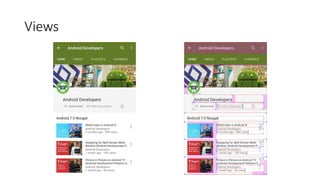
Views
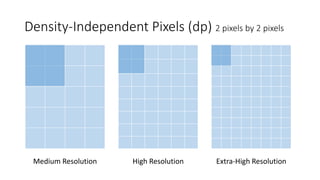
Density-Independent Pixels (dp) 2 pixels by 2 pixels
Medium Resolution High Resolution Extra-High Resolution
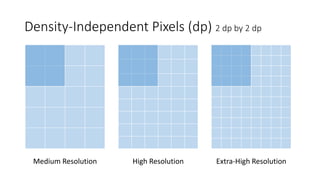
Density-Independent Pixels (dp) 2 dp by 2 dp
Medium Resolution High Resolution Extra-High Resolution
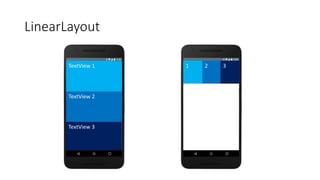
LinearLayout
TextView 1
TextView 2
TextView 3
1 2 3
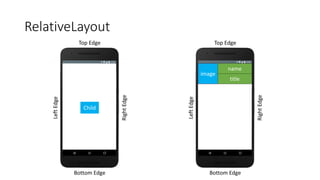
RelativeLayout
Top Edge
Bottom Edge
RightEdge
LeftEdge
Child
Top Edge
Bottom Edge
RightEdge
LeftEdge
image
name
title
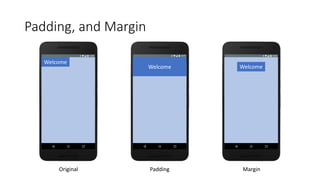
Padding, and Margin
Welcome
Welcome Welcome
Original Padding Margin
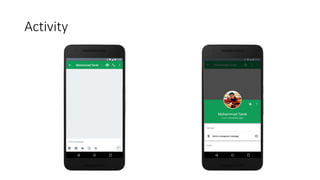
Activity
Activity
Activity
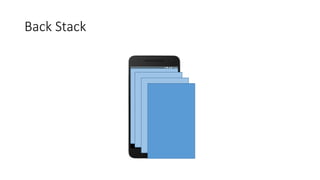
Back Stack
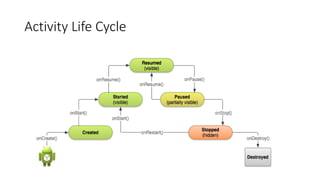
Activity Life Cycle
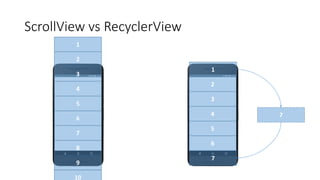
ScrollView vs RecyclerView
1
2
3
4
5
6
7
8
9
10
2
3
4
5
6
1
7
7
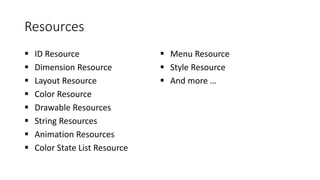
Resources
 ID Resource
 Dimension Resource
 Layout Resource
 Color Resource
 Drawable Resources
 String Resources
 Animation Resources
 Color State List Resource
 Menu Resource
 Style Resource
 And more …
Adapter
An Adapter object acts as a bridge between an AdapterView and
the underlying data for that view. The Adapter provides access to the
data items. The Adapter is also responsible for making a View for each
item in the data set.
App Manifest
 AndroidManifest.xml file found in the app root directory.
 Presents essential information about your app to the Android system.
 Describes the activities, services, broadcast receivers.
 Declares the minimum level of the Android API that the application requires.
 Declares which permissions the application must have to access protected
parts of the API and interact with other applications.
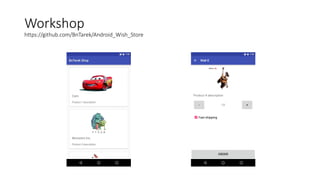
Workshop
https://github.com/BnTarek/Android_Wish_Store
Any Questions?
Many Thanks!

Android Fundamentals - Day 2