

Android
Development
for Starters
Objectives

 Define Android

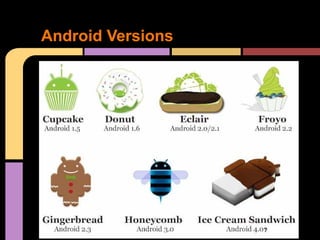
 Enumerate Android Versions

 Identify tools in Android Development

 State components in Eclipse

 Run Android Application in Emulator
Android Devices
What is Android?

o Open mobile platform by Google

o Defined as Software Stack for mobiles
o Start of Open Handset Alliance

o Maintained by Android Open Source Project

o Brought from Danger Inc. by Google
Android Versions
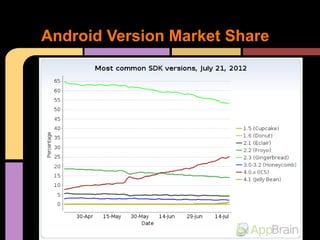
Android Version Market Share
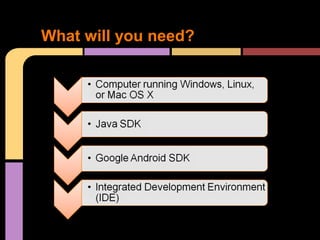
What will you need?
Installation


Please refer to:

http://developershaven.blogspot.com
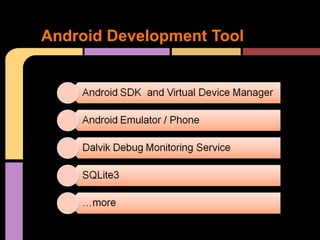
Android Development Tool
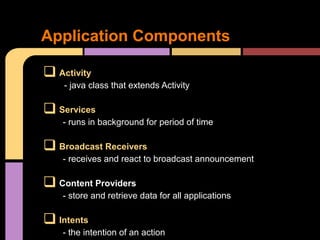
Application Components

 Activity
    - java class that extends Activity

 Services
    - runs in background for period of time

 Broadcast Receivers
    - receives and react to broadcast announcement

 Content Providers
    - store and retrieve data for all applications

 Intents
    - the intention of an action
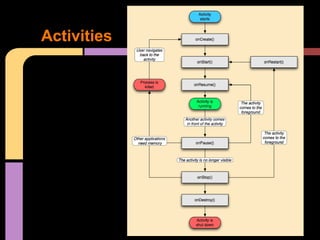
Activities
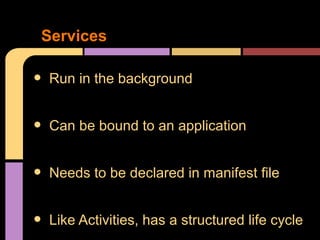
Services

•   Run in the background


•   Can be bound to an application


•   Needs to be declared in manifest file


•   Like Activities, has a structured life cycle
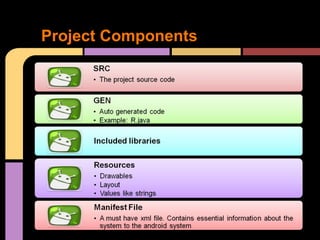
Project Components
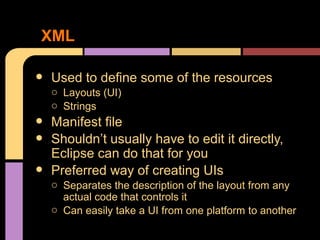
XML

•   Used to define some of the resources
    o Layouts (UI)
    o Strings
•   Manifest file
•   Shouldn’t usually have to edit it directly,
    Eclipse can do that for you
•   Preferred way of creating UIs
    o Separates the description of the layout from any
      actual code that controls it
    o Can easily take a UI from one platform to another
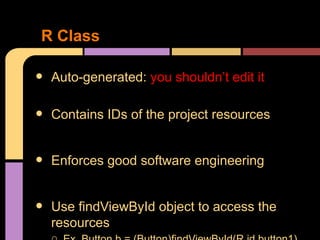
R Class

•   Auto-generated: you shouldn’t edit it

•   Contains IDs of the project resources


•   Enforces good software engineering


•   Use findViewById object to access the
    resources
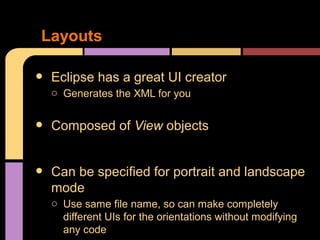
Layouts

•   Eclipse has a great UI creator
    o Generates the XML for you


•   Composed of View objects


•   Can be specified for portrait and landscape
    mode
    o Use same file name, so can make completely
      different UIs for the orientations without modifying
      any code
Running in Eclipse

•   Similar to launching a regular Java app,
    use the launch configurations
•   Specify an Android Application and create
    a new one
•   Specify activity to be run
•   Can select a manual option, so each time
    program is run, you are asked whether you
    want to use the actual phone or the
    emulator
    o Otherwise, it should be smart and use whichever
      one is available
QUESTIONS???
Resources & Acknowledgements

•   Installation: http://developershaven.blogspot.com
•   Google API: http://mfarhan133.wordpress.com/2010/10/01/generate-google-maps-api-key-for-android/
•   Android Developer’s Website : http://developer.android.com/index.html
•   Numerous Forums & other developer sites, including:
    o  http://www.javacodegeeks.com/2011/02/android-google-maps-tutorial.html
    o  http://efreedom.com/Question/1-6070968/Google-Maps-Api-Directions
    o  http://stackoverflow.com
    o  http://www.anddev.org/google_driving_directions_-_mapview_overlayed-t826.html
THANK YOU VERY MUCH!


Joemarie Comeros Amparo
Android Developer
Nano Equipment Pte. Ltd. – Singapore
www.about.me/joemarieamparo

Android development orientation for starters v4 seminar

  • 1.
  • 2.
    Objectives  Define Android Enumerate Android Versions  Identify tools in Android Development  State components in Eclipse  Run Android Application in Emulator
  • 3.
  • 4.
    What is Android? oOpen mobile platform by Google o Defined as Software Stack for mobiles o Start of Open Handset Alliance o Maintained by Android Open Source Project o Brought from Danger Inc. by Google
  • 5.
  • 6.
  • 7.
  • 8.
  • 9.
  • 10.
    Application Components  Activity - java class that extends Activity  Services - runs in background for period of time  Broadcast Receivers - receives and react to broadcast announcement  Content Providers - store and retrieve data for all applications  Intents - the intention of an action
  • 11.
  • 12.
    Services • Run in the background • Can be bound to an application • Needs to be declared in manifest file • Like Activities, has a structured life cycle
  • 13.
  • 14.
    XML • Used to define some of the resources o Layouts (UI) o Strings • Manifest file • Shouldn’t usually have to edit it directly, Eclipse can do that for you • Preferred way of creating UIs o Separates the description of the layout from any actual code that controls it o Can easily take a UI from one platform to another
  • 15.
    R Class • Auto-generated: you shouldn’t edit it • Contains IDs of the project resources • Enforces good software engineering • Use findViewById object to access the resources
  • 16.
    Layouts • Eclipse has a great UI creator o Generates the XML for you • Composed of View objects • Can be specified for portrait and landscape mode o Use same file name, so can make completely different UIs for the orientations without modifying any code
  • 17.
    Running in Eclipse • Similar to launching a regular Java app, use the launch configurations • Specify an Android Application and create a new one • Specify activity to be run • Can select a manual option, so each time program is run, you are asked whether you want to use the actual phone or the emulator o Otherwise, it should be smart and use whichever one is available
  • 18.
  • 19.
    Resources & Acknowledgements • Installation: http://developershaven.blogspot.com • Google API: http://mfarhan133.wordpress.com/2010/10/01/generate-google-maps-api-key-for-android/ • Android Developer’s Website : http://developer.android.com/index.html • Numerous Forums & other developer sites, including: o http://www.javacodegeeks.com/2011/02/android-google-maps-tutorial.html o http://efreedom.com/Question/1-6070968/Google-Maps-Api-Directions o http://stackoverflow.com o http://www.anddev.org/google_driving_directions_-_mapview_overlayed-t826.html
  • 20.
    THANK YOU VERYMUCH! Joemarie Comeros Amparo Android Developer Nano Equipment Pte. Ltd. – Singapore www.about.me/joemarieamparo