Agile Swift
Godfrey Nolan
RIIS LLC
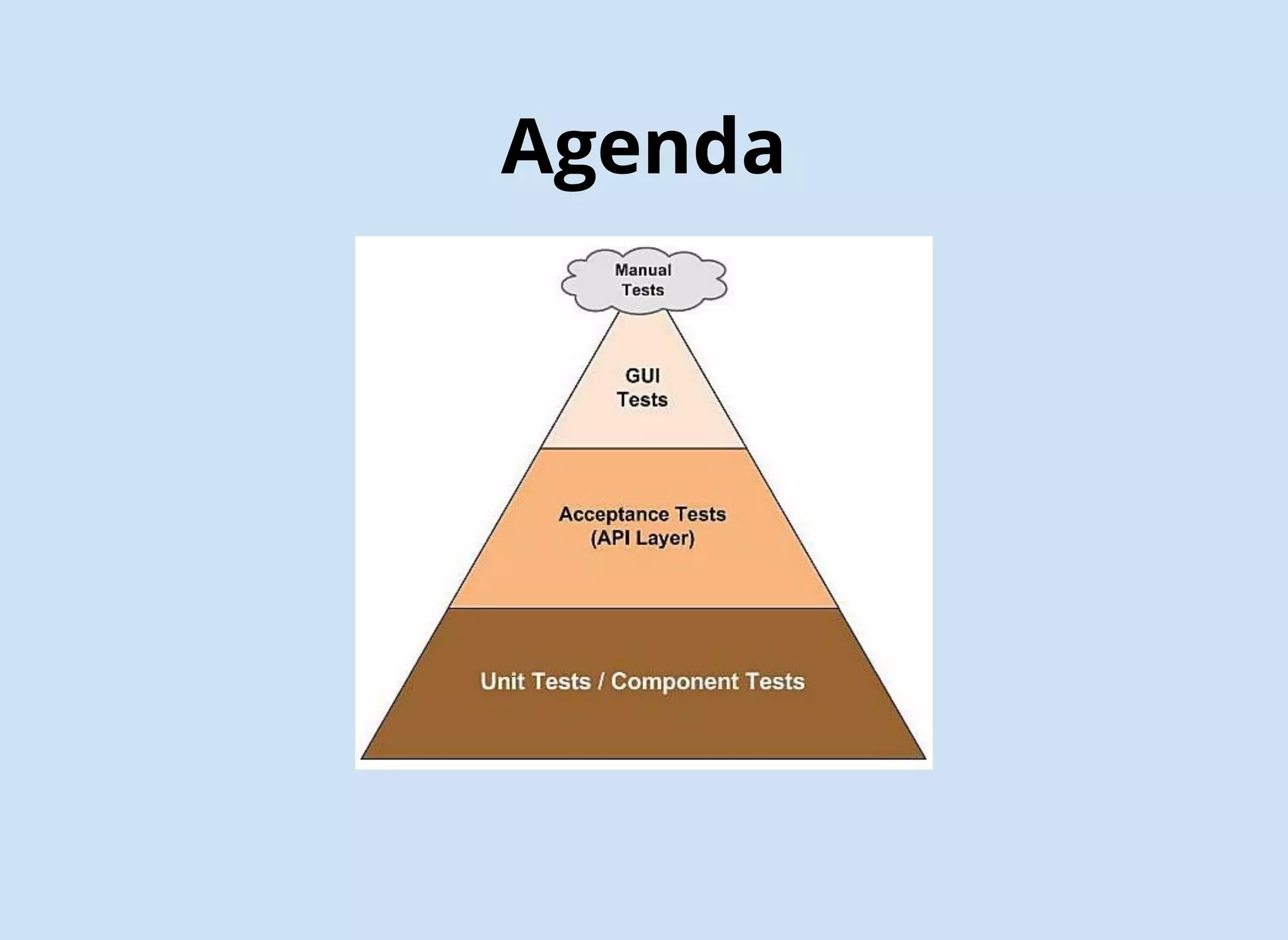
Agenda
Agile Testing Benefits
Catch more mistakes
Confidently make more changes
Built in regression testing
Extend the life of your codebase
Better predicability & reliability
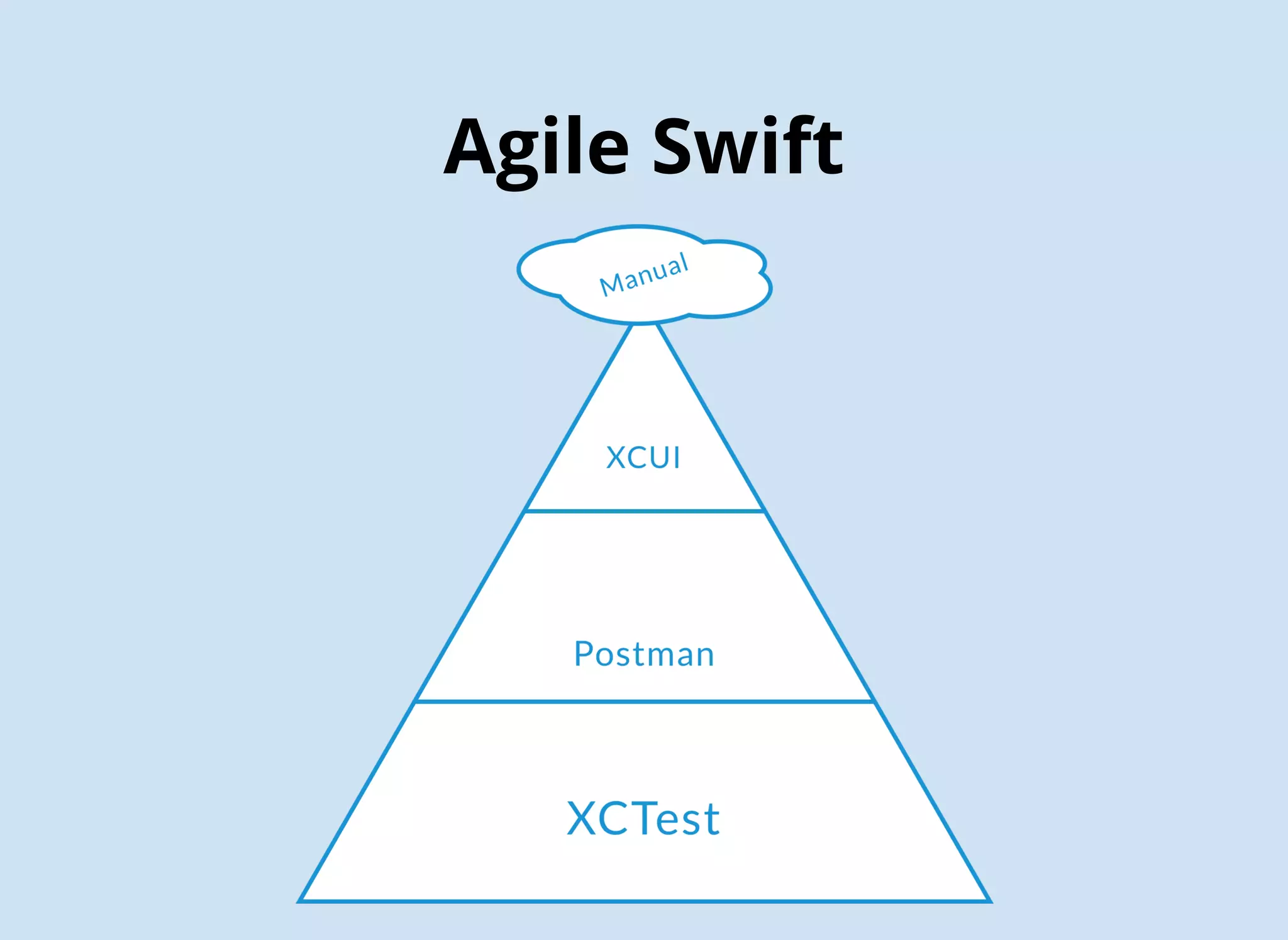
Agile Swift
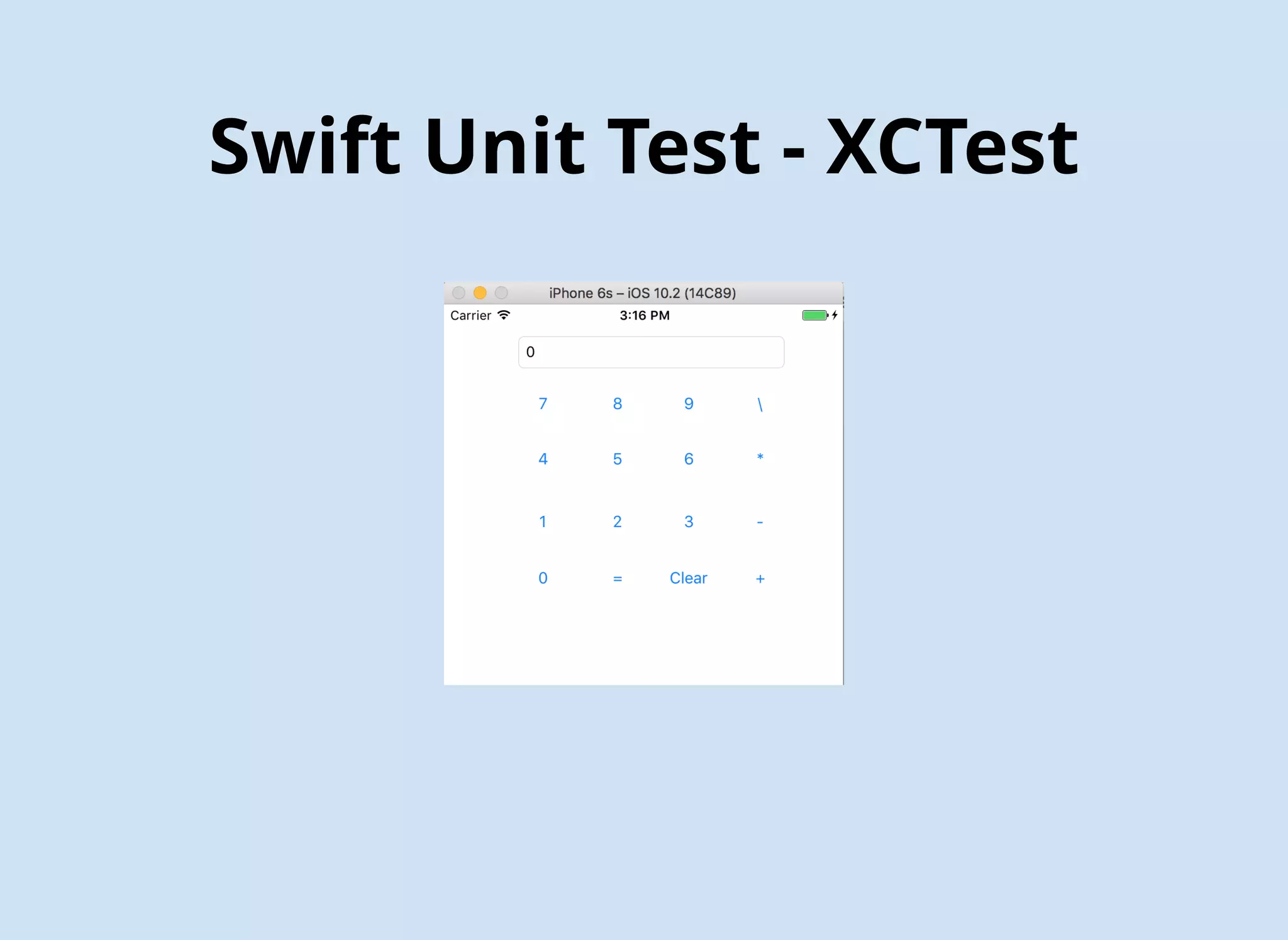
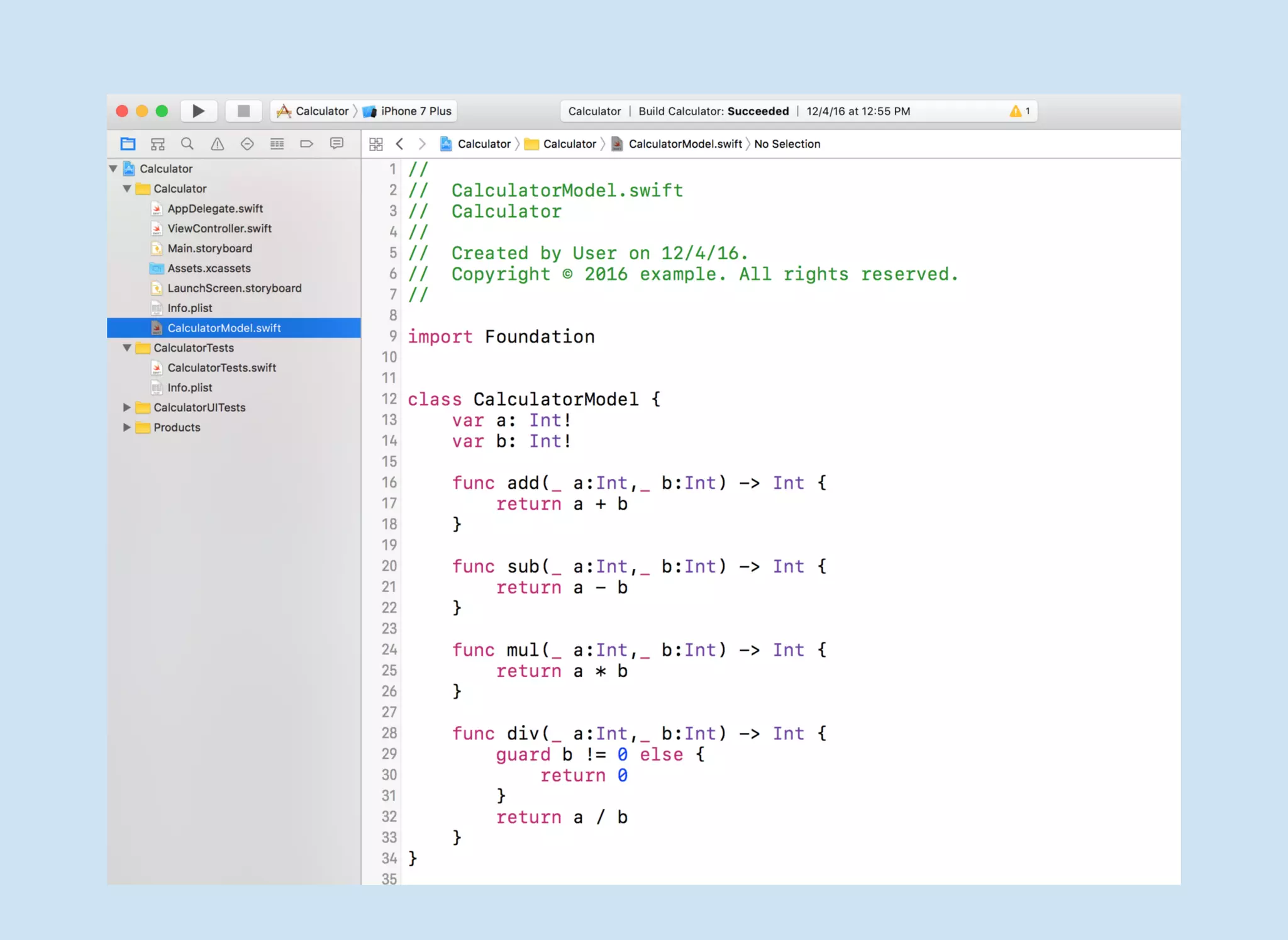
Swift Unit Test - XCTest
Unit Testing Assertions
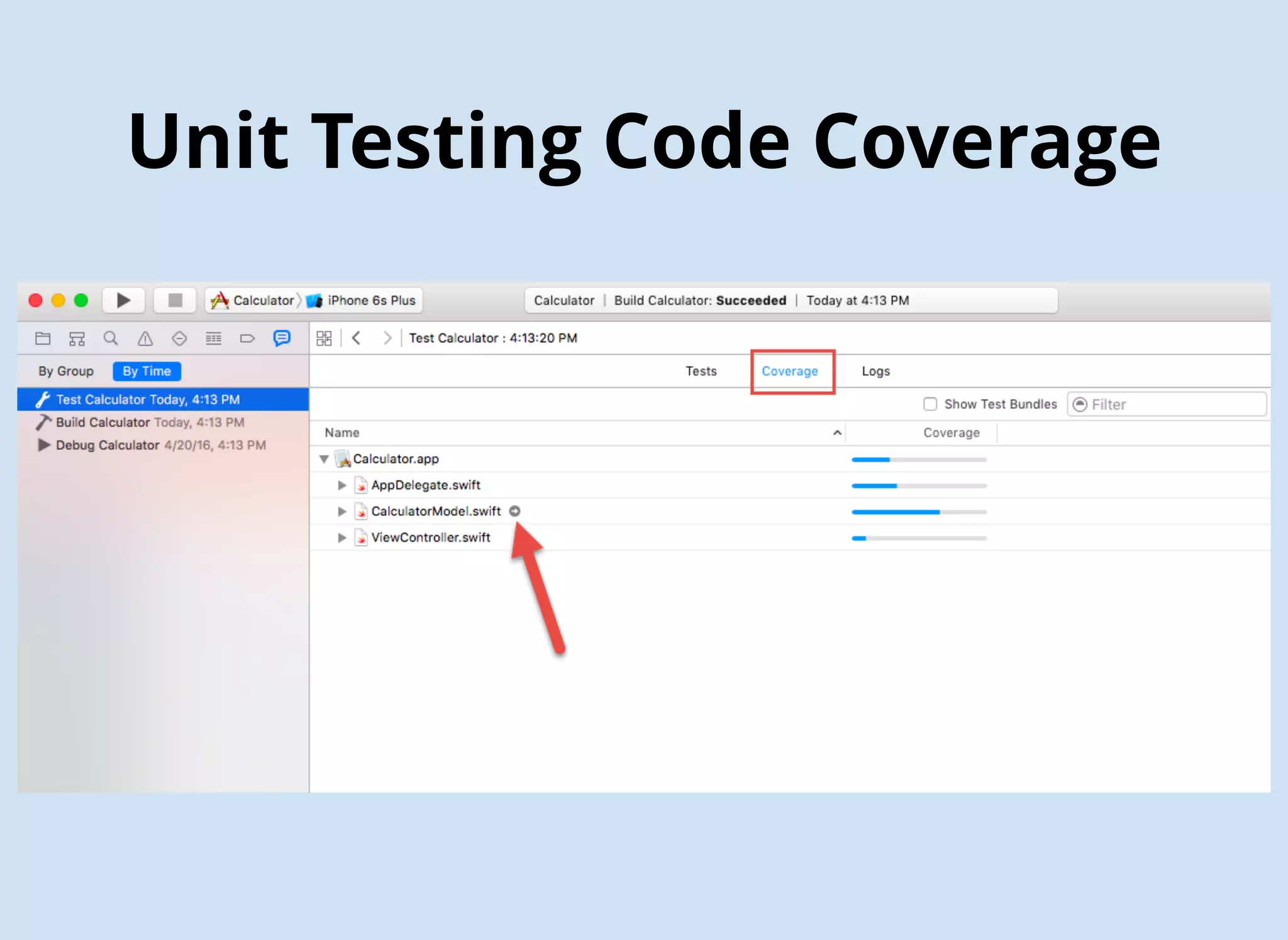
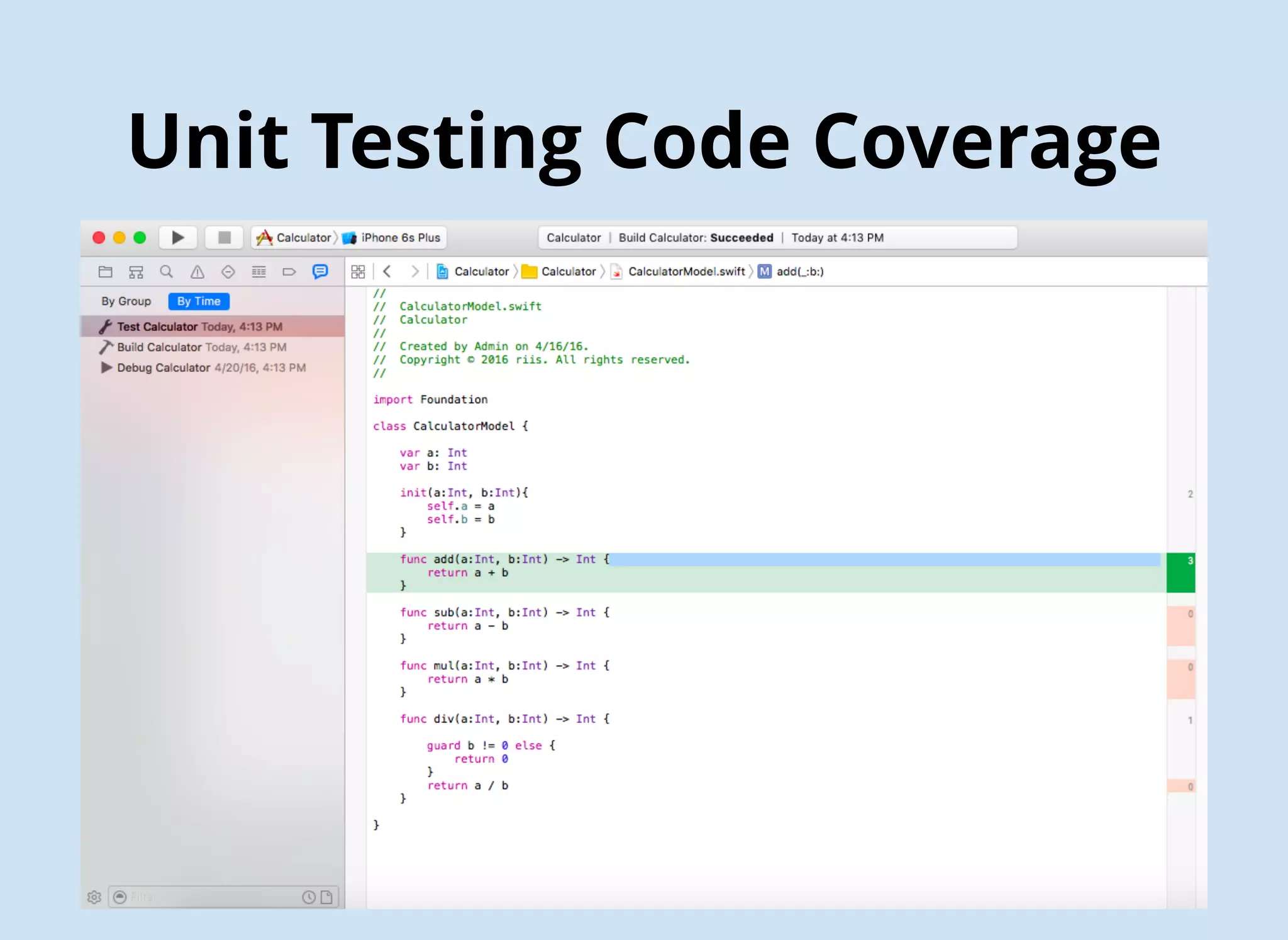
Unit Testing Code Coverage
$ gem install slather
$ slather coverage --html --scheme XcodeSchemeName path/to/project.xcodeproj
$ slather coverage --html --scheme Calculator Calculator/Calculator.xcodeproj
API Testing - Postman
API Testing - Newman
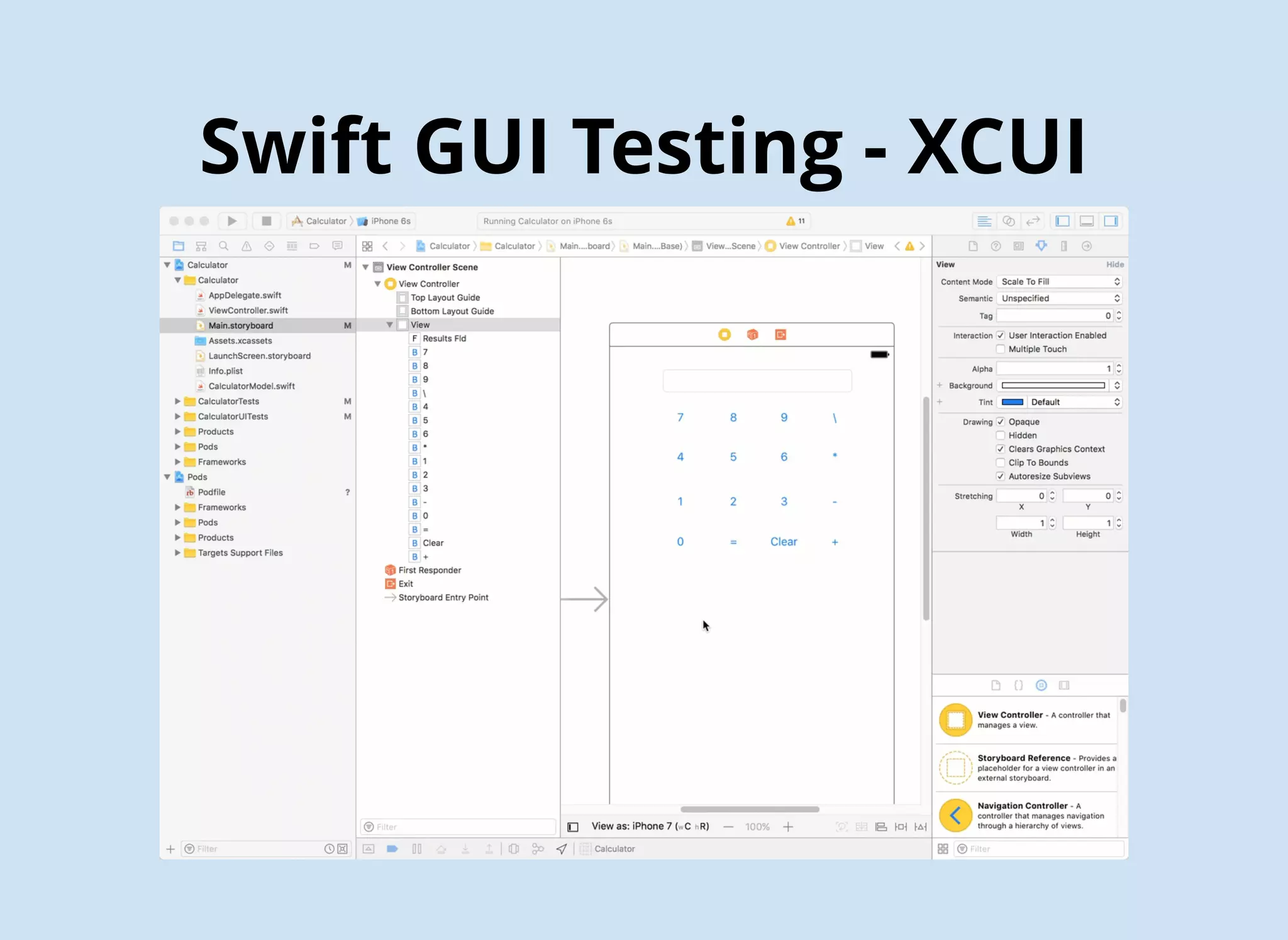
Swift GUI Testing - XCUI
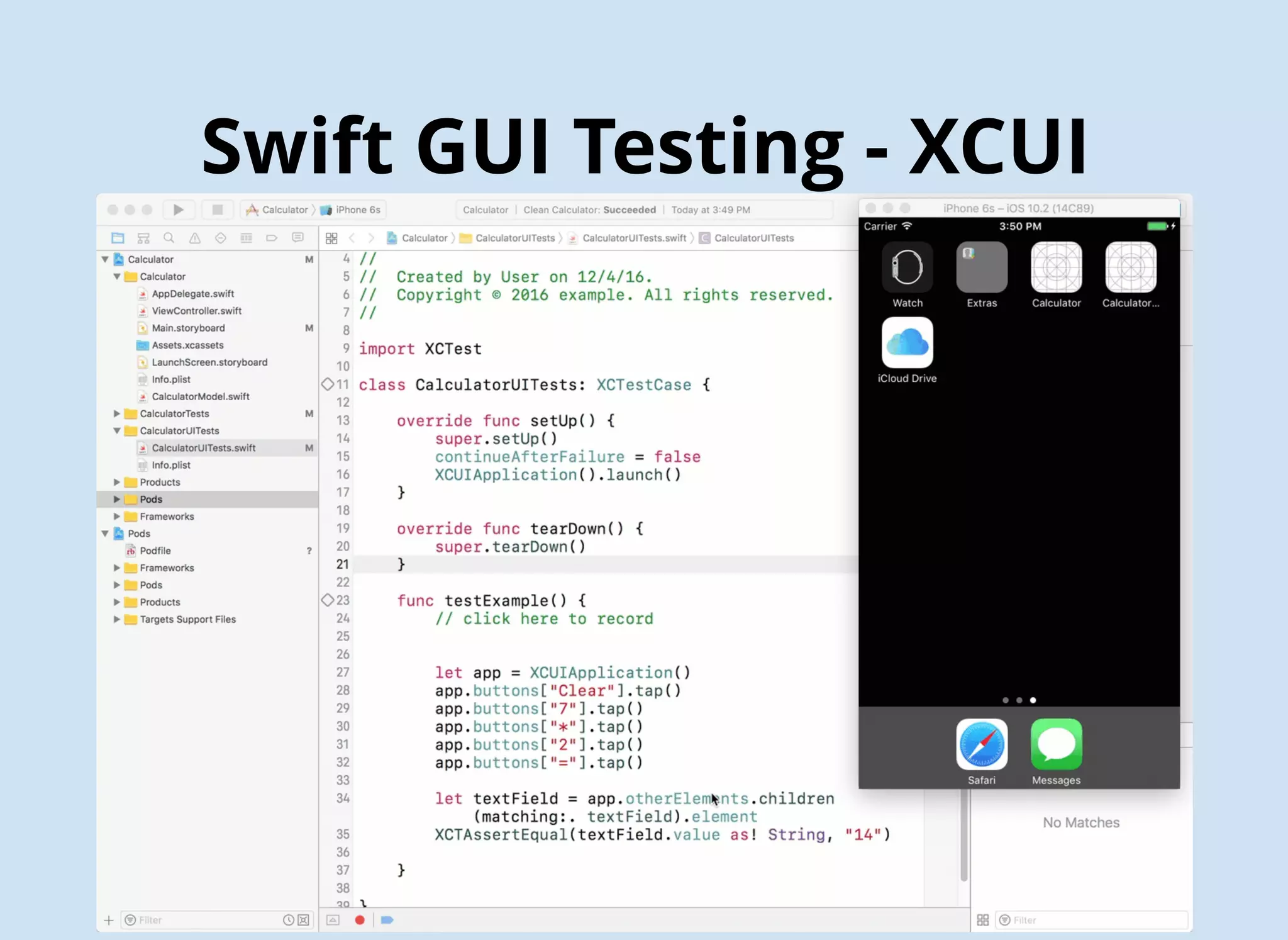
Swift GUI Testing
Putting It All Together
1. Download the Jenkins Mac OS X native package from http://jenkins-ci.org.
2. Double click the .pkg file to install Jenkins.
3. Once done, your browser will open to http://localhost:8080 where Jenkins lives.
4. Make the Jenkins user an admin:
sudo dseditgroup -o edit -a jenkins -t user admin
5. Add the Jenkins user to the developer group:
sudo dscl . append /Groups/_developer GroupMembership jenkins
6. Make the Jenkins user automatically login when the computer is restarted
7. unload Jenkins as a Daemon:
sudo launchctl unload /Library/LaunchDaemons/org.jenkins-ci.plist
8. move the .plist file, which defines how Jenkins will run, to the LaunchAgents folder:
sudo mv /Library/LaunchDaemons/org.jenkins-ci.plist /Library/LaunchAgents/
9. Edit the plist file:
sudo vim /Library/LaunchAgents/org.jenkins-ci.plist
/* Remove the following lines */
<key>SessionCreate</key
<true />
10. reload the Launch Agent to restart Jenkins:
sudo launchctl load /Library/LaunchAgents/org.jenkins-ci.plist
FIRST Principles
F(ast)
I(solated)
R(epeatable)
S(elf-verifying)
T(imely) i.e. TDD not TAD
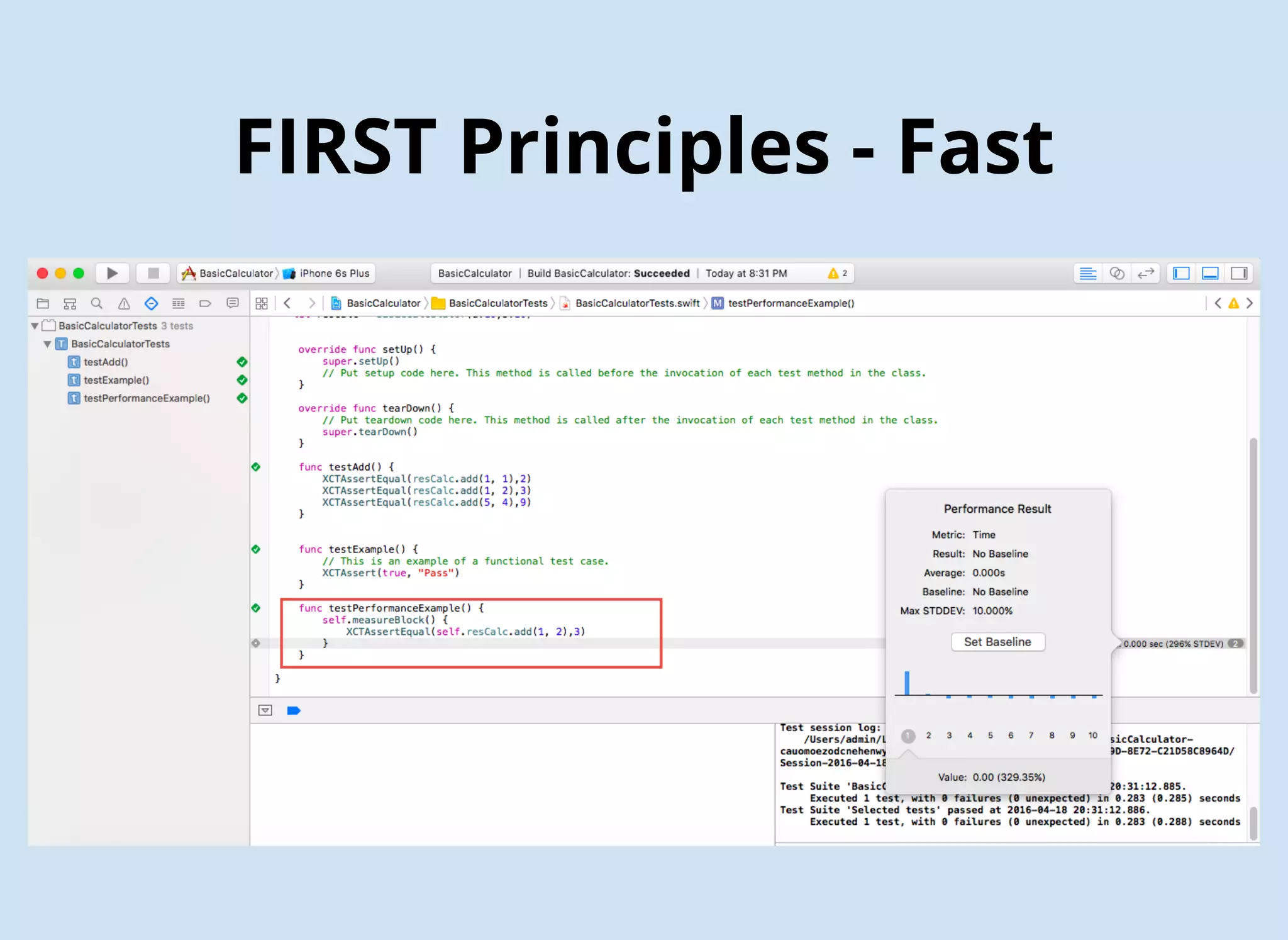
FIRST Principles - Fast
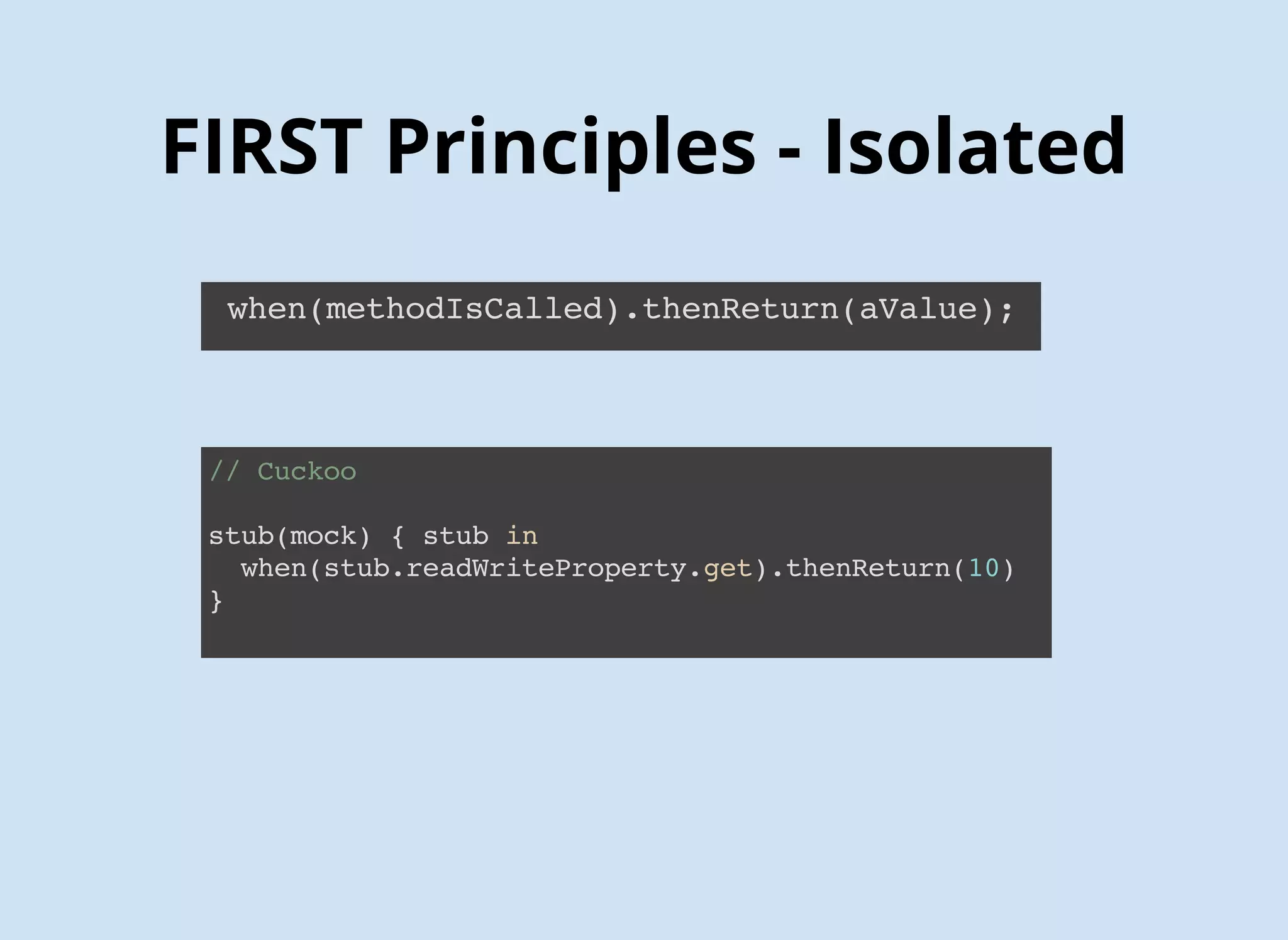
FIRST Principles - Isolated
when(methodIsCalled).thenReturn(aValue);
// Cuckoo
stub(mock) { stub in
when(stub.readWriteProperty.get).thenReturn(10)
}
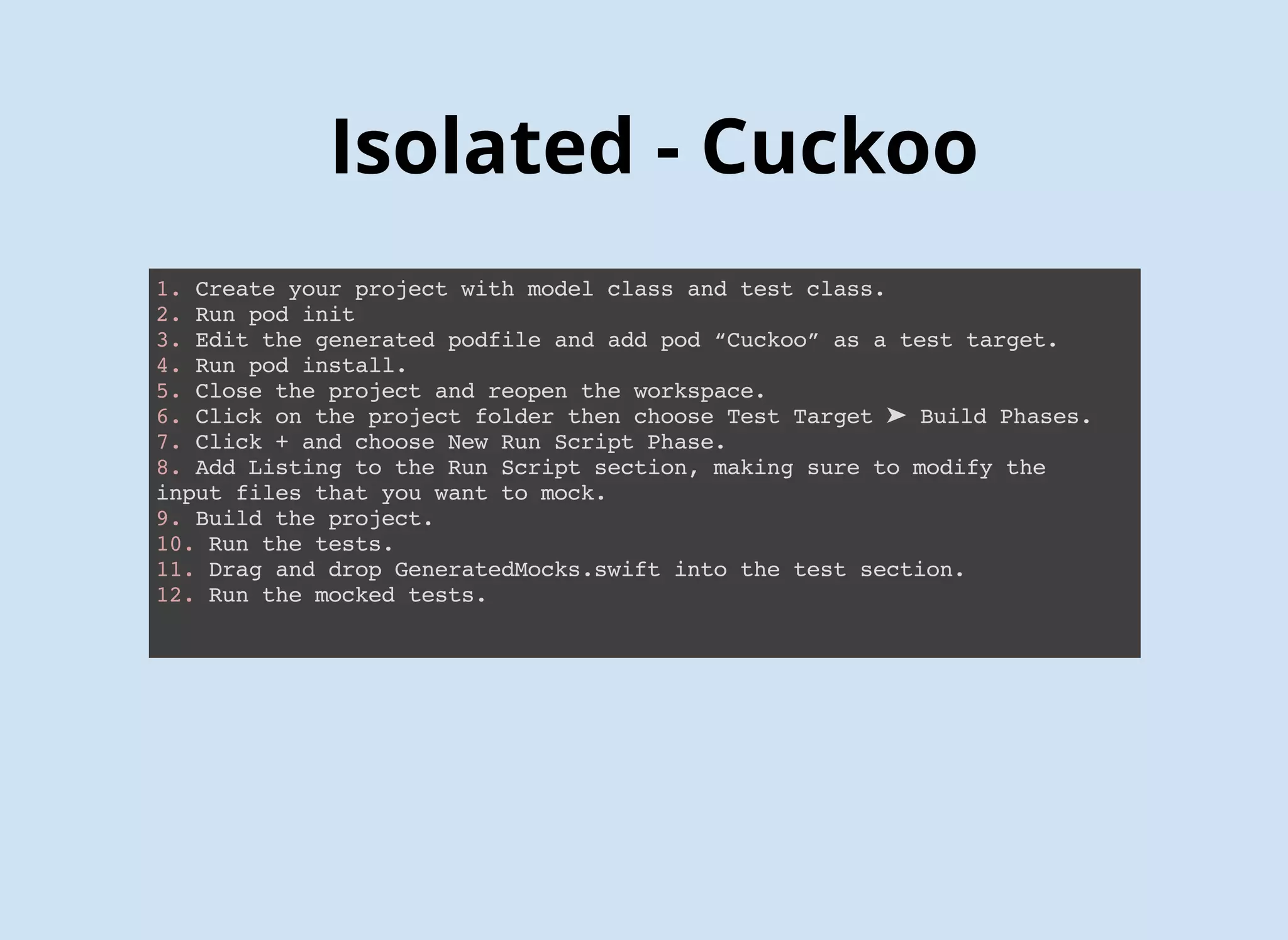
1. Create your project with model class and test class.
2. Run pod init
3. Edit the generated podfile and add pod “Cuckoo” as a test target.
4. Run pod install.
5. Close the project and reopen the workspace.
6. Click on the project folder then choose Test Target ➤ Build Phases.
7. Click + and choose New Run Script Phase.
8. Add Listing to the Run Script section, making sure to modify the
input files that you want to mock.
9. Build the project.
10. Run the tests.
11. Drag and drop GeneratedMocks.swift into the test section.
12. Uncomment out your mocked tests
13. Run the mocked tests.
Isolated - Cuckoo
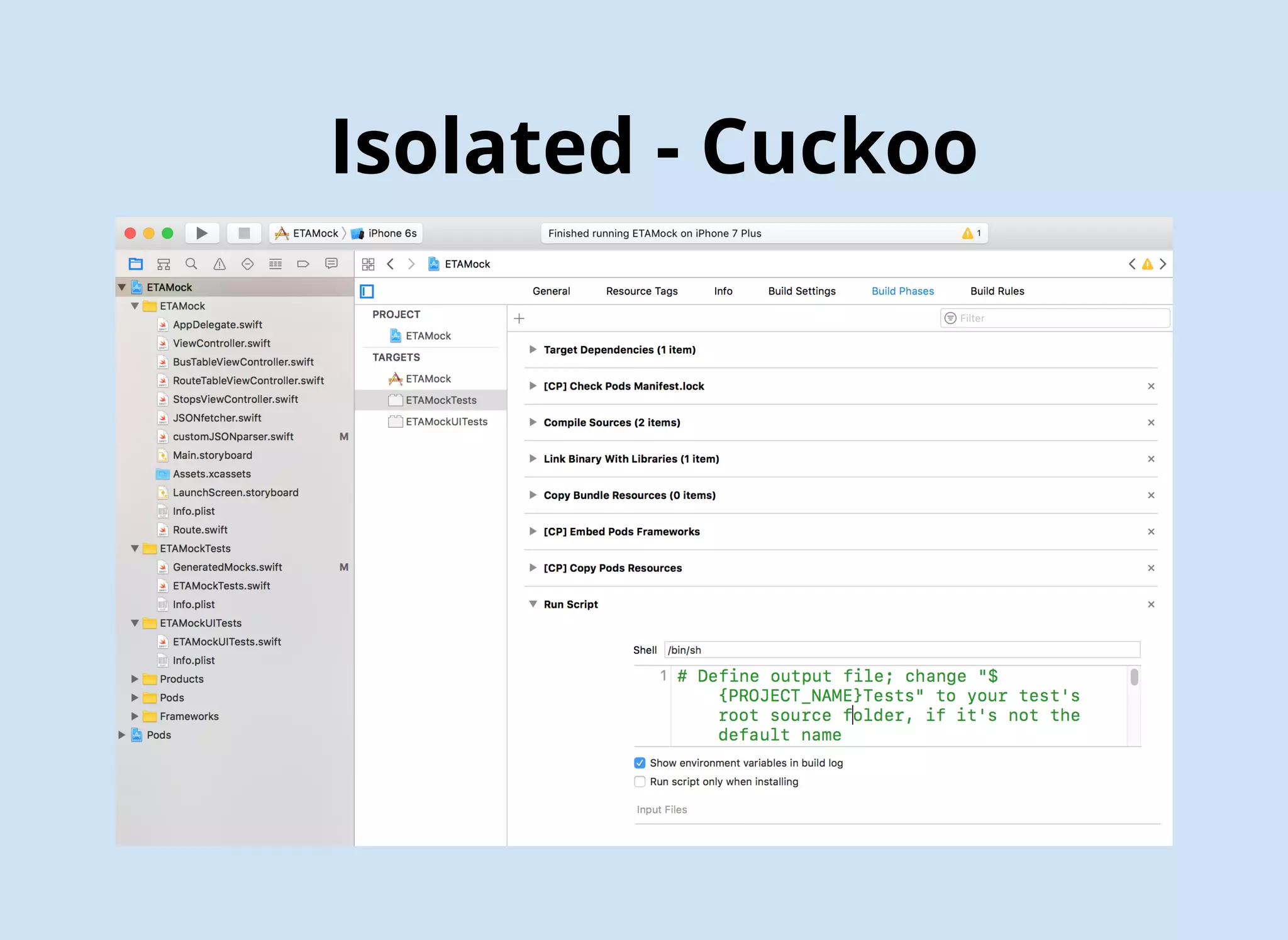
Isolated - Cuckoo
# Define output file; change "${PROJECT_NAME}Tests" to your test's
root source folder, if it's not the default name
OUTPUT_FILE="./${PROJECT_NAME}Tests/GeneratedMocks.swift"
echo "Generated Mocks File = ${OUTPUT_FILE}"
# Define input directory; change "${PROJECT_NAME}" to your project's root
source folder, if it's not the default name
INPUT_DIR="./${PROJECT_NAME}"
echo "Mocks Input Directory = ${INPUT_DIR}"
# Generate mock files; include as many input files as you'd like to create mocks for
${PODS_ROOT}/Cuckoo/run generate --testable "${PROJECT_NAME}" 
--output "${OUTPUT_FILE}" 
"${INPUT_DIR}/FileName1.swift" 
"${INPUT_DIR}/FileName2.swift" 
"${INPUT_DIR}/FileName3.swift"
# ... and so forth
Isolated - Cuckoo
FIRST Principle - Repeatable
FIRST Prin - Self-Verifying
FIRST Principles - Timely
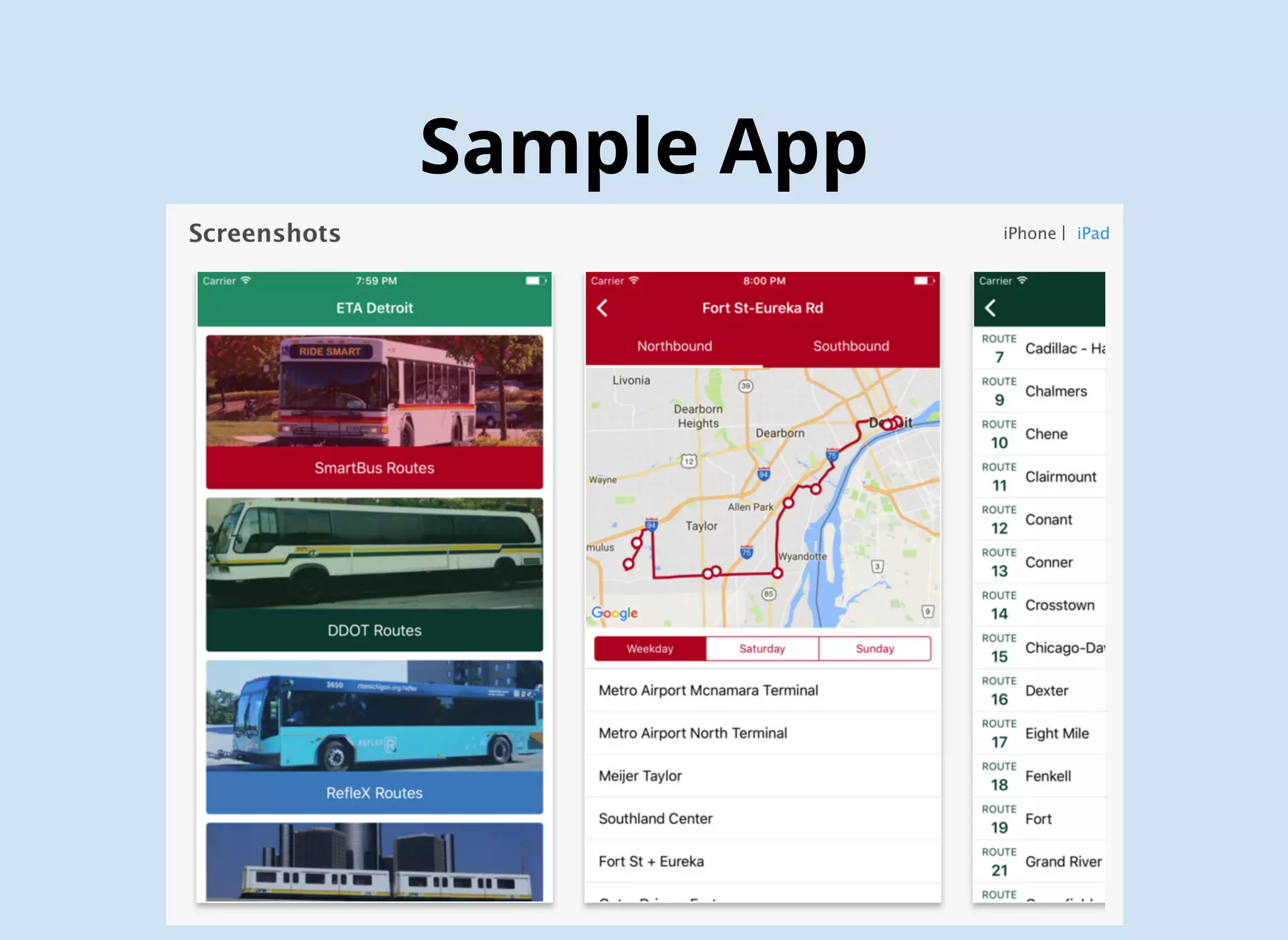
Sample App
Sample App
Sample App - Unit Test
func testParseRoutes() {
let mock = MockJSONfetcher()
stub(mock) { mock in
when(mock.callApi(url: any(), completion: anyClosure())).then { url, closure in
closure(self.testRouteJson)
}
}
mock.callApi(url: url) { data in
XCTAssertEqual(data, self.testRouteJson)
let parser = customJSONparser(companyIndex: 1)
let route = Route(name: "FORT ST-EUREKA RD",
direction1: "Northbound",
direction2: "Southbound", id: 1, routeId: "125")
XCTAssertEqual(parser.getRoutes(fromJSONString: data), [route])
}
}
xcodebuild test -workspace ETAMock.xcworkspace -scheme ETAMock
-destination 'platform=iOS Simulator, name=iPhone 7 Plus'
Sample App - Unit Test
# Define output file; change "${PROJECT_NAME}Tests" to your test's root source folder, if it's not the default name
OUTPUT_FILE="./${PROJECT_NAME}Tests/GeneratedMocks.swift"
echo "Generated Mocks File = ${OUTPUT_FILE}"
# Define input directory; change "${PROJECT_NAME}" to your project's root source folder, if it's not the default name
INPUT_DIR="./${PROJECT_NAME}"
echo "Mocks Input Directory = ${INPUT_DIR}"
# Generate mock files; include as many input files as you'd like to create mocks for
${PODS_ROOT}/Cuckoo/run generate --testable "${PROJECT_NAME}" 
--output "${OUTPUT_FILE}" 
"${INPUT_DIR}/JSONFetcher.swift"
# ... and so forth
# After running once, locate `GeneratedMocks.swift` and drag it into your Xcode test target group
Sample App - API Test
newman run ETAJson.postman_collection
Sample App - API Test
Sample App - GUI Test
func testExample() {
let app = XCUIApplication()
let tablesQuery = app.tables
tablesQuery.staticTexts["Smart"].tap()
tablesQuery.staticTexts["SOUTHSHORE"].tap()
app.buttons["Southbound"].tap()
XCTAssert(tablesQuery.staticTexts["JEFFERSON + SOUTHFIELD"].exists)
app.navigationBars["ETAMock.StopsView"].children(matching: .button)
.matching(identifier: "Back").element(boundBy: 0).tap()
tablesQuery.staticTexts["MICHIGAN AVENUE LOCAL"].tap()
app.buttons["Westbound"].tap()
XCTAssert(tablesQuery.staticTexts["MICHIGAN + CASS"].exists)
}
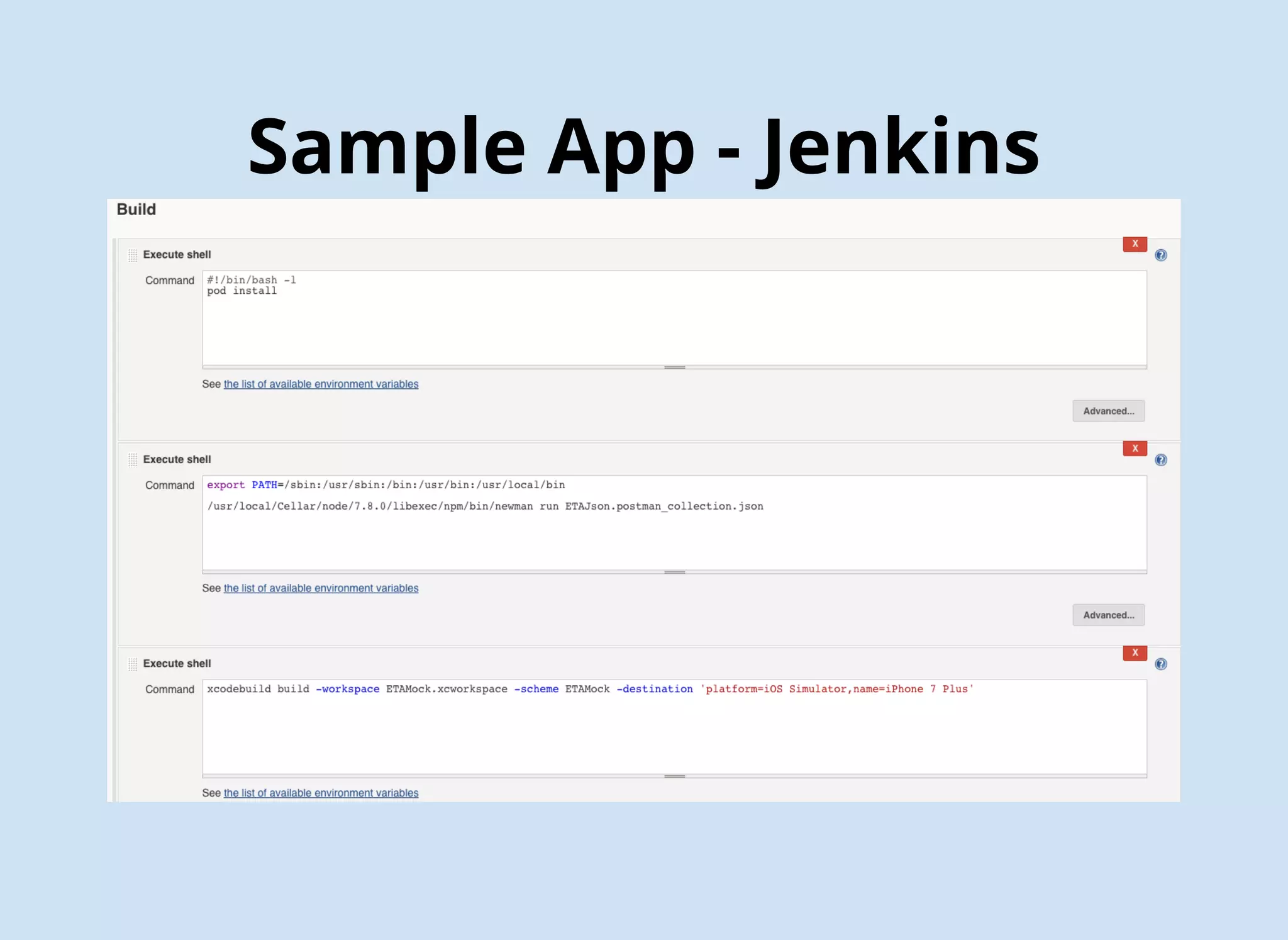
xcodebuild build -workspace ETAMock.xcworkspace -scheme ETAMock
-destination 'platform=iOS Simulator, name=iPhone 7 Plus'
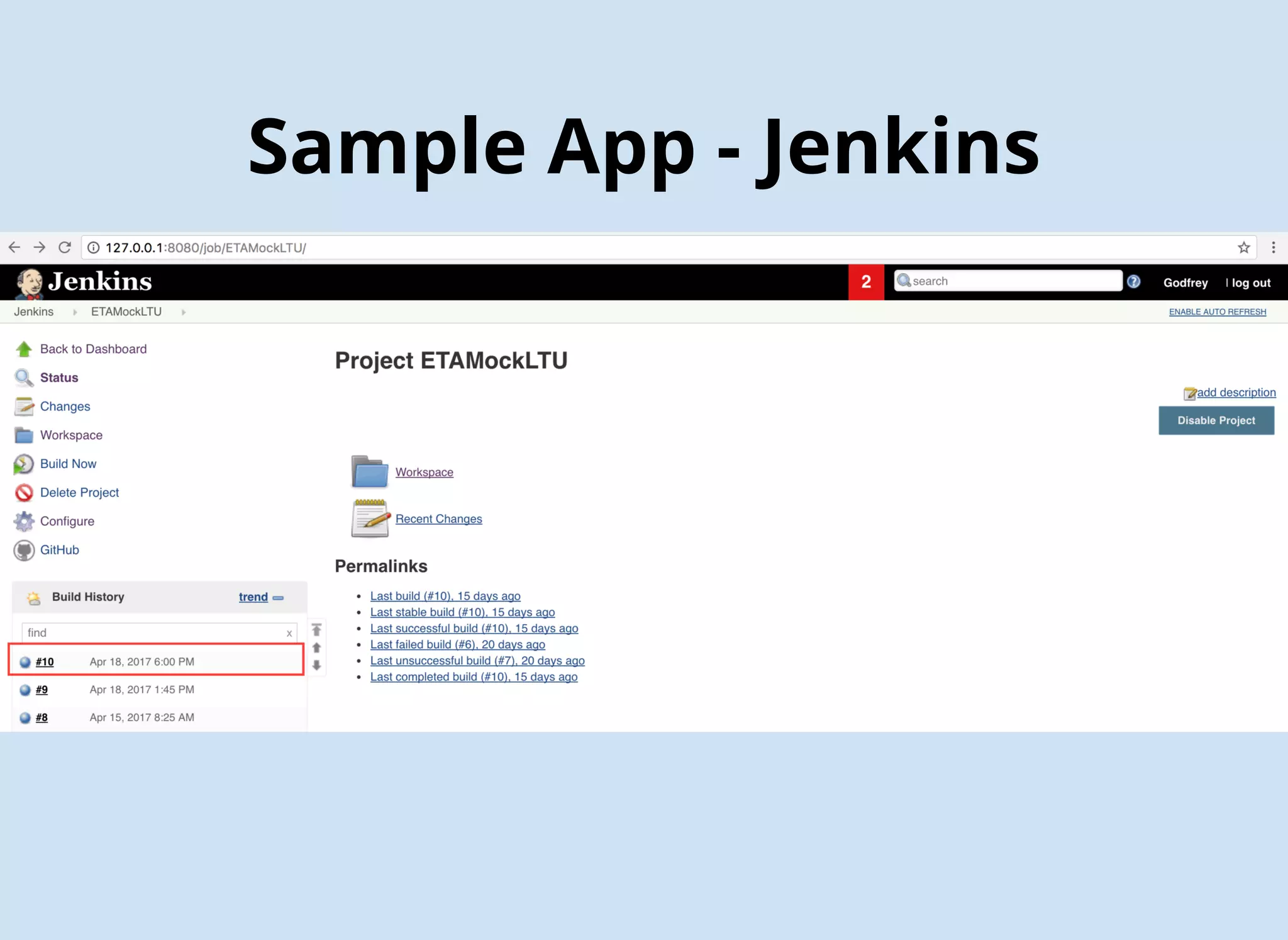
Sample App - Jenkins
SonarQube - Jenkins
SonarQube - Jenkins
SonarQube - Jenkins
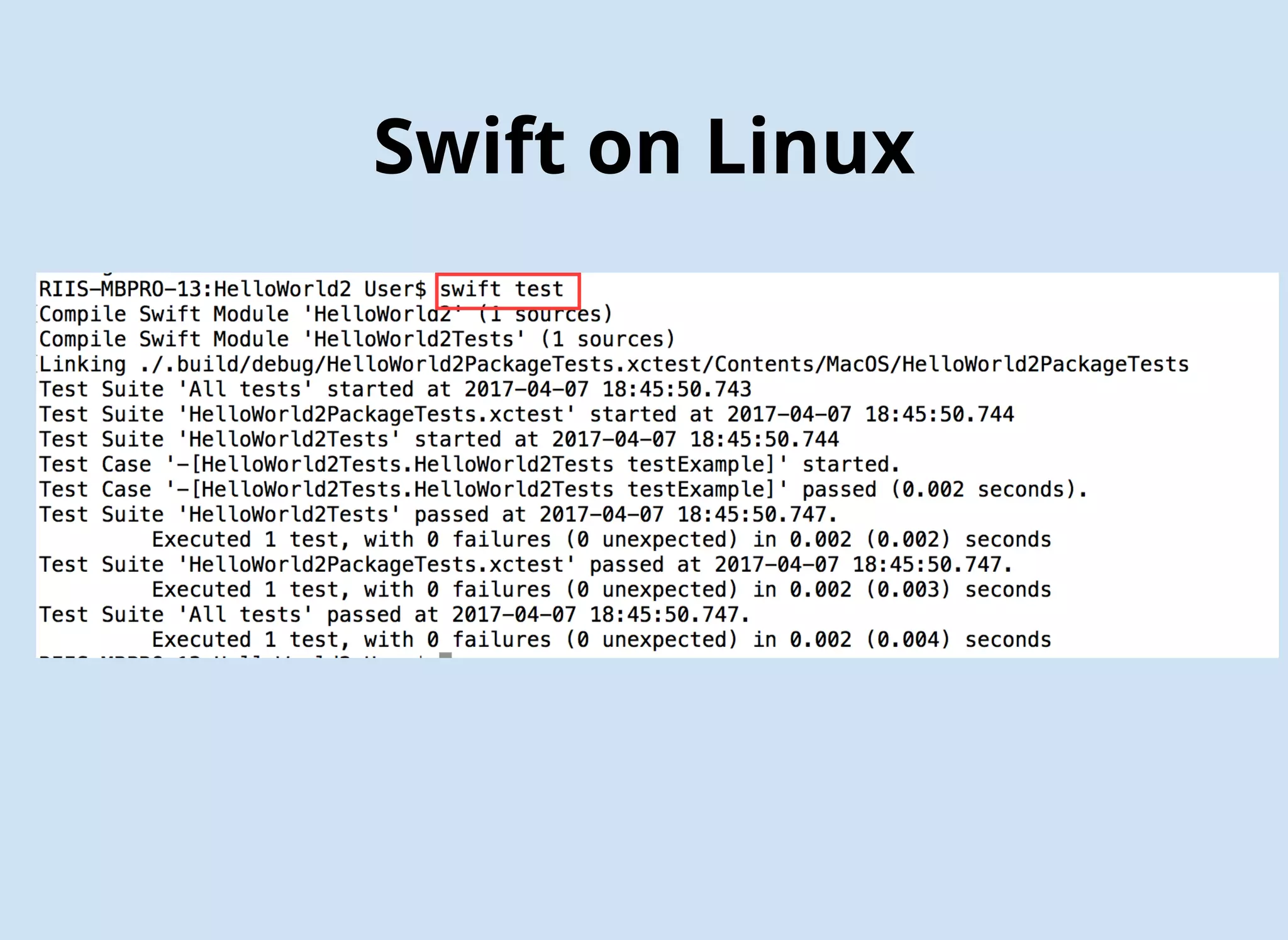
Swift on Linux
Swift on Linux
URLshttp://riis.com/blog
https://getpostman.com
https://github.com/postmanlabs/newman
https://github.com/Brightify/Cuckoo
https://jenkins.io
http://www.cimgf.com/2015/05/26/setting-up-jenkins-ci-on-a-mac-2/
https://github.com/gnolanltu/ETAMock
https://slides.com/godfreynolan/agileswiftmeetup
https://sonarqube.org
https://github.com/fastlane/fastlane
CONTACT INFO
godfrey@riis.com
@godfreynolan
http://bit.ly/AgileSwiftWorkshop

Agile Swift

  • 1.
  • 2.
  • 4.
    Agile Testing Benefits Catchmore mistakes Confidently make more changes Built in regression testing Extend the life of your codebase Better predicability & reliability
  • 5.
  • 6.
  • 7.
  • 10.
  • 11.
  • 12.
  • 14.
    Unit Testing CodeCoverage $ gem install slather $ slather coverage --html --scheme XcodeSchemeName path/to/project.xcodeproj $ slather coverage --html --scheme Calculator Calculator/Calculator.xcodeproj
  • 15.
  • 16.
  • 17.
  • 19.
  • 20.
  • 21.
  • 22.
    Putting It AllTogether 1. Download the Jenkins Mac OS X native package from http://jenkins-ci.org. 2. Double click the .pkg file to install Jenkins. 3. Once done, your browser will open to http://localhost:8080 where Jenkins lives. 4. Make the Jenkins user an admin: sudo dseditgroup -o edit -a jenkins -t user admin 5. Add the Jenkins user to the developer group: sudo dscl . append /Groups/_developer GroupMembership jenkins 6. Make the Jenkins user automatically login when the computer is restarted 7. unload Jenkins as a Daemon: sudo launchctl unload /Library/LaunchDaemons/org.jenkins-ci.plist 8. move the .plist file, which defines how Jenkins will run, to the LaunchAgents folder: sudo mv /Library/LaunchDaemons/org.jenkins-ci.plist /Library/LaunchAgents/ 9. Edit the plist file: sudo vim /Library/LaunchAgents/org.jenkins-ci.plist /* Remove the following lines */ <key>SessionCreate</key <true /> 10. reload the Launch Agent to restart Jenkins: sudo launchctl load /Library/LaunchAgents/org.jenkins-ci.plist
  • 23.
  • 24.
  • 25.
  • 26.
    FIRST Principles -Isolated when(methodIsCalled).thenReturn(aValue); // Cuckoo stub(mock) { stub in when(stub.readWriteProperty.get).thenReturn(10) }
  • 27.
    1. Create yourproject with model class and test class. 2. Run pod init 3. Edit the generated podfile and add pod “Cuckoo” as a test target. 4. Run pod install. 5. Close the project and reopen the workspace. 6. Click on the project folder then choose Test Target ➤ Build Phases. 7. Click + and choose New Run Script Phase. 8. Add Listing to the Run Script section, making sure to modify the input files that you want to mock. 9. Build the project. 10. Run the tests. 11. Drag and drop GeneratedMocks.swift into the test section. 12. Uncomment out your mocked tests 13. Run the mocked tests. Isolated - Cuckoo
  • 28.
  • 29.
    # Define outputfile; change "${PROJECT_NAME}Tests" to your test's root source folder, if it's not the default name OUTPUT_FILE="./${PROJECT_NAME}Tests/GeneratedMocks.swift" echo "Generated Mocks File = ${OUTPUT_FILE}" # Define input directory; change "${PROJECT_NAME}" to your project's root source folder, if it's not the default name INPUT_DIR="./${PROJECT_NAME}" echo "Mocks Input Directory = ${INPUT_DIR}" # Generate mock files; include as many input files as you'd like to create mocks for ${PODS_ROOT}/Cuckoo/run generate --testable "${PROJECT_NAME}" --output "${OUTPUT_FILE}" "${INPUT_DIR}/FileName1.swift" "${INPUT_DIR}/FileName2.swift" "${INPUT_DIR}/FileName3.swift" # ... and so forth Isolated - Cuckoo
  • 30.
  • 31.
    FIRST Prin -Self-Verifying
  • 32.
  • 33.
  • 34.
  • 35.
    Sample App -Unit Test func testParseRoutes() { let mock = MockJSONfetcher() stub(mock) { mock in when(mock.callApi(url: any(), completion: anyClosure())).then { url, closure in closure(self.testRouteJson) } } mock.callApi(url: url) { data in XCTAssertEqual(data, self.testRouteJson) let parser = customJSONparser(companyIndex: 1) let route = Route(name: "FORT ST-EUREKA RD", direction1: "Northbound", direction2: "Southbound", id: 1, routeId: "125") XCTAssertEqual(parser.getRoutes(fromJSONString: data), [route]) } } xcodebuild test -workspace ETAMock.xcworkspace -scheme ETAMock -destination 'platform=iOS Simulator, name=iPhone 7 Plus'
  • 36.
    Sample App -Unit Test # Define output file; change "${PROJECT_NAME}Tests" to your test's root source folder, if it's not the default name OUTPUT_FILE="./${PROJECT_NAME}Tests/GeneratedMocks.swift" echo "Generated Mocks File = ${OUTPUT_FILE}" # Define input directory; change "${PROJECT_NAME}" to your project's root source folder, if it's not the default name INPUT_DIR="./${PROJECT_NAME}" echo "Mocks Input Directory = ${INPUT_DIR}" # Generate mock files; include as many input files as you'd like to create mocks for ${PODS_ROOT}/Cuckoo/run generate --testable "${PROJECT_NAME}" --output "${OUTPUT_FILE}" "${INPUT_DIR}/JSONFetcher.swift" # ... and so forth # After running once, locate `GeneratedMocks.swift` and drag it into your Xcode test target group
  • 38.
    Sample App -API Test
  • 39.
    Sample App -API Test newman run ETAJson.postman_collection
  • 40.
    Sample App -API Test
  • 41.
    Sample App -GUI Test func testExample() { let app = XCUIApplication() let tablesQuery = app.tables tablesQuery.staticTexts["Smart"].tap() tablesQuery.staticTexts["SOUTHSHORE"].tap() app.buttons["Southbound"].tap() XCTAssert(tablesQuery.staticTexts["JEFFERSON + SOUTHFIELD"].exists) app.navigationBars["ETAMock.StopsView"].children(matching: .button) .matching(identifier: "Back").element(boundBy: 0).tap() tablesQuery.staticTexts["MICHIGAN AVENUE LOCAL"].tap() app.buttons["Westbound"].tap() XCTAssert(tablesQuery.staticTexts["MICHIGAN + CASS"].exists) } xcodebuild build -workspace ETAMock.xcworkspace -scheme ETAMock -destination 'platform=iOS Simulator, name=iPhone 7 Plus'
  • 42.
    Sample App -Jenkins
  • 43.
    Sample App -Jenkins
  • 44.
    Sample App -Jenkins
  • 45.
  • 46.
  • 47.
  • 48.
  • 49.
  • 50.
  • 51.