
Workshop:
Adopting New Learning
Technologies
Dr. David Asirvatham
Director of Information Technology
University of Malaya
What will be covered?
 Introduction
 Content Development Process
 Process
 Preparation
 LO/Organisation
 Storyboarding
 Review
 Digital Content Development
 Review/Pilot/Deploy
2
What will be covered?
 New Technologies (Hands-on)
 LMS (New vs Old)
 Screen Sharing
 Live Quiz/Poll Tools
 Video Capture/Editing
 Live Lecture Capture
 Quiz & Survey Tools
 Discussion Tools
 Storyboarding Tool
 Lecture Notes
 References/Postings
3
Introduction
4
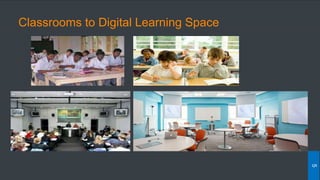
Classrooms to Digital Learning Space
5
6
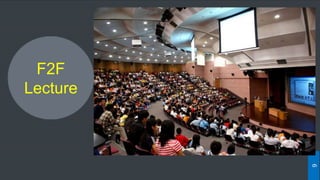
F2F
Lecture
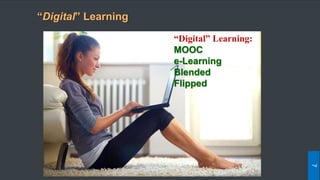
“Digital” Learning
7
“Digital” Learning:
MOOC
e-Learning
Blended
Flipped
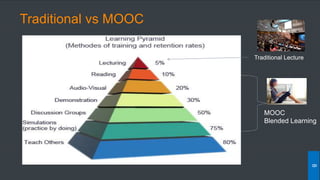
Traditional vs MOOC
8
Traditional Lecture
MOOC
Blended Learning
Traditional vs MOOC
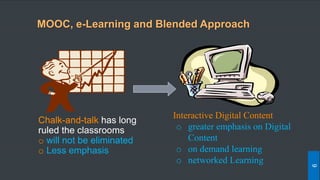
Chalk-and-talk has long
ruled the classrooms
o will not be eliminated
o Less emphasis
Interactive Digital Content
o greater emphasis on Digital
Content
o on demand learning
o networked Learning
MOOC, e-Learning and Blended Approach
9
Blended Learning:
Content Development
10
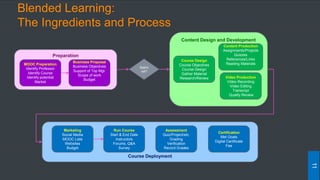
Blended Learning:
The Ingredients and Process
11
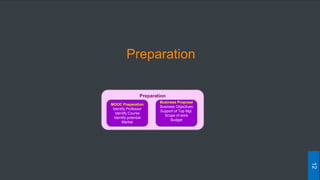
Preparation
MOOC Preparation
Identify Professor
Identify Course
Identify potential
Market
Business Proposal
Business Objectives
Support of Top Mgt.
Scope of work
Budget
Appro
val?
Content Design and Development
Course Design
Course Objectives
Course Design
Gather Material
Research/Review
Content Production
Assignments/Projects
Quizzes
References/Links
Reading Materials
Video Production
Video Recording
Video Editing
Transcript
Quality Review
Course Deployment
Run Course
Start & End Date
Instructors
Forums, Q&A
Survey
Assessment
Quiz/Project/etc.
Grading
Verification
Record Grades
Certification
Met Goals
Digital Certificate
Fee
Marketing
Social Media
MOOC Lists
Websites
Budget
Preparation
12
Preparation
MOOC Preparation
Identify Professor
Identify Course
Identify potential
Market
Business Proposal
Business Objectives
Support of Top Mgt.
Scope of work
Budget
Preparation
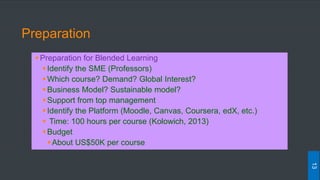
Preparation for Blended Learning
Identify the SME (Professors)
Which course? Demand? Global Interest?
Business Model? Sustainable model?
Support from top management
Identify the Platform (Moodle, Canvas, Coursera, edX, etc.)
 Time: 100 hours per course (Kolowich, 2013)
Budget
About US$50K per course
13
Fundamental Concepts
Many researchers agree that more research and experimentation
about the design of MOOCs (Digital Content) is required [McAuley et al.,
2010], [Ostashewski and Reid, 2012]
Two existing perspective: xMOOC and cMOOC [Siemens, 2012a]
xMOOC: adopt a cognitive-behaviorist lecture and knowledge
dissemination pedagogical approach similar to that of traditional
face-to-face
cMOOCs: follow a more connectivist learning approach, where
knowledge is found in the connections between people, and learning
is the development and traversal of those connections
14
Blended Learning Content:
Development of Business and Design Models
The increase interest on Digital Content opens up
opportunities for exploring new online pedagogies and
business models in education (Kolowich, 2012), (Martin, 2012).
Designing and running a Blended Course from scratch
involves several issues of logistical, technological,
pedagogical and financial nature that educators must face
(McAuley et al., 2010).
15
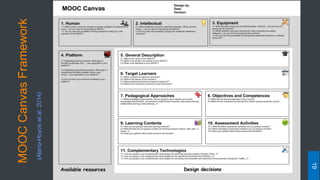
MOOC Framework for Blended Learning
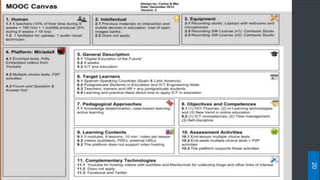
The MOOC Canvas is a simple and visual framework for
educators that need to design a MOOC from scratch.
The MOOC Canvas is inspired by the ideas and structure
of the Business Model Canvas [Osterwalder and Pigneur, 2010], but
gathering the main issues of logistical, technological,
pedagogical and financial nature that educators need to
think of during the design of a MOOC
16
MOOCBusinessModel
[OsterwalderandPigneur,2010]
17
MOOC Canvas Framework (Adapted)
[Osterwalder and Pigneur, 2010]
A total of 11 issues are addressed:
 Available Resources Category:
 Human Resources
 Intellectual resources
 Equipment (hardware and software resources
 Platform
 Design Decisions Category:
 General Description: Course name, duration and field/area
 Target learners
 Pedagogical approaches ((knowledge dissemination, connectivism, project-based
learning, case-based learning, collaborative learning, active learning, etc.)
 Learning Outcome, Objectives and competencies pursued with the course
 Learning contents that will be delivered
 Assessment activities employed
 Complementary technologies that will support the MOOC
18
MOOCCanvasFramework
(Alario-Hoyosetal.2014)
19
20
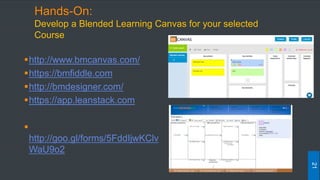
Hands-On:
Develop a Blended Learning Canvas for your selected
Course
http://www.bmcanvas.com/
https://bmfiddle.com
http://bmdesigner.com/
https://app.leanstack.com

http://goo.gl/forms/5FddIjwKClv
WaU9o2
21
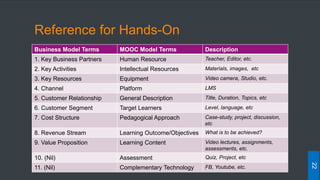
Reference for Hands-On
Business Model Terms MOOC Model Terms Description
1. Key Business Partners Human Resource Teacher, Editor, etc.
2. Key Activities Intellectual Resources Materials, images, etc
3. Key Resources Equipment Video camera, Studio, etc.
4. Channel Platform LMS
5. Customer Relationship General Description Title, Duration, Topics, etc
6. Customer Segment Target Learners Level, language, etc
7. Cost Structure Pedagogical Approach Case-study, project, discussion,
etc
8. Revenue Stream Learning Outcome/Objectives What is to be achieved?
9. Value Proposition Learning Content Video lectures, assignments,
assessments, etc.
10. (Nil) Assessment Quiz, Project, etc
11. (Nil) Complementary Technology FB, Youtube, etc.
22
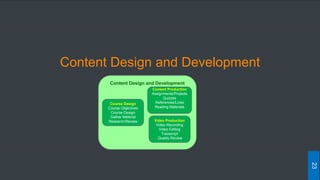
Content Design and Development
23
Content Design and Development
Course Design
Course Objectives
Course Design
Gather Material
Research/Review
Content Production
Assignments/Projects
Quizzes
References/Links
Reading Materials
Video Production
Video Recording
Video Editing
Transcript
Quality Review
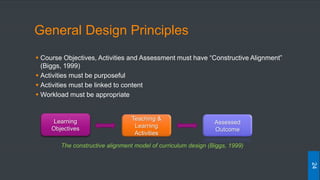
General Design Principles
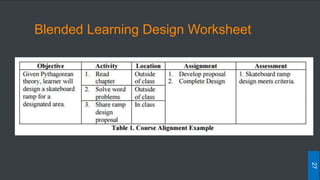
 Course Objectives, Activities and Assessment must have “Constructive Alignment”
(Biggs, 1999)
 Activities must be purposeful
 Activities must be linked to content
 Workload must be appropriate
24
Learning
Objectives
Teaching &
Learning
Activities
Assessed
Outcome
The constructive alignment model of curriculum design (Biggs, 1999)
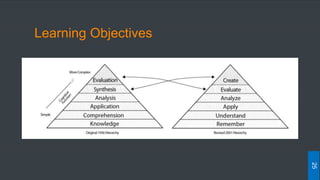
Learning Objectives
25
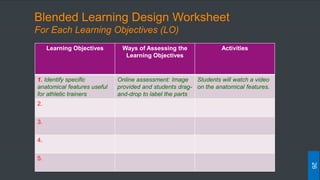
Blended Learning Design Worksheet
For Each Learning Objectives (LO)
26
Learning Objectives Ways of Assessing the
Learning Objectives
Activities
1. Identify specific
anatomical features useful
for athletic trainers
Online assessment: Image
provided and students drag-
and-drop to label the parts
Students will watch a video
on the anatomical features.
2.
3.
4.
5.
Blended Learning Design Worksheet
27
Digital Content Development
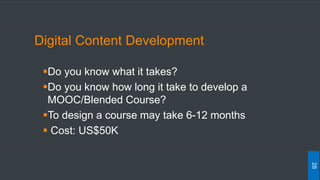
Do you know what it takes?
Do you know how long it take to develop a
MOOC/Blended Course?
To design a course may take 6-12 months
 Cost: US$50K
28
29
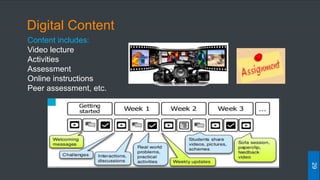
Content includes:
Video lecture
Activities
Assessment
Online instructions
Peer assessment, etc.
Digital Content
30
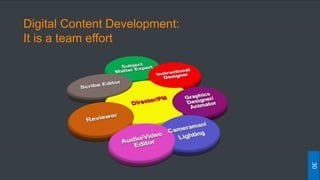
Digital Content Development:
It is a team effort
Process for
Digital Content Development
31
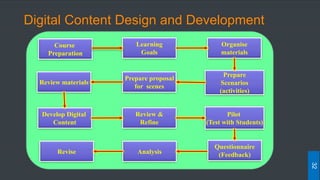
Digital Content Design and Development
Course
Preparation
Learning
Goals
Organise
materials
Prepare
Scenarios
(activities)
Prepare proposal
for scenes
Review materials
Develop Digital
Content
Review &
Refine
Pilot
(Test with Students)
Questionnaire
(Feedback)AnalysisRevise
32
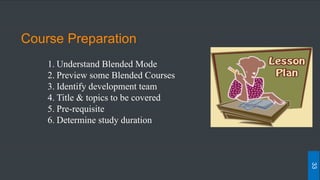
Course Preparation
1. Understand Blended Mode
2. Preview some Blended Courses
3. Identify development team
4. Title & topics to be covered
5. Pre-requisite
6. Determine study duration
33
Learning Goals
1.Determine target audience (young students, adult, researchers)
2.Determine Learning Goals (What is to be achieved by students?)
3.Divide into topics and sub-topics (Learning Objects - LO)
4.Determine the learning goals for each LO
5.Each LO should be about 3-7 min.
34
Organise the materials
1. List LOs
2.Determine sequence of the LO
3.Prepare materials for each LO:
• Select tools, pictures, diagrams, powerpoint slides, etc.
4.Assignment, projects, Quiz, etc
5. Review the goals for each LO. Is it achievable?
35
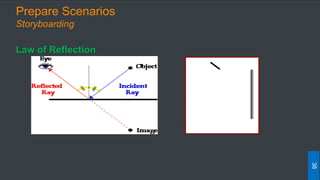
Prepare Scenarios
• Create the storyboard
• Determine activities for the LO
• Activities:
• Problem Solving
• Case Study – Video?
• Brainstorm - Discussion?
• Cognitive – Reflecting?
• Coaching – Peer feedback?
36
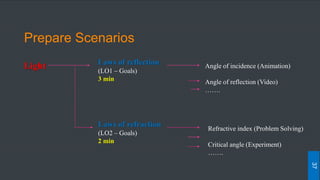
Prepare Scenarios
Light Angle of incidence (Animation)
Angle of reflection (Video)
…….
Laws of refraction
(LO2 – Goals)
2 min
Laws of reflection
(LO1 – Goals)
3 min
Refractive index (Problem Solving)
Critical angle (Experiment)
…….
37
Prepare Scenarios
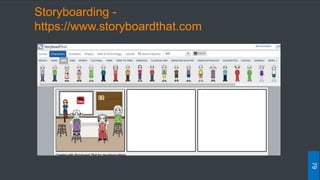
Storyboarding
Law of Reflection
38
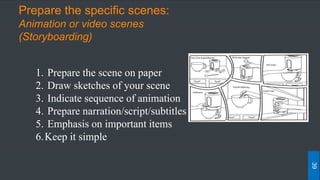
Prepare the specific scenes:
Animation or video scenes
(Storyboarding)
1. Prepare the scene on paper
2. Draw sketches of your scene
3. Indicate sequence of animation
4. Prepare narration/script/subtitles
5. Emphasis on important items
6.Keep it simple
39
Review Materials
1. Review your materials
2. Ensure the learning takes place
3. Is there a better way to achieve the goals?
4. Consider the likely questions that the student
might ask - Have you addressed it?
5. Get a committee (or another SME) to review materials
40
Develop Digital Content
1. Create the scene using the various software
2. Select a template/theme (background)
3.Draw graphics/edit pictures/animations – multimedia staff
4. Video shooting – Studio, Cameraman,
5. Record the narration (VO talent)
6. Video editing (include scene, scripts, etc.)
7. The final format – follow platform requirements.
8. Assignments, quiz, projects – use platform (e.g. edX)
41
Review & Refine
1. Review your digital content
2. Content in context?
3. Is the picture/animation/audio/video in context?
4. Is there a better way to represent the context?
5. Modify if necessary
6. Check the quality of audio, video, picture, etc.
7. Check download time (break up if necessary)
42
Pilot Test & Feedback
Conduct a pilot test with student
They need to go through all the materials
Provide a feedback form/survey
43
 Analyse the feedback
 Take corrective actions
 Ready for deployment
44
Analyse, Revise and Deploy
New Technologies:
For Developing Blended Course
45
Learning Management System (LMS)
46
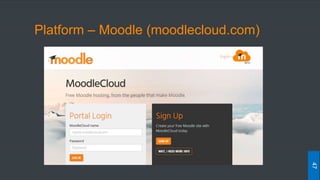
Platform – Moodle (moodlecloud.com)
47
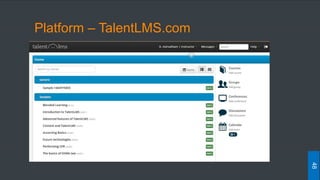
Platform – TalentLMS.com
48
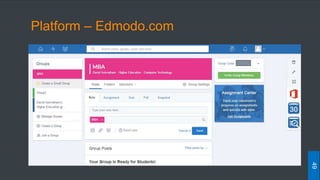
Platform – Edmodo.com
49
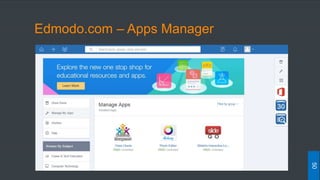
Edmodo.com – Apps Manager
50
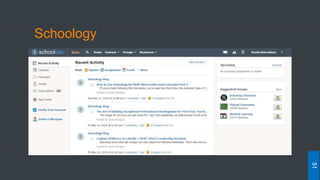
Schoology
51
Screen Sharing (Collaboration)
52
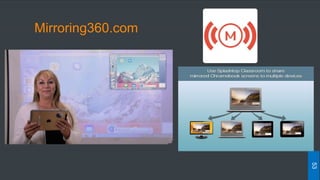
Mirroring360.com
53
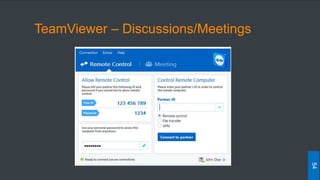
TeamViewer – Discussions/Meetings
54
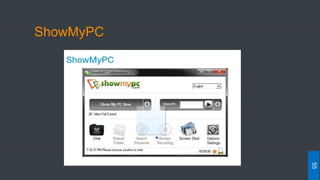
ShowMyPC
55
Live Classroom Quiz/Interactivity
56
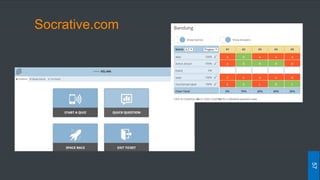
Socrative.com
57
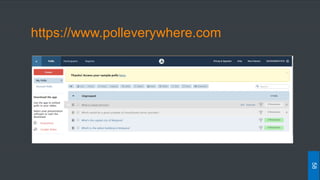
https://www.polleverywhere.com
58
Lecture Capture/Editing
59
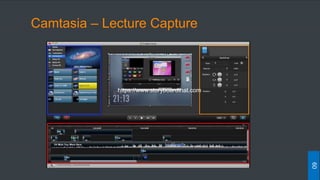
Camtasia – Lecture Capture
60
https://www.storyboardthat.com
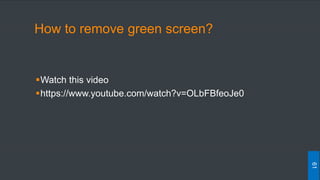
How to remove green screen?
Watch this video
https://www.youtube.com/watch?v=OLbFBfeoJe0
61
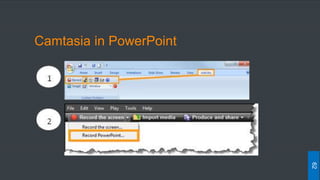
Camtasia in PowerPoint
62
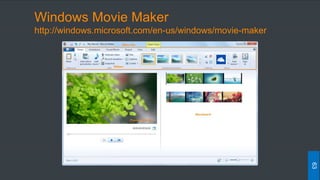
Windows Movie Maker
http://windows.microsoft.com/en-us/windows/movie-maker
63
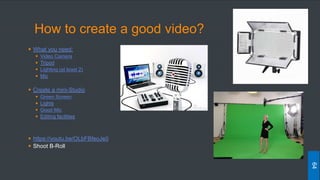
How to create a good video?
 What you need:
 Video Camera
 Tripod
 Lighting (at least 2)
 Mic
 Create a mini-Studio
 Green Screen
 Lights
 Good Mic
 Editing facilities
 https://youtu.be/OLbFBfeoJe0
 Shoot B-Roll
64
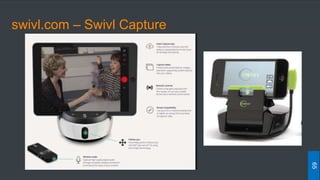
swivl.com – Swivl Capture
65
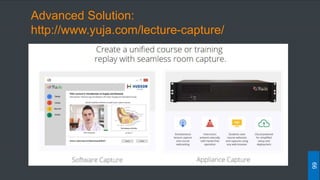
Advanced Solution:
http://www.yuja.com/lecture-capture/
66
Quiz/Survey
67
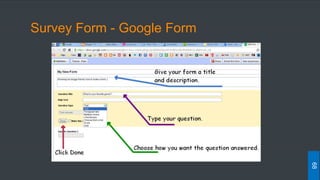
Survey Form - Google Form
68
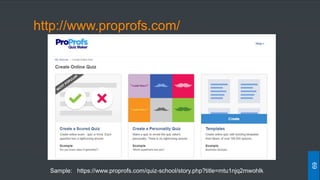
http://www.proprofs.com/
69
Sample: https://www.proprofs.com/quiz-school/story.php?title=mtu1njq2mwohlk
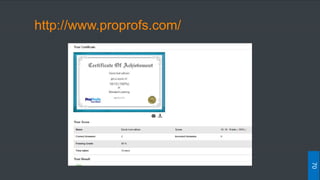
http://www.proprofs.com/
70
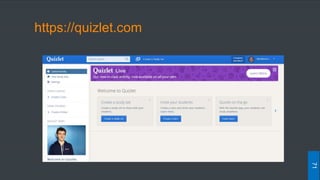
https://quizlet.com
71
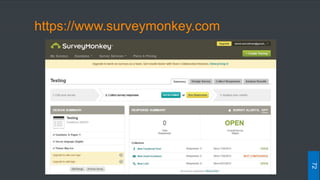
https://www.surveymonkey.com
72
Online Discussions/Blogs
73
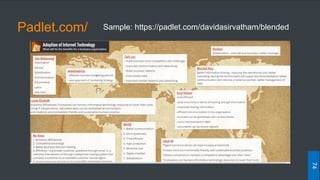
Padlet.com/
74
Sample: https://padlet.com/davidasirvatham/blended
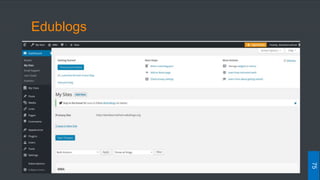
Edublogs
75
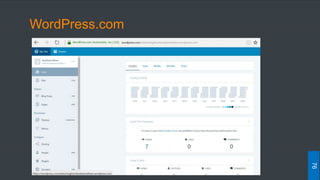
WordPress.com
76
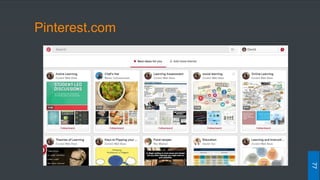
Pinterest.com
77
Storyboarding
78
Storyboarding -
https://www.storyboardthat.com
79
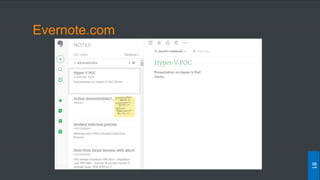
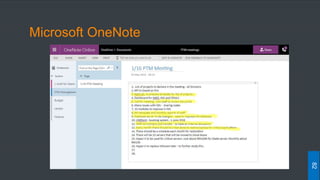
Notes for Students
80
Evernote.com
81
Microsoft OneNote
82
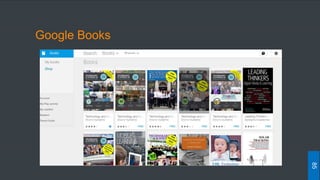
References/Resources
83
https://www.youtube.com/edu
84
Google Books
85
Google Apps for Education
86
Summary:
How to Start?
 Start small (conduct 2 lessons online)
 You need some expertise (Training/YouTube/Website)
 Have online activities using the Technology introduced
 Create a min-Studio in your college (It is not
expensive)
 Start creating your own video lectures
 Try Flipped Classroom
87
Summary:
Focus on Learning
 Not Technology, but how we “learn” is important
 Focus on learning outcomes
 Technology should be the “enabler”
 Technology should make it better, fast and cheaper
to learn
 Do it and improve it
88
THANK YOU
89

Adopting New Learning Technologies