Adobe ®  Flex ™ an introduction Uday M. Shankar
Why should I care about ‘another’ technology?
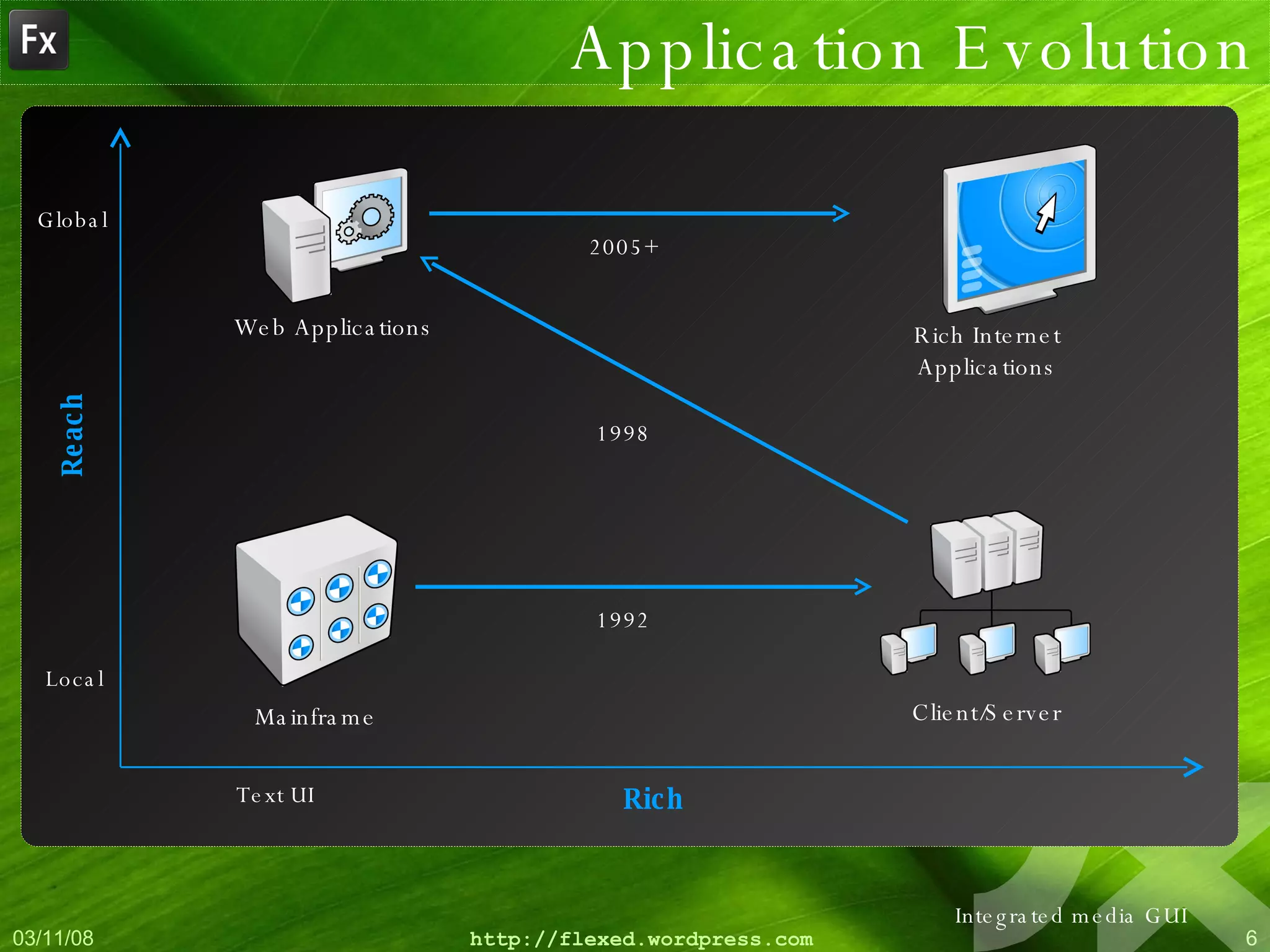
Application Evolution Client/Server Mainframe Reach Local Global Rich Text UI Integrated media GUI
Application Evolution Client/Server Mainframe Reach Local Global Rich Text UI Integrated media GUI 1992
Application Evolution Client/Server Mainframe Web Applications Reach Local Global Rich Text UI Integrated media GUI 1992 1998
Application Evolution Client/Server Mainframe Web Applications Reach Local Global Rich Text UI Integrated media GUI 1992 1998 2005+ Rich Internet Applications
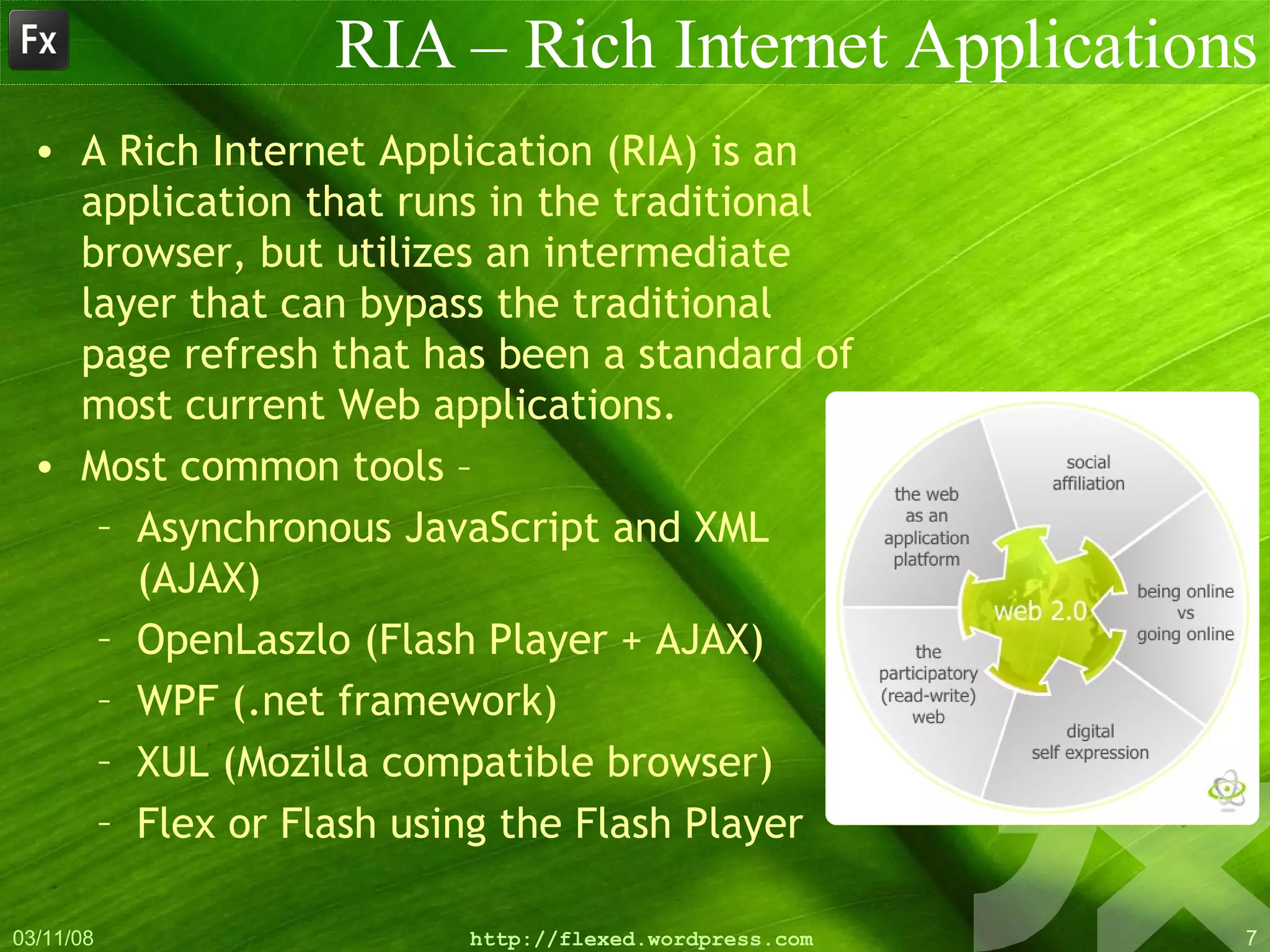
RIA – Rich Internet Applications A Rich Internet Application (RIA) is an application that runs in the traditional browser, but utilizes an intermediate layer that can bypass the traditional page refresh that has been a standard of most current Web applications.  Most common tools – Asynchronous JavaScript and XML (AJAX) OpenLaszlo (Flash Player + AJAX) WPF (.net framework) XUL (Mozilla compatible browser) Flex or Flash using the Flash Player
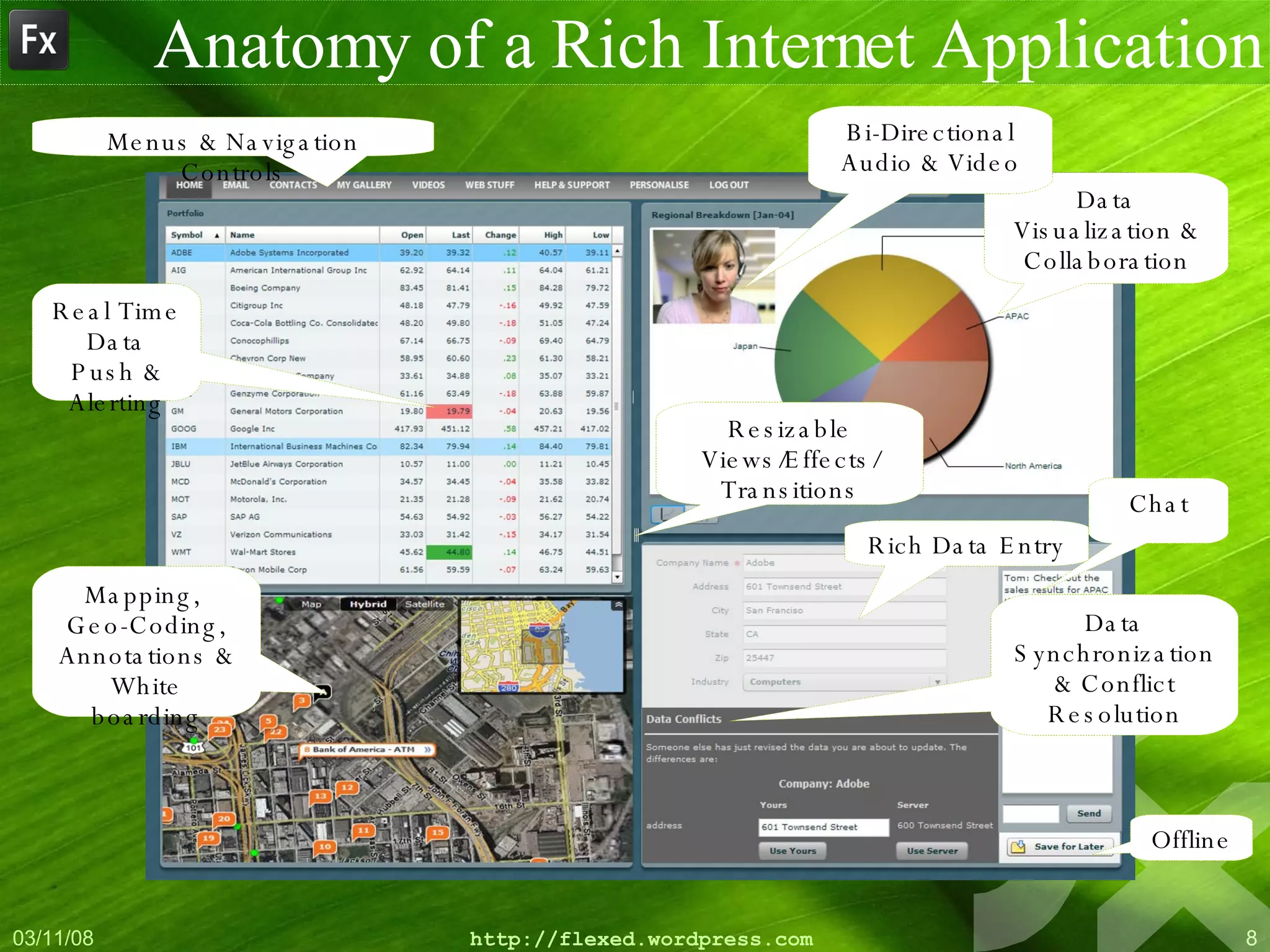
Anatomy of a Rich Internet Application Data Visualization & Collaboration Real Time Data Push & Alerting Chat Offline Data Synchronization & Conflict Resolution Bi-Directional Audio & Video Rich Data Entry Menus & Navigation Controls Resizable Views/Effects/ Transitions Mapping,  Geo-Coding, Annotations & White boarding
Adobe ®  Flex ™
 
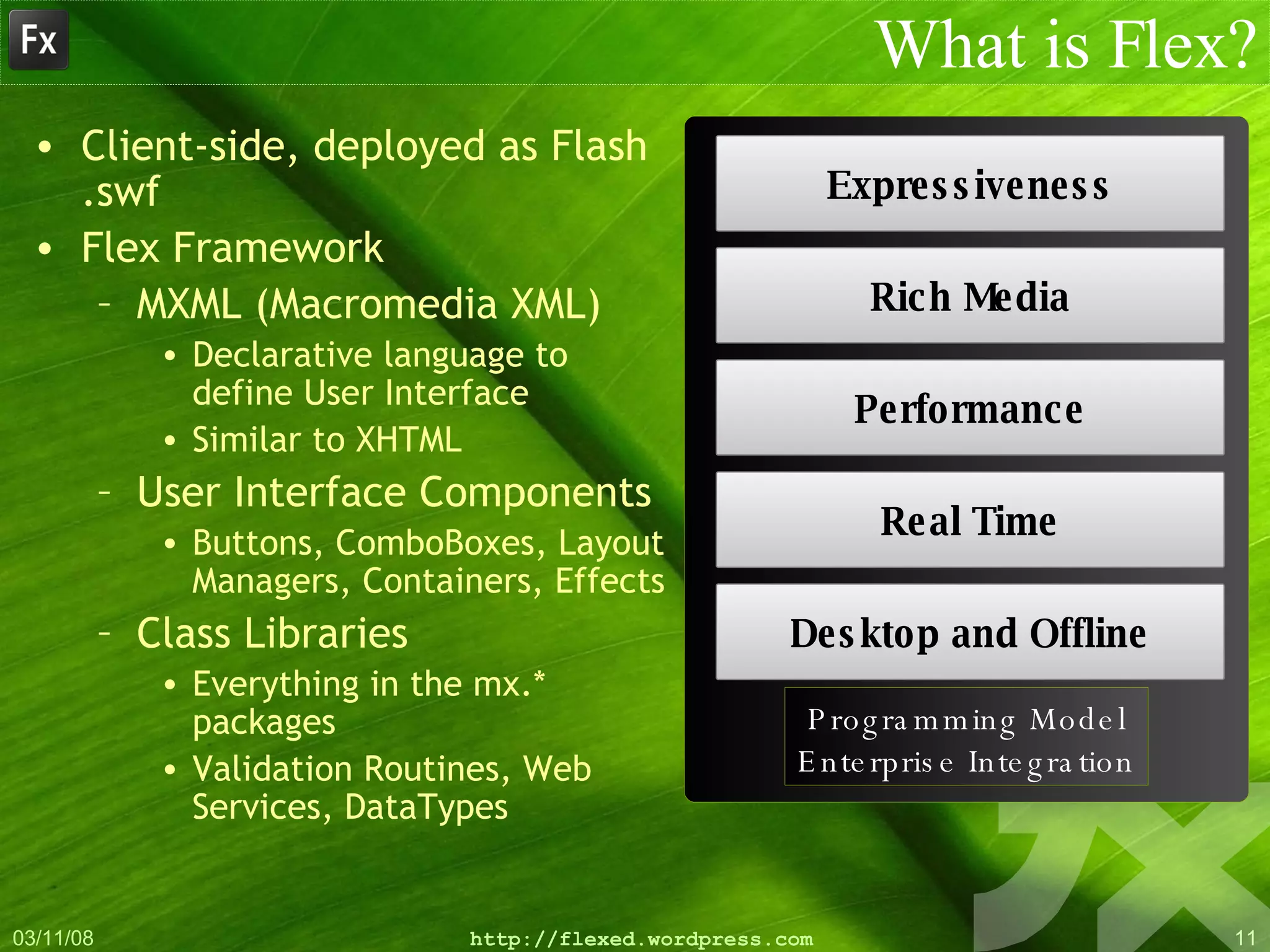
What is Flex? Client-side, deployed as Flash .swf Flex Framework MXML (Macromedia XML) Declarative language to define User Interface Similar to XHTML User Interface Components Buttons, ComboBoxes, Layout Managers, Containers, Effects Class Libraries Everything in the mx.* packages Validation Routines, Web Services, DataTypes Expressiveness Rich Media Performance Real Time Desktop and Offline Programming Model Enterprise Integration
Flex vs. Flash Flex evolved from Flash Flash  was  a complete animation tool Flex is a development platform Output of Flex is a compiled SWF file Library SWF Compiled object, No special server required, Runs on Flash Player, Cross Browser compatible Flex Compiler AS3 MXML Flash Authoring Flex Builder (and SDK) AS2 Flash Compiler CSS
Flex vs. AJAX Cross browser compatible Flash player runs in MAC, Windows, Linux, Solaris(!!!) Compiled source More matured, structured Better documentation, online communities Better charting capabilities Better debugging capabilities Better client access using AIR etc. Really SEXY look-and-feel(!!!!) It’s javascript + more Asynchronous Object model Modularised
Where does Flex fit in? As Presentation Layer Any language on the  backend. SWF can be  served by any HTTP webserver. Can serve as UI  for different  applications. Can be ‘the’  application too. With AIR, can  work as Desktop  Clients. Code once. Port  to web/desktop. Any Language/Server PHP .net Java/JSP/Struts/J2EE Web Services 3 rd  Party APIs Database -MYSQL -DB2 -Oracle -Sybase -MSSQL -Access?
How Flex works… MXML and ActionScript Flex Class Library
Flex for designers MXML ~ HTML, Actionscript ~ Javascript Flex Builder comes with a WYSIWYG designer CSS support/Runtime skinning support States Management Layout/Navigation Canvas, Form, VBox, HBox, ControlBar, Accordion, LinkBar, MenuBar, ViewStack Controls Button, CheckBox, ComboBox, DataGrid, TextInput, List, Label, Tree Charts BarChart, PieChart, LineChart
Flex for developers Actionscript ~ Javascript + Java.  MXML ~ Actionscript Familiar syntax Similar to C++, Java, C#, JavaScript Dynamic Language, Strong/Weak Typing Variables can hold any type Can bind variable to specific data type Visibility Modifiers Public - Accessible to anyone Private - Only accessible inside the class (current .mxml or .as) Protected - Accessible inside the class and subclasses Internal - Only accessible to classes in the same package Default value (when visibility is omitted) The new  *  datatype in AS 3
Flex for developers Data Connectivity HTTPService, RemoteObject, WebService, XML Validation EmailValidator, DateValidator, ZipCodeValidator Effects Zoom, Resize, Move, Fade Data Binding “ Glues” data from source to destination When source data changes, destination auto-updates Define with { and } <mx:Button label=“{ userInput.text }” /> Use [Bindable] meta-data to mark properties as able to be bound Explicit because performance implications
Introducing the Flex 3 Product Line Visual Layout Flex Builder 3 Code Hinting Debugging Skinning and Styling Flex SDK 3 (FREE) Command-line Compiler & Debugger Flex Data Services Message Service Data Management Service RPC Services MXML and ActionScript 3.0 Flex Framework and Class Library Flex  Charting Extensible Charting Components Open Source
Blah… Blah… Blah… Enough….  Now, Lets see some action…!!!
Hello World Basic 1 Very basic. Mxml Only Basic 2 Mxml with inline Actionscript Advanced Get value from user Uses a combination of MXML and Actionscript How to use components
Login Screen Login Screen Uses 3 states Login Entry, Login Success, Login Fail Example covers States Talking to PHP/MYSQL in XML Transitions
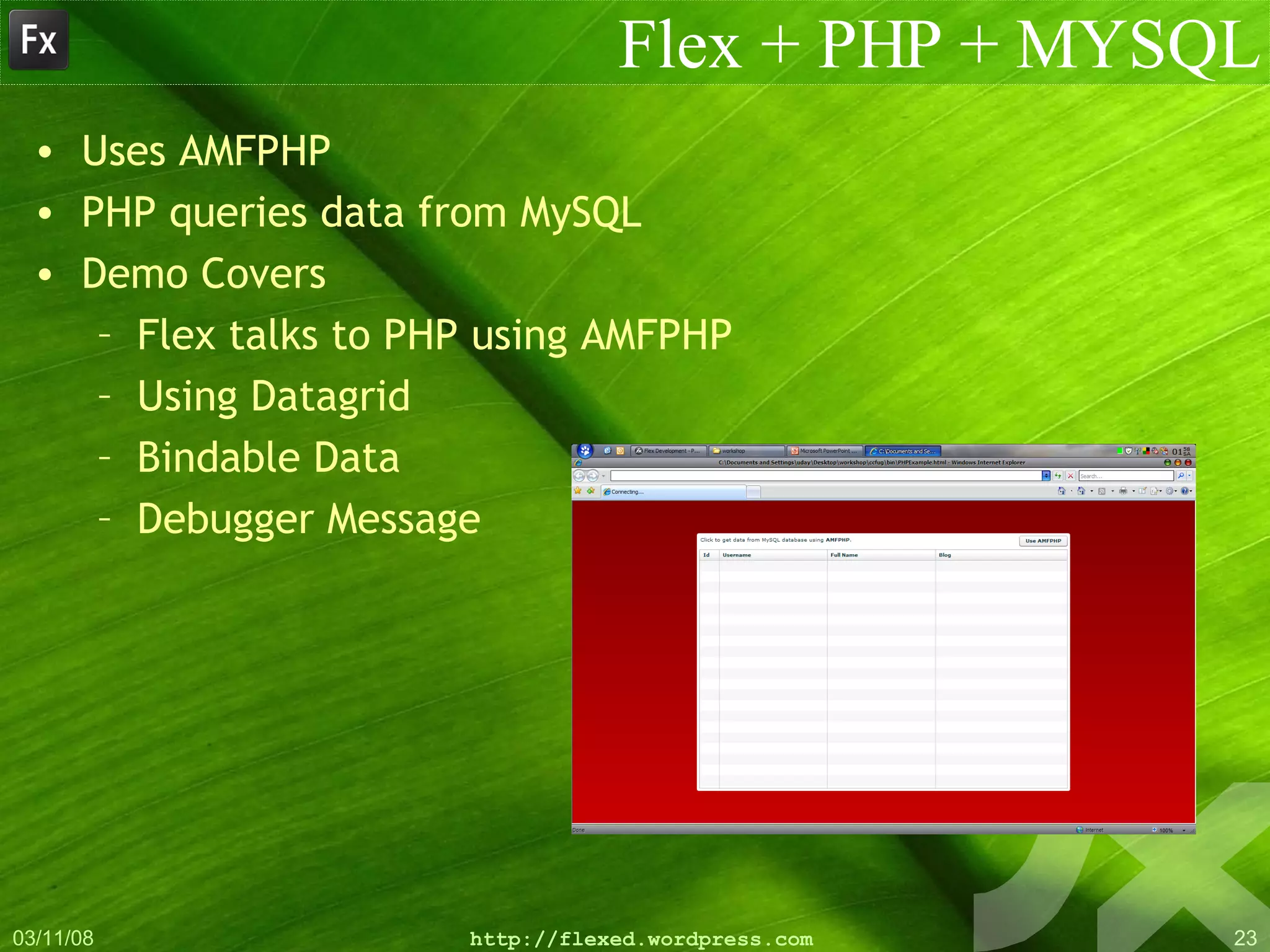
Flex + PHP + MYSQL Uses AMFPHP PHP queries data from MySQL Demo Covers Flex talks to PHP using AMFPHP Using Datagrid Bindable Data Debugger Message
Adobe ®  AIR ™
Silverlight, AJAX, XUL, Laslo M$ $ilverlight (Deserves a special mention) Exciting new platform with promises? -  YES!!!! Flash Killer? -  NO!!!! M$ Windows only and Vi$ual $tudio for IDE Requires 50 / 200 MB .NET 3.x runtime Steep learning curve The rest of them all Browser dependant Platform dependant* Standardization & Maturity - A loooooong way to go Above all… Adobe has another key card – Adobe AIR. The way I see it… Sparkle (XAML) = Flex (MXML)  Flash Player = Silverlight
Adobe Integrated Runtime ( AIR ) is a cross-platform runtime that allows you to leverage your existing web applications skills to build and deploy Rich Internet Applications (RIAs) to the desktop What’s AIR™? ” “
Adobe Integrated Runtime (AIR) is a  cross-platform  runtime that allows you to leverage your existing web applications skills to build and deploy Rich Internet Applications (RIAs) to the desktop What’s AIR™? ” “ Windows Mac Linux Solaris (???)
Adobe Integrated Runtime (AIR) is a cross-platform  runtime  that allows you to leverage your existing web applications skills to build and deploy Rich Internet Applications (RIAs) to the desktop What’s AIR™? ” “ No GUI Chromeless container Runs in Background Like JRE Not a replacement for browser
Adobe Integrated Runtime (AIR) is a cross-platform runtime that allows  you  to leverage your existing web applications skills to build and deploy Rich Internet Applications (RIAs) to the desktop What’s AIR™? ” “ YOU Architects Developers Designers HCI Professionals
Adobe Integrated Runtime (AIR) is a cross-platform runtime that allows you to leverage your  existing web applications skills  to build and deploy Rich Internet Applications (RIAs) to the desktop What’s AIR™? ” “ Flex/Flash HTML/CSS Javascript/Ajax PDFs
Adobe Integrated Runtime (AIR) is a cross-platform runtime that allows you to leverage your   existing web applications skills to  build and deploy  Rich Internet Applications (RIAs) to the desktop What’s AIR™? ” “ .air Packages Deploy to desktop with double click install Distribute as standalone or packaged with runtime Remember JWS?
Adobe Integrated Runtime (AIR) is a cross-platform runtime that allows you to leverage your   existing web applications skills to build and deploy Rich Internet Applications (RIAs)  to the desktop What’s AIR™? ” “ File I/O Offline / Online System Events
So, What???
Why Adobe® AIR™?
More on Adobe® AIR™ Flash runtime + WebKit + pdf renderer No browser dependency Rich set of API to work with File, Network, Local Database, window, menu, etc Much more responsive than standard web application Ability to go offline and then re-synch when back online Local storage on disk AIR applications can communicate with each other CF pages can run inside of an  AIR application, but only within  a frame in html
Questions?
Acknowledgements Ted Patrick Mike Potter Raghunath Rao And many others… And of course, www.google.com
Thank you… [email_address] udayms.wordpress.com | flexed.wordpress.com

Adobe® Flex™

  • 1.
    Adobe ® Flex ™ an introduction Uday M. Shankar
  • 2.
    Why should Icare about ‘another’ technology?
  • 3.
    Application Evolution Client/ServerMainframe Reach Local Global Rich Text UI Integrated media GUI
  • 4.
    Application Evolution Client/ServerMainframe Reach Local Global Rich Text UI Integrated media GUI 1992
  • 5.
    Application Evolution Client/ServerMainframe Web Applications Reach Local Global Rich Text UI Integrated media GUI 1992 1998
  • 6.
    Application Evolution Client/ServerMainframe Web Applications Reach Local Global Rich Text UI Integrated media GUI 1992 1998 2005+ Rich Internet Applications
  • 7.
    RIA – RichInternet Applications A Rich Internet Application (RIA) is an application that runs in the traditional browser, but utilizes an intermediate layer that can bypass the traditional page refresh that has been a standard of most current Web applications. Most common tools – Asynchronous JavaScript and XML (AJAX) OpenLaszlo (Flash Player + AJAX) WPF (.net framework) XUL (Mozilla compatible browser) Flex or Flash using the Flash Player
  • 8.
    Anatomy of aRich Internet Application Data Visualization & Collaboration Real Time Data Push & Alerting Chat Offline Data Synchronization & Conflict Resolution Bi-Directional Audio & Video Rich Data Entry Menus & Navigation Controls Resizable Views/Effects/ Transitions Mapping, Geo-Coding, Annotations & White boarding
  • 9.
    Adobe ® Flex ™
  • 10.
  • 11.
    What is Flex?Client-side, deployed as Flash .swf Flex Framework MXML (Macromedia XML) Declarative language to define User Interface Similar to XHTML User Interface Components Buttons, ComboBoxes, Layout Managers, Containers, Effects Class Libraries Everything in the mx.* packages Validation Routines, Web Services, DataTypes Expressiveness Rich Media Performance Real Time Desktop and Offline Programming Model Enterprise Integration
  • 12.
    Flex vs. FlashFlex evolved from Flash Flash was a complete animation tool Flex is a development platform Output of Flex is a compiled SWF file Library SWF Compiled object, No special server required, Runs on Flash Player, Cross Browser compatible Flex Compiler AS3 MXML Flash Authoring Flex Builder (and SDK) AS2 Flash Compiler CSS
  • 13.
    Flex vs. AJAXCross browser compatible Flash player runs in MAC, Windows, Linux, Solaris(!!!) Compiled source More matured, structured Better documentation, online communities Better charting capabilities Better debugging capabilities Better client access using AIR etc. Really SEXY look-and-feel(!!!!) It’s javascript + more Asynchronous Object model Modularised
  • 14.
    Where does Flexfit in? As Presentation Layer Any language on the backend. SWF can be served by any HTTP webserver. Can serve as UI for different applications. Can be ‘the’ application too. With AIR, can work as Desktop Clients. Code once. Port to web/desktop. Any Language/Server PHP .net Java/JSP/Struts/J2EE Web Services 3 rd Party APIs Database -MYSQL -DB2 -Oracle -Sybase -MSSQL -Access?
  • 15.
    How Flex works…MXML and ActionScript Flex Class Library
  • 16.
    Flex for designersMXML ~ HTML, Actionscript ~ Javascript Flex Builder comes with a WYSIWYG designer CSS support/Runtime skinning support States Management Layout/Navigation Canvas, Form, VBox, HBox, ControlBar, Accordion, LinkBar, MenuBar, ViewStack Controls Button, CheckBox, ComboBox, DataGrid, TextInput, List, Label, Tree Charts BarChart, PieChart, LineChart
  • 17.
    Flex for developersActionscript ~ Javascript + Java. MXML ~ Actionscript Familiar syntax Similar to C++, Java, C#, JavaScript Dynamic Language, Strong/Weak Typing Variables can hold any type Can bind variable to specific data type Visibility Modifiers Public - Accessible to anyone Private - Only accessible inside the class (current .mxml or .as) Protected - Accessible inside the class and subclasses Internal - Only accessible to classes in the same package Default value (when visibility is omitted) The new * datatype in AS 3
  • 18.
    Flex for developersData Connectivity HTTPService, RemoteObject, WebService, XML Validation EmailValidator, DateValidator, ZipCodeValidator Effects Zoom, Resize, Move, Fade Data Binding “ Glues” data from source to destination When source data changes, destination auto-updates Define with { and } <mx:Button label=“{ userInput.text }” /> Use [Bindable] meta-data to mark properties as able to be bound Explicit because performance implications
  • 19.
    Introducing the Flex3 Product Line Visual Layout Flex Builder 3 Code Hinting Debugging Skinning and Styling Flex SDK 3 (FREE) Command-line Compiler & Debugger Flex Data Services Message Service Data Management Service RPC Services MXML and ActionScript 3.0 Flex Framework and Class Library Flex Charting Extensible Charting Components Open Source
  • 20.
    Blah… Blah… Blah…Enough…. Now, Lets see some action…!!!
  • 21.
    Hello World Basic1 Very basic. Mxml Only Basic 2 Mxml with inline Actionscript Advanced Get value from user Uses a combination of MXML and Actionscript How to use components
  • 22.
    Login Screen LoginScreen Uses 3 states Login Entry, Login Success, Login Fail Example covers States Talking to PHP/MYSQL in XML Transitions
  • 23.
    Flex + PHP+ MYSQL Uses AMFPHP PHP queries data from MySQL Demo Covers Flex talks to PHP using AMFPHP Using Datagrid Bindable Data Debugger Message
  • 24.
    Adobe ® AIR ™
  • 25.
    Silverlight, AJAX, XUL,Laslo M$ $ilverlight (Deserves a special mention) Exciting new platform with promises? - YES!!!! Flash Killer? - NO!!!! M$ Windows only and Vi$ual $tudio for IDE Requires 50 / 200 MB .NET 3.x runtime Steep learning curve The rest of them all Browser dependant Platform dependant* Standardization & Maturity - A loooooong way to go Above all… Adobe has another key card – Adobe AIR. The way I see it… Sparkle (XAML) = Flex (MXML) Flash Player = Silverlight
  • 26.
    Adobe Integrated Runtime( AIR ) is a cross-platform runtime that allows you to leverage your existing web applications skills to build and deploy Rich Internet Applications (RIAs) to the desktop What’s AIR™? ” “
  • 27.
    Adobe Integrated Runtime(AIR) is a cross-platform runtime that allows you to leverage your existing web applications skills to build and deploy Rich Internet Applications (RIAs) to the desktop What’s AIR™? ” “ Windows Mac Linux Solaris (???)
  • 28.
    Adobe Integrated Runtime(AIR) is a cross-platform runtime that allows you to leverage your existing web applications skills to build and deploy Rich Internet Applications (RIAs) to the desktop What’s AIR™? ” “ No GUI Chromeless container Runs in Background Like JRE Not a replacement for browser
  • 29.
    Adobe Integrated Runtime(AIR) is a cross-platform runtime that allows you to leverage your existing web applications skills to build and deploy Rich Internet Applications (RIAs) to the desktop What’s AIR™? ” “ YOU Architects Developers Designers HCI Professionals
  • 30.
    Adobe Integrated Runtime(AIR) is a cross-platform runtime that allows you to leverage your existing web applications skills to build and deploy Rich Internet Applications (RIAs) to the desktop What’s AIR™? ” “ Flex/Flash HTML/CSS Javascript/Ajax PDFs
  • 31.
    Adobe Integrated Runtime(AIR) is a cross-platform runtime that allows you to leverage your existing web applications skills to build and deploy Rich Internet Applications (RIAs) to the desktop What’s AIR™? ” “ .air Packages Deploy to desktop with double click install Distribute as standalone or packaged with runtime Remember JWS?
  • 32.
    Adobe Integrated Runtime(AIR) is a cross-platform runtime that allows you to leverage your existing web applications skills to build and deploy Rich Internet Applications (RIAs) to the desktop What’s AIR™? ” “ File I/O Offline / Online System Events
  • 33.
  • 34.
  • 35.
    More on Adobe®AIR™ Flash runtime + WebKit + pdf renderer No browser dependency Rich set of API to work with File, Network, Local Database, window, menu, etc Much more responsive than standard web application Ability to go offline and then re-synch when back online Local storage on disk AIR applications can communicate with each other CF pages can run inside of an AIR application, but only within a frame in html
  • 36.
  • 37.
    Acknowledgements Ted PatrickMike Potter Raghunath Rao And many others… And of course, www.google.com
  • 38.
    Thank you… [email_address]udayms.wordpress.com | flexed.wordpress.com