How to Present a Paper at an
Academic Conference
Steve Wallace
08/19/24 Wallace Academic Editing
Proofreading, Editing, Translation
Over 20,000 words! Get 15% Discount.>>> Get free quote now
Speaker Introduction
 NCTU, NTHU and ITRI technical writing
and conference presentation teacher for
Electrical Engineering graduate students
 Goal as a teacher is help my students
publish papers
 Editing Service: 86 Colleges, Universities
and Research Institutes. Over 4,300
papers total.
08/19/24 Academic Editing Proofreading Service
Speech Outline
 How to prepare a convincing technical
presentation in English
 Key sentences for all conference
functions
 Making comments and answering
questions
 Strategies for handling Q&A
 Connect with other researchers
 What to include in PowerPoint
08/19/24 Academic Editing Proofreading Service
Why Go to Conferences?
 To get published
 To meet your reviewers
 Stay at the conference hotel
 Buy coffee
 Birds of a feather (BOF’s) and Special interest groups
(SIG’s)
 To meet your editor
 Get invited to submit
 See what the editor wants
 To meet coauthors
 Share your research with your field
 Get feedback that can make your work better
08/19/24 Academic Editing Proofreading Service
Conference Presentations
08/19/24 Academic Editing Proofreading Service
Bad Conference Presentations
 You’ve seen poor conference presentations.
 # 1 complaint of conference attendees
08/19/24 Academic Editing Proofreading Service
Why Do Smart People Give Poor
Talks?
 Poor speaking is a reaction to fear.
 Presentations are not journal articles. They’re a
completely different communication, and they
require different skills.
08/19/24 Academic Editing Proofreading Service
An Effective Talk Must Do
Two Things
1. Persuade you audience with evidence
2. Be interesting and entertaining
08/19/24 Academic Editing Proofreading Service
Principles of Effective Conference
Presentations
 Talk, instead of reading
 Stand up
 Move around
 Make eye contact with your audience
 Don’t only look at one side of the room
 Imitate excellent speakers
08/19/24 Academic Editing Proofreading Service
 Talk, instead of reading
 Academic writing does not make good speaking.
 Speak about the slide instead of reading it.
 Stand up
 This lets people in the back rows see your face and hear you
better.
 Move around
 It’s easier to keep focusing on someone who’s moving.
 Simply walking from one side of the room to the other every 3-4
minutes is usually enough.
08/19/24 Academic Editing Proofreading Service
 Make eye contact with your audience
 If this makes you afraid, pretend to make eye contact by looking
around the room.
 Or, find a few friendly faces at different places and speak to
them.
 Don’t only look at one side of the room
 A projector forces you to stand far to one side or the other. Avoid
this by moving from one side of the screen to the other.
 Imitate excellent speakers
 Watch experienced speakers and copy their presentation style.
 Find someone in your field to imitate. Notice not only what they
say, but what they do: how they move, how they use their
voices, how they look at audience, how they handle timing and
questions.
08/19/24 Academic Editing Proofreading Service
10 Tips to Develop Confidence in
Conference Presentations
1. Expect to be nervous
2. Prepare
3. Practice
4. Breathe
5. Rehearse
6. Focus on your audience
7. Simplify
8. Picture success
9. Connect with your audience
10. Pretend to be confident
08/19/24 Academic Editing Proofreading Service
Voice Quality
You should vary your voice, so it can be more interesting for your
audience. You can vary your voice in at least three ways:
 Speed
Speak at a normal, faster, slower speed, or you can stop
completely! You can also pause to get your audience’s attention.
 Tone
Change the pitch of your voice. Speak with a higher tone or
speak with a lower tone.
 Volume
You can speak with a normal, louder volume or you can speak
quietly. Lowering your voice and speaking quietly can attract your
audience’s interest.
08/19/24 Academic Editing Proofreading Service
The Speaking Voice
 You want to fill the whole room with your voice. Make a
recording of yourself speaking in a large room. Do you talk in
a monotone? Do you speak unclearly? Do you speak too
fast? Do you show confidence? Or does every sentence
sound like a question?
 Speak from the stomach, not the throat.
 Breathe deeply, it’s necessary to create volume, and will
also help you keep your mind clear.
08/19/24 Academic Editing Proofreading Service
Think About Your Presentation
Goals
 In conference talks you should have at least two goals:
1. Leave your audience with a clear picture of your
contribution
2. Make them want to read your paper
 Your presentation should not replace your paper, but make
the audience want to look for it. Talk about information in the
paper that can’t be completely covered in the presentation.
08/19/24 Academic Editing Proofreading Service
 Timing issues
 The oral presentation of a paper is usually a 12-minute
presentation of your research with an additional 3 minutes for
questions.
 In conferences, exceeding your time limit is not polite
 If you don’t have enough time, just pause and make some
adjustments so you can finish on time. For example, skip slides,
say less about each slide, or go directly to the conclusion.
 If you are waiting to speak and another speaker is using your
time, wait a couple of minutes, then politely say something like
“I’m sorry, but I’d like to be sure we have enough time for my talk
as well.”
 Practice, practice, practice
 The only way to be sure your timing is right is to practice your
talk: every word of it, exactly as you plan to deliver it.
08/19/24 Academic Editing Proofreading Service
Have a Timing Device
 Use a watch or cell phone with a timing function
But these only work if you remember to use the timer, and the numbers
are large enough to read easily while you’re talking.
 PowerPoint’s “Presenter Tools” has a stopwatch
The problem is remembering to start the stopwatch at the beginning of
your talk.
 Develop your sense of timing by always using the same
slide format
You will know how many minutes. It usually takes you to speak about
one slide after a few talks . You can estimate the length of a new talk
from the number of slides you have.
08/19/24 Academic Editing Proofreading Service
 Pretend you have a 20-minute talk
When you’re practicing, mark your notes or slides when you hit
the 5-, 10-, 15- and 18-minute points.
 Decide in advance which slides you can skip
Make a small mark on slides that are not essential for the
presentation. If you are out of time, always skip slides in the
middle and jump to the conclusion so you can spend enough time
on that.
 As a beginning speaker, don’t leave your outline
 Don’t try to do something unplanned during a talk.
 Practice telling a joke or a story and make your audience to think
you just thought of.
08/19/24 Academic Editing Proofreading Service
A Short Conference Talk Outline
 Title/author/university (1 slide)
 Abstract (1 slide)
- Give the basic problem and answer.
 Outline (1 slide)
- Give the talk structure.
 Background
 Motivation and Problem Statement (1-2 slides)
- Why does anyone care?
 Related Work (0-1 slide)
- Talk briefly about this, or you can eliminate this section and
refer people to your paper.
08/19/24 Academic Editing Proofreading Service
 Methods (1 slide)
- Cover quickly in short talks and refer people to your paper.
 Results (4-6 slides)
- Present key results with implications. This is the main body
of the talk. Do not cover all the results. Cover the key result
well.
 Summary (1 slide)
 Future Work (0-1 slide)
- Or, you can talk about additional problems coming from this
research.
 Backup Slides (0-3 slides)
- You may have a few slides ready to answer expected
questions. Possible question areas are ideas you quickly
went over, limitations in the methods or results, and future
work.
08/19/24 Academic Editing Proofreading Service
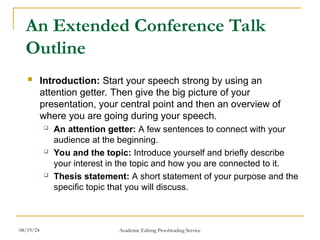
An Extended Conference Talk
Outline
 Introduction: Start your speech strong by using an
attention getter. Then give the big picture of your
presentation, your central point and then an overview of
where you are going during your speech.
 An attention getter: A few sentences to connect with your
audience at the beginning.
 You and the topic: Introduce yourself and briefly describe
your interest in the topic and how you are connected to it.
 Thesis statement: A short statement of your purpose and the
specific topic that you will discuss.
08/19/24 Academic Editing Proofreading Service
 Importance, significance, relevance: Answer the “who cares”
question.
 Signpost: Where your speech is headed.
 The body of your speech: The main points and evidence
(examples, data) to support your case.
 Transition: Let the audience know you are diving into the main
part of your speech.
 Main point: The central points you are making in your speech.
 Examples and supporting data: Support your claims by
providing examples and supporting data.
 Diagrams, photos, visual images: Sometimes a good diagram
or picture is worth a thousand words in explaining or illustrating
something.
08/19/24 Academic Editing Proofreading Service
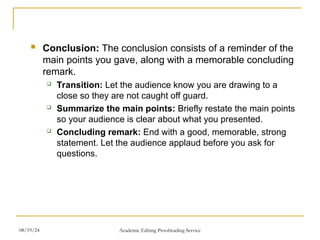
 Conclusion: The conclusion consists of a reminder of the
main points you gave, along with a memorable concluding
remark.
 Transition: Let the audience know you are drawing to a
close so they are not caught off guard.
 Summarize the main points: Briefly restate the main points
so your audience is clear about what you presented.
 Concluding remark: End with a good, memorable, strong
statement. Let the audience applaud before you ask for
questions.
08/19/24 Academic Editing Proofreading Service
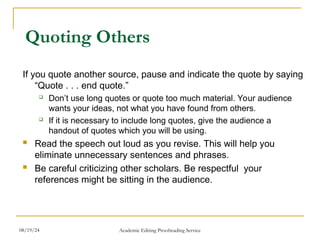
Quoting Others
If you quote another source, pause and indicate the quote by saying
“Quote . . . end quote.”
 Don’t use long quotes or quote too much material. Your audience
wants your ideas, not what you have found from others.
 If it is necessary to include long quotes, give the audience a
handout of quotes which you will be using.
 Read the speech out loud as you revise. This will help you
eliminate unnecessary sentences and phrases.
 Be careful criticizing other scholars. Be respectful your
references might be sitting in the audience.
08/19/24 Academic Editing Proofreading Service
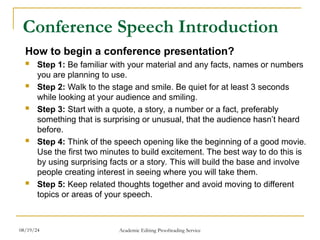
Conference Speech Introduction
How to begin a conference presentation?
 Step 1: Be familiar with your material and any facts, names or numbers
you are planning to use.
 Step 2: Walk to the stage and smile. Be quiet for at least 3 seconds
while looking at your audience and smiling.
 Step 3: Start with a quote, a story, a number or a fact, preferably
something that is surprising or unusual, that the audience hasn’t heard
before.
 Step 4: Think of the speech opening like the beginning of a good movie.
Use the first two minutes to build excitement. The best way to do this is
by using surprising facts or a story. This will build the base and involve
people creating interest in seeing where you will take them.
 Step 5: Keep related thoughts together and avoid moving to different
topics or areas of your speech.
08/19/24 Academic Editing Proofreading Service
Here are eight techniques to start your presentation
and get immediate audience interest.
 1. Ask a question
 “Is it safe to trust documents from the Internet?”
 “Is there anyone here who has not broken the copyright law?”
 2. Use a story: Many of the best stories are personal.
 3. Make a surprising comment (often a statistic)
 “According to a national survey reported in the Wall Street
Journal 82% of respondents say they access pornography on
the Net at work.”
 You can also make a startling statement by using an
unanticipated visual aid.
08/19/24 Academic Editing Proofreading Service
 4. Use a quotation
 “Confucius said: ‘What I hear I forget, what I see I remember,
what I do I understand.’ We need to use this method so I
planned an interactive class.”
 Choose a quote from movies, speeches, newspapers, reports,
official documents or use a quotation book.
 5. Create curiosity
 “There is a poison in your home. Your children use it and so
do you. It kills thousands every year. Yet government does not
control it. Here it is—table salt.”
 6. Mention the importance of the topic
 “With 400,000 job openings for computer professionals in the
United States, it is important that we train computer
professionals now. I have a plan that will do this quickly and
with little expense.”
08/19/24 Academic Editing Proofreading Service
 7. Involve the audience
 Ask for participation in a survey.
 Show a picture or short video and ask for audience
comment.
 8. Refer to the occasion
 Speeches are often part of a special event for a group,
organization or community. Connect any special
celebrations to your topic.
 These opening techniques can be used individually or in
combination. For example, ask a question which creates
curiosity, “What is the single biggest problem that students
are facing today?”
08/19/24 Academic Editing Proofreading Service
Additional Points About the
Introduction
 The beginning of a speech should take between 5 and
10% of the total speech time.
 You may spent over half your preparation time on
preparing your beginning, since it will be the foundation of
your conclusion, too.
 You want to connect with your audience as soon as
possible in your opening. Using PowerPoint reduces
audience feedback and takes attention from the speaker.
Consider PowerPoint only for the body of your speech
where it can add more value.
08/19/24 Academic Editing Proofreading Service
How Can You Organize the Main
Body of the Conference Talk?
 The body of the speech is between the beginning and the end.
 The body is the biggest part of the speech.
 Organizers are connecting concepts or themes, such as characters,
place, size or time.
 Organizers provide structure to connect your ideas, help you
connect with the audience quickly and deliver the speech with
minimum notes.
 When considering different ways to organize the body of the
speech, remember the speech body has three to five parts, at most.
Audiences can take in a limited amount of information at one time.
 Speeches are temporary and need to use human’s natural ability to
make connections. Give the audience an overview of your
organization, along with your goals, in your introduction.
08/19/24 Academic Editing Proofreading Service
Ideas for Organizing Your
Speech Body
1. Acronyms
 An informational speech about relieving stress could be
organized around R.E.L.A.X. Each letter should represent one of
the points in your speech body.
2. Characters
 Characters can be actual, made-up, historical or political.
 Don’t forget well-known characters from literature, movies or TV
shows.
3. Color
 It can be used to organize the presentation and connect to visual
aids and handouts. It energizes theoretical topics.
08/19/24 Academic Editing Proofreading Service
4. Cultures
 Organizing by culture is similar to organizing by characters, but it
is more general and related to group behaviors and values.
5. Issues
Issues simplify complex topics. Issues can soften topics where the
audience has strong opinions or high emotions.
6. Places and spaces
 People have strong feelings about places and often make
general connections with types of landscape: mountains,
seashore and desert.
 Many topics are place-specific such as industries, travel and
history.
08/19/24 Academic Editing Proofreading Service
7. Stories
 Use a universal story from literature, or children’s books for a
technical presentation.
 Real stories and life experiences are the most powerful.
8. Points of view
 There may be different ways of looking at a problem depending
on a person’s age group or generation.
9. Problem and solution
 This is flexible because you can have three problems with three
solutions or one problem with three solutions.
 You can even do the solution first and have an interactive
exercise with the audience to identify the problem.
10. Shapes and patterns
 To show relationships and how things work. Shapes show unity,
connection and importance between things. Emphasize shapes
with visual aids so the audience can imagine and see.
08/19/24 Academic Editing Proofreading Service
11. Size
 Use with countable topics such as trends, market share or
budgets.
 Visualize using charts, graphs or photographs. Define
comparative size, big, medium and small, with visuals or a
demonstration.
12. Time
 Choose past, present and future for topics that change over time.
 Use calendar units, month, decade, year, with project timelines.
 Show time periods using generations. Emphasize past and future
events by specific key dates.
 Combine reality by comparing historic ages.
08/19/24 Academic Editing Proofreading Service
 An energetic ending is critical to a successful presentation it is
what the audience remembers best.
 Meet the objectives of the ending
 Create a feeling of closing
Similar to how you end conversations
 Emphasize the main point
What the audience should do or expect next
 Make an impact
Deliver your message so it is easy to remember
 Reconnect emotionally with the audience
In both the opening and the conclusion, the presenter should
show positive emotions (confidence, eagerness, sincerity,
enthusiasm, energy). In contrast, the body of the speech is often
relatively unemotional, containing data and analysis.
How Can You Conclude Your
Conference Presentation?
08/19/24 Academic Editing Proofreading Service
 Fit the time available
 The ending of a speech should take the same amount of time as
the opening, which is no more than 5 to 10% of total speech time.
In a 20 minute speech this means 1 to 2 minutes for the ending.
 Since both the ending and beginning are short, they need the
most attention during the preparation stage.
08/19/24 Academic Editing Proofreading Service
 Call to action
 Refer back to the beginning
 Demonstrate how easy it is to apply your speech topic
Use a visual aid, role-play or display.
 Use a quotation mark to emphasize your ideas
 Ask a rhetorical question
 Tell a story to illustrate or confirm your main points
 Leave a tip or word of wisdom
 Repeat your key points
Here Are Simple Techniques to
Summarize Your Main Points
08/19/24 Academic Editing Proofreading Service
 Increase your voice volume so you end a bit louder
Avoid adding new points to the ending that you forgot.
 Think about whether you need PowerPoint for your ending
Face-to-face interaction with the audience is the most persuasive
and powerful. If you use PowerPoint, you may cancel the
emotional elements which connect you to the audience.
Delivery Tips for the Conclusion
08/19/24 Academic Editing Proofreading Service
 Prepare for computer problems
 Many things can go wrong with the computer, the projector, the
software, the connector cables, your USB, or your presentation.
 Don’t assume that what works on a PC will work on a Mac.
 Don’t assume your host will have the same version of PowerPoint
that you do.
 Bring backup
 Begin making backups several days before the talk.
 Use a USB, a CD-ROM, or some other common format.
 Internet backup isn’t reliable, you can’t be sure you’ll have a
connection.
 Bring printed notes or outlines
 If the computer or the projector dies in the middle of your talk,
you’ll have no time to fix it.
 Be prepared to deliver your talk without the slides. Bring printed
notes.
08/19/24 Academic Editing Proofreading Service
Other Presentation Problems
 Someone asks a question about an issue you plan to
discuss later.
 Answer the question briefly, and say you plan to go into detail
later.
 You lose your thought in mid-sentence.
 Smile, say “excuse me” and start again.
 You plan to go through a handout page by page but people
are moving ahead of your speech.
 Don’t give handouts until after the presentation is over.
 Give people a rough idea of where different parts are located,
then people are more likely to stay with you.
08/19/24 Academic Editing Proofreading Service
 Your throat dries out
 Roll a tiny piece of paper into a small ball and place it between
your gum and your facial tissue in the back of your mouth. It will
stimulate the flow of saliva.
 Someone starts a private conversation while you are
speaking
 First, ask if there are questions.
 Second, ask if you can do anything to clarify.
 If they will not stop, continue your presentation but move nearer to
them. Lower your voice or pause.
 Notice your audience and respond to their needs
 Notice the feedback. If you don’t know why your audience is
responding poorly, ask somebody later and fix the problem next
time.
 If you’re not sure whether people can see or hear, ask someone
in the back directly.
08/19/24 Academic Editing Proofreading Service
 Take control of the environment
 Audience members will sometimes try to help you by turning off
the lights and closing the windows when the projector is turned
on.
 Unless this is necessary, avoid it. Dark rooms make people
sleepy.
 Distribute copies of your paper
 Have copies of a printed version of your paper with research
details (about 25 copies) available for distribution, or a sign-up
sheet on which interested people can request your paper.
 Be sure to indicate on the paper your name, the conference
source reference, and whether or not your paper may be quoted.
08/19/24 Academic Editing Proofreading Service
How Should You Dress for
Conferences?
 Image is everything.
 Invest in clothes that are functional and contains high quality
“basic” items. Pay attention to accessories.
 Be sure to be clean and groomed. Avoid being too fashionable.
 Different styles of dress will be required for different audiences.
Dress reasonably when away from traditional speaking
environments.
 Check for spots on clothing. Meals, drinks and dirt can easily find
final locations on your clothing.
08/19/24 Academic Editing Proofreading Service
Using PowerPoint at
Conferences
08/19/24 Academic Editing Proofreading Service
Don’t Write Everything and Read
 Your PowerPoint presentation should:
 Clarify ideas
 Emphasize key points
 Show relationships
 Provide visual information to ensure the audience understa
nds your message
08/19/24 Academic Editing Proofreading Service
Present a Speech Outline
 Have an outline of your talk.
 A good talk outline makes your audience curious to
hear the details. It also helps them follow the
structure of your thinking.
08/19/24 Academic Editing Proofreading Service
Slides Should be Short
 Slides help you, and your audience, follow the flow of
the talk.
 Not too full: 6 lines of text per slide is enough; 9 lines is
a lot; 12 lines is unreadable.
 Bullet points should be a few words, not complete
sentences.
 If you need more space, use more slides.
08/19/24 Academic Editing Proofreading Service
Use Big Type
 .
 Change the font size in the Preferences of the browser,
when using a web presentation.
08/19/24 Academic Editing Proofreading Service
Determining Font Size
 Your audience may be look at the screen
from 70 feet away.
 Fonts should be 24 points or larger
08/19/24 Academic Editing Proofreading Service
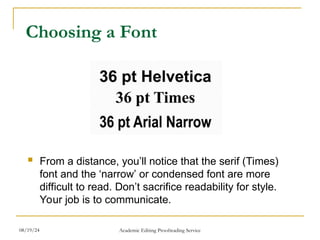
Choosing a Font
 From a distance, you’ll notice that the serif (Times)
font and the ‘narrow’ or condensed font are more
difficult to read. Don’t sacrifice readability for style.
Your job is to communicate.
08/19/24 Academic Editing Proofreading Service
Use the Correct Font for Easy
Reading
 For handouts or take-home material, use a serif
font.
 For projecting on a screen, using a slide, overhead
or multimedia projector, use a sans serif font.
Because serif fonts can look fuzzy when projected.
08/19/24 Academic Editing Proofreading Service
 Choosing a color
 Yellow with black letters is considered the most readable.
 Color blindness
 Unwanted light affects color contrast by turning dark reds
and greens much lighter.
 About 10% of people have difficulty with reds and greens.
 Use contrasting colors
 A dark background with light text is easily readable
 Use drop shadows
 Avoid busy backgrounds
 Avoid using red text
 AVOID ALL CAPS!
08/19/24 Academic Editing Proofreading Service
Choose White or Light Colored
Slide Backgrounds
 Dark text on light colored slides can usually be read
with lights on.
 Avoid dark images that won’t show up well on a
screen.
 Be aware that sunlight shining directly on your
screen will make it less visible.
08/19/24 Academic Editing Proofreading Service
Use Color to Influence Mood and
Emotion
 Red – excitement, alert
 Green – growth
 Yellow – confidence, warmth, wisdom
 Purple – dignity, sophistication
 White – professionalism, new, innocence
 Blue – truth, trust, justice
 Black – authority, strength
 Orange – action, optimism
 Brown – friendliness, warmth
 Grey – integrity, maturity
08/19/24 Academic Editing Proofreading Service
Include Photographs to Make
Your Presentation More Real
 The more real you make the problem you are
presenting, the better your audience will
understand it.
08/19/24 Academic Editing Proofreading Service
Presenting with Charts
 Simplify charts
 Changing the chart format
 How do you know when to use which chart? That depends
on how well you’ve stated the message.
 Your heading should always tell people what you want
them to look for on a chart.
 Choosing the chart
 Once you have an action statement as a heading, look at
the verbs in the statement to get an idea of the best chart
to use to present your data.
08/19/24 Academic Editing Proofreading Service
 Look for a key word
 Grow
 Decline
 Trends
 Line charts are best when a variable has more than four
or five data point.
 The slope of the line quickly tells the audience the
direction of the trends.
Line chart
→ Showing Change Over Time
08/19/24 Academic Editing Proofreading Service
 Look for a key word
 Ranks
 Compares
 Highest profit
 The lowest interest rate
 The most products sold
 Rank variables from largest to smallest
 Bar charts are often the best way to compare a set of individual
items or several sets of related items.
 The bar’s length corresponds to its ranking; the bar’s label
identifies the item.
Bar chart
→ Comparing Items at One Point in Time
08/19/24 Academic Editing Proofreading Service
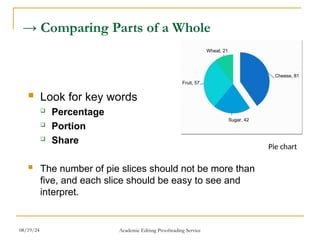
→ Comparing Parts of a Whole
 Look for key words
 Percentage
 Portion
 Share
 The number of pie slices should not be more than
five, and each slice should be easy to see and
interpret.
Pie chart
08/19/24 Academic Editing Proofreading Service
→ Comparing Data by Geographic Location
 Look for key words
 Country
 Area
 Distinguish among regions by using different colors,
shadings, or symbols.
Segmented bar chart
08/19/24 Academic Editing Proofreading Service
Additional Tips for Graphs and
Charts
1. Show one message per chart. Make the message the heading.
2. Make the chart easy to read. Make the most important text
largest, the most important data lines or sections darkest.
3. Be accurate. Always start a numerical axis at zero. Compare only
like variables.
4. Eliminate all unnecessary details.
5. Use no more than four colors per visual.
6. To focus attention, use color, shading, or images such as arrows
to highlight key words or concepts.
7. Write in upper and lower case. Words written in all capitals letters
are hard to read.
8. Make bars and columns wider than the spaces between them.
08/19/24 Academic Editing Proofreading Service
The Speaker Is the Point
 Don’t use all multimedia options in PowerPoint.
 Don’t put too much information.
 When using visuals, you want the audience to look
at the screen, quickly get the message, and then
focus on you.
08/19/24 Academic Editing Proofreading Service
Avoid Video
 For a 45-minute talk, even one 3-minute video clip
can seem like forever. Video also breaks the flow of
the talk and takes time better saved for your
presentation. If you really need video for your topic,
cut clips to a minimum length. 30 to 40 seconds is a
good goal.
08/19/24 Academic Editing Proofreading Service
Don’t Get too Technical
 The more advanced the technology, the more likely t
here are to be “technical problems.” Speakers often
come in at the last minute and are completely destro
yed when their equipment doesn’t work. It creates p
anic for everyone. Always send a copy of your prese
ntation to the conference office in advance so it can
be loaded and tested.
08/19/24 Academic Editing Proofreading Service
Don’t Apologize for Errors
 Don’t apologize for poor English speaking, it wastes
time and adds no value to your talk. Don’t comment
on spelling, grammatical, or other mechanical errors
in your presentation. Most of the audience won’t
notice unless you apologize.
08/19/24 Academic Editing Proofreading Service
Buy a Laser Pointer and Wireless
Mouse
 They are inexpensive, and are extremely useful.
It is helpful to be able to change pages from
across the room and point out key graphs and
charts.
08/19/24 Academic Editing Proofreading Service
Use the Microphone
 Even if you talk loudly enough, or it is a small
room, use it. The audience can’t hear when you
turn toward the PowerPoint and away from them.
 A microphone will make sure that you will always
be understandable. Place the microphone
correctly. The top of the microphone should
directly face your mouth.
08/19/24 Academic Editing Proofreading Service
The Last Thing on Your
PowerPoint
 At the end of your presentation while answering
questions, leave up a contact info slide containing
your name, e-mail, address, and website URL
related to the talk if you have one.
08/19/24 Academic Editing Proofreading Service
Handling Q&A
08/19/24 Academic Editing Proofreading Service
Why Are Questions and Answers
Important?
 Questions and answers are important for several reason
s:
 Get attention
 Create interest
 Get feedback
 Make points easy to remember
 Create audience interaction
 Promote new thoughts
 To get comfortable with Q&A sessions and questions, st
art asking questions throughout your presentations.
08/19/24 Academic Editing Proofreading Service
Before the Presentation
 Prepare for criticism by telling your ideas to a critical
friend.
 Bring a list of references when answering questions.
 Take notes of questions and suggestions.
 Don’t be afraid to say you don’t know the answer to
a particular question.
 If you are using slides, save several slides and use t
hem to answer expected questions.
08/19/24 Academic Editing Proofreading Service
Beginning the Presentation
 You could ask for questions at the beginning –
“What questions would you like me to answer in t
his presentation?” Write the questions on a white
board and remove them as you answer each que
stion.
 Start sessions by reminding people, “The only du
mb question is the one you didn’t ask.”
08/19/24 Academic Editing Proofreading Service
During the Presentation
 Promoting questions during a presentation is usually
best with smaller groups and works well with reports,
proposals or technical briefings where the audience
needs details as the presentation continues.
 Remember to say at the beginning that questions du
ring the speech are OK. Answer questions quickly s
o they don’t stop the flow of your ideas.
08/19/24 Academic Editing Proofreading Service
At the End of the Presentation
 There are two endings to a presentation with a final Q&A
session.
Example:
“At this point, I want to get your opinion on this approach. This
side of the room first.”
 The second close is after the questions to summarize th
e main points of your presentation.
Example:
“As you can see from the questions and comments, this topic
is confusing and we don’t have all the answers but here is
what you can do for now...”
08/19/24 Academic Editing Proofreading Service
After the Presentation
 Sometimes question time is so exciting that you can’
t answer all the questions with the time you have. Te
ll people ways to contact you and when and how yo
u will respond. Think of ways to share these questio
ns and answers with all members of the audience th
rough an e-mail list or Web site.
08/19/24 Academic Editing Proofreading Service
12 Ways to Encourage Audience Q
uestions
 1. Announce the question session in an open,
conversational way.
 2. Design questions into your content and delivery:
 Title: Why Knowledge Management? —and Why Now?
 Opening: What is the biggest problem facing researche
rs today?
 Content: “My presentation is about four key questions.”
 Ending: Considering these facts, how can you not act?
08/19/24 Academic Editing Proofreading Service
 3. Ask a question, pause and then give the answer
yourself.
 4. Bring up questions you have been asked by othe
r audience.
 5. Let the audience know in the beginning there is a
Q&A session, and “when” it is and “how long” it is.
 6. Provide a seating arrangement where the audien
ce can see each other.
 7. List questions in the presentation announcement
or brochure.
 8. Provide a white board for the audience to write a
question at any time. Start your Q&A session by
answering these questions.
08/19/24 Academic Editing Proofreading Service
 9. Pass out paper for the audience to submit their
questions. They may forget what they were
going to ask earlier. This is often used at public m
eetings and when the audience is large.
 10. Don’t ask for feedback and then start to pack up
your laptop or your notes. This sends the clear si
gnal that you are done and ready to go.
 11. Arrange for someone in the audience to ask the fir
st question to start the process.
 12. Ask yourself what questions you hope no one ask
s and then prepare to answer them.
08/19/24 Academic Editing Proofreading Service
Why Do People Ask Questions?
 Because they want to know the answer
 Because they want to make a point
 To impress the audience
 To see if you know the answer
 To see how you handle questions and the stress
 To make you look bad (for example, if they are
competing with you for a job)
 To attack your methodology
 Some ask questions that are in fact a personal attack
(but not often)
08/19/24 Academic Editing Proofreading Service
Handling the Q&A session
 Below are tips to deal with the Q&A session of your
presentation effectively.
 Repeat the question in a large group or arrange for microph
ones so others can hear the question
 Make sure you understand the question
 Angry questions don’t have to be answered
08/19/24 Academic Editing Proofreading Service
 Don’t let an interesting but unrelated question start y
ou on a new speech.
 Don’t let your presentation continue on thinking the
Q&A time is extra time for your presentation.
 Consider questions as an honor your presentation.
Good ideas create questions. Boring presentations
make people leave.
08/19/24 Academic Editing Proofreading Service
3 Step Template for Answering Qu
estions
1. Listen to the entire question before you
answer
2. Thank each person for asking the question.
3. Then follow the template below.
Repeat→Respond→Review
08/19/24 Academic Editing Proofreading Service
Additional Tips on Handling
Questions
 Ask people to stand up when they ask a question.
This does two things:
1. It shows you who is asking the question
2. Makes it easier for the audience to hear the
question
08/19/24 Academic Editing Proofreading Service
Argument Types
 Each time you persuade someone or answer a questi
on, you are giving them an argument to do something.
There are many different kinds of arguments, but almo
st all of them are one of the following:
 Logic – People born in Japan are Japanese
 Evidence – Mike was born in Japan
 Claim – Mike is Japanese
 Reservation - Unless Mike's parents are not Japanese
08/19/24 Academic Editing Proofreading Service
 The claim is your main statement. Arguments usuall
y start with a claim.
 Evidence is real-world proof or observation, a fact o
r statistic or quote.
 Logic connects the claim and evidence. If the logic
and evidence are correct, then the claim is proven to
be true.
 The reservation is some exceptional situation, whe
n even if the logic and evidence are correct, someti
mes the claim is not true.
08/19/24 Academic Editing Proofreading Service
Category Definition Example
Example Create a connection between
examples and a general rule.
Three people are doing
badly, so this class is doing
badly.
Analogy Create connections between
things or situations that are
similar.
The war is becoming like the
Vietnam war. We have to
deal with North Korea like
East Germany.
Cause &
Effect
Create connection between
cause and effect.
Smoking leads to heart
disease. Gambling leads to
poverty.
Authority Connect with opinion of
experts in the field.
President Obama says we
should support the Tax Plan.
Principle Connect a situation with a
general principle
Capital punishment is always
wrong because it goes
against the Right to Life
principle.
08/19/24 Academic Editing Proofreading Service
What If You Don’t Know the
Answer?
 Suggest someone in the audience more qualified answer th
e question. “Professor M. has studied this extensively.”
 Delay, “That’s a good question...”
 Ask a question: “Can you clarify what you mean?”
 Admit you don’t know but will research it for them.
 Repeat the question in a different way: “Is this what you are
asking?” [Then say a question you can answer]
 If you don’t have a good answer after these delaying tactics,
say: “Let’s talk about that after my talk.”
08/19/24 Academic Editing Proofreading Service
What If You Can Think of
Nothing to Say?
1. Smile: People always like people who smile.
2. Tell a story: Stories take time and you can be thinking
about your next point.
3. Change the topic of the question to something you
know about.
If you don’t know the answer to a question, than answer a
different question.
4. Pretend like you’re pausing on purpose.
Walk back and forth slowly, as if you’re emphasizing your
last point.
08/19/24 Academic Editing Proofreading Service
What If You Don’t Understand the
Question Because of the Speaker’s Poor
English?
 If you don’t understand the English, ask the speaker
to repeat the question.
 If the questioner still asks and you still don’t underst
and, say, “Great question, but it quite specific to you
r field and does not concern everyone here, see me
after the talk and we can go into more detail about
it.”
 Quickly move to another question or conclude your
session.
08/19/24 Academic Editing Proofreading Service
What If Someone Keeps
Interrupting You While You Are
Talking?
 If it’s just a clarifying question and it’s short,
answer it and keep speaking.
 If somebody keeps making long, loud comments,
or begins to argue with you in the middle of your
talk. This can be very stressful, especially if you
are a grad student or new professor.
08/19/24 Academic Editing Proofreading Service
Don’t Let Your Time Get Wasted
 Speech times don’t get extended for time wasted by
the audience. You need to develop a strategy for
keeping control. The best ways to do this follow.
 look at whoever is chairing the conference session, or your
sponsor at a job talk.
 you can wait politely for a pause in the attack, and then say
as calmly as possible something like: “Thank you for your
comment. I’d like to respond, but if you don’t mind I’d like to
wait for the question period.”
08/19/24 Academic Editing Proofreading Service
Your Final Solution to An
Attacking Attendee
 You need to say loudly but firmly, as strongly as
you can: “Sir, please allow me to finish my talk.”
 Then, proceed and ignore further interruptions
from that person.
08/19/24 Academic Editing Proofreading Service
Remain After Your Presentation
Session
 Be available to answer additional questions if you
can.
 Make notes about the questions, suggestions, new
thoughts you can use these comments to improve a
paper for publication and your reviewers may be in
the audience.
08/19/24 Academic Editing Proofreading Service
Networking at Conferences
08/19/24 Academic Editing Proofreading Service
What Is Networking?
 Using the formal and informal connections betwee
n groups and colleagues to develop your career.
 Networking allows you to benefit at conferences w
hen you meet other academics.
 For academics, contacts are useful for collaborativ
e projects, peer review and funding support.
08/19/24 Academic Editing Proofreading Service
Why Network at a Conference?
 Creating networks with others at conferences can h
elp in the following career situations:
 Job opportunities
 Job interviews or promotion
 Publishing articles or books
 Joint research projects
 Your own social life
08/19/24 Academic Editing Proofreading Service
Where Do You Start?
 Conferences are the best way for academics to net
work with each.
 If you are presenting a paper, others can see what y
ou are working on, and the informal sections of the c
onference, like food and drink breaks, encourage co
nversation and further discussion.
08/19/24 Academic Editing Proofreading Service
Stay in the Main Conference Hotel
 Most researchers encourage questions related to th
eir presentations, even a couple of days later in the
hotel.
 Staying at the conference hotel has many
advantages:
 It is convenient
 Conference hotel deals are usually good
08/19/24 Academic Editing Proofreading Service
Scheduling Your Conference Time
for Networking
 Prepare a little schedule and note where these talks
are and when.
 Make a list of all the people you want to say hello to,
have a meal with or meet.
08/19/24 Academic Editing Proofreading Service
Dress Professionally
 Think of the conference as a job interview.
 Bring extra copies of your CV in case you run into a
ny potential graduate school faculty or employers.
 Be a polite listener during presentations.
 Try to look smart, frown, nod and take notes.
08/19/24 Academic Editing Proofreading Service
 Wear a nametag
 Show your name tag so people can see who you are and th
e school you attend. This will let others who recognize your
name come and speak to you.
 Check nametags but remember you’re important
too
 Look at other people’s nametags
 If you are a young researcher, you are also important to a c
onference. You remind big scholars of what they used to be.
08/19/24 Academic Editing Proofreading Service
Give and Get a Business Card
 Make sure your business cards are ready, in a conv
enient place.
 It is easy to forget someone’s name and university if
they are meeting many new people on the same day.
 Make sure your cards are current, well presented an
d professional.
 Don’t look for a pen and a piece of paper to give co
ntact information.
08/19/24 Academic Editing Proofreading Service
Begin the Conversation
 If you see someone at a conference whose researc
h you know, say a few sentences about how you lik
ed it or how it influenced your research.
 You might also talk about your university or theirs,
a new job or book, or if either of you have attended
that conference before
 Start a conversation with a compliment. Be ready
with a specific point to discuss.
 Make connections quickly and positively.
08/19/24 Academic Editing Proofreading Service
What If I am too Shy to Meet
People?
 If there is a person you really want to talk to, e-mail
them before the conference and try to set up a
meeting.
 Know who might be there and prepare some
possible topics of conversation and how your
research might interest them.
08/19/24 Academic Editing Proofreading Service
Being Outgoing Is a Skill You Can
Learn
 Set goals for learning this skill
 Warm up and make a friend
 Walk around first to let the energy out before
meeting people
 Practice
 Keep trying
08/19/24 Academic Editing Proofreading Service
Change Your Social Style for the
Conference
 Play the role of a “networker.”
 Be early to sessions and arrive when there are only
a couple of people: you will then become part of
their group.
 The good thing about academic conferences is that
everyone there just loves to talk about their
research.
08/19/24 Academic Editing Proofreading Service
 Make small talk
 Sit down at a table with someone and make small talk.
 A group of local professors is often a good place to start
because they will already feel comfortable with each.
 Talk about where you are from
 Break the ice with questions about local food and drink
specialties, places to see, good restaurants, and things to
take home as gifts.
 You can also introduce some special things about Taiwan
and invite attendees to visit you if they come.
08/19/24 Academic Editing Proofreading Service
Look at Journals and Posters
 Talk to people at poster sessions.
 You can always talk about the poster that's in front
of you.
 If a group is at a poster, stand near the group and
make eye contact and listen and wait for someone
to ask your opinion.
08/19/24 Academic Editing Proofreading Service
Try Being Indirect
 Approach people right after they present a paper,
make a positive comment about their paper then
talk about what you really want to talk about.
 If you have a good conversation at a conference
panel you can follow up. Get some coffee, walk and
talk at the exhibits.
08/19/24 Academic Editing Proofreading Service
 Don’t stay by yourself
 You might receive an invitation to speak at another
conference, or be asked to join a panel at another
conference, or be asked to write an article for a special
issue of a journal.
 PhD students today will be professors, department chairs,
deans and journal editors in the future.
• Introduce people to each other
– You’ll have a wide network and you’ll always know
someone who can introduce you to whomever you want to
meet.
– If you’re talking with friends or colleagues pull others into
the conversation.
08/19/24 Academic Editing Proofreading Service
Be Specific with Your Networking
Goals
 If you have researched someone’s interests, discu
ss their work. If you are looking for specific help, as
k directly.
 Prepare one and three minute introductions to your
research
08/19/24 Academic Editing Proofreading Service
 Attend the conference sessions
 Even if the location of the conference seems to be more
interesting.
 Poster sessions are an excellent chance to meet new peopl
e, including students and faculty from other schools.
• Pay attention to those around you
– You never know when something important to you will be
mentioned. Also, give others the chance to talk.
08/19/24 Academic Editing Proofreading Service
Lunches, Drinks, Dinners, Organized
Receptions, and Business Meetings
 You can learn about trends and circumstances in
other departments and across academic fields.
Receptions are also a good place to meet old
Professors and friends from your own university.
 If you want to get noticed or serve a subfield, go to
a section business meeting.
08/19/24 Academic Editing Proofreading Service
Get Invited to Go Out and
Socialize
 Never miss an opportunity to go out with a group to
eat. Recognize that the most important and enjoya
ble part of conferences is what happens outside of
the sessions.
 Try staying around after a session, join in with
groups of people discussing a specific paper or
book mentioned by the panelists.
08/19/24 Academic Editing Proofreading Service
Using Your Contacts After the Conf
erence
 The most common career goals of an academic are:
 Undertaking research projects
 Getting research published
 Developing your teaching portfolio
 Moving to a new job
08/19/24 Academic Editing Proofreading Service
 You may network with an editor of a journal or a revi
ewer for a publisher who can help you get your work
published.
 When applying for and getting a new job, your netw
ork might be people who know the university where t
he job is advertised, be on the interview panel, have
recently taken a job with that school or may even kn
ow a reason why that job is not as good as you think
it is.
 Be prepared to share your knowledge to your
network.
08/19/24 Academic Editing Proofreading Service
Follow-up
 If you use someone’s name to get a job or use
someone’s suggestions in your paper, tell the
person.
 This is especially important if you are working in a
small field because the other person will probably be
at most conferences you attend.
08/19/24 Academic Editing Proofreading Service
Following up by E-mail & Phone
 Careful research is more important when writing or
calling your network than when networking face to
face.
 Remember to give people enough time to respond
before chasing them.
08/19/24 Academic Editing Proofreading Service
Electronic Networking
 Online networking sites have a variety of formats,
sometimes message boards allow you to post
information about conferences or researchers
looking for collaborators.
 Be aware of security issues when giving out your
real name, job details, address and academic
interests.
 The benefit of electronic networking is that you do
not have to worry about the distance.
08/19/24 Academic Editing Proofreading Service
When Networking Goes Wrong
 The worst that can happen is that you spend a long
time creating a connection with a person but you
lose contact when their situation changes.
 If your idea is unique and original and you have not
fully developed it yet, it is best to keep it secret.
 Try to be polite at all times when networking. In both
face-to-face and electronic networking, try to be
positive and present yourself in the best way.
08/19/24 Academic Editing Proofreading Service
Conclusion
08/19/24 Academic Editing Proofreading Service
For More Information
Handouts available
www.editing.tw/en
 Editing and Translation
 Books
 How to write and publish an academic paper in 16 weeks
 How to attend, speak or present a poster at an academic conference
www.seminars.tw
08/19/24 Academic Editing Proofreading Service

Academic Speech Presentation Matter Powerpoint

  • 1.
    How to Presenta Paper at an Academic Conference Steve Wallace 08/19/24 Wallace Academic Editing Proofreading, Editing, Translation Over 20,000 words! Get 15% Discount.>>> Get free quote now
  • 2.
    Speaker Introduction  NCTU,NTHU and ITRI technical writing and conference presentation teacher for Electrical Engineering graduate students  Goal as a teacher is help my students publish papers  Editing Service: 86 Colleges, Universities and Research Institutes. Over 4,300 papers total. 08/19/24 Academic Editing Proofreading Service
  • 3.
    Speech Outline  Howto prepare a convincing technical presentation in English  Key sentences for all conference functions  Making comments and answering questions  Strategies for handling Q&A  Connect with other researchers  What to include in PowerPoint 08/19/24 Academic Editing Proofreading Service
  • 4.
    Why Go toConferences?  To get published  To meet your reviewers  Stay at the conference hotel  Buy coffee  Birds of a feather (BOF’s) and Special interest groups (SIG’s)  To meet your editor  Get invited to submit  See what the editor wants  To meet coauthors  Share your research with your field  Get feedback that can make your work better 08/19/24 Academic Editing Proofreading Service
  • 5.
    Conference Presentations 08/19/24 AcademicEditing Proofreading Service
  • 6.
    Bad Conference Presentations You’ve seen poor conference presentations.  # 1 complaint of conference attendees 08/19/24 Academic Editing Proofreading Service
  • 7.
    Why Do SmartPeople Give Poor Talks?  Poor speaking is a reaction to fear.  Presentations are not journal articles. They’re a completely different communication, and they require different skills. 08/19/24 Academic Editing Proofreading Service
  • 8.
    An Effective TalkMust Do Two Things 1. Persuade you audience with evidence 2. Be interesting and entertaining 08/19/24 Academic Editing Proofreading Service
  • 9.
    Principles of EffectiveConference Presentations  Talk, instead of reading  Stand up  Move around  Make eye contact with your audience  Don’t only look at one side of the room  Imitate excellent speakers 08/19/24 Academic Editing Proofreading Service
  • 10.
     Talk, insteadof reading  Academic writing does not make good speaking.  Speak about the slide instead of reading it.  Stand up  This lets people in the back rows see your face and hear you better.  Move around  It’s easier to keep focusing on someone who’s moving.  Simply walking from one side of the room to the other every 3-4 minutes is usually enough. 08/19/24 Academic Editing Proofreading Service
  • 11.
     Make eyecontact with your audience  If this makes you afraid, pretend to make eye contact by looking around the room.  Or, find a few friendly faces at different places and speak to them.  Don’t only look at one side of the room  A projector forces you to stand far to one side or the other. Avoid this by moving from one side of the screen to the other.  Imitate excellent speakers  Watch experienced speakers and copy their presentation style.  Find someone in your field to imitate. Notice not only what they say, but what they do: how they move, how they use their voices, how they look at audience, how they handle timing and questions. 08/19/24 Academic Editing Proofreading Service
  • 12.
    10 Tips toDevelop Confidence in Conference Presentations 1. Expect to be nervous 2. Prepare 3. Practice 4. Breathe 5. Rehearse 6. Focus on your audience 7. Simplify 8. Picture success 9. Connect with your audience 10. Pretend to be confident 08/19/24 Academic Editing Proofreading Service
  • 13.
    Voice Quality You shouldvary your voice, so it can be more interesting for your audience. You can vary your voice in at least three ways:  Speed Speak at a normal, faster, slower speed, or you can stop completely! You can also pause to get your audience’s attention.  Tone Change the pitch of your voice. Speak with a higher tone or speak with a lower tone.  Volume You can speak with a normal, louder volume or you can speak quietly. Lowering your voice and speaking quietly can attract your audience’s interest. 08/19/24 Academic Editing Proofreading Service
  • 14.
    The Speaking Voice You want to fill the whole room with your voice. Make a recording of yourself speaking in a large room. Do you talk in a monotone? Do you speak unclearly? Do you speak too fast? Do you show confidence? Or does every sentence sound like a question?  Speak from the stomach, not the throat.  Breathe deeply, it’s necessary to create volume, and will also help you keep your mind clear. 08/19/24 Academic Editing Proofreading Service
  • 15.
    Think About YourPresentation Goals  In conference talks you should have at least two goals: 1. Leave your audience with a clear picture of your contribution 2. Make them want to read your paper  Your presentation should not replace your paper, but make the audience want to look for it. Talk about information in the paper that can’t be completely covered in the presentation. 08/19/24 Academic Editing Proofreading Service
  • 16.
     Timing issues The oral presentation of a paper is usually a 12-minute presentation of your research with an additional 3 minutes for questions.  In conferences, exceeding your time limit is not polite  If you don’t have enough time, just pause and make some adjustments so you can finish on time. For example, skip slides, say less about each slide, or go directly to the conclusion.  If you are waiting to speak and another speaker is using your time, wait a couple of minutes, then politely say something like “I’m sorry, but I’d like to be sure we have enough time for my talk as well.”  Practice, practice, practice  The only way to be sure your timing is right is to practice your talk: every word of it, exactly as you plan to deliver it. 08/19/24 Academic Editing Proofreading Service
  • 17.
    Have a TimingDevice  Use a watch or cell phone with a timing function But these only work if you remember to use the timer, and the numbers are large enough to read easily while you’re talking.  PowerPoint’s “Presenter Tools” has a stopwatch The problem is remembering to start the stopwatch at the beginning of your talk.  Develop your sense of timing by always using the same slide format You will know how many minutes. It usually takes you to speak about one slide after a few talks . You can estimate the length of a new talk from the number of slides you have. 08/19/24 Academic Editing Proofreading Service
  • 18.
     Pretend youhave a 20-minute talk When you’re practicing, mark your notes or slides when you hit the 5-, 10-, 15- and 18-minute points.  Decide in advance which slides you can skip Make a small mark on slides that are not essential for the presentation. If you are out of time, always skip slides in the middle and jump to the conclusion so you can spend enough time on that.  As a beginning speaker, don’t leave your outline  Don’t try to do something unplanned during a talk.  Practice telling a joke or a story and make your audience to think you just thought of. 08/19/24 Academic Editing Proofreading Service
  • 19.
    A Short ConferenceTalk Outline  Title/author/university (1 slide)  Abstract (1 slide) - Give the basic problem and answer.  Outline (1 slide) - Give the talk structure.  Background  Motivation and Problem Statement (1-2 slides) - Why does anyone care?  Related Work (0-1 slide) - Talk briefly about this, or you can eliminate this section and refer people to your paper. 08/19/24 Academic Editing Proofreading Service
  • 20.
     Methods (1slide) - Cover quickly in short talks and refer people to your paper.  Results (4-6 slides) - Present key results with implications. This is the main body of the talk. Do not cover all the results. Cover the key result well.  Summary (1 slide)  Future Work (0-1 slide) - Or, you can talk about additional problems coming from this research.  Backup Slides (0-3 slides) - You may have a few slides ready to answer expected questions. Possible question areas are ideas you quickly went over, limitations in the methods or results, and future work. 08/19/24 Academic Editing Proofreading Service
  • 21.
    An Extended ConferenceTalk Outline  Introduction: Start your speech strong by using an attention getter. Then give the big picture of your presentation, your central point and then an overview of where you are going during your speech.  An attention getter: A few sentences to connect with your audience at the beginning.  You and the topic: Introduce yourself and briefly describe your interest in the topic and how you are connected to it.  Thesis statement: A short statement of your purpose and the specific topic that you will discuss. 08/19/24 Academic Editing Proofreading Service
  • 22.
     Importance, significance,relevance: Answer the “who cares” question.  Signpost: Where your speech is headed.  The body of your speech: The main points and evidence (examples, data) to support your case.  Transition: Let the audience know you are diving into the main part of your speech.  Main point: The central points you are making in your speech.  Examples and supporting data: Support your claims by providing examples and supporting data.  Diagrams, photos, visual images: Sometimes a good diagram or picture is worth a thousand words in explaining or illustrating something. 08/19/24 Academic Editing Proofreading Service
  • 23.
     Conclusion: Theconclusion consists of a reminder of the main points you gave, along with a memorable concluding remark.  Transition: Let the audience know you are drawing to a close so they are not caught off guard.  Summarize the main points: Briefly restate the main points so your audience is clear about what you presented.  Concluding remark: End with a good, memorable, strong statement. Let the audience applaud before you ask for questions. 08/19/24 Academic Editing Proofreading Service
  • 24.
    Quoting Others If youquote another source, pause and indicate the quote by saying “Quote . . . end quote.”  Don’t use long quotes or quote too much material. Your audience wants your ideas, not what you have found from others.  If it is necessary to include long quotes, give the audience a handout of quotes which you will be using.  Read the speech out loud as you revise. This will help you eliminate unnecessary sentences and phrases.  Be careful criticizing other scholars. Be respectful your references might be sitting in the audience. 08/19/24 Academic Editing Proofreading Service
  • 25.
    Conference Speech Introduction Howto begin a conference presentation?  Step 1: Be familiar with your material and any facts, names or numbers you are planning to use.  Step 2: Walk to the stage and smile. Be quiet for at least 3 seconds while looking at your audience and smiling.  Step 3: Start with a quote, a story, a number or a fact, preferably something that is surprising or unusual, that the audience hasn’t heard before.  Step 4: Think of the speech opening like the beginning of a good movie. Use the first two minutes to build excitement. The best way to do this is by using surprising facts or a story. This will build the base and involve people creating interest in seeing where you will take them.  Step 5: Keep related thoughts together and avoid moving to different topics or areas of your speech. 08/19/24 Academic Editing Proofreading Service
  • 26.
    Here are eighttechniques to start your presentation and get immediate audience interest.  1. Ask a question  “Is it safe to trust documents from the Internet?”  “Is there anyone here who has not broken the copyright law?”  2. Use a story: Many of the best stories are personal.  3. Make a surprising comment (often a statistic)  “According to a national survey reported in the Wall Street Journal 82% of respondents say they access pornography on the Net at work.”  You can also make a startling statement by using an unanticipated visual aid. 08/19/24 Academic Editing Proofreading Service
  • 27.
     4. Usea quotation  “Confucius said: ‘What I hear I forget, what I see I remember, what I do I understand.’ We need to use this method so I planned an interactive class.”  Choose a quote from movies, speeches, newspapers, reports, official documents or use a quotation book.  5. Create curiosity  “There is a poison in your home. Your children use it and so do you. It kills thousands every year. Yet government does not control it. Here it is—table salt.”  6. Mention the importance of the topic  “With 400,000 job openings for computer professionals in the United States, it is important that we train computer professionals now. I have a plan that will do this quickly and with little expense.” 08/19/24 Academic Editing Proofreading Service
  • 28.
     7. Involvethe audience  Ask for participation in a survey.  Show a picture or short video and ask for audience comment.  8. Refer to the occasion  Speeches are often part of a special event for a group, organization or community. Connect any special celebrations to your topic.  These opening techniques can be used individually or in combination. For example, ask a question which creates curiosity, “What is the single biggest problem that students are facing today?” 08/19/24 Academic Editing Proofreading Service
  • 29.
    Additional Points Aboutthe Introduction  The beginning of a speech should take between 5 and 10% of the total speech time.  You may spent over half your preparation time on preparing your beginning, since it will be the foundation of your conclusion, too.  You want to connect with your audience as soon as possible in your opening. Using PowerPoint reduces audience feedback and takes attention from the speaker. Consider PowerPoint only for the body of your speech where it can add more value. 08/19/24 Academic Editing Proofreading Service
  • 30.
    How Can YouOrganize the Main Body of the Conference Talk?  The body of the speech is between the beginning and the end.  The body is the biggest part of the speech.  Organizers are connecting concepts or themes, such as characters, place, size or time.  Organizers provide structure to connect your ideas, help you connect with the audience quickly and deliver the speech with minimum notes.  When considering different ways to organize the body of the speech, remember the speech body has three to five parts, at most. Audiences can take in a limited amount of information at one time.  Speeches are temporary and need to use human’s natural ability to make connections. Give the audience an overview of your organization, along with your goals, in your introduction. 08/19/24 Academic Editing Proofreading Service
  • 31.
    Ideas for OrganizingYour Speech Body 1. Acronyms  An informational speech about relieving stress could be organized around R.E.L.A.X. Each letter should represent one of the points in your speech body. 2. Characters  Characters can be actual, made-up, historical or political.  Don’t forget well-known characters from literature, movies or TV shows. 3. Color  It can be used to organize the presentation and connect to visual aids and handouts. It energizes theoretical topics. 08/19/24 Academic Editing Proofreading Service
  • 32.
    4. Cultures  Organizingby culture is similar to organizing by characters, but it is more general and related to group behaviors and values. 5. Issues Issues simplify complex topics. Issues can soften topics where the audience has strong opinions or high emotions. 6. Places and spaces  People have strong feelings about places and often make general connections with types of landscape: mountains, seashore and desert.  Many topics are place-specific such as industries, travel and history. 08/19/24 Academic Editing Proofreading Service
  • 33.
    7. Stories  Usea universal story from literature, or children’s books for a technical presentation.  Real stories and life experiences are the most powerful. 8. Points of view  There may be different ways of looking at a problem depending on a person’s age group or generation. 9. Problem and solution  This is flexible because you can have three problems with three solutions or one problem with three solutions.  You can even do the solution first and have an interactive exercise with the audience to identify the problem. 10. Shapes and patterns  To show relationships and how things work. Shapes show unity, connection and importance between things. Emphasize shapes with visual aids so the audience can imagine and see. 08/19/24 Academic Editing Proofreading Service
  • 34.
    11. Size  Usewith countable topics such as trends, market share or budgets.  Visualize using charts, graphs or photographs. Define comparative size, big, medium and small, with visuals or a demonstration. 12. Time  Choose past, present and future for topics that change over time.  Use calendar units, month, decade, year, with project timelines.  Show time periods using generations. Emphasize past and future events by specific key dates.  Combine reality by comparing historic ages. 08/19/24 Academic Editing Proofreading Service
  • 35.
     An energeticending is critical to a successful presentation it is what the audience remembers best.  Meet the objectives of the ending  Create a feeling of closing Similar to how you end conversations  Emphasize the main point What the audience should do or expect next  Make an impact Deliver your message so it is easy to remember  Reconnect emotionally with the audience In both the opening and the conclusion, the presenter should show positive emotions (confidence, eagerness, sincerity, enthusiasm, energy). In contrast, the body of the speech is often relatively unemotional, containing data and analysis. How Can You Conclude Your Conference Presentation? 08/19/24 Academic Editing Proofreading Service
  • 36.
     Fit thetime available  The ending of a speech should take the same amount of time as the opening, which is no more than 5 to 10% of total speech time. In a 20 minute speech this means 1 to 2 minutes for the ending.  Since both the ending and beginning are short, they need the most attention during the preparation stage. 08/19/24 Academic Editing Proofreading Service
  • 37.
     Call toaction  Refer back to the beginning  Demonstrate how easy it is to apply your speech topic Use a visual aid, role-play or display.  Use a quotation mark to emphasize your ideas  Ask a rhetorical question  Tell a story to illustrate or confirm your main points  Leave a tip or word of wisdom  Repeat your key points Here Are Simple Techniques to Summarize Your Main Points 08/19/24 Academic Editing Proofreading Service
  • 38.
     Increase yourvoice volume so you end a bit louder Avoid adding new points to the ending that you forgot.  Think about whether you need PowerPoint for your ending Face-to-face interaction with the audience is the most persuasive and powerful. If you use PowerPoint, you may cancel the emotional elements which connect you to the audience. Delivery Tips for the Conclusion 08/19/24 Academic Editing Proofreading Service
  • 39.
     Prepare forcomputer problems  Many things can go wrong with the computer, the projector, the software, the connector cables, your USB, or your presentation.  Don’t assume that what works on a PC will work on a Mac.  Don’t assume your host will have the same version of PowerPoint that you do.  Bring backup  Begin making backups several days before the talk.  Use a USB, a CD-ROM, or some other common format.  Internet backup isn’t reliable, you can’t be sure you’ll have a connection.  Bring printed notes or outlines  If the computer or the projector dies in the middle of your talk, you’ll have no time to fix it.  Be prepared to deliver your talk without the slides. Bring printed notes. 08/19/24 Academic Editing Proofreading Service
  • 40.
    Other Presentation Problems Someone asks a question about an issue you plan to discuss later.  Answer the question briefly, and say you plan to go into detail later.  You lose your thought in mid-sentence.  Smile, say “excuse me” and start again.  You plan to go through a handout page by page but people are moving ahead of your speech.  Don’t give handouts until after the presentation is over.  Give people a rough idea of where different parts are located, then people are more likely to stay with you. 08/19/24 Academic Editing Proofreading Service
  • 41.
     Your throatdries out  Roll a tiny piece of paper into a small ball and place it between your gum and your facial tissue in the back of your mouth. It will stimulate the flow of saliva.  Someone starts a private conversation while you are speaking  First, ask if there are questions.  Second, ask if you can do anything to clarify.  If they will not stop, continue your presentation but move nearer to them. Lower your voice or pause.  Notice your audience and respond to their needs  Notice the feedback. If you don’t know why your audience is responding poorly, ask somebody later and fix the problem next time.  If you’re not sure whether people can see or hear, ask someone in the back directly. 08/19/24 Academic Editing Proofreading Service
  • 42.
     Take controlof the environment  Audience members will sometimes try to help you by turning off the lights and closing the windows when the projector is turned on.  Unless this is necessary, avoid it. Dark rooms make people sleepy.  Distribute copies of your paper  Have copies of a printed version of your paper with research details (about 25 copies) available for distribution, or a sign-up sheet on which interested people can request your paper.  Be sure to indicate on the paper your name, the conference source reference, and whether or not your paper may be quoted. 08/19/24 Academic Editing Proofreading Service
  • 43.
    How Should YouDress for Conferences?  Image is everything.  Invest in clothes that are functional and contains high quality “basic” items. Pay attention to accessories.  Be sure to be clean and groomed. Avoid being too fashionable.  Different styles of dress will be required for different audiences. Dress reasonably when away from traditional speaking environments.  Check for spots on clothing. Meals, drinks and dirt can easily find final locations on your clothing. 08/19/24 Academic Editing Proofreading Service
  • 44.
    Using PowerPoint at Conferences 08/19/24Academic Editing Proofreading Service
  • 45.
    Don’t Write Everythingand Read  Your PowerPoint presentation should:  Clarify ideas  Emphasize key points  Show relationships  Provide visual information to ensure the audience understa nds your message 08/19/24 Academic Editing Proofreading Service
  • 46.
    Present a SpeechOutline  Have an outline of your talk.  A good talk outline makes your audience curious to hear the details. It also helps them follow the structure of your thinking. 08/19/24 Academic Editing Proofreading Service
  • 47.
    Slides Should beShort  Slides help you, and your audience, follow the flow of the talk.  Not too full: 6 lines of text per slide is enough; 9 lines is a lot; 12 lines is unreadable.  Bullet points should be a few words, not complete sentences.  If you need more space, use more slides. 08/19/24 Academic Editing Proofreading Service
  • 48.
    Use Big Type .  Change the font size in the Preferences of the browser, when using a web presentation. 08/19/24 Academic Editing Proofreading Service
  • 49.
    Determining Font Size Your audience may be look at the screen from 70 feet away.  Fonts should be 24 points or larger 08/19/24 Academic Editing Proofreading Service
  • 50.
    Choosing a Font From a distance, you’ll notice that the serif (Times) font and the ‘narrow’ or condensed font are more difficult to read. Don’t sacrifice readability for style. Your job is to communicate. 08/19/24 Academic Editing Proofreading Service
  • 51.
    Use the CorrectFont for Easy Reading  For handouts or take-home material, use a serif font.  For projecting on a screen, using a slide, overhead or multimedia projector, use a sans serif font. Because serif fonts can look fuzzy when projected. 08/19/24 Academic Editing Proofreading Service
  • 52.
     Choosing acolor  Yellow with black letters is considered the most readable.  Color blindness  Unwanted light affects color contrast by turning dark reds and greens much lighter.  About 10% of people have difficulty with reds and greens.  Use contrasting colors  A dark background with light text is easily readable  Use drop shadows  Avoid busy backgrounds  Avoid using red text  AVOID ALL CAPS! 08/19/24 Academic Editing Proofreading Service
  • 53.
    Choose White orLight Colored Slide Backgrounds  Dark text on light colored slides can usually be read with lights on.  Avoid dark images that won’t show up well on a screen.  Be aware that sunlight shining directly on your screen will make it less visible. 08/19/24 Academic Editing Proofreading Service
  • 54.
    Use Color toInfluence Mood and Emotion  Red – excitement, alert  Green – growth  Yellow – confidence, warmth, wisdom  Purple – dignity, sophistication  White – professionalism, new, innocence  Blue – truth, trust, justice  Black – authority, strength  Orange – action, optimism  Brown – friendliness, warmth  Grey – integrity, maturity 08/19/24 Academic Editing Proofreading Service
  • 55.
    Include Photographs toMake Your Presentation More Real  The more real you make the problem you are presenting, the better your audience will understand it. 08/19/24 Academic Editing Proofreading Service
  • 56.
    Presenting with Charts Simplify charts  Changing the chart format  How do you know when to use which chart? That depends on how well you’ve stated the message.  Your heading should always tell people what you want them to look for on a chart.  Choosing the chart  Once you have an action statement as a heading, look at the verbs in the statement to get an idea of the best chart to use to present your data. 08/19/24 Academic Editing Proofreading Service
  • 57.
     Look fora key word  Grow  Decline  Trends  Line charts are best when a variable has more than four or five data point.  The slope of the line quickly tells the audience the direction of the trends. Line chart → Showing Change Over Time 08/19/24 Academic Editing Proofreading Service
  • 58.
     Look fora key word  Ranks  Compares  Highest profit  The lowest interest rate  The most products sold  Rank variables from largest to smallest  Bar charts are often the best way to compare a set of individual items or several sets of related items.  The bar’s length corresponds to its ranking; the bar’s label identifies the item. Bar chart → Comparing Items at One Point in Time 08/19/24 Academic Editing Proofreading Service
  • 59.
    → Comparing Partsof a Whole  Look for key words  Percentage  Portion  Share  The number of pie slices should not be more than five, and each slice should be easy to see and interpret. Pie chart 08/19/24 Academic Editing Proofreading Service
  • 60.
    → Comparing Databy Geographic Location  Look for key words  Country  Area  Distinguish among regions by using different colors, shadings, or symbols. Segmented bar chart 08/19/24 Academic Editing Proofreading Service
  • 61.
    Additional Tips forGraphs and Charts 1. Show one message per chart. Make the message the heading. 2. Make the chart easy to read. Make the most important text largest, the most important data lines or sections darkest. 3. Be accurate. Always start a numerical axis at zero. Compare only like variables. 4. Eliminate all unnecessary details. 5. Use no more than four colors per visual. 6. To focus attention, use color, shading, or images such as arrows to highlight key words or concepts. 7. Write in upper and lower case. Words written in all capitals letters are hard to read. 8. Make bars and columns wider than the spaces between them. 08/19/24 Academic Editing Proofreading Service
  • 62.
    The Speaker Isthe Point  Don’t use all multimedia options in PowerPoint.  Don’t put too much information.  When using visuals, you want the audience to look at the screen, quickly get the message, and then focus on you. 08/19/24 Academic Editing Proofreading Service
  • 63.
    Avoid Video  Fora 45-minute talk, even one 3-minute video clip can seem like forever. Video also breaks the flow of the talk and takes time better saved for your presentation. If you really need video for your topic, cut clips to a minimum length. 30 to 40 seconds is a good goal. 08/19/24 Academic Editing Proofreading Service
  • 64.
    Don’t Get tooTechnical  The more advanced the technology, the more likely t here are to be “technical problems.” Speakers often come in at the last minute and are completely destro yed when their equipment doesn’t work. It creates p anic for everyone. Always send a copy of your prese ntation to the conference office in advance so it can be loaded and tested. 08/19/24 Academic Editing Proofreading Service
  • 65.
    Don’t Apologize forErrors  Don’t apologize for poor English speaking, it wastes time and adds no value to your talk. Don’t comment on spelling, grammatical, or other mechanical errors in your presentation. Most of the audience won’t notice unless you apologize. 08/19/24 Academic Editing Proofreading Service
  • 66.
    Buy a LaserPointer and Wireless Mouse  They are inexpensive, and are extremely useful. It is helpful to be able to change pages from across the room and point out key graphs and charts. 08/19/24 Academic Editing Proofreading Service
  • 67.
    Use the Microphone Even if you talk loudly enough, or it is a small room, use it. The audience can’t hear when you turn toward the PowerPoint and away from them.  A microphone will make sure that you will always be understandable. Place the microphone correctly. The top of the microphone should directly face your mouth. 08/19/24 Academic Editing Proofreading Service
  • 68.
    The Last Thingon Your PowerPoint  At the end of your presentation while answering questions, leave up a contact info slide containing your name, e-mail, address, and website URL related to the talk if you have one. 08/19/24 Academic Editing Proofreading Service
  • 69.
    Handling Q&A 08/19/24 AcademicEditing Proofreading Service
  • 70.
    Why Are Questionsand Answers Important?  Questions and answers are important for several reason s:  Get attention  Create interest  Get feedback  Make points easy to remember  Create audience interaction  Promote new thoughts  To get comfortable with Q&A sessions and questions, st art asking questions throughout your presentations. 08/19/24 Academic Editing Proofreading Service
  • 71.
    Before the Presentation Prepare for criticism by telling your ideas to a critical friend.  Bring a list of references when answering questions.  Take notes of questions and suggestions.  Don’t be afraid to say you don’t know the answer to a particular question.  If you are using slides, save several slides and use t hem to answer expected questions. 08/19/24 Academic Editing Proofreading Service
  • 72.
    Beginning the Presentation You could ask for questions at the beginning – “What questions would you like me to answer in t his presentation?” Write the questions on a white board and remove them as you answer each que stion.  Start sessions by reminding people, “The only du mb question is the one you didn’t ask.” 08/19/24 Academic Editing Proofreading Service
  • 73.
    During the Presentation Promoting questions during a presentation is usually best with smaller groups and works well with reports, proposals or technical briefings where the audience needs details as the presentation continues.  Remember to say at the beginning that questions du ring the speech are OK. Answer questions quickly s o they don’t stop the flow of your ideas. 08/19/24 Academic Editing Proofreading Service
  • 74.
    At the Endof the Presentation  There are two endings to a presentation with a final Q&A session. Example: “At this point, I want to get your opinion on this approach. This side of the room first.”  The second close is after the questions to summarize th e main points of your presentation. Example: “As you can see from the questions and comments, this topic is confusing and we don’t have all the answers but here is what you can do for now...” 08/19/24 Academic Editing Proofreading Service
  • 75.
    After the Presentation Sometimes question time is so exciting that you can’ t answer all the questions with the time you have. Te ll people ways to contact you and when and how yo u will respond. Think of ways to share these questio ns and answers with all members of the audience th rough an e-mail list or Web site. 08/19/24 Academic Editing Proofreading Service
  • 76.
    12 Ways toEncourage Audience Q uestions  1. Announce the question session in an open, conversational way.  2. Design questions into your content and delivery:  Title: Why Knowledge Management? —and Why Now?  Opening: What is the biggest problem facing researche rs today?  Content: “My presentation is about four key questions.”  Ending: Considering these facts, how can you not act? 08/19/24 Academic Editing Proofreading Service
  • 77.
     3. Aska question, pause and then give the answer yourself.  4. Bring up questions you have been asked by othe r audience.  5. Let the audience know in the beginning there is a Q&A session, and “when” it is and “how long” it is.  6. Provide a seating arrangement where the audien ce can see each other.  7. List questions in the presentation announcement or brochure.  8. Provide a white board for the audience to write a question at any time. Start your Q&A session by answering these questions. 08/19/24 Academic Editing Proofreading Service
  • 78.
     9. Passout paper for the audience to submit their questions. They may forget what they were going to ask earlier. This is often used at public m eetings and when the audience is large.  10. Don’t ask for feedback and then start to pack up your laptop or your notes. This sends the clear si gnal that you are done and ready to go.  11. Arrange for someone in the audience to ask the fir st question to start the process.  12. Ask yourself what questions you hope no one ask s and then prepare to answer them. 08/19/24 Academic Editing Proofreading Service
  • 79.
    Why Do PeopleAsk Questions?  Because they want to know the answer  Because they want to make a point  To impress the audience  To see if you know the answer  To see how you handle questions and the stress  To make you look bad (for example, if they are competing with you for a job)  To attack your methodology  Some ask questions that are in fact a personal attack (but not often) 08/19/24 Academic Editing Proofreading Service
  • 80.
    Handling the Q&Asession  Below are tips to deal with the Q&A session of your presentation effectively.  Repeat the question in a large group or arrange for microph ones so others can hear the question  Make sure you understand the question  Angry questions don’t have to be answered 08/19/24 Academic Editing Proofreading Service
  • 81.
     Don’t letan interesting but unrelated question start y ou on a new speech.  Don’t let your presentation continue on thinking the Q&A time is extra time for your presentation.  Consider questions as an honor your presentation. Good ideas create questions. Boring presentations make people leave. 08/19/24 Academic Editing Proofreading Service
  • 82.
    3 Step Templatefor Answering Qu estions 1. Listen to the entire question before you answer 2. Thank each person for asking the question. 3. Then follow the template below. Repeat→Respond→Review 08/19/24 Academic Editing Proofreading Service
  • 83.
    Additional Tips onHandling Questions  Ask people to stand up when they ask a question. This does two things: 1. It shows you who is asking the question 2. Makes it easier for the audience to hear the question 08/19/24 Academic Editing Proofreading Service
  • 84.
    Argument Types  Eachtime you persuade someone or answer a questi on, you are giving them an argument to do something. There are many different kinds of arguments, but almo st all of them are one of the following:  Logic – People born in Japan are Japanese  Evidence – Mike was born in Japan  Claim – Mike is Japanese  Reservation - Unless Mike's parents are not Japanese 08/19/24 Academic Editing Proofreading Service
  • 85.
     The claimis your main statement. Arguments usuall y start with a claim.  Evidence is real-world proof or observation, a fact o r statistic or quote.  Logic connects the claim and evidence. If the logic and evidence are correct, then the claim is proven to be true.  The reservation is some exceptional situation, whe n even if the logic and evidence are correct, someti mes the claim is not true. 08/19/24 Academic Editing Proofreading Service
  • 86.
    Category Definition Example ExampleCreate a connection between examples and a general rule. Three people are doing badly, so this class is doing badly. Analogy Create connections between things or situations that are similar. The war is becoming like the Vietnam war. We have to deal with North Korea like East Germany. Cause & Effect Create connection between cause and effect. Smoking leads to heart disease. Gambling leads to poverty. Authority Connect with opinion of experts in the field. President Obama says we should support the Tax Plan. Principle Connect a situation with a general principle Capital punishment is always wrong because it goes against the Right to Life principle. 08/19/24 Academic Editing Proofreading Service
  • 87.
    What If YouDon’t Know the Answer?  Suggest someone in the audience more qualified answer th e question. “Professor M. has studied this extensively.”  Delay, “That’s a good question...”  Ask a question: “Can you clarify what you mean?”  Admit you don’t know but will research it for them.  Repeat the question in a different way: “Is this what you are asking?” [Then say a question you can answer]  If you don’t have a good answer after these delaying tactics, say: “Let’s talk about that after my talk.” 08/19/24 Academic Editing Proofreading Service
  • 88.
    What If YouCan Think of Nothing to Say? 1. Smile: People always like people who smile. 2. Tell a story: Stories take time and you can be thinking about your next point. 3. Change the topic of the question to something you know about. If you don’t know the answer to a question, than answer a different question. 4. Pretend like you’re pausing on purpose. Walk back and forth slowly, as if you’re emphasizing your last point. 08/19/24 Academic Editing Proofreading Service
  • 89.
    What If YouDon’t Understand the Question Because of the Speaker’s Poor English?  If you don’t understand the English, ask the speaker to repeat the question.  If the questioner still asks and you still don’t underst and, say, “Great question, but it quite specific to you r field and does not concern everyone here, see me after the talk and we can go into more detail about it.”  Quickly move to another question or conclude your session. 08/19/24 Academic Editing Proofreading Service
  • 90.
    What If SomeoneKeeps Interrupting You While You Are Talking?  If it’s just a clarifying question and it’s short, answer it and keep speaking.  If somebody keeps making long, loud comments, or begins to argue with you in the middle of your talk. This can be very stressful, especially if you are a grad student or new professor. 08/19/24 Academic Editing Proofreading Service
  • 91.
    Don’t Let YourTime Get Wasted  Speech times don’t get extended for time wasted by the audience. You need to develop a strategy for keeping control. The best ways to do this follow.  look at whoever is chairing the conference session, or your sponsor at a job talk.  you can wait politely for a pause in the attack, and then say as calmly as possible something like: “Thank you for your comment. I’d like to respond, but if you don’t mind I’d like to wait for the question period.” 08/19/24 Academic Editing Proofreading Service
  • 92.
    Your Final Solutionto An Attacking Attendee  You need to say loudly but firmly, as strongly as you can: “Sir, please allow me to finish my talk.”  Then, proceed and ignore further interruptions from that person. 08/19/24 Academic Editing Proofreading Service
  • 93.
    Remain After YourPresentation Session  Be available to answer additional questions if you can.  Make notes about the questions, suggestions, new thoughts you can use these comments to improve a paper for publication and your reviewers may be in the audience. 08/19/24 Academic Editing Proofreading Service
  • 94.
    Networking at Conferences 08/19/24Academic Editing Proofreading Service
  • 95.
    What Is Networking? Using the formal and informal connections betwee n groups and colleagues to develop your career.  Networking allows you to benefit at conferences w hen you meet other academics.  For academics, contacts are useful for collaborativ e projects, peer review and funding support. 08/19/24 Academic Editing Proofreading Service
  • 96.
    Why Network ata Conference?  Creating networks with others at conferences can h elp in the following career situations:  Job opportunities  Job interviews or promotion  Publishing articles or books  Joint research projects  Your own social life 08/19/24 Academic Editing Proofreading Service
  • 97.
    Where Do YouStart?  Conferences are the best way for academics to net work with each.  If you are presenting a paper, others can see what y ou are working on, and the informal sections of the c onference, like food and drink breaks, encourage co nversation and further discussion. 08/19/24 Academic Editing Proofreading Service
  • 98.
    Stay in theMain Conference Hotel  Most researchers encourage questions related to th eir presentations, even a couple of days later in the hotel.  Staying at the conference hotel has many advantages:  It is convenient  Conference hotel deals are usually good 08/19/24 Academic Editing Proofreading Service
  • 99.
    Scheduling Your ConferenceTime for Networking  Prepare a little schedule and note where these talks are and when.  Make a list of all the people you want to say hello to, have a meal with or meet. 08/19/24 Academic Editing Proofreading Service
  • 100.
    Dress Professionally  Thinkof the conference as a job interview.  Bring extra copies of your CV in case you run into a ny potential graduate school faculty or employers.  Be a polite listener during presentations.  Try to look smart, frown, nod and take notes. 08/19/24 Academic Editing Proofreading Service
  • 101.
     Wear anametag  Show your name tag so people can see who you are and th e school you attend. This will let others who recognize your name come and speak to you.  Check nametags but remember you’re important too  Look at other people’s nametags  If you are a young researcher, you are also important to a c onference. You remind big scholars of what they used to be. 08/19/24 Academic Editing Proofreading Service
  • 102.
    Give and Geta Business Card  Make sure your business cards are ready, in a conv enient place.  It is easy to forget someone’s name and university if they are meeting many new people on the same day.  Make sure your cards are current, well presented an d professional.  Don’t look for a pen and a piece of paper to give co ntact information. 08/19/24 Academic Editing Proofreading Service
  • 103.
    Begin the Conversation If you see someone at a conference whose researc h you know, say a few sentences about how you lik ed it or how it influenced your research.  You might also talk about your university or theirs, a new job or book, or if either of you have attended that conference before  Start a conversation with a compliment. Be ready with a specific point to discuss.  Make connections quickly and positively. 08/19/24 Academic Editing Proofreading Service
  • 104.
    What If Iam too Shy to Meet People?  If there is a person you really want to talk to, e-mail them before the conference and try to set up a meeting.  Know who might be there and prepare some possible topics of conversation and how your research might interest them. 08/19/24 Academic Editing Proofreading Service
  • 105.
    Being Outgoing Isa Skill You Can Learn  Set goals for learning this skill  Warm up and make a friend  Walk around first to let the energy out before meeting people  Practice  Keep trying 08/19/24 Academic Editing Proofreading Service
  • 106.
    Change Your SocialStyle for the Conference  Play the role of a “networker.”  Be early to sessions and arrive when there are only a couple of people: you will then become part of their group.  The good thing about academic conferences is that everyone there just loves to talk about their research. 08/19/24 Academic Editing Proofreading Service
  • 107.
     Make smalltalk  Sit down at a table with someone and make small talk.  A group of local professors is often a good place to start because they will already feel comfortable with each.  Talk about where you are from  Break the ice with questions about local food and drink specialties, places to see, good restaurants, and things to take home as gifts.  You can also introduce some special things about Taiwan and invite attendees to visit you if they come. 08/19/24 Academic Editing Proofreading Service
  • 108.
    Look at Journalsand Posters  Talk to people at poster sessions.  You can always talk about the poster that's in front of you.  If a group is at a poster, stand near the group and make eye contact and listen and wait for someone to ask your opinion. 08/19/24 Academic Editing Proofreading Service
  • 109.
    Try Being Indirect Approach people right after they present a paper, make a positive comment about their paper then talk about what you really want to talk about.  If you have a good conversation at a conference panel you can follow up. Get some coffee, walk and talk at the exhibits. 08/19/24 Academic Editing Proofreading Service
  • 110.
     Don’t stayby yourself  You might receive an invitation to speak at another conference, or be asked to join a panel at another conference, or be asked to write an article for a special issue of a journal.  PhD students today will be professors, department chairs, deans and journal editors in the future. • Introduce people to each other – You’ll have a wide network and you’ll always know someone who can introduce you to whomever you want to meet. – If you’re talking with friends or colleagues pull others into the conversation. 08/19/24 Academic Editing Proofreading Service
  • 111.
    Be Specific withYour Networking Goals  If you have researched someone’s interests, discu ss their work. If you are looking for specific help, as k directly.  Prepare one and three minute introductions to your research 08/19/24 Academic Editing Proofreading Service
  • 112.
     Attend theconference sessions  Even if the location of the conference seems to be more interesting.  Poster sessions are an excellent chance to meet new peopl e, including students and faculty from other schools. • Pay attention to those around you – You never know when something important to you will be mentioned. Also, give others the chance to talk. 08/19/24 Academic Editing Proofreading Service
  • 113.
    Lunches, Drinks, Dinners,Organized Receptions, and Business Meetings  You can learn about trends and circumstances in other departments and across academic fields. Receptions are also a good place to meet old Professors and friends from your own university.  If you want to get noticed or serve a subfield, go to a section business meeting. 08/19/24 Academic Editing Proofreading Service
  • 114.
    Get Invited toGo Out and Socialize  Never miss an opportunity to go out with a group to eat. Recognize that the most important and enjoya ble part of conferences is what happens outside of the sessions.  Try staying around after a session, join in with groups of people discussing a specific paper or book mentioned by the panelists. 08/19/24 Academic Editing Proofreading Service
  • 115.
    Using Your ContactsAfter the Conf erence  The most common career goals of an academic are:  Undertaking research projects  Getting research published  Developing your teaching portfolio  Moving to a new job 08/19/24 Academic Editing Proofreading Service
  • 116.
     You maynetwork with an editor of a journal or a revi ewer for a publisher who can help you get your work published.  When applying for and getting a new job, your netw ork might be people who know the university where t he job is advertised, be on the interview panel, have recently taken a job with that school or may even kn ow a reason why that job is not as good as you think it is.  Be prepared to share your knowledge to your network. 08/19/24 Academic Editing Proofreading Service
  • 117.
    Follow-up  If youuse someone’s name to get a job or use someone’s suggestions in your paper, tell the person.  This is especially important if you are working in a small field because the other person will probably be at most conferences you attend. 08/19/24 Academic Editing Proofreading Service
  • 118.
    Following up byE-mail & Phone  Careful research is more important when writing or calling your network than when networking face to face.  Remember to give people enough time to respond before chasing them. 08/19/24 Academic Editing Proofreading Service
  • 119.
    Electronic Networking  Onlinenetworking sites have a variety of formats, sometimes message boards allow you to post information about conferences or researchers looking for collaborators.  Be aware of security issues when giving out your real name, job details, address and academic interests.  The benefit of electronic networking is that you do not have to worry about the distance. 08/19/24 Academic Editing Proofreading Service
  • 120.
    When Networking GoesWrong  The worst that can happen is that you spend a long time creating a connection with a person but you lose contact when their situation changes.  If your idea is unique and original and you have not fully developed it yet, it is best to keep it secret.  Try to be polite at all times when networking. In both face-to-face and electronic networking, try to be positive and present yourself in the best way. 08/19/24 Academic Editing Proofreading Service
  • 121.
  • 122.
    For More Information Handoutsavailable www.editing.tw/en  Editing and Translation  Books  How to write and publish an academic paper in 16 weeks  How to attend, speak or present a poster at an academic conference www.seminars.tw 08/19/24 Academic Editing Proofreading Service