www.YourCompany.com 
© 2020 CompanynamePowerPoint Business Theme. All Rights Reserved. 
1 
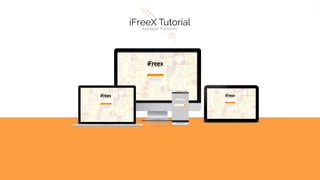
Available Platforms
www.YourCompany.com 
© 2020 CompanynamePowerPoint Business Theme. All Rights Reserved. 
2 
1 
Use Google Chrome, acessthe site: app.ifreex.com 
2 
Log with your login and password. These are the same BO credentials. 
3 
Type your desired name and clickOK 
4 
Please give access to your camera and audio so that iFreeXcan work properly.
www.YourCompany.com 
© 2020 CompanynamePowerPoint Business Theme. All Rights Reserved. 
3 
1 
Use Google Chrome, acessthe site: app.ifreex.com 
-Please use same login as of your Back Office. 
-Don’t forget your Caps-Lock On/Off 
-Please use same password as of your Back Office. 
-Don’t forget your Caps- Lock On/Off
www.YourCompany.com 
© 2020 CompanynamePowerPoint Business Theme. All Rights Reserved. 
4 
-Type your name as you want to appear to others. 
-Remember that this is only a temporary name, you can change it any time. 
3 
Type your desired name and clickOK
www.YourCompany.com 
© 2020 CompanynamePowerPoint Business Theme. All Rights Reserved. 
5 
4 
Please give access to your camera and audio so that iFreeXcan work properly. 
-Please pay attention to this step: 
Click on ALLOW
www.YourCompany.com 
© 2020 CompanynamePowerPoint Business Theme. All Rights Reserved. 
6 
-Share your link to Facebook. 
-Share your link to Twitter. 
-Full Screen 
-Whiteboard 
-Logout 
Send Mesages 
SALA 1
www.YourCompany.com 
© 2020 CompanynamePowerPoint Business Theme. All Rights Reserved. 
7 
Download your app at: 
http://goo.gl/p73hlF 
Launch the app and type your name. 
Participate!
www.YourCompany.com 
© 2020 CompanynamePowerPoint Business Theme. All Rights Reserved. 
8 
app.ifreex.com 
Download your app at: 
http://goo.gl/p73hlF 
Launch the app and type your name. 
Participate!
www.YourCompany.com 
© 2020 CompanynamePowerPoint Business Theme. All Rights Reserved.

APPLICATION TUTORIAL (ENGLISH)

  • 1.
    www.YourCompany.com © 2020CompanynamePowerPoint Business Theme. All Rights Reserved. 1 Available Platforms
  • 2.
    www.YourCompany.com © 2020CompanynamePowerPoint Business Theme. All Rights Reserved. 2 1 Use Google Chrome, acessthe site: app.ifreex.com 2 Log with your login and password. These are the same BO credentials. 3 Type your desired name and clickOK 4 Please give access to your camera and audio so that iFreeXcan work properly.
  • 3.
    www.YourCompany.com © 2020CompanynamePowerPoint Business Theme. All Rights Reserved. 3 1 Use Google Chrome, acessthe site: app.ifreex.com -Please use same login as of your Back Office. -Don’t forget your Caps-Lock On/Off -Please use same password as of your Back Office. -Don’t forget your Caps- Lock On/Off
  • 4.
    www.YourCompany.com © 2020CompanynamePowerPoint Business Theme. All Rights Reserved. 4 -Type your name as you want to appear to others. -Remember that this is only a temporary name, you can change it any time. 3 Type your desired name and clickOK
  • 5.
    www.YourCompany.com © 2020CompanynamePowerPoint Business Theme. All Rights Reserved. 5 4 Please give access to your camera and audio so that iFreeXcan work properly. -Please pay attention to this step: Click on ALLOW
  • 6.
    www.YourCompany.com © 2020CompanynamePowerPoint Business Theme. All Rights Reserved. 6 -Share your link to Facebook. -Share your link to Twitter. -Full Screen -Whiteboard -Logout Send Mesages SALA 1
  • 7.
    www.YourCompany.com © 2020CompanynamePowerPoint Business Theme. All Rights Reserved. 7 Download your app at: http://goo.gl/p73hlF Launch the app and type your name. Participate!
  • 8.
    www.YourCompany.com © 2020CompanynamePowerPoint Business Theme. All Rights Reserved. 8 app.ifreex.com Download your app at: http://goo.gl/p73hlF Launch the app and type your name. Participate!
  • 9.
    www.YourCompany.com © 2020CompanynamePowerPoint Business Theme. All Rights Reserved.