OpenAM 10 Developer's Guide 
Mark Craig 
February 27, 2012
Draft Draft 
Copyright © 2011-2012 ForgeRock AS 
Abstract 
Guide to developing OpenAM client applications and service providers. Ope-nAM 
provides open source Authentication, Authorization, Entitlement and Fed-eration 
software. 
This work is licensed under the Creative Commons Attribution-NonCommercial-NoDerivs 3.0 Unported License1. 
To view a copy of this license, visit http://creativecommons.org/licenses/by-nc-nd/3.0/ or send a letter to Creative Commons, 444 Castro Street, Suite 900, Mountain View, California, 94041, USA. 
Trademarks are the property of their respective owners. 
UNLESS OTHERWISE MUTUALLY AGREED BY THE PARTIES IN WRITING, LICENSOR OFFERS THE WORK AS-IS AND MAKES NO REPRESENTATIONS OR WARRANTIES OF ANY KIND CON-CERNING 
THE WORK, EXPRESS, IMPLIED, STATUTORY OR OTHERWISE, INCLUDING, WITHOUT LIMITATION, WARRANTIES OF TITLE, MERCHANTIBILITY, FITNESS FOR A PARTICULAR 
PURPOSE, NONINFRINGEMENT, OR THE ABSENCE OF LATENT OR OTHER DEFECTS, ACCURACY, OR THE PRESENCE OF ABSENCE OF ERRORS, WHETHER OR NOT DISCOVERABLE. 
SOME JURISDICTIONS DO NOT ALLOW THE EXCLUSION OF IMPLIED WARRANTIES, SO SUCH EXCLUSION MAY NOT APPLY TO YOU. 
EXCEPT TO THE EXTENT REQUIRED BY APPLICABLE LAW, IN NO EVENT WILL LICENSOR BE LIABLE TO YOU ON ANY LEGAL THEORY FOR ANY SPECIAL, INCIDENTAL, CONSEQUENTIAL, 
PUNITIVE OR EXEMPLARY DAMAGES ARISING OUT OF THIS LICENSE OR THE USE OF THE WORK, EVEN IF LICENSOR HAS BEEN ADVISED OF THE POSSIBILITY OF SUCH DAMAGES. 
DejaVu Fonts 
Bitstream Vera Fonts Copyright 
Copyright (c) 2003 by Bitstream, Inc. All Rights Reserved. Bitstream Vera is a trademark of Bitstream, Inc. 
Permission is hereby granted, free of charge, to any person obtaining a copy of the fonts accompanying this license ("Fonts") and associated documentation files (the "Font Software"), to reproduce 
and distribute the Font Software, including without limitation the rights to use, copy, merge, publish, distribute, and/or sell copies of the Font Software, and to permit persons to whom the Font 
Software is furnished to do so, subject to the following conditions: 
The above copyright and trademark notices and this permission notice shall be included in all copies of one or more of the Font Software typefaces. 
The Font Software may be modified, altered, or added to, and in particular the designs of glyphs or characters in the Fonts may be modified and additional glyphs or characters may be added to 
the Fonts, only if the fonts are renamed to names not containing either the words "Bitstream" or the word "Vera". 
This License becomes null and void to the extent applicable to Fonts or Font Software that has been modified and is distributed under the "Bitstream Vera" names. 
The Font Software may be sold as part of a larger software package but no copy of one or more of the Font Software typefaces may be sold by itself. 
THE FONT SOFTWARE IS PROVIDED "AS IS", WITHOUT WARRANTY OF ANY KIND, EXPRESS OR IMPLIED, INCLUDING BUT NOT LIMITED TO ANY WARRANTIES OF MERCHANTABILITY, 
FITNESS FOR A PARTICULAR PURPOSE AND NONINFRINGEMENT OF COPYRIGHT, PATENT, TRADEMARK, OR OTHER RIGHT. IN NO EVENT SHALL BITSTREAM OR THE GNOME FOUN-DATION 
BE LIABLE FOR ANY CLAIM, DAMAGES OR OTHER LIABILITY, INCLUDING ANY GENERAL, SPECIAL, INDIRECT, INCIDENTAL, OR CONSEQUENTIAL DAMAGES, WHETHER IN AN 
ACTION OF CONTRACT, TORT OR OTHERWISE, ARISING FROM, OUT OF THE USE OR INABILITY TO USE THE FONT SOFTWARE OR FROM OTHER DEALINGS IN THE FONT SOFTWARE. 
Except as contained in this notice, the names of Gnome, the Gnome Foundation, and Bitstream Inc., shall not be used in advertising or otherwise to promote the sale, use or other dealings in this 
Font Software without prior written authorization from the Gnome Foundation or Bitstream Inc., respectively. For further information, contact: fonts at gnome dot org. 
Arev Fonts Copyright 
Copyright (c) 2006 by Tavmjong Bah. All Rights Reserved. 
Permission is hereby granted, free of charge, to any person obtaining a copy of the fonts accompanying this license ("Fonts") and associated documentation files (the "Font Software"), to reproduce 
and distribute the modifications to the Bitstream Vera Font Software, including without limitation the rights to use, copy, merge, publish, distribute, and/or sell copies of the Font Software, and 
to permit persons to whom the Font Software is furnished to do so, subject to the following conditions: 
The above copyright and trademark notices and this permission notice shall be included in all copies of one or more of the Font Software typefaces. 
The Font Software may be modified, altered, or added to, and in particular the designs of glyphs or characters in the Fonts may be modified and additional glyphs or characters may be added to 
the Fonts, only if the fonts are renamed to names not containing either the words "Tavmjong Bah" or the word "Arev". 
This License becomes null and void to the extent applicable to Fonts or Font Software that has been modified and is distributed under the "Tavmjong Bah Arev" names. 
The Font Software may be sold as part of a larger software package but no copy of one or more of the Font Software typefaces may be sold by itself. 
THE FONT SOFTWARE IS PROVIDED "AS IS", WITHOUT WARRANTY OF ANY KIND, EXPRESS OR IMPLIED, INCLUDING BUT NOT LIMITED TO ANY WARRANTIES OF MERCHANTABILITY, 
FITNESS FOR A PARTICULAR PURPOSE AND NONINFRINGEMENT OF COPYRIGHT, PATENT, TRADEMARK, OR OTHER RIGHT. IN NO EVENT SHALL TAVMJONG BAH BE LIABLE FOR ANY 
CLAIM, DAMAGES OR OTHER LIABILITY, INCLUDING ANY GENERAL, SPECIAL, INDIRECT, INCIDENTAL, OR CONSEQUENTIAL DAMAGES, WHETHER IN AN ACTION OF CONTRACT, TORT 
OR OTHERWISE, ARISING FROM, OUT OF THE USE OR INABILITY TO USE THE FONT SOFTWARE OR FROM OTHER DEALINGS IN THE FONT SOFTWARE. 
Except as contained in this notice, the name of Tavmjong Bah shall not be used in advertising or otherwise to promote the sale, use or other dealings in this Font Software without prior written 
authorization from Tavmjong Bah. For further information, contact: tavmjong @ free . fr. 
1 http://creativecommons.org/licenses/by-nc-nd/3.0/
Draft Draft 
Table of Contents 
Preface ................................................................................................... v 
1. OpenAM APIs and Protocols ............................................................... 1 
2. Developing Client Applications ............................................................ 3 
3. Using RESTful Web Services .............................................................. 5 
4. Using the OpenAM Java SDK ............................................................ 13 
5. Authenticating Using OpenAM Java SDK ........................................... 17 
6. Handling Single Sign On Using OpenAM Java SDK ............................ 23 
7. Requesting Policy Decisions Using OpenAM Java SDK ....................... 27 
8. Using Fedlets in Java Web Applications ............................................. 31 
9. Using Fedlets in .NET Applications ................................................... 43 
10. Using the OpenAM C API ................................................................ 45 
11. Extending OpenAM ......................................................................... 47 
12. Customizing Profile Attributes ......................................................... 49 
13. Customizing Authentication Modules ............................................... 53 
14. Creating a Post Authentication Plugin ............................................. 67 
15. Customizing Policy Evaluation ......................................................... 71 
16. Customizing Identity Data Storage .................................................. 75 
Index .................................................................................................... 81 
iii
iv
Draft Draft 
v 
Preface 
This guide demonstrates how to handle sessions to permit single sign on 
and single log out in OpenAM client applications. This guide further demon-strates 
how to use the OpenAM APIs including both APIs for client applica-tions, 
and also SPIs for authentication, policy, service management, delega-tion, 
and identity storage. Finally, this guide demonstrates how to write your 
own web policy agent. 
1. Who Should Use this Guide 
This guide is written for developers who adapt client applications to use Ope-nAM 
access management capabilities. It is also written for designers and de-velopers 
extending and integrating OpenAM services for their organizations. 
You do not need to be an OpenAM wizard to learn something from this guide, 
though a background in access management and developing web applica-tions 
or developing for web and application servers can help. You can never-theless 
get started with this guide, and then learn more as you go along. 
2. Formatting Conventions 
Some items are formatted differently from other text, like filenames, com-mands, 
and literal values. 
$ echo Terminal sessions are formatted with line folding for easier reading. 
In the HTML version, double-click to toggle between the folded version and 
the flat, copy-paste version. > /dev/null 
In many cases, sections pertaining to UNIX, GNU/Linux, Mac OS X, BSD, and 
so forth are marked (UNIX). Sections pertaining to Microsoft Windows might 
be marked (Windows). To avoid repetition, however, file system directory 
names are often given only in UNIX format as in /path/to/OpenAM, even if the 
text applies to C:pathtoOpenAM as well. 
class Test 
{ 
public static void main(String [] args) 
{ 
System.out.println("This is a program listing."); 
} 
} 
3. Accessing OpenAM Documentation Online 
Core documentation, such as what you are now reading, aims to be techni-cally 
accurate and complete with respect to the software documented. Core
Draft Joining the Ope-nAM 
Community 
Draft 
vi 
documentation therefore follows a three-phase review process1 designed to 
eliminate errors. The review process should slow authors down enough that 
documentation you get with a stable release has had time to bake fully. 
Fully baked core documentation is available at docs.forgerock.org2. 
The OpenAM Wiki3 regularly brings you more, fresh content. In addition, you 
are welcome to sign up4 and then edit the Wiki if you notice an error, or if 
you have something to share. 
4. Joining the OpenAM Community 
After you sign up5 at ForgeRock, you can also login to the Wiki and the issue 
database to follow what is happening with the project. 
If you have questions regarding OpenAM which are not answered by 
the documentation, there is a mailing list which can be found at https:// 
lists.forgerock.org/mailman/listinfo/openam where you are likely to find an 
answer. 
The Wiki has information on how to check out OpenAM source code. There 
is also a mailing list for OpenAM development which can be found at 
https://lists.forgerock.org/mailman/listinfo/openam-dev Should you want to 
contribute a patch, test, or feature, or want to author part of the core docu-mentation, 
first have a look on the ForgeRock site at how to get involved6. 
1 https://wikis.forgerock.org/confluence/display/devcom/Review+Process 
2 http://docs.forgerock.org/ 
3 http://wikis.forgerock.org/openam/ 
4 https://idp.forgerock.org/openam/UI/Login?service=register 
5 https://idp.forgerock.org/openam/UI/Login?service=register 
6 http://www.forgerock.org/get_involved.html
Draft Draft 
1 
Chapter 1. OpenAM APIs and Protocols 
Although policy agents and standards support make it possible for applica-tions 
to use OpenAM for access management without changing your code, 
some deployments require tighter integration, or direct use of supported pro-tocols 
and OpenAM APIs. 
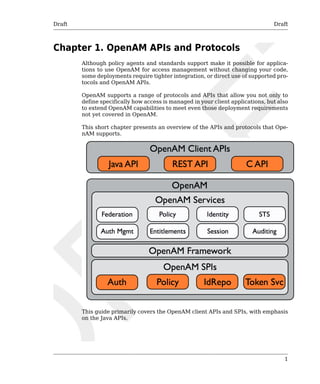
OpenAM supports a range of protocols and APIs that allow you not only to 
define specifically how access is managed in your client applications, but also 
to extend OpenAM capabilities to meet even those deployment requirements 
not yet covered in OpenAM. 
This short chapter presents an overview of the APIs and protocols that Ope-nAM 
supports. 
This guide primarily covers the OpenAM client APIs and SPIs, with emphasis 
on the Java APIs.
Draft OpenAM APIs Draft 
1.1. OpenAM APIs 
2 
OpenAM provides client application programming interfaces for a variety of 
needs. 
• The OpenAM Java APIs provided through the OpenAM Java SDK let your 
Java and Java EE applications call on OpenAM for authentication, and au-thorization 
in both OpenAM and federated environments. 
Detailed reference information is provided in the OpenAM Java SDK API 
Specification1. 
• The C SDK also provides APIs for native applications, such as new web 
server policy agents. The C SDK is delivered with OpenAM for Linux, So-laris, 
and Windows platforms. 
• OpenAM exposes a RESTful API that can return JSON or XML over HTTP, 
allowing you to access authentication, authorization, and identity services 
from your web applications using REST clients in the language of your 
choice. 
1.2. OpenAM SPIs 
OpenAM provides Java based service provider interfaces to let you extend 
services for the requirements of your particular deployment. 
Some examples of the plugins you can write follow in the list below. This 
guide demonstrates how to implement such plugins. 
• Custom authentication plugins let OpenAM authenticate users against a 
new authentication service or an authentication service specific to your 
deployment 
• Post authentication plugins perform additional processing at the end of the 
authentication process, but before the subject is authenticated. Post au-thentication 
plugins can for example store information about the authen-tication 
in the user's profile, or call another system for audit logging pur-poses. 
• Policy evaluation plugins implement new policy conditions, send attributes 
from the user profile as part of a policy response, extend the definition of 
the subjects to whom the policy applies, or customize how policy manage-ment 
is delegated. 
• Identity repository plugins let OpenAM employ a new or custom user data 
store, other than a directory server or JDBC-accessible database. 
1 http://openam.forgerock.org/doc/public-api/index.html
Draft Draft 
3 
Chapter 2. Developing Client Applications 
Client applications access OpenAM services for authentication, authoriza-tion, 
and single sign on/single log out through the use of sessions. Client ap-plications 
can also be allowed to manage authorization policies. 
Client application integration with OpenAM can be coupled loosely, as in 
the case of an application running in a web server with an OpenAM policy 
agent to handle interaction with OpenAM service, more directly, as in the 
case where the client interacts with OpenAM over protocol, or tightly, as in 
the case of an application using the OpenAM Java or C API to interact with 
OpenAM services. 
This part of the guide covers client interaction with OpenAM over supported 
protocols and using OpenAM APIs.
4
Draft Draft 
5 
Chapter 3. Using RESTful Web Services 
This chapter shows how to use the OpenAM RESTful interfaces for direct 
integration between web client applications and OpenAM. 
3.1. About the RESTful API 
OpenAM offers a RESTful API for these access and identity management op-erations: 
• Authentication (login) 
• Logout 
• Token attribute retrieval 
• Token validation 
• Authorization 
• Logging 
• Identity management (creating, reading, updating, deleting identities) 
To call the API, access URLs under identity/ where OpenAM is deployed, 
such as https://openam.example.com:8080/openam/identity/. 
You can select the output format returned by specifying json/ or xml/ in 
the URL after identity/. For example, to return JSON, specify https:// 
openam.example.com:8080/openam/identity/json/. 
For the examples in this chapter, OpenAM has c66Encode for cookies acti-vated. 
The encoding ensures that OpenAM tokens need not be percent en-coded 
before being submitted with a request. Thus, an example token looks 
like this. 
token.id=AQIC5wM2LY4SfczntBbXvEAOuECbqMY3J4NW3byH6xwgkGE.*AAJTSQACMDE.* 
Without c66Encode activated, the same token might look like this. 
token.id=AQIC5wM2LY4SfczntBbXvEAOuECbqMY3J4NW3byH6xwgkGE=@AAJTSQACMDE=# 
In the latter example, you would have to percent encode1 the =, @, and # 
characters in your requests. 
In this chapter, long URLs are wrapped to fit the printed page. 
1 http://en.wikipedia.org/wiki/Percent-encoding
Draft Authentication & Logout Draft 
3.2. Authentication & Logout 
6 
Simple authentication with a user name and password returns a token. 
$ curl "https://openam.example.com:8080/openam/identity/authenticate? 
username=bjensen 
&password=hifalutin" 
token.id=AQIC5wM2LY4SfcxvdvHOXjtC_eWSs2RB54tgvgK8SuYi7aQ.*AAJTSQACMDE.* 
If you must specify parameters as when authenticating to /UI/Login, you pro-vide 
a percent encoded string of the parameters as the value of the uri pa-rameter. 
$ curl "https://openam.example.com:8080/openam/identity/authenticate? 
username=bjensen 
&password=hifalutin 
&uri=realm=%2F%26module=DataStore" 
token.id=AQIC5wM2LY4SfcxvdvHOXjtC_eWSs2RB54tgvgK8SuYi7aQ.*AAJTSQACMDE.* 
You log out using the token to end the user session. 
$ curl "https://openam.example.com:8080/openam/identity/logout? 
subjectid=AQIC5wM2LY4SfcxvdvHOXjtC_eWSs2RB54tgvgK8SuYi7aQ.*AAJTSQACMDE.*" 
3.3. Token Validation & Attribute Retrieval 
You check whether a token is valid as follows. 
$ curl "https://openam.example.com:8080/openam/identity/isTokenValid? 
tokenid=AQIC5wM2LY4SfcxuxIP0VnP2lVjs7ypEM6VDx6srk56CN1Q.*AAJTSQACMDE.*" 
boolean=true 
An invalid token returns a 401 and an error page. 
$ curl "https://openam.example.com:8080/openam/identity/isTokenValid? 
tokenid=INVALID" 
<html>...HTTP Status 401...</html> 
With a valid token, you can retrieve attributes about the subject. OpenAM 
returns a series of name, value pairs. 
$ curl "https://openam.example.com:8080/openam/identity/attributes? 
subjectid=AQIC5wM2LY4SfcxuxIP0VnP2lVjs7ypEM6VDx6srk56CN1Q.*AAJTSQACMDE.*" 
userdetails.token.id= 
AQIC5wM2LY4SfcxuxIP0VnP2lVjs7ypEM6VDx6srk56CN1Q.*AAJTSQACMDE.* 
userdetails.attribute.name=uid 
userdetails.attribute.value=bjensen 
userdetails.attribute.name=mail 
userdetails.attribute.value=bjensen@example.com 
userdetails.attribute.name=sn 
userdetails.attribute.value=Jensen 
userdetails.attribute.name=userpassword 
userdetails.attribute.value={SSHA}rhusOfYpkapDWEHcfT2Y7y83LMuC++F4Abqvig==
Draft Authorization Draft 
userdetails.attribute.name=cn 
userdetails.attribute.value=Babs Jensen 
userdetails.attribute.value=Barbara Jensen 
userdetails.attribute.name=givenname 
userdetails.attribute.value=Barbara 
userdetails.attribute.name=dn 
userdetails.attribute.value=uid=bjensen,ou=people,dc=example,dc=com 
userdetails.attribute.name=telephonenumber 
userdetails.attribute.value=+1 408 555 1862 
userdetails.attribute.name=objectclass 
userdetails.attribute.value=organizationalPerson 
userdetails.attribute.value=person 
userdetails.attribute.value=posixAccount 
userdetails.attribute.value=inetOrgPerson 
userdetails.attribute.value=krbprincipalaux 
userdetails.attribute.value=krbTicketPolicyAux 
userdetails.attribute.value=top 
You can specify attributes to limit what you retrieve. 
$ curl "https://openam.example.com:8080/openam/identity/attributes? 
subjectid=AQIC5wM2LY4SfcxuxIP0VnP2lVjs7ypEM6VDx6srk56CN1Q.*AAJTSQACMDE.* 
&attributenames=mail 
&attributenames=uid" 
userdetails.token.id= 
AQIC5wM2LY4SfcxuxIP0VnP2lVjs7ypEM6VDx6srk56CN1Q.*AAJTSQACMDE.* 
userdetails.attribute.name=uid 
userdetails.attribute.value=bjensen 
userdetails.attribute.name=mail 
userdetails.attribute.value=bjensen@example.com 
When retrieving attributes, you can refresh the session thus setting the idle 
time to 0, by adding the boolean parameter refresh=true to the query string. 
$ curl "https://openam.example.com:8080/openam/identity/attributes? 
subjectid=AQIC5wM2LY4SfcxuxIP0VnP2lVjs7ypEM6VDx6srk56CN1Q.*AAJTSQACMDE.* 
&attributenames=cn 
&refresh=true" 
userdetails.token.id= 
AQIC5wM2LY4SfcxuxIP0VnP2lVjs7ypEM6VDx6srk56CN1Q.*AAJTSQACMDE.* 
userdetails.attribute.name=cn 
userdetails.attribute.value=Babs Jensen 
userdetails.attribute.value=Barbara Jensen 
7 
3.4. Authorization 
You can call on OpenAM to decide whether to authorize access to a protected 
resource based on a valid token. Of course, you must percent encode the 
resource URI. 
$ curl "https://openam.example.com:8080/openam/identity/authorize? 
uri=http%3A%2F%2Fwww.example.com%3A8080%2Fexamples%2Findex.html 
&subjectid=AQIC5wM2LY4SfcxuxIP0VnP2lVjs7ypEM6VDx6srk56CN1Q.*AAJTSQACMDE.*" 
boolean=true 
To indicate access denied, OpenAM returns boolean=false.
Draft Logging Draft 
8 
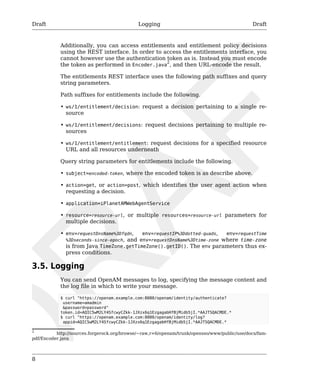
Additionally, you can access entitlements and entitlement policy decisions 
using the REST interface. In order to access the entitlements interface, you 
cannot however use the authentication token as is. Instead you must encode 
the token as performed in Encoder.java2, and then URL-encode the result. 
The entitlements REST interface uses the following path suffixes and query 
string parameters. 
Path suffixes for entitlements include the following. 
• ws/1/entitlement/decision: request a decision pertaining to a single re-source 
• ws/1/entitlement/decisions: request decisions pertaining to multiple re-sources 
• ws/1/entitlement/entitlement: request decisions for a specified resource 
URL and all resources underneath 
Query string parameters for entitlements include the following. 
• subject=encoded-token, where the encoded token is as describe above. 
• action=get, or action=post, which identifies the user agent action when 
requesting a decision. 
• application=iPlanetAMWebAgentService 
• resource=resource-url, or multiple resources=resource-url parameters for 
multiple decisions. 
• env=requestDnsName%3Dfqdn, env=requestIP%3Ddotted-quads, env=requestTime 
%3Dseconds-since-epoch, and env=requestDnsName%3Dtime-zone where time-zone 
is from Java TimeZone.getTimeZone().getID(). The env parameters thus ex-press 
conditions. 
3.5. Logging 
You can send OpenAM messages to log, specifying the message content and 
the log file in which to write your message. 
$ curl "https://openam.example.com:8080/openam/identity/authenticate? 
username=amadmin 
&password=password" 
token.id=AQIC5wM2LY4SfcwyCZkk-1JXzx6q1EzgagabHfBjMidb5jI.*AAJTSQACMDE.* 
$ curl "https://openam.example.com:8080/openam/identity/log? 
appid=AQIC5wM2LY4SfcwyCZkk-1JXzx6q1EzgagabHfBjMidb5jI.*AAJTSQACMDE.* 
2 http://sources.forgerock.org/browse/~raw,r=6/openam/trunk/opensso/www/public/use/docs/fam-pdf/ 
Encoder.java
Draft Identity Management Draft 
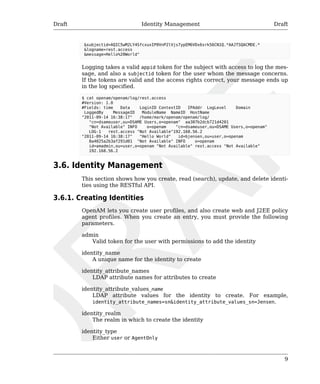
&subjectid=AQIC5wM2LY4SfcxuxIP0VnP2lVjs7ypEM6VDx6srk56CN1Q.*AAJTSQACMDE.* 
&logname=rest.access 
&message=Hello%20World" 
Logging takes a valid appid token for the subject with access to log the mes-sage, 
and also a subjectid token for the user whom the message concerns. 
If the tokens are valid and the access rights correct, your message ends up 
in the log specified. 
$ cat openam/openam/log/rest.access 
#Version: 1.0 
#Fields: time Data LoginID ContextID IPAddr LogLevel Domain 
LoggedBy MessageID ModuleName NameID HostName 
"2011-09-14 16:38:17" /home/mark/openam/openam/log/ 
9 
"cn=dsameuser,ou=DSAME Users,o=openam" aa307b2dcb721d4201 
"Not Available" INFO o=openam "cn=dsameuser,ou=DSAME Users,o=openam" 
LOG-1 rest.access "Not Available"192.168.56.2 
"2011-09-14 16:38:17" "Hello World" id=bjensen,ou=user,o=openam 
8a4025a2b3af291d01 "Not Available" INFO o=openam 
id=amadmin,ou=user,o=openam "Not Available" rest.access "Not Available" 
192.168.56.2 
3.6. Identity Management 
This section shows how you create, read (search), update, and delete identi-ties 
using the RESTful API. 
3.6.1. Creating Identities 
OpenAM lets you create user profiles, and also create web and J2EE policy 
agent profiles. When you create an entry, you must provide the following 
parameters. 
admin 
Valid token for the user with permissions to add the identity 
identity_name 
A unique name for the identity to create 
identity_attribute_names 
LDAP attribute names for attributes to create 
identity_attribute_values_name 
LDAP attribute values for the identity to create. For example, 
identity_attribute_names=sn&identity_attribute_values_sn=Jensen. 
identity_realm 
The realm in which to create the identity 
identity_type 
Either user or AgentOnly
Draft Reading & Search-ing 
for Identies 
Draft 
10 
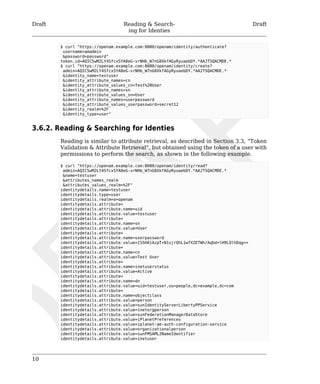
$ curl "https://openam.example.com:8080/openam/identity/authenticate? 
username=amadmin 
&password=password" 
token.id=AQIC5wM2LY4SfcxSYA8eG-vrNHb_W7nG8XkfAGyRyuaebDY.*AAJTSQACMDE.* 
$ curl "https://openam.example.com:8080/openam/identity/create? 
admin=AQIC5wM2LY4SfcxSYA8eG-vrNHb_W7nG8XkfAGyRyuaebDY.*AAJTSQACMDE.* 
&identity_name=testuser 
&identity_attribute_names=cn 
&identity_attribute_values_cn=Test%20User 
&identity_attribute_names=sn 
&identity_attribute_values_sn=User 
&identity_attribute_names=userpassword 
&identity_attribute_values_userpassword=secret12 
&identity_realm=%2F 
&identity_type=user" 
3.6.2. Reading & Searching for Identies 
Reading is similar to attribute retrieval, as described in Section 3.3, “Token 
Validation & Attribute Retrieval”, but obtained using the token of a user with 
permissions to perform the search, as shown in the following example. 
$ curl "https://openam.example.com:8080/openam/identity/read? 
admin=AQIC5wM2LY4SfcxSYA8eG-vrNHb_W7nG8XkfAGyRyuaebDY.*AAJTSQACMDE.* 
&name=testuser 
&attributes_names_realm 
&attributes_values_realm=%2F" 
identitydetails.name=testuser 
identitydetails.type=user 
identitydetails.realm=o=openam 
identitydetails.attribute= 
identitydetails.attribute.name=uid 
identitydetails.attribute.value=testuser 
identitydetails.attribute= 
identitydetails.attribute.name=sn 
identitydetails.attribute.value=User 
identitydetails.attribute= 
identitydetails.attribute.name=userpassword 
identitydetails.attribute.value={SSHA}AzpT+N1sjrQhL1wfX2ETWh/Aqbd+lH9LOlhDqg== 
identitydetails.attribute= 
identitydetails.attribute.name=cn 
identitydetails.attribute.value=Test User 
identitydetails.attribute= 
identitydetails.attribute.name=inetuserstatus 
identitydetails.attribute.value=Active 
identitydetails.attribute= 
identitydetails.attribute.name=dn 
identitydetails.attribute.value=uid=testuser,ou=people,dc=example,dc=com 
identitydetails.attribute= 
identitydetails.attribute.name=objectclass 
identitydetails.attribute.value=person 
identitydetails.attribute.value=sunIdentityServerLibertyPPService 
identitydetails.attribute.value=inetorgperson 
identitydetails.attribute.value=sunFederationManagerDataStore 
identitydetails.attribute.value=iPlanetPreferences 
identitydetails.attribute.value=iplanet-am-auth-configuration-service 
identitydetails.attribute.value=organizationalperson 
identitydetails.attribute.value=sunFMSAML2NameIdentifier 
identitydetails.attribute.value=inetuser
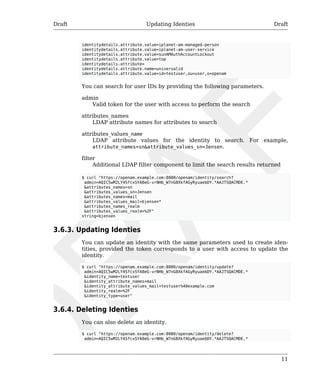
Draft Updating Identies Draft 
11 
identitydetails.attribute.value=iplanet-am-managed-person 
identitydetails.attribute.value=iplanet-am-user-service 
identitydetails.attribute.value=sunAMAuthAccountLockout 
identitydetails.attribute.value=top 
identitydetails.attribute= 
identitydetails.attribute.name=universalid 
identitydetails.attribute.value=id=testuser,ou=user,o=openam 
You can search for user IDs by providing the following parameters. 
admin 
Valid token for the user with access to perform the search 
attributes_names 
LDAP attribute names for attributes to search 
attributes_values_name 
LDAP attribute values for the identity to search. For example, 
attribute_names=sn&attribute_values_sn=Jensen. 
filter 
Additional LDAP filter component to limit the search results returned 
$ curl "https://openam.example.com:8080/openam/identity/search? 
admin=AQIC5wM2LY4SfcxSYA8eG-vrNHb_W7nG8XkfAGyRyuaebDY.*AAJTSQACMDE.* 
&attributes_names=sn 
&attributes_values_sn=Jensen 
&attributes_names=mail 
&attributes_values_mail=bjensen* 
&attributes_names_realm 
&attributes_values_realm=%2F" 
string=bjensen 
3.6.3. Updating Identies 
You can update an identity with the same parameters used to create iden-tities, 
provided the token corresponds to a user with access to update the 
identity. 
$ curl "https://openam.example.com:8080/openam/identity/update? 
admin=AQIC5wM2LY4SfcxSYA8eG-vrNHb_W7nG8XkfAGyRyuaebDY.*AAJTSQACMDE.* 
&identity_name=testuser 
&identity_attribute_names=mail 
&identity_attribute_values_mail=testuser%40example.com 
&identity_realm=%2F 
&identity_type=user" 
3.6.4. Deleting Identies 
You can also delete an identity. 
$ curl "https://openam.example.com:8080/openam/identity/delete? 
admin=AQIC5wM2LY4SfcxSYA8eG-vrNHb_W7nG8XkfAGyRyuaebDY.*AAJTSQACMDE.*
Draft Deleting Identies Draft 
12 
&identity_name=testuser 
&identity_realm=%2F 
&identity_type=user"
Draft Draft 
13 
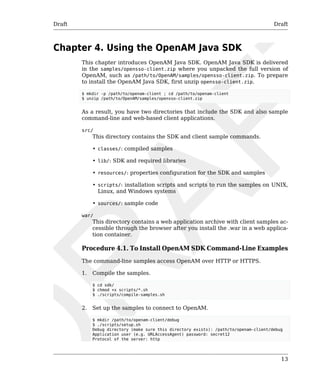
Chapter 4. Using the OpenAM Java SDK 
This chapter introduces OpenAM Java SDK. OpenAM Java SDK is delivered 
in the samples/opensso-client.zip where you unpacked the full version of 
OpenAM, such as /path/to/OpenAM/samples/opensso-client.zip. To prepare 
to install the OpenAM Java SDK, first unzip opensso-client.zip. 
$ mkdir -p /path/to/openam-client ; cd /path/to/openam-client 
$ unzip /path/to/OpenAM/samples/opensso-client.zip 
As a result, you have two directories that include the SDK and also sample 
command-line and web-based client applications. 
src/ 
This directory contains the SDK and client sample commands. 
• classes/: compiled samples 
• lib/: SDK and required libraries 
• resources/: properties configuration for the SDK and samples 
• scripts/: installation scripts and scripts to run the samples on UNIX, 
Linux, and Windows systems 
• sources/: sample code 
war/ 
This directory contains a web application archive with client samples ac-cessible 
through the browser after you install the .war in a web applica-tion 
container. 
Procedure 4.1. To Install OpenAM SDK Command-Line Examples 
The command-line samples access OpenAM over HTTP or HTTPS. 
1. Compile the samples. 
$ cd sdk/ 
$ chmod +x scripts/*.sh 
$ ./scripts/compile-samples.sh 
2. Set up the samples to connect to OpenAM. 
$ mkdir /path/to/openam-client/debug 
$ ./scripts/setup.sh 
Debug directory (make sure this directory exists): /path/to/openam-client/debug 
Application user (e.g. URLAccessAgent) password: secret12 
Protocol of the server: http
Draft Draft 
14 
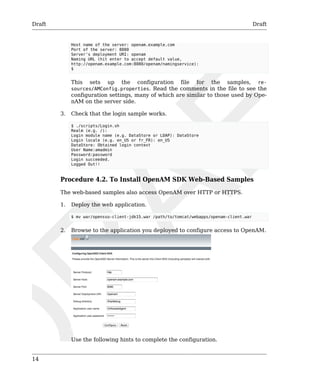
Host name of the server: openam.example.com 
Port of the server: 8080 
Server's deployment URI: openam 
Naming URL (hit enter to accept default value, 
http://openam.example.com:8080/openam/namingservice): 
$ 
This sets up the configuration file for the samples, re-sources/ 
AMConfig.properties. Read the comments in the file to see the 
configuration settings, many of which are similar to those used by Ope-nAM 
on the server side. 
3. Check that the login sample works. 
$ ./scripts/Login.sh 
Realm (e.g. /): 
Login module name (e.g. DataStore or LDAP): DataStore 
Login locale (e.g. en_US or fr_FR): en_US 
DataStore: Obtained login context 
User Name:amadmin 
Password:password 
Login succeeded. 
Logged Out!! 
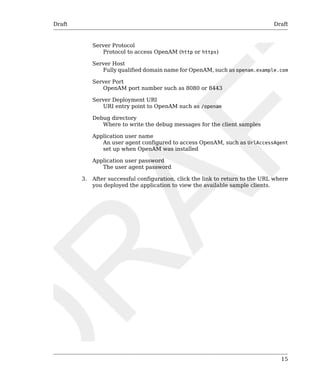
Procedure 4.2. To Install OpenAM SDK Web-Based Samples 
The web-based samples also access OpenAM over HTTP or HTTPS. 
1. Deploy the web application. 
$ mv war/opensso-client-jdk15.war /path/to/tomcat/webapps/openam-client.war 
2. Browse to the application you deployed to configure access to OpenAM. 
Use the following hints to complete the configuration.
Draft Draft 
15 
Server Protocol 
Protocol to access OpenAM (http or https) 
Server Host 
Fully qualified domain name for OpenAM, such as openam.example.com 
Server Port 
OpenAM port number such as 8080 or 8443 
Server Deployment URI 
URI entry point to OpenAM such as /openam 
Debug directory 
Where to write the debug messages for the client samples 
Application user name 
An user agent configured to access OpenAM, such as UrlAccessAgent 
set up when OpenAM was installed 
Application user password 
The user agent password 
3. After successful configuration, click the link to return to the URL where 
you deployed the application to view the available sample clients.
16
Draft Draft 
17 
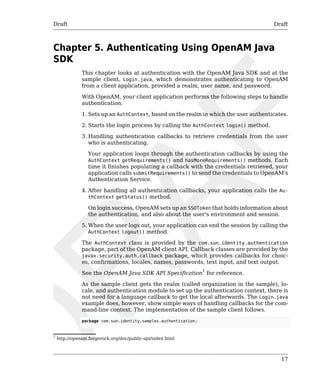
Chapter 5. Authenticating Using OpenAM Java 
SDK 
This chapter looks at authentication with the OpenAM Java SDK and at the 
sample client, Login.java, which demonstrates authenticating to OpenAM 
from a client application, provided a realm, user name, and password. 
With OpenAM, your client application performs the following steps to handle 
authentication. 
1. Sets up an AuthContext, based on the realm in which the user authenticates. 
2. Starts the login process by calling the AuthContext login() method. 
3. Handling authentication callbacks to retrieve credentials from the user 
who is authenticating. 
Your application loops through the authentication callbacks by using the 
AuthContext getRequirements() and hasMoreRequirements() methods. Each 
time it finishes populating a callback with the credentials retrieved, your 
application calls submitRequirements() to send the credentials to OpenAM's 
Authentication Service. 
4. After handling all authentication callbacks, your application calls the Au-thContext 
getStatus() method. 
On login success, OpenAM sets up an SSOToken that holds information about 
the authentication, and also about the user's environment and session. 
5. When the user logs out, your application can end the session by calling the 
AuthContext logout() method. 
The AuthContext class is provided by the com.sun.identity.authentication 
package, part of the OpenAM client API. Callback classes are provided by the 
javax.security.auth.callback package, which provides callbacks for choic-es, 
confirmations, locales, names, passwords, text input, and text output. 
See the OpenAM Java SDK API Specification1 for reference. 
As the sample client gets the realm (called organization in the sample), lo-cale, 
and authentication module to set up the authentication context, there is 
not need for a language callback to get the local afterwards. The Login.java 
example does, however, show simple ways of handling callbacks for the com-mand- 
line context. The implementation of the sample client follows. 
package com.sun.identity.samples.authentication; 
1 http://openam.forgerock.org/doc/public-api/index.html
Draft Draft 
18 
import java.io.BufferedReader; 
import java.io.InputStreamReader; 
import java.io.IOException; 
import javax.security.auth.callback.Callback; 
import javax.security.auth.callback.ChoiceCallback; 
import javax.security.auth.callback.NameCallback; 
import javax.security.auth.callback.PasswordCallback; 
import javax.security.auth.callback.TextInputCallback; 
import javax.security.auth.callback.TextOutputCallback; 
import javax.security.auth.callback.UnsupportedCallbackException; 
import com.sun.identity.authentication.AuthContext; 
import com.sun.identity.authentication.spi.AuthLoginException; 
import com.sun.identity.shared.debug.Debug; 
public class Login { 
private String loginIndexName; 
private String orgName; 
private String locale; 
private Login(String loginIndexName, String orgName) { 
this.loginIndexName = loginIndexName; 
this.orgName = orgName; 
} 
private Login(String loginIndexName, String orgName, String locale) { 
this.loginIndexName = loginIndexName; 
this.orgName = orgName; 
this.locale = locale; 
} 
protected AuthContext getAuthContext() 
throws AuthLoginException { 
AuthContext lc = new AuthContext(orgName); 
AuthContext.IndexType indexType = AuthContext.IndexType.MODULE_INSTANCE; 
if (locale == null || locale.length() == 0) { 
lc.login(indexType, loginIndexName); 
} else { 
lc.login(indexType, loginIndexName, locale); 
} 
debugMessage(loginIndexName + ": Obtained login context"); 
return lc; 
} 
private void addLoginCallbackMessage(Callback[] callbacks) 
throws UnsupportedCallbackException { 
int i = 0; 
try { 
for (i = 0; i < callbacks.length; i++) { 
if (callbacks[i] instanceof TextOutputCallback) { 
handleTextOutputCallback((TextOutputCallback)callbacks[i]); 
} else if (callbacks[i] instanceof NameCallback) { 
handleNameCallback((NameCallback)callbacks[i]); 
} else if (callbacks[i] instanceof PasswordCallback) { 
handlePasswordCallback((PasswordCallback)callbacks[i]); 
} else if (callbacks[i] instanceof TextInputCallback) { 
handleTextInputCallback((TextInputCallback)callbacks[i]); 
} else if (callbacks[i] instanceof ChoiceCallback) { 
handleChoiceCallback((ChoiceCallback)callbacks[i]); 
} 
} 
} catch (IOException e) { 
e.printStackTrace();
Draft Draft 
19 
throw new UnsupportedCallbackException(callbacks[i],e.getMessage()); 
} 
} 
private void handleTextOutputCallback(TextOutputCallback toc) { 
debugMessage("Got TextOutputCallback"); 
// display the message according to the specified type 
switch (toc.getMessageType()) { 
case TextOutputCallback.INFORMATION: 
debugMessage(toc.getMessage()); 
break; 
case TextOutputCallback.ERROR: 
debugMessage("ERROR: " + toc.getMessage()); 
break; 
case TextOutputCallback.WARNING: 
debugMessage("WARNING: " + toc.getMessage()); 
break; 
default: 
debugMessage("Unsupported message type: " + 
toc.getMessageType()); 
} 
} 
private void handleNameCallback(NameCallback nc) 
throws IOException { 
// prompt the user for a username 
System.out.print(nc.getPrompt()); 
System.out.flush(); 
nc.setName((new BufferedReader 
(new InputStreamReader(System.in))).readLine()); 
} 
private void handleTextInputCallback(TextInputCallback tic) 
throws IOException { 
// prompt for text input 
System.out.print(tic.getPrompt()); 
System.out.flush(); 
tic.setText((new BufferedReader 
(new InputStreamReader(System.in))).readLine()); 
} 
private void handlePasswordCallback(PasswordCallback pc) 
throws IOException { 
// prompt the user for sensitive information 
System.out.print(pc.getPrompt()); 
System.out.flush(); 
String passwd = (new BufferedReader(new InputStreamReader(System.in))). 
readLine(); 
pc.setPassword(passwd.toCharArray()); 
} 
private void handleChoiceCallback(ChoiceCallback cc) 
throws IOException { 
// ignore the provided defaultValue 
System.out.print(cc.getPrompt()); 
String[] strChoices = cc.getChoices(); 
for (int j = 0; j < strChoices.length; j++) { 
System.out.print("choice[" + j + "] : " + strChoices[j]); 
} 
System.out.flush();
Draft Draft 
20 
cc.setSelectedIndex(Integer.parseInt((new BufferedReader 
(new InputStreamReader(System.in))).readLine())); 
} 
protected boolean login(AuthContext lc) 
throws UnsupportedCallbackException { 
boolean succeed = false; 
Callback[] callbacks = null; 
// get information requested from module 
while (lc.hasMoreRequirements()) { 
callbacks = lc.getRequirements(); 
if (callbacks != null) { 
addLoginCallbackMessage(callbacks); 
lc.submitRequirements(callbacks); 
} 
} 
if (lc.getStatus() == AuthContext.Status.SUCCESS) { 
System.out.println("Login succeeded."); 
succeed = true; 
} else if (lc.getStatus() == AuthContext.Status.FAILED) { 
System.out.println("Login failed."); 
} else { 
System.out.println("Unknown status: " + lc.getStatus()); 
} 
return succeed; 
} 
protected void logout(AuthContext lc) 
throws AuthLoginException { 
lc.logout(); 
System.out.println("Logged Out!!"); 
} 
static void debugMessage(String msg) { 
System.out.println(msg); 
} 
public static void main(String[] args) { 
try { 
System.out.print("Realm (e.g. /): "); 
String orgName = (new BufferedReader( 
new InputStreamReader(System.in))).readLine(); 
System.out.print("Login module name (e.g. DataStore or LDAP): "); 
String moduleName = (new BufferedReader( 
new InputStreamReader(System.in))).readLine(); 
System.out.print("Login locale (e.g. en_US or fr_FR): "); 
String locale = (new BufferedReader( 
new InputStreamReader(System.in))).readLine(); 
Login login = new Login(moduleName, orgName, locale); 
AuthContext lc = login.getAuthContext(); 
if (login.login(lc)) { 
login.logout(lc); 
} 
} catch (IOException e) { 
e.printStackTrace(); 
} catch (AuthLoginException e) {
Draft Draft 
21 
e.printStackTrace(); 
} catch (UnsupportedCallbackException e) { 
e.printStackTrace(); 
} 
System.exit(0); 
} 
} 
For instructions on building the sample clients, see the chapter Using the 
OpenAM Java SDK.
22
Draft Draft 
23 
Chapter 6. Handling Single Sign On Using 
OpenAM Java SDK 
This chapter looks at handling session tokens with the OpenAM Java SDK 
using the sample client SSOTokenSample.java. 
When a user authenticates successfully, OpenAM sets up a single sign on 
session for the user. The session is associated with an SSO token that holds 
information about the authentication, and also about the user's environment 
and session. OpenAM disposes of the session when the authentication context 
logout() method is called, or when a session timeout is reached. At that point 
the SSO token is no longer valid. 
When your application has an AuthContext after successful authentication, 
you can retrieve the SSO token from the context. You also can get the token 
as shown in the sample client by passing an SSO token ID from OpenAM to 
an SSOTokenManager. 
If your application needs to be notified of changes, you can register an SSOTo-kenListener 
on the token by using the token's addSSOTokenListener() method. 
OpenAM then calls your SSOTokenListener ssoTokenChanged() method when 
the session times out, is disposed of, or has a property that changes. 
The sample client takes an SSO token ID to get the token from OpenAM, and 
then displays some information from the SSO token. The implementation of 
the sample client follows. 
package com.sun.identity.samples.sso; 
import java.io.BufferedReader; 
import java.io.InputStreamReader; 
import java.io.IOException; 
import java.net.InetAddress; 
import com.iplanet.sso.SSOException; 
import com.iplanet.sso.SSOToken; 
import com.iplanet.sso.SSOTokenID; 
import com.iplanet.sso.SSOTokenManager; 
public class SSOTokenSample { 
private SSOTokenManager manager; 
private SSOToken token; 
private SSOTokenSample(String tokenID) 
throws SSOException 
{ 
if (validateToken(tokenID)) { 
setGetProperties(token); 
} 
} 
private boolean validateToken(String tokenID) 
throws SSOException 
{
Draft Draft 
24 
boolean validated = false; 
manager = SSOTokenManager.getInstance(); 
token = manager.createSSOToken(tokenID); 
// isValid method returns true for valid token. 
if (manager.isValidToken(token)) { 
// let us get all the values from the token 
String host = token.getHostName(); 
java.security.Principal principal = token.getPrincipal(); 
String authType = token.getAuthType(); 
int level = token.getAuthLevel(); 
InetAddress ipAddress = token.getIPAddress(); 
long maxTime = token.getMaxSessionTime(); 
long idleTime = token.getIdleTime(); 
long maxIdleTime = token.getMaxIdleTime(); 
System.out.println("SSOToken host name: " + host); 
System.out.println("SSOToken Principal name: " + 
principal.getName()); 
System.out.println("Authentication type used: " + authType); 
System.out.println("IPAddress of the host: " + 
ipAddress.getHostAddress()); 
validated = true; 
} 
return validated; 
} 
private void setGetProperties(SSOToken token) 
throws SSOException 
{ 
/* 
* Validate the token again, with another method 
* if token is invalid, this method throws an exception 
*/ 
manager.validateToken(token); 
System.out.println("SSO Token validation test Succeeded."); 
// Get the SSOTokenID associated with the token and print it. 
SSOTokenID id = token.getTokenID(); 
String tokenId = id.toString(); 
System.out.println("Token ID: " + tokenId); 
// Set and get properties in the token. 
token.setProperty("TimeZone", "PST"); 
token.setProperty("County", "SantaClara"); 
String tZone = token.getProperty("TimeZone"); 
String county = token.getProperty("County"); 
System.out.println("Property: TimeZone: " + tZone); 
System.out.println("Property: County: " + county); 
} 
public static void main(String[] args) { 
try { 
System.out.print("Enter SSOToken ID: "); 
String ssoTokenID = (new BufferedReader( 
new InputStreamReader(System.in))).readLine(); 
new SSOTokenSample(ssoTokenID.trim()); 
} catch (SSOException e) { 
e.printStackTrace(); 
} catch (IOException e) {
Draft Receiving Notifications Draft 
25 
e.printStackTrace(); 
} 
System.exit(0); 
} 
} 
Before you run the script that calls the sample, authenticate to OpenAM in 
order to have OpenAM generate the SSO token ID. To see the SSO token ID, 
you can either authenticate on the command line using the RESTful authen-ticate 
command, or alternatively run the SSOTokenSampleServlet web-based 
sample. 
$ scripts/SSOTokenSample.sh 
Enter SSOToken ID: 
AQIC5wM2LY4Sfcxsdru55RwePLUIbY8xTjeHf3Xnw6hphOE.*AAJTSQACMDE.* 
SSOToken host name: 192.168.56.1 
SSOToken Principal name: 
id=bjensen,ou=user,o=realm,ou=services,dc=opensso,dc=java,dc=net 
Authentication type used: DataStore 
IPAddress of the host: 192.168.56.1 
SSO Token validation test Succeeded. 
Token ID: AQIC5wM2LY4Sfcxsdru55RwePLUIbY8xTjeHf3Xnw6hphOE.*AAJTSQACMDE.* 
Property: TimeZone: PST 
Property: County: SantaClara 
Notice both the properties populated by OpenAM, and also the two proper-ties, 
TimeZone and County, that are set by the sample client. 
6.1. Receiving Notifications 
If your application implements a listener for change notification, such as a 
SessionListener to handle notification when a session is invalidated, then you 
must configure the following settings in the AMConfig.properties configura-tion 
file for your application. 
com.iplanet.am.notification.url 
Set this parameter to http://host:port/context/notificationservice. 
com.iplanet.am.sdk.caching.enabled 
Set this parameter to true. 
com.iplanet.am.serverMode 
Set this parameter to false. 
com.sun.identity.client.notification.url 
Set this parameter to http://host:port/context/notificationservice. 
com.sun.identity.idm.cache.enabled 
Set this parameter to true. 
com.sun.identity.idm.remote.notification.enabled 
Set this parameter to true.
Draft Receiving Notifications Draft 
26 
com.sun.identity.sm.cache.enabled 
Set this parameter to true. 
com.sun.identity.sm.enableDataStoreNotification 
Set this parameter to true. 
The above configuration to access the notification service also applies for 
other types of listeners, such as ServiceListener, and IdEventListener imple-mentations. 
See the OpenAM Java SDK API Specification1 for details on the 
available listener interfaces. 
1 http://openam.forgerock.org/doc/public-api/index.html
Draft Draft 
27 
Chapter 7. Requesting Policy Decisions Using 
OpenAM Java SDK 
This chapter shows how to request policy decision by using OpenAM Java 
SDK. The chapter focuses on the sample client, PolicyEvaluationSample.java, 
which demonstrates making a request to OpenAM for a policy decision about 
access to a web resource. 
OpenAM centralizes policy administration, policy evaluation, and policy de-cision 
making so that your applications do not have to do so. In many deploy-ments, 
OpenAM policy agents and the Open Identity gateway can handle pol-icy 
enforcement independently from your application code. 
If your application does need to request a policy decision from OpenAM, then 
your application can retrieve a PolicyEvaluator from a client-side PolicyEval-uatorFactory, 
and then call the PolicyEvaluator getPolicyDecision() method. 
For boolean decisions such as allow or deny, your application can also call 
the isAllowed() method. 
To make a policy decision, OpenAM needs an SSOToken, the resource to ac-cess, 
the action the user wants to perform on the resource such as HTTP GET 
or POST, and a Map of environment settings you can use to specify conditions 
and attributes in the session or can pass back as an empty Map if your policy 
does not include conditions and response attributes. 
The PolicyEvaluationSample class takes as its configuration the user cre-dentials, 
service name, resource, and action that you provide in a Java 
properties file. It then authenticates the user to get an SSOToken using the 
TokenUtils.java helper methods. At that point it has sufficient information to 
request a policy decision. 
The implementation of the sample client follows. 
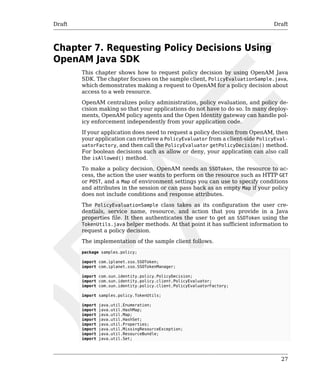
package samples.policy; 
import com.iplanet.sso.SSOToken; 
import com.iplanet.sso.SSOTokenManager; 
import com.sun.identity.policy.PolicyDecision; 
import com.sun.identity.policy.client.PolicyEvaluator; 
import com.sun.identity.policy.client.PolicyEvaluatorFactory; 
import samples.policy.TokenUtils; 
import java.util.Enumeration; 
import java.util.HashMap; 
import java.util.Map; 
import java.util.HashSet; 
import java.util.Properties; 
import java.util.MissingResourceException; 
import java.util.ResourceBundle; 
import java.util.Set;
Draft Draft 
28 
public class PolicyEvaluationSample { 
public PolicyEvaluationSample() { 
} 
public static void main(String[] args) throws Exception { 
PolicyEvaluationSample clientSample = new PolicyEvaluationSample(); 
clientSample.runSample(args); 
System.exit(0); 
} 
public void runSample(String[] args) throws Exception { 
if (args.length == 0 || args.length > 1) { 
System.out.println("Missing argument:" 
+ "properties file name not specified"); 
} else { 
System.out.println("Using properties file:" + args[0]); 
Properties sampleProperties = getProperties(args[0]); 
SSOToken ssoToken = getSSOToken( 
(String)sampleProperties.get("user.name"), 
(String)sampleProperties.get("user.password") 
); 
getPolicyDecision( 
ssoToken, 
(String)sampleProperties.get("service.name"), 
(String)sampleProperties.get("resource.name"), 
(String)sampleProperties.get("action.name") 
); 
} 
} 
private SSOToken getSSOToken( 
String userName, String password) throws Exception { 
System.out.println("Entering getSSOToken():" 
+ "userName=" + userName + "," 
+ "password=" + password); 
SSOToken ssoToken = TokenUtils.getSessionToken("/", 
userName, password); 
System.out.println("TokenID:" + ssoToken.getTokenID().toString()); 
System.out.println("returning from getSSOToken()"); 
return ssoToken; 
} 
private void getPolicyDecision( 
SSOToken ssoToken, 
String serviceName, 
String resourceName, 
String actionName) 
throws Exception { 
System.out.println("Entering getPolicyDecision():" 
+ "resourceName=" + resourceName + "," 
+ "serviceName=" + serviceName + "," 
+ "actionName=" + actionName); 
PolicyEvaluator pe = PolicyEvaluatorFactory.getInstance(). 
getPolicyEvaluator(serviceName); 
Map env = new HashMap(); 
Set attrSet = new HashSet(); 
Set actions = new HashSet();
Draft Draft 
29 
actions.add(actionName); 
PolicyDecision pd = pe.getPolicyDecision(ssoToken, resourceName, 
actions, env); 
System.out.println("policyDecision:" + pd.toXML()); 
System.out.println("returning from getPolicyDecision()"); 
} 
private Properties getProperties(String file) 
throws MissingResourceException { 
Properties properties = new Properties(); 
ResourceBundle bundle = ResourceBundle.getBundle(file); 
Enumeration e = bundle.getKeys(); 
System.out.println("sample properties:"); 
while (e.hasMoreElements()) { 
String key = (String) e.nextElement(); 
String value = bundle.getString(key); 
properties.put(key, value); 
System.out.println(key + ":" + value); 
} 
return properties; 
} 
} 
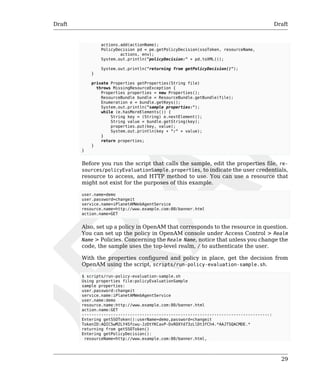
Before you run the script that calls the sample, edit the properties file, re-sources/ 
policyEvaluationSample.properties, to indicate the user credentials, 
resource to access, and HTTP method to use. You can use a resource that 
might not exist for the purposes of this example. 
user.name=demo 
user.password=changeit 
service.name=iPlanetAMWebAgentService 
resource.name=http://www.example.com:80/banner.html 
action.name=GET 
Also, set up a policy in OpenAM that corresponds to the resource in question. 
You can set up the policy in OpenAM console under Access Control > Realm 
Name > Policies. Concerning the Realm Name, notice that unless you change the 
code, the sample uses the top-level realm, / to authenticate the user. 
With the properties configured and policy in place, get the decision from 
OpenAM using the script, scripts/run-policy-evaluation-sample.sh. 
$ scripts/run-policy-evaluation-sample.sh 
Using properties file:policyEvaluationSample 
sample properties: 
user.password:changeit 
service.name:iPlanetAMWebAgentService 
user.name:demo 
resource.name:http://www.example.com:80/banner.html 
action.name:GET 
------------------------------------------------------------------------------: 
Entering getSSOToken():userName=demo,password=changeit 
TokenID:AQIC5wM2LY4Sfcwu-JzDtYKCaxP-DxROXYd73zLlDt3fCh4.*AAJTSQACMDE.* 
returning from getSSOToken() 
Entering getPolicyDecision(): 
resourceName=http://www.example.com:80/banner.html,
Draft Draft 
30 
serviceName=iPlanetAMWebAgentService, 
actionName=GET 
policyDecision:<PolicyDecision> 
<ResponseAttributes> 
</ResponseAttributes> 
<ActionDecision timeToLive="9223372036854775807"> 
<AttributeValuePair> 
<Attribute name="GET"/> 
<Value>allow</Value> 
</AttributeValuePair> 
<Advices> 
</Advices> 
</ActionDecision> 
</PolicyDecision> 
returning from getPolicyDecision() 
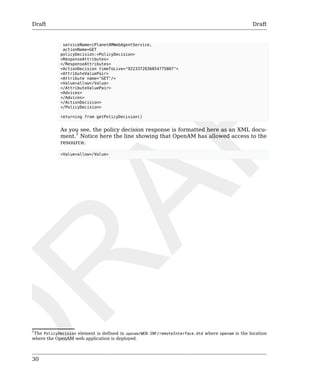
As you see, the policy decision response is formatted here as an XML docu-ment. 
1 Notice here the line showing that OpenAM has allowed access to the 
resource. 
<Value>allow</Value> 
1The PolicyDecision element is defined in openam/WEB-INF/remoteInterface.dtd where openam is the location 
where the OpenAM web application is deployed.
Draft Draft 
31 
Chapter 8. Using Fedlets in Java Web 
Applications 
This chapter introduces OpenAM Fedlets, and shows how to use the Fedlet 
as part of your Java web application. 
An OpenAM Fedlet is a small web application that can do federation in your 
service provider application with OpenAM acting as the identity provider. 
The Fedlet does not require an entire OpenAM installation alongside your 
application, but instead can redirect to OpenAM for single sign on, and to 
retrieve SAML assertions. 
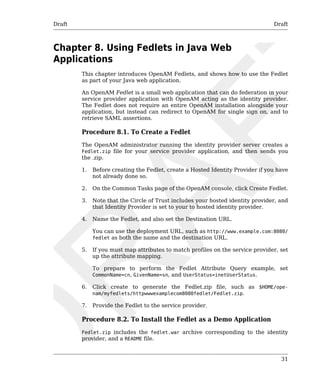
Procedure 8.1. To Create a Fedlet 
The OpenAM administrator running the identity provider server creates a 
Fedlet.zip file for your service provider application, and then sends you 
the .zip. 
1. Before creating the Fedlet, create a Hosted Identity Provider if you have 
not already done so. 
2. On the Common Tasks page of the OpenAM console, click Create Fedlet. 
3. Note that the Circle of Trust includes your hosted identity provider, and 
that Identity Provider is set to your to hosted identity provider. 
4. Name the Fedlet, and also set the Destination URL. 
You can use the deployment URL, such as http://www.example.com:8080/ 
fedlet as both the name and the destination URL. 
5. If you must map attributes to match profiles on the service provider, set 
up the attribute mapping. 
To prepare to perform the Fedlet Attribute Query example, set 
CommonName=cn, GivenName=sn, and UserStatus=inetUserStatus. 
6. Click create to generate the Fedlet.zip file, such as $HOME/ope-nam/ 
myfedlets/httpwwwexamplecom8080fedlet/Fedlet.zip. 
7. Provide the Fedlet to the service provider. 
Procedure 8.2. To Install the Fedlet as a Demo Application 
Fedlet.zip includes the fedlet.war archive corresponding to the identity 
provider, and a README file.
Draft Draft 
32 
• The fedlet.war archive contains both the Fedlet as a demo web application, 
and also the files you use to include the Fedlet in your service provider 
application. 
• The README file describes how to use the Fedlet. 
1. Deploy the Fedlet in your web container. 
$ unzip Fedlet.zip 
$ mv fedlet.war /path/to/tomcat/webapps 
2. Browse to the Fedlet URL, and then click the links to set up the configu-ration 
directory in $HOME/fedlet, where $HOME corresponds to the user 
running the web application container. 
3. In the Fedlet configuration directory, set up a JKS keystore file, keystore 
password file, and key password file. 
For demo purposes, you can copy the test keystore.jks, .keypass, and 
.storepass from the OpenAM identity provider. 
$ cd /home/user/openam/openam 
$ scp keystore.jks .keypass .storepass www.example.com:/home/user/fedlet/ 
user@www.example.com's password: 
keystore.jks 100% 1348 1.3KB/s 00:00 
.keypass 100% 36 0.0KB/s 00:00 
.storepass 100% 36 0.0KB/s 00:00 
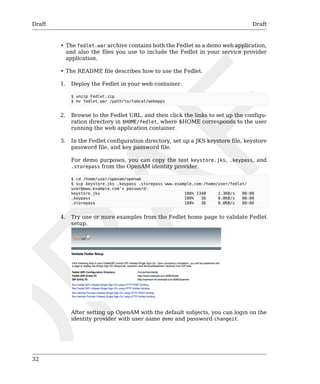
4. Try one or more examples from the Fedlet home page to validate Fedlet 
setup. 
After setting up OpenAM with the default subjects, you can login on the 
identity provider with user name demo and password changeit.
Draft Draft 
Procedure 8.3. To Add Your Application 
The Fedlet includes the following files that you use when building your own 
service provider application based on the demo web application, including a 
set of JavaServer Pages (JSP) examples. 
conf/ 
Configuration files copied to $HOME/fedlet when you first deploy and con-figure 
the Fedlet. When deploying your application, you can move these 
to an alternate location passed to the Java virtual machine for the web 
application container at startup. For example, if you store the configura-tion 
under /export/fedlet/, then you could pass the following property 
33 
to the JVM. 
-Dcom.sun.identity.fedlet.home=/export/fedlet/conf 
You do not need to include these files in your application. 
fedletAttrQuery.jsp 
fedletAttrResp.jsp 
Sample SAML attribute query and response handlers. See the Fedlet 
README file for more information. 
fedletEncode.jsp 
Utility JSP to encode a password, such as the password used to protect 
a Java keystore 
fedletSampleApp.jsp 
index.jsp 
Demo application. You can remove these before deployment to replace 
them with your application. 
fedletXACMLQuery.jsp 
fedletXACMLResp.jsp 
Sample SAML XACML query and response handlers. See the Fedlet 
README file for more information. 
logout.jsp 
Utility page to perform single log out 
saml2/jsp/ 
JSPs to initiate single sign on and single logout, and to handle error, and 
also a JSP for obtaining Fedlet metadata, saml2/jsp/exportmetadata.jsp 
WEB-INF/classes/ 
Localized Java properties files for strings used in the Fedlet user interface 
WEB-INF/lib/ 
Fedlet libraries required by your application
Draft Draft 
34 
WEB-INF/web.xml 
Fedlet web application configuration, showing how JSPs map to URLs 
used in the Fedlet. Add mappings for your application before deployment. 
In the web.xml mappings, your application must be mapped to /fedletap-plication, 
as this is the assertion consumer URL set in the Fedlet meta-data. 
<servlet> 
<servlet-name>yourApp</servlet-name> 
<jsp-file>/fedletSampleApp.jsp</jsp-file> 
</servlet> 
<servlet-mapping> 
<servlet-name>yourApp</servlet-name> 
<url-pattern>/fedletapplication</url-pattern> 
</servlet-mapping> 
Follow these steps for a very simple demonstration of how to customize the 
Fedlet. 
1. Backup fedletSampleApp.jsp. 
$ cd /path/to/tomcat/webapps/fedlet/ 
$ cp fedletSampleApp.jsp fedletSampleApp.jsp.orig 
2. Edit fedletSampleApp.jsp to reduce it to a single redirection to myapp.jsp. 
An implementation of the <html> element of the file follows below. 
<html> 
<head> 
<title>Fedlet Sample Application</title> 
<meta http-equiv="Content-Type" content="text/html; charset=iso-8859-1" /> 
</head> 
<body> 
<% 
// BEGIN : following code is a must for Fedlet (SP) side application 
Map map; 
try { 
// invoke the Fedlet processing logic. this will do all the 
// necessary processing conforming to SAMLv2 specifications, 
// such as XML signature validation, Audience and Recipient 
// validation etc. 
map = SPACSUtils.processResponseForFedlet(request, response); 
response.sendRedirect("myapp.jsp"); 
} catch (SAML2Exception sme) { 
SAMLUtils.sendError(request, response, 
response.SC_INTERNAL_SERVER_ERROR, "failedToProcessSSOResponse", 
sme.getMessage()); 
return; 
} catch (IOException ioe) { 
SAMLUtils.sendError(request, response, 
response.SC_INTERNAL_SERVER_ERROR, "failedToProcessSSOResponse", 
ioe.getMessage()); 
return; 
} catch (SessionException se) {
Draft Signing & Encryption Draft 
35 
SAMLUtils.sendError(request, response, 
response.SC_INTERNAL_SERVER_ERROR, "failedToProcessSSOResponse", 
se.getMessage()); 
return; 
} catch (ServletException se) { 
SAMLUtils.sendError(request, response, 
response.SC_BAD_REQUEST, "failedToProcessSSOResponse", 
se.getMessage()); 
return; 
} 
// END : code is a must for Fedlet (SP) side application 
%> 
</body> 
</html> 
3. Add a myapp.jsp page to the Fedlet, such as the following. 
<html> 
<head> 
<title>My Application</title> 
<meta http-equiv="Content-Type" content="text/html" /> 
</head> 
<body> 
<h1>My Application</h1> 
<p>After you change the <code>fedletSampleApp.jsp</code>, 
all it does is redirect to this home page after 
successful login.</p> 
<p>See the fedlet README file and example JSPs for hints 
on how to retrieve attributes from OpenAM, or to send 
XACML queries for policy decisions.</p> 
</body> 
</html> 
4. Browse to the Fedlet URL, such as http://www.example.com:8080/fedlet/, 
and try one of the login methods. 
After login you are redirected to myapp.jsp. 
8.1. Signing & Encryption 
By default when you create the Java Fedlet, signing and encryption are not 
configured. You can however set up OpenAM and the fedlet to sign and to 
verify XML signatures and to encrypt and to decrypt data such as SAML as-sertions. 
Enable signing and encryption for the Java Fedlet involves the following high 
level stages. 
• Before you create the Fedlet, configure the IDP to sign and encrypt data. 
See Federation > Entity Providers > IDP Name > Signing and Encryption 
in the OpenAM console. 
For evaluation, you can use the test certificate delivered with OpenAM.
Draft Signing & Encryption Draft 
36 
• Initially deploy and configure the Fedlet, but do not use the Fedlet until 
you finish. 
• On the Fedlet side set up a JKS keystore used for signing and encryption. 
For evaluation, you can use copy the keystore.jks file delivered with Ope-nAM. 
You can find the file under the configuration directory for OpenAM, 
such as $HOME/openam/openam/ for a server instance with base URI openam. 
The built-in keystore includes the test certificate. 
You must also set up .storepass and .keypass files using the 
fedletEncode.jsp page, such as http://www.example.com:8080/fedlet/ 
fedletEncode.jsp, to encode passwords on the Fedlet side. The passwords 
for the test key store and private key are both changeit. 
• Configure the Fedlet to perform signing and encryption by ensuring the 
Fedlet has access to the key store, and by updating the SP metadata for 
the Fedlet. 
• Import the updated SP metadata into the IDP to replace the default Fedlet 
configuration. 
• Restart the Fedlet or container in which the Fedlet runs for the changes 
you made on the Fedlet side to take effect. 
Procedure 8.4. To Configure the Fedlet For Signing & Encryption 
The FederationConfig.properties file specifies the paths to the JKS keystore 
holding the signing or encryption keys for the Fedlet, the keystore password 
file, and the private key password file. 
1. After setting up your keystore and password files as described above, edit 
the properties file in the configuration directory, such as $HOME/fedlet/ 
FederationConfig.properties, to point to the keystore and password files. 
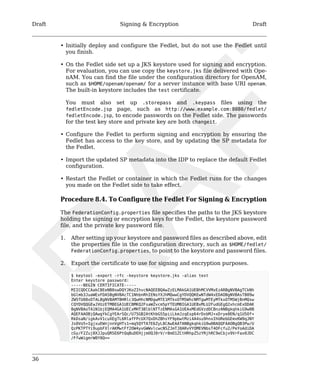
2. Export the certificate to use for signing and encryption purposes. 
$ keytool -export -rfc -keystore keystore.jks -alias test 
Enter keystore password: 
-----BEGIN CERTIFICATE----- 
MIICQDCCAakCBEeNB0swDQYJKoZIhvcNAQEEBQAwZzELMAkGA1UEBhMCVVMxEzARBgNVBAgTCkNh 
bGlmb3JuaWExFDASBgNVBAcTC1NhbnRhIENsYXJhMQwwCgYDVQQKEwNTdW4xEDAOBgNVBAsTB09w 
ZW5TU08xDTALBgNVBAMTBHRlc3QwHhcNMDgwMTE1MTkxOTM5WhcNMTgwMTEyMTkxOTM5WjBnMQsw 
CQYDVQQGEwJVUzETMBEGA1UECBMKQ2FsaWZvcm5pYTEUMBIGA1UEBxMLU2FudGEgQ2xhcmExDDAK 
BgNVBAoTA1N1bjEQMA4GA1UECxMHT3BlblNTTzENMAsGA1UEAxMEdGVzdDCBnzANBgkqhkiG9w0B 
AQEFAAOBjQAwgYkCgYEArSQc/U75GB2AtKhbGS5piiLkmJzqEsp64rDxbMJ+xDrye0EN/q1U5Of+ 
RkDsaN/igkAvV1cuXEgTL6RlafFPcUX7QxDhZBhsYF9pbwtMzi4A4su9hnxIhURebGEmxKW9qJNY 
Js0Vo5+IgjxuEWnjnnVgHTs1+mq5QYTA7E6ZyL8CAwEAATANBgkqhkiG9w0BAQQFAAOBgQB3Pw/U 
QzPKTPTYi9upbFXlrAKMwtFf2OW4yvGWWvlcwcNSZJmTJ8ARvVYOMEVNbsT4OFcfu2/PeYoAdiDA 
cGy/F2Zuj8XJJpuQRSE6PtQqBuDEHjjmOQJ0rV/r8mO1ZCtHRhpZ5zYRjhRC9eCbjx9VrFax0JDC 
/FfwWigmrW0Y0Q==
Draft Signing & Encryption Draft 
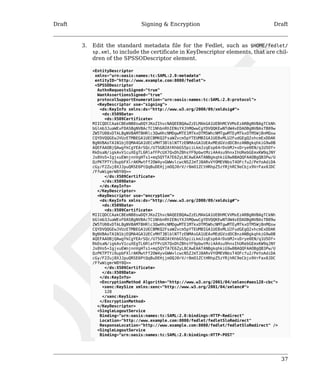
3. Edit the standard metadata file for the Fedlet, such as $HOME/fedlet/ 
sp.xml, to include the certificate in KeyDescriptor elements, that are chil-dren 
37 
of the SPSSODescriptor element. 
<EntityDescriptor 
xmlns="urn:oasis:names:tc:SAML:2.0:metadata" 
entityID="http://www.example.com:8080/fedlet"> 
<SPSSODescriptor 
AuthnRequestsSigned="true" 
WantAssertionsSigned="true" 
protocolSupportEnumeration="urn:oasis:names:tc:SAML:2.0:protocol"> 
<KeyDescriptor use="signing"> 
<ds:KeyInfo xmlns:ds="http://www.w3.org/2000/09/xmldsig#"> 
<ds:X509Data> 
<ds:X509Certificate> 
MIICQDCCAakCBEeNB0swDQYJKoZIhvcNAQEEBQAwZzELMAkGA1UEBhMCVVMxEzARBgNVBAgTCkNh 
bGlmb3JuaWExFDASBgNVBAcTC1NhbnRhIENsYXJhMQwwCgYDVQQKEwNTdW4xEDAOBgNVBAsTB09w 
ZW5TU08xDTALBgNVBAMTBHRlc3QwHhcNMDgwMTE1MTkxOTM5WhcNMTgwMTEyMTkxOTM5WjBnMQsw 
CQYDVQQGEwJVUzETMBEGA1UECBMKQ2FsaWZvcm5pYTEUMBIGA1UEBxMLU2FudGEgQ2xhcmExDDAK 
BgNVBAoTA1N1bjEQMA4GA1UECxMHT3BlblNTTzENMAsGA1UEAxMEdGVzdDCBnzANBgkqhkiG9w0B 
AQEFAAOBjQAwgYkCgYEArSQc/U75GB2AtKhbGS5piiLkmJzqEsp64rDxbMJ+xDrye0EN/q1U5Of+ 
RkDsaN/igkAvV1cuXEgTL6RlafFPcUX7QxDhZBhsYF9pbwtMzi4A4su9hnxIhURebGEmxKW9qJNY 
Js0Vo5+IgjxuEWnjnnVgHTs1+mq5QYTA7E6ZyL8CAwEAATANBgkqhkiG9w0BAQQFAAOBgQB3Pw/U 
QzPKTPTYi9upbFXlrAKMwtFf2OW4yvGWWvlcwcNSZJmTJ8ARvVYOMEVNbsT4OFcfu2/PeYoAdiDA 
cGy/F2Zuj8XJJpuQRSE6PtQqBuDEHjjmOQJ0rV/r8mO1ZCtHRhpZ5zYRjhRC9eCbjx9VrFax0JDC 
/FfwWigmrW0Y0Q== 
</ds:X509Certificate> 
</ds:X509Data> 
</ds:KeyInfo> 
</KeyDescriptor> 
<KeyDescriptor use="encryption"> 
<ds:KeyInfo xmlns:ds="http://www.w3.org/2000/09/xmldsig#"> 
<ds:X509Data> 
<ds:X509Certificate> 
MIICQDCCAakCBEeNB0swDQYJKoZIhvcNAQEEBQAwZzELMAkGA1UEBhMCVVMxEzARBgNVBAgTCkNh 
bGlmb3JuaWExFDASBgNVBAcTC1NhbnRhIENsYXJhMQwwCgYDVQQKEwNTdW4xEDAOBgNVBAsTB09w 
ZW5TU08xDTALBgNVBAMTBHRlc3QwHhcNMDgwMTE1MTkxOTM5WhcNMTgwMTEyMTkxOTM5WjBnMQsw 
CQYDVQQGEwJVUzETMBEGA1UECBMKQ2FsaWZvcm5pYTEUMBIGA1UEBxMLU2FudGEgQ2xhcmExDDAK 
BgNVBAoTA1N1bjEQMA4GA1UECxMHT3BlblNTTzENMAsGA1UEAxMEdGVzdDCBnzANBgkqhkiG9w0B 
AQEFAAOBjQAwgYkCgYEArSQc/U75GB2AtKhbGS5piiLkmJzqEsp64rDxbMJ+xDrye0EN/q1U5Of+ 
RkDsaN/igkAvV1cuXEgTL6RlafFPcUX7QxDhZBhsYF9pbwtMzi4A4su9hnxIhURebGEmxKW9qJNY 
Js0Vo5+IgjxuEWnjnnVgHTs1+mq5QYTA7E6ZyL8CAwEAATANBgkqhkiG9w0BAQQFAAOBgQB3Pw/U 
QzPKTPTYi9upbFXlrAKMwtFf2OW4yvGWWvlcwcNSZJmTJ8ARvVYOMEVNbsT4OFcfu2/PeYoAdiDA 
cGy/F2Zuj8XJJpuQRSE6PtQqBuDEHjjmOQJ0rV/r8mO1ZCtHRhpZ5zYRjhRC9eCbjx9VrFax0JDC 
/FfwWigmrW0Y0Q== 
</ds:X509Certificate> 
</ds:X509Data> 
</ds:KeyInfo> 
<EncryptionMethod Algorithm="http://www.w3.org/2001/04/xmlenc#aes128-cbc"> 
<xenc:KeySize xmlns:xenc="http://www.w3.org/2001/04/xmlenc#"> 
128 
</xenc:KeySize> 
</EncryptionMethod> 
</KeyDescriptor> 
<SingleLogoutService 
Binding="urn:oasis:names:tc:SAML:2.0:bindings:HTTP-Redirect" 
Location="http://www.example.com:8080/fedlet/fedletSloRedirect" 
ResponseLocation="http://www.example.com:8080/fedlet/fedletSloRedirect" /> 
<SingleLogoutService 
Binding="urn:oasis:names:tc:SAML:2.0:bindings:HTTP-POST"
Draft Signing & Encryption Draft 
38 
Location="http://www.example.com:8080/fedlet/fedletSloPOST" 
ResponseLocation="http://www.example.com:8080/fedlet/fedletSloPOST" /> 
<SingleLogoutService 
Binding="urn:oasis:names:tc:SAML:2.0:bindings:SOAP" 
Location="http://www.example.com:8080/fedlet/fedletSloSoap" /> 
<NameIDFormat> 
urn:oasis:names:tc:SAML:2.0:nameid-format:transient 
</NameIDFormat> 
<AssertionConsumerService 
index="0" 
isDefault="true" 
Binding="urn:oasis:names:tc:SAML:2.0:bindings:HTTP-POST" 
Location="http://www.example.com:8080/fedlet/fedletapplication" /> 
<AssertionConsumerService 
index="1" 
Binding="urn:oasis:names:tc:SAML:2.0:bindings:HTTP-Artifact" 
Location="http://www.example.com:8080/fedlet/fedletapplication" /> 
</SPSSODescriptor> 
<RoleDescriptor 
xmlns:xsi="http://www.w3.org/2001/XMLSchema-instance" 
xmlns:query="urn:oasis:names:tc:SAML:metadata:ext:query" 
xsi:type="query:AttributeQueryDescriptorType" 
protocolSupportEnumeration="urn:oasis:names:tc:SAML:2.0:protocol"> 
</RoleDescriptor> 
<XACMLAuthzDecisionQueryDescriptor 
WantAssertionsSigned="false" 
protocolSupportEnumeration="urn:oasis:names:tc:SAML:2.0:protocol" /> 
</EntityDescriptor> 
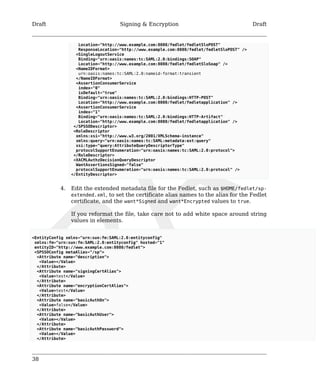
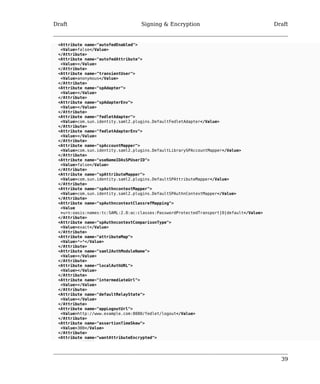
4. Edit the extended metadata file for the Fedlet, such as $HOME/fedlet/sp-extended. 
xml, to set the certificate alias names to the alias for the Fedlet 
certificate, and the want*Signed and want*Encrypted values to true. 
If you reformat the file, take care not to add white space around string 
values in elements. 
<EntityConfig xmlns="urn:sun:fm:SAML:2.0:entityconfig" 
xmlns:fm="urn:sun:fm:SAML:2.0:entityconfig" hosted="1" 
entityID="http://www.example.com:8080/fedlet"> 
<SPSSOConfig metaAlias="/sp"> 
<Attribute name="description"> 
<Value></Value> 
</Attribute> 
<Attribute name="signingCertAlias"> 
<Value>test</Value> 
</Attribute> 
<Attribute name="encryptionCertAlias"> 
<Value>test</Value> 
</Attribute> 
<Attribute name="basicAuthOn"> 
<Value>false</Value> 
</Attribute> 
<Attribute name="basicAuthUser"> 
<Value></Value> 
</Attribute> 
<Attribute name="basicAuthPassword"> 
<Value></Value> 
</Attribute>
Draft Signing & Encryption Draft 
39 
<Attribute name="autofedEnabled"> 
<Value>false</Value> 
</Attribute> 
<Attribute name="autofedAttribute"> 
<Value></Value> 
</Attribute> 
<Attribute name="transientUser"> 
<Value>anonymous</Value> 
</Attribute> 
<Attribute name="spAdapter"> 
<Value></Value> 
</Attribute> 
<Attribute name="spAdapterEnv"> 
<Value></Value> 
</Attribute> 
<Attribute name="fedletAdapter"> 
<Value>com.sun.identity.saml2.plugins.DefaultFedletAdapter</Value> 
</Attribute> 
<Attribute name="fedletAdapterEnv"> 
<Value></Value> 
</Attribute> 
<Attribute name="spAccountMapper"> 
<Value>com.sun.identity.saml2.plugins.DefaultLibrarySPAccountMapper</Value> 
</Attribute> 
<Attribute name="useNameIDAsSPUserID"> 
<Value>false</Value> 
</Attribute> 
<Attribute name="spAttributeMapper"> 
<Value>com.sun.identity.saml2.plugins.DefaultSPAttributeMapper</Value> 
</Attribute> 
<Attribute name="spAuthncontextMapper"> 
<Value>com.sun.identity.saml2.plugins.DefaultSPAuthnContextMapper</Value> 
</Attribute> 
<Attribute name="spAuthncontextClassrefMapping"> 
<Value 
>urn:oasis:names:tc:SAML:2.0:ac:classes:PasswordProtectedTransport|0|default</Value> 
</Attribute> 
<Attribute name="spAuthncontextComparisonType"> 
<Value>exact</Value> 
</Attribute> 
<Attribute name="attributeMap"> 
<Value>*=*</Value> 
</Attribute> 
<Attribute name="saml2AuthModuleName"> 
<Value></Value> 
</Attribute> 
<Attribute name="localAuthURL"> 
<Value></Value> 
</Attribute> 
<Attribute name="intermediateUrl"> 
<Value></Value> 
</Attribute> 
<Attribute name="defaultRelayState"> 
<Value></Value> 
</Attribute> 
<Attribute name="appLogoutUrl"> 
<Value>http://www.example.com:8080/fedlet/logout</Value> 
</Attribute> 
<Attribute name="assertionTimeSkew"> 
<Value>300</Value> 
</Attribute> 
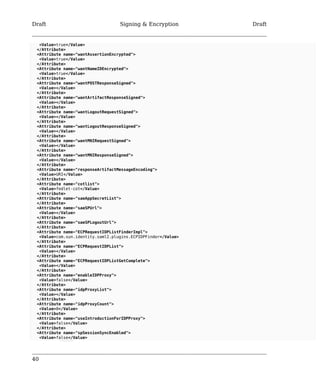
<Attribute name="wantAttributeEncrypted">
Draft Signing & Encryption Draft 
<Value>true</Value> 
</Attribute> 
<Attribute name="wantAssertionEncrypted"> 
<Value>true</Value> 
</Attribute> 
<Attribute name="wantNameIDEncrypted"> 
<Value>true</Value> 
</Attribute> 
<Attribute name="wantPOSTResponseSigned"> 
<Value></Value> 
</Attribute> 
<Attribute name="wantArtifactResponseSigned"> 
<Value></Value> 
</Attribute> 
<Attribute name="wantLogoutRequestSigned"> 
<Value></Value> 
</Attribute> 
<Attribute name="wantLogoutResponseSigned"> 
<Value></Value> 
</Attribute> 
<Attribute name="wantMNIRequestSigned"> 
<Value></Value> 
</Attribute> 
<Attribute name="wantMNIResponseSigned"> 
<Value></Value> 
</Attribute> 
<Attribute name="responseArtifactMessageEncoding"> 
<Value>URI</Value> 
</Attribute> 
<Attribute name="cotlist"> 
<Value>fedlet-cot</Value> 
</Attribute> 
<Attribute name="saeAppSecretList"> 
</Attribute> 
<Attribute name="saeSPUrl"> 
<Value></Value> 
</Attribute> 
<Attribute name="saeSPLogoutUrl"> 
</Attribute> 
<Attribute name="ECPRequestIDPListFinderImpl"> 
<Value>com.sun.identity.saml2.plugins.ECPIDPFinder</Value> 
</Attribute> 
<Attribute name="ECPRequestIDPList"> 
<Value></Value> 
</Attribute> 
<Attribute name="ECPRequestIDPListGetComplete"> 
<Value></Value> 
</Attribute> 
<Attribute name="enableIDPProxy"> 
<Value>false</Value> 
</Attribute> 
<Attribute name="idpProxyList"> 
<Value></Value> 
</Attribute> 
<Attribute name="idpProxyCount"> 
<Value>0</Value> 
</Attribute> 
<Attribute name="useIntroductionForIDPProxy"> 
<Value>false</Value> 
</Attribute> 
<Attribute name="spSessionSyncEnabled"> 
<Value>false</Value> 
40
Draft Signing & Encryption Draft 
41 
</Attribute> 
<Attribute name="relayStateUrlList"> 
</Attribute> 
</SPSSOConfig> 
<AttributeQueryConfig metaAlias="/attrQuery"> 
<Attribute name="signingCertAlias"> 
<Value>test</Value> 
</Attribute> 
<Attribute name="encryptionCertAlias"> 
<Value>test</Value> 
</Attribute> 
<Attribute name="wantNameIDEncrypted"> 
<Value>true</Value> 
</Attribute> 
<Attribute name="cotlist"> 
<Value>fedlet-cot</Value> 
</Attribute> 
</AttributeQueryConfig> 
<XACMLAuthzDecisionQueryConfig metaAlias="/pep"> 
<Attribute name="signingCertAlias"> 
<Value>test</Value> 
</Attribute> 
<Attribute name="encryptionCertAlias"> 
<Value>test</Value> 
</Attribute> 
<Attribute name="basicAuthOn"> 
<Value>false</Value> 
</Attribute> 
<Attribute name="basicAuthUser"> 
<Value></Value> 
</Attribute> 
<Attribute name="basicAuthPassword"> 
<Value></Value> 
</Attribute> 
<Attribute name="wantXACMLAuthzDecisionResponseSigned"> 
<Value>false</Value> 
</Attribute> 
<Attribute name="wantAssertionEncrypted"> 
<Value>true</Value> 
</Attribute> 
<Attribute name="cotlist"> 
<Value>fedlet-cot</Value> 
</Attribute> 
</XACMLAuthzDecisionQueryConfig> 
</EntityConfig> 
5. In OpenAM console delete the original SP entity configuration for the 
Fedlet, and then import the updated metadata for the new configuration 
into OpenAM on the IDP side. 
6. Restart the Fedlet or the container in which it runs in order for the Fedlet 
to pick up the changes to the configuration properties and the metadata.
42
Draft Draft 
43 
Chapter 9. Using Fedlets in .NET Applications 
This chapter explains how to use the Fedlet in your .NET application. You 
must configure the OpenAM .NET Fedlet to work with the identity provider. 
Before creating the Fedlet, therefore, set up a Hosted Identity Provider in 
OpenAM. 
Procedure 9.1. To Install the .NET Fedlet as a Demo Application 
Before you start, create the hosted identity provider, and the Circle of Trust 
to which you plan to add the Fedlet. You can perform these steps using the 
Create Hosted Identity Provider wizard on the Common Tasks page of the 
OpenAM console. The .NET Fedlet demo requires a signing key for the Iden-tity 
Provider. For evaluation, use the test certificate installed with OpenAM. 
Follow these steps to configure and install the .NET Fedlet demo application. 
1. Unzip the Fedlet-unconfigured.zip file, and copy the contents of the 
Fedlet-unconfiguredasp.net folder to a working directory. 
bin 
This folder contains the Fedlet.dll library, that you copy to your 
application's bin folder. 
conf 
This folder contains the templates you edit to prepare your Fedlet 
configuration, including the identity provider and Fedlet (SP) meta-data 
for federation. The completed configuration files belong in your 
application's App_Data folder. 
readme.txt 
This file describes how to set up and configure .NET Fedlets. 
SampleApp 
This folder contains the demo application. 
2. Edit the template files in the SampleAppApp_Data folder based on where 
you deploy the Fedlet demo application, and on how your identity 
provider is configured. 
• Edit fedlet.cot to set cot-name to the name of the Circle of Trust, and 
to set sun-fm-trusted-providers to include the entity ID of the identity 
provider, and the entity ID of the Fedlet service provider. 
• Edit sp.xml and sp-extended.xml to configure the entity IDs, URLs, and 
Circle of Trust names to correspond to your sample application.
Draft Draft 
44 
3. Export the identity provider metadata from OpenAM, and copy the 
resulting idp.xml and idp-extended.xml metadata to the Fedlet Sam-pleApp 
App_Data folder. 
$ ssoadm 
create-metadata-templ 
--entityid "http://idp.example.com:8080/openam" 
--adminid amadmin 
--password-file /tmp/pwd.txt 
--identityprovider /idp 
--meta-data-file idp.xml 
--extended-data-file idp-extended.xml 
--idpscertalias test 
Hosted entity configuration was written to idp-extended.xml. 
Hosted entity descriptor was written to idp.xml. 
4. Register the Fedlet with OpenAM as a remote service provider using the 
sp.xml and sp-extended.xml metadata. 
$ ssoadm 
import-entity 
--adminid amadmin 
--password-file /tmp/pwd.txt 
--cot fedlet-cot 
--meta-data-file sp.xml 
--extended-data-file sp-extended.xml 
Import file, sp.xml. 
Import file, sp-extended.xml. 
5. Deploy the demo application in Internet Information Server. 
Note 
IIS must be installed with ASP.NET and additional application 
support necessary for web applications beyond static web sites. 
The additional support is not necessarily installed by default 
when you activate IIS as a Windows feature. 
6. Try the demo application links to run Fedlet initiated single sign on using 
HTTP POST binding and HTTP Artifact binding. 
If you are using the embedded directory as a user store, you can authen-ticate 
to OpenAM using the demo user whose password is changeit.
Draft Draft 
45 
Chapter 10. Using the OpenAM C API 
This chapter introduces OpenAM C SDK. OpenAM C SDK is delivered for se-lected 
platforms in libraries/native/agent-csdk/agent-csdk.zip where you 
unpacked the full version of OpenAM. To prepare to install OpenAM C SDK, 
first unzip agent-csdk.zip. 
$ unzip /path/to/OpenAM/libraries/native/agent-csdk/agent-csdk.zip 
Archive: /path/to/OpenAM/libraries/native/agent-csdk/agent-csdk.zip 
inflating: README 
inflating: agent-csdk-linux-32.tar.gz 
inflating: agent-csdk-linux-64.tar.gz 
inflating: agent-csdk-solaris-sparc-32.tar.gz 
inflating: agent-csdk-solaris-sparc-64.tar.gz 
inflating: agent-csdk-solaris-x86-32.tar.gz 
inflating: agent-csdk-solaris-x86-64.tar.gz 
extracting: agent-csdk-windows-32.zip 
extracting: agent-csdk-windows-64.zip 
Unpack the archive for your platform. 
$ mkdir -p /path/to/openam-client ; cd /path/to/openam-client 
$ tar xzvf /path/to/agent-csdk-linux-32.tar.gz 
As a result, you have several directories that include the SDK and also sample 
client applications. 
bin/ 
The crypt_util or cryptit.exe command for encrypting passwords 
config/ 
Configuration data for the SDK 
include/ 
Header files for the SDK 
lib/ 
SDK and other required libraries 
samples/ 
Sample code 
Procedure 10.1. To Build OpenAM C SDK Samples 
1. Review the samples/README.TXT file to complete any specific instructions 
required for your platform. 
$ uname -s 
Linux 
$ cd ../lib 
$ ln -s libamsdk.so.3 libamsdk.so
Draft Draft 
46 
$ ln -s libxml2.so.2 libxml2.so 
$ cd ../samples 
2. Build the samples in the appropriate way for your platform. 
$ LD_LIBRARY_PATH=../lib gmake 
On recent systems, you might need to install compatibility libraries for 
the build to complete successfully. You might make the following change 
on Linux, for example. 
$ diff Makefile Makefile.orig 
115c115 
< LDFLAGS = -L$(AM_LIB_DIR) $(LIBS) /usr/lib/libstdc++.so.5 
--- 
> LDFLAGS = -L$(AM_LIB_DIR) $(LIBS) 
3. Set up OpenSSOAgentBootstrap.properties and 
OpenSSOAgentConfiguration.properties as appropriate for your environ-ment. 
Base your work on the template files in the config/ directory. You can 
find the Password Encryption Key in the OpenAM console under Config-uration 
> Servers and Sites > Server Name > Security. 
4. Try one of the samples you built to test your build. 
$ LD_LIBRARY_PATH=../lib 
./am_auth_test 
-f ../config/OpenSSOAgentBootstrap.properties 
-u demo 
-p changeit 
-o / 
Login 1 Succeeded! 
SSOToken = AQIC5wM2LY4SfcxZfk4EzC9Y46P9cXG9ogwf2ixnYOeZ0K0.*AAJTSQACMDE.* 
Organization = / 
Module Instance Name [0] = SAE 
Module Instance Name [1] = LDAP 
Module Instance Name [2] = WSSAuthModule 
Module Instance Name [3] = Federation 
Module Instance Name [4] = HOTP 
Module Instance Name [5] = DataStore 
Logout 1 Succeeded!
Draft Draft 
47 
Chapter 11. Extending OpenAM 
OpenAM services solve a wide range of access and federation management 
problems out of the box. Yet, OpenAM also exposes APIs and SPIs that enable 
you extend OpenAM services when built-in functionality does not fit your 
deployment. 
This part of the guide covers OpenAM mechanisms for plugging in additional 
functionality not available out of the box.
48
Draft Draft 
49 
Chapter 12. Customizing Profile Attributes 
You can extend user profiles by adding custom attributes. This chapter 
demonstrates how to add a custom attribute to a user profile when storing 
user profiles in the embedded LDAP directory. 
Adding a custom attribute involves both updating the iPlanetAMUserService, 
and also updating the identity repository schema to hold the new attribute. 
Furthermore, to allow users to update the attribute in their own profiles, you 
must also update the OpenAM policy configuration stored in the configura-tion 
directory. 
Procedure 12.1. To Update the AMUser Service For the New 
Attribute 
Follow the steps below to create a custom attribute in OpenAM. 
1. Create a backup copy of the configuration file for the iPlanetAmUserSer-vice. 
$ cd $HOME 
$ cp openam/config/xml/amUser.xml openam/config/xml/amUser.xml.orig 
2. Edit the file to add your attribute as one of the list of <User> attributes. 
<AttributeSchema name="customAttribute" 
type="single" 
syntax="string" 
any="display" 
i18nKey="Custom Attribute"> 
</AttributeSchema> 
Here, the name refers to the attribute type name used in LDAP. The 
i18nKey holds either the reference, or in this case the content, of the text 
that appears in the user interface. 
3. Delete iPlanetAMUserService, and then create it from your updated con-figuration 
file. 
$ cd /path/to/tools/openam/bin/ 
$ ssoadm 
delete-svc 
--adminid amadmin 
--password-file /tmp/pwd.txt 
--servicename iPlanetAMUserService 
Service was deleted. 
$ ssoadm 
create-svc 
--adminid amadmin 
--password-file /tmp/pwd.txt
Draft Draft 
50 
--xmlfile $HOME/openam/config/xml/amUser.xml 
Service was added. 
Procedure 12.2. To Update the Identity Repository For the New 
Attribute 
Follow the steps below to update the identity repository LDAP schema for 
the custom attribute, and then update OpenAM to use the custom attribute 
and object class. 
Tip 
If you are using OpenDJ as the identity repository, you can update the 
schema through OpenDJ Control Panel > Schema > Manage Schema, 
as described in the OpenDJ documentation. 
1. Prepare the attribute type object class definitions in LDIF format. 
$ cat custom-attr.ldif 
dn: cn=schema 
changetype: modify 
add: attributeTypes 
attributeTypes: ( temp-custom-attr-oid NAME 'customAttribute' EQUALITY case 
IgnoreMatch ORDERING caseIgnoreOrderingMatch SUBSTR caseIgnoreSubstrings 
Match SYNTAX 1.3.6.1.4.1.1466.115.121.1.15 USAGE userApplications ) 
- 
add: objectClasses 
objectClasses: ( temp-custom-oc-oid NAME 'customObjectclass' SUP top AUX 
ILIARY MAY customAttribute ) 
2. Add the schema definitions to the directory. 
$ /path/to/OpenDJ/bin/ldapmodify 
--port 1389 
--hostname openam.example.com 
--bindDN "cn=Directory Manager" 
--bindPassword password 
--filename custom-attr.ldif 
Processing MODIFY request for cn=schema 
MODIFY operation successful for DN cn=schema 
3. In OpenAM console, browse to Access Control > Realm Name > Data Stores 
> Data Store Name. 
4. Add the object class, here customObjectclass, to the LDAP User Object 
Class list. 
5. Add the attribute type, here customAttribute, to the LDAP User Attributes 
list. 
6. Save your work.
Draft Draft 
Procedure 12.3. To Allow Users To Update the New Attribute 
Follow these steps to make the new attribute editable by users. The steps 
imply use of the embedded configuration directory. If you use a different 
directory server to store the configuration, then adapt them for your tools. 
1. Login to the control panel for the embedded configuration directory. 
$ ./openam/opends/bin/control-panel & 
Connect using bind DN cn=Directory Manager and the the password for 
amadmin. 
2. Select Manage Entries to open the LDAP browser. 
3. Search with LDAP Filter: set to ou=SelfWriteAttributes, and then expand 
51 
the tree views to see the two entries found. 
4. In the entry under iPlanetAMPolicyService, edit the sunKeyValue attribute 
to add your custom attribute to the list of self-writable attributes, as in 
<Value>customAttribute</Value>. 
5. In the entry under sunEntitlementIndexes, edit the sunKeyValue attribute 
to add your custom attribute to the list of self-writable attributes, as in 
replacing the last n in the list with ,n "customAttribute"n. 
6. Restart OpenAM or the web container where it runs. 
$ /etc/init.d/tomcat stop 
$ /etc/init.d/tomcat start 
7. Login to OpenAM console as a user to check that a user can save a value 
for your new, custom attribute.
52
Draft Draft 
53 
Chapter 13. Customizing Authentication 
Modules 
This chapter shows how to customize authentication with a sample custom 
authentication module. For deployments with particular requirements not 
met by existing OpenAM authentication modules, determine whether you can 
adapt one of the built-in or extension modules for your needs. If not, build 
the functionality into a custom authentication module. 
13.1. About the Sample Authentication Module 
The sample authentication module prompts for a user name and password 
to authenticate the user, and handles error conditions. The sample shows 
how you integrate an authentication module into OpenAM such that you can 
configure the module through OpenAM console, and also localize the user 
interface. 
The name for the sample authentication module is SampleAuth. Notice how 
this name is used to form module component names according to OpenAM 
conventions. 
An OpenAM authentication module is comprised of five components. 
• The authentication logic, which is a class that extends the 
com.sun.identity.authentication.spi.AMLoginModule class. In this case, 
SampleAuth.java. 
• The principal, which is a class that implements the java.security.Principal 
interface. In this case, SampleAuthPrincipal.java. 
• The callbacks XML file, which describes the states of authentication logic 
and the user input needed for each state. In this case there is one file, 
SampleAuth.xml. 
• The service configuration XML file, which defines how the authentication 
module is configured in OpenAM. In this case, amAuthSampleAuth.xml. 
• The properties files for the module, which map localized strings 
to identifiers used elsewhere in the module. In this case, 
amAuthSampleAuth.properties. 
13.2. The Sample Auth Callbacks 
OpenAM callbacks XML files prompt the user for identity information needed 
to process the authentication. The document type for a callback XML file is 
described in war-file-name/WEB-INF/Auth_Module_Properties.dtd.
Draft The Sample Auth Callbacks Draft 
54 
Tip 
Callback files for built-in modules are under war-file-name/con-fig/ 
auth/default/; extension modules are stored in the OpenAM 
source tree. 
Example 13.1. Simplified Callbacks File 
This example shows a simplified sample auth callbacks XML file that does no 
error handling. The file specifies only one state (order="1"), and prompts the 
user for two pieces of information: user name and password. All strings for 
the user interface are hard coded into the file. 
<?xml version="1.0" encoding="UTF-8"?> 
<!DOCTYPE ModuleProperties PUBLIC 
"=//iPlanet//Authentication Module Properties XML Interface 1.0 DTD//EN" 
"jar://com/sun/identity/authentication/Auth_Module_Properties.dtd"> 
<ModuleProperties moduleName="SampleAuth" version="1.0" > 
<Callbacks length="2" order="1" timeout="600" header="Please Login" > 
<NameCallback isRequired="true"> 
<Prompt> User Name: </Prompt> 
</NameCallback> 
<PasswordCallback echoPassword="false" > 
<Prompt> Password: </Prompt> 
</PasswordCallback> 
</Callbacks> 
</ModuleProperties>
Draft The Sample Au-thentication 
Logic 
Draft 
Example 13.2. Full Callbacks File 
This example shows a full callbacks file with dynamic text and error handling. 
Use this as your SimpleAuth.xml file. 
<?xml version="1.0" encoding="UTF-8"?> 
<!DOCTYPE ModuleProperties PUBLIC 
"=//iPlanet//Authentication Module Properties XML Interface 1.0 DTD//EN" 
55 
"jar://com/sun/identity/authentication/Auth_Module_Properties.dtd"> 
<ModuleProperties moduleName="SampleAuth" version="1.0" > 
<Callbacks length="0" order="1" timeout="600" header="#NOT SHOWN#" /> 
<Callbacks length="2" order="2" timeout="600" header="#TO BE SUBSTITUTED#"> 
<NameCallback isRequired="true"> 
<Prompt>#USERNAME#</Prompt> 
</NameCallback> 
<PasswordCallback echoPassword="false" > 
<Prompt>#PASSWORD#</Prompt> 
</PasswordCallback> 
</Callbacks> 
<Callbacks length="1" order="3" timeout="600" header="#TO BE SUBSTITUTED#" 
error="true" > 
<NameCallback> 
<Prompt>#THE DUMMY WILL NEVER BE SHOWN#</Prompt> 
</NameCallback> 
</Callbacks> 
</ModuleProperties> 
This file specifies three states. 
1. The initial state (order="1") is used dynamically to replace the dummy 
strings shown between hashes (for example, #USERNAME#) by the substitu-teUIStrings() 
method in SampleAuth.java. 
2. The next state (order="2") handles prompting the user for authentication 
information. 
3. The last state (order="3") has the attribute error="true". If the authentica-tion 
module state machine reaches this order then the authentication has 
failed. The NameCallback is not used and not displayed to user. OpenAM re-quires 
that the callbacks array have at least one element. Otherwise Ope-nAM 
does not permit header substitution. 
13.3. The Sample Authentication Logic 
An OpenAM authentication module must extend the 
com.sun.identity.authentication.spi.AMLoginModule abstract class, and 
must implement the methods shown below. 
See the OpenAM Java SDK API Specification1 for reference. 
1 http://openam.forgerock.org/doc/public-api/index.html
Draft The Sample Au-thentication 
Logic 
Draft 
56 
// OpenAM calls the init() method once when the module is created. 
public void init(Subject subject, Map sharedState, Map options) 
// OpenAM calls the process() method when the user submits authentication 
// information. The process() method determines what happens next: 
// success, failure, or the next state specified by the order 
// attribute in the callbacks XML file. 
public int process(Callback[] callbacks, int state) throws LoginException 
// OpenAM expects the getPrincipal() method to return an implementation of 
// the java.security.Principal interface. 
public Principal getPrincipal() 
OpenAM does not reuse authentication module instances. This means that 
you can store information specific to the authentication process in the in-stance. 
The implementation, SimpleAuth.java, is shown below. 
/** 
* DO NOT ALTER OR REMOVE COPYRIGHT NOTICES OR THIS HEADER. 
* 
* Copyright (c) 2011 ForgeRock AS. All Rights Reserved 
* 
* The contents of this file are subject to the terms 
* of the Common Development and Distribution License 
* (the License). You may not use this file except in 
* compliance with the License. 
* 
* You can obtain a copy of the License at 
* http://forgerock.org/license/CDDLv1.0.html 
* See the License for the specific language governing 
* permission and limitations under the License. 
* 
* When distributing Covered Code, include this CDDL 
* Header Notice in each file and include the License file 
* at http://forgerock.org/license/CDDLv1.0.html 
* If applicable, add the following below the CDDL Header, 
* with the fields enclosed by brackets [] replaced by 
* your own identifying information: 
* "Portions Copyrighted [year] [name of copyright owner]" 
* 
*/ 
package com.forgerock.openam.examples; 
import java.security.Principal; 
import java.util.Map; 
import java.util.ResourceBundle; 
import javax.security.auth.Subject; 
import javax.security.auth.callback.Callback; 
import javax.security.auth.callback.NameCallback; 
import javax.security.auth.callback.PasswordCallback; 
import javax.security.auth.login.LoginException; 
import com.sun.identity.authentication.spi.AMLoginModule; 
import com.sun.identity.authentication.spi.AuthLoginException; 
import com.sun.identity.authentication.spi.InvalidPasswordException; 
import com.sun.identity.authentication.util.ISAuthConstants;
Draft The Sample Au-thentication 
Logic 
Draft 
57 
import com.sun.identity.shared.datastruct.CollectionHelper; 
import com.sun.identity.shared.debug.Debug; 
public class SampleAuth extends AMLoginModule 
{ 
// Name for the debug-log 
private final static String DEBUG_NAME = "SampleAuth"; 
// Name of the resource bundle 
private final static String amAuthSampleAuth = "amAuthSampleAuth"; 
// User names for authentication logic 
private final static String USERNAME = "test"; 
private final static String ERROR_1_NAME = "test1"; 
private final static String ERROR_2_NAME = "test2"; 
// Orders defined in the callbacks file 
private final static int STATE_BEGIN = 1; 
private final static int STATE_AUTH = 2; 
private final static int STATE_ERROR = 3; 
private final static Debug debug = Debug.getInstance(DEBUG_NAME); 
private Map options; 
private ResourceBundle bundle; 
public SampleAuth() 
{ 
super(); 
} 
@Override 
// This method stores service attributes and localized properties 
// for later use. 
public void init(Subject subject, Map sharedState, Map options) 
{ 
if (debug.messageEnabled()) 
{ 
debug.message("SampleAuth::init"); 
} 
this.options = options; 
bundle = amCache.getResBundle(amAuthSampleAuth, getLoginLocale()); 
} 
@Override 
public int process(Callback[] callbacks, int state) throws LoginException 
{ 
if (debug.messageEnabled()) 
{ 
debug.message("SampleAuth::process state: " + state); 
}
Draft The Sample Au-thentication 
Logic 
Draft 
58 
switch (state) 
{ 
case STATE_BEGIN: 
// No time wasted here - simply modify the UI and 
// proceed to next state 
substituteUIStrings(); 
return STATE_AUTH; 
case STATE_AUTH: 
// Get data from callbacks. Refer to callbacks XML file. 
NameCallback nc = (NameCallback) callbacks[0]; 
PasswordCallback pc = (PasswordCallback) callbacks[1]; 
String username = nc.getName(); 
String password = new String(pc.getPassword()); 
// First errorstring is stored in "sampleauth-error-1" property. 
if (username.equals(ERROR_1_NAME)) 
{ 
setErrorText("sampleauth-error-1"); 
return STATE_ERROR; 
} 
// Second errorstring is stored in "sampleauth-error-2" property. 
if (username.equals(ERROR_2_NAME)) 
{ 
setErrorText("sampleauth-error-2"); 
return STATE_ERROR; 
} 
if (username.equals(USERNAME) && password.equals("password")) 
{ 
return ISAuthConstants.LOGIN_SUCCEED; 
} 
throw new InvalidPasswordException("password is wrong", USERNAME); 
case STATE_ERROR: 
return STATE_ERROR; 
default: 
throw new AuthLoginException("invalid state"); 
} 
} 
@Override 
public Principal getPrincipal() 
{ 
return new SampleAuthPrincipal(USERNAME); 
} 
private void setErrorText(String err) throws AuthLoginException 
{ 
// Receive correct string from properties and substitute the 
// header in callbacks order 3. 
substituteHeader(STATE_ERROR, bundle.getString(err)); 
}
Draft The Sample Auth Principal Draft 
59 
private void substituteUIStrings() throws AuthLoginException 
{ 
// Get service specific attribute configured in OpenAM 
String ssa = CollectionHelper.getMapAttr(options, 
"sampleauth-service-specific-attribute"); 
// Get property from bundle 
String new_hdr = ssa + " " 
+ bundle.getString("sampleauth-ui-login-header"); 
substituteHeader(STATE_AUTH, new_hdr); 
replaceCallback(STATE_AUTH, 0, new NameCallback(bundle 
.getString("sampleauth-ui-username-prompt"))); 
replaceCallback(STATE_AUTH, 1, new PasswordCallback(bundle 
.getString("sampleauth-ui-password-prompt"), false)); 
} 
} 
13.4. The Sample Auth Principal 
The implementation, SimpleAuthPrincipal.java, is shown below. 
/** 
* DO NOT ALTER OR REMOVE COPYRIGHT NOTICES OR THIS HEADER. 
* 
* Copyright (c) 2011 ForgeRock AS. All Rights Reserved 
* 
* The contents of this file are subject to the terms 
* of the Common Development and Distribution License 
* (the License). You may not use this file except in 
* compliance with the License. 
* 
* You can obtain a copy of the License at 
* http://forgerock.org/license/CDDLv1.0.html 
* See the License for the specific language governing 
* permission and limitations under the License. 
* 
* When distributing Covered Code, include this CDDL 
* Header Notice in each file and include the License file 
* at http://forgerock.org/license/CDDLv1.0.html 
* If applicable, add the following below the CDDL Header, 
* with the fields enclosed by brackets [] replaced by 
* your own identifying information: 
* "Portions Copyrighted [year] [name of copyright owner]" 
* 
*/ 
package com.forgerock.openam.examples; 
import java.io.Serializable; 
import java.security.Principal;
Draft The Sample Auth Principal Draft 
60 
public class SampleAuthPrincipal implements Principal, Serializable 
{ 
private final String name; 
private final static String CLASSNAME = "SampleAuthPrincipal"; 
private final static String COLON = " : "; 
public SampleAuthPrincipal(String name) 
{ 
if (name == null) 
{ 
throw new NullPointerException("illegal null input"); 
} 
this.name = name; 
} 
/** 
* Return the LDAP username for this <code> SampleAuthPrincipal </code>. 
* 
* @return the LDAP username for this <code> SampleAuthPrincipal </code> 
*/ 
@Override 
public String getName() 
{ 
return name; 
} 
/** 
* Return a string representation of this <code> SampleAuthPrincipal </code>. 
* 
* @return a string representation of this 
* <code>TestAuthModulePrincipal</code>. 
*/ 
@Override 
public String toString() 
{ 
return new StringBuilder().append(CLASSNAME).append(COLON) 
.append(name).toString(); 
} 
/** 
* Compares the specified Object with this <code> SampleAuthPrincipal </code> 
* for equality. Returns true if the given object is also a 
* <code> SampleAuthPrincipal </code> and the two SampleAuthPrincipal have 
* the same username. 
* 
* @param o Object to be compared for equality with this 
* <code> SampleAuthPrincipal </code>. 
* @return true if the specified Object is equal equal to this 
* <code> SampleAuthPrincipal </code>. 
*/ 
@Override 
public boolean equals(Object o) 
{
Draft The Sample Auth Ser-vice 
Configuration 
Draft 
61 
if (o == null) 
{ 
return false; 
} 
if (this == o) 
{ 
return true; 
} 
if (!(o instanceof SampleAuthPrincipal)) 
{ 
return false; 
} 
SampleAuthPrincipal that = (SampleAuthPrincipal) o; 
if (this.getName().equals(that.getName())) 
{ 
return true; 
} 
return false; 
} 
/** 
* Return a hash code for this <code> SampleAuthPrincipal </code>. 
* 
* @return a hash code for this <code> SampleAuthPrincipal </code>. 
*/ 
@Override 
public int hashCode() 
{ 
return name.hashCode(); 
} 
} 
13.5. The Sample Auth Service Configuration 
OpenAM requires that all authentication modules be configured by means of 
an OpenAM service. At minimum, the service must include an authentication 
level attribute. Your module can access these configuration attributes in the 
options parameter passed to the init() method. 
Some observations about the service configuration file follow in the list be-low. 
• The document type for a service configuration file is described in war-file-name/ 
WEB-INF/sms.dtd. 
• The service name is taken from the module name: iPlanetAMAuthmodule-name- 
Service. In this case, the service name is iPlanetAMAuthSampleAuthService. 
• The service must have a localized description, retrieved from a properties 
file.
Draft The Sample Auth Ser-vice 
Configuration 
Draft 
62 
• The i18nFileName attribute in the service configuration holds the default 
(non-localized) base name of the Java properties file. The i18nKey attributes 
indicate properties keys to string values in the Java properties file. 
• The authentication level attribute name is taken from the module name: 
iplanet-am-auth-module-name-auth-level, where the module-name is all lower 
case. Here, the authentication level attribute is named iplanet-am-auth-sampleauth- 
auth-level. 
• The Sample Auth service configuration includes an example sam-pleauth- 
service-specific-attribute, which can be configured through 
OpenAM console. 
The service configuration file, amAuthSampleAuth.xml, is shown below. 
<?xml version="1.0" encoding="UTF-8"?> 
<!-- 
DO NOT ALTER OR REMOVE COPYRIGHT NOTICES OR THIS HEADER. 
Copyright (c) 2011 ForgeRock AS. All Rights Reserved 
The contents of this file are subject to the terms 
of the Common Development and Distribution License 
(the License). You may not use this file except in 
compliance with the License. 
You can obtain a copy of the License at 
http://forgerock.org/license/CDDLv1.0.html 
See the License for the specific language governing 
permission and limitations under the License. 
When distributing Covered Code, include this CDDL 
Header Notice in each file and include the License file 
at http://forgerock.org/license/CDDLv1.0.html 
If applicable, add the following below the CDDL Header, 
with the fields enclosed by brackets [] replaced by 
your own identifying information: 
"Portions Copyrighted [year] [name of copyright owner]" 
--> 
<!DOCTYPE ServicesConfiguration 
PUBLIC "=//iPlanet//Service Management Services (SMS) 1.0 DTD//EN" 
"jar://com/sun/identity/sm/sms.dtd"> 
<ServicesConfiguration> 
<Service name="iPlanetAMAuthSampleAuthService" version="1.0"> 
<Schema 
serviceHierarchy="/DSAMEConfig/authentication/iPlanetAMAuthSampleAuthService" 
i18nFileName="amAuthSampleAuth" revisionNumber="10" 
i18nKey="sampleauth-service-description"> 
<Organization> 
<AttributeSchema name="iplanet-am-auth-sampleauth-auth-level" 
type="single" syntax="number_range" rangeStart="0" rangeEnd="2147483647" 
i18nKey="a500"> 
<DefaultValues> 
<Value>1</Value> 
</DefaultValues> 
</AttributeSchema>
Draft The Sample Auth Properties Draft 
63 
<AttributeSchema name="sampleauth-service-specific-attribute" 
type="single" syntax="string" validator="no" i18nKey="a501"> 
<DefaultValues> 
<Value></Value> 
</DefaultValues> 
</AttributeSchema> 
<SubSchema name="serverconfig" inheritance="multiple"> 
<AttributeSchema name="iplanet-am-auth-sampleauth-auth-level" 
type="single" syntax="number_range" rangeStart="0" rangeEnd="2147483647" 
i18nKey="a500"> 
<DefaultValues> 
<Value>1</Value> 
</DefaultValues> 
</AttributeSchema> 
<AttributeSchema name="sampleauth-service-specific-attribute" 
type="single" syntax="string" validator="no" i18nKey="a501"> 
<DefaultValues> 
<Value></Value> 
</DefaultValues> 
</AttributeSchema> 
</SubSchema> 
</Organization> 
</Schema> 
</Service> 
</ServicesConfiguration> 
13.6. The Sample Auth Properties 
OpenAM uses a Java properties file per locale to retrieve the appropriate, 
localized strings for the authentication module. The default properties file, 
amAuthSampleAuth.properties, is shown below. 
sampleauth-service-description=Sample Authentication Module 
a500=Authentication Level 
a501=Service Specific Attribute 
sampleauth-ui-login-header=Login 
sampleauth-ui-username-prompt=User Name: 
sampleauth-ui-password-prompt=Password: 
sampleauth-error-1=Error 1 occured during the authentication 
sampleauth-error-2=Error 2 occured during the authentication 
13.7. Building & Installing the Sample Auth Module 
Once you have the files for the sample authentication module, build the mod-ule, 
and then install the module into OpenAM. 
13.7.1. Building the Module 
The sample authentication module code relies on three .jar files, two of which 
are deployed with OpenAM, and the third which is provided by your web 
application container.
Draft Installing the Module Draft 
64 
amserver.jar 
When you deploy OpenAM, the file is war-file-name/WEB-INF/lib/ 
amserver.jar. 
opensso-sharedlib.jar 
When you deploy OpenAM, the file is war-file-name/WEB-INF/lib/opensso-sharedlib. 
jar. 
servlet-api.jar 
This .jar provides the Java EE Servlet API. 
If you use Apache Tomcat as your web application container, the file is / 
path/to/tomcat/lib/servlet-api.jar. 
Put these libraries for example in a lib/ directory, and then put them on 
your CLASSPATH to compile the custom authentication authentication mod-ule 
classes. 
$ mkdir classes 
$ javac -d classes -cp lib/servlet-api.jar:lib/amserver.jar: 
lib/opensso-sharedlib.jar src/com/forgerock/openam/examples/SampleAuth*.java 
Add the resulting classes to a new sampleauth.jar file. 
$ cd classes/ 
$ jar cf ../sampleauth.jar . 
13.7.2. Installing the Module 
Installing the sample authentication module consists of putting the .jar and 
other files in the right places, registering the module with OpenAM, and then 
restarting the web application or the web application container. 
Copy the sampleauth.jar file to war-file-name/WEB-INF/lib/ where OpenAM is 
deployed. 
$ cp sampleauth.jar /path/to/tomcat/webapps/openam/WEB-INF/lib/ 
Copy the amAuthSampleAuth.properties file to war-file-name/WEB-INF/classes/ 
where OpenAM is deployed. 
$ cp amAuthSampleAuth.properties /path/to/tomcat/webapps/openam/WEB-INF/classes/ 
Copy the amAuthSampleAuth.xml service definition file to war-file-name/WEB-INF/ 
classes/ where OpenAM is deployed. 
$ cp amAuthSampleAuth.xml /path/to/tomcat/webapps/openam/WEB-INF/classes/ 
Copy the SimpleAuth.xml callbacks file to war-file-name/config/auth/default/ 
where OpenAM is deployed.
Draft Configuring & Testing 
the Sample Auth Module 
Draft 
$ cp SampleAuth.xml /path/to/tomcat/webapps/openam/config/auth/default/ 
Register the module with OpenAM using the ssoadm command. 
$ ssoadm 
create-svc 
--adminid amadmin 
--password-file /tmp/pwd.txt 
--xmlfile amAuthSampleAuth.xml 
Service was added. 
$ ssoadm 
register-auth-module 
--adminid amadmin 
--password-file /tmp/pwd.txt 
--authmodule com.forgerock.openam.examples.SampleAuth 
Authentication module was registered. 
See the ssoadm reference a full list of Authentication Service Management 
subcommands. 
Restart OpenAM, or the web applications container where it runs. 
$ /path/to/tomcat/bin/shutdown.sh 
$ /path/to/tomcat/bin/startup.sh 
$ tail -1 /path/to/tomcat/logs/catalina.out 
INFO: Server startup in 32746 ms 
65 
13.8. Configuring & Testing the Sample Auth Module 
Login to the console as OpenAM administrator, amadmin, and browse to Access 
Control > Realm Name > Authentication > Module Instances. Click New, and 
then create an instance of your Sample Authentication Module. 
After creating the module, click the name in the Module Instances list, and 
configure as appropriate. 
Add your module to the top of the default authentication chain so that Ope-nAM 
considers the module sufficient to login. Also, under All Core Settings... 
for the realm, set User Profile creation to Dynamic so that successful login 
results 
Now that your module is configured, logout of OpenAM console, to return to 
the login page.
Draft Configuring & Testing 
the Sample Auth Module 
Draft 
66 
You can try different combinations as seen in SimpleAuth.java. Unless you 
create a test subject with a user profile in OpenAM or set User Profile cre-ation 
to Dynamic for the login realm, successful login results in an "User has 
no profile in this organization" error. This is because OpenAM attempts to 
redirect the authenticated test user to a profile page that does not exist.
Draft Draft 
67 
Chapter 14. Creating a Post Authentication 
Plugin 
Post authentication plugins (PAP) let you include custom processing at the 
end of the authentication process, immediately before the subject is authen-ticated. 
Common uses of post authentication plugins include setting cookies 
and session variables. Post authentication plugins are often used in conjunc-tion 
with policy agents. The post authentication plugin sets custom session 
properties, and then the policy agent injects the custom properties into the 
request header to the protected application. 
This chapter explains how to create a post authentication plugin. 
14.1. Designing Your Post Authentication Plugin 
Your post authentication plugin class implements the AMPostAuthProcessIn-terface 
interface, and in particular the following three methods. 
public void onLoginSuccess( 
Map requestParamsMap, 
HttpServletRequest request, 
HttpServletResponse response, 
SSOToken token 
) throws AuthenticationException 
public void onLoginFailure( 
Map requestParamsMap, 
HttpServletRequest request, 
HttpServletResponse response 
) throws AuthenticationException 
public void onLogout( 
HttpServletRequest request, 
HttpServletResponse response, 
SSOToken token 
) throws AuthenticationException 
OpenAM calls the onLoginSuccess() and onLoginFailure() methods immedi-ately 
before informing the user of login success or failure, respectively. Ope-nAM 
calls the onLogout() method only when the user actively logs out, not 
when a user's session times out. 
See the OpenAM Java SDK API Specification1 for reference. 
These methods can perform whatever processing you require. Yet, know 
that OpenAM calls your methods synchronously as part of the authentication 
process. Therefore, if your methods take a long time to complete, you will 
1 http://openam.forgerock.org/doc/public-api/index.html
Draft Building Your Sample 
Post Authentication Plugin 
Draft 
68 
keep users waiting. Minimize the processing done in your post authentica-tion 
methods. 
14.2. Building Your Sample Post Authentication Plugin 
The following example post authentication plugin sets a session property dur-ing 
successful login, writing to its debug log if the operation fails. 
package com.forgerock.openam.examples; 
import java.util.Map; 
import com.iplanet.sso.SSOException; 
import com.iplanet.sso.SSOToken; 
import com.sun.identity.authentication.spi.AMPostAuthProcessInterface; 
import com.sun.identity.authentication.spi.AuthenticationException; 
import com.sun.identity.shared.debug.Debug; 
import javax.servlet.http.HttpServletRequest; 
import javax.servlet.http.HttpServletResponse; 
public class SamplePAP implements AMPostAuthProcessInterface 
{ 
private final static String PROP_NAME = "MyProperty"; 
private final static String PROP_VALUE = "MyValue"; 
private final static String DEBUG_FILE = "SamplePAP"; 
protected Debug debug = Debug.getInstance(DEBUG_FILE); 
public void onLoginSuccess( 
Map requestParamsMap, 
HttpServletRequest request, 
HttpServletResponse response, 
SSOToken token 
) throws AuthenticationException 
{ 
try { 
token.setProperty(PROP_NAME, PROP_VALUE); 
} catch (SSOException ssoe) { 
debug.error("Unable to set property"); 
} 
} 
public void onLoginFailure( 
Map requestParamsMap, 
HttpServletRequest request, 
HttpServletResponse response 
) throws AuthenticationException 
{ 
; // Not used 
} 
public void onLogout( 
HttpServletRequest request, 
HttpServletResponse response, 
SSOToken token 
) throws AuthenticationException 
{
Draft Configuring Your Post 
Authentication Plugin 
Draft 
; // Not used 
} 
} 
A post authentication plugin code relies on three .jar files, two of which are 
deployed with OpenAM, and the third which is provided by your web appli-cation 
69 
container. 
amserver.jar 
When you deploy OpenAM, the file is war-file-name/WEB-INF/lib/ 
amserver.jar. 
opensso-sharedlib.jar 
When you deploy OpenAM, the file is war-file-name/WEB-INF/lib/opensso-sharedlib. 
jar. 
servlet-api.jar 
This .jar provides the Java EE Servlet API. 
If you use Apache Tomcat as your web application container, the file is / 
path/to/tomcat/lib/servlet-api.jar. 
Put the sample plugin in src/com/forgerock/openam/examples/SamplePAP.java, 
and compile the class. 
$ cd src 
$ mkdir ../classes 
$ javac 
-d ../classes 
-classpath /path/to/tomcat/webapps/openam/WEB-INF/lib/amserver.jar: 
/path/to/tomcat/webapps/openam/WEB-INF/lib/opensso-sharedlib.jar: 
/path/to/tomcat/lib/servlet-api.jar 
com/forgerock/openam/examples/SamplePAP.java 
Copy the classes to the WEB-INF/classes directory where you deployed Ope-nAM. 
$ cp -r ../classes/* /path/to/tomcat/webapps/openam/WEB-INF/classes/ 
Restart OpenAM or your web container to ensure the post authentication 
plugin class is loaded. 
$ /etc/init.d/tomcat stop 
$ /etc/init.d/tomcat start 
$ tail -1 /path/to/tomcat/logs/catalina.out 
INFO: Server startup in 32070 ms 
14.3. Configuring Your Post Authentication Plugin 
You can configure the post authentication plugin for a realm, for a service 
(authentication chain), or for a role. Where you configure the plugin depends
Draft Testing Your Post Au-thentication 
Plugin 
Draft 
70 
on the scope to which the plugin should apply. Configuring the plugin at 
the realm level as shown here, for example, ensures that OpenAM calls your 
plugin for all authentications to the realm. 
In the OpenAM console, browse to Access Control > Realm Name > Authenti-cation 
> All Core Settings... In the Authentication Post Processing Classes 
list, add the sample plugin class, com.forgerock.openam.examples.SamplePAP, 
and then click Save. 
Alternatively, you can configure sample plugin for the realm by using the 
ssoadm command. 
$ ssoadm 
set-svc-attrs 
--adminid amadmin 
--password-file /tmp/pwd.txt 
--servicename iPlanetAMAuthService 
--realm /realm 
--attributevalues iplanet-am-auth-post-login-process-class= 
com.forgerock.openam.examples.SamplePAP 
iPlanetAMAuthService under /realm was modified. 
14.4. Testing Your Post Authentication Plugin 
To test the sample post authentication plugin, login successfully to OpenAM 
in the scope where the plugin is configured. For example, if you configured 
your plugin for the realm, /realm, specify the realm in the login URL. 
http://openam.example.com:8080/openam/UI/Login?realm=realm 
Although as a user you do not notice anywhere in the user interface that 
OpenAM calls your plugin, a policy agent or custom client code could retrieve 
the session property your plugin added to the user session.
Draft Draft 
71 
Chapter 15. Customizing Policy Evaluation 
OpenAM policies let you restrict access to resources based both on identity 
and group membership, and also on a range of conditions including session 
age, authentication chain or module used, authentication level, realm, ses-sion 
properties, IP address and DNS name, user profile content, resource 
environment, date, day, time of day, and time zone. Yet, some deployments 
require further distinctions for policy evaluation. This chapter explains how 
to customize policy evaluation for deployments with particular requirements 
not met by built-in OpenAM functionality. 
OpenAM comes with sample plugins that demonstrate how to customize pol-icy 
evaluation. This chapter shows how to compile the samples, and how to 
configure OpenAM to use one of the plugins. 
15.1. About the Sample Plugins 
The OpenAM policy framework lets you build plugins to extend subjects, con-ditions, 
and response providers for policies, and also extend referrals for 
policy delegation. When you deploy OpenAM, you find Java code for sample 
policy evaluation plugins under war-file-name/source/com/sun/identity/sam-ples/ 
policy. 
SampleCondition.java 
Extends the Condition interface. Shows an implementation of a condition 
to base the policy decision on the length of the user name. 
SampleReferral.java 
Extends the Referral interface. Shows an implementation of a policy re-ferral 
for delegation. 
SampleResponseProvider.java 
Extends the ResponseProvider interface. Shows an implementation of a 
response provider to send an attribute from the user profile with the re-sponse. 
SampleSubject.java 
Extends the Subject interface. Shows an implementation that defines the 
users to whom the policy applies, in this case all authenticated users. 
Before including the plugins in OpenAM, you compile the four files, and pack-age 
the classes into a .jar for deployment. 
The sample policy evaluation code relies on two .jar files deployed with Ope-nAM. 
amserver.jar 
When you deploy OpenAM, the file is war-file-name/WEB-INF/lib/ 
amserver.jar.
Draft Configuring A Sam-ple 
Policy Plugin 
Draft 
72 
opensso-sharedlib.jar 
When you deploy OpenAM, the file is war-file-name/WEB-INF/lib/opensso-sharedlib. 
jar. 
$ cd /path/to/tomcat/webapps/openam/ 
$ mkdir classes 
$ javac -d classes 
-classpath /path/to/tomcat/webapps/openam/WEB-INF/lib/amserver.jar: 
/path/to/tomcat/webapps/openam/WEB-INF/lib/opensso-sharedlib.jar 
source/com/sun/identity/samples/policy/Sample*.java 
$ cd classes/ 
$ jar cf ../policy-plugins.jar . 
The .jar belongs under war-file-name/WEB-INF/lib/. 
$ cp ../policy-plugins.jar /path/to/tomcat/webapps/openam/WEB-INF/lib 
Alternatively, you can add individual classes under war-file-name/WEB-INF/ 
classes/. 
15.2. Configuring A Sample Policy Plugin 
This section shows how to configure the sample custom policy condition that 
you built. Configuration involves defining the strings that describe the policy 
condition, and plugging the policy condition into the iPlanetAMPolicyService, 
and then restarting OpenAM in order to be able to add the condition to your 
policies. 
The strings describing your plugin belong as properties values in two 
files, war-file-name/WEB-INF/classes/amPolicy.properties and war-file-name/ 
WEB-INF/classes/amPolicyConfig.properties. To the former, add this proper-ty: 
samplecondition-policy-name=Sample Condition 
To the later, add this property: 
x100=Sample Condition 
Add the schema that describes your plugin to OpenAM. 
$ ssoadm 
add-plugin-schema 
--adminid amadmin 
--password-file /tmp/pwd.txt 
--servicename iPlanetAMPolicyService 
--interfacename Condition 
--pluginname SampleCondition 
--i18nname amPolicy 
--i18nkey samplecondition-policy-name
Draft Configuring A Sam-ple 
Policy Plugin 
Draft 
--classname com.sun.identity.samples.policy.SampleCondition 
Plug-in schema, Condition was added to service, iPlanetAMPolicyService. 
Set the choice values of the schema to include your plugin with other policy 
conditions in the policy service. 
$ ssoadm 
set-attr-choicevals 
--adminid amadmin 
--password-file /tmp/pwd.txt 
--servicename iPlanetAMPolicyConfigService 
--schematype Organization 
--attributename iplanet-am-policy-selected-conditions 
--add 
--choicevalues "x100=Sample Condition" 
Choice Values were set. 
Set the plugin policy condition as one of the default attibutes of the policy 
service. 
$ ssoadm 
add-attr-defs 
--adminid amadmin 
--password-file /tmp/pwd.txt 
--servicename iPlanetAMPolicyConfigService 
--schematype Organization 
--attributevalues "iplanet-am-policy-selected-conditions=Sample Condition" 
Schema attribute defaults were added. 
After completing configuration, restart OpenAM or the web application con-tainer. 
$ /etc/init.d/tomcat stop 
Password: 
Using CATALINA_BASE: /path/to/tomcat 
Using CATALINA_HOME: /path/to/tomcat 
Using CATALINA_TMPDIR: /path/to/tomcat/temp 
Using JRE_HOME: /path/to/jdk1.6/jre 
Using CLASSPATH: /path/to/tomcat/bin/bootstrap.jar: 
/path/to/tomcat/bin/tomcat-juli.jar 
[mark@openam-ter bin]$ /etc/init.d/tomcat start 
Password: 
Using CATALINA_BASE: /path/to/tomcat 
Using CATALINA_HOME: /path/to/tomcat 
Using CATALINA_TMPDIR: /path/to/tomcat/temp 
Using JRE_HOME: /path/to/jdk1.6/jre 
Using CLASSPATH: /path/to/tomcat/bin/bootstrap.jar: 
/path/to/tomcat/bin/tomcat-juli.jar 
In OpenAM console, browse to Access Control > Realm Name > Policies > 
Policy Name > Conditions > New... Notice in the list of conditions that you 
can now apply your Sample Condition. 
73
Draft Configuring A Sam-ple 
Policy Plugin 
Draft 
74
Draft Draft 
75 
Chapter 16. Customizing Identity Data Storage 
OpenAM maps user and group identities into a realm using data stores. An 
OpenAM data store relies on a Java identity repository (IdRepo) plugin to im-plement 
interaction with the identity repository where the users and groups 
are stored. 
16.1. About the Identity Repository Plugin 
This chapter describes how to create a custom identity repository plugin. 
OpenAM includes built-in support for LDAP and JDBC identity repositories. 
For most deployments, you therefore do not need to create your own custom 
identity repository plugin. Only create custom identity repository plugins for 
deployments with particular requirements not met by built-in OpenAM func-tionality. 
Tip 
Before creating your own identity repository plugin, start by reading 
the OpenAM source code for the FilesRepo or DatabaseRepo plugins 
under com.sun.identity.idm.plugins. 
16.1.1. IdRepo Inheritance 
Your identity repository plugin class must extend the 
com.sun.identity.idm.IdRepo abstract class, and must include a constructor 
method that takes no arguments. 
16.1.2. IdRepo Lifecycle 
When OpenAM instantiates your IdRepo plugin, it calls the initialize() 
method. 
public void initialize(Map configParams) 
The configParams are service configuration parameters for the realm where 
the IdRepo plugin is configured. The configParams normally serve to set up 
communication with the underlying identity data store. OpenAM calls the 
initialize() method once, and considers the identity repository ready for 
use. 
If you encounter errors or exceptions during initialization, catch and store 
them in your plugin for use later when OpenAM calls other plugin methods. 
After initialization, OpenAM calls the addListener() and removeListener() 
methods to register listeners that inform OpenAM client code of changes to 
identities managed by your IdRepo.
Draft IdRepo Plugin Capabilities Draft 
76 
public int addListener(SSOToken token, IdRepoListener listener) 
public void removeListener() 
You must handle listener registration in your IdRepo plugin, and also return 
events to OpenAM through the IdRepoListener. 
When stopping, OpenAM calls your IdRepo plugin shutdown() method. 
public void shutdown() 
You are not required to implement shutdown() unless your IdRepo plugin has 
shut down work of its own to do, such as close connections to the underlying 
identity data store. 
16.1.3. IdRepo Plugin Capabilities 
Your IdRepo plugin provides OpenAM with a generic means to manage sub-jects— 
including users and groups but also special types such as roles, realms, 
and agents— and to create, read, update, delete, and search subjects. In or-der 
for OpenAM to determine your plugin's capabilities, it calls the methods 
described in this section. 
public Set getSupportedTypes() 
The getSupportedTypes() method returns a set of IdType objects, such as 
IdType.USER and IdType.GROUP. You can either hard-code the supported types 
into your plugin, or make them configurable through the IdRepo service. 
public Set getSupportedOperations(IdType type) 
The getSupportedOperations() method returns a set of IdOperation objects, 
such as IdOperation.CREATE and IdOperation.EDIT. You can also either hard-code 
these, or make them configurable. 
public boolean supportsAuthentication() 
The supportsAuthentication() method returns true if your plugin supports 
the authenticate() method. 
16.2. Identity Repository Plugin Implementation 
Your IdRepo plugin implements operational methods depending on what you 
support. These methods perform the operations in your data store. 
Create 
OpenAM calls create() to provision a new identity in the repository, 
where name is the new identity's name, and attrMap holds the attributes 
names and values.
Draft Identity Repository Plu-gin 
Implementation 
Draft 
77 
public String create(SSOToken token, IdType type, String name, Map attrMap) 
throws IdRepoException, SSOException 
Read 
OpenAM calls the following methods to retrieve subjects in the identity 
repository, and to check account activity. If your data store does not sup-port 
binary attributes, return an empty Map for getBinaryAttributes(). 
public boolean isExists( 
SSOToken token, 
IdType type, 
String name 
) throws IdRepoException, SSOException 
public boolean isActive( 
SSOToken token, 
IdType type, 
String name 
) throws IdRepoException, SSOException 
public Map getAttributes( 
SSOToken token, 
IdType type, 
String name 
) throws IdRepoException, SSOException 
public Map getAttributes( 
SSOToken token, 
IdType type, 
String name, 
Set attrNames 
) throws IdRepoException, SSOException 
public Map getBinaryAttributes( 
SSOToken token, 
IdType type, 
String name, 
Set attrNames 
) throws IdRepoException, SSOException 
public RepoSearchResults search( 
SSOToken token, 
IdType type, 
String pattern, 
Map avPairs, 
boolean recursive, 
int maxResults, 
int maxTime, 
Set returnAttrs 
) throws IdRepoException, SSOException 
public RepoSearchResults search( 
SSOToken token, 
IdType type, 
String pattern, 
int maxTime, 
int maxResults, 
Set returnAttrs, 
boolean returnAllAttrs, 
int filterOp,
Draft Identity Repository Plu-gin 
Implementation 
Draft 
78 
Map avPairs, 
boolean recursive 
) throws IdRepoException, SSOException 
Edit 
OpenAM calls the following methods to update a subject in the identity 
repository. 
public void setAttributes( 
SSOToken token, 
IdType type, 
String name, 
Map attributes, 
boolean isAdd 
) throws IdRepoException, SSOException 
public void setBinaryAttributes( 
SSOToken token, 
IdType type, 
String name, 
Map attributes, 
boolean isAdd 
) throws IdRepoException, SSOException 
public void removeAttributes( 
SSOToken token, 
IdType type, 
String name, 
Set attrNames 
) throws IdRepoException, SSOException 
public void modifyMemberShip( 
SSOToken token, 
IdType type, 
String name, 
Set members, 
IdType membersType, 
int operation 
) throws IdRepoException, SSOException 
public void setActiveStatus( 
SSOToken token, 
IdType type, 
String name, 
boolean active 
) 
Authenticate 
OpenAM calls authenticate() with the credentials from the DataStore au-thentication 
module. 
public boolean authenticate(Callback[] credentials) 
throws IdRepoException, AuthLoginException 
Delete 
The delete() method removes the subject from the identity repository. 
The name specifies the subject.
Draft Identity Repository 
Plugin Deployment 
Draft 
79 
public void delete(SSOToken token, IdType type, String name) 
throws IdRepoException, SSOException 
Service 
The IdOperation.SERVICE operation is rarely used in recent OpenAM de-ployments. 
16.3. Identity Repository Plugin Deployment 
Your IdRepo plugin must link to amserver.jar, which when you deploy Ope-nAM 
is war-file-name/WEB-INF/lib/amserver.jar. 
You can either package your plugin as a .jar, and then add it to war-file-name/ 
WEB-INF/lib/, or add the classes under war-file-name/WEB-INF/classes/. 
To register your plugin with OpenAM, you add a SubSchema to the sunIdenti-tyRepositoryService 
using the ssoadm command. First, you create the Sub- 
Schema document having the following structure. 
<SubSchema i18nKey="x4000" inheritance="multiple" maintainPriority="no" 
name="CustomRepo" supportsApplicableOrganization="no" validate="yes"> 
<AttributeSchema cosQualifier="default" isSearchable="no" 
name="RequiredValueValidator" syntax="string" 
type="validator" > 
<DefaultValues> 
<Value>com.sun.identity.sm.RequiredValueValidator</Value> 
</DefaultValues> 
</AttributeSchema> 
<AttributeSchema any="required" cosQualifier="default" 
i18nKey="x4001" isSearchable="no" 
name="sunIdRepoClass" syntax="string" 
type="single" validator="RequiredValueValidator" > 
<DefaultValues> 
<Value>org.test.CustomRepo</Value> 
</DefaultValues> 
</AttributeSchema> 
<AttributeSchema cosQualifier="default" i18nKey="x4002" isSearchable="no" 
name="sunIdRepoAttributeMapping" syntax="string" type="list"> 
<DefaultValues> 
<Value></Value> 
</DefaultValues> 
</AttributeSchema> 
</SubSchema> 
Also include the AttributeSchema required to configure your IdRepo plugin. 
Notice the i18nKey attributes on SubSchema elements. The i18nKey attribute 
values correspond to properties in the amIdRepoService.properties file, 
stored under war-file-name/WEB-INF/classes/. OpenAM console displays the 
label for the configuration user interface that it retrieves from the value of 
the i18nKey property in the amIdRepoService.properties file. 
Register your plugin using the ssoadm command after copy the files into 
place.
Draft Identity Repository 
Plugin Deployment 
Draft 
80 
$ ssoadm 
add-sub-schema 
--adminid amadmin 
--password-file /tmp/pwd.txt 
--servicename sunIdentityRepositoryService 
--schematype Organization 
--filename customIdRepo.xml 
--subschemaname CustomRepo 
Login to OpenAM console as administrator, then then Browse to Access Con-trol 
> Realm Name > Data Stores. In the Data Stores table, click New... to 
create a Data Store corresponding to your custom IdRepo plugin. In the first 
screen of the wizard, name the Data Store and select the type corresponding 
to your plugin. In the second screen of the wizard, add the configuration for 
your plugin. 
After creating the Data Store, create a new subject in the realm to check that 
your plugin works as expected. You can do this under Access Control > Realm 
Name > Subjects. 
If your plugin supports authentication, then users should now be able to au-thenticate 
using the DataStore module for the realm. 
http://openam.example.com:8080/openam/UI/Login?realm=test&module=DataStore
Draft Draft 
81 
Index 
A 
Authentication 
Custom module, 53 
Java API, 17 
Post authentication plugins, 67 
REST API, 6 
F 
Fedlets 
.NET, 43 
Java, 31 
I 
Installing 
C SDK, 45 
Java SDK, 13 
P 
Policy 
Java API, 27 
Plugins, 71 
REST API, 7 
R 
REST API, 5 
S 
Session tokens 
Java API, 23 
REST API, 6 
U 
User data 
Custom profile attributes, 49 
Custom repository, 75 
REST access, 6, 9
82

83851003 open am-dev-guide

  • 1.
    OpenAM 10 Developer'sGuide Mark Craig February 27, 2012
  • 2.
    Draft Draft Copyright© 2011-2012 ForgeRock AS Abstract Guide to developing OpenAM client applications and service providers. Ope-nAM provides open source Authentication, Authorization, Entitlement and Fed-eration software. This work is licensed under the Creative Commons Attribution-NonCommercial-NoDerivs 3.0 Unported License1. To view a copy of this license, visit http://creativecommons.org/licenses/by-nc-nd/3.0/ or send a letter to Creative Commons, 444 Castro Street, Suite 900, Mountain View, California, 94041, USA. Trademarks are the property of their respective owners. UNLESS OTHERWISE MUTUALLY AGREED BY THE PARTIES IN WRITING, LICENSOR OFFERS THE WORK AS-IS AND MAKES NO REPRESENTATIONS OR WARRANTIES OF ANY KIND CON-CERNING THE WORK, EXPRESS, IMPLIED, STATUTORY OR OTHERWISE, INCLUDING, WITHOUT LIMITATION, WARRANTIES OF TITLE, MERCHANTIBILITY, FITNESS FOR A PARTICULAR PURPOSE, NONINFRINGEMENT, OR THE ABSENCE OF LATENT OR OTHER DEFECTS, ACCURACY, OR THE PRESENCE OF ABSENCE OF ERRORS, WHETHER OR NOT DISCOVERABLE. SOME JURISDICTIONS DO NOT ALLOW THE EXCLUSION OF IMPLIED WARRANTIES, SO SUCH EXCLUSION MAY NOT APPLY TO YOU. EXCEPT TO THE EXTENT REQUIRED BY APPLICABLE LAW, IN NO EVENT WILL LICENSOR BE LIABLE TO YOU ON ANY LEGAL THEORY FOR ANY SPECIAL, INCIDENTAL, CONSEQUENTIAL, PUNITIVE OR EXEMPLARY DAMAGES ARISING OUT OF THIS LICENSE OR THE USE OF THE WORK, EVEN IF LICENSOR HAS BEEN ADVISED OF THE POSSIBILITY OF SUCH DAMAGES. DejaVu Fonts Bitstream Vera Fonts Copyright Copyright (c) 2003 by Bitstream, Inc. All Rights Reserved. Bitstream Vera is a trademark of Bitstream, Inc. Permission is hereby granted, free of charge, to any person obtaining a copy of the fonts accompanying this license ("Fonts") and associated documentation files (the "Font Software"), to reproduce and distribute the Font Software, including without limitation the rights to use, copy, merge, publish, distribute, and/or sell copies of the Font Software, and to permit persons to whom the Font Software is furnished to do so, subject to the following conditions: The above copyright and trademark notices and this permission notice shall be included in all copies of one or more of the Font Software typefaces. The Font Software may be modified, altered, or added to, and in particular the designs of glyphs or characters in the Fonts may be modified and additional glyphs or characters may be added to the Fonts, only if the fonts are renamed to names not containing either the words "Bitstream" or the word "Vera". This License becomes null and void to the extent applicable to Fonts or Font Software that has been modified and is distributed under the "Bitstream Vera" names. The Font Software may be sold as part of a larger software package but no copy of one or more of the Font Software typefaces may be sold by itself. THE FONT SOFTWARE IS PROVIDED "AS IS", WITHOUT WARRANTY OF ANY KIND, EXPRESS OR IMPLIED, INCLUDING BUT NOT LIMITED TO ANY WARRANTIES OF MERCHANTABILITY, FITNESS FOR A PARTICULAR PURPOSE AND NONINFRINGEMENT OF COPYRIGHT, PATENT, TRADEMARK, OR OTHER RIGHT. IN NO EVENT SHALL BITSTREAM OR THE GNOME FOUN-DATION BE LIABLE FOR ANY CLAIM, DAMAGES OR OTHER LIABILITY, INCLUDING ANY GENERAL, SPECIAL, INDIRECT, INCIDENTAL, OR CONSEQUENTIAL DAMAGES, WHETHER IN AN ACTION OF CONTRACT, TORT OR OTHERWISE, ARISING FROM, OUT OF THE USE OR INABILITY TO USE THE FONT SOFTWARE OR FROM OTHER DEALINGS IN THE FONT SOFTWARE. Except as contained in this notice, the names of Gnome, the Gnome Foundation, and Bitstream Inc., shall not be used in advertising or otherwise to promote the sale, use or other dealings in this Font Software without prior written authorization from the Gnome Foundation or Bitstream Inc., respectively. For further information, contact: fonts at gnome dot org. Arev Fonts Copyright Copyright (c) 2006 by Tavmjong Bah. All Rights Reserved. Permission is hereby granted, free of charge, to any person obtaining a copy of the fonts accompanying this license ("Fonts") and associated documentation files (the "Font Software"), to reproduce and distribute the modifications to the Bitstream Vera Font Software, including without limitation the rights to use, copy, merge, publish, distribute, and/or sell copies of the Font Software, and to permit persons to whom the Font Software is furnished to do so, subject to the following conditions: The above copyright and trademark notices and this permission notice shall be included in all copies of one or more of the Font Software typefaces. The Font Software may be modified, altered, or added to, and in particular the designs of glyphs or characters in the Fonts may be modified and additional glyphs or characters may be added to the Fonts, only if the fonts are renamed to names not containing either the words "Tavmjong Bah" or the word "Arev". This License becomes null and void to the extent applicable to Fonts or Font Software that has been modified and is distributed under the "Tavmjong Bah Arev" names. The Font Software may be sold as part of a larger software package but no copy of one or more of the Font Software typefaces may be sold by itself. THE FONT SOFTWARE IS PROVIDED "AS IS", WITHOUT WARRANTY OF ANY KIND, EXPRESS OR IMPLIED, INCLUDING BUT NOT LIMITED TO ANY WARRANTIES OF MERCHANTABILITY, FITNESS FOR A PARTICULAR PURPOSE AND NONINFRINGEMENT OF COPYRIGHT, PATENT, TRADEMARK, OR OTHER RIGHT. IN NO EVENT SHALL TAVMJONG BAH BE LIABLE FOR ANY CLAIM, DAMAGES OR OTHER LIABILITY, INCLUDING ANY GENERAL, SPECIAL, INDIRECT, INCIDENTAL, OR CONSEQUENTIAL DAMAGES, WHETHER IN AN ACTION OF CONTRACT, TORT OR OTHERWISE, ARISING FROM, OUT OF THE USE OR INABILITY TO USE THE FONT SOFTWARE OR FROM OTHER DEALINGS IN THE FONT SOFTWARE. Except as contained in this notice, the name of Tavmjong Bah shall not be used in advertising or otherwise to promote the sale, use or other dealings in this Font Software without prior written authorization from Tavmjong Bah. For further information, contact: tavmjong @ free . fr. 1 http://creativecommons.org/licenses/by-nc-nd/3.0/
  • 3.
    Draft Draft Tableof Contents Preface ................................................................................................... v 1. OpenAM APIs and Protocols ............................................................... 1 2. Developing Client Applications ............................................................ 3 3. Using RESTful Web Services .............................................................. 5 4. Using the OpenAM Java SDK ............................................................ 13 5. Authenticating Using OpenAM Java SDK ........................................... 17 6. Handling Single Sign On Using OpenAM Java SDK ............................ 23 7. Requesting Policy Decisions Using OpenAM Java SDK ....................... 27 8. Using Fedlets in Java Web Applications ............................................. 31 9. Using Fedlets in .NET Applications ................................................... 43 10. Using the OpenAM C API ................................................................ 45 11. Extending OpenAM ......................................................................... 47 12. Customizing Profile Attributes ......................................................... 49 13. Customizing Authentication Modules ............................................... 53 14. Creating a Post Authentication Plugin ............................................. 67 15. Customizing Policy Evaluation ......................................................... 71 16. Customizing Identity Data Storage .................................................. 75 Index .................................................................................................... 81 iii
  • 4.
  • 5.
    Draft Draft v Preface This guide demonstrates how to handle sessions to permit single sign on and single log out in OpenAM client applications. This guide further demon-strates how to use the OpenAM APIs including both APIs for client applica-tions, and also SPIs for authentication, policy, service management, delega-tion, and identity storage. Finally, this guide demonstrates how to write your own web policy agent. 1. Who Should Use this Guide This guide is written for developers who adapt client applications to use Ope-nAM access management capabilities. It is also written for designers and de-velopers extending and integrating OpenAM services for their organizations. You do not need to be an OpenAM wizard to learn something from this guide, though a background in access management and developing web applica-tions or developing for web and application servers can help. You can never-theless get started with this guide, and then learn more as you go along. 2. Formatting Conventions Some items are formatted differently from other text, like filenames, com-mands, and literal values. $ echo Terminal sessions are formatted with line folding for easier reading. In the HTML version, double-click to toggle between the folded version and the flat, copy-paste version. > /dev/null In many cases, sections pertaining to UNIX, GNU/Linux, Mac OS X, BSD, and so forth are marked (UNIX). Sections pertaining to Microsoft Windows might be marked (Windows). To avoid repetition, however, file system directory names are often given only in UNIX format as in /path/to/OpenAM, even if the text applies to C:pathtoOpenAM as well. class Test { public static void main(String [] args) { System.out.println("This is a program listing."); } } 3. Accessing OpenAM Documentation Online Core documentation, such as what you are now reading, aims to be techni-cally accurate and complete with respect to the software documented. Core
  • 6.
    Draft Joining theOpe-nAM Community Draft vi documentation therefore follows a three-phase review process1 designed to eliminate errors. The review process should slow authors down enough that documentation you get with a stable release has had time to bake fully. Fully baked core documentation is available at docs.forgerock.org2. The OpenAM Wiki3 regularly brings you more, fresh content. In addition, you are welcome to sign up4 and then edit the Wiki if you notice an error, or if you have something to share. 4. Joining the OpenAM Community After you sign up5 at ForgeRock, you can also login to the Wiki and the issue database to follow what is happening with the project. If you have questions regarding OpenAM which are not answered by the documentation, there is a mailing list which can be found at https:// lists.forgerock.org/mailman/listinfo/openam where you are likely to find an answer. The Wiki has information on how to check out OpenAM source code. There is also a mailing list for OpenAM development which can be found at https://lists.forgerock.org/mailman/listinfo/openam-dev Should you want to contribute a patch, test, or feature, or want to author part of the core docu-mentation, first have a look on the ForgeRock site at how to get involved6. 1 https://wikis.forgerock.org/confluence/display/devcom/Review+Process 2 http://docs.forgerock.org/ 3 http://wikis.forgerock.org/openam/ 4 https://idp.forgerock.org/openam/UI/Login?service=register 5 https://idp.forgerock.org/openam/UI/Login?service=register 6 http://www.forgerock.org/get_involved.html
  • 7.
    Draft Draft 1 Chapter 1. OpenAM APIs and Protocols Although policy agents and standards support make it possible for applica-tions to use OpenAM for access management without changing your code, some deployments require tighter integration, or direct use of supported pro-tocols and OpenAM APIs. OpenAM supports a range of protocols and APIs that allow you not only to define specifically how access is managed in your client applications, but also to extend OpenAM capabilities to meet even those deployment requirements not yet covered in OpenAM. This short chapter presents an overview of the APIs and protocols that Ope-nAM supports. This guide primarily covers the OpenAM client APIs and SPIs, with emphasis on the Java APIs.
  • 8.
    Draft OpenAM APIsDraft 1.1. OpenAM APIs 2 OpenAM provides client application programming interfaces for a variety of needs. • The OpenAM Java APIs provided through the OpenAM Java SDK let your Java and Java EE applications call on OpenAM for authentication, and au-thorization in both OpenAM and federated environments. Detailed reference information is provided in the OpenAM Java SDK API Specification1. • The C SDK also provides APIs for native applications, such as new web server policy agents. The C SDK is delivered with OpenAM for Linux, So-laris, and Windows platforms. • OpenAM exposes a RESTful API that can return JSON or XML over HTTP, allowing you to access authentication, authorization, and identity services from your web applications using REST clients in the language of your choice. 1.2. OpenAM SPIs OpenAM provides Java based service provider interfaces to let you extend services for the requirements of your particular deployment. Some examples of the plugins you can write follow in the list below. This guide demonstrates how to implement such plugins. • Custom authentication plugins let OpenAM authenticate users against a new authentication service or an authentication service specific to your deployment • Post authentication plugins perform additional processing at the end of the authentication process, but before the subject is authenticated. Post au-thentication plugins can for example store information about the authen-tication in the user's profile, or call another system for audit logging pur-poses. • Policy evaluation plugins implement new policy conditions, send attributes from the user profile as part of a policy response, extend the definition of the subjects to whom the policy applies, or customize how policy manage-ment is delegated. • Identity repository plugins let OpenAM employ a new or custom user data store, other than a directory server or JDBC-accessible database. 1 http://openam.forgerock.org/doc/public-api/index.html
  • 9.
    Draft Draft 3 Chapter 2. Developing Client Applications Client applications access OpenAM services for authentication, authoriza-tion, and single sign on/single log out through the use of sessions. Client ap-plications can also be allowed to manage authorization policies. Client application integration with OpenAM can be coupled loosely, as in the case of an application running in a web server with an OpenAM policy agent to handle interaction with OpenAM service, more directly, as in the case where the client interacts with OpenAM over protocol, or tightly, as in the case of an application using the OpenAM Java or C API to interact with OpenAM services. This part of the guide covers client interaction with OpenAM over supported protocols and using OpenAM APIs.
  • 10.
  • 11.
    Draft Draft 5 Chapter 3. Using RESTful Web Services This chapter shows how to use the OpenAM RESTful interfaces for direct integration between web client applications and OpenAM. 3.1. About the RESTful API OpenAM offers a RESTful API for these access and identity management op-erations: • Authentication (login) • Logout • Token attribute retrieval • Token validation • Authorization • Logging • Identity management (creating, reading, updating, deleting identities) To call the API, access URLs under identity/ where OpenAM is deployed, such as https://openam.example.com:8080/openam/identity/. You can select the output format returned by specifying json/ or xml/ in the URL after identity/. For example, to return JSON, specify https:// openam.example.com:8080/openam/identity/json/. For the examples in this chapter, OpenAM has c66Encode for cookies acti-vated. The encoding ensures that OpenAM tokens need not be percent en-coded before being submitted with a request. Thus, an example token looks like this. token.id=AQIC5wM2LY4SfczntBbXvEAOuECbqMY3J4NW3byH6xwgkGE.*AAJTSQACMDE.* Without c66Encode activated, the same token might look like this. token.id=AQIC5wM2LY4SfczntBbXvEAOuECbqMY3J4NW3byH6xwgkGE=@AAJTSQACMDE=# In the latter example, you would have to percent encode1 the =, @, and # characters in your requests. In this chapter, long URLs are wrapped to fit the printed page. 1 http://en.wikipedia.org/wiki/Percent-encoding
  • 12.
    Draft Authentication &Logout Draft 3.2. Authentication & Logout 6 Simple authentication with a user name and password returns a token. $ curl "https://openam.example.com:8080/openam/identity/authenticate? username=bjensen &password=hifalutin" token.id=AQIC5wM2LY4SfcxvdvHOXjtC_eWSs2RB54tgvgK8SuYi7aQ.*AAJTSQACMDE.* If you must specify parameters as when authenticating to /UI/Login, you pro-vide a percent encoded string of the parameters as the value of the uri pa-rameter. $ curl "https://openam.example.com:8080/openam/identity/authenticate? username=bjensen &password=hifalutin &uri=realm=%2F%26module=DataStore" token.id=AQIC5wM2LY4SfcxvdvHOXjtC_eWSs2RB54tgvgK8SuYi7aQ.*AAJTSQACMDE.* You log out using the token to end the user session. $ curl "https://openam.example.com:8080/openam/identity/logout? subjectid=AQIC5wM2LY4SfcxvdvHOXjtC_eWSs2RB54tgvgK8SuYi7aQ.*AAJTSQACMDE.*" 3.3. Token Validation & Attribute Retrieval You check whether a token is valid as follows. $ curl "https://openam.example.com:8080/openam/identity/isTokenValid? tokenid=AQIC5wM2LY4SfcxuxIP0VnP2lVjs7ypEM6VDx6srk56CN1Q.*AAJTSQACMDE.*" boolean=true An invalid token returns a 401 and an error page. $ curl "https://openam.example.com:8080/openam/identity/isTokenValid? tokenid=INVALID" <html>...HTTP Status 401...</html> With a valid token, you can retrieve attributes about the subject. OpenAM returns a series of name, value pairs. $ curl "https://openam.example.com:8080/openam/identity/attributes? subjectid=AQIC5wM2LY4SfcxuxIP0VnP2lVjs7ypEM6VDx6srk56CN1Q.*AAJTSQACMDE.*" userdetails.token.id= AQIC5wM2LY4SfcxuxIP0VnP2lVjs7ypEM6VDx6srk56CN1Q.*AAJTSQACMDE.* userdetails.attribute.name=uid userdetails.attribute.value=bjensen userdetails.attribute.name=mail userdetails.attribute.value=bjensen@example.com userdetails.attribute.name=sn userdetails.attribute.value=Jensen userdetails.attribute.name=userpassword userdetails.attribute.value={SSHA}rhusOfYpkapDWEHcfT2Y7y83LMuC++F4Abqvig==
  • 13.
    Draft Authorization Draft userdetails.attribute.name=cn userdetails.attribute.value=Babs Jensen userdetails.attribute.value=Barbara Jensen userdetails.attribute.name=givenname userdetails.attribute.value=Barbara userdetails.attribute.name=dn userdetails.attribute.value=uid=bjensen,ou=people,dc=example,dc=com userdetails.attribute.name=telephonenumber userdetails.attribute.value=+1 408 555 1862 userdetails.attribute.name=objectclass userdetails.attribute.value=organizationalPerson userdetails.attribute.value=person userdetails.attribute.value=posixAccount userdetails.attribute.value=inetOrgPerson userdetails.attribute.value=krbprincipalaux userdetails.attribute.value=krbTicketPolicyAux userdetails.attribute.value=top You can specify attributes to limit what you retrieve. $ curl "https://openam.example.com:8080/openam/identity/attributes? subjectid=AQIC5wM2LY4SfcxuxIP0VnP2lVjs7ypEM6VDx6srk56CN1Q.*AAJTSQACMDE.* &attributenames=mail &attributenames=uid" userdetails.token.id= AQIC5wM2LY4SfcxuxIP0VnP2lVjs7ypEM6VDx6srk56CN1Q.*AAJTSQACMDE.* userdetails.attribute.name=uid userdetails.attribute.value=bjensen userdetails.attribute.name=mail userdetails.attribute.value=bjensen@example.com When retrieving attributes, you can refresh the session thus setting the idle time to 0, by adding the boolean parameter refresh=true to the query string. $ curl "https://openam.example.com:8080/openam/identity/attributes? subjectid=AQIC5wM2LY4SfcxuxIP0VnP2lVjs7ypEM6VDx6srk56CN1Q.*AAJTSQACMDE.* &attributenames=cn &refresh=true" userdetails.token.id= AQIC5wM2LY4SfcxuxIP0VnP2lVjs7ypEM6VDx6srk56CN1Q.*AAJTSQACMDE.* userdetails.attribute.name=cn userdetails.attribute.value=Babs Jensen userdetails.attribute.value=Barbara Jensen 7 3.4. Authorization You can call on OpenAM to decide whether to authorize access to a protected resource based on a valid token. Of course, you must percent encode the resource URI. $ curl "https://openam.example.com:8080/openam/identity/authorize? uri=http%3A%2F%2Fwww.example.com%3A8080%2Fexamples%2Findex.html &subjectid=AQIC5wM2LY4SfcxuxIP0VnP2lVjs7ypEM6VDx6srk56CN1Q.*AAJTSQACMDE.*" boolean=true To indicate access denied, OpenAM returns boolean=false.
  • 14.
    Draft Logging Draft 8 Additionally, you can access entitlements and entitlement policy decisions using the REST interface. In order to access the entitlements interface, you cannot however use the authentication token as is. Instead you must encode the token as performed in Encoder.java2, and then URL-encode the result. The entitlements REST interface uses the following path suffixes and query string parameters. Path suffixes for entitlements include the following. • ws/1/entitlement/decision: request a decision pertaining to a single re-source • ws/1/entitlement/decisions: request decisions pertaining to multiple re-sources • ws/1/entitlement/entitlement: request decisions for a specified resource URL and all resources underneath Query string parameters for entitlements include the following. • subject=encoded-token, where the encoded token is as describe above. • action=get, or action=post, which identifies the user agent action when requesting a decision. • application=iPlanetAMWebAgentService • resource=resource-url, or multiple resources=resource-url parameters for multiple decisions. • env=requestDnsName%3Dfqdn, env=requestIP%3Ddotted-quads, env=requestTime %3Dseconds-since-epoch, and env=requestDnsName%3Dtime-zone where time-zone is from Java TimeZone.getTimeZone().getID(). The env parameters thus ex-press conditions. 3.5. Logging You can send OpenAM messages to log, specifying the message content and the log file in which to write your message. $ curl "https://openam.example.com:8080/openam/identity/authenticate? username=amadmin &password=password" token.id=AQIC5wM2LY4SfcwyCZkk-1JXzx6q1EzgagabHfBjMidb5jI.*AAJTSQACMDE.* $ curl "https://openam.example.com:8080/openam/identity/log? appid=AQIC5wM2LY4SfcwyCZkk-1JXzx6q1EzgagabHfBjMidb5jI.*AAJTSQACMDE.* 2 http://sources.forgerock.org/browse/~raw,r=6/openam/trunk/opensso/www/public/use/docs/fam-pdf/ Encoder.java
  • 15.
    Draft Identity ManagementDraft &subjectid=AQIC5wM2LY4SfcxuxIP0VnP2lVjs7ypEM6VDx6srk56CN1Q.*AAJTSQACMDE.* &logname=rest.access &message=Hello%20World" Logging takes a valid appid token for the subject with access to log the mes-sage, and also a subjectid token for the user whom the message concerns. If the tokens are valid and the access rights correct, your message ends up in the log specified. $ cat openam/openam/log/rest.access #Version: 1.0 #Fields: time Data LoginID ContextID IPAddr LogLevel Domain LoggedBy MessageID ModuleName NameID HostName "2011-09-14 16:38:17" /home/mark/openam/openam/log/ 9 "cn=dsameuser,ou=DSAME Users,o=openam" aa307b2dcb721d4201 "Not Available" INFO o=openam "cn=dsameuser,ou=DSAME Users,o=openam" LOG-1 rest.access "Not Available"192.168.56.2 "2011-09-14 16:38:17" "Hello World" id=bjensen,ou=user,o=openam 8a4025a2b3af291d01 "Not Available" INFO o=openam id=amadmin,ou=user,o=openam "Not Available" rest.access "Not Available" 192.168.56.2 3.6. Identity Management This section shows how you create, read (search), update, and delete identi-ties using the RESTful API. 3.6.1. Creating Identities OpenAM lets you create user profiles, and also create web and J2EE policy agent profiles. When you create an entry, you must provide the following parameters. admin Valid token for the user with permissions to add the identity identity_name A unique name for the identity to create identity_attribute_names LDAP attribute names for attributes to create identity_attribute_values_name LDAP attribute values for the identity to create. For example, identity_attribute_names=sn&identity_attribute_values_sn=Jensen. identity_realm The realm in which to create the identity identity_type Either user or AgentOnly
  • 16.
    Draft Reading &Search-ing for Identies Draft 10 $ curl "https://openam.example.com:8080/openam/identity/authenticate? username=amadmin &password=password" token.id=AQIC5wM2LY4SfcxSYA8eG-vrNHb_W7nG8XkfAGyRyuaebDY.*AAJTSQACMDE.* $ curl "https://openam.example.com:8080/openam/identity/create? admin=AQIC5wM2LY4SfcxSYA8eG-vrNHb_W7nG8XkfAGyRyuaebDY.*AAJTSQACMDE.* &identity_name=testuser &identity_attribute_names=cn &identity_attribute_values_cn=Test%20User &identity_attribute_names=sn &identity_attribute_values_sn=User &identity_attribute_names=userpassword &identity_attribute_values_userpassword=secret12 &identity_realm=%2F &identity_type=user" 3.6.2. Reading & Searching for Identies Reading is similar to attribute retrieval, as described in Section 3.3, “Token Validation & Attribute Retrieval”, but obtained using the token of a user with permissions to perform the search, as shown in the following example. $ curl "https://openam.example.com:8080/openam/identity/read? admin=AQIC5wM2LY4SfcxSYA8eG-vrNHb_W7nG8XkfAGyRyuaebDY.*AAJTSQACMDE.* &name=testuser &attributes_names_realm &attributes_values_realm=%2F" identitydetails.name=testuser identitydetails.type=user identitydetails.realm=o=openam identitydetails.attribute= identitydetails.attribute.name=uid identitydetails.attribute.value=testuser identitydetails.attribute= identitydetails.attribute.name=sn identitydetails.attribute.value=User identitydetails.attribute= identitydetails.attribute.name=userpassword identitydetails.attribute.value={SSHA}AzpT+N1sjrQhL1wfX2ETWh/Aqbd+lH9LOlhDqg== identitydetails.attribute= identitydetails.attribute.name=cn identitydetails.attribute.value=Test User identitydetails.attribute= identitydetails.attribute.name=inetuserstatus identitydetails.attribute.value=Active identitydetails.attribute= identitydetails.attribute.name=dn identitydetails.attribute.value=uid=testuser,ou=people,dc=example,dc=com identitydetails.attribute= identitydetails.attribute.name=objectclass identitydetails.attribute.value=person identitydetails.attribute.value=sunIdentityServerLibertyPPService identitydetails.attribute.value=inetorgperson identitydetails.attribute.value=sunFederationManagerDataStore identitydetails.attribute.value=iPlanetPreferences identitydetails.attribute.value=iplanet-am-auth-configuration-service identitydetails.attribute.value=organizationalperson identitydetails.attribute.value=sunFMSAML2NameIdentifier identitydetails.attribute.value=inetuser
  • 17.
    Draft Updating IdentiesDraft 11 identitydetails.attribute.value=iplanet-am-managed-person identitydetails.attribute.value=iplanet-am-user-service identitydetails.attribute.value=sunAMAuthAccountLockout identitydetails.attribute.value=top identitydetails.attribute= identitydetails.attribute.name=universalid identitydetails.attribute.value=id=testuser,ou=user,o=openam You can search for user IDs by providing the following parameters. admin Valid token for the user with access to perform the search attributes_names LDAP attribute names for attributes to search attributes_values_name LDAP attribute values for the identity to search. For example, attribute_names=sn&attribute_values_sn=Jensen. filter Additional LDAP filter component to limit the search results returned $ curl "https://openam.example.com:8080/openam/identity/search? admin=AQIC5wM2LY4SfcxSYA8eG-vrNHb_W7nG8XkfAGyRyuaebDY.*AAJTSQACMDE.* &attributes_names=sn &attributes_values_sn=Jensen &attributes_names=mail &attributes_values_mail=bjensen* &attributes_names_realm &attributes_values_realm=%2F" string=bjensen 3.6.3. Updating Identies You can update an identity with the same parameters used to create iden-tities, provided the token corresponds to a user with access to update the identity. $ curl "https://openam.example.com:8080/openam/identity/update? admin=AQIC5wM2LY4SfcxSYA8eG-vrNHb_W7nG8XkfAGyRyuaebDY.*AAJTSQACMDE.* &identity_name=testuser &identity_attribute_names=mail &identity_attribute_values_mail=testuser%40example.com &identity_realm=%2F &identity_type=user" 3.6.4. Deleting Identies You can also delete an identity. $ curl "https://openam.example.com:8080/openam/identity/delete? admin=AQIC5wM2LY4SfcxSYA8eG-vrNHb_W7nG8XkfAGyRyuaebDY.*AAJTSQACMDE.*
  • 18.
    Draft Deleting IdentiesDraft 12 &identity_name=testuser &identity_realm=%2F &identity_type=user"
  • 19.
    Draft Draft 13 Chapter 4. Using the OpenAM Java SDK This chapter introduces OpenAM Java SDK. OpenAM Java SDK is delivered in the samples/opensso-client.zip where you unpacked the full version of OpenAM, such as /path/to/OpenAM/samples/opensso-client.zip. To prepare to install the OpenAM Java SDK, first unzip opensso-client.zip. $ mkdir -p /path/to/openam-client ; cd /path/to/openam-client $ unzip /path/to/OpenAM/samples/opensso-client.zip As a result, you have two directories that include the SDK and also sample command-line and web-based client applications. src/ This directory contains the SDK and client sample commands. • classes/: compiled samples • lib/: SDK and required libraries • resources/: properties configuration for the SDK and samples • scripts/: installation scripts and scripts to run the samples on UNIX, Linux, and Windows systems • sources/: sample code war/ This directory contains a web application archive with client samples ac-cessible through the browser after you install the .war in a web applica-tion container. Procedure 4.1. To Install OpenAM SDK Command-Line Examples The command-line samples access OpenAM over HTTP or HTTPS. 1. Compile the samples. $ cd sdk/ $ chmod +x scripts/*.sh $ ./scripts/compile-samples.sh 2. Set up the samples to connect to OpenAM. $ mkdir /path/to/openam-client/debug $ ./scripts/setup.sh Debug directory (make sure this directory exists): /path/to/openam-client/debug Application user (e.g. URLAccessAgent) password: secret12 Protocol of the server: http
  • 20.
    Draft Draft 14 Host name of the server: openam.example.com Port of the server: 8080 Server's deployment URI: openam Naming URL (hit enter to accept default value, http://openam.example.com:8080/openam/namingservice): $ This sets up the configuration file for the samples, re-sources/ AMConfig.properties. Read the comments in the file to see the configuration settings, many of which are similar to those used by Ope-nAM on the server side. 3. Check that the login sample works. $ ./scripts/Login.sh Realm (e.g. /): Login module name (e.g. DataStore or LDAP): DataStore Login locale (e.g. en_US or fr_FR): en_US DataStore: Obtained login context User Name:amadmin Password:password Login succeeded. Logged Out!! Procedure 4.2. To Install OpenAM SDK Web-Based Samples The web-based samples also access OpenAM over HTTP or HTTPS. 1. Deploy the web application. $ mv war/opensso-client-jdk15.war /path/to/tomcat/webapps/openam-client.war 2. Browse to the application you deployed to configure access to OpenAM. Use the following hints to complete the configuration.
  • 21.
    Draft Draft 15 Server Protocol Protocol to access OpenAM (http or https) Server Host Fully qualified domain name for OpenAM, such as openam.example.com Server Port OpenAM port number such as 8080 or 8443 Server Deployment URI URI entry point to OpenAM such as /openam Debug directory Where to write the debug messages for the client samples Application user name An user agent configured to access OpenAM, such as UrlAccessAgent set up when OpenAM was installed Application user password The user agent password 3. After successful configuration, click the link to return to the URL where you deployed the application to view the available sample clients.
  • 22.
  • 23.
    Draft Draft 17 Chapter 5. Authenticating Using OpenAM Java SDK This chapter looks at authentication with the OpenAM Java SDK and at the sample client, Login.java, which demonstrates authenticating to OpenAM from a client application, provided a realm, user name, and password. With OpenAM, your client application performs the following steps to handle authentication. 1. Sets up an AuthContext, based on the realm in which the user authenticates. 2. Starts the login process by calling the AuthContext login() method. 3. Handling authentication callbacks to retrieve credentials from the user who is authenticating. Your application loops through the authentication callbacks by using the AuthContext getRequirements() and hasMoreRequirements() methods. Each time it finishes populating a callback with the credentials retrieved, your application calls submitRequirements() to send the credentials to OpenAM's Authentication Service. 4. After handling all authentication callbacks, your application calls the Au-thContext getStatus() method. On login success, OpenAM sets up an SSOToken that holds information about the authentication, and also about the user's environment and session. 5. When the user logs out, your application can end the session by calling the AuthContext logout() method. The AuthContext class is provided by the com.sun.identity.authentication package, part of the OpenAM client API. Callback classes are provided by the javax.security.auth.callback package, which provides callbacks for choic-es, confirmations, locales, names, passwords, text input, and text output. See the OpenAM Java SDK API Specification1 for reference. As the sample client gets the realm (called organization in the sample), lo-cale, and authentication module to set up the authentication context, there is not need for a language callback to get the local afterwards. The Login.java example does, however, show simple ways of handling callbacks for the com-mand- line context. The implementation of the sample client follows. package com.sun.identity.samples.authentication; 1 http://openam.forgerock.org/doc/public-api/index.html
  • 24.
    Draft Draft 18 import java.io.BufferedReader; import java.io.InputStreamReader; import java.io.IOException; import javax.security.auth.callback.Callback; import javax.security.auth.callback.ChoiceCallback; import javax.security.auth.callback.NameCallback; import javax.security.auth.callback.PasswordCallback; import javax.security.auth.callback.TextInputCallback; import javax.security.auth.callback.TextOutputCallback; import javax.security.auth.callback.UnsupportedCallbackException; import com.sun.identity.authentication.AuthContext; import com.sun.identity.authentication.spi.AuthLoginException; import com.sun.identity.shared.debug.Debug; public class Login { private String loginIndexName; private String orgName; private String locale; private Login(String loginIndexName, String orgName) { this.loginIndexName = loginIndexName; this.orgName = orgName; } private Login(String loginIndexName, String orgName, String locale) { this.loginIndexName = loginIndexName; this.orgName = orgName; this.locale = locale; } protected AuthContext getAuthContext() throws AuthLoginException { AuthContext lc = new AuthContext(orgName); AuthContext.IndexType indexType = AuthContext.IndexType.MODULE_INSTANCE; if (locale == null || locale.length() == 0) { lc.login(indexType, loginIndexName); } else { lc.login(indexType, loginIndexName, locale); } debugMessage(loginIndexName + ": Obtained login context"); return lc; } private void addLoginCallbackMessage(Callback[] callbacks) throws UnsupportedCallbackException { int i = 0; try { for (i = 0; i < callbacks.length; i++) { if (callbacks[i] instanceof TextOutputCallback) { handleTextOutputCallback((TextOutputCallback)callbacks[i]); } else if (callbacks[i] instanceof NameCallback) { handleNameCallback((NameCallback)callbacks[i]); } else if (callbacks[i] instanceof PasswordCallback) { handlePasswordCallback((PasswordCallback)callbacks[i]); } else if (callbacks[i] instanceof TextInputCallback) { handleTextInputCallback((TextInputCallback)callbacks[i]); } else if (callbacks[i] instanceof ChoiceCallback) { handleChoiceCallback((ChoiceCallback)callbacks[i]); } } } catch (IOException e) { e.printStackTrace();
  • 25.
    Draft Draft 19 throw new UnsupportedCallbackException(callbacks[i],e.getMessage()); } } private void handleTextOutputCallback(TextOutputCallback toc) { debugMessage("Got TextOutputCallback"); // display the message according to the specified type switch (toc.getMessageType()) { case TextOutputCallback.INFORMATION: debugMessage(toc.getMessage()); break; case TextOutputCallback.ERROR: debugMessage("ERROR: " + toc.getMessage()); break; case TextOutputCallback.WARNING: debugMessage("WARNING: " + toc.getMessage()); break; default: debugMessage("Unsupported message type: " + toc.getMessageType()); } } private void handleNameCallback(NameCallback nc) throws IOException { // prompt the user for a username System.out.print(nc.getPrompt()); System.out.flush(); nc.setName((new BufferedReader (new InputStreamReader(System.in))).readLine()); } private void handleTextInputCallback(TextInputCallback tic) throws IOException { // prompt for text input System.out.print(tic.getPrompt()); System.out.flush(); tic.setText((new BufferedReader (new InputStreamReader(System.in))).readLine()); } private void handlePasswordCallback(PasswordCallback pc) throws IOException { // prompt the user for sensitive information System.out.print(pc.getPrompt()); System.out.flush(); String passwd = (new BufferedReader(new InputStreamReader(System.in))). readLine(); pc.setPassword(passwd.toCharArray()); } private void handleChoiceCallback(ChoiceCallback cc) throws IOException { // ignore the provided defaultValue System.out.print(cc.getPrompt()); String[] strChoices = cc.getChoices(); for (int j = 0; j < strChoices.length; j++) { System.out.print("choice[" + j + "] : " + strChoices[j]); } System.out.flush();
  • 26.
    Draft Draft 20 cc.setSelectedIndex(Integer.parseInt((new BufferedReader (new InputStreamReader(System.in))).readLine())); } protected boolean login(AuthContext lc) throws UnsupportedCallbackException { boolean succeed = false; Callback[] callbacks = null; // get information requested from module while (lc.hasMoreRequirements()) { callbacks = lc.getRequirements(); if (callbacks != null) { addLoginCallbackMessage(callbacks); lc.submitRequirements(callbacks); } } if (lc.getStatus() == AuthContext.Status.SUCCESS) { System.out.println("Login succeeded."); succeed = true; } else if (lc.getStatus() == AuthContext.Status.FAILED) { System.out.println("Login failed."); } else { System.out.println("Unknown status: " + lc.getStatus()); } return succeed; } protected void logout(AuthContext lc) throws AuthLoginException { lc.logout(); System.out.println("Logged Out!!"); } static void debugMessage(String msg) { System.out.println(msg); } public static void main(String[] args) { try { System.out.print("Realm (e.g. /): "); String orgName = (new BufferedReader( new InputStreamReader(System.in))).readLine(); System.out.print("Login module name (e.g. DataStore or LDAP): "); String moduleName = (new BufferedReader( new InputStreamReader(System.in))).readLine(); System.out.print("Login locale (e.g. en_US or fr_FR): "); String locale = (new BufferedReader( new InputStreamReader(System.in))).readLine(); Login login = new Login(moduleName, orgName, locale); AuthContext lc = login.getAuthContext(); if (login.login(lc)) { login.logout(lc); } } catch (IOException e) { e.printStackTrace(); } catch (AuthLoginException e) {
  • 27.
    Draft Draft 21 e.printStackTrace(); } catch (UnsupportedCallbackException e) { e.printStackTrace(); } System.exit(0); } } For instructions on building the sample clients, see the chapter Using the OpenAM Java SDK.
  • 28.
  • 29.
    Draft Draft 23 Chapter 6. Handling Single Sign On Using OpenAM Java SDK This chapter looks at handling session tokens with the OpenAM Java SDK using the sample client SSOTokenSample.java. When a user authenticates successfully, OpenAM sets up a single sign on session for the user. The session is associated with an SSO token that holds information about the authentication, and also about the user's environment and session. OpenAM disposes of the session when the authentication context logout() method is called, or when a session timeout is reached. At that point the SSO token is no longer valid. When your application has an AuthContext after successful authentication, you can retrieve the SSO token from the context. You also can get the token as shown in the sample client by passing an SSO token ID from OpenAM to an SSOTokenManager. If your application needs to be notified of changes, you can register an SSOTo-kenListener on the token by using the token's addSSOTokenListener() method. OpenAM then calls your SSOTokenListener ssoTokenChanged() method when the session times out, is disposed of, or has a property that changes. The sample client takes an SSO token ID to get the token from OpenAM, and then displays some information from the SSO token. The implementation of the sample client follows. package com.sun.identity.samples.sso; import java.io.BufferedReader; import java.io.InputStreamReader; import java.io.IOException; import java.net.InetAddress; import com.iplanet.sso.SSOException; import com.iplanet.sso.SSOToken; import com.iplanet.sso.SSOTokenID; import com.iplanet.sso.SSOTokenManager; public class SSOTokenSample { private SSOTokenManager manager; private SSOToken token; private SSOTokenSample(String tokenID) throws SSOException { if (validateToken(tokenID)) { setGetProperties(token); } } private boolean validateToken(String tokenID) throws SSOException {
  • 30.
    Draft Draft 24 boolean validated = false; manager = SSOTokenManager.getInstance(); token = manager.createSSOToken(tokenID); // isValid method returns true for valid token. if (manager.isValidToken(token)) { // let us get all the values from the token String host = token.getHostName(); java.security.Principal principal = token.getPrincipal(); String authType = token.getAuthType(); int level = token.getAuthLevel(); InetAddress ipAddress = token.getIPAddress(); long maxTime = token.getMaxSessionTime(); long idleTime = token.getIdleTime(); long maxIdleTime = token.getMaxIdleTime(); System.out.println("SSOToken host name: " + host); System.out.println("SSOToken Principal name: " + principal.getName()); System.out.println("Authentication type used: " + authType); System.out.println("IPAddress of the host: " + ipAddress.getHostAddress()); validated = true; } return validated; } private void setGetProperties(SSOToken token) throws SSOException { /* * Validate the token again, with another method * if token is invalid, this method throws an exception */ manager.validateToken(token); System.out.println("SSO Token validation test Succeeded."); // Get the SSOTokenID associated with the token and print it. SSOTokenID id = token.getTokenID(); String tokenId = id.toString(); System.out.println("Token ID: " + tokenId); // Set and get properties in the token. token.setProperty("TimeZone", "PST"); token.setProperty("County", "SantaClara"); String tZone = token.getProperty("TimeZone"); String county = token.getProperty("County"); System.out.println("Property: TimeZone: " + tZone); System.out.println("Property: County: " + county); } public static void main(String[] args) { try { System.out.print("Enter SSOToken ID: "); String ssoTokenID = (new BufferedReader( new InputStreamReader(System.in))).readLine(); new SSOTokenSample(ssoTokenID.trim()); } catch (SSOException e) { e.printStackTrace(); } catch (IOException e) {
  • 31.
    Draft Receiving NotificationsDraft 25 e.printStackTrace(); } System.exit(0); } } Before you run the script that calls the sample, authenticate to OpenAM in order to have OpenAM generate the SSO token ID. To see the SSO token ID, you can either authenticate on the command line using the RESTful authen-ticate command, or alternatively run the SSOTokenSampleServlet web-based sample. $ scripts/SSOTokenSample.sh Enter SSOToken ID: AQIC5wM2LY4Sfcxsdru55RwePLUIbY8xTjeHf3Xnw6hphOE.*AAJTSQACMDE.* SSOToken host name: 192.168.56.1 SSOToken Principal name: id=bjensen,ou=user,o=realm,ou=services,dc=opensso,dc=java,dc=net Authentication type used: DataStore IPAddress of the host: 192.168.56.1 SSO Token validation test Succeeded. Token ID: AQIC5wM2LY4Sfcxsdru55RwePLUIbY8xTjeHf3Xnw6hphOE.*AAJTSQACMDE.* Property: TimeZone: PST Property: County: SantaClara Notice both the properties populated by OpenAM, and also the two proper-ties, TimeZone and County, that are set by the sample client. 6.1. Receiving Notifications If your application implements a listener for change notification, such as a SessionListener to handle notification when a session is invalidated, then you must configure the following settings in the AMConfig.properties configura-tion file for your application. com.iplanet.am.notification.url Set this parameter to http://host:port/context/notificationservice. com.iplanet.am.sdk.caching.enabled Set this parameter to true. com.iplanet.am.serverMode Set this parameter to false. com.sun.identity.client.notification.url Set this parameter to http://host:port/context/notificationservice. com.sun.identity.idm.cache.enabled Set this parameter to true. com.sun.identity.idm.remote.notification.enabled Set this parameter to true.
  • 32.
    Draft Receiving NotificationsDraft 26 com.sun.identity.sm.cache.enabled Set this parameter to true. com.sun.identity.sm.enableDataStoreNotification Set this parameter to true. The above configuration to access the notification service also applies for other types of listeners, such as ServiceListener, and IdEventListener imple-mentations. See the OpenAM Java SDK API Specification1 for details on the available listener interfaces. 1 http://openam.forgerock.org/doc/public-api/index.html
  • 33.
    Draft Draft 27 Chapter 7. Requesting Policy Decisions Using OpenAM Java SDK This chapter shows how to request policy decision by using OpenAM Java SDK. The chapter focuses on the sample client, PolicyEvaluationSample.java, which demonstrates making a request to OpenAM for a policy decision about access to a web resource. OpenAM centralizes policy administration, policy evaluation, and policy de-cision making so that your applications do not have to do so. In many deploy-ments, OpenAM policy agents and the Open Identity gateway can handle pol-icy enforcement independently from your application code. If your application does need to request a policy decision from OpenAM, then your application can retrieve a PolicyEvaluator from a client-side PolicyEval-uatorFactory, and then call the PolicyEvaluator getPolicyDecision() method. For boolean decisions such as allow or deny, your application can also call the isAllowed() method. To make a policy decision, OpenAM needs an SSOToken, the resource to ac-cess, the action the user wants to perform on the resource such as HTTP GET or POST, and a Map of environment settings you can use to specify conditions and attributes in the session or can pass back as an empty Map if your policy does not include conditions and response attributes. The PolicyEvaluationSample class takes as its configuration the user cre-dentials, service name, resource, and action that you provide in a Java properties file. It then authenticates the user to get an SSOToken using the TokenUtils.java helper methods. At that point it has sufficient information to request a policy decision. The implementation of the sample client follows. package samples.policy; import com.iplanet.sso.SSOToken; import com.iplanet.sso.SSOTokenManager; import com.sun.identity.policy.PolicyDecision; import com.sun.identity.policy.client.PolicyEvaluator; import com.sun.identity.policy.client.PolicyEvaluatorFactory; import samples.policy.TokenUtils; import java.util.Enumeration; import java.util.HashMap; import java.util.Map; import java.util.HashSet; import java.util.Properties; import java.util.MissingResourceException; import java.util.ResourceBundle; import java.util.Set;
  • 34.
    Draft Draft 28 public class PolicyEvaluationSample { public PolicyEvaluationSample() { } public static void main(String[] args) throws Exception { PolicyEvaluationSample clientSample = new PolicyEvaluationSample(); clientSample.runSample(args); System.exit(0); } public void runSample(String[] args) throws Exception { if (args.length == 0 || args.length > 1) { System.out.println("Missing argument:" + "properties file name not specified"); } else { System.out.println("Using properties file:" + args[0]); Properties sampleProperties = getProperties(args[0]); SSOToken ssoToken = getSSOToken( (String)sampleProperties.get("user.name"), (String)sampleProperties.get("user.password") ); getPolicyDecision( ssoToken, (String)sampleProperties.get("service.name"), (String)sampleProperties.get("resource.name"), (String)sampleProperties.get("action.name") ); } } private SSOToken getSSOToken( String userName, String password) throws Exception { System.out.println("Entering getSSOToken():" + "userName=" + userName + "," + "password=" + password); SSOToken ssoToken = TokenUtils.getSessionToken("/", userName, password); System.out.println("TokenID:" + ssoToken.getTokenID().toString()); System.out.println("returning from getSSOToken()"); return ssoToken; } private void getPolicyDecision( SSOToken ssoToken, String serviceName, String resourceName, String actionName) throws Exception { System.out.println("Entering getPolicyDecision():" + "resourceName=" + resourceName + "," + "serviceName=" + serviceName + "," + "actionName=" + actionName); PolicyEvaluator pe = PolicyEvaluatorFactory.getInstance(). getPolicyEvaluator(serviceName); Map env = new HashMap(); Set attrSet = new HashSet(); Set actions = new HashSet();
  • 35.
    Draft Draft 29 actions.add(actionName); PolicyDecision pd = pe.getPolicyDecision(ssoToken, resourceName, actions, env); System.out.println("policyDecision:" + pd.toXML()); System.out.println("returning from getPolicyDecision()"); } private Properties getProperties(String file) throws MissingResourceException { Properties properties = new Properties(); ResourceBundle bundle = ResourceBundle.getBundle(file); Enumeration e = bundle.getKeys(); System.out.println("sample properties:"); while (e.hasMoreElements()) { String key = (String) e.nextElement(); String value = bundle.getString(key); properties.put(key, value); System.out.println(key + ":" + value); } return properties; } } Before you run the script that calls the sample, edit the properties file, re-sources/ policyEvaluationSample.properties, to indicate the user credentials, resource to access, and HTTP method to use. You can use a resource that might not exist for the purposes of this example. user.name=demo user.password=changeit service.name=iPlanetAMWebAgentService resource.name=http://www.example.com:80/banner.html action.name=GET Also, set up a policy in OpenAM that corresponds to the resource in question. You can set up the policy in OpenAM console under Access Control > Realm Name > Policies. Concerning the Realm Name, notice that unless you change the code, the sample uses the top-level realm, / to authenticate the user. With the properties configured and policy in place, get the decision from OpenAM using the script, scripts/run-policy-evaluation-sample.sh. $ scripts/run-policy-evaluation-sample.sh Using properties file:policyEvaluationSample sample properties: user.password:changeit service.name:iPlanetAMWebAgentService user.name:demo resource.name:http://www.example.com:80/banner.html action.name:GET ------------------------------------------------------------------------------: Entering getSSOToken():userName=demo,password=changeit TokenID:AQIC5wM2LY4Sfcwu-JzDtYKCaxP-DxROXYd73zLlDt3fCh4.*AAJTSQACMDE.* returning from getSSOToken() Entering getPolicyDecision(): resourceName=http://www.example.com:80/banner.html,
  • 36.
    Draft Draft 30 serviceName=iPlanetAMWebAgentService, actionName=GET policyDecision:<PolicyDecision> <ResponseAttributes> </ResponseAttributes> <ActionDecision timeToLive="9223372036854775807"> <AttributeValuePair> <Attribute name="GET"/> <Value>allow</Value> </AttributeValuePair> <Advices> </Advices> </ActionDecision> </PolicyDecision> returning from getPolicyDecision() As you see, the policy decision response is formatted here as an XML docu-ment. 1 Notice here the line showing that OpenAM has allowed access to the resource. <Value>allow</Value> 1The PolicyDecision element is defined in openam/WEB-INF/remoteInterface.dtd where openam is the location where the OpenAM web application is deployed.
  • 37.
    Draft Draft 31 Chapter 8. Using Fedlets in Java Web Applications This chapter introduces OpenAM Fedlets, and shows how to use the Fedlet as part of your Java web application. An OpenAM Fedlet is a small web application that can do federation in your service provider application with OpenAM acting as the identity provider. The Fedlet does not require an entire OpenAM installation alongside your application, but instead can redirect to OpenAM for single sign on, and to retrieve SAML assertions. Procedure 8.1. To Create a Fedlet The OpenAM administrator running the identity provider server creates a Fedlet.zip file for your service provider application, and then sends you the .zip. 1. Before creating the Fedlet, create a Hosted Identity Provider if you have not already done so. 2. On the Common Tasks page of the OpenAM console, click Create Fedlet. 3. Note that the Circle of Trust includes your hosted identity provider, and that Identity Provider is set to your to hosted identity provider. 4. Name the Fedlet, and also set the Destination URL. You can use the deployment URL, such as http://www.example.com:8080/ fedlet as both the name and the destination URL. 5. If you must map attributes to match profiles on the service provider, set up the attribute mapping. To prepare to perform the Fedlet Attribute Query example, set CommonName=cn, GivenName=sn, and UserStatus=inetUserStatus. 6. Click create to generate the Fedlet.zip file, such as $HOME/ope-nam/ myfedlets/httpwwwexamplecom8080fedlet/Fedlet.zip. 7. Provide the Fedlet to the service provider. Procedure 8.2. To Install the Fedlet as a Demo Application Fedlet.zip includes the fedlet.war archive corresponding to the identity provider, and a README file.
  • 38.
    Draft Draft 32 • The fedlet.war archive contains both the Fedlet as a demo web application, and also the files you use to include the Fedlet in your service provider application. • The README file describes how to use the Fedlet. 1. Deploy the Fedlet in your web container. $ unzip Fedlet.zip $ mv fedlet.war /path/to/tomcat/webapps 2. Browse to the Fedlet URL, and then click the links to set up the configu-ration directory in $HOME/fedlet, where $HOME corresponds to the user running the web application container. 3. In the Fedlet configuration directory, set up a JKS keystore file, keystore password file, and key password file. For demo purposes, you can copy the test keystore.jks, .keypass, and .storepass from the OpenAM identity provider. $ cd /home/user/openam/openam $ scp keystore.jks .keypass .storepass www.example.com:/home/user/fedlet/ user@www.example.com's password: keystore.jks 100% 1348 1.3KB/s 00:00 .keypass 100% 36 0.0KB/s 00:00 .storepass 100% 36 0.0KB/s 00:00 4. Try one or more examples from the Fedlet home page to validate Fedlet setup. After setting up OpenAM with the default subjects, you can login on the identity provider with user name demo and password changeit.
  • 39.
    Draft Draft Procedure8.3. To Add Your Application The Fedlet includes the following files that you use when building your own service provider application based on the demo web application, including a set of JavaServer Pages (JSP) examples. conf/ Configuration files copied to $HOME/fedlet when you first deploy and con-figure the Fedlet. When deploying your application, you can move these to an alternate location passed to the Java virtual machine for the web application container at startup. For example, if you store the configura-tion under /export/fedlet/, then you could pass the following property 33 to the JVM. -Dcom.sun.identity.fedlet.home=/export/fedlet/conf You do not need to include these files in your application. fedletAttrQuery.jsp fedletAttrResp.jsp Sample SAML attribute query and response handlers. See the Fedlet README file for more information. fedletEncode.jsp Utility JSP to encode a password, such as the password used to protect a Java keystore fedletSampleApp.jsp index.jsp Demo application. You can remove these before deployment to replace them with your application. fedletXACMLQuery.jsp fedletXACMLResp.jsp Sample SAML XACML query and response handlers. See the Fedlet README file for more information. logout.jsp Utility page to perform single log out saml2/jsp/ JSPs to initiate single sign on and single logout, and to handle error, and also a JSP for obtaining Fedlet metadata, saml2/jsp/exportmetadata.jsp WEB-INF/classes/ Localized Java properties files for strings used in the Fedlet user interface WEB-INF/lib/ Fedlet libraries required by your application
  • 40.
    Draft Draft 34 WEB-INF/web.xml Fedlet web application configuration, showing how JSPs map to URLs used in the Fedlet. Add mappings for your application before deployment. In the web.xml mappings, your application must be mapped to /fedletap-plication, as this is the assertion consumer URL set in the Fedlet meta-data. <servlet> <servlet-name>yourApp</servlet-name> <jsp-file>/fedletSampleApp.jsp</jsp-file> </servlet> <servlet-mapping> <servlet-name>yourApp</servlet-name> <url-pattern>/fedletapplication</url-pattern> </servlet-mapping> Follow these steps for a very simple demonstration of how to customize the Fedlet. 1. Backup fedletSampleApp.jsp. $ cd /path/to/tomcat/webapps/fedlet/ $ cp fedletSampleApp.jsp fedletSampleApp.jsp.orig 2. Edit fedletSampleApp.jsp to reduce it to a single redirection to myapp.jsp. An implementation of the <html> element of the file follows below. <html> <head> <title>Fedlet Sample Application</title> <meta http-equiv="Content-Type" content="text/html; charset=iso-8859-1" /> </head> <body> <% // BEGIN : following code is a must for Fedlet (SP) side application Map map; try { // invoke the Fedlet processing logic. this will do all the // necessary processing conforming to SAMLv2 specifications, // such as XML signature validation, Audience and Recipient // validation etc. map = SPACSUtils.processResponseForFedlet(request, response); response.sendRedirect("myapp.jsp"); } catch (SAML2Exception sme) { SAMLUtils.sendError(request, response, response.SC_INTERNAL_SERVER_ERROR, "failedToProcessSSOResponse", sme.getMessage()); return; } catch (IOException ioe) { SAMLUtils.sendError(request, response, response.SC_INTERNAL_SERVER_ERROR, "failedToProcessSSOResponse", ioe.getMessage()); return; } catch (SessionException se) {
  • 41.
    Draft Signing &Encryption Draft 35 SAMLUtils.sendError(request, response, response.SC_INTERNAL_SERVER_ERROR, "failedToProcessSSOResponse", se.getMessage()); return; } catch (ServletException se) { SAMLUtils.sendError(request, response, response.SC_BAD_REQUEST, "failedToProcessSSOResponse", se.getMessage()); return; } // END : code is a must for Fedlet (SP) side application %> </body> </html> 3. Add a myapp.jsp page to the Fedlet, such as the following. <html> <head> <title>My Application</title> <meta http-equiv="Content-Type" content="text/html" /> </head> <body> <h1>My Application</h1> <p>After you change the <code>fedletSampleApp.jsp</code>, all it does is redirect to this home page after successful login.</p> <p>See the fedlet README file and example JSPs for hints on how to retrieve attributes from OpenAM, or to send XACML queries for policy decisions.</p> </body> </html> 4. Browse to the Fedlet URL, such as http://www.example.com:8080/fedlet/, and try one of the login methods. After login you are redirected to myapp.jsp. 8.1. Signing & Encryption By default when you create the Java Fedlet, signing and encryption are not configured. You can however set up OpenAM and the fedlet to sign and to verify XML signatures and to encrypt and to decrypt data such as SAML as-sertions. Enable signing and encryption for the Java Fedlet involves the following high level stages. • Before you create the Fedlet, configure the IDP to sign and encrypt data. See Federation > Entity Providers > IDP Name > Signing and Encryption in the OpenAM console. For evaluation, you can use the test certificate delivered with OpenAM.
  • 42.
    Draft Signing &Encryption Draft 36 • Initially deploy and configure the Fedlet, but do not use the Fedlet until you finish. • On the Fedlet side set up a JKS keystore used for signing and encryption. For evaluation, you can use copy the keystore.jks file delivered with Ope-nAM. You can find the file under the configuration directory for OpenAM, such as $HOME/openam/openam/ for a server instance with base URI openam. The built-in keystore includes the test certificate. You must also set up .storepass and .keypass files using the fedletEncode.jsp page, such as http://www.example.com:8080/fedlet/ fedletEncode.jsp, to encode passwords on the Fedlet side. The passwords for the test key store and private key are both changeit. • Configure the Fedlet to perform signing and encryption by ensuring the Fedlet has access to the key store, and by updating the SP metadata for the Fedlet. • Import the updated SP metadata into the IDP to replace the default Fedlet configuration. • Restart the Fedlet or container in which the Fedlet runs for the changes you made on the Fedlet side to take effect. Procedure 8.4. To Configure the Fedlet For Signing & Encryption The FederationConfig.properties file specifies the paths to the JKS keystore holding the signing or encryption keys for the Fedlet, the keystore password file, and the private key password file. 1. After setting up your keystore and password files as described above, edit the properties file in the configuration directory, such as $HOME/fedlet/ FederationConfig.properties, to point to the keystore and password files. 2. Export the certificate to use for signing and encryption purposes. $ keytool -export -rfc -keystore keystore.jks -alias test Enter keystore password: -----BEGIN CERTIFICATE----- MIICQDCCAakCBEeNB0swDQYJKoZIhvcNAQEEBQAwZzELMAkGA1UEBhMCVVMxEzARBgNVBAgTCkNh bGlmb3JuaWExFDASBgNVBAcTC1NhbnRhIENsYXJhMQwwCgYDVQQKEwNTdW4xEDAOBgNVBAsTB09w ZW5TU08xDTALBgNVBAMTBHRlc3QwHhcNMDgwMTE1MTkxOTM5WhcNMTgwMTEyMTkxOTM5WjBnMQsw CQYDVQQGEwJVUzETMBEGA1UECBMKQ2FsaWZvcm5pYTEUMBIGA1UEBxMLU2FudGEgQ2xhcmExDDAK BgNVBAoTA1N1bjEQMA4GA1UECxMHT3BlblNTTzENMAsGA1UEAxMEdGVzdDCBnzANBgkqhkiG9w0B AQEFAAOBjQAwgYkCgYEArSQc/U75GB2AtKhbGS5piiLkmJzqEsp64rDxbMJ+xDrye0EN/q1U5Of+ RkDsaN/igkAvV1cuXEgTL6RlafFPcUX7QxDhZBhsYF9pbwtMzi4A4su9hnxIhURebGEmxKW9qJNY Js0Vo5+IgjxuEWnjnnVgHTs1+mq5QYTA7E6ZyL8CAwEAATANBgkqhkiG9w0BAQQFAAOBgQB3Pw/U QzPKTPTYi9upbFXlrAKMwtFf2OW4yvGWWvlcwcNSZJmTJ8ARvVYOMEVNbsT4OFcfu2/PeYoAdiDA cGy/F2Zuj8XJJpuQRSE6PtQqBuDEHjjmOQJ0rV/r8mO1ZCtHRhpZ5zYRjhRC9eCbjx9VrFax0JDC /FfwWigmrW0Y0Q==
  • 43.
    Draft Signing &Encryption Draft 3. Edit the standard metadata file for the Fedlet, such as $HOME/fedlet/ sp.xml, to include the certificate in KeyDescriptor elements, that are chil-dren 37 of the SPSSODescriptor element. <EntityDescriptor xmlns="urn:oasis:names:tc:SAML:2.0:metadata" entityID="http://www.example.com:8080/fedlet"> <SPSSODescriptor AuthnRequestsSigned="true" WantAssertionsSigned="true" protocolSupportEnumeration="urn:oasis:names:tc:SAML:2.0:protocol"> <KeyDescriptor use="signing"> <ds:KeyInfo xmlns:ds="http://www.w3.org/2000/09/xmldsig#"> <ds:X509Data> <ds:X509Certificate> MIICQDCCAakCBEeNB0swDQYJKoZIhvcNAQEEBQAwZzELMAkGA1UEBhMCVVMxEzARBgNVBAgTCkNh bGlmb3JuaWExFDASBgNVBAcTC1NhbnRhIENsYXJhMQwwCgYDVQQKEwNTdW4xEDAOBgNVBAsTB09w ZW5TU08xDTALBgNVBAMTBHRlc3QwHhcNMDgwMTE1MTkxOTM5WhcNMTgwMTEyMTkxOTM5WjBnMQsw CQYDVQQGEwJVUzETMBEGA1UECBMKQ2FsaWZvcm5pYTEUMBIGA1UEBxMLU2FudGEgQ2xhcmExDDAK BgNVBAoTA1N1bjEQMA4GA1UECxMHT3BlblNTTzENMAsGA1UEAxMEdGVzdDCBnzANBgkqhkiG9w0B AQEFAAOBjQAwgYkCgYEArSQc/U75GB2AtKhbGS5piiLkmJzqEsp64rDxbMJ+xDrye0EN/q1U5Of+ RkDsaN/igkAvV1cuXEgTL6RlafFPcUX7QxDhZBhsYF9pbwtMzi4A4su9hnxIhURebGEmxKW9qJNY Js0Vo5+IgjxuEWnjnnVgHTs1+mq5QYTA7E6ZyL8CAwEAATANBgkqhkiG9w0BAQQFAAOBgQB3Pw/U QzPKTPTYi9upbFXlrAKMwtFf2OW4yvGWWvlcwcNSZJmTJ8ARvVYOMEVNbsT4OFcfu2/PeYoAdiDA cGy/F2Zuj8XJJpuQRSE6PtQqBuDEHjjmOQJ0rV/r8mO1ZCtHRhpZ5zYRjhRC9eCbjx9VrFax0JDC /FfwWigmrW0Y0Q== </ds:X509Certificate> </ds:X509Data> </ds:KeyInfo> </KeyDescriptor> <KeyDescriptor use="encryption"> <ds:KeyInfo xmlns:ds="http://www.w3.org/2000/09/xmldsig#"> <ds:X509Data> <ds:X509Certificate> MIICQDCCAakCBEeNB0swDQYJKoZIhvcNAQEEBQAwZzELMAkGA1UEBhMCVVMxEzARBgNVBAgTCkNh bGlmb3JuaWExFDASBgNVBAcTC1NhbnRhIENsYXJhMQwwCgYDVQQKEwNTdW4xEDAOBgNVBAsTB09w ZW5TU08xDTALBgNVBAMTBHRlc3QwHhcNMDgwMTE1MTkxOTM5WhcNMTgwMTEyMTkxOTM5WjBnMQsw CQYDVQQGEwJVUzETMBEGA1UECBMKQ2FsaWZvcm5pYTEUMBIGA1UEBxMLU2FudGEgQ2xhcmExDDAK BgNVBAoTA1N1bjEQMA4GA1UECxMHT3BlblNTTzENMAsGA1UEAxMEdGVzdDCBnzANBgkqhkiG9w0B AQEFAAOBjQAwgYkCgYEArSQc/U75GB2AtKhbGS5piiLkmJzqEsp64rDxbMJ+xDrye0EN/q1U5Of+ RkDsaN/igkAvV1cuXEgTL6RlafFPcUX7QxDhZBhsYF9pbwtMzi4A4su9hnxIhURebGEmxKW9qJNY Js0Vo5+IgjxuEWnjnnVgHTs1+mq5QYTA7E6ZyL8CAwEAATANBgkqhkiG9w0BAQQFAAOBgQB3Pw/U QzPKTPTYi9upbFXlrAKMwtFf2OW4yvGWWvlcwcNSZJmTJ8ARvVYOMEVNbsT4OFcfu2/PeYoAdiDA cGy/F2Zuj8XJJpuQRSE6PtQqBuDEHjjmOQJ0rV/r8mO1ZCtHRhpZ5zYRjhRC9eCbjx9VrFax0JDC /FfwWigmrW0Y0Q== </ds:X509Certificate> </ds:X509Data> </ds:KeyInfo> <EncryptionMethod Algorithm="http://www.w3.org/2001/04/xmlenc#aes128-cbc"> <xenc:KeySize xmlns:xenc="http://www.w3.org/2001/04/xmlenc#"> 128 </xenc:KeySize> </EncryptionMethod> </KeyDescriptor> <SingleLogoutService Binding="urn:oasis:names:tc:SAML:2.0:bindings:HTTP-Redirect" Location="http://www.example.com:8080/fedlet/fedletSloRedirect" ResponseLocation="http://www.example.com:8080/fedlet/fedletSloRedirect" /> <SingleLogoutService Binding="urn:oasis:names:tc:SAML:2.0:bindings:HTTP-POST"
  • 44.
    Draft Signing &Encryption Draft 38 Location="http://www.example.com:8080/fedlet/fedletSloPOST" ResponseLocation="http://www.example.com:8080/fedlet/fedletSloPOST" /> <SingleLogoutService Binding="urn:oasis:names:tc:SAML:2.0:bindings:SOAP" Location="http://www.example.com:8080/fedlet/fedletSloSoap" /> <NameIDFormat> urn:oasis:names:tc:SAML:2.0:nameid-format:transient </NameIDFormat> <AssertionConsumerService index="0" isDefault="true" Binding="urn:oasis:names:tc:SAML:2.0:bindings:HTTP-POST" Location="http://www.example.com:8080/fedlet/fedletapplication" /> <AssertionConsumerService index="1" Binding="urn:oasis:names:tc:SAML:2.0:bindings:HTTP-Artifact" Location="http://www.example.com:8080/fedlet/fedletapplication" /> </SPSSODescriptor> <RoleDescriptor xmlns:xsi="http://www.w3.org/2001/XMLSchema-instance" xmlns:query="urn:oasis:names:tc:SAML:metadata:ext:query" xsi:type="query:AttributeQueryDescriptorType" protocolSupportEnumeration="urn:oasis:names:tc:SAML:2.0:protocol"> </RoleDescriptor> <XACMLAuthzDecisionQueryDescriptor WantAssertionsSigned="false" protocolSupportEnumeration="urn:oasis:names:tc:SAML:2.0:protocol" /> </EntityDescriptor> 4. Edit the extended metadata file for the Fedlet, such as $HOME/fedlet/sp-extended. xml, to set the certificate alias names to the alias for the Fedlet certificate, and the want*Signed and want*Encrypted values to true. If you reformat the file, take care not to add white space around string values in elements. <EntityConfig xmlns="urn:sun:fm:SAML:2.0:entityconfig" xmlns:fm="urn:sun:fm:SAML:2.0:entityconfig" hosted="1" entityID="http://www.example.com:8080/fedlet"> <SPSSOConfig metaAlias="/sp"> <Attribute name="description"> <Value></Value> </Attribute> <Attribute name="signingCertAlias"> <Value>test</Value> </Attribute> <Attribute name="encryptionCertAlias"> <Value>test</Value> </Attribute> <Attribute name="basicAuthOn"> <Value>false</Value> </Attribute> <Attribute name="basicAuthUser"> <Value></Value> </Attribute> <Attribute name="basicAuthPassword"> <Value></Value> </Attribute>
  • 45.
    Draft Signing &Encryption Draft 39 <Attribute name="autofedEnabled"> <Value>false</Value> </Attribute> <Attribute name="autofedAttribute"> <Value></Value> </Attribute> <Attribute name="transientUser"> <Value>anonymous</Value> </Attribute> <Attribute name="spAdapter"> <Value></Value> </Attribute> <Attribute name="spAdapterEnv"> <Value></Value> </Attribute> <Attribute name="fedletAdapter"> <Value>com.sun.identity.saml2.plugins.DefaultFedletAdapter</Value> </Attribute> <Attribute name="fedletAdapterEnv"> <Value></Value> </Attribute> <Attribute name="spAccountMapper"> <Value>com.sun.identity.saml2.plugins.DefaultLibrarySPAccountMapper</Value> </Attribute> <Attribute name="useNameIDAsSPUserID"> <Value>false</Value> </Attribute> <Attribute name="spAttributeMapper"> <Value>com.sun.identity.saml2.plugins.DefaultSPAttributeMapper</Value> </Attribute> <Attribute name="spAuthncontextMapper"> <Value>com.sun.identity.saml2.plugins.DefaultSPAuthnContextMapper</Value> </Attribute> <Attribute name="spAuthncontextClassrefMapping"> <Value >urn:oasis:names:tc:SAML:2.0:ac:classes:PasswordProtectedTransport|0|default</Value> </Attribute> <Attribute name="spAuthncontextComparisonType"> <Value>exact</Value> </Attribute> <Attribute name="attributeMap"> <Value>*=*</Value> </Attribute> <Attribute name="saml2AuthModuleName"> <Value></Value> </Attribute> <Attribute name="localAuthURL"> <Value></Value> </Attribute> <Attribute name="intermediateUrl"> <Value></Value> </Attribute> <Attribute name="defaultRelayState"> <Value></Value> </Attribute> <Attribute name="appLogoutUrl"> <Value>http://www.example.com:8080/fedlet/logout</Value> </Attribute> <Attribute name="assertionTimeSkew"> <Value>300</Value> </Attribute> <Attribute name="wantAttributeEncrypted">
  • 46.
    Draft Signing &Encryption Draft <Value>true</Value> </Attribute> <Attribute name="wantAssertionEncrypted"> <Value>true</Value> </Attribute> <Attribute name="wantNameIDEncrypted"> <Value>true</Value> </Attribute> <Attribute name="wantPOSTResponseSigned"> <Value></Value> </Attribute> <Attribute name="wantArtifactResponseSigned"> <Value></Value> </Attribute> <Attribute name="wantLogoutRequestSigned"> <Value></Value> </Attribute> <Attribute name="wantLogoutResponseSigned"> <Value></Value> </Attribute> <Attribute name="wantMNIRequestSigned"> <Value></Value> </Attribute> <Attribute name="wantMNIResponseSigned"> <Value></Value> </Attribute> <Attribute name="responseArtifactMessageEncoding"> <Value>URI</Value> </Attribute> <Attribute name="cotlist"> <Value>fedlet-cot</Value> </Attribute> <Attribute name="saeAppSecretList"> </Attribute> <Attribute name="saeSPUrl"> <Value></Value> </Attribute> <Attribute name="saeSPLogoutUrl"> </Attribute> <Attribute name="ECPRequestIDPListFinderImpl"> <Value>com.sun.identity.saml2.plugins.ECPIDPFinder</Value> </Attribute> <Attribute name="ECPRequestIDPList"> <Value></Value> </Attribute> <Attribute name="ECPRequestIDPListGetComplete"> <Value></Value> </Attribute> <Attribute name="enableIDPProxy"> <Value>false</Value> </Attribute> <Attribute name="idpProxyList"> <Value></Value> </Attribute> <Attribute name="idpProxyCount"> <Value>0</Value> </Attribute> <Attribute name="useIntroductionForIDPProxy"> <Value>false</Value> </Attribute> <Attribute name="spSessionSyncEnabled"> <Value>false</Value> 40
  • 47.
    Draft Signing &Encryption Draft 41 </Attribute> <Attribute name="relayStateUrlList"> </Attribute> </SPSSOConfig> <AttributeQueryConfig metaAlias="/attrQuery"> <Attribute name="signingCertAlias"> <Value>test</Value> </Attribute> <Attribute name="encryptionCertAlias"> <Value>test</Value> </Attribute> <Attribute name="wantNameIDEncrypted"> <Value>true</Value> </Attribute> <Attribute name="cotlist"> <Value>fedlet-cot</Value> </Attribute> </AttributeQueryConfig> <XACMLAuthzDecisionQueryConfig metaAlias="/pep"> <Attribute name="signingCertAlias"> <Value>test</Value> </Attribute> <Attribute name="encryptionCertAlias"> <Value>test</Value> </Attribute> <Attribute name="basicAuthOn"> <Value>false</Value> </Attribute> <Attribute name="basicAuthUser"> <Value></Value> </Attribute> <Attribute name="basicAuthPassword"> <Value></Value> </Attribute> <Attribute name="wantXACMLAuthzDecisionResponseSigned"> <Value>false</Value> </Attribute> <Attribute name="wantAssertionEncrypted"> <Value>true</Value> </Attribute> <Attribute name="cotlist"> <Value>fedlet-cot</Value> </Attribute> </XACMLAuthzDecisionQueryConfig> </EntityConfig> 5. In OpenAM console delete the original SP entity configuration for the Fedlet, and then import the updated metadata for the new configuration into OpenAM on the IDP side. 6. Restart the Fedlet or the container in which it runs in order for the Fedlet to pick up the changes to the configuration properties and the metadata.
  • 48.
  • 49.
    Draft Draft 43 Chapter 9. Using Fedlets in .NET Applications This chapter explains how to use the Fedlet in your .NET application. You must configure the OpenAM .NET Fedlet to work with the identity provider. Before creating the Fedlet, therefore, set up a Hosted Identity Provider in OpenAM. Procedure 9.1. To Install the .NET Fedlet as a Demo Application Before you start, create the hosted identity provider, and the Circle of Trust to which you plan to add the Fedlet. You can perform these steps using the Create Hosted Identity Provider wizard on the Common Tasks page of the OpenAM console. The .NET Fedlet demo requires a signing key for the Iden-tity Provider. For evaluation, use the test certificate installed with OpenAM. Follow these steps to configure and install the .NET Fedlet demo application. 1. Unzip the Fedlet-unconfigured.zip file, and copy the contents of the Fedlet-unconfiguredasp.net folder to a working directory. bin This folder contains the Fedlet.dll library, that you copy to your application's bin folder. conf This folder contains the templates you edit to prepare your Fedlet configuration, including the identity provider and Fedlet (SP) meta-data for federation. The completed configuration files belong in your application's App_Data folder. readme.txt This file describes how to set up and configure .NET Fedlets. SampleApp This folder contains the demo application. 2. Edit the template files in the SampleAppApp_Data folder based on where you deploy the Fedlet demo application, and on how your identity provider is configured. • Edit fedlet.cot to set cot-name to the name of the Circle of Trust, and to set sun-fm-trusted-providers to include the entity ID of the identity provider, and the entity ID of the Fedlet service provider. • Edit sp.xml and sp-extended.xml to configure the entity IDs, URLs, and Circle of Trust names to correspond to your sample application.
  • 50.
    Draft Draft 44 3. Export the identity provider metadata from OpenAM, and copy the resulting idp.xml and idp-extended.xml metadata to the Fedlet Sam-pleApp App_Data folder. $ ssoadm create-metadata-templ --entityid "http://idp.example.com:8080/openam" --adminid amadmin --password-file /tmp/pwd.txt --identityprovider /idp --meta-data-file idp.xml --extended-data-file idp-extended.xml --idpscertalias test Hosted entity configuration was written to idp-extended.xml. Hosted entity descriptor was written to idp.xml. 4. Register the Fedlet with OpenAM as a remote service provider using the sp.xml and sp-extended.xml metadata. $ ssoadm import-entity --adminid amadmin --password-file /tmp/pwd.txt --cot fedlet-cot --meta-data-file sp.xml --extended-data-file sp-extended.xml Import file, sp.xml. Import file, sp-extended.xml. 5. Deploy the demo application in Internet Information Server. Note IIS must be installed with ASP.NET and additional application support necessary for web applications beyond static web sites. The additional support is not necessarily installed by default when you activate IIS as a Windows feature. 6. Try the demo application links to run Fedlet initiated single sign on using HTTP POST binding and HTTP Artifact binding. If you are using the embedded directory as a user store, you can authen-ticate to OpenAM using the demo user whose password is changeit.
  • 51.
    Draft Draft 45 Chapter 10. Using the OpenAM C API This chapter introduces OpenAM C SDK. OpenAM C SDK is delivered for se-lected platforms in libraries/native/agent-csdk/agent-csdk.zip where you unpacked the full version of OpenAM. To prepare to install OpenAM C SDK, first unzip agent-csdk.zip. $ unzip /path/to/OpenAM/libraries/native/agent-csdk/agent-csdk.zip Archive: /path/to/OpenAM/libraries/native/agent-csdk/agent-csdk.zip inflating: README inflating: agent-csdk-linux-32.tar.gz inflating: agent-csdk-linux-64.tar.gz inflating: agent-csdk-solaris-sparc-32.tar.gz inflating: agent-csdk-solaris-sparc-64.tar.gz inflating: agent-csdk-solaris-x86-32.tar.gz inflating: agent-csdk-solaris-x86-64.tar.gz extracting: agent-csdk-windows-32.zip extracting: agent-csdk-windows-64.zip Unpack the archive for your platform. $ mkdir -p /path/to/openam-client ; cd /path/to/openam-client $ tar xzvf /path/to/agent-csdk-linux-32.tar.gz As a result, you have several directories that include the SDK and also sample client applications. bin/ The crypt_util or cryptit.exe command for encrypting passwords config/ Configuration data for the SDK include/ Header files for the SDK lib/ SDK and other required libraries samples/ Sample code Procedure 10.1. To Build OpenAM C SDK Samples 1. Review the samples/README.TXT file to complete any specific instructions required for your platform. $ uname -s Linux $ cd ../lib $ ln -s libamsdk.so.3 libamsdk.so
  • 52.
    Draft Draft 46 $ ln -s libxml2.so.2 libxml2.so $ cd ../samples 2. Build the samples in the appropriate way for your platform. $ LD_LIBRARY_PATH=../lib gmake On recent systems, you might need to install compatibility libraries for the build to complete successfully. You might make the following change on Linux, for example. $ diff Makefile Makefile.orig 115c115 < LDFLAGS = -L$(AM_LIB_DIR) $(LIBS) /usr/lib/libstdc++.so.5 --- > LDFLAGS = -L$(AM_LIB_DIR) $(LIBS) 3. Set up OpenSSOAgentBootstrap.properties and OpenSSOAgentConfiguration.properties as appropriate for your environ-ment. Base your work on the template files in the config/ directory. You can find the Password Encryption Key in the OpenAM console under Config-uration > Servers and Sites > Server Name > Security. 4. Try one of the samples you built to test your build. $ LD_LIBRARY_PATH=../lib ./am_auth_test -f ../config/OpenSSOAgentBootstrap.properties -u demo -p changeit -o / Login 1 Succeeded! SSOToken = AQIC5wM2LY4SfcxZfk4EzC9Y46P9cXG9ogwf2ixnYOeZ0K0.*AAJTSQACMDE.* Organization = / Module Instance Name [0] = SAE Module Instance Name [1] = LDAP Module Instance Name [2] = WSSAuthModule Module Instance Name [3] = Federation Module Instance Name [4] = HOTP Module Instance Name [5] = DataStore Logout 1 Succeeded!
  • 53.
    Draft Draft 47 Chapter 11. Extending OpenAM OpenAM services solve a wide range of access and federation management problems out of the box. Yet, OpenAM also exposes APIs and SPIs that enable you extend OpenAM services when built-in functionality does not fit your deployment. This part of the guide covers OpenAM mechanisms for plugging in additional functionality not available out of the box.
  • 54.
  • 55.
    Draft Draft 49 Chapter 12. Customizing Profile Attributes You can extend user profiles by adding custom attributes. This chapter demonstrates how to add a custom attribute to a user profile when storing user profiles in the embedded LDAP directory. Adding a custom attribute involves both updating the iPlanetAMUserService, and also updating the identity repository schema to hold the new attribute. Furthermore, to allow users to update the attribute in their own profiles, you must also update the OpenAM policy configuration stored in the configura-tion directory. Procedure 12.1. To Update the AMUser Service For the New Attribute Follow the steps below to create a custom attribute in OpenAM. 1. Create a backup copy of the configuration file for the iPlanetAmUserSer-vice. $ cd $HOME $ cp openam/config/xml/amUser.xml openam/config/xml/amUser.xml.orig 2. Edit the file to add your attribute as one of the list of <User> attributes. <AttributeSchema name="customAttribute" type="single" syntax="string" any="display" i18nKey="Custom Attribute"> </AttributeSchema> Here, the name refers to the attribute type name used in LDAP. The i18nKey holds either the reference, or in this case the content, of the text that appears in the user interface. 3. Delete iPlanetAMUserService, and then create it from your updated con-figuration file. $ cd /path/to/tools/openam/bin/ $ ssoadm delete-svc --adminid amadmin --password-file /tmp/pwd.txt --servicename iPlanetAMUserService Service was deleted. $ ssoadm create-svc --adminid amadmin --password-file /tmp/pwd.txt
  • 56.
    Draft Draft 50 --xmlfile $HOME/openam/config/xml/amUser.xml Service was added. Procedure 12.2. To Update the Identity Repository For the New Attribute Follow the steps below to update the identity repository LDAP schema for the custom attribute, and then update OpenAM to use the custom attribute and object class. Tip If you are using OpenDJ as the identity repository, you can update the schema through OpenDJ Control Panel > Schema > Manage Schema, as described in the OpenDJ documentation. 1. Prepare the attribute type object class definitions in LDIF format. $ cat custom-attr.ldif dn: cn=schema changetype: modify add: attributeTypes attributeTypes: ( temp-custom-attr-oid NAME 'customAttribute' EQUALITY case IgnoreMatch ORDERING caseIgnoreOrderingMatch SUBSTR caseIgnoreSubstrings Match SYNTAX 1.3.6.1.4.1.1466.115.121.1.15 USAGE userApplications ) - add: objectClasses objectClasses: ( temp-custom-oc-oid NAME 'customObjectclass' SUP top AUX ILIARY MAY customAttribute ) 2. Add the schema definitions to the directory. $ /path/to/OpenDJ/bin/ldapmodify --port 1389 --hostname openam.example.com --bindDN "cn=Directory Manager" --bindPassword password --filename custom-attr.ldif Processing MODIFY request for cn=schema MODIFY operation successful for DN cn=schema 3. In OpenAM console, browse to Access Control > Realm Name > Data Stores > Data Store Name. 4. Add the object class, here customObjectclass, to the LDAP User Object Class list. 5. Add the attribute type, here customAttribute, to the LDAP User Attributes list. 6. Save your work.
  • 57.
    Draft Draft Procedure12.3. To Allow Users To Update the New Attribute Follow these steps to make the new attribute editable by users. The steps imply use of the embedded configuration directory. If you use a different directory server to store the configuration, then adapt them for your tools. 1. Login to the control panel for the embedded configuration directory. $ ./openam/opends/bin/control-panel & Connect using bind DN cn=Directory Manager and the the password for amadmin. 2. Select Manage Entries to open the LDAP browser. 3. Search with LDAP Filter: set to ou=SelfWriteAttributes, and then expand 51 the tree views to see the two entries found. 4. In the entry under iPlanetAMPolicyService, edit the sunKeyValue attribute to add your custom attribute to the list of self-writable attributes, as in <Value>customAttribute</Value>. 5. In the entry under sunEntitlementIndexes, edit the sunKeyValue attribute to add your custom attribute to the list of self-writable attributes, as in replacing the last n in the list with ,n "customAttribute"n. 6. Restart OpenAM or the web container where it runs. $ /etc/init.d/tomcat stop $ /etc/init.d/tomcat start 7. Login to OpenAM console as a user to check that a user can save a value for your new, custom attribute.
  • 58.
  • 59.
    Draft Draft 53 Chapter 13. Customizing Authentication Modules This chapter shows how to customize authentication with a sample custom authentication module. For deployments with particular requirements not met by existing OpenAM authentication modules, determine whether you can adapt one of the built-in or extension modules for your needs. If not, build the functionality into a custom authentication module. 13.1. About the Sample Authentication Module The sample authentication module prompts for a user name and password to authenticate the user, and handles error conditions. The sample shows how you integrate an authentication module into OpenAM such that you can configure the module through OpenAM console, and also localize the user interface. The name for the sample authentication module is SampleAuth. Notice how this name is used to form module component names according to OpenAM conventions. An OpenAM authentication module is comprised of five components. • The authentication logic, which is a class that extends the com.sun.identity.authentication.spi.AMLoginModule class. In this case, SampleAuth.java. • The principal, which is a class that implements the java.security.Principal interface. In this case, SampleAuthPrincipal.java. • The callbacks XML file, which describes the states of authentication logic and the user input needed for each state. In this case there is one file, SampleAuth.xml. • The service configuration XML file, which defines how the authentication module is configured in OpenAM. In this case, amAuthSampleAuth.xml. • The properties files for the module, which map localized strings to identifiers used elsewhere in the module. In this case, amAuthSampleAuth.properties. 13.2. The Sample Auth Callbacks OpenAM callbacks XML files prompt the user for identity information needed to process the authentication. The document type for a callback XML file is described in war-file-name/WEB-INF/Auth_Module_Properties.dtd.
  • 60.
    Draft The SampleAuth Callbacks Draft 54 Tip Callback files for built-in modules are under war-file-name/con-fig/ auth/default/; extension modules are stored in the OpenAM source tree. Example 13.1. Simplified Callbacks File This example shows a simplified sample auth callbacks XML file that does no error handling. The file specifies only one state (order="1"), and prompts the user for two pieces of information: user name and password. All strings for the user interface are hard coded into the file. <?xml version="1.0" encoding="UTF-8"?> <!DOCTYPE ModuleProperties PUBLIC "=//iPlanet//Authentication Module Properties XML Interface 1.0 DTD//EN" "jar://com/sun/identity/authentication/Auth_Module_Properties.dtd"> <ModuleProperties moduleName="SampleAuth" version="1.0" > <Callbacks length="2" order="1" timeout="600" header="Please Login" > <NameCallback isRequired="true"> <Prompt> User Name: </Prompt> </NameCallback> <PasswordCallback echoPassword="false" > <Prompt> Password: </Prompt> </PasswordCallback> </Callbacks> </ModuleProperties>
  • 61.
    Draft The SampleAu-thentication Logic Draft Example 13.2. Full Callbacks File This example shows a full callbacks file with dynamic text and error handling. Use this as your SimpleAuth.xml file. <?xml version="1.0" encoding="UTF-8"?> <!DOCTYPE ModuleProperties PUBLIC "=//iPlanet//Authentication Module Properties XML Interface 1.0 DTD//EN" 55 "jar://com/sun/identity/authentication/Auth_Module_Properties.dtd"> <ModuleProperties moduleName="SampleAuth" version="1.0" > <Callbacks length="0" order="1" timeout="600" header="#NOT SHOWN#" /> <Callbacks length="2" order="2" timeout="600" header="#TO BE SUBSTITUTED#"> <NameCallback isRequired="true"> <Prompt>#USERNAME#</Prompt> </NameCallback> <PasswordCallback echoPassword="false" > <Prompt>#PASSWORD#</Prompt> </PasswordCallback> </Callbacks> <Callbacks length="1" order="3" timeout="600" header="#TO BE SUBSTITUTED#" error="true" > <NameCallback> <Prompt>#THE DUMMY WILL NEVER BE SHOWN#</Prompt> </NameCallback> </Callbacks> </ModuleProperties> This file specifies three states. 1. The initial state (order="1") is used dynamically to replace the dummy strings shown between hashes (for example, #USERNAME#) by the substitu-teUIStrings() method in SampleAuth.java. 2. The next state (order="2") handles prompting the user for authentication information. 3. The last state (order="3") has the attribute error="true". If the authentica-tion module state machine reaches this order then the authentication has failed. The NameCallback is not used and not displayed to user. OpenAM re-quires that the callbacks array have at least one element. Otherwise Ope-nAM does not permit header substitution. 13.3. The Sample Authentication Logic An OpenAM authentication module must extend the com.sun.identity.authentication.spi.AMLoginModule abstract class, and must implement the methods shown below. See the OpenAM Java SDK API Specification1 for reference. 1 http://openam.forgerock.org/doc/public-api/index.html
  • 62.
    Draft The SampleAu-thentication Logic Draft 56 // OpenAM calls the init() method once when the module is created. public void init(Subject subject, Map sharedState, Map options) // OpenAM calls the process() method when the user submits authentication // information. The process() method determines what happens next: // success, failure, or the next state specified by the order // attribute in the callbacks XML file. public int process(Callback[] callbacks, int state) throws LoginException // OpenAM expects the getPrincipal() method to return an implementation of // the java.security.Principal interface. public Principal getPrincipal() OpenAM does not reuse authentication module instances. This means that you can store information specific to the authentication process in the in-stance. The implementation, SimpleAuth.java, is shown below. /** * DO NOT ALTER OR REMOVE COPYRIGHT NOTICES OR THIS HEADER. * * Copyright (c) 2011 ForgeRock AS. All Rights Reserved * * The contents of this file are subject to the terms * of the Common Development and Distribution License * (the License). You may not use this file except in * compliance with the License. * * You can obtain a copy of the License at * http://forgerock.org/license/CDDLv1.0.html * See the License for the specific language governing * permission and limitations under the License. * * When distributing Covered Code, include this CDDL * Header Notice in each file and include the License file * at http://forgerock.org/license/CDDLv1.0.html * If applicable, add the following below the CDDL Header, * with the fields enclosed by brackets [] replaced by * your own identifying information: * "Portions Copyrighted [year] [name of copyright owner]" * */ package com.forgerock.openam.examples; import java.security.Principal; import java.util.Map; import java.util.ResourceBundle; import javax.security.auth.Subject; import javax.security.auth.callback.Callback; import javax.security.auth.callback.NameCallback; import javax.security.auth.callback.PasswordCallback; import javax.security.auth.login.LoginException; import com.sun.identity.authentication.spi.AMLoginModule; import com.sun.identity.authentication.spi.AuthLoginException; import com.sun.identity.authentication.spi.InvalidPasswordException; import com.sun.identity.authentication.util.ISAuthConstants;
  • 63.
    Draft The SampleAu-thentication Logic Draft 57 import com.sun.identity.shared.datastruct.CollectionHelper; import com.sun.identity.shared.debug.Debug; public class SampleAuth extends AMLoginModule { // Name for the debug-log private final static String DEBUG_NAME = "SampleAuth"; // Name of the resource bundle private final static String amAuthSampleAuth = "amAuthSampleAuth"; // User names for authentication logic private final static String USERNAME = "test"; private final static String ERROR_1_NAME = "test1"; private final static String ERROR_2_NAME = "test2"; // Orders defined in the callbacks file private final static int STATE_BEGIN = 1; private final static int STATE_AUTH = 2; private final static int STATE_ERROR = 3; private final static Debug debug = Debug.getInstance(DEBUG_NAME); private Map options; private ResourceBundle bundle; public SampleAuth() { super(); } @Override // This method stores service attributes and localized properties // for later use. public void init(Subject subject, Map sharedState, Map options) { if (debug.messageEnabled()) { debug.message("SampleAuth::init"); } this.options = options; bundle = amCache.getResBundle(amAuthSampleAuth, getLoginLocale()); } @Override public int process(Callback[] callbacks, int state) throws LoginException { if (debug.messageEnabled()) { debug.message("SampleAuth::process state: " + state); }
  • 64.
    Draft The SampleAu-thentication Logic Draft 58 switch (state) { case STATE_BEGIN: // No time wasted here - simply modify the UI and // proceed to next state substituteUIStrings(); return STATE_AUTH; case STATE_AUTH: // Get data from callbacks. Refer to callbacks XML file. NameCallback nc = (NameCallback) callbacks[0]; PasswordCallback pc = (PasswordCallback) callbacks[1]; String username = nc.getName(); String password = new String(pc.getPassword()); // First errorstring is stored in "sampleauth-error-1" property. if (username.equals(ERROR_1_NAME)) { setErrorText("sampleauth-error-1"); return STATE_ERROR; } // Second errorstring is stored in "sampleauth-error-2" property. if (username.equals(ERROR_2_NAME)) { setErrorText("sampleauth-error-2"); return STATE_ERROR; } if (username.equals(USERNAME) && password.equals("password")) { return ISAuthConstants.LOGIN_SUCCEED; } throw new InvalidPasswordException("password is wrong", USERNAME); case STATE_ERROR: return STATE_ERROR; default: throw new AuthLoginException("invalid state"); } } @Override public Principal getPrincipal() { return new SampleAuthPrincipal(USERNAME); } private void setErrorText(String err) throws AuthLoginException { // Receive correct string from properties and substitute the // header in callbacks order 3. substituteHeader(STATE_ERROR, bundle.getString(err)); }
  • 65.
    Draft The SampleAuth Principal Draft 59 private void substituteUIStrings() throws AuthLoginException { // Get service specific attribute configured in OpenAM String ssa = CollectionHelper.getMapAttr(options, "sampleauth-service-specific-attribute"); // Get property from bundle String new_hdr = ssa + " " + bundle.getString("sampleauth-ui-login-header"); substituteHeader(STATE_AUTH, new_hdr); replaceCallback(STATE_AUTH, 0, new NameCallback(bundle .getString("sampleauth-ui-username-prompt"))); replaceCallback(STATE_AUTH, 1, new PasswordCallback(bundle .getString("sampleauth-ui-password-prompt"), false)); } } 13.4. The Sample Auth Principal The implementation, SimpleAuthPrincipal.java, is shown below. /** * DO NOT ALTER OR REMOVE COPYRIGHT NOTICES OR THIS HEADER. * * Copyright (c) 2011 ForgeRock AS. All Rights Reserved * * The contents of this file are subject to the terms * of the Common Development and Distribution License * (the License). You may not use this file except in * compliance with the License. * * You can obtain a copy of the License at * http://forgerock.org/license/CDDLv1.0.html * See the License for the specific language governing * permission and limitations under the License. * * When distributing Covered Code, include this CDDL * Header Notice in each file and include the License file * at http://forgerock.org/license/CDDLv1.0.html * If applicable, add the following below the CDDL Header, * with the fields enclosed by brackets [] replaced by * your own identifying information: * "Portions Copyrighted [year] [name of copyright owner]" * */ package com.forgerock.openam.examples; import java.io.Serializable; import java.security.Principal;
  • 66.
    Draft The SampleAuth Principal Draft 60 public class SampleAuthPrincipal implements Principal, Serializable { private final String name; private final static String CLASSNAME = "SampleAuthPrincipal"; private final static String COLON = " : "; public SampleAuthPrincipal(String name) { if (name == null) { throw new NullPointerException("illegal null input"); } this.name = name; } /** * Return the LDAP username for this <code> SampleAuthPrincipal </code>. * * @return the LDAP username for this <code> SampleAuthPrincipal </code> */ @Override public String getName() { return name; } /** * Return a string representation of this <code> SampleAuthPrincipal </code>. * * @return a string representation of this * <code>TestAuthModulePrincipal</code>. */ @Override public String toString() { return new StringBuilder().append(CLASSNAME).append(COLON) .append(name).toString(); } /** * Compares the specified Object with this <code> SampleAuthPrincipal </code> * for equality. Returns true if the given object is also a * <code> SampleAuthPrincipal </code> and the two SampleAuthPrincipal have * the same username. * * @param o Object to be compared for equality with this * <code> SampleAuthPrincipal </code>. * @return true if the specified Object is equal equal to this * <code> SampleAuthPrincipal </code>. */ @Override public boolean equals(Object o) {
  • 67.
    Draft The SampleAuth Ser-vice Configuration Draft 61 if (o == null) { return false; } if (this == o) { return true; } if (!(o instanceof SampleAuthPrincipal)) { return false; } SampleAuthPrincipal that = (SampleAuthPrincipal) o; if (this.getName().equals(that.getName())) { return true; } return false; } /** * Return a hash code for this <code> SampleAuthPrincipal </code>. * * @return a hash code for this <code> SampleAuthPrincipal </code>. */ @Override public int hashCode() { return name.hashCode(); } } 13.5. The Sample Auth Service Configuration OpenAM requires that all authentication modules be configured by means of an OpenAM service. At minimum, the service must include an authentication level attribute. Your module can access these configuration attributes in the options parameter passed to the init() method. Some observations about the service configuration file follow in the list be-low. • The document type for a service configuration file is described in war-file-name/ WEB-INF/sms.dtd. • The service name is taken from the module name: iPlanetAMAuthmodule-name- Service. In this case, the service name is iPlanetAMAuthSampleAuthService. • The service must have a localized description, retrieved from a properties file.
  • 68.
    Draft The SampleAuth Ser-vice Configuration Draft 62 • The i18nFileName attribute in the service configuration holds the default (non-localized) base name of the Java properties file. The i18nKey attributes indicate properties keys to string values in the Java properties file. • The authentication level attribute name is taken from the module name: iplanet-am-auth-module-name-auth-level, where the module-name is all lower case. Here, the authentication level attribute is named iplanet-am-auth-sampleauth- auth-level. • The Sample Auth service configuration includes an example sam-pleauth- service-specific-attribute, which can be configured through OpenAM console. The service configuration file, amAuthSampleAuth.xml, is shown below. <?xml version="1.0" encoding="UTF-8"?> <!-- DO NOT ALTER OR REMOVE COPYRIGHT NOTICES OR THIS HEADER. Copyright (c) 2011 ForgeRock AS. All Rights Reserved The contents of this file are subject to the terms of the Common Development and Distribution License (the License). You may not use this file except in compliance with the License. You can obtain a copy of the License at http://forgerock.org/license/CDDLv1.0.html See the License for the specific language governing permission and limitations under the License. When distributing Covered Code, include this CDDL Header Notice in each file and include the License file at http://forgerock.org/license/CDDLv1.0.html If applicable, add the following below the CDDL Header, with the fields enclosed by brackets [] replaced by your own identifying information: "Portions Copyrighted [year] [name of copyright owner]" --> <!DOCTYPE ServicesConfiguration PUBLIC "=//iPlanet//Service Management Services (SMS) 1.0 DTD//EN" "jar://com/sun/identity/sm/sms.dtd"> <ServicesConfiguration> <Service name="iPlanetAMAuthSampleAuthService" version="1.0"> <Schema serviceHierarchy="/DSAMEConfig/authentication/iPlanetAMAuthSampleAuthService" i18nFileName="amAuthSampleAuth" revisionNumber="10" i18nKey="sampleauth-service-description"> <Organization> <AttributeSchema name="iplanet-am-auth-sampleauth-auth-level" type="single" syntax="number_range" rangeStart="0" rangeEnd="2147483647" i18nKey="a500"> <DefaultValues> <Value>1</Value> </DefaultValues> </AttributeSchema>
  • 69.
    Draft The SampleAuth Properties Draft 63 <AttributeSchema name="sampleauth-service-specific-attribute" type="single" syntax="string" validator="no" i18nKey="a501"> <DefaultValues> <Value></Value> </DefaultValues> </AttributeSchema> <SubSchema name="serverconfig" inheritance="multiple"> <AttributeSchema name="iplanet-am-auth-sampleauth-auth-level" type="single" syntax="number_range" rangeStart="0" rangeEnd="2147483647" i18nKey="a500"> <DefaultValues> <Value>1</Value> </DefaultValues> </AttributeSchema> <AttributeSchema name="sampleauth-service-specific-attribute" type="single" syntax="string" validator="no" i18nKey="a501"> <DefaultValues> <Value></Value> </DefaultValues> </AttributeSchema> </SubSchema> </Organization> </Schema> </Service> </ServicesConfiguration> 13.6. The Sample Auth Properties OpenAM uses a Java properties file per locale to retrieve the appropriate, localized strings for the authentication module. The default properties file, amAuthSampleAuth.properties, is shown below. sampleauth-service-description=Sample Authentication Module a500=Authentication Level a501=Service Specific Attribute sampleauth-ui-login-header=Login sampleauth-ui-username-prompt=User Name: sampleauth-ui-password-prompt=Password: sampleauth-error-1=Error 1 occured during the authentication sampleauth-error-2=Error 2 occured during the authentication 13.7. Building & Installing the Sample Auth Module Once you have the files for the sample authentication module, build the mod-ule, and then install the module into OpenAM. 13.7.1. Building the Module The sample authentication module code relies on three .jar files, two of which are deployed with OpenAM, and the third which is provided by your web application container.
  • 70.
    Draft Installing theModule Draft 64 amserver.jar When you deploy OpenAM, the file is war-file-name/WEB-INF/lib/ amserver.jar. opensso-sharedlib.jar When you deploy OpenAM, the file is war-file-name/WEB-INF/lib/opensso-sharedlib. jar. servlet-api.jar This .jar provides the Java EE Servlet API. If you use Apache Tomcat as your web application container, the file is / path/to/tomcat/lib/servlet-api.jar. Put these libraries for example in a lib/ directory, and then put them on your CLASSPATH to compile the custom authentication authentication mod-ule classes. $ mkdir classes $ javac -d classes -cp lib/servlet-api.jar:lib/amserver.jar: lib/opensso-sharedlib.jar src/com/forgerock/openam/examples/SampleAuth*.java Add the resulting classes to a new sampleauth.jar file. $ cd classes/ $ jar cf ../sampleauth.jar . 13.7.2. Installing the Module Installing the sample authentication module consists of putting the .jar and other files in the right places, registering the module with OpenAM, and then restarting the web application or the web application container. Copy the sampleauth.jar file to war-file-name/WEB-INF/lib/ where OpenAM is deployed. $ cp sampleauth.jar /path/to/tomcat/webapps/openam/WEB-INF/lib/ Copy the amAuthSampleAuth.properties file to war-file-name/WEB-INF/classes/ where OpenAM is deployed. $ cp amAuthSampleAuth.properties /path/to/tomcat/webapps/openam/WEB-INF/classes/ Copy the amAuthSampleAuth.xml service definition file to war-file-name/WEB-INF/ classes/ where OpenAM is deployed. $ cp amAuthSampleAuth.xml /path/to/tomcat/webapps/openam/WEB-INF/classes/ Copy the SimpleAuth.xml callbacks file to war-file-name/config/auth/default/ where OpenAM is deployed.
  • 71.
    Draft Configuring &Testing the Sample Auth Module Draft $ cp SampleAuth.xml /path/to/tomcat/webapps/openam/config/auth/default/ Register the module with OpenAM using the ssoadm command. $ ssoadm create-svc --adminid amadmin --password-file /tmp/pwd.txt --xmlfile amAuthSampleAuth.xml Service was added. $ ssoadm register-auth-module --adminid amadmin --password-file /tmp/pwd.txt --authmodule com.forgerock.openam.examples.SampleAuth Authentication module was registered. See the ssoadm reference a full list of Authentication Service Management subcommands. Restart OpenAM, or the web applications container where it runs. $ /path/to/tomcat/bin/shutdown.sh $ /path/to/tomcat/bin/startup.sh $ tail -1 /path/to/tomcat/logs/catalina.out INFO: Server startup in 32746 ms 65 13.8. Configuring & Testing the Sample Auth Module Login to the console as OpenAM administrator, amadmin, and browse to Access Control > Realm Name > Authentication > Module Instances. Click New, and then create an instance of your Sample Authentication Module. After creating the module, click the name in the Module Instances list, and configure as appropriate. Add your module to the top of the default authentication chain so that Ope-nAM considers the module sufficient to login. Also, under All Core Settings... for the realm, set User Profile creation to Dynamic so that successful login results Now that your module is configured, logout of OpenAM console, to return to the login page.
  • 72.
    Draft Configuring &Testing the Sample Auth Module Draft 66 You can try different combinations as seen in SimpleAuth.java. Unless you create a test subject with a user profile in OpenAM or set User Profile cre-ation to Dynamic for the login realm, successful login results in an "User has no profile in this organization" error. This is because OpenAM attempts to redirect the authenticated test user to a profile page that does not exist.
  • 73.
    Draft Draft 67 Chapter 14. Creating a Post Authentication Plugin Post authentication plugins (PAP) let you include custom processing at the end of the authentication process, immediately before the subject is authen-ticated. Common uses of post authentication plugins include setting cookies and session variables. Post authentication plugins are often used in conjunc-tion with policy agents. The post authentication plugin sets custom session properties, and then the policy agent injects the custom properties into the request header to the protected application. This chapter explains how to create a post authentication plugin. 14.1. Designing Your Post Authentication Plugin Your post authentication plugin class implements the AMPostAuthProcessIn-terface interface, and in particular the following three methods. public void onLoginSuccess( Map requestParamsMap, HttpServletRequest request, HttpServletResponse response, SSOToken token ) throws AuthenticationException public void onLoginFailure( Map requestParamsMap, HttpServletRequest request, HttpServletResponse response ) throws AuthenticationException public void onLogout( HttpServletRequest request, HttpServletResponse response, SSOToken token ) throws AuthenticationException OpenAM calls the onLoginSuccess() and onLoginFailure() methods immedi-ately before informing the user of login success or failure, respectively. Ope-nAM calls the onLogout() method only when the user actively logs out, not when a user's session times out. See the OpenAM Java SDK API Specification1 for reference. These methods can perform whatever processing you require. Yet, know that OpenAM calls your methods synchronously as part of the authentication process. Therefore, if your methods take a long time to complete, you will 1 http://openam.forgerock.org/doc/public-api/index.html
  • 74.
    Draft Building YourSample Post Authentication Plugin Draft 68 keep users waiting. Minimize the processing done in your post authentica-tion methods. 14.2. Building Your Sample Post Authentication Plugin The following example post authentication plugin sets a session property dur-ing successful login, writing to its debug log if the operation fails. package com.forgerock.openam.examples; import java.util.Map; import com.iplanet.sso.SSOException; import com.iplanet.sso.SSOToken; import com.sun.identity.authentication.spi.AMPostAuthProcessInterface; import com.sun.identity.authentication.spi.AuthenticationException; import com.sun.identity.shared.debug.Debug; import javax.servlet.http.HttpServletRequest; import javax.servlet.http.HttpServletResponse; public class SamplePAP implements AMPostAuthProcessInterface { private final static String PROP_NAME = "MyProperty"; private final static String PROP_VALUE = "MyValue"; private final static String DEBUG_FILE = "SamplePAP"; protected Debug debug = Debug.getInstance(DEBUG_FILE); public void onLoginSuccess( Map requestParamsMap, HttpServletRequest request, HttpServletResponse response, SSOToken token ) throws AuthenticationException { try { token.setProperty(PROP_NAME, PROP_VALUE); } catch (SSOException ssoe) { debug.error("Unable to set property"); } } public void onLoginFailure( Map requestParamsMap, HttpServletRequest request, HttpServletResponse response ) throws AuthenticationException { ; // Not used } public void onLogout( HttpServletRequest request, HttpServletResponse response, SSOToken token ) throws AuthenticationException {
  • 75.
    Draft Configuring YourPost Authentication Plugin Draft ; // Not used } } A post authentication plugin code relies on three .jar files, two of which are deployed with OpenAM, and the third which is provided by your web appli-cation 69 container. amserver.jar When you deploy OpenAM, the file is war-file-name/WEB-INF/lib/ amserver.jar. opensso-sharedlib.jar When you deploy OpenAM, the file is war-file-name/WEB-INF/lib/opensso-sharedlib. jar. servlet-api.jar This .jar provides the Java EE Servlet API. If you use Apache Tomcat as your web application container, the file is / path/to/tomcat/lib/servlet-api.jar. Put the sample plugin in src/com/forgerock/openam/examples/SamplePAP.java, and compile the class. $ cd src $ mkdir ../classes $ javac -d ../classes -classpath /path/to/tomcat/webapps/openam/WEB-INF/lib/amserver.jar: /path/to/tomcat/webapps/openam/WEB-INF/lib/opensso-sharedlib.jar: /path/to/tomcat/lib/servlet-api.jar com/forgerock/openam/examples/SamplePAP.java Copy the classes to the WEB-INF/classes directory where you deployed Ope-nAM. $ cp -r ../classes/* /path/to/tomcat/webapps/openam/WEB-INF/classes/ Restart OpenAM or your web container to ensure the post authentication plugin class is loaded. $ /etc/init.d/tomcat stop $ /etc/init.d/tomcat start $ tail -1 /path/to/tomcat/logs/catalina.out INFO: Server startup in 32070 ms 14.3. Configuring Your Post Authentication Plugin You can configure the post authentication plugin for a realm, for a service (authentication chain), or for a role. Where you configure the plugin depends
  • 76.
    Draft Testing YourPost Au-thentication Plugin Draft 70 on the scope to which the plugin should apply. Configuring the plugin at the realm level as shown here, for example, ensures that OpenAM calls your plugin for all authentications to the realm. In the OpenAM console, browse to Access Control > Realm Name > Authenti-cation > All Core Settings... In the Authentication Post Processing Classes list, add the sample plugin class, com.forgerock.openam.examples.SamplePAP, and then click Save. Alternatively, you can configure sample plugin for the realm by using the ssoadm command. $ ssoadm set-svc-attrs --adminid amadmin --password-file /tmp/pwd.txt --servicename iPlanetAMAuthService --realm /realm --attributevalues iplanet-am-auth-post-login-process-class= com.forgerock.openam.examples.SamplePAP iPlanetAMAuthService under /realm was modified. 14.4. Testing Your Post Authentication Plugin To test the sample post authentication plugin, login successfully to OpenAM in the scope where the plugin is configured. For example, if you configured your plugin for the realm, /realm, specify the realm in the login URL. http://openam.example.com:8080/openam/UI/Login?realm=realm Although as a user you do not notice anywhere in the user interface that OpenAM calls your plugin, a policy agent or custom client code could retrieve the session property your plugin added to the user session.
  • 77.
    Draft Draft 71 Chapter 15. Customizing Policy Evaluation OpenAM policies let you restrict access to resources based both on identity and group membership, and also on a range of conditions including session age, authentication chain or module used, authentication level, realm, ses-sion properties, IP address and DNS name, user profile content, resource environment, date, day, time of day, and time zone. Yet, some deployments require further distinctions for policy evaluation. This chapter explains how to customize policy evaluation for deployments with particular requirements not met by built-in OpenAM functionality. OpenAM comes with sample plugins that demonstrate how to customize pol-icy evaluation. This chapter shows how to compile the samples, and how to configure OpenAM to use one of the plugins. 15.1. About the Sample Plugins The OpenAM policy framework lets you build plugins to extend subjects, con-ditions, and response providers for policies, and also extend referrals for policy delegation. When you deploy OpenAM, you find Java code for sample policy evaluation plugins under war-file-name/source/com/sun/identity/sam-ples/ policy. SampleCondition.java Extends the Condition interface. Shows an implementation of a condition to base the policy decision on the length of the user name. SampleReferral.java Extends the Referral interface. Shows an implementation of a policy re-ferral for delegation. SampleResponseProvider.java Extends the ResponseProvider interface. Shows an implementation of a response provider to send an attribute from the user profile with the re-sponse. SampleSubject.java Extends the Subject interface. Shows an implementation that defines the users to whom the policy applies, in this case all authenticated users. Before including the plugins in OpenAM, you compile the four files, and pack-age the classes into a .jar for deployment. The sample policy evaluation code relies on two .jar files deployed with Ope-nAM. amserver.jar When you deploy OpenAM, the file is war-file-name/WEB-INF/lib/ amserver.jar.
  • 78.
    Draft Configuring ASam-ple Policy Plugin Draft 72 opensso-sharedlib.jar When you deploy OpenAM, the file is war-file-name/WEB-INF/lib/opensso-sharedlib. jar. $ cd /path/to/tomcat/webapps/openam/ $ mkdir classes $ javac -d classes -classpath /path/to/tomcat/webapps/openam/WEB-INF/lib/amserver.jar: /path/to/tomcat/webapps/openam/WEB-INF/lib/opensso-sharedlib.jar source/com/sun/identity/samples/policy/Sample*.java $ cd classes/ $ jar cf ../policy-plugins.jar . The .jar belongs under war-file-name/WEB-INF/lib/. $ cp ../policy-plugins.jar /path/to/tomcat/webapps/openam/WEB-INF/lib Alternatively, you can add individual classes under war-file-name/WEB-INF/ classes/. 15.2. Configuring A Sample Policy Plugin This section shows how to configure the sample custom policy condition that you built. Configuration involves defining the strings that describe the policy condition, and plugging the policy condition into the iPlanetAMPolicyService, and then restarting OpenAM in order to be able to add the condition to your policies. The strings describing your plugin belong as properties values in two files, war-file-name/WEB-INF/classes/amPolicy.properties and war-file-name/ WEB-INF/classes/amPolicyConfig.properties. To the former, add this proper-ty: samplecondition-policy-name=Sample Condition To the later, add this property: x100=Sample Condition Add the schema that describes your plugin to OpenAM. $ ssoadm add-plugin-schema --adminid amadmin --password-file /tmp/pwd.txt --servicename iPlanetAMPolicyService --interfacename Condition --pluginname SampleCondition --i18nname amPolicy --i18nkey samplecondition-policy-name
  • 79.
    Draft Configuring ASam-ple Policy Plugin Draft --classname com.sun.identity.samples.policy.SampleCondition Plug-in schema, Condition was added to service, iPlanetAMPolicyService. Set the choice values of the schema to include your plugin with other policy conditions in the policy service. $ ssoadm set-attr-choicevals --adminid amadmin --password-file /tmp/pwd.txt --servicename iPlanetAMPolicyConfigService --schematype Organization --attributename iplanet-am-policy-selected-conditions --add --choicevalues "x100=Sample Condition" Choice Values were set. Set the plugin policy condition as one of the default attibutes of the policy service. $ ssoadm add-attr-defs --adminid amadmin --password-file /tmp/pwd.txt --servicename iPlanetAMPolicyConfigService --schematype Organization --attributevalues "iplanet-am-policy-selected-conditions=Sample Condition" Schema attribute defaults were added. After completing configuration, restart OpenAM or the web application con-tainer. $ /etc/init.d/tomcat stop Password: Using CATALINA_BASE: /path/to/tomcat Using CATALINA_HOME: /path/to/tomcat Using CATALINA_TMPDIR: /path/to/tomcat/temp Using JRE_HOME: /path/to/jdk1.6/jre Using CLASSPATH: /path/to/tomcat/bin/bootstrap.jar: /path/to/tomcat/bin/tomcat-juli.jar [mark@openam-ter bin]$ /etc/init.d/tomcat start Password: Using CATALINA_BASE: /path/to/tomcat Using CATALINA_HOME: /path/to/tomcat Using CATALINA_TMPDIR: /path/to/tomcat/temp Using JRE_HOME: /path/to/jdk1.6/jre Using CLASSPATH: /path/to/tomcat/bin/bootstrap.jar: /path/to/tomcat/bin/tomcat-juli.jar In OpenAM console, browse to Access Control > Realm Name > Policies > Policy Name > Conditions > New... Notice in the list of conditions that you can now apply your Sample Condition. 73
  • 80.
    Draft Configuring ASam-ple Policy Plugin Draft 74
  • 81.
    Draft Draft 75 Chapter 16. Customizing Identity Data Storage OpenAM maps user and group identities into a realm using data stores. An OpenAM data store relies on a Java identity repository (IdRepo) plugin to im-plement interaction with the identity repository where the users and groups are stored. 16.1. About the Identity Repository Plugin This chapter describes how to create a custom identity repository plugin. OpenAM includes built-in support for LDAP and JDBC identity repositories. For most deployments, you therefore do not need to create your own custom identity repository plugin. Only create custom identity repository plugins for deployments with particular requirements not met by built-in OpenAM func-tionality. Tip Before creating your own identity repository plugin, start by reading the OpenAM source code for the FilesRepo or DatabaseRepo plugins under com.sun.identity.idm.plugins. 16.1.1. IdRepo Inheritance Your identity repository plugin class must extend the com.sun.identity.idm.IdRepo abstract class, and must include a constructor method that takes no arguments. 16.1.2. IdRepo Lifecycle When OpenAM instantiates your IdRepo plugin, it calls the initialize() method. public void initialize(Map configParams) The configParams are service configuration parameters for the realm where the IdRepo plugin is configured. The configParams normally serve to set up communication with the underlying identity data store. OpenAM calls the initialize() method once, and considers the identity repository ready for use. If you encounter errors or exceptions during initialization, catch and store them in your plugin for use later when OpenAM calls other plugin methods. After initialization, OpenAM calls the addListener() and removeListener() methods to register listeners that inform OpenAM client code of changes to identities managed by your IdRepo.
  • 82.
    Draft IdRepo PluginCapabilities Draft 76 public int addListener(SSOToken token, IdRepoListener listener) public void removeListener() You must handle listener registration in your IdRepo plugin, and also return events to OpenAM through the IdRepoListener. When stopping, OpenAM calls your IdRepo plugin shutdown() method. public void shutdown() You are not required to implement shutdown() unless your IdRepo plugin has shut down work of its own to do, such as close connections to the underlying identity data store. 16.1.3. IdRepo Plugin Capabilities Your IdRepo plugin provides OpenAM with a generic means to manage sub-jects— including users and groups but also special types such as roles, realms, and agents— and to create, read, update, delete, and search subjects. In or-der for OpenAM to determine your plugin's capabilities, it calls the methods described in this section. public Set getSupportedTypes() The getSupportedTypes() method returns a set of IdType objects, such as IdType.USER and IdType.GROUP. You can either hard-code the supported types into your plugin, or make them configurable through the IdRepo service. public Set getSupportedOperations(IdType type) The getSupportedOperations() method returns a set of IdOperation objects, such as IdOperation.CREATE and IdOperation.EDIT. You can also either hard-code these, or make them configurable. public boolean supportsAuthentication() The supportsAuthentication() method returns true if your plugin supports the authenticate() method. 16.2. Identity Repository Plugin Implementation Your IdRepo plugin implements operational methods depending on what you support. These methods perform the operations in your data store. Create OpenAM calls create() to provision a new identity in the repository, where name is the new identity's name, and attrMap holds the attributes names and values.
  • 83.
    Draft Identity RepositoryPlu-gin Implementation Draft 77 public String create(SSOToken token, IdType type, String name, Map attrMap) throws IdRepoException, SSOException Read OpenAM calls the following methods to retrieve subjects in the identity repository, and to check account activity. If your data store does not sup-port binary attributes, return an empty Map for getBinaryAttributes(). public boolean isExists( SSOToken token, IdType type, String name ) throws IdRepoException, SSOException public boolean isActive( SSOToken token, IdType type, String name ) throws IdRepoException, SSOException public Map getAttributes( SSOToken token, IdType type, String name ) throws IdRepoException, SSOException public Map getAttributes( SSOToken token, IdType type, String name, Set attrNames ) throws IdRepoException, SSOException public Map getBinaryAttributes( SSOToken token, IdType type, String name, Set attrNames ) throws IdRepoException, SSOException public RepoSearchResults search( SSOToken token, IdType type, String pattern, Map avPairs, boolean recursive, int maxResults, int maxTime, Set returnAttrs ) throws IdRepoException, SSOException public RepoSearchResults search( SSOToken token, IdType type, String pattern, int maxTime, int maxResults, Set returnAttrs, boolean returnAllAttrs, int filterOp,
  • 84.
    Draft Identity RepositoryPlu-gin Implementation Draft 78 Map avPairs, boolean recursive ) throws IdRepoException, SSOException Edit OpenAM calls the following methods to update a subject in the identity repository. public void setAttributes( SSOToken token, IdType type, String name, Map attributes, boolean isAdd ) throws IdRepoException, SSOException public void setBinaryAttributes( SSOToken token, IdType type, String name, Map attributes, boolean isAdd ) throws IdRepoException, SSOException public void removeAttributes( SSOToken token, IdType type, String name, Set attrNames ) throws IdRepoException, SSOException public void modifyMemberShip( SSOToken token, IdType type, String name, Set members, IdType membersType, int operation ) throws IdRepoException, SSOException public void setActiveStatus( SSOToken token, IdType type, String name, boolean active ) Authenticate OpenAM calls authenticate() with the credentials from the DataStore au-thentication module. public boolean authenticate(Callback[] credentials) throws IdRepoException, AuthLoginException Delete The delete() method removes the subject from the identity repository. The name specifies the subject.
  • 85.
    Draft Identity Repository Plugin Deployment Draft 79 public void delete(SSOToken token, IdType type, String name) throws IdRepoException, SSOException Service The IdOperation.SERVICE operation is rarely used in recent OpenAM de-ployments. 16.3. Identity Repository Plugin Deployment Your IdRepo plugin must link to amserver.jar, which when you deploy Ope-nAM is war-file-name/WEB-INF/lib/amserver.jar. You can either package your plugin as a .jar, and then add it to war-file-name/ WEB-INF/lib/, or add the classes under war-file-name/WEB-INF/classes/. To register your plugin with OpenAM, you add a SubSchema to the sunIdenti-tyRepositoryService using the ssoadm command. First, you create the Sub- Schema document having the following structure. <SubSchema i18nKey="x4000" inheritance="multiple" maintainPriority="no" name="CustomRepo" supportsApplicableOrganization="no" validate="yes"> <AttributeSchema cosQualifier="default" isSearchable="no" name="RequiredValueValidator" syntax="string" type="validator" > <DefaultValues> <Value>com.sun.identity.sm.RequiredValueValidator</Value> </DefaultValues> </AttributeSchema> <AttributeSchema any="required" cosQualifier="default" i18nKey="x4001" isSearchable="no" name="sunIdRepoClass" syntax="string" type="single" validator="RequiredValueValidator" > <DefaultValues> <Value>org.test.CustomRepo</Value> </DefaultValues> </AttributeSchema> <AttributeSchema cosQualifier="default" i18nKey="x4002" isSearchable="no" name="sunIdRepoAttributeMapping" syntax="string" type="list"> <DefaultValues> <Value></Value> </DefaultValues> </AttributeSchema> </SubSchema> Also include the AttributeSchema required to configure your IdRepo plugin. Notice the i18nKey attributes on SubSchema elements. The i18nKey attribute values correspond to properties in the amIdRepoService.properties file, stored under war-file-name/WEB-INF/classes/. OpenAM console displays the label for the configuration user interface that it retrieves from the value of the i18nKey property in the amIdRepoService.properties file. Register your plugin using the ssoadm command after copy the files into place.
  • 86.
    Draft Identity Repository Plugin Deployment Draft 80 $ ssoadm add-sub-schema --adminid amadmin --password-file /tmp/pwd.txt --servicename sunIdentityRepositoryService --schematype Organization --filename customIdRepo.xml --subschemaname CustomRepo Login to OpenAM console as administrator, then then Browse to Access Con-trol > Realm Name > Data Stores. In the Data Stores table, click New... to create a Data Store corresponding to your custom IdRepo plugin. In the first screen of the wizard, name the Data Store and select the type corresponding to your plugin. In the second screen of the wizard, add the configuration for your plugin. After creating the Data Store, create a new subject in the realm to check that your plugin works as expected. You can do this under Access Control > Realm Name > Subjects. If your plugin supports authentication, then users should now be able to au-thenticate using the DataStore module for the realm. http://openam.example.com:8080/openam/UI/Login?realm=test&module=DataStore
  • 87.
    Draft Draft 81 Index A Authentication Custom module, 53 Java API, 17 Post authentication plugins, 67 REST API, 6 F Fedlets .NET, 43 Java, 31 I Installing C SDK, 45 Java SDK, 13 P Policy Java API, 27 Plugins, 71 REST API, 7 R REST API, 5 S Session tokens Java API, 23 REST API, 6 U User data Custom profile attributes, 49 Custom repository, 75 REST access, 6, 9
  • 88.