7 Common
Issues in
iPhone XS &
XS Max
The iPhone XS and iPhone XS Max
is the “the best smartphone
cameras ever”, “Best
Smartphone” display and the A12
chip that’s 2 to 3 times faster than
Qualcomm’s flagship Snapdragon
845 chip, but like most iPhone
devices, it also comes with its own
set of issues.
Issue with iPhone
XS & XS Max
Many people have reported
that their iPhone XS is not
charging when they plug it
into the lightning cable. With
some iPhones, the charging
process failed to start when
the phone was in sleep mode
and for others, the charging
only started when the user
Tap on the screen.
CHARGING ISSUE
Network
Signal
Reception is
Weak
FREEZING ISSUE
Some of the owners of the iPhone
XS & XS Max have also reported
that their phones are hanging; it
simply freezes while doing
anything on the smartphone.
AGGRESSIVE
CAMERA
SMOOTHENING
iPhone XS is much more
aggressive than the
previous iPhones for
smoothening the skins of
subjects in selfies.
BLUETOOTH
CONNECTIVITY
PROBLEMS
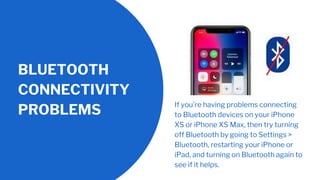
If you’re having problems connecting
to Bluetooth devices on your iPhone
XS or iPhone XS Max, then try turning
off Bluetooth by going to Settings >
Bluetooth, restarting your iPhone or
iPad, and turning on Bluetooth again to
see if it helps.
FAULTY GREEN
LINE IN DISPLAY
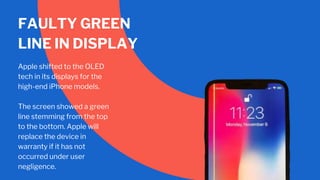
Apple shifted to the OLED
tech in its displays for the
high-end iPhone models.
The screen showed a green
line stemming from the top
to the bottom. Apple will
replace the device in
warranty if it has not
occurred under user
negligence.
THE DATA AND WI-
FI SPEEDS ARE
SLOW
Some iPhone XS and
iPhone XS Max owner also
discovered that their Data
and their Wi-Fi speeds are
much slower than
expected.
Fortunately there is an
easy repair to this issue.
You can go to the Settings
> General > Reset > Reset
Network Settings.

7 Common Issues in iPhone XS & XS Max

  • 1.
  • 2.
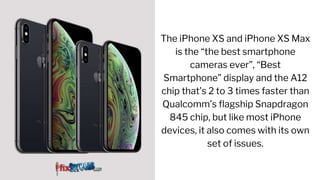
    The iPhone XSand iPhone XS Max is the “the best smartphone cameras ever”, “Best Smartphone” display and the A12 chip that’s 2 to 3 times faster than Qualcomm’s flagship Snapdragon 845 chip, but like most iPhone devices, it also comes with its own set of issues.
  • 3.
  • 4.
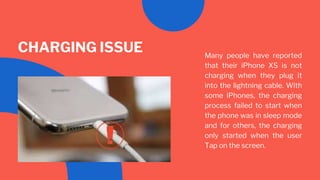
    Many people havereported that their iPhone XS is not charging when they plug it into the lightning cable. With some iPhones, the charging process failed to start when the phone was in sleep mode and for others, the charging only started when the user Tap on the screen. CHARGING ISSUE
  • 5.
  • 6.
    FREEZING ISSUE Some ofthe owners of the iPhone XS & XS Max have also reported that their phones are hanging; it simply freezes while doing anything on the smartphone.
  • 7.
    AGGRESSIVE CAMERA SMOOTHENING iPhone XS ismuch more aggressive than the previous iPhones for smoothening the skins of subjects in selfies.
  • 8.
    BLUETOOTH CONNECTIVITY PROBLEMS If you’re havingproblems connecting to Bluetooth devices on your iPhone XS or iPhone XS Max, then try turning off Bluetooth by going to Settings > Bluetooth, restarting your iPhone or iPad, and turning on Bluetooth again to see if it helps.
  • 9.
    FAULTY GREEN LINE INDISPLAY Apple shifted to the OLED tech in its displays for the high-end iPhone models. The screen showed a green line stemming from the top to the bottom. Apple will replace the device in warranty if it has not occurred under user negligence.
  • 10.
    THE DATA ANDWI- FI SPEEDS ARE SLOW Some iPhone XS and iPhone XS Max owner also discovered that their Data and their Wi-Fi speeds are much slower than expected. Fortunately there is an easy repair to this issue. You can go to the Settings > General > Reset > Reset Network Settings.