Module 5:
Administering User
   Accounts
Overview

     Finding User Accounts
     Administering User Accounts
     Managing User Profiles
     Creating Home Folders
     Introduction to Group Policies
     Troubleshooting User Accounts
     Best Practices
Finding User Accounts
       Find Users, Contacts, and Groups
   File    Edit   View Help

   Find: Users, Contacts, and Groups   In:       nwtraders   Browse...

    Users, Contacts, and Groups Advanced
                                                             Find Now
     Name:           Stefan Knorr
                                                               Stop
     Description:
                                                             Clear All


   Name                 Type                 Description


   0 item(s) found
 Administering User Accounts


     Resetting Passwords and Unlocking User Accounts
     Disabling, Enabling, Renaming, and Deleting User
      Accounts
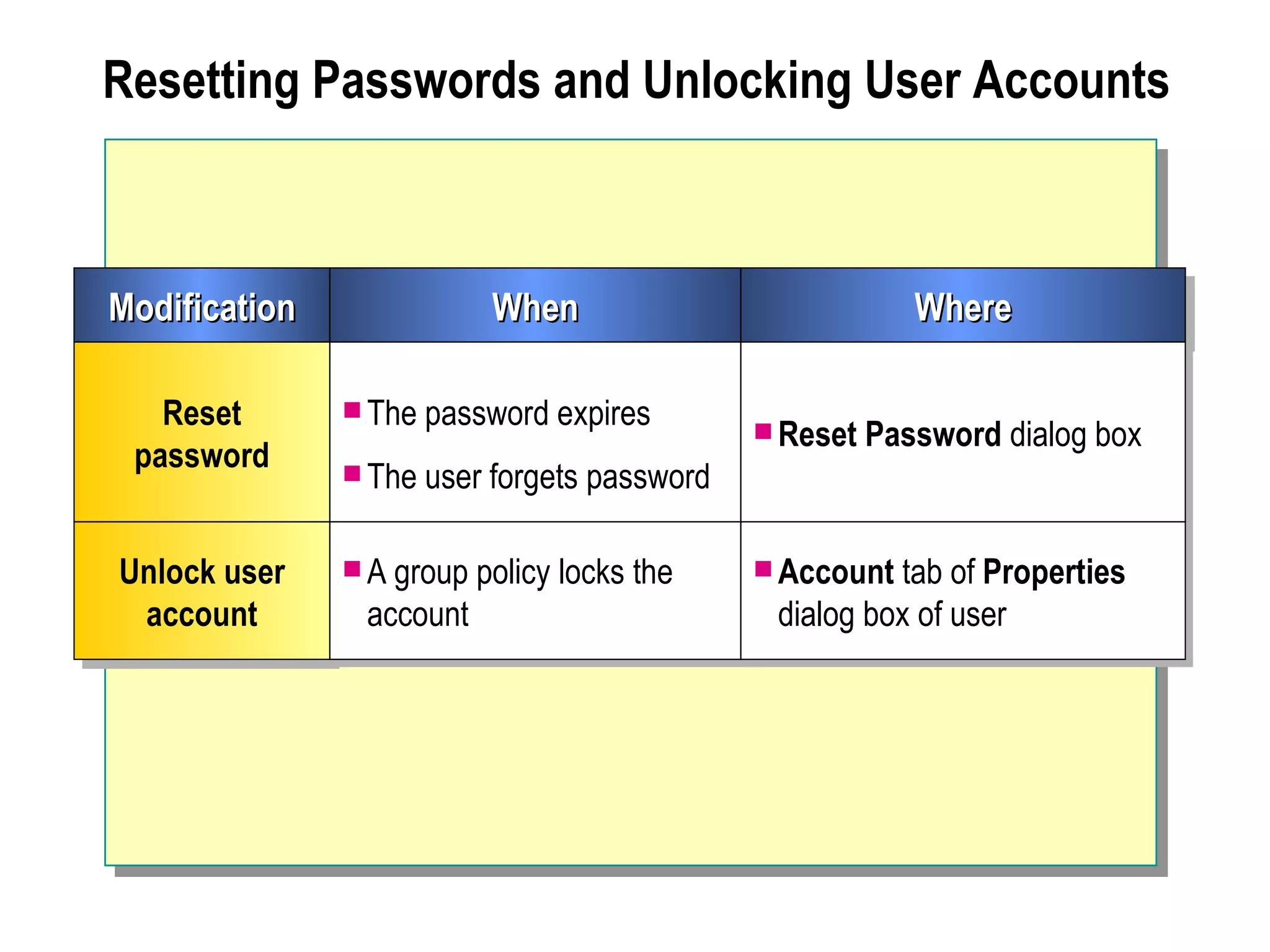
Resetting Passwords and Unlocking User Accounts


Modification                When                            Where

   Reset        The password expires
                                                Reset   Password dialog box
 password       The user   forgets password

Unlock user     A group   policy locks the     Account tab of Properties
 account        account                         dialog box of user
Disabling, Enabling, Renaming, and Deleting User Accounts

      dsa - [Active Directory Managernt5adminUsers]
        Console    Window    Help

     Active View
     Disable Account
     Reset Password
     Active Directory
                               Disable or Enable
                                Name          Type               Description
     Move...
         nt5admin                  User1      User               Admin.
     Open user’s home page
            Builtin
     Send mail                     User2      User               Admin.
            Computers
            Domain Controllers     User3      User               Admin.
     Task Users                    User4
                                   User4      User
                                              User               Admin. Acct.
                                                                 Vendor
     Delete
                                   User5      User               Admin.
     Rename           Delete or Rename
                                   User6      User               Admin.
     Properties                    User7      User               Admin.
                                   User8      User               Admin.
     Help
                                   User9      User
                                              Disabled   AccountsAdmin.
                                   User10     User               Admin.

    Done
 Managing User Profiles


     Defining User Profiles
     Default User Profile
     Defining Roaming User Profiles
     Setting Up a Roaming User Profile
     Customizing Roaming User Profiles
     Mandatory Roaming User Profiles
     Assigning a Customized Profile to Multiple Users
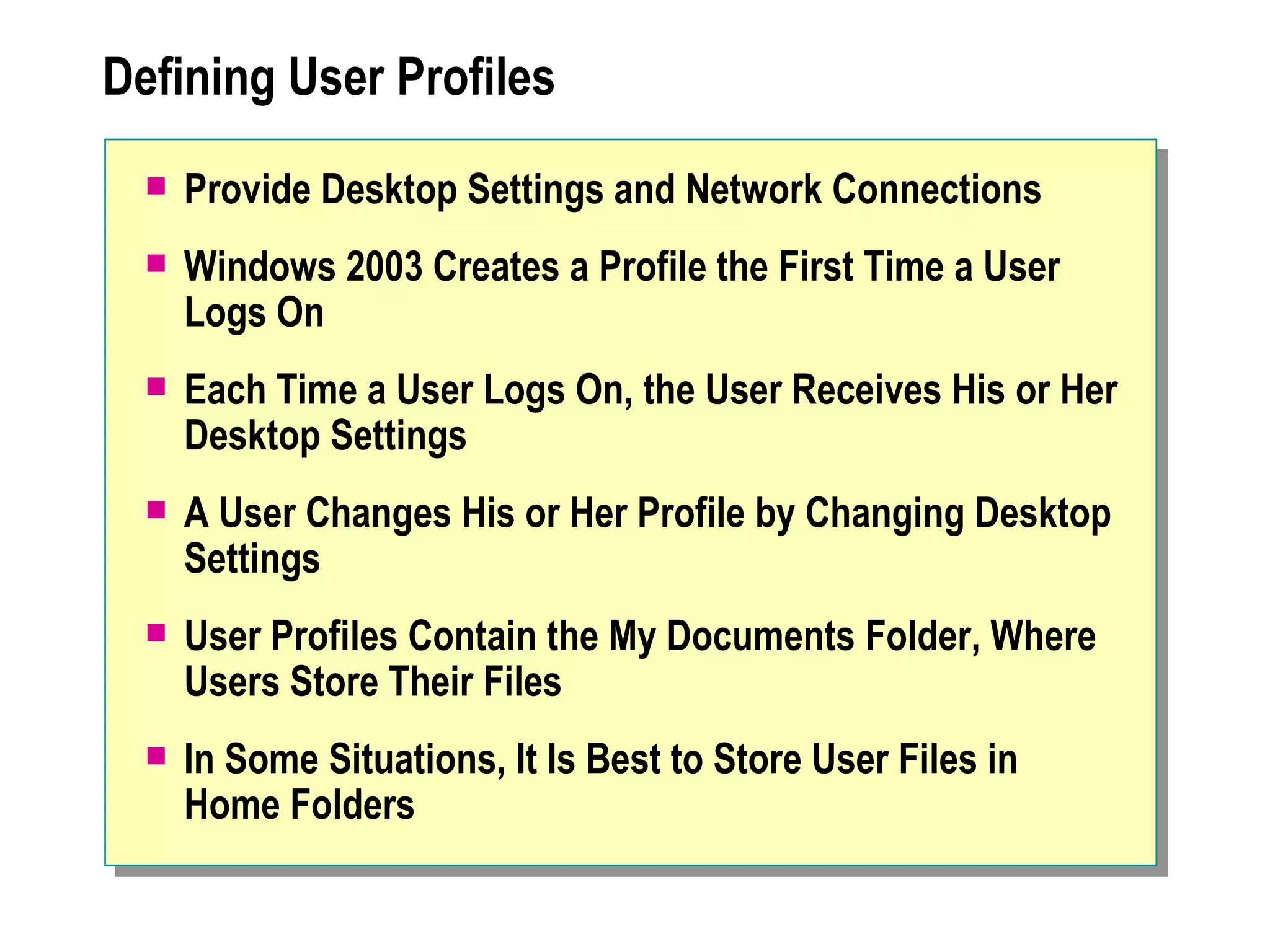
Defining User Profiles
     Provide Desktop Settings and Network Connections
     Windows 2003 Creates a Profile the First Time a User
      Logs On
     Each Time a User Logs On, the User Receives His or Her
      Desktop Settings
     A User Changes His or Her Profile by Changing Desktop
      Settings
     User Profiles Contain the My Documents Folder, Where
      Users Store Their Files
     In Some Situations, It Is Best to Store User Files in
      Home Folders
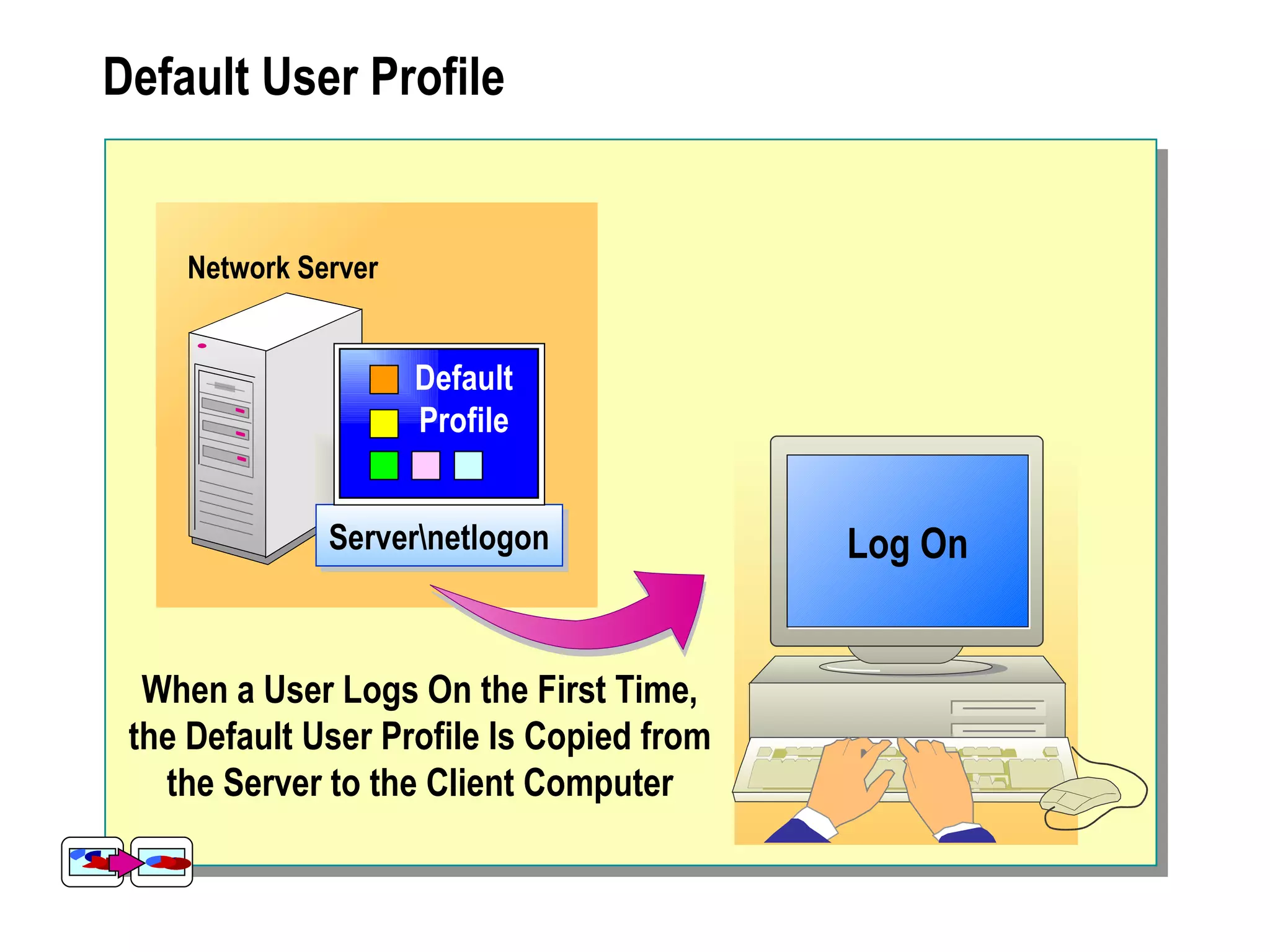
Default User Profile


    Network Server


                     Default
                     Profile


              Servernetlogon              Log On


  When a User Logs On the First Time,
 the Default User Profile Is Copied from
   the Server to the Client Computer
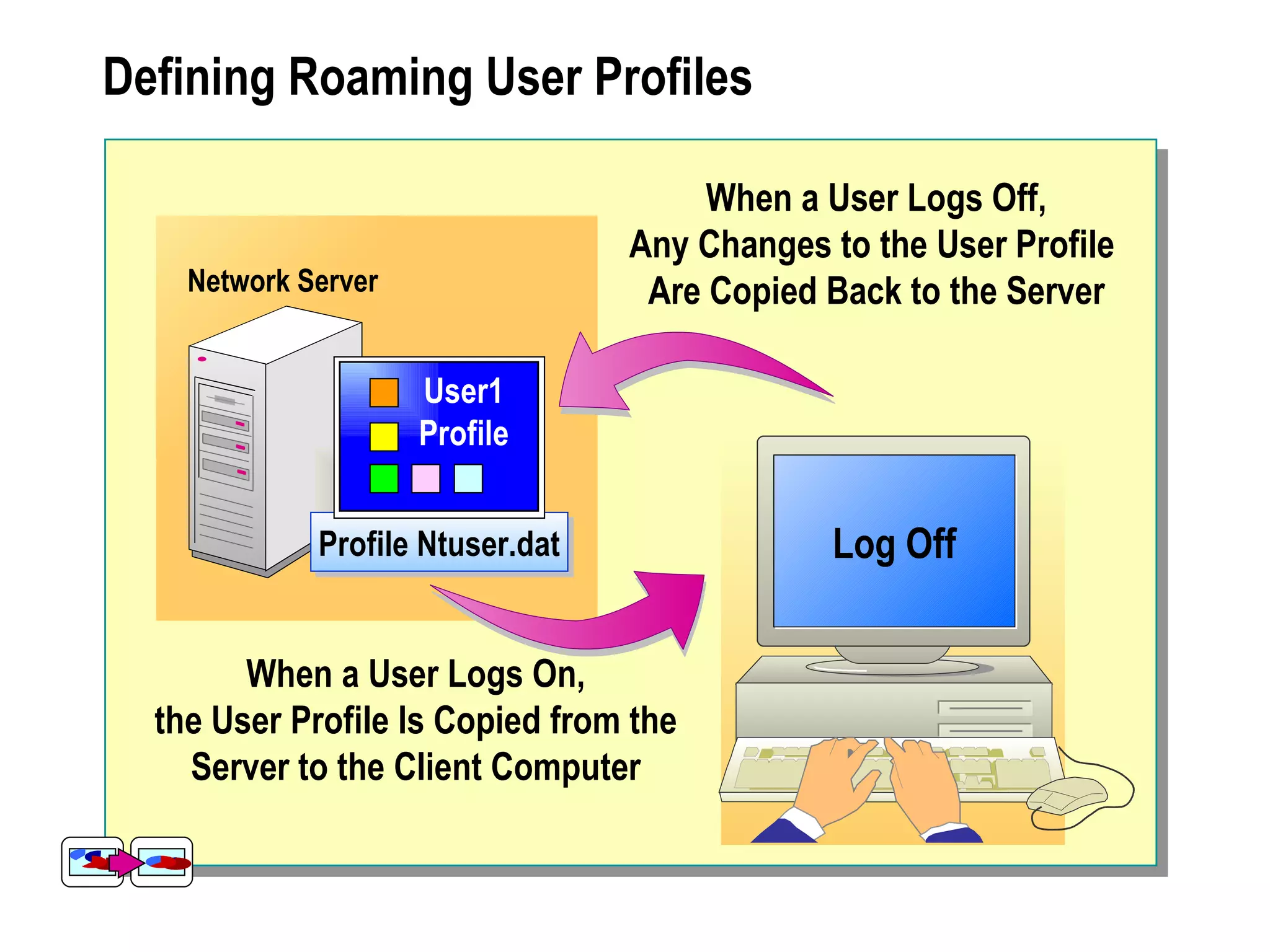
Defining Roaming User Profiles

                                       When a User Logs Off,
                                  Any Changes to the User Profile
    Network Server                 Are Copied Back to the Server

                     User1
                     Profile


             Profile Ntuser.dat               Log Off
                                                  On


        When a User Logs On,
  the User Profile Is Copied from the
    Server to the Client Computer
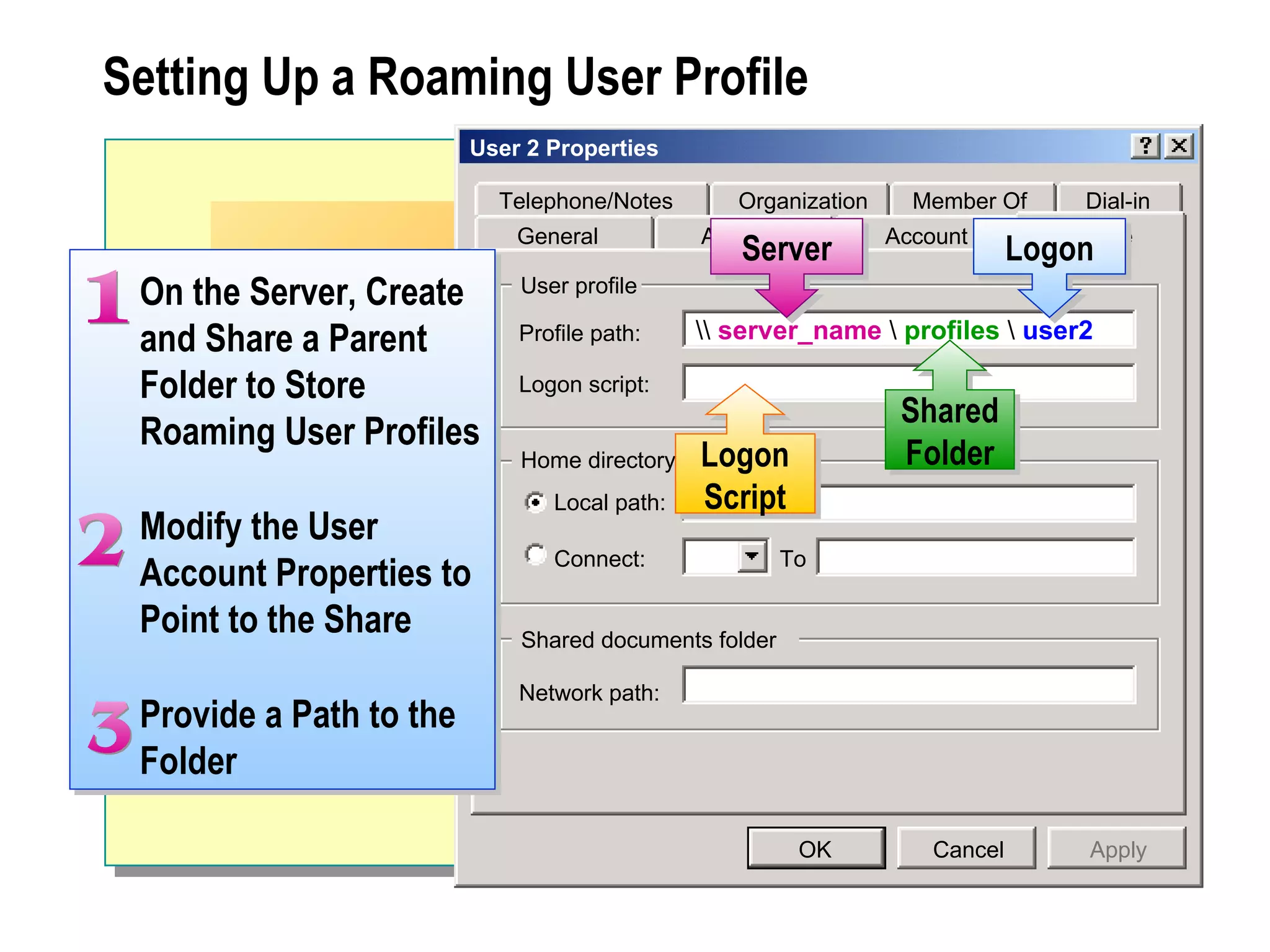
Setting Up a Roaming User Profile
                         User 2 Properties

                           Telephone/Notes       Organization     Member Of        Dial-in
                             General          Address           Account         Profile
                                                 Server                      Logon
 On the Server, Create       User profile

 and Share a Parent          Profile path:     server_name  profiles  user2

 Folder to Store             Logon script:
                                                                 Shared
 Roaming User Profiles
                             Home directory   Logon              Folder
                                Local path:   Script
 Modify the User
                                Connect:               To
 Account Properties to
 Point to the Share          Shared documents folder

                             Network path:
 Provide a Path to the
 Folder

                                                        OK          Cancel         Apply
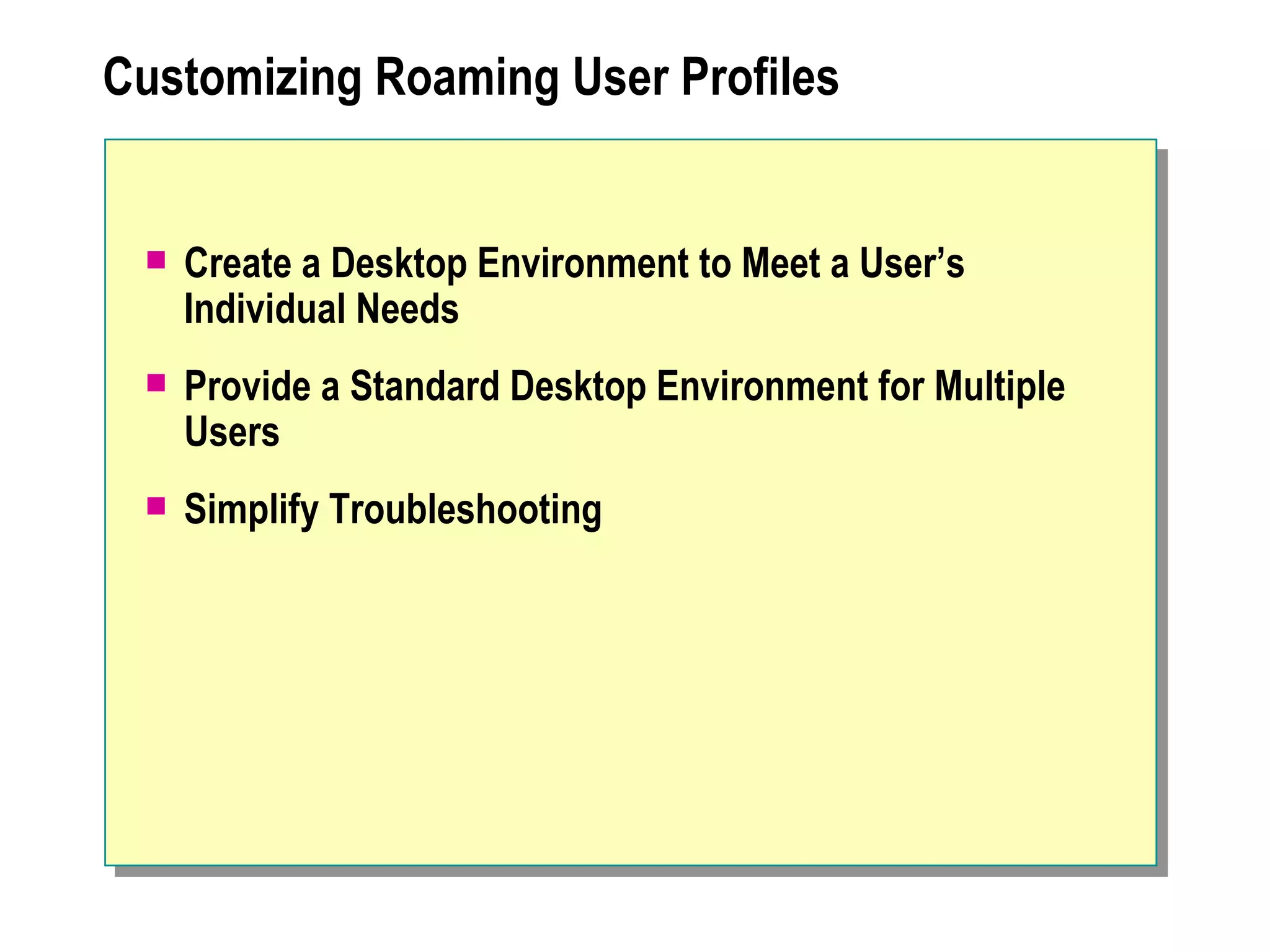
Customizing Roaming User Profiles


    Create a Desktop Environment to Meet a User’s
     Individual Needs
    Provide a Standard Desktop Environment for Multiple
     Users
    Simplify Troubleshooting
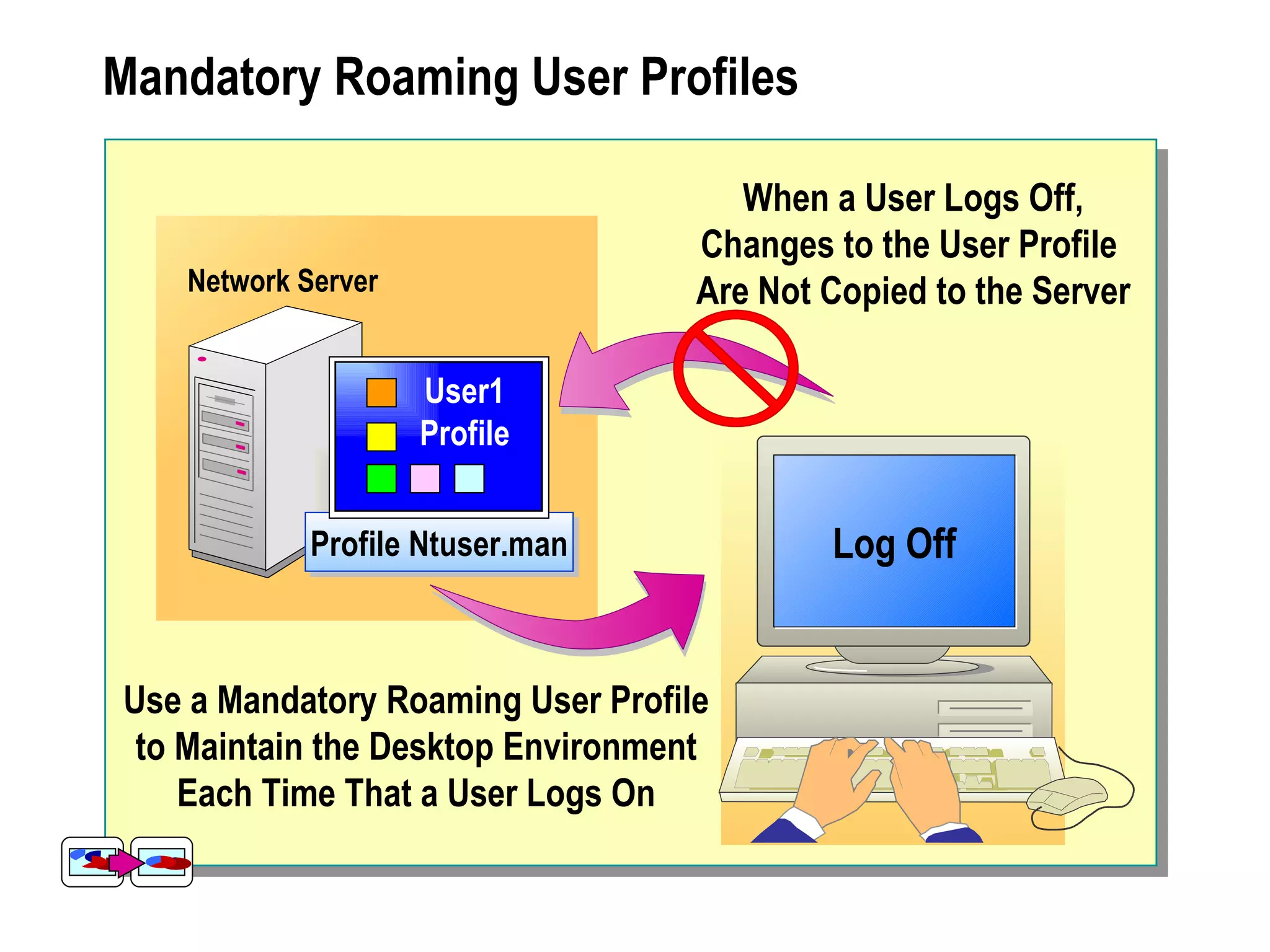
Mandatory Roaming User Profiles

                                      When a User Logs Off,
                                   Changes to the User Profile
   Network Server                  Are Not Copied to the Server

                    User1
                    Profile


            Profile Ntuser.man             Log Off
                                               On


Use a Mandatory Roaming User Profile
 to Maintain the Desktop Environment
    Each Time That a User Logs On
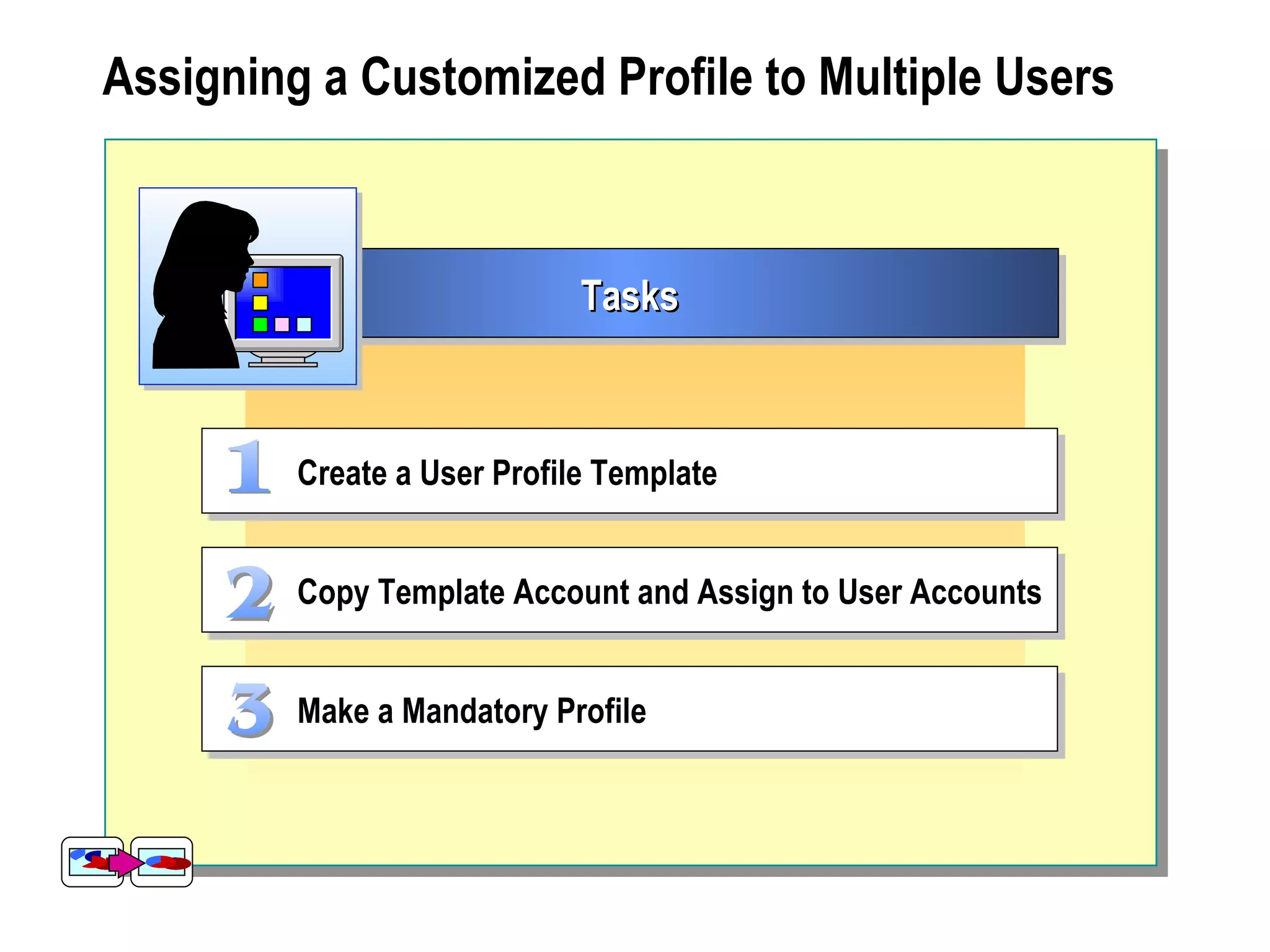
Assigning a Customized Profile to Multiple Users


                             Tasks


         Create a User Profile Template


         Copy Template Account and Assign to User Accounts


         Make a Mandatory Profile
 Creating Home Folders


     Defining Home Folders
     Creating Home Folders on a Server
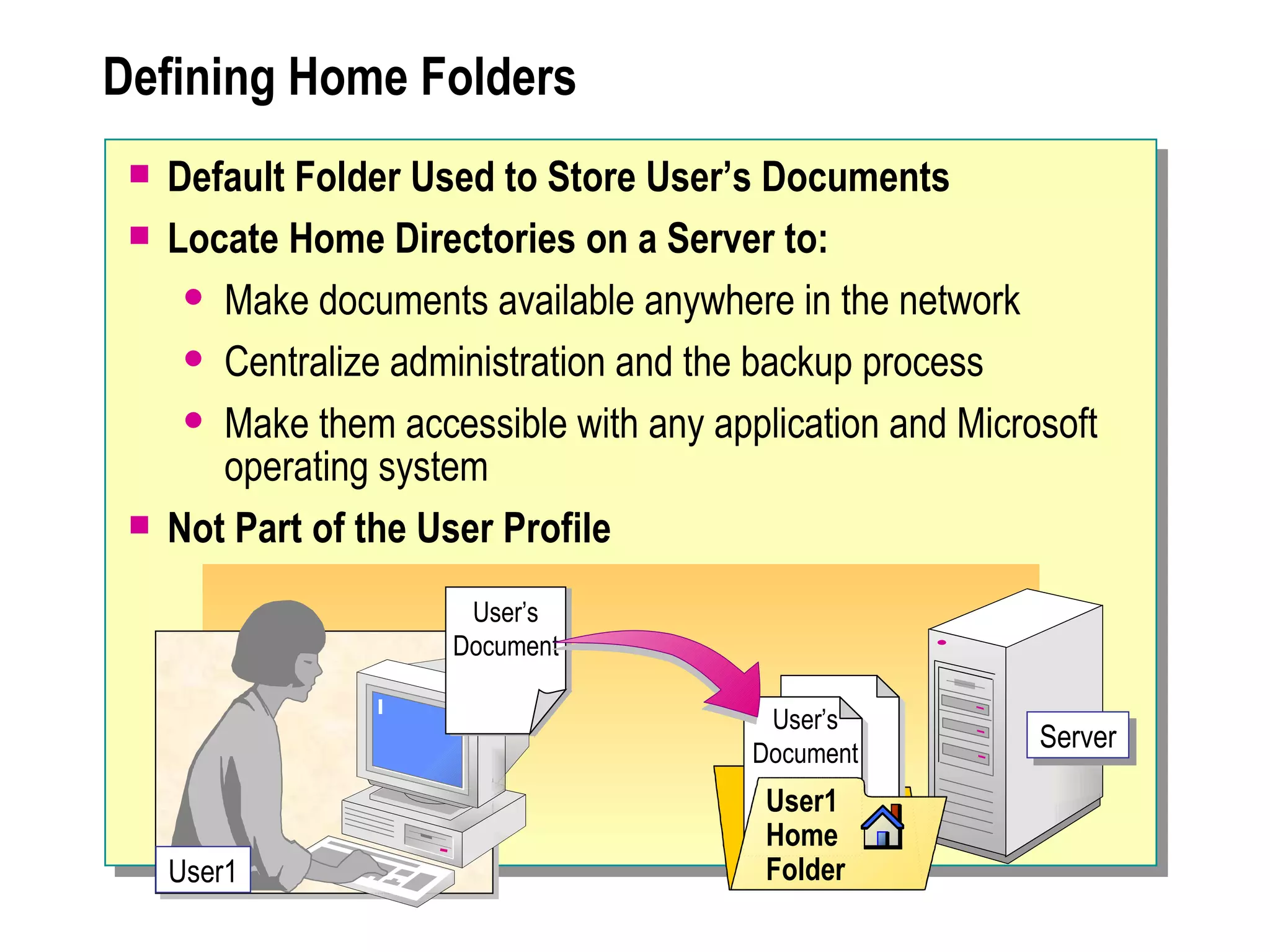
Defining Home Folders
    Default Folder Used to Store User’s Documents
    Locate Home Directories on a Server to:
       Make documents available anywhere in the network

       Centralize administration and the backup process

       Make them accessible with any application and Microsoft
        operating system
    Not Part of the User Profile
                       User’s
                      Document

                                          User’s
                                         Document
                                                           Server

                                          User1
                                          Home
     User1                                Folder
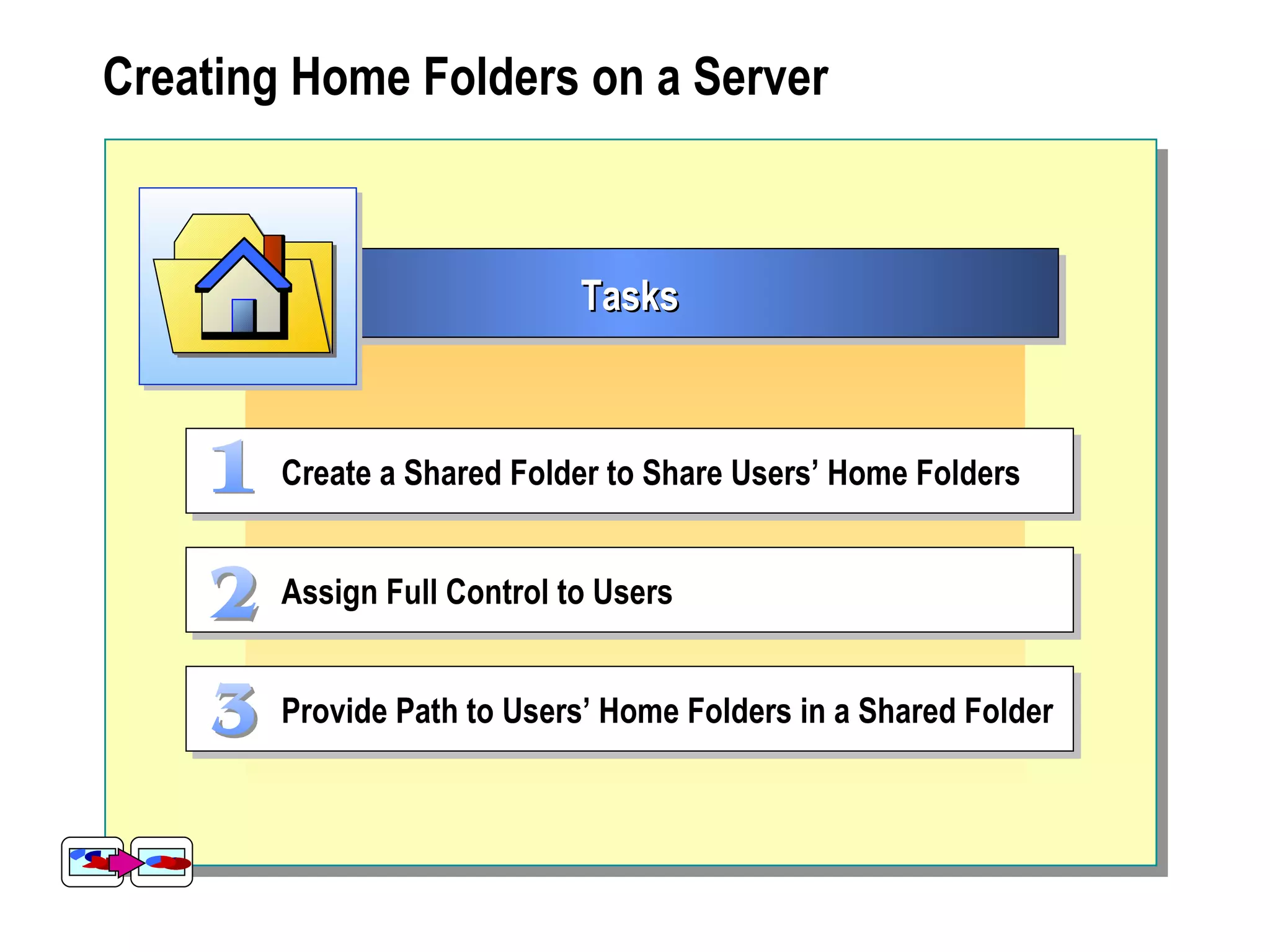
Creating Home Folders on a Server


                             Tasks


        Create a Shared Folder to Share Users’ Home Folders


        Assign Full Control to Users


        Provide Path to Users’ Home Folders in a Shared Folder
Introduction to Group Policies

     Network Settings to Enforce Organization Policies
     Set Up by Group Policy or Security Administrator
     Can Be Used to Define a Desktop Environment
     Can Affect the User Accounts That You Administer:
         Can lock out user accounts
         Can override user profile settings
     Be Aware of Group Policies in Effect on the Network
     Resolve Some Conflicts with Group Policies Yourself
Troubleshooting User Accounts


Err or User Profile Is Unusable or Corrupt


Err or A User Cannot Gain Access to His or Her Home Folder


Err or A User Is Unable to Log On to the Network
Best Practices


   Configure Roaming User Profiles for All Users


   Use Mandatory Profiles When Identical Desktops Are Required


   Store All Roaming User Profiles in the Same Location


   Direct Users to Store Their Documents in My Documents
Review

     Finding User Accounts
     Administering User Accounts
     Managing User Profiles
     Creating Home Folders
     Introduction to Group Policies
     Troubleshooting User Accounts
     Best Practices

1556 a 05

  • 1.
  • 2.
    Overview  Finding User Accounts  Administering User Accounts  Managing User Profiles  Creating Home Folders  Introduction to Group Policies  Troubleshooting User Accounts  Best Practices
  • 3.
    Finding User Accounts Find Users, Contacts, and Groups File Edit View Help Find: Users, Contacts, and Groups In: nwtraders Browse... Users, Contacts, and Groups Advanced Find Now Name: Stefan Knorr Stop Description: Clear All Name Type Description 0 item(s) found
  • 4.
     Administering UserAccounts  Resetting Passwords and Unlocking User Accounts  Disabling, Enabling, Renaming, and Deleting User Accounts
  • 5.
    Resetting Passwords andUnlocking User Accounts Modification When Where Reset  The password expires  Reset Password dialog box password  The user forgets password Unlock user  A group policy locks the  Account tab of Properties account account dialog box of user
  • 6.
    Disabling, Enabling, Renaming,and Deleting User Accounts dsa - [Active Directory Managernt5adminUsers] Console Window Help Active View Disable Account Reset Password Active Directory Disable or Enable Name Type Description Move... nt5admin User1 User Admin. Open user’s home page Builtin Send mail User2 User Admin. Computers Domain Controllers User3 User Admin. Task Users User4 User4 User User Admin. Acct. Vendor Delete User5 User Admin. Rename Delete or Rename User6 User Admin. Properties User7 User Admin. User8 User Admin. Help User9 User Disabled AccountsAdmin. User10 User Admin. Done
  • 7.
     Managing UserProfiles  Defining User Profiles  Default User Profile  Defining Roaming User Profiles  Setting Up a Roaming User Profile  Customizing Roaming User Profiles  Mandatory Roaming User Profiles  Assigning a Customized Profile to Multiple Users
  • 8.
    Defining User Profiles  Provide Desktop Settings and Network Connections  Windows 2003 Creates a Profile the First Time a User Logs On  Each Time a User Logs On, the User Receives His or Her Desktop Settings  A User Changes His or Her Profile by Changing Desktop Settings  User Profiles Contain the My Documents Folder, Where Users Store Their Files  In Some Situations, It Is Best to Store User Files in Home Folders
  • 9.
    Default User Profile Network Server Default Profile Servernetlogon Log On When a User Logs On the First Time, the Default User Profile Is Copied from the Server to the Client Computer
  • 10.
    Defining Roaming UserProfiles When a User Logs Off, Any Changes to the User Profile Network Server Are Copied Back to the Server User1 Profile Profile Ntuser.dat Log Off On When a User Logs On, the User Profile Is Copied from the Server to the Client Computer
  • 11.
    Setting Up aRoaming User Profile User 2 Properties Telephone/Notes Organization Member Of Dial-in General Address Account Profile Server Logon On the Server, Create User profile and Share a Parent Profile path: server_name profiles user2 Folder to Store Logon script: Shared Roaming User Profiles Home directory Logon Folder Local path: Script Modify the User Connect: To Account Properties to Point to the Share Shared documents folder Network path: Provide a Path to the Folder OK Cancel Apply
  • 12.
    Customizing Roaming UserProfiles  Create a Desktop Environment to Meet a User’s Individual Needs  Provide a Standard Desktop Environment for Multiple Users  Simplify Troubleshooting
  • 13.
    Mandatory Roaming UserProfiles When a User Logs Off, Changes to the User Profile Network Server Are Not Copied to the Server User1 Profile Profile Ntuser.man Log Off On Use a Mandatory Roaming User Profile to Maintain the Desktop Environment Each Time That a User Logs On
  • 14.
    Assigning a CustomizedProfile to Multiple Users Tasks Create a User Profile Template Copy Template Account and Assign to User Accounts Make a Mandatory Profile
  • 15.
     Creating HomeFolders  Defining Home Folders  Creating Home Folders on a Server
  • 16.
    Defining Home Folders  Default Folder Used to Store User’s Documents  Locate Home Directories on a Server to:  Make documents available anywhere in the network  Centralize administration and the backup process  Make them accessible with any application and Microsoft operating system  Not Part of the User Profile User’s Document User’s Document Server User1 Home User1 Folder
  • 17.
    Creating Home Folderson a Server Tasks Create a Shared Folder to Share Users’ Home Folders Assign Full Control to Users Provide Path to Users’ Home Folders in a Shared Folder
  • 18.
    Introduction to GroupPolicies  Network Settings to Enforce Organization Policies  Set Up by Group Policy or Security Administrator  Can Be Used to Define a Desktop Environment  Can Affect the User Accounts That You Administer:  Can lock out user accounts  Can override user profile settings  Be Aware of Group Policies in Effect on the Network  Resolve Some Conflicts with Group Policies Yourself
  • 19.
    Troubleshooting User Accounts Error User Profile Is Unusable or Corrupt Err or A User Cannot Gain Access to His or Her Home Folder Err or A User Is Unable to Log On to the Network
  • 20.
    Best Practices Configure Roaming User Profiles for All Users Use Mandatory Profiles When Identical Desktops Are Required Store All Roaming User Profiles in the Same Location Direct Users to Store Their Documents in My Documents
  • 21.
    Review  Finding User Accounts  Administering User Accounts  Managing User Profiles  Creating Home Folders  Introduction to Group Policies  Troubleshooting User Accounts  Best Practices