JavaScript & jQuery
Timers, Effects, and Animations
TIMERS
2
3
Working with Timeouts and Intervals
Four methods exists which run your code
automatically based on time elements:
– setTimeout() method
• Executes code ONE TIME ONLY after a specific
amount of time
– clearTimeout() method
• Cancels setTimeout() before its code executes
– setInterval() method
• Executes the same code continually after being called
only once
– clearInterval() method
• Cancels thesetInterval() method call
4
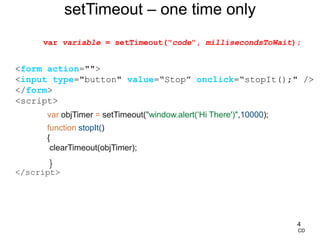
<form action="">
<input type="button" value=“Stop” onclick=“stopIt();" />
</form>
<script>
var objTimer = setTimeout("window.alert(‘Hi There')",10000);
function stopIt()
{
clearTimeout(objTimer);
}
</script>
setTimeout – one time only
CD
var variable = setTimeout("code", millisecondsToWait);
5
<script>
$(document).ready(function(){
var begin=setInterval('changeBanner()',2000);
var curBanner="cycle1";
});
function changeBanner()
{
if (curBanner == "cycle2")
{
document.images[0].src = "v500tec.gif";
curBanner = "cycle1";
}
else {
document.images[0].src = "showroom.gif";
curBanner = "cycle2";
}
}
</script>
</head>
<body>
<p><img src="v500tec.gif" height="90px" width="700px"
alt="Banner images" /></p>
</body>
</html>
setInterval -continuous
CD
var variable = setInterval("code", millisecondsToRepeat);
JQUERY EFFECTS
6
Introduction
• Animations and effects add interest to a web page
• Make elements on a web page appear and
disappear
– With timers can make slideshows, carousels, etc.
• Fun to create
– Primary goal is usability
• make sure animations don’t detract from that
7
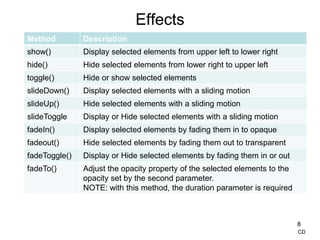
Effects
8
Method Description
show() Display selected elements from upper left to lower right
hide() Hide selected elements from lower right to upper left
toggle() Hide or show selected elements
slideDown() Display selected elements with a sliding motion
slideUp() Hide selected elements with a sliding motion
slideToggle Display or Hide selected elements with a sliding motion
fadeIn() Display selected elements by fading them in to opaque
fadeout() Hide selected elements by fading them out to transparent
fadeToggle() Display or Hide selected elements by fading them in or out
fadeTo() Adjust the opacity property of the selected elements to the
opacity set by the second parameter.
NOTE: with this method, the duration parameter is required
CD
Effects
• For all methods except fadeTo(), the primary parameter is the
duration parameter that determines how long the effect will take
– If duration is 5000, the element will be faded out over 5 seconds
– If duration is omitted, the effect occurs immediately – no animation
• Basic syntax for all methods except fadeTo() is:
– methodName([duration], [callback function])
• Basic syntax for fadeTo() is:
– methodName(duration, opacity [,callback function])
• Duration: can be ‘fast’, ‘slow’ or time in milliseconds
• Opacity: 0 through 1
• Callback function: called after the method finishes
9
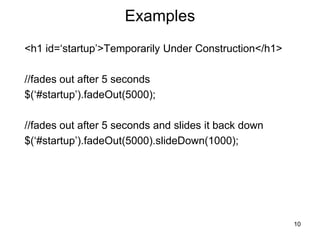
Examples
<h1 id=‘startup’>Temporarily Under Construction</h1>
//fades out after 5 seconds
$(‘#startup’).fadeOut(5000);
//fades out after 5 seconds and slides it back down
$(‘#startup’).fadeOut(5000).slideDown(1000);
10
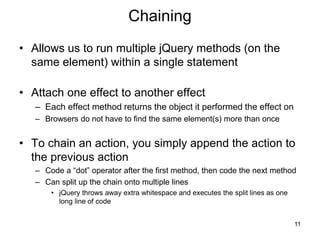
Chaining
• Allows us to run multiple jQuery methods (on the
same element) within a single statement
• Attach one effect to another effect
– Each effect method returns the object it performed the effect on
– Browsers do not have to find the same element(s) more than once
• To chain an action, you simply append the action to
the previous action
– Code a “dot” operator after the first method, then code the next method
– Can split up the chain onto multiple lines
• jQuery throws away extra whitespace and executes the split lines as one
long line of code
11
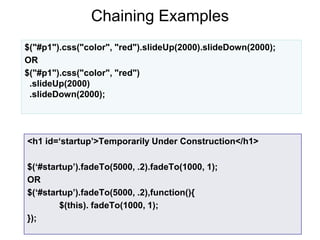
Chaining Examples
12
$("#p1").css("color", "red").slideUp(2000).slideDown(2000);
OR
$("#p1").css("color", "red")
.slideUp(2000)
.slideDown(2000);
<h1 id=‘startup’>Temporarily Under Construction</h1>
$(‘#startup’).fadeTo(5000, .2).fadeTo(1000, 1);
OR
$(‘#startup’).fadeTo(5000, .2),function(){
$(this). fadeTo(1000, 1);
});
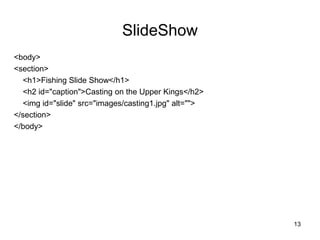
SlideShow
<body>
<section>
<h1>Fishing Slide Show</h1>
<h2 id="caption">Casting on the Upper Kings</h2>
<img id="slide" src="images/casting1.jpg" alt="">
</section>
</body>
13
SlideShow
$(document).ready(function() {
// create an array of the slide images
var imageCache = new Array();
imageCache[0] = 'images/casting1.jpg';
imageCache[1] = 'images/casting2.jpg';
imageCache[2] = 'images/catchrelease.jpg';
imageCache[3] = 'images/fish.jpg';
imageCache[4] = 'images/fish.jpg';
var imageTitle = new Array();
imageTitle[0]='Casting on the Upper Kings';
imageTitle[1]='Casting on the Lower Kings';
imageTitle[2]='Catch and Release on the Big Horn';
imageTitle[3]='Catching on the South Fork';
imageTitle[4]='The Lures for Catching';
14
SlideShow
// start slide show
var imageCounter = 0;
var nextImage;
var timer = setInterval( function () {
$("#caption").fadeOut(1000);
$("#slide").fadeOut(1000,function() {
imageCounter = (imageCounter + 1) % imageCache.length;
nextImage = imageCache[imageCounter];
nextTitle = imageTitle[imageCounter];
$("#slide").attr("src", nextImage).fadeIn(1000);
$("#caption").text(nextTitle).fadeIn(1000);
}
);
},
3000);
})
15
CD
Custom effects - Animations
• Animations are visual effects that convey the illusion
of motion
– Take a sequence of images, display them one at a
time, at a specific rate of time
• When an animation runs
– the JE sets a timer for the duration of the animation
– the JE tells the browser to change the CSS property
as specified at that time
– The JE repeatedly executes the code in the timer until
the timer runs out or is stopped
– The visitor sees the illusion of movement
16
CD
Custom effects - Animations
• The animate() function lets you animate any CSS
property that accepts numeric values
– Requires a very good understanding of CSS 3
• Basic syntax:
animate({properties}[,duration][,callback function]);
Properties map: CSS that goes inside the curly braces
consists of name:value pairs (its CSS)
17
Callback functions
• executed after the current effect is 100% finished
• JavaScript statements are executed line by line
– with effects, the next line of code can be run even
though the effect is not finished
– Callbacks prevent this
• Uses
– display captions after photo appears
– make an image stand out
18
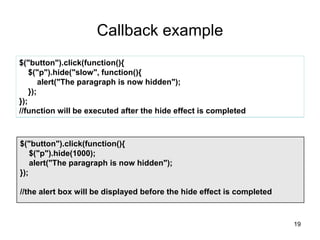
Callback example
$("button").click(function(){
$("p").hide("slow", function(){
alert("The paragraph is now hidden");
});
});
//function will be executed after the hide effect is completed
19
$("button").click(function(){
$("p").hide(1000);
alert("The paragraph is now hidden");
});
//the alert box will be displayed before the hide effect is completed
Custom effects - Animations
• When animate() function runs, it modifies the
selected element by changing their properties to the
ones in the properties map, over the specified
duration
– To specify properties, in the property map, use camel
casing instead of CSS hypenation
i.e. font-size would be fontSize
– To specify a non-numeric property, enclose the value
in quotes
– For numeric properties, pixels are assumed if omitted
– Cannot animate color
20
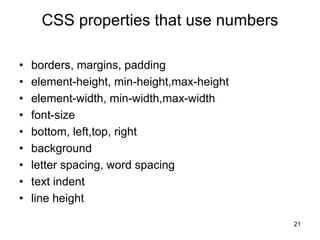
CSS properties that use numbers
• borders, margins, padding
• element-height, min-height,max-height
• element-width, min-width,max-width
• font-size
• bottom, left,top, right
• background
• letter spacing, word spacing
• text indent
• line height
21
Examples
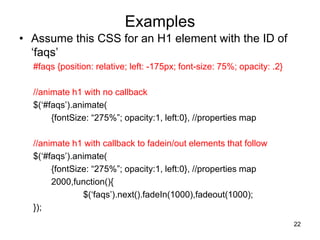
• Assume this CSS for an H1 element with the ID of
‘faqs’
#faqs {position: relative; left: -175px; font-size: 75%; opacity: .2}
//animate h1 with no callback
$(‘#faqs’).animate(
{fontSize: “275%”; opacity:1, left:0}, //properties map
//animate h1 with callback to fadein/out elements that follow
$(‘#faqs’).animate(
{fontSize: “275%”; opacity:1, left:0}, //properties map
2000,function(){
$(‘faqs’).next().fadeIn(1000),fadeout(1000);
});
22
Queue Animations
• When you have multiple animations (single or
chained), they are placed in a queue for that
element
– Each element gets its own queue
– FIFO order
– Easier stopping of an effect or animation
23
CD
Queue Animations example
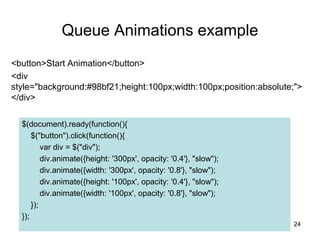
<button>Start Animation</button>
<div
style="background:#98bf21;height:100px;width:100px;position:absolute;">
</div>
24
$(document).ready(function(){
$("button").click(function(){
var div = $("div");
div.animate({height: '300px', opacity: '0.4'}, "slow");
div.animate({width: '300px', opacity: '0.8'}, "slow");
div.animate({height: '100px', opacity: '0.4'}, "slow");
div.animate({width: '100px', opacity: '0.8'}, "slow");
});
});
Queue Animations
• When chaining animations, callback functions may
not run as expected
– Callback function is designed to run AFTER
animation completes
– User double clicks element which has a callback
function
• effect goes into queue two times
• As soon as first effect finishes second one starts –
concurrent with and possibly before callback for first
has finished
25
Chaining Animation Example
26
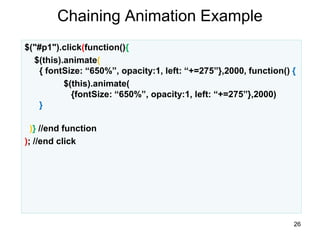
$("#p1").click(function(){
$(this).animate(
{ fontSize: “650%”, opacity:1, left: “+=275”},2000, function() {
$(this).animate(
{fontSize: “650%”, opacity:1, left: “+=275”},2000)
}
)} //end function
); //end click
Stopping Animations
• Stops animation or effect before it finishes
– Useful for slideshows, advertisements
• Syntax:
$(selector).stop([clearQueue][,jumpToEnd]);
– clearQueue indicates whether also the animation queue should
be cleared or not
• default is false, only the active animation will be stopped
• any queued animations will still be performed
– jumpToEnd indicates whether or not to complete the current
animation immediately
• default is false
27
CD
Delaying Animations
• Delays the start of the next animation in the queue
• Syntax:
– (element).delay(duration);
• Example
– $(‘#p1’).delay(5000).fadeout(1000);
28
Easing
• Easings determine how an animation is performed
– Can start slowly and pick up speed
• Two easing types
– Linear – moves animation at uniform speed
– Swing – varies the speed
– Default is swing
• Other easings exist
– Plug-ins
– jQuery UI
• Must include script tag to UI CDN
29
Easing
• Syntax for all effects except fadeTo()
– methodName([duration][,easing][,callback])
• Syntax for fadeTo()
– methodName(duration,opacity,[,easing][,callback])
• Syntax for basic animate
– animate({properties}[,duration][,easing][,callback])
30
CD
https://matthewlein.com/experiments/easing.html

14709302.ppt

  • 1.
    JavaScript & jQuery Timers,Effects, and Animations
  • 2.
  • 3.
    3 Working with Timeoutsand Intervals Four methods exists which run your code automatically based on time elements: – setTimeout() method • Executes code ONE TIME ONLY after a specific amount of time – clearTimeout() method • Cancels setTimeout() before its code executes – setInterval() method • Executes the same code continually after being called only once – clearInterval() method • Cancels thesetInterval() method call
  • 4.
    4 <form action=""> <input type="button"value=“Stop” onclick=“stopIt();" /> </form> <script> var objTimer = setTimeout("window.alert(‘Hi There')",10000); function stopIt() { clearTimeout(objTimer); } </script> setTimeout – one time only CD var variable = setTimeout("code", millisecondsToWait);
  • 5.
    5 <script> $(document).ready(function(){ var begin=setInterval('changeBanner()',2000); var curBanner="cycle1"; }); functionchangeBanner() { if (curBanner == "cycle2") { document.images[0].src = "v500tec.gif"; curBanner = "cycle1"; } else { document.images[0].src = "showroom.gif"; curBanner = "cycle2"; } } </script> </head> <body> <p><img src="v500tec.gif" height="90px" width="700px" alt="Banner images" /></p> </body> </html> setInterval -continuous CD var variable = setInterval("code", millisecondsToRepeat);
  • 6.
  • 7.
    Introduction • Animations andeffects add interest to a web page • Make elements on a web page appear and disappear – With timers can make slideshows, carousels, etc. • Fun to create – Primary goal is usability • make sure animations don’t detract from that 7
  • 8.
    Effects 8 Method Description show() Displayselected elements from upper left to lower right hide() Hide selected elements from lower right to upper left toggle() Hide or show selected elements slideDown() Display selected elements with a sliding motion slideUp() Hide selected elements with a sliding motion slideToggle Display or Hide selected elements with a sliding motion fadeIn() Display selected elements by fading them in to opaque fadeout() Hide selected elements by fading them out to transparent fadeToggle() Display or Hide selected elements by fading them in or out fadeTo() Adjust the opacity property of the selected elements to the opacity set by the second parameter. NOTE: with this method, the duration parameter is required CD
  • 9.
    Effects • For allmethods except fadeTo(), the primary parameter is the duration parameter that determines how long the effect will take – If duration is 5000, the element will be faded out over 5 seconds – If duration is omitted, the effect occurs immediately – no animation • Basic syntax for all methods except fadeTo() is: – methodName([duration], [callback function]) • Basic syntax for fadeTo() is: – methodName(duration, opacity [,callback function]) • Duration: can be ‘fast’, ‘slow’ or time in milliseconds • Opacity: 0 through 1 • Callback function: called after the method finishes 9
  • 10.
    Examples <h1 id=‘startup’>Temporarily UnderConstruction</h1> //fades out after 5 seconds $(‘#startup’).fadeOut(5000); //fades out after 5 seconds and slides it back down $(‘#startup’).fadeOut(5000).slideDown(1000); 10
  • 11.
    Chaining • Allows usto run multiple jQuery methods (on the same element) within a single statement • Attach one effect to another effect – Each effect method returns the object it performed the effect on – Browsers do not have to find the same element(s) more than once • To chain an action, you simply append the action to the previous action – Code a “dot” operator after the first method, then code the next method – Can split up the chain onto multiple lines • jQuery throws away extra whitespace and executes the split lines as one long line of code 11
  • 12.
    Chaining Examples 12 $("#p1").css("color", "red").slideUp(2000).slideDown(2000); OR $("#p1").css("color","red") .slideUp(2000) .slideDown(2000); <h1 id=‘startup’>Temporarily Under Construction</h1> $(‘#startup’).fadeTo(5000, .2).fadeTo(1000, 1); OR $(‘#startup’).fadeTo(5000, .2),function(){ $(this). fadeTo(1000, 1); });
  • 13.
    SlideShow <body> <section> <h1>Fishing Slide Show</h1> <h2id="caption">Casting on the Upper Kings</h2> <img id="slide" src="images/casting1.jpg" alt=""> </section> </body> 13
  • 14.
    SlideShow $(document).ready(function() { // createan array of the slide images var imageCache = new Array(); imageCache[0] = 'images/casting1.jpg'; imageCache[1] = 'images/casting2.jpg'; imageCache[2] = 'images/catchrelease.jpg'; imageCache[3] = 'images/fish.jpg'; imageCache[4] = 'images/fish.jpg'; var imageTitle = new Array(); imageTitle[0]='Casting on the Upper Kings'; imageTitle[1]='Casting on the Lower Kings'; imageTitle[2]='Catch and Release on the Big Horn'; imageTitle[3]='Catching on the South Fork'; imageTitle[4]='The Lures for Catching'; 14
  • 15.
    SlideShow // start slideshow var imageCounter = 0; var nextImage; var timer = setInterval( function () { $("#caption").fadeOut(1000); $("#slide").fadeOut(1000,function() { imageCounter = (imageCounter + 1) % imageCache.length; nextImage = imageCache[imageCounter]; nextTitle = imageTitle[imageCounter]; $("#slide").attr("src", nextImage).fadeIn(1000); $("#caption").text(nextTitle).fadeIn(1000); } ); }, 3000); }) 15 CD
  • 16.
    Custom effects -Animations • Animations are visual effects that convey the illusion of motion – Take a sequence of images, display them one at a time, at a specific rate of time • When an animation runs – the JE sets a timer for the duration of the animation – the JE tells the browser to change the CSS property as specified at that time – The JE repeatedly executes the code in the timer until the timer runs out or is stopped – The visitor sees the illusion of movement 16 CD
  • 17.
    Custom effects -Animations • The animate() function lets you animate any CSS property that accepts numeric values – Requires a very good understanding of CSS 3 • Basic syntax: animate({properties}[,duration][,callback function]); Properties map: CSS that goes inside the curly braces consists of name:value pairs (its CSS) 17
  • 18.
    Callback functions • executedafter the current effect is 100% finished • JavaScript statements are executed line by line – with effects, the next line of code can be run even though the effect is not finished – Callbacks prevent this • Uses – display captions after photo appears – make an image stand out 18
  • 19.
    Callback example $("button").click(function(){ $("p").hide("slow", function(){ alert("Theparagraph is now hidden"); }); }); //function will be executed after the hide effect is completed 19 $("button").click(function(){ $("p").hide(1000); alert("The paragraph is now hidden"); }); //the alert box will be displayed before the hide effect is completed
  • 20.
    Custom effects -Animations • When animate() function runs, it modifies the selected element by changing their properties to the ones in the properties map, over the specified duration – To specify properties, in the property map, use camel casing instead of CSS hypenation i.e. font-size would be fontSize – To specify a non-numeric property, enclose the value in quotes – For numeric properties, pixels are assumed if omitted – Cannot animate color 20
  • 21.
    CSS properties thatuse numbers • borders, margins, padding • element-height, min-height,max-height • element-width, min-width,max-width • font-size • bottom, left,top, right • background • letter spacing, word spacing • text indent • line height 21
  • 22.
    Examples • Assume thisCSS for an H1 element with the ID of ‘faqs’ #faqs {position: relative; left: -175px; font-size: 75%; opacity: .2} //animate h1 with no callback $(‘#faqs’).animate( {fontSize: “275%”; opacity:1, left:0}, //properties map //animate h1 with callback to fadein/out elements that follow $(‘#faqs’).animate( {fontSize: “275%”; opacity:1, left:0}, //properties map 2000,function(){ $(‘faqs’).next().fadeIn(1000),fadeout(1000); }); 22
  • 23.
    Queue Animations • Whenyou have multiple animations (single or chained), they are placed in a queue for that element – Each element gets its own queue – FIFO order – Easier stopping of an effect or animation 23 CD
  • 24.
    Queue Animations example <button>StartAnimation</button> <div style="background:#98bf21;height:100px;width:100px;position:absolute;"> </div> 24 $(document).ready(function(){ $("button").click(function(){ var div = $("div"); div.animate({height: '300px', opacity: '0.4'}, "slow"); div.animate({width: '300px', opacity: '0.8'}, "slow"); div.animate({height: '100px', opacity: '0.4'}, "slow"); div.animate({width: '100px', opacity: '0.8'}, "slow"); }); });
  • 25.
    Queue Animations • Whenchaining animations, callback functions may not run as expected – Callback function is designed to run AFTER animation completes – User double clicks element which has a callback function • effect goes into queue two times • As soon as first effect finishes second one starts – concurrent with and possibly before callback for first has finished 25
  • 26.
    Chaining Animation Example 26 $("#p1").click(function(){ $(this).animate( {fontSize: “650%”, opacity:1, left: “+=275”},2000, function() { $(this).animate( {fontSize: “650%”, opacity:1, left: “+=275”},2000) } )} //end function ); //end click
  • 27.
    Stopping Animations • Stopsanimation or effect before it finishes – Useful for slideshows, advertisements • Syntax: $(selector).stop([clearQueue][,jumpToEnd]); – clearQueue indicates whether also the animation queue should be cleared or not • default is false, only the active animation will be stopped • any queued animations will still be performed – jumpToEnd indicates whether or not to complete the current animation immediately • default is false 27 CD
  • 28.
    Delaying Animations • Delaysthe start of the next animation in the queue • Syntax: – (element).delay(duration); • Example – $(‘#p1’).delay(5000).fadeout(1000); 28
  • 29.
    Easing • Easings determinehow an animation is performed – Can start slowly and pick up speed • Two easing types – Linear – moves animation at uniform speed – Swing – varies the speed – Default is swing • Other easings exist – Plug-ins – jQuery UI • Must include script tag to UI CDN 29
  • 30.
    Easing • Syntax forall effects except fadeTo() – methodName([duration][,easing][,callback]) • Syntax for fadeTo() – methodName(duration,opacity,[,easing][,callback]) • Syntax for basic animate – animate({properties}[,duration][,easing][,callback]) 30 CD https://matthewlein.com/experiments/easing.html