Introduction To C++ Programming
What are Classes and Objects?
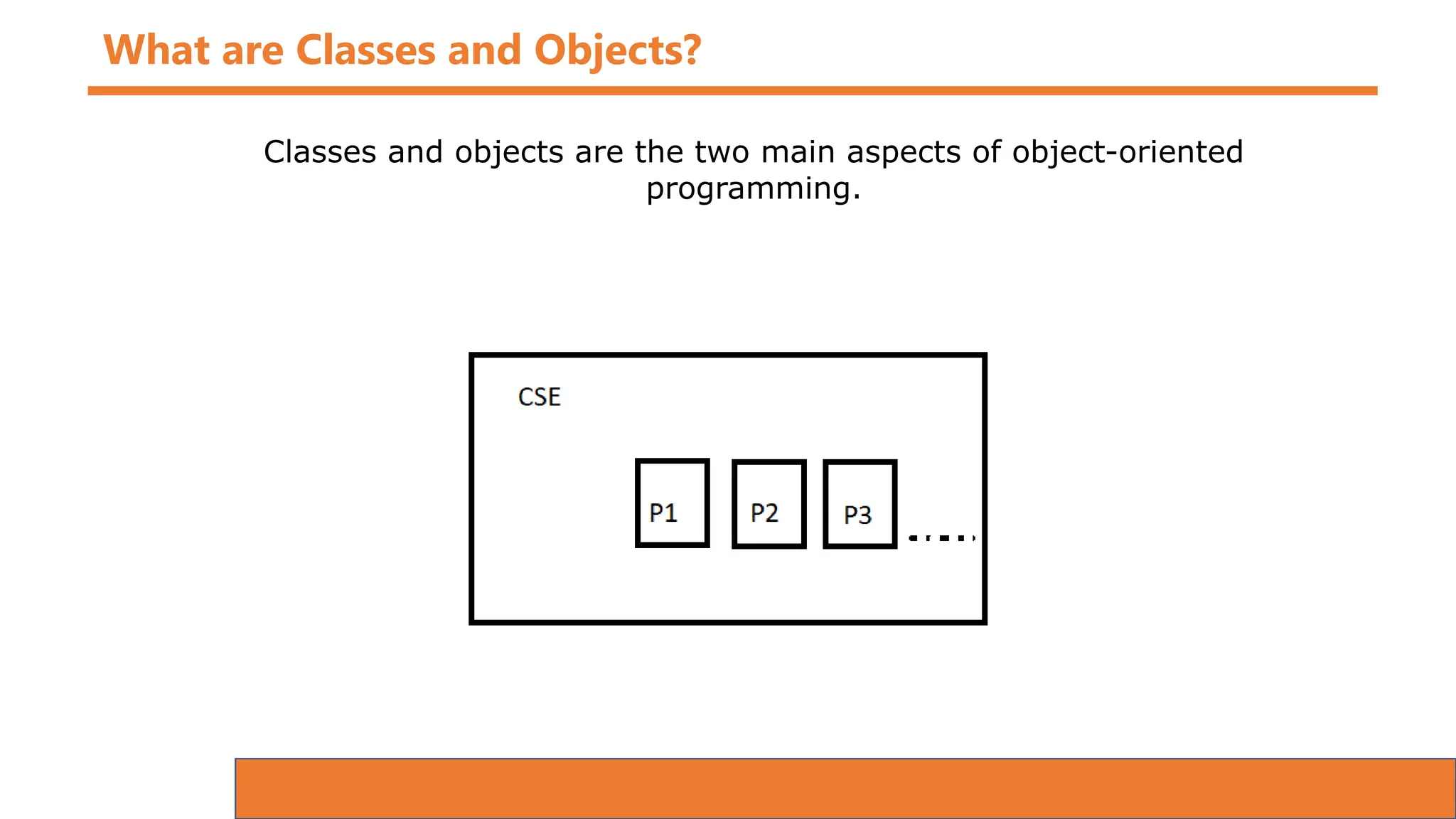
Classes and objects are the two main aspects of object-oriented
programming.
What are Classes and Objects?
Classes and objects are the two main aspects of object-oriented
programming.
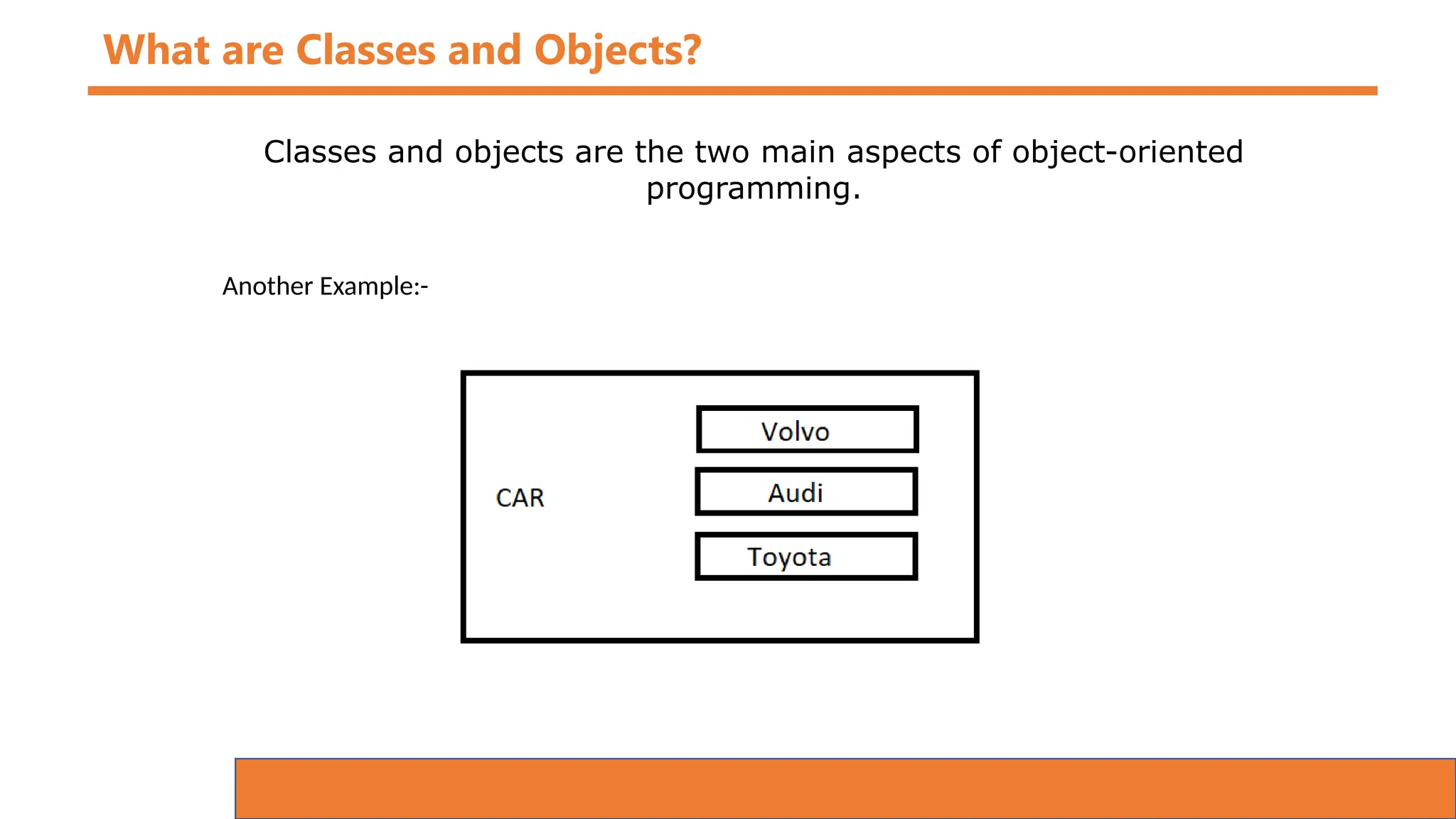
Another Example:-
What are Classes and Objects?
Classes and objects are the two main aspects of object-oriented
programming.
Another Example:-
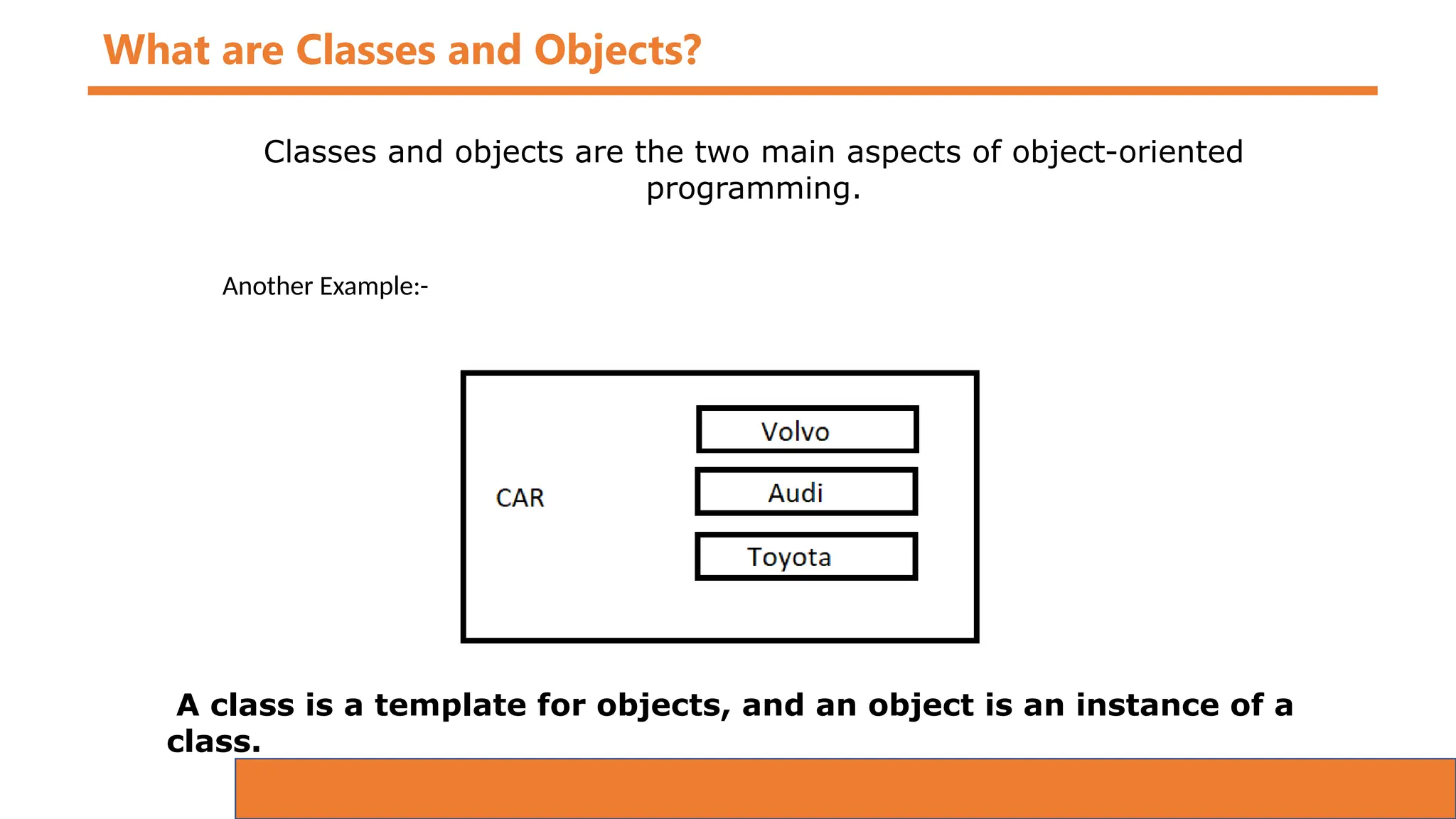
A class is a template for objects, and an object is an instance of a
class.
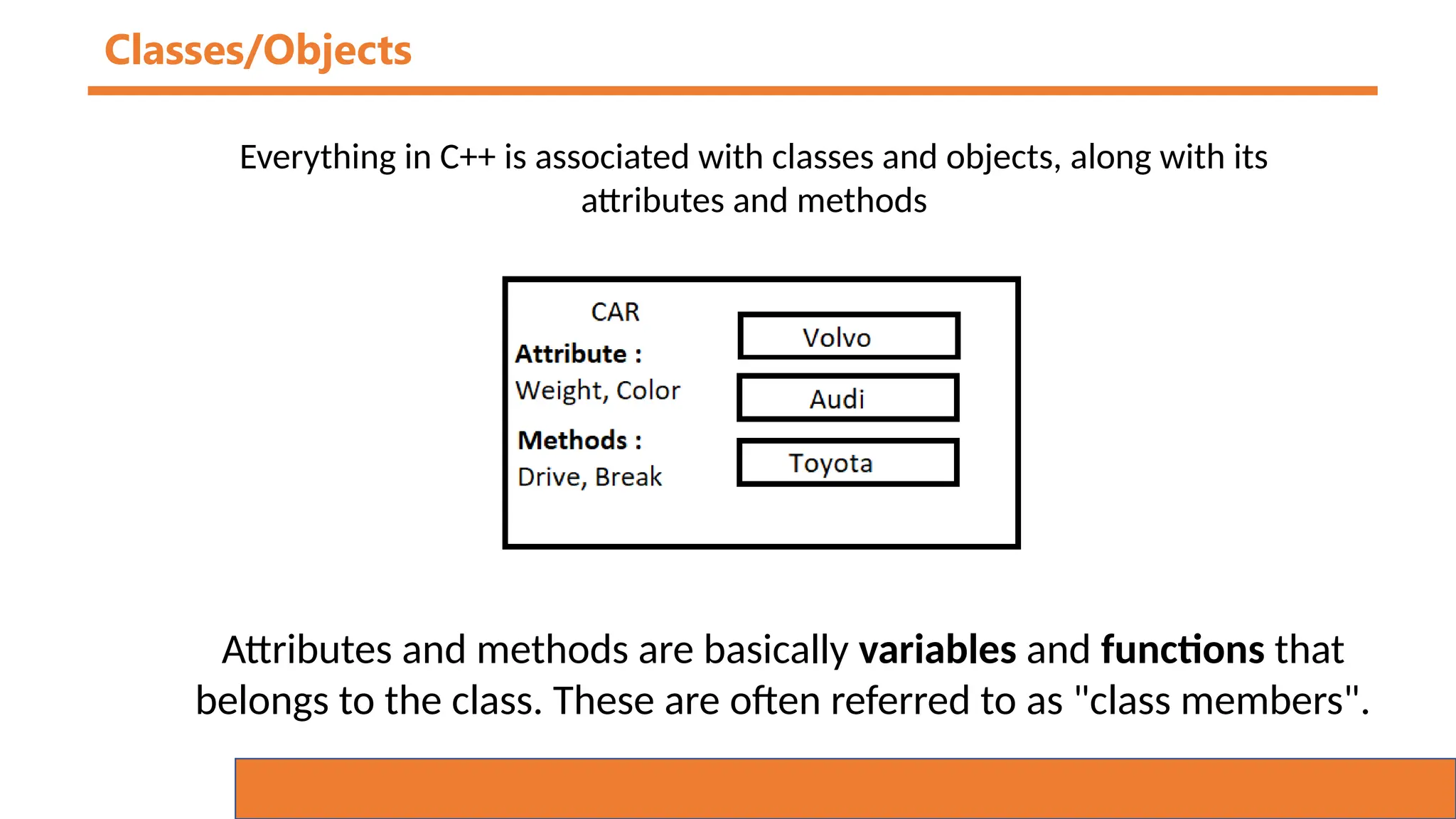
Classes/Objects
Everything in C++ is associated with classes and objects, along with its
attributes and methods
Attributes and methods are basically variables and functions that
belongs to the class. These are often referred to as "class members".
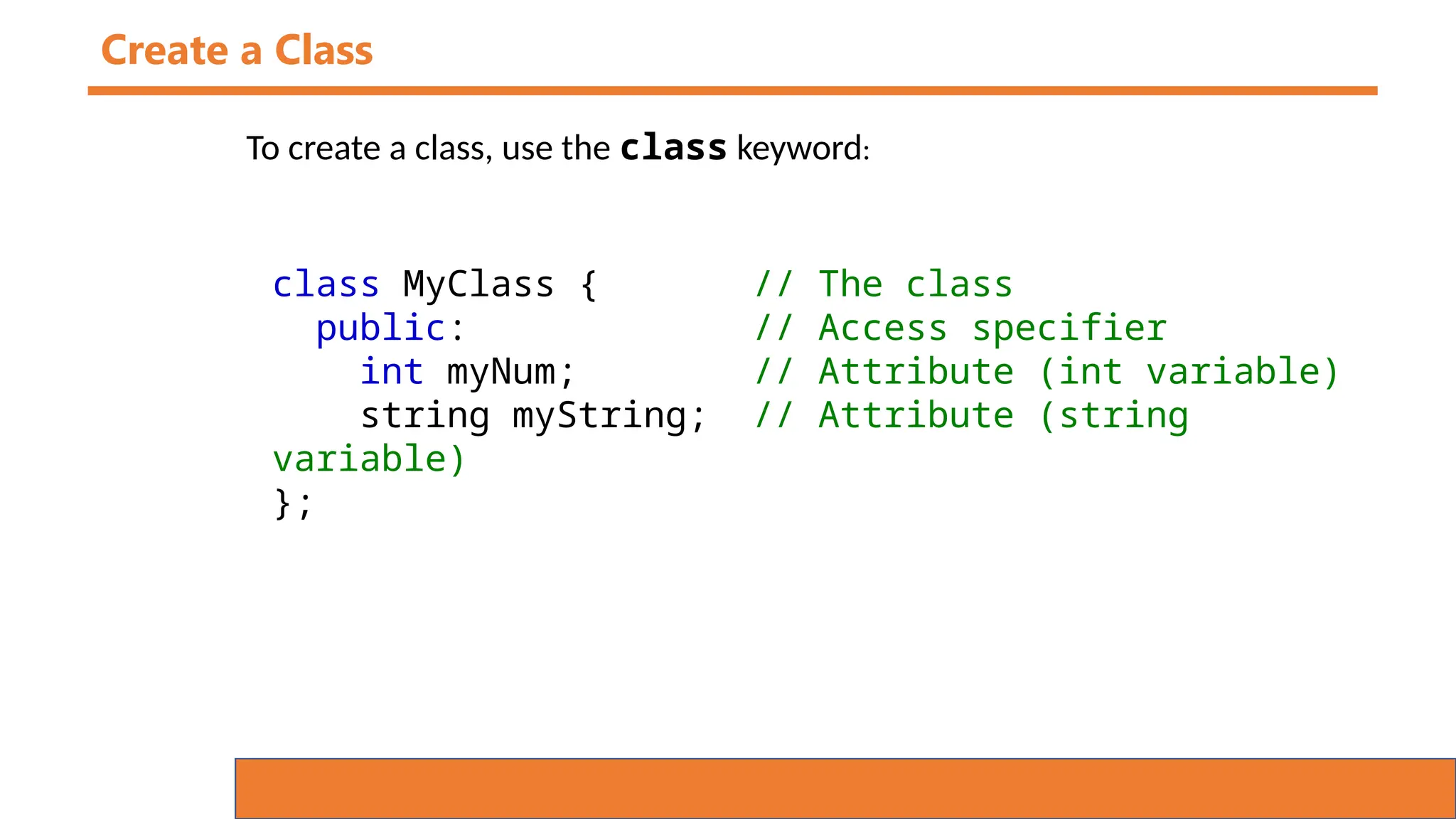
Create a Class
To create a class, use the class keyword:
class MyClass { // The class
public: // Access specifier
int myNum; // Attribute (int variable)
string myString; // Attribute (string
variable)
};
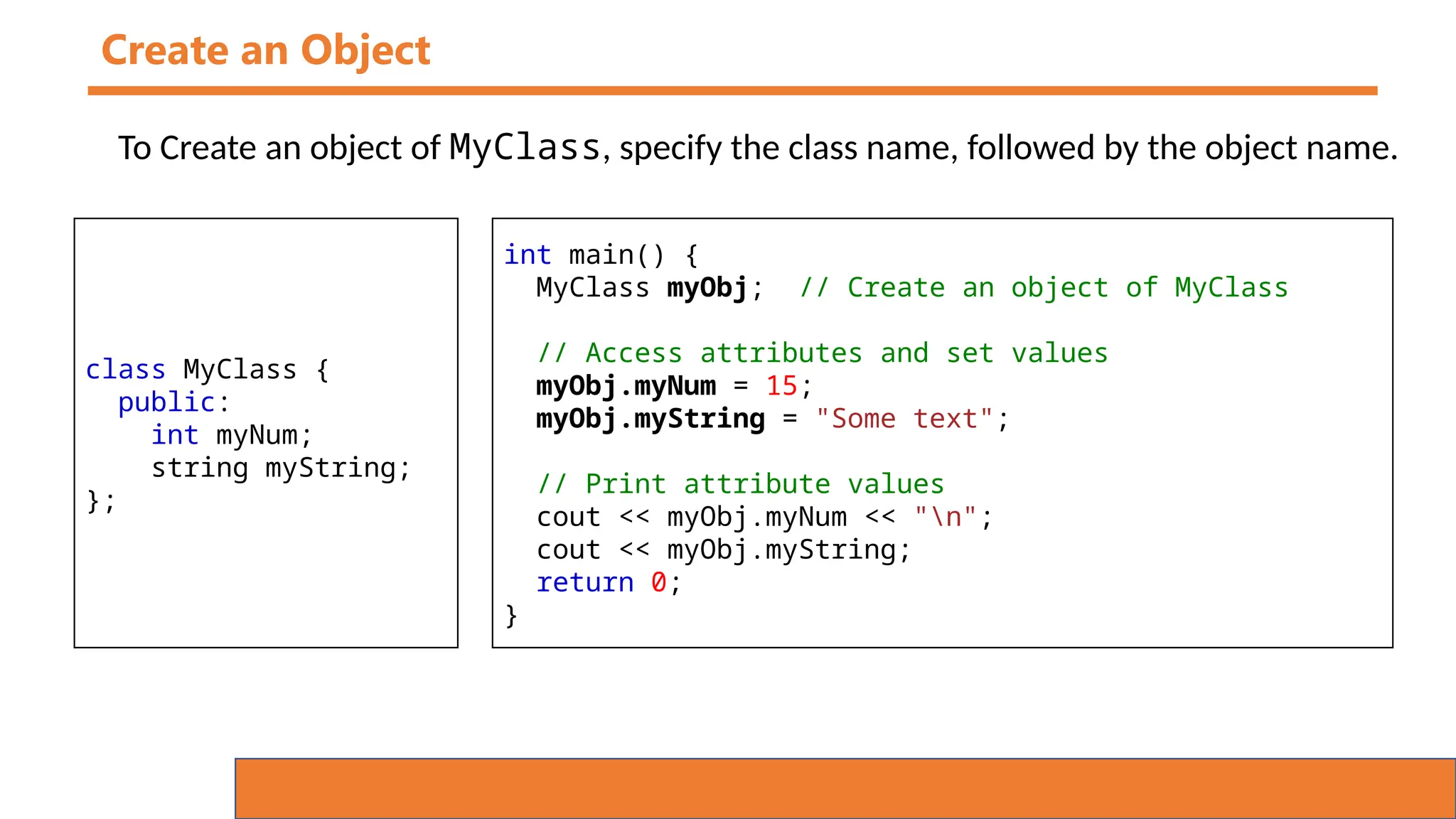
Create an Object
To Create an object of MyClass, specify the class name, followed by the object name.
class MyClass {
public:
int myNum;
string myString;
};
int main() {
MyClass myObj; // Create an object of MyClass
// Access attributes and set values
myObj.myNum = 15;
myObj.myString = "Some text";
// Print attribute values
cout << myObj.myNum << "n";
cout << myObj.myString;
return 0;
}
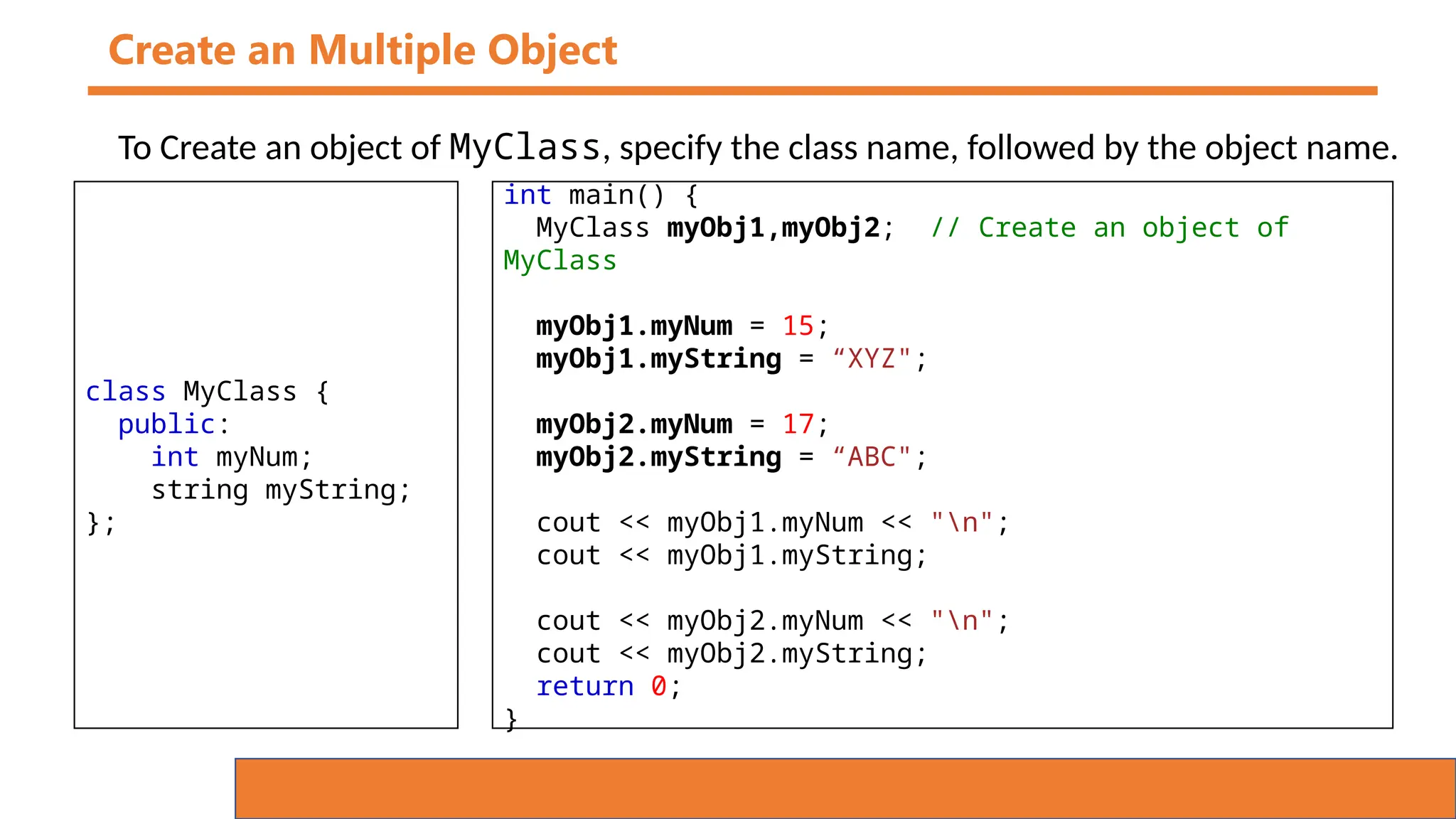
Create an Multiple Object
To Create an object of MyClass, specify the class name, followed by the object name.
class MyClass {
public:
int myNum;
string myString;
};
int main() {
MyClass myObj1,myObj2; // Create an object of
MyClass
myObj1.myNum = 15;
myObj1.myString = “XYZ";
myObj2.myNum = 17;
myObj2.myString = “ABC";
cout << myObj1.myNum << "n";
cout << myObj1.myString;
cout << myObj2.myNum << "n";
cout << myObj2.myString;
return 0;
}
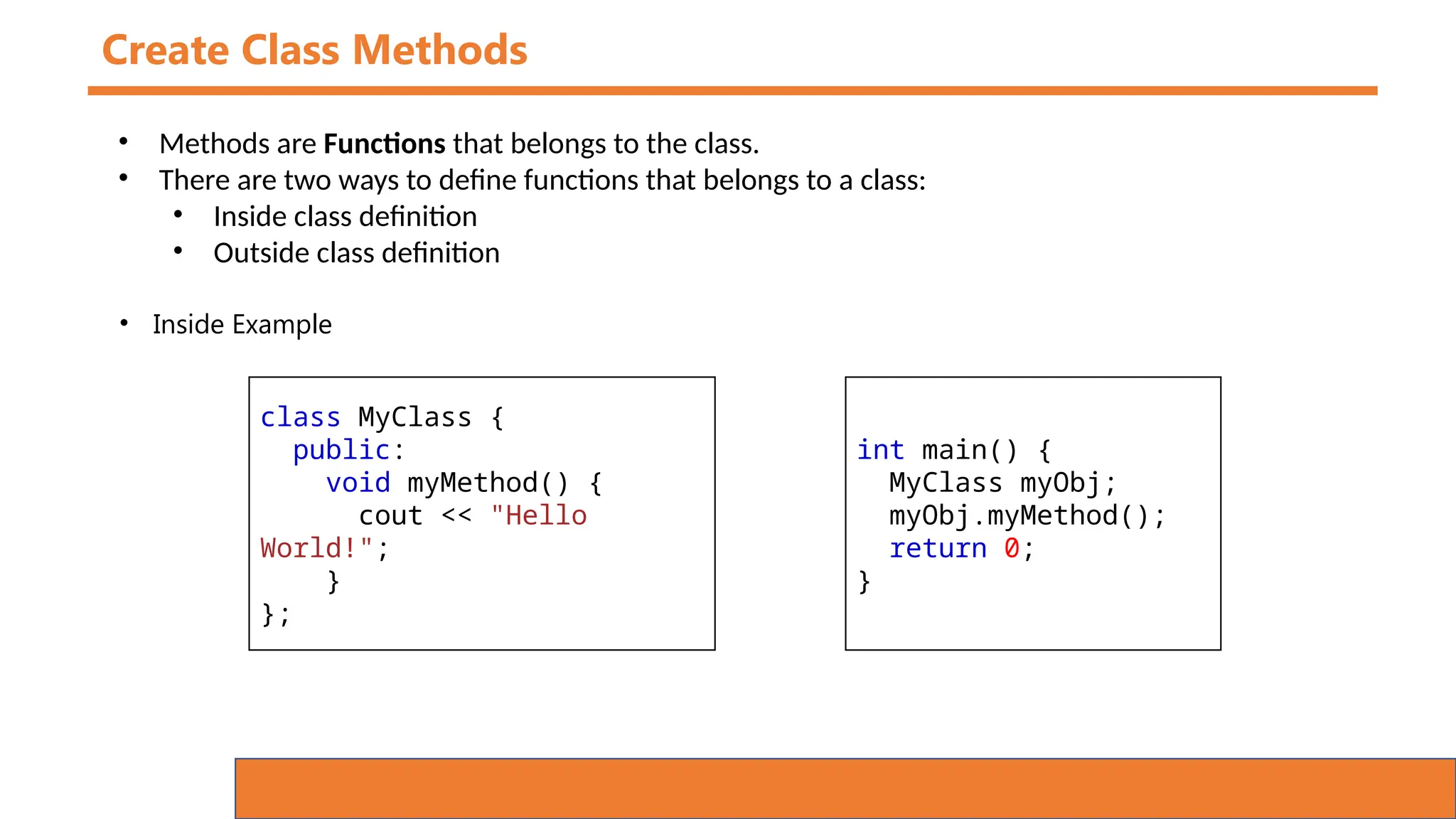
Create Class Methods
• Methods are Functions that belongs to the class.
• There are two ways to define functions that belongs to a class:
• Inside class definition
• Outside class definition
class MyClass {
public:
void myMethod() {
cout << "Hello
World!";
}
};
int main() {
MyClass myObj;
myObj.myMethod();
return 0;
}
• Inside Example
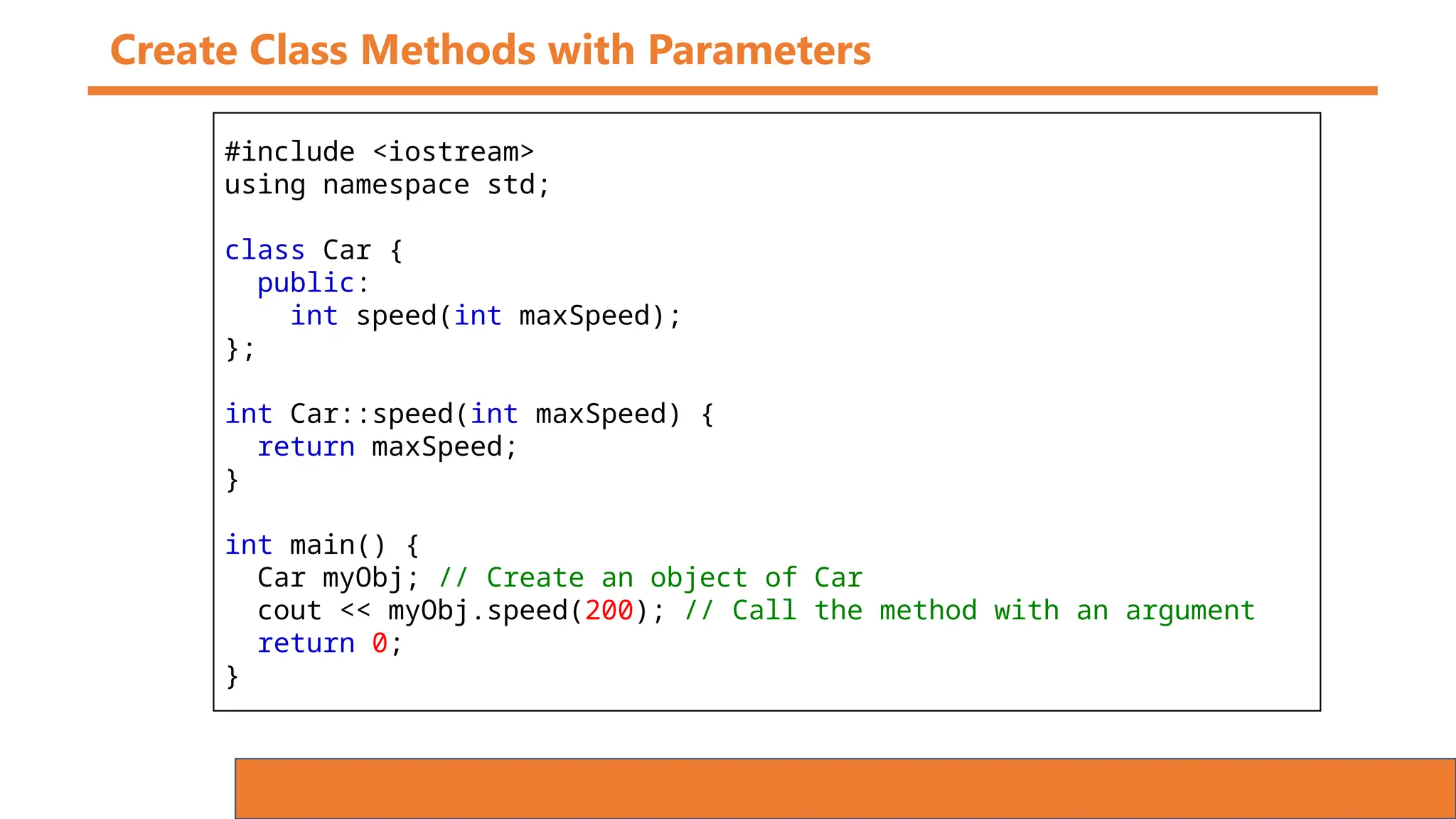
Create Class Methods with Parameters
#include <iostream>
using namespace std;
class Car {
public:
int speed(int maxSpeed);
};
int Car::speed(int maxSpeed) {
return maxSpeed;
}
int main() {
Car myObj; // Create an object of Car
cout << myObj.speed(200); // Call the method with an argument
return 0;
}
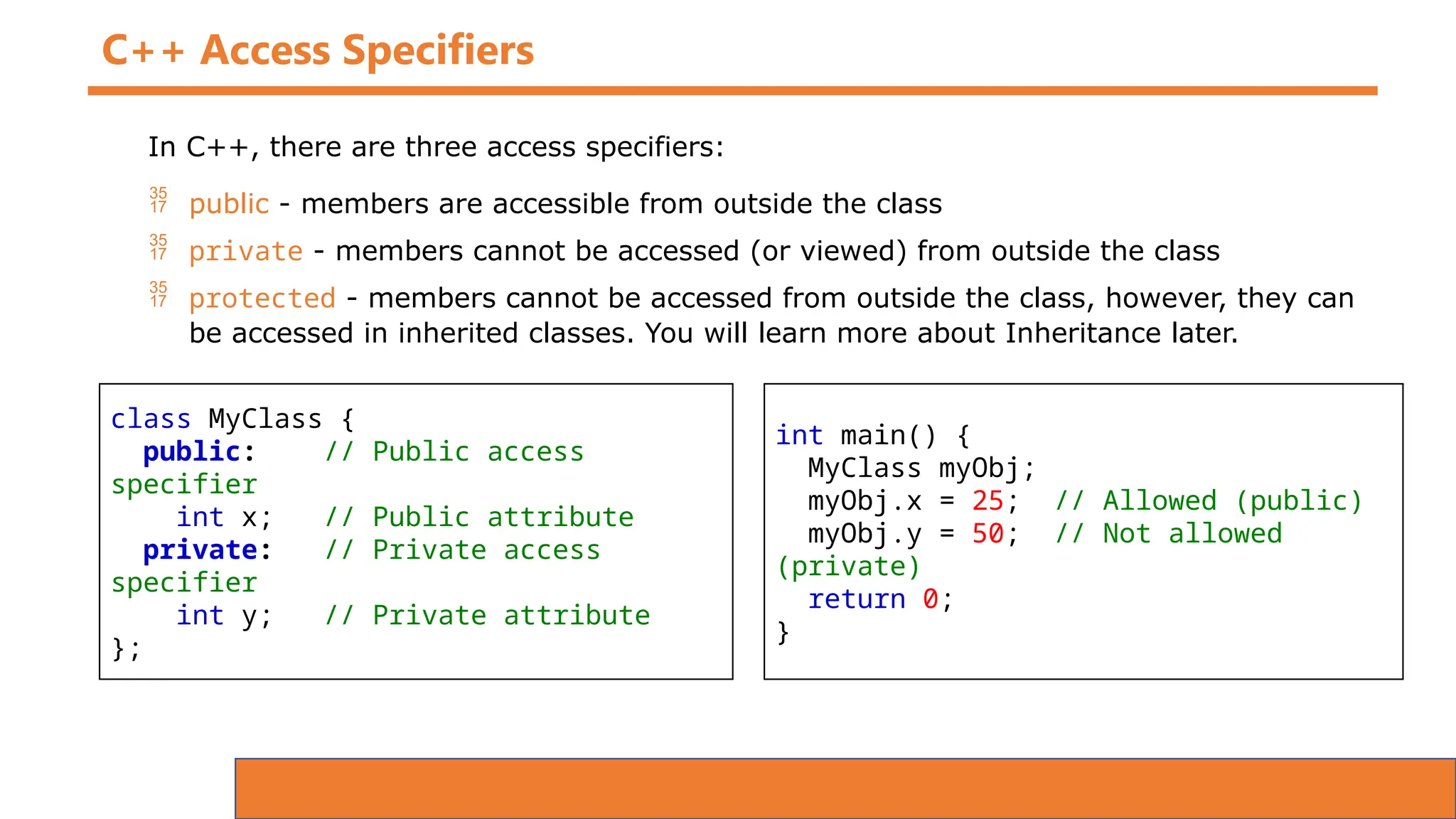
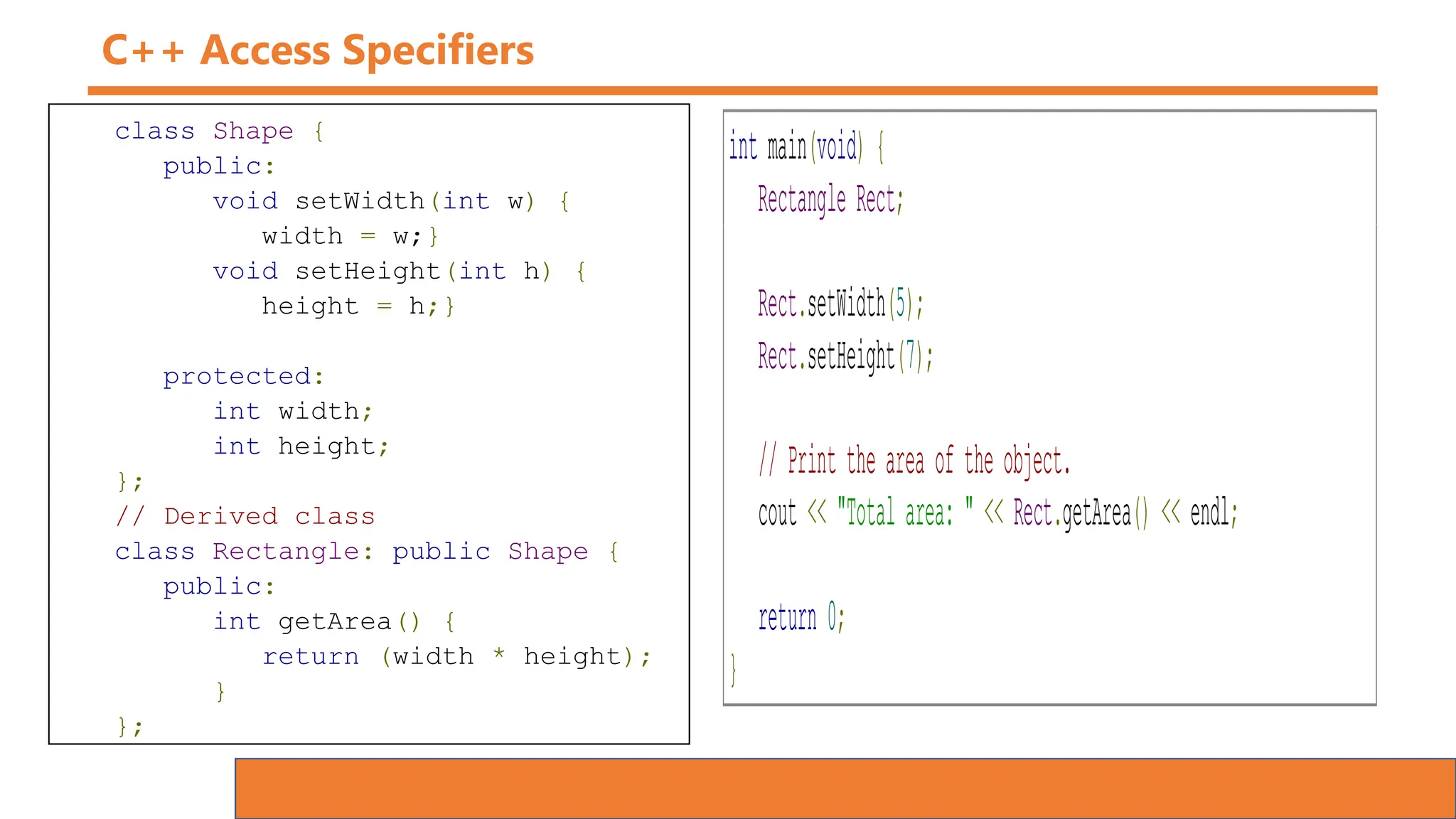
C++ Access Specifiers
In C++, there are three access specifiers:
 public - members are accessible from outside the class
 private - members cannot be accessed (or viewed) from outside the class
 protected - members cannot be accessed from outside the class, however, they can
be accessed in inherited classes. You will learn more about Inheritance later.
class MyClass {
public: // Public access
specifier
int x; // Public attribute
private: // Private access
specifier
int y; // Private attribute
};
int main() {
MyClass myObj;
myObj.x = 25; // Allowed (public)
myObj.y = 50; // Not allowed
(private)
return 0;
}
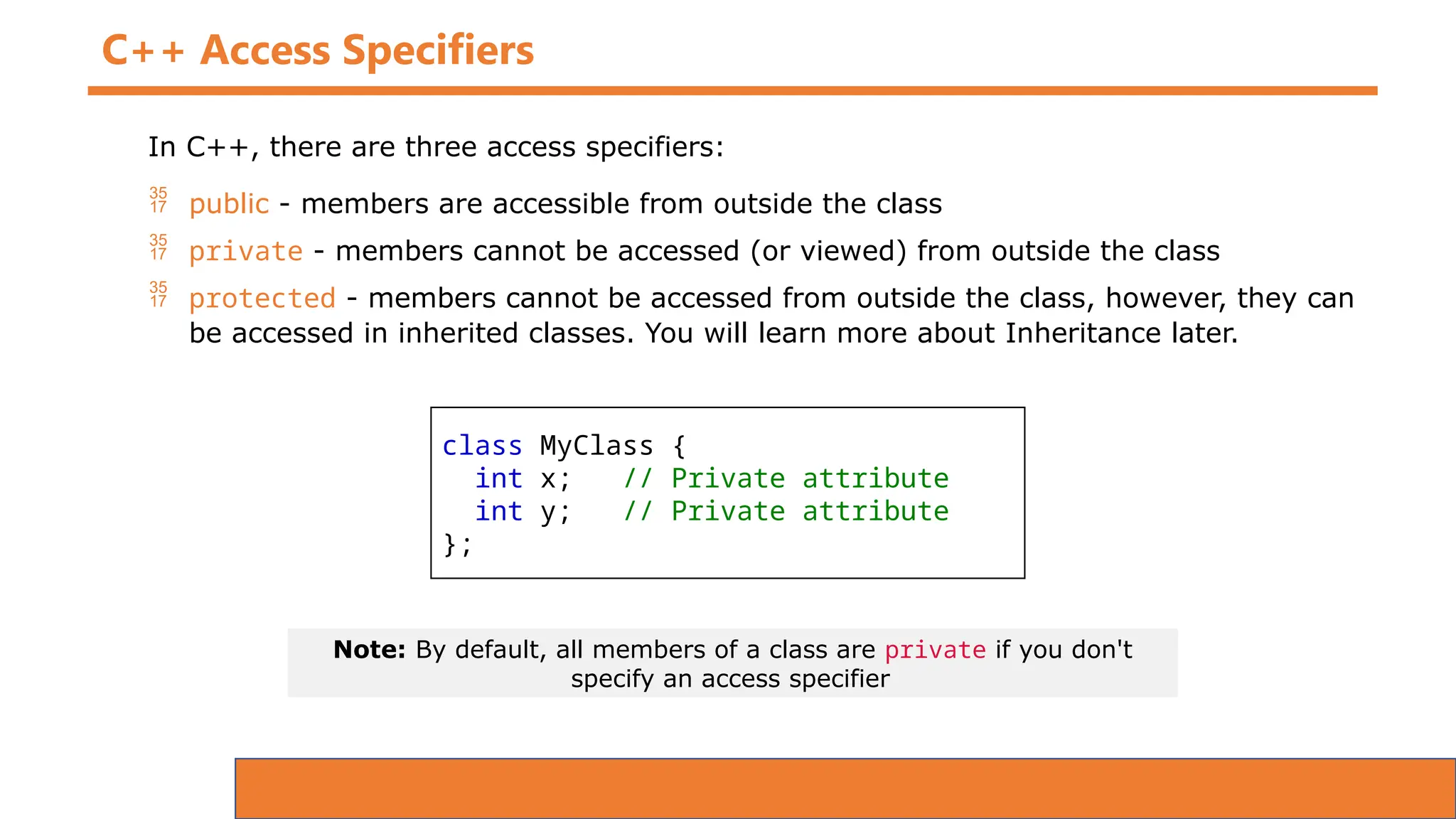
C++ Access Specifiers
In C++, there are three access specifiers:
 public - members are accessible from outside the class
 private - members cannot be accessed (or viewed) from outside the class
 protected - members cannot be accessed from outside the class, however, they can
be accessed in inherited classes. You will learn more about Inheritance later.
class MyClass {
int x; // Private attribute
int y; // Private attribute
};
Note: By default, all members of a class are private if you don't
specify an access specifier
C++ Access Specifiers
class Shape {
public:
void setWidth(int w) {
width = w;}
void setHeight(int h) {
height = h;}
protected:
int width;
int height;
};
// Derived class
class Rectangle: public Shape {
public:
int getArea() {
return (width * height);
}
};
int main(void) {
Rectangle Rect;
Rect.setWidth(5);
Rect.setHeight(7);
// Print the area of the object.
cout << "Total area: " << Rect.getArea() << endl;
return 0;
}
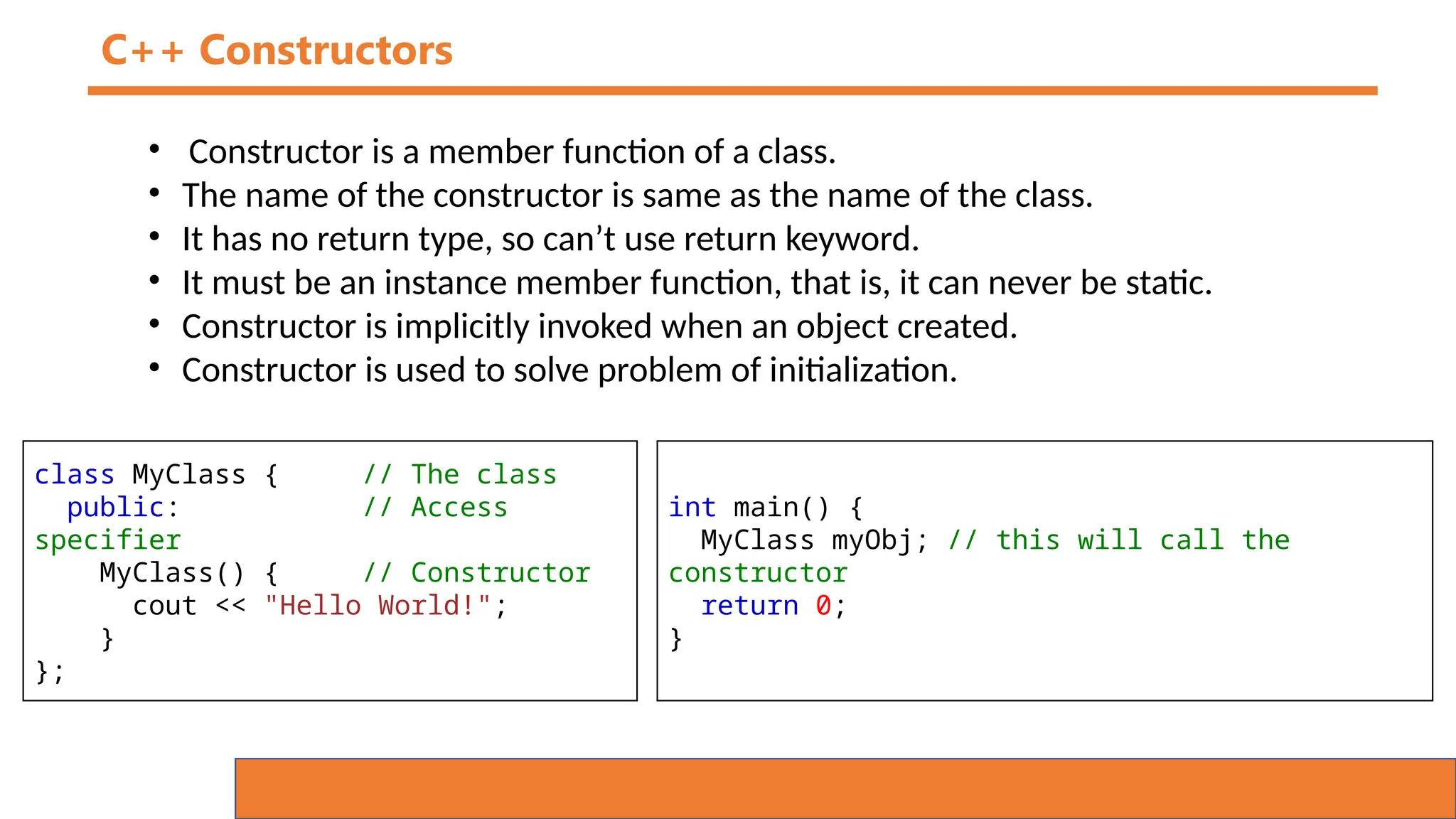
C++ Constructors
• Constructor is a member function of a class.
• The name of the constructor is same as the name of the class.
• It has no return type, so can’t use return keyword.
• It must be an instance member function, that is, it can never be static.
• Constructor is implicitly invoked when an object created.
• Constructor is used to solve problem of initialization.
class MyClass { // The class
public: // Access
specifier
MyClass() { // Constructor
cout << "Hello World!";
}
};
int main() {
MyClass myObj; // this will call the
constructor
return 0;
}
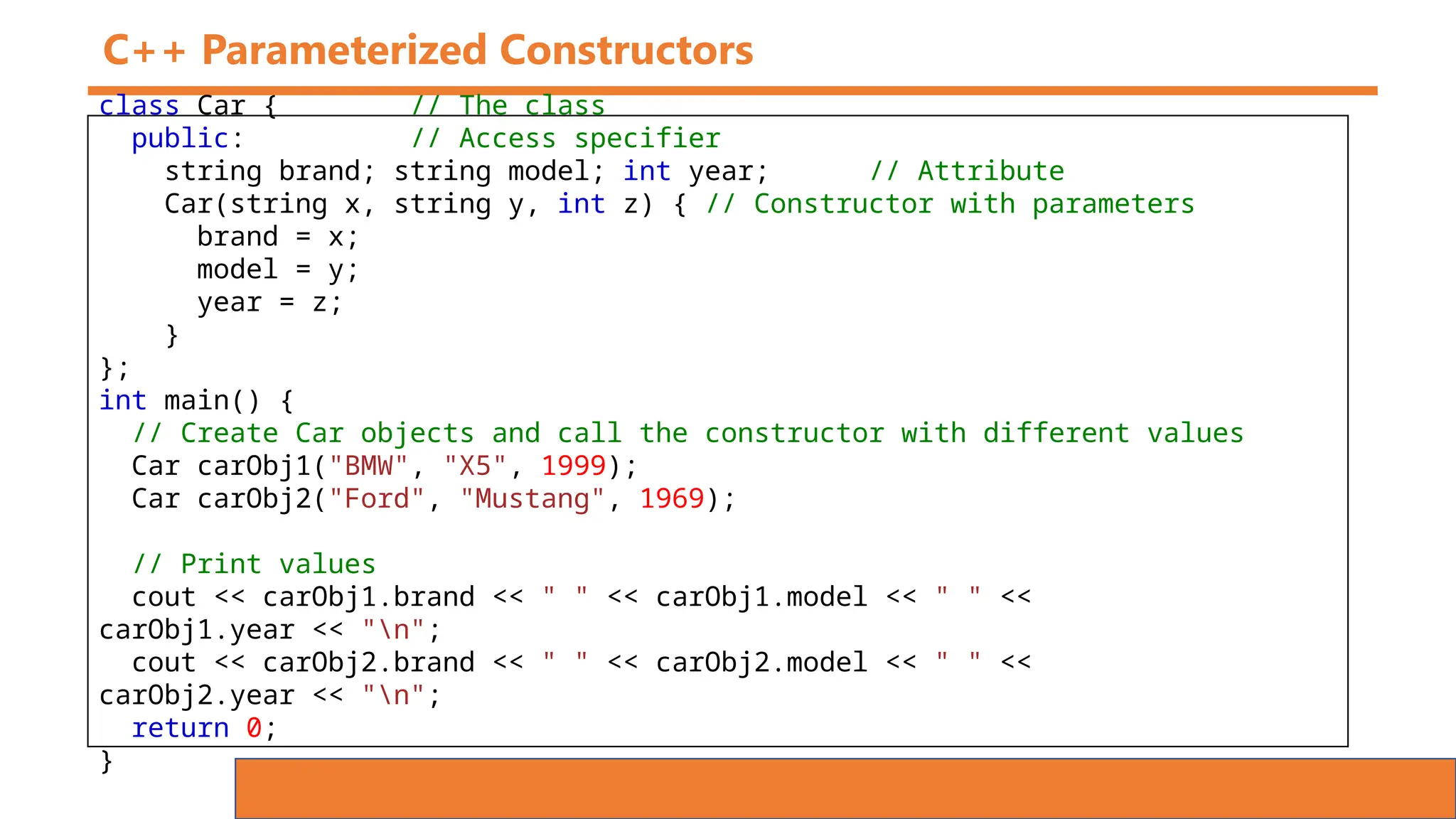
C++ Parameterized Constructors
class Car { // The class
public: // Access specifier
string brand; string model; int year; // Attribute
Car(string x, string y, int z) { // Constructor with parameters
brand = x;
model = y;
year = z;
}
};
int main() {
// Create Car objects and call the constructor with different values
Car carObj1("BMW", "X5", 1999);
Car carObj2("Ford", "Mustang", 1969);
// Print values
cout << carObj1.brand << " " << carObj1.model << " " <<
carObj1.year << "n";
cout << carObj2.brand << " " << carObj2.model << " " <<
carObj2.year << "n";
return 0;
}
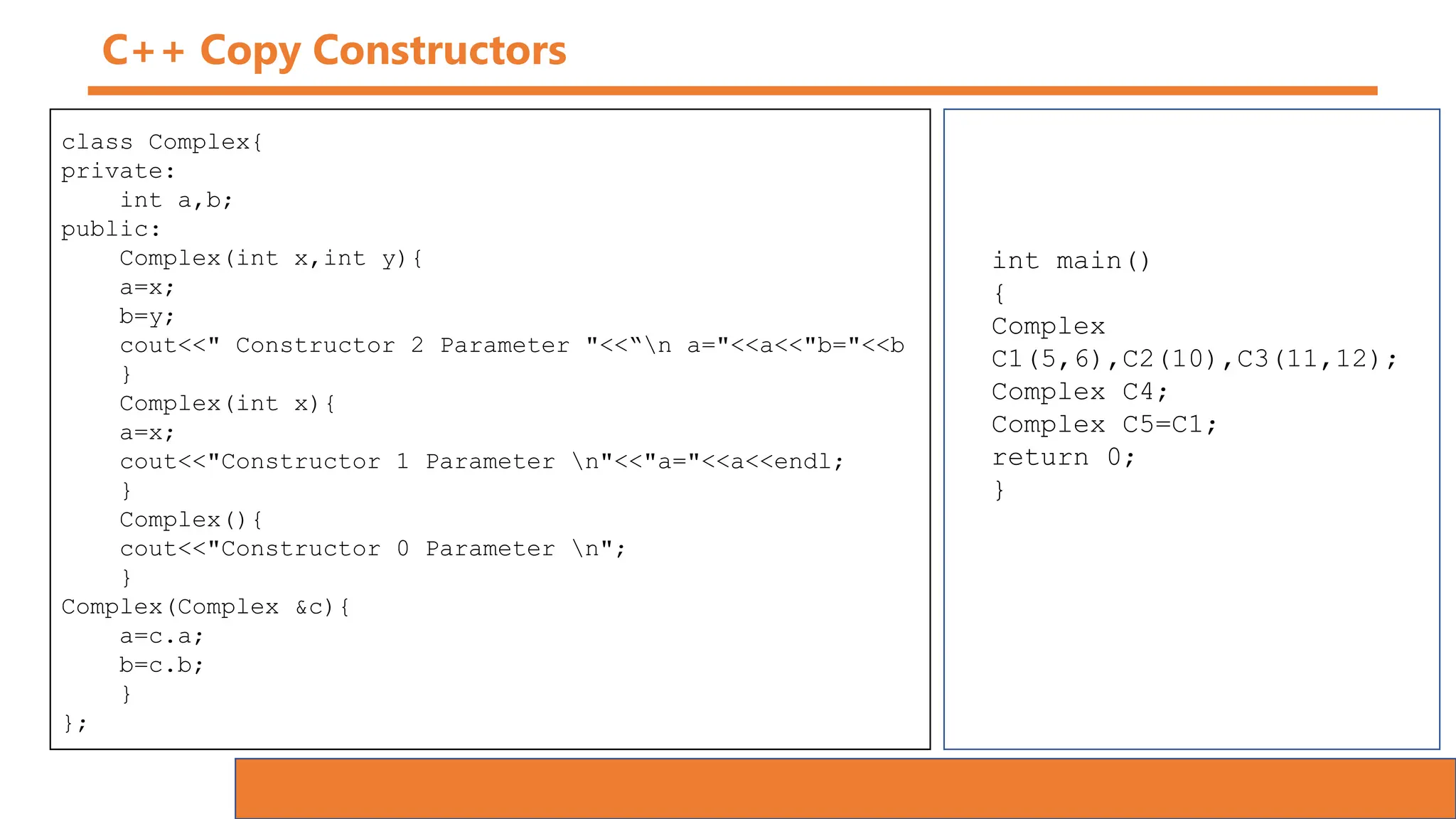
C++ Copy Constructors
class Complex{
private:
int a,b;
public:
Complex(int x,int y){
a=x;
b=y;
cout<<" Constructor 2 Parameter "<<“n a="<<a<<"b="<<b
}
Complex(int x){
a=x;
cout<<"Constructor 1 Parameter n"<<"a="<<a<<endl;
}
Complex(){
cout<<"Constructor 0 Parameter n";
}
Complex(Complex &c){
a=c.a;
b=c.b;
}
};
int main()
{
Complex
C1(5,6),C2(10),C3(11,12);
Complex C4;
Complex C5=C1;
return 0;
}
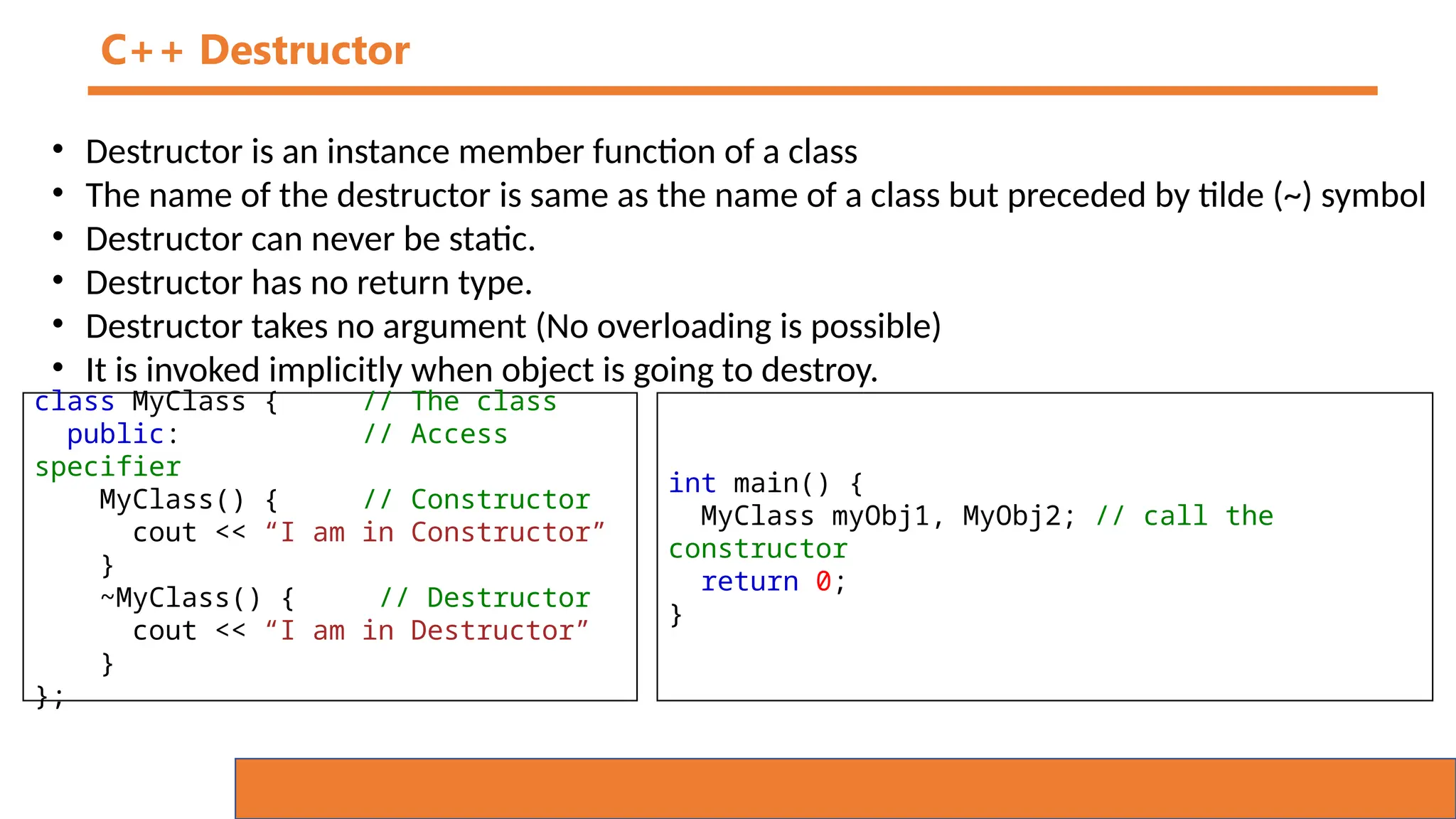
C++ Destructor
• Destructor is an instance member function of a class
• The name of the destructor is same as the name of a class but preceded by tilde (~) symbol
• Destructor can never be static.
• Destructor has no return type.
• Destructor takes no argument (No overloading is possible)
• It is invoked implicitly when object is going to destroy.
class MyClass { // The class
public: // Access
specifier
MyClass() { // Constructor
cout << “I am in Constructor”
}
~MyClass() { // Destructor
cout << “I am in Destructor”
}
};
int main() {
MyClass myObj1, MyObj2; // call the
constructor
return 0;
}
C++ Friend Function
• Friend function is not a member function of a class to which it is friend.
• Friend function is declared in the class with friend keyword.
• It must be defined outside the class to which it is friend.
• Friend function can access any member of the class to which it is friend.
• Friend function cannot access members of the class directly.
• It has no caller object.
• It should not be defined with membership label.
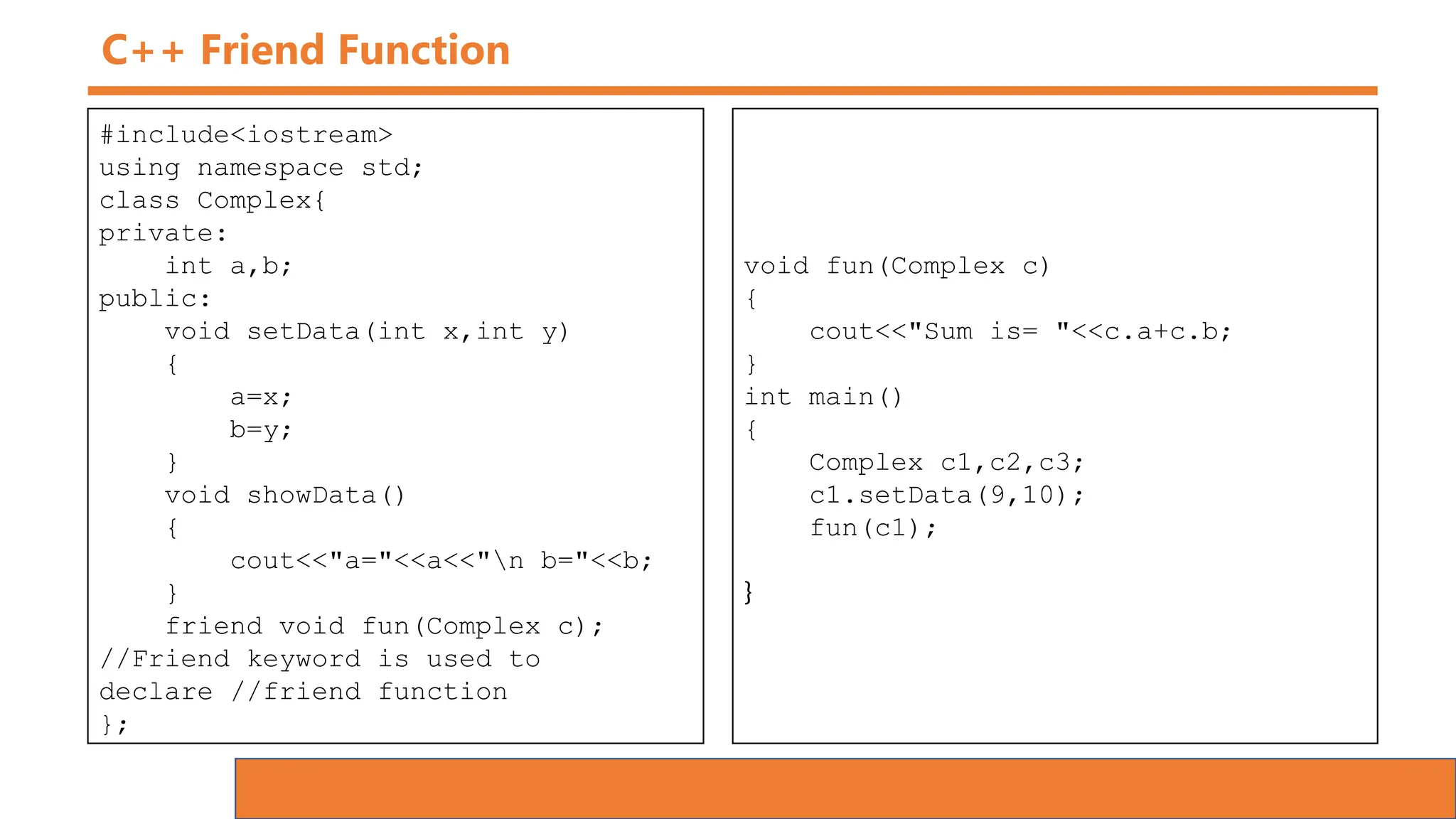
C++ Friend Function
#include<iostream>
using namespace std;
class Complex{
private:
int a,b;
public:
void setData(int x,int y)
{
a=x;
b=y;
}
void showData()
{
cout<<"a="<<a<<"n b="<<b;
}
friend void fun(Complex c);
//Friend keyword is used to
declare //friend function
};
void fun(Complex c)
{
cout<<"Sum is= "<<c.a+c.b;
}
int main()
{
Complex c1,c2,c3;
c1.setData(9,10);
fun(c1);
}
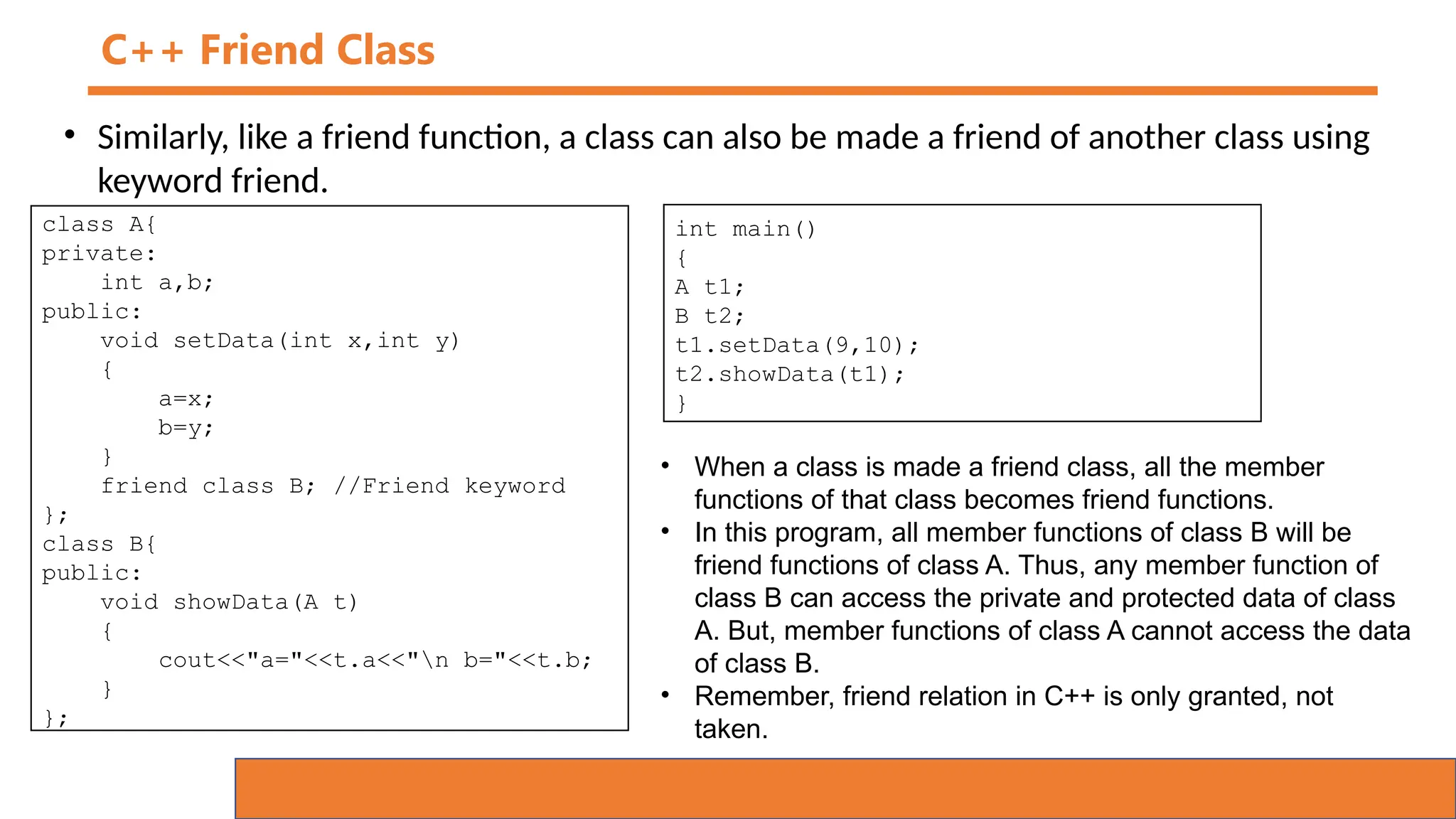
C++ Friend Class
• Similarly, like a friend function, a class can also be made a friend of another class using
keyword friend.
class A{
private:
int a,b;
public:
void setData(int x,int y)
{
a=x;
b=y;
}
friend class B; //Friend keyword
};
class B{
public:
void showData(A t)
{
cout<<"a="<<t.a<<"n b="<<t.b;
}
};
int main()
{
A t1;
B t2;
t1.setData(9,10);
t2.showData(t1);
}
• When a class is made a friend class, all the member
functions of that class becomes friend functions.
• In this program, all member functions of class B will be
friend functions of class A. Thus, any member function of
class B can access the private and protected data of class
A. But, member functions of class A cannot access the data
of class B.
• Remember, friend relation in C++ is only granted, not
taken.
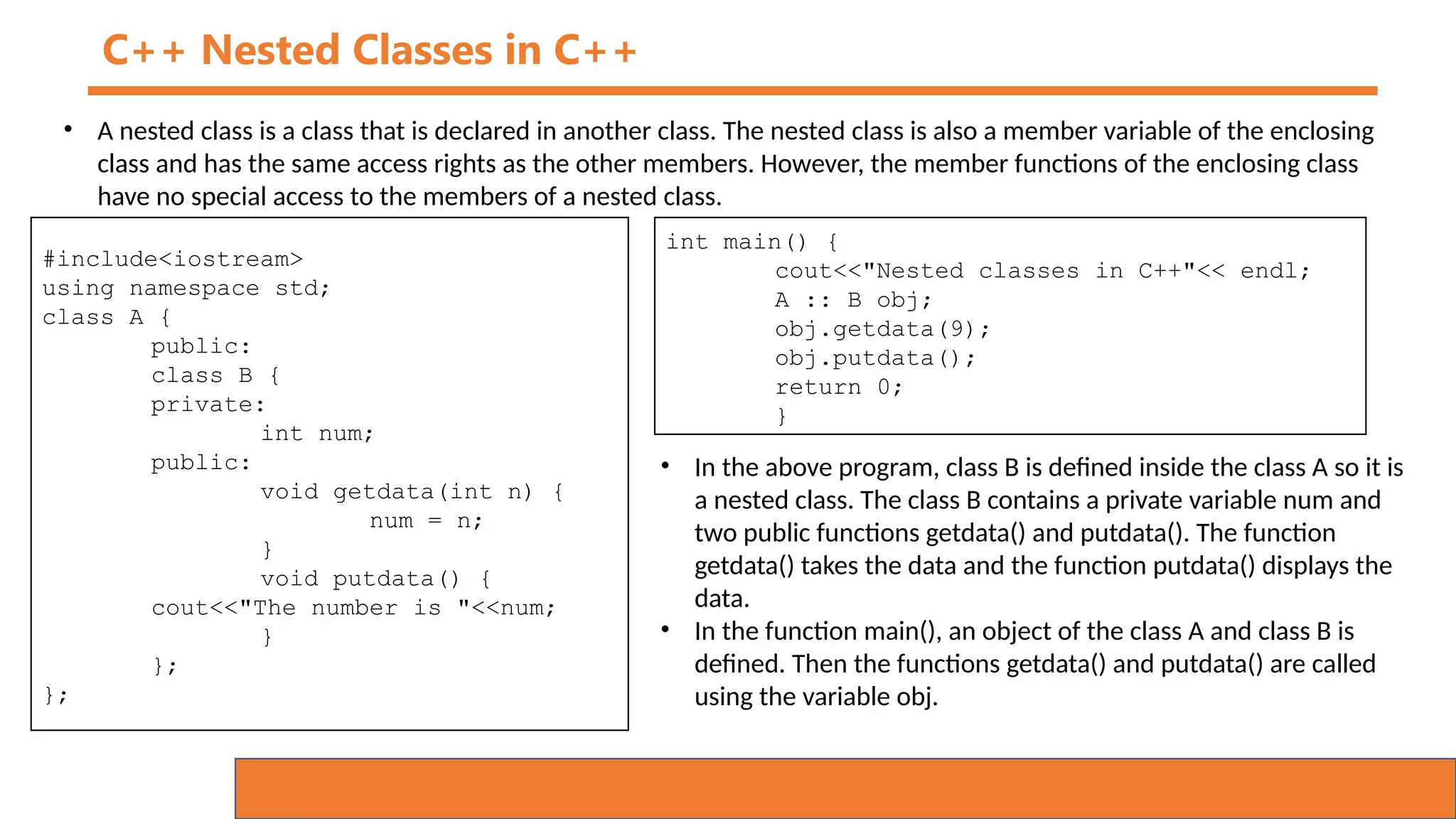
C++ Nested Classes in C++
• A nested class is a class that is declared in another class. The nested class is also a member variable of the enclosing
class and has the same access rights as the other members. However, the member functions of the enclosing class
have no special access to the members of a nested class.
#include<iostream>
using namespace std;
class A {
public:
class B {
private:
int num;
public:
void getdata(int n) {
num = n;
}
void putdata() {
cout<<"The number is "<<num;
}
};
};
int main() {
cout<<"Nested classes in C++"<< endl;
A :: B obj;
obj.getdata(9);
obj.putdata();
return 0;
}
• In the above program, class B is defined inside the class A so it is
a nested class. The class B contains a private variable num and
two public functions getdata() and putdata(). The function
getdata() takes the data and the function putdata() displays the
data.
• In the function main(), an object of the class A and class B is
defined. Then the functions getdata() and putdata() are called
using the variable obj.
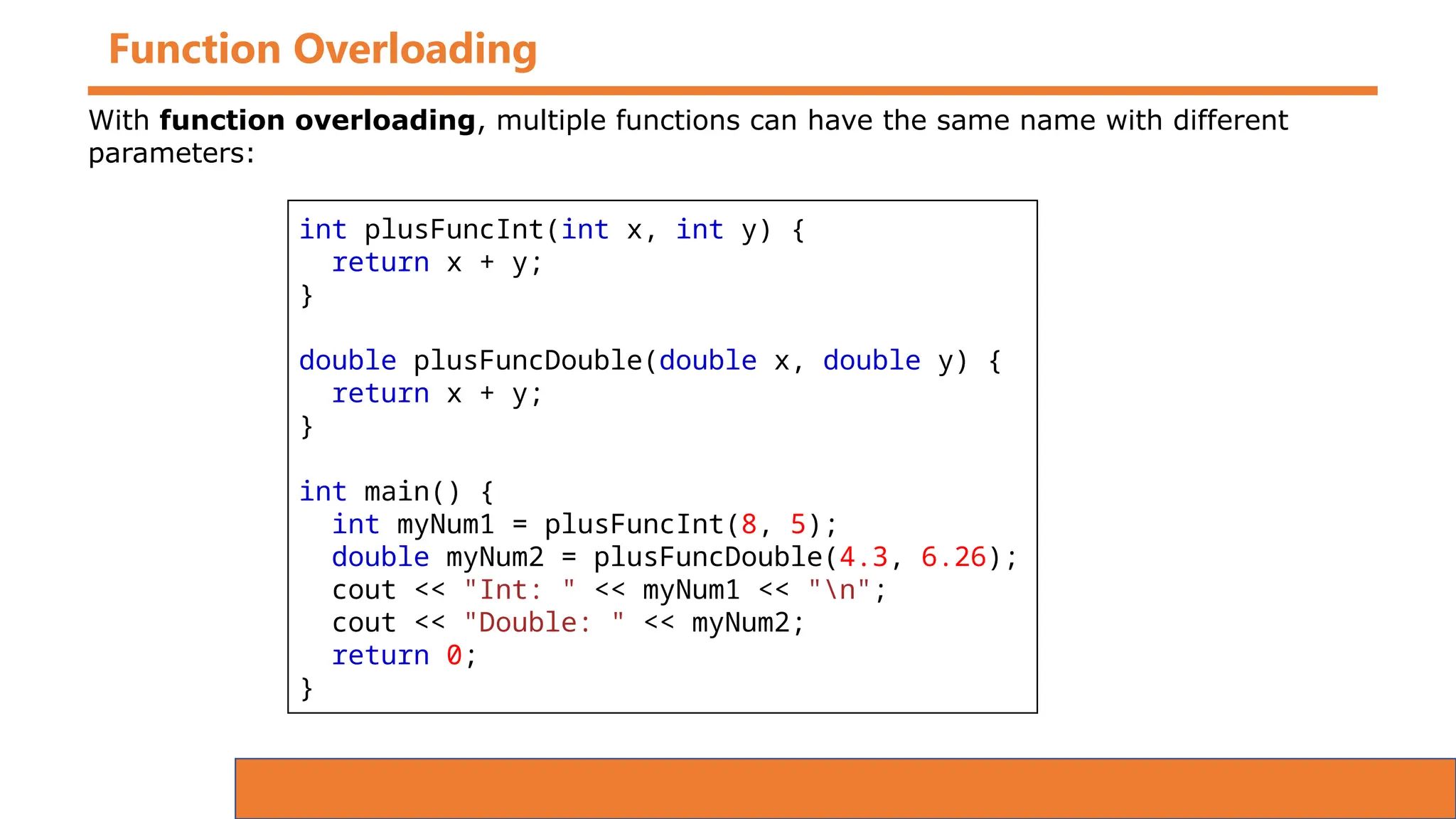
Function Overloading
int plusFuncInt(int x, int y) {
return x + y;
}
double plusFuncDouble(double x, double y) {
return x + y;
}
int main() {
int myNum1 = plusFuncInt(8, 5);
double myNum2 = plusFuncDouble(4.3, 6.26);
cout << "Int: " << myNum1 << "n";
cout << "Double: " << myNum2;
return 0;
}
With function overloading, multiple functions can have the same name with different
parameters:
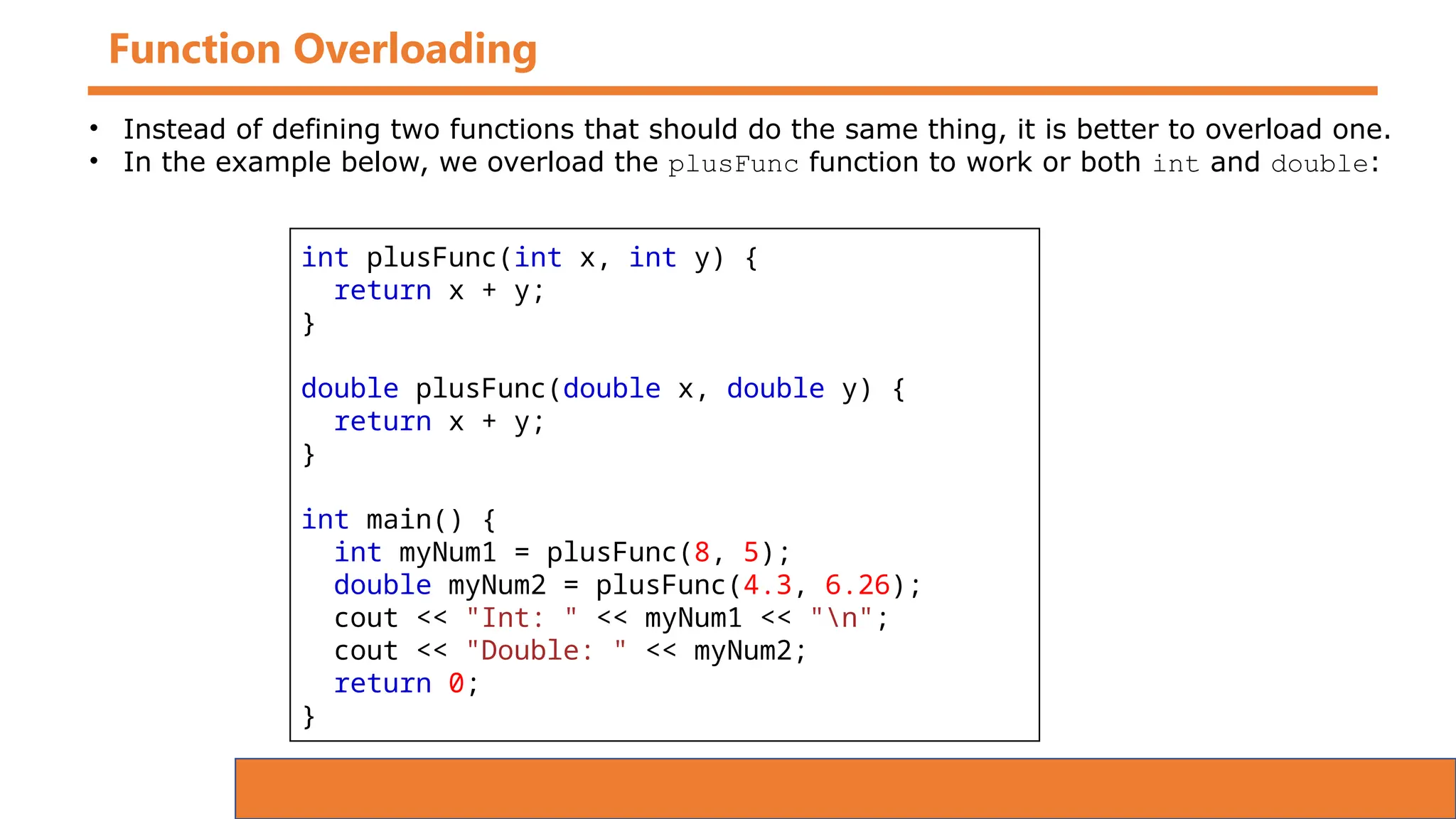
Function Overloading
int plusFunc(int x, int y) {
return x + y;
}
double plusFunc(double x, double y) {
return x + y;
}
int main() {
int myNum1 = plusFunc(8, 5);
double myNum2 = plusFunc(4.3, 6.26);
cout << "Int: " << myNum1 << "n";
cout << "Double: " << myNum2;
return 0;
}
• Instead of defining two functions that should do the same thing, it is better to overload one.
• In the example below, we overload the plusFunc function to work or both int and double:
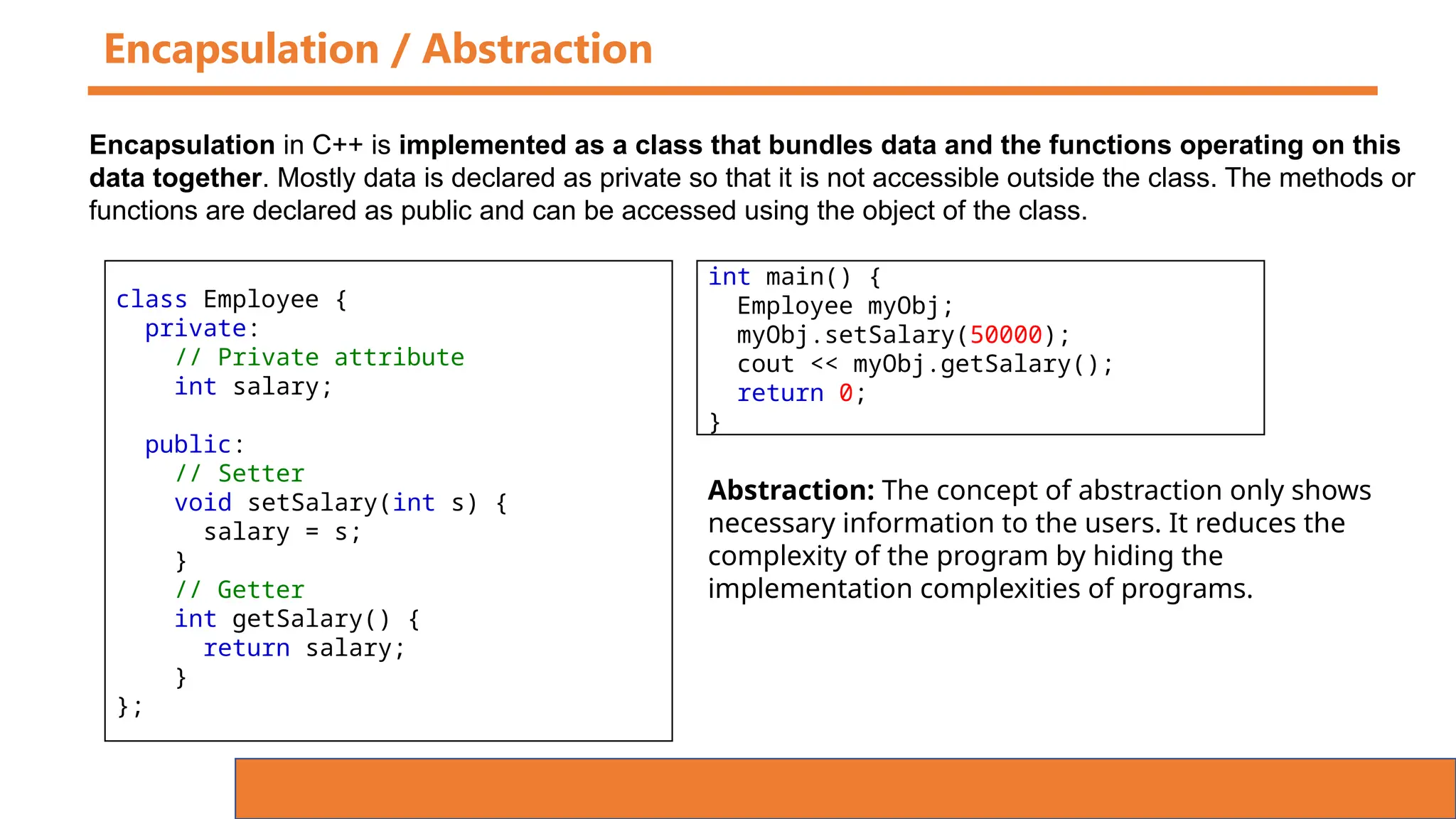
Encapsulation / Abstraction
class Employee {
private:
// Private attribute
int salary;
public:
// Setter
void setSalary(int s) {
salary = s;
}
// Getter
int getSalary() {
return salary;
}
};
Encapsulation in C++ is implemented as a class that bundles data and the functions operating on this
data together. Mostly data is declared as private so that it is not accessible outside the class. The methods or
functions are declared as public and can be accessed using the object of the class.
int main() {
Employee myObj;
myObj.setSalary(50000);
cout << myObj.getSalary();
return 0;
}
Abstraction: The concept of abstraction only shows
necessary information to the users. It reduces the
complexity of the program by hiding the
implementation complexities of programs.
Inheritance
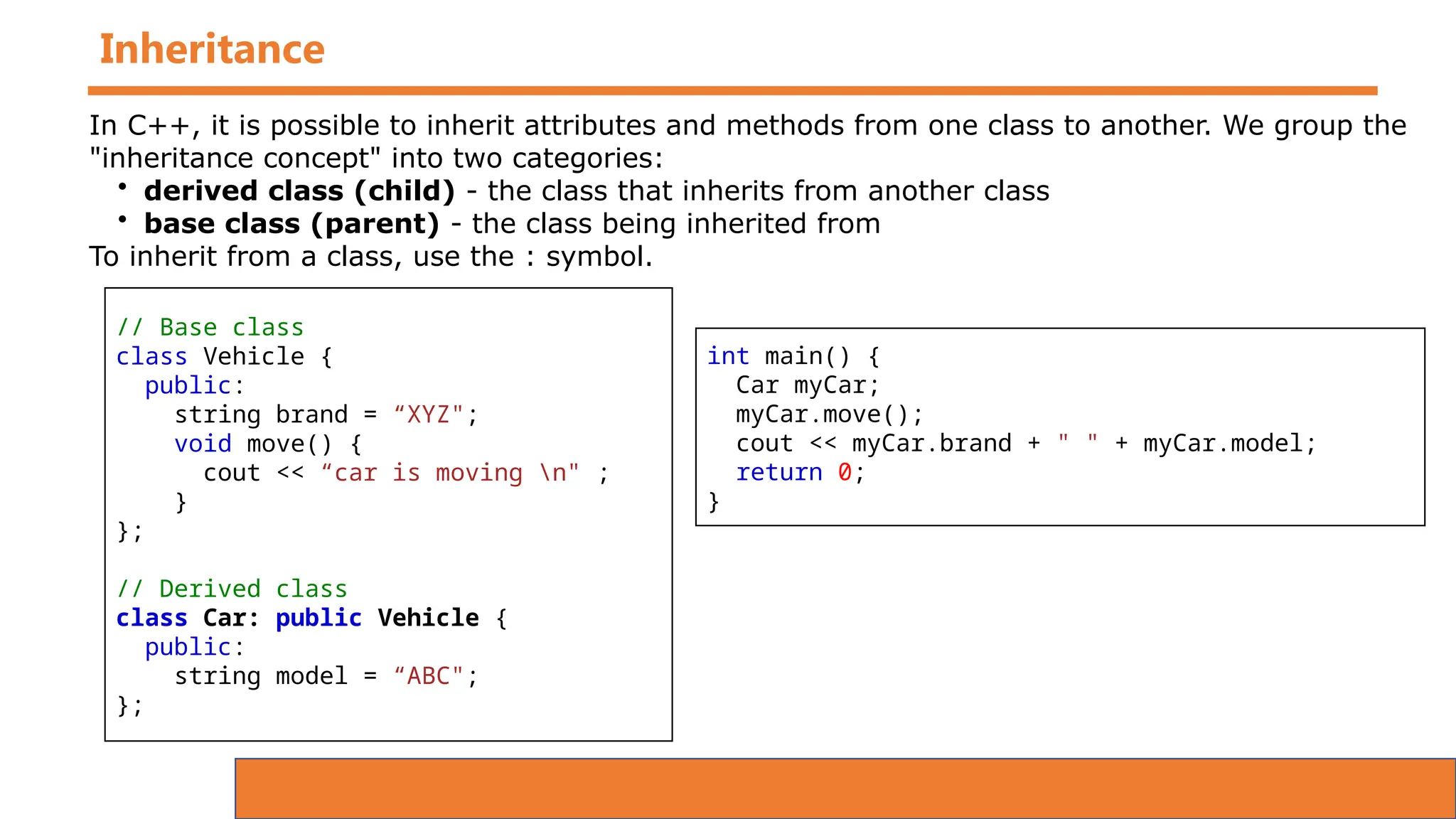
// Base class
class Vehicle {
public:
string brand = “XYZ";
void move() {
cout << “car is moving n" ;
}
};
// Derived class
class Car: public Vehicle {
public:
string model = “ABC";
};
In C++, it is possible to inherit attributes and methods from one class to another. We group the
"inheritance concept" into two categories:
• derived class (child) - the class that inherits from another class
• base class (parent) - the class being inherited from
To inherit from a class, use the : symbol.
int main() {
Car myCar;
myCar.move();
cout << myCar.brand + " " + myCar.model;
return 0;
}
Polymorphism
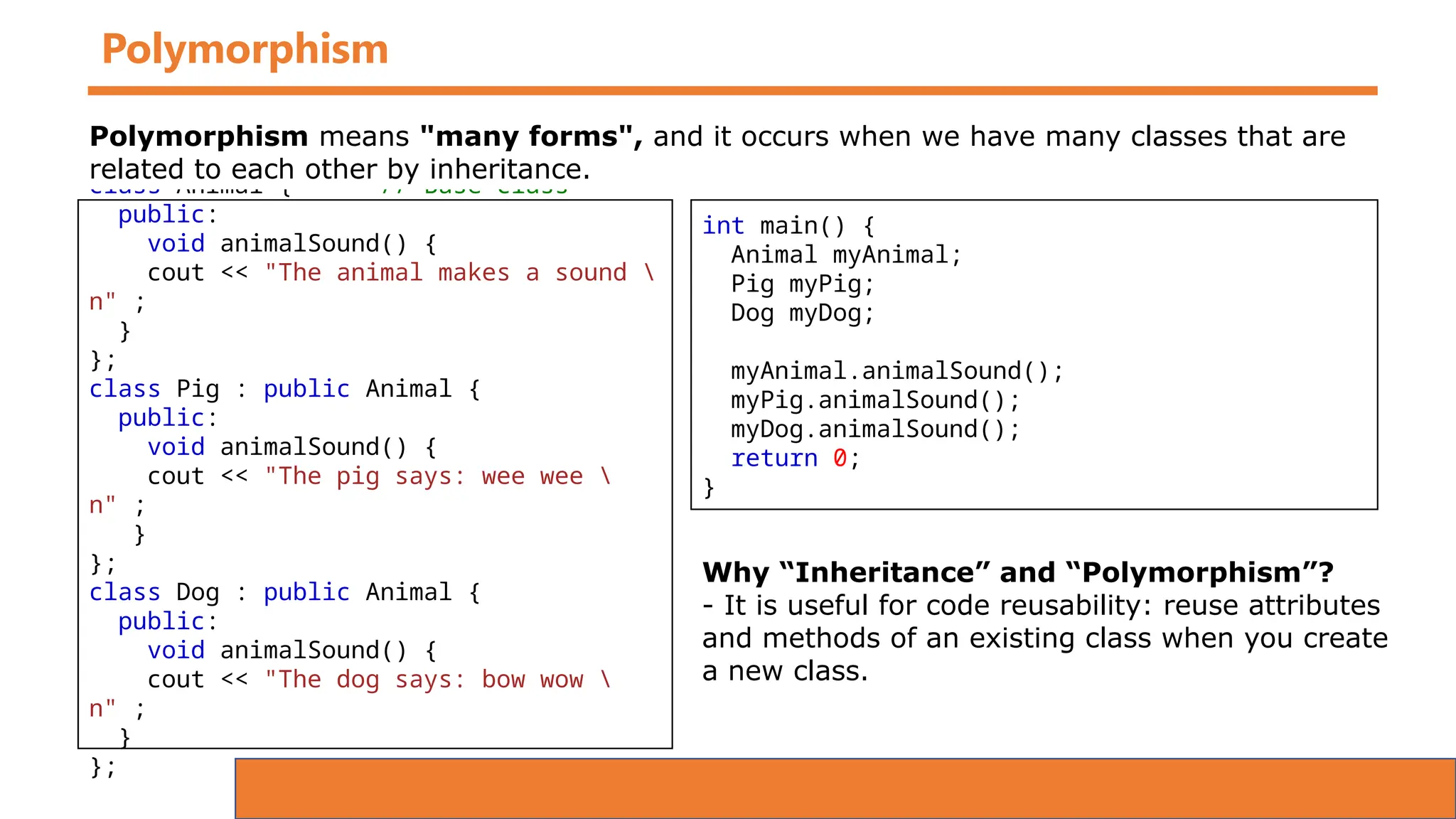
class Animal { // Base class
public:
void animalSound() {
cout << "The animal makes a sound 
n" ;
}
};
class Pig : public Animal {
public:
void animalSound() {
cout << "The pig says: wee wee 
n" ;
}
};
class Dog : public Animal {
public:
void animalSound() {
cout << "The dog says: bow wow 
n" ;
}
};
Polymorphism means "many forms", and it occurs when we have many classes that are
related to each other by inheritance.
int main() {
Animal myAnimal;
Pig myPig;
Dog myDog;
myAnimal.animalSound();
myPig.animalSound();
myDog.animalSound();
return 0;
}
Why “Inheritance” and “Polymorphism”?
- It is useful for code reusability: reuse attributes
and methods of an existing class when you create
a new class.
Function Overriding
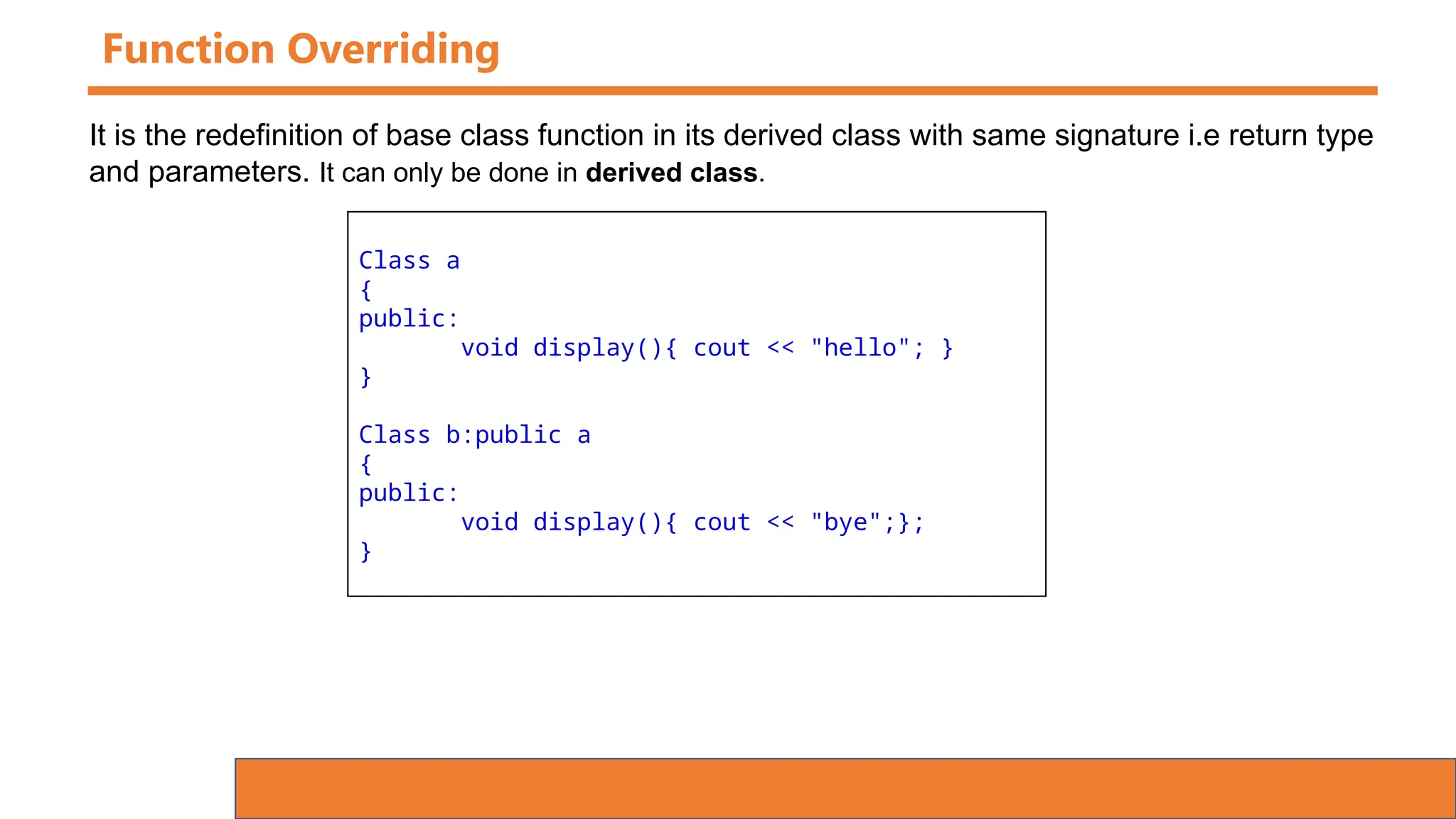
Class a
{
public:
void display(){ cout << "hello"; }
}
Class b:public a
{
public:
void display(){ cout << "bye";};
}
It is the redefinition of base class function in its derived class with same signature i.e return type
and parameters. It can only be done in derived class.
Function Overriding
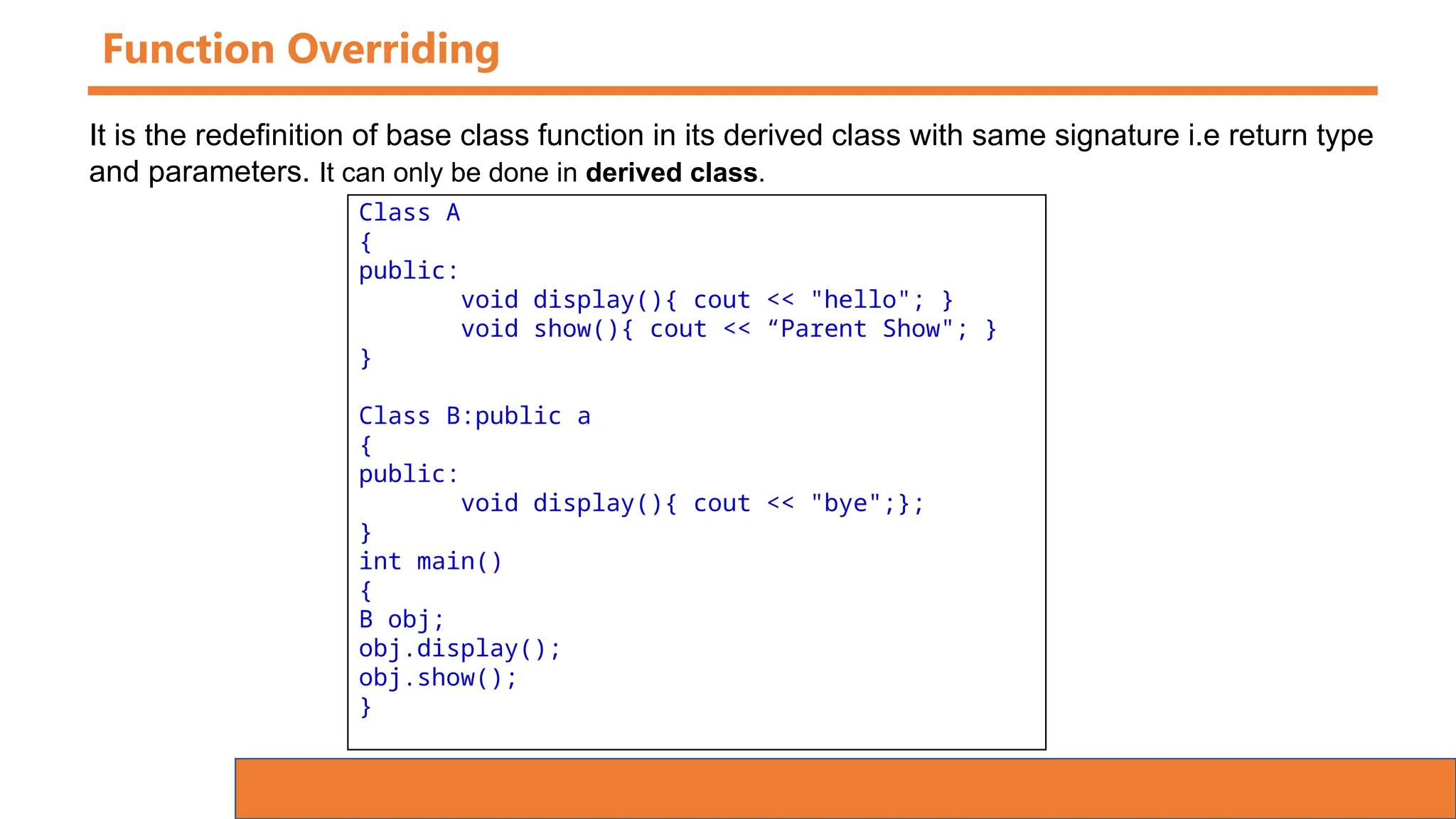
Class A
{
public:
void display(){ cout << "hello"; }
void show(){ cout << “Parent Show"; }
}
Class B:public a
{
public:
void display(){ cout << "bye";};
}
int main()
{
B obj;
obj.display();
obj.show();
}
It is the redefinition of base class function in its derived class with same signature i.e return type
and parameters. It can only be done in derived class.
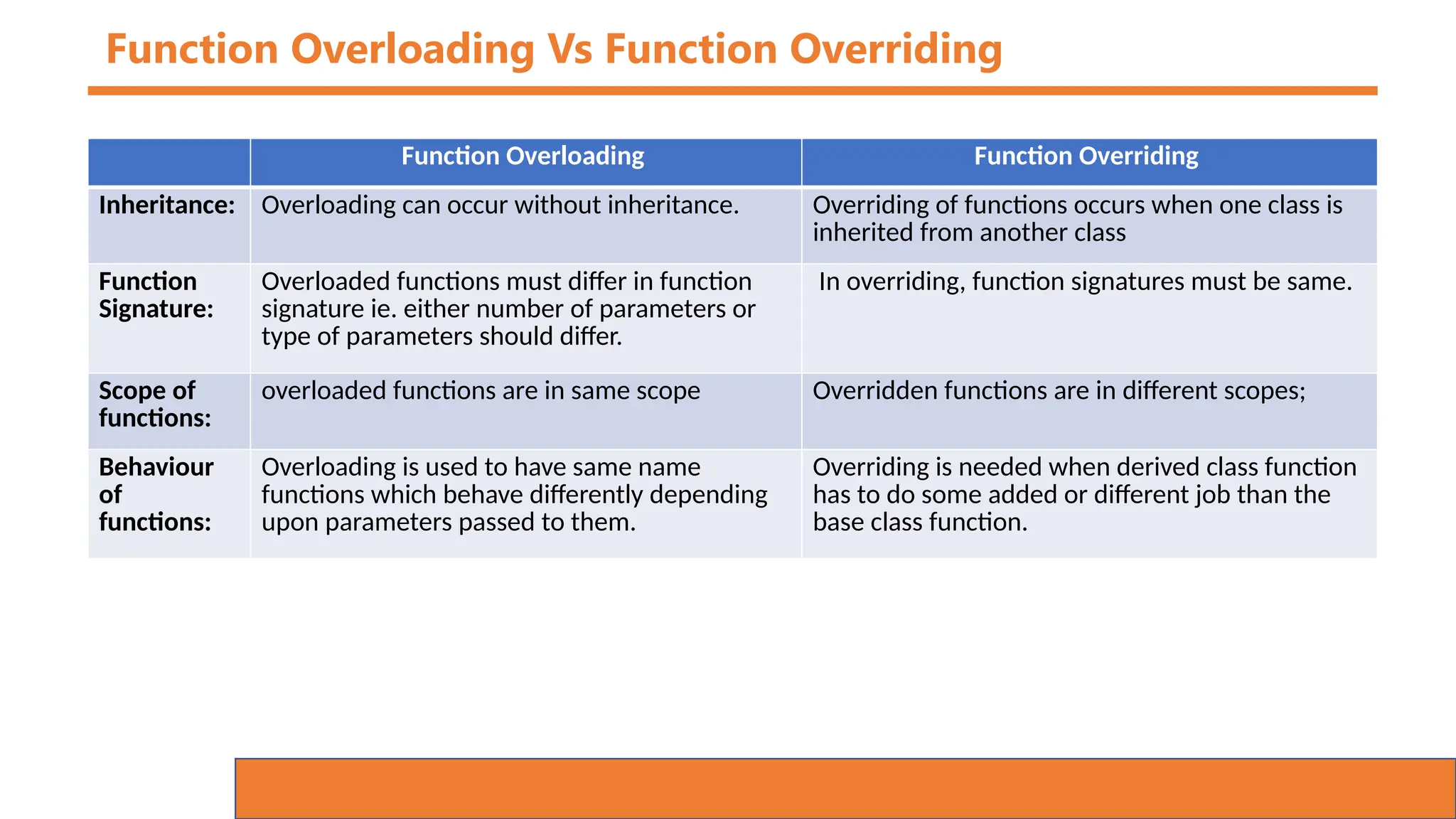
Function Overloading Vs Function Overriding
Function Overloading Function Overriding
Inheritance: Overloading can occur without inheritance. Overriding of functions occurs when one class is
inherited from another class
Function
Signature:
Overloaded functions must differ in function
signature ie. either number of parameters or
type of parameters should differ.
In overriding, function signatures must be same.
Scope of
functions:
overloaded functions are in same scope Overridden functions are in different scopes;
Behaviour
of
functions:
Overloading is used to have same name
functions which behave differently depending
upon parameters passed to them.
Overriding is needed when derived class function
has to do some added or different job than the
base class function.
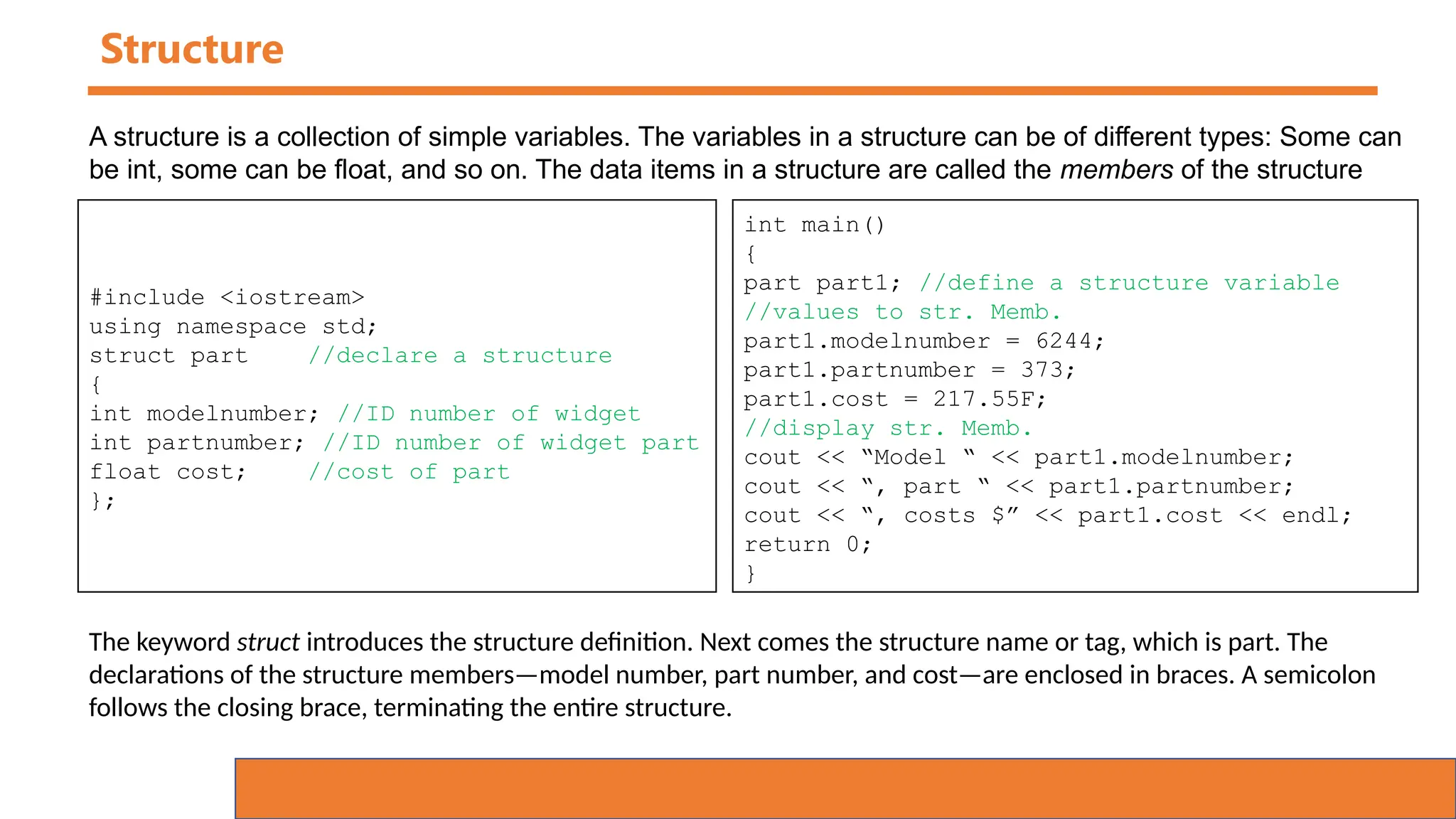
Structure
#include <iostream>
using namespace std;
struct part //declare a structure
{
int modelnumber; //ID number of widget
int partnumber; //ID number of widget part
float cost; //cost of part
};
A structure is a collection of simple variables. The variables in a structure can be of different types: Some can
be int, some can be float, and so on. The data items in a structure are called the members of the structure
int main()
{
part part1; //define a structure variable
//values to str. Memb.
part1.modelnumber = 6244;
part1.partnumber = 373;
part1.cost = 217.55F;
//display str. Memb.
cout << “Model “ << part1.modelnumber;
cout << “, part “ << part1.partnumber;
cout << “, costs $” << part1.cost << endl;
return 0;
}
The keyword struct introduces the structure definition. Next comes the structure name or tag, which is part. The
declarations of the structure members—model number, part number, and cost—are enclosed in braces. A semicolon
follows the closing brace, terminating the entire structure.

05 Object Oriented Concept Presentation.pptx

  • 1.
  • 2.
    What are Classesand Objects? Classes and objects are the two main aspects of object-oriented programming.
  • 3.
    What are Classesand Objects? Classes and objects are the two main aspects of object-oriented programming. Another Example:-
  • 4.
    What are Classesand Objects? Classes and objects are the two main aspects of object-oriented programming. Another Example:- A class is a template for objects, and an object is an instance of a class.
  • 5.
    Classes/Objects Everything in C++is associated with classes and objects, along with its attributes and methods Attributes and methods are basically variables and functions that belongs to the class. These are often referred to as "class members".
  • 6.
    Create a Class Tocreate a class, use the class keyword: class MyClass { // The class public: // Access specifier int myNum; // Attribute (int variable) string myString; // Attribute (string variable) };
  • 7.
    Create an Object ToCreate an object of MyClass, specify the class name, followed by the object name. class MyClass { public: int myNum; string myString; }; int main() { MyClass myObj; // Create an object of MyClass // Access attributes and set values myObj.myNum = 15; myObj.myString = "Some text"; // Print attribute values cout << myObj.myNum << "n"; cout << myObj.myString; return 0; }
  • 8.
    Create an MultipleObject To Create an object of MyClass, specify the class name, followed by the object name. class MyClass { public: int myNum; string myString; }; int main() { MyClass myObj1,myObj2; // Create an object of MyClass myObj1.myNum = 15; myObj1.myString = “XYZ"; myObj2.myNum = 17; myObj2.myString = “ABC"; cout << myObj1.myNum << "n"; cout << myObj1.myString; cout << myObj2.myNum << "n"; cout << myObj2.myString; return 0; }
  • 9.
    Create Class Methods •Methods are Functions that belongs to the class. • There are two ways to define functions that belongs to a class: • Inside class definition • Outside class definition class MyClass { public: void myMethod() { cout << "Hello World!"; } }; int main() { MyClass myObj; myObj.myMethod(); return 0; } • Inside Example
  • 10.
    Create Class Methodswith Parameters #include <iostream> using namespace std; class Car { public: int speed(int maxSpeed); }; int Car::speed(int maxSpeed) { return maxSpeed; } int main() { Car myObj; // Create an object of Car cout << myObj.speed(200); // Call the method with an argument return 0; }
  • 11.
    C++ Access Specifiers InC++, there are three access specifiers:  public - members are accessible from outside the class  private - members cannot be accessed (or viewed) from outside the class  protected - members cannot be accessed from outside the class, however, they can be accessed in inherited classes. You will learn more about Inheritance later. class MyClass { public: // Public access specifier int x; // Public attribute private: // Private access specifier int y; // Private attribute }; int main() { MyClass myObj; myObj.x = 25; // Allowed (public) myObj.y = 50; // Not allowed (private) return 0; }
  • 12.
    C++ Access Specifiers InC++, there are three access specifiers:  public - members are accessible from outside the class  private - members cannot be accessed (or viewed) from outside the class  protected - members cannot be accessed from outside the class, however, they can be accessed in inherited classes. You will learn more about Inheritance later. class MyClass { int x; // Private attribute int y; // Private attribute }; Note: By default, all members of a class are private if you don't specify an access specifier
  • 13.
    C++ Access Specifiers classShape { public: void setWidth(int w) { width = w;} void setHeight(int h) { height = h;} protected: int width; int height; }; // Derived class class Rectangle: public Shape { public: int getArea() { return (width * height); } }; int main(void) { Rectangle Rect; Rect.setWidth(5); Rect.setHeight(7); // Print the area of the object. cout << "Total area: " << Rect.getArea() << endl; return 0; }
  • 14.
    C++ Constructors • Constructoris a member function of a class. • The name of the constructor is same as the name of the class. • It has no return type, so can’t use return keyword. • It must be an instance member function, that is, it can never be static. • Constructor is implicitly invoked when an object created. • Constructor is used to solve problem of initialization. class MyClass { // The class public: // Access specifier MyClass() { // Constructor cout << "Hello World!"; } }; int main() { MyClass myObj; // this will call the constructor return 0; }
  • 15.
    C++ Parameterized Constructors classCar { // The class public: // Access specifier string brand; string model; int year; // Attribute Car(string x, string y, int z) { // Constructor with parameters brand = x; model = y; year = z; } }; int main() { // Create Car objects and call the constructor with different values Car carObj1("BMW", "X5", 1999); Car carObj2("Ford", "Mustang", 1969); // Print values cout << carObj1.brand << " " << carObj1.model << " " << carObj1.year << "n"; cout << carObj2.brand << " " << carObj2.model << " " << carObj2.year << "n"; return 0; }
  • 16.
    C++ Copy Constructors classComplex{ private: int a,b; public: Complex(int x,int y){ a=x; b=y; cout<<" Constructor 2 Parameter "<<“n a="<<a<<"b="<<b } Complex(int x){ a=x; cout<<"Constructor 1 Parameter n"<<"a="<<a<<endl; } Complex(){ cout<<"Constructor 0 Parameter n"; } Complex(Complex &c){ a=c.a; b=c.b; } }; int main() { Complex C1(5,6),C2(10),C3(11,12); Complex C4; Complex C5=C1; return 0; }
  • 17.
    C++ Destructor • Destructoris an instance member function of a class • The name of the destructor is same as the name of a class but preceded by tilde (~) symbol • Destructor can never be static. • Destructor has no return type. • Destructor takes no argument (No overloading is possible) • It is invoked implicitly when object is going to destroy. class MyClass { // The class public: // Access specifier MyClass() { // Constructor cout << “I am in Constructor” } ~MyClass() { // Destructor cout << “I am in Destructor” } }; int main() { MyClass myObj1, MyObj2; // call the constructor return 0; }
  • 18.
    C++ Friend Function •Friend function is not a member function of a class to which it is friend. • Friend function is declared in the class with friend keyword. • It must be defined outside the class to which it is friend. • Friend function can access any member of the class to which it is friend. • Friend function cannot access members of the class directly. • It has no caller object. • It should not be defined with membership label.
  • 19.
    C++ Friend Function #include<iostream> usingnamespace std; class Complex{ private: int a,b; public: void setData(int x,int y) { a=x; b=y; } void showData() { cout<<"a="<<a<<"n b="<<b; } friend void fun(Complex c); //Friend keyword is used to declare //friend function }; void fun(Complex c) { cout<<"Sum is= "<<c.a+c.b; } int main() { Complex c1,c2,c3; c1.setData(9,10); fun(c1); }
  • 20.
    C++ Friend Class •Similarly, like a friend function, a class can also be made a friend of another class using keyword friend. class A{ private: int a,b; public: void setData(int x,int y) { a=x; b=y; } friend class B; //Friend keyword }; class B{ public: void showData(A t) { cout<<"a="<<t.a<<"n b="<<t.b; } }; int main() { A t1; B t2; t1.setData(9,10); t2.showData(t1); } • When a class is made a friend class, all the member functions of that class becomes friend functions. • In this program, all member functions of class B will be friend functions of class A. Thus, any member function of class B can access the private and protected data of class A. But, member functions of class A cannot access the data of class B. • Remember, friend relation in C++ is only granted, not taken.
  • 21.
    C++ Nested Classesin C++ • A nested class is a class that is declared in another class. The nested class is also a member variable of the enclosing class and has the same access rights as the other members. However, the member functions of the enclosing class have no special access to the members of a nested class. #include<iostream> using namespace std; class A { public: class B { private: int num; public: void getdata(int n) { num = n; } void putdata() { cout<<"The number is "<<num; } }; }; int main() { cout<<"Nested classes in C++"<< endl; A :: B obj; obj.getdata(9); obj.putdata(); return 0; } • In the above program, class B is defined inside the class A so it is a nested class. The class B contains a private variable num and two public functions getdata() and putdata(). The function getdata() takes the data and the function putdata() displays the data. • In the function main(), an object of the class A and class B is defined. Then the functions getdata() and putdata() are called using the variable obj.
  • 22.
    Function Overloading int plusFuncInt(intx, int y) { return x + y; } double plusFuncDouble(double x, double y) { return x + y; } int main() { int myNum1 = plusFuncInt(8, 5); double myNum2 = plusFuncDouble(4.3, 6.26); cout << "Int: " << myNum1 << "n"; cout << "Double: " << myNum2; return 0; } With function overloading, multiple functions can have the same name with different parameters:
  • 23.
    Function Overloading int plusFunc(intx, int y) { return x + y; } double plusFunc(double x, double y) { return x + y; } int main() { int myNum1 = plusFunc(8, 5); double myNum2 = plusFunc(4.3, 6.26); cout << "Int: " << myNum1 << "n"; cout << "Double: " << myNum2; return 0; } • Instead of defining two functions that should do the same thing, it is better to overload one. • In the example below, we overload the plusFunc function to work or both int and double:
  • 24.
    Encapsulation / Abstraction classEmployee { private: // Private attribute int salary; public: // Setter void setSalary(int s) { salary = s; } // Getter int getSalary() { return salary; } }; Encapsulation in C++ is implemented as a class that bundles data and the functions operating on this data together. Mostly data is declared as private so that it is not accessible outside the class. The methods or functions are declared as public and can be accessed using the object of the class. int main() { Employee myObj; myObj.setSalary(50000); cout << myObj.getSalary(); return 0; } Abstraction: The concept of abstraction only shows necessary information to the users. It reduces the complexity of the program by hiding the implementation complexities of programs.
  • 25.
    Inheritance // Base class classVehicle { public: string brand = “XYZ"; void move() { cout << “car is moving n" ; } }; // Derived class class Car: public Vehicle { public: string model = “ABC"; }; In C++, it is possible to inherit attributes and methods from one class to another. We group the "inheritance concept" into two categories: • derived class (child) - the class that inherits from another class • base class (parent) - the class being inherited from To inherit from a class, use the : symbol. int main() { Car myCar; myCar.move(); cout << myCar.brand + " " + myCar.model; return 0; }
  • 26.
    Polymorphism class Animal {// Base class public: void animalSound() { cout << "The animal makes a sound n" ; } }; class Pig : public Animal { public: void animalSound() { cout << "The pig says: wee wee n" ; } }; class Dog : public Animal { public: void animalSound() { cout << "The dog says: bow wow n" ; } }; Polymorphism means "many forms", and it occurs when we have many classes that are related to each other by inheritance. int main() { Animal myAnimal; Pig myPig; Dog myDog; myAnimal.animalSound(); myPig.animalSound(); myDog.animalSound(); return 0; } Why “Inheritance” and “Polymorphism”? - It is useful for code reusability: reuse attributes and methods of an existing class when you create a new class.
  • 27.
    Function Overriding Class a { public: voiddisplay(){ cout << "hello"; } } Class b:public a { public: void display(){ cout << "bye";}; } It is the redefinition of base class function in its derived class with same signature i.e return type and parameters. It can only be done in derived class.
  • 28.
    Function Overriding Class A { public: voiddisplay(){ cout << "hello"; } void show(){ cout << “Parent Show"; } } Class B:public a { public: void display(){ cout << "bye";}; } int main() { B obj; obj.display(); obj.show(); } It is the redefinition of base class function in its derived class with same signature i.e return type and parameters. It can only be done in derived class.
  • 29.
    Function Overloading VsFunction Overriding Function Overloading Function Overriding Inheritance: Overloading can occur without inheritance. Overriding of functions occurs when one class is inherited from another class Function Signature: Overloaded functions must differ in function signature ie. either number of parameters or type of parameters should differ. In overriding, function signatures must be same. Scope of functions: overloaded functions are in same scope Overridden functions are in different scopes; Behaviour of functions: Overloading is used to have same name functions which behave differently depending upon parameters passed to them. Overriding is needed when derived class function has to do some added or different job than the base class function.
  • 30.
    Structure #include <iostream> using namespacestd; struct part //declare a structure { int modelnumber; //ID number of widget int partnumber; //ID number of widget part float cost; //cost of part }; A structure is a collection of simple variables. The variables in a structure can be of different types: Some can be int, some can be float, and so on. The data items in a structure are called the members of the structure int main() { part part1; //define a structure variable //values to str. Memb. part1.modelnumber = 6244; part1.partnumber = 373; part1.cost = 217.55F; //display str. Memb. cout << “Model “ << part1.modelnumber; cout << “, part “ << part1.partnumber; cout << “, costs $” << part1.cost << endl; return 0; } The keyword struct introduces the structure definition. Next comes the structure name or tag, which is part. The declarations of the structure members—model number, part number, and cost—are enclosed in braces. A semicolon follows the closing brace, terminating the entire structure.