How to Repair Database from Suspect Mode in SQL Server
Are you facing Suspect database error in SQL Server? Here is the solution on how to repair Suspect database in SQL Server with manual as well as alternate methods.
Suspect Database isa state where you
face problem in accessing your
database in SQL Server.
Database in Suspect mode is a clear
indication that you will not be able to
open your database hence not able to
perform any backup or restore
operation.
WHAT IS SUSPECT DATABASE?
5.
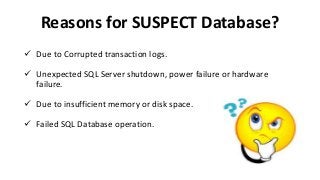
Due toCorrupted transaction logs.
Unexpected SQL Server shutdown, power failure or hardware
failure.
Due to insufficient memory or disk space.
Failed SQL Database operation.
Reasons for SUSPECT Database?
6.
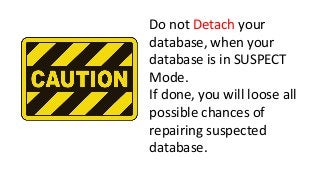
Do not Detachyour
database, when your
database is in SUSPECT
Mode.
If done, you will loose all
possible chances of
repairing suspected
database.
Set yourdatabase in EMERGENCY MODE by:
Alter Database[database name] set EMERGENCY;
Permit SINGLE USER mode to your database:
Alter Database[database name] set SINGLE_USER;
Run REPAIR_ALLOW_DATA_LOSS:
Set database into MULTIUSER MODE
How to Fix Suspect Database
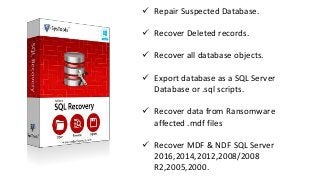
Repair SuspectedDatabase.
Recover Deleted records.
Recover all database objects.
Export database as a SQL Server
Database or .sql scripts.
Recover data from Ransomware
affected .mdf files
Recover MDF & NDF SQL Server
2016,2014,2012,2008/2008
R2,2005,2000.
11.
Thanks for watching.
Pleaseshare if you like
For more information:
https://alessandroalpi.blog/2017/09/12/best-solutions-to-repair-suspect-database-in-ms-sql-server/



![ Set your database in EMERGENCY MODE by:
Alter Database[database name] set EMERGENCY;
Permit SINGLE USER mode to your database:
Alter Database[database name] set SINGLE_USER;
Run REPAIR_ALLOW_DATA_LOSS:
Set database into MULTIUSER MODE
How to Fix Suspect Database](https://image.slidesharecdn.com/howtorepairsuspectdatabaseinsqlserver-180327103736/85/How-to-Repair-Database-from-Suspect-Mode-in-SQL-Server-8-320.jpg?cb=1522148339)