


How To Use Twitter
For Social Learning
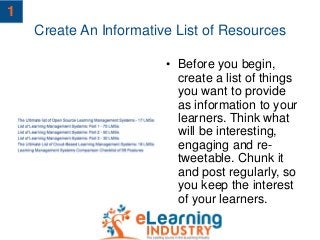
Create An Informative List of Resources
• Before you begin,
create a list of things
you want to provide
as information to your
learners. Think what
will be interesting,
engaging and re-
tweetable. Chunk it
and post regularly, so
you keep the interest
of your learners.
1
Create Learning Hashtags
• Come up with a
#hashtagwith the help
of which learners will
be able to feedback
and communicate on
your materials.
2
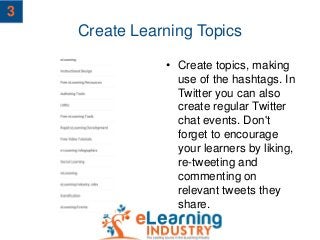
Create Learning Topics
• Create topics, making
use of the hashtags. In
Twitter you can also
create regular Twitter
chat events. Don't
forget to encourage
your learners by liking,
re-tweeting and
commenting on
relevant tweets they
share.
3
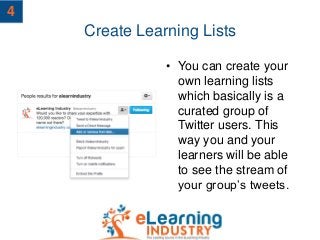
Create Learning Lists
• You can create your
own learning lists
which basically is a
curated group of
Twitter users. This
way you and your
learners will be able
to see the stream of
your group’s tweets.
4
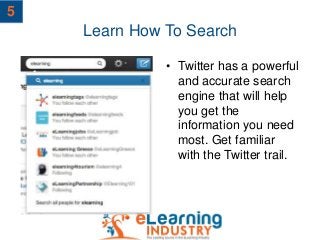
Learn How To Search
• Twitter has a powerful
and accurate search
engine that will help
you get the
information you need
most. Get familiar
with the Twitter trail.
5
Follow The Influencers
• Get in touch and follow
interesting people from
your field of study –
eLearning Developers,
Instructional Designers,
Subject Matter Experts,
Professors and other
experts – see what they
share and what gets re-
tweeted. Think about
the things your learners
will find interesting and
will want to re-tweet.
6
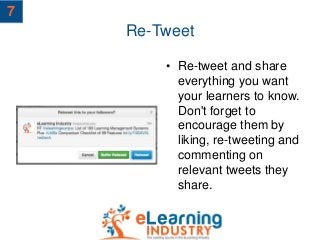
Re-Tweet
• Re-tweet and share
everything you want
your learners to know.
Don't forget to
encourage them by
liking, re-tweeting and
commenting on
relevant tweets they
share.
7
Favorite
• Show your appreciate
by favorite a tweet.
You will encourage
the poster of the
original Tweet by let
him/her know that you
liked the tweet. Also,
by doing so you can
save the Tweet for
later review.
8
THANK YOU!
The Twitter Guide for Teachers

8 tips on how to use twitter for social learning

  • 1.
    How To UseTwitter For Social Learning
  • 2.
    Create An InformativeList of Resources • Before you begin, create a list of things you want to provide as information to your learners. Think what will be interesting, engaging and re- tweetable. Chunk it and post regularly, so you keep the interest of your learners. 1
  • 3.
    Create Learning Hashtags •Come up with a #hashtagwith the help of which learners will be able to feedback and communicate on your materials. 2
  • 4.
    Create Learning Topics •Create topics, making use of the hashtags. In Twitter you can also create regular Twitter chat events. Don't forget to encourage your learners by liking, re-tweeting and commenting on relevant tweets they share. 3
  • 5.
    Create Learning Lists •You can create your own learning lists which basically is a curated group of Twitter users. This way you and your learners will be able to see the stream of your group’s tweets. 4
  • 6.
    Learn How ToSearch • Twitter has a powerful and accurate search engine that will help you get the information you need most. Get familiar with the Twitter trail. 5
  • 7.
    Follow The Influencers •Get in touch and follow interesting people from your field of study – eLearning Developers, Instructional Designers, Subject Matter Experts, Professors and other experts – see what they share and what gets re- tweeted. Think about the things your learners will find interesting and will want to re-tweet. 6
  • 8.
    Re-Tweet • Re-tweet andshare everything you want your learners to know. Don't forget to encourage them by liking, re-tweeting and commenting on relevant tweets they share. 7
  • 9.
    Favorite • Show yourappreciate by favorite a tweet. You will encourage the poster of the original Tweet by let him/her know that you liked the tweet. Also, by doing so you can save the Tweet for later review. 8
  • 10.
    THANK YOU! The TwitterGuide for Teachers