Search engines suchas Google,
Yahoo, and Bing use spider-like bots
called web crawlers to index the
content of websites.
All the information collected by these
bots is used to match your pages to
the keywords entered by the user.
3.
But crawlers cannotautomatically
understand what your page is about.
They need a little nudge from you in
the form of meta descriptions.
It not only helps the search engine
crawl the content on your page and
find a suitable rank on the SERPs.
How? Let's understand using Google
as example.
4.
What is aMeta Description?
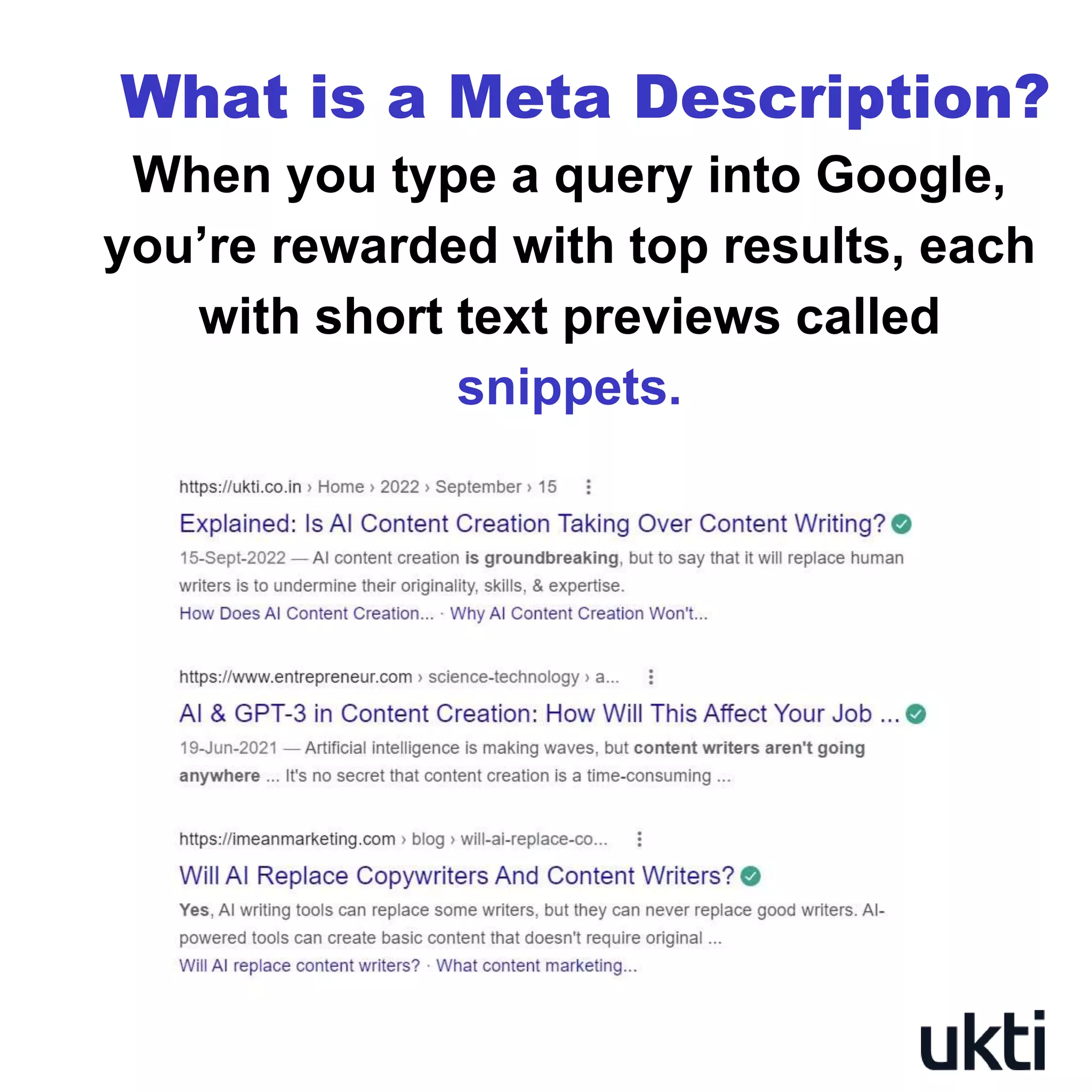
When you type a query into Google,
you’re rewarded with top results, each
with short text previews called
snippets.
5.
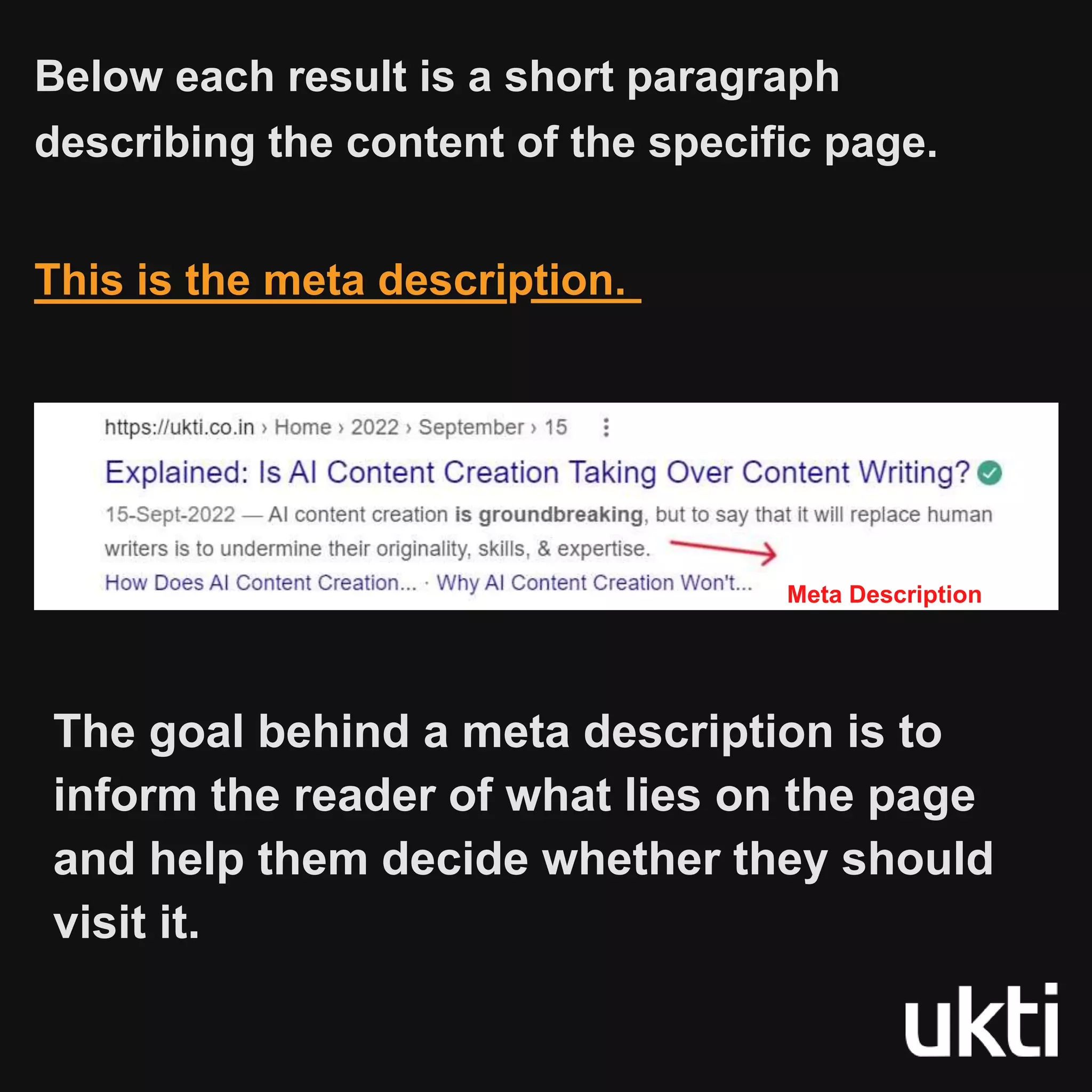
Below each resultis a short paragraph
describing the content of the specific page.
This is the meta description.
Meta Description
The goal behind a meta description is to
inform the reader of what lies on the page
and help them decide whether they should
visit it.
6.
But what happenswhen you
don't provide a meta description?
In such a case, Google will pull the
content directly from your page. This is
all thanks to the advancement of
Google’s web crawlers.
But the caveat here is: such a meta
description tag will be generic and may
not be optimised.
And that's something to be worried
about!
7.
Why Should YouCare About
Meta Descriptions?
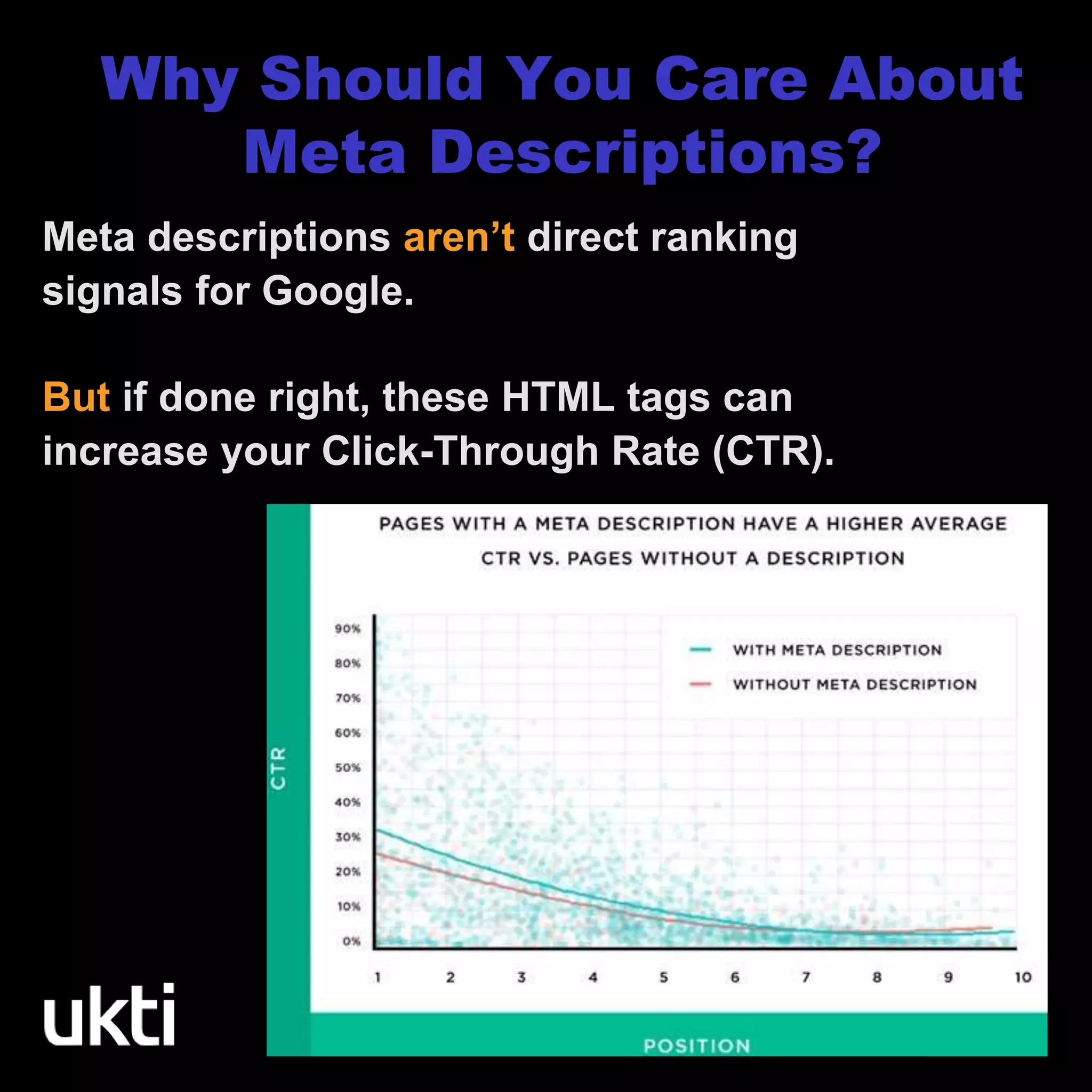
Meta descriptions aren’t direct ranking
signals for Google.
But if done right, these HTML tags can
increase your Click-Through Rate (CTR).
8.
Backlinko found thatpages with
a meta description witness an
average of 5.8% more clicks than
those without one.
BUT WHY?
This is because a unique and
concise meta description can
better convince a user that a
particular page has the answer
they’re searching for.
9.
Google is alwaysmonitoring user
behaviour. Higher CTRs give
Google the impression that your
content is valuable.
And this leads to a higher
ranking and improved
discoverability.
Higher CTR = Higher Google ranking
= Improved Visibility
And here's how Google treats it...
Writing the samemeta description for each
page is lazy and generic (and definitely not
good for your rankings!)
Instead, write a unique one for each page
Or better yet, make good use of AI content
creation tools to whip up a relevant meta
description for your content.
1.Have a Different Meta
Description for Each Page
12.
2. Include YourPrimary
Keyword
Don't forget to include your primary
keyword in your meta description
But do not go overboard! Keyword stuffing
is a content writing mishap
In fact, Google can remove your page from
the SERPs entirely. And that's a situation
you want to avoid at all costs.
13.
Any longer, andit might get truncated.
Any shorter, and it might not describe
the page adequately.
3. Keep Your Meta Description
Between 150-160 Characters
14.
4. Add aCall-to-Action
Encourage audience action by using
phrases like "Learn more", "Check
out", "Read more", "Find out more
here", etc.
15.
ukti.co.in
Ukti offers contentwriting
services. We help growing B2B
SaaS startups and SMEs create
value and drive conversions
through high-quality content.