TABLET COMPUTERS
FOR CHILDREN
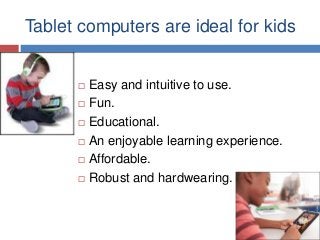
Tablet computers are ideal for kids








Easy and intuitive to use.
Fun.
Educational.
An enjoyable learning experience.
Affordable.
Robust and hardwearing.
Learning or Standard Tablet?






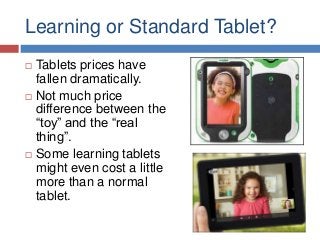
Tablets prices have
fallen dramatically.
Not much price
difference between the
“toy” and the “real
thing”.
Some learning tablets
might even cost a little
more than a normal
tablet.
Which Tablet To Choose?
Learning Tablet







Specially designed
for kids.
Rugged design.
Educator approved
content, software,
games etc.
Kid safe.

Standard Tablet






Faster and more
powerful.
Special kid’s apps,
games and software
available.
Can be shared with
older siblings and
family members.
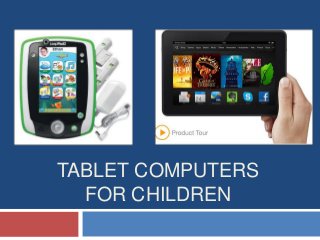
LeapFrog LeapPad2








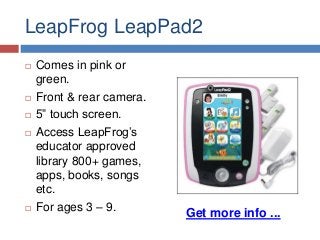
Comes in pink or
green.
Front & rear camera.
5” touch screen.
Access LeapFrog’s
educator approved
library 800+ games,
apps, books, songs
etc.
For ages 3 – 9.

Get more info ...
Kindle Fire HD








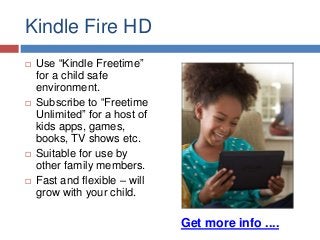
Use “Kindle Freetime”
for a child safe
environment.
Subscribe to “Freetime
Unlimited” for a host of
kids apps, games,
books, TV shows etc.
Suitable for use by
other family members.
Fast and flexible – will
grow with your child.

Get more info ....
So Which Tablet To Choose?


For all but the youngest children, a standard
tablet may be the best choice right now due to:
 Falling

prices
 Increased speed and flexibility
 Ability to share with other family members
 Availability of child friendly apps, games, software
etc. (much of which is free)

Get more info on standard tablets ...
Get more info on learning tablets ...
Tablet Cases & Holders For Kids






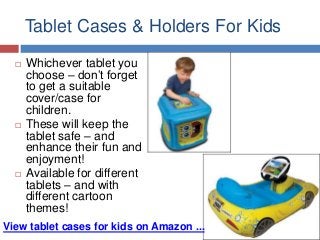
Whichever tablet you
choose – don’t forget
to get a suitable
cover/case for
children.
These will keep the
tablet safe – and
enhance their fun and
enjoyment!
Available for different
tablets – and with
different cartoon
themes!

View tablet cases for kids on Amazon ...
Thanks For Reading

Visit this site ...
... for more info on tablet
computers

Tablet computers for kids

  • 1.
  • 2.
    Tablet computers areideal for kids       Easy and intuitive to use. Fun. Educational. An enjoyable learning experience. Affordable. Robust and hardwearing.
  • 3.
    Learning or StandardTablet?    Tablets prices have fallen dramatically. Not much price difference between the “toy” and the “real thing”. Some learning tablets might even cost a little more than a normal tablet.
  • 4.
    Which Tablet ToChoose? Learning Tablet     Specially designed for kids. Rugged design. Educator approved content, software, games etc. Kid safe. Standard Tablet    Faster and more powerful. Special kid’s apps, games and software available. Can be shared with older siblings and family members.
  • 5.
    LeapFrog LeapPad2      Comes inpink or green. Front & rear camera. 5” touch screen. Access LeapFrog’s educator approved library 800+ games, apps, books, songs etc. For ages 3 – 9. Get more info ...
  • 6.
    Kindle Fire HD     Use“Kindle Freetime” for a child safe environment. Subscribe to “Freetime Unlimited” for a host of kids apps, games, books, TV shows etc. Suitable for use by other family members. Fast and flexible – will grow with your child. Get more info ....
  • 7.
    So Which TabletTo Choose?  For all but the youngest children, a standard tablet may be the best choice right now due to:  Falling prices  Increased speed and flexibility  Ability to share with other family members  Availability of child friendly apps, games, software etc. (much of which is free) Get more info on standard tablets ... Get more info on learning tablets ...
  • 8.
    Tablet Cases &Holders For Kids    Whichever tablet you choose – don’t forget to get a suitable cover/case for children. These will keep the tablet safe – and enhance their fun and enjoyment! Available for different tablets – and with different cartoon themes! View tablet cases for kids on Amazon ...
  • 9.
    Thanks For Reading Visitthis site ... ... for more info on tablet computers