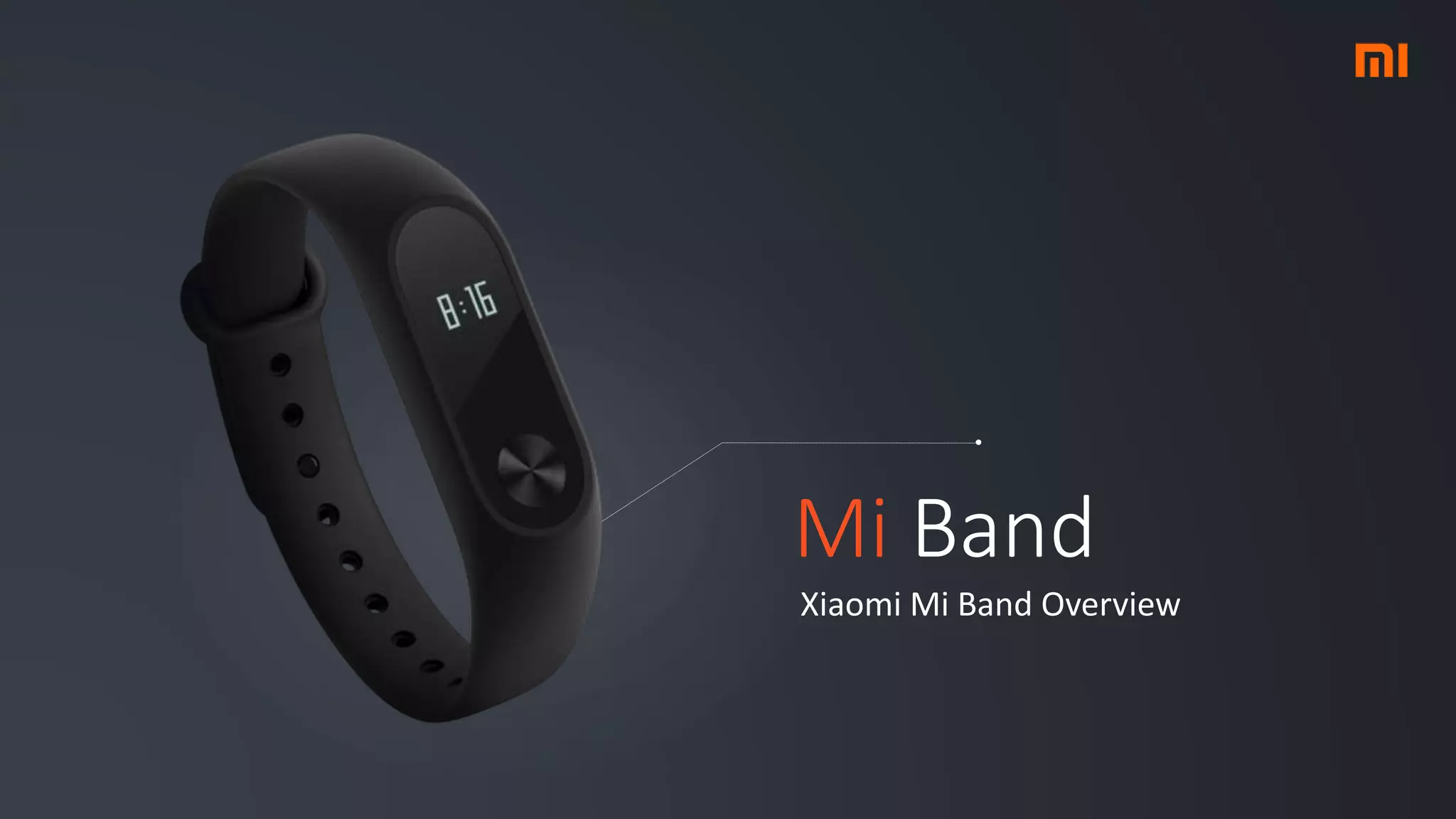
Mi Band
Xiaomi Mi Band Overview
About the Author
Mauro Papa
Male, age 23. Bachelor's degree Engineering in
Computer Science. Cuban Salsa & Bachata dancer.
mauro.papa.94@gmail.com
/in/mauro-papa-3137b575/
Xiaomi Mi Band
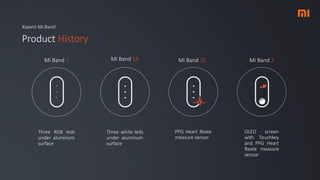
Product History
Three RGB leds
under aluminum
surface
Mi Band 1 Mi Band 1A Mi Band 1S Mi Band 2
Three white leds
under aluminum
surface
PPG Heart Reate
measure sensor
OLED screen
with Touchkey
and PPG Heart
Reate measure
sensor
Specs page
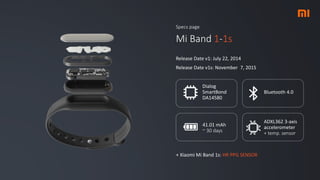
Mi Band 1-1s
Release Date v1: July 22, 2014
Release Date v1s: November 7, 2015
Dialog
SmartBond
DA14580
Bluetooth 4.0
41.01 mAh
~ 30 days
+ Xiaomi Mi Band 1s: HR PPG SENSOR
ADXL362 3-axis
accelerometer
+ temp. sensor
Specs page
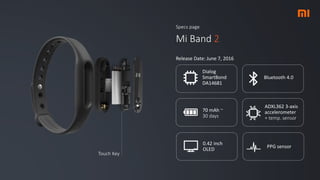
Mi Band 2
Release Date: June 7, 2016
Dialog
SmartBond
DA14681
Bluetooth 4.0
70 mAh ~
30 days
ADXL362 3-axis
accelerometer
+ temp. sensor
0.42 inch
OLED
PPG sensor
Touch Key
Xiaomi Mi Band
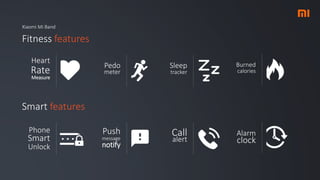
Fitness features
Pedo
meter
Heart
Rate
Measure
Smart features
Sleep
tracker
Burned
calories
Push
message
notify
Phone
Smart
Unlock
Call
alert
Alarm
clock
Xiaomi Mi Band
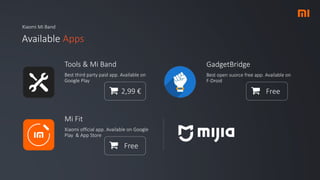
Available Apps
Tools & Mi Band
Best third party paid app. Available on
Google Play
2,99 €
GadgetBridge
Best open suorce free app. Available on
F-Droid
Free
Mi Fit
Xiaomi official app. Available on Google
Play & App Store
Free
Mi Band SDK
New early stage Xiaomi Mi Band Unofficial
SDK developed by my self
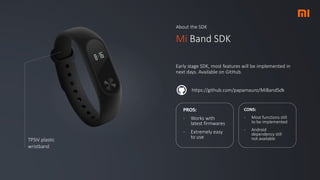
About the SDK
Mi Band SDK
Early stage SDK, most features will be implemented in
next days. Available on GitHub.
https://github.com/papamauro/MiBandSdk
TPSiV plastic
wristband
PROS:
- Works with
latest firmwares
- Extremely easy
to use
CONS:
- Most functions still
to be implemented
- Android
dependency still
not available
Xiaomi Mi Band SDK
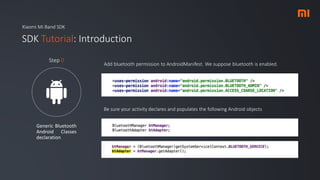
SDK Tutorial: Introduction
Generic Bluetooth
Android Classes
declaration
Step 0
Add bluetooth permission to AndroidManifest. We suppose bluetooth is enabled.
Be sure your activity declares and populates the following Android objects
Xiaomi Mi Band SDK
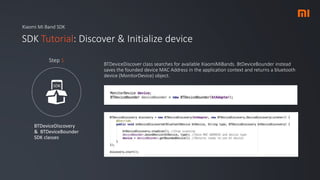
SDK Tutorial: Discover & Initialize device
BTDeviceDiscovery
& BTDeviceBounder
SDK classes
Step 1
BTDeviceDiscover class searches for available XiaomiMiBands. BtDeviceBounder instead
saves the founded device MAC Address in the application context and returns a bluetooth
device (MonitorDevice) object.
Xiaomi Mi Band SDK
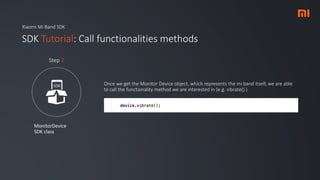
SDK Tutorial: Call functionalities methods
MonitorDevice
SDK class
Step 2
Once we get the Monitor Device object, which represents the mi band itself, we are able
to call the functionality method we are interested in (e.g. vibrate() )

Xiaomi Mi Band overiew

  • 1.
    Mi Band Xiaomi MiBand Overview
  • 2.
    About the Author MauroPapa Male, age 23. Bachelor's degree Engineering in Computer Science. Cuban Salsa & Bachata dancer. mauro.papa.94@gmail.com /in/mauro-papa-3137b575/
  • 3.
    Xiaomi Mi Band ProductHistory Three RGB leds under aluminum surface Mi Band 1 Mi Band 1A Mi Band 1S Mi Band 2 Three white leds under aluminum surface PPG Heart Reate measure sensor OLED screen with Touchkey and PPG Heart Reate measure sensor
  • 4.
    Specs page Mi Band1-1s Release Date v1: July 22, 2014 Release Date v1s: November 7, 2015 Dialog SmartBond DA14580 Bluetooth 4.0 41.01 mAh ~ 30 days + Xiaomi Mi Band 1s: HR PPG SENSOR ADXL362 3-axis accelerometer + temp. sensor
  • 5.
    Specs page Mi Band2 Release Date: June 7, 2016 Dialog SmartBond DA14681 Bluetooth 4.0 70 mAh ~ 30 days ADXL362 3-axis accelerometer + temp. sensor 0.42 inch OLED PPG sensor Touch Key
  • 6.
    Xiaomi Mi Band Fitnessfeatures Pedo meter Heart Rate Measure Smart features Sleep tracker Burned calories Push message notify Phone Smart Unlock Call alert Alarm clock
  • 7.
    Xiaomi Mi Band AvailableApps Tools & Mi Band Best third party paid app. Available on Google Play 2,99 € GadgetBridge Best open suorce free app. Available on F-Droid Free Mi Fit Xiaomi official app. Available on Google Play & App Store Free
  • 8.
    Mi Band SDK Newearly stage Xiaomi Mi Band Unofficial SDK developed by my self
  • 9.
    About the SDK MiBand SDK Early stage SDK, most features will be implemented in next days. Available on GitHub. https://github.com/papamauro/MiBandSdk TPSiV plastic wristband PROS: - Works with latest firmwares - Extremely easy to use CONS: - Most functions still to be implemented - Android dependency still not available
  • 10.
    Xiaomi Mi BandSDK SDK Tutorial: Introduction Generic Bluetooth Android Classes declaration Step 0 Add bluetooth permission to AndroidManifest. We suppose bluetooth is enabled. Be sure your activity declares and populates the following Android objects
  • 11.
    Xiaomi Mi BandSDK SDK Tutorial: Discover & Initialize device BTDeviceDiscovery & BTDeviceBounder SDK classes Step 1 BTDeviceDiscover class searches for available XiaomiMiBands. BtDeviceBounder instead saves the founded device MAC Address in the application context and returns a bluetooth device (MonitorDevice) object.
  • 12.
    Xiaomi Mi BandSDK SDK Tutorial: Call functionalities methods MonitorDevice SDK class Step 2 Once we get the Monitor Device object, which represents the mi band itself, we are able to call the functionality method we are interested in (e.g. vibrate() )