Child Themes
Understanding Child Themes in WordPress
16 March 2020
Edmund Chan
WordPress Engineer @ XWP
edmund.chan@xwp.coedmundcwm.com @edmundcwm/ /
- What is a Child Theme
- Why use a Child Theme
- When to use a Child Theme
- How to create a Child Theme
- Demo
Agenda
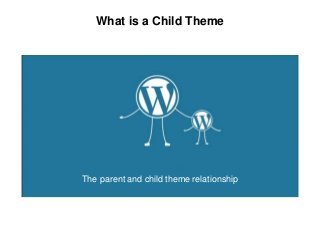
The parent and child theme relationship
What is a Child Theme
Parent theme
- A full theme consisting of all required files/templates
for a theme to work
- Becomes a parent theme if declared by a child
theme
- E.g., TwentyTwenty, GeneratePress, Underscores,
Astra
What is a Child Theme
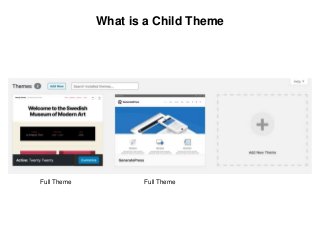
Full Theme Full Theme
What is a Child Theme
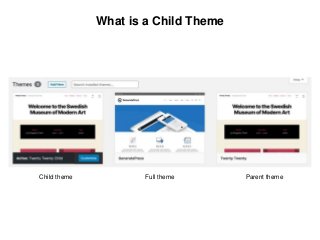
Child theme Parent themeFull theme
Child theme
- A theme that is intended to work with the parent
theme
- Inherits the parent theme’s look and functions
- Changes only parts that you want to be different
- Cannot work without a parent theme
What is a Child Theme
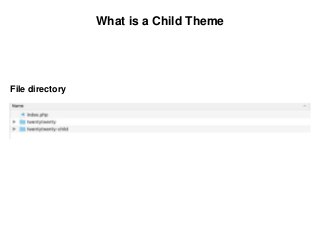
File directory
What is a Child Theme
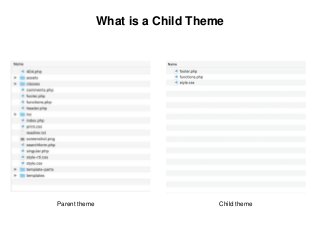
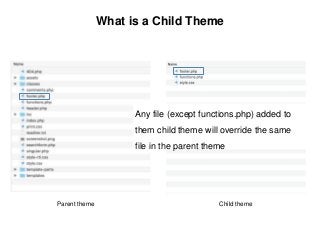
Parent theme Child theme
What is a Child Theme
Parent theme Child theme
Any file (except functions.php) added to
them child theme will override the same
file in the parent theme
What is a Child Theme
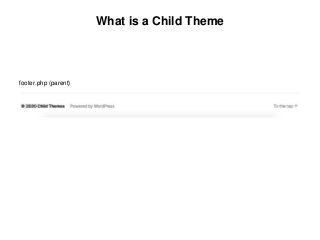
footer.php (parent)
What is a Child Theme
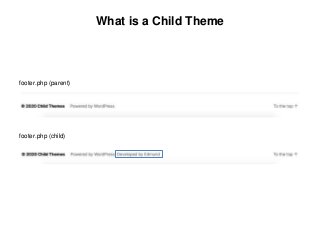
footer.php (parent)
footer.php (child)
Why use a Child Theme?
Why use a Child Theme
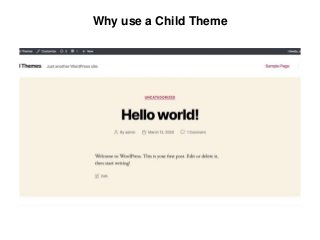
Problem: No easy way of updating themes without losing
all the custom styling and changes.
Why use a Child Theme
- Allows you to safely modify the Parent theme
Why use a Child Theme
- Allows you to safely modify the Parent theme
- Speeds up development time i.e., build on something
that already exists
Why use a Child Theme
- Allows you to safely modify the Parent theme
- Speeds up development time i.e., build on something
that already exists
- Updates on parent theme will flow seamlessly into child
theme
Why use a Child Theme
- Allows you to safely modify the Parent theme
- Speeds up development time i.e., build on something
that already exists
- Updates on parent theme will flow seamlessly into child
theme
- Great way to learn about how themes work in WP
When to use a Child Theme?
When to use a Child Theme
If you are:
- constantly adding new functions or modifying styles
When to use a Child Theme
If you are:
- constantly adding new functions or modifying styles
- introducing larger changes like template overrides
When to use a Child Theme
If you are:
- constantly adding new functions or modifying styles
- introducing larger changes like template overrides
- not building a theme from scratch
How to create a Child Theme?
How to create a Child Theme
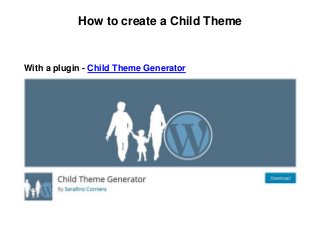
With a plugin - Child Theme Generator
How to create a Child Theme
Without a plugin
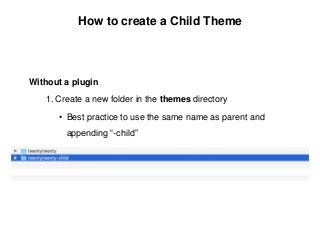
1. Create a new folder in the themes directory
• Best practice to use the same name as parent and
appending “-child”
How to create a Child Theme
Without a plugin
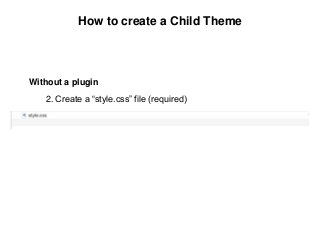
2. Create a “style.css” file (required)
How to create a Child Theme
Without a plugin
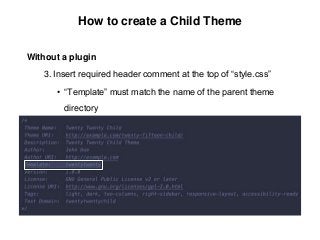
3. Insert required header comment at the top of “style.css”
• “Template” must match the name of the parent theme
directory
How to create a Child Theme
Without a plugin
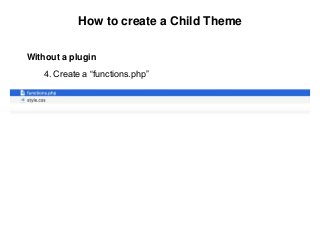
4. Create a “functions.php”
How to create a Child Theme
Without a plugin
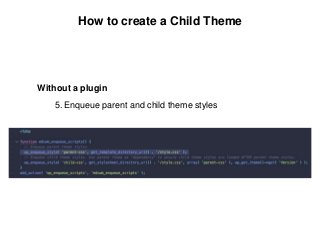
5. Enqueue parent and child theme styles

How to create a Child Theme
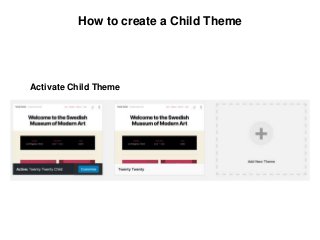
Activate Child Theme
DEMO
Edmund Chan
WordPress Engineer @ XWP
edmund.chan@xwp.coedmundcwm.com @edmundcwm/ /

Understanding Child Themes in WordPress

  • 1.
    Child Themes Understanding ChildThemes in WordPress 16 March 2020
  • 2.
    Edmund Chan WordPress Engineer@ XWP edmund.chan@xwp.coedmundcwm.com @edmundcwm/ /
  • 3.
    - What isa Child Theme - Why use a Child Theme - When to use a Child Theme - How to create a Child Theme - Demo Agenda
  • 4.
    The parent andchild theme relationship What is a Child Theme
  • 5.
    Parent theme - Afull theme consisting of all required files/templates for a theme to work - Becomes a parent theme if declared by a child theme - E.g., TwentyTwenty, GeneratePress, Underscores, Astra What is a Child Theme
  • 6.
    What is aChild Theme Full Theme Full Theme
  • 7.
    What is aChild Theme Child theme Parent themeFull theme
  • 8.
    Child theme - Atheme that is intended to work with the parent theme - Inherits the parent theme’s look and functions - Changes only parts that you want to be different - Cannot work without a parent theme What is a Child Theme
  • 9.
    What is aChild Theme File directory
  • 10.
    What is aChild Theme Parent theme Child theme
  • 11.
    What is aChild Theme Parent theme Child theme Any file (except functions.php) added to them child theme will override the same file in the parent theme
  • 12.
    What is aChild Theme footer.php (parent)
  • 13.
    What is aChild Theme footer.php (parent) footer.php (child)
  • 14.
    Why use aChild Theme?
  • 15.
    Why use aChild Theme Problem: No easy way of updating themes without losing all the custom styling and changes.
  • 16.
    Why use aChild Theme
  • 17.
    Why use aChild Theme - Allows you to safely modify the Parent theme
  • 18.
    Why use aChild Theme - Allows you to safely modify the Parent theme - Speeds up development time i.e., build on something that already exists
  • 19.
    Why use aChild Theme - Allows you to safely modify the Parent theme - Speeds up development time i.e., build on something that already exists - Updates on parent theme will flow seamlessly into child theme
  • 20.
    Why use aChild Theme - Allows you to safely modify the Parent theme - Speeds up development time i.e., build on something that already exists - Updates on parent theme will flow seamlessly into child theme - Great way to learn about how themes work in WP
  • 21.
    When to usea Child Theme?
  • 22.
    When to usea Child Theme If you are: - constantly adding new functions or modifying styles
  • 23.
    When to usea Child Theme If you are: - constantly adding new functions or modifying styles - introducing larger changes like template overrides
  • 24.
    When to usea Child Theme If you are: - constantly adding new functions or modifying styles - introducing larger changes like template overrides - not building a theme from scratch
  • 25.
    How to createa Child Theme?
  • 26.
    How to createa Child Theme With a plugin - Child Theme Generator
  • 27.
    How to createa Child Theme Without a plugin 1. Create a new folder in the themes directory • Best practice to use the same name as parent and appending “-child”
  • 28.
    How to createa Child Theme Without a plugin 2. Create a “style.css” file (required)
  • 29.
    How to createa Child Theme Without a plugin 3. Insert required header comment at the top of “style.css” • “Template” must match the name of the parent theme directory
  • 30.
    How to createa Child Theme Without a plugin 4. Create a “functions.php”
  • 31.
    How to createa Child Theme Without a plugin 5. Enqueue parent and child theme styles

  • 32.
    How to createa Child Theme Activate Child Theme
  • 33.
  • 34.
    Edmund Chan WordPress Engineer@ XWP edmund.chan@xwp.coedmundcwm.com @edmundcwm/ /