Procedure
Take advantage of the SmartArt
feature to easily display your text in
a visually appealing way.
Under the Insert tab, look for the
SmartArt button or simply click an
empty placeholder text box and
choose the display style that suits
your needs.
1 2 3
Δ2 τάξη
Εκπαιδευτικός Χρύσα ΚοκορίκουΣχολικό έτος 2018-2019
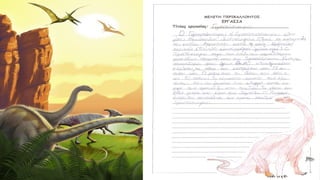
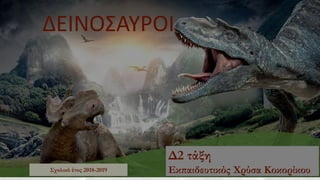
ΔΕΙΝΟΣΑΥΡΟΙ
Εργασία στη Μελέτη
Περιβάλλοντος
Πηγή-εικόνες και
πληροφορίες: Διαδίκτυο
΄Ηξερες ότι… Οι δεινόσαυροι ήταν σπονδυλωτά ζώα, τα οποία
πρωτοεμφανίστηκαν στη γη πριν από περίπου
245 εκατομμύρια χρόνια και εξαφανίστηκαν πριν
από 65 εκατομμύρια χρόνια.
• Η λέξη «δεινόσαυρος» δημιουργήθηκε από τον
Βρετανό επιστήμονα Ρίτσαρντ Όουεν και
προέρχεται από τις ελληνικές λέξεις: «δεινός» και
«σαύρα», δηλαδή «φοβερή σαύρα».
• Η πρώτη καταγεγραμμένη ανακάλυψη
δεινοσαύρου έγινε το 1676 από τον μουσειολόγο
Ρόμπερτ Πλοτ, ο οποίος ανακάλυψε ένα οστό που
αρχικά θεώρησε ότι ανήκε σε γιγαντιαίο άνθρωπο,
ενώ αργότερα διαπιστώθηκε ότι ήταν οστό
Μεγαλόσαυρου.
• Πολλοί παλαιοντολόγοι πιστεύουν ότι τα
σημερινά πτηνά είναι άμεσοι απόγονοι των
θηριόποδων δεινοσαύρων. Ο «Αρχαιοπτέρυξ»
είναι το αρχαιότερο και πιο πρωτόγονο γένος
πτηνών που είναι γνωστό και χρονολογείται από
την Ιουρασική περίοδο.
• Η θεωρία της σύγκρουσης της γης με αστεροειδή
(η οποία ενδεχομένως προκάλεσε ατμοσφαιρικές
αλλαγές) είναι πολύ διαδεδομένη ανάμεσα στους
επιστήμονες, προκειμένου να εξηγήσουν τη
μαζική εξαφάνιση των δεινοσαύρων.
• Υπήρχαν χορτοφάγοι, σαρκοφάγοι και λίγοι
παμφάγοι. Κάποιοι δεινόσαυροι ήταν δίποδοι ενώ
άλλοι τετράποδοι.
Πηγή: Διαδίκτυο in.gr
Αλλόσαυρος
Από μαθήτρια της Δ2 τάξης
Data / Observations
4,3
2,4
2
Subject 1 Subject 2 Subject 3
Use the Chart feature to quickly
show differences between results.
Under the Insert tab, look for the
Chart button or simply click an
empty placeholder text box and
choose the display style that suits
your needs.
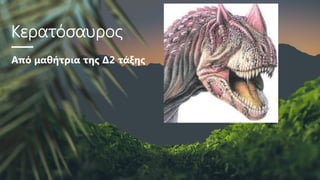
Κερατόσαυρος
Από μαθήτρια της Δ2 τάξης
Data / Observations
4,3
2,4
2
Subject 1 Subject 2 Subject 3
Use the Chart feature to quickly
show differences between results.
Under the Insert tab, look for the
Chart button or simply click an
empty placeholder text box and
choose the display style that suits
your needs.
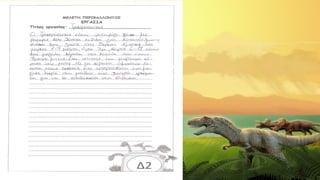
Τυραννόσαυρος
Από μαθήτρια της Δ2 τάξης
Data / Observations
4,3
2,4
2
Subject 1 Subject 2 Subject 3
Use the Chart feature to quickly
show differences between results.
Under the Insert tab, look for the
Chart button or simply click an
empty placeholder text box and
choose the display style that suits
your needs.
Τρικεράτοπας
Από μαθήτρια της Δ2 τάξης
Data / Observations
4,3
2,4
2
Subject 1 Subject 2 Subject 3
Use the Chart feature to quickly
show differences between results.
Under the Insert tab, look for the
Chart button or simply click an
empty placeholder text box and
choose the display style that suits
your needs.
Δεινόνυχος
Από μαθήτρια της Δ2 τάξης
Data / Observations
4,3
2,4
2
Subject 1 Subject 2 Subject 3
Use the Chart feature to quickly
show differences between results.
Under the Insert tab, look for the
Chart button or simply click an
empty placeholder text box and
choose the display style that suits
your needs.
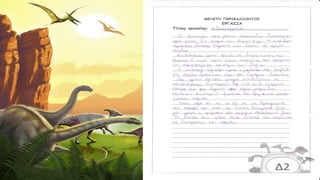
Βραχιόσαυρος
Από μαθήτρια της Δ2 τάξης
Data / Observations
4,3
2,4
2
Subject 1 Subject 2 Subject 3
Use the Chart feature to quickly
show differences between results.
Under the Insert tab, look for the
Chart button or simply click an
empty placeholder text box and
choose the display style that suits
your needs.
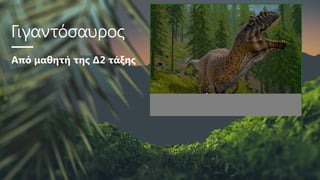
Γιγαντόσαυρος
Από μαθητή της Δ2 τάξης
Data / Observations
4,3
2,4
2
Subject 1 Subject 2 Subject 3
Use the Chart feature to quickly
show differences between results.
Under the Insert tab, look for the
Chart button or simply click an
empty placeholder text box and
choose the display style that suits
your needs.
Πτεροδάκτυλος
Από μαθήτρια της Δ2 τάξης
Data / Observations
4,3
2,4
2
Subject 1 Subject 2 Subject 3
Use the Chart feature to quickly
show differences between results.
Under the Insert tab, look for the
Chart button or simply click an
empty placeholder text box and
choose the display style that suits
your needs.
Στεγόσαυρος
Από μαθήτρια της Δ2 τάξης
Data / Observations
4,3
2,4
2
Subject 1 Subject 2 Subject 3
Use the Chart feature to quickly
show differences between results.
Under the Insert tab, look for the
Chart button or simply click an
empty placeholder text box and
choose the display style that suits
your needs.
Πλησιόσαυρος
Από μαθήτρια της Δ2 τάξης
Data / Observations
4,3
2,4
2
Subject 1 Subject 2 Subject 3
Use the Chart feature to quickly
show differences between results.
Under the Insert tab, look for the
Chart button or simply click an
empty placeholder text box and
choose the display style that suits
your needs.
Διμετρόδοντας
Από μαθήτρια της Δ2 τάξης
Data / Observations
4,3
2,4
2
Subject 1 Subject 2 Subject 3
Use the Chart feature to quickly
show differences between results.
Under the Insert tab, look for the
Chart button or simply click an
empty placeholder text box and
choose the display style that suits
your needs.
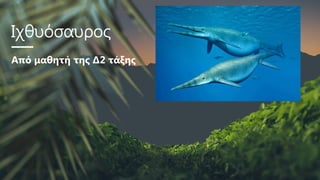
Ιχθυόσαυρος
Από μαθητή της Δ2 τάξης
Data / Observations
4,3
2,4
2
Subject 1 Subject 2 Subject 3
Use the Chart feature to quickly
show differences between results.
Under the Insert tab, look for the
Chart button or simply click an
empty placeholder text box and
choose the display style that suits
your needs.
Πτερόσαυρος
Από μαθητή της Δ2 τάξης
Data / Observations
4,3
2,4
2
Subject 1 Subject 2 Subject 3
Use the Chart feature to quickly
show differences between results.
Under the Insert tab, look for the
Chart button or simply click an
empty placeholder text box and
choose the display style that suits
your needs.
Ακροκανθόσαυρος
Από μαθητή της Δ2 τάξης
Data / Observations
4,3
2,4
2
Subject 1 Subject 2 Subject 3
Use the Chart feature to quickly
show differences between results.
Under the Insert tab, look for the
Chart button or simply click an
empty placeholder text box and
choose the display style that suits
your needs.
Σπινόσαυρος
Από μαθητή της Δ2 τάξης
Data / Observations
4,3
2,4
2
Subject 1 Subject 2 Subject 3
Use the Chart feature to quickly
show differences between results.
Under the Insert tab, look for the
Chart button or simply click an
empty placeholder text box and
choose the display style that suits
your needs.
Διλοφόσαυρος
Από μαθητή της Δ2 τάξης
Data / Observations
4,3
2,4
2
Subject 1 Subject 2 Subject 3
Use the Chart feature to quickly
show differences between results.
Under the Insert tab, look for the
Chart button or simply click an
empty placeholder text box and
choose the display style that suits
your needs.
Data / Observations
4,3
2,4
2
Subject 1 Subject 2 Subject 3
Use the Chart feature to quickly
show differences between results.
Under the Insert tab, look for the
Chart button or simply click an
empty placeholder text box and
choose the display style that suits
your needs.
Πηγή-εικόνες και
πληροφορίες: Διαδίκτυο
Εργασία στη Μελέτη
Περιβάλλοντος
Σχολικό έτος 2018-2019
Δ2 τάξη
Εκπαιδευτικός Χρύσα Κοκορίκου
Conclusions
You can also manually insert shapes into the presentation.
Conclusion 1 Conclusion 2 Conclusion 3
ΤΕΛΟΣ
Χρύσα Κοκορίκου-μαθητές Δ2-Δεινόσαυροι

  • 1.
    Procedure Take advantage ofthe SmartArt feature to easily display your text in a visually appealing way. Under the Insert tab, look for the SmartArt button or simply click an empty placeholder text box and choose the display style that suits your needs. 1 2 3 Δ2 τάξη Εκπαιδευτικός Χρύσα ΚοκορίκουΣχολικό έτος 2018-2019 ΔΕΙΝΟΣΑΥΡΟΙ
  • 2.
  • 3.
    ΄Ηξερες ότι… Οιδεινόσαυροι ήταν σπονδυλωτά ζώα, τα οποία πρωτοεμφανίστηκαν στη γη πριν από περίπου 245 εκατομμύρια χρόνια και εξαφανίστηκαν πριν από 65 εκατομμύρια χρόνια. • Η λέξη «δεινόσαυρος» δημιουργήθηκε από τον Βρετανό επιστήμονα Ρίτσαρντ Όουεν και προέρχεται από τις ελληνικές λέξεις: «δεινός» και «σαύρα», δηλαδή «φοβερή σαύρα». • Η πρώτη καταγεγραμμένη ανακάλυψη δεινοσαύρου έγινε το 1676 από τον μουσειολόγο Ρόμπερτ Πλοτ, ο οποίος ανακάλυψε ένα οστό που αρχικά θεώρησε ότι ανήκε σε γιγαντιαίο άνθρωπο, ενώ αργότερα διαπιστώθηκε ότι ήταν οστό Μεγαλόσαυρου. • Πολλοί παλαιοντολόγοι πιστεύουν ότι τα σημερινά πτηνά είναι άμεσοι απόγονοι των θηριόποδων δεινοσαύρων. Ο «Αρχαιοπτέρυξ» είναι το αρχαιότερο και πιο πρωτόγονο γένος πτηνών που είναι γνωστό και χρονολογείται από την Ιουρασική περίοδο. • Η θεωρία της σύγκρουσης της γης με αστεροειδή (η οποία ενδεχομένως προκάλεσε ατμοσφαιρικές αλλαγές) είναι πολύ διαδεδομένη ανάμεσα στους επιστήμονες, προκειμένου να εξηγήσουν τη μαζική εξαφάνιση των δεινοσαύρων. • Υπήρχαν χορτοφάγοι, σαρκοφάγοι και λίγοι παμφάγοι. Κάποιοι δεινόσαυροι ήταν δίποδοι ενώ άλλοι τετράποδοι. Πηγή: Διαδίκτυο in.gr
  • 4.
  • 5.
    Data / Observations 4,3 2,4 2 Subject1 Subject 2 Subject 3 Use the Chart feature to quickly show differences between results. Under the Insert tab, look for the Chart button or simply click an empty placeholder text box and choose the display style that suits your needs.
  • 6.
  • 7.
    Data / Observations 4,3 2,4 2 Subject1 Subject 2 Subject 3 Use the Chart feature to quickly show differences between results. Under the Insert tab, look for the Chart button or simply click an empty placeholder text box and choose the display style that suits your needs.
  • 8.
  • 9.
    Data / Observations 4,3 2,4 2 Subject1 Subject 2 Subject 3 Use the Chart feature to quickly show differences between results. Under the Insert tab, look for the Chart button or simply click an empty placeholder text box and choose the display style that suits your needs.
  • 10.
  • 11.
    Data / Observations 4,3 2,4 2 Subject1 Subject 2 Subject 3 Use the Chart feature to quickly show differences between results. Under the Insert tab, look for the Chart button or simply click an empty placeholder text box and choose the display style that suits your needs.
  • 12.
  • 13.
    Data / Observations 4,3 2,4 2 Subject1 Subject 2 Subject 3 Use the Chart feature to quickly show differences between results. Under the Insert tab, look for the Chart button or simply click an empty placeholder text box and choose the display style that suits your needs.
  • 14.
  • 15.
    Data / Observations 4,3 2,4 2 Subject1 Subject 2 Subject 3 Use the Chart feature to quickly show differences between results. Under the Insert tab, look for the Chart button or simply click an empty placeholder text box and choose the display style that suits your needs.
  • 16.
  • 17.
    Data / Observations 4,3 2,4 2 Subject1 Subject 2 Subject 3 Use the Chart feature to quickly show differences between results. Under the Insert tab, look for the Chart button or simply click an empty placeholder text box and choose the display style that suits your needs.
  • 18.
  • 19.
    Data / Observations 4,3 2,4 2 Subject1 Subject 2 Subject 3 Use the Chart feature to quickly show differences between results. Under the Insert tab, look for the Chart button or simply click an empty placeholder text box and choose the display style that suits your needs.
  • 20.
  • 21.
    Data / Observations 4,3 2,4 2 Subject1 Subject 2 Subject 3 Use the Chart feature to quickly show differences between results. Under the Insert tab, look for the Chart button or simply click an empty placeholder text box and choose the display style that suits your needs.
  • 22.
  • 23.
    Data / Observations 4,3 2,4 2 Subject1 Subject 2 Subject 3 Use the Chart feature to quickly show differences between results. Under the Insert tab, look for the Chart button or simply click an empty placeholder text box and choose the display style that suits your needs.
  • 24.
  • 25.
    Data / Observations 4,3 2,4 2 Subject1 Subject 2 Subject 3 Use the Chart feature to quickly show differences between results. Under the Insert tab, look for the Chart button or simply click an empty placeholder text box and choose the display style that suits your needs.
  • 26.
  • 27.
    Data / Observations 4,3 2,4 2 Subject1 Subject 2 Subject 3 Use the Chart feature to quickly show differences between results. Under the Insert tab, look for the Chart button or simply click an empty placeholder text box and choose the display style that suits your needs.
  • 28.
  • 29.
    Data / Observations 4,3 2,4 2 Subject1 Subject 2 Subject 3 Use the Chart feature to quickly show differences between results. Under the Insert tab, look for the Chart button or simply click an empty placeholder text box and choose the display style that suits your needs.
  • 30.
  • 31.
    Data / Observations 4,3 2,4 2 Subject1 Subject 2 Subject 3 Use the Chart feature to quickly show differences between results. Under the Insert tab, look for the Chart button or simply click an empty placeholder text box and choose the display style that suits your needs.
  • 32.
  • 33.
    Data / Observations 4,3 2,4 2 Subject1 Subject 2 Subject 3 Use the Chart feature to quickly show differences between results. Under the Insert tab, look for the Chart button or simply click an empty placeholder text box and choose the display style that suits your needs.
  • 34.
  • 35.
    Data / Observations 4,3 2,4 2 Subject1 Subject 2 Subject 3 Use the Chart feature to quickly show differences between results. Under the Insert tab, look for the Chart button or simply click an empty placeholder text box and choose the display style that suits your needs.
  • 36.
    Data / Observations 4,3 2,4 2 Subject1 Subject 2 Subject 3 Use the Chart feature to quickly show differences between results. Under the Insert tab, look for the Chart button or simply click an empty placeholder text box and choose the display style that suits your needs. Πηγή-εικόνες και πληροφορίες: Διαδίκτυο Εργασία στη Μελέτη Περιβάλλοντος Σχολικό έτος 2018-2019 Δ2 τάξη Εκπαιδευτικός Χρύσα Κοκορίκου
  • 37.
    Conclusions You can alsomanually insert shapes into the presentation. Conclusion 1 Conclusion 2 Conclusion 3 ΤΕΛΟΣ