Adding pictures to Mini treasures wiki
        with help of Pinterest
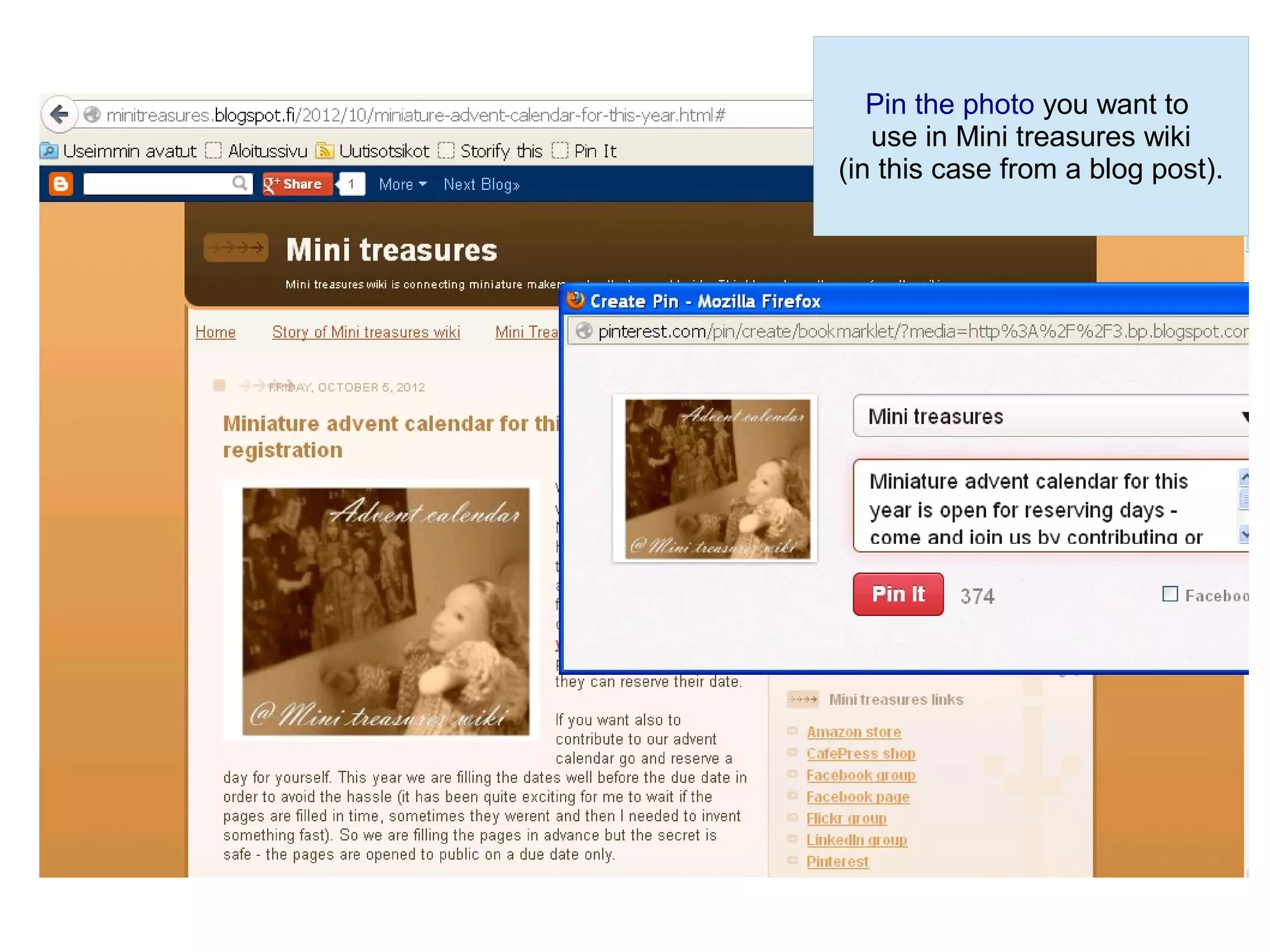
Pin the photo you want to
                                                              use in Mini treasures wiki
                                                           (in this case from a blog post).


Do not pin from Google search but from the original url.
When pinning from a blog open the blog post in question.
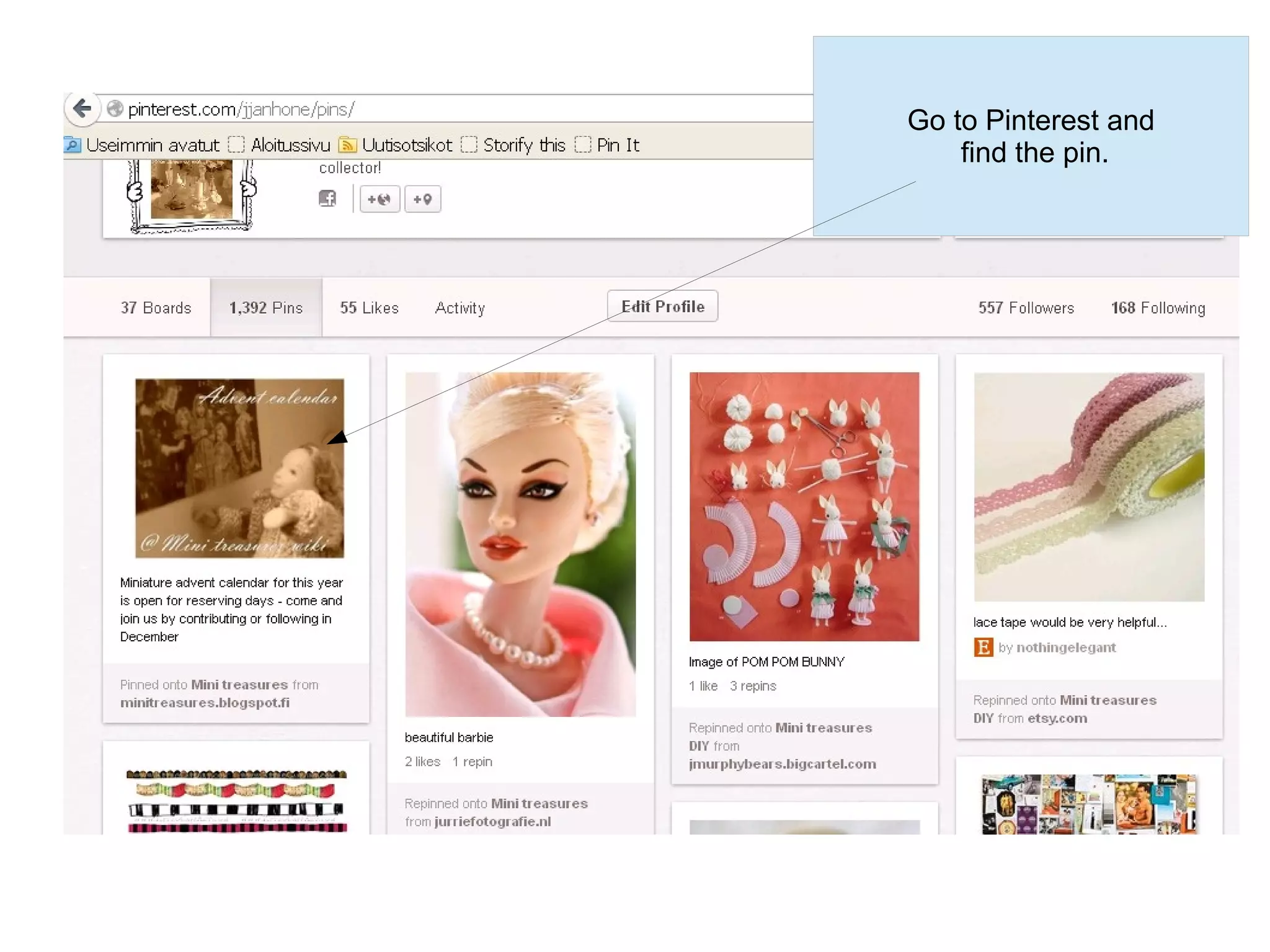
Go to Pinterest and
    find the pin.
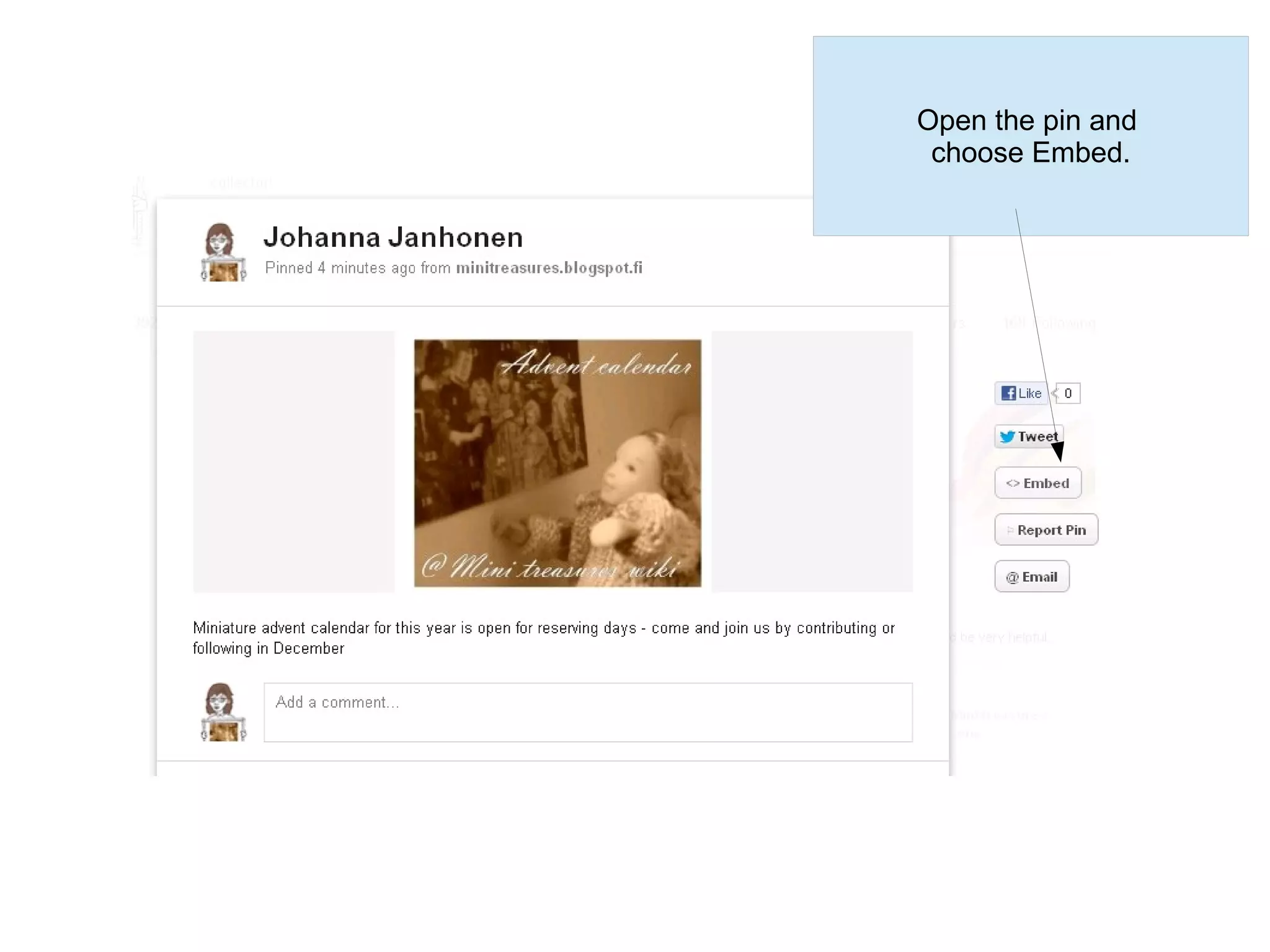
Open the pin and
 choose Embed.
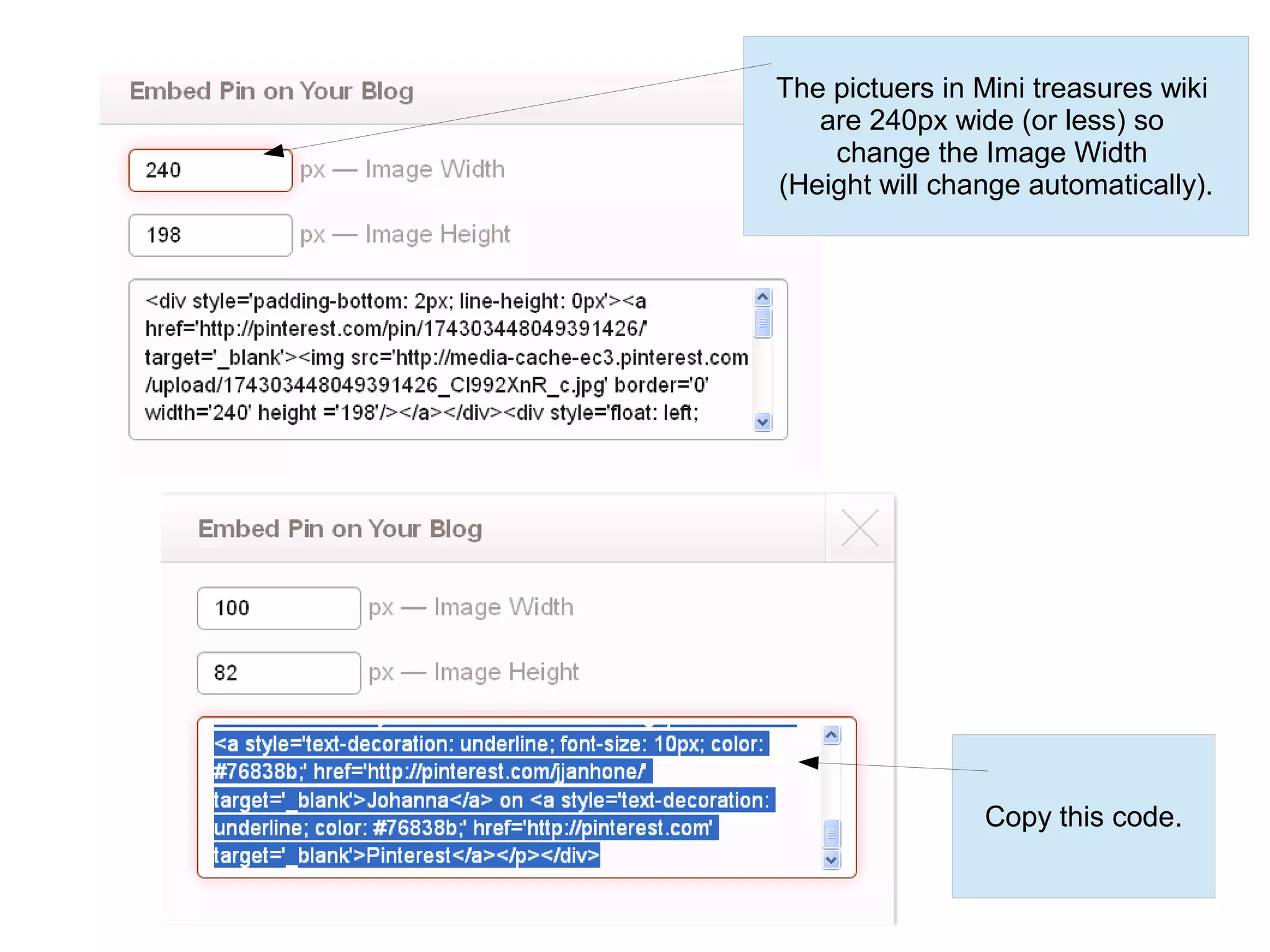
The pictuers in Mini treasures wiki
   are 240px wide (or less) so
    change the Image Width
(Height will change automatically).


                Copy this code.
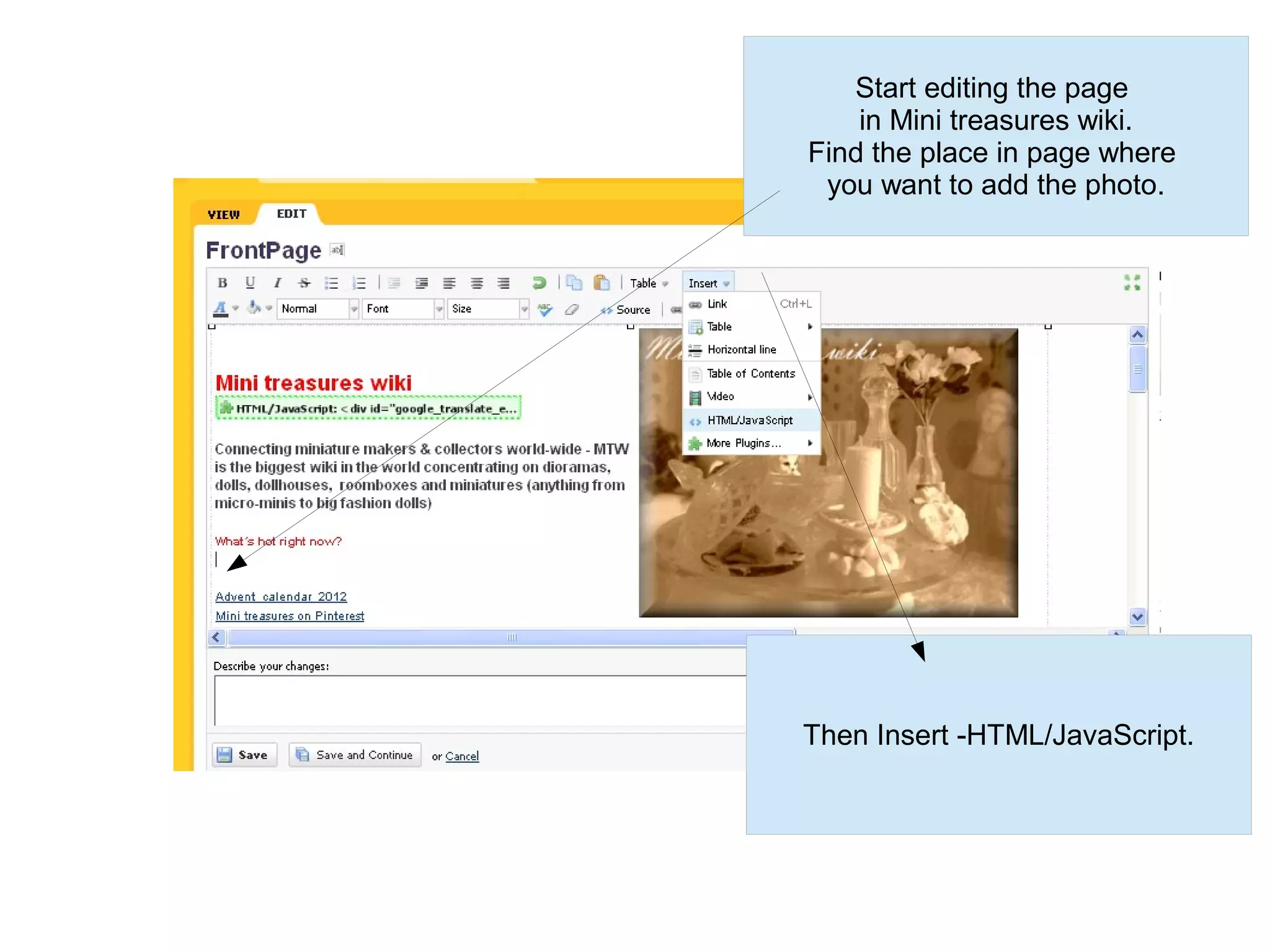
Start editing the page
    in Mini treasures wiki.
Find the place in page where
 you want to add the photo.


Then Insert -HTML/JavaScript.
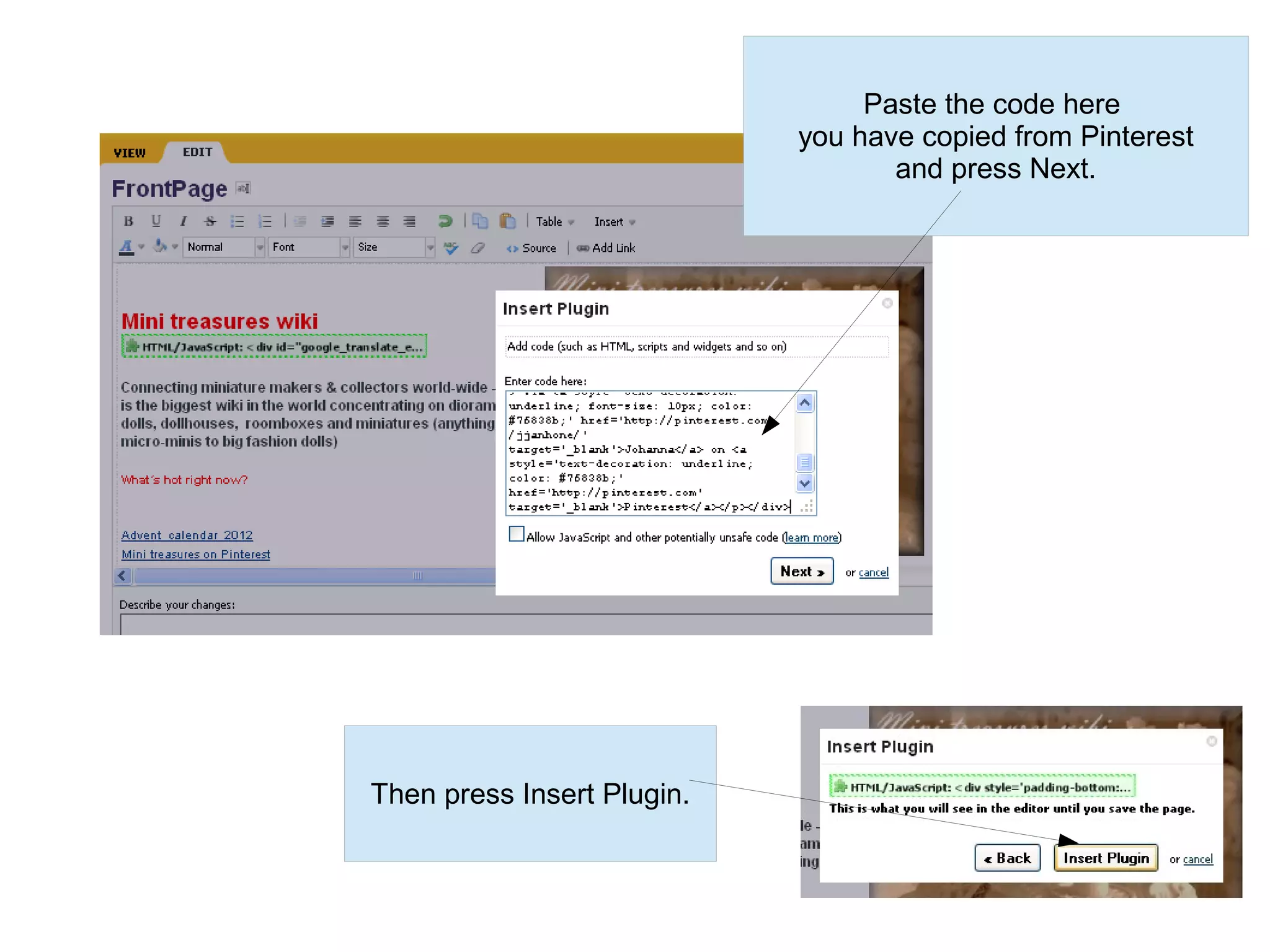
Paste the code here
                            you have copied from Pinterest
                                   and press Next.


Then press Insert Plugin.
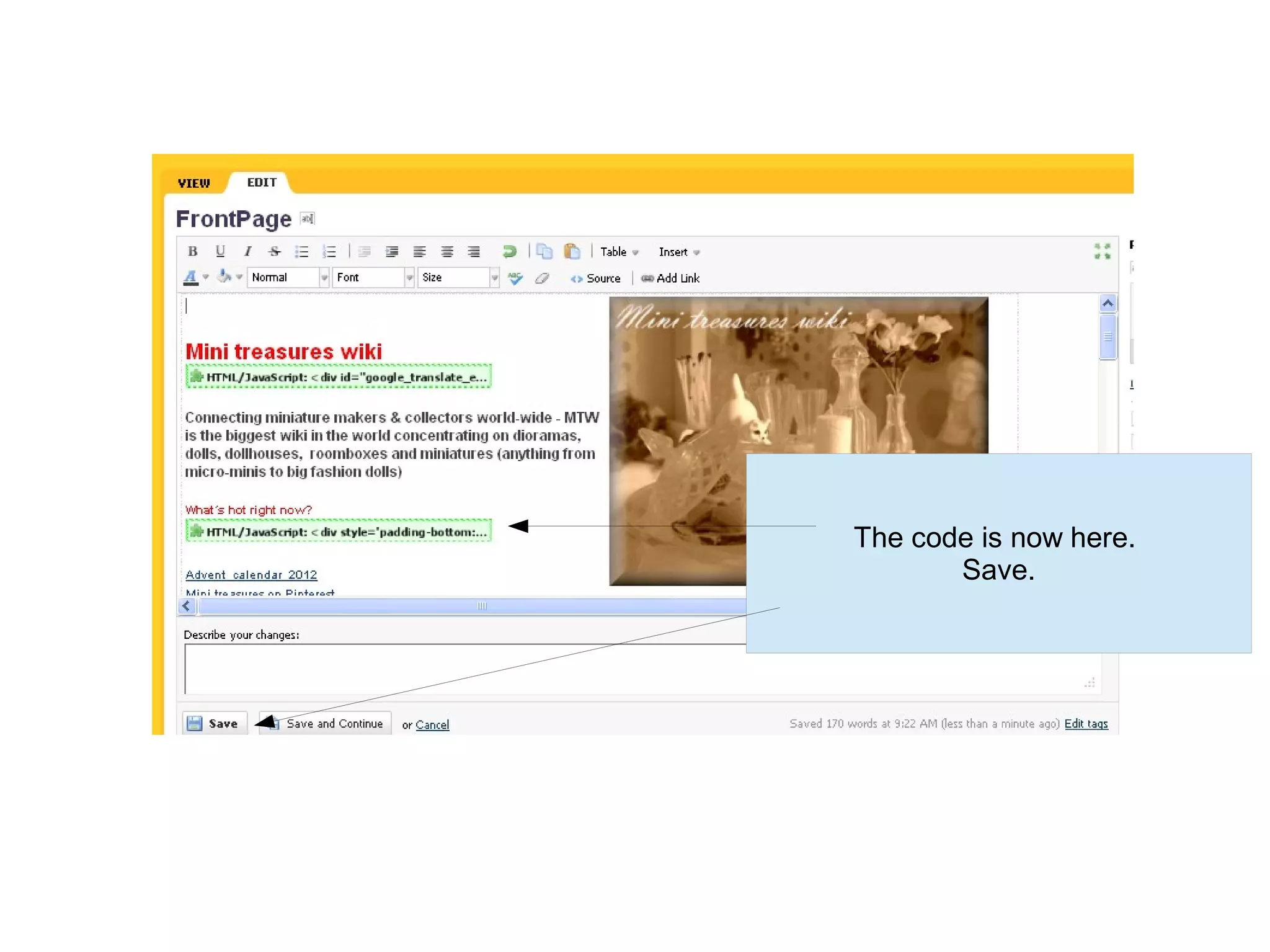
The code is now here.
       Save.
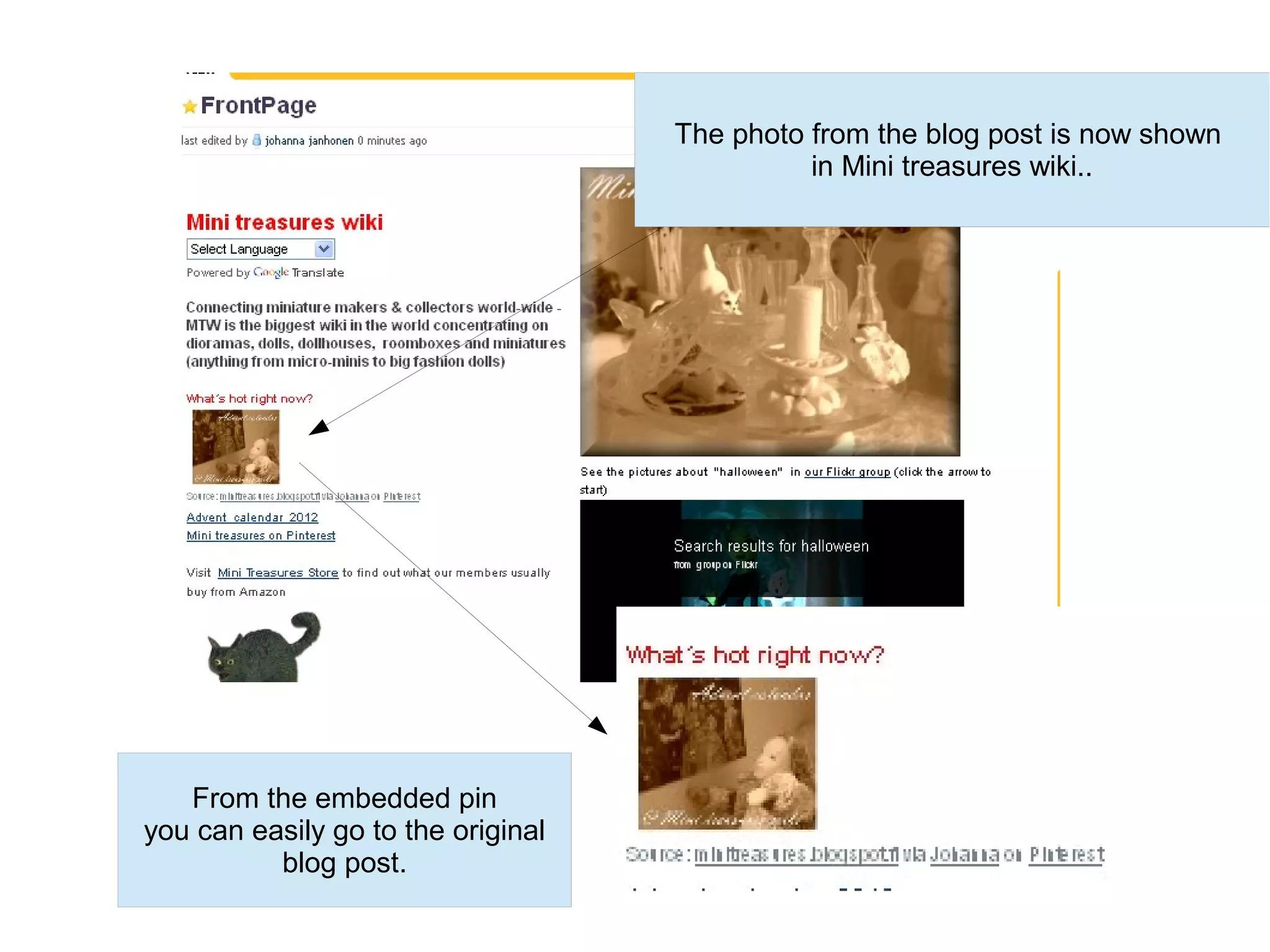
The photo from the blog post is now shown
                                              in Mini treasures wiki..


   From the embedded pin
you can easily go to the original
          blog post.
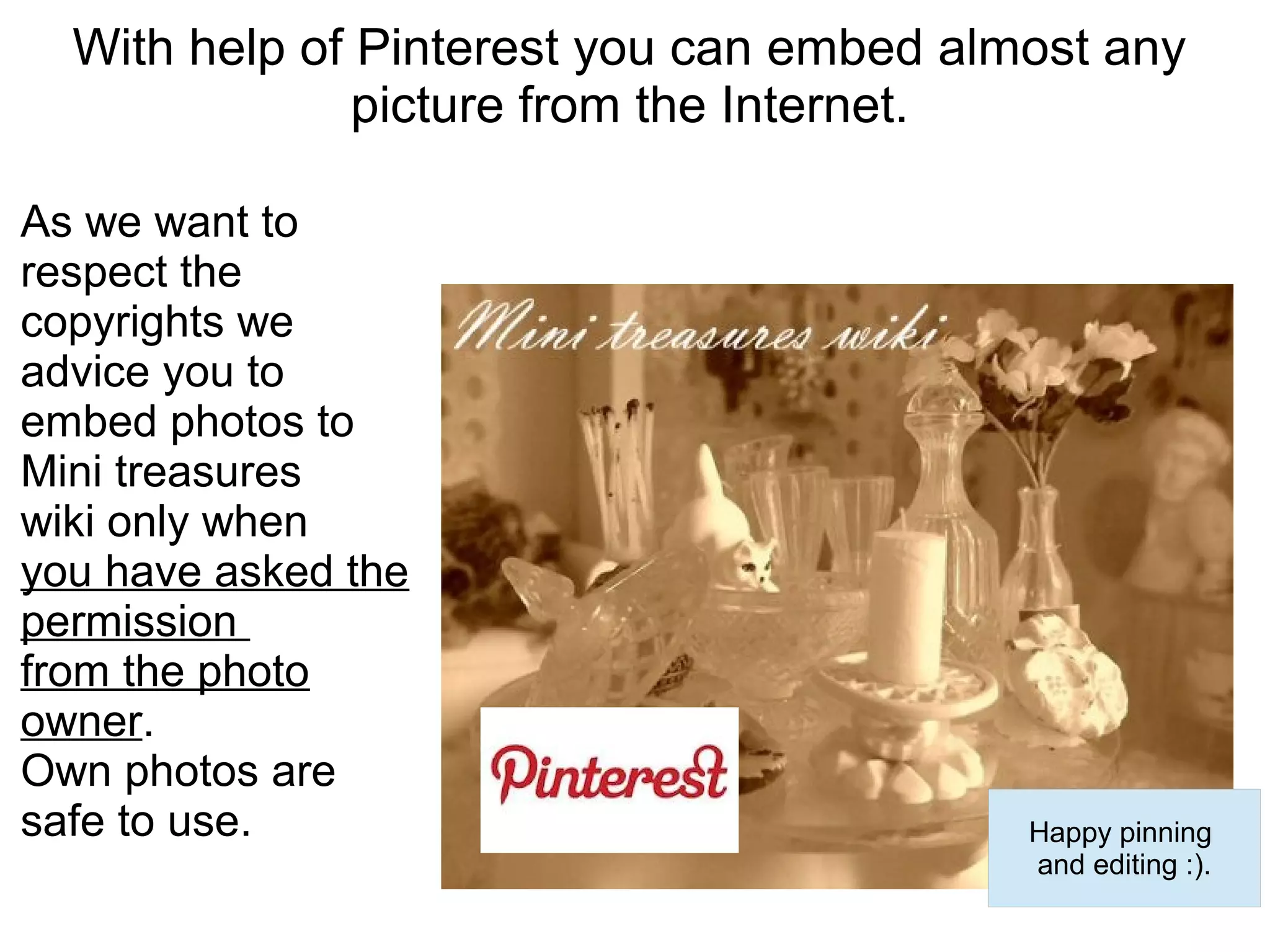
With help of Pinterest you can embed almost any
               picture from the Internet.

As we want to
respect the
copyrights we
advice you to
embed photos to
Mini treasures
wiki only when
you have asked the
permission
from the photo
owner.
Own photos are
safe to use.                              Happy pinning
                                          and editing :).

Embedding photos with help of pinterest

  • 1.
    Adding pictures toMini treasures wiki with help of Pinterest
  • 2.
    Pin the photoyou want to use in Mini treasures wiki (in this case from a blog post). Do not pin from Google search but from the original url. When pinning from a blog open the blog post in question.
  • 3.
    Go to Pinterestand find the pin.
  • 4.
    Open the pinand choose Embed.
  • 5.
    The pictuers inMini treasures wiki are 240px wide (or less) so change the Image Width (Height will change automatically). Copy this code.
  • 6.
    Start editing thepage in Mini treasures wiki. Find the place in page where you want to add the photo. Then Insert -HTML/JavaScript.
  • 7.
    Paste the codehere you have copied from Pinterest and press Next. Then press Insert Plugin.
  • 8.
    The code isnow here. Save.
  • 9.
    The photo fromthe blog post is now shown in Mini treasures wiki.. From the embedded pin you can easily go to the original blog post.
  • 10.
    With help ofPinterest you can embed almost any picture from the Internet. As we want to respect the copyrights we advice you to embed photos to Mini treasures wiki only when you have asked the permission from the photo owner. Own photos are safe to use. Happy pinning and editing :).