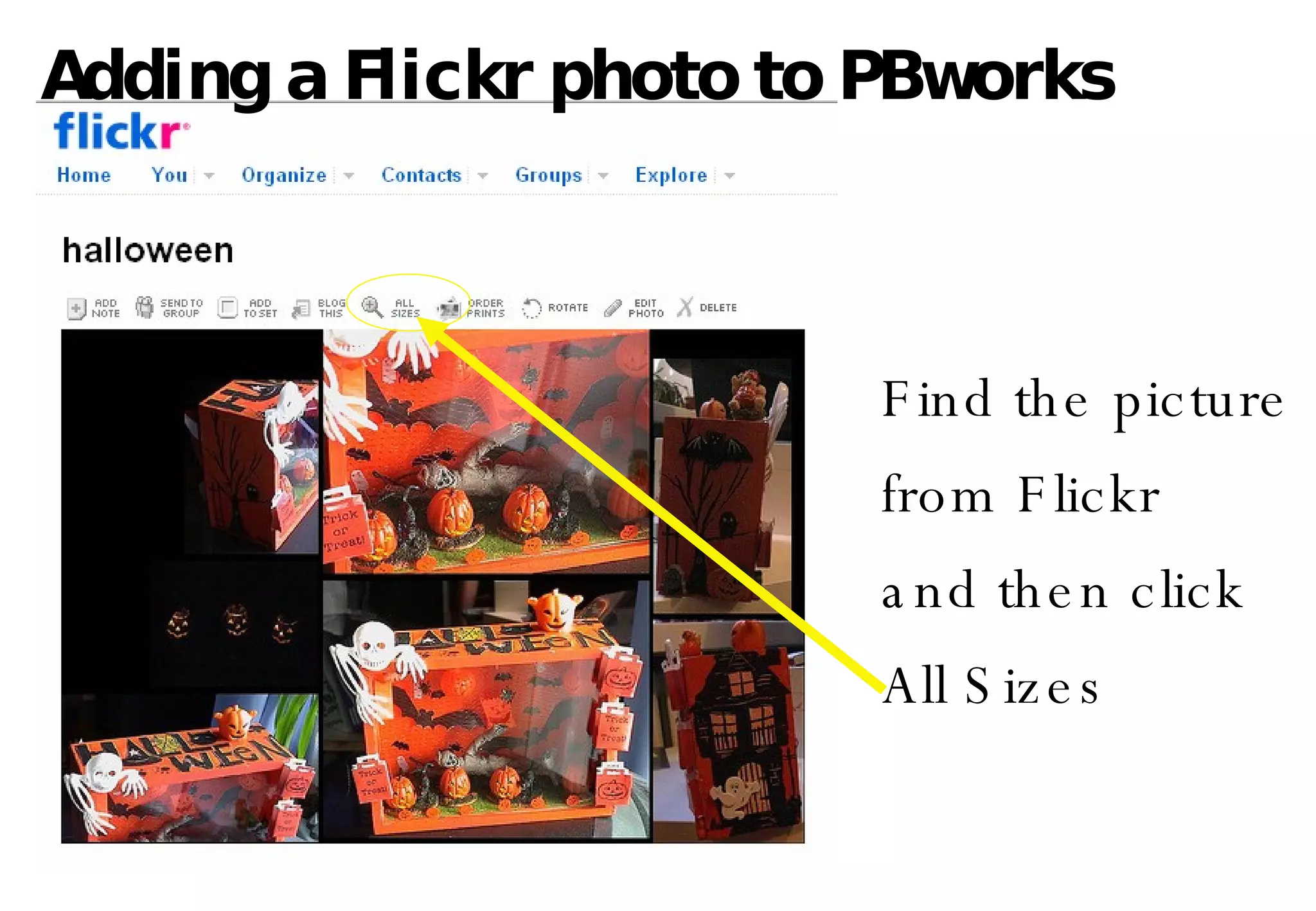
Adding a Flickr photo to PBworks Find the picture from Flickr and then click  All Sizes
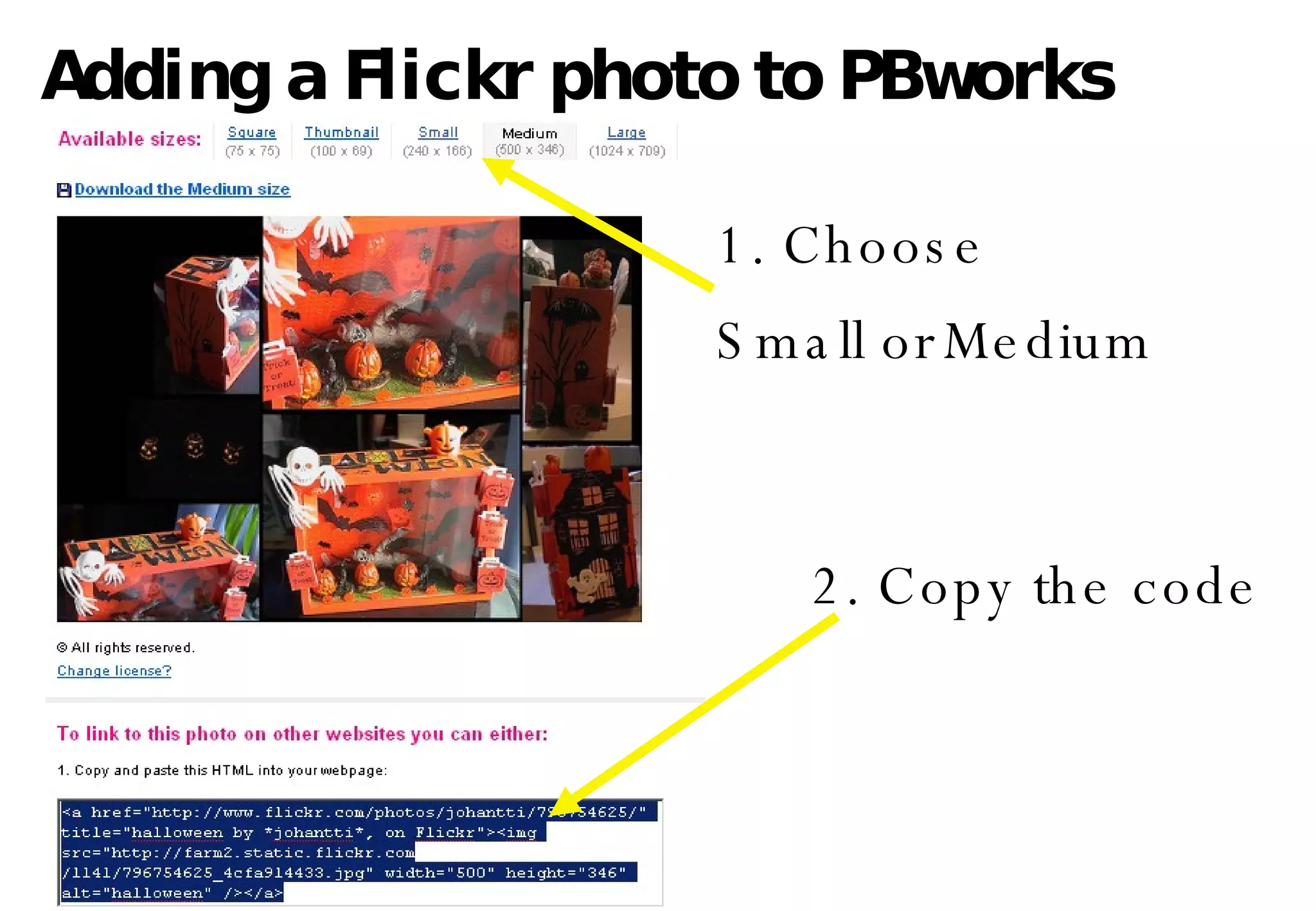
Adding a Flickr photo to PBworks 1. Choose Small or   Medium 2. Copy the code
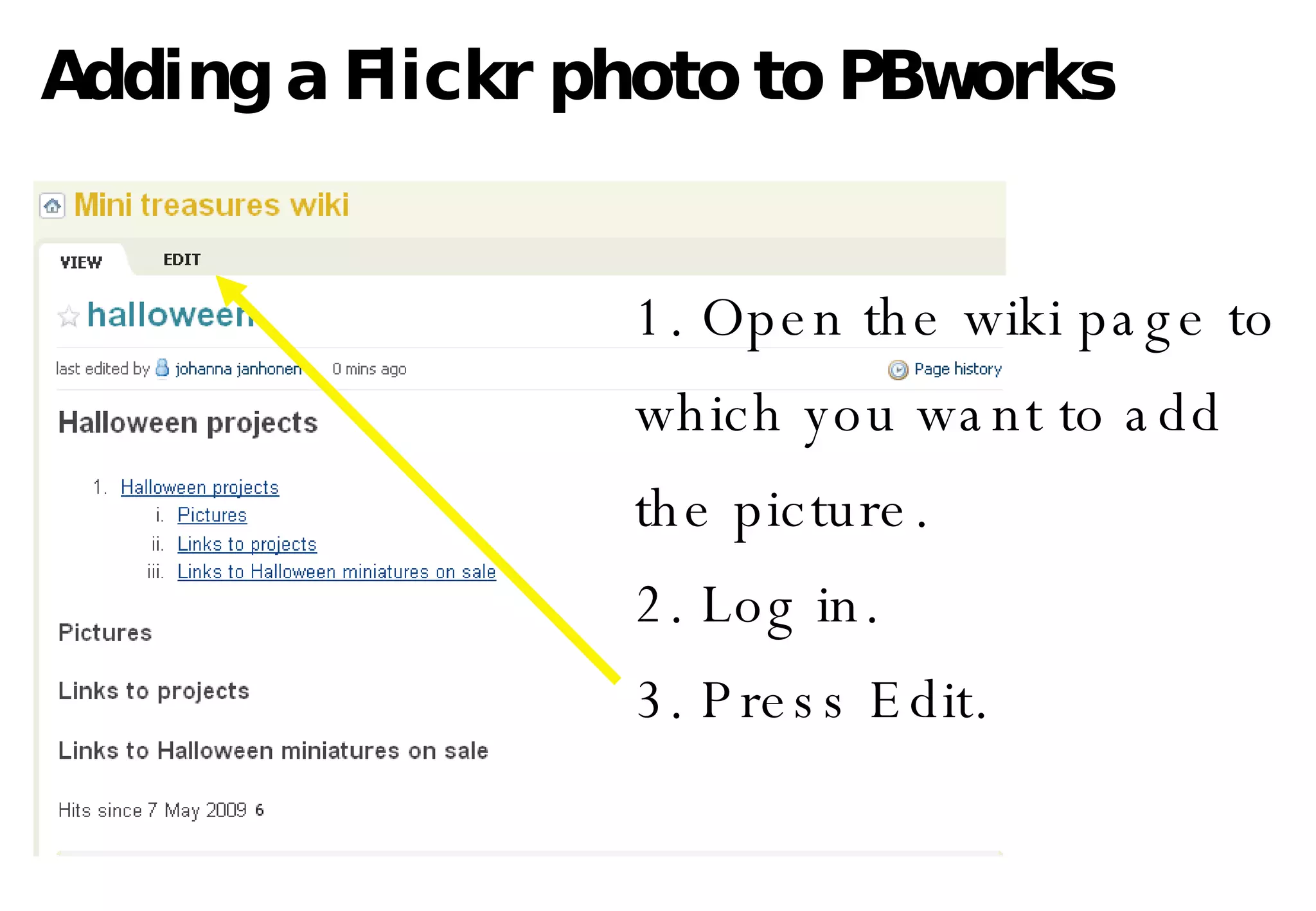
Adding a Flickr photo to PBworks 1. Open the wiki page to  which you want to add the picture.  2. Log in. 3. Press Edit.
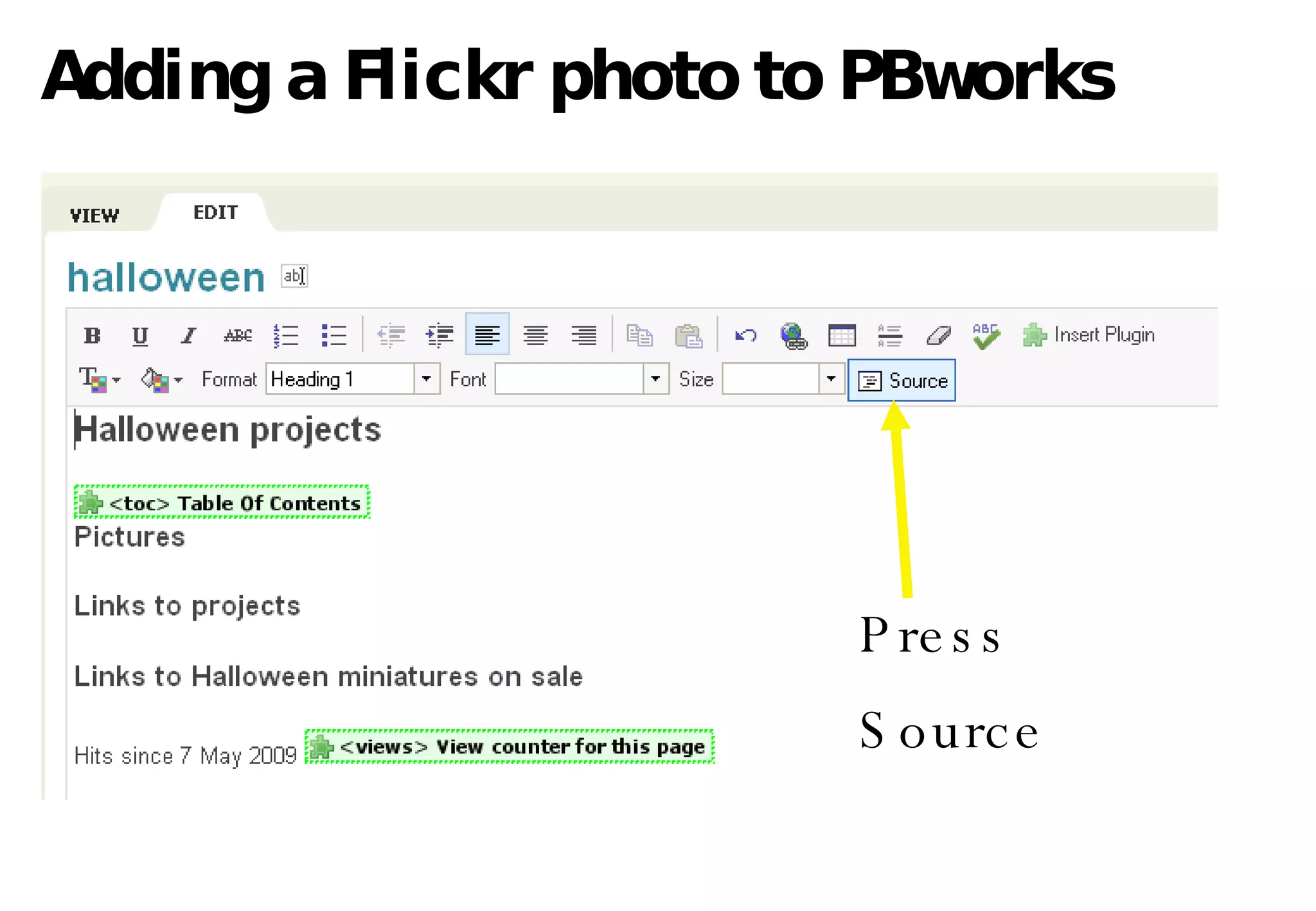
Adding a Flickr photo to PBworks P ress  Source
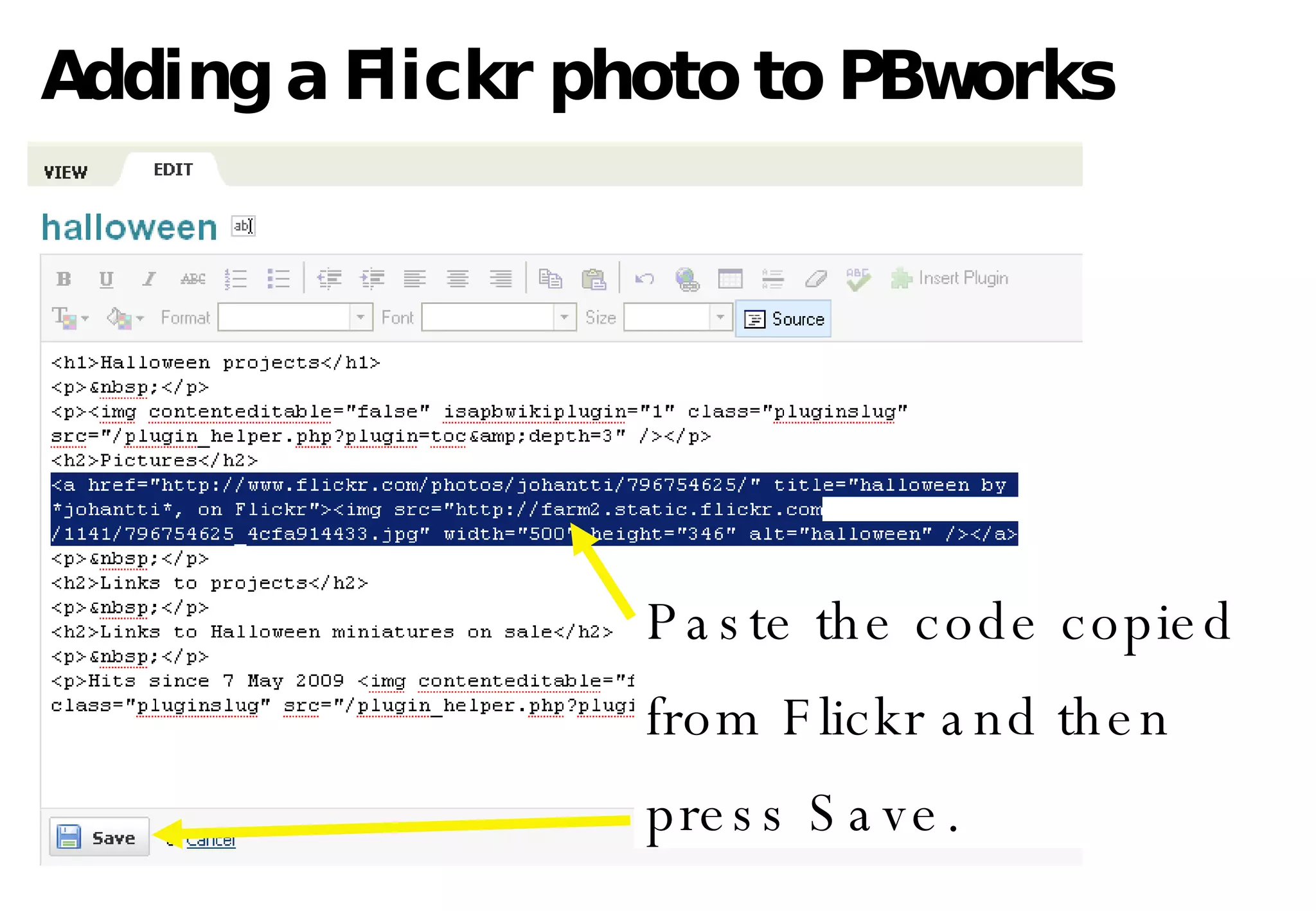
Adding a Flickr photo to PBworks Paste the code copied from Flickr and then press Save.
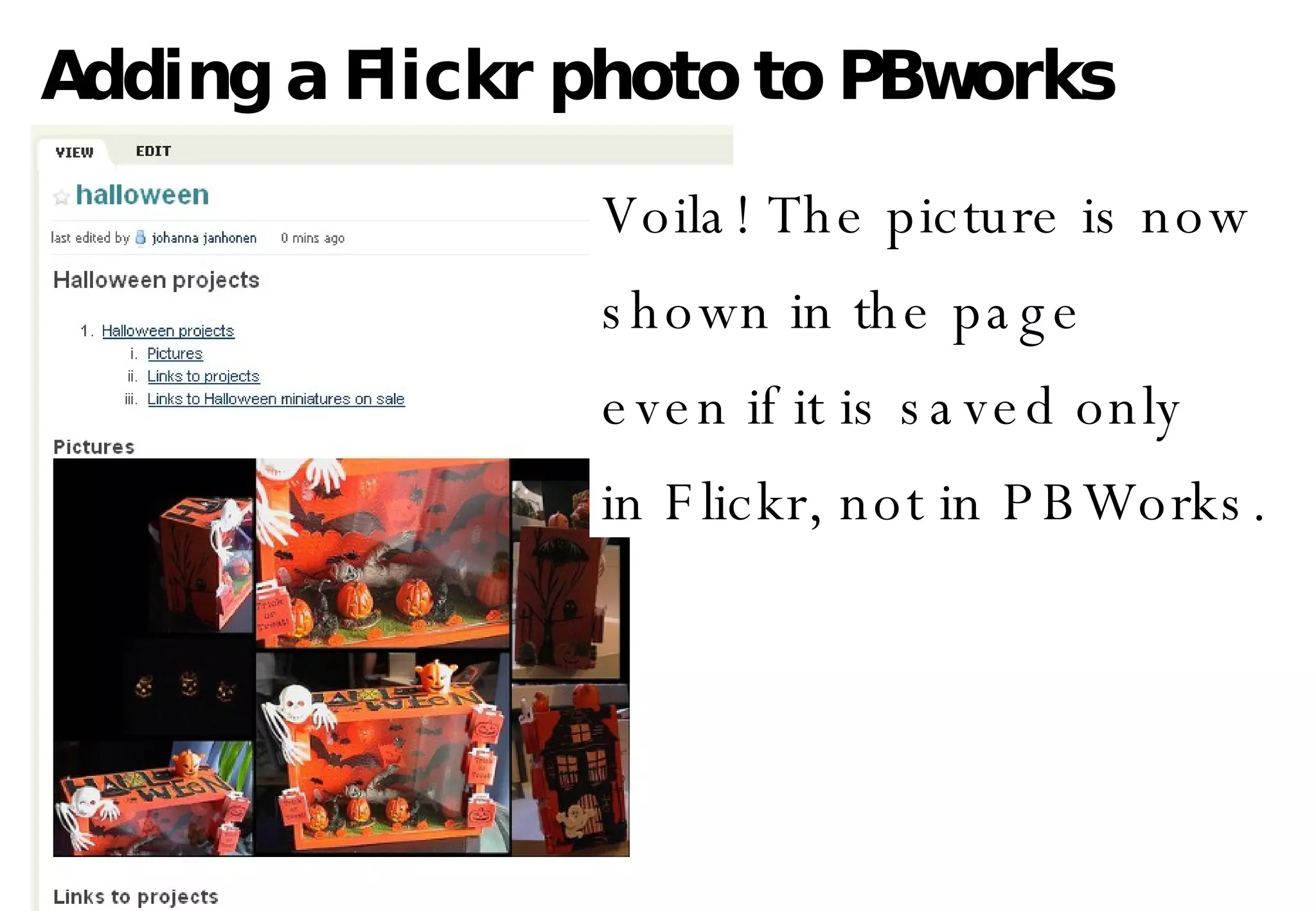
Adding a Flickr photo to PBworks Voila! The picture is now shown in the page even if it is saved only in Flickr, not in PBWorks.

Adding Flickr Photos to PBworks

  • 1.
    Adding a Flickrphoto to PBworks Find the picture from Flickr and then click All Sizes
  • 2.
    Adding a Flickrphoto to PBworks 1. Choose Small or Medium 2. Copy the code
  • 3.
    Adding a Flickrphoto to PBworks 1. Open the wiki page to which you want to add the picture. 2. Log in. 3. Press Edit.
  • 4.
    Adding a Flickrphoto to PBworks P ress Source
  • 5.
    Adding a Flickrphoto to PBworks Paste the code copied from Flickr and then press Save.
  • 6.
    Adding a Flickrphoto to PBworks Voila! The picture is now shown in the page even if it is saved only in Flickr, not in PBWorks.