
I-Search App for Android at Google
Play
smartData Enterprises (I) Ltd
I-Search App for Android
Step By Step i-search Custom Search Engine
1. Put your keywords into the search box.
2. Add the source
3. Save the source.
4. Relevant Search Results
5. Save the Search results
6. Offline Mode Reading Feature
I-Search App for Android
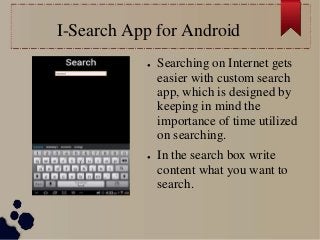
● Searching on Internet gets
easier with custom search
app, which is designed by
keeping in mind the
importance of time utilized
on searching.
● In the search box write
content what you want to
search.
Add Search Source
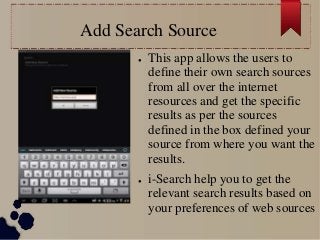
● This app allows the users to
define their own search sources
from all over the internet
resources and get the specific
results as per the sources
defined in the box defined your
source from where you want the
results.
● i-Search help you to get the
relevant search results based on
your preferences of web sources
Save Internet Source
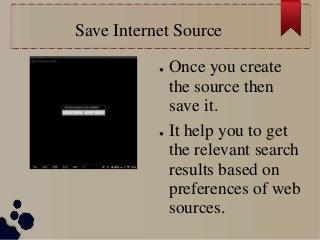
● Once you create
the source then
save it.
● It help you to get
the relevant search
results based on
preferences of web
sources.
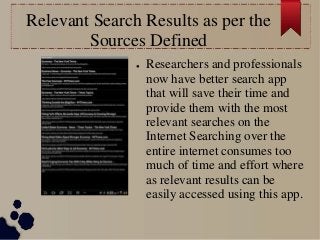
Relevant Search Results as per the
Sources Defined
● Researchers and professionals
now have better search app
that will save their time and
provide them with the most
relevant searches on the
Internet Searching over the
entire internet consumes too
much of time and effort where
as relevant results can be
easily accessed using this app.
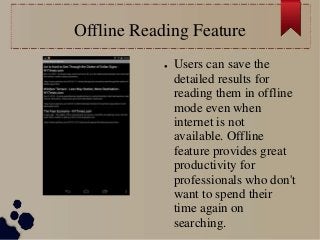
Offline Reading Feature
● Users can save the
detailed results for
reading them in offline
mode even when
internet is not
available. Offline
feature provides great
productivity for
professionals who don't
want to spend their
time again on
searching.
Download Free i-Search mobile App
● I-Search App for iPhone users iTune App Store:
https://itunes.apple.com/us/app/i-search/id725418257
● I-Search App for Android smartPhones
https://play.google.com/store/apps/details?id=net.sma
rtdatainc.search
● You can also download it from our website:
http://www.smartdatainc.com/isearch.aspx

i-Search App Custom Search Engine for Android smartPhones at Google Play Store

  • 1.
    I-Search App forAndroid at Google Play smartData Enterprises (I) Ltd
  • 2.
    I-Search App forAndroid Step By Step i-search Custom Search Engine 1. Put your keywords into the search box. 2. Add the source 3. Save the source. 4. Relevant Search Results 5. Save the Search results 6. Offline Mode Reading Feature
  • 3.
    I-Search App forAndroid ● Searching on Internet gets easier with custom search app, which is designed by keeping in mind the importance of time utilized on searching. ● In the search box write content what you want to search.
  • 4.
    Add Search Source ●This app allows the users to define their own search sources from all over the internet resources and get the specific results as per the sources defined in the box defined your source from where you want the results. ● i-Search help you to get the relevant search results based on your preferences of web sources
  • 5.
    Save Internet Source ●Once you create the source then save it. ● It help you to get the relevant search results based on preferences of web sources.
  • 6.
    Relevant Search Resultsas per the Sources Defined ● Researchers and professionals now have better search app that will save their time and provide them with the most relevant searches on the Internet Searching over the entire internet consumes too much of time and effort where as relevant results can be easily accessed using this app.
  • 7.
    Offline Reading Feature ●Users can save the detailed results for reading them in offline mode even when internet is not available. Offline feature provides great productivity for professionals who don't want to spend their time again on searching.
  • 8.
    Download Free i-Searchmobile App ● I-Search App for iPhone users iTune App Store: https://itunes.apple.com/us/app/i-search/id725418257 ● I-Search App for Android smartPhones https://play.google.com/store/apps/details?id=net.sma rtdatainc.search ● You can also download it from our website: http://www.smartdatainc.com/isearch.aspx