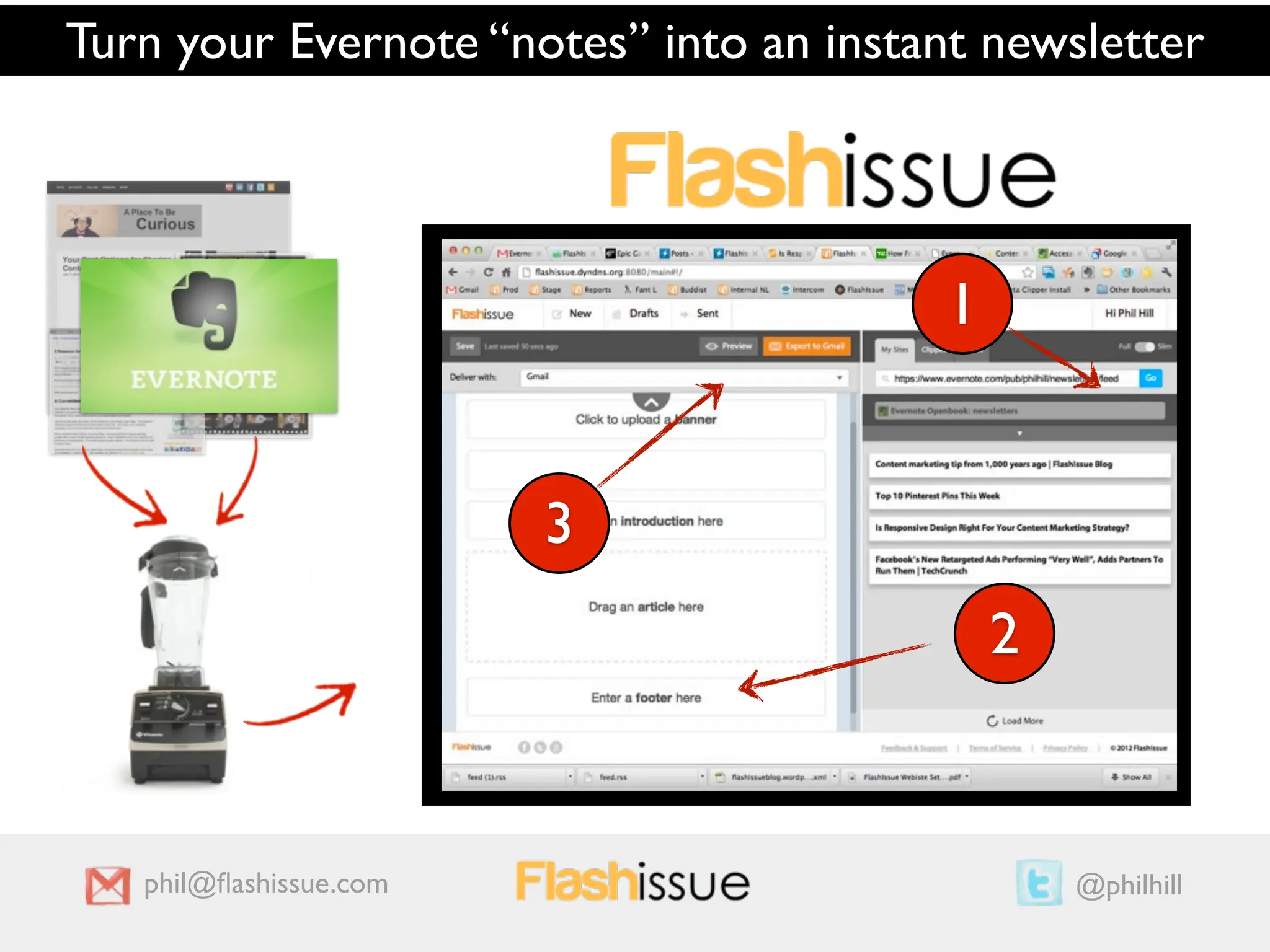
Turn your Evernote “notes” into an instant newsletter


                                         1
                                 1
                        33
                                                 2
                                             2


   phil@flashissue.com                                @philhill
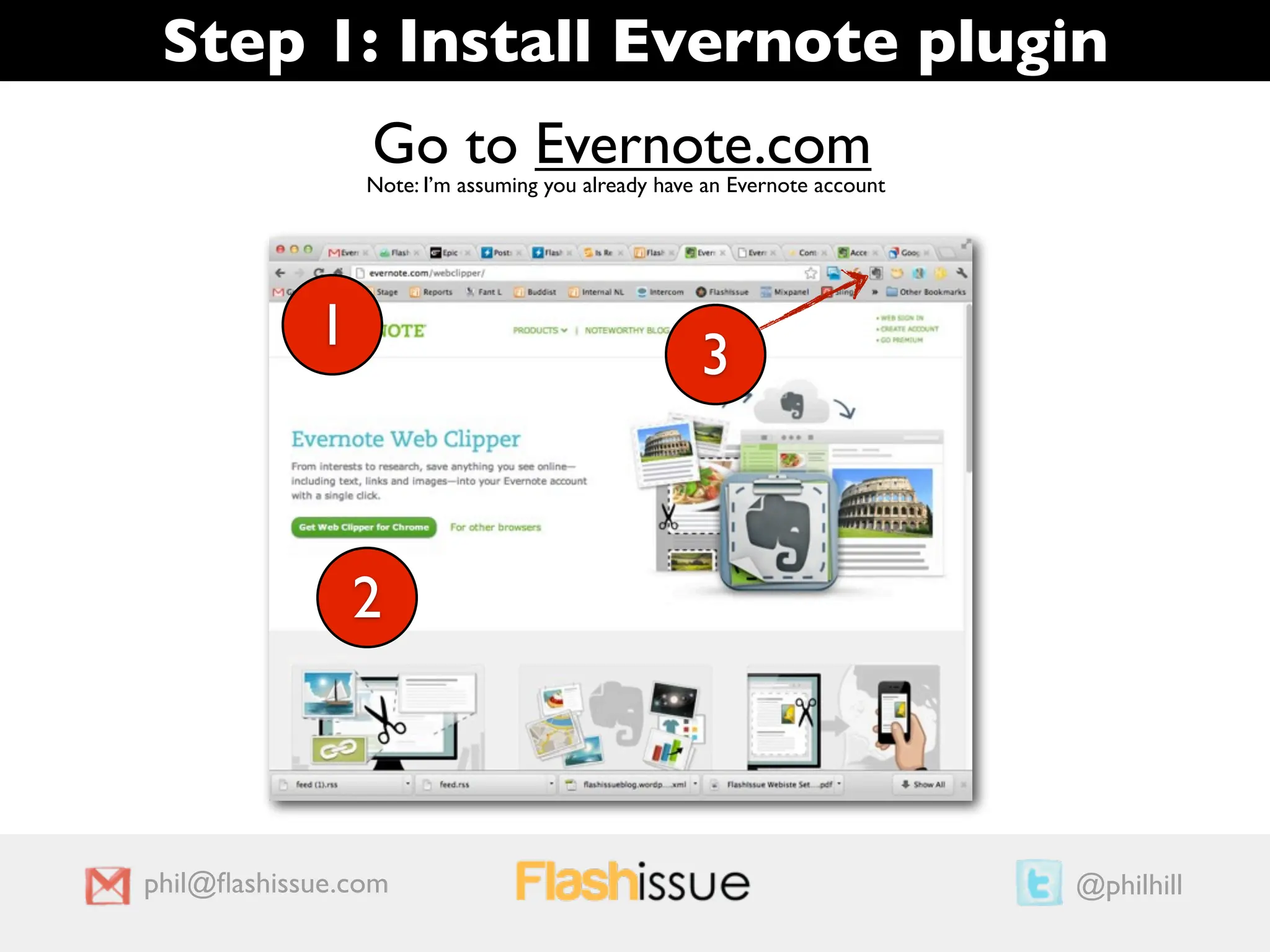
Step 1: Install Evernote plugin
                Go to Evernote.com
                Note: I’m assuming you already have an Evernote account


            1                                      3


                2


phil@flashissue.com                                                        @philhill
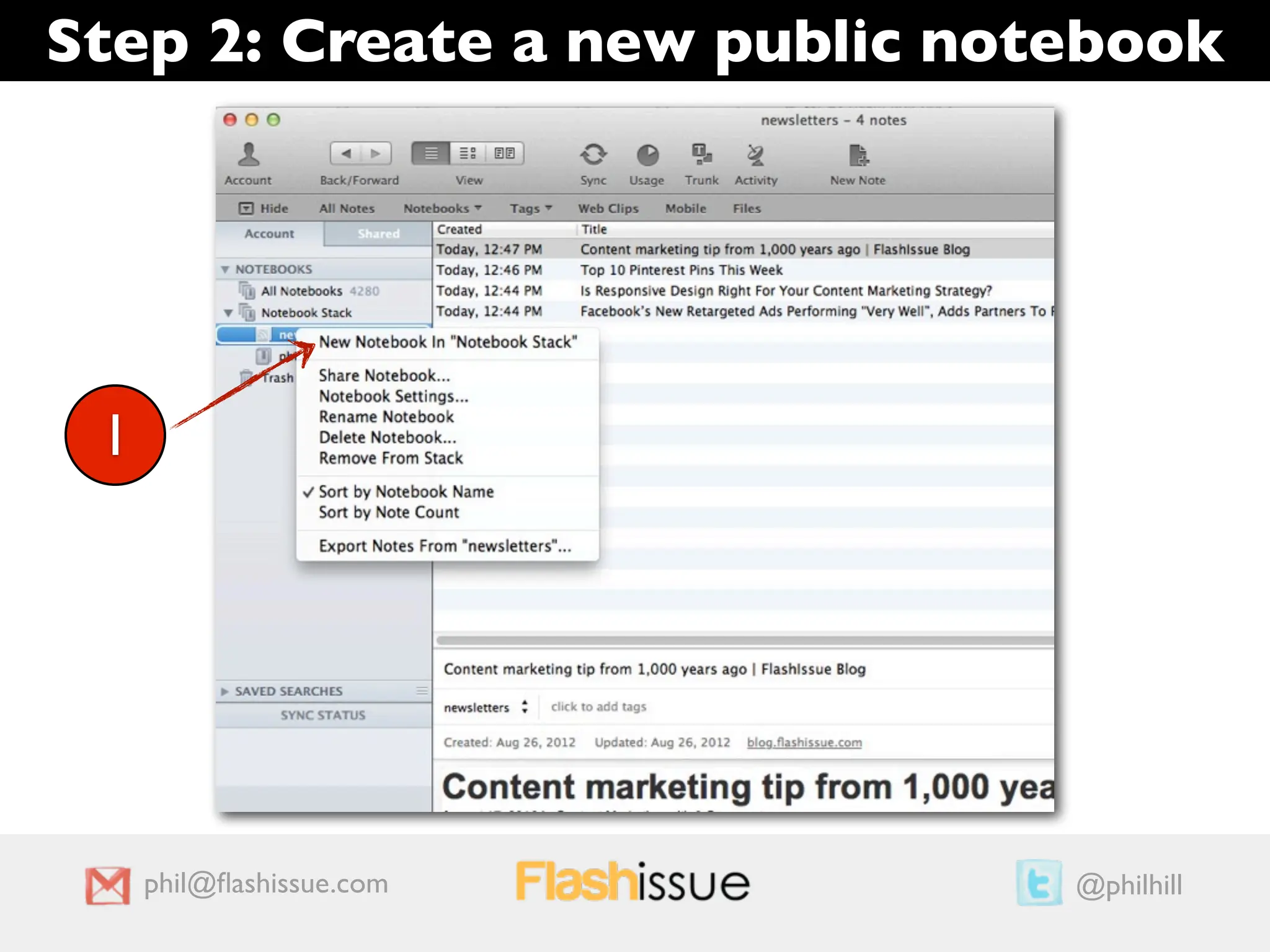
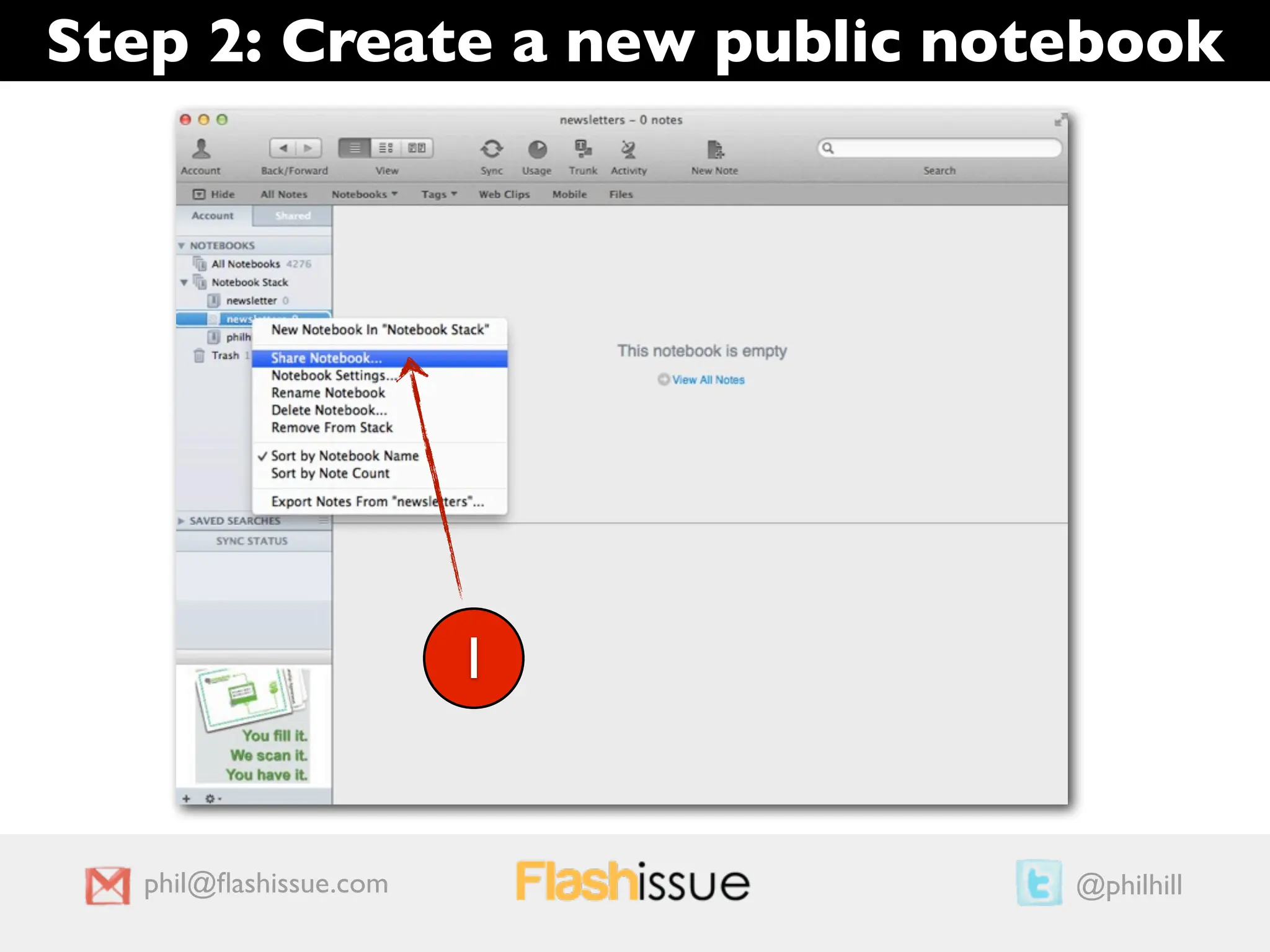
Step 2: Create a new public notebook


 1


     phil@flashissue.com        @philhill
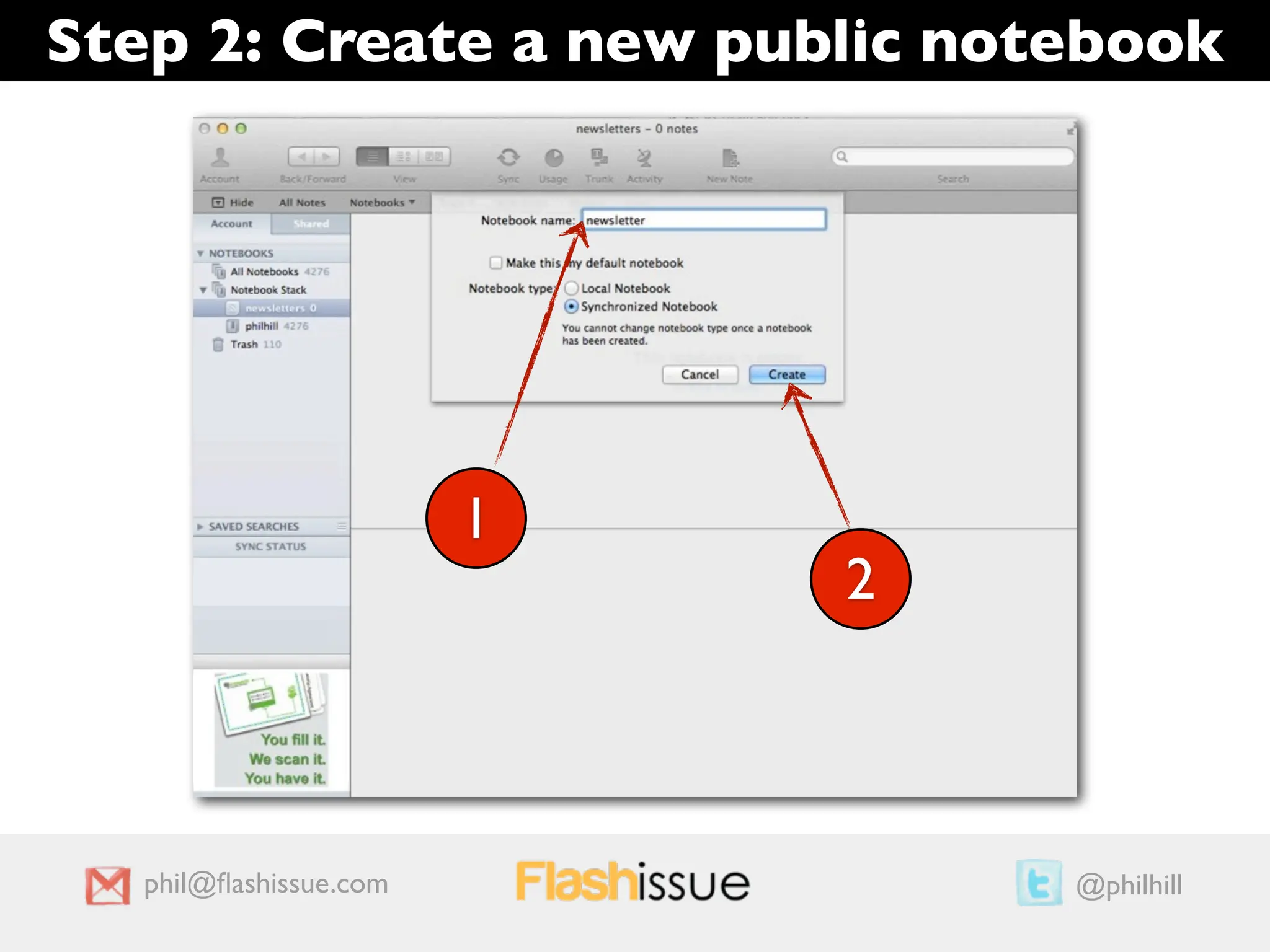
Step 2: Create a new public notebook


                        1
                            2


   phil@flashissue.com           @philhill
Step 2: Create a new public notebook


                        1


   phil@flashissue.com          @philhill
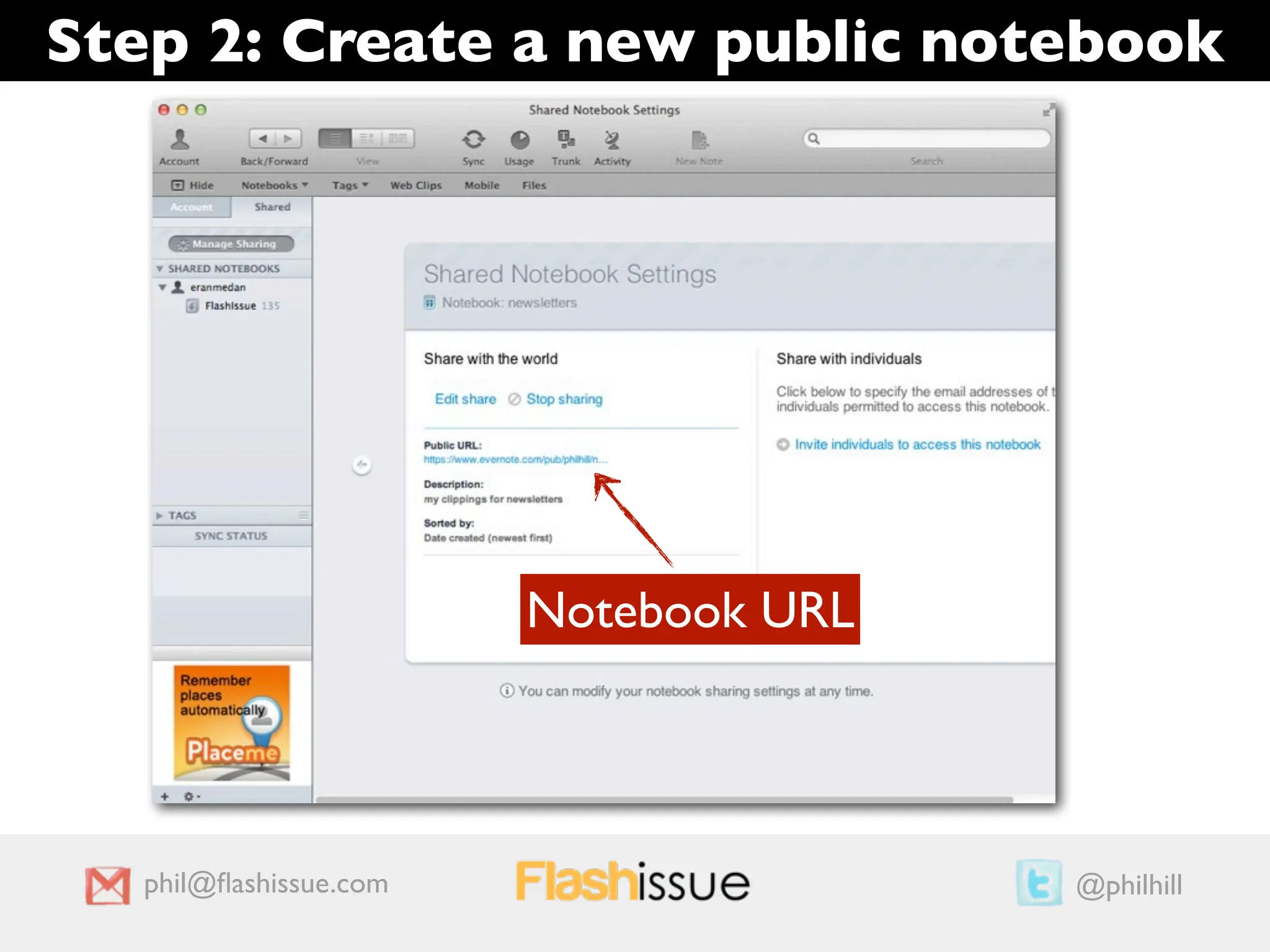
Step 2: Create a new public notebook


                        Notebook URL


   phil@flashissue.com                  @philhill
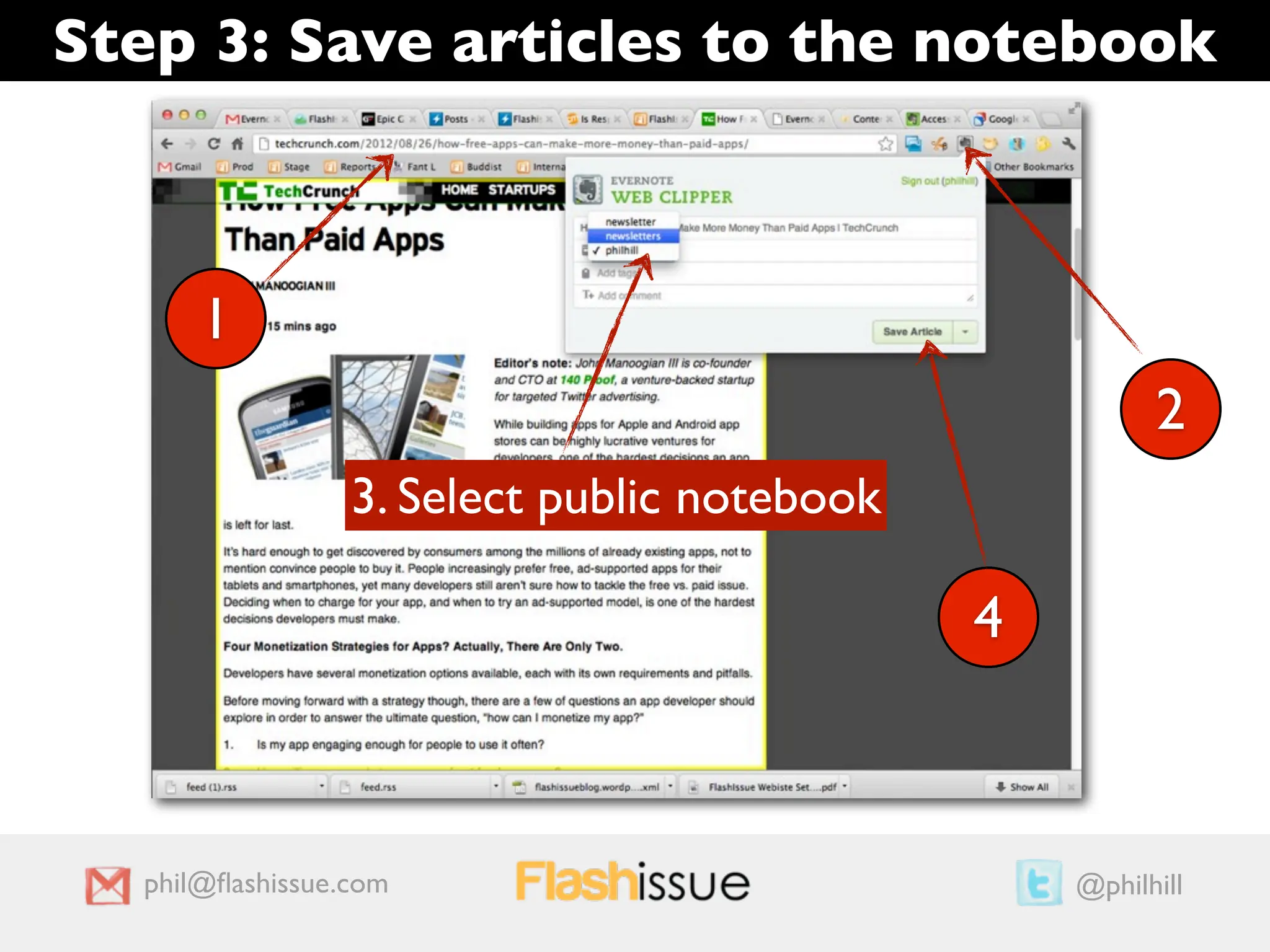
Step 3: Save articles to the notebook


      1
                                                       2
                 3. Select public notebook

                                             4


  phil@flashissue.com                             @philhill
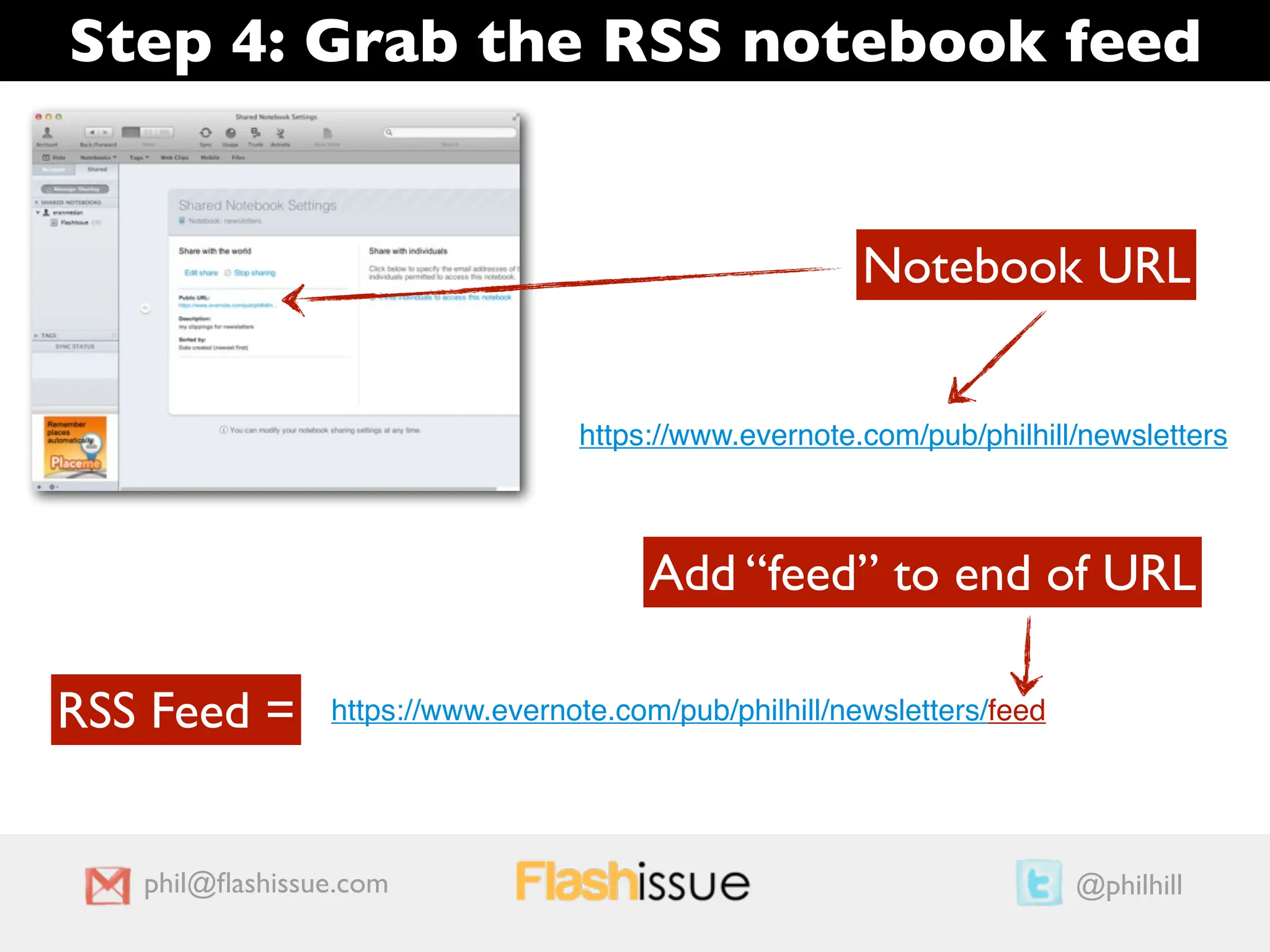
Step 4: Grab the RSS notebook feed


                                                        Notebook URL


                                  https://www.evernote.com/pub/philhill/newsletters


                                        Add “feed” to end of URL

RSS Feed =      https://www.evernote.com/pub/philhill/newsletters/feed


   phil@flashissue.com                                                    @philhill
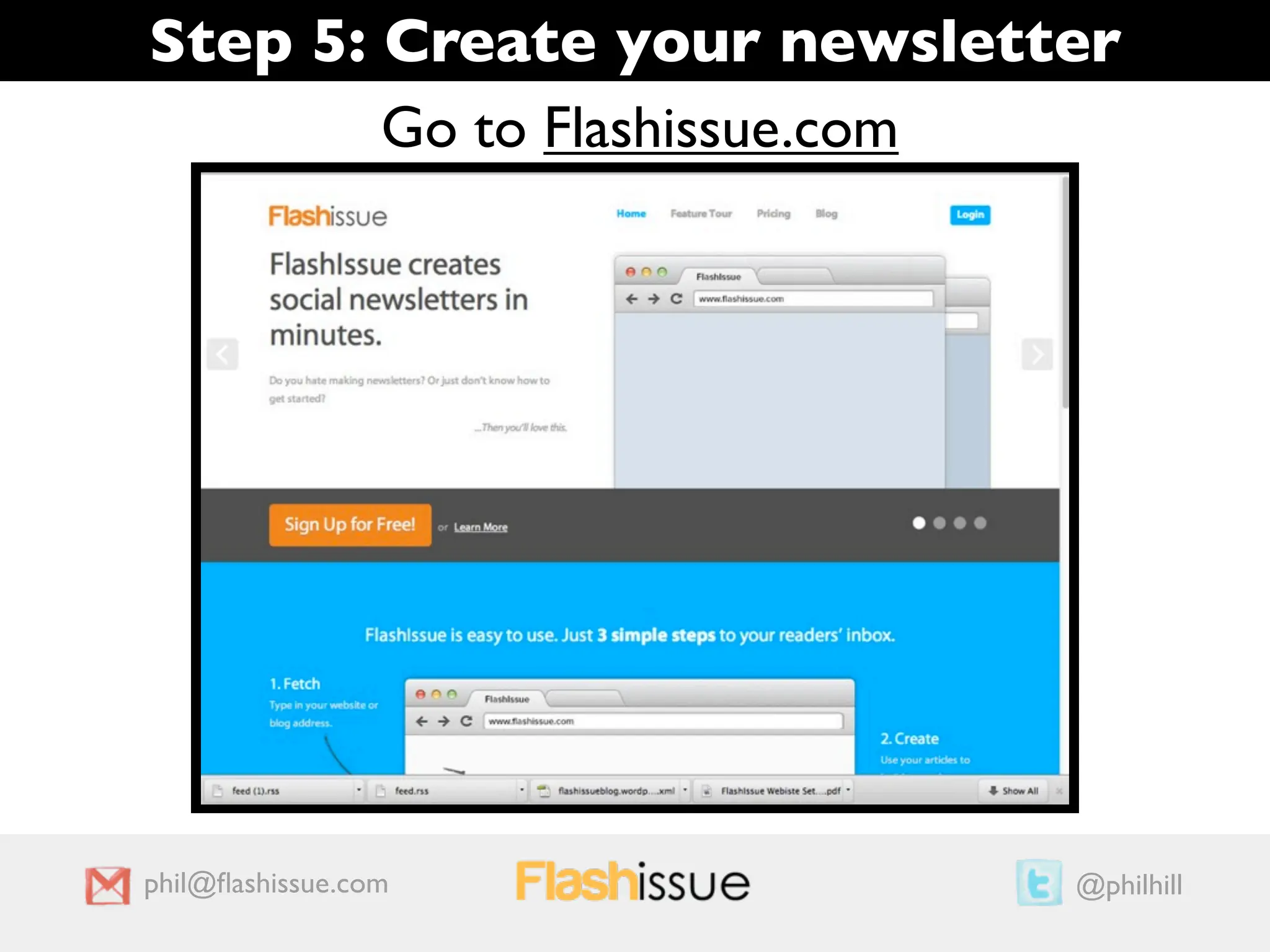
Step 5: Create your newsletter
        Go to Flashissue.com


phil@flashissue.com          @philhill
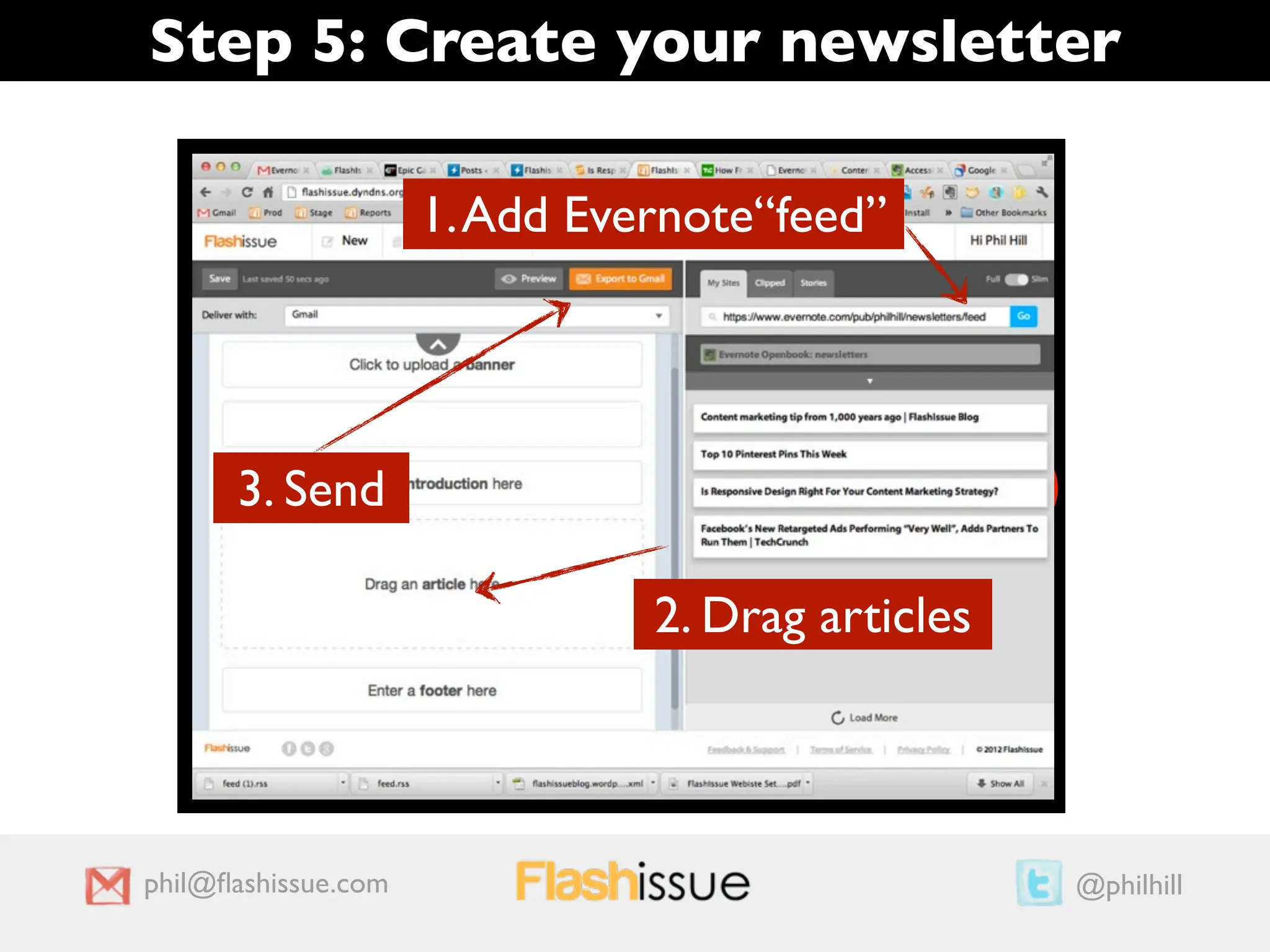
Step 5: Create your newsletter

                     1. Add Evernote“feed”

                                    1
                        3
      3. Send                                     2

                               2. Drag articles


phil@flashissue.com                                    @philhill

Turn Evernote notes into a newsletter with FlashIssue in 5 easy steps

  • 1.
    Turn your Evernote“notes” into an instant newsletter 1 1 33 2 2 phil@flashissue.com @philhill
  • 2.
    Step 1: InstallEvernote plugin Go to Evernote.com Note: I’m assuming you already have an Evernote account 1 3 2 phil@flashissue.com @philhill
  • 3.
    Step 2: Createa new public notebook 1 phil@flashissue.com @philhill
  • 4.
    Step 2: Createa new public notebook 1 2 phil@flashissue.com @philhill
  • 5.
    Step 2: Createa new public notebook 1 phil@flashissue.com @philhill
  • 6.
    Step 2: Createa new public notebook Notebook URL phil@flashissue.com @philhill
  • 7.
    Step 3: Savearticles to the notebook 1 2 3. Select public notebook 4 phil@flashissue.com @philhill
  • 8.
    Step 4: Grabthe RSS notebook feed Notebook URL https://www.evernote.com/pub/philhill/newsletters Add “feed” to end of URL RSS Feed = https://www.evernote.com/pub/philhill/newsletters/feed phil@flashissue.com @philhill
  • 9.
    Step 5: Createyour newsletter Go to Flashissue.com phil@flashissue.com @philhill
  • 10.
    Step 5: Createyour newsletter 1. Add Evernote“feed” 1 3 3. Send 2 2. Drag articles phil@flashissue.com @philhill

Editor's Notes