try! Swift Tokyo 2018
Shuichi Tsutsumi
@shu223
UIImageView vs Metal
Shuichi Tsutsumi @shu223
• iOS Developer
- @Fyusion Inc.
- @Freelance
Today’s Goal
• Learn “how to use Metal”
• Be conscious the GPU layer through Metal
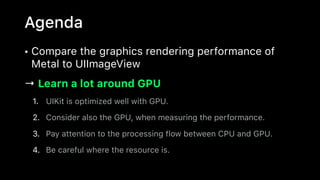
Agenda
• Compare the graphics rendering performance of
Metal to UIImageView
→ Learn a lot around GPU
1. UIKit is optimized well with GPU.
2. Consider also the GPU, when measuring the performance.
3. Pay attention to the processing flow between CPU and GPU.
4. Be careful where the resource is.
imageView.image = image
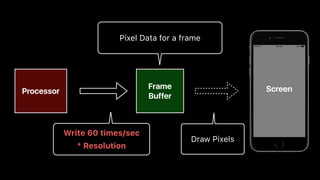
What’s happening?
ScreenProcessor
Frame
Buffer
Pixel Data for a frame
Write 60 times/sec
Draw Pixels
* Resolution
Difference Between CPU and GPU
CPU is a Sports Car
• Very fast
• Can’t process many tasks in
parallel
GPU is a Bus
• Not as fast as CPU
• Can process many “same” tasks
in parallel
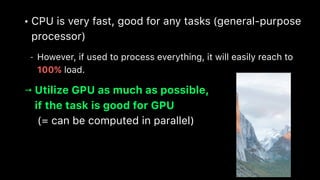
• CPU is very fast, good for any tasks (general-purpose
processor)
- However, if used to process everything, it will easily reach to
100% load.
→ Utilize GPU as much as possible, 

if the task is good for GPU

(= can be computed in parallel)
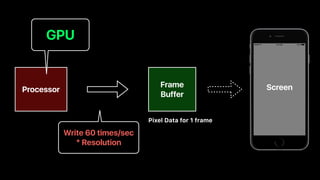
Processor ScreenFrame
Buffer
Write 60 times/sec
* Resolution
Pixel Data for 1 frame
GPU
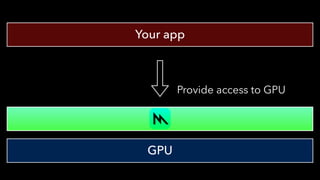
What’s ?
Provide access to GPU
GPU
Your app
???
What’s the difference from
OpenGL?
OpenGL
• Cross-platform
• Supports many vendors’ GPUs
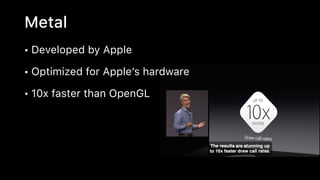
Metal
• Developed by Apple
• Optimized for Apple’s hardware
• 10x faster than OpenGL
Sounds great!
Metal Implementation
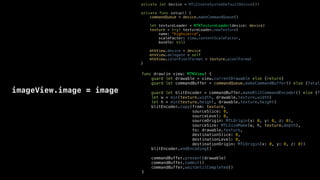
imageView.image = image
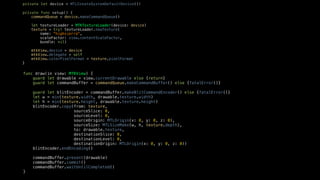
To achieve this with Metal…
func draw(in view: MTKView) {
guard let drawable = view.currentDrawable else {return}
guard let commandBuffer = commandQueue.makeCommandBuffer() else {fatalError()}
guard let blitEncoder = commandBuffer.makeBlitCommandEncoder() else {fatalError()}
let w = min(texture.width, drawable.texture.width)
let h = min(texture.height, drawable.texture.height)
blitEncoder.copy(from: texture,
sourceSlice: 0,
sourceLevel: 0,
sourceOrigin: MTLOrigin(x: 0, y: 0, z: 0),
sourceSize: MTLSizeMake(w, h, texture.depth),
to: drawable.texture,
destinationSlice: 0,
destinationLevel: 0,
destinationOrigin: MTLOrigin(x: 0, y: 0, z: 0))
blitEncoder.endEncoding()
commandBuffer.present(drawable)
commandBuffer.commit()
commandBuffer.waitUntilCompleted()
}
private let device = MTLCreateSystemDefaultDevice()!


private func setup() {
commandQueue = device.makeCommandQueue()
let textureLoader = MTKTextureLoader(device: device)
texture = try! textureLoader.newTexture(
name: "highsierra",
scaleFactor: view.contentScaleFactor,
bundle: nil)
mtkView.device = device
mtkView.delegate = self
mtkView.colorPixelFormat = texture.pixelFormat
}
this is the Minimumimplementation
private let device = MTLCreateSystemDefaultDevice()!


private func setup() {
commandQueue = device.makeCommandQueue()
let textureLoader = MTKTextureLoader(device: device)
texture = try! textureLoader.newTexture(
name: "highsierra",
scaleFactor: view.contentScaleFactor,
bundle: nil)
mtkView.device = device
mtkView.delegate = self
mtkView.colorPixelFormat = texture.pixelFormat
}
func draw(in view: MTKView) {
guard let drawable = view.currentDrawable else {return}
guard let commandBuffer = commandQueue.makeCommandBuffer() else {fatalE
guard let blitEncoder = commandBuffer.makeBlitCommandEncoder() else {fa
let w = min(texture.width, drawable.texture.width)
let h = min(texture.height, drawable.texture.height)
blitEncoder.copy(from: texture,
sourceSlice: 0,
sourceLevel: 0,
sourceOrigin: MTLOrigin(x: 0, y: 0, z: 0),
sourceSize: MTLSizeMake(w, h, texture.depth),
to: drawable.texture,
destinationSlice: 0,
destinationLevel: 0,
destinationOrigin: MTLOrigin(x: 0, y: 0, z: 0))
blitEncoder.endEncoding()
commandBuffer.present(drawable)
commandBuffer.commit()
commandBuffer.waitUntilCompleted()
}
imageView.image = image
💡
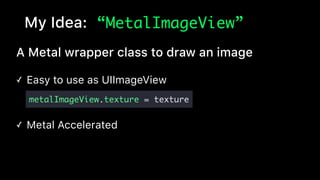
My Idea:
A Metal wrapper class to draw an image
✓ Easy to use as UIImageView
✓ Metal Accelerated
“MetalImageView”
metalImageView.texture = texture
Powered by
Performance comparison
with UIImageView
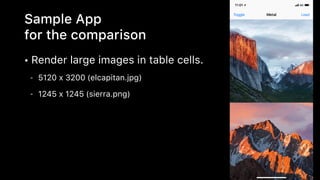
Sample App
for the comparison
• Render large images in table cells.
- 5120 x 3200 (elcapitan.jpg)
- 1245 x 1245 (sierra.png)
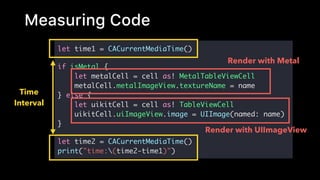
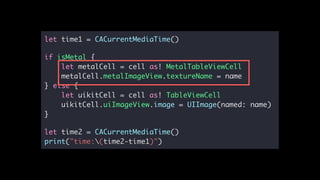
Measuring Code
let time1 = CACurrentMediaTime()
if isMetal {
let metalCell = cell as! MetalTableViewCell
metalCell.metalImageView.textureName = name
} else {
let uikitCell = cell as! TableViewCell
uikitCell.uiImageView.image = UIImage(named: name)
}
let time2 = CACurrentMediaTime()
print("time:(time2-time1)")
Time
Interval
Render with UIImageView
Render with Metal
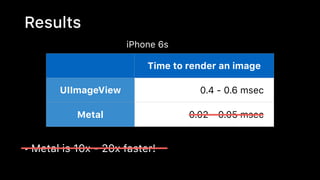
Results
• Metal is 10x - 20x faster!
Time to render an image
UIImageView 0.4 - 0.6 msec
Metal 0.02 - 0.05 msec
iPhone 6s
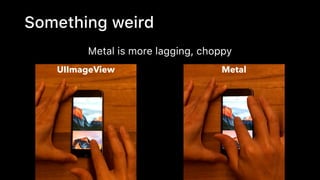
Something weird
Metal is more lagging, choppy
UIImageView Metal
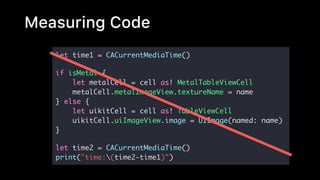
Measuring Code
let time1 = CACurrentMediaTime()
if isMetal {
let metalCell = cell as! MetalTableViewCell
metalCell.metalImageView.textureName = name
} else {
let uikitCell = cell as! TableViewCell
uikitCell.uiImageView.image = UIImage(named: name)
}
let time2 = CACurrentMediaTime()
print("time:(time2-time1)")
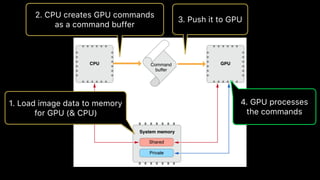
Basic Concept
2. CPU creates GPU commands 

as a command buffer
1. Load image data to memory 

for GPU (& CPU)
4. GPU processes
the commands
3. Push it to GPU
let time1 = CACurrentMediaTime()
if isMetal {
let metalCell = cell as! MetalTableViewCell
metalCell.metalImageView.textureName = name
} else {
let uikitCell = cell as! TableViewCell
uikitCell.uiImageView.image = UIImage(named: name)
}
let time2 = CACurrentMediaTime()
print("time:(time2-time1)")
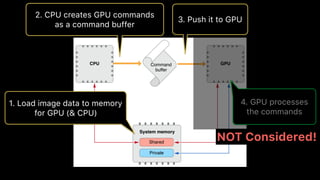
2. CPU creates GPU commands 

as a command buffer
1. Load image data to memory 

for GPU (& CPU)
3. Push it to GPU
4. GPU processes
the commands
NOT Considered!
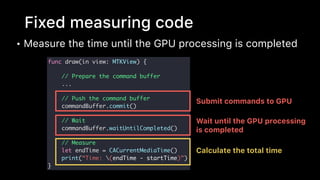
• Measure the time until the GPU processing is completed
func draw(in view: MTKView) {
// Prepare the command buffer
...
// Push the command buffer
commandBuffer.commit()
// Wait
commandBuffer.waitUntilCompleted()
// Measure
let endTime = CACurrentMediaTime()
print(“Time: (endTime - startTime)”)
}
Fixed measuring code
Submit commands to GPU
Wait until the GPU processing
is completed
Calculate the total time
Results
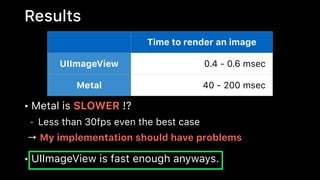
• Metal is SLOWER !?
- Less than 30fps even the best case
→ My implementation should have problems
• UIImageView is fast enough anyways.
Time to render an image
UIImageView 0.4 - 0.6 msec
Metal 40 - 200 msec
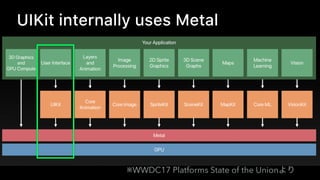
Why does UIImageView so fast?
※WWDC17 Platforms State of the Unionより
UIKit internally uses Metal
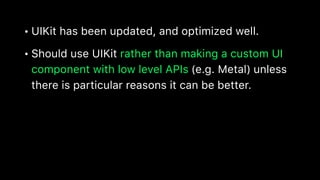
• UIKit has been updated, and optimized well.
• Should use UIKit rather than making a custom UI
component with low level APIs (e.g. Metal) unless
there is particular reasons it can be better.
Point 1:
UIKit is optimized well
with GPU
Point 2:
Consider also the GPU, 

when measuring the performance
Why was MetalImageView so slow?
What was the problem?
(My Metal Wrapper)
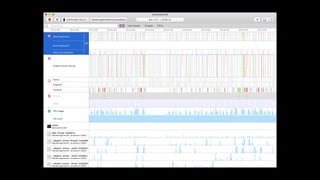
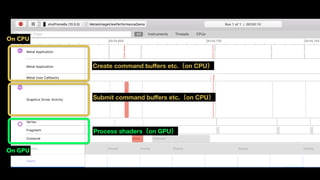
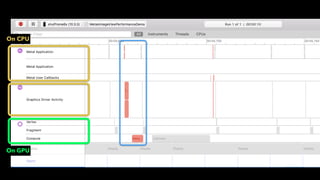
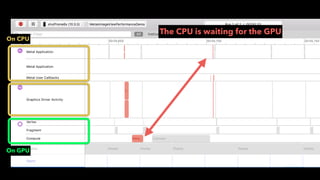
Profile using Instruments
Metal System Trace
On CPU
On GPU
Create command buffers etc.(on CPU)
Submit command buffers etc.(on CPU)
Process shaders(on GPU)
On CPU
On GPU
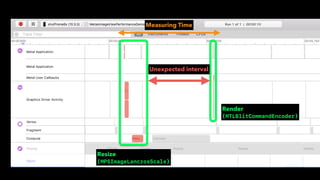
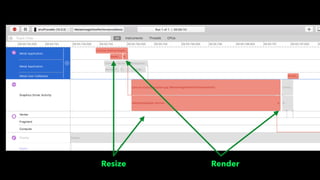
Problem 1
Resize
(MPSImageLanczosScale)
Render
(MTLBlitCommandEncoder)
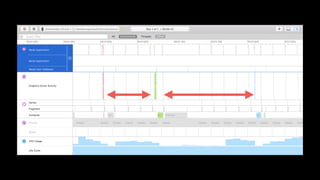
Unexpected interval
Measuring Time
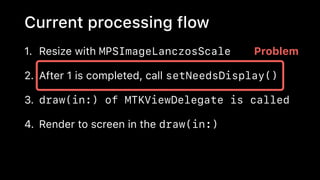
Current processing flow
1. Resize with MPSImageLanczosScale
2. After 1 is completed, call setNeedsDisplay()
3. draw(in:) of MTKViewDelegate is called
4. Render to screen in the draw(in:)
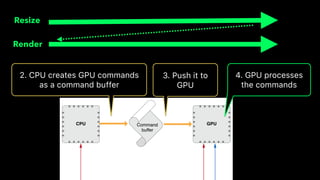
Problem
The CPU is waiting for the GPU
On CPU
On GPU
Resize
Render
2. CPU creates GPU commands 

as a command buffer
4. GPU processes
the commands
3. Push it to
GPU
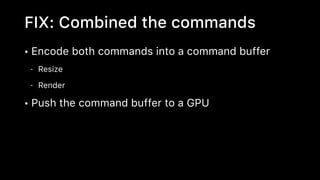
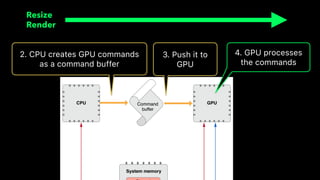
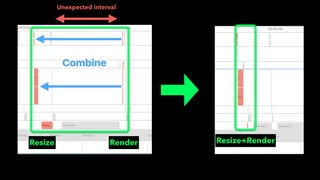
FIX: Combined the commands
• Encode both commands into a command buffer
- Resize
- Render
• Push the command buffer to a GPU
2. CPU creates GPU commands 

as a command buffer
4. GPU processes
the commands
3. Push it to
GPU
Resize
Render
Resize Render
Unexpected interval
Combine
Resize Render Resize+Render
Point 3:
Pay attention to the processing flow
between CPU and GPU
Problem 2
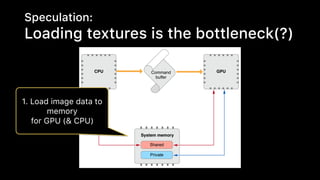
Speculation:
Loading textures is the bottleneck(?)
1. Load image data to
memory 

for GPU (& CPU)
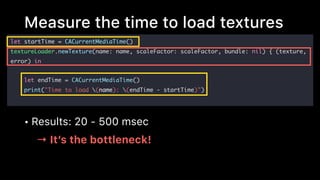
Measure the time to load textures
let startTime = CACurrentMediaTime()
textureLoader.newTexture(name: name, scaleFactor: scaleFactor, bundle: nil) { (texture,
error) in
let endTime = CACurrentMediaTime()
print("Time to load (name): (endTime - startTime)")
• Results: 20 - 500 msec
→ It’s the bottleneck!
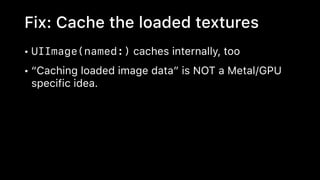
Fix: Cache the loaded textures
• UIImage(named:) caches internally, too
• “Caching loaded image data” is NOT a Metal/GPU
specific idea.
Metal/GPU specific point:
“Where is the resource?”
Memory for GPU
(& CPU)
private var cachedTextures: [String: MTLTexture] = [:]OK
private var cachedImages: [String: UIImage] = [:]NG
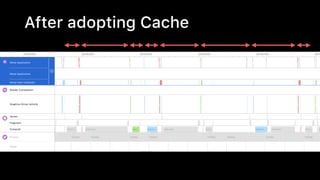
After adopting Cache
Point 4:
Be careful where the resource is.
Wrap up
Today’s Goal
• Learn “how to use Metal”
• Be conscious the GPU layer through Metal
• Compared the graphics rendering performance of
Metal to UIImageView
→ Learned a lot around GPU
1. UIKit is optimized well with GPU.
2. Consider also the GPU, when measuring the performance.
3. Pay attention to the processing flow between CPU and GPU.
4. Be careful where the resource is.
Thank you!
https://github.com/shu223