Top Platforms for Buy Old Gmail Accounts Safely in 2026
In Gsomax!
People searching for Buy Gmail Accounts are often trying to solve
very different problems. A business may need separate inboxes for
staff or departments. A marketer may be researching aged or phone-
verified accounts. A freelancer may simply want cleaner separation
between projects.
✅ https://gsomax.com/buy-gmail-accounts/
✅ WhatsApp:+1 (202) 750-2135
Others may assume that an older account automatically carries more
trust or better deliverability.
Those use cases are not the same, and treating them as one problem
can lead to poor decisions. The useful question is not merely whether
an account is old, verified, or available—it is whether the setup
provides clear ownership, secure recovery, appropriate history, and
infrastructure that fits the intended use.
A Gmail address is connected to a broader Google Account.
Depending on how the account has been used, that Google Account
may also have recovery information, authentication methods, devices,
contacts, Google Drive files, YouTube activity, and access to other
Google services.
This is important because receiving a username and password is not
necessarily the same as having reliable long-term control of the
account. Google uses recovery information and other authentication
signals to help verify account ownership. Google states that if
recovery information or other authentication factors are changed,
codes may still be sent to previous recovery information for up to
seven days as a security measure.
For businesses, there is another important distinction:
A personal @gmail.com account is not the same as a managed
Google Workspace user account.
Google Workspace allows an organization to create users under its
verified domain and manage those accounts centrally through the
Admin console. Google also advises organizations not to have
multiple people share a single user account.
Someone searching for aged Gmail accounts, PVA Gmail accounts,
verified Gmail accounts, or bulk Gmail accounts may also assume
that age or phone verification automatically improves trust or email
deliverability.
That assumption is too simple.
Gmail delivery depends on a broader system that includes
authentication, sending behavior, spam complaints, technical
configuration, recipient expectations, and domain reputation. Google’s
current sender guidelines place significant emphasis on SPF, DKIM,
TLS, spam rates, and—when a sender qualifies as a bulk sender—
DMARC, domain alignment, and unsubscribe requirements.
This guide examines the Buy Gmail Accounts search intent from a
practical, security-aware, and business-focused perspective. It
explains what aged, PVA, verified, and bulk Gmail account terms
actually mean; why ownership and recovery history matter; how Gmail
sender requirements affect deliverability; when Google Workspace is a
better fit; and what businesses should evaluate before depending on
any email account as a long-term asset.
Important note: This article is informational. It does not endorse
unauthorized account access, identity misuse, deceptive activity, or
the transfer of accounts in violation of platform rules or applicable
law. For business email, organization-controlled accounts and
properly managed email infrastructure are generally the clearer long-
term option.
2026 Update: Gmail Enforcement Is Stricter Than Before
Google's sender rules are no longer just a checklist that high-volume
senders can treat as optional best practice. Gmail states that starting
in November 2025 it began ramping up enforcement against non-
compliant traffic, with failing messages potentially experiencing
temporary or permanent rejection.
Google has also added a Compliance status dashboard in Postmaster
Tools, giving eligible senders a clearer way to monitor whether their
sending setup meets Gmail's requirements.
For businesses and marketers, four points matter in 2026:
● Authentication matters more: SPF, DKIM, DMARC, DNS, TLS,
and domain alignment can directly affect whether mail is
accepted.
● Bulk-sender status is durable: once Google classifies a
sender as a bulk sender, that status does not expire simply
because sending volume later decreases.
● Spam rate should stay very low: Google recommends
keeping user-reported spam below 0.1% and preventing it
from reaching 0.3% or higher.
● Compliance is operational, not cosmetic: non-compliance
can result in rate limiting, spam-folder placement, temporary
failures, or permanent rejection depending on the issue.
This makes proper email infrastructure more important than relying on
account age or account quantity alone.
Quick Answer: What Actually Makes a Gmail Account Valuable?
The value of a Gmail account depends on its intended use.
For an individual, useful characteristics may include:
● Reliable account access
● Secure recovery options
● Appropriate authentication methods
● A clear personal identity
● Stable long-term ownership
For a company, the requirements are usually broader:
● Clear organizational ownership
● Administrative control
● Separate user identities
● Business-domain email
● Security management
● Reliable sending infrastructure
● Appropriate employee access
Account age alone does not provide these qualities.
Phone verification alone does not provide them either.
An older Gmail account may have years of activity, but that history
belongs to the circumstances under which the account was previously
used. Similarly, a PVA Gmail account indicates that phone verification
has been associated with the account at some point; it does not
automatically prove current ownership, clean history, or good email
reputation.
The more useful question is therefore not simply:
“How old is this Gmail account?”
Instead, ask:
“Does this account provide clear ownership, appropriate security, a
suitable history, and the right infrastructure for its intended
purpose?”
What Does Buy Gmail Accounts Usually Mean?
The keyword Buy Gmail Accounts covers several different search
intents.
People may be looking for:
● Aged Gmail accounts
● Old Gmail accounts
● PVA Gmail accounts
● Phone-verified Gmail accounts
● Verified Gmail accounts
● Bulk Gmail accounts
● Gmail accounts for business workflows
● Separate accounts for employees or projects
● Gmail accounts for outreach
● Existing email identities
These needs are not identical.
A company that needs ten managed employee inboxes has a very
different requirement from someone looking for a collection of
consumer Gmail addresses.
Likewise, a marketer who needs reliable delivery at scale has a
different problem from a freelancer who simply wants separate client
communication channels.
Before evaluating third-party offers involving existing Gmail accounts,
it is important to identify the actual goal behind the search.
Can You Buy Gmail Accounts?
Third-party websites and online sellers may advertise aged Gmail
accounts, PVA Gmail accounts, bulk Gmail accounts, or previously
created Gmail profiles.
From a practical perspective, receiving credentials through a third-
party transfer is different from obtaining reliable, uncontested long-
term ownership.
A seller may be able to provide:
● An email address
● A password
● Basic account details
● Information about account age
● A claim that phone verification was completed
Those details do not necessarily tell you everything about the account.
An existing Google Account may still have a history involving:
● Previous recovery information
● Earlier authentication factors
● Previous devices
● Earlier account activity
● Connected Google services
● Previous sign-in patterns
● Security events
● Historical account usage
Google states that recovery information can be used to help users
regain access when they forget a password, become locked out, or
detect unauthorized access. Google also notes that when recovery
information or certain authentication factors are changed, previous
recovery information may remain relevant for up to seven days in
some circumstances.
This means there is a meaningful difference between:
having working login credentials today
and
having reliable, uncontested account continuity over time.
Anyone evaluating an existing Gmail account should therefore
consider ownership, recovery, security history, and previous usage—
not merely whether the current password works.
This does not mean every previously created account has the same
level of risk. It means that account history should be treated as
something that needs evaluation rather than automatically being
treated as an advantage.
Why Do People Search for Gmail Accounts?
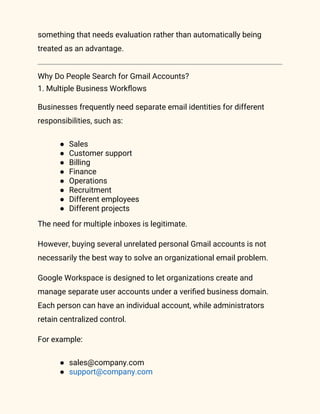
1. Multiple Business Workflows
Businesses frequently need separate email identities for different
responsibilities, such as:
● Sales
● Customer support
● Billing
● Finance
● Operations
● Recruitment
● Different employees
● Different projects
The need for multiple inboxes is legitimate.
However, buying several unrelated personal Gmail accounts is not
necessarily the best way to solve an organizational email problem.
Google Workspace is designed to let organizations create and
manage separate user accounts under a verified business domain.
Each person can have an individual account, while administrators
retain centralized control.
For example:
● sales@company.com
● support@company.com
● finance@company.com
This structure can provide clearer business ownership than several
unrelated @gmail.com identities.
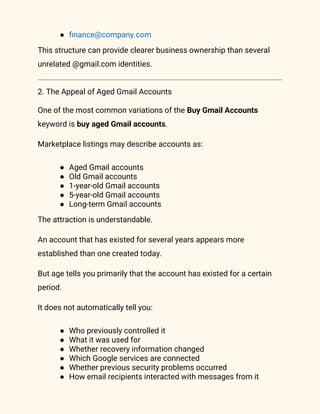
2. The Appeal of Aged Gmail Accounts
One of the most common variations of the Buy Gmail Accounts
keyword is buy aged Gmail accounts.
Marketplace listings may describe accounts as:
● Aged Gmail accounts
● Old Gmail accounts
● 1-year-old Gmail accounts
● 5-year-old Gmail accounts
● Long-term Gmail accounts
The attraction is understandable.
An account that has existed for several years appears more
established than one created today.
But age tells you primarily that the account has existed for a certain
period.
It does not automatically tell you:
● Who previously controlled it
● What it was used for
● Whether recovery information changed
● Which Google services are connected
● Whether previous security problems occurred
● How email recipients interacted with messages from it
Account age can therefore be relevant historical information, but it
should not be treated as a universal quality score.
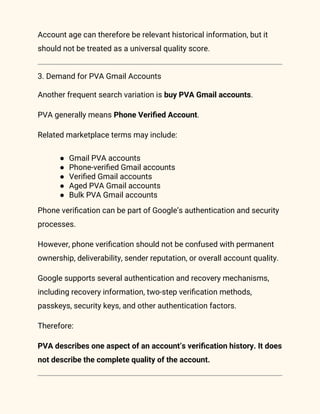
3. Demand for PVA Gmail Accounts
Another frequent search variation is buy PVA Gmail accounts.
PVA generally means Phone Verified Account.
Related marketplace terms may include:
● Gmail PVA accounts
● Phone-verified Gmail accounts
● Verified Gmail accounts
● Aged PVA Gmail accounts
● Bulk PVA Gmail accounts
Phone verification can be part of Google’s authentication and security
processes.
However, phone verification should not be confused with permanent
ownership, deliverability, sender reputation, or overall account quality.
Google supports several authentication and recovery mechanisms,
including recovery information, two-step verification methods,
passkeys, security keys, and other authentication factors.
Therefore:
PVA describes one aspect of an account’s verification history. It does
not describe the complete quality of the account.
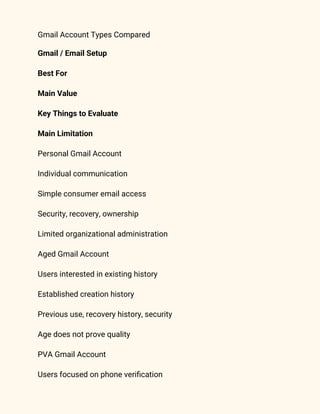
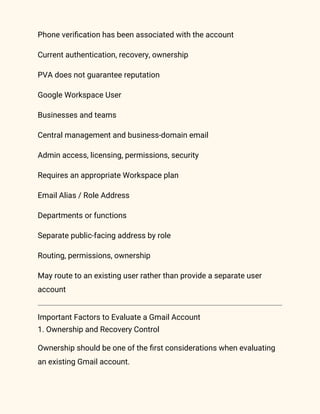
Gmail Account Types Compared
Gmail / Email Setup
Best For
Main Value
Key Things to Evaluate
Main Limitation
Personal Gmail Account
Individual communication
Simple consumer email access
Security, recovery, ownership
Limited organizational administration
Aged Gmail Account
Users interested in existing history
Established creation history
Previous use, recovery history, security
Age does not prove quality
PVA Gmail Account
Users focused on phone verification
Phone verification has been associated with the account
Current authentication, recovery, ownership
PVA does not guarantee reputation
Google Workspace User
Businesses and teams
Central management and business-domain email
Admin access, licensing, permissions, security
Requires an appropriate Workspace plan
Email Alias / Role Address
Departments or functions
Separate public-facing address by role
Routing, permissions, ownership
May route to an existing user rather than provide a separate user
account
Important Factors to Evaluate a Gmail Account
1. Ownership and Recovery Control
Ownership should be one of the first considerations when evaluating
an existing Gmail account.
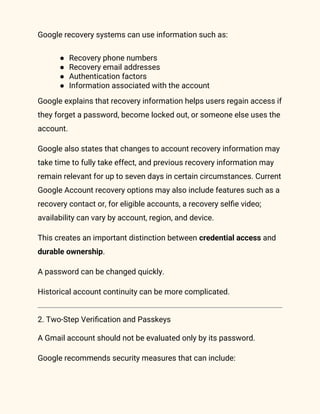
Google recovery systems can use information such as:
● Recovery phone numbers
● Recovery email addresses
● Authentication factors
● Information associated with the account
Google explains that recovery information helps users regain access if
they forget a password, become locked out, or someone else uses the
account.
Google also states that changes to account recovery information may
take time to fully take effect, and previous recovery information may
remain relevant for up to seven days in certain circumstances. Current
Google Account recovery options may also include features such as a
recovery contact or, for eligible accounts, a recovery selfie video;
availability can vary by account, region, and device.
This creates an important distinction between credential access and
durable ownership.
A password can be changed quickly.
Historical account continuity can be more complicated.
2. Two-Step Verification and Passkeys
A Gmail account should not be evaluated only by its password.
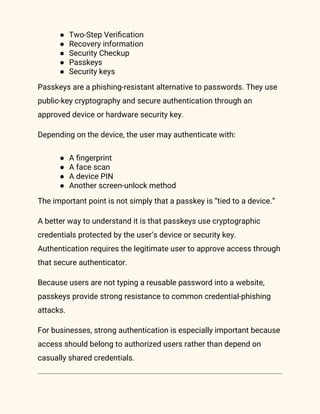
Google recommends security measures that can include:
● Two-Step Verification
● Recovery information
● Security Checkup
● Passkeys
● Security keys
Passkeys are a phishing-resistant alternative to passwords. They use
public-key cryptography and secure authentication through an
approved device or hardware security key.
Depending on the device, the user may authenticate with:
● A fingerprint
● A face scan
● A device PIN
● Another screen-unlock method
The important point is not simply that a passkey is “tied to a device.”
A better way to understand it is that passkeys use cryptographic
credentials protected by the user’s device or security key.
Authentication requires the legitimate user to approve access through
that secure authenticator.
Because users are not typing a reusable password into a website,
passkeys provide strong resistance to common credential-phishing
attacks.
For businesses, strong authentication is especially important because
access should belong to authorized users rather than depend on
casually shared credentials.
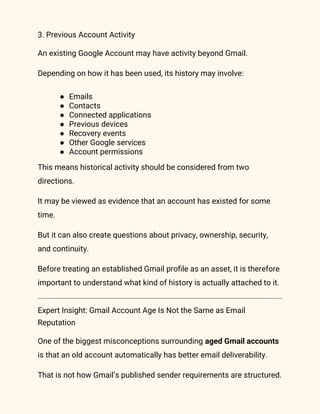
3. Previous Account Activity
An existing Google Account may have activity beyond Gmail.
Depending on how it has been used, its history may involve:
● Emails
● Contacts
● Connected applications
● Previous devices
● Recovery events
● Other Google services
● Account permissions
This means historical activity should be considered from two
directions.
It may be viewed as evidence that an account has existed for some
time.
But it can also create questions about privacy, ownership, security,
and continuity.
Before treating an established Gmail profile as an asset, it is therefore
important to understand what kind of history is actually attached to it.
Expert Insight: Gmail Account Age Is Not the Same as Email
Reputation
One of the biggest misconceptions surrounding aged Gmail accounts
is that an old account automatically has better email deliverability.
That is not how Gmail’s published sender requirements are structured.
Google focuses on technical and behavioral factors such as:
● Authentication
● Secure transmission
● Spam rates
● DNS configuration
● Message formatting
● Sender identity
● Recipient experience
For senders delivering email to personal Gmail accounts, Google has
specific requirements that vary depending on whether the sender falls
into the general-sender category or qualifies as a bulk sender.
Therefore:
Account age and sender reputation should be evaluated as separate
concepts.
An old account does not replace proper authentication or responsible
sending.
Gmail Sender Requirements: All Senders vs Bulk Senders
Understanding this distinction is especially important for businesses
researching Buy Gmail Accounts because multiple accounts are
sometimes mistakenly viewed as a substitute for proper email
infrastructure.
Google’s sender requirements apply to email sent to personal Gmail
accounts, including addresses ending in @gmail.com and
@googlemail.com.
Requirements for All Senders
Google’s current guidelines state that senders delivering mail to
personal Gmail accounts should meet requirements including:
● SPF or DKIM authentication for the sending domain
● Valid forward and reverse DNS/PTR records for sending
domains or IP addresses
● TLS for transmitting email
● Spam rates kept within Google’s required thresholds
● Proper RFC 5322 message formatting
● No impersonation of Gmail From: headers
TLS is therefore not only a bulk-sender requirement. It is part of
Google’s requirements for senders delivering email to personal Gmail
accounts.
Additional Requirements for Bulk Senders
Google defines a bulk sender as an email sender that sends close to
5,000 or more messages to personal Gmail accounts within a 24-
hour period.
Messages from the same primary domain count together when
Google determines whether the sender meets that threshold.
Google also states that a sender that meets the bulk-sender criteria at
least once remains classified as a bulk sender.
Bulk senders must meet additional requirements, including:
● SPF and DKIM authentication
● DMARC configured for the sending domain
● General DNS, TLS, formatting, and spam-rate requirements
● Alignment between the visible From: domain and either the
SPF or DKIM authenticated domain for direct mail
● One-click unsubscribe support for applicable marketing and
subscribed messages
● A clearly visible unsubscribe option for applicable messages
Google clarifies that one-click unsubscribe requirements apply to
marketing, promotional, and subscribed messages rather than every
transactional message.
Google’s current guidance is more specific: senders should keep the
user-reported spam rate below 0.1% and prevent it from reaching
0.3% or higher. Rates above 0.1% can already hurt inbox delivery,
while 0.3% or higher carries a substantially greater negative impact
and can make bulk senders ineligible for delivery mitigation.
The practical lesson is straightforward:
Sending reputation is built through authentication, infrastructure,
recipient expectations, and responsible behavior—not simply by
having more Gmail accounts.
What Gmail Enforcement Means in Practice in 2026
Google's current FAQ explains that non-compliant bulk traffic can
receive requirement-specific SMTP errors, temporary failures,
permanent failures, or spam-folder placement. Gmail also says
enforcement on new bulk-sending domains can progress on an
accelerated timetable.
That matters because a strategy based on creating or rotating more
consumer accounts does not solve underlying sender-compliance
problems. If the real goal is reliable business email, the stronger long-
term approach is to fix authentication, list quality, sending behavior,
consent, and domain reputation.
Gmail Sending Limits: Another Important Reality
A common reason people search for bulk Gmail accounts is a desire
to increase sending capacity.
However, personal Gmail accounts have sending and recipient limits
designed to reduce abuse and protect users.
Google states that a personal Gmail user may encounter a sending-
limit error after:
● Sending more than 500 emails in a day, or
● Sending one email to a total of more than 500 recipients
Google notes that sending may become available again within
approximately 1 to 24 hours after such a limit is reached.
These account-level sending limits are different from Google’s
definition of a bulk sender.
The concepts should not be confused:
● Personal Gmail sending limits concern how much an
individual Gmail account can send.
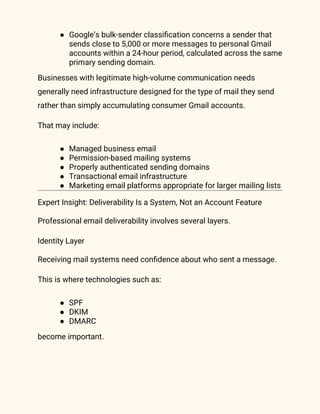
● Google’s bulk-sender classification concerns a sender that
sends close to 5,000 or more messages to personal Gmail
accounts within a 24-hour period, calculated across the same
primary sending domain.
Businesses with legitimate high-volume communication needs
generally need infrastructure designed for the type of mail they send
rather than simply accumulating consumer Gmail accounts.
That may include:
● Managed business email
● Permission-based mailing systems
● Properly authenticated sending domains
● Transactional email infrastructure
● Marketing email platforms appropriate for larger mailing lists
Expert Insight: Deliverability Is a System, Not an Account Feature
Professional email deliverability involves several layers.
Identity Layer
Receiving mail systems need confidence about who sent a message.
This is where technologies such as:
● SPF
● DKIM
● DMARC
become important.
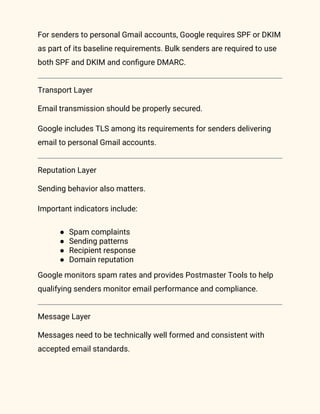
For senders to personal Gmail accounts, Google requires SPF or DKIM
as part of its baseline requirements. Bulk senders are required to use
both SPF and DKIM and configure DMARC.
Transport Layer
Email transmission should be properly secured.
Google includes TLS among its requirements for senders delivering
email to personal Gmail accounts.
Reputation Layer
Sending behavior also matters.
Important indicators include:
● Spam complaints
● Sending patterns
● Recipient response
● Domain reputation
Google monitors spam rates and provides Postmaster Tools to help
qualifying senders monitor email performance and compliance.
Message Layer
Messages need to be technically well formed and consistent with
accepted email standards.
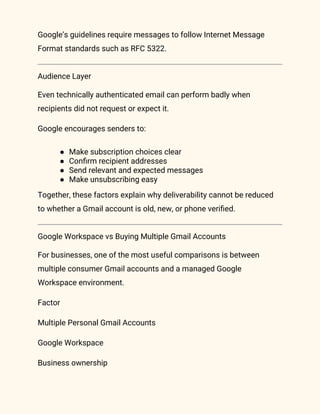
Google’s guidelines require messages to follow Internet Message
Format standards such as RFC 5322.
Audience Layer
Even technically authenticated email can perform badly when
recipients did not request or expect it.
Google encourages senders to:
● Make subscription choices clear
● Confirm recipient addresses
● Send relevant and expected messages
● Make unsubscribing easy
Together, these factors explain why deliverability cannot be reduced
to whether a Gmail account is old, new, or phone verified.
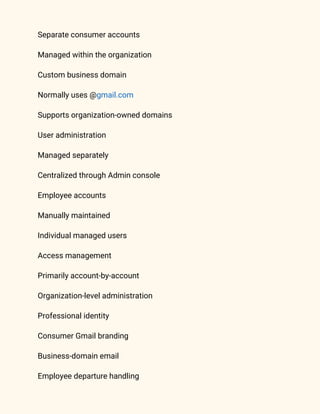
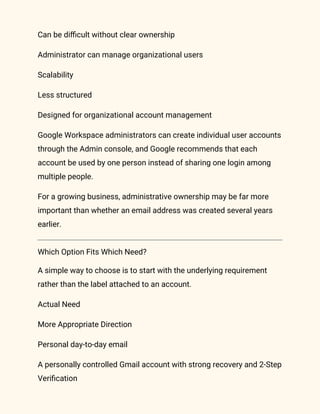
Google Workspace vs Buying Multiple Gmail Accounts
For businesses, one of the most useful comparisons is between
multiple consumer Gmail accounts and a managed Google
Workspace environment.
Factor
Multiple Personal Gmail Accounts
Google Workspace
Business ownership
Separate consumer accounts
Managed within the organization
Custom business domain
Normally uses @gmail.com
Supports organization-owned domains
User administration
Managed separately
Centralized through Admin console
Employee accounts
Manually maintained
Individual managed users
Access management
Primarily account-by-account
Organization-level administration
Professional identity
Consumer Gmail branding
Business-domain email
Employee departure handling
Can be difficult without clear ownership
Administrator can manage organizational users
Scalability
Less structured
Designed for organizational account management
Google Workspace administrators can create individual user accounts
through the Admin console, and Google recommends that each
account be used by one person instead of sharing one login among
multiple people.
For a growing business, administrative ownership may be far more
important than whether an email address was created several years
earlier.
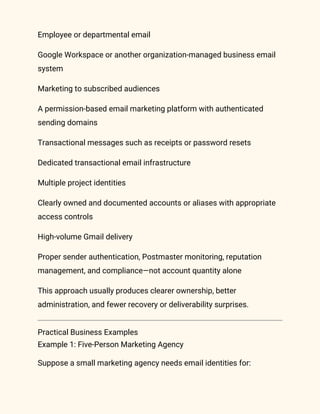
Which Option Fits Which Need?
A simple way to choose is to start with the underlying requirement
rather than the label attached to an account.
Actual Need
More Appropriate Direction
Personal day-to-day email
A personally controlled Gmail account with strong recovery and 2-Step
Verification
Employee or departmental email
Google Workspace or another organization-managed business email
system
Marketing to subscribed audiences
A permission-based email marketing platform with authenticated
sending domains
Transactional messages such as receipts or password resets
Dedicated transactional email infrastructure
Multiple project identities
Clearly owned and documented accounts or aliases with appropriate
access controls
High-volume Gmail delivery
Proper sender authentication, Postmaster monitoring, reputation
management, and compliance—not account quantity alone
This approach usually produces clearer ownership, better
administration, and fewer recovery or deliverability surprises.
Practical Business Examples
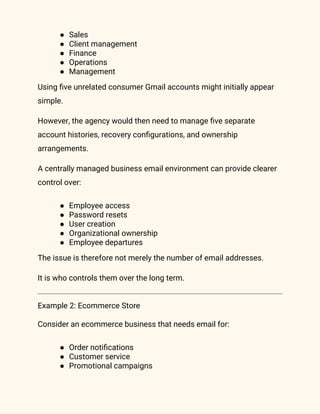
Example 1: Five-Person Marketing Agency
Suppose a small marketing agency needs email identities for:
● Sales
● Client management
● Finance
● Operations
● Management
Using five unrelated consumer Gmail accounts might initially appear
simple.
However, the agency would then need to manage five separate
account histories, recovery configurations, and ownership
arrangements.
A centrally managed business email environment can provide clearer
control over:
● Employee access
● Password resets
● User creation
● Organizational ownership
● Employee departures
The issue is therefore not merely the number of email addresses.
It is who controls them over the long term.
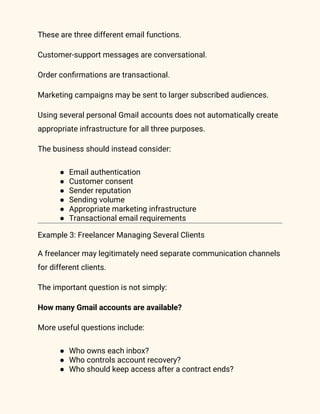
Example 2: Ecommerce Store
Consider an ecommerce business that needs email for:
● Order notifications
● Customer service
● Promotional campaigns
These are three different email functions.
Customer-support messages are conversational.
Order confirmations are transactional.
Marketing campaigns may be sent to larger subscribed audiences.
Using several personal Gmail accounts does not automatically create
appropriate infrastructure for all three purposes.
The business should instead consider:
● Email authentication
● Customer consent
● Sender reputation
● Sending volume
● Appropriate marketing infrastructure
● Transactional email requirements
Example 3: Freelancer Managing Several Clients
A freelancer may legitimately need separate communication channels
for different clients.
The important question is not simply:
How many Gmail accounts are available?
More useful questions include:
● Who owns each inbox?
● Who controls account recovery?
● Who should keep access after a contract ends?
● Should the email identity belong to the freelancer or the
client?
● Is a client-owned Workspace account more appropriate?
Clear ownership from the beginning can prevent future access
disputes.
Benefits and Limitations
Potential Benefits People Associate With Existing Gmail Accounts
People researching existing Gmail accounts may be attracted by
characteristics such as:
● Existing account history
● Immediate availability
● Separate email identities
● Previous phone verification
● Older creation dates
These characteristics help explain the search demand around terms
such as aged Gmail accounts, PVA Gmail accounts, and bulk Gmail
accounts.
However, each characteristic needs to be interpreted correctly.
An old creation date tells you that the account has existed.
Phone verification tells you that a phone-based verification step has
been associated with the account.
Neither tells you the complete story about current ownership, security,
or business suitability.
Key Limitations
Ownership Can Be Complicated
Existing recovery and authentication history can affect long-term
account continuity.
Previous History May Be Unknown
An older account can have activity that a new user did not create.
Consumer Gmail Offers Limited Team Administration
Companies needing employee email usually require clearer
organizational management.
Account Quantity Does Not Replace Sending Infrastructure
Using additional personal accounts does not remove the need for
proper authentication, sender reputation, and recipient-friendly email
practices.
Common Mistakes
Mistake 1: Treating “Aged” as a Complete Quality Score
Age is one data point.
It does not describe ownership, previous activity, security, or sender
performance.
Mistake 2: Assuming PVA Means Fully Trusted
Phone verification can be useful in authentication workflows, but PVA
does not automatically establish long-term ownership or email
reputation.
Mistake 3: Confusing Gmail Sending Limits With Bulk-Sender Rules
These are different concepts.
Personal Gmail has its own account sending limits, while Google
defines a bulk sender based on sending close to 5,000 or more
messages to personal Gmail accounts within a 24-hour period from
the same primary domain.
Mistake 4: Ignoring Recovery and Authentication History
A working password should not be treated as the only indicator of
account control.
Recovery information and authentication factors matter too.
Mistake 5: Using Consumer Accounts When the Real Need Is Business
Email
If the real requirement is employee email, organizational ownership,
centralized security, or business-domain addresses, Google
Workspace may address the problem more directly than a collection
of personal Gmail accounts.
Gmail Account Evaluation Checklist
Before treating an existing Gmail account as useful for a serious
personal or business purpose, evaluate the following areas.
Ownership
● Is long-term ownership clear?
● Is the relationship between the account and its intended user
appropriate?
● Are current recovery methods understood?
● Is there unresolved previous ownership history?
Security
● Is Two-Step Verification configured appropriately?
● Are recovery phone and email details current?
● Are unknown devices or security factors associated with the
account?
● Are passkeys or security keys managed by the legitimate
account owner?
History
● Is previous account activity reasonably understood?
● Are there connected Google services that matter?
● Is unrelated data attached to the account?
● Is the account history appropriate for the intended use?
Business Fit
● Is a personal Gmail account actually suitable for the
requirement?
● Would a managed Google Workspace user be more
appropriate?
● Does the organization need centralized account
administration?
● Is a business-domain email address preferable?
Email Performance
● Is the sending domain authenticated appropriately?
● Is TLS used for transmission?
● Are recipients expecting the messages?
● Are spam complaints being monitored?
● If the sender qualifies as a bulk sender, are SPF, DKIM,
DMARC, alignment, and applicable unsubscribe requirements
being met?
Frequently Asked Questions
What does “Buy Gmail Accounts” mean?
The phrase generally describes third-party offers for previously
created Gmail or Google Accounts, including aged, PVA, verified, or
bulk account packages.
The exact product being advertised can vary significantly, so buyers
should distinguish between simple login access and reliable account
ownership.
Can you buy Gmail accounts from third-party sellers?
Third-party sellers may advertise Gmail accounts for sale.
However, receiving a username and password does not by itself
establish durable ownership. Previous recovery information,
authentication methods, connected services, earlier devices, and
account history may all be relevant to long-term continuity.
What is a PVA Gmail account?
PVA usually means Phone Verified Account.
It indicates that phone verification has been involved in the account’s
verification or authentication history.
It should not be interpreted as automatic proof of good email
reputation, clean history, or permanent ownership.
Are aged Gmail accounts better?
Not automatically.
An aged Gmail account has an older creation history, but age does not
describe all the important factors.
Ownership, previous usage, security configuration, recovery
information, and intended purpose should also be considered.
Do aged Gmail accounts have better email deliverability?
Account age by itself does not guarantee better deliverability.
Google’s sender guidelines emphasize authentication, DNS
configuration, TLS, spam rates, message formatting, sender alignment
for bulk senders, and responsible sending practices.
What are Gmail’s requirements for regular email senders?
For senders delivering mail to personal Gmail accounts, Google lists
requirements including SPF or DKIM, valid forward and reverse DNS,
TLS, acceptable spam rates, appropriate message formatting, and
avoiding Gmail From: header impersonation.
What is considered a bulk sender by Gmail?
Google defines a bulk sender as a sender that sends close to 5,000 or
more messages to personal Gmail accounts within a 24-hour period.
Messages from the same primary domain count together toward that
classification.
Google states that senders meeting the criterion at least once remain
classified as bulk senders.
What additional requirements apply to Gmail bulk senders?
Bulk senders must meet additional requirements that include:
● SPF and DKIM
● DMARC
● From-domain alignment with SPF or DKIM for direct
messages
● Applicable one-click unsubscribe support for marketing and
subscribed messages
● A visible unsubscribe option for applicable messages
They must also continue meeting the general requirements involving
TLS, DNS, spam rates, and message formatting.
Has Gmail enforcement changed recently?
Yes. Google states that starting in November 2025 it began ramping
up enforcement on non-compliant traffic. Messages that fail
applicable sender requirements can experience disruptions including
temporary or permanent rejection. Google also provides a Compliance
status dashboard in Postmaster Tools to help senders identify issues.
What spam rate should Gmail senders target?
Google recommends keeping the user-reported spam rate below 0.1%
and preventing it from reaching 0.3% or higher. The lower the
complaint rate, the better the position for consistent inbox delivery.
Is TLS only required for bulk senders?
No.
Google includes TLS in its requirements for senders delivering email
to personal Gmail accounts, not only bulk senders.
What are the sending limits for personal Gmail accounts?
Google says a personal Gmail user may receive a sending-limit
warning after sending more than 500 emails in a day or sending one
email to more than 500 recipients.
Sending may become available again within approximately 1 to 24
hours.
These limits are separate from Gmail’s definition of a bulk sender.
What is the difference between Gmail and Google Workspace?
Personal Gmail is primarily a consumer email service.
Google Workspace allows organizations to create users under an
organization-controlled domain and administer those users centrally
through the Google Admin console.
Can businesses create multiple managed email users instead of
relying on third-party Gmail accounts?
Yes.
Google Workspace administrators can create separate organizational
user accounts, including adding users individually and using bulk-user
management options where appropriate.
This gives the organization clearer administrative ownership than
relying on unrelated consumer accounts.
Why is recovery information important when evaluating an existing
Gmail account?
Recovery information can help Google verify account access when
someone forgets a password, is locked out, or experiences
unauthorized use.
Changes to recovery information or authentication factors may also
involve a security period during which previous recovery information
can remain relevant.
Are passkeys safer than ordinary passwords?
Passkeys are designed to provide phishing-resistant authentication.
They use cryptographic credentials and secure user authentication
through a device or hardware security key, such as a fingerprint, face
scan, PIN, or another screen-unlock mechanism.
Because users are not entering a reusable password into a website,
passkeys provide strong resistance to common credential-phishing
attacks.
What is more important than Gmail account age for business email?
For legitimate business communication, more meaningful factors
typically include:
● Clear ownership
● Secure authentication
● Appropriate recovery controls
● Domain authentication
● Responsible sending behavior
● Recipient consent
● Sender reputation
● Proper business administration
Age may be part of an account’s history, but it should not replace
these considerations.
Final Verdict: Understanding “Buy Gmail Accounts”
The search for Buy Gmail Accounts represents several different
needs.
Some users want aged Gmail accounts.
Some search for PVA or phone-verified Gmail accounts.
Others want bulk Gmail accounts because they need multiple inboxes,
separate workflows, or more organized business communication.
The mistake is treating all of those needs as the same problem.
An account’s age can describe its history.
Phone verification can describe part of its authentication history.
A working password can provide current login access.
None of those characteristics alone establishes reliable long-term
ownership, business suitability, or strong email deliverability.
For individuals, the strongest foundation is clear ownership, secure
recovery, and strong authentication.
For businesses, centralized account administration and organization-
owned email identities may matter more than relying on unrelated
personal Gmail accounts. Google Workspace is specifically designed
to let organizations create and manage individual users under an
organization-controlled domain.
For email senders, technical compliance matters as well. Google
requires senders to personal Gmail accounts to meet baseline
requirements that include SPF or DKIM, TLS, DNS configuration,
appropriate message formatting, and acceptable spam rates.
Senders reaching close to 5,000 or more messages to personal Gmail
accounts within 24 hours face additional bulk-sender requirements,
including SPF and DKIM together, DMARC, domain alignment for
direct mail, and applicable unsubscribe protections. Since November
2025, Gmail has also been ramping up enforcement against non-
compliant traffic, making these requirements more operationally
significant for serious senders.
The most useful way to approach Buy Gmail Accounts is therefore not
to judge accounts by a single label such as “aged,” “PVA,” or “verified.”
Evaluate the complete picture:
ownership, recovery, security, history, intended use, sending
infrastructure, and long-term control.
A Gmail address is easy to describe.
A reliable email asset requires much more than an address and a
password.
Official Google References
The factual Google-specific statements in this guide were checked
against the following official resources:
1. Google Gmail Help — Email sender guidelines
2. Google Gmail Help — Email sender guidelines FAQ
3. Google Account Help — Set up recovery options
4. Google Account Help — How to recover your Google Account
or Gmail
5. Google Gmail Help — Limits for sending & getting mail
6. Google Workspace Admin Help — Add an account for a new
user
7. Google Workspace Admin Help — Avoid sharing an account
among users
8. Google Account Help — Sign in with a passkey instead of a
password
9. Google Postmaster Tools — Compliance and sender
monitoring
Editorial note: This version was reviewed in August 2026 against
current Google Help documentation. Google can update sender
requirements, account-security features, enforcement practices, and
service limits, so operational decisions should always be checked
against the linked official resources.