Top 13 Platforms for Buying Aged Gmail Accounts Safely.docx
Compared to newly created accounts, our Gmail accounts offer a higher level of trust and stability. This helps reduce common limitations while improving overall efficiency and usability.
Top 13 Platforms for Buying Aged Gmail Accounts Safely.docx
1.
Top 13 Platformsfor Buying Aged Gmail
Accounts Safely
The search for “Top 13 Platforms for Buying Aged Gmail Accounts Safely” usually
comes from a straightforward need: someone wants an established email identity and
believes an older Gmail account may provide advantages over creating a new one.
https://globalclubusa.com/product/buy-aged-gmail-accounts/
That assumption deserves closer examination.
An aged Gmail account is generally an existing Google Account that has been active for
some period of time. Some marketplaces advertise such accounts according to age,
verification status, location, or other characteristics. But none of those labels, by themselves,
establish that an account is secure, has a clean history, or will remain accessible after a
change in control.
2.
Google's own policiesare particularly important here. Google allows people to have multiple
accounts for legitimate purposes, but says multiple accounts must not be used to break its
policies or create fake accounts through automated means. Its Gmail policies also prohibit
spam and unsolicited commercial mail.
Consequently, a genuinely useful guide should do more than publish a list of account
marketplaces.
It should explain what the buyer is actually trying to accomplish, whether an aged
Gmail account is appropriate, what risks are involved, and which legitimate email
platforms can provide the underlying functionality with better ownership and
administrative control.
This guide takes that approach.
The Short Answer
There isn't a responsible way to guarantee that a third-party marketplace selling previously
created Gmail credentials is “safe.”
A seller cannot guarantee:
● Continued access
● Google's future enforcement decisions
● A completely clean account history
● Exclusive control of recovery mechanisms
● Future deliverability
● The absence of previously connected services
Instead, consider these 13 platform categories and solutions, depending on your actual
objective:
1. Google Account — for independently created personal accounts
2. Google Workspace — for managed organizational email
3. Custom-domain email hosting — for professional addresses
4. Email alias platforms — for additional addresses without separate accounts
5. Shared mailbox platforms — for team communication
6. Temporary email services — for short-lived, low-risk testing
7. Email-testing platforms — for developers and QA teams
8. Dedicated test-account systems — for controlled application testing
9. Email marketing platforms — for permission-based campaigns
10. Transactional email platforms — for automated application messages
11. Business email hosting — for domain-based organizational mailboxes
12. Managed IT/email providers — for organizations needing administration
13. Identity and access-management platforms — for centralized enterprise identity
The best choice depends on the job—not simply on how old an account is.
3.
1. Google Account:The Most Direct
Route to an Additional Gmail Identity
If you simply need another Gmail address for legitimate personal use, creating your own
Google Account is often the cleanest solution.
The biggest advantage is known provenance.
You know:
● When the account was created
● Who created it
● Which recovery information was added
● Which security settings were configured
● What devices have accessed it
● What the account is being used for
That eliminates one of the biggest problems with buying an existing account: uncertainty
about its history.
Google explicitly recognizes legitimate scenarios in which people maintain multiple accounts,
such as separate personal and work identities.
Best for
● Personal projects
● Separate inboxes
● Side businesses
● Subscriptions
● Individual Google services
The important lesson
If your only reason for buying an aged account is “I need another Gmail address,” first ask
whether simply creating your own account solves the problem.
In many cases, it does.
2. Google Workspace: Better for
Organizations
Businesses often search for aged Gmail accounts when what they really need is managed
business email.
That's a different problem.
An organization may require:
4.
● Employee accounts
●Administrative controls
● Centralized security
● User provisioning
● Employee offboarding
● Domain-based addresses
● Organizational ownership
A managed workspace environment is designed around these requirements.
Why centralized administration matters
Imagine an employee leaves a company.
With a centrally managed account, the organization can follow an established offboarding
process.
With an independently purchased consumer account, questions may arise:
● Who owns the recovery phone?
● Who controls the recovery email?
● What other services are connected?
● Can the company recover the account?
● Does the account contain unrelated personal information?
These are business-continuity questions, not merely email questions.
Best for
Businesses, agencies, startups, nonprofits, and teams.
3. Custom-Domain Email Hosting
Many people searching for “old Gmail accounts” aren't actually attached to the Gmail brand.
They want professional email.
For example:
● sales@company.example
● support@company.example
● billing@company.example
● contact@company.example
A custom domain can provide a more durable business identity.
The domain belongs to the organization, rather than to an anonymous account seller.
Why this matters
5.
If your businesschanges email providers later, you can generally keep the same public-
facing domain.
That's a major advantage over building a business identity around unrelated consumer
accounts.
Best for
● Companies
● Freelancers
● Agencies
● Consultants
● Professional services
4. Email Alias Platforms
Sometimes the user doesn't need another account.
They need another address.
That's an important distinction.
Suppose someone wants separate addresses for:
● Shopping
● Newsletters
● Website inquiries
● Personal projects
An alias system may be able to provide additional addresses that route into an existing
mailbox.
Account versus address
An independent account typically has its own:
● Credentials
● Security settings
● Recovery process
● Inbox
An alias may simply provide another address associated with an existing mailbox.
If you don't need separate authentication, an alias can substantially reduce account-
management overhead.
Best for
People who need multiple addresses rather than multiple independent identities.
6.
5. Shared MailboxPlatforms
A shared mailbox is another alternative that solves a common reason people look for
multiple accounts.
Consider a support team.
Five employees need to respond to:
support@company.example
Do you need five separate Gmail accounts?
Probably not.
A shared mailbox can give authorized team members access to the same communication
channel.
Advantages
● Centralized communication
● Easier employee transitions
● Less credential duplication
● Better organizational continuity
Best for
● Customer support
● Recruiting
● Billing
● General inquiries
● Small teams
6. Temporary Email Platforms
Temporary email services provide addresses intended for short-lived use.
They can be useful for certain low-risk workflows, such as:
● Temporary testing
● Demonstration environments
● Non-critical registrations
● Short-term QA
However, they aren't suitable as the primary recovery address for important accounts.
You generally don't want a temporary mailbox controlling access to:
7.
● Banking
● Businessinfrastructure
● Cloud administration
● Critical SaaS accounts
● Long-term personal records
Best for
Short-duration, low-risk tasks.
Main limitation
Continuity.
Temporary email is intentionally designed around limited lifespan or limited account
ownership.
7. Email-Testing Platforms
Developers often search for aged Gmail accounts because they need to test application
emails.
But an old Gmail account isn't necessarily a good testing environment.
Suppose you're developing an application that sends:
● Verification emails
● Password resets
● Login alerts
● Purchase receipts
● Account notifications
You need predictable testing.
A dedicated email-testing platform can allow developers to inspect and validate messages
without depending on the unknown history of third-party inboxes.
What a good testing workflow provides
● Repeatable tests
● Controlled identities
● Automated testing
● Message inspection
● Debugging
● Test isolation
Best for
Developers, QA engineers, SaaS companies, and web applications.
8.
8. Dedicated TestAccounts
Another legitimate approach is to create a controlled collection of test identities yourself.
For example:
Test account Purpose
New user Registration
Verified user Verification workflow
Unverified user Verification failure
Trial user Subscription testing
Paid user Billing workflow
Locked user Security testing
Deleted user Recovery testing
This is substantially more useful than knowing that an account was “created three years
ago.”
Why?
Because test state matters more than account age.
Best for
Software development, QA, automated testing, and regression testing.
9. Email Marketing Platforms
If you're looking for aged Gmail accounts because you want to send newsletters,
promotional emails, or campaigns, the underlying problem is probably email marketing
infrastructure.
Buying more Gmail accounts doesn't replace:
● Consent management
● Subscriber segmentation
● Unsubscribe handling
● Campaign analytics
9.
● Bounce management
●Sender authentication
● Reputation monitoring
Google's current guidance recommends obtaining recipient consent for commercial or bulk
email and providing appropriate ways for recipients to unsubscribe.
Google also says Gmail must not be used to distribute spam or unsolicited commercial mail.
Best for
● Newsletters
● Permission-based marketing
● Customer campaigns
● Product announcements
Better principle
Build a permission-based subscriber list instead of attempting to compensate for poor
deliverability by acquiring more accounts.
10. Transactional Email Platforms
Transactional email is different from promotional email.
A transactional message might be:
● Password reset
● One-time password
● Order confirmation
● Receipt
● Appointment confirmation
● Account verification
Google specifically distinguishes transactional messages from subscription messages in its
sender guidance.
If an application sends these messages automatically, a transactional email service is
generally a more appropriate architectural choice than a collection of consumer Gmail
accounts.
Best for
● SaaS products
● E-commerce
● Web applications
● Membership systems
● Customer portals
10.
11. Business EmailHosting
Business email hosting is another option when the actual requirement is a set of professional
mailboxes.
A company might need:
● Five employee addresses
● A support address
● A sales address
● A billing address
● A general contact address
A business email provider can centralize these under a company-owned domain.
Why it's preferable to unrelated accounts
The organization can define:
● Who has access
● Who administers accounts
● What happens when employees leave
● How recovery works
● Which addresses belong to departments
This creates a coherent identity system.
12. Managed IT and Email Providers
Not every company wants to configure its own email infrastructure.
A managed provider can help with:
● Domain setup
● DNS
● Authentication
● User creation
● Security policies
● Account recovery
● Migration
● Employee onboarding
● Employee offboarding
This can be particularly valuable for small businesses without dedicated IT staff.
Best for
Organizations that need email but don't want to become email infrastructure specialists.
11.
13. Identity andAccess-Management
Platforms
At larger organizations, email is only one component of digital identity.
Employees may require access to:
● Email
● Cloud storage
● CRM systems
● Accounting software
● HR platforms
● Development environments
● Internal applications
Identity and access management provides a centralized framework for controlling those
identities.
Best for
● Enterprises
● Larger teams
● Organizations with many applications
● Security-conscious businesses
Core advantage
The organization manages the identity lifecycle, rather than simply collecting accounts.
What Does “Aged Gmail Account”
Actually Mean?
An aged Gmail account is generally an account that has existed for some period.
But there is no universal industry standard that makes “aged” synonymous with:
● Trusted
● Safe
● High reputation
● High deliverability
● Secure
● Permanently accessible
A marketplace might describe an account as:
● 6 months old
● 1 year old
12.
● 3 yearsold
● 5 years old
But age alone doesn't tell you what happened during that period.
This is the key distinction between age and provenance.
Age Versus Provenance: The Overlooked
Issue
Suppose an account is five years old.
That's useful historical information.
But consider what you don't know:
● Who originally created it?
● Who used it?
● Was it shared?
● What services were connected?
● Was recovery information changed?
● Were unusual activities associated with it?
● Was it previously compromised?
A seller might provide assurances, but the buyer may not have an independent way to
reconstruct the entire account history.
For security-sensitive use, that uncertainty matters.
A better evaluation question
Instead of asking:
“How old is this account?”
ask:
“Can I establish and maintain exclusive control of the account and its
recovery mechanisms?”
That is a much stronger security question.
Does an Aged Account Automatically
Have Better Deliverability?
13.
No.
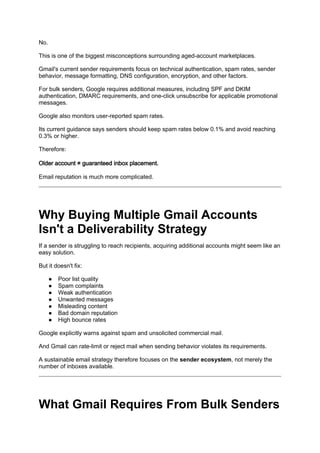
This is oneof the biggest misconceptions surrounding aged-account marketplaces.
Gmail's current sender requirements focus on technical authentication, spam rates, sender
behavior, message formatting, DNS configuration, encryption, and other factors.
For bulk senders, Google requires additional measures, including SPF and DKIM
authentication, DMARC requirements, and one-click unsubscribe for applicable promotional
messages.
Google also monitors user-reported spam rates.
Its current guidance says senders should keep spam rates below 0.1% and avoid reaching
0.3% or higher.
Therefore:
Older account ≠ guaranteed inbox placement.
Email reputation is much more complicated.
Why Buying Multiple Gmail Accounts
Isn't a Deliverability Strategy
If a sender is struggling to reach recipients, acquiring additional accounts might seem like an
easy solution.
But it doesn't fix:
● Poor list quality
● Spam complaints
● Weak authentication
● Unwanted messages
● Misleading content
● Bad domain reputation
● High bounce rates
Google explicitly warns against spam and unsolicited commercial mail.
And Gmail can rate-limit or reject mail when sending behavior violates its requirements.
A sustainable email strategy therefore focuses on the sender ecosystem, not merely the
number of inboxes available.
What Gmail Requires From Bulk Senders
14.
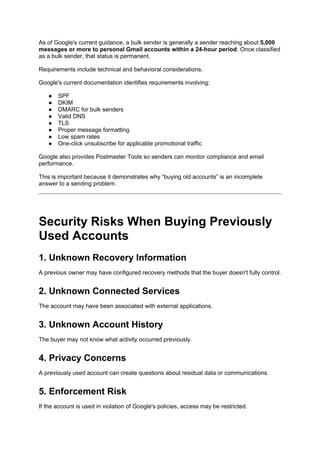
As of Google'scurrent guidance, a bulk sender is generally a sender reaching about 5,000
messages or more to personal Gmail accounts within a 24-hour period. Once classified
as a bulk sender, that status is permanent.
Requirements include technical and behavioral considerations.
Google's current documentation identifies requirements involving:
● SPF
● DKIM
● DMARC for bulk senders
● Valid DNS
● TLS
● Proper message formatting
● Low spam rates
● One-click unsubscribe for applicable promotional traffic
Google also provides Postmaster Tools so senders can monitor compliance and email
performance.
This is important because it demonstrates why “buying old accounts” is an incomplete
answer to a sending problem.
Security Risks When Buying Previously
Used Accounts
1. Unknown Recovery Information
A previous owner may have configured recovery methods that the buyer doesn't fully control.
2. Unknown Connected Services
The account may have been associated with external applications.
3. Unknown Account History
The buyer may not know what activity occurred previously.
4. Privacy Concerns
A previously used account can create questions about residual data or communications.
5. Enforcement Risk
If the account is used in violation of Google's policies, access may be restricted.
15.
6. Business Continuity
Abusiness-critical account should never depend on an ownership arrangement that cannot
be clearly documented and recovered.
Red Flags on Websites Selling Aged
Gmail Accounts
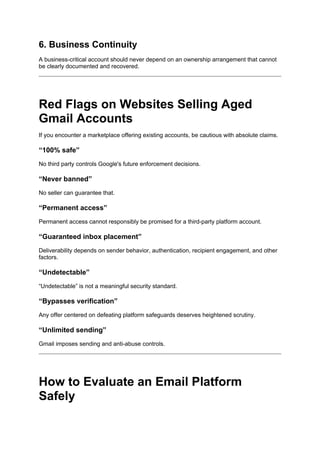
If you encounter a marketplace offering existing accounts, be cautious with absolute claims.
“100% safe”
No third party controls Google's future enforcement decisions.
“Never banned”
No seller can guarantee that.
“Permanent access”
Permanent access cannot responsibly be promised for a third-party platform account.
“Guaranteed inbox placement”
Deliverability depends on sender behavior, authentication, recipient engagement, and other
factors.
“Undetectable”
“Undetectable” is not a meaningful security standard.
“Bypasses verification”
Any offer centered on defeating platform safeguards deserves heightened scrutiny.
“Unlimited sending”
Gmail imposes sending and anti-abuse controls.
How to Evaluate an Email Platform
Safely
16.
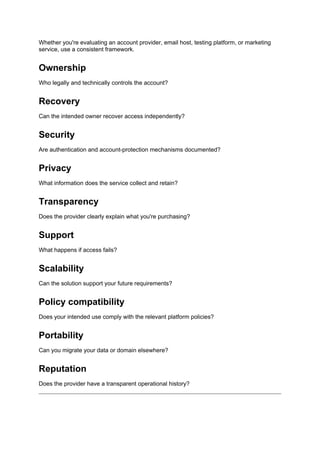
Whether you're evaluatingan account provider, email host, testing platform, or marketing
service, use a consistent framework.
Ownership
Who legally and technically controls the account?
Recovery
Can the intended owner recover access independently?
Security
Are authentication and account-protection mechanisms documented?
Privacy
What information does the service collect and retain?
Transparency
Does the provider clearly explain what you're purchasing?
Support
What happens if access fails?
Scalability
Can the solution support your future requirements?
Policy compatibility
Does your intended use comply with the relevant platform policies?
Portability
Can you migrate your data or domain elsewhere?
Reputation
Does the provider have a transparent operational history?
17.
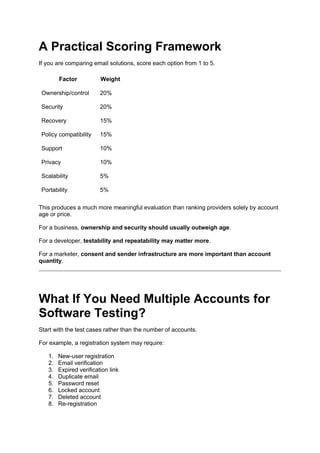
A Practical ScoringFramework
If you are comparing email solutions, score each option from 1 to 5.
Factor Weight
Ownership/control 20%
Security 20%
Recovery 15%
Policy compatibility 15%
Support 10%
Privacy 10%
Scalability 5%
Portability 5%
This produces a much more meaningful evaluation than ranking providers solely by account
age or price.
For a business, ownership and security should usually outweigh age.
For a developer, testability and repeatability may matter more.
For a marketer, consent and sender infrastructure are more important than account
quantity.
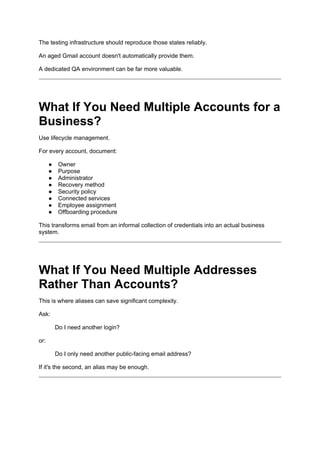
What If You Need Multiple Accounts for
Software Testing?
Start with the test cases rather than the number of accounts.
For example, a registration system may require:
1. New-user registration
2. Email verification
3. Expired verification link
4. Duplicate email
5. Password reset
6. Locked account
7. Deleted account
8. Re-registration
18.
The testing infrastructureshould reproduce those states reliably.
An aged Gmail account doesn't automatically provide them.
A dedicated QA environment can be far more valuable.
What If You Need Multiple Accounts for a
Business?
Use lifecycle management.
For every account, document:
● Owner
● Purpose
● Administrator
● Recovery method
● Security policy
● Connected services
● Employee assignment
● Offboarding procedure
This transforms email from an informal collection of credentials into an actual business
system.
What If You Need Multiple Addresses
Rather Than Accounts?
This is where aliases can save significant complexity.
Ask:
Do I need another login?
or:
Do I only need another public-facing email address?
If it's the second, an alias may be enough.
19.
What If YouNeed a Team to Share One
Address?
Consider a shared mailbox.
This can be especially useful for:
● Support
● Recruiting
● Billing
● Sales inquiries
● General company communication
The advantage is continuity.
The address belongs to the organization rather than to one individual's login.
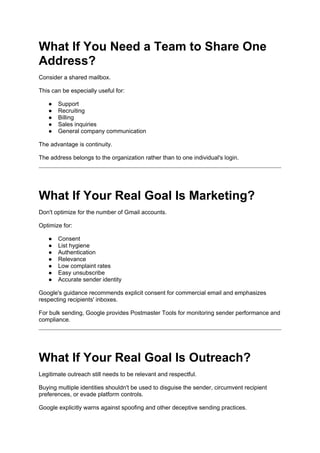
What If Your Real Goal Is Marketing?
Don't optimize for the number of Gmail accounts.
Optimize for:
● Consent
● List hygiene
● Authentication
● Relevance
● Low complaint rates
● Easy unsubscribe
● Accurate sender identity
Google's guidance recommends explicit consent for commercial email and emphasizes
respecting recipients' inboxes.
For bulk sending, Google provides Postmaster Tools for monitoring sender performance and
compliance.
What If Your Real Goal Is Outreach?
Legitimate outreach still needs to be relevant and respectful.
Buying multiple identities shouldn't be used to disguise the sender, circumvent recipient
preferences, or evade platform controls.
Google explicitly warns against spoofing and other deceptive sending practices.
20.
The sustainable approachis to make the sender identity clear and contact people who
reasonably expect the communication.
What If the Account Will Become a
Business-Critical Login?
This is where purchasing an existing consumer account becomes particularly unattractive.
Imagine using it for:
● Cloud administration
● Payment notifications
● Website recovery
● Business software
● Domain management
● Company records
Now the cost of losing access isn't the purchase price.
It could include:
● Lost data
● Downtime
● Recovery expenses
● Business interruption
● Security incidents
For critical infrastructure, establish direct ownership from the beginning.
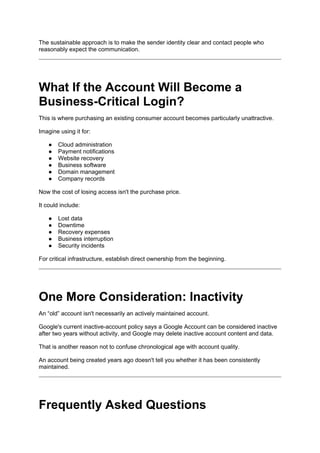
One More Consideration: Inactivity
An “old” account isn't necessarily an actively maintained account.
Google's current inactive-account policy says a Google Account can be considered inactive
after two years without activity, and Google may delete inactive account content and data.
That is another reason not to confuse chronological age with account quality.
An account being created years ago doesn't tell you whether it has been consistently
maintained.
Frequently Asked Questions
21.
What are thebest platforms for buying aged Gmail
accounts?
There is no responsible universal ranking of third-party sellers of previously owned Gmail
credentials that can guarantee safety or continued access.
The better approach is to choose an email platform according to the actual use case:
personal email, business email, aliases, testing, marketing, transactional messaging, or
identity management.
Are aged Gmail accounts safe?
Not automatically.
Account age does not establish ownership, security, clean history, or future accessibility.
Does buying an old Gmail account improve
deliverability?
There is no guarantee that it does.
Google's sender requirements emphasize authentication, sender behavior, spam rates,
DNS, message formatting, and other factors.
Can I use multiple Google Accounts?
Yes, for legitimate purposes. Google explicitly gives examples such as maintaining separate
personal and work accounts. However, multiple accounts cannot be used to circumvent
Google's policies.
Is an aged account better for SEO?
Account age itself doesn't create legitimate authority.
Search visibility depends on many factors related to the website, content, links, relevance,
user experience, and other signals—not simply how old an email address is.
Is buying Gmail accounts useful for marketing?
It is generally better to use appropriate email marketing infrastructure.
Google prohibits spam and unsolicited commercial mail, and its current sender guidance
emphasizes consent and appropriate unsubscribe mechanisms.
What is better for testing?
Controlled test accounts and email-testing infrastructure usually provide more predictable
results.
22.
Should a businessbuy existing Gmail accounts?
Businesses should carefully consider ownership, recovery, privacy, and lifecycle
management before relying on previously controlled accounts.
Managed business email is usually easier to administer.
What should I look for in an email provider?
Prioritize ownership, recovery, security, transparency, privacy, support, scalability,
portability, and policy compatibility.
Final Verdict: Is Buying an Aged Gmail
Account Really the Best Solution?
The popularity of aged Gmail accounts comes from an understandable idea:
An established account might seem more valuable than a new one.
But age alone doesn't establish trust.
A previously created account can have an unknown history, uncertain provenance,
connected services, recovery concerns, and platform-policy considerations.
Google also continues to enforce requirements around account abuse, spam, multiple-
account misuse, and bulk email.
For email marketing specifically, Google's current requirements make the underlying
infrastructure far more important than simply possessing older accounts. Bulk senders must
meet authentication and other requirements, and Google actively monitors spam rates and
compliance.
So, rather than asking:
“Which website sells the safest aged Gmail accounts?”
a more useful question is:
“Which platform gives me legitimate control, security, functionality, and scalability for
the job I need to perform?”
For personal email, create the account yourself.
For business email, use managed organizational infrastructure.
For multiple addresses, consider aliases.
For teams, use shared mailboxes.
23.
For software development,use controlled test accounts and testing platforms.
For marketing, use permission-based email infrastructure.
For transactional messages, use a dedicated transactional provider.
For larger organizations, consider centralized identity management.
And if you still evaluate a third-party marketplace, treat claims such as “aged,” “verified,”
“safe,” and “guaranteed” as marketing descriptions—not independent guarantees of
security or permanent access.